
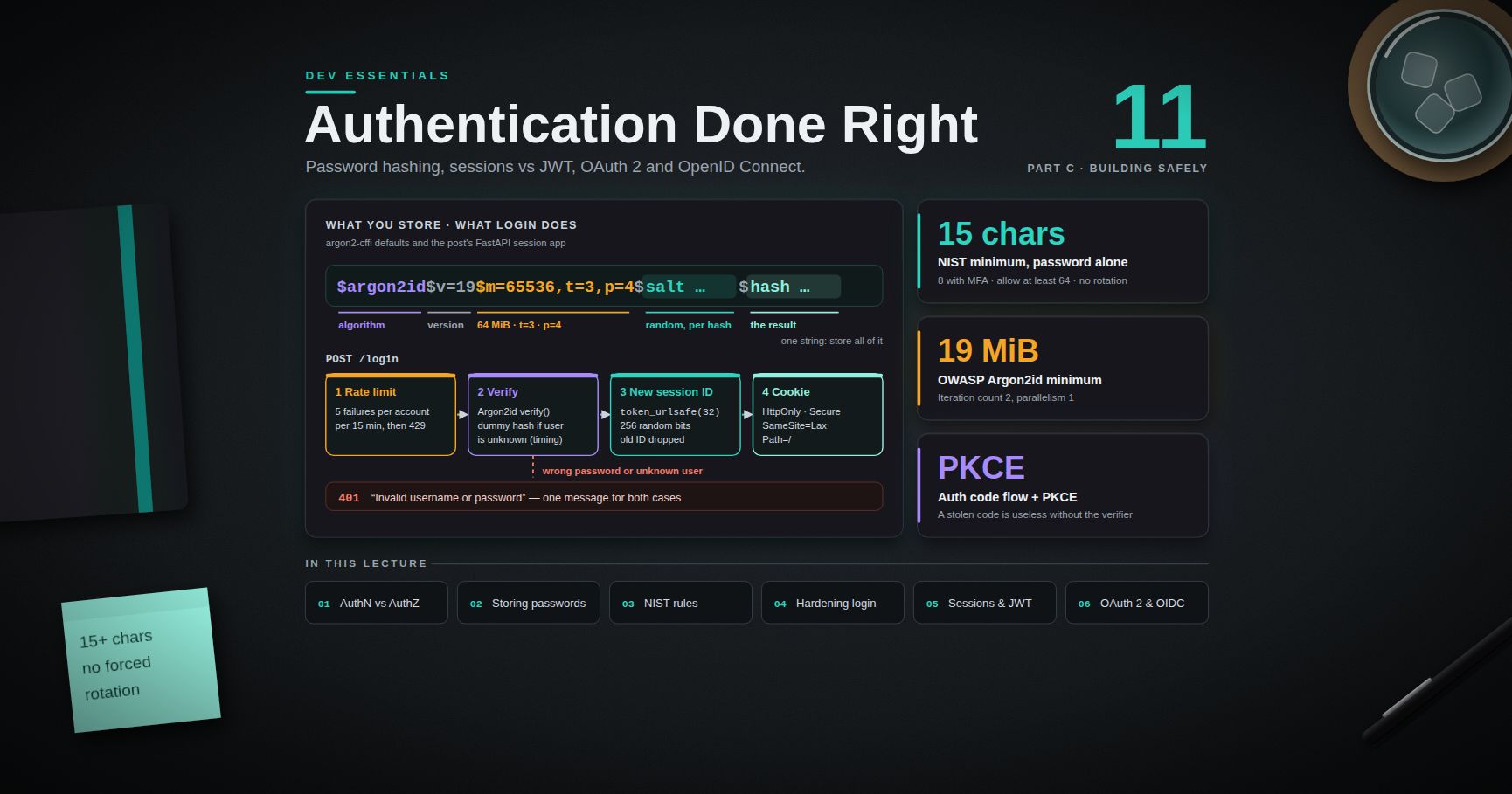
Dev Essentials — 11 · Authentication Done Right — Password Hashing, Sessions vs JWT, OAuth 2 and OIDC
Almost every app has a login box, and almost every data breach story has a login box somewhere in it. This post teaches the parts you must get right: how to store passwords (slow hashing, never encryption), which password rules the current NIST guideline asks for, how to harden a login form, how sessions and JWTs really differ, and what OAuth 2.0 and OpenID Connect are for. It ends with a small FastAPI app that does session login with Argon2id hashes. Every example runs on only.
> Series map: 01 Text Encoding → … → 10 Debugging → 11 Auth (this post) → 12 OWASP Top 10 → … → 24 Desk Health. Part C · Building safely.
Learning Outcome
- Tell authentication from authorization, and pick 401 vs 403 correctly.- Store passwords with Argon2id (or scrypt / bcrypt / PBKDF2) and the current OWASP parameters; explain salt vs pepper.- Apply the password rules of NIST SP 800-63B-4: length, no composition rules, no forced rotation, blocklists.- Harden a login: rate limits, generic errors, TOTP (RFC 6238) and passkeys (WebAuthn).- Build server-side sessions with safe cookie flags, and know when a JWT is the better tool.- Describe the OAuth 2.0 authorization code flow with PKCE, and the difference between an ID token and an access token.
Chapter 1 — Who are you, and what may you do?
Two questions sit behind every protected request:
1. Authentication (AuthN) — who are you? The user proves an identity, for example with a password plus a code.2. Authorization (AuthZ) — what may you do? The app checks whether this identity may read or change this thing.
They fail in different ways. A perfect login does not help if any logged-in user can open that belongs to someone else. That second bug is authorization, and Dev Essentials 12 · OWASP Top 10 shows it as "Broken Access Control".
HTTP has a status code for each. means "I do not know who you are" (not logged in, or a bad token). means "I know who you are, and you may not do this". A is also fine for "not yours" when you do not want to reveal that the thing exists.
Terminology
- Credential — the thing that proves identity: a password, a private key, a code.- Factor — a kind of proof: something you know (password), have (phone, security key), or are (fingerprint). MFA means two or more different kinds.- Session — the server remembers "this browser is logged in as Ada" after the login step.- Token — a string the client sends with each request to show it is logged in. It can be a random ID (a reference) or a signed document such as a JWT (a value).- Identity provider (IdP) — a service that logs users in for other apps (Google, Microsoft Entra ID, Okta, Keycloak).
Chapter 2 — Storing passwords
Never plain text, never reversible encryption
If you store passwords as plain text, one database leak exposes every user — and most users reuse passwords on other sites. Encryption is not the answer either. Encrypted data can be decrypted, so whoever steals the key gets every password back. You want a one-way function: easy to check a guess, impossible to reverse. That is a hash. But not any hash.
Why SHA-256 is the wrong hash
SHA-256 and MD5 are built to be fast. A modern GPU can compute billions of them per second. If an attacker steals your table of SHA-256 password hashes, they hash every word from a big list of leaked passwords and compare. Password hashing functions are built to be slow and memory-hungry on purpose. One login costs your server a fraction of a second. For an attacker trying billions of guesses, the same cost becomes enormous. Being memory-hard matters too: GPUs have many cores but little memory per core, so a hash that needs many MiB per guess slows them down.
Salt and pepper
- Salt — a random value, different for every password, stored next to the hash. Two users with the same password get different hashes, and precomputed tables ("rainbow tables") become useless. Modern libraries make and store the salt for you.- Pepper — one secret value shared by all passwords, stored outside the database (a secrets manager or an HSM). OWASP says a pepper "should not be stored along with the generated hash". If only the database leaks, the hashes cannot be cracked without it. A pepper is defence in depth, not a replacement for a slow hash.
The algorithms and the current OWASP parameters
The OWASP Password Storage Cheat Sheet (checked September 2026) gives this order of preference. The quotes are exact:
| Algorithm | When | OWASP parameters ||-----------|------|------------------|| Argon2id | First choice | "a minimum configuration of 19 MiB of memory, an iteration count of 2, and 1 degree of parallelism" || scrypt | If Argon2id is not available | "a minimum CPU/memory cost parameter of (2^17), a minimum block size of 8 (1024 bytes), and a parallelization parameter of 1" || bcrypt | Legacy systems | "a work factor of 10 or more and with a password limit of 72 bytes" || PBKDF2 | When FIPS-140 compliance is required | "PBKDF2-HMAC-SHA256: 600,000 iterations"; "PBKDF2-HMAC-SHA512: 220,000 iterations" |
OWASP also lists Argon2id settings that give about the same protection. You can trade memory for iterations: , , , , .
> Watch out: bcrypt only uses the first 72 bytes of the input in most implementations. Longer passwords are silently cut, so two different long passwords can match. OWASP says to "enforce a maximum password length of 72 bytes". Note that 72 bytes can be fewer than 72 characters in UTF-8 (see Dev Essentials 01 · Text Encoding). Pre-hashing the password before bcrypt has its own traps (null bytes, "password shucking"), so for new systems just choose Argon2id.
The work factor (or cost) is how much CPU time, and for Argon2 and scrypt how much memory, one hash takes. You raise it as hardware gets faster.
Chapter 3 — Argon2id in Python with argon2-cffi
is the standard Argon2 library for Python (version 25.1.0 at the time of writing). Install it with inside a virtual environment (Chapter 7 shows the setup for both shells). The whole API is three methods on :
The output is an encoded hash: one string that holds the algorithm, parameters, salt and hash. Store the whole string. returns a different string each time for the same password; that is the salt at work. reads the parameters and salt back out of the string. tells you when a stored hash used older, weaker parameters. The only moment you have the plain password is during login, so that is when you upgrade it.
The library default is the RFC 9106 "low memory" profile: , (KiB, so 64 MiB), . That is above the OWASP minimum. On a small server you can set the OWASP minimum explicitly with .
> Trick: measure before you choose. Run on the real server. Pick the strongest setting whose time and memory your login traffic can afford.
> Common pitfall: comparing hashes yourself with . Always call the library's . It does the constant-time compare and handles every parameter set that is stored in the string.
Chapter 4 — Password rules from NIST SP 800-63B-4
NIST SP 800-63B-4 is the US government guideline on authentication. The final version was published on 31 July 2025. It supersedes SP 800-63B (revision 3). Many companies follow it, and it drops several old habits. The key rules, quoted:
| Rule | NIST 800-63B-4 text ||------|---------------------|| Minimum length, password alone | "SHALL require passwords that are used as a single-factor authentication mechanism to be a minimum of 15 characters in length" || Minimum length, with MFA | may be shorter "but SHALL require them to be a minimum of eight characters in length" || Maximum length | "SHOULD permit a maximum password length of at least 64 characters" || Composition rules | "SHALL NOT impose other composition rules (e.g., requiring mixtures of different character types)" || Rotation | "SHALL NOT require subscribers to change passwords periodically" — but "SHALL force a change if there is evidence that the authenticator has been compromised" || Blocklist | compare new passwords "against a blocklist that contains known commonly used, expected, or compromised passwords" || Unicode | "Each Unicode code point SHALL be counted as a single character" || Password managers | "SHALL allow the use of password managers and autofill functionality"; "SHOULD permit" paste || No truncation | "SHALL verify the entire submitted password (e.g., not truncate it)" |
NIST also says the blocklist should cover breach corpuses, dictionary words, and "context-specific words, such as the name of the service, the username, and derivatives thereof". Hints and security questions are out.
A small checker that follows these rules:
> Trick: the Have I Been Pwned "Pwned Passwords" range API lets you check a password against real breach data without sending it. You send only the first 5 hex characters of its SHA-1 hash (a k-anonymity model) and compare the returned suffixes locally. No API key is needed.
Chapter 5 — Hardening the login
Rate limiting
Without a limit, an attacker can try thousands of passwords per minute. NIST requires that the verifier "SHALL limit consecutive failed authentication attempts using a specific authenticator on a single subscriber account to no more than 100". Most apps choose a much lower number, plus a limit per IP address. The app in Chapter 7 allows 5 failures per account per 15 minutes. Dev Essentials 14 · API Reliability covers rate-limit algorithms in depth.
> Watch out: a hard lockout per account lets anyone lock a real user out on purpose. Prefer growing delays or a temporary block, and give the real user a way to recover.
Generic error messages
Say "Invalid username or password" in both cases. If "no such user" and "wrong password" give different messages, attackers can find which accounts exist (user enumeration). Watch the timing too. If unknown users return instantly while real users take 50 ms to hash, the delay leaks the same fact. The Chapter 7 code hashes a dummy value for unknown users to keep the timing close. Registration and "forgot password" pages leak the same way, so give them neutral replies such as "If that account exists, we sent an email".
MFA with TOTP (RFC 6238)
A Time-based One-Time Password is the 6-digit code in an authenticator app. Server and app share a secret. Both compute and cut the result down to 6 digits. RFC 6238 builds on HOTP (RFC 4226) and recommends a 30-second time step. It needs only the standard library:
Real systems also remember the last accepted time step, so the same code cannot be used twice, and they rate-limit code guesses. In production you would use a tested library such as . NIST marks SMS codes as a "restricted" authenticator because of risks such as SIM swaps and number porting.
Passkeys and WebAuthn
TOTP codes can still be phished: a fake site asks for the code and replays it within 30 seconds. Passkeys fix this. A passkey is a key pair created by the user's device or password manager through the WebAuthn browser API. The server stores only the public key. At login, the device signs a random challenge with the private key. The browser ties each credential to the site's origin, so a look-alike domain cannot use it. WebAuthn Level 3 became a W3C Recommendation in 2026, and NIST 800-63B-4 requires phishing-resistant authenticators at its highest level (AAL3). Use a maintained WebAuthn server library rather than writing the checks yourself.
Chapter 6 — Sessions and cookies
After a good login, the server must remember the user. The classic way is a server-side session. Make a long random session ID ( gives 256 random bits). Store on the server, in memory, Redis or a database table. Send only the ID to the browser, in a cookie. On each request, look up the ID. On logout, delete the server record: the session is gone at once, even if someone copied the cookie.
The cookie flags matter:
| Flag | What it does ||------|--------------|| | JavaScript cannot read the cookie, so an XSS bug cannot steal it directly. || | Sent only over HTTPS. Most browsers and curl allow it on for development. || | Not sent on most cross-site requests (cross-site POSTs, images, iframes), which blocks most CSRF. It is still sent when the user follows a link to your site. || | Never sent cross-site, not even on links. Safest, but the user looks logged out when arriving from another site. || | Always sent. Must be combined with . Only for real cross-site needs. || name prefix | The browser rejects the cookie unless it has and and no . This locks it to one host. |
Some browsers treat a missing as , others do not. Always set it yourself.
Two session rules that stop real attacks:
- Rotate the ID at login. Never keep a session ID that existed before login. Otherwise an attacker who planted an ID in the victim's browser shares the logged-in session. This attack is called session fixation.- Two timeouts. An idle timeout (for example 30 minutes without activity) and an absolute timeout (for example 8 hours after login).
Chapter 7 — A complete session login in FastAPI
This app has register, login, "who am I", and logout. It uses Argon2id hashes, a rate limit per account, generic errors, ID rotation, and both timeouts. The data sits in dicts so the example stays small. A real app uses a database or Redis.
Run it with , then try it from a second terminal. Use , not , so every client treats the cookie as allowed.
> Watch out: in Windows PowerShell 5.1, is an alias for , so type . Also, in 5.1 does not send a cookie over plain , even to . That is why this demo uses .
Because the session ID is only a random reference, logout is instant and complete. Keep that in mind for the next chapter.
Chapter 8 — JWT: signed tokens without a session store
A JSON Web Token (RFC 7519) is three base64url parts joined by dots: . The payload holds claims such as (subject, the user), (expiry time), (issued at), (issuer) and (audience). The server signs it. Any service with the key can check the signature and trust the claims without a database lookup. That is the whole appeal: it is stateless.
The payload is encoded, not encrypted. For example, the middle part decodes with to . Anyone can read it, so never put secrets in a JWT payload.
The revocation problem
Stateless has a price. Once a JWT is issued, it stays valid until . Logout, a password change, or "block this account" cannot cancel it, unless you add a denylist, and then you have a server-side store again. The usual answer is short-lived access tokens (minutes) plus a long-lived refresh token that is tracked server-side, so it can be revoked. With refresh token rotation, each use returns a new refresh token and invalidates the old one. If an old one shows up again, revoke the whole chain.
Validate it properly (RFC 8725, the JWT BCP)
Most JWT bugs come from trusting the token's own header. RFC 8725 "JSON Web Token Best Current Practices" (BCP 225, February 2020) lists the traps:
- — an unsigned token. Some old libraries accepted it if the header asked for it. Your code must decide the allowed algorithms, not the token.- Key confusion — the server expects RS256 (RSA public key). The attacker sends and signs with the public key as an HMAC secret. A library that picks the algorithm from the header then "verifies" it. Pin one algorithm per key.- Missing / checks — a token issued for service A gets accepted by service B.- Weak HMAC secrets — HS256 secrets can be brute-forced offline. Use at least 256 random bits.
With PyJWT (), all of this fits in one call:
raises , , or when a check fails.
Sessions or JWT?
| Question | Server-side session | JWT access token ||----------|--------------------|------------------|| Instant logout / ban | Yes, delete the record | Only with short expiry or a denylist || Lookup per request | Yes (fast in Redis) | No, just a signature check || Best fit | A normal website with its own backend | Many APIs or services trusting one issuer || Storage in a browser | cookie | cookie is safer than (XSS can read ) |
For a single web app with its own backend, sessions are simpler and safer. JWTs pay off when many separate services must trust one login without a shared store.
Chapter 9 — OAuth 2.0 and OpenID Connect
What OAuth 2.0 is for
OAuth 2.0 (RFC 6749) is about delegated authorization. It answers: "may this app act on my behalf at that API?" For example, a printing site asks to read your photos from a cloud drive, without ever seeing your cloud password. The four roles are the resource owner (you), the client (the printing site, a mobile app or a single-page app), the authorization server (the cloud's login and consent service, which issues tokens) and the resource server (the photo API, which accepts access tokens).
The authorization code flow with PKCE
This is the flow to use for web apps, single-page apps and mobile apps:
1. The client makes a random code verifier and its hash, the code challenge.2. The client sends the browser to the authorization server with , , the exact , , a random , and + .3. The user logs in there and agrees.4. The authorization server redirects back to . The client checks that matches what it sent (this blocks CSRF on the callback).5. The client posts the plus the original to the token endpoint.6. The server hashes the verifier, compares it with the challenge from step 2, and returns an access token (and maybe a refresh token).
PKCE (RFC 7636) means a stolen is useless without the verifier, which never left the client. The verifier is 43–128 characters, and :
The rules today: RFC 9700 and OAuth 2.1
RFC 9700, "Best Current Practice for OAuth 2.0 Security" (BCP 240, January 2025), updates the old advice:
- Public clients MUST use PKCE; it is recommended for confidential clients too.- Do not use the implicit grant (). Use the code flow.- The resource owner password credentials grant "MUST NOT be used". Apps should never collect the user's password for another service.- Authorization servers MUST use exact string matching for redirect URIs (with a port exception for localhost in native apps).- Refresh tokens for public clients must be sender-constrained or rotated.- Do not put access tokens in URL query strings.
OAuth 2.1 gathers these rules into one document. As of September 2026 it is still an IETF Internet-Draft (), not an RFC. Treat it as a strong guide, not a final standard.
OpenID Connect: login on top of OAuth
OAuth alone does not tell the client who the user is. OpenID Connect (OIDC) adds that. The client asks for the scope and gets an extra ID token:
| | ID token | Access token ||---|----------|--------------|| Defined by | OpenID Connect Core 1.0 | OAuth 2.0 || Format | Always a JWT | Opaque string or JWT; the client should not care || Audience | The client ( = your ) | The API (resource server) || Purpose | "Ada logged in at 13:02 via this IdP" | "The bearer may call these APIs with these scopes" || Send it to APIs? | No | Yes, in |
The client validates the ID token like any JWT (signature from the IdP's published keys, , , ) and checks the it sent. Then it usually starts its own session (Chapter 6). In practice you use a certified OIDC client library and a hosted or self-hosted IdP, not hand-written flows.
Practice Exercises
Exercise 1 — Spot the storage bug
A team stores . List two problems and the fix.
<details><summary>Solution</summary>
SHA-256 is fast, so a stolen table can be cracked with billions of guesses per second on GPUs. And there is no salt, so equal passwords get equal hashes and precomputed tables work. Fix: use Argon2id through (), which is slow, memory-hard and salts every hash. Migrate old users at their next login: verify with SHA-256 once, then store the Argon2id hash.
</details>
Exercise 2 — Upgrade parameters safely
Your app used . You now want the library defaults. How do you upgrade existing users without a password reset?
<details><summary>Solution</summary>
Switch to . still works on old hashes because the parameters are stored in each hash string. After a successful , call . If it is , save . Users upgrade one by one as they log in. This is exactly what does in Chapter 7.
</details>
Exercise 3 — Fix the policy
A login page requires "8+ characters, one uppercase, one digit, one symbol, change every 90 days". Rewrite it to match NIST SP 800-63B-4 for a site where the password is the only factor.
<details><summary>Solution</summary>
Require at least 15 characters (8 is only allowed when the password is part of MFA). Allow at least 64 characters, spaces, Unicode, paste and password managers. Drop the composition rules. Drop the 90-day change; force a change only when there is evidence of compromise. Reject passwords found in a blocklist of breached and common passwords, dictionary words, and the site name or username.
</details>
Exercise 4 — Why is this JWT check wrong?
<details><summary>Solution</summary>
It lets the attacker choose the algorithm. With , or signed with a public RSA key, a weak library can accept a forged token. Pin the list in code, for example , and also pass and . RFC 8725 says libraries must let callers choose the allowed algorithms and must check that the key fits the algorithm.
</details>
Exercise 5 — Session fixation
In Chapter 7, imagine login did not drop the old ID and instead reused the incoming cookie value as the session ID. Describe the attack this allows.
<details><summary>Solution</summary>
An attacker gets a session ID (or picks one) and plants it in the victim's browser, for example through a subdomain that can set cookies. The victim logs in, and the server marks that same ID as logged in. The attacker, who knows the ID, is now logged in as the victim. Always issue a fresh random ID at login and drop the old one.
</details>
Cheat-sheet
| Topic | Do this ||-------|---------|| Password hash | Argon2id; OWASP minimum ; defaults are || Fallbacks | scrypt ; bcrypt cost ≥ 10 and max 72 bytes; PBKDF2-HMAC-SHA256 600,000 || Salt / pepper | Salt per hash (automatic); optional pepper kept outside the DB || Upgrade | → → store new at login || NIST 800-63B-4 | ≥ 15 alone, ≥ 8 with MFA, allow ≥ 64; blocklist; no composition rules, rotation, hints or truncation || Login errors | "Invalid username or password" + equal timing || Rate limit | Per account and per IP; NIST cap 100 consecutive failures || MFA | TOTP (RFC 6238, 30 s) or better: passkeys (WebAuthn) || Session ID | , new at login, deleted at logout || Cookie | , maybe prefix || JWT | Pin , check , , ; short life + rotating refresh tokens || OAuth | Authorization code + PKCE (S256), exact redirect URIs, no implicit, no password grant || OIDC | ID token is for the client; access token is for the API |
What's next
Dev Essentials 12 · OWASP Top 10 takes the ten risk categories of the 2025 list and shows a tiny vulnerable example and its fix for each. That includes injection, XSS, broken access control, and the authentication failures you just learned to prevent.
References
- OWASP Password Storage Cheat Sheet- OWASP Session Management Cheat Sheet- NIST SP 800-63B-4 (final, July 2025) — HTML version- argon2-cffi documentation- RFC 9106 — Argon2- RFC 6238 — TOTP- W3C Web Authentication Level 3- MDN — Set-Cookie- RFC 7519 — JSON Web Token- RFC 8725 — JWT Best Current Practices- RFC 6749 — OAuth 2.0- RFC 7636 — PKCE- RFC 9700 — Best Current Practice for OAuth 2.0 Security- OAuth 2.1 draft (IETF datatracker)- OpenID Connect Core 1.0- Have I Been Pwned — Pwned Passwords API
> Note: this post is in progress. Planned additions: a passkey (WebAuthn) registration and login walk-through with a server library, a Redis-backed session store, and an OIDC login against a local Keycloak.
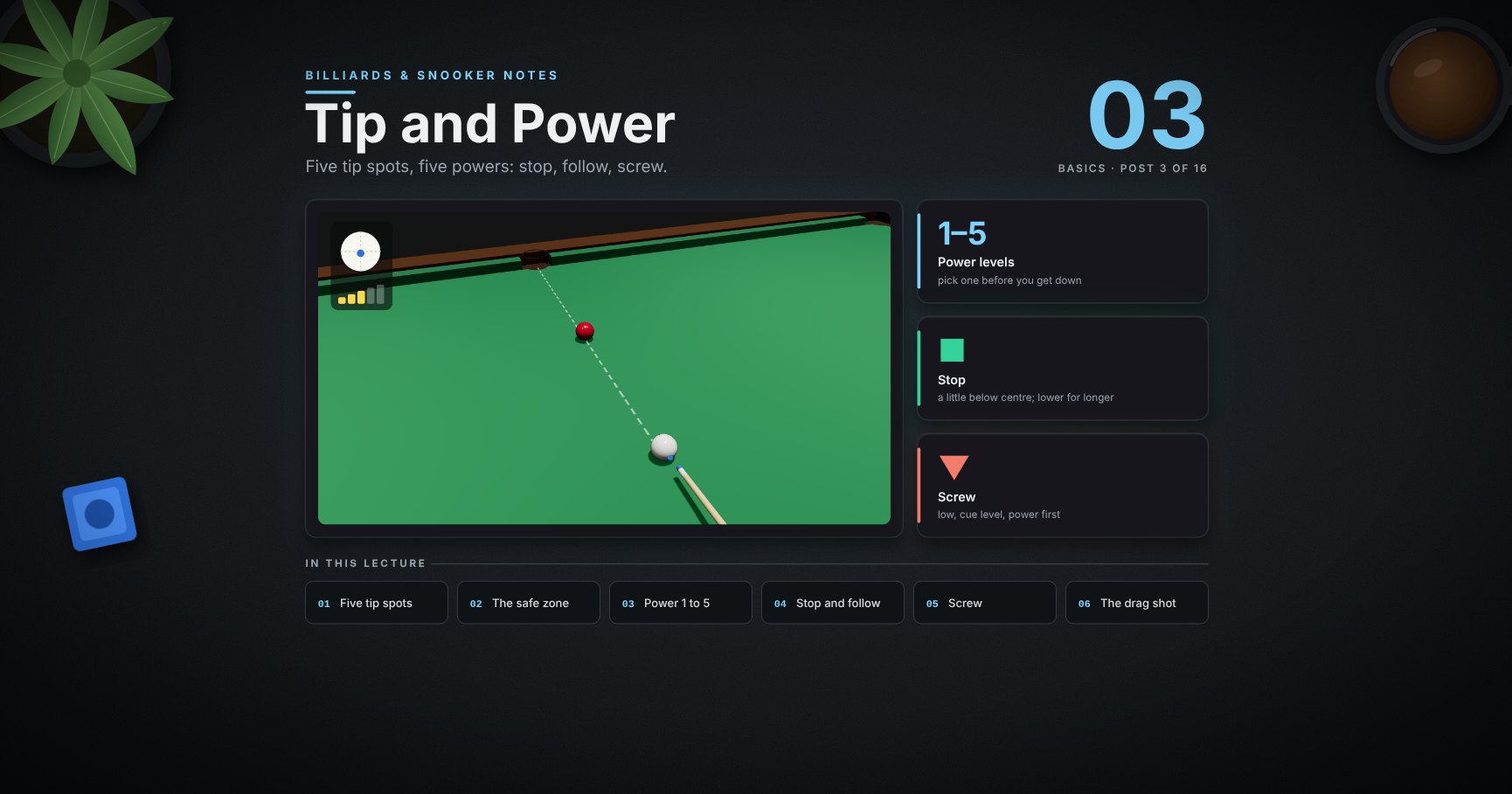
Billiards & Snooker — 03 · Tip and Power
The aim decides where the object ball goes. The tip spot and the power decide what the white does. This lesson covers the five tip spots, the safe zone, keeping the cue level, five power levels, how the white slides and then rolls, and the straight-pot family: stop, follow, screw, stun run-through, long-range screw and the drag shot.
> Series map. ★ Basics: 01 Cue action and elevation → 02 Aiming and potting → 03 Tip and power (this post) → 04 Where the white goes · ★★ Club: 05 Side spin → 06 Cut and side into pockets → 07 Cushions → 08 Doubles · ★★★ Advanced: 09 Escaping snookers → 10 Multi-ball shots → 11 Safety → 12 Position play · ★★★★ Hard: 13 Break-building → 14 Special shots · Reference: 15 Rules, tactics and practice · ★★★★★ Pro: 16 Cue-ball control.
Learning Outcome
- Know the five basic tip spots and keep the tip inside the safe zone.- Keep the cue level for low shots, and see why.- Pick a power from 1 to 5 by how far the white would roll.- Know where the white stops sliding and starts rolling, for each tip height.- On a straight pot: stop, follow, screw and stun run-through on purpose.- Screw from long range, and play a drag shot to arrive slowly from far away.
Two signs used in every clip:
| Sign | Means ||------|-------|| white circle with a blue dot | the white seen from behind; the blue dot is where the tip hits || five bars | power: 1 gentle … 5 very hard |
Chapter 1 — The tip
1 · Five spots on the white
| Spot | What it does | Where ||------|--------------|-------|| centre | plain ball: the white slides, then rolls on | here || ▲ top | follow: the white runs on after the hit | here || ▼ bottom | screw (backspin): the white comes back | here || ◀ left / right ▶ | side: changes the angle off a cushion | post 05 |
Start with the centre. Most pots need nothing else.
2 · Stay inside the safe zone
Keep the tip inside the green circle, about half-way from the centre to the edge. Further out, the tip slides off the ball (a miscue) and the white goes anywhere.
> Trick: chalk before every shot. Most miscues are a dry tip, not a bad spot.
3 · Low shots: keep the cue level
To hit low, lower the whole cue (post 01, tip height) and keep it nearly flat, about 3° ✓. Raising the butt to reach the bottom of the white ✗ makes the tip strike down into the ball.
> Watch out: a raised cue plus even a little side makes the white curve (swerve, post 14). On low shots that curve is a common, hidden cause of missed pots.
Chapter 2 — Power
4 · Power 1 to 5
The series describes power by how far the white would roll on its own, hit in the centre from the baulk line:
| Power | The white alone rolls… ||-------|-------------------------|| 1 | to the blue || 2 | to the top cushion || 3 | up, and back past the blue || 4 | up, and back to the baulk line || 5 | up, back, and up again |
Most pots are power 2–3. Power 5 is for breaking up a pack or a long escape. A softer hit is easier to control.
> Trick: before a shot, picture the white's journey and pick the number. Then play that number, not "hard" or "soft".
5 · Watch it: a straight pot, centre ball
<div class="bclip"><img class="no-lightbox" src="/assets/billiards/b01clipstraight.webp" alt="Clip: a straight red into the corner pocket. Tip in the centre, power 2. The cue moves back and forth, goes straight through, the red goes in and the white rolls a little after it"></div>
Centre, power 2, cue straight through. The red drops ✓ and the white follows it a little way. Why it follows is the next picture.
6 · Where the white starts to roll
A struck white first slides. The cloth then rubs it into a natural roll. Where that happens depends on the tip height (model, power 3):
| Tip | Backspin lasts to | Rolling from ||-----|-------------------|--------------|| high, 7/10 of the ball's height | none | at once || a little above centre | none | 31 cm || centre | none | 58 cm || a little below centre | 42 cm | 79 cm || low | 88 cm | 103 cm |
This one picture explains the next four sections:
- Stop = the white reaches the red while it has no spin: the moment the blue part ends.- Screw = it reaches the red while still blue (backspin).- Follow = it reaches the red while green (rolling).- A centre hit on a 2 m pot is rolling long before it arrives, so it follows.
Chapter 3 — Stop, follow, screw and the in-betweens
7 · Stop: the white stays where it hits
<div class="bclip"><img class="no-lightbox" src="/assets/billiards/b02clipstop.webp" alt="Clip: straight red into the middle pocket. Tip a little below centre, power 3. The red goes in and the white stops exactly where it touched the red, marked with a yellow ring"></div>
A little below centre, power 3, the white 50 cm from the red. It arrives with no spin left, hands all its speed to the red and stops ✓.
8 · Follow: the white runs on
<div class="bclip"><img class="no-lightbox" src="/assets/billiards/b02clipfollow.webp" alt="Clip: the same pot. Tip above centre, power 2. The red goes in and the white rolls on after it, about a third of a metre"></div>
Above centre, power 2. The white is rolling when it hits, so it keeps going after the red, here about a third of a metre.
> Watch out: too much follow on a straight pot and the white follows the red into the pocket (an in-off, a foul).
9 · Screw: the white comes back
<div class="bclip"><img class="no-lightbox" src="/assets/billiards/b02clipscrew.webp" alt="Clip: the same pot. Tip low, power 3. The red goes in and the white spins back towards the player, about 60 centimetres"></div>
Low, power 3, and let the cue go through the white. The backspin is still on when it hits, so the white comes back, here about 60 cm.
10 · Stun run-through: a few centimetres on
<div class="bclip"><img class="no-lightbox" src="/assets/billiards/s03clipstunrun.webp" alt="Clip: the same straight pot into the middle pocket. Tip just below centre, power 3. The red goes in and the white runs on 16 centimetres past where it touched, marked with a yellow ring; a faint ghost ball marks the contact"></div>
Between stop and follow. The tip goes just below centre, a little higher than for the stop. The white arrives with a touch of forward roll and creeps on, here 16 cm (model: stop at 0.21 R below centre, run-through at 0.09 R below).
Use it when you need the white a short way forward with a firm, straight-feeling hit. A soft follow over the same distance would be more affected by the cloth.
11 · Further away? Hit lower, or firmer
Backspin wears off on the way (section 6). So to stop the white:
| Distance | Tip | Power ||----------|-----|-------|| short (30 cm) | just below centre | 3 || medium (80 cm) | clearly lower | 3 || long (1.5 m) | low | 4 (more power keeps the spin on) |
12 · More power, more screw
The same low tip: power 3 brings the white back about 60 cm ✓. Power 4 brings it back more than a metre, here into the pocket behind ✗.
> Common pitfall: "My screw doesn't work." Usually the tip is not low enough, or the cue stops at the ball. Let it go through.
13 · Screw from long range
<div class="bclip"><img class="no-lightbox" src="/assets/billiards/s03cliplongscrew.webp" alt="Clip: a straight red near the top middle pocket, the white 1.25 metres behind it. Tip low, power 4. The red goes in and the white screws back about 38 centimetres"></div>
The white is 1.25 m from the red. In the model:
| Power | To bring the white back 40 cm ||-------|-------------------------------|| 3 | not possible: even the lowest safe tip (0.5 R) runs on about 20 cm || 4 | tip 0.34 R below centre: back about 38 cm ✓ |
So for long screw, power comes first: the white must still be blue (backspin) when it arrives. Then set the distance with the tip height. Small changes matter: at power 4 the full 0.5 R low sent the white back almost 1.5 m, into the far pocket.
14 · The drag shot: hit firmer, arrive slowly
You want the white to reach a ball 2 m away slowly, at 0.55 m/s. Two ways (model):
| | Starts at | Time to arrive ||-|-----------|----------------|| centre ball, soft | 1.20 m/s | 2.8 s || drag: low, firmer | 2.07 m/s | 2.3 s |
The drag shot loses its extra speed while the backspin wears off. From 96 cm on, the two shots are the same: both roll at the same speed and reach the red at 0.55 m/s. The drag shot just gets there sooner.
Why play it (coaching advice): a firm, normal-feeling stroke is easier to keep straight than a very soft push, and a fast-moving white is less pushed off line by the cloth than a slow one.
Try it at the table
| Drill | Set-up | Look for ||-------|--------|----------|| Cue on the line | white on the brown spot, hit it up over the blue and pink spots, centre ball, power 2 | it comes straight back to the tip || Power ladder | white on the baulk line, play power 1, 2, 3, 4 | where it stops matches the picture || Stop ladder | straight blue into a middle pocket, white 30, 60, 90 cm away | the white stops dead every time || Follow, run-through, screw | the same shot | follow 30 cm, run on 15 cm, screw 30 cm, screw 60 cm || Long screw | white 1.25 m from a straight red | back 40 cm, power 4 || Drag | white in baulk, a ball 2 m away; drag, then a soft centre ball | both arrive at the same speed |
Cheat-sheet
| Want | Tip | Power ||------|-----|-------|| Stop (straight) | a little below centre; lower for longer shots | medium (3) || Stun run-through | just below centre, above the stop spot | medium (3) || Follow | above centre (7/10 height = rolls at once) | gentle to medium (2–3) || Screw | low, inside the safe zone, cue level | medium to firm (3–4) || Long screw | power first (4), then the tip sets the distance | 4 || Drag | low, firmer; the backspin "brakes" the white early | about 3 || Every shot | chalk; tip inside the safe zone | pick 1–5 before you get down |
What's next
04 · Where the white goes. The same tips on a cut: the 90° rule, the 30° rule for rolling balls, screw and follow angles, stun run-through on a cut, and avoiding in-offs and kisses.
References
- Dr. Dave Alciatore, technical proofs and FAQ: sliding to rolling distance, natural roll at 7/10 of the ball's height, the effect of distance on draw, the miscue limit (about half the ball radius). <https://billiards.colostate.edu/>- Dr. Dave Alciatore, "What effects does cue elevation have on a shot": swerve with a raised cue and side. <https://drdavepoolinfo.com/?p=1979>- WPBSA, Official Rules (2022): in-off is a foul. <https://wpbsa.com/rules/>- The rolling distances, tip heights and speeds come from the physics model of the balls (cloth sliding friction 0.2, rolling resistance 0.012) at snooker sizes. Real cloth changes the numbers; the patterns hold. Why players use the drag shot is coaching advice.
> Note: this post is in progress. Planned additions: the stun run-through over different distances, and a power chart for long screw.
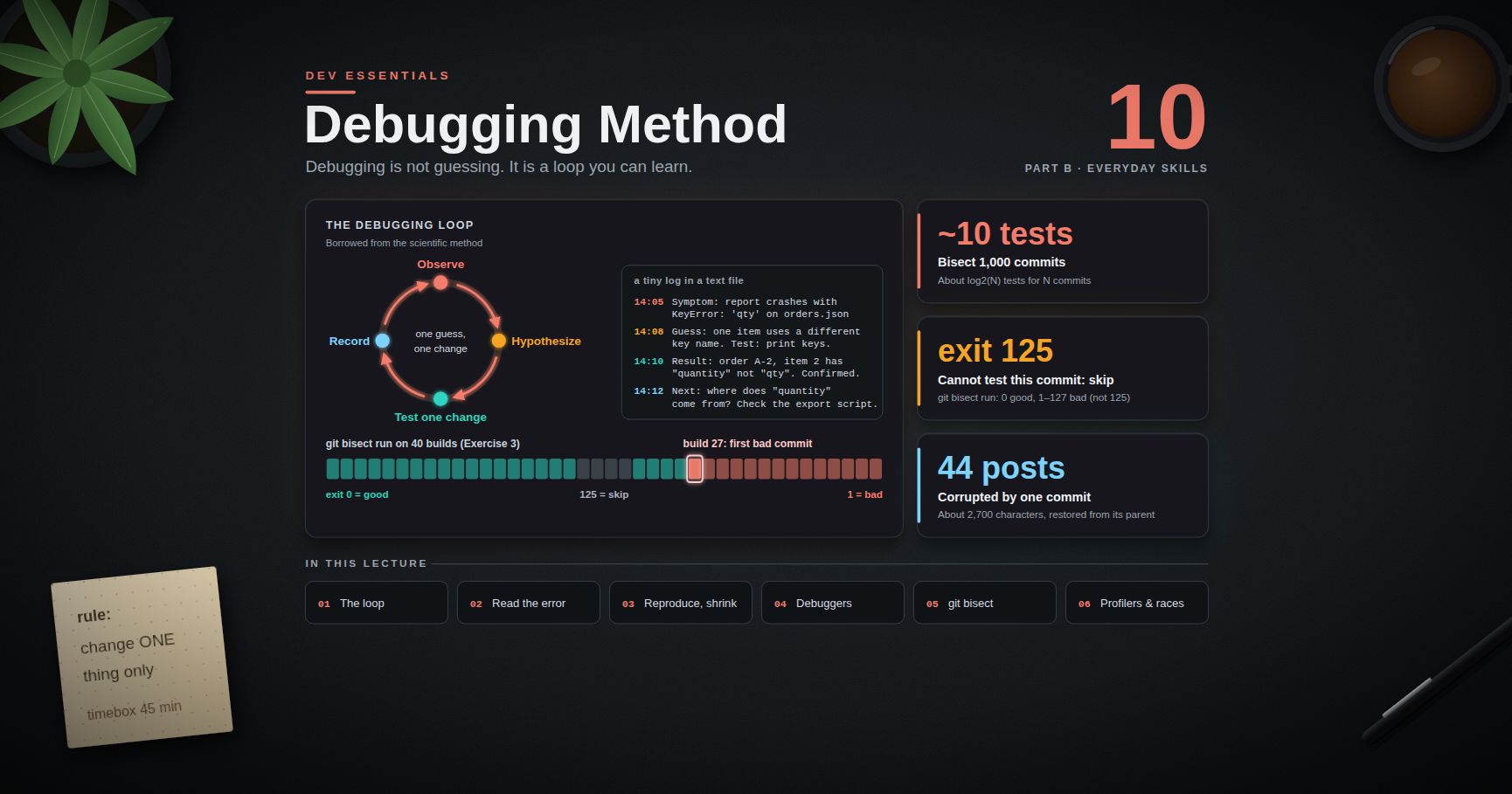
Dev Essentials — 10 · Debugging Method — Stack Traces, Reproduce, Bisect, Debuggers and Profilers
Debugging is not guessing. It is a loop you can learn: look at what actually happened, make one guess, test it with one change, and write down the result. This post teaches that loop and the tools that make it fast: stack traces in Python, Java and Node, minimal reproducible examples, logging, debuggers, , profilers, and race conditions. It ends with a real case from this blog, where corrupted characters in 44 posts were traced to one commit and fixed. This is the last post of Part B.
> Series map: 01 Text Encoding → … → 09 Versions & Dependencies → 10 Debugging (this post) → 11 Auth → … → 24 Desk Health. Part B · Everyday skills.
Learning Outcome
- Run the debugging loop: observe → hypothesize → test one change → record.- Read a Python traceback, a Java stack trace with , and a Node.js stack, and find the useful line fast.- Build a minimal reproducible example, ask "what changed?", and binary-search inputs and config.- Use levels, and drive a debugger in and VS Code.- Find the commit that broke something with .- Find slow code with , , and Chrome DevTools, and hunt race conditions.
Chapter 1 — The debugging loop
Most wasted debugging time comes from changing things at random. The fix is a loop borrowed from the scientific method:
1. Observe. What exactly happened? Copy the full error text. Note the input, the time, the version.2. Hypothesize. Make one specific guess: "one order item has no key".3. Test one change. Design a check that proves or kills the guess. Change one thing only.4. Record. Write down what you tried and what happened. Then loop.
A tiny log in a text file is enough. It stops you testing the same idea twice, and it becomes your bug report or commit message:
> Watch out: if you change two things and the bug vanishes, you learn nothing. You do not know which change fixed it, or if one of them only hid it.
Terminology
| Term | Meaning ||------|---------|| Root cause | The first wrong thing in the chain that leads to the symptom you see. || Regression | Something that used to work and now does not. Perfect for . || Repro | A reliable way to make the bug happen again. || MRE | Minimal reproducible example: the smallest code and input that still show the bug. || Heisenbug | A bug that changes or disappears when you try to observe it. || Stack trace | The list of function calls that were active when an error was raised. |
Chapter 2 — Read the error first
The error message is the most valuable data you have. Read all of it before you touch the code.
Python tracebacks
1. Start at the last line. is the exception type and message. "Most recent call last" means the newest call is at the bottom.2. Walk up to the lowest frame that is your code: line 10 of .3. The markers (fine-grained error locations, Python 3.11+, PEP 657) point at the exact sub-expression: .4. Walk further up only to learn how you got there.
Since Python 3.13, tracebacks are coloured in the terminal. or turns that off before you paste output into a bug report.
A chained exception prints two tracebacks with a line between them. "The above exception was the direct cause of the following exception" comes from : the first traceback is the root cause. "During handling of the above exception, another exception occurred" means a second error happened inside an block, often a bug in the error handling itself.
Java stack traces
Java prints the newest call at the top, the opposite of Python. Wrapped exceptions follow as blocks (shortened example):
- The last is usually the root cause: the file does not exist.- In each block, read the top frame from your package: , line 55.- means "the rest of the frames match the block above", so Java does not repeat them.
Node.js stacks
Node also puts the newest frame at the top. An error made with prints its cause below, marked (shortened; wording varies by Node version):
V8 keeps only 10 frames by default. For deep call chains, set at the top of your entry file.
| Language | Newest frame | Root cause is… ||----------|--------------|----------------|| Python | bottom | the first traceback in a "direct cause" chain || Java | top | the last block || Node.js | top | the block |
> Trick: search for the exception type plus the fixed part of the message (not your paths or IDs). Someone has often seen it before.
Chapter 3 — Reproduce, then shrink
You cannot fix what you cannot trigger. First get a repro, then make it small.
Minimal reproducible example. Copy the failing case into a new file or a failing test. Delete code, data and settings one piece at a time, checking after each delete that the bug is still there. Stop when every line is needed. You often find the bug while shrinking. If not, you now have a perfect thing to share.
"What changed?" Most bugs in code that used to work come from a change:
| Layer | Questions ||-------|-----------|| Code | Which commits went in since it last worked? () || Dependencies | Did the lockfile change? A new major version? (see Dev Essentials 09 · Versions & Dependencies) || Config | New env vars, feature flags, secrets, paths? || Data | New kinds of input? Empty values, huge files, non-ASCII text? || Environment | New OS, runtime, container image, time zone, locale? || Time and load | Only at month end? Only under many users? Only after midnight UTC? |
Binary search on inputs and config. Bisection works on more than commits. If a 1,000-line file crashes the parser, test each half and keep the half that fails:
With 1,000 lines this finds a single bad line in about 10 rounds. The same idea works for config: turn off half the plugins or settings, check, repeat. A smarter version is called delta debugging (see the Debugging Book in References).
Chapter 4 — Logging instead of print
is fine for a two-minute check you delete right away. For anything that stays, use : it adds levels, timestamps and module names, and you turn detail on or off without editing code.
| Level | Value | Use for ||-------|-------|---------|| | 10 | Details you only want while hunting a bug. || | 20 | Normal events: "server started", "job finished". || | 30 | Something odd, but the program continues. The default threshold. || | 40 | An operation failed. || | 50 | The program may not be able to continue. |
- Pass values as arguments (), not f-strings: the string is only built if the level is on.- Use in each module, so each line shows where it came from.- Never log passwords, tokens or full personal data. Logs get copied everywhere.
> Common pitfall: does nothing if the root logger already has handlers. Call it once, early, in your entry point, or pass .
Chapter 5 — Debuggers
A debugger pauses your program so you can look inside. Every IDE has the same core actions:
| Action | What it does | pdb | VS Code ||--------|--------------|-----|---------|| Continue | Run until the next breakpoint | | F5 || Step over | Run this line; do not enter the functions it calls | | F10 || Step into | Go inside the function called on this line | | F11 || Step out | Finish this function, pause in its caller | | Shift+F11 || Breakpoint | Pause when a line is about to run | | click the gutter || Conditional breakpoint | Pause only if an expression is true | | right-click → condition / hit count || Watch | Show an expression at every pause | | WATCH panel || Call stack | See and switch frames | , , | CALL STACK panel |
Python: and
Put in your code (Python 3.7+) and run the program. You get a prompt. Besides the table above: prints a value, lists the whole function, opens a shell with the local variables, quits.
In PowerShell, set the variable first: . After a crash in the interactive shell, opens the debugger at the frame that raised.
> Watch out: a forgotten freezes a server or a CI job while it waits for input. Search for it before you commit, or set in CI.
VS Code (and Node.js)
With the Python Debugger extension, a minimal is:
Right-click a breakpoint to add an expression, a hit count (for example ), or to turn it into a logpoint, which prints a message without pausing. Triggered breakpoints ("wait for breakpoint") only wake up after another breakpoint was hit. For Node.js, pauses before the first line; attach from or from VS Code.
Chapter 6 — in depth
binary-searches your history for the first bad commit. Dev Essentials 03 · Git Rescue Kit introduces it; here we go deeper. With N commits to search you need about log2(N) tests: about 10 for 1,000 commits.
| Command | Use ||---------|-----|| | This commit cannot be tested (does not build). Git picks another. || | Show what you marked so far. || | After a mistake: save the log, delete the wrong line, , then replay. || | Hunt a change that is not a bug ("when did this get slow?"); mark with / . || | Follow only first parents; a merged branch is blamed on its merge commit. |
Automate it with
If a script can tell good from bad, Git does the whole search. The script's exit code is the answer:
| Exit code | Meaning to bisect ||-----------|-------------------|| | good || –, except | bad || | cannot test this commit: skip it || anything else (for example +) | abort the bisect |
A Python check script works the same in Git Bash and PowerShell:
Your test suite can be the script: . pytest exits when tests fail. Its other codes (for example , "no tests collected") also count as bad, so the test file must exist in every commit you search.
> Watch out: keep the check script outside the repository, or untracked. If it is tracked, old commits have an old version of it, or none.
> Common pitfall: exit code means "command not found" in most shells, and bisect counts it as bad. A typo makes every commit "bad". Run the script once by hand first.
Chapter 7 — Profilers: measure, then optimise
A slow program is a bug too. Do not guess where the time goes; measure. This takes about 2 seconds:
and
is in the standard library. It records every call (a deterministic profiler), which adds overhead, but the relative numbers are what you need.
is time inside the function itself; includes everything it calls. High means the function's own body is slow. High with low means: look at what it calls. You can also read a saved file with .
: a sampling profiler
samples a running Python process from the outside, many times per second. It does not change your code and adds little overhead, so it is safe to point at a live service.
is the fastest way to see where a hung program is stuck. On Linux and macOS, attaching to an existing PID usually needs . The README (checked September 2026, release 0.4.2) lists CPython 2.3–2.7 and 3.3–3.14 as supported. Python 3.15 (scheduled for 2026-10-01) adds a standard package: (the new home of , which stays as an alias) and (PEP 799).
Chrome DevTools Performance panel
1. Open DevTools (F12) and pick the Performance panel.2. In the capture settings, set CPU: 4x slowdown to act like a slower phone.3. Click Record, do the slow action, click Stop.4. In the Main track, look for wide blocks and red triangles (long tasks). Click one; Summary, Bottom-Up and Call Tree show which functions used the time.
> Trick: profile with realistic data. Code that is fine with 100 rows can be quadratic and die with 100,000.
Chapter 8 — Heisenbugs and race conditions
A heisenbug changes when you observe it: a log line, a debugger or a debug build changes the timing, and the bug hides. The usual cause is a race condition, where the result depends on which thread runs first.
Two threads read the same value, both add one, and one update is lost. The fix makes read-and-write one step:
How to hunt these bugs:
- Make it happen more often: run the test in a loop (commands below), add threads, or add at suspect spots.- Log with thread names and timestamps (). Logging disturbs timing less than a debugger that pauses one thread.- Look for shared mutable state: globals, class attributes, caches, files, database rows.- Fix the design, not the timing: a lock, a queue, an atomic database update, or no sharing. A that "fixes" it only makes the window smaller.- For hangs, dump every thread's stack: , or in the program.
Chapter 9 — Timebox, then ask for help well
Set a timebox before you start: "I will try alone for 45 minutes." When it ends, stop and choose: take a break, explain the problem out loud (rubber-duck debugging), or ask someone. The number is a rule of thumb; the habit of checking is what matters.
A help request people can answer:
Paste errors as text, not screenshots. Remove secrets and personal data. Say what you already tried. When it is solved, post the answer where you asked.
Chapter 10 — Case study: 44 corrupted posts
A real bug from this blog, told with the loop from Chapter 1. The encoding background is in Dev Essentials 01 · Text Encoding.
Observe. Many posts showed two question marks where an em dash should be, and the odd character 繚 (U+7E5A) where a middle dot should be. In total 44 posts were damaged and about 2,700 characters destroyed. (This page writes that character as an HTML entity, so the blog's own marker check below does not flag this post.)
Hypothesize. Such a regular pattern suggests one bulk rewrite with the wrong encoding, not 44 separate typos.
Test. The strange character is a perfect marker. First, list every affected file:
Then ask Git which commit added the marker. One way is the "pickaxe", , which lists commits that change how many times a string appears:
> Watch out: in Windows PowerShell 5.1, non-ASCII arguments to native programs can get mangled. Run the pickaxe search from Git Bash.
The history pointed to one commit: a cover-image script had rewritten the posts with the system ANSI code page instead of UTF-8. The bytes confirm it: in UTF-8 is , and in code page 950 (the ANSI code page of Traditional Chinese Windows) those two bytes are the character 繚 (U+7E5A).
Fix. The parent of the bad commit still has the good text:
If later commits edited the same files, re-apply those edits. If the bad commit also made wanted changes, redo them with a tool that writes UTF-8.
Record and prevent. The marker search became a standing check after every bulk edit: it must return nothing. The project notes now warn that Windows PowerShell 5.1 defaults to the ANSI code page, and show the UTF-8-safe way to write files.
What made this fast: a unique marker, a search over files, a search over history, and a known-good parent to restore from.
Practice Exercises
Exercise 1 — Read a traceback
For the traceback in Chapter 2: which line failed, what was the exception, and what is your first hypothesis? Then do the same for the Java trace: which file is missing, and which line of your code tried to read it?
<details><summary>Solution</summary>
Python: line 10 of raised at . Hypothesis: one item has no key, maybe a different spelling. Test: break at line 10 with the condition .
Java: the last is the root, , raised under . The two blocks above only add context.
</details>
Exercise 2 — Debug a small program
Save as and run it. Find every bug with a debugger or , not by guessing. Expected output: and .
<details><summary>Solution</summary>
1. Crash: . shows : scores are strings. Fix: . (As strings, is too.)2. Wrong average: now . Watch in : it starts at , so Ada is skipped. Fix: .3. Wrong top: now . Step through : stops at the first higher score. Fix: remove , or .
</details>
Exercise 3 — Automate a bisect
This script builds a practice repo with 40 commits. One commit breaks , and builds 19 to 22 do not even compile. Run , save from Chapter 6 next to it (outside the new repo), and find the first bad commit with .
<details><summary>Solution</summary>
Git runs six or seven times and names as the first bad commit. Its first test lands in the middle, on a build that does not compile; exits , so bisect skips it and tries a neighbour.
Now change to and bisect again. The broken builds now count as bad, and bisect blames , the first one that does not compile. That is the wrong answer to "when did break?", and it is why exit code exists.
</details>
Exercise 4 — Profile and fix
Profile from Chapter 7, fix the hot spot, and measure again.
<details><summary>Solution</summary>
The profile puts almost all the time in the of itself. The cost is : is a list, so each check scans up to 20,000 items. A lookup takes about constant time:
On one test machine (anecdotal measurement) this went from about 2.5 s to about 3 ms, with the same 439 results.
</details>
Exercise 5 — Reproduce a race
Turn the race from Chapter 8 into a pytest test that fails, then fix it. Why is a poor test before the fix?
<details><summary>Solution</summary>
Put the thread code in a function that returns , and write . Before the fix it fails most runs but may pass sometimes, so a green run proves nothing. Loop it (Chapter 8) to see the failure rate. After adding the lock it passes every time. Keep the loop test in your notes, not in CI: tests must be fast and deterministic (see Dev Essentials 15 · Testing).
</details>
Cheat-sheet
| Task | Command / habit ||------|-----------------|| Loop | observe → hypothesize → test one change → record || Python traceback | read the bottom line, then your lowest frame || Java / Node stack | newest at top; root cause = last / || Shrink | delete until every line is needed; halve inputs and config || Logging | ; in || Pause in Python | ; turn off with || Post-mortem / attach | ; ; (3.14+) || VS Code keys | F5 continue, F10 over, F11 into, Shift+F11 out || Bisect | … || Bisect run | : 0 good, 1–127 bad, 125 skip || Profile | + || Live / hung process | / || Web profile | DevTools → Performance → 4x CPU slowdown → Record || Text in history | || Restore from before | |
What's next
That ends Part B · Everyday skills. Part C starts with Dev Essentials 11 · Auth: password hashing, sessions versus JWT, OAuth 2 and OpenID Connect. Dev Essentials 15 · Testing builds on this post: every bug you fix should leave a test behind.
References
- Python — and /- PEP 657 — fine-grained error locations- PEP 768 — safe external debugger interface ()- What's New in Python 3.13 — coloured tracebacks- Python Logging HOWTO- Python — the profilers (, ) and PEP 799 — the package- Java SE 21 —- Node.js — Errors and Debugging guide- VS Code — Python debugging and Debugging- Git — , ,- py-spy and SnakeViz- Chrome DevTools — Analyze runtime performance- Stack Overflow — How to create a minimal, reproducible example- The Debugging Book (Andreas Zeller) — Reducing failure-inducing inputs
> Note: this post is in progress. Planned additions: a debugging session recorded step by step in VS Code, memory profiling with , and remote debugging inside Docker containers.
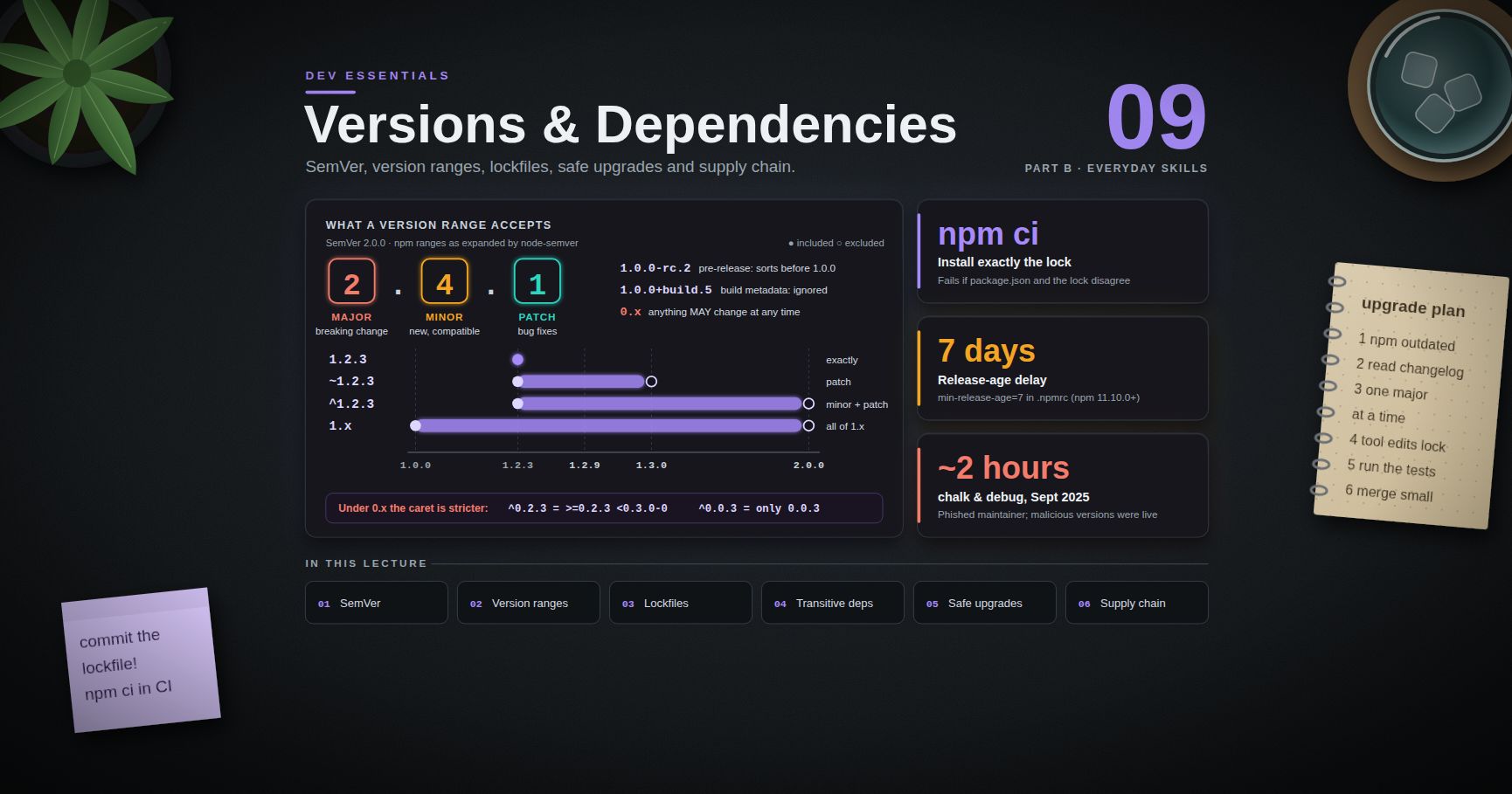
Dev Essentials — 09 · Versions and Dependencies — SemVer, Lockfiles, Safe Upgrades and Supply Chain
A typical web project has a handful of dependencies you chose and hundreds more that came along with them. Each one has a version number, a range that says which versions are acceptable, and a maintainer you have never met. This post explains what the numbers promise (SemVer), what , and really match, why lockfiles exist, and how to upgrade without breaking things. It then shows how real supply-chain attacks in 2024-2025 worked, and which settings defend against them in September 2026.
> Series map: 01 Text Encoding → … → 08 Floating Point → 09 Versions & Dependencies (this post) → 10 Debugging → … → 24 Desk Health. Part B · Everyday skills.
Learning Outcome
- Read a SemVer version, including pre-release tags, build metadata and the special meaning of .- Predict exactly what npm / , pip / and Maven ranges will match.- Explain what a lockfile pins and why you commit it; use , and .- Find why a transitive dependency is installed (, , ).- Follow a safe upgrade workflow, and automate it with Dependabot or Renovate plus audit tools.- Describe real supply-chain attacks and apply the defences: lockfiles, release-age delays, install-script blocking, provenance and SBOMs.
Chapter 1 — Semantic Versioning 2.0.0
SemVer 2.0.0 (semver.org) gives a version three numbers, :
| Bump | When | Example ||------|------|---------|| MAJOR | An incompatible change to the public API | → || MINOR | New functionality, backward compatible | → || PATCH | Backward-compatible bug fixes | → |
Two optional parts can follow:
- Pre-release, after a hyphen: , . A pre-release sorts before the normal release.- Build metadata, after a plus: , . It is ignored when comparing versions.
The spec's own precedence example (npm's library sorts it the same way):
Note : identifiers made only of digits compare as numbers, not as text.
The special meaning of 0.x. SemVer item 4 says major version zero is for initial development: "Anything MAY change at any time." So → may break you. The FAQ adds that software already used in production "should probably already be 1.0.0". Treat every minor bump like a major one.
SemVer is a promise, not a proof. The maintainer decides what counts as "breaking". A patch that fixes a bug you relied on still breaks you. Version numbers tell you where to look first; tests tell you whether it works.
Python is not SemVer. Python packages follow PEP 440 (now the "Version specifiers" spec on packaging.python.org). It looks similar but is spelled differently: , , (pre-releases), (post-release), (development). Tools normalise other spellings, so becomes .
Terminology
| Term | Meaning ||------|---------|| Direct dependency | A package listed in your own manifest (, ). || Transitive dependency | A dependency of a dependency. You never chose it. || Range / specifier | A rule for acceptable versions, like or . || Resolution | The package manager picking one concrete version for every package. || Lockfile | A record of one resolution, so it can be repeated exactly. |
Chapter 2 — Version ranges
npm (node-semver)
These expansions were produced with the library bundled in npm 10.8.2:
| You write | Means | | | ||-----------|-------|---------|---------|---------|| | exactly 1.2.3 | no | no | no || | (patch updates) | yes | no | no || | (minor + patch) | yes | yes | no || | | yes | yes | no |
The caret rule: allow changes that do not modify the left-most non-zero number. That makes stricter under :
| You write | Means ||-----------|-------|| | : matches, does not || | : only (and its pre-releases) || | : the same as here |
The on the upper bound keeps pre-releases of the next version out. Ranges also skip pre-releases in general: does not match unless you pass .
saves by default. , or in , saves the exact version. The Next.js site behind this blog pins its framework exactly:
Every install is then identical, but you only get fixes when you change the number yourself. Chapter 5 shows why that matters.
pip and PEP 440
| You write | Means | | | | ||-----------|-------|---------|---------|---------|-------|| | exactly 1.4.5 | yes | no | no | no || | | yes | yes | no | no || | | yes | yes | yes | no || | explicit range | yes | yes | yes | no || | any 1.4.x | yes | yes | no | no |
("compatible release") drops the last number you wrote and allows anything above it at that level. So is patch-only and allows minor and patch. The table was checked with the library that pip uses.
Maven
Maven's POM reference separates soft and hard requirements:
| You write | Meaning ||-----------|---------|| | Soft: use 1.0 unless another version appears earlier in the dependency tree || | Hard: exactly 1.0 || | Hard: 1.0 ≤ x < 2.0 || | Hard: ≥ 1.5 || | Hard: anything except 1.1 |
For soft versions, Maven's dependency mediation picks the nearest declaration in the tree, not the highest. With and , you get D 1.0. To decide it yourself, declare the version directly or use . (Java build basics: Java Development [Basic] Part 1.)
Chapter 3 — Lockfiles
A range like resolves to different versions on different days. A lockfile records one resolution exactly: every package, including transitive ones, with its version, its source URL and a hash of its content. A real entry from this blog's :
Thanks to , a tampered tarball fails to install, even when it comes from the right URL.
| Tool | Manifest | Lockfile | Install exactly the lock ||------|----------|----------|--------------------------|| npm | | | || pnpm | | | || Yarn (Berry) | | | || uv | | | || Poetry | | | || pip | | with hashes | |
Commit the lockfile. uv's docs say "should be checked into version control", and the same holds for the others. Without it, CI and your teammates install a different tree from the one you tested. Never edit a lockfile by hand; let the tool rewrite it.
vs
According to the npm docs, :
- needs an existing ;- fails if and the lock disagree, instead of updating the lock;- deletes first, then installs;- never writes to or the lockfile.
Use when you change dependencies on your machine, and in CI and deployment. uv has the same split: and change the lock, fails if the lock is out of date, and uses the lock without checking it.
Hash-checked pip installs
> Watch out: a lockfile protects the next install. It does not help if you run on the day that package was compromised: the fresh version goes straight into the lock. The delay settings in Chapter 8 close that gap.
Chapter 4 — Transitive dependencies
Five direct dependencies may pull in hundreds of packages. You need to know what is installed, why it is there, and which version it is.
Sometimes a transitive package has a known bug or vulnerability and its parent has not shipped a fix. Then you can force a version:
That is npm's field in . pnpm also uses , Yarn uses , and uv uses under in . Remove each override once the parent catches up, or it quietly pins you forever.
Chapter 5 — A safe upgrade workflow
1. See what is behind. , , , .2. Read the changelog or release notes, and the migration guide for majors. Search for "breaking", "removed", "deprecated", "minimum Node", "minimum Python".3. One major at a time, on its own branch. Patch and minor updates can be grouped.4. Let the tool change the lock: , .5. Run the tests, the build and a quick manual check. Read the lockfile diff. An upgrade that adds 40 new transitive packages deserves a second look.6. Merge small, deploy, watch. One small change is easy to revert or bisect (see Dev Essentials 10 · Debugging).
Drift in this blog's own CI
The Hexo build workflow behind this blog still says:
Two separate things have aged here:
- The Node used for the build: 16. Node.js 16 reached end-of-life on September 11, 2023. The date was moved seven months earlier to match the end of support for OpenSSL 1.1.1. It gets no security fixes.- The action's own runtime. declares in its . GitHub began forcing Node 16 actions onto Node 20 on June 3, 2024. It made Node 24 the runner default from June 16, 2026, and removed Node 20 from runners on September 23, 2026. The current major of the action is v7 (July 2026).
Today (September 2026), per Node's release schedule, Node 24 is Active LTS until 2026-10-20 and then in maintenance until 2028-04-30. Node 22 is in maintenance until 2027-04-30, and Node 26 becomes LTS on 2026-10-28. A safe plan is to move the build to Node 24 and the action to its current major in one small branch. Run the Hexo build, compare the generated site, then merge. Exercise 6 walks through it. (Workflows in depth: Dev Essentials 16 · CI/CD.)
The cost of an exact pin
The Next.js pin from Chapter 2, , is inside the affected range of CVE-2025-29927. That is a critical (CVSS 9.1) authorization bypass in Next.js middleware, published March 21, 2025. It affects 14.0 up to but not including 14.2.25, and 14.2.25 fixes it. Whether it matters depends on use: only apps that rely on middleware for authorization are exposed. A static export () produces plain files and does not support middleware at all, so a statically exported site like this blog is not exposed — but the pin would still carry the bug into any future server deployment. The lesson is general, though. An exact pin never moves by itself, so pair it with a bot that proposes updates and an audit in CI.
Chapter 6 — Automated updates and audits
Dependabot
:
GitHub's docs state that applies to version updates only, not security updates, so security fixes still arrive at once.
Renovate
:
makes Renovate wait until a release is that old before it opens a PR. The default is (no wait).
Audits
These tools compare your exact versions with advisory databases such as the GitHub Advisory Database and OSV (osv.dev). Read the results with judgement. A vulnerable function you never call, in a dev-only tool, matters less than a vulnerable web framework in production. Still, fix or document every finding rather than muting the scanner.
> Common pitfall: running blindly. It can jump major versions to reach a fixed release, which is the "big bang upgrade" Chapter 5 warns against.
Chapter 7 — Supply-chain attacks: how they really happen
An attacker who cannot break into your app can break into something your app installs. The main patterns:
- Typosquatting — a malicious package whose name is one typo away from a popular one.- Dependency confusion — a public package with the same name as your private internal one, which a misconfigured installer prefers.- Compromised maintainer account — a stolen password or token, or a phished 2FA code, followed by a malicious release of a real, trusted package.- Malicious install scripts — / code runs on your laptop or CI runner the moment you install, before you import anything.- Takeover of an abandoned asset — a domain, CDN or package that passes to a new owner.
Real incidents
| When | What happened | Source ||------|---------------|--------|| March 2024 | xz-utils 5.6.0 and 5.6.1 contained malicious code (CVE-2024-3094). CISA advised downgrading to an uncompromised version such as 5.4.6. | CISA alert, March 29, 2024 || Feb-June 2024 | The polyfill.io domain and its GitHub account were bought in February 2024. The CDN then injected malware into mobile visits of sites that embedded ; the researchers counted over 100,000 affected sites. | Sansec report, June 25, 2024 || September 8, 2025 | A well-known npm maintainer was phished with a fake 2FA-reset email. The attacker published malicious versions of chalk, debug and other packages that silently rewrote cryptocurrency transactions in browsers. They were live for about two hours. Vendors put the combined reach at over 2 billion weekly downloads. | Wiz; StepSecurity (vendor figures) || September 2025 | Shai-Hulud, "a self-replicating worm", spread through compromised maintainer accounts via malicious post-install scripts. GitHub was notified on September 14 and removed 500+ packages. | GitHub blog, September 22, 2025 || November 2025 | Shai-Hulud 2.0 ran in the phase and stole GitHub and cloud credentials. Wiz counted about 700 compromised packages; Datadog counted 796. | Wiz; Datadog Security Labs (vendor figures) |
How the platforms responded
- GitHub announced a plan to limit npm publishing to local publishing with 2FA, short-lived granular tokens, and trusted publishing (September 22, 2025).- npm revoked all classic tokens on December 9, 2025. now gives a two-hour session.- npm trusted publishing (OIDC from CI, no long-lived token) needs npm CLI 11.5.1+ and Node 22.14.0+. For public packages built from public repos on GitHub Actions or GitLab, it also produces provenance automatically.- pnpm 10 stopped running dependencies' install scripts by default. pnpm 11.0 (April 28, 2026) also refuses versions less than one day old by default.- npm 12.0.0 (July 8, 2026) blocks dependency lifecycle scripts (, , ) unless the root package's policy allows them. It also stops resolving git and remote-URL dependencies unless you opt in.
Chapter 8 — Mitigations you can apply today
1. Lock, and install exactly
Commit lockfiles, and use , or in CI (Chapter 3). A malicious new release cannot enter a build that installs only locked, hashed versions.
2. Wait before adopting new versions
Most malicious releases are found and removed within hours or days. A minimum release age makes your tools ignore anything newer than a set age. Names and units differ, so be careful:
| Tool | Setting | Unit | Available since ||------|---------|------|-----------------|| npm | in | days | npm 11.10.0 || pnpm | in | minutes | 10.16; default from 11.0 || Yarn (Berry) | in | duration (a plain number means minutes) | 4.10.0 || Bun | in | seconds | see Bun docs || uv | under | timestamp or duration (, ) | see uv docs || pip | | ISO 8601 timestamp, or a duration like | 26.0; durations from 26.1 || Renovate | | duration () | — || Dependabot | (, …) | days | — |
> Watch out: a release-age delay also delays security fixes. Keep an exclude list for urgent patches; Dependabot's cooldown already skips security updates. For Yarn, check your version's default with , because recent releases changed it.
3. Do not run install scripts you did not approve
- npm 12+: dependency scripts are blocked by default. Approve the ones you need with , which records them in the root policy, then run .- Older npm: in stops all scripts. Packages with native parts may then need a manual .- pnpm 10+: scripts are off by default. adds the packages you approve to in .
4. Check where packages came from
Provenance links a published package to the source repository and the CI build that produced it, signed through Sigstore. As a consumer, run . As a maintainer, publish from CI with trusted publishing, or with and the permission in GitHub Actions. PyPI supports trusted publishing too. npm's docs are careful here: provenance shows where a package came from, but it does not promise the code is free of malware.
5. Know what you ship: SBOMs
A Software Bill of Materials lists every component and version in a build, in a standard format (CycloneDX or SPDX). When the next xz-style advisory appears, you search your SBOMs instead of guessing.
6. Protect your own publishing
Use passkeys or hardware keys, which resist phishing, instead of TOTP codes on registry accounts. Prefer trusted publishing to long-lived tokens, and give CI tokens the smallest scope.
7. Add fewer dependencies
Before adding a package, check who maintains it, when it last released, whether it has install scripts, and how many transitive packages it brings. A 10-line helper you write yourself has no supply chain.
Practice Exercises
Exercise 1 — Which versions match?
For each range, which of , , , match: , , ? And which of , , match pip's ?
<details><summary>Solution</summary>
| Range | Matches ||-------|---------|| | only (the left-most non-zero number is the minor, so ) || | only || | , || | , (it means ) |
Check with .
</details>
Exercise 2 — Pick the bump
A library is at . Give the next version for: (a) a fix for a crash on empty input; (b) a new optional parameter; (c) renaming to ; (d) the same rename when the library is at .
<details><summary>Solution</summary>
(a) (PATCH). (b) (MINOR, backward compatible). (c) (MAJOR, breaking). (d) by convention. Under 0.x anything may change, and the SemVer FAQ suggests bumping the minor for each release. Users of will not get it automatically, which is what you want.
</details>
Exercise 3 — "It works on my machine"
CI runs and sometimes fails with errors nobody sees locally. is listed in . Explain the cause and the fix.
<details><summary>Solution</summary>
Without a committed lock, every CI run resolves the ranges again and may pick newer transitive versions than your machine has. Fix: remove from , run once, commit the lockfile, and change CI to . Now CI fails loudly when and the lock disagree, instead of quietly installing something new.
</details>
Exercise 4 — Why is it here?
An audit flags , which is not in your . Find who brings it in, and fix it if the parent has no update yet.
<details><summary>Solution</summary>
First try upgrading the parent (read its changelog). If no fixed parent exists, add an override and test:
Run , confirm with , and leave a note to remove the override later. In Python: , then under .
</details>
Exercise 5 — A calm update bot
Write a Dependabot config for a repo with npm and GitHub Actions. It should check weekly, wait 7 days before proposing npm releases (14 days for majors), and still deliver security fixes at once.
<details><summary>Solution</summary>
The in Chapter 6 does exactly this. The block gives the 7- and 14-day waits. Security updates ignore , so they still arrive at once, as long as Dependabot security updates are turned on in the repository settings.
</details>
Exercise 6 — Plan the Node upgrade for the Hexo CI
The workflow uses with . Write the steps to bring it up to date safely.
<details><summary>Solution</summary>
1. Create a branch: .2. Read the setup-node release notes from v3 up to the current major (v7) for changed inputs. Check that Hexo and its plugins support Node 24 (their fields and changelogs).3. Change the step:
4. Locally, install Node 24 (for example with nvm-windows), delete , run , then . Compare the output with a build from the old setup.5. Push the branch and let CI run. Merge only when the build passes and the site looks the same.6. Add the ecosystem to Dependabot so the action does not drift again.
</details>
Cheat-sheet
| Task | npm / pnpm | Python (uv / pip) ||------|-----------|-------------------|| Exact install from lock | · | · || Change a dependency | | · || Save an exact version | | || What is outdated | | · || Why is X installed | · | · || Force a transitive version | in | under || Known vulnerabilities | | || Any ecosystem | | same || Verify provenance | | — || SBOM | | || Release-age delay | (days) · (minutes) | · |
| Range | Matches ||-------|---------|| | || | || | || (pip) | || (Maven) | |
What's next
Post 10 · Debugging closes Part B. It covers reading stack traces, building a minimal reproduction, using to find the commit (or dependency bump) that broke things, debuggers, and profilers.
References
- Semantic Versioning 2.0.0- node-semver README (npm ranges); npm docs — ; npm docs — config- Python packaging — Version specifiers (PEP 440); pip install options- uv: Project layout (uv.lock) · Locking and syncing · Resolution · Settings- Maven: POM reference — version ranges · Dependency mechanism- pnpm — Mitigating supply chain attacks; pnpm 11.0 release; Yarn — .yarnrc.yml settings; Bun — bunfig.toml- npm CLI v12.0.0 release notes; GitHub changelog — npm install-time security- Dependabot options (cooldown); Renovate configuration options- pip-audit; OSV-Scanner; OSV database- npm — trusted publishing; npm — provenance; PyPI — trusted publishers- Incidents: CISA — xz-utils (CVE-2024-3094) · Sansec — polyfill.io · Wiz — chalk/debug compromise · GitHub — Our plan for a more secure npm supply chain · GitHub changelog — classic tokens revoked · Wiz — Shai-Hulud 2.0 · Datadog — Shai-Hulud 2.0- Node and Actions: Node.js 16 end-of-life · Node.js release schedule · GitHub — Node 20 removed from Actions runners · Next.js advisory CVE-2025-29927
> Note: this post is in progress. Planned additions: private registries and dependency-confusion defences in detail, vendoring, reproducible builds, and a worked Renovate setup for a monorepo.
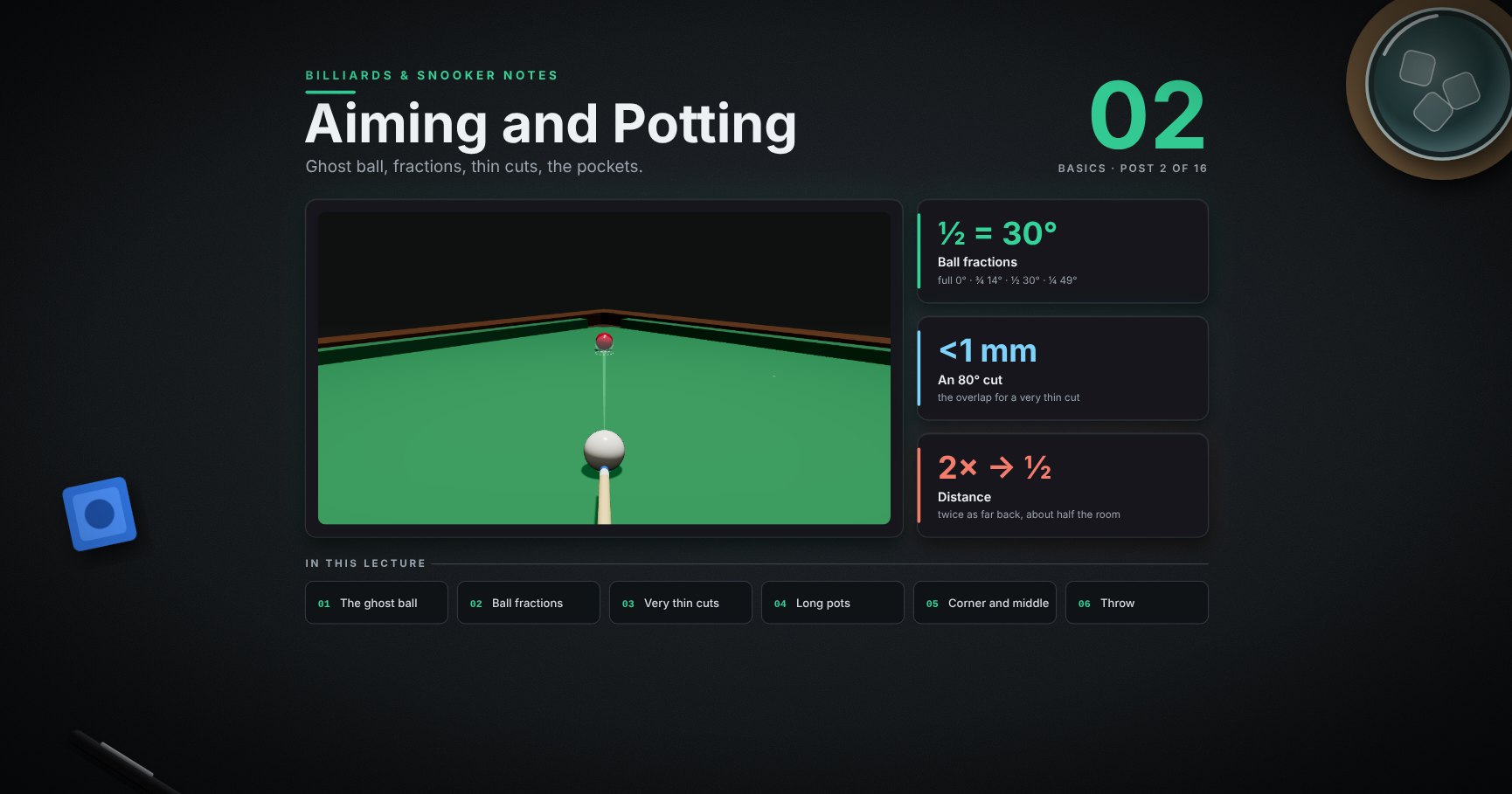
Billiards & Snooker — 02 · Aiming and Potting
How do you send a red into the pocket when the white is somewhere else? You plan it backwards, from the pocket. This lesson covers the whole of aiming: the ghost ball, the classic miss, ball fractions and the angles they give, thin cuts, why long and thin pots are hard, how much room each pocket gives, and the small "drag" on slow cuts.
> Series map. ★ Basics: 01 Cue action and elevation → 02 Aiming and potting (this post) → 03 Tip and power → 04 Where the white goes · ★★ Club: 05 Side spin → 06 Cut and side into pockets → 07 Cushions → 08 Doubles · ★★★ Advanced: 09 Escaping snookers → 10 Multi-ball shots → 11 Safety → 12 Position play · ★★★★ Hard: 13 Break-building → 14 Special shots · Reference: 15 Rules, tactics and practice · ★★★★★ Pro: 16 Cue-ball control.
Learning Outcome
- Find the red dot on any ball for any pocket, and aim the white at the ghost ball.- Read a cut as a ball fraction (full, ¾, ½, ¼, ⅛) and know the angle each one gives.- Aim thin cuts two ways, and know how thin "very thin" really is.- See why long pots and thin cuts are hard, with numbers.- Know how much room the corner and middle pockets give from different angles.- Allow for throw on slow cuts.
Colour key, used in every picture:
| Mark | Means ||------|-------|| yellow dashed line | the way to the pocket || red dot | where the two balls must touch || see-through ball | the ghost ball: where the white must be at the moment it touches || white arrow | where you send the white || green wedge or band | room: how much the aim or the ball may be off and still pot || ✓ / ✗ | pot / miss |
Chapter 1 — Finding the aim
1 · Three steps, from the pocket back
1. Line from the pocket through the middle of the ball.2. Where that line comes out of the back: the red dot.3. A ball touching the red dot: the ghost ball. Send the white's centre to the ghost's centre.
The red dot never moves when the white moves. Only the cut changes.
2 · What you see down the cue
Aim at the +, the ghost's centre. It sits on empty cloth, half a ball beyond the red dot. Pick a speck on the cloth there and aim at it.
> Trick: walk in behind the ball first, looking at the pocket. Find the red dot from there, then walk round to the white.
3 · Watch it: a stun pot
<div class="bclip"><img class="no-lightbox" src="/assets/billiards/b00clippot.webp" alt="Clip: 1 line to the pocket, 2 red dot, 3 ghost ball, 4 aim and green wedge, then the stroke: the yellow runs down the line into the pocket and the white leaves at a right angle, marked with a square"></div>
The yellow follows the dashed line into the pocket ✓. Hit a little below the middle (a stun) and the white leaves at a right angle (the square). Post 04 shows where it goes with other spins.
4 · The classic miss: aiming at the red dot
<div class="bclip"><img class="no-lightbox" src="/assets/billiards/b00clipmiss.webp" alt="Clip: the white is sent straight at the red dot; it touches the yellow early, the hit is too full, and the yellow misses the pocket and hits the cushion"></div>
The red dot is easy to see, so it is tempting to send the white straight at it. But the white is a ball, not a point: it touches early, the hit is too full, the yellow does not turn enough, and it misses ✗.
> Common pitfall: "I keep missing thick." Move the aim out to the ghost's centre: one ball-radius beyond the red dot.
Chapter 2 — Ball fractions and thin cuts
5 · Ball fractions and the angles they give
Down the cue, look at how much of the object ball the white covers. That fraction sets the angle the ball leaves at:
| Cover | Where the white's centre points | The ball leaves at ||-------|--------------------------------|--------------------|| full | the ball's centre | 0° (straight on) || ¾ | halfway between centre and edge | about 14° || ½ | the ball's edge | 30° || ¼ | half a radius outside the edge | about 49° || ⅛ | three-quarters of a radius outside the edge | about 61° |
The half ball is the one to learn first: the white's centre points at the ball's edge, and the ball goes off at 30°. The others are "a bit fuller" or "a bit thinner" than that picture.
> Trick: the angles are not evenly spaced. Moving the aim half a radius, from full to ¾, turns the ball 14°. Moving it only a quarter of a radius, from ¼ to ⅛, turns it another 12°. That is why thin cuts feel fussy.
6 · How thin is very thin?
Past ⅛, the overlap is measured in millimetres:
| The ball turns… | The white overlaps it by… ||-----------------|---------------------------|| 60° | about 7 mm (≈ ⅛ ball) || 70° | about 3 mm || 80° | less than 1 mm |
So an 80° cut is a "nearly miss". Leave yourself fuller pots when you can.
7 · Two ways to aim a thin cut
Use whichever your eye likes; many players check one with the other.
1. Ghost ball. Put the ghost against the far side of the red and aim the white's centre at the ghost's centre. On thin cuts the ghost sits almost a whole ball out to the side.2. Edge to edge. Send the white's edge to pass just inside the red's edge. For a near right angle, "just inside" means less than 1 mm.
> Trick: on very thin cuts, stand up and look from the side first. Decide how far out the ghost is, then get down and keep that picture.
8 · Watch it: almost sideways
<div class="bclip"><img class="no-lightbox" src="/assets/billiards/b04clipthin.webp" alt="Clip: the red is near a side cushion, not far from a corner pocket; the white comes from below. The white barely touches the red's left side, the red runs to the right along the cushion into the corner pocket, and the white carries on almost straight to the side cushion and comes back"></div>
The white only grazes the red. The red goes off about 76° from the white's line and runs into the corner ✓. The white hardly notices and carries on.
> Watch out: the red gets only a small part of the white's speed (here about a quarter). This pot needs power 4. At power 2 or 3 the red stops short.
Chapter 3 — What makes a pot hard
9 · Thin cuts spread your error
The same tiny mistake on both (the white 2 mm to one side). Straight pot: the ball's paths stay together. Thin cut: they fan out wide. The thinner the cut, the more an error grows.
10 · Distance shrinks the room
The same straight red, 50 cm from the corner. Move the white back and the room to pot shrinks (model, medium pace):
| White behind the red | Aim may turn by (total) | Room at the red ||----------------------|------------------------|-----------------|| 30 cm | 2.2° | about 12 mm || 80 cm | 0.72° | about 10 mm || 150 cm | 0.36° | about 9 mm |
The room at the red stays about 1 cm. But from further back, 1 cm is a smaller turn of the cue. Twice as far back, about half the room.
11 · Watch it: a long pot
<div class="bclip"><img class="no-lightbox" src="/assets/billiards/s02cliplong.webp" alt="Clip from behind the white in the baulk area. A red sits near the top cushion, not far from the top-right corner pocket, with a yellow dashed line to the pocket. The white rolls the length of the table, the red drops into the corner and the white runs on"></div>
The white is 2.5 m from the red, and the red is 0.6 m from the pocket. The model gives only 0.12° of room: about 5 mm at the red. That is why the long pot is the big test of a straight cue.
What coaches usually advise for long pots (coaching advice, not a rule):
- Centre ball or a touch below, no side. Side bends the white's path (post 05).- Medium pace. Firm enough to reach the pocket at a good speed, not a slam.- Hold still until the red is in. Moving early moves the cue.
> Trick: practise long pots with the white and red in the same places each time. The same picture, ten times, trains the eye faster than ten different pots.
Chapter 4 — How much room the pocket gives
12 · The corner pocket: into the jaws vs along the cushion
| The ball rolls in… | Room for the ball's centre (model) ||--------------------|------------------------------------|| straight into the jaws (45°) | about 10 cm || along the cushion | about 1.6 cm: the ball must stay within about 1.6 cm of the cushion |
A ball sent into the jaws has lots of room. A ball along the cushion has to stay tight to it; drift 2 cm off it and the ball misses. Post 07 covers balls on the cushion.
13 · The middle pocket closes as the angle gets flatter
The middle pocket is cut into a straight cushion, so a ball coming in at a slant meets the far knuckle:
| Coming in… | Room for the ball's centre (model) ||------------|------------------------------------|| straight | about 10 cm || 40° off straight | about 6–7 cm || 60° off straight | about 4 cm |
> Trick: on a slant, aim the ball at the middle of the hole itself (the yellow dot, behind the cushion line), not at the middle of the gap between the knuckles. That keeps it away from the far knuckle.
Chapter 5 — A small correction
14 · Slow cuts get dragged a little (throw)
At contact the white rubs on the red and drags it a little the way the white is moving. This is throw. The red goes a touch fuller (less cut) than the ghost-ball line, more on slow shots.
If your slow cuts keep missing on the thick side:
| Fix | How ||-----|-----|| Overcut a hair | aim a fraction thinner than the ghost ball || Add pace | a firmer hit drags less (power 4: about 1.5 cm off at 1 m instead of 6 cm) || Side | a touch of side the right way cancels it (post 05) |
Try it at the table
| Drill | Set-up | Look for ||-------|--------|----------|| Straight pots | white, red and pocket in a line, 30 cm then 80 cm apart | the white stops dead (stun, full ball) || Fraction ladder | the same red; play it full, ¾, ½, ¼ by moving the white | say the fraction before each shot; the ball goes where you said || Ghost check | put a coin where the ghost ball sits, look from behind the white, take the coin away, play | your eye learns where the ghost is || Thin cuts | a red 30 cm from a corner, near the cushion; the white from the middle | pot it at power 4 || Long pots | the white in baulk, a red near a top corner | ten in a row from the same spot || Middle slant | the blue on its spot, the white at three angles | aim at the hole's centre; how many drop? |
Cheat-sheet
| | ||--|--|| Plan | pocket → line → red dot → ghost → aim || Aim | white's centre to the ghost's centre, never at the red dot || Fractions | full 0° · ¾ 14° · ½ 30° · ¼ 49° · ⅛ 61° || Very thin | 60° ≈ 7 mm overlap · 70° ≈ 3 mm · 80° < 1 mm || Thin cuts | errors fan out; play firmer, the ball gets little speed || Distance | twice as far back ≈ half the room || Pockets | corner: into the jaws ≈ 10 cm, along the cushion ≈ 1.6 cm · middle: straight ≈ 10 cm, 60° ≈ 4 cm || Throw | slow cuts go a touch fat; overcut a hair or add pace |
What's next
03 · Tip and power. Where the tip meets the white, the five power levels, and stop, follow, screw, stun run-through and the drag shot.
References
- WPBSA, Official Rules of the Games of Snooker and English Billiards (2022): ball 52.5 mm, table 3569 × 1778 mm. <https://wpbsa.com/rules/>- Dr. Dave Alciatore, "Aiming at the ghost ball, not the contact point", Billiards Digest, Oct 2008. <https://billiards.colostate.edu/bdarticles/2008/oct08.pdf>- Dr. Dave Alciatore, technical proofs and FAQ: the 90° rule for stun shots, cut-induced throw and the ball-ball friction fit used here. <https://billiards.colostate.edu/>- Ball fractions and overlaps are exact geometry: cut angle = arcsin(1 − fraction covered). The room to pot, the long pot, the pocket bands and the throw numbers come from the physics model of the balls and cushions at snooker sizes; real tables differ with cloth, cushions and pocket cut.- Long-pot advice (centre ball, medium pace, hold still) is common coaching advice.
> Note: this post is in progress. Planned additions: the same pots seen down the cue for each fraction, and contact-induced throw with side in more detail.
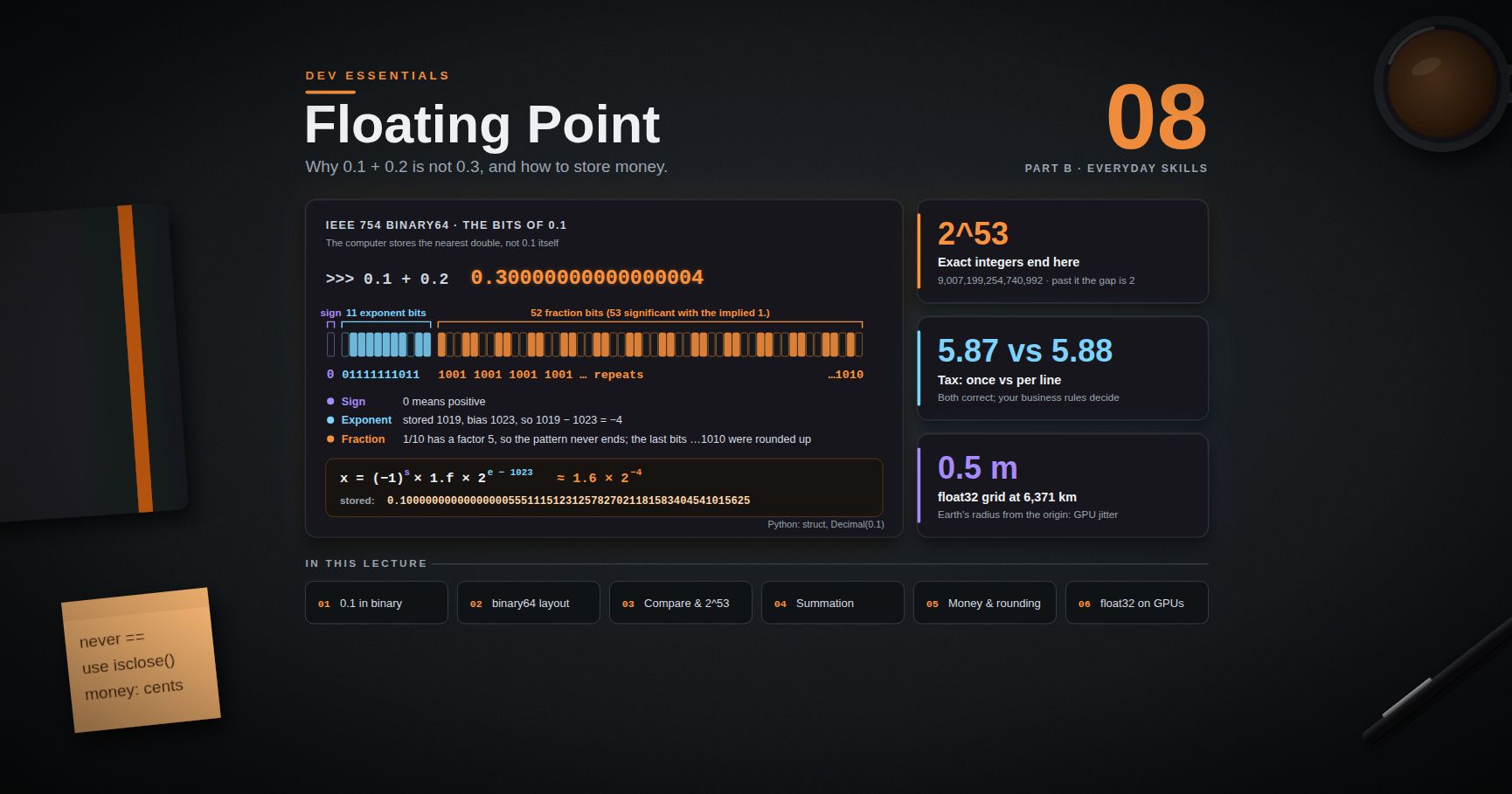
Dev Essentials — 08 · Floating Point — Why 0.1 + 0.2 Is Not 0.3 and How to Store Money
Sooner or later every developer types and gets . This is not a bug in Python or JavaScript. It is how almost every computer stores fractional numbers: in binary, with a fixed number of bits. This post opens up that format (IEEE 754 binary64), shows exactly where the error comes from, and gives you the practical rules: how to compare floats, where integers stop being exact, how to add many numbers, how to store money, which rounding rule your language uses, and why 3D scenes jitter far from the origin.
> Series map: 01 Text Encoding → … → 07 HTTPS → 08 Floating Point (this post) → 09 Versions & Dependencies → … → 24 Desk Health. Part B · Everyday skills.
Learning Outcome
- Explain why has no exact binary form, and read the bits of a in Python.- Describe the IEEE 754 binary64 layout: 1 sign bit, 11 exponent bits, 52 fraction bits.- Compare floats with a tolerance (), and know when absolute vs relative tolerance fits.- Know the 2^53 limit for exact integers, and handle , and infinities without surprises.- Reduce summation error with or Kahan summation.- Store money as integer minor units or a decimal type, and pick a rounding mode on purpose.- Explain float32 precision loss on GPUs and the Three.js depth-buffer options.
Chapter 1 — The famous result
JavaScript prints the same , and is . Both languages use the same number format, so both give the same answer.
Why 0.1 cannot be stored exactly
In decimal, never ends: . The reason is that 3 does not divide any power of 10. Binary has the same problem with any fraction whose denominator has a factor other than 2. And has a 5, so in binary it repeats forever:
A float keeps only 53 significant bits, so the computer stores the nearest representable number. You can see that number exactly:
So is really a bit more than 0.1, is a bit more than 0.2, and their sum lands on a different double than the one nearest to 0.3.
Why does show then? Python and JavaScript print the shortest decimal string that reads back to the same double. is shorter than the long exact value and maps to the same bits, so it is chosen. The stored value did not change; only the printout is short.
Fractions whose denominator is a power of two are exact: , , . Therefore is .
Chapter 2 — The IEEE 754 binary64 layout
Python , JavaScript , Java/C/C++ and MongoDB all use binary64 from IEEE 754 (current edition: IEEE 754-2019). It has 64 bits:
For normal numbers the value is:
$$x = (-1)^{s} \times 1.f2 \times 2^{\,e - 1023}$$
- sign : 0 is positive, 1 is negative.- exponent : stored with a bias of 1023, so stored 1023 means 2^0.- fraction : the bits after the binary point. The leading is implied and not stored, so you get 53 significant bits from 52 stored ones.
Look at real bits:
For the exponent bits are = 1019, and 1019 − 1023 = −4. The fraction is the repeating pattern, and the last bits show it was rounded up. So 0.1 is stored as about 1.6 × 2^−4, just a little high.
Special exponent values
| Exponent bits | Fraction | Meaning ||---------------|----------|---------|| all 0 | 0 | or || all 0 | not 0 | Subnormal: tiny numbers near zero, with less precision || all 1 | 0 | or || all 1 | not 0 | NaN (not a number) |
in Python lists the limits: is , the smallest normal positive value is , is 53 bits, and is 15 (decimal digits that always survive a round trip). Rule of thumb: a double carries about 15 to 17 significant decimal digits.
Terminology
| Term | Meaning ||------|---------|| Significand (mantissa) | The part: the significant bits. || Exponent / bias | Power of two, stored as . || ULP | "Unit in the last place": the gap between a float and the next one up. || Machine epsilon | ULP of 1.0: ≈ . || Round-to-nearest-even | Default IEEE rounding for every arithmetic result. |
Chapter 3 — Epsilon, ULP and comparing floats
Doubles are not evenly spaced. The gap between neighbours grows with the size of the number:
JavaScript has the same epsilon (). Because every operation may round, never compare computed floats with . Compare with a tolerance:
returns .
- Relative tolerance scales with the size of the numbers. The default means "same to about 9 significant digits". Use it for values of any size.- Absolute tolerance is a fixed band. You need it near zero: a relative tolerance of anything times 0 is 0, so is for every non-zero unless you pass .
JavaScript has no built-in, so write the same rule:
> Trick: in tests, use your framework's helper instead of : in Python, in Jest/Vitest (see Dev Essentials 15 · Testing). Pick the tolerance from the problem, not from habit: sensor readings in metres might need .
Chapter 4 — Integers past 2^53
A double has 53 significant bits, so every integer up to 2^53 = 9,007,199,254,740,992 is exact. Past that, the gap between doubles is 2, then 4, and so on:
Python has arbitrary precision, so this only bites when an integer passes through (division with , , JSON parsers, NumPy, pandas). In JavaScript every plain number is a double, so it bites all the time:
> Common pitfall: 64-bit database IDs sent as JSON numbers. A browser silently changes to , and then you update the wrong record. Send large IDs as strings, and convert them to only if you must do arithmetic.
Chapter 5 — NaN, negative zero and infinity
- NaN is not equal to anything, including itself. Test with (Python) or (JavaScript). Any comparison with NaN is , so sorting a list that contains NaN gives garbage without an error.- Negative zero equals , but it keeps its sign: is in JavaScript, and formatting with no decimals prints . Use in JavaScript or in Python to detect it.- Overflow gives , not an error. and give NaN.- Division by zero differs by language: Python raises for ; JavaScript returns .
Chapter 6 — Summation error
Each rounds. Add many numbers and the small errors pile up:
| Method | Python 3.11 | Python 3.13 ||--------|-------------|-------------|| plain loop | | || Kahan (above) | | || built-in | | || | | |
Two things to learn from this table:
1. tracks exact partial sums and returns the correctly rounded total. Use it when accuracy matters.2. changed in Python 3.12. The 3.12 "What's New" says now uses Neumaier summation, a refined form of Kahan. So is on 3.11 but on 3.12 and later. Code that "worked" can change results on upgrade, in either direction. Know your version.
Kahan has a known weak spot: when a huge value cancels out, as in , plain Kahan still returns . Neumaier (Python 3.12+ ) and both return .
In JavaScript, gives . fixes this. It is a finished TC39 proposal (ES2026), and MDN marks it "Baseline 2026, newly available since April 2026". Older runtimes such as Node 20 do not have it, so check before you rely on it:
Chapter 7 — Storing money
Rule: never store or calculate money in binary floating point. Amounts like 19.99 cannot be stored exactly, and the errors show up as cents that do not add up. There are two safe designs.
Option A — integer minor units
Store the amount as an integer count of the smallest unit: 19.99 → cents. Integers are exact, and addition is exact.
- Store the currency next to the amount. Currencies have different minor units under ISO 4217: JPY has 0 decimal places, USD and EUR have 2, and KWD and BHD have 3.- Division needs a remainder policy. Splitting 100.00 three ways must still add up to 100.00:
Option B — decimal types
A decimal type stores base-10 digits, so is exact.
Python — always construct from strings (or integers), never from floats:
Notice the last line: rounding tax per line gives 5.88, rounding once on the total gives 5.87. Both are "correct". Your business rules (or tax law) must say which one to use, and the code must follow it every time.
Java — the Javadoc warns that equals . Use the constructor or :
> Common pitfall: using or putting keys in a . and are not . Compare with . (Java basics: Java Development [Basic] Part 1.)
MongoDB — IEEE 754 decimal128, with 34 decimal digits of precision. MongoDB's "Model Monetary Data" guide recommends it, and its mongosh examples build values from strings:
The same guide also describes the integer "scale factor" option (store 9.99 as with a scale of 1000). Types are introduced in MongoDB Course 00 · Foundations.
SQL — total digits, digits after the point, so holds up to 9,999,999,999.99. Add a column for the ISO 4217 code. PostgreSQL's docs say "is especially recommended for storing monetary amounts".
JavaScript has no built-in decimal type. Keep integer cents (use for very large totals) or use a well-maintained decimal library. Format only for display with :
Chapter 8 — Rounding modes
"Round 2.5" has more than one right answer. It depends on the rounding mode:
| Mode (Python name) | 2.5 | −2.5 | 2.4 | Typical use ||------------------------------|-----|------|-----|-------------|| ("banker's") | 2 | −2 | 2 | IEEE default, Python , default || (ties away from zero) | 3 | −3 | 2 | School rounding, many invoices, SQL || | 2 | −2 | 2 | Rare || (away from zero) | 3 | −3 | 3 | "Never undercharge" rules || (toward zero, truncate) | 2 | −2 | 2 | Truncating fees || / | 3 / 2 | −2 / −3 | 3 / 2 | Toward +∞ / −∞ |
Half-to-even sends ties up half the time and down half the time, so a long column of rounded numbers does not drift upward. That is why it is the IEEE default.
What your language actually does
Python's docs confirm: ties go "toward the even choice". And gives , which the docs note "is not a bug": the stored double is , which is below the tie. When you need a specific mode, use built from a string:
JavaScript is different again:
PostgreSQL rounds ties away from zero, but ties to even ("on most machines", says its manual): is 3, is 2. The same call can give different answers depending on the column type.
Chapter 9 — Formatting is not the stored value
Formatting with or changes the text, not the number. Some rules:
- Round on purpose, at boundaries: when you store, when you send to an API, when you show to a user. Do not round in the middle of a calculation "to clean it up".- Never compare formatted strings, and never parse your own display output back into numbers. Keep the raw value.- Formatting for humans is locale-dependent ( vs ). Use or Python's / Babel for display, and a fixed machine format () in files and APIs.
Chapter 10 — float32 on GPUs
GPUs mostly compute in binary32 ("float32"): 1 sign bit, 8 exponent bits, 23 fraction bits, so 24 significant bits and about 7 decimal digits. WebGL vertex buffers are usually . The gap between neighbouring values grows fast:
If one unit is one metre, an object 6,371 km from the origin (Earth's radius) can only sit on a 0.5 m grid in float32. The camera and models snap between grid points, and you see jitter. The usual fixes:
- Keep the action near the origin. Move the world instead of the camera ("floating origin"), or rebase coordinates when the camera travels far.- Camera-relative rendering. Compute positions relative to the camera in float64 on the CPU (JavaScript numbers are float64), then send small float32 offsets to the GPU.
Depth precision and z-fighting
The depth buffer has the same problem in the depth direction. With a perspective camera most depth precision sits near the near plane. Far away, two nearly touching surfaces get the same depth value and flicker through each other: z-fighting. In Three.js:
The Three.js docs say "may be necessary" for "huge differences in scale". They also note that it uses , which turns off the early fragment test and can cost performance. The docs list a newer option too. It needs the extension, and the docs call it faster and more accurate than the logarithmic buffer. The / rule of thumb is covered in Three.js Course 02 · Cameras, Controls, and Coordinate Systems.
Practice Exercises
Exercise 1 — Predict, then run
Which of these print ? , , , .
<details><summary>Solution</summary>
Only , because 0.5, 0.25 and 0.75 are exact binary fractions. The others give , and .
</details>
Exercise 2 — Find 2^53 yourself
Without typing 253, write a loop that finds the smallest power of two (as a float) where .
<details><summary>Solution</summary>
At 2^53 the gap between doubles becomes 2, so adding 1 rounds back to (ties go to even).
</details>
Exercise 3 — Split a restaurant bill
Split a bill of 250.00 among 7 people using integer cents. Every share must be within 1 cent of every other, and the shares must add up to exactly 25000.
<details><summary>Solution</summary>
With floats, rounded to cents is , and : three cents vanish.
</details>
Exercise 4 — Why is this invoice off by one cent?
A system stores prices as , computes per line, and the total differs from the accountant's figure by 0.01. List two separate causes.
<details><summary>Solution</summary>
1. Binary floats: is not exact, so a value that "should" be a tie like may be stored a hair below it, and then it rounds down.2. Rounding mode and place: Python uses half-to-even, while accounting rules often want half-up. Rounding per line vs once on the total can also differ (the Chapter 7 example: 5.88 vs 5.87).
Fix: built from strings, an explicit (or whatever the rules say), and one agreed place to round.
</details>
Exercise 5 — GPU grid size
A flight-simulator scene uses metres with the origin at the airport. At what distance does float32 spacing reach 1 cm, 10 cm and 1 m? Use from Chapter 10.
<details><summary>Solution</summary>
At 131 km from the origin a vertex can only move in 1.5 cm steps, which is enough to see a cockpit shake. Use a floating origin or camera-relative coordinates.
</details>
Cheat-sheet
| Task | Python | JavaScript ||------|--------|------------|| See exact stored value | , | || Compare floats | | own helper || Machine epsilon | | || Gap at a value | | — || Largest exact integer | any is exact; floats: | (2^53 − 1), beyond || NaN test | | || Accurate sum | (and on 3.12+ is compensated) | where supported || Money | or integer cents | integer cents / || Round half-up | | own helper on integer cents || Default | half-to-even: | , || Display | | |
| Storage | Exact decimals? | Notes ||---------|-----------------|-------|| binary64 | No | 15-17 digits; 2^53 integer limit || binary32 | No | 7 digits; GPU default || Java | Yes | Build from ; compare with || MongoDB | Yes | 34 digits; build from strings || SQL | Yes | Postgres rounds ties away from zero |
What's next
Post 09 · Versions & Dependencies covers another quiet source of bugs: the numbers in and . It explains SemVer, and ranges, lockfiles, safe upgrades, and supply-chain attacks.
References
- IEEE 754-2019 — Standard for Floating-Point Arithmetic- Python tutorial — Floating-Point Arithmetic: Issues and Limitations- Python docs: and · (, , ) · · What's New in 3.12 ( uses Neumaier summation)- MDN: · ·- Java API- MongoDB — Model Monetary Data- PostgreSQL — Numeric Types- Three.js — WebGLRenderer- David Goldberg, What Every Computer Scientist Should Know About Floating-Point Arithmetic, ACM Computing Surveys, 1991.
> Note: this post is in progress. Planned additions: fused multiply-add and why results differ between CPUs and GPUs, float16/bfloat16 in machine learning, and a visual ULP explorer.
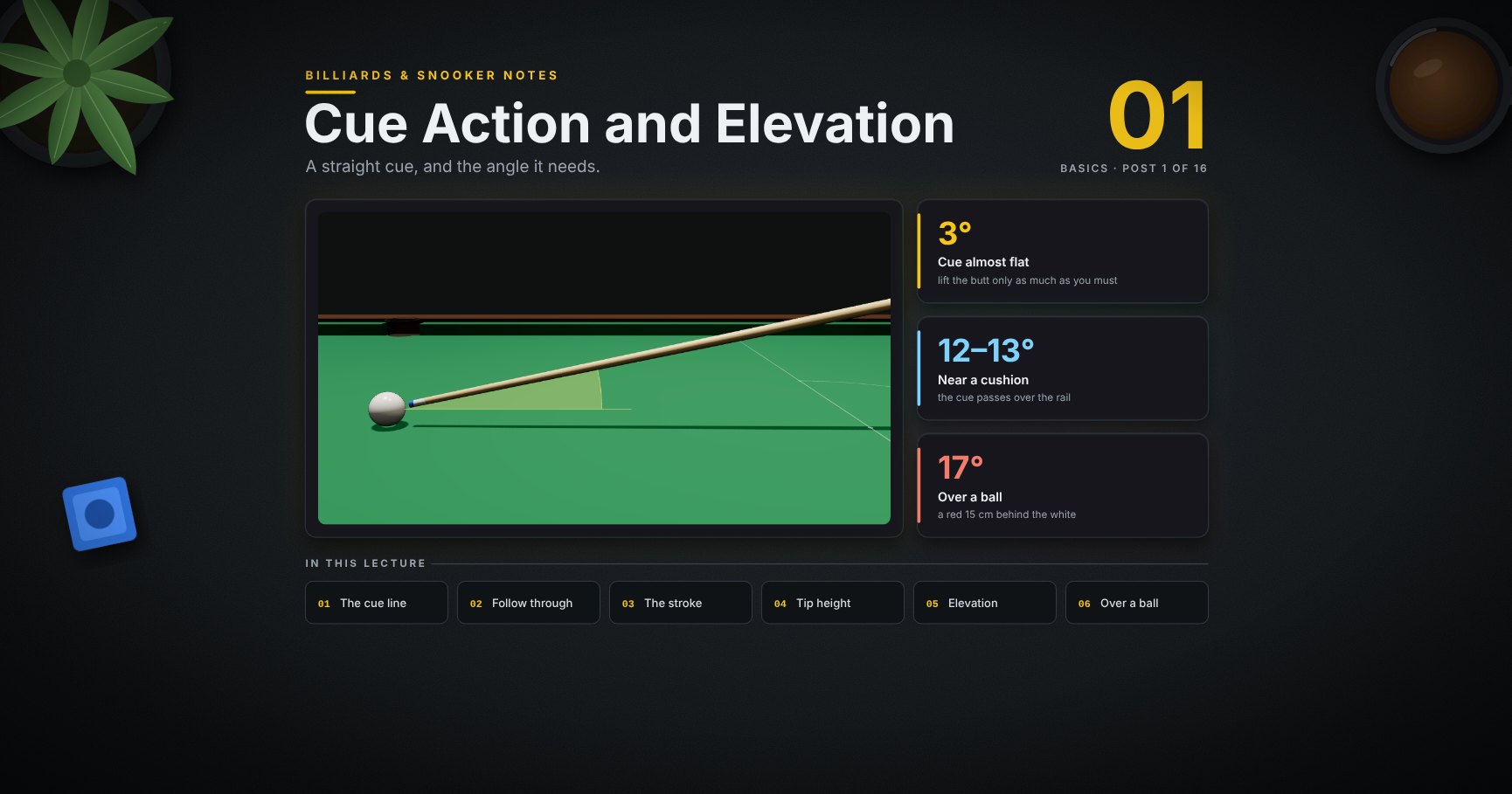
Billiards & Snooker — 01 · Cue Action and Elevation
Every shot starts with the cue: its line, how it moves through the white, where the tip meets the ball, and how steeply it points down. This first lesson covers a straight cue action, the follow-through, feathering and a pre-shot routine, chalk, tip height, and what "raising the cue" means, with the angle drawn for every case: normal shots, near a cushion and over a ball.
> Series map. ★ Basics: 01 Cue action and elevation (this post) → 02 Aiming and potting → 03 Tip and power → 04 Where the white goes · ★★ Club: 05 Side spin → 06 Cut and side into pockets → 07 Cushions → 08 Doubles · ★★★ Advanced: 09 Escaping snookers → 10 Multi-ball shots → 11 Safety → 12 Position play · ★★★★ Hard: 13 Break-building → 14 Special shots · Reference: 15 Rules, tactics and practice · ★★★★★ Pro: 16 Cue-ball control.
Learning Outcome
- Deliver the cue straight along the line, and follow through.- Use the same feather, pause and strike, and the same routine, on every shot.- Keep the tip chalked and inside the safe zone.- Hit high or low on the white with a level cue.- Know what cue elevation is, how much each shot needs, and why lower is better.- Find the angle the cue needs near a cushion and over a ball.
Chapter 1 — The cue action
1 · The cue on the line
The white goes where the cue points at the moment of the hit. Line the cue up behind the white, on the line to where you aim, and keep it on that line from the back swing to the end of the stroke.
> Watch out: a small turn of the cue, about 7° here, misses a red only half a table away.
2 · Follow through
Let the cue run on past where the white was, along the same line. A cue that stops at the ball usually turns at the last moment ✗.
3 · Feather, pause, strike
<div class="bclip"><img class="no-lightbox" src="/assets/billiards/s01clipaction.webp" alt="Side-view clip of the cue and the white. The cue makes a few slow practice strokes, pauses at the back, then moves smoothly through the white and on; the white rolls away"></div>
Watch the cue in the clip:
1. Feathers: a few slow practice strokes, the tip close to the white. They check the line and the tip spot.2. Pause at the back of the last back swing.3. Strike: speed up smoothly through the white.4. Follow through, and hold still until the white has stopped.
> Common pitfall: a quick, jerky back swing. The cue changes speed and line. Slow back, smooth through.
4 · A pre-shot routine
Do the same steps in the same order on every shot. The point is repetition: the stroke stays the same under pressure as in practice.
5 · Chalk, and stay in the safe zone
- Chalk the tip every shot or two. A dry tip slides off the white: a miscue.- Keep the tip inside about half the radius from the centre. Further out, even a chalked tip miscues (post 03).
Chapter 2 — Tip height
6 · Hit high or low with a level cue
To hit low or high on the white, move the whole cue down or up and keep it level. Don't tip the cue to reach the spot.
| You want | Tip on the white | Post ||----------|------------------|------|| screw (backspin) | below centre | 03 || stop / stun | centre or a little below | 03 || follow (topspin) | above centre | 03 |
> Common pitfall: lifting the back of the cue to reach a low spot. The tip then strikes down into the white (post 03), and any side makes it curve (section 8).
Chapter 3 — Cue elevation
7 · What "raise the cue" means
"Raise the cue 20°" means lifting the back (butt) end of the cue, so the cue points down at the white. The tip still hits the same spot. The yellow wedge is the angle between the cue and the cloth.
| Elevation | When ||-----------|------|| about 3° | every normal shot: as level as the cushion allows || about 12° | the white near a cushion (section 9) || about 20° | swerve on purpose (posts 05, 09, 14) || about 60° | massé, a big curve (post 14) |
8 · Keep it low
The same aim and the same side, only the cue raised more each time (model, from post 14). With side, a raised cue curves the white: 10 cm off the line after 1 m at 10°, 55 cm at 45°.
So keep the cue as low as the table lets you. If normal long pots keep missing, check your elevation first.
9 · Near a cushion
Near a cushion the cue has to pass over the rail, which is higher than the cloth, so it points down more (geometry of these set-ups):
| White | Cue raised ||-------|------------|| 20 cm off the cushion | about 12° || close to the cushion | about 13° |
You can only reach the top half of the white. Keep the tip near centre, the stroke short and smooth, and let pace, not spin, do the work.
10 · Over a ball
When a ball sits just behind the white, the cue has to go over it. Here, with a red 15 cm behind, the cue must be raised about 17°.
- Play it smoothly and not too hard.- Keep the tip near centre: with this angle, side curves the white (section 8) and screw is weaker.- Don't touch the ball behind: moving any ball with the cue is a foul.
11 · Out of reach: the rest, spider and swan
When the white is too far to reach, the club has long cue rests. The cue lies on the rest's head:
| Tool | Use it when | Cue angle ||------|-------------|-----------|| rest (X-shaped head) | the white is far away, nothing behind it | as low as normal || spider (a tall arch) | one ball behind the white | raised, as in section 10 || swan (a long curved neck) | a group of balls behind the white | raised, as in section 10 |
On all of them, keep the tip near centre and play a little softer than normal.
Try it at the table
| Drill | Set-up | Look for ||-------|--------|----------|| Straight line | the white on the brown spot, hit it up over the blue and pink spots, off the top cushion, centre ball, power 2 | it comes straight back to the tip || Follow-through | the same, a coin 15 cm past the white | the tip passes over the coin, on the line || Routine | ten shots, the same six steps each | the same rhythm every time || Height ladder | a straight red, tip low, centre, high, the cue level each time | screw, stop, follow || Elevation check | the white 20 cm, then close to a side cushion | a smooth stroke, no miscue || Over a ball | a red 15 cm behind the white | a clean centre-ball hit |
Cheat-sheet
| | ||--|--|| Line | the white goes where the cue points at the hit || Stroke | feather, pause, strike, follow through, hold still || Routine | the same six steps every shot || Tip | chalked; inside half the radius || Height | move the whole cue down or up; keep it level || Elevation | lift the butt only as much as you must: about 3° normally || Cushion | about 12–13° to pass over the rail || Over a ball | about 17° with a red 15 cm behind |
What's next
02 · Aiming and potting. The ghost ball, the classic red-dot miss, ball fractions, thin cuts, the pockets and long pots.
References
- WPBSA, Official Rules of the Games of Snooker and English Billiards (2024-25): table and ball sizes, fouls for touching a ball. <https://www.wpbsa.com/rules/>- Dr. Dave Alciatore, "What effects does cue elevation have on a shot": swerve, hop and follow-through with a raised cue. <https://drdavepoolinfo.com/?p=1979>- Masters of Games, extended spider and swan rests: what each is for. <https://www.mastersofgames.com/cat/snooker-pool-extended-spider-swan-rests>- The pictures are drawn to scale with the cue only; the elevation numbers are the geometry of those set-ups, and the curve numbers come from the physics model. The follow-through and the routine are common coaching advice.
> Note: this post is in progress. Planned additions: the cue extension and butt for very long shots.
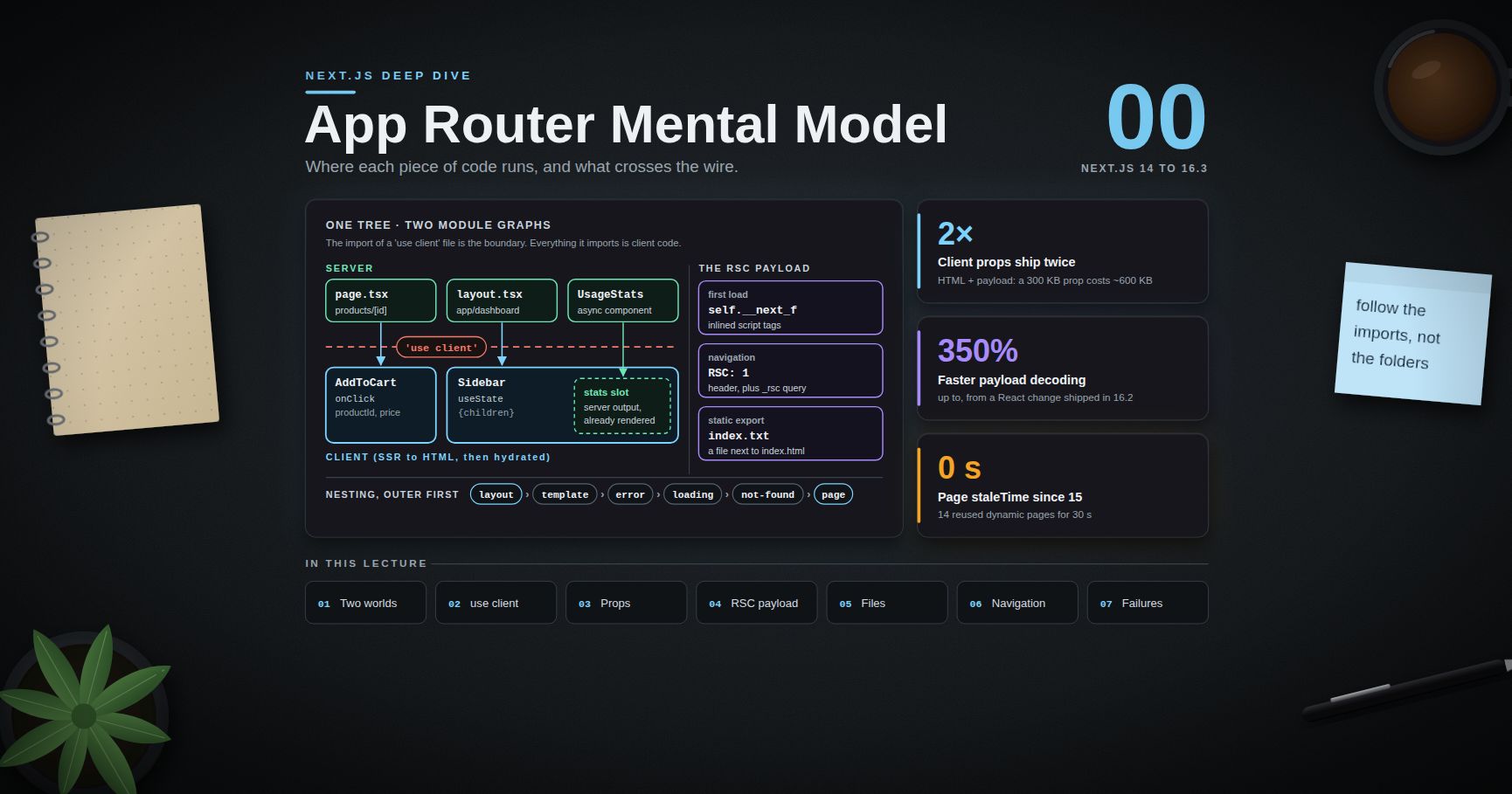
Next.js Deep Dive — 00 · App Router Mental Model
The App Router is not "React with file-based routing". It is a two-environment application model: one component tree that is split, at compile time, into a server module graph and a client module graph, glued together by a streamed wire format called the RSC payload. Most production bugs in App Router codebases (a 400 KB client bundle from one stray import, a secret that ends up in page source, a layout that "does not update", a modal route that 404s on refresh) come from an inaccurate picture of where each piece of code runs and what crosses the wire. This post builds that picture: Server vs Client Components, the exact semantics of the boundary, what may be passed across it, what the RSC payload is, the file conventions and their nesting order, and how navigation and prefetching behave. Examples target Next.js 16.3 (the Active LTS line as of September 2026), with the 14 and 15 differences called out where they matter.
> Series map: 00 App Router Mental Model (this post) → 01 Data Fetching, Caching & Server Actions → 02 Rendering Strategies & Runtimes → 03 Production Next.js (future: see the extensions table in 03).
Learning Outcome
- Explain what a Server Component is, and why it is not the same thing as server-side rendering (SSR).- State precisely what marks (a module boundary, not a component) and predict which modules end up in the client bundle.- Compose Server Components inside Client Components through and other slots, and know why importing them does not work.- Apply the serialisation rules for props crossing the boundary, and recognise the data-exposure risk they create.- Describe what the RSC payload contains, where it lives on first load, and what is fetched on a client navigation.- Use the file conventions (, , , , , , ) and predict their nesting order.- Build route groups, parallel routes and intercepting routes, including the modal pattern and the Next.js 16 rule.- Reason about soft navigation, partial rendering, prefetching and how the client router cache changed from 14 to 16.
Chapter 1 — Two component worlds
Terminology
- React Server Components (RSC) — a React architecture in which some components run only in a server environment (at build time or per request) and never ship their code to the browser.- Server Component — the default for every component under . Can be , can read files, databases and secrets. Cannot use state, effects, or browser APIs.- Client Component — a component in the client module graph. Rendered to HTML on the server for the first load, then hydrated and interactive in the browser. Can use hooks and event handlers.- RSC payload (also called the Flight payload) — the serialised result of rendering the Server Component tree: rendered output, placeholders for Client Components with references to their JavaScript, and the props passed to them.- Hydration — React attaching event handlers and state to server-rendered HTML so it becomes interactive.- Boundary — the point in the module graph where a server module imports a module.
Server Components are not SSR
SSR is an old idea: run the whole React tree on the server, emit HTML, then ship all of the same code to the browser and hydrate it. Every component exists twice, once on each side.
Server Components change the second half. A Server Component runs only on the server; its code is never sent to the browser, so it has nothing to hydrate. Only Client Components are both server-rendered (for the first HTML) and shipped (for hydration).
| Question | Server Component | Client Component ||---|---|---|| Where does its code run? | Server only (build or request time) | Server (first-load HTML) and browser || Is its code in the JS bundle? | No | Yes || component, in body | Yes | No (use to unwrap a promise) || , , | No | Yes || Read secrets, DB, file system | Yes | Must not || Re-renders on state change | No (re-rendered only by a new server request) | Yes || Default in | Yes | Only below a boundary |
The first-load pipeline
On a first visit to a dynamic route, three things happen in order:
1. RSC render. The server renders the Server Component tree. Wherever it meets a Client Component, it does not run it; it writes a placeholder plus a module reference and the serialised props. The result is the RSC payload.2. SSR of the client parts. The server then renders the Client Components to HTML, using the payload as input, so the first response is complete HTML.3. Browser. The HTML paints immediately (non-interactive). The client JavaScript loads, React reads the payload (inlined in the HTML) to reconcile the tree, and hydrates only the Client Components.
On a later client navigation, step 2 and the HTML are skipped. The router fetches only the RSC payload for the segments that change and merges it into the existing tree.
> Trick: when asking "does this code run in the browser?", ignore the file name and folder. Follow the imports from the nearest file. That is the only rule the bundler uses.
Chapter 2 — The boundary
What the directive actually marks
marks a module entry point into the client graph. It does not mark a single component, and it is not a runtime switch. From react.dev: the directive marks the module and all of its transitive dependencies as client code. When a server module imports that file, the import is the boundary.
Consequences that surprise people:
- You only need at the entry points. A file imported only by client modules is client code even without the directive.- Every module a client entry imports is bundled for the browser, including utilities you meant to keep server-side. One in a client file tries to put your database driver in the bundle.- A component can still be client-evaluated without the directive, simply because a client module imported it.- The directive must be the first statement (comments allowed), with single or double quotes, never backticks.
Server Components inside Client Components: slots, not imports
A Client Component cannot import a Server Component: the import would pull that module into the client graph, where it would run as client code (and fail if it touches the database). It can render one that the server passed in as a prop:
is rendered by the server before the payload is written. The client receives already-rendered output in the slot, and can show or hide it without knowing it came from the server.
The diagram below shows the whole picture on one tree: which components run where, where the boundary sits, how a slot lets server output pass through a client component, and what may cross the wire.
Context providers
React context needs state, so a provider is a Client Component. The usual pattern is a thin client wrapper that takes :
The root layout stays a Server Component and renders . The pages under it stay Server Components, because they arrive as (a slot), not as imports of the provider file.
> Common pitfall: putting at the top of "to make the error go away". Every page is still passed as , so pages are not converted, but everything the layout imports becomes client code, and the layout can no longer read cookies or data on the server. Push the directive down to the smallest interactive leaf.
A library component that uses hooks but ships no fails when rendered from a Server Component. Re-export it from your own client file: a containing and .
Guarding the graphs: and
Nothing stops a developer from importing a data module into a client file by accident. Poison the module instead:
Next.js handles and internally, so the import works even without installing the npm package (install it anyway if a lint rule flags extraneous imports).
> Watch out: is not the opposite of . It marks Server Functions (callable endpoints, Post 01), not Server Components. A Server Component needs no directive at all. Adding to a component file turns every export into a public POST endpoint.
Chapter 3 — What may cross the boundary
The serialisation rules
Props passed from a Server Component to a Client Component are serialised into the RSC payload, so they must be serialisable by React. The list below is from react.dev ( reference).
| Supported | Not supported ||---|---|| , , , , , | Functions that are not Server Functions (event handlers, callbacks) || registered with | Symbols not registered globally () || , , , TypedArray, (with serialisable contents) | Classes || | Instances of any class other than the built-ins listed || Plain objects with serialisable properties | Objects with a prototype || Server Functions () | || JSX elements (Server or Client) | || Promises | |
Practical effects:
- An ORM row that is a class instance (with methods, getters, or a custom prototype) fails. Map it to a plain object first.- from a Server Component fails. The handler must live in the client file, or be a Server Function passed as .- A arrives as a , a as a . JSON is not the format; the payload has richer encodings.
Passing a promise: stream data into a Client Component
Promises are serialisable. The server can start a fetch, pass the unresolved promise down, and let the client unwrap it with inside a Suspense boundary. The HTML shell streams immediately, and the value streams in when it resolves.
Everything you pass is public
The payload is delivered to the browser. Every prop you give a Client Component is readable in page source or in the network panel, including fields the component never renders.
Next.js recommends a server-only Data Access Layer that returns minimal Data Transfer Objects, and offers React's taint APIs (, , behind ) as a second line of defence. Post 01 builds the DAL; Post 03 covers the environment-variable side of leaks.
> Watch out: broad prop types make leaks easy. A client component typed , where is the database type, invites callers to pass the full row. Type client props as the narrow shape the component renders.
Chapter 4 — The RSC payload
What it contains
From the Next.js glossary, the payload carries three things:
1. The rendered result of the Server Components (host elements such as and , with their props and text).2. Placeholders where Client Components should render, with references to their JavaScript chunks.3. The props passed from Server Components to Client Components.
It is a streamed, line-oriented format, not one JSON document. Rows can arrive out of order: a Suspense boundary's content is written as a later row that fills a hole left earlier. That is what makes streaming work for client navigations as well as for HTML.
Where to see it
- First load: the payload is inlined in the HTML as a series of tags that push chunks into . React on the client reads them to hydrate without a second request.- Client navigation: the router requests the target URL with an request header (and a query parameter so caches do not mix it with the HTML response). The response body is the payload for the segments that change.- Static export: each route's payload is written as a file next to its HTML. This blog is a Next.js 14 static export, and with each post folder holds an and an ; the is the payload fetched when you navigate to the post from another page.
Why its size matters
The payload is not free:
- Data passed to Client Components appears twice on first load: once rendered in the HTML, once as props in the inlined payload. A 300 KB JSON prop costs roughly 600 KB before compression.- Server Component output is also in the payload (it has to be, to reconcile). A long server-rendered list is sent as HTML and again as payload rows.- Deserialisation costs CPU. Next.js 16.2 shipped a React change that made payload deserialisation up to 350% faster by replacing a reviver callback (which crosses the C++/JavaScript boundary in V8 for every key) with a plain followed by a walk in JavaScript. The Next.js team reports 25% to 60% faster rendering to HTML in real apps, depending on payload size. To find bloat, filter the network panel by and read the response: whole database rows are the usual find.
Chapter 5 — File conventions
The special files
| File | Role | Component type ||---|---|---|| | Shared UI for a segment and its children. Persists across navigations below it. Root layout must render and . | Server by default || | The unique UI of a route. Makes the route publicly reachable. | Server by default || | Instant loading UI; wraps the page in a Suspense boundary. | Server by default || | Error boundary for the segment. | Must be Client || | Error boundary for the root layout; must render its own and . | Must be Client || | UI for and unmatched URLs. | Server by default || | Like a layout, but re-mounted on every navigation (state and effects reset). | Server by default || | Fallback for a parallel-route slot that has no match for the current URL. | Server by default || | Route Handler (an HTTP endpoint). Cannot sit in the same segment as . | n/a || , | UI for / (experimental since 15.1, ). | Server by default |
Nesting order
For one segment, Next.js composes the files in this order, outermost first:
Two direct consequences:
- does not catch errors thrown by the of the same segment, because the layout is outside the boundary. The parent segment's catches them, and catches the root layout's.- does not cover the layout either. A slow in a layout blocks the whole segment, loading UI included. Keep layouts cheap, or push slow reads into a Suspense-wrapped child.
Segments and folders
| Folder syntax | Meaning | Example URL ||---|---|---|| | Dynamic segment | || | Catch-all (one or more) | || | Optional catch-all (zero or more) | and || | Route group: organises files, adds no URL segment | || | Private folder: never routable | none || | Parallel-route slot | none (a prop of the layout) || | Intercepting route | intercepts |
Since Next.js 15, and are promises (). Next.js 15 still allowed synchronous access with a warning; Next.js 16 removed synchronous access. The same applies to , and . This blog's post route (, Next.js 14) already writes : awaiting a plain object simply returns it, so the code is forward-compatible.
Route groups and multiple root layouts
Route groups let different sections have different root layouts:
> Watch out: navigating between two different root layouts is a full page load, not a client navigation. State is lost and all assets are fetched again. Use it for genuinely separate apps, not for styling differences.
Parallel routes
A folder named becomes a prop of the parent layout, rendered alongside :
Each slot navigates independently and can have its own and . On a soft navigation, a slot with no match for the new URL keeps its current content. On a hard load (refresh), Next.js cannot know that previous state, so it renders the slot's , or a 404 if there is none.
Next.js 16 made this strict: every parallel-route slot must have an explicit , and the build fails without one. To keep the old behaviour, add a that returns or calls .
Intercepting routes and the modal pattern
Intercepting routes render another route's content inside the current layout on a soft navigation, while a hard load of the same URL shows the full page. Prefixes are relative to route segments (not the file system, so folders do not count): same level, one level up, two levels up, from the root.
Clicking a thumbnail opens the modal with the gallery still behind it and the URL set to . Refreshing shows the full photo page. Closing the modal is .
> Common pitfall: forgetting . Before 16 the symptom was a 404 on refresh of unrelated routes; in 16 the build fails, which is the better failure.
Chapter 6 — Navigation and prefetching
Soft navigation and partial rendering
and perform a soft navigation: no document reload, only the RSC payload for the segments that differ. Layouts shared by the old and new route are not re-rendered, so their client state (an open sidebar, a scroll position inside it, an input's value) survives. This is partial rendering.
It has a security-relevant side effect: a check written in a shared layout does not re-run when the user navigates between its child pages. Put authorisation checks next to the data they protect (Post 03).
re-requests the current route's payload from the server and merges it, preserving client state. It is the tool for "server data changed, redraw without losing the form input".
prefetching
Prefetching is production only. When a enters the viewport, Next.js prefetches the target in the background. The prop (values as of 16.3):
| Value | Static route | Dynamic route ||---|---|---|| / (default; alias added in 15.4) | Full route, including data | Down to the nearest boundary || | Full route | Full route || | Never (neither viewport nor hover) | Never |
The practical lesson for dynamic routes: without a (or, with Cache Components, a static shell), there is nothing cheap to prefetch, so the click waits for the server.
How the client router cache changed
| Version | Behaviour of the client-side router cache ||---|---|| 14.0 / 14.1 | Visited and prefetched segments reused for 30 s (dynamic) or 5 min (static or ). A common source of "my page shows stale data". || 14.2 | added to configure those durations. || 15 | Page segments get a of 0 by default: navigating to a page always fetches its latest data. Shared layouts are still not re-fetched, back/forward still restores from cache, and stays cached for 5 min. || 16.0 | Prefetching rewritten: layout deduplication (a layout shared by 50 links is downloaded once, not 50 times) and incremental prefetching (only missing parts are fetched; requests cancel when the link leaves the viewport and are re-prioritised on hover). More requests, much lower total transfer. || 16.2 | bundles a route's segment data into one prefetch response. || 16.3 | Small prefetches are inlined automatically; Partial Prefetching (opt-in, with ) lets fetch as much or as little of the target as you choose. |
With enabled (16), Next.js also keeps recently visited routes mounted inside React's instead of unmounting them, so values and form inputs survive back-and-forth navigation. Effects are cleaned up while hidden and re-run when shown. Code that relied on unmount to reset state (an open dropdown, a success message) needs explicit reset logic.
Other navigation tools
- from (not , which is the Pages Router): , , , , , .- , , , : client hooks for URL state. needs a Suspense boundary on prerendered routes.- and from throw special errors that the framework catches. Do not wrap them in a that swallows everything; rethrow with (added in 15) if you must catch broadly.- (15.3) runs only on client-side navigations and can to block one, e.g. for unsaved changes.- (16.2) passes types to for View Transitions.
> Trick: prefetching is disabled in development, so "the click feels slow" must be judged with , not . Next.js 16.3's Navigation Inspector (in the dev tools) lets you pause a navigation at its loading shell to see what a user would see.
Chapter 7 — Failure modes worth recognising
Hydration mismatches
The HTML rendered on the server must match the first client render. Classic causes:
- , , rendered directly (server and browser disagree on time, locale and randomness).- branches in render.- Invalid HTML nesting ( inside ), which the browser's parser rewrites.- Browser extensions injecting attributes into or .
Fixes: compute the value on the server and pass it down; move browser-only values into and render a placeholder first; for a single known-unstable text node (a timestamp), on that element. Next.js 16.2's error overlay labels the diff with / , which makes the source obvious.
"My layout does not update"
A layout is not re-rendered on navigation between its children (partial rendering). If it shows data that a child action changed, call , revalidate in a Server Action (Post 01), or move the data into the page.
Bundle bloat and browser-only widgets
A file that imports a large library (a markdown parser, a date library with all locales) pulls it into the browser even if the component uses it for one string: do that work in a Server Component and pass the result down (Post 03 covers the bundle analyzer). For a widget that touches at import time, must be called from a file; since Next.js 15, is not allowed in Server Components.
Practice Exercises
Exercise 1 — Find the boundary
Given this graph, list every module that ends up in the client bundle: (server) imports and ; starts with and imports and ; imports ; has no directive.
<details><summary>Solution</summary>
Client bundle: , , . is a client entry, and everything it imports transitively is client code. also stays a Server Component when (server) renders it: the same module can be evaluated in both graphs. and are server-only.
</details>
Exercise 2 — Fix the serialisation error
A Server Component renders where comes from an ORM that returns class instances. List both errors and fix them.
<details><summary>Solution</summary>
(1) is a plain function, which cannot be serialised. Move the handler into the client component (or pass a Server Function if it must run on the server). (2) Class instances are not serialisable. Map to plain objects: . Also check the mapped shape contains only what the chart draws.
</details>
Exercise 3 — Slot composition
A client component needs to show server-rendered content in each tab. Write the props interface and the server-side usage so each tab body is a Server Component.
<details><summary>Solution</summary>
Both tab bodies are rendered on the server on every request for the page; only the selection state is on the client.
</details>
Exercise 4 — Modal route
Build the file tree for a modal that opens over any page on soft navigation and shows a full login page on refresh. The app uses Next.js 16.
<details><summary>Solution</summary>
because sits at the same route-segment level as the slot's parent (the root). is mandatory in 16.
</details>
Exercise 5 — Predict the error boundary
throws during render. There is an and an . Which one renders, and why?
<details><summary>Solution</summary>
. The boundary from sits inside , so it cannot catch errors from that layout. The next boundary outward is the root segment's .
</details>
Exercise 6 — Measure the payload
On an App Router site in production, filter the network panel by , navigate between two pages, find the largest prop in the response, and decide whether it belongs in a Server Component instead.
Cheat-sheet
| Topic | Rule ||---|---|| Default component type in | Server Component || marks | A module entry point; all its transitive imports become client code || Server inside client | Pass as or another prop (slot), never import || Props across the boundary | Primitives, plain objects, arrays, Map, Set, Date, TypedArray, JSX, Promises, Server Functions || Not allowed across | Plain functions, class instances, -prototype objects, unregistered symbols || Poison a server module | || | Marks Server Functions (endpoints), not Server Components || RSC payload on first load | Inlined in HTML () || RSC payload on navigation | Request with header and query || Nesting order | layout > template > error > loading > not-found > page || | Client Component; does not catch its own segment's layout || , , , | Promises since 15; sync access removed in 16 || Parallel slots | folders; required since 16 || Intercepting prefixes | , relative to route segments || Prefetch | Production only; default: full for static, to nearest for dynamic || Router cache for pages | 30 s dynamic in 14; staleTime 0 in 15+ || Stale layout after mutation | or revalidate in a Server Action |
What's next
Post 01 covers data fetching, caching and Server Actions: fetching in Server Components without waterfalls, request memoisation and the Data Access Layer, the four caching layers of Next.js 14 and how 15 and 16 (, , , ) replaced the implicit defaults, and Server Functions as public endpoints that need their own authentication. For the React side of this post (the hook, Suspense, transitions and the React Compiler), see the React Deep Dive series; for the language features Server Components lean on (promises, async iteration, module semantics), see JavaScript Deep Dive.
References
- Next.js Docs — Server and Client Components- React — directive and serialisable types- React — Server Components- Next.js Docs — Layouts and Pages and Project Structure- Next.js Docs — Parallel Routes and Intercepting Routes- Next.js Docs — Link component- Next.js Docs — Data Security (Data Access Layer, taint)- Next.js 15 release notes, Next.js 16, 16.2, 16.3
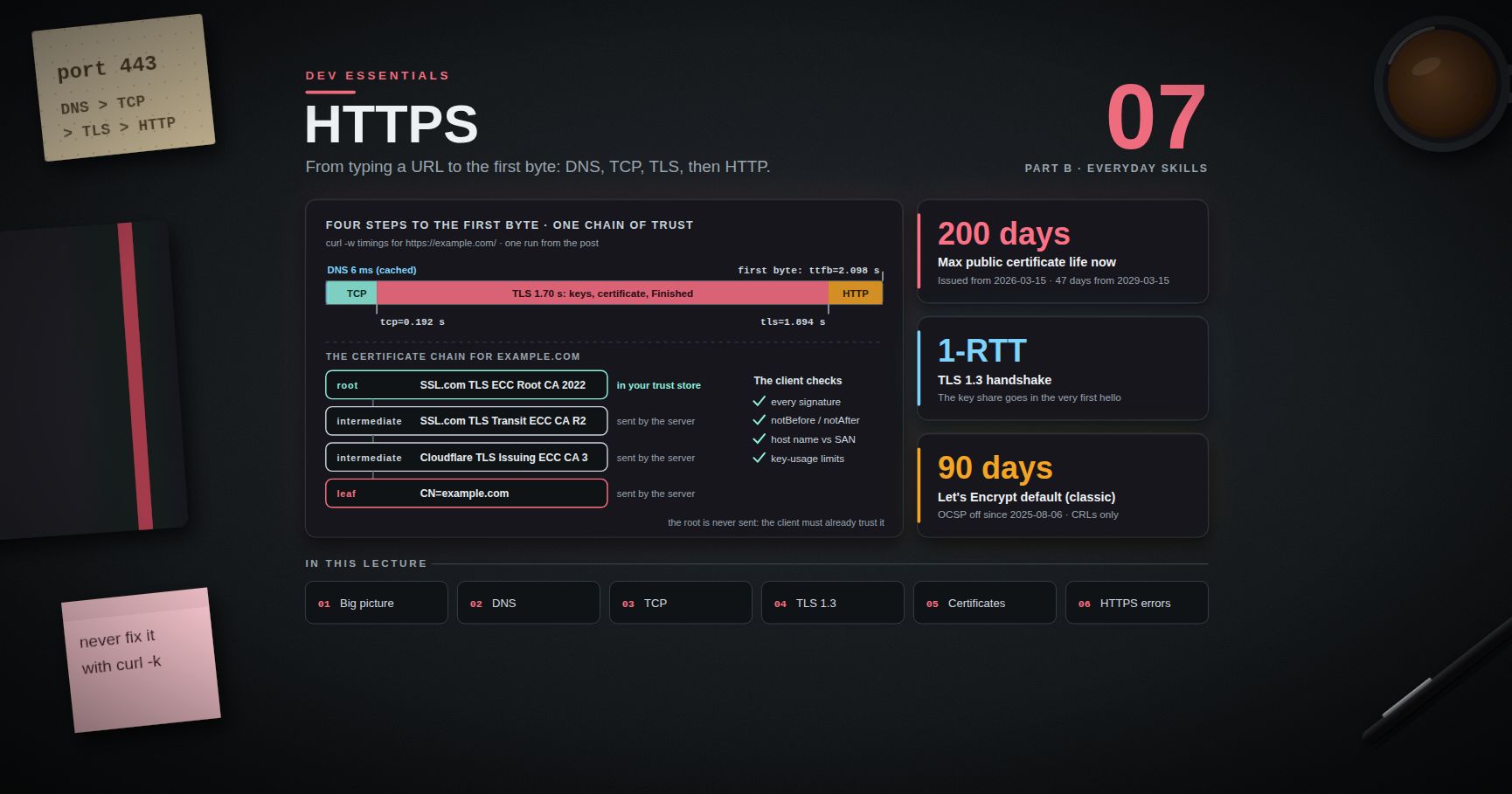
Dev Essentials — 07 · How HTTPS Works — DNS, TCP, TLS 1.3 and the Certificate Chain
You type and press Enter. Moments later the page is on screen. In those moments your computer found an IP address, opened a TCP connection, agreed on encryption keys with a server it has never met, and checked that server's identity against a chain of certificates. Only then did it send the first HTTP request. This post walks through each step and shows the commands that let you watch it happen, in Bash and PowerShell. It ends with a field guide to the HTTPS errors you will actually meet.
> Series map: 01 Text Encoding → … → 06 Regex → 07 HTTPS (this post) → 08 Floating Point → … → 24 Desk Health. Part B · Everyday skills.
Learning Outcome
- List, in order, the steps between typing a URL and getting the first byte: DNS, TCP, TLS, HTTP.- Trace a DNS lookup with , and , and explain TTL.- Describe the TLS 1.3 handshake message by message, and why it needs only one round trip.- Read a certificate chain (leaf → intermediate → root) with and PowerShell.- Explain SNI, ALPN, HTTP/2, HTTP/3 over QUIC, HSTS and Encrypted Client Hello.- Know today's certificate lifetime rules and how Let's Encrypt and ACME automate renewal.- Diagnose the classic errors: expired certificate, name mismatch, missing intermediate, clock skew.
Chapter 1 — The big picture
The whole trip for :
1. Parse the URL. Scheme , host , default port , path .2. HSTS check. If the browser has a Strict-Transport-Security rule for this host, it never uses plain (Chapter 7).3. DNS. Turn into an IP address (Chapter 2).4. TCP. Open a reliable connection to that IP on port 443 (Chapter 3).5. TLS. Agree on keys, check the certificate, switch to encryption (Chapters 4-5).6. HTTP. Send inside the encrypted channel and read the response.
A round trip time (RTT) is the time for a packet to reach the server and come back. Every handshake costs round trips. Round trips are what make a far-away server feel slow.
can print a timer for each phase, measured from the start of the request:
DNS took about 6 ms (it was cached). TCP was done at 192 ms, TLS at 1.89 s, and the first response byte (TTFB, time to first byte) came at 2.10 s. To get the length of one phase, subtract the value before it.
Chapter 2 — DNS: from name to IP address
Packets are routed by IP address, not by name. DNS (RFC 1034/1035) is the distributed phone book that turns names into addresses.
There are 13 named root server identities ( to ), each served from many sites by anycast. The authoritative server holds the real records, and is usually run by your DNS host or CDN.
Every answer carries a TTL (time to live) in seconds. Caches may reuse the answer until the TTL runs out. That is why a DNS change takes time to reach everyone: old answers live until their TTL ends.
> Trick: before you move a site to a new IP, lower the TTL (for example to 300 s) a day ahead. After the move, raise it again.
Run it again a minute later and the TTL is lower: the answer came from a cache that is counting down. in PowerShell 5.1 and the Windows do not know the type, so use (Linux, macOS, WSL) for that one.
| Type | Holds | Why it matters for HTTPS ||------|-------|--------------------------|| / | IPv4 / IPv6 address | Where to connect. || | Alias to another name | Common for CDNs ( → ). || | CAs allowed to issue for the domain (RFC 8659) | A CA must check it before issuing. || | Free text | Used by the ACME challenge (Chapter 8). || / | Connection hints: ALPN list, ECH keys (RFC 9460) | Tells the browser about HTTP/3 and ECH before it connects. |
> Watch out: classic DNS is plain text, so anyone on the path can see which names you look up. DNS over HTTPS (DoH, RFC 8484) and DNS over TLS (DoT, RFC 7858) encrypt the query between you and the recursive resolver.
Chapter 3 — TCP: the three-way handshake
HTTP/1.1 and HTTP/2 run over TCP, which gives an ordered, reliable byte stream. Opening it takes three packets:
That is one full round trip before any data flows. To test only the TCP step:
A timeout usually means a firewall, a wrong IP (stale DNS), or a server that is down. A fast connection refused means the host is reachable but nothing listens on that port. If TCP fails, TLS never starts.
Chapter 4 — The TLS 1.3 handshake
TLS (Transport Layer Security) gives three things: confidentiality (only the two ends can read), integrity (changes on the way are detected), and authentication (you reached the real ).
TLS 1.3 was defined in RFC 8446 (August 2018). In July 2026 the IETF published RFC 9846, which obsoletes RFC 8446. It calls itself a minor update that keeps the version number 1.3 and stays backward compatible. It also obsoletes RFC 5246, the TLS 1.2 spec.
1. ClientHello. The client guesses which key-exchange group the server accepts and sends a public key for it at once. This guess is what saves a round trip compared with TLS 1.2.2. ServerHello. The server sends its own public key. Both sides now run ECDHE (Elliptic-Curve Diffie-Hellman, Ephemeral): each mixes its private key with the other's public key and gets the same shared secret. Someone watching the wire cannot compute it.3. Keys are derived from that secret. Everything after ServerHello is encrypted, including the certificate.4. CertificateVerify. The server signs a hash of all handshake messages so far with the private key of its certificate. This proves it owns the certificate, not just a copy.5. Finished. Each side sends a MAC over the whole transcript. If an attacker changed any earlier message, the MACs do not match and the connection dies.6. The client sends its HTTP request together with its Finished. Total: one round trip (1-RTT).
The key pairs are ephemeral: new for each connection, then thrown away. So stealing the server's certificate key later does not decrypt recorded old sessions. This is forward secrecy.
means AES-256 in GCM mode (an AEAD cipher: it encrypts and checks integrity in one step) with SHA-384 for key derivation. is the ephemeral ECDHE group. That output came from OpenSSL 3.2. From OpenSSL 3.5 on, the default key shares offer the hybrid post-quantum group (classic X25519 plus ML-KEM-768) as well as X25519, so you may see that name instead.
Resumption and 0-RTT
After a handshake the server can send a session ticket. Next time the client presents it as a pre-shared key (PSK) and may send data in its very first flight: 0-RTT early data.
> Watch out: 0-RTT data can be replayed. An attacker who records the first flight can send it again, and the server may act on it twice. RFC 8446 says 0-RTT data has no non-replay guarantee between connections, and it is not forward secret either. Allow it only for safe, idempotent requests such as . RFC 8470 defines the header and the status for HTTP servers that want to refuse it.
Terminology
| Term | Meaning ||------|---------|| Key share | Public key sent in a hello message for key exchange. || ECDHE | Key agreement: both sides derive the same secret from their key pairs. || Forward secrecy | Old sessions stay safe even if the long-term key leaks later. || AEAD | Cipher giving confidentiality and integrity together (AES-GCM, ChaCha20-Poly1305). || Transcript | All handshake messages so far; signed and MAC'd to stop tampering. || PSK / 0-RTT | Resumption key / data sent before the handshake finishes. |
Chapter 5 — Certificates and the chain of trust
Key exchange gives encryption, but encryption with whom? The certificate answers that. It is a statement, "this public key belongs to ", signed by a Certificate Authority (CA).
- Subject Alternative Name (SAN) — the host names the certificate is valid for. Clients check the SAN, not the old Common Name.- notBefore / notAfter — the validity window. Outside it, the certificate is rejected.- Issuer — who signed it. The issuer has its own certificate, and so on up the chain.
The server sends the leaf plus the intermediates. It does not send the root: the client must already have it in its trust store. The client builds a path from the leaf to a trusted root and checks every signature, the dates, the host name against the SAN, and key-usage limits. On Windows you can build the same chain with .NET (PowerShell 5.1):
It prints and the same four names, leaf first. Trust stores differ by client: Windows and Chrome/Edge on Windows use the Windows certificate store (); macOS uses the keychain; Firefox has its own Mozilla store; Linux tools use a distro bundle; Python uses the bundle. So one site can pass in one tool and fail in another.
How long a certificate may live — the rules today
Public TLS certificates follow the CA/Browser Forum Baseline Requirements. Ballot SC-081v3, adopted on April 11, 2025, shrinks the maximum validity in steps (Baseline Requirements, section 6.3.2):
| Certificate issued on or after | Issued before | Maximum validity ||--------------------------------|---------------|------------------|| — | 2026-03-15 | 398 days || 2026-03-15 | 2027-03-15 | 200 days ← applies now || 2027-03-15 | 2029-03-15 | 100 days || 2029-03-15 | — | 47 days |
The same ballot cuts how long a CA may reuse a domain-validation result: 200 days from 2026-03-15, 100 days from 2027-03-15, 10 days from 2029-03-15. So a certificate issued today lives at most 200 days, and yearly manual renewal is already gone.
Revocation. If a key leaks, the CA can revoke the certificate and publish that in a CRL (signed list of revoked serial numbers) or via OCSP (ask about one certificate). Let's Encrypt turned off its OCSP service on August 6, 2025, and now publishes revocation data only through CRLs. Short lifetimes also limit damage: a leaked short-lived certificate soon stops working anyway.
> Trick: every publicly trusted certificate is recorded in public Certificate Transparency logs. Search your domain on a CT search site such as crt.sh to see every certificate ever issued for it.
Chapter 6 — SNI, ECH, ALPN, HTTP/2 and HTTP/3
SNI. One IP often serves thousands of sites (think of a CDN). The server must pick a certificate before any HTTP header exists. So the client puts the host name in the ClientHello: the Server Name Indication extension (RFC 6066). That is why needs . Without it you may get a default certificate for another name.
ECH. SNI is plain text, so the network can see which site you visit. Encrypted Client Hello encrypts the real ClientHello under a public key the site publishes in its DNS record.
- RFC 9849, TLS Encrypted Client Hello, was published in March 2026 (Standards Track). RFC 9848, the same month, defines how ECH settings travel in SVCB/HTTPS DNS records.- Chrome Platform Status lists ECH as enabled by default since Chrome 117. Firefox 119 release notes say ECH "is now available to Firefox users".- OpenSSL 4.0, released April 14, 2026, added ECH support.- The site's server or CDN must support it too. Where it does not, the connection falls back to normal SNI.
ALPN. Application-Layer Protocol Negotiation (RFC 7301) lets the client list protocols such as and in the ClientHello. The server picks one in its reply, with no extra round trip.
| | HTTP/1.1 | HTTP/2 (RFC 9113) | HTTP/3 (RFC 9114) ||---|---|---|---|| Transport | TCP + TLS | TCP + TLS | QUIC over UDP (RFC 9000) || Requests per connection | One at a time | Many streams | Many streams || One lost packet stalls | That connection | All streams (TCP head-of-line blocking) | Only its own stream || Setup | TCP 1 RTT + TLS 1 RTT | Same | Transport + TLS 1.3 together, 1 RTT |
QUIC carries TLS 1.3 inside its own handshake (RFC 9001). A browser learns that a site speaks HTTP/3 from the DNS record or from an response header. The one from google.com begins with ("HTTP/3 on port 443, remember this for 30 days").
> Watch out: works only if your curl build has HTTP/3. Check the Features line of for . Neither the Git Bash curl nor the Windows used for this post had it.
Chapter 7 — HSTS: never talk plain HTTP again
A user types with no scheme. The browser tries , and the server redirects to . That first plain request can be intercepted. An attacker on public Wi-Fi can keep the user on HTTP ("SSL stripping").
HTTP Strict Transport Security (RFC 6797) closes the gap. The server sends, over HTTPS:
(That exact header comes from github.com.) For seconds (here one year) the browser turns every URL for the host into before sending anything. It also stops users from clicking through certificate errors. applies the rule to every subdomain. agrees to be built into browsers' preload list, which also protects the very first visit. To join that list, hstspreload.org requires a valid certificate, an HTTP → HTTPS redirect, HTTPS on all subdomains, and a header with of at least 31536000, and .
> Common pitfall: adding while some old subdomain (an intranet box, a printer page) only speaks HTTP. Browsers will refuse it. The preload site warns that removal takes months to reach users. Start with a short , check every subdomain, then raise it.
Chapter 8 — Let's Encrypt and ACME
Let's Encrypt is a free, automated CA. Clients talk to it with ACME (Automatic Certificate Management Environment, RFC 8555):
1. The client creates an account key and places an order for names, e.g. and .2. For each name the CA sets a challenge to prove control:- — serve a token at .- — publish a record at . Needed for wildcard certificates.- — answer a special TLS handshake on port 443 (RFC 8737).3. The client finalizes with a CSR (certificate signing request) holding its public key.4. The CA issues the certificate; the client installs it and reloads the server.
On Windows servers, win-acme does the same job. Caddy, and hosts such as GitHub Pages, Cloudflare and AWS Certificate Manager, run ACME for you.
Let's Encrypt profiles today (from its profiles page):
| Profile | Validity | Notes ||---------|----------|-------|| | 90 days | The default. || | 45 days | For subscribers who "fully embrace automation". || | 160 hours (just over 6 days) | Generally available since January 15, 2026; opt-in; required for IP-address certificates. |
The announced plan for the default: on February 10, 2027, moves to 64-day certificates with a 10-day authorization reuse period. On February 16, 2028 it moves to 45 days with a 7-hour reuse period. That stays under the 47-day cap that starts March 15, 2029.
ACME Renewal Information (ARI), RFC 9773 (June 2025), lets the CA tell your client when to renew, for example early during an incident. Let's Encrypt recommends ARI and renewing about two-thirds of the way through a certificate's life.
> Trick: alert when any certificate has less than a third of its life left. Automation fails quietly: a changed firewall rule, an expired DNS API token. Exercise 3 builds a checker.
Chapter 9 — Common HTTPS errors and how to diagnose them
| Symptom (Chrome) | verify result | Usual cause | Fix ||------------------|-------------------------|-------------|-----|| | | Renewal did not run, or the server was not reloaded | Renew, reload, find out why automation failed || | | Name not in SAN; wrong virtual host; no SNI | Add the name; check / SNI || Fails in some clients only | | Server sends the leaf without intermediates | Serve the full chain () || | / | Self-signed cert, private CA, TLS-inspecting proxy | Public CA, or install the private root on purpose || on a good site | | Your clock is wrong | Fix the system time |
The site badssl.com hosts broken endpoints on purpose, so you can practise safely:
The same check in Python, with days left:
Why the missing intermediate is so confusing. failed on , but Python on Windows said OK, and so did the Windows (Schannel). Windows can download a missing intermediate itself, from the "CA Issuers" (AIA) URL inside the leaf, and it caches the result. Python on Windows loads certificates from the Windows stores, so it most likely found that cached copy. Many clients never do this: , many Linux tools, Java, some mobile apps. So the site "works on my machine" and fails for others.
> Common pitfall: testing only in your desktop browser. Always test the chain with , which does not fetch missing intermediates, or with an online SSL checker.
Clock skew. A certificate is valid only between and . A clock that is a year behind makes every new certificate "not yet valid". A clock that is ahead makes them look expired. Suspects: dead CMOS battery, fresh VMs, devices without network time. Check with on Windows ( in an admin shell forces a sync) or on Linux ("System clock synchronized: yes"). More in Dev Essentials 02 · Dates & Time Zones.
In the browser. In Chrome or Edge, click the icon left of the address and open the connection details to view the certificate. DevTools has a Security panel (called "Privacy and security" in some recent versions) with the protocol, key exchange, cipher and a View certificate button. In Firefox: padlock → Connection secure → More information → View Certificate.
> Watch out: never "fix" an error by turning verification off: , , . That removes the authentication part of TLS, and any man-in-the-middle can then read and change your traffic. Fix the certificate, or add your private CA to the trust store on purpose.
Practice Exercises
Exercise 1 — Time each phase
Run against three sites: one near you, one far away, one behind a CDN. Work out DNS, TCP and TLS time separately. Which phases grow with distance?
<details><summary>Solution</summary>
TCP time is , and TLS time is . Each costs about one RTT, so both grow with distance. DNS is often near zero after the first run because of caching. A CDN cuts TCP and TLS time because the handshake ends at an edge server near you.
</details>
Exercise 2 — Read a chain
Run against github.com. Which certificates did the server send, and which one did it not send?
<details><summary>Solution</summary>
Line is the leaf and line the intermediate. Line is the newer Sectigo E46 root cross-signed by the older USERTrust root, which helps older clients that only trust USERTrust. The top root (USERTrust) is not sent: the client must already trust it, and an untrusted root would not help.
</details>
Exercise 3 — Expiry monitor
Change the Chapter 9 checker so it reads host names from a file and exits with code 1 if any certificate fails or has fewer than 30 days left. A scheduled task or CI job can then alert on it.
<details><summary>Solution</summary>
Run , then check (Bash) or (PowerShell). A fixed 30 days is too long for 6-day certificates. A threshold of one-third of the lifetime scales better.
</details>
Exercise 4 — Design an HSTS header
is fully HTTPS, except , an HTTP-only admin box that will be retired in three months. What HSTS header should send today?
<details><summary>Solution</summary>
Leave out and until is gone or on HTTPS. Otherwise browsers that visited would refuse plain HTTP to . After the retirement, add , test, then think about .
</details>
Exercise 5 — 0-RTT risk
A banking API accepts 0-RTT early data. Why is in early data dangerous, and what should the server do?
<details><summary>Solution</summary>
Early data can be replayed: an attacker who captured the first flight can send it again, and the transfer may run twice. The server should accept only idempotent requests (such as ) as early data. For anything else it should refuse early data, for example with (RFC 8470), so the client retries after the full handshake. The request should also carry an idempotency key (see Dev Essentials 14 · API Reliability).
</details>
Cheat-sheet
| Task | Bash / Git Bash | PowerShell 5.1 ||------|-----------------|----------------|| DNS lookup | , | || Walk the DNS tree | | — || Flush DNS cache | (depends on OS) | || TCP only | | || Phase timings | | same with and || Handshake summary | | .NET (Chapter 5) || Certificate fields | pipe into | , || Chain the server sent | | || ALPN result | | — || Clock status | | |
| Fact (September 2026) | Value ||------------------------|-------|| TLS 1.3 spec | RFC 8446 (2018), obsoleted by RFC 9846 (July 2026); still version 1.3 || Max public cert lifetime | 200 days now; 100 days from 2027-03-15; 47 days from 2029-03-15 || Let's Encrypt default | , 90 days; OCSP off since 2025-08-06; CRLs only || ECH | RFC 9849 (March 2026) || HTTP/3 | RFC 9114, over QUIC (RFC 9000) |
What's next
Post 08 · Floating Point leaves the network. It explains why prints , how IEEE 754 doubles are laid out, how to compare floats safely, and how to store money without losing cents.
References
- RFC 8446 — TLS 1.3 (2018); RFC 9846 — TLS 1.3 (July 2026, obsoletes 8446)- RFC 1034 / RFC 1035 — DNS; RFC 9460 — SVCB and HTTPS records- RFC 6066 — TLS extensions, incl. SNI; RFC 7301 — ALPN- RFC 9849 — TLS Encrypted Client Hello; RFC 9848 — ECH in DNS- RFC 9113 — HTTP/2; RFC 9000 — QUIC; RFC 9114 — HTTP/3- RFC 6797 — HSTS; HSTS preload list- RFC 8555 — ACME; RFC 9773 — ACME Renewal Information; RFC 8470 — Early Data in HTTP- CA/Browser Forum Ballot SC-081v3; Baseline Requirements source- Let's Encrypt: Profiles · Certificate lifetimes · From 90 to 45 days · OCSP end of life · 6-day certificates GA- OpenSSL 4.0 release; Chrome Platform Status — ECH- Chrome DevTools — Security panel; badssl.com
> Note: this post is in progress. Planned additions: a Wireshark walkthrough of a TLS 1.3 handshake (with ), mutual TLS with client certificates, and a closer look at post-quantum key exchange.
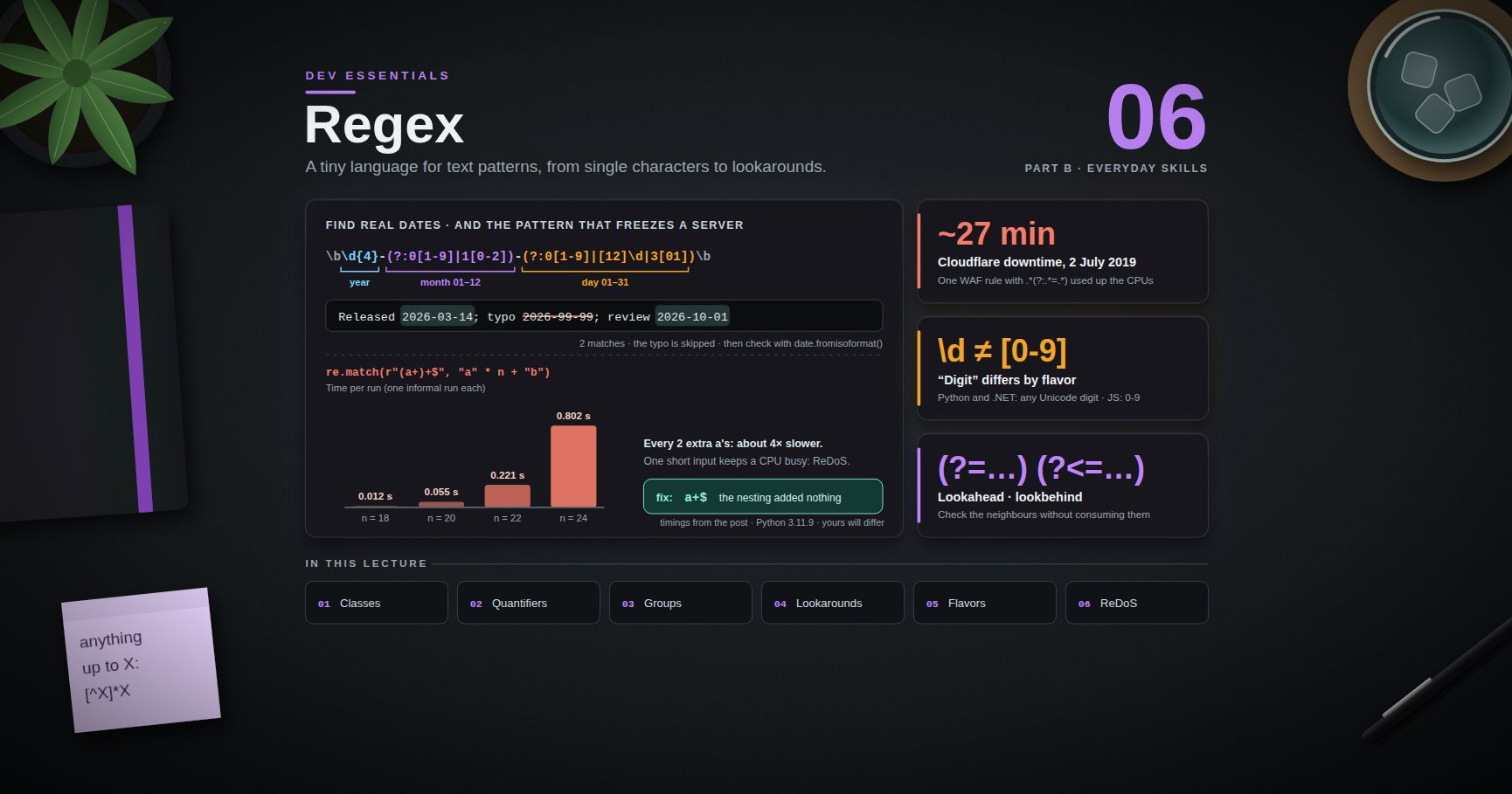
Dev Essentials — 06 · Regex from Zero to Useful
A regular expression (regex) is a tiny language for describing text patterns: "four digits, a dash, two digits", "a line that starts with ", "the same word twice in a row". You meet regexes in , , editors, Python, JavaScript, PowerShell and every log tool. This post builds them up from single characters to lookarounds, shows where the flavors differ, gives recipes you will reuse, and ends with the dark side: a regex that can freeze a server.
> Series map: 01 Text Encoding → … → 05 Command Line → 06 Regex (this post) → 07 HTTPS → … → 24 Desk Health. Part B · Everyday skills.
Learning Outcome
- Read and write patterns with literals, character classes, quantifiers, anchors, groups and alternation.- Explain greedy vs lazy matching, backreferences, named groups, and lookahead/lookbehind.- Use flags (ignore case, multiline, dot-all, verbose) in Python, JavaScript and PowerShell.- Know what changes between POSIX BRE/ERE, PCRE, Python , JavaScript and .NET.- Use Python's module with raw strings, and apply regexes to logs, dates, frontmatter and file names.- Explain why a regex should not fully validate email addresses.- Recognize catastrophic backtracking (ReDoS) and fix it.
Chapter 1 — What a regex is, and how to test one
A regex engine walks through the text and tries to match your pattern at each position. Most characters match themselves. A few metacharacters have special jobs: .
Test patterns before you trust them. Two good ways:
1. regex101.com — paste a pattern and sample text, pick the flavor (PCRE2, ECMAScript, Python, Golang, Java, .NET, Rust), and it explains every token and shows every match.2. A Python prompt:
Terminology
| Term | Meaning ||------|---------|| Pattern | The regex itself, e.g. || Match | A piece of text the pattern fits || Flavor | One engine's dialect (POSIX, PCRE, Python, JavaScript, .NET…) || Metacharacter | A character with a special meaning, like or || Character class | A set of allowed characters, like || Quantifier | "How many": , , , || Anchor | A position, not a character: , , || Group | Parentheses that bundle part of a pattern and (usually) capture it || Backtracking | The engine going back to try another way after a dead end |
Chapter 2 — Literals and escaping
matches the three letters , , — anywhere, including inside . To match a metacharacter literally, put a backslash before it: is a real dot, a real dollar sign, a real parenthesis.
When the text to match comes from a user or a file, never paste it into a pattern raw. Escape it: in Python, in PowerShell. Both turn into . JavaScript added in ECMAScript 2025; older runtimes such as Node.js 20 do not have it yet.
Chapter 3 — Character classes
| Pattern | Matches ||---------|---------|| | one vowel || , | one character from a range || | one character that is not a digit ( first inside means "not") || | any character except newline (unless the dot-all flag is on) || / | a digit / a non-digit || / | a "word" character (letter, digit, underscore) / anything else || / | whitespace (space, tab, newline…) / anything else || , , | POSIX classes, for and |
Inside , most metacharacters lose their power: matches a dot or a dollar. Only , , (at the start) and (between two characters) are special there.
> Watch out: "digit" is not the same everywhere. In Python (for patterns) and .NET, matches any Unicode decimal digit, including Arabic-Indic . In JavaScript, is only . If you mean ASCII digits, write or pass in Python.
Chapter 4 — Quantifiers, greedy and lazy
means 0 or more, 1 or more, 0 or 1 (optional), exactly 3, 2 or more, 2 to 5. A quantifier applies to the thing right before it: is then one or more ; repeats .
Greedy vs lazy. By default, quantifiers are greedy: they take as much as they can, then give back only if the rest of the pattern fails. Add to make them lazy: take as little as possible.
> Trick: "anything up to the next " is best written as . It cannot run past the first , so it never needs to backtrack.
Chapter 5 — Anchors, boundaries and alternation
| Anchor | Meaning ||--------|---------|| | start of the string (or of each line, in multiline mode) || | end of the string (or of each line, in multiline mode) || | word boundary: between a and a character || | not a word boundary || , (Python) / , (.NET, PCRE) | the very start / the very end of the whole string |
matches in "the cat sat" but not in "concatenate".
> Watch out: in Python and .NET, also matches just before a final newline. succeeds. To demand "nothing after", use in Python or in .NET. In JavaScript, (without the flag) means the true end.
Alternation means "or", and it has the lowest priority of all operators. means " at the start" or " at the end":
Wrap alternatives in a group when they belong together: .
Chapter 6 — Groups, backreferences and named groups
Parentheses do two jobs: they group (so a quantifier or applies to the whole part) and they capture (so you can read the matched text later).
- groups without capturing. Use it when you only need grouping — it keeps group numbers tidy and output simple.- A backreference matches the same text that group 1 matched. Find doubled words:
Named groups make long patterns readable. The syntax differs by flavor:
| | Define | Backreference in pattern | In replacement ||---|---|---|---|| Python | | | || JavaScript | | | || .NET / PowerShell | | | || PCRE () | or | | — |
In Python, gives a match where is and is . In PowerShell:
> Common pitfall: in PowerShell, write the replacement in single quotes. In double quotes, PowerShell expands or as its own variables first — returns .
Chapter 7 — Lookahead and lookbehind
Lookarounds check what is next to the current position without consuming it. They match a position, like does.
| Syntax | Name | Meaning ||--------|------|---------|| | lookahead | , only if followed by || | negative lookahead | , only if not followed by || | lookbehind | , only if preceded by || | negative lookbehind | , only if not preceded by |
The middle one reads: "at a position that is not a word boundary, where a multiple of three digits follows up to the end of the number, insert a comma".
> Watch out: Python's lookbehind must be fixed width. raises . JavaScript and .NET accept variable-length lookbehind. POSIX / have no lookarounds at all — use or another tool.
Chapter 8 — Flags
| Effect | Python | JavaScript | .NET / PowerShell | Inline ||--------|--------|------------|-------------------|--------|| Ignore case | | | (on by default for ) | || / per line | | | | || matches newline | | | | || Spaces and comments allowed | | — | | || All matches | / | | / | — |
JavaScript has a few more: and turn on full Unicode handling, is "sticky" (match only at ), and returns match indices.
Verbose mode lets you lay a pattern out like code:
> Watch out: PowerShell's , and are case-insensitive by default. Use , or when case matters, or start the pattern with .
Chapter 9 — Flavors: what changes where
| Feature | POSIX BRE (, ) | POSIX ERE (, ) | PCRE () | Python | JavaScript | .NET (PowerShell) ||---|---|---|---|---|---|---|| and alternation special | only with a backslash: , , … (GNU) | yes | yes | yes | yes | yes || | no — use | no — use | yes | yes (Unicode) | yes (ASCII) | yes (Unicode) || Named groups | no | no | yes | | | || Lookbehind | no | no | yes | fixed width only | yes | yes || Atomic groups / possessive | no | no | both | both (3.11+) | neither | atomic only || Group in replacement | | | — | , | , | , |
The classic trap is in :
Newer GNU grep (3.8 and later) also prints a warning about the "stray" backslash. In Git Bash, may need a UTF-8 locale: (see Dev Essentials 05 · Command Line).
Python needs raw strings. In a normal string, is a newline and is a backspace character, so the regex engine never sees the backslash. Write . The docs themselves recommend raw string notation for patterns.
Chapter 10 — Python's in practice
| Function | Returns ||----------|---------|| | first match anywhere, or || | a match only at the start of , or || | a match only if the whole matches || | list of matched strings — or of groups, if the pattern has groups || | iterator of match objects (positions, named groups) || | new string with replacements; can be a function || | list of pieces between matches || | reusable pattern object with the same methods |
> Common pitfall: with capturing groups returns the groups, not the whole match. gives . Use for groups you do not need, or and .
Chapter 11 — Practical recipes
Parse log lines with named groups
Using the sample from Dev Essentials 05:
Always report lines that do not match. Silent skips hide format changes.
Match ISO dates — then let a real parser decide
The regex still accepts . Use it to find candidates, then check each with , which raises for impossible dates. Dev Essentials 02 · Dates & Time Zones covers the rest.
Pull a field from Markdown frontmatter
Two lessons: scope the search to the frontmatter block first, and beware Windows line endings. With CRLF files, captures a trailing (). Use or strip the result (see Dev Essentials 04 · Line Endings).
Rename files with a preview
Goal: → . Always dry-run first.
Editor find and replace with groups
In VS Code, turn on the (regex) toggle in the Find widget. The replacement refers to groups as , ; / change the case of the next character and / of the rest of the group. Example — turn calls into : find , replace . Test on one file before "Replace All".
Chapter 12 — Don't fully validate email with a regex
Real email syntax (RFC 5322) allows quoted local parts, comments and other rare forms, so a "complete" regex is huge, hard to read and still does not tell you whether the mailbox exists. The HTML standard itself does not follow RFC 5322 for : it calls its own simpler rule a "willful violation" of that RFC, because the RFC grammar is too strict in some places and too loose in others to be practical.
A sensible approach:
1. Do a light sanity check: one , no spaces, a dot in the domain part.2. Send a confirmation email. Only a click on the link proves the address works.
This check rejects some legal but odd addresses (such as ) and accepts some that bounce. That is fine: its only job is to catch typos early.
Chapter 13 — Catastrophic backtracking and ReDoS
Most engines (Python, JavaScript, .NET, PCRE, Java) are backtracking engines. When part of a pattern fails, they go back and try the other ways the earlier parts could have matched. Usually there are only a few ways. But nested or overlapping quantifiers create an exponential number of ways, and on text that almost matches, the engine tries them all.
The textbook case is against . The inner and outer can split the s in about 2ⁿ ways, and the final makes every split fail. A timing on one Windows 11 laptop with Python 3.11.9 (one run each — an informal measurement, not a benchmark; your numbers will differ, the doubling will not):
| (number of s) | 18 | 20 | 22 | 24 ||---|---|---|---|---|| Time | 0.012 s | 0.055 s | 0.221 s | 0.802 s |
Every 2 extra characters cost about 4 times more. Extrapolating, 40 characters would take more than ten hours. That is ReDoS (regular expression denial of service): one short, crafted input keeps a CPU core busy. OWASP lists typical "evil" shapes: , , , . Real-life versions look innocent, like for "words separated by spaces" — in the same test, 22 letters plus a took 0.25 s.
This is not theory. On 2 July 2019, one Cloudflare WAF rule with a badly backtracking regex (the part ) exhausted CPUs across Cloudflare's network and caused about 27 minutes of downtime.
Fixes, from best to last resort
1. Rewrite the pattern so each character can be matched only one way.
| Evil | Safe | Why ||------|------|-----|| | | the nesting added nothing || | | same language, one way to split || | | each repeat must end with a space, so splits are fixed |
On 100,000 characters, the rewritten finished in about 1 ms in the same test. It also gave the same yes/no answer as the original on every test string tried (, , , , , ).
2. Forbid backtracking into a part with an atomic group or a possessive quantifier (, , ). Once matched, the engine will not try other splits. Python supports both since 3.11; PCRE and Java support both; .NET supports atomic groups only; JavaScript supports neither.
3. Use a linear-time engine for untrusted patterns or input. Google's RE2, Go's and Rust's crate guarantee time linear in the input size (Rust documents O(m × n) for pattern size m and text size n). The price: no backreferences and no lookarounds. .NET 7 and later offer with the same kind of guarantee; Windows PowerShell 5.1 runs on .NET Framework and does not have it. After its outage, Cloudflare planned to move to RE2 or the Rust engine for exactly this reason.
4. Limit the damage. Cap input length before matching. In .NET, pass a timeout — the default is infinite:
Python's built-in has no timeout, so rewrite the pattern or run risky matching in a separate process you can stop.
Practice Exercises
Exercise 1 — Real dates only
From , extract the dates with valid month and day ranges. Make sure returns whole dates, not tuples.
<details><summary>Solution</summary>
With capturing groups , would return tuples like .
</details>
Exercise 2 — Client errors per path
From the lines (Dev Essentials 05), count 4xx responses per path using named groups.
<details><summary>Solution</summary>
</details>
Exercise 3 — "Last, First" to "First Last"
Turn / / (one per line) into etc. — in Python, PowerShell and .
<details><summary>Solution</summary>
has no or in POSIX terms, so the bracket classes spell it out.
</details>
Exercise 4 — Frontmatter title, CRLF-safe
Get the title from without a trailing .
<details><summary>Solution</summary>
The lazy stops as early as it can, and swallows the before the line end. The naive returns .
</details>
Exercise 5 — Defuse a slow pattern
is used to check "only digits". Time it on , then rewrite it.
<details><summary>Solution</summary>
accepts exactly the same strings, with one way to match each. Better still for this job: — ASCII digits only, at least one, and nothing after (not even a newline).
</details>
Exercise 6 — CSS hex colors
In , match 3- or 6-digit hex colors only.
<details><summary>Solution</summary>
The at the end stops and from matching a shorter prefix.
</details>
Cheat-sheet
| Need | Pattern ||------|---------|| Any digit / word char / space | (ASCII only: , or ) || One of / none of | / || Repeat | — add for lazy || Anything up to X | || Start / end / word edge | (whole string: , …) || Group / no capture / or | / / || Same text again | , (Python), || Named group | Python, JS/.NET/PCRE || Replacement refs | Python · JS · .NET · sed || Followed / not followed by | / || Preceded / not preceded by | / || Flags | ignore case, multiline, dot-all, verbose || Escape user text | , , (ES2025) || Stop runaway backtracking | rewrite, , , RE2/Rust/Go, .NET timeout |
What's next
Dev Essentials 07 · HTTPS follows a request from DNS lookup through TCP, the TLS 1.3 handshake and the certificate chain — the plumbing under every call from Dev Essentials 05.
References
- Python — regular expression operations and Regular Expression HOWTO- MDN — Regular expressions (JavaScript) and lookbehind assertion- .NET — regular expression options and best practices (timeouts)- GNU grep manual — regular expressions- RE2 syntax, Go , Rust crate- OWASP — Regular expression Denial of Service (ReDoS) and Cloudflare — Details of the outage on July 2, 2019- WHATWG HTML — valid email address- VS Code — basic editing (regex find/replace) and regex101
> Note: this post is in progress. Planned additions: Unicode property classes (), a visual walk-through of how backtracking explores a pattern, and regex use in SQL ( vs ) and MongoDB ().




