
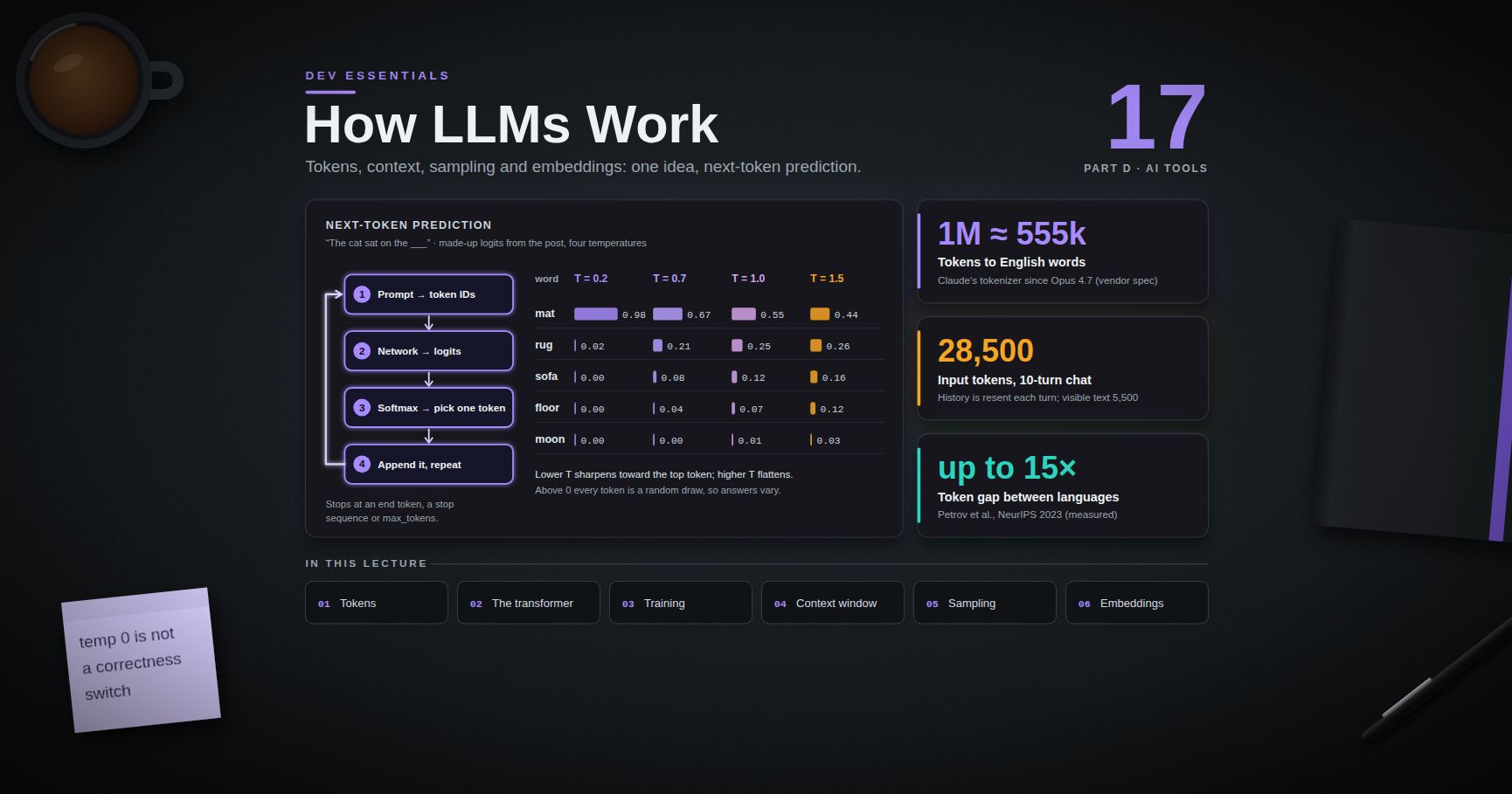
Dev Essentials — 17 · How LLMs Work in Practice — Tokens, Context, Sampling and Embeddings
A large language model (LLM) reads text as tokens and predicts the next token, again and again. That one idea explains most of the surprises developers meet: why a prompt costs what it costs, why a long chat "forgets" how it started, why the same question gets two different answers, and why a model can state a false fact with full confidence. This post builds the mental model step by step: tokens, the transformer, training, the context window, sampling and embeddings. Then it covers hallucinations and three API features you will meet everywhere. It opens Part D, and the next two posts build on it. The ideas apply to every vendor; the runnable examples use Python, NumPy, and the Anthropic Python SDK.
> Series map: 01 Text Encoding → … → 16 CI/CD → 17 How LLMs Work (this post) → 18 Coding with AI Agents → … → 24 Desk Health. Part D · AI tools.
Learning Outcome
- Explain what a token is, why tokens are not words, and why code and non-English text often cost more.- Train a toy BPE tokenizer, and count real tokens with Anthropic's token-counting endpoint.- Describe next-token prediction and attention at an intuition level.- Name the training stages: pretraining, instruction tuning, and preference training (RLHF, AI feedback).- Explain the context window, what fills it, and what happens when a request is too big.- Use temperature, top-k and top-p correctly, and know which current models still accept them.- Turn text into embeddings and compare them with cosine similarity.- Explain why hallucinations happen, and reduce them.- Recognise prompt caching, tool use and extended thinking in an API.
Chapter 1 — Tokens and tokenizers
Setup
You need Python 3.10 or newer (the 1.x SDK requires it) and, for the API examples, a key from the Anthropic Console.
Terminology
| Term | Meaning ||------|---------|| Token | One chunk of text from the model's fixed list: a word, part of a word, a space plus a word, a symbol, or a byte. || Vocabulary | The fixed list of all tokens a model knows. Each token has an integer ID. || Tokenizer | The program that turns text into token IDs and back. It is fixed before training. || BPE | Byte Pair Encoding: build a vocabulary by merging the most frequent neighbouring pieces, over and over. |
Tokens are not words
The model never sees letters or words. It sees a list of integers. A common word may be one token; a rare word may be three or four. Spaces, punctuation and line breaks use tokens too.
A rule of thumb from Anthropic's models page (vendor spec, September 2026): on the tokenizer Claude has used since Claude Opus 4.7, 1M tokens is roughly 555k English words, or 2.5M Unicode characters. Earlier models fit about 750k words in 1M tokens. So the same text gives a different count on a different model.
Tokens matter because almost every limit uses them: price (per million input and output tokens), the context window (Chapter 4), (the cap on what the model writes) and rate limits.
BPE in one example
Byte Pair Encoding was brought into neural machine translation by Sennrich, Haddow and Birch (ACL 2016) to handle rare words as sequences of smaller units. Training: split every word into characters, count every neighbouring pair, merge the most frequent pair, repeat. Tokenizing: replay the merges in the same order. Many modern tokenizers run the same idea on UTF-8 bytes, so any text can be encoded (see Dev Essentials 01 · Text Encoding).
Output:
is common, so it becomes one token. never appeared, so it breaks into known pieces plus single letters. Common text becomes few tokens. Rare text becomes many.
Why code and non-English text often cost more
Merges are learned from the tokenizer's training data. Whatever is common there gets long tokens.
- Non-English text. Petrov et al. (NeurIPS 2023) tokenized the same text translated into many languages and found lengths that differ by up to 15 times in some cases (independent measurement). A Chinese character is also 3 bytes in UTF-8, so a byte-level tokenizer starts from more pieces.- Code. The Codex paper (Chen et al., 2021) found the GPT-3 text tokenizer "not very effective for representing code", with whitespace the largest waste. Adding tokens for runs of spaces cut code token counts by about 30% (vendor research paper).
Measure your own data instead of trusting a rule of thumb. Anthropic's token-counting endpoint is free (rate-limited by usage tier) and returns an estimate for the exact model you name:
A higher means that kind of text is packed more tightly. Each count includes a few tokens of message framing, which is why the samples repeat 20 times. For scale, the docs show a tiny request (system "You are a scientist", message "Hello, Claude") counting as on .
> Trick: count with both model IDs before you switch models. Anthropic's docs say Claude 4.7 and later models use a newer tokenizer that produces about 30% more tokens for the same text (vendor spec). Budgets and cost estimates move with it.
Chapter 2 — Next-token prediction and the transformer
Every LLM answer comes from the same loop:
1. Turn the prompt into token IDs.2. Run them through the network. It returns one score (a logit) per vocabulary token.3. Turn the scores into probabilities and pick one token (Chapter 5).4. Append it and repeat. Stop at an end token, a stop sequence or .
A toy model that only looks at the previous word shows the loop. It "trains" by counting:
Output:
A real LLM looks at all earlier tokens, its probabilities come from billions of learned parameters, and it works on subword tokens. The loop is the same.
Attention, at intuition level
Almost every modern LLM is a transformer, from "Attention Is All You Need" (Vaswani et al., 2017). Its key part is self-attention: for each token, the model decides how much each earlier token matters right now. In "The animal didn't cross the street because it was tired", attention lets "it" pull in information from "animal". Each token makes a query (what am I looking for?), a key (what do I contain?) and a value (what do I pass on?):
$$\text{Attention}(Q, K, V) = \text{softmax}\left(\frac{QK^T}{\sqrt{dk}}\right)V$$
For text generation, a causal mask stops each token from looking at later tokens. Real models stack many such layers, each with several attention "heads".
What this means for you:
- Output is written one token at a time, which is why APIs offer streaming. On Anthropic's current price list, output tokens cost five times as much as input tokens.- The model cannot go back. An early wrong token shapes everything after it. Reasoning before answering helps (Chapter 8).- Long inputs cost more compute. The paper lists self-attention cost per layer as $O(n^2 \cdot d)$ for sequence length $n$.
Chapter 3 — Training stages (high level)
| Term | Meaning ||------|---------|| Pretraining | Next-token prediction on a huge text corpus. Produces a base model. || Instruction tuning (SFT) | Supervised fine-tuning on example requests with good answers. || Reward model | A model trained to score answers, from human rankings. || RLHF / RLAIF | Reinforcement learning from human / AI feedback. |
This is deliberately high level: labs combine and change these steps, and full recipes are not published.
1. Pretraining. The model learns to predict the next token over a very large text collection. It picks up grammar, facts, code patterns and reasoning habits, but does not reliably follow instructions yet.2. Instruction tuning. Fine-tuning on demonstrations: a request, then a good response.3. Preference training. InstructGPT (Ouyang et al., 2022) describes classic RLHF: supervised fine-tuning on labeller demonstrations, then a reward model trained on rankings of model outputs, then reinforcement learning against it. Constitutional AI (Bai et al., 2022) replaces much human labelling for harmlessness: the model critiques and revises its own answers against written principles, and a preference model trained on AI comparisons gives the reward (RLAIF).
In practice:
- Knowledge has a cutoff. Anthropic lists a "reliable knowledge cutoff" per model (vendor spec): for example Feb 2025 for Claude Haiku 4.5 and Jun 2026 for Claude Opus 5.5.- The model knows nothing about your private code or data. You supply it through context: prompts, files, retrieved documents (post 19), tool results (post 18).
Chapter 4 — The context window
The context window is everything the model can read while writing a response, including the response itself. Anthropic's docs call it the model's "working memory". It counts the system prompt, every message (including tool results, images and documents), tool definitions, and this turn's output including any thinking.
The API is stateless. The model does not remember your last request, so a chat app resends the whole history every turn. Turn 10 pays for turns 1 to 9 again (Exercise 4 does the maths).
Sizes change often. As of September 2026 (vendor spec), current Claude Opus, Sonnet and Fable models have a 1M-token window and up to 128k output tokens per request; Claude Haiku 4.5 has 200k and 64k. When a request does not fit, the Anthropic API does this (vendor spec):
| Situation | Result ||-----------|--------|| Input alone is bigger than the window | ("prompt is too long") || Input fits, but input + does not (Claude 4.5 and newer) | Accepted; if generation hits the limit it stops with || Chat apps such as claude.ai | May drop the oldest turns ("first in, first out") |
Other vendors differ, and some truncate silently. Check your API's docs.
> Watch out: bigger is not automatically better. Anthropic's docs describe context rot: as the token count grows, accuracy and recall degrade. Choose what goes in with care.
Ways to stay inside the window: trim the oldest turns; summarise them (Anthropic's server-side version is called "compaction"); retrieve only the relevant chunks (post 19); or start a fresh session from a short written summary (post 18). A trimming helper using the free counting endpoint:
Chapter 5 — Sampling: temperature, top-k and top-p
Softmax turns logits $zi$ into probabilities. Temperature $T$ divides the logits first:
$$pi = \frac{e^{zi / T}}{\sumj e^{zj / T}}$$
$T < 1$ sharpens the distribution, $T > 1$ flattens it, and as $T$ approaches 0 sampling approaches greedy decoding (always the top token). Watch it with made-up logits for the word after "The cat sat on the":
Output:
Two filters cut the unlikely tail before sampling: top-k keeps the $k$ most likely tokens; top-p (nucleus sampling, Holtzman et al., ICLR 2020) keeps the smallest set of top tokens whose probabilities add up to at least $p$.
Why the same prompt gives different answers: above temperature 0 every token is a random draw, and one different early token changes everything after it. Even at 0, Anthropic's API reference says results will not be fully deterministic.
What current Claude models accept (vendor spec, September 2026)
| Models | Sampling parameters ||--------|---------------------|| Claude 4.7 and later (Opus 4.7, 4.8, 5, 5.5), Sonnet 5, Fable 5 and 5.1 | A non-default , or returns a 400 error. Steer with the prompt and . || Claude Haiku 4.5 | (0.0 to 1.0, default 1.0) or , one at a time. |
The Python SDK 1.x also removed these arguments from ; for a model that still accepts them, pass them in :
At 0.0 expect the same name, or nearly, five times; at 1.0 expect more variety.
> Watch out: Anthropic lists Claude Haiku 4.5's retirement as "not sooner than October 15, 2026". If the call returns not-found, the model is gone; the NumPy simulation still shows the effect.
> Common pitfall: treating as a correctness switch. It picks the most likely token, not the true one. For stable output, use clear instructions, structured output and validation in code.
Chapter 6 — Embeddings
| Term | Meaning ||------|---------|| Embedding | A vector (list of numbers) that represents the meaning of a text. || Dimension | Vector length: 384 for ; 1024 by default for Voyage's current models (vendor spec). || Cosine similarity | How closely two vectors point the same way: 1 same, 0 unrelated, -1 opposite. || Normalised vector | Scaled to length 1. Then cosine similarity is just the dot product. |
An embedding model is a separate, usually smaller model trained so that texts with similar meaning get vectors pointing in similar directions. It powers semantic search, RAG (post 19), clustering and duplicate detection.
$$\cos(\mathbf{a}, \mathbf{b}) = \frac{\mathbf{a} \cdot \mathbf{b}}{\lVert \mathbf{a} \rVert \, \lVert \mathbf{b} \rVert}$$
is a small, free, Apache-2.0 model that downloads from Hugging Face on first use. In the library's quickstart, "The weather is lovely today." and "It's so sunny outside!" score 0.6660, while each scores only about 0.10 to 0.14 against "He drove to the stadium.". Few shared words, same meaning. A tiny semantic search:
Expect the password question at the top.
> Watch out: the model card says input longer than 256 word pieces is truncated. Long documents must be split into chunks first (post 19).
> Trick: embed documents and queries with the same model. Vectors from different models cannot be compared.
Anthropic does not offer its own embedding model; its docs point to Voyage AI as one provider (post 19 shows both options).
Chapter 7 — Why hallucinations happen and how to reduce them
A hallucination is fluent, confident text that is false or not supported by the given sources. Causes:
- The goal is a plausible next token, not a true statement. A made-up citation can look very plausible.- Training and tests reward guessing. Kalai et al. (2025, "Why Language Models Hallucinate") argue that training and evaluation reward guessing over admitting uncertainty, like an exam with no penalty for wrong answers.- Missing knowledge: after the cutoff, private, or rare.- Missing or buried context: not in the prompt, or lost in a very long one.
Fixes. The first five follow Anthropic's "Reduce hallucinations" guide and work with any model:
| Technique | How ||-----------|-----|| Allow "I don't know" | "If the documents do not contain the answer, say so." || Ground in sources | Put the documents in the prompt; tell the model to use only them. || Quote first | For long documents, extract word-for-word quotes, then answer from them. || Cite and check | One citation per claim; retract any claim without a supporting quote. || Compare several runs | Answers that disagree across runs are a warning sign. || Verify with tools | Run the code and tests; check official docs for any API or flag you do not know. |
The AI Prompting post covers prompt structure and evaluation in depth; post 18 applies "verify with tools" to coding.
Chapter 8 — Prompt caching, tool use and extended thinking
Prompt caching
Much of a request repeats: system prompt, tool list, a long document. Prompt caching stores the processed prefix and reuses it (the general idea is in Dev Essentials 13 · Caching). Other providers have similar features; Anthropic's details (vendor spec, September 2026):
- The match is on the exact prefix, in the order → → . One changed byte invalidates everything after it, so put stable content first.- A cache entry lives 5 minutes by default, refreshed on each use; a 1-hour option exists.- A 5-minute cache write costs 1.25× the base input price; a cache read costs 0.1× on most models.- The minimum cacheable prefix is 512 to 4,096 tokens depending on the model (512 on Claude Opus 5.5).
Mark the end of the stable part with , then check on the next call:
Tool use (function calling)
The model cannot run code or query your database by itself. With tool use you describe functions (name, description, JSON Schema for the input). The model may reply with a structured call instead of text; your code runs it and sends the result back.
On the Anthropic API the call arrives as a block with , and you answer with a block. Put that exchange in a loop and you have an agent: model + tools + loop. That is where post 18 starts.
Extended thinking (reasoning)
Since the model cannot go back and fix tokens, it helps to let it reason before the final answer. On the Anthropic API (vendor spec, September 2026):
- Current models use adaptive thinking: the model decides how much to think; you steer depth with (, , , , ).- On Claude Opus 5.5 thinking is always on, and the default effort is .- Thinking tokens are billed as output, and count toward and the context window.- Thinking text is omitted by default; returns a readable summary.
> Common pitfall: reading . With thinking on, the first block is a block. Select blocks by .
Practice Exercises
Exercise 1 — Grow the toy tokenizer
Train with 12 merges, once on the original corpus and once with added. Compare .
<details><summary>Solution</summary>
Once is frequent in the training text, its inner pairs get merged and the whole word becomes one token. Frequent strings get cheap; rare strings stay expensive.
</details>
Exercise 2 — Your own chars-per-token table
Add a paragraph in your first language, a JSON snippet and a line of minified JavaScript to . Rank all samples by chars/token, then repeat with a second model ID.
<details><summary>Solution</summary>
With a different model, the absolute counts shift if the tokenizer differs.
</details>
Exercise 3 — Implement top-k and top-p
Write and that return a renormalised probability array. Test on .
<details><summary>Solution</summary>
With top-p 0.8, the first two tokens only reach 0.75, so the third is kept too.
</details>
Exercise 4 — Why long chats get expensive
A 500-token system prompt, 100-token user messages, 400-token answers, full history resent every turn. How many input tokens does a 10-turn chat use?
<details><summary>Solution</summary>
Turn $n$ sends the system prompt, $n$ user messages and $n-1$ earlier answers: $500 + 100n + 400(n-1)$.
28,500 input tokens for a chat whose visible text is 5,500 tokens. Total input grows roughly with the square of the number of turns. Caching, trimming and summarising are the fixes.
</details>
Exercise 5 — Rewrite a prompt that invites hallucination
Improve: "Tell me the release date and main features of version 4 of our internal billing library."
<details><summary>Solution</summary>
The model has never seen your internal library, so it can only guess. Give it the facts and permission to say no:
</details>
Cheat-sheet
| Topic | Key fact ||-------|----------|| Token | Chunk from a fixed vocabulary, not a word; count with the model you will call || Claude rule of thumb | 555k English words / 2.5M characters per 1M tokens (since Opus 4.7, vendor spec) || BPE | Merge the most frequent neighbouring pair, repeat; common text = fewer tokens || Code / non-English | Often more tokens per character; up to 15x gaps between languages measured || Count tokens | || Generation | Logits → softmax → pick one token → append → repeat || Attention | $\text{softmax}(QK^T/\sqrt{dk})V$ with a causal mask || Training | Pretraining → instruction tuning → preference training (RLHF / RLAIF) || Context window | Request + output; API is stateless, so history is resent every turn || Too long (Claude) | 400 "prompt is too long"; output overflow → || Temperature | Low = focused, high = varied; 0 is not fully deterministic || top-k / top-p | Keep k most likely / smallest set reaching probability p || Claude sampling | Rejected (non-default) on Claude 4.7+, Sonnet 5, Fable; Haiku 4.5 via || Embeddings | Text → vector; normalise, then dot product = cosine || Hallucinations | Ground, allow "I don't know", quote, cite, verify with tools || Caching | Exact prefix; stable first; check || Tool use / thinking | Structured calls your code runs / reasoning tokens billed as output |
What's next
Next is Dev Essentials 18 · Coding with AI Agents: "model + tools + a loop" in daily practice with Claude Code, including project memory in , skills, hooks, subagents, permission modes, and how to review what an agent writes. Post 19 then builds a complete RAG system on this chapter's embeddings.
References
- Anthropic — Token counting- Anthropic — Context windows- Anthropic — Models overview- Anthropic — Create a Message (API reference)- Anthropic — Migrating to Claude Sonnet 5 (sampling parameters, Haiku 4.5)- Anthropic — Migrating to Claude Opus 5.5- Anthropic Python SDK — 0.x to 1.x migration guide- Anthropic — Prompt caching- Anthropic — Tool use overview- Anthropic — Reduce hallucinations- Anthropic — Embeddings- Vaswani et al., 2017 — Attention Is All You Need- Sennrich et al. — Neural Machine Translation of Rare Words with Subword Units (ACL 2016)- Petrov et al. — Language Model Tokenizers Introduce Unfairness Between Languages (NeurIPS 2023)- Chen et al., 2021 — Evaluating Large Language Models Trained on Code- Holtzman et al. — The Curious Case of Neural Text Degeneration (ICLR 2020)- Ouyang et al., 2022 — Training language models to follow instructions with human feedback- Bai et al., 2022 — Constitutional AI: Harmlessness from AI Feedback- Kalai et al., 2025 — Why Language Models Hallucinate- Sentence Transformers — Quickstart- Hugging Face — all-MiniLM-L6-v2 model card
> Note: this post is in progress. Planned additions: a token-count comparison across several vendors' tokenizers, a streaming example, a structured-output (JSON Schema) example, and how images are counted as tokens.
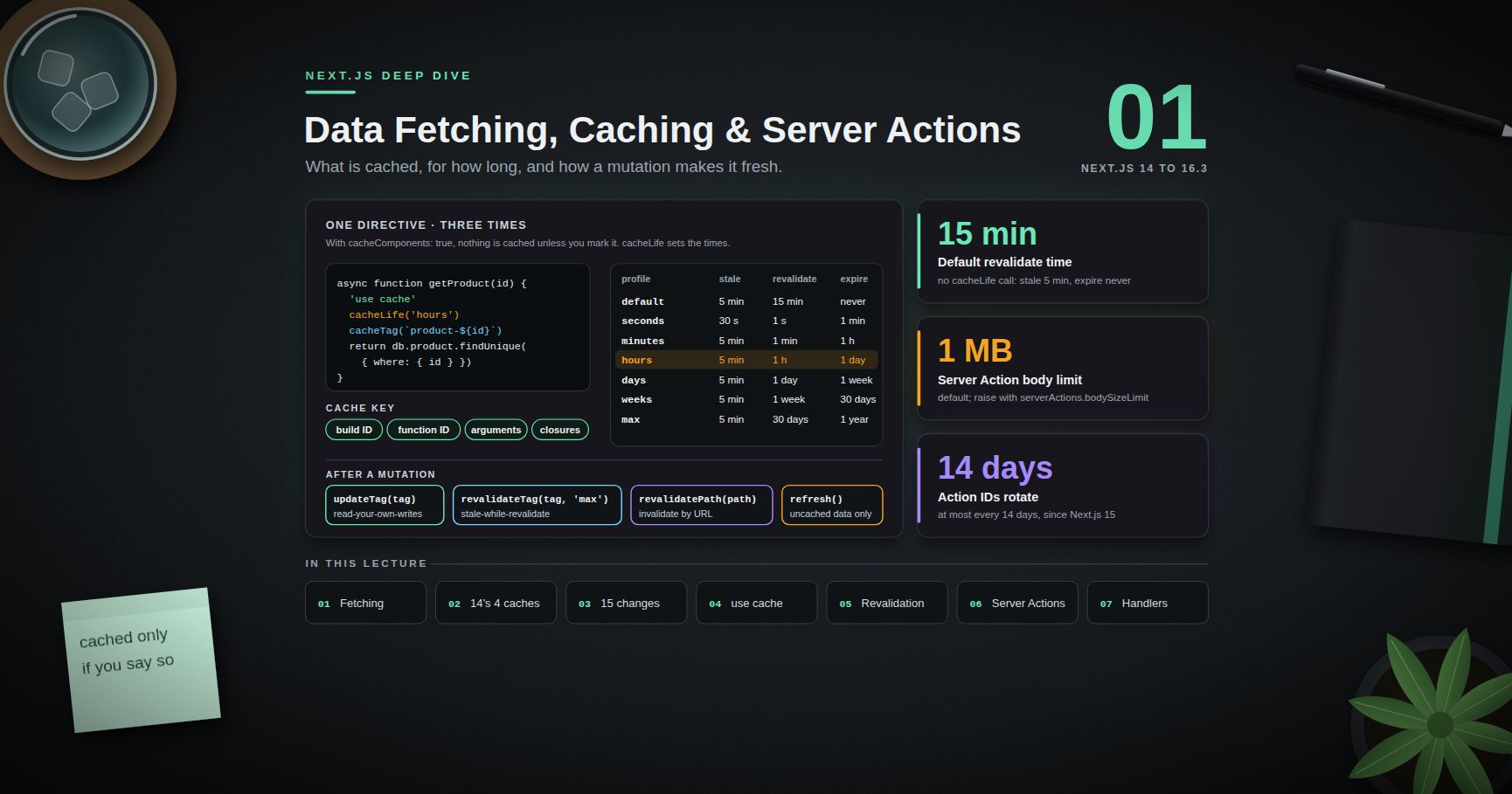
Next.js Deep Dive — 01 · Data Fetching, Caching & Server Actions
Caching is the part of Next.js that changed the most between versions, and the part most likely to produce a production incident: a price page that serves yesterday's number, a dashboard that shows another tenant's data because a cached function closed over the wrong variable, or a Server Action that anyone on the internet can call because the page that renders it was protected and the action was not. This post covers how to fetch data in Server Components without waterfalls, the four caching layers of Next.js 14, what 15 changed, how Next.js 16 replaced implicit caching with the explicit model (Cache Components), the revalidation APIs and their exact semantics, Server Actions (forms, progressive enhancement, the single-roundtrip response, the security model), and Route Handlers. Every behaviour is tagged with the version it applies to, because a blog post or Stack Overflow answer from 2024 is often wrong for a 2026 codebase.
> Series map: 00 App Router Mental Model → 01 Data Fetching, Caching & Server Actions (this post) → 02 Rendering Strategies & Runtimes → 03 Production Next.js (future: see the extensions table in 03).
Learning Outcome
- Fetch data in Server Components in parallel, avoid request waterfalls, and deduplicate with and fetch memoisation.- Build a server-only Data Access Layer that returns minimal DTOs.- Name the four caching layers of Next.js 14 and what each one stores, for how long, and where.- State exactly what changed in Next.js 15 (async request APIs, fetch default, handlers, router cache) and in 16 (Cache Components).- Use , , correctly, including cache-key composition, closures, and the runtime-API restriction.- Choose between , , and after a mutation.- Write Server Actions with progressive enhancement, and , and secure them as public endpoints.- Decide when a Route Handler is the right tool instead of a Server Action.
Chapter 1 — Fetching in Server Components
A Server Component can be and data directly: no , no client-side loading state for the first render, and no API layer between the component and the data source unless you want one.
Waterfalls and how to avoid them
Sequential s in one component run one after another. Nested async components are worse: a child cannot start fetching until its parent has finished rendering.
When the calls are independent but the UI can show them at different times, do not await them together at the top. Start each in its own Suspense-wrapped component so each part streams as soon as it is ready (Post 02 covers streaming):
A dependent chain (you need the user's before fetching the team) is a real dependency, not a waterfall to fix.
Deduplication: fetch memoisation and
Two different components often need the same data (the layout shows the user's name, the page shows the user's plan). You do not need to fetch once and drill props down.
- Fetch memoisation. requests using with the same URL and options are executed once per server render pass, across layouts, pages and other Server Components. Memoisation lasts only for that render pass. It does not apply in Route Handlers (they are not part of the React tree). Pass an signal to opt out.- does the same for any function (a database query, an SDK call):
Calls with the same arguments during the same request share one promise. The cache is thrown away when the request ends, so it never serves one user's data to another.
> Watch out: compares arguments with . with a fresh object literal on each call is a cache miss every time. Use primitive arguments.
The Data Access Layer
For new projects, Next.js recommends a dedicated server-only Data Access Layer (DAL): the only code that reads secrets and talks to the database, performs authorisation, and returns minimal Data Transfer Objects instead of raw rows.
Pages and actions call the DAL and never import the ORM directly, so an auditor has one folder to review.
Chapter 2 — The four caches of Next.js 14
Next.js 14 (and 13.4+) had four layers, most of them on by default. A great deal of 2023-2024 content assumes this model.
| Layer | What it stores | Where | Lifetime | Default in 14 ||---|---|---|---|---|| Request memoisation | Return values of (GET) in one render | Server memory | One request | On || Data Cache | responses | Server (persistent; survives deploys) | Until revalidated | On: cached unless opted out || Full Route Cache | Rendered HTML + RSC payload of static routes | Server (build output / cache) | Until revalidated or redeployed | On for static routes || Router Cache | RSC payload of visited and prefetched segments | Browser memory | 30 s dynamic, 5 min static | On |
In 14, a was cached in the Data Cache unless something opted it out: , , a Route Handler, reading or before it, , and a few more heuristics. Non- data (an ORM query) was cached through .
The model was fast by default and confusing by default. The typical incident: a developer adds a to an external pricing API, it works in development, and production serves the build-time price for days because the Data Cache persisted the response and the route was prerendered as static.
Chapter 3 — What Next.js 15 changed
Next.js 15 (October 2024) flipped several defaults to "uncached unless you ask":
| Area | Next.js 14 | Next.js 15 ||---|---|---|| default | | || Route Handlers | Cached (static) by default | Not cached by default; opt in with || Router Cache, page segments | 30 s (dynamic) | 0; layouts, back/forward and (5 min) still cached || , , , , | Synchronous | Async (sync access warned; removed in 16) || | Route rendered per request | Also sets default for || / during render | Allowed | Throws |
"" is subtle. The fetch is not stored in the Data Cache, but if the route is prerendered statically at build time, the fetch runs once during and its result is baked into the static HTML. If the route uses a request-time API (, , , ), the fetch runs on every request. So "15 does not cache fetch" is only half true: a static route still freezes the data until the route is revalidated.
Tags are limited to 256 characters each and 128 per entry.
> Common pitfall: in development, responses are reused across Hot Module Replacement (), even with . "The data does not refresh in dev" is often this, not a caching bug in production. A full reload clears it.
Chapter 4 — Next.js 16: Cache Components and
The new default: dynamic, with explicit caching
Next.js 16 (October 2025) introduced Cache Components, enabled with one flag:
With the flag on, all data access is dynamic by default and nothing is cached unless you mark it with the directive. The flag replaces the 15-era experimental flags , and . The route segment configs , and are no longer allowed on those routes (the build errors), and fails the build. Cache Components requires the Node.js runtime.
The diagram below lines up the three generations of defaults.
at three levels
Functions and components marked must be .
What goes into the cache key
A cache entry's key is built from:
1. Build ID (or if configured). A new deploy invalidates every entry.2. Function ID: a secure hash of the function's location and signature.3. Serialisable arguments: props for components, arguments for functions.4. Closed-over variables: variables captured from an outer scope are bound as arguments automatically.5. In development only, an HMR refresh hash.
Point 4 is what makes nested cached functions safe:
Arguments and return values must be serialisable (Post 00's rules). You may accept a non-serialisable value (such as or a Server Action) only as pass-through: return it in JSX without reading it. That is how a cached layout can wrap uncached children: slots do not affect the cache entry.
The runtime-API rule
Inside a scope you cannot call , or read , and the rule follows the call stack: a helper that reads cookies fails with the error. Read the value outside and pass it in:
> Watch out: passing the promise from into a cached function does not error immediately. The build waits for data that can never resolve at build time, and times out after 50 seconds with "Filling a cache during prerender timed out". Await runtime data first; pass plain values.
scopes are isolated inside : a value stored via outside is not visible inside. Pass data by argument.
profiles
sets three times: stale (how long the browser may reuse the data without asking), revalidate (after this, the next request serves the cached value and regenerates in the background), and expire (after this with no traffic, the next request waits for fresh data).
| Profile | stale | revalidate | expire ||---|---|---|---|| (no call) | 5 min | 15 min | never || | 30 s | 1 s | 1 min || | 5 min | 1 min | 1 h || | 5 min | 1 h | 1 day || | 5 min | 1 day | 1 week || | 5 min | 1 week | 30 days || | 5 min | 30 days | 1 year |
Custom profiles go in under ; must be longer than . The client router enforces a minimum stale time of 30 seconds regardless of configuration, communicated through the response header.
Two rules that bite:
- A short lifetime ( 0, or under 5 minutes, as with ) cannot be prerendered; the entry becomes a dynamic hole resolved at request time and needs a Suspense boundary.- Nesting a short-lived cache inside a scope that has no explicit fails the build, because the outer entry would silently become short-lived too. Always call explicitly.
Where entries live: memory, remote, private
- stores entries through a cache handler, in memory (LRU) by default. Self-hosted, entries persist across requests in that process (size via ). On serverless, instances are ephemeral, so runtime entries often do not survive between requests; build-time entries work normally.- lets the platform (or your config) store entries in a shared store such as Redis. It costs a network round trip per lookup.- exists for the rare case where you cannot refactor runtime data out of the cached scope. Results are not stored in a server cache across production requests.
> Watch out: neither nor survives a deploy, because the build ID is in the key. The legacy Data Cache and do persist across deploys. Migrating a slow upstream call from to changes post-deploy load on that upstream.
Chapter 5 — Revalidation after a mutation
The four APIs
| API | What it does | Where it can be called | Re-render in the action's response? ||---|---|---|---|| (16) | Expires the tag immediately; the next read waits for fresh data (read-your-own-writes) | Server Actions only | Yes || | Marks the tag stale; reads get the old value while a background refresh runs (stale-while-revalidate) | Server Actions, Route Handlers | No || | Invalidates by URL ( is or for dynamic patterns) | Server Actions, Route Handlers | Yes || (16) | Re-fetches the current route's uncached data; touches no cache | Server Actions only | Yes |
In Next.js 16, takes a profile as its second argument ( is the recommended default). The one-argument form is deprecated. In 14 and 15 it took only the tag.
When any of these runs inside a Server Action, the whole client router cache is cleared, bypassing stale times. is implemented on top of tags: it calls with a special default tag for that page.
> Common pitfall: on a multi-instance self-hosted deployment, on one instance invalidates only that instance's cache by default. Coordinating tags needs a shared cache handler that implements (Post 03).
Chapter 6 — Server Actions and Server Functions
Vocabulary
React calls any function marked a Server Function. When it is used through React's action mechanisms (, , or called inside ), it is a Server Action. Next.js docs use both terms; they describe the same compiled artefact.
At build time, tells the compiler to replace the function in client bundles with a reference: an action ID plus a dispatcher that POSTs to the route of the page that invokes it. The implementation stays on the server. Since 15, IDs are unguessable and non-deterministic, rotated at most every 14 days, and actions that nothing imports are removed from the client bundle entirely (dead code elimination).
Forms and progressive enhancement
The form is a real HTML posting to the page URL, so it can submit before JavaScript has loaded (progressive enhancement). replaced the earlier from React canaries (the name in Next.js 14 era code).
For instant feedback, shows the expected result while the action runs and rolls back automatically if it fails.
One round trip carries data and UI
When an action calls , or , mutates cookies, or calls , Next.js re-renders the current route (or the redirect target) in the same response. One Flight stream carries both the action's return value and the new RSC payload. No follow-up fetch is needed. with a profile is the exception: it only schedules a background refresh.
Put revalidation calls before , because throws.
Actions are dispatched one at a time per client. from the browser does not run them in parallel; the second waits for the first. Parallel work belongs inside one action, in a Server Component, or in a Route Handler.
Security model: every action is a public endpoint
The single most important fact: an exported Server Action is reachable by anyone who can send the same POST, whether or not your UI renders the form. A page-level auth check protects the page's HTML, not the action.
Checklist for every action:
1. Authenticate (is there a user?) and authorise (may this user touch this resource?). Missing authorisation is an IDOR bug.2. Validate input with a schema. Schema validation checks shape, not ownership.3. Return the minimum. Return values are serialised to the client; never return a raw database row.4. Keep it thin. Delegate to the DAL so the checks live in one place.
What the framework adds on top:
| Protection | Detail ||---|---|| CSRF check | Only invokes actions. The header's host is compared with / ; a mismatch is rejected. Extra hosts go in ( = one label, = one or more). A request with no header is allowed through with a warning. || Body size limit | 1 MB by default; (e.g. ). || Secure IDs + dead code elimination | Since 15; IDs rotate at most every 14 days. || Closure encryption | Variables captured by an inline action are encrypted before being sent to the client, with a new key per build. Set (base64 AES key of 16, 24 or 32 bytes) on multi-instance deployments, or instances cannot decrypt each other's references. |
> Watch out: closure encryption hides captured values from casual inspection, but Next.js explicitly says not to rely on it alone. Do not close over secrets; re-read sensitive values on the server inside the action.
> Common pitfall: a Proxy (, formerly ) matcher that excludes a path also skips every Server Action posted to that path, because actions are POSTs to the page route. A refactor that moves an action can silently remove Proxy coverage. This is one more reason to check auth inside the action.
The deserialiser that decodes Server Function arguments is itself attack surface: the critical React Server Components vulnerability of December 2025 (CVE-2025-55182, CVSS 10.0) was in exactly this code path. Post 03 covers it.
Chapter 7 — Route Handlers
A file exports functions named after HTTP methods (, , , , , , ) and uses Web /. It cannot live in the same segment as a .
Caching by version: handlers were static by default in 14, dynamic by default in 15 (opt in with ), and in 16 with Cache Components they prerender when they touch no uncached or runtime data; move data access into a helper, because the directive cannot be put on the export itself.
When to use which:
| Need | Use ||---|---|| Mutation triggered from your own React UI | Server Action || Webhook from a third party (Stripe, a CMS) | Route Handler || Public or versioned API for mobile apps or other services | Route Handler || Non-JSON responses (CSV export, RSS, images) | Route Handler || Parallel reads from the client | Route Handler (actions are sequential) || Reading data for a page | Neither: fetch in the Server Component |
> Trick: do not call your own Route Handler with from a Server Component. It adds a network hop and loses request context. Call the DAL function the handler uses.
Practice Exercises
Exercise 1 — Explain the stale price
A Next.js 15 page does with no options and uses no request-time APIs. In production the price never changes. Why, and give two fixes.
<details><summary>Solution</summary>
The route has no dynamic API, so it is prerendered at build time; under the fetch runs once during , and the value is frozen in the static HTML. Fixes: (time-based ISR), or / to render per request. With Cache Components in 16, put the fetch in a function with , or leave it uncached inside Suspense.
</details>
Exercise 2 — Cache-key bug
A developer writes a function that calls (which reads cookies) inside it. What happens, and what is the fix?
<details><summary>Solution</summary>
It fails with the error, because runtime APIs are forbidden inside cached scopes, including through helpers. Read the user outside and pass the id: . The id then becomes part of the key, so each user gets their own entry. Without that rule, one cached dashboard could be served to every user.
</details>
Exercise 3 — Pick the invalidation API
For each case choose , , or : (a) a user edits their display name and must see it immediately; (b) a CMS webhook says an article changed; (c) an action marks a notification read and the unread counter is uncached; (d) an admin action changes an untagged page.
<details><summary>Solution</summary>
(a) (read-your-own-writes, action only). (b) (Route Handler; is not allowed there). (c) (only uncached data changed). (d) .
</details>
Exercise 4 — Secure the action
Review: . List every problem and rewrite it.
<details><summary>Solution</summary>
No authentication; no authorisation; it trusts from the client; it accepts a whole object where an id suffices; no input validation.
</details>
Exercise 5 — Multi-instance failure
Three containers behind a load balancer intermittently log "Failed to find Server Action". Give two causes and the fixes.
<details><summary>Solution</summary>
(1) Each build generated its own closure-encryption key, or instances run different builds: set a shared and deploy one build everywhere. (2) Version skew during a rolling deploy: a client from the old build calls an action ID the new build does not have. Configure , prefer rolling deploys, and surface the error as a "refresh and retry" message.
</details>
Cheat-sheet
| Task | How ||---|---|| Parallel fetch | , or separate Suspense-wrapped components || Deduplicate any function per request | with primitive arguments || Keep a module on the server | || Cache a fetch (14/15 model) | || Always fresh (15) | or || Turn on the 16 model | || Cache a function or component (16) | + + || Default profile | stale 5 min, revalidate 15 min, expire never || Runtime data and caching | Read outside, pass plain values as arguments || Read-your-own-writes | (Server Action only) || Background refresh | (16 signature) || Refresh uncached UI only | || Action body limit | 1 MB default; || Multi-instance actions | Shared , || Every action | Authenticate, authorise, validate, return the minimum || Webhooks, public APIs, files | Route Handler |
What's next
Post 02 covers rendering strategies and runtimes: how a route becomes static or dynamic, streaming with Suspense and what it does to status codes, ISR and , Partial Prerendering and how Cache Components builds a static shell with dynamic holes, (the renamed middleware), the Node.js versus Edge runtime decision, and the limits of a static export, using this blog's own build as the worked example. For the React primitives used here (, , transitions), see the React Deep Dive series.
References
- Next.js Docs — Fetching Data and API reference- Next.js Docs — , ,- Next.js Docs — Migrating to Cache Components- Next.js Docs — Server Actions and Mutations and config- Next.js Docs — Data Security- React — Server Functions, ,- Next.js 15 release notes (caching semantics) and Next.js 16 (Cache Components, , )
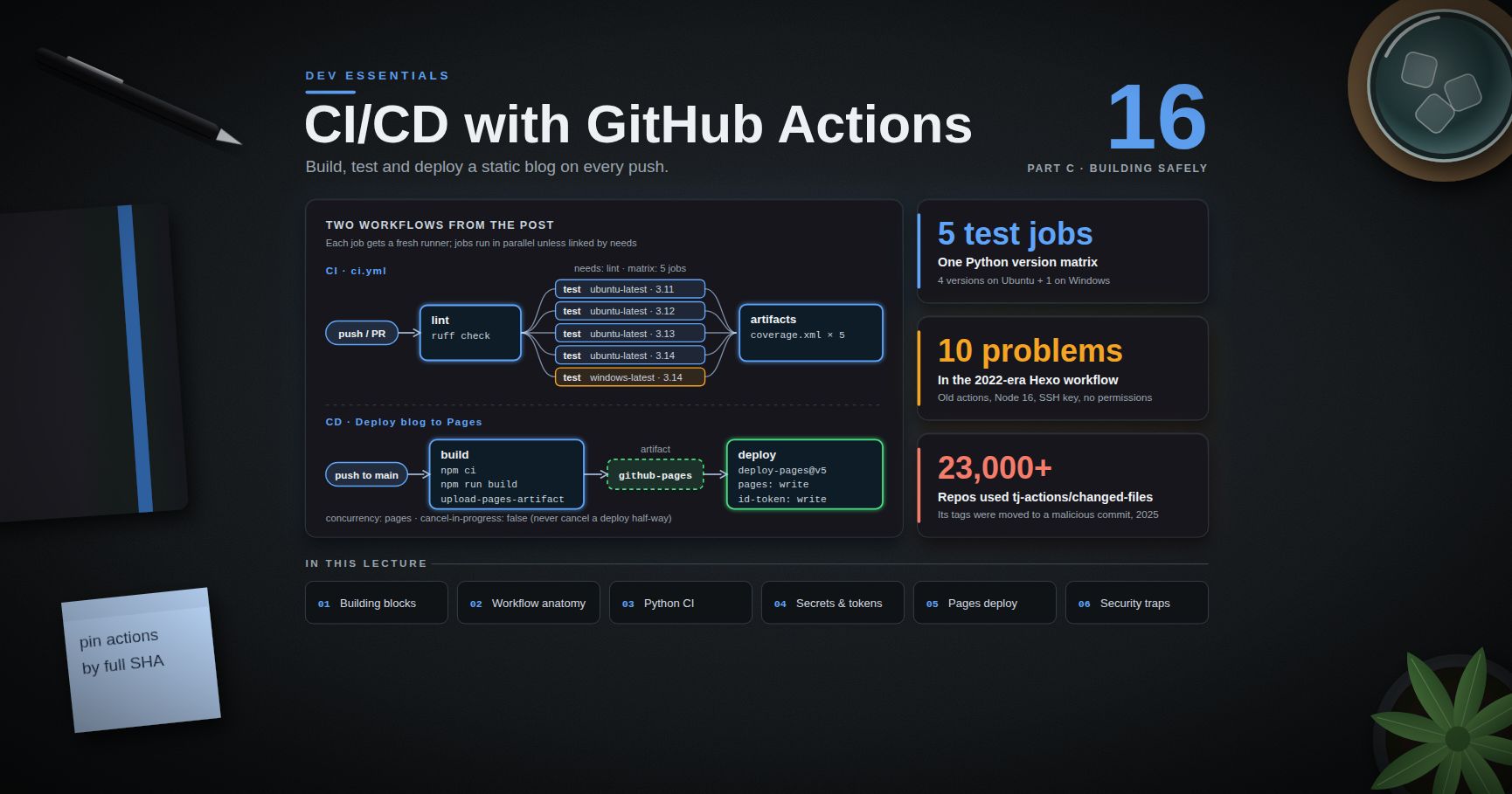
Dev Essentials — 16 · CI/CD with GitHub Actions — Build, Test and Deploy a Static Blog
A pipeline that builds, tests and deploys on every push turns "it works on my machine" into "it works on a clean machine, every time". This post teaches GitHub Actions from the ground up: workflows, events, jobs, runners, secrets, artifacts, environments, and . You build a Python CI pipeline with a version matrix and caching, then deploy a static site to GitHub Pages with the official Pages actions. The case study is this blog's own 2022-era workflow: what aged badly, and a modern replacement. The last chapter covers the security traps, including the 2025 compromise. This post ends Part C.
> Series map: 01 Text Encoding → … → 15 Testing → 16 CI/CD (this post) → 17 How LLMs Work → … → 24 Desk Health. Part C · Building safely.
Learning Outcome
- Explain CI, continuous delivery and continuous deployment, and the GitHub Actions building blocks.- Write a Python CI workflow: lint, a test matrix across Python versions, dependency caching, artifacts.- Use secrets, environments, and least-privilege correctly.- Deploy a static site to GitHub Pages with , and .- Read an old workflow, list what is outdated, and modernise it.- Avoid "pwn requests", script injection and compromised third-party actions.
Chapter 1 — CI, CD and the building blocks
Continuous integration (CI) means everyone merges small changes often, and every push or pull request is built and tested automatically. Continuous delivery means every change that passes is ready to release with one click. Continuous deployment goes one step further: it releases automatically.
GitHub Actions runs these pipelines from YAML files in .
Terminology
| Term | Meaning ||------|---------|| Workflow | One YAML file in . || Event | What starts a workflow: , , , (manual button), and more. || Job | A group of steps that runs on one runner. Jobs run in parallel unless one another. || Step | One command () or one action (), run in order inside a job. || Runner | The machine that runs a job. GitHub-hosted runners are fresh VMs, thrown away after the job. || Action | A reusable step, referenced as , such as . || Secret | An encrypted value, read as . || Artifact | Files a job uploads to keep after the run, or to pass to a later job. || Environment | A named deploy target (, ) with its own secrets and protection rules. || | A group name; only one run in the group is active at a time. || | What the automatic may do in this workflow or job. |
Chapter 2 — Anatomy of a workflow
- is an expression. It reads contexts such as , , , and .- uses bash on Linux and macOS runners and PowerShell () on Windows runners. Set or to choose.- Runner labels (checked September 2026): is Ubuntu 24.04 ( also exists), is Windows Server 2025, is macOS 26 on Arm. moves over time; pin a version like when you need stability.
> Watch out: YAML reads as the number . Always quote versions: .
Chapter 3 — CI for a Python project
A small project:
The workflow: one fast lint job, then a test matrix.
How it works:
- The matrix makes 5 test jobs: 4 Python versions on Ubuntu plus 1 on Windows. is by default, which cancels the others on the first failure.- saves pip's download cache between runs. The key comes from the file in , so a changed pin gives a fresh cache.- Artifact names must be unique in a run, so the name includes the matrix values.- Why 3.11–3.14: Python 3.10 reaches end of life in October 2026, and 3.15 is scheduled for 2026-10-01. To try a pre-release, add to the list and to .
Then make the checks required: in the repository settings, add a branch ruleset for that requires the and status checks. Now a red build blocks the merge button.
> Trick: keep CI fast. Put cheap checks (lint, type check) first with , so a typo fails in 30 seconds instead of after a 10-minute matrix. Put slow integration tests (Dev Essentials 15 · Testing) in their own job.
> Common pitfall: a cache is a speed-up, never a source of truth. A job must still pass with an empty cache.
Chapter 4 — Secrets, artifacts, environments and permissions
The and
At the start of every job, GitHub creates a fresh for that repository. It expires when the job finishes (at most 6 hours on GitHub-hosted runners). What it may do is set by :
- As soon as you list any permission, every permission you did not list becomes .- gives no permissions at all.- Set the default at the top to read-only, and raise it only in the job that needs more.
Secrets
Add secrets in the repository settings, then pass them to steps through :
- Values are masked in logs, but GitHub says redaction is not guaranteed: a secret that is transformed (base64, split, JSON) may appear in clear text.- Anyone with write access to the repo can write a workflow that reads the secrets.- Except for , secrets are not passed to workflows triggered by pull requests from forks, and the token is read-only there.
Environments
An environment such as can hold its own secrets and protection rules: required reviewers, a wait timer, or "only the branch may deploy here". A job that names the environment waits for those rules before it gets the secrets:
Artifacts vs cache
| | Artifact | Cache ||---|----------|-------|| Purpose | Keep outputs: test reports, builds, the site to deploy | Speed up: dependencies, build caches || Action | , | , or in setup actions || Shared between | jobs of a run; downloadable from the run page | later runs || If missing | the run should fail | the job runs slower, but must still pass |
Chapter 5 — CD: deploy a static site to GitHub Pages
GitHub Pages hosts static files. A project site is served at ; a user site comes from a repository named and is served at the root. There are two ways to publish:
| Source | How it works ||--------|--------------|| Deploy from a branch | Pages serves (or builds with Jekyll) a branch such as . || GitHub Actions | Your workflow builds the site, uploads it as a Pages artifact, and deploys it. |
To use the second way: Settings → Pages → Build and deployment → Source: GitHub Actions. Then the workflow has two jobs:
1. build: check out, build, then packs the folder into an artifact named (a gzip tar; kept 1 day by default).2. deploy: publishes that artifact. It needs (to create the deployment) and (to get an OIDC token that proves which workflow and branch the deployment comes from). It runs in the environment.
is optional. It reads the site's metadata (for example , such as ) and can adjust a few generators' configs. It needs .
Usage limits (GitHub docs): the published site may be at most 1 GB, a deployment times out after 10 minutes, and there is a soft bandwidth limit of 100 GB per month.
> Watch out: with branch publishing, Jekyll skips folders that start with , such as Next.js's , unless the branch has a file. With the GitHub Actions source, your workflow does the build and the artifact is published as it is. Also, v4 and later leave out dotfiles unless you set (added in v5).
The full workflow is in the next chapter, applied to this blog.
Chapter 6 — Case study: modernising this blog's workflow
The 2022-era Hexo workflow
The Hexo source repository of this blog still runs this workflow (name and email replaced by placeholders):
is clean, generate, deploy. The deploy step uses the SSH key to push the generated site into a separate GitHub Pages repository.
What aged badly
| # | Problem | Why it matters ||---|---------|----------------|| 1 | , | Both declare the runtime. Runners have used Node 24 for actions by default since 2026-06-16, and Node 20 was removed on 2026-09-23. So these old majors now run on a runtime they were not built for. Current majors are and . || 2 | | Node.js 16 reached end of life on 2023-09-11: three years without security fixes. || 3 | | May update the lockfile and pick new versions. installs exactly the lockfile and fails if it does not match . || 4 | | An unpinned global tool, fresh on every run. Use the project's own local binary via . || 5 | SSH private key in a secret | A long-lived key with push rights to another repository. If it leaks, someone can deface the site until the key is rotated by hand. || 6 | | Trusts whatever host key the network returns at run time. GitHub publishes its fingerprints; GitHub also replaced its RSA host key on 2023-03-24 after it was exposed. || 7 | No | The gets the repository's default permissions, which may be read-write. || 8 | No | Two quick pushes can deploy out of order; the older build may win. || 9 | Name and email in the file | Personal data in a public file; not needed at all with the Pages actions. || 10 | No , no checks | A hung step can burn up to 6 hours; nothing verifies the build before it goes live. |
The Next.js port: a static export
The Next.js version of the blog does a static export when the variable is set (, abridged):
- makes write plain HTML, CSS and JS (the old command was removed in Next.js 14).- is where the files go ( is also the default for exports).- prefixes every link, because the site is served under , exactly like a project site at .
Today that folder is copied into a folder of the Pages repository by a local script. A workflow can do the same job on every push.
The modern workflow
What changed, point by point: current action majors; an LTS Node line; with the npm cache; no SSH key, no personal data, no global installs; read-only default token and job-level extra rights only where needed; a concurrency group; timeouts; and a manual "Run workflow" button. The repository that runs this workflow must have Source: GitHub Actions in its Pages settings.
> Watch out: must match the path the site is served from. A project site lives at , so only fits a repository named (or a custom domain set up that way). If CSS and JS return 404 after a deploy, check this first. outputs the real , which you could pass to the build instead of hard-coding it.
For the Hexo source, only the build steps change: instead of the Next.js build, and (Hexo's default ). Check that your Hexo version supports the Node line you choose.
Node.js release lines on 2026-09-25 (from the Node.js release schedule):
| Line | Status | Moves on ||------|--------|----------|| 20 | end of life since 2026-04-30 | — || 22 | Maintenance LTS | end of life 2027-04-30 || 24 | Active LTS | Maintenance from 2026-10-20, end of life 2028-04-30 || 26 | Current | becomes LTS on 2026-10-28 |
Pin the major () for repeatable builds, or use to always get the newest LTS. Either way, plan an upgrade every October.
Optional: pin actions by commit SHA
A tag like can be moved to another commit by whoever controls the action's repository. A full commit SHA cannot. Keep the version in a comment:
(SHAs resolved from the release tags on 2026-09-25. Always resolve them yourself; never copy a SHA from a blog post you have not checked.) Let Dependabot keep pins and comments up to date:
Chapter 7 — Security: the traps
vs
| Event | Runs code from | Secrets | for fork PRs ||-------|----------------|---------|------------------------------|| | the PR's merge commit | not passed for fork PRs | read-only || | the base repository's default branch | available | can have write access |
exists so a workflow can, for example, label or comment on PRs from forks. It is safe only if it never runs the PR's code. The classic "pwn request" does exactly that: it checks out the fork's head commit and runs or a test script in a job that holds secrets and a write token. The attacker's then runs with those rights.
GitHub has tightened this twice. Since 2025-12-08, always takes the workflow file and checkout ref from the default branch. And (backported to older majors on 2026-07-20) refuses to check out fork PR code in and workflows unless you set , a name meant to stand out in review. Workflows pinned to an older SHA or exact version do not get the backport.
> Watch out: has the same problem: it runs with secrets after a PR workflow finishes. Treat any artifact it downloads from that PR as untrusted data.
Script injection
is pasted into the script before the shell runs. A PR titled becomes code:
Treat titles, branch names, issue bodies, commit messages and labels as untrusted input.
Third-party actions: the compromise
On 2025-03-14 and 15, an attacker who had obtained a token with access to the popular action moved its version tags (v1 up to v45.0.7) to a malicious commit (CVE-2025-30066). The injected code read the runner's memory and printed secrets into the build logs, which are public for public repositories. More than 23,000 repositories used the action. CISA's alert covers it together with a compromise of (CVE-2025-30154) around the same time, which may have enabled it. The fixed release is v46.0.1. Workflows pinned to the full SHA of an earlier clean commit kept running that clean code, because moving a tag does not change an existing commit.
Defences, in order of effort:
1. Least privilege: read-only default , secrets only in the jobs that need them, environments with reviewers for deploy keys.2. Fewer third-party actions: a few lines of shell or an official action are often enough.3. Pin by full SHA and let Dependabot propose updates you review.4. Organisation policy: allow-lists of actions; since August 2025 policies can also require SHA pinning (unpinned workflows fail) and block a named action with a prefix during an incident.5. Lint your workflows: finds syntax and expression bugs; is a static analyser for Actions security issues.6. If an action you use is compromised: stop using it, search your logs for leaked values, and rotate every secret the workflow could see.
Practice Exercises
Exercise 1 — Read a workflow
In the CI workflow of Chapter 3: how many jobs run on a push to , and in which order? What happens to a running CI job when you push again to the same PR?
<details><summary>Solution</summary>
Six jobs: first, then five jobs (4 Python versions on Ubuntu + 1 on Windows) in parallel, because has . A new push to the same PR has the same group (), and cancels the older run.
</details>
Exercise 2 — The YAML number trap
A teammate writes . The 3.10 job fails with "version 3.1 not found". Why, and how do you fix it?
<details><summary>Solution</summary>
YAML parses unquoted as the float . Quote every version: . Also drop 3.9: it reached end of life in October 2025.
</details>
Exercise 3 — Least privilege
A workflow has no key. Job runs pytest; job creates a GitHub Release. Add the smallest permissions.
<details><summary>Solution</summary>
Remember: a job-level block replaces the workflow default for that job.
</details>
Exercise 4 — Fix the injection
This step posts a greeting on new issues. Make it safe.
<details><summary>Solution</summary>
The title now reaches bash as the value of a variable, not as script text. Quoting inside does not help without this, because the expression is pasted in before bash parses anything.
</details>
Exercise 5 — Port the Hexo workflow
Rewrite the 2022-era Hexo workflow so it deploys through the Pages artifact actions, with no SSH key.
<details><summary>Solution</summary>
Use the "modern workflow" from Chapter 6 and change only the build steps:
Then set Source: GitHub Actions in the Pages settings of the repository that runs it, delete the secret, and remove the matching deploy key from the target repository. and the section of are no longer used. Note the site now comes from this repository's Pages site; if the old target was a user site repository, move the workflow there or keep a project-site URL.
</details>
Exercise 6 — Pin and watch
Pin every action in your Pages workflow to a full SHA with a version comment, and add a Dependabot config. How do you find the SHA for v7.0.1?
<details><summary>Solution</summary>
The same command works in Git Bash and PowerShell:
If the output also shows a line, that is an annotated tag and the SHA is the commit to pin. Then write and add the from Chapter 6.
</details>
Cheat-sheet
| Need | YAML / command ||------|----------------|| Triggers | || Read-only token | at the top || Extra rights for one job | job-level || Cancel stale CI runs | || Never cancel deploys | || Python matrix | || pip cache | with + || npm install for CI | with , then || Job timeout | || Secret into a step | step with || Pages deploy | → with + || Current majors (2026-09) | checkout v7 · setup-node v7 · setup-python v7 · configure-pages v6 · upload-pages-artifact v5 · deploy-pages v5 · upload-artifact v7 · cache v6 || Node for builds | (Active LTS) or || Pin an action | || Untrusted input | pass through , never inside |
What's next
That ends Part C · Building safely. Part D starts with Dev Essentials 17 · How LLMs Work: tokens, context windows, sampling and embeddings. The versioning and lockfile habits this post relies on are in Dev Essentials 09 · Versions & Dependencies, and the tests your pipeline runs are in Dev Essentials 15 · Testing.
References
- GitHub Docs — Workflow syntax- GitHub Docs — Events that trigger workflows- GitHub Docs — Secure use reference- GitHub Docs — and Secrets- GitHub Docs — Using custom workflows with GitHub Pages- GitHub Docs — GitHub Pages limits- actions/checkout, setup-node, setup-python- actions/configure-pages, upload-pages-artifact, deploy-pages- actions/runner-images — available runners- GitHub Changelog — Node 20 on runners: deprecation (2025-09-19), removal (2026-09-23)- GitHub Changelog — : default-branch change (2025-11-07), safer checkout defaults (2026-06-18)- GitHub Changelog — Actions policy supports blocking and SHA pinning (2025-08-15)- tj-actions compromise: GitHub Advisory CVE-2025-30066, CISA alert (2025-03-18)- GitHub Blog — We updated our RSA SSH host key (2023)- Node.js — Release schedule- npm —- Next.js — Static exports- GitHub Docs — Keeping your actions up to date with Dependabot- actionlint and zizmor
> Note: this post is in progress. Planned additions: reusable workflows and composite actions, OIDC to AWS without stored keys (see AWS Course), preview deployments for pull requests, and a link checker step for the blog build.
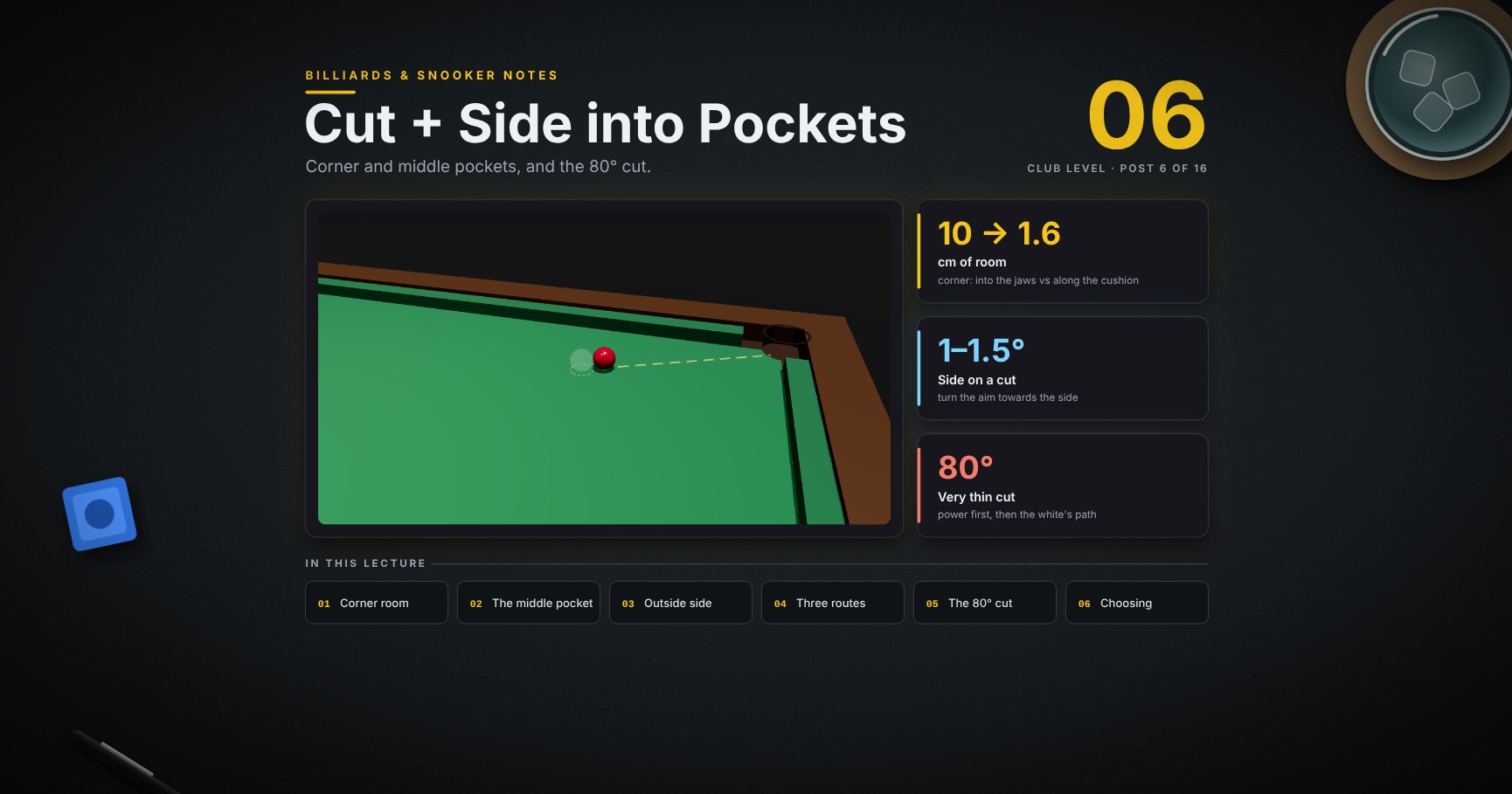
Billiards & Snooker — 06 · Cut and Side into Pockets
This is where aiming (post 02), the white's path (post 04) and side (post 05) meet. How much room the corner pocket gives from each angle, cutting into the middle, how much to turn the aim for side, inside and outside side, three routes off one black, and then the very thin cuts: an 80° cut along the cushion with three ways to play it, and a thin cut into the middle pocket.
> Series map. ★ Basics: 01 Cue action and elevation → 02 Aiming and potting → 03 Tip and power → 04 Where the white goes · ★★ Club: 05 Side spin → 06 Cut and side into pockets (this post) → 07 Cushions → 08 Doubles · ★★★ Advanced: 09 Escaping snookers → 10 Multi-ball shots → 11 Safety → 12 Position play · ★★★★ Hard: 13 Break-building → 14 Special shots · Reference: 15 Rules, tactics and practice · ★★★★★ Pro: 16 Cue-ball control.
Learning Outcome
- Know how the corner pocket's room shrinks as the ball comes in flatter.- Cut into the middle pocket by aiming at the hole itself.- Turn the aim the right amount when you use side on a cut.- Use inside and outside side, and know which one cancels throw.- Choose between check side, no side and running side for position.- Play an 80° thin cut: enough power, the right aim, and the side that keeps the white safe.- Play a thin cut into the middle pocket.
Chapter 1 — Pockets from an angle
1 · The corner pocket: room by angle
The angle is measured from the pocket's centre line (the 45° line into the jaws). Room for the ball's centre (model):
| Coming in… | Room ||------------|------|| straight into the jaws | 98 mm || 15° off | 72 mm || 30° off | 62 mm || along the cushion (45° off) | 16 mm |
The corner is forgiving until the ball comes in nearly along the cushion. Then it must hug the cushion. The middle pocket closes faster (post 02).
2 · Cutting into the middle: aim at the hole
<div class="bclip"><img class="no-lightbox" src="/assets/billiards/b06clipmiddle.webp" alt="Clip: the blue on its spot, the white below and to the side. Step one shows the line from the hole's centre through the blue; step two the ghost ball. The blue is cut into the middle pocket with a stun"></div>
1. Find the hole's centre (yellow dot), behind the cushion line.2. Line from it through the blue; the ghost ball sits on that line.3. White's centre to the ghost's centre, power 3, a little below centre.
Aiming at the hole, not at the gap between the knuckles, keeps the ball off the far knuckle.
Chapter 2 — Side on a cut
3 · Turn the aim towards the side
Side makes the white squirt away from it (post 05), so turn the aim a touch towards the side. A half-ball black, half-way side, power 3 (model):
| White from the black | Turn the aim | At the ball that is about ||----------------------|--------------|---------------------------|| 30 cm | 1.5° | 8 mm || 60 cm | 1.2° | 12 mm || 1 m | 1.0° | 18 mm || 1.5 m | 1.0° | 26 mm |
The turn in degrees is a little bigger on short shots (swerve has not had time to pull back). In millimetres at the ball, the long shot needs more.
> Watch out: these are the model cue's numbers. Learn your own with the drills; the pattern is what matters.
4 · Inside and outside side
On a cut, the side away from the direction of the cut is outside side; the other is inside side. On a slow half-ball cut, aimed at the ghost ball (model, squirt switched off so the contact is the same):
| Tip | The red goes… ||-----|---------------|| no side | 1.8° fuller (cut throw) || inside side, half-way | 1.5° fuller || outside side, half-way | 2.1° thinner || a little outside side (0.17 R) | on the ghost-ball line: throw cancelled |
So a little outside side cancels throw on slow cuts; more outside side over-cuts. Inside side keeps the throw.
> Trick: a slow cut that keeps going in fat? A touch of outside side, and remember to turn the aim for squirt (section 3).
5 · One black, three routes
The same black, the same pocket, three tip spots. The white comes off the top cushion at three different angles:
| Tip | Name | The white comes off… | Good for a red… ||-----|------|----------------------|-----------------|| ◀ left of centre | check side | narrower, back up towards the far side cushion | near that side cushion || centre (a touch of top) | plain | straight back to the middle | near the pink || right of centre ▶ | running side | wider, down the table | towards the near side |
Each side shot needed its own small aim turn (section 3).
6 · Watch it: running side off the black
<div class="bclip"><img class="no-lightbox" src="/assets/billiards/b06cliprunning.webp" alt="Clip: the black is cut into the top corner with right-hand running side; the white comes off the top cushion wide and runs down the table into the yellow ring"></div>
Right-hand running side, power 3: the black goes in ✓, and the white comes off the top cushion wide and down the table.
Chapter 3 — Very thin cuts
7 · An 80° cut needs power
A red near the top cushion, cut along it into the corner. The white comes in at 80°: an overlap of under 1 mm (post 02). The red gets only about a sixth of the white's speed.
| Power | Result (model) ||-------|----------------|| 3 | the red stops short ✗ || 4 | the red reaches the pocket ✓ |
Thin cuts are a power decision first. Pick the pace that gets the red to the pocket, then think about the white.
8 · The same 80° cut, three ways
The white keeps almost all its speed and travels a long way. Side changes where, and each side needs its own aim (model, power 4):
| Tip | Aim turned | The white… ||-----|------------|------------|| no side | plain aim | runs up and down, ends near the top cushion ✓ || left side (running side here) | 2.3° left | comes off wider, ends in the middle of the table ✓ || right side (check side here) | 2.4° right | comes off narrower and goes into the top middle pocket ✗ in-off |
Two good solutions, one trap. With a red near the middle of the table, the left side route is best; with a red near the top cushion, no side is simpler and more accurate.
> Common pitfall: using side on a thin cut "for position" without checking the white's whole path. Here the check-side route finds a pocket.
9 · Watch it: the 80° cut with running side
<div class="bclip"><img class="no-lightbox" src="/assets/billiards/s06clipthin80.webp" alt="Clip from above the baulk end. The white comes up from the right side of the table and just grazes the red near the top cushion. The red runs along the cushion into the top-right corner; the white comes off the top cushion, crosses the table, and ends near the middle in a yellow ring"></div>
Left side, aim turned 2.3° left, power 4. The red creeps along the cushion and drops ✓; the white travels round the table to the middle.
10 · A thin cut into the middle pocket
The red is 20 cm left of the middle pocket and 20 cm out. It goes in at 42° to straight, where the middle pocket has about 6 cm of room (post 02). The white cuts it at 75°, power 4 ✓.
<div class="bclip"><img class="no-lightbox" src="/assets/billiards/s06clipthinmiddle.webp" alt="Clip from behind the white: the dashed line from the red to the middle pocket, the ghost ball almost beside the red, then the white just grazes the red and the red rolls into the middle pocket"></div>
> Trick: on a thin cut into the middle, aim the red at the back of the hole (yellow dot), like section 2. The slant already uses up half the room.
11 · Choosing a route
When more than one route works, choose the one that:
1. Keeps the white away from pockets and other balls on the way (section 8's trap).2. Lands in the biggest area that leaves a pot on the next ball (post 12).3. Needs the least side. No side is the most accurate pot.
So if the plain route is good enough, play it. Use side when it opens a clearly better landing spot.
Try it at the table
| Drill | Set-up | Look for ||-------|--------|----------|| Corner angles | a red 30 cm from a corner, sent in on the 45° line, then flatter, then along the cushion | how tight it gets || Middle-pocket angles | the blue on its spot; the white straight, then at an angle, then flatter | aim at the hole's centre || Side correction | the same black with side, 30 cm then 1 m away | how much you turn the aim at each distance || Outside side | a slow half-ball cut; no side, then a touch of outside side | the touch of outside side stops it going in fat || Three routes | the black on its spot, the white as in picture 5 | land check, plain and running each in a different third || 80° cut | a red 20 cm off the top cushion, 40 cm from the corner; the white from the side | power 4; then add side and watch the white |
Cheat-sheet
| | ||--|--|| Corner room | into the jaws ≈ 10 cm · 15° ≈ 7 cm · 30° ≈ 6 cm · along the cushion ≈ 1.6 cm || Middle | aim at the hole's centre, not the gap || Side on a cut | turn the aim towards the side: about 1–1.5° (model cue) || Outside side | a little cancels throw; more over-cuts || Inside side | keeps the throw || Running side | the white comes off wider, keeps its run · check side: narrower || Very thin cut | power first (the red gets little speed), then the white's path || Choose | safe path → biggest landing area → least side |
What's next
07 · Cushions. The angle in and the angle out, how pace and spin change it, pots off the cushion, and the white tight on the cushion.
References
- WPBSA, Official Rules (2022) and table specification: pocket positions. <https://wpbsa.com/rules/>- Dr. Dave Alciatore, "effective target size" of pockets at different angles; inside and outside English, gearing English and throw. <https://billiards.colostate.edu/>- The pocket room, aim turns, throw angles and routes come from the physics model (squirt 2.5° at half-way side, ball-ball friction fit after Alciatore, model pockets). Real pockets, cues and cloth differ; the patterns hold.
> Note: this post is in progress. Planned additions: an 80° cut into the middle pocket, and the same thin cuts with screw.
Dev Essentials — 15 · Testing Strategy — Unit, Integration, End-to-End, Mocks and Testcontainers
Tests are how you change code without fear. But more tests is not the goal; the right tests are. This post gives you a strategy: which kinds of tests to write, what makes a test good, and the tools that make it practical. It covers in depth (fixtures, , , ), JUnit briefly, test doubles and when not to mock, real databases in tests with Testcontainers, flaky tests, coverage, property-based testing with Hypothesis, end-to-end tests with Playwright, and a short look at TDD. The next post runs all of this automatically in CI.
> Series map: 01 Text Encoding → … → 14 API Reliability → 15 Testing (this post) → 16 CI/CD → … → 24 Desk Health. Part C · Building safely.
Learning Outcome
- Tell unit, integration and end-to-end tests apart, and explain the test pyramid and the testing trophy as models.- Write fast, deterministic tests with one reason to fail, in Arrange-Act-Assert form.- Use fixtures, , , and markers; read a JUnit 5/6 test.- Choose between dummy, stub, fake, spy and mock, and wrap code you do not own.- Test against a real PostgreSQL or MongoDB with Testcontainers.- Find and fix flaky tests, read coverage as a signal, and add property-based and end-to-end tests.
Chapter 1 — Three kinds of tests
| Kind | What it checks | Speed | Typical tool ||------|----------------|-------|--------------|| Unit | One function or class, with no network, disk or database | milliseconds | , JUnit || Integration | Your code together with a real neighbour: a database, a queue, the file system, another module | seconds | + Testcontainers || End-to-end (E2E) | The whole system through its real interface, usually a browser or public API | seconds to minutes | Playwright |
The names are fuzzy in practice. Agree on meanings inside your team, and focus on the real question: how much confidence does this test give, for how much time and maintenance?
Terminology
| Term | Meaning ||------|---------|| SUT | System under test: the code the test is about. || Test double | Any object that stands in for a real one in a test (Chapter 5). || Fixture | Setup that a test needs: data, objects, a temp folder, a database. || Flaky test | A test that passes and fails on the same code. || Coverage | Which lines or branches ran during the tests. || Regression test | A test written for a bug you fixed, so it cannot come back. |
Chapter 2 — Pyramid or trophy?
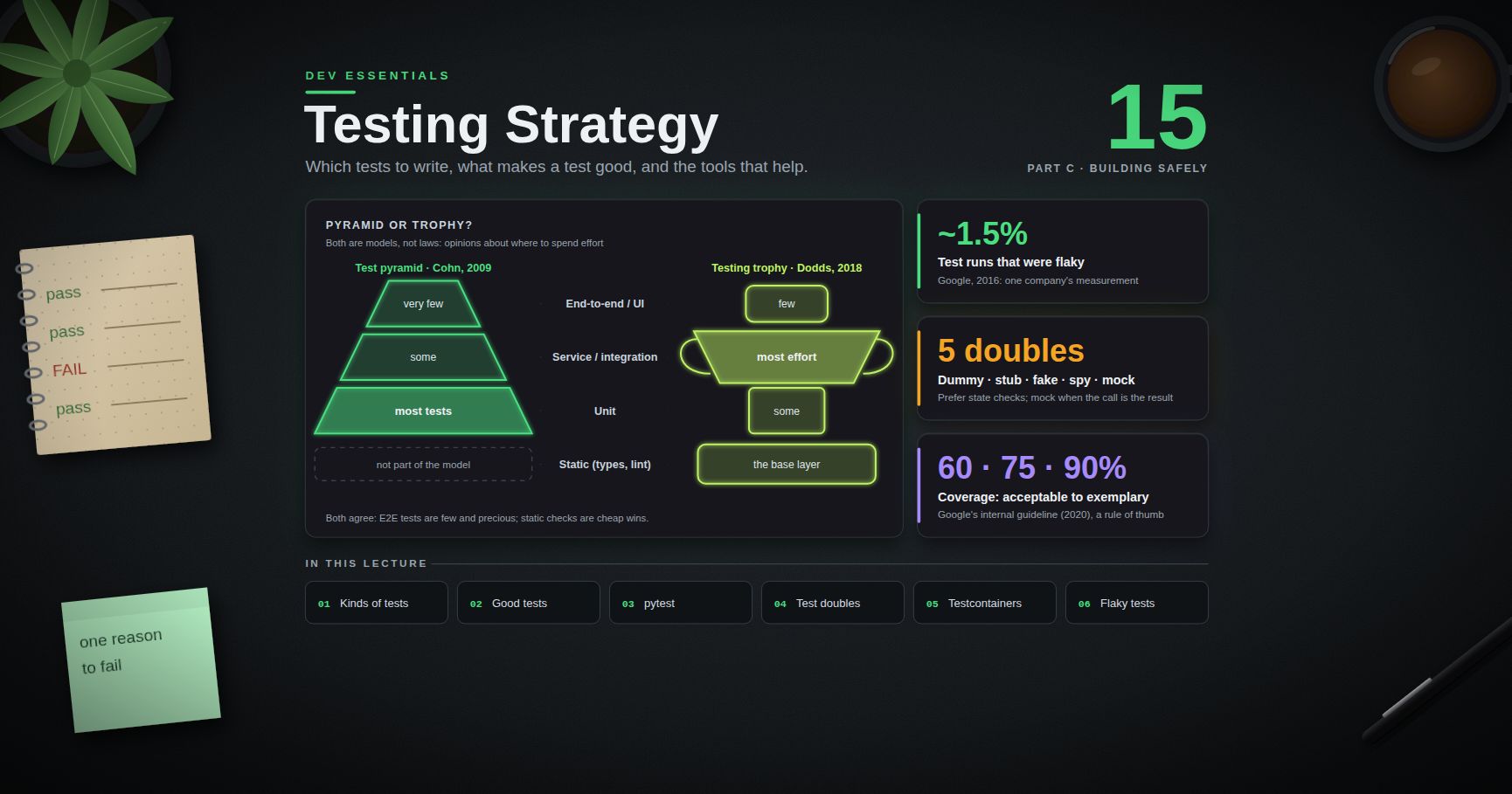
Both are models, not laws. They are opinions about where to spend effort.
| Layer (top to bottom) | Test pyramid (Cohn) | Testing trophy (Dodds) ||-----------------------|---------------------|------------------------|| End-to-end / UI | very few | few || Service / integration | some | most effort || Unit | most tests | some || Static (types, lint) | not part of the model | the base layer |
- Test pyramid. Mike Cohn described it in Succeeding with Agile (2009); Martin Fowler's 2012 "TestPyramid" article is a common reference. Many fast unit tests at the bottom, fewer service tests, very few slow UI tests on top.- Testing trophy. Kent C. Dodds sketched it in 2018, building on Guillermo Rauch's line: "Write tests. Not too many. Mostly integration." Its layers are static analysis, unit, integration and E2E, with the biggest share on integration, because those tests are closest to how the software is used while still being fairly fast.
Both agree on the important parts: E2E tests are few and precious, static checks (types, lint) are cheap wins, and every test must earn its cost. The trophy fits web apps where most bugs live between components. The pyramid fits libraries and logic-heavy code. Testcontainers (Chapter 6) makes integration tests cheaper than they used to be, which pushes many teams toward the trophy shape.
Chapter 3 — What makes a good test
A good test is:
1. Fast. Milliseconds for unit tests. Slow suites stop being run.2. Deterministic. Same code, same result, every time. No real clock, random seed, network or shared state.3. One reason to fail. When it goes red, the name tells you what broke.4. Independent. It passes alone, in any order, and in parallel.5. Readable. A reader sees the setup, the action and the expected result without jumping around.
The shape that gives you readability is Arrange-Act-Assert (named by Bill Wake in 2001). A bad test mixes everything; a good one has three clear parts:
> Trick: name tests as sentences about behaviour: , not . The test report then reads like a specification.
Chapter 4 — essentials
The code under test ():
(Money uses , never ; see Dev Essentials 08 · Floating Point.) The tests ():
What each tool does:
| Tool | Use ||------|-----|| plain | pytest rewrites it to show both sides when it fails. || | The block must raise with a matching message. || | One test function, many cases; each case is reported separately (). || | A unique folder per test. No clean-up code, no clashes. || | , , , , all undone after the test. || | Compare floats with a tolerance: . |
Fixtures
A fixture is a function that builds what tests need. Tests ask for it by parameter name. Code after is the tear-down:
- (default) builds it fresh for every test. builds it once for the whole run, which is useful for an expensive database container.- Put shared fixtures in ; pytest finds them without imports.
Configuration and markers
pytest 9 reads native TOML from in . Older versions use , where is one string instead of a list.
Mark slow tests with , then choose: for the fast inner loop, everything in CI.
Chapter 5 — JUnit briefly, and test doubles
JUnit in one screen
On the Java side, the current release is JUnit 6 (6.1.3 in August 2026; it needs Java 17+). The Jupiter API you write tests with keeps the package from JUnit 5, so JUnit 5 tutorials still apply. Setup is in Java Development p1 / p2.
is the Java version of .
Test doubles
A test double replaces a real collaborator. The names come from Gerard Meszaros (xUnit Test Patterns, 2007), and Martin Fowler's article "Mocks Aren't Stubs" explains them:
| Double | What it is | Example ||--------|-----------|---------|| Dummy | Passed around, never used | for a logger the code path never touches || Stub | Returns canned answers | an exchange-rate function that always returns || Fake | A working but simple implementation | an in-memory repository instead of PostgreSQL || Spy | A stub that also records how it was called | a mailer that stores sent messages in a list || Mock | Pre-programmed with expected calls that the test verifies | " must be called once with these arguments" |
The service under test takes its collaborators as parameters, including the clock:
Fowler calls these two styles state verification (check the result) and behaviour verification (check the calls). Prefer state: behaviour checks break when you refactor how the work is done, even if the result is still right. Use a mock when the call is the result, as with sending an e-mail.
> Common pitfall: accepts any attribute, so (a typo) passes silently. Use so the mock has the same methods and signatures as the real class.
"Don't mock what you don't own"
This rule comes from the paper "Mock Roles, not Objects" (Freeman, Mackinnon, Pryce and Walnes, OOPSLA 2004) and the book Growing Object-Oriented Software, Guided by Tests. If you mock or a database driver directly, your test encodes your guess about how that library behaves. When the library changes, your mocks keep passing and production breaks.
Instead:
1. Wrap the third-party code in a small class you own, such as with .2. Mock or fake your wrapper in unit tests of the business logic.3. Test the wrapper itself with an integration test against the real thing, or a real container of it (next chapter).
Chapter 6 — Real databases with Testcontainers
Fakes are fast, but they cannot catch a wrong SQL query, a missing index or a driver quirk. Testcontainers starts a real database in Docker for your tests and removes it afterwards. You need Docker running (Docker Desktop on Windows).
Python
- In the current release (testcontainers-python 4.15, July 2026), modules live under . The old still works but prints a .- includes a SQLAlchemy driver name () by default; gives a plain URL that accepts.- Pin the image tag (), never , so a new major version does not surprise you.
For MongoDB (see the MongoDB Course for the queries themselves):
Java
Testcontainers for Java 2.x renamed its artifacts (, ) and moved classes to per-module packages. JUnit 4 support was removed.
> Watch out: the first run downloads the image, which can take a minute. In CI, keep these tests in their own job (Dev Essentials 16 · CI/CD) so the fast unit tests report first.
Chapter 7 — Flaky tests
A flaky test passes and fails on the same code. It is worse than no test, because people learn to ignore red. One large-scale data point (Google, 2016, one company's measurement): about 1.5% of all test runs gave a flaky result, almost 16% of tests showed some flakiness, and about 84% of observed pass-to-fail transitions involved a flaky test.
| Cause | Symptom | Fix ||-------|---------|-----|| Time | Fails near midnight, month end, DST | Inject a clock (below); store and compare in UTC (see Dev Essentials 02 · Dates & Time Zones) || Order | Passes alone, fails in the full run | Remove shared state; find it with , which shuffles order and prints the seed || Network | Fails when a remote API is slow or down | Fake the client you own; use a local container instead of a shared server || Shared state | Tests leak rows, files, env vars, globals | , , a fresh table per test (), no module-level caches || Async / waits | is sometimes not enough | Wait for a condition, not a time (Playwright's auto-waiting does this) || Randomness | Fails 1 run in 50 | Fix the seed, or use Hypothesis, which reports the failing input |
Inject the clock instead of reading the real one:
To reproduce an order bug that found, run again with the seed it printed at the start: .
> Common pitfall: automatic retries ( from ) hide flakiness instead of fixing it. Use them only as a short quarantine with a ticket and a deadline.
Chapter 8 — Coverage is a signal, not a goal
The report lists, per file, the percentage of lines and branches that ran, plus the missing line numbers. Missing lines are the useful part: they show code no test even executes.
Coverage cannot tell you whether anything was checked:
This test raises coverage and catches no bugs. Once a number becomes a target, people write tests like this (Goodhart's law).
Practical guidance:
- Look at coverage of changed lines in each pull request more than the project total.- For a feel of scale, Google's testing blog (2020) gave its internal guideline as 60% "acceptable", 75% "commendable" and 90% "exemplary", and warned against top-down mandates. Treat it as one company's rule of thumb.- A red flag is high coverage and many production bugs: the tests run code without checking results.
Chapter 9 — Property-based testing with Hypothesis
Example tests check the cases you thought of. Property-based tests state a rule that must hold for all inputs, and a library generates the inputs. By default Hypothesis tries 100 generated examples per test, and when one fails it shrinks it to a minimal failing case.
A run-length encoder with a hidden bug:
Example tests like pass. The property test does not:
Hypothesis soon reports a tiny input such as : is , and reads both characters as one count. The fix is a format that does not mix counts and data, such as a list of pairs.
Good properties to look for:
| Property | Example ||----------|---------|| Round trip | , || Invariant | is in order and has the same items as () || Oracle | a fast function agrees with a slow, obviously correct one || Idempotence | |
Chapter 10 — End-to-end tests with Playwright
E2E tests drive a real browser through your real app. Keep them few: the main user journeys (sign in, buy, publish), not every edge case.
- The fixture gives each test a fresh, isolated browser context.- Locate elements the way users see them (, , ), not by CSS classes that change with every redesign.- Playwright auto-waits: actions wait until the element is visible, stable and enabled, and assertions retry until they pass or time out. Never add .- lets tests use against your own dev server.
Chapter 11 — TDD in brief
Test-driven development (Kent Beck, Test-Driven Development: By Example) is a short loop:
1. Red: write one small failing test for the next bit of behaviour.2. Green: write the simplest code that makes it pass.3. Refactor: clean up while all tests stay green.
It works best when the behaviour is clear and the code is logic-heavy (parsers, pricing rules, state machines). It is harder for exploratory UI work. Even if you do not use TDD all the time, one habit is always worth it: when you fix a bug, first write the test that fails because of it (see Dev Essentials 10 · Debugging).
Practice Exercises
Exercise 1 — Name the kind
Classify each test: (a) returns ; (b) saves and loads a row in a Testcontainers PostgreSQL; (c) a browser signs in and sees "Welcome"; (d) with a fake repo and a mock mailer.
<details><summary>Solution</summary>
(a) unit, (b) integration, (c) end-to-end, (d) unit: the fake and the mock replace all real neighbours, so it tests one class alone.
</details>
Exercise 2 — Parametrize a slug function
Write (lowercase, words joined by , only ) and one parametrized test with at least four cases, including an empty string.
<details><summary>Solution</summary>
</details>
Exercise 3 — Fix a flaky test
This test fails now and then, always right around midnight UTC. Why, and how do you fix it?
<details><summary>Solution</summary>
The service reads the clock once, the test reads it again later. If the first read is 23:59:59.9 and the second is 00:00:00.1, the dates differ. Inject a with a fixed time and assert against that same value:
</details>
Exercise 4 — Pick the double
Which double fits? (a) A function needs a argument, but the tested path never logs. (b) You need to return . (c) You must prove exactly one SMS is sent. (d) You want repository behaviour without a database.
<details><summary>Solution</summary>
(a) dummy, (b) stub, (c) mock (or a spy you assert on), (d) fake.
</details>
Exercise 5 — Wrap what you do not own
Your code calls in three places, and the tests mock . Refactor for testability.
<details><summary>Solution</summary>
Business code takes a (or anything with ) as a parameter. Its unit tests pass a stub: a tiny class whose always returns . itself gets one integration test against a local test server or a container. When changes, only that one test needs attention.
</details>
Cheat-sheet
| Need | Code / command ||------|----------------|| Run tests | ; one file: || Filter / stop early | , , , || Expect an error | || Many cases | || Temp files | || Env vars / patch | , || Shared setup | (+ for tear-down, for expensive things) || Safe mock | ; || Real PostgreSQL | || Real MongoDB | || Java container | + || Coverage | || Order bugs | ; rerun with || Property test | from || E2E | ; ; fixture + |
What's next
Dev Essentials 16 · CI/CD runs these tests on every push: a lint job, a Python version matrix, and separate jobs for slow integration tests. After that, Part D begins with how LLMs work.
References
- Martin Fowler — Test Pyramid (2012)- Kent C. Dodds — The Testing Trophy and Testing Classifications- Bill Wake — 3A: Arrange, Act, Assert- Martin Fowler — Mocks Aren't Stubs- Freeman, Mackinnon, Pryce, Walnes — Mock Roles, not Objects (OOPSLA 2004, PDF)- pytest documentation and configuration reference- Python —- JUnit User Guide- Testcontainers for Python and for Java- Google Testing Blog — Flaky Tests at Google and How We Mitigate Them (2016)- Google Testing Blog — Code Coverage Best Practices (2020)- pytest-randomly, pytest-rerunfailures, pytest-cov- Hypothesis — Quickstart- Playwright for Python — Getting started and pytest plugin reference
> Note: this post is in progress. Planned additions: contract tests between services, mutation testing to check test quality, snapshot testing, and a full worked TDD session.
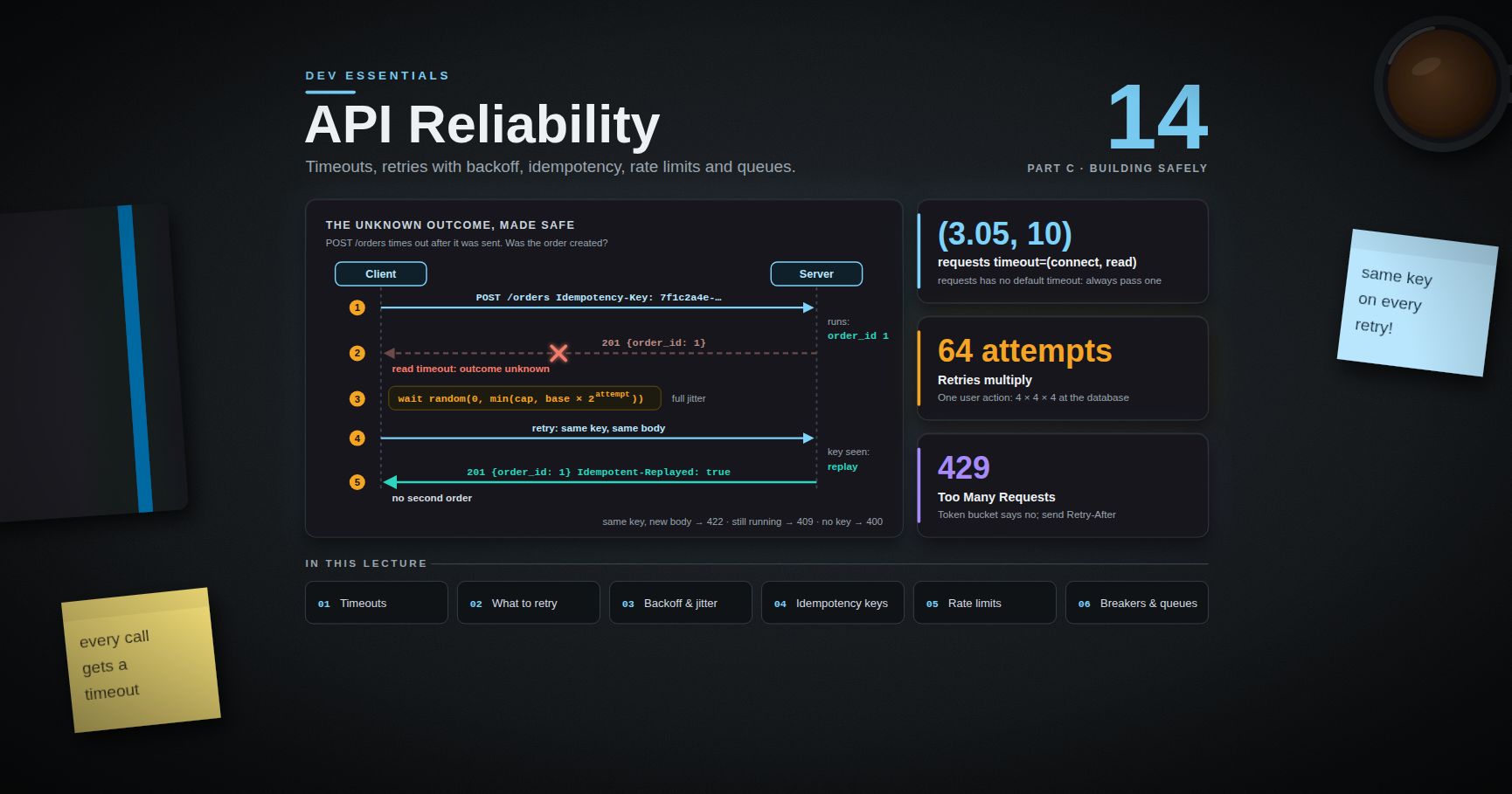
Dev Essentials — 14 · API Reliability — Timeouts, Retries with Backoff, Idempotency, Rate Limits and Queues
Every call over a network can be slow, can fail, or can fail in a way where you do not know if it worked. This post is a practical kit for those cases: timeouts on every call, retries that do not make an outage worse, idempotency keys so a retry never charges a card twice, rate limits that protect a server, circuit breakers, and queues. All code is runnable Python. It sits in Part C of the series, after Caching and before Testing.
> Series map: 01 Text Encoding → … → 13 Caching → 14 API Reliability (this post) → 15 Testing → … → 24 Desk Health. Part C · Building safely.
Learning Outcome
- Name the four ways a remote call fails, and why "unknown outcome" is the hard one.- Put a connect timeout and a read timeout on every call in and .- Decide what is safe to retry, using HTTP method rules from RFC 9110 and the status code.- Write a retry decorator with exponential backoff and full jitter, and respect .- Make safe to retry with an header and a server-side store with a TTL.- Build a token-bucket rate limiter that returns with .- Explain circuit-breaker states, queue load levelling, dead-letter queues and idempotent consumers.
Chapter 1 — How remote calls fail
A function call inside one process either returns or throws. A call over a network has more outcomes:
| Failure | What you see | Example ||---------|--------------|---------|| Slow | The call takes 30 s instead of 30 ms | Database is overloaded, a GC pause, a long queue || Down | Connection refused, DNS error, connect timeout | Service crashed, wrong port, network cut || Partial failure | Some calls work, some fail | One of five servers is broken; one region is down || Unknown outcome | A timeout after the request was sent | timed out. Was the card charged? |
The last one is the hard case. The request may have reached the server and run. Only the reply was lost. If you retry blindly, you may do the action twice. If you do not retry, the action may never happen. Most of this post is about handling this case safely.
Terminology
| Term | Meaning ||------|---------|| Timeout | The longest you wait for one step (connect, read) before giving up || Deadline | The total time budget for the whole operation, including retries || Backoff | Waiting longer before each new retry || Jitter | Adding randomness to the wait, so clients do not retry at the same moment || Safe method | A method the client does not expect to change anything (, ) || Idempotent | Doing it twice has the same intended effect as doing it once || Idempotency key | A unique ID the client sends so the server can spot a repeat || Rate limit | A cap on how many requests a client may send per time window || Circuit breaker | A switch that stops calls to a failing service for a while || At-least-once | A message is delivered one or more times — duplicates are possible || Dead-letter queue (DLQ) | A side queue for messages that failed too many times |
Chapter 2 — Timeouts on every network call
A call with no timeout can hang forever. One hung call holds a thread, a connection and memory. Enough of them and the whole service stops. Rule: every network call gets a timeout.
Connect vs read timeouts
- Connect timeout — how long to wait to open the TCP connection. If it fails, the request was never sent, so a retry is always safe.- Read timeout — how long to wait for the server's reply after sending. If it fails, the server may have done the work.
requests
The library has no default timeout. Its docs say requests do not time out unless you set one.
> Watch out: the read timeout is the time between bytes from the server, not the total download time. A server that sends one byte every 9 seconds never trips a 10-second read timeout. Neither timeout is a wall-clock limit. For a hard total limit, use a deadline (below).
The docs suggest a connect timeout slightly larger than a multiple of 3 (for example ), because 3 seconds is the classic TCP retransmission window.
httpx
has a default timeout of 5 seconds and four separate settings: , , and (waiting for a free connection). Each raises its own exception: , , , .
From the shell
In Windows PowerShell 5.1, is an alias for . Type to get real curl.
Deadlines
A timeout limits one attempt. A deadline limits the whole job. If a user request has 2 seconds in total, and 1.5 s are already spent, the next downstream call should get at most 0.5 s. Pass the remaining time down (as an argument or a header) so inner calls never outlive the outer request.
> Trick: pick timeouts from real latency data. A common starting point is a bit above the downstream's p99 latency. Too long and a slow dependency blocks you; too short and you fail healthy calls.
Chapter 3 — What is safe to retry
Method rules from RFC 9110
RFC 9110 (HTTP Semantics) defines two properties:
| Method | Safe | Idempotent ||--------|------|------------|| , , , | yes | yes || , | no | yes || , | no | no |
( is defined in RFC 5789, which says it is neither safe nor idempotent.)
Idempotent means: the intended effect of sending the request once is the same as sending it many times. twice leaves the same state. twice may create two orders.
RFC 9110 is direct about retries: a client SHOULD NOT automatically retry a non-idempotent request unless it knows the request is really idempotent, or knows the original was never received. That is exactly what idempotency keys (Chapter 5) give you.
> Watch out: these are promises your server must keep. A that sends an email is not safe, whatever the RFC says. A that returns the second time is still idempotent — the state is the same, even if the reply differs.
Status codes (common practice)
| Response | Retry? | Why ||----------|--------|-----|| Connect error / connect timeout | Yes | Request never reached the server || Read timeout, connection reset | Only if idempotent or has an idempotency key | Server may have run it || , , , , | Yes, with backoff | Temporary. For / read || | Maybe, a few times, idempotent only | Could be a bug that will fail again || , , , , , | No | Retrying the same request gives the same error |
The popular class ( uses under the hood) follows the method rule by default: its are , , , , , — no . It also respects by default for status codes , and .
Chapter 4 — Retries with exponential backoff and jitter
If a server is overloaded and every client retries at once, the retries keep it overloaded. Two fixes:
1. Exponential backoff — wait longer after each failure: , up to a .2. Jitter — add randomness, so clients spread out instead of retrying in waves.
Marc Brooker's AWS Architecture Blog post "Exponential Backoff And Jitter" (2015) compared several variants. Its formulas:
| Variant | Sleep ||---------|-------|| No jitter | || Full Jitter | || Equal Jitter | where || Decorrelated Jitter | |
In that simulation, Full Jitter used the least total client work, Decorrelated Jitter was close, and both beat no jitter by a wide margin. Its conclusion: jittered backoff should be the standard approach for remote clients.
A retry decorator with full jitter
Deciding what to retry
Turn Chapter 3's rules into one function, and raise only when it says yes:
> Trick: lets you fake a server in tests, so you can check retry logic offline (see Dev Essentials 15 · Testing).
In real code, use a tested library. has , which its docs say matches the "Full Jitter" algorithm:
Retry budgets
Retries multiply. Google's Site Reliability Engineering book ("Addressing Cascading Failures") gives the example of three layers that each make 4 attempts: one user action becomes 4 × 4 × 4 = 64 attempts on the database — while it is already overloaded. So pick one layer to own retries. The chapter "Handling Overload" adds two limits:
- a per-request budget of up to three attempts, then the error goes up to the caller;- a per-client budget: retry only while retries are below 10% of requests.
And stop retrying when the deadline is near.
> Common pitfall: retrying with the recipe from the docs, which sets . That is only correct if the endpoint is idempotent or uses idempotency keys.
Chapter 5 — Idempotency keys
An idempotency key turns a risky into a safe retry. The client makes a unique ID (a UUID v4) for one logical operation and sends it on the first try and every retry. The server remembers the key and the result. A repeat gets the saved result instead of running again.
How Stripe does it
Stripe's API docs describe a widely copied design:
- Header: . All requests accept it. and do not need it — they are idempotent already.- Keys are up to 255 characters; Stripe suggests V4 UUIDs. Do not put personal data in a key.- Stripe saves the status code and body of the first request that started executing — success or failure, even .- If parameters differ from the original, Stripe returns an error.- Requests that fail validation, or that clash with a request still running, are not saved, so you can retry them.- Keys can be removed once they are at least 24 hours old; a reused key after that is a new request.
The IETF draft
The IETF HTTPAPI working group wrote "The Idempotency-Key HTTP Header Field" (). As of September 2026, the latest version is -07 (October 2025) and the Datatracker lists it as an expired Internet-Draft — not an RFC. It is still a useful reference. It suggests:
| Situation | Status ||-----------|--------|| Key missing on an endpoint that requires it | || Same key, different request payload | || Same key while the first request is still running | |
It also recommends a UUID or a similar random value, and says the server should publish its key expiry policy.
Server design
1. Scope the key to the caller: store , so two customers cannot collide.2. Store a fingerprint (hash of method, path and body) to catch reuse with a different payload.3. Mark the key in progress before running the handler. A second request with the same key gets .4. Save the final status and body. Replays return the saved response.5. Expire keys after a TTL (for example 24 hours).6. The "insert if absent" in step 3 must be atomic. In one process a dict is enough. With many servers, use Redis or a unique index in a database (see Dev Essentials 13 · Caching for Redis).
A FastAPI middleware (in-memory)
Output (tested with FastAPI 0.115 and Starlette 0.41):
The retry got again — no second order. A second request with the same key that arrives while the first is still running gets , because the key is stored as "in progress" before the handler runs.
> Watch out: this store lives in one Python process. It is lost on restart and not shared between workers ( means four separate dicts). In production use Redis or a database table with a unique key. Also note one design choice: this code saves replies too (like Stripe). Some teams prefer to delete the key on so the client can retry. Pick one and document it.
> Trick: the client must create the key once per logical action (for example when the user clicks "Pay"), store it, and reuse it for every retry. A new key per retry defeats the purpose.
Chapter 6 — Rate limiting
A rate limit protects a server from too much traffic — from bugs, abuse, or one noisy customer. Four common algorithms:
| Algorithm | How it works | Good at | Weak at ||-----------|--------------|---------|---------|| Token bucket | Bucket holds up to tokens, refills at /s. Each request takes one | Allows short bursts, smooth long-run limit | Needs care to share across servers || Leaky bucket | Requests join a queue that drains at a fixed rate | Very smooth output | Bursts wait or are dropped || Fixed window | Count per clock window (e.g. per minute) | Simplest; one counter | Up to 2× the limit around a window edge || Sliding window | Count over the last N seconds (log or weighted counters) | Fixes the edge problem | More memory or maths |
A token bucket
Requests 0-4 pass (the burst), 5-7 are rejected with about 0.5 s to wait, and after one second a request passes again. Use , not — the wall clock can jump.
429 and Retry-After
is defined in RFC 6585. The response MAY include . RFC 9110 defines as either an HTTP date or a number of seconds.
Add any route and call it five times quickly with as : you get with , while still gets — each key has its own bucket.
The RateLimit header fields (draft)
Many APIs send their own headers. The IETF HTTPAPI working group is standardising two fields in . The latest version is -11 (May 2026), still an active draft, so names may change:
is the quota, the window in seconds, the remaining quota, the seconds until it resets. The draft says that if is also present, takes precedence.
Chapter 7 — Circuit breakers
When a dependency is down, each call waits for a timeout before failing. A circuit breaker notices repeated failures and fails fast for a while. The pattern was made popular by Michael Nygard's book Release It!; Martin Fowler's "CircuitBreaker" article (2014) is a clear short summary.
| State | Behaviour ||-------|-----------|| Closed | Normal. Calls go through. Count failures || Open | Too many failures. Fail at once without calling. Wait || Half-open | After the wait, let a trial call through. Success → closed. Failure → open again |
A breaker and retries work together: retries handle short blips, the breaker stops retries from hammering a service that is clearly down. Exercise 4 builds a small one. Real breakers also add a lock, count failures over a time window, and often use a failure rate instead of a count.
> Trick: when the breaker is open, return something useful if you can — a cached value, a default, or a clear "try again later" message — instead of a stack trace.
Chapter 8 — Queues, at-least-once delivery and the outbox
Load levelling
If work does not need an answer right now (send an email, resize an image), put it on a queue. The API replies at once; workers take jobs at their own pace. A traffic spike makes the queue longer, not the servers slower. On AWS this is SQS (see AWS Course 05 · Serverless & Events).
At-least-once means duplicates
SQS standard queues keep copies of each message on several servers. The SQS docs say you may rarely receive a message again, and tell you to design your application to be idempotent. Many queues work this way. A worker can also crash after doing the work but before it deletes the message, so the message comes back.
So every consumer must be idempotent. The usual method: each message carries a unique ID; the consumer records processed IDs and skips any ID it has seen. Exercise 6 builds this with SQLite.
> Watch out: the side effect and the "processed" record must be saved together, in one database transaction. If you save the effect, crash, and never save the ID, the redelivered message runs again.
Dead-letter queues
Some messages always fail (bad data, a bug). Without a limit, they loop forever. In SQS, a redrive policy sets : after that many receives, the message moves to the dead-letter queue. AWS advises setting it high enough to allow real retries, and giving the DLQ a longer retention period than the source queue. Put an alarm on DLQ depth — a message there means a person must look.
The outbox pattern
A classic bug: save an order to the database, then publish an "order created" event. If the process dies between the two steps, the event is lost. The outbox pattern writes the event into an table in the same transaction as the order. A separate relay reads the outbox and publishes. The relay may publish twice, so consumers must still be idempotent. MongoDB Course 20 · Outbox Pattern builds this step by step.
Practice Exercises
Exercise 1 — Classify the failure
For each case, say "retry", "retry with idempotency key only", or "do not retry": (a) → connect timeout; (b) → read timeout; (c) → with ; (d) → .
<details><summary>Solution</summary>
(a) Retry — the request never reached the server, and is safe anyway. (b) Retry only with the same idempotency key — the charge may have happened. (c) Retry after at least 2 seconds — is idempotent and is temporary. (d) Do not retry — the request itself is wrong; the same body will fail again.
</details>
Exercise 2 — Worst-case wait
With , and , what is the longest total sleep with full jitter?
<details><summary>Solution</summary>
There are 4 sleeps (after attempts 0-3). The upper bounds are for n = 0..3: 0.2 + 0.4 + 0.8 + 1.6 = 3.0 s. The average is half of that, 1.5 s, because full jitter is uniform from 0.
</details>
Exercise 3 — Add a deadline
Change the decorator so it also takes (seconds) and stops when the next sleep would pass it.
<details><summary>Solution</summary>
Add to the parameters, set at the top of , and change the give-up test to:
Compute before this test, so the check uses the real planned wait.
</details>
Exercise 4 — A small circuit breaker
Write a class with . It opens after failures in a row, fails fast with while open, and lets one trial call through after seconds.
<details><summary>Solution</summary>
</details>
Exercise 5 — Fixed window edge
A fixed-window limiter allows 100 requests per minute. How many requests can a client get through in 2 seconds, and how?
<details><summary>Solution</summary>
Up to 200: 100 in the last second of one window (e.g. 12:00:59) and 100 in the first second of the next (12:01:00). A token bucket with or a sliding window avoids this.
</details>
Exercise 6 — Idempotent consumer with a database
Rewrite with SQLite so the balance update and the processed ID are saved in one transaction.
<details><summary>Solution</summary>
The unique key on makes the duplicate check atomic.
</details>
Cheat-sheet
| Topic | Rule of thumb ||-------|---------------|| Timeouts | Every call. : . : || requests default | No timeout at all — always pass one || httpx default | 5 s || Safe to retry | Connect errors; idempotent methods (, , , , ) || Not safe | / after a read timeout — unless it has an idempotency key || Retryable statuses | , , , , (maybe ) || Never retry | , , , , , || Full jitter | || Retry budget | ≤ 3 attempts per request; retries < 10% of traffic; retry at one layer only || Idempotency key | UUID v4 per logical action; same key on every retry || Server store | → fingerprint, status, body; TTL 24 h; atomic insert || Draft status codes | Missing key , different payload , still running || Rate limit reply | + (seconds or HTTP date) || Token bucket | = long-run limit, = burst size || Circuit breaker | Closed → Open (fail fast) → Half-open (one trial) || Queues | At-least-once → idempotent consumers; DLQ via || Outbox | Write event + data in one transaction; relay publishes later |
What's next
Dev Essentials 15 · Testing Strategy covers unit, integration and end-to-end tests, mocks, and Testcontainers — including how to test code like the retry decorator and middleware above without real waits or real servers.
References
- RFC 9110 — HTTP Semantics, §9.2 Common Method Properties and §10.2.3 Retry-After- RFC 5789 — PATCH Method for HTTP- RFC 6585 — Additional HTTP Status Codes (429 Too Many Requests)- Marc Brooker — Exponential Backoff And Jitter, AWS Architecture Blog (2015)- Google SRE book — Handling Overload (retry budgets)- Google SRE book — Addressing Cascading Failures (retry amplification)- Stripe API — Idempotent requests- IETF draft — The Idempotency-Key HTTP Header Field- IETF draft — RateLimit header fields for HTTP- Requests docs — Timeouts- HTTPX docs — Timeouts- urllib3 — Retry- Tenacity — API reference- Martin Fowler — CircuitBreaker (2014)- Amazon SQS — At-least-once delivery- Amazon SQS — Dead-letter queues
> Note: this post is in progress. Planned additions: a Redis-backed idempotency store, a sliding-window limiter, hedged requests, and bulkheads (separate pools per dependency).
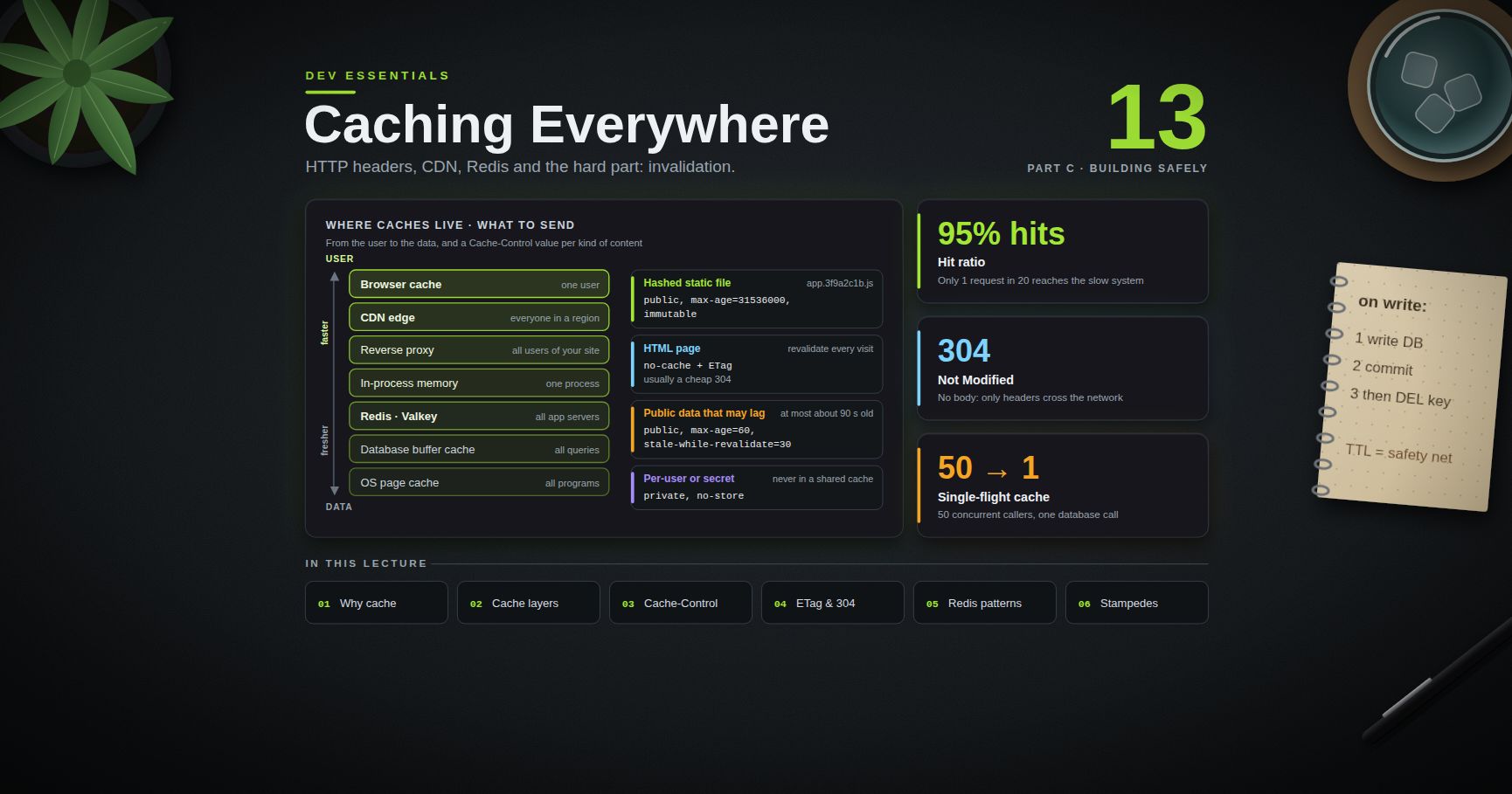
Dev Essentials — 13 · Caching Everywhere — HTTP Headers, CDN, Redis and Invalidation
A cache keeps a copy of something that was expensive to get, so the next request is fast. Caches sit everywhere between a user and your database: in the browser, on a CDN, in a reverse proxy, in your process, in Redis, and inside the database itself. This post shows what each layer is for, how HTTP cache headers really work (with demos against a tiny local server), the standard application patterns, how to invalidate safely, and how to stop a cache stampede. It ends with a Redis cache-aside example in Python.
> Series map: 01 Text Encoding → … → 12 OWASP Top 10 → 13 Caching (this post) → 14 API Reliability → … → 24 Desk Health. Part C · Building safely.
Learning Outcome
- Explain what a cache buys you and what it costs: staleness, memory, complexity.- Name the cache layers from browser to database, and who controls each one.- Write correct headers (RFC 9111): , , vs , , , , .- Use / and to get cheap answers, and check them with .- Bust caches with content-hashed file names.- Use , and implement cache-aside with Redis or Valkey, plus TTL jitter.- Prevent a cache stampede with locking, request coalescing and early refresh.
Chapter 1 — Why cache, and what it costs
Without a cache, every request pays the full price: a network round trip, a database query, a template render. With a cache, most requests pay a lookup instead. The share of requests answered from the cache is the hit ratio (). A cache with a 95% hit ratio sends only 1 request in 20 to the slow system behind it.
Caching is never free:
| Cost | What goes wrong ||------|-----------------|| Staleness | The copy is older than the truth. A user changes a price and still sees the old one. || Memory | Every copy takes RAM or disk. Full caches must evict something. || Complexity | New failure modes: invalidation bugs, stampedes, one user's page served to another. || Debugging | "It works on my machine" becomes "it works after a hard refresh". |
A good rule: add a cache when you have measured a slow, repeated read, and you can say how stale the data is allowed to be.
Terminology
- Hit / miss — the value was in the cache / it had to be fetched from the source (the origin).- TTL (time to live) — how long an entry counts as fresh.- Fresh / stale — younger / older than its TTL. Stale entries may still be used in some cases.- Eviction — removing entries to make room, often LRU (least recently used first).- Invalidation — removing or updating an entry because the source changed.- Cache key — what identifies an entry: a URL, or a string like . A cold cache is empty (just started); a warm one is full of useful entries.
Chapter 2 — Where caches live
A request can pass many caches on its way to the data. Each one is closer to the user (faster) or closer to the data (fresher).
| Layer | Who shares it | Who controls it | How to invalidate ||-------|--------------|-----------------|-------------------|| Browser cache | One user | Your HTTP headers | You cannot reach in; use short TTLs or new URLs || CDN edge | Everyone in a region | Headers + CDN settings | Purge API, new URLs || Reverse proxy (nginx, Varnish) | All users of your site | Headers + proxy config | Purge, restart, new URLs || In-process memory (, a dict) | One process | Your code | , restart || Shared cache (Redis, Valkey, Memcached) | All app servers | Your code | , TTL, key versioning || Database buffer cache | All queries | The database | Automatic || OS page cache | All programs | The kernel | Automatic |
The database layer works on its own. MongoDB's WiredTiger engine, for example, keeps an internal cache that by default is the larger of 50% of (RAM − 1 GB) or 256 MB, and also relies on the operating system's file cache. MongoDB Course 15 · Performance Deep explains the working set and WiredTiger cache in detail. The rest of this post is about the layers you control.
Chapter 3 — HTTP caching with Cache-Control (RFC 9111)
HTTP caching is defined by RFC 9111 "HTTP Caching" (June 2022). It separates two ideas:
- Freshness — "may I use my copy without asking?" controlled mainly by .- Validation — "my copy is stale; is it still good?" done with or (next chapter).
It also separates two kinds of cache. A private cache belongs to one user (the browser). A shared cache serves many users (a CDN or proxy).
The response directives you will actually use:
| Directive | Meaning ||-----------|---------|| | Fresh for N seconds. RFC 9111: "The response is to be considered stale after its age is greater than the specified number of seconds." || | Like , but only for shared caches, and it overrides there. || | May be stored, but must be revalidated with the origin before every use. It does not mean "do not cache". || | Must not be stored at all, by any cache. Use it for sensitive data. || | Only the user's own browser may store it; shared caches must not. || | Any cache may store it, even when it normally would not (for example, a response to a request with ). || | Once stale, never use it without a successful revalidation. || | (RFC 8246) The body will never change while fresh, so do not even revalidate on reload. || | (RFC 5861) After expiry, a cache may keep serving the stale copy for up to N more seconds while it refetches in the background. || | (RFC 5861) If the origin fails, a stale copy may be served for up to N seconds. |
Other headers you will meet:
- — added by shared caches: how many seconds the copy has been in a cache.- — the old way to say "fresh until". If is present, it wins.- No and no , but a ? Caches may guess a lifetime. RFC 9111 says a typical guess is 10% of the time since the last change. This is a classic source of "why is this page stale?". Always send explicit headers.
> Common pitfall: using for a bank statement. The browser still writes it to disk; it just asks before showing it. For sensitive pages use (and usually ).
Chapter 4 — Validation: ETag, Last-Modified and 304
When a cached copy is stale (or marked ), the cache sends a conditional request:
1. The first response carried a validator: (a fingerprint of the body) and/or .2. Later, the client asks (or ).3. If nothing changed, the server answers with no body. The client reuses its copy. Only headers cross the network.
An ETag starting with is a weak validator: "the same meaning", not byte-for-byte equal. If both and arrive, wins (RFC 9110). ETags are more precise, because dates only have one-second resolution.
tells caches which request headers change the response. With , the gzip and brotli versions are cached separately. Be careful with or : they split the cache into so many versions that almost nothing hits.
A local server to experiment with
This standard-library server serves four paths, each with a different policy, and answers conditional requests:
Run , then in a second terminal:
> Watch out: Windows PowerShell 5.1 drops embedded double quotes when it passes arguments to a native program such as . Without the , the server receives (no quotes), the tags do not match, and you get instead of . Also, in 5.1 throws an error on a response, so use for conditional requests.
In a browser, open DevTools → Network, load twice, and look for the on the second load.
Chapter 5 — Recipes, CDNs and cache busting
Pick a policy per kind of content
| Content | | Why ||---------|-----------------|-----|| Hashed static files (, fonts, images) | | The name changes when the content changes, so the old copy can live forever. || HTML pages | (plus an ) | Always check, usually get a cheap , and pick up new asset names at once. || Public data that may lag a little (news, prices list) | | Fast for everyone, at most about 90 s old. || Per-user API responses | or | Must never land in a shared cache. || Secrets (statements, tokens, admin pages) | | Never written anywhere. |
CDNs and shared caches
A CDN is a shared cache in many cities. Three extra points:
- Use to give the CDN a longer life than browsers: . RFC 9213 also defines , a header that only CDNs read.- Most CDNs offer a purge API, and many can purge by tag. The details (and support for ) are vendor-specific, so check your CDN's docs.- Never let a shared cache store personal data. If is cached publicly, the next visitor sees the previous user's page. That is a Broken Access Control bug (see Dev Essentials 12 · OWASP Top 10). Mark per-user responses , and be careful with any response that sets a cookie.
Cache busting with hashed file names
The long-lived policy above only works if each new version of a file gets a new URL. Build tools do this by putting a hash of the content in the file name. Next.js is a common example. Its docs say that it sets "" for truly immutable assets, that these files "contain a SHA-hash in the file name", and that this header "cannot be overridden". The HTML then points to the new names, and the HTML itself is revalidated on each visit.
The idea in a few lines of Python:
Templates look up in and write the hashed name into the page. Change one byte of and the name changes, so every cache fetches it fresh. A hash in the path beats a manual query string: it never needs a version bump, and some caches ignore query strings.
Chapter 6 — In-process caching with functools
The fastest cache is a dictionary in your own process. Python ships two ready-made ones:
Know the limits before you use them for real data:
- No TTL. An entry stays until it is evicted or you call . Fine for pure functions like ; wrong for exchange rates.- Arguments must be hashable. A or argument raises .- Shared mutable results. If the function returns a list and a caller changes it, every later caller sees the change.- Per process. With 8 web workers you have 8 separate caches, and invalidating one does not touch the others.- Not stampede-proof. The docs note the wrapped function may be "called more than once if another thread makes an additional call before the initial call has been completed and cached". Chapter 9 measures this.
Chapter 7 — Application caching patterns
When the cache is a separate system (Redis, Valkey, Memcached), there are four classic ways to wire it to the database:
| Pattern | Read path | Write path | Good for ||---------|-----------|------------|----------|| Cache-aside (lazy loading) | App checks cache; on miss, reads DB and fills cache | App writes DB, then deletes the key | The default choice; the cache can fail without losing data || Read-through | App asks the cache; the cache library loads from DB on a miss | Same as cache-aside | Hides loading logic in one place || Write-through | Always a hit after a write | App (or cache) writes cache and DB together | Data that is read right after it is written || Write-behind (write-back) | Always a hit | Write goes to the cache; DB is updated later in batches | Very high write rates, if you can accept losing recent writes |
TTLs
Every entry should have a TTL, even if you also invalidate on writes. The TTL is your safety net: if an invalidation is missed, the wrong value lives for at most one TTL. Choose it from the business question "how stale may this be?", not from performance alone. Add jitter (a small random extra) so that entries created together do not all expire together.
Invalidation strategies
1. Expire only — rely on the TTL. Simplest; data is up to one TTL old.2. Delete on write — after the DB write succeeds, the key. The next read reloads it. Prefer delete over "set the new value", because two concurrent writers can set values in the wrong order.3. Versioned keys — put a version in the key () and bump the version on change. Old keys simply age out.4. Event-driven — the database emits change events and a worker deletes the matching keys. MongoDB Course 12 · Change Streams shows the event source.
> Watch out: cache-aside has a known race. Reader A misses and loads the old row. Writer B updates the row and deletes the key. Reader A then writes the old value into the cache. It stays wrong until its TTL ends. Short TTLs keep the damage small; for critical data, add a version check or do not cache.
Chapter 8 — Redis and Valkey in practice
Which server?
- Redis — Redis 7.2 and earlier are BSD-3-Clause. In March 2024 Redis moved to the source-available RSALv2 / SSPLv1 licenses. Since Redis 8 (May 2025), the open-source edition is tri-licensed: you may choose RSALv2, SSPLv1 or AGPLv3. AGPLv3 is the OSI-approved open-source option.- Valkey — a Linux Foundation fork announced in March 2024 that continued from Redis 7.2.4 under the BSD-3-Clause license. The 9.x line is current (9.0 in October 2025, 9.1 in May 2026).
For the commands in this post (, , , ), both behave the same, and the client works with either. Check the license and features against your own needs before you choose.
Start one locally with Docker. Bind the port to only: an open Redis port without a password is a classic Security Misconfiguration.
The same two commands work in Git Bash and PowerShell:
Cache-aside with jitter and a rebuild lock
What each piece does:
- stores the JSON with a TTL in seconds. is the jitter.- Missing products are cached as for 30 seconds (negative caching), so a flood of requests for a missing ID does not hit the database every time.- is the lock: sets it only if nobody holds it, makes it expire if the holder crashes. The Lua script deletes the lock only if it still holds our token. This is the single-instance lock pattern from the Redis docs. It is fine for a cache, where two rebuilders once in a while only cost a little extra work. It is not a lock for protecting money.
Chapter 9 — Cache stampede and how to stop it
A cache stampede (or thundering herd, or dog-piling) happens when a popular key expires and hundreds of requests miss at the same moment. They all run the same slow query, the database slows down, requests pile up, and the cache never gets refilled. It often follows a deploy or restart (cold cache) or a batch of keys that were all created with the same TTL.
shows the problem in miniature. With 20 threads asking for the same missing key at once, the slow function ran 20 times. The fixes:
| Fix | Idea ||-----|------|| Jittered TTL | so keys created together expire at different times. || Locking | Only the request that wins a lock recomputes; the others wait briefly and read the new value (Chapter 8). || Request coalescing (single-flight) | In one process, concurrent callers for the same key share one in-flight computation. || Early refresh | Recompute before expiry, so the key is never missing. Either a background job, or a random early refresh per request. || Serve stale | Keep serving the old value while one worker refreshes (the idea behind ). |
Single-flight TTL cache in pure Python
Fifty threads, one database call. The double check inside the lock is what makes it work: whoever waited finds the fresh value that the first caller stored. (The store never shrinks; a real version would also evict old keys.)
Probabilistic early refresh
Vattani, Chierichetti and Lowenstein ("Optimal Probabilistic Cache Stampede Prevention", VLDB 2015) propose that each reader flips a biased coin. The closer the key is to expiry, and the longer the recompute takes, the more likely the reader refreshes it early:
With second, a quick simulation of 10,000 readers gives about 0% refreshes 10 s before expiry, about 5% at 3 s, about 37% at 1 s and about 82% at 0.2 s. Usually one reader refreshes the key shortly before it expires, and nobody ever sees a miss. Store next to the value so every reader can use it. ( avoids .)
Practice Exercises
Exercise 1 — Choose the headers
Write a value for each: (a) , (b) the home page HTML, (c) for the logged-in user, (d) a public list of exchange rates updated every minute.
<details><summary>Solution</summary>
(a) — the hash in the name changes with the content. (b) , plus an , so every visit revalidates and usually gets a . (c) (or if the data is not sensitive) — never in a shared cache. (d) , or add if browsers should keep it shorter than the CDN.
</details>
Exercise 2 — no-cache or no-store?
A bank shows monthly statements at . The page is sent with . Is that safe?
<details><summary>Solution</summary>
No. allows storing; it only forces revalidation before reuse. The statement can sit in the browser's disk cache on a shared computer. Use (with as well for older caches).
</details>
Exercise 3 — Prove the 304
Using , show with that a second request for can be answered with and no body. Then change the body of in , restart, and repeat with the old ETag. What happens and why?
<details><summary>Solution</summary>
After changing the body, the server computes a new ETag from the new bytes, so the old tag no longer matches and it returns with the new body. That is exactly how a revalidating cache picks up changes.
</details>
Exercise 4 — Find the invalidation bug
<details><summary>Solution</summary>
The key is deleted before the write. Between the delete and the commit, another request can miss, read the old row and put it back in the cache, where it stays for a full TTL. Also, if the update fails, the cache was cleared for nothing. Write first, commit, then delete. Keep a TTL as the safety net for the remaining race.
</details>
Exercise 5 — Measure a stampede
Decorate a function that sleeps 0.3 s with , call it from 20 threads at once with the same argument, and count the calls. Then swap in from Chapter 9.
<details><summary>Solution</summary>
With instead of , is : the other 19 threads wait on the per-key lock and then read the stored value.
</details>
Exercise 6 — Early-refresh odds
In , the chance of refreshing is . With and , what is the chance 2 seconds before expiry? What does do?
<details><summary>Solution</summary>
, so about 13.5% of readers at that moment trigger a refresh. With the chance becomes : refreshes start earlier. Larger means fewer misses but more total recomputes.
</details>
Cheat-sheet
| Need | Use ||------|-----|| Hashed static asset | || HTML page | + → cheap || Personal data | , or if sensitive || CDN longer than browser | or (RFC 9213) || Serve stale while refreshing | (RFC 5861) || Check headers / revalidate | ; → (PowerShell: ) || Cache busting | Content hash in the file name + manifest || Pure function memo | / || Default app pattern | Cache-aside: read → miss → DB → || On write | Write DB, commit, then || Spread expiry | TTL + random jitter || One rebuilder | + compare-and-delete release || In-process coalescing | Per-key lock + double check || Refresh before expiry | XFetch: || Redis license (8.x) | RSALv2, SSPLv1 or AGPLv3; Valkey is BSD-3-Clause |
What's next
Dev Essentials 14 · API Reliability covers what happens when the thing behind your cache is slow or down: timeouts, retries with backoff, idempotency keys, rate limits and queues.
References
- RFC 9111 — HTTP Caching- RFC 9110 — HTTP Semantics (ETag, conditional requests, Vary)- RFC 5861 — stale-while-revalidate and stale-if-error- RFC 8246 — HTTP Immutable Responses- RFC 9213 — Targeted HTTP Cache Control- MDN — HTTP caching- Next.js — headers and Cache-Control for static assets- Python- redis-py documentation- Redis — distributed locks pattern- Redis licenses — Redis 8 AGPLv3 announcement- Valkey — Linux Foundation launch announcement- MongoDB — WiredTiger storage engine- Vattani et al., Optimal Probabilistic Cache Stampede Prevention (VLDB 2015)
> Note: this post is in progress. Planned additions: an nginx reverse-proxy cache demo, cache metrics (hit ratio, evictions) with Redis , and a Next.js ISR walk-through.
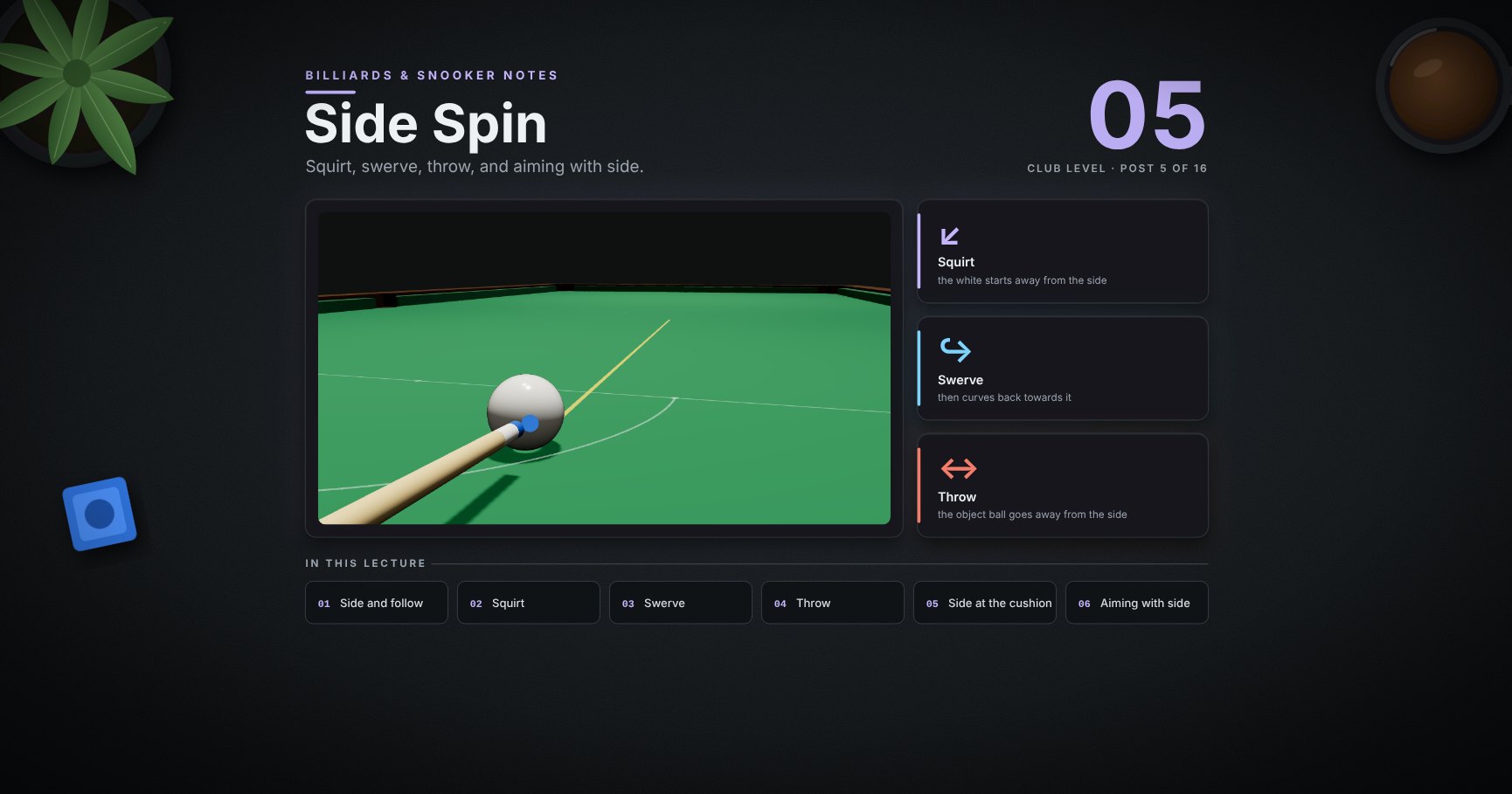
Billiards & Snooker — 05 · Side Spin
Side is the tip left or right of centre. It is powerful and easy to misuse. This lesson takes it apart: where side goes on the white, how it mixes with follow and screw, squirt and swerve one at a time and together, how pace changes them, throw on the object ball, what side does at the cushion, two ways to aim with side, and when to leave it alone.
> Series map. ★ Basics: 01 Cue action and elevation → 02 Aiming and potting → 03 Tip and power → 04 Where the white goes · ★★ Club: 05 Side spin (this post) → 06 Cut and side into pockets → 07 Cushions → 08 Doubles · ★★★ Advanced: 09 Escaping snookers → 10 Multi-ball shots → 11 Safety → 12 Position play · ★★★★ Hard: 13 Break-building → 14 Special shots · Reference: 15 Rules, tactics and practice · ★★★★★ Pro: 16 Cue-ball control.
Learning Outcome
- Put side on the white, alone or with follow or screw, inside the safe zone.- See squirt and swerve separately, and know when they cancel.- Know how pace and a raised cue change where the white arrives.- Know that side throws the object ball the other way.- See that side does its main work at the cushion: running side and check side.- Aim with side two ways, and use it only when you need it.
Chapter 1 — What side is
1 · Side: the tip left or right of centre
Move the whole cue sideways, parallel to your line, and strike left or right of centre. Keep the tip within about half-way to the edge (the safe zone, post 03). The pictures in this post use half-way side.
> Watch out: don't just turn the butt to reach the side. That points the cue off the line (see section 9 for when this is done on purpose).
2 · Side mixes with follow and screw
The tip can go anywhere in the safe zone. The corners mix two effects:
- Top right / top left: follow, then side off the cushion.- Bottom right / bottom left: screw, then side off the cushion.
Everything below about squirt, swerve and throw applies to the corner spots too.
Chapter 2 — What side does to the white
3 · Squirt: the white starts away from the side
Hit right of centre and the white leaves a little to the left: away from the side. In the model (a typical snooker cue):
| Side | Squirt angle | Off line after 1 m ||------|--------------|--------------------|| quarter-way | 1.25° | 2.2 cm || half-way | 2.5° | 4.4 cm |
Squirt depends on the cue (a stiffer, heavier tip end squirts more). Yours may be more or less; the test is in the drills.
4 · Swerve: then it curves towards the side
While the white slides, side spin and the cloth curve it back towards the side. The more the butt is raised, the more it curves. In the model, with squirt switched off so you see swerve alone (right side, power 2):
| Cue raised | Off line after 2 m (to the right) ||------------|-----------------------------------|| 5° (nearly level) | 8 cm || 12° | 20 cm |
The curve happens while the white slides. Once it rolls, it runs straight on in its new direction.
5 · Squirt and swerve together
Real shots have both: squirt first (left), then swerve (right). Aimed straight at a red 2 m away with right side:
| Shot | What wins | Where the white arrives ||------|-----------|-------------------------|| power 2, cue nearly level | they almost cancel | on the line ✓ || power 4, cue nearly level | squirt | too far left ✗ || power 2, cue raised | swerve | far right ✗ |
6 · Pace changes it
The same right side, the same nearly level cue (5°), three paces (model):
| Power | Off line after 2.5 m ||-------|----------------------|| 2 | 0.4 cm left: nearly cancelled || 3 | 1.5 cm left || 4 | 3.8 cm left |
A soft shot slides only a short way, so swerve has time to undo the squirt early. A firm shot slides further; squirt wins, and the gap stays once the white rolls. So: the harder you hit with side, the more you must allow for squirt.
Chapter 3 — What side does to the ball and the cushion
7 · Throw: side pushes the object ball the other way
At contact, the spinning white rubs the red. Right side throws the red left; left side throws it right, here about 3 cm over a metre on a slow full-ball hit.
> Trick: this is how good players fix a slow cut that keeps going in fat (post 02): a little side that throws the ball towards the pocket.
8 · Side waits for the cushion
Before the cushion, side changes little (once you allow for squirt; in this picture squirt is switched off so all three take the same path in). At the cushion, the spin grips and changes the angle. Coming in at 63° to the cushion, power 2 (model):
| Tip | Comes off at (to the cushion) | Name here ||-----|-------------------------------|-----------|| no side | 57° | || right side | 34°: flatter, runs on along the cushion | running side || left side | 68°: steeper, "held" back | check side |
Running side is the side that keeps the white going the way it was travelling along the cushion. Check side is the other one. Which is left or right depends on the shot. Post 07 uses this a lot.
Chapter 4 — Aiming with side
9 · Two ways to aim with side
1. Aim, then adjust. Line up as normal, move the cue sideways for side, then turn your aim a touch towards the side you use. How much depends on your cue and the pace; learn it by practice.2. Pivot the cue. Line up centre-ball, then turn only the back of the cue about a point on the cue behind the white. The cue now points slightly towards the side, and squirt brings the white back onto the line. It cancels squirt exactly when that point is at your cue's pivot length behind the tip (about 30 cm for the model cue here).
Neither is "right". Method 1 is easier to learn; method 2 is easier to repeat once you know your cue.
10 · Watch it: a long pot with side
<div class="bclip"><img class="no-lightbox" src="/assets/billiards/b05clipsidemiss.webp" alt="Clip: a long straight red into the far corner, played with right side and aimed as if there were no side. The white arrives slightly off and the red misses the pocket"></div>
Right side, power 3, aimed as if there were no side: the white arrives a little off, and over a long pot that is enough to miss ✗.
<div class="bclip"><img class="no-lightbox" src="/assets/billiards/b05clipsidefix.webp" alt="Clip: the same shot with the aim turned a touch to the right. The red goes into the pocket"></div>
The same shot with the aim turned a touch to the right (less than a degree): it goes in ✓.
> Common pitfall: "I put side on to get position and missed the pot." Most misses with side are long pots. Use it on long pots only when you must.
11 · When to use side
| Use side to… | Post ||--------------|------|| change the angle off a cushion (wider or narrower) | 07 || hold the white or send it further for position | 06, 12 || reach a ball when snookered | 09 || cancel throw on a slow cut | 02 || curve round a ball (with a raised cue) | 14 |
If none of these applies, play without side. A centre-ball hit is easier and more accurate.
Try it at the table
| Drill | Set-up | Look for ||-------|--------|----------|| Squirt test | white on the baulk line, play it up over the spots with right side, power 2 then 4 | how far off the spots it runs at each pace || Swerve test | the same at power 2, butt raised a little more each time | where the curve starts to win || Pivot length | the pivot method; move the pivot point closer or further | the pivot length where the white stays on the spots || Throw test | full-ball hit on a red 30 cm away, left side, then right side | the red goes a little the other way || Cushion test | the same angle into a cushion: no side, running, check | three different angles off |
Cheat-sheet
| | ||--|--|| Where | move the whole cue sideways; inside the safe zone || Squirt | the white starts away from the side; more with power || Swerve | then curves back towards it, only while sliding; more with a raised cue || Pace | soft: they cancel early · firm: squirt wins || Throw | the object ball goes away from the side || Cushion | running side: flatter, on along the cushion · check side: steeper || Aim | turn a touch towards the side, or pivot the cue || Default | no side unless you need it |
What's next
06 · Cut and side into pockets. Pots with side into the corner and the middle, very thin cuts, and choosing the side for the next ball.
References
- Dr. Dave Alciatore, squirt, swerve and throw: technical proofs, the pivot-length method and the effect of cue elevation. <https://billiards.colostate.edu/>- Dr. Dave Alciatore, "What effects does cue elevation have on a shot". <https://drdavepoolinfo.com/?p=1979>- The numbers come from the physics model of the balls at snooker sizes, with squirt set to 2.5° at half-way side (a typical value; real cues differ). The cushion angles use the model cushion (nose above the ball's centre, friction 0.2). The patterns hold; your exact numbers depend on your cue, cloth and cushions.
> Note: this post is in progress. Planned additions: squirt for different cues, and side with screw off a cushion.
Dev Essentials — 12 · OWASP Top 10 with Runnable Examples
The OWASP Top 10 is the best-known list of web application security risks. Code reviewers, auditors and job interviews all use it. This post walks through the current edition, OWASP Top 10:2025, one category at a time: what it means in plain words, a tiny vulnerable example you can run on your own machine, and the fix. The examples use Python (FastAPI and ) with a little JavaScript. Everything runs on . Nothing here should ever be pointed at a system you do not own.
> Series map: 01 Text Encoding → … → 11 Auth → 12 OWASP Top 10 (this post) → 13 Caching → … → 24 Desk Health. Part C · Building safely.
Learning Outcome
- Name the ten categories of OWASP Top 10:2025 in order, and say what changed from 2021.- Spot and fix broken access control (IDOR) and SSRF.- Stop SQL injection with parameters, NoSQL operator injection with typed input, and XSS with escaping plus a Content Security Policy.- Recognise misconfiguration, supply chain, crypto, design, integrity, logging and error-handling failures in small code samples.- Practise attacks legally, on local training apps only.
Chapter 1 — The list, and how to use this post
OWASP (the Open Worldwide Application Security Project) builds the list from real vulnerability data plus a community survey. The 2025 edition was presented as a release candidate in November 2025 and is now published as final. It is the current edition as of September 2026. The ten categories, with the exact names and order:
| # | OWASP Top 10:2025 | Where it came from ||---|-------------------|--------------------|| A01 | Broken Access Control | Still #1. Now also holds SSRF (2021's A10). || A02 | Security Misconfiguration | Up from #5. || A03 | Software Supply Chain Failures | New. Grows out of 2021's "Vulnerable and Outdated Components". || A04 | Cryptographic Failures | Down from #2. || A05 | Injection | Down from #3. Still includes XSS. || A06 | Insecure Design | Down from #4. || A07 | Authentication Failures | Renamed from "Identification and Authentication Failures". || A08 | Software or Data Integrity Failures | Same place. || A09 | Security Logging & Alerting Failures | Renamed from "…Logging and Monitoring Failures" to stress alerting. || A10 | Mishandling of Exceptional Conditions | New. |
It is an awareness list, not a full standard. For a checklist you can test against, OWASP publishes the ASVS (Application Security Verification Standard).
Setup
Each example is one small file. Every web example has a vulnerable route and a fixed route, so you can compare them.
In Windows PowerShell 5.1, is an alias for . Type to get the real curl, as in the commands below.
Chapter 2 — A01 Broken Access Control
What it is. The app checks that you are logged in, but not what you may touch. Users read other users' data, change IDs in URLs, or call admin endpoints. The classic form is the IDOR (insecure direct object reference): works for anyone who guesses .
The fix. Deny by default. Check ownership on the server for every record, ideally in the query itself (). Put the check in one shared place so no route forgets it. Random IDs (UUIDs) make guessing harder but are not access control.
SSRF, now part of A01
Server-Side Request Forgery happens when your server fetches a URL that the user chose. The attacker makes your server call places only it can reach: admin pages, internal services, or the cloud metadata address that can hand out credentials (on AWS, requiring IMDSv2 makes this harder).
Run it and ask to fetch the app's own API docs: . The server happily reads an internal address. answers for , and .
> Watch out: the name can resolve to a public IP when you check it and a private one when you fetch it (DNS rebinding). Strong setups also block outbound traffic at the network level, so the app server simply cannot reach internal ranges.
Chapter 3 — A02 Security Misconfiguration
What it is. The code may be fine, but the settings are not: debug mode in production, default passwords, sample apps left installed, open cloud storage buckets, verbose error pages, API docs exposed to the internet, missing security headers.
Start the server with debug on, call from a second terminal, then stop the server (Ctrl+C) and start it again with the default:
The fix. Make the safe setting the default and the unsafe one opt-in. Use the same hardened config in every environment, built by a script, not by hand. Remove what you do not use. For CORS, list exact origins; never combine "any origin" with credentials. Check your live headers with .
Chapter 4 — A03 Software Supply Chain Failures
What it is. Your app is mostly other people's code: packages, base images, build tools, CI actions. This category covers known-vulnerable dependencies (the 2021 idea) and also attacks on the chain itself: typosquatted package names, hijacked maintainer accounts, poisoned build pipelines.
A tiny vulnerable example is a that says only and : no versions, no hashes, so every install trusts whatever is newest. The fix is to list direct dependencies in , then pin exact versions with hashes and audit them:
Add a short list of trusted package sources, audits in CI, and an SBOM (a list of every component). Dev Essentials 09 · Versions & Dependencies covers this in depth.
Chapter 5 — A04 Cryptographic Failures
What it is. Sensitive data is exposed because crypto is missing, weak or misused: plain HTTP, passwords stored with MD5, home-made encryption, secrets in source code, or "random" tokens from a predictable generator.
is a Mersenne Twister. It is fine for games and simulations, but its output can be predicted after enough samples, and six digits is only a million choices. uses the operating system's secure generator, and 32 bytes is 256 bits.
The fix. TLS everywhere (Dev Essentials 07 · HTTPS). Argon2id for passwords (Dev Essentials 11 · Auth). for tokens. Vetted libraries and modes (for example AES-GCM from the package), never your own cipher. Keys in a secrets manager, not in Git.
Chapter 6 — A05 Injection
What it is. User input is glued into something that gets interpreted: SQL, a NoSQL query object, a shell command, or HTML. The input stops being data and becomes code. OWASP lists SQL, NoSQL, OS command, ORM, LDAP and expression-language injection here, and XSS too.
SQL injection
With placeholders, the driver sends the query and the values separately. No quote in the value can change the query. Table and column names cannot be placeholders, so if users choose a sort column, check it against an allowlist.
NoSQL operator injection (MongoDB)
MongoDB queries are objects, not strings, so there are no quotes to break. But if a JSON body goes straight into a filter, the attacker can send an operator instead of a value:
means "not equal to null", which every stored password is. The fix has two layers:
1. Type your input. In FastAPI, declare and in a Pydantic model. The object is rejected with before it reaches the database. Without a framework, check .2. Do not match secrets in the query. Look up by username only, then verify an Argon2id hash in code (Dev Essentials 11 · Auth). The password never enters the filter at all.
MongoDB Course 13 · Security covers the database side: authentication, roles, TLS and encryption.
Cross-site scripting (XSS)
XSS is injection into HTML. If user input reaches the page unescaped, its runs in other users' browsers, with their session.
Open in a browser and the alert pops up. On the same input shows as text, because it arrives as .
In the browser, the same rule applies to JavaScript:
The fix. Escape output for its context (HTML body, attribute, URL, JavaScript). Template engines such as Jinja2 do this when autoescaping is on, and React does it unless you use . Then add a Content Security Policy as a second wall: without , the browser refuses inline scripts even if one slips through. The OWASP CSP Cheat Sheet is clear that CSP "should not be relied upon as the only defensive mechanism against XSS".
> Common pitfall: "sanitising" input on the way in with a home-made regex. Escape on the way out, in the right context. If you truly must accept user HTML, use a maintained sanitizer library.
Chapter 7 — A06 Insecure Design
What it is. The flaw is in the plan, not in a line of code. No amount of perfect coding fixes a checkout that trusts the price sent by the browser, or a password reset that allows unlimited guesses of a 4-digit code.
raises . (For real money, use or integer cents — see Dev Essentials 08 · Floating Point.)
The fix. Threat-model before you build: for each feature ask "how could this be abused?". Write abuse cases next to user stories. Keep trust decisions on the server, and put limits (quantities, attempts, amounts) into the design.
Chapter 8 — A07 Authentication Failures
What it is. Weak login and session handling: no rate limit (credential stuffing works), weak or breached passwords allowed, messages that reveal which usernames exist, session IDs that survive logout or are not renewed at login, no MFA for sensitive accounts. A typical vulnerable login returns "No such user" for one case and "Wrong password" for the other, compares plain-text passwords with , and lets a script retry forever.
The fix. Everything in Dev Essentials 11 · Auth: Argon2id hashes, one generic error message, rate limits, NIST SP 800-63B-4 password rules, MFA or passkeys, and fresh session IDs with safe cookie flags. That post ends with a complete FastAPI login you can reuse.
Chapter 9 — A08 Software or Data Integrity Failures
What it is. The app trusts code or data without checking it was not changed: auto-updates without signatures, CI pipelines anyone can edit, scripts from a CDN without integrity checks, and insecure deserialization — turning attacker-controlled bytes back into live objects.
Python's is the classic case. The official docs warn: "The pickle module is not secure. Only unpickle data you trust." Loading a pickle can run arbitrary code, so is a remote code execution bug. The fix: store plain data as JSON, and sign it with HMAC so any change is detected.
If the user edits the JSON part (say, to add ), the MAC no longer matches and raises. For scripts from a CDN, add Subresource Integrity: .
Chapter 10 — A09 Security Logging & Alerting Failures
What it is. Attacks happen and nobody notices. Failed logins are not logged, logs have no user or IP, nobody gets alerted, or the logs themselves leak passwords and can be forged.
The bad version writes the password to the log and lets a newline in the username fake a second log line. The good version writes one JSON object per line (JSON escapes the newline), never logs secrets, and raises an alert after 10 failures from one IP in 5 minutes.
The fix. Log security events (logins, access denials, admin actions) with who, what, when and where. Never log passwords, tokens or full card numbers. Ship logs to a central, append-only store. Most important for 2025: turn logs into alerts that a person actually receives, with a playbook for what to do.
Chapter 11 — A10 Mishandling of Exceptional Conditions
What it is. New in 2025. The app does not plan for errors: it fails open (grants access when a check crashes), leaks stack traces, or leaves half-finished work behind. OWASP maps CWEs such as "CWE-209 Error messages containing sensitive information" and "CWE-636 Not failing securely".
returns while the permission service is down. Any unhandled error in any route now returns only ; the stack trace goes to the log, not to the user.
The fix. Decide the safe outcome for every failure before it happens: deny, roll back the whole transaction, stop the job. Catch errors where you can handle them, have one global handler for the rest, and set limits and timeouts so resources cannot run out.
Chapter 12 — How to practise legally
Attacking a system without permission is a crime in most countries, even "just to test". Never run scanners or payloads against a site you do not own or have written permission to test. Practise on your own code (like every example here), on bug bounty programs strictly inside their written scope, and on training apps:
- OWASP Juice Shop — an intentionally insecure shop app (an OWASP flagship project) with scored challenges. Run it bound to your own machine only, then open :
- PortSwigger Web Security Academy — free online lessons with labs you are explicitly allowed to attack.
Practice Exercises
Exercise 1 — Order the list
Without looking, write A01–A10 of the 2025 list. Which two categories are new, and where did SSRF go?
<details><summary>Solution</summary>
A01 Broken Access Control, A02 Security Misconfiguration, A03 Software Supply Chain Failures, A04 Cryptographic Failures, A05 Injection, A06 Insecure Design, A07 Authentication Failures, A08 Software or Data Integrity Failures, A09 Security Logging & Alerting Failures, A10 Mishandling of Exceptional Conditions. New: A03 and A10. SSRF was folded into A01 Broken Access Control.
</details>
Exercise 2 — Fix a search query
Make this safe. The user also chooses the sort column.
<details><summary>Solution</summary>
The value goes in as a parameter. The column name comes only from a fixed allowlist.
</details>
Exercise 3 — Stored XSS in a comment box
Comments are saved to a database and shown to everyone. The frontend does . Give two fixes, one of them a response header.
<details><summary>Solution</summary>
1. Render as text: (or escape on the server with ).2. Send a Content Security Policy such as , which blocks inline scripts if escaping is ever missed.
</details>
Exercise 4 — Fail open or closed?
A feature flag service times out. Code: . What is wrong?
<details><summary>Solution</summary>
The default grants access when the service fails. That is failing open (A10). For anything that widens access, the default must be the safe choice: . Also log the failure so someone notices the outage (A09).
</details>
Exercise 5 — Supply chain check
List three things to add to a Python project's CI so that A03 problems are caught before release.
<details><summary>Solution</summary>
Install with from a locked, hashed file. Run and fail the build on known vulnerabilities. Pin CI actions and base images to exact versions or digests, and produce an SBOM for each release.
</details>
Cheat-sheet
| 2025 category | One-line fix ||---------------|--------------|| A01 Broken Access Control | Deny by default; check ownership in the query; block internal IPs for any URL fetch || A02 Security Misconfiguration | Safe defaults, debug off, docs hidden, security headers, exact CORS origins || A03 Software Supply Chain Failures | Lockfile + hashes, / , trusted sources, SBOM || A04 Cryptographic Failures | TLS, Argon2id, , vetted libraries, keys out of Git || A05 Injection | Parameters (), typed input, escape output, CSP || A06 Insecure Design | Threat model; server owns prices and limits || A07 Authentication Failures | Dev Essentials 11: hashing, rate limits, MFA, session rotation || A08 Software or Data Integrity Failures | No on untrusted data; HMAC-sign; SRI for CDN scripts || A09 Security Logging & Alerting Failures | Log security events as JSON, never secrets, alert a human || A10 Mishandling of Exceptional Conditions | Fail closed, global handler, generic errors with an id |
What's next
Dev Essentials 13 · Caching moves from safety to speed: HTTP cache headers, CDNs, Redis, and the hard part — invalidation. It also shows why a careless cache can leak one user's page to another, which is an access-control bug in disguise.
References
- OWASP Top 10:2025 — Introduction and changes- OWASP Top 10 repository (release status)- OWASP Cheat Sheet Series — SQL Injection Prevention, XSS Prevention, SSRF Prevention, Content Security Policy- OWASP ASVS- Python docs — placeholders, warning,- pip-audit- MDN — Content Security Policy- OWASP Juice Shop — GitHub- PortSwigger Web Security Academy
> Note: this post is in progress. Planned additions: a CSRF example with SameSite cookies, an OS command injection demo, and a walk-through of five Juice Shop challenges mapped to the 2025 categories.
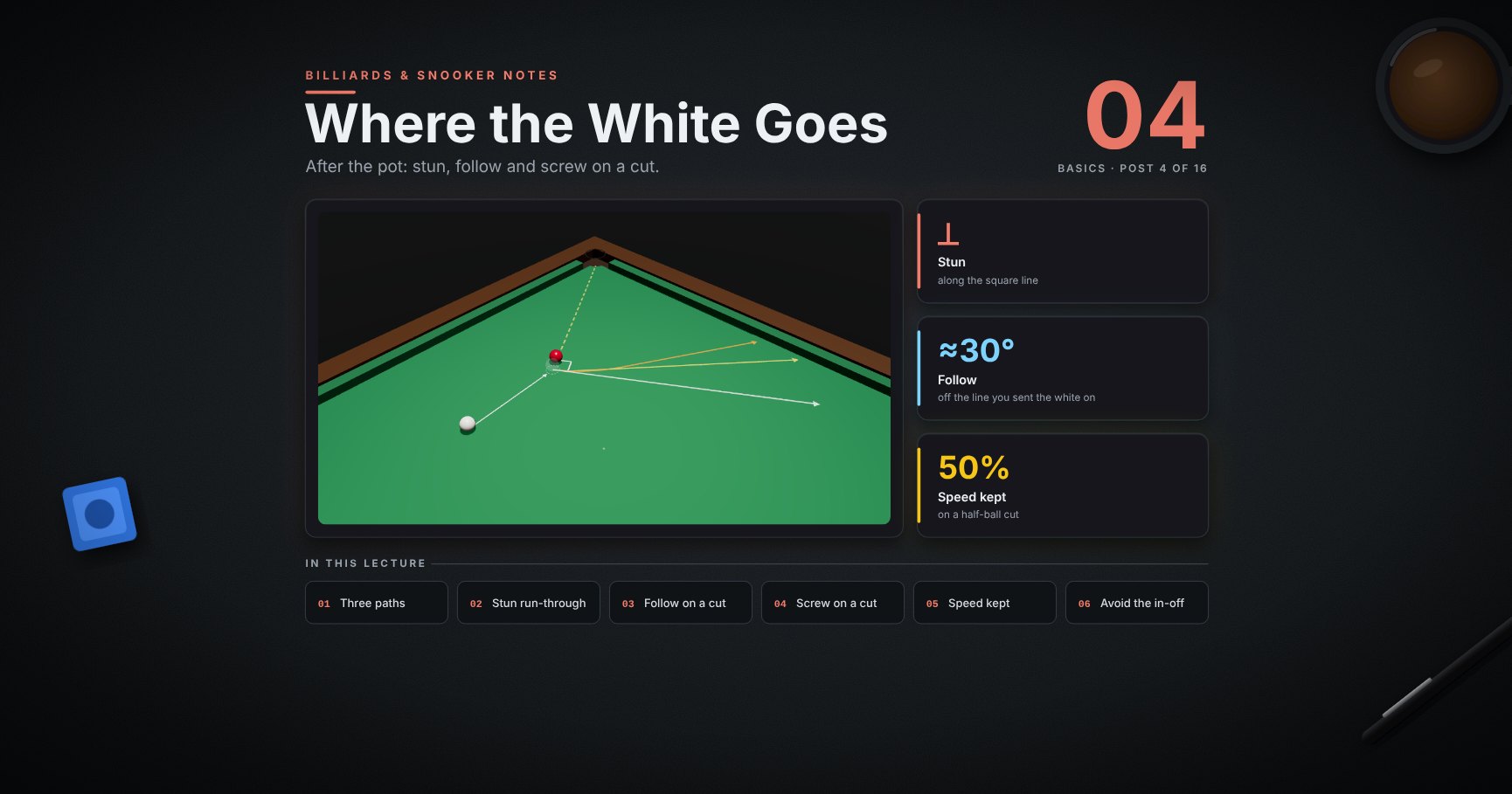
Billiards & Snooker — 04 · Where the White Goes
Post 03 controlled the white on a straight pot. Most pots are cuts, and on a cut the white goes off to the side. This lesson shows where: the square line, the 30° rule, follow and screw on a cut, how power and the cut angle change the path, how much speed the white keeps, and two checks before every shot: in-offs and kisses.
> Series map. ★ Basics: 01 Cue action and elevation → 02 Aiming and potting → 03 Tip and power → 04 Where the white goes (this post) · ★★ Club: 05 Side spin → 06 Cut and side into pockets → 07 Cushions → 08 Doubles · ★★★ Advanced: 09 Escaping snookers → 10 Multi-ball shots → 11 Safety → 12 Position play · ★★★★ Hard: 13 Break-building → 14 Special shots · Reference: 15 Rules, tactics and practice · ★★★★★ Pro: 16 Cue-ball control.
Learning Outcome
- Find the square line on any cut, and send the white along it with a stun.- Send the white a little forward (stun run-through) or about 30° forward (rolling).- Use power and the cut angle to predict how follow and screw bend the white.- Know how much speed the white keeps on full, half and thin cuts.- Check the white's path for a pocket (in-off) and for other balls (kisses).
Chapter 1 — The square line
1 · Three tips, three paths
The same pot, the same aim, three tips:
| Tip | The white goes… ||-----|-----------------|| ▲ above centre (follow) | forwards, bending away from the square line || ■ a little below (stun) | along the square line, at a right angle to the red's path || ▼ low (screw) | back, behind the square line |
The square line (the small white square) is your anchor. Find it first, then decide: forwards of it, on it, or behind it.
2 · Stun run-through on a cut
Between stun and follow there is a whole range. In the model, half ball, power 3, white 40 cm away:
| Tip | The white ends… ||-----|-----------------|| 0.19 R below centre (stun) | on the square line || 0.04 R below centre (stun run-through) | 15° forward of it || 0.35 R above centre (rolling) | 26° forward of it |
> Trick: need the white just a little forward of the square line, for a red a few inches from it? Stun run-through: hit just below centre, a little higher than your stun spot.
3 · Rolling white: about 30°
When the white is rolling (hit above centre, or slow from far away), it ends up turned about 30°, a third of a right angle, from the line you sent it on. That holds for most cuts from ¾ ball to ¼ ball. In the model: ¾ ball 28°, ½ ball 34°, ¼ ball 27°.
> Trick: lay your cue on the table along the white's line, then turn it a third of the way to a right angle. That is where a rolling white goes.
Chapter 2 — Follow and screw on a cut
4 · Watch it: follow on a cut
<div class="bclip"><img class="no-lightbox" src="/assets/billiards/b03clipfollow.webp" alt="Clip: half-ball cut into the corner, tip above centre, power 3. The square line is shown dashed. The white first slides along the square line, then bends forwards"></div>
The white starts along the square line, then the topspin grips and bends it forwards.
5 · Watch it: screw on a cut
<div class="bclip"><img class="no-lightbox" src="/assets/billiards/b03clipscrew.webp" alt="Clip: the same cut, tip low, power 3. The white leaves along the square line, then the backspin pulls it back behind the line"></div>
Low tip: the white leaves along the square line too, then the backspin pulls it back behind the line.
6 · Power decides where the bend starts
Every white leaves along the square line. The spin then takes time to grip. More pace = further along the square line before the bend (model, distance until the white has turned 15°):
| | Power 2 | Power 4 ||-|---------|---------|| follow | 4 cm | 39 cm || screw | 1 cm | 36 cm |
So the same tip spot gives very different paths. A soft shot turns at once; a firm shot keeps the square line for a while, then swings in a wide curve.
> Watch out: a firm screw on a cut does not come straight back. It runs along the square line first. Check that part of the path too.
7 · The cut decides how much screw comes back
The same screw (tip 0.45 R below centre, power 3) on three cuts:
| Cut | The white ends behind the square line by ||-----|------------------------------------------|| ¾ ball | 62° || ½ ball | 40° || ¼ ball | 23° |
The fuller the hit, the more the screw shows. On thin cuts the white keeps most of its forward speed (section 9), so screw only nudges it.
8 · Nearly full cuts
On a nearly straight pot (here ⅞ ball, a 7° cut), the white goes almost straight on with follow or almost straight back with screw. In the model, follow ended 17° off the cue line and screw 26° off it.
This is why nearly straight pots are hard for position: the white can only go forward or back along one line. Leave yourself a bit of angle when you can (post 12).
9 · How much speed the white keeps
On a stun, the speed is split between the two balls:
| Cut | The white keeps | The red gets ||-----|-----------------|--------------|| ¾ ball | 25% | 97% || ½ ball | 50% | 87% || ⅛ ball | 87% | 48% |
(The two shares are the sine and cosine of the cut angle; they add up in speed squared, not in plain numbers.)
So on a thin cut, the white travels a long way and the red only a little: play thin cuts firmer to reach the pocket, and expect the white to run on. On a full hit, the white goes only a short way.
Chapter 3 — Check the white's path
10 · Avoid the in-off
Here the square line points straight at a pocket. A stun sends the white in after the red: an in-off, a foul ✗. Follow or screw move the white off the line ✓.
<div class="bclip"><img class="no-lightbox" src="/assets/billiards/s04clipinoff.webp" alt="Clip: the half-ball pot into the top-right corner with a stun. The square line is drawn dashed from the contact point to the bottom-right corner pocket. The red goes in, and the white runs along the square line into the bottom-right corner"></div>
> Trick: before every cut, look along the square line. If it hits a pocket, choose follow or screw, or change the pace so the white stops short.
11 · Check for kisses
A ball on the white's path changes everything: the white stops, the other ball moves, and your next shot is gone. Here a blue sits 52 cm along the square line. The stun hits it ✗; screw takes the white behind it ✓.
The check is the same as for in-offs: picture the path for your tip and pace, and look along all of it.
Try it at the table
| Drill | Set-up | Look for ||-------|--------|----------|| Square line | a half-ball pot; lay a cue on the table along the square line | stun: the white runs along the cue || Four paths | the same pot with screw, stun, stun run-through, follow | four different landing spots; mark each with a coin || 30° check | top spin on ¾, ½ and ¼ ball cuts | the white turns about the same each time || Power and the bend | follow at power 2, then at power 4 | the firm one runs along the square line first || In-off spotter | a pot whose square line points at a pocket | play it with follow, then with screw, and stay out both times |
Cheat-sheet
| | ||--|--|| Stun | along the square line, at a right angle to the red's path || Stun run-through | just below centre: a little forward of the square line (about 15° on half ball) || Follow | forwards; ends about 30° off the line you sent the white on || Screw | behind the square line; more on fuller cuts (¾: 62°, ½: 40°, ¼: 23°) || Power | firmer = runs along the square line longer before bending || Nearly full | only straight on or straight back || Speed kept | ¾: 25% · ½: 50% · ⅛: 87% || Before every shot | look along the white's path: pockets, balls |
What's next
05 · Side spin. What side really does: squirt, swerve, throw, and side off a cushion, and how to aim with it.
References
- Dr. Dave Alciatore, the 90° rule and the 30° rule (articles, videos and technical proofs). <https://billiards.colostate.edu/>- WPBSA, Official Rules (2022): in-off is a foul. <https://wpbsa.com/rules/>- The speed split on a stun is exact for smooth balls (sine and cosine of the cut angle). The angles, distances and tip heights come from the physics model of the balls at snooker sizes; real tables vary a little, the patterns hold.
> Note: this post is in progress. Planned additions: the same paths into a middle pocket, and where the white goes after the first cushion.




