Dev Essentials — 12 · OWASP Top 10 with Runnable Examples
The OWASP Top 10 is the best-known list of web application security risks. Code reviewers, auditors and job interviews all use it. This post walks through the current edition, OWASP Top 10:2025, one category at a time: what it means in plain words, a tiny vulnerable example you can run on your own machine, and the fix. The examples use Python (FastAPI and sqlite3) with a little JavaScript. Everything runs on localhost. Nothing here should ever be pointed at a system you do not own.
Series map: 01 Text Encoding → … → 11 Auth → 12 OWASP Top 10 (this post) → 13 Caching → … → 24 Desk Health. Part C · Building safely.
Learning Outcome
- Name the ten categories of OWASP Top 10:2025 in order, and say what changed from 2021.
- Spot and fix broken access control (IDOR) and SSRF.
- Stop SQL injection with parameters, NoSQL operator injection with typed input, and XSS with escaping plus a Content Security Policy.
- Recognise misconfiguration, supply chain, crypto, design, integrity, logging and error-handling failures in small code samples.
- Practise attacks legally, on local training apps only.
Chapter 1 — The list, and how to use this post
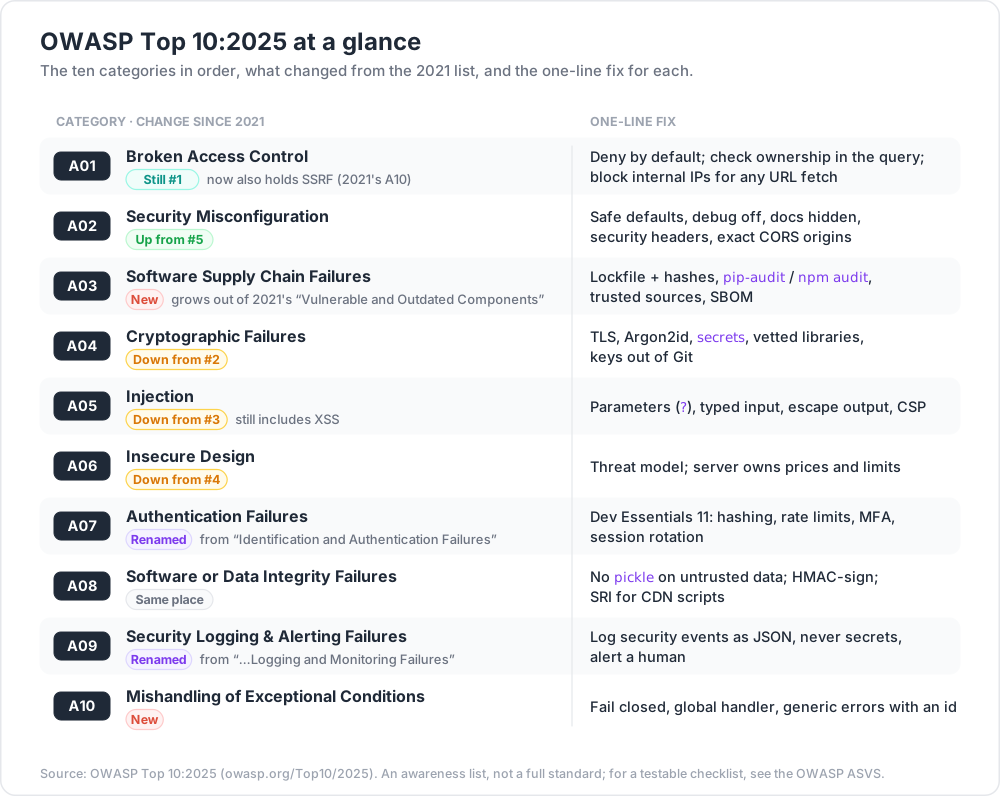
OWASP (the Open Worldwide Application Security Project) builds the list from real vulnerability data plus a community survey. The 2025 edition was presented as a release candidate in November 2025 and is now published as final. It is the current edition as of September 2026. The ten categories, with the exact names and order:
| # | OWASP Top 10:2025 | Where it came from |
|---|---|---|
| A01 | Broken Access Control | Still #1. Now also holds SSRF (2021's A10). |
| A02 | Security Misconfiguration | Up from #5. |
| A03 | Software Supply Chain Failures | New. Grows out of 2021's "Vulnerable and Outdated Components". |
| A04 | Cryptographic Failures | Down from #2. |
| A05 | Injection | Down from #3. Still includes XSS. |
| A06 | Insecure Design | Down from #4. |
| A07 | Authentication Failures | Renamed from "Identification and Authentication Failures". |
| A08 | Software or Data Integrity Failures | Same place. |
| A09 | Security Logging & Alerting Failures | Renamed from "…Logging and Monitoring Failures" to stress alerting. |
| A10 | Mishandling of Exceptional Conditions | New. |
It is an awareness list, not a full standard. For a checklist you can test against, OWASP publishes the ASVS (Application Security Verification Standard).
Setup
Each example is one small file. Every web example has a vulnerable /v1/... route and a fixed /v2/... route, so you can compare them.
1
2
3
4
5
python -m venv .venv
source .venv/Scripts/activate # Git Bash on Windows; .venv/bin/activate on Linux/macOS
pip install fastapi uvicorn
uvicorn a01_idor:app --port 8000 # swap in the file you are testing
1
2
3
4
5
python -m venv .venv
.\.venv\Scripts\Activate.ps1
pip install fastapi uvicorn
uvicorn a01_idor:app --port 8000
In Windows PowerShell 5.1, curl is an alias for Invoke-WebRequest. Type curl.exe to get the real curl, as in the commands below.
Chapter 2 — A01 Broken Access Control
What it is. The app checks that you are logged in, but not what you may touch. Users read other users' data, change IDs in URLs, or call admin endpoints. The classic form is the IDOR (insecure direct object reference): /invoices/2 works for anyone who guesses 2.
1
2
3
4
5
6
7
8
9
10
11
12
13
14
15
16
17
18
19
20
21
22
23
24
25
26
27
# a01_idor.py — Broken Access Control: insecure direct object reference
from fastapi import FastAPI, Header, HTTPException
app = FastAPI()
INVOICES = {1: {"owner": "ada", "total": 120}, 2: {"owner": "bob", "total": 999}}
TOKENS = {"token-ada": "ada", "token-bob": "bob"} # stand-in for a real login
def user_from(token: str) -> str:
if token not in TOKENS:
raise HTTPException(401, "Not logged in")
return TOKENS[token]
@app.get("/v1/invoices/{inv_id}") # VULNERABLE: checks login, not ownership
def invoice_v1(inv_id: int, x_token: str = Header()):
user_from(x_token)
if inv_id not in INVOICES:
raise HTTPException(404)
return INVOICES[inv_id]
@app.get("/v2/invoices/{inv_id}") # FIXED: the record must belong to the caller
def invoice_v2(inv_id: int, x_token: str = Header()):
user = user_from(x_token)
inv = INVOICES.get(inv_id)
if inv is None or inv["owner"] != user:
raise HTTPException(404) # same answer for "missing" and "not yours"
return inv
1
2
3
curl -H "X-Token: token-ada" localhost:8000/v1/invoices/2 # {"owner":"bob","total":999} leak
curl -H "X-Token: token-ada" localhost:8000/v2/invoices/2 # {"detail":"Not Found"}
The fix. Deny by default. Check ownership on the server for every record, ideally in the query itself (WHERE id = ? AND owner = ?). Put the check in one shared place so no route forgets it. Random IDs (UUIDs) make guessing harder but are not access control.
SSRF, now part of A01
Server-Side Request Forgery happens when your server fetches a URL that the user chose. The attacker makes your server call places only it can reach: localhost admin pages, internal services, or the cloud metadata address 169.254.169.254 that can hand out credentials (on AWS, requiring IMDSv2 makes this harder).
1
2
3
4
5
6
7
8
9
10
11
12
13
14
15
16
17
18
19
20
21
22
23
24
25
26
27
28
29
30
31
32
33
# a01_ssrf.py — Server-Side Request Forgery (part of A01 since 2025)
import ipaddress, socket, urllib.request
from urllib.parse import urlparse
from fastapi import FastAPI, HTTPException
app = FastAPI()
@app.get("/v1/preview") # VULNERABLE: fetches any URL it is given
def preview_v1(url: str):
with urllib.request.urlopen(url, timeout=3) as r:
return {"status": r.status, "start": r.read(100).decode("utf-8", "replace")}
ALLOWED_HOSTS = {"example.com", "www.example.com"}
class NoRedirect(urllib.request.HTTPRedirectHandler):
def redirect_request(self, *args, **kwargs):
return None # a redirect could point inside
def resolves_to_public_ip(host: str) -> bool:
addrs = {info[4][0] for info in socket.getaddrinfo(host, None)}
return all(ipaddress.ip_address(a).is_global for a in addrs)
@app.get("/v2/preview") # FIXED: allowlist, public IPs only, no redirects
def preview_v2(url: str):
u = urlparse(url)
if u.scheme not in ("http", "https") or u.hostname not in ALLOWED_HOSTS:
raise HTTPException(400, "URL not allowed")
if not resolves_to_public_ip(u.hostname):
raise HTTPException(400, "URL not allowed")
opener = urllib.request.build_opener(NoRedirect)
with opener.open(url, timeout=3) as r:
return {"status": r.status, "start": r.read(100).decode("utf-8", "replace")}
Run it and ask /v1/preview to fetch the app's own API docs: curl "localhost:8000/v1/preview?url=http://127.0.0.1:8000/openapi.json". The server happily reads an internal address. /v2/preview answers 400 for 127.0.0.1, 169.254.169.254 and file:///....
Watch out: the name can resolve to a public IP when you check it and a private one when you fetch it (DNS rebinding). Strong setups also block outbound traffic at the network level, so the app server simply cannot reach internal ranges.
Chapter 3 — A02 Security Misconfiguration
What it is. The code may be fine, but the settings are not: debug mode in production, default passwords, sample apps left installed, open cloud storage buckets, verbose error pages, API docs exposed to the internet, missing security headers.
1
2
3
4
5
6
7
8
9
10
11
12
13
14
15
16
17
18
19
20
21
# a02_misconfig.py — debug off by default, docs hidden, security headers on
import os
from fastapi import FastAPI
DEBUG = os.environ.get("APP_DEBUG") == "1" # off unless you ask for it
app = FastAPI(debug=DEBUG, redoc_url=None,
docs_url="/docs" if DEBUG else None,
openapi_url="/openapi.json" if DEBUG else None)
@app.middleware("http")
async def security_headers(request, call_next):
resp = await call_next(request)
resp.headers["X-Content-Type-Options"] = "nosniff"
resp.headers["Referrer-Policy"] = "strict-origin-when-cross-origin"
resp.headers["Content-Security-Policy"] = "default-src 'self'; frame-ancestors 'none'"
return resp
@app.get("/boom")
def boom():
return 1 / 0 # with debug on, the 500 page shows a full stack trace
Start the server with debug on, call /boom from a second terminal, then stop the server (Ctrl+C) and start it again with the default:
1
2
3
4
5
6
APP_DEBUG=1 uvicorn a02_misconfig:app --port 8000 # terminal 1: the vulnerable setting
curl localhost:8000/boom # terminal 2: full traceback with file paths and code lines
uvicorn a02_misconfig:app --port 8000 # terminal 1 again: the default
curl localhost:8000/boom # Internal Server Error
curl -I localhost:8000/docs # 404: no public API explorer
1
2
3
4
$env:APP_DEBUG = "1"; uvicorn a02_misconfig:app --port 8000 # terminal 1
curl.exe localhost:8000/boom # terminal 2
Remove-Item Env:APP_DEBUG; uvicorn a02_misconfig:app --port 8000 # terminal 1 again
The fix. Make the safe setting the default and the unsafe one opt-in. Use the same hardened config in every environment, built by a script, not by hand. Remove what you do not use. For CORS, list exact origins; never combine "any origin" with credentials. Check your live headers with curl -I.
Chapter 4 — A03 Software Supply Chain Failures
What it is. Your app is mostly other people's code: packages, base images, build tools, CI actions. This category covers known-vulnerable dependencies (the 2021 idea) and also attacks on the chain itself: typosquatted package names, hijacked maintainer accounts, poisoned build pipelines.
A tiny vulnerable example is a requirements.txt that says only fastapi and requests: no versions, no hashes, so every install trusts whatever is newest. The fix is to list direct dependencies in requirements.in, then pin exact versions with hashes and audit them:
1
2
3
4
5
6
pip install pip-tools pip-audit
pip-compile --generate-hashes requirements.in -o requirements.txt # pins + sha256 hashes
pip install --require-hashes -r requirements.txt # refuses anything else
pip-audit -r requirements.txt # checks known CVEs
npm ci && npm audit # the JavaScript side
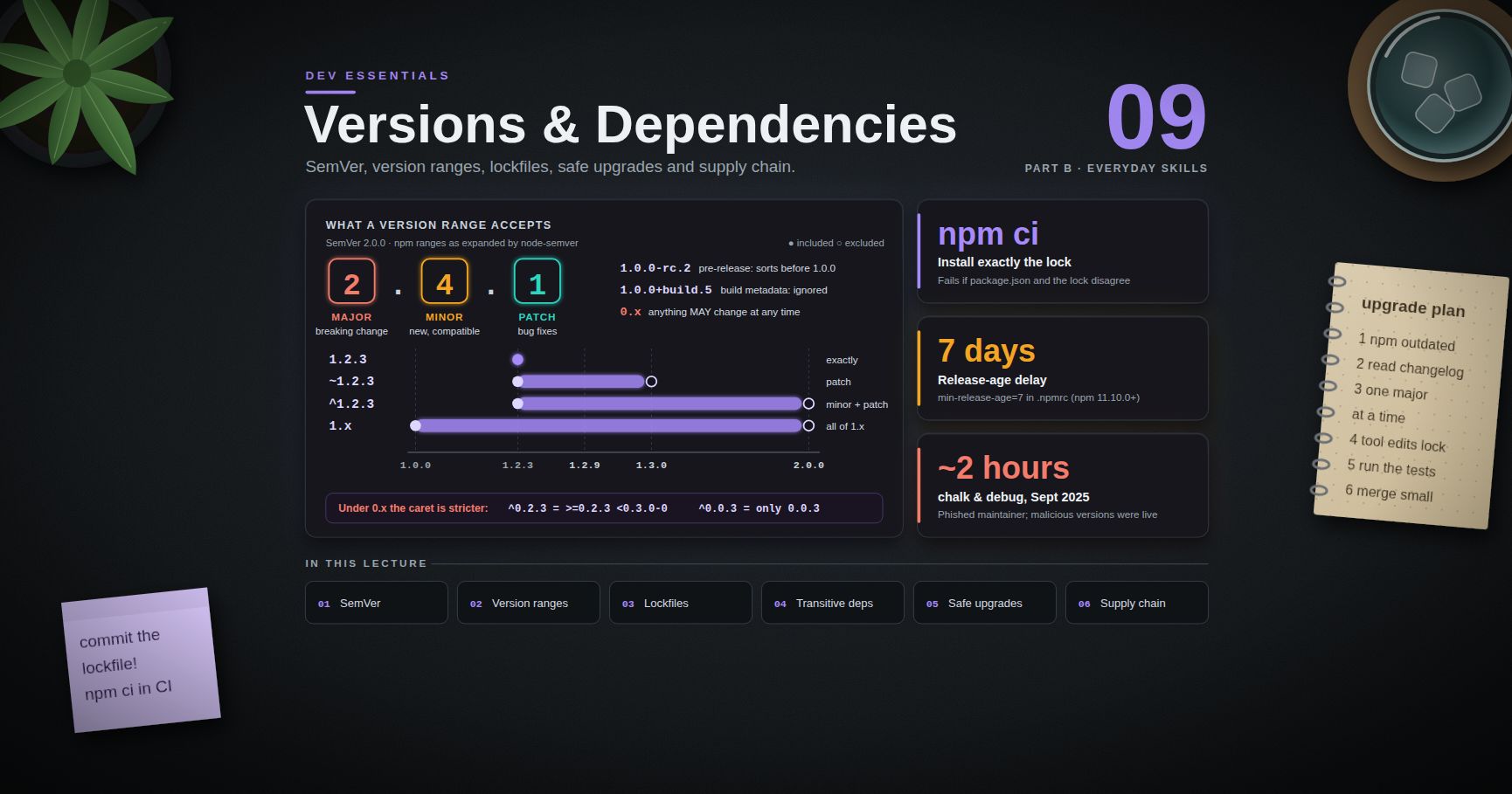
Add a short list of trusted package sources, audits in CI, and an SBOM (a list of every component). Dev Essentials 09 · Versions & Dependencies covers this in depth.
Chapter 5 — A04 Cryptographic Failures
What it is. Sensitive data is exposed because crypto is missing, weak or misused: plain HTTP, passwords stored with MD5, home-made encryption, secrets in source code, or "random" tokens from a predictable generator.
1
2
3
4
5
6
7
# a04_tokens.py
import random, secrets
reset_code_bad = "".join(random.choice("0123456789") for _ in range(6)) # VULNERABLE
reset_token = secrets.token_urlsafe(32) # FIXED
print(reset_code_bad, reset_token)
random is a Mersenne Twister. It is fine for games and simulations, but its output can be predicted after enough samples, and six digits is only a million choices. secrets uses the operating system's secure generator, and 32 bytes is 256 bits.
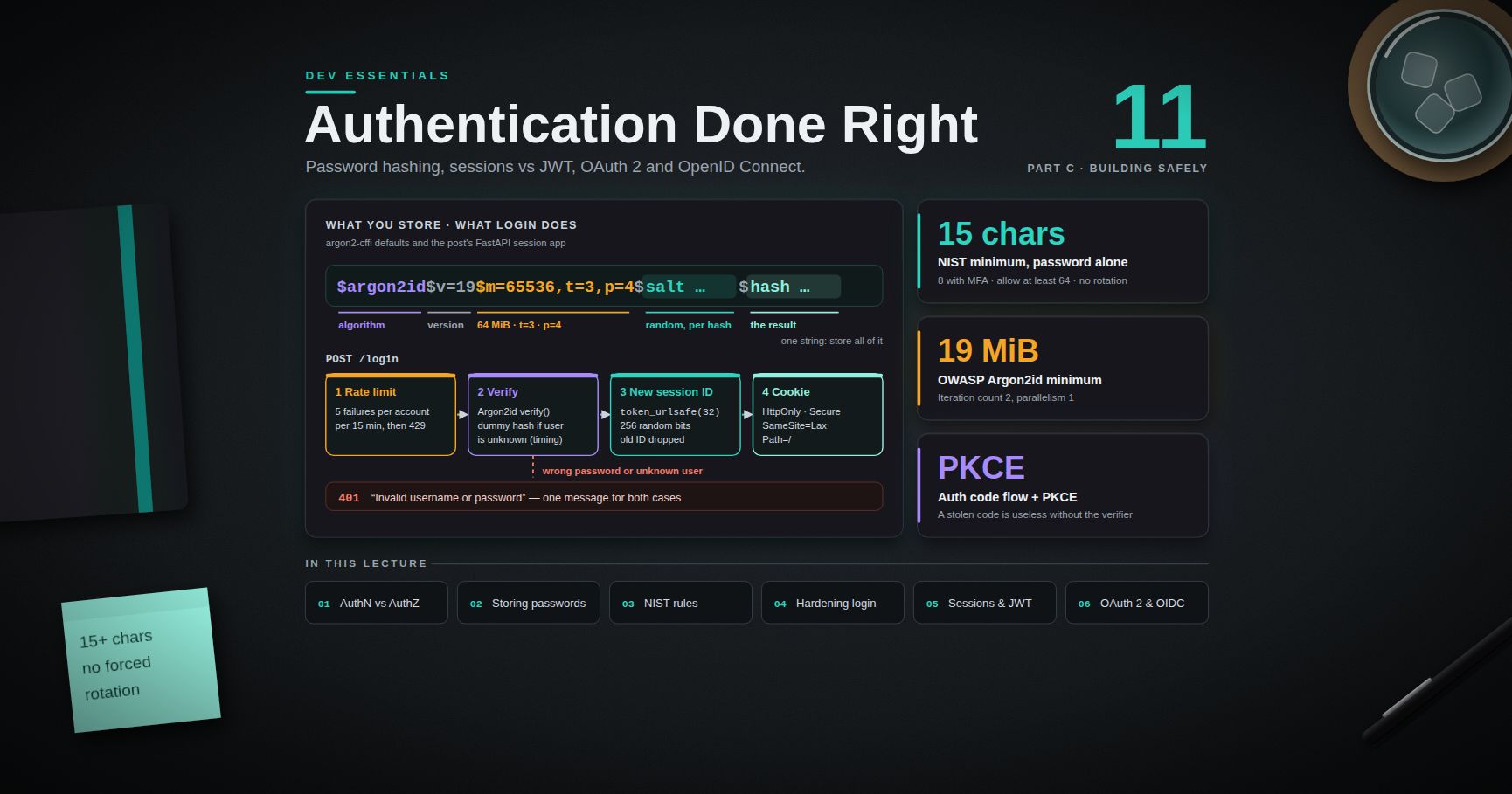
The fix. TLS everywhere (Dev Essentials 07 · HTTPS). Argon2id for passwords (Dev Essentials 11 · Auth). secrets for tokens. Vetted libraries and modes (for example AES-GCM from the cryptography package), never your own cipher. Keys in a secrets manager, not in Git.
Chapter 6 — A05 Injection
What it is. User input is glued into something that gets interpreted: SQL, a NoSQL query object, a shell command, or HTML. The input stops being data and becomes code. OWASP lists SQL, NoSQL, OS command, ORM, LDAP and expression-language injection here, and XSS too.
SQL injection
1
2
3
4
5
6
7
8
9
10
11
12
13
14
15
16
17
18
19
# a05_sqli.py — SQL injection and the parameterized fix
import sqlite3
db = sqlite3.connect(":memory:")
db.execute("CREATE TABLE users (name TEXT, is_admin INTEGER)")
db.executemany("INSERT INTO users VALUES (?, ?)", [("ada", 1), ("bob", 0)])
def find_user_bad(name: str):
sql = f"SELECT name, is_admin FROM users WHERE name = '{name}'" # VULNERABLE
return db.execute(sql).fetchall()
def find_user(name: str):
sql = "SELECT name, is_admin FROM users WHERE name = ?" # FIXED
return db.execute(sql, (name,)).fetchall()
print(find_user_bad("bob")) # [('bob', 0)]
print(find_user_bad("x' OR '1'='1")) # [('ada', 1), ('bob', 0)] every row
print(find_user("x' OR '1'='1")) # [] the input stays plain data
With ? placeholders, the driver sends the query and the values separately. No quote in the value can change the query. Table and column names cannot be placeholders, so if users choose a sort column, check it against an allowlist.
NoSQL operator injection (MongoDB)
MongoDB queries are objects, not strings, so there are no quotes to break. But if a JSON body goes straight into a filter, the attacker can send an operator instead of a value:
1
2
3
4
5
6
7
8
9
10
11
12
# a05_nosql.py — needs a local MongoDB (see MongoDB Course 00) and `pip install pymongo`
from pymongo import MongoClient
users = MongoClient("mongodb://localhost:27017").demo.users
users.insert_one({"username": "admin", "password": "s3cret-plain-text"}) # bad anyway (A04)
def login_bad(body: dict): # body = parsed JSON from the request
return users.find_one({"username": body["username"], "password": body["password"]})
# The attacker posts {"username": "admin", "password": {"$ne": null}}
print(login_bad({"username": "admin", "password": {"$ne": None}})) # admin's document
{"$ne": null} means "not equal to null", which every stored password is. The fix has two layers:
- Type your input. In FastAPI, declare
username: strandpassword: strin a Pydantic model. The object is rejected with422 Input should be a valid stringbefore it reaches the database. Without a framework, checkisinstance(value, str). - Do not match secrets in the query. Look up by username only, then verify an Argon2id hash in code (Dev Essentials 11 · Auth). The password never enters the filter at all.
MongoDB Course 13 · Security covers the database side: authentication, roles, TLS and encryption.
Cross-site scripting (XSS)
XSS is injection into HTML. If user input reaches the page unescaped, its <script> runs in other users' browsers, with their session.
1
2
3
4
5
6
7
8
9
10
11
12
13
14
15
16
17
# a05_xss.py — Cross-site scripting and its fix
import html
from fastapi import FastAPI
from fastapi.responses import HTMLResponse
app = FastAPI()
CSP = "default-src 'self'; object-src 'none'; base-uri 'none'; frame-ancestors 'none'"
@app.get("/v1/hello", response_class=HTMLResponse) # VULNERABLE
def hello_v1(name: str = "world"):
return f"<h1>Hello {name}</h1>"
@app.get("/v2/hello") # FIXED: escape + CSP
def hello_v2(name: str = "world"):
page = f"<h1>Hello {html.escape(name)}</h1>"
return HTMLResponse(page, headers={"Content-Security-Policy": CSP})
Open http://localhost:8000/v1/hello?name=<script>alert(1)</script> in a browser and the alert pops up. On /v2/hello the same input shows as text, because it arrives as <script>….
In the browser, the same rule applies to JavaScript:
1
2
3
4
const name = new URLSearchParams(location.search).get("name");
document.querySelector("#greet").innerHTML = `Hello ${name}`; // VULNERABLE
document.querySelector("#greet").textContent = `Hello ${name}`; // FIXED: always text
The fix. Escape output for its context (HTML body, attribute, URL, JavaScript). Template engines such as Jinja2 do this when autoescaping is on, and React does it unless you use dangerouslySetInnerHTML. Then add a Content Security Policy as a second wall: without 'unsafe-inline', the browser refuses inline scripts even if one slips through. The OWASP CSP Cheat Sheet is clear that CSP "should not be relied upon as the only defensive mechanism against XSS".
Common pitfall: "sanitising" input on the way in with a home-made regex. Escape on the way out, in the right context. If you truly must accept user HTML, use a maintained sanitizer library.
Chapter 7 — A06 Insecure Design
What it is. The flaw is in the plan, not in a line of code. No amount of perfect coding fixes a checkout that trusts the price sent by the browser, or a password reset that allows unlimited guesses of a 4-digit code.
1
2
3
4
5
6
7
8
9
10
11
12
13
14
15
16
17
18
19
20
# a06_design.py
from pydantic import BaseModel, Field
PRICES = {"book": 12.50, "pen": 1.20} # the server owns the prices
def total_bad(body: dict) -> float: # VULNERABLE by design
return body["price"] * body["qty"]
class OrderLine(BaseModel):
sku: str
qty: int = Field(gt=0, le=100) # business rule in the schema
def total(body: dict) -> float: # FIXED
line = OrderLine(**body)
return PRICES[line.sku] * line.qty
print(total_bad({"sku": "book", "price": 0.01, "qty": 3})) # 0.03
print(total_bad({"sku": "book", "price": 12.5, "qty": -3})) # -37.5, a refund
print(total({"sku": "book", "price": 0.01, "qty": 3})) # 37.5, price ignored
total({"sku": "book", "qty": -3}) raises ValidationError: Input should be greater than 0. (For real money, use Decimal or integer cents — see Dev Essentials 08 · Floating Point.)
The fix. Threat-model before you build: for each feature ask "how could this be abused?". Write abuse cases next to user stories. Keep trust decisions on the server, and put limits (quantities, attempts, amounts) into the design.
Chapter 8 — A07 Authentication Failures
What it is. Weak login and session handling: no rate limit (credential stuffing works), weak or breached passwords allowed, messages that reveal which usernames exist, session IDs that survive logout or are not renewed at login, no MFA for sensitive accounts. A typical vulnerable login returns "No such user" for one case and "Wrong password" for the other, compares plain-text passwords with ==, and lets a script retry forever.
The fix. Everything in Dev Essentials 11 · Auth: Argon2id hashes, one generic error message, rate limits, NIST SP 800-63B-4 password rules, MFA or passkeys, and fresh session IDs with safe cookie flags. That post ends with a complete FastAPI login you can reuse.
Chapter 9 — A08 Software or Data Integrity Failures
What it is. The app trusts code or data without checking it was not changed: auto-updates without signatures, CI pipelines anyone can edit, scripts from a CDN without integrity checks, and insecure deserialization — turning attacker-controlled bytes back into live objects.
Python's pickle is the classic case. The official docs warn: "The pickle module is not secure. Only unpickle data you trust." Loading a pickle can run arbitrary code, so pickle.loads(base64.b64decode(request.cookies["prefs"])) is a remote code execution bug. The fix: store plain data as JSON, and sign it with HMAC so any change is detected.
1
2
3
4
5
6
7
8
9
10
11
12
13
14
15
16
17
18
19
20
# a08_signed_cookie.py
import base64, hashlib, hmac, json, secrets
KEY = secrets.token_bytes(32) # load from a secrets manager in real life
def sign(data: dict) -> str:
raw = base64.urlsafe_b64encode(json.dumps(data).encode()).decode()
mac = hmac.new(KEY, raw.encode(), hashlib.sha256).hexdigest()
return f"{raw}.{mac}"
def load(token: str) -> dict:
raw, _, mac = token.rpartition(".")
expected = hmac.new(KEY, raw.encode(), hashlib.sha256).hexdigest()
if not hmac.compare_digest(mac, expected):
raise ValueError("cookie was changed")
return json.loads(base64.urlsafe_b64decode(raw))
t = sign({"theme": "dark", "lang": "en"})
print(load(t)) # {'theme': 'dark', 'lang': 'en'}
If the user edits the JSON part (say, to add "role": "admin"), the MAC no longer matches and load raises. For scripts from a CDN, add Subresource Integrity: <script src="…" integrity="sha384-…" crossorigin="anonymous">.
Chapter 10 — A09 Security Logging & Alerting Failures
What it is. Attacks happen and nobody notices. Failed logins are not logged, logs have no user or IP, nobody gets alerted, or the logs themselves leak passwords and can be forged.
1
2
3
4
5
6
7
8
9
10
11
12
13
14
15
16
17
18
19
20
21
22
23
24
25
# a09_logging.py
import json, logging, time
from collections import defaultdict, deque
logging.basicConfig(level=logging.INFO, format="%(message)s")
log = logging.getLogger("security")
FAILS = defaultdict(deque) # ip -> times of recent failures
def log_login_bad(user, password, ok): # VULNERABLE
log.info(f"login user={user} password={password} ok={ok}")
def log_login(user: str, ip: str, ok: bool): # FIXED
now = time.time()
log.info(json.dumps({"event": "login", "user": user, "ip": ip, "ok": ok, "ts": round(now)}))
if not ok:
q = FAILS[ip]
q.append(now)
while q and now - q[0] > 300: # keep the last 5 minutes
q.popleft()
if len(q) >= 10:
log.warning(json.dumps({"alert": "many failed logins", "ip": ip, "count": len(q)}))
log_login_bad("ada\nlogin user=admin ok=True", "hunter2", False) # forged 2nd line + leaked password
log_login("ada\nlogin user=admin ok=True", "127.0.0.1", False) # newline stays escaped as \n
The bad version writes the password to the log and lets a newline in the username fake a second log line. The good version writes one JSON object per line (JSON escapes the newline), never logs secrets, and raises an alert after 10 failures from one IP in 5 minutes.
The fix. Log security events (logins, access denials, admin actions) with who, what, when and where. Never log passwords, tokens or full card numbers. Ship logs to a central, append-only store. Most important for 2025: turn logs into alerts that a person actually receives, with a playbook for what to do.
Chapter 11 — A10 Mishandling of Exceptional Conditions
What it is. New in 2025. The app does not plan for errors: it fails open (grants access when a check crashes), leaks stack traces, or leaves half-finished work behind. OWASP maps CWEs such as "CWE-209 Error messages containing sensitive information" and "CWE-636 Not failing securely".
1
2
3
4
5
6
7
8
9
10
11
12
13
14
15
16
17
18
19
20
21
22
23
24
25
26
27
28
29
30
31
32
33
34
35
36
# a10_errors.py — fail closed, and never show internals
import logging, uuid
from fastapi import FastAPI, Request
from fastapi.responses import JSONResponse
log = logging.getLogger("app")
app = FastAPI()
def permission_service(user: str, doc: int) -> bool:
raise TimeoutError("policy server did not answer") # simulate an outage
def can_delete_bad(user: str, doc: int) -> bool:
try:
return permission_service(user, doc)
except Exception:
return True # FAIL OPEN: an outage lets everyone delete
def can_delete(user: str, doc: int) -> bool:
try:
return permission_service(user, doc)
except Exception:
log.exception("permission check failed")
return False # FAIL CLOSED: deny when unsure
@app.exception_handler(Exception)
async def unhandled(request: Request, exc: Exception):
error_id = uuid.uuid4().hex[:8] # the user reports this id; the log has the details
log.error("error %s on %s", error_id, request.url.path, exc_info=exc)
return JSONResponse({"error": "internal error", "id": error_id}, status_code=500)
@app.delete("/files/{doc}")
def delete_file(doc: int):
if not can_delete("ada", doc):
return JSONResponse({"error": "forbidden"}, status_code=403)
return {"deleted": doc}
curl -X DELETE localhost:8000/files/7 returns 403 while the permission service is down. Any unhandled error in any route now returns only {"error":"internal error","id":"…"}; the stack trace goes to the log, not to the user.
The fix. Decide the safe outcome for every failure before it happens: deny, roll back the whole transaction, stop the job. Catch errors where you can handle them, have one global handler for the rest, and set limits and timeouts so resources cannot run out.
Chapter 12 — How to practise legally
Attacking a system without permission is a crime in most countries, even "just to test". Never run scanners or payloads against a site you do not own or have written permission to test. Practise on your own code (like every example here), on bug bounty programs strictly inside their written scope, and on training apps:
- OWASP Juice Shop — an intentionally insecure shop app (an OWASP flagship project) with scored challenges. Run it bound to your own machine only, then open
http://localhost:3000:
1
2
docker run --rm -p 127.0.0.1:3000:3000 bkimminich/juice-shop
- PortSwigger Web Security Academy — free online lessons with labs you are explicitly allowed to attack.
Practice Exercises
Exercise 1 — Order the list
Without looking, write A01–A10 of the 2025 list. Which two categories are new, and where did SSRF go?
Solution
A01 Broken Access Control, A02 Security Misconfiguration, A03 Software Supply Chain Failures, A04 Cryptographic Failures, A05 Injection, A06 Insecure Design, A07 Authentication Failures, A08 Software or Data Integrity Failures, A09 Security Logging & Alerting Failures, A10 Mishandling of Exceptional Conditions. New: A03 and A10. SSRF was folded into A01 Broken Access Control.
Exercise 2 — Fix a search query
Make this safe. The user also chooses the sort column.
1
2
3
def search(term, sort):
return db.execute(f"SELECT * FROM books WHERE title LIKE '%{term}%' ORDER BY {sort}").fetchall()
Solution
1
2
3
4
5
6
7
8
SORTABLE = {"title", "year", "author"}
def search(term: str, sort: str):
if sort not in SORTABLE: # identifiers cannot be parameters
sort = "title"
sql = f"SELECT * FROM books WHERE title LIKE ? ORDER BY {sort}"
return db.execute(sql, (f"%{term}%",)).fetchall()
The value goes in as a parameter. The column name comes only from a fixed allowlist.
Exercise 3 — Stored XSS in a comment box
Comments are saved to a database and shown to everyone. The frontend does div.innerHTML = comment.text. Give two fixes, one of them a response header.
Solution
- Render as text:
div.textContent = comment.text(or escape on the server withhtml.escape). - Send a Content Security Policy such as
default-src 'self'; object-src 'none'; base-uri 'none', which blocks inline scripts if escaping is ever missed.
Exercise 4 — Fail open or closed?
A feature flag service times out. Code: enabled = flags.get("new_admin_panel", default=True). What is wrong?
Solution
The default grants access when the service fails. That is failing open (A10). For anything that widens access, the default must be the safe choice: default=False. Also log the failure so someone notices the outage (A09).
Exercise 5 — Supply chain check
List three things to add to a Python project's CI so that A03 problems are caught before release.
Solution
Install with pip install --require-hashes -r requirements.txt from a locked, hashed file. Run pip-audit -r requirements.txt and fail the build on known vulnerabilities. Pin CI actions and base images to exact versions or digests, and produce an SBOM for each release.
Cheat-sheet
| 2025 category | One-line fix |
|---|---|
| A01 Broken Access Control | Deny by default; check ownership in the query; block internal IPs for any URL fetch |
| A02 Security Misconfiguration | Safe defaults, debug off, docs hidden, security headers, exact CORS origins |
| A03 Software Supply Chain Failures | Lockfile + hashes, pip-audit / npm audit, trusted sources, SBOM |
| A04 Cryptographic Failures | TLS, Argon2id, secrets, vetted libraries, keys out of Git |
| A05 Injection | Parameters (?), typed input, escape output, CSP |
| A06 Insecure Design | Threat model; server owns prices and limits |
| A07 Authentication Failures | Dev Essentials 11: hashing, rate limits, MFA, session rotation |
| A08 Software or Data Integrity Failures | No pickle on untrusted data; HMAC-sign; SRI for CDN scripts |
| A09 Security Logging & Alerting Failures | Log security events as JSON, never secrets, alert a human |
| A10 Mishandling of Exceptional Conditions | Fail closed, global handler, generic errors with an id |
What's next
Dev Essentials 13 · Caching moves from safety to speed: HTTP cache headers, CDNs, Redis, and the hard part — invalidation. It also shows why a careless cache can leak one user's page to another, which is an access-control bug in disguise.
References
- OWASP Top 10:2025 — Introduction and changes
- OWASP Top 10 repository (release status)
- OWASP Cheat Sheet Series — SQL Injection Prevention, XSS Prevention, SSRF Prevention, Content Security Policy
- OWASP ASVS
- Python docs —
sqlite3placeholders,picklewarning,secrets - pip-audit
- MDN — Content Security Policy
- OWASP Juice Shop — GitHub
- PortSwigger Web Security Academy
Note: this post is in progress. Planned additions: a CSRF example with SameSite cookies, an OS command injection demo, and a walk-through of five Juice Shop challenges mapped to the 2025 categories.