

Billiards & Snooker — 16 · Cue-Ball Control: Pro Patterns
Post 12 showed where to send the white. This post shows how good players choose the shot that gets it there: they read every tip and power for one pot like a map, set pace before spin, open the reds off the blue, pick the key ball before the last red, and plan the six colours as one chain. Every picture is a physics-model run, drawn with the balls and the cue only.
> Series map. ★ Basics: 01 Cue action and elevation → 02 Aiming and potting → 03 Tip and power → 04 Where the white goes · ★★ Club: 05 Side spin → 06 Cut and side into pockets → 07 Cushions → 08 Doubles · ★★★ Advanced: 09 Escaping snookers → 10 Multi-ball shots → 11 Safety → 12 Position play · ★★★★ Hard: 13 Break-building → 14 Special shots · Reference: 15 Rules, tactics and practice · ★★★★★ Pro: 16 Cue-ball control (this post).
Learning Outcome
- Read one pot as a map of where the white can finish.- Know which choices still pot the ball, and which leave it short.- Set the pace first, then the tip.- Pick the zone, then read the map backwards for the shot.- Open the reds off the blue, and choose the key ball before the last red.- Plan the six colours as one chain of short, easy moves.
Chapter 1 — Read the white's options
1 · The position map
One red, one pocket, one cut (30°). Only the tip and the power change. Each ring is where the white stops. Good players know this map for the pots they meet most, before they get down on the shot.
2 · Which choices pot the red
Not every choice works. The same map as a table (model):
| Power | Tip | Red | White stops ||-------|-----|-----|-------------|| 2 | screw | stops short ✗ | – || 2 | stun | stops short ✗ | – || 2 | roll | potted | 22 cm from the black spot || 2 | follow | potted | 6 cm from the black spot || 3 | screw | potted | 15 cm off the bottom side cushion || 3 | stun | potted | 27 cm below the black spot || 3 | roll | potted | 38 cm from the pink spot || 3 | follow | potted | 18 cm off the bottom cushion, near the middle pocket |
- Screw and stun need pace. Backspin slows the white before contact, so at power 2 the red does not reach the pocket.- Follow at power 2 runs onto the black spot. In a frame the black is there: the white would kiss it.- Follow at power 3 heads for the middle pocket. It stops 18 cm off the cushion here; a little more pace risks an in-off.
> Watch out: a shot that leaves perfect position but does not pot is the worst shot on the map. The pot comes first.
3 · Pace first, then tip
Change only the power, and the end points spread over 222 cm. Change only the tip at power 3, and they spread over 148 cm (model).
| Roll, power | The white travels ||-------------|-------------------|| 2 | 117 cm || 3 | 217 cm || 4 | 358 cm |
So pace is the bigger lever. Choose the pace that takes the white to the zone, then use the tip to bend the path. A pace you play every day is worth more than a big spin you play once a frame.
> Trick: practise the same pot at three set paces until each one lands in its own ring. That is the map in your arm.
4 · Pick the zone, then read the map backwards
Start from the next ball, not from this one:
| Next ball | Zone (section 1 map) | The shot ||-----------|----------------------|----------|| the black, into a top corner | near the black spot, a little off it | roll, power 2 || the black, from below | 27 cm below the black spot | stun, power 3 || a red near the pink | below the pink | roll, power 3 || a ball on the bottom side cushion | 15 cm off it, level with the black | screw, power 3 || the blue | towards the bottom middle pocket | follow, power 3, watch the in-off |
The pro habit: zone → ring on the map → tip and power. If two choices reach the zone, take the one with the softer pace and the plainer tip.
Chapter 2 — The reds
5 · Into the reds off the blue
Early in a frame the reds are still in a bunch behind the pink. A good way in is off the blue (coaching advice): pot the blue and let the white carry on into the reds. Here the blue is a 55° cut into the top middle pocket. Two choices (model):
| Choice | The white's next ball | Reds moved more than 30 cm ||--------|-----------------------|----------------------------|| stun, power 3 | the pink ✗ | 1 || screw, power 4 | a red ✓ | 2 |
Stun sends the white along the tangent line, straight into the pink: a kiss you cannot plan. Screw bends the path behind that line, and the extra pace carries the white into the side of the reds.
> Watch out: opening the reds is not a pot. Plan where the white ends too: here it runs on to the top end, near the black.
6 · The key ball
The key ball is the colour you take with the last red, chosen so the white lands for the yellow (coaching advice). Here the last red is gone and the white sits just above the blue. What each colour leaves (model):
| Key ball | Pots? | The white ends | The yellow next ||----------|-------|----------------|-----------------|| blue, bottom middle, power 3 stun | yes | near the baulk cushion, 65 cm from the yellow | easy: 13° into the bottom middle ✓ || pink | yes, 10 ways in the model | power 2 roll: at the top end, 268 cm away | not easy from any of the 10 ✗ || black | no pocket at a cut of 45° or less | – | – |
"Easy" here means: the white 25–120 cm from the yellow, a cut of 8–35°, the yellow within 150 cm of the pocket, and both lines clear.
> Trick: choose the key ball before you pot the last red, then play the last red to land on it.
Chapter 3 — The colours as one chain
7 · Plan all six first
After the last red, the colours go yellow to black and stay down. Before the yellow, good players walk the whole chain in their head: each pot sends the white to an easy angle on the next colour. Here is one chain the model found, from the white just right of the yellow:
| # | Ball | Pocket | Power | Tip | The white moves | Next ball, cut ||---|------|--------|-------|-----|-----------------|----------------|| 1 | yellow | bottom left | 3 | roll | 75 cm | green, 17° || 2 | green | top middle | 3 | roll | 72 cm | brown, 22° || 3 | brown | bottom left | 3 | stun | 121 cm | blue, 26° || 4 | blue | top middle | 2 | follow | 193 cm | pink, 17° || 5 | pink | bottom middle | 3 | roll | 111 cm | black, 21° || 6 | black | top right | 2 | roll | 82 cm | – |
8 · Shot by shot
Look at what the chain does not use: no power 4 or 5, no hard screw, no side. Every next cut is between 17° and 26°: an angle to work with, never straight and never thin.
> Trick: an angle of about 15–30° on the next ball is what lets the next shot move the white (post 12, section 3).
9 · The long move: the blue
The biggest move in the chain is 193 cm, off the blue (shot 4). It is still a power 2 shot: follow does the work and the white runs with the natural angle up the table. The long move is played with the softest pace that gets there, so the error stays small.
> Common pitfall: hitting the blue hard "to get up the table". The extra pace spreads the stopping point (section 3), and the pink cut becomes a guess.
10 · When position goes wrong
Even good players miss the zone. Then (coaching advice):
| You are left with | Do this ||-------------------|---------|| a pot, but no shot onto the next ball | look for another pocket for this ball first || a long or thin pot | play the pot with a safety in mind: pace that leaves the white safe if it misses (post 11) || no fair pot | play the safety now, not the gamble || a ball the plan skipped | re-plan from here: three balls ahead again |
11 · The pro checklist
Before each shot in a break:
| Ask | Section ||-----|---------|| Which zone for the next ball, and the one after? | 4, 7 || Which ring on the map lands there? | 1 || Does that choice still pot the ball? | 2 || Can I get there with less pace? | 3 || Is the path clear of other balls and pockets? | 2 (kiss, in-off) || Before the last red: which key ball? | 6 || If I miss the zone, what is the next-best shot? | 10 |
Try it at the table
| Drill | Set-up | Look for ||-------|--------|----------|| The map | the section 1 red and white; play the six potting choices | each white stops in its own ring || Short at power 2 | the same red, power 2 screw | the red stops short: feel it, then add pace || Pace ladder | the same red, roll, power 2, 3, 4 | three clearly different stopping places || Zone first | a friend names a zone; you choose tip and power | land in it three times out of five || Off the blue | the section 5 set-up | the white reaches the reds after the blue || The chain | the colours on their spots, the white just right of the yellow | clear all six with power 2–3 only |
Cheat-sheet
| | ||--|--|| Map | for one pot: every tip and power, and where the white stops || Pot first | power 2 screw or stun can leave the red short || Pace first | pace spreads the ending more than the tip (222 cm vs 148 cm here) || Backwards | next zone → ring on the map → tip and power || Reds | open them off the blue, with screw and pace || Key ball | choose the colour with the last red that leaves the yellow || Colours | short moves, power 2–3, a 17–26° angle on each next ball || Gone wrong | another pocket, a pot with safety in mind, or the safety |
Planned future extensions
The series ends here for now. It is numbered so later lessons can slot in without retitling the posts above.
| Possible post | What it would add ||---------------|-------------------|| 17 · Reading the pack | how reds split by where and how hard the white hits the pack || 18 · Long potting | the long red and long blue in detail, with the cue action checks || 19 · Doubles and plants, harder | two-cushion doubles, a plant off a cushion || 20 · Match play | the first frames, playing a faster or slower opponent, keeping calm || 21 · Equipment | tips, chalk, cue weight and length, and how they change a shot || 22 · Six-red and other formats | the Six Reds rules and how the tactics change |
What's next
This is the last lesson for now. Go back to 12 · Position play and 13 · Break-building with the map in mind: each picture there is one ring on a map like section 1.
References
- WPBSA, Official Rules of the Games of Snooker and English Billiards (2024-25): the colours after the last red, and re-spotting. <https://www.wpbsa.com/rules/>- Dr. Dave Alciatore, cue ball control, natural angles and position zones. <https://billiards.colostate.edu/>- The map, the pace spread, the pack shots and the colour chain come from the physics model used in this series; your table and your pace will differ. The key ball, the 15–30° angle and the "when it goes wrong" choices are coaching advice.
> Note: this post is in progress. Planned additions: a map for a straight pot and a 60° cut, and a black-ball line-up with the key ball.

Billiards & Snooker — 15 · Rules, Tactics and Practice
The last lesson is the one to keep open on your phone at the club. It covers the table and its spots, how a frame starts, playing from the D, the fouls you meet most and what happens after them, the miss and the free ball, how a frame ends (and the re-spotted black), counting the points left, tactics when you are ahead or behind, the line-up drill, a practice session, and table manners.
> Series map. ★ Basics: 01 Cue action and elevation → 02 Aiming and potting → 03 Tip and power → 04 Where the white goes · ★★ Club: 05 Side spin → 06 Cut and side into pockets → 07 Cushions → 08 Doubles · ★★★ Advanced: 09 Escaping snookers → 10 Multi-ball shots → 11 Safety → 12 Position play · ★★★★ Hard: 13 Break-building → 14 Special shots · Reference: 15 Rules, tactics and practice (this post) · ★★★★★ Pro: 16 Cue-ball control.
Learning Outcome
- Know the table, its lines and where each colour sits.- Start a frame and play correctly from the D.- Know the common fouls, their penalties and your choices after one.- Know how a frame ends, and when you need snookers.- Choose a plan from the score: attack, play normally, or lay snookers.- Practise with a plan, and behave well at the table.
Chapter 1 — The table and the start
1 · The table
| Part | Where ||------|-------|| Playing area | 3569 × 1778 mm (a full-size table) || Baulk line | 737 mm from the baulk cushion || The D | a half-circle on the baulk line, radius 292 mm || Yellow, brown, green | on the baulk line: yellow and green at the ends of the D, brown in the middle || Blue | the centre of the table || Pink | half-way between the blue and the top cushion || Black | 324 mm from the top cushion |
Seen from the baulk end, the yellow is on the right of the D and the green on the left. Club tables are often smaller; the spots keep the same pattern.
2 · Starting a frame
- The 15 reds go in a tight triangle, the front red as close to the pink as it can be without touching it, the back row parallel to the top cushion.- The colours go on their spots.- Toss a coin (or agree) for who breaks. After that, the players take turns to break, frame by frame.- The first shot is from in-hand (the white placed in the D), and the ball on is a red.
The usual break-off is the safety from post 11: a thin touch on the end red, and back to baulk.
3 · Playing from the D
The white is in-hand at the start of a frame, after it goes in a pocket or off the table, and for a re-spotted black. Then:
- place it on or inside the lines of the D (on the line counts);- you may then play in any direction, even back towards the baulk cushion;- if the tip touches the white while you are only placing it, it does not count as a shot.
> Trick: move the white along the D before you settle. A few centimetres often turns a thin cut into an easy one, or opens a safety line.
Chapter 2 — Fouls
4 · The fouls you meet most
Every penalty is at least 4, and more if a higher-value ball is involved (blue 5, pink 6, black 7). The points go to your opponent; you lose nothing from your own score. If two fouls happen in one shot, only the higher penalty counts.
> Common pitfall: a foul on the black ball costs 7, even if the ball on was a red. Brushing the black with your sleeve is the classic one.
5 · After a foul: two choices
After your opponent fouls, you choose:
1. play the next shot yourself from where the balls are; or2. make your opponent play again from there.
Choose 2 when the position is bad for whoever plays next: a hard snooker, or a ball on a cushion. Choose 1 when there is a pot or an easy safety. (A foul and a miss adds a third choice, below.)
6 · The miss and the free ball
Post 09 has the full story. In short:
- Foul and a miss: the referee thinks you did not try your best to hit the ball on. Your opponent may also have the balls put back and make you play the same shot again.- If you had a clear, straight path to the full ball and missed, the next miss from the same spot gets a warning, and a third can lose the frame.- Free ball: if a foul leaves you snookered, you may name any ball as the ball on for one shot. It scores as the ball on (1 if reds are on).
Club games often play without the miss rule; agree before the frame.
7 · Touching ball, push and jump
| Spot | The rule (post 14) ||------|-------------------|| The white touching a ball | play away from it; if that ball is on, you need not hit any ball || The white almost touching | a normal stroke is a push; a very fine edge is allowed || A ball in the way | jumping over it is always a foul; go round it |
Chapter 3 — The end of a frame
8 · How a frame ends
- When only the black is left, the first pot or foul ends the frame.- If the scores are then equal, the black is re-spotted: toss a coin for who plays first, that player plays from in-hand, and again the first pot or foul wins.
So a foul on the last black gives your opponent 7 points and ends the frame: if that puts them ahead, they win. On a re-spotted black, a safe first shot (thin, white back to baulk) is usually better than a long pot.
9 · Points left, and needing snookers
Points left = reds × 8 + 27 (post 13). When only colours are left, add up the colours still on the table:
| Colour on | Points left ||-----------|-------------|| yellow | 27 || green | 25 || brown | 22 || blue | 18 || pink | 13 || black | 7 |
If you are behind by more than the points left, you "need snookers": potting alone cannot catch up.
Conceding. You may offer to give up the frame, and your opponent may say no and play on. In WPBSA play you may not concede while you still have a chance (until somebody needs snookers); club manners are the same.
10 · Tactics: ahead or behind?
| Score | Plan (coaching advice) ||-------|------------------------|| Ahead by more than the points left | take only easy pots; play safe; clear balls off cushions so snookers are hard to lay || Close | your normal game; pot when the odds are good, safety when they are not (post 11) || Behind by more than the points left | play for snookers, best behind the last colours, where few balls are left to escape to (post 09) |
> Trick: when you need snookers, pot what you can first. Each pot lowers the points you need from fouls.
Chapter 4 — Practice
11 · The line-up
The best single drill in snooker. Put the 15 reds in a line on the long middle line, between the blue and the black, colours on their spots. Then play red, colour, red, colour… as in a match:
- Level 1: any colour after each red.- Level 2: only the black, pink or blue.- Level 3: only the black, and do not let the white touch another red.
Write down your best break. Every lesson in this series (pots, stun, angles, position, opening reds) is in it.
12 · A practice session
Coaching advice: short drills first (cue action, a long pot, the three strokes), then a long drill that uses them all, then safety. Score every drill, for example pots out of 10, and keep the numbers. Two or three sessions a week beat one long one.
> Watch out: practise the shots you miss, not only the ones you like. Pick one weak drill from posts 02–14 each week.
13 · Table manners
Custom more than rules, but expected in every club:
- shake hands before and after the frame;- when your opponent plays, sit or stand still, away from their line of sight, and stay quiet;- call your own fouls in a friendly game, even if nobody saw;- a raised hand for a lucky pot (a fluke) is polite;- do not concede while the frame can still be won (section 9);- leave the table tidy: balls back, chalk off the cushions.
Try it at the table
| Drill | Set-up | Look for ||-------|--------|----------|| Know the spots | an empty table | place all six colours on their spots from memory || The D | white anywhere in the D, a red near a middle pocket | find the spot in the D that gives the easiest angle || After a foul | your friend lays a snooker on a red | decide: play it, or make them play again || Count | stop a frame at random | say the points left, and who needs snookers || Re-spotted black | the black on its spot, white in-hand | play a safe first shot back to baulk || Line-up | post section 11 | beat your best break |
Cheat-sheet
| | ||--|--|| Table | 3569 × 1778 mm; baulk line 737 mm; D radius 292 mm; black 324 mm from the top || Start | reds in a triangle by the pink; white in-hand; ball on a red; players take turns to break || In-hand | anywhere on or inside the D, any direction || Penalty | at least 4; the higher-value ball if one is involved; 7 for reds twice in a row || After a foul | play, or make them play again (and, after a miss, put the balls back) || Free ball | snookered after a foul: name any ball as the ball on || End | the last black: first pot or foul; equal scores: re-spotted black || Points left | reds × 8 + 27; colours: 27, 25, 22, 18, 13, 7 || Behind by more | you need snookers || Practice | the line-up, and score every drill |
What's next
16 · Cue-ball control: pro patterns. Position the professional way: a position map for one pot, breaking the pack from the blue, the key ball, and the colours cleared shot by shot.
References
- WPBSA, Official Rules of the Games of Snooker and English Billiards (2024-25): the table (Section 1 Rule 1), in-hand (Section 2 Rule 9), the start and order of play (Section 3 Rules 2 and 3), the end of the frame (Section 3 Rule 4), playing from in-hand (Section 3 Rule 5), fouls and penalties (Section 3 Rules 10 and 11), free ball (Rule 12), foul and a miss (Rule 14), conceding (Section 4 Rule 2). <https://www.wpbsa.com/rules/>- The frame tactics, practice session and table manners are coaching advice and club custom, not rules.
> Note: this post is in progress. Planned additions: a picture of each spot on the D, and a printable practice score sheet.

Billiards & Snooker — 14 · Special Shots
Some spots need an unusual shot. This lesson covers cue elevation and how much it curves the white, swerve and massé, cueing over a ball, the two fouls to know (the jump shot and the push stroke), a touching ball, a ball in the jaws, and how to choose when a spot has several answers.
> Series map. ★ Basics: 01 Cue action and elevation → 02 Aiming and potting → 03 Tip and power → 04 Where the white goes · ★★ Club: 05 Side spin → 06 Cut and side into pockets → 07 Cushions → 08 Doubles · ★★★ Advanced: 09 Escaping snookers → 10 Multi-ball shots → 11 Safety → 12 Position play · ★★★★ Hard: 13 Break-building → 14 Special shots (this post) · Reference: 15 Rules, tactics and practice · ★★★★★ Pro: 16 Cue-ball control.
Learning Outcome
- Know what "the cue raised" means, and how much each angle curves the white.- Play a swerve and know what a massé is.- Cue over a ball at the right angle.- Avoid the jump shot and the push stroke.- Play from a touching ball and pot a ball in the jaws.- List every answer to an awkward spot before you choose.
Chapter 1 — A raised cue
1 · How high is the cue?
"Raising the cue" means lifting the butt (the back end), so the cue comes down at the white. The yellow wedge is the angle to the cloth.
| About | Used for ||-------|----------|| 3° | every normal shot (as low as the rail lets you) || 12° | the white near a cushion (post 07) || 20° | swerve || 60° | massé |
2 · More elevation, more curve
The same aim and side (right-hand, 0.6 R), power 2, only the cue raised more each time (model, squirt switched off to show the curve alone):
| Cue raised | Off the aiming line after 1 m ||------------|-------------------------------|| level | 0 || 10° | 10 cm || 20° | 20 cm || 30° | 32 cm || 45° | 55 cm |
The white curves towards the side you use, and most of the bend happens early, while it is still sliding. More pace means it slides further before it bends (post 05).
> Watch out: a raised cue makes a clean hit harder and the tip more likely to slip. Raise it only as much as the shot needs.
3 · Swerve round a ball
<div class="bclip"><img class="no-lightbox" src="/assets/billiards/b15clipswerve.webp" alt="Clip from behind the white with the cue raised and the tip on the right of the white. The white starts to the left of the blue, curves back to the right after passing it, and hits the red"></div>
Post 09 showed the swerve escape: aim past the blocking ball, side towards the ball you want, butt raised about 20°, power 3. Only about 1° of aims made it round (model), so use it when the cushions are shut.
4 · Massé: a big curve from close range
When the blocking ball is too close for a swerve, a massé curves the white much more. Here the blue is only 20 cm in front (model):
| Cue | The same aim (13–17° to the right of the blue's centre) ||-----|------------------------------------------------------|| level | hits the blue ✗ || raised 60°, left-hand side, power 2 | curves round the blue into the red ✓ |
About 5° of aim worked. Massé is hard to control and hard on the cloth; many clubs do not like it. Learn it on a practice table, and prefer any cushion route that is open.
> Watch out: at 60° the tip must hit the white down and to the side, not into the cloth. A miscue can mark the cloth.
5 · Cueing over a ball
When a ball sits just behind the white, the cue has to go over it. With a red 15 cm behind, the cue rises about 17°, so the tip meets the white from above: expect a little swerve if you use side, and less screw. Out of reach, the spider or swan holds the cue over the balls at a similar angle (post 01).
Chapter 2 — Two fouls to know
6 · The jump shot is a foul
A jump shot is the white passing over any part of a ball (WPBSA, simplified; it is allowed only when the white first hits another ball and then jumps). The penalty is the value of the ball on, at least 4.
Unlike pool, snooker has no legal jump shot over a ball in the way. The answers are a cushion, a swerve or a massé.
7 · The push stroke and the fine edge
A push stroke is the tip still touching the white after it starts moving, or when the white meets the ball (picture above, right). The penalty is the value of the ball on or the ball hit, at least 4.
When the white is almost touching a ball, a normal stroke is a push. The rule allows one way out: a very fine edge, so thin that the tip has gone before the contact. Otherwise, play a different ball, or away.
8 · A touching ball
If the white stops touching a ball on (or one that could be on), the referee calls "touching ball":
- play the white away from it (green) without moving it; moving it is a push stroke;- if that ball is on, you do not need to hit any ball at all;- if it could be on (a colour after a red), declare it, then the same applies.
So a touching ball is often a gift: play away to a safe place with nothing to hit.
9 · A ball in the jaws
| Red | Room in the aim (model) ||-----|-------------------------|| in the jaws (power 1) | 5.4°: almost any contact pots it || 50 cm out (power 2) | 1.0° |
> Common pitfall: the white follows it in. At power 1 no aim went in-off; at power 2 the fullest hits did. Play it soft, or a little thin, so the white goes away from the pocket.
Chapter 3 — Choosing
10 · Many answers: how to choose
| Spot | Answers | Choose by… ||------|---------|------------|| a ball blocks the red | one cushion, two or three cushions (09), swerve, massé | the most room; curve only when cushions are shut || a ball right behind the white | cue over it (or the spider) | the lowest cue that clears it || white almost touching a ball | a very fine edge, or play another ball | no push stroke || touching a ball on | play away to safety, or pot another red | what is safest for you afterwards || red in the jaws | pot it soft or thin; use it for a plant (10) | the white's path after || red near a cushion | cut it, double it (08), or play safe (11) | the double kiss risk (08) |
> Trick: say the options out loud before you get down. Players who see only one answer often miss a better one.
Try it at the table
| Drill | Set-up | Look for ||-------|--------|----------|| Elevation ladder | the white, a coin 1 m away; right side, cue level then 10°, 20°, 30° | how far right of the coin it ends || Swerve | a colour 60 cm in front, a red 80 cm beyond | curve round, then hit the red || Massé (practice table) | a colour 20 cm in front, a red behind and to the side | a soft, controlled curve || Over a ball | a red 15 cm behind the white | a clean centre-ball hit with the cue raised || Fine edge | the white 2 mm from a red | a thin hit with no push || Jaws | a red over the corner pocket, the white 1 m away | ten pots without an in-off |
Cheat-sheet
| | ||--|--|| Raised cue | the butt lifted: 3° normal, 12° cushion, 20° swerve, 60° massé || Curve | grows with elevation: 10 / 20 / 32 / 55 cm after 1 m at 10 / 20 / 30 / 45° (model) || Swerve | aim past, side towards the target, about 20° || Massé | blocking ball close; about 60°; practise first || Over a ball | the cue raised about 17° with a red 15 cm behind || Jump shot | always a foul in snooker || Push stroke | foul; a very fine edge is allowed || Touching ball | play away without moving it; no need to hit a ball if it is on || Jaws | soft or thin to stay out |
What's next
15 · Rules, tactics and practice. The rules you meet most, frame tactics, and practice routines to build all of this into your game.
References
- WPBSA, Official Rules (2024-25): push stroke and jump shot (Section 2 Rules 19, 20), touching ball (Section 3 Rule 8), penalty values (Section 3 Rule 11). <https://www.wpbsa.com/rules/>- Dr. Dave Alciatore, swerve, massé and cue elevation; pocketing balls in the jaws. <https://billiards.colostate.edu/>- Curves, the massé and the jaws come from the physics model (raised-cue swerve, ball-cloth friction). Real curve depends a lot on the cloth and your cue; learn yours with the drills. The views on massé in clubs are coaching advice.
> Note: this post is in progress. Planned additions: a ball in the jaws of the middle pocket, and the swerve with screw.

Dev Essentials — 24 · Desk Health — Eye Strain, Posture, Movement and Setup
Developers spend thousands of hours a year at a screen. Dry, tired eyes, a stiff neck and sore wrists are common, and mostly avoidable. This last post of the series covers eye strain, desk and chair setup, movement and breaks, simple stretches, warning signs, and sleep. Each recommendation carries an evidence label, because some advice rests on solid research and some is just sensible habit. It ends with a checklist and a small script to measure your own setup, then looks back over the whole series.
> Series map: 01 Text Encoding → … → 22 Design Docs → 23 Money Basics → 24 Desk Health (this post). Part E · Growth outside code.
> Watch out: this post is educational, not medical advice. See a doctor, physiotherapist or eye-care professional if you have pain that does not go away, numbness or tingling, weakness, or any change in your vision. Do not wait for a checklist to tell you something is wrong.
Learning Outcome
- Read the evidence labels and know what each one means.- Explain what causes digital eye strain and apply the 20-20-20 rule.- Set screen distance, screen height, lighting and text size to published targets.- Set chair, desk, keyboard and mouse for a neutral posture, including on a laptop.- Explain why movement matters more than one "perfect" posture.- Say what the Cochrane review found about sit-stand desks.- Recognise the warning signs of repetitive strain injury (RSI).- Measure your own setup and check it with a short script.
Chapter 1 — Evidence labels
| Label | Meaning ||-------|---------|| Strong evidence | Many good studies agree; systematic reviews support it || Moderate evidence | Some good studies or a review, but with limits (short follow-up, mixed results) || Limited evidence | Few, small or low-quality studies; could change with better research || Expert guidance | Recommended by official or professional bodies (OSHA, AOA, AAO, NHS), mostly on ergonomic principles rather than trials || Rule of thumb | A handy simplification; useful, but the exact numbers are not research results || Anecdotal | People report it helps; no good evidence either way |
Most desk advice is expert guidance. That is not a weakness; it just means you should adjust it to your body instead of treating the numbers as exact.
Chapter 2 — Digital eye strain
Terminology
- Digital eye strain (also called computer vision syndrome) — tired, dry, sore or blurry eyes and headaches after long screen use.- Accommodation — the eye's focusing effort. Near work keeps the focusing muscles working.- Glare — bright light reflecting off the screen or shining into your eyes.
Causes
- Less blinking. The American Academy of Ophthalmology (AAO) says people normally blink about 15 times a minute, but only about 5 to 7 times a minute while using computers. The eye surface dries.- Long near focus without a break.- Glare and poor lighting.- Screen too close, too high or too far.- Uncorrected vision problems. The American Optometric Association (AOA) lists them as a cause. An eye test can fix what no desk setup can.
The AAO states that eye strain does not injure the eye and does not cause permanent damage. It is still worth fixing: it is uncomfortable and makes work harder.
The 20-20-20 rule — expert guidance; one small trial
Every 20 minutes, look at something at least 20 feet (about 6 m) away for at least 20 seconds. Both the AAO and the AOA recommend it. The AOA also suggests resting the eyes for 15 minutes after two hours of continuous computer use (expert guidance).
What does research say? A 2023 study in Contact Lens and Anterior Eye (Talens-Estarelles and colleagues) gave 29 computer users break-reminder software for two weeks. Eye strain and dry-eye symptoms improved while they used it, but the gains were gone one week after they stopped. Binocular vision and tear-film measures did not change. The study is small and short, so treat it as limited evidence that the habit helps while you keep it up.
Screen distance and height — expert guidance
| Source | Distance | Height ||--------|----------|--------|| OSHA computer workstations eTool | 20-40 in (50-100 cm), eye to screen | Top of the screen at or slightly below eye level; centre of the screen 15-20° below horizontal eye level || AOA | 20-28 in (about 51-71 cm) | Centre of the screen 15-20° below eye level (about 4-5 in, 10-13 cm) || AAO | About 25 in (about 64 cm), roughly arm's length | Gaze slightly downward |
They agree: about an arm's length away, top edge near eye level, and you look slightly down. OSHA adds that people with bifocals may need the screen lower, so they do not tilt their head back to read through the bottom of the lens.
Lighting and glare — expert guidance
- Place the monitor side-on to windows (OSHA: perpendicular to the window), not facing them or with them behind it. Use blinds (AOA).- Match screen brightness to the room (AAO). A bright screen in a dark room, or a dim screen in a bright room, both strain.- Tilting the screen back too far can catch overhead lights (OSHA). Tilt it so it faces your line of sight.- A matte screen filter can cut glare (AAO).
Text size — rule of thumb
If you lean in to read, the text is too small. Increase the zoom or the system scaling instead of moving closer. OSHA notes text may need to be bigger on smaller monitors.
Blue light and dry eyes
- Blue-light glasses — moderate evidence against. The AAO does not recommend them and says there is no scientific evidence that light from computer screens damages the eyes. A 2023 Cochrane review (17 studies, 619 people) found blue-light filtering lenses may not reduce eye strain from computer use in the short term.- Dry eyes — blink on purpose during breaks, and the AAO suggests artificial tears when eyes feel dry (expert guidance).- Dark mode — anecdotal. Many people find it comfortable, especially at night. There is no strong reason to choose one theme over the other; use what feels better.
> Common pitfall: buying gadgets before booking an eye test. An out-of-date prescription, or none at all, is a common cause that no filter can fix.
Chapter 3 — Posture and setup
OSHA's neutral posture — expert guidance
OSHA's eTool describes a neutral working posture:
- Hands, wrists and forearms straight, in line, roughly parallel to the floor.- Elbows close to the body, bent between 90 and 120 degrees.- Shoulders relaxed, upper arms hanging normally.- Feet fully supported by the floor, or by a footrest if the desk is not adjustable.- Thighs supported and roughly parallel to the floor; knees about level with the hips.- Back fully supported, with lumbar (lower-back) support, upright or leaning back slightly.- Head level, facing forward, balanced over the torso.
Set up in this order
1. Chair first. Set the height so your whole foot rests on the floor and the back of the knee is slightly higher than the seat (OSHA). The seat should support most of your thigh without pressing into the back of the knee. Move the lumbar support to fit the small of your back.2. Keyboard at elbow height. OSHA: elbows about the same height as the keyboard, wrists straight, not bent up, down or sideways. Put the mouse right next to the keyboard to avoid reaching.3. If the desk is too high, raise the chair and add a footrest. If it is too low, raise the desk.4. Screen last, using Chapter 2's targets.
Cornell University's ergonomics guide adds that a slightly reclined seated posture of about 100-110 degrees is better than a bolt-upright 90 degrees (expert guidance).
Laptops — expert guidance
Cornell's guide calls laptop design "inherently" problematic: when the screen is at a good height, the keyboard is not, and the other way round. For regular long sessions:
- Raise the laptop on a stand so the top of the screen is near eye level.- Use an external keyboard and mouse at elbow height.- Or use an external monitor and keep the laptop as a second screen.
The best posture is the next posture — expert guidance
No single position is safe for eight hours. Workplace-safety bodies such as WorkSafeNB (Canada) use the phrase "the best posture is your next posture", and OSHA advises changing position through small adjustments, stretching, standing and walking. A 2019 viewpoint in the Journal of Orthopaedic & Sports Physical Therapy (Slater and colleagues, expert opinion) argues there is little strong evidence that "sitting up straight" prevents back pain. The practical message: set up a comfortable, supported base position, then move often.
Chapter 4 — Sitting time, breaks and standing desks
What the Cochrane review found — limited evidence
The Cochrane review "Workplace interventions for reducing sitting at work" (Shrestha and colleagues, 2018; searches up to August 2017) is the latest version found for this post. It included 34 studies with 3,397 office workers from high-income countries.
- Sit-stand desks reduced workplace sitting by about 84 to 116 minutes per workday in the short term, and about 57 minutes a day at 3-12 months.- The quality of evidence was low to very low for most interventions, mainly due to study design limits and small samples.- The effects of policies, information and counselling were mostly inconsistent.- There was no evidence on longer-term effects, and the review did not show health benefits such as less disease.
So: a sit-stand desk probably helps you sit less, at least at first. Whether that improves long-term health is not proven.
Break patterns
- Cornell's 20-8-2 pattern — rule of thumb. About 20 minutes sitting, 8 minutes standing, 2 minutes moving and stretching. Cornell presents it as a "ball park goal", not an exact prescription.- Cornell's break types — expert guidance: short eye breaks, micro-breaks (under 2 minutes), and a rest break every 30-60 minutes where you stand up and move.- Standing all day is not the goal. Long, still standing has its own discomfort. Alternate.
A tiny reminder script (stop with Ctrl+C):
rings the terminal bell where the terminal supports it. A timer app or an OS focus feature does the same job.
Chapter 5 — Simple stretches — expert guidance
These are from the NHS "sitting exercises" guide, adapted for a desk break. Move slowly, stay within a comfortable range, and stop if anything hurts. The NHS advises a stable chair without wheels for these, so push your office chair against a wall or use another chair.
| Stretch | How | Dose (NHS) ||---------|-----|-----------|| Chest stretch | Sit tall, away from the backrest. Pull shoulders back and down, arms out to the sides, gently push the chest forward and up | Hold 5-10 s, 5 times || Upper-body twist | Sit tall, feet flat, arms crossed to opposite shoulders. Turn the upper body to one side without moving the hips, then the other | Hold 5 s, 5 each side || Neck rotation | Sit tall, shoulders down. Turn the head slowly towards one shoulder as far as comfortable, back to centre, then the other side | Hold 5 s, 3 each side || Ankle stretch | Hold the chair, straighten one leg off the floor, point the toes away, then pull them back towards you | 2 sets of 5 per foot || Hip marching | Hold the chair sides, lift one bent knee, lower it with control, then the other | 5 per leg |
Stretching during breaks mainly helps you feel less stiff. This post does not claim it prevents injury; the evidence for that is not established here.
Chapter 6 — RSI warning signs — expert guidance
Repetitive strain injury (RSI) is pain in muscles, nerves and tendons from repeated movement and overuse. Typing is one of the listed causes, along with poor posture at work. The NHS lists symptoms that usually start gradually:
- Pain that may feel burning, aching or throbbing- Stiffness and weakness- Tingling, pins and needles, or numbness- Muscle cramps- Swelling
The NHS advises seeing a GP (a family doctor) if symptoms do not go away or get worse. Numbness, tingling or weakness deserve a professional look sooner rather than later.
> Common pitfall: pushing through wrist or forearm pain to finish a sprint. Early, mild symptoms are the cheap time to change your setup, take breaks and get advice. Do not self-diagnose from the internet.
Chapter 7 — Sleep and learning
- Sleep helps memory — strong evidence (mainly lab studies). A major review (Rasch and Born, Physiological Reviews, 2013) sums up over a century of research: sleep after learning helps you keep what you learned, and memories are actively consolidated during sleep.- How much — expert guidance. The American Academy of Sleep Medicine and the Sleep Research Society (2015 consensus) recommend 7 or more hours per night on a regular basis for adults aged 18 to 60.- Practical rule — rule of thumb. Study or learn a new tool earlier in the day, then sleep, instead of cutting sleep to cram late at night. A tired brain also writes more bugs (see Dev Essentials 10 · Debugging).
Chapter 8 — Measure your own setup
This post gives no formula for desk or screen height from body height. No official source verified for this post gives one, and bodies differ (long legs, short torso, and so on). Measure instead. Sit in your normal work position and use a tape measure. Measure in centimetres from the floor.
| # | Check | Target | Source ||---|-------|--------|--------|| 1 | Feet | Flat on floor or footrest; back of knee slightly above seat | OSHA || 2 | Thighs | Roughly parallel to floor, supported | OSHA || 3 | Back | Supported; lumbar support in the small of the back; 100-110° recline is fine | OSHA, Cornell || 4 | Elbows | Close to body, 90-120° | OSHA || 5 | Keyboard | About elbow height; wrists straight | OSHA || 6 | Mouse | Right next to the keyboard | OSHA || 7 | Screen distance | 50-100 cm (about arm's length) | OSHA, AAO || 8 | Screen top | At or slightly below eye level | OSHA || 9 | Screen centre | 15-20° below horizontal eye level | OSHA, AOA || 10 | Windows | Screen side-on to windows | OSHA || 11 | Brightness | Matches the room | AAO || 12 | Breaks | 20-20-20 for eyes; stand and move every 30-60 min | AAO, AOA, Cornell |
The script below checks the measurable items. Replace the numbers with yours.
Output for the example desk with an external monitor:
The same person working on a laptop flat on the desk (, , , ):
That is Cornell's laptop problem in numbers: the screen is far too low and the keyboard too high at the same time. A stand plus an external keyboard fixes both.
Practice Exercises
Exercise 1 — Measure and check
Measure the eight values in for your own desk and run it.
<details><summary>Solution</summary>
Measure while sitting normally, not sitting up extra straight for the tape measure. Fix items in the order of Chapter 3: chair, then keyboard, then screen. Changing the chair height changes every other number, so re-measure after each change.
</details>
Exercise 2 — Screen height from the angle
Your eyes are 120 cm from the floor and the screen is 60 cm away. At what heights should the screen centre be for a 15° and a 20° downward gaze?
<details><summary>Solution</summary>
The screen centre belongs about 98-104 cm from the floor, which is 16-22 cm below the eyes.
</details>
Exercise 3 — Label the evidence
Label each claim: (a) "a sit-stand desk makes you sit less", (b) "blue-light glasses cure eye strain", (c) "look 6 m away every 20 minutes", (d) "20 minutes sitting, 8 standing, 2 moving".
<details><summary>Solution</summary>
(a) Limited evidence for less sitting in the short term (Cochrane: low to very low quality); health benefits unproven. (b) The evidence points the other way: the AAO does not recommend them, and a Cochrane review found they may not reduce eye strain. (c) Expert guidance from the AAO and AOA, plus one small trial that found benefits only while people kept doing it. (d) Rule of thumb (Cornell calls it a ball-park goal).
</details>
Exercise 4 — Glare audit
Sit at your desk at the time of day you work most. Turn the screen off and look at the black glass. What do you see reflected?
<details><summary>Solution</summary>
Windows or ceiling lights in the reflection are glare sources. Turn the desk so the screen is side-on to windows, close blinds, reduce the backward tilt, or move the light. Turn the screen on again and match its brightness to the room.
</details>
Exercise 5 — Break routine
Run for one working day. Count how many reminders you actually followed.
<details><summary>Solution</summary>
If you ignored most, the interval or the action is wrong for you, not the idea. Try linking breaks to natural pauses instead: after each commit, each test run, or each meeting. The 2023 trial suggests the benefit lasts only while the habit does, so choose something you can keep.
</details>
Exercise 6 — Laptop fix plan
Using the laptop output in Chapter 8, what is the smallest change that fixes all three lines?
<details><summary>Solution</summary>
A laptop stand that raises the screen by about 13-18 cm, plus an external keyboard and mouse placed at elbow height. Check it with the script: raising by 15 cm gives a screen top 8 cm below the eyes and a centre about 18° down. Raising by 23 cm would put the top at eye level but the centre only about 10° down, which is too high. Raising the chair instead would fix the keyboard line but make the screen angle worse.
</details>
Cheat-sheet
| Area | Target | Evidence ||------|--------|----------|| Eye breaks | 20-20-20; 15 min rest after 2 h continuous (AOA) | Expert guidance; one small trial || Screen distance | 50-100 cm; about arm's length | Expert guidance || Screen height | Top at or slightly below eye level; centre 15-20° down | Expert guidance || Glare | Screen side-on to windows; brightness matches room | Expert guidance || Blue-light glasses | Not recommended by the AAO | Moderate evidence of no benefit || Elbows / keyboard | 90-120°, keyboard at elbow height, wrists straight | Expert guidance || Chair | Feet flat, knee slightly above seat, lumbar support | Expert guidance || Laptop | Stand + external keyboard and mouse | Expert guidance || Posture | Move often; "the best posture is the next posture" | Expert guidance || Sit-stand desk | Less sitting short term (84-116 min/day) | Limited evidence || 20-8-2 | Sit 20, stand 8, move 2 | Rule of thumb || RSI signs | Pain, stiffness, weakness, tingling, numbness, cramps, swelling → see a professional | Expert guidance || Sleep | 7+ hours for adults 18-60; sleep helps memory | Expert guidance; strong evidence |
What's next
This post closes Dev Essentials. The five parts fit together:
- Part A · Real bugs, explained (01-04): Text Encoding, Dates & Time Zones, Git Rescue Kit, Line Endings — the bugs that waste the most hours.- Part B · Everyday skills (05-10): Command Line, Regex, HTTPS, Floating Point, Versions & Dependencies, Debugging — the tools you use every day.- Part C · Building safely (11-16): Auth, OWASP Top 10, Caching, API Reliability, Testing, CI/CD — how to ship code you can trust.- Part D · AI tools (17-19): How LLMs Work, Coding with AI Agents, RAG — working well with the new tools.- Part E · Growth outside code (20-24): Reading Papers, Estimating, Design Docs, Money Basics, Desk Health — the skills that make a long career work.
A good way to revisit the series: pick the one post whose topic bit you most recently, and do its exercises again.
Planned follow-up series: precise measurement, CAD and building your own furniture, for example designing and building a standing desk fitted to the measurements you took in Chapter 8.
Planned future extensions
| Idea | Would fit in | What it would cover ||------|--------------|---------------------|| Docker basics | Part B · Everyday skills | Images, containers, volumes, Compose; running a dev database locally || SQL fundamentals | Part B · Everyday skills | SELECT, JOIN, GROUP BY, indexes, reading a query plan || Linux permissions | Part B · Everyday skills | Users, groups, , , , file modes || Observability | Part C · Building safely | Logs, metrics, traces; what to alert on || Accessibility | Part C · Building safely | Semantic HTML, keyboard use, contrast, screen-reader testing || Web performance profiling | Part C · Building safely | Browser dev tools, Core Web Vitals, finding slow code || Public speaking | Part E · Growth outside code | Structuring a tech talk, slides, practice, handling questions |
References
- AAO — Computers, Digital Devices and Eye Strain- AAO — Eye Strain (20-20-20 rule)- AAO — Are Blue Light-Blocking Glasses Worth It?- AOA — Computer Vision Syndrome (Digital Eye Strain)- Talens-Estarelles et al. (2023), Testing the 20-20-20 rule, Contact Lens and Anterior Eye 46(2):101744 (DOI)- Singh et al. (2023), Blue-light filtering spectacle lenses, Cochrane Library- OSHA eTool — Computer Workstations: Monitors- OSHA eTool — Good Working Positions- OSHA eTool — Chairs · Keyboards- Cornell University — Computer Workstation Ergonomics Guidelines- Cornell University — Sit-stand programs (20-8-2)- WorkSafeNB — Why the best posture is your next posture- Slater et al. (2019), "Sit Up Straight": Time to Re-evaluate, JOSPT- Cochrane — Workplace interventions for reducing sitting at work (2018)- NHS — Sitting exercises- NHS — Repetitive strain injury (RSI)- Rasch and Born (2013), About Sleep's Role in Memory, Physiological Reviews (PMC)- AASM and SRS — adult sleep duration consensus (2015)
> Note: this post is in progress. Planned additions: photos of a measured setup before and after, a standing-desk height section tied to the furniture/CAD follow-up series, and a short guide to choosing a chair.

Billiards & Snooker — 13 · Break-building
A break is a run of pots in one visit. This lesson puts everything together: what each ball is worth and the maximum, how many points are left on the table, the black-ball game round the black spot, staying close with an angle, using the other colours, opening the reds, dealing with problem reds early, the colours in order and how they are spotted, and when to stop and play safe.
> Series map. ★ Basics: 01 Cue action and elevation → 02 Aiming and potting → 03 Tip and power → 04 Where the white goes · ★★ Club: 05 Side spin → 06 Cut and side into pockets → 07 Cushions → 08 Doubles · ★★★ Advanced: 09 Escaping snookers → 10 Multi-ball shots → 11 Safety → 12 Position play · ★★★★ Hard: 13 Break-building (this post) → 14 Special shots · Reference: 15 Rules, tactics and practice · ★★★★★ Pro: 16 Cue-ball control.
Learning Outcome
- Know the ball values, the order of play and the maximum break.- Count the points left, and know when you need snookers.- Build a break round the black with short, angled positional shots.- Plan when to open the reds and when to clear problem reds.- Clear the colours in order, and know where a colour is spotted.- Know when to stop and play safe.
Chapter 1 — The score
1 · What each ball is worth
- While reds are on the table: a red, then any colour. The colour comes back on its spot.- After the last red and its colour: the colours in order, yellow to black, and they stay down.
The maximum is 15 reds each with the black, then all the colours: 15 × 8 + 27 = 147.
2 · Points left on the table
The most points left = reds left × 8 + 27.
| Reds left | Points left ||-----------|-------------|| 15 | 147 || 10 | 107 || 5 | 67 || 3 | 51 || 1 | 35 || 0 | 27 |
If you are behind by more than this, potting alone cannot win: you need your opponent to give away fouls (you "need snookers"). Count it before you take on a risky pot late in a frame.
Chapter 2 — Building
3 · The black-ball game
Most big breaks are built round the black spot: reds near it, the black after each red. Three shots from the model:
| Shot | Ball and pocket | Tip, power | The white ends… | Next ball ||------|-----------------|------------|-----------------|-----------|| 1 | red, top right | a little above centre, power 3 | above the black | black at a 16° cut || 2 | black, bottom right | screw, power 3 | to the left of the spot | red at a 9° cut || 3 | red, bottom right | a little above centre, power 3 | below the black | black at a 15° cut |
After each black, the black goes back on its spot, so you can plan round a fixed point.
4 · Stay close
In those three shots the white moved only 65, 76 and 68 cm (start to finish in a straight line). Short moves mean:
- small pace errors (post 12);- short next pots, with lots of room (post 02);- fewer balls in the way.
> Trick: when the reds are near the black, think "small circles round the black spot" rather than big trips round the table.
5 · An angle on every ball
Every next pot in the sequence had a cut between 9° and 16°: never dead straight, never thin. That is the angle from post 12, kept shot after shot. If one shot leaves you straight, the next is often a stun or screw just to keep going, with no choice of where the white goes.
6 · Use the pink and the blue too
The black is worth most, but it is not always the best colour:
- the black's pot may be blocked, or its angle may send the white the wrong way;- the pink and blue sit nearer the middle of the table, close to reds that have spread;- a safe blue that keeps the break going beats a risky black that ends it.
Coaching advice: choose the colour by where it sends the white, not by its value alone.
7 · Open the reds early
Reds in a tight pack cannot be potted. Open them while you are still in, and while the colours around them are on their spots:
- pot a red or a colour and let the white run into the side of the pack (post 10);- choose the pace: one step softer leaves a few reds out, one step firmer spreads them (post 10);- do it from a shot where the pot itself is easy.
8 · Problem reds first
Some reds can only be potted one way: on a cushion, near the baulk end, or touching another ball. Coaching advice: take them early, while there are other reds for the white to go to afterwards. Leave them to the end and they finish the break.
Chapter 3 — The colours
9 · Clearing the colours
After the last red, the colours go in order: yellow, green, brown, blue, pink, black, together worth 27. Plan each one for the next, exactly as in post 12. The pockets in the picture are common choices (coaching advice), not rules.
10 · Where a colour is spotted
While reds remain, a potted colour goes back on its own spot. If that spot is taken by another ball (WPBSA rules, simplified):
1. it goes on the highest-value spot that is free;2. if several colours need spotting, the highest-value one goes first;3. if every spot is taken, it goes as near its own spot as possible, between the spot and the top cushion (the short cushion at the black end).
So a red sitting on the black spot can send the black somewhere else. Check before you plan the next shot.
11 · When to stop and play safe
Keep going while the next pot is one you make most of the time. Stop when:
- the only pot left is long, thin, or a plant, and a miss leaves your opponent in (post 11);- the white has run out of position and the next pot is a gamble;- you are well ahead and a safety keeps it that way.
A break of 30 and a good safety usually beats a break of 30 and a missed long pot.
Try it at the table
| Drill | Set-up | Look for ||-------|--------|----------|| Black-ball circle | five reds round the black spot | red, black, red, … without leaving the top end || Short moves | the same; mark where the white stops | each move under about 1 m || Angle check | the same | no dead-straight black || Blue and pink | reds spread near the middle | use the blue or pink when the black sends the white wrong || Line-up | 15 reds in a line across the table, colours on spots | pot them all with colours || Clearance | only the colours on their spots | yellow to black in order |
Cheat-sheet
| | ||--|--|| Values | red 1, yellow 2, green 3, brown 4, blue 5, pink 6, black 7 || Order | red, colour, red, …; then yellow → black || Maximum | 15 × 8 + 27 = 147 || Points left | reds × 8 + 27 || Black-ball game | small circles round the black spot || Every shot | short moves, a 10–30° angle on the next ball || Colours | choose by where the white goes, not only by value || Reds | open the pack early; problem reds first || Spot taken | the highest free spot || Stop | when the next pot is a gamble |
What's next
14 · Special shots. Swerve and massé, the jump shot (and why it is a foul), a touching ball, a ball in the jaws, and other awkward spots.
References
- WPBSA, Official Rules (2024-25): ball values, order of play (Section 3 Rules 1 and 3), spotting colours (Section 3 Rule 7). <https://www.wpbsa.com/rules/>- Dr. Dave Alciatore, cue ball control and pattern play. <https://billiards.colostate.edu/>- The three-shot sequence comes from the physics model; the pockets for the colours, the pink and blue choices and when to stop are coaching advice.
> Note: this post is in progress. Planned additions: a full line-up drill drawn shot by shot, and breaking up the pack from the blue.
Dev Essentials — 23 · Money Basics for Engineers — Budget, Emergency Fund, Compound Interest and Index Funds
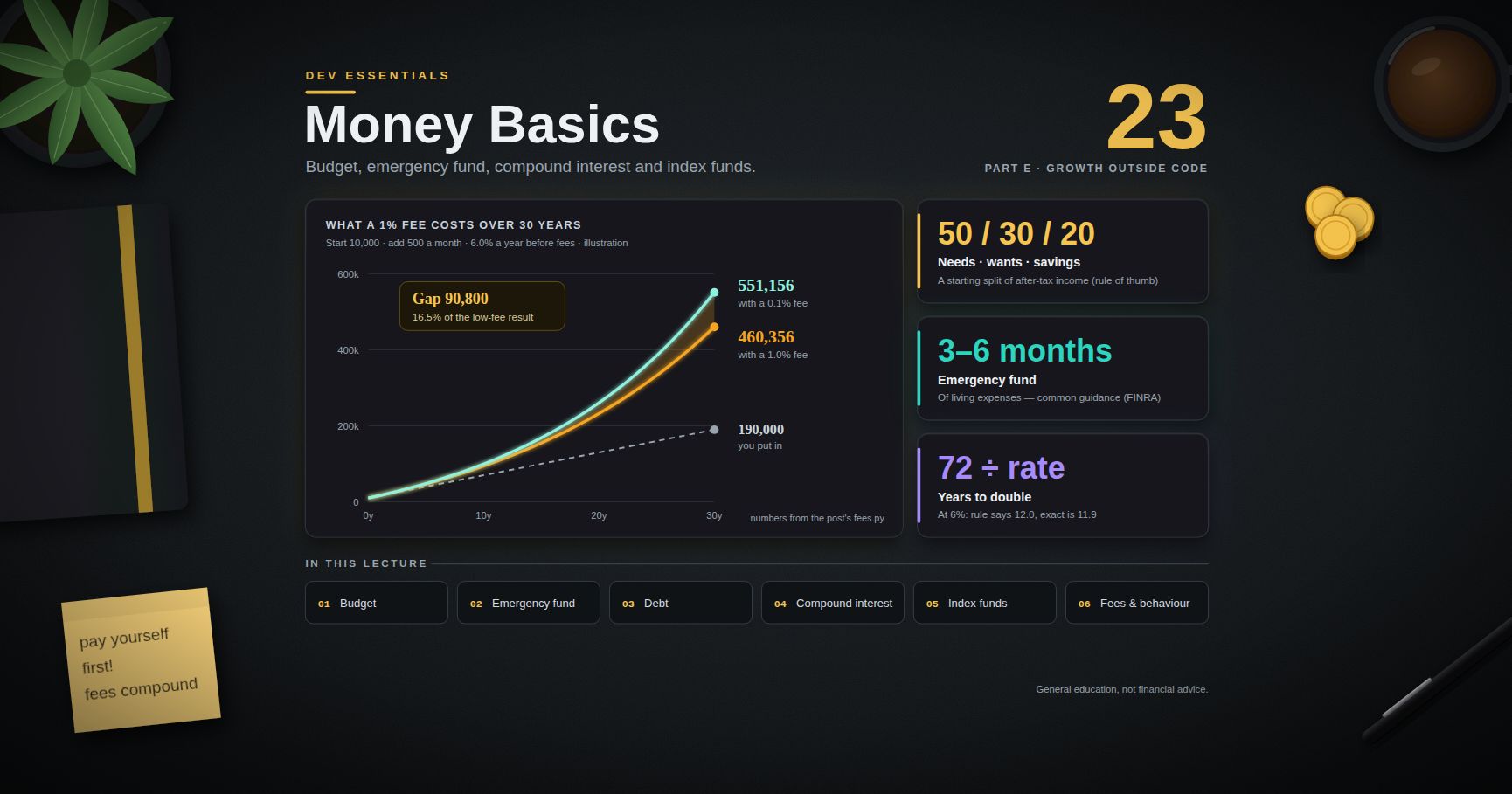
Engineers learn exponential growth for algorithms, then often ignore it for their own money. Compound interest works for you in savings and against you in debt. Small fees grow into large sums over decades. This post teaches the basic ideas with formulas and small Python calculators you can run on your own numbers: budgeting, an emergency fund, debt, compound interest, inflation, index funds, fees, and the mistakes people make under stress.
> Series map: 01 Text Encoding → … → 21 Estimating → 22 Design Docs → 23 Money Basics (this post) → 24 Desk Health. Part E · Growth outside code.
> Watch out: this post is general education only, not personal financial advice. It does not recommend any product, fund, provider or asset. Account types, tax rules and pension schemes differ by country, so check your own country's regulator or government money-guidance service. For decisions about your own situation, talk to a qualified, regulated adviser.
Learning Outcome
- Track spending and test it against the 50/30/20 rule of thumb.- Explain "pay yourself first" and size an emergency fund.- Show with code how card interest makes a small debt last for years.- Use $A = P(1 + r/n)^{nt}$ and know how wrong the rule of 72 is.- Turn a nominal return into a real (after-inflation) return.- Explain stocks, bonds, index funds and diversification in plain words.- Measure how a 1.0% fee compares with a 0.1% fee over 30 years.- Describe what one Vanguard study found about lump sum versus dollar-cost averaging.- Name the behaviour mistakes that cost investors the most.
Chapter 1 — Track spending, then budget
You cannot plan what you do not measure. Track every outflow for one full month. Most banks let you export a CSV. Put each line into one of three buckets:
- Needs — you would face real trouble if you did not pay: housing, basic food, transport to work, utilities, insurance, minimum debt payments.- Wants — everything else you spend on.- Savings — money moved to savings or investments, plus debt payments above the minimum.
The 50/30/20 split is a rule of thumb from Elizabeth Warren and Amelia Warren Tyagi's 2005 book All Your Worth. It says to aim for about 50% of after-tax income on needs, 30% on wants, 20% on savings. It is a starting point, not a law. In a high-rent city, needs may be well above 50%. That tells you where the pressure is; it does not mean you failed.
To use your own data, replace with and add a column. The 470 "left over" is money with no job. Unplanned money tends to disappear, so give it one (often: more savings).
> Watch out: these calculators use for teaching. For a real ledger, store money as integer cents or (see Dev Essentials 08 · Floating Point).
Chapter 2 — Pay yourself first
"Pay yourself first" means you move money to savings on payday, before you spend, instead of saving whatever is left at month end. Leftovers are usually close to zero.
The easiest way is an automatic transfer that runs the day your salary arrives. The US Consumer Financial Protection Bureau (CFPB) calls saving automatically "one of the easiest ways" to make saving consistent. It turns a daily choice into a one-time setup.
> Trick: raise the automatic transfer each time your pay goes up. You never get used to spending the extra.
Chapter 3 — The emergency fund
An emergency fund is cash for surprises: job loss, a medical bill, a broken laptop. It stops a bad month from turning into high-interest debt.
- Size. US regulator FINRA says financial planners often recommend three to six months of living expenses. This is common guidance, not a rule. People with variable income, one income in the household, or a job that is hard to replace often aim higher.- Where. Somewhere safe and easy to reach quickly, kept apart from spending money. It is not an investment; its job is to be there.- Start small. If six months feels impossible, the CFPB suggests thinking about the unexpected costs you have actually had before and what they cost. A first target of one month is still a real safety net.
Size the fund on needs, not total spending. In a real emergency, the wants stop.
Chapter 4 — High-interest debt: compounding against you
Credit card rates are high. The US Federal Reserve's G.19 release (September 2026) puts the average rate on card accounts that were charged interest at 22.15% APR for Q2 2026. Rates differ by country and by card; this number is only for scale.
APR is the yearly rate. A card with 22% APR charges roughly $22\% / 12 \approx 1.83\%$ per month on the unpaid balance. On a 5,000 balance, that is about 92 of interest in the first month. If you pay 100, only about 8 reduces the debt.
Paying 100 a month takes over 11 years and costs more in interest than the original debt. Paying 300 takes under 2 years. FINRA calls paying down high-rate debt, such as credit card debt, "one of the best ways" to improve your financial base. The reason is simple: clearing a 22% debt is like earning a sure 22% return, which almost no investment can promise.
> Common pitfall: paying only the minimum. The minimum is designed to keep the account in good standing, not to clear the debt quickly.
Chapter 5 — Compound interest and the rule of 72
With compound interest, you earn interest on past interest. For a principal $P$, yearly rate $r$, compounding $n$ times a year, for $t$ years:
$$A = P\left(1 + \frac{r}{n}\right)^{nt}$$
As $n$ grows without limit, this becomes continuous compounding, $A = Pe^{rt}$.
The compounding frequency matters a little. The rate and the time matter a lot.
The rule of 72 (an approximation)
To estimate how long money takes to double, divide 72 by the yearly rate in percent: at 6%, about $72 / 6 = 12$ years. The exact answer for yearly compounding is
$$t = \frac{\ln 2}{\ln(1 + r)}$$
| Rate | Rule of 72 (years) | Exact (years) | Error ||------|------|------|------|| 1% | 72.00 | 69.66 | +2.34 || 2% | 36.00 | 35.00 | +1.00 || 4% | 18.00 | 17.67 | +0.33 || 6% | 12.00 | 11.90 | +0.10 || 8% | 9.00 | 9.01 | −0.01 || 10% | 7.20 | 7.27 | −0.07 || 12% | 6.00 | 6.12 | −0.12 || 18% | 4.00 | 4.19 | −0.19 || 24% | 3.00 | 3.22 | −0.22 |
It is almost exact near 8%. At the edges of the table it is off by about 3% (at 1%) to 7% (at 24%) of the true answer. Why 72? For small $r$, $\ln(1+r) \approx r$, which gives $69.3 / \text{rate}$. Since $\ln(1+r)$ is a bit less than $r$, a slightly bigger number fits better for common rates, and 72 divides easily by 2, 3, 4, 6, 8, 9 and 12.
> Trick: the rule works for debt too. A card balance at 24% with no payments doubles in about 3 years.
Chapter 6 — Inflation: real versus nominal
Inflation means prices rise, so each unit of money buys less. The nominal return is the number on your statement. The real return is what you gain in buying power:
$$1 + r{\text{real}} = \frac{1 + r{\text{nominal}}}{1 + \pi}\qquad\text{so}\qquadr{\text{real}} \approx r{\text{nominal}} - \pi$$
where $\pi$ is the inflation rate.
- A 5% return with 3% inflation is a real return of about 1.94%.- With 3% inflation, 1,000 held as cash for 10 years buys what 744 buys today.- Cash earning 1% during 3% inflation still loses buying power: 1,000 becomes 822 in today's money.
This is why long-term money is often invested rather than held as cash, and why an emergency fund (short-term money) is kept as cash anyway: for it, being available matters more than growth.
Chapter 7 — Stocks, bonds, index funds and diversification
Terminology
- Stock (share, equity) — a small piece of ownership in a company. Value goes up and down with the company and the market. Historically higher long-run returns, with large swings.- Bond — a loan to a government or company, which pays interest and returns the loan amount at the end. Usually smaller swings than stocks; can still lose value, for example when interest rates rise or the borrower fails.- Fund — a pool of many investors' money that buys many stocks and/or bonds.- Mutual fund / ETF — two common fund structures. An ETF (exchange-traded fund) trades on an exchange during the day like a stock; a traditional mutual fund is bought and sold at one price per day.- Index fund — the US SEC's investor site defines it as a mutual fund, ETF or unit investment trust that follows a passive strategy, aiming to match the return of a market index (such as the S&P 500) before fees.- Expense ratio — a fund's yearly running cost as a percentage of your money in it.- Asset allocation — how you split money between asset types (stocks, bonds, cash).- Diversification — spreading money across many investments so that one failure does not sink you.
Why diversification helps
A single company can fail. A broad index holds hundreds or thousands of companies, so no single one decides your result. The SEC's beginners' guide explains that the right mix of investments may reduce losses and smooth returns without giving up too much potential gain. Diversification does not remove market risk: when the whole market falls, a diversified portfolio falls too, just less wildly than one bad stock.
> Common pitfall: "diversifying" into many funds that hold the same companies. Five large-company funds from the same market may be one bet with five fees.
Chapter 8 — Risk versus time horizon
Time horizon is how long until you need the money. The SEC's guide says the right asset allocation depends largely on your time horizon and your ability to take risk.
A toy model shows why. It assumes each year's return is random with a mean of 6% and a standard deviation of 15%, years independent. These are made-up numbers, not a forecast. Real markets have crashes bigger than this model allows, and bad years can cluster.
In this model, the yearly average over a long period swings much less than a single year does, and the chance of ending below where you started falls. That is the logic behind a common guideline: money you need within a few years is kept out of volatile assets, while money for decades can ride out bad years. (Note also that the median is below 6%: big swings lower the typical compound result. This is often called volatility drag.)
Chapter 9 — Why fees matter
A fee is taken every year, from a balance that keeps growing. The loss compounds, just like returns do. The US SEC's investor bulletin on fees shows 100,000 invested for 20 years at 4% a year: with a 1% yearly fee, the result is nearly 30,000 lower than with a 0.25% fee.
Now a longer case. Assumptions (made up for illustration): start with 10,000, add 500 every month for 30 years, earn 6.0% a year before fees every year, fee charged monthly as a share of the balance, no taxes or inflation.
The gap (90,800) is much bigger than the extra fees paid (about 48,000). The rest is the growth those fees would have earned. The SEC check reproduces the bulletin: 0.50% costs about 10,000 and 1.00% costs about 28,000 compared with 0.25%.
> Trick: when comparing funds that track the same index, the expense ratio is one of the few things you know for certain in advance. Returns are uncertain; fees are not.
Chapter 10 — Lump sum versus dollar-cost averaging
Suppose you have a large sum to invest at once (a bonus, an inheritance). You can invest it all now (lump sum) or feed it in over months (dollar-cost averaging, DCA).
One well-known study: Vanguard, "Dollar-cost averaging just means taking risk later" (Shtekhman, Tasopoulos and Wimmer, July 2012). Setup and findings:
- Markets: United States (1926–2011), United Kingdom (1976–2011), Australia (1984–2011).- Portfolio: 60% stocks / 40% bonds. DCA: equal monthly amounts over 12 months, the rest held in cash. Results compared over rolling 10-year periods.- Lump sum ended ahead in about two-thirds of periods: 67% (US), 67% (UK), 66% (Australia).- On average the lump-sum portfolio ended 2.3% higher in the US (2.2% UK, 1.3% Australia).- Longer DCA made it worse: in the US, lump sum beat 36-month DCA in about 90% of periods.- DCA did better in falling markets. In US 12-month windows, lump sum lost money in 22.4% of periods and DCA in 17.6%.
The authors' reading: lump sum wins more often because stocks and bonds usually beat cash; DCA can make sense for someone mainly worried about short-term losses and regret. Note this is one study of past data; it does not predict any future period. Vanguard published a follow-up on the same question in February 2023.
> Watch out: this study is about a sum you already have. Investing part of each paycheck as it arrives is also called DCA, but it is a different situation: the money did not exist earlier. The same paper calls that a prudent way to invest.
Chapter 11 — Behaviour: the costly mistakes
The biggest risk is often the investor, not the market.
- Chasing performance — buying what went up most recently, often near its peak.- Panic selling — FINRA describes it as selling large amounts quickly out of fear of further falls, without careful analysis. It turns a paper loss into a real one and can miss the recovery.- Overconfidence and over-trading — frequent changes add costs and timing mistakes.- Checking too often — daily prices are mostly noise, and noise makes people act.
The damage is measurable. Morningstar's "Mind the Gap" 2025 study (one annual industry study) estimated that over the 10 years to December 2024, the average dollar in US mutual funds and ETFs earned about 7.0% a year, while the funds themselves returned about 8.2%. The 1.2-point gap, about 15% of the total return, came mostly from the timing of investors' buys and sells.
Defences that work because they remove in-the-moment decisions:
1. Write a one-page plan: goal, time horizon, allocation, what you will do when markets fall 20%.2. Automate contributions (Chapter 2).3. Rebalance on a schedule (for example once a year), not on feelings.4. Rule of thumb: wait 24 hours before any unplanned change.
Practice Exercises
Exercise 1 — Your 50/30/20
Export one month of your own spending. Tag each line need / want / save and run on it.
<details><summary>Solution</summary>
Replace the string with and add a column in a spreadsheet first. If needs are well above 50%, look at the biggest single need (usually housing); small wants rarely fix a large needs gap. Use the split as a signal, not a grade.
</details>
Exercise 2 — Emergency fund target
Using your "need" total, compute the 3-month and 6-month targets and your current runway. How many months of automatic transfers would reach 3 months?
<details><summary>Solution</summary>
</details>
Exercise 3 — Rule of 72 versus exact
At what rate does the rule of 72 give exactly the right answer (to two decimals) for yearly compounding? Search rates from 7.0% to 9.0% in 0.01 steps.
<details><summary>Solution</summary>
The error crosses zero just under 8%, which is why the table shows almost no error at 8%.
</details>
Exercise 4 — Card payoff
A 3,000 balance at 24% APR. What monthly payment clears it in 24 months? Find it by trying values with .
<details><summary>Solution</summary>
It prints : about 160 a month, costing about 798 in interest. The exact amortising payment is about 158.6.
</details>
Exercise 5 — Real return
A savings account pays 4% while inflation is 4.5%. What is the real return? Is money in that account growing?
<details><summary>Solution</summary>
$(1.04 / 1.045) - 1 \approx -0.48\%$. The balance grows in numbers but loses buying power. For an emergency fund that is an acceptable cost of safety; for 30-year money it is a slow leak.
</details>
Exercise 6 — Fees on your numbers
Change to your own start amount, monthly amount and years. Try fees of 0.05%, 0.2%, 0.5% and 1.5%.
<details><summary>Solution</summary>
Loop over . The pattern holds for any positive return: the gap grows faster than linearly with time, because each year's fee also removes that money's future growth. Keep the gross return the same for all fees so the comparison stays fair.
</details>
Cheat-sheet
| Topic | Key idea ||-------|----------|| 50/30/20 | Rule of thumb (Warren and Tyagi, 2005): needs / wants / savings of after-tax income || Pay yourself first | Automatic transfer on payday || Emergency fund | Common guidance: 3-6 months of living expenses, in cash, easy to reach || Card debt | APR / 12 per month; paying the minimum can take many years || Compound interest | $A = P(1 + r/n)^{nt}$; continuous $Pe^{rt}$ || Doubling time | Exact $\ln 2 / \ln(1+r)$; rule of 72 is an approximation, best near 8% || Real return | $(1 + r{nom}) / (1 + \pi) - 1 \approx r{nom} - \pi$ || Index fund | Passive fund aiming to match an index before fees || Diversification | Many holdings; lowers single-company risk, not market risk || Fees | Compound against you; 1.0% vs 0.1% over 30 years ≈ 16.5% less in the example || Lump sum vs DCA | Vanguard 2012: lump sum ahead 2/3 of historical 10-year periods || Behaviour | Plan, automate, rebalance on a schedule, wait before acting |
What's next
Dev Essentials 24 · Desk Health closes the series with the body side of long hours at a computer: eye strain, posture, movement, sleep, and a checklist to measure your own setup.
References
- FINRA — Financial Foundations (emergency fund, high-interest debt)- CFPB — An essential guide to building an emergency fund- Simon & Schuster — All Your Worth (Warren and Tyagi, 2005)- Federal Reserve G.19 Consumer Credit (credit card interest rates)- SEC Investor Bulletin — How Fees and Expenses Affect Your Investment Portfolio (PDF)- Investor.gov — Index Fund (glossary)- Investor.gov — Beginners' Guide to Asset Allocation, Diversification, and Rebalancing- Investor.gov — Compound Interest Calculator- Vanguard (2012) — Dollar-cost averaging just means taking risk later (PDF copy)- Vanguard (2023) — Cost averaging: Invest now or temporarily hold your cash? (PDF)- FINRA — Key Terms for Tough Times (panic selling)- Morningstar — Mind the Gap 2025 summary
> Note: this post is in progress. Planned additions: a loan amortisation calculator, a net-worth tracker script, and a plain guide to reading a fund's fee and risk documents.
Dev Essentials — 22 · Design Docs and READMEs People Actually Read
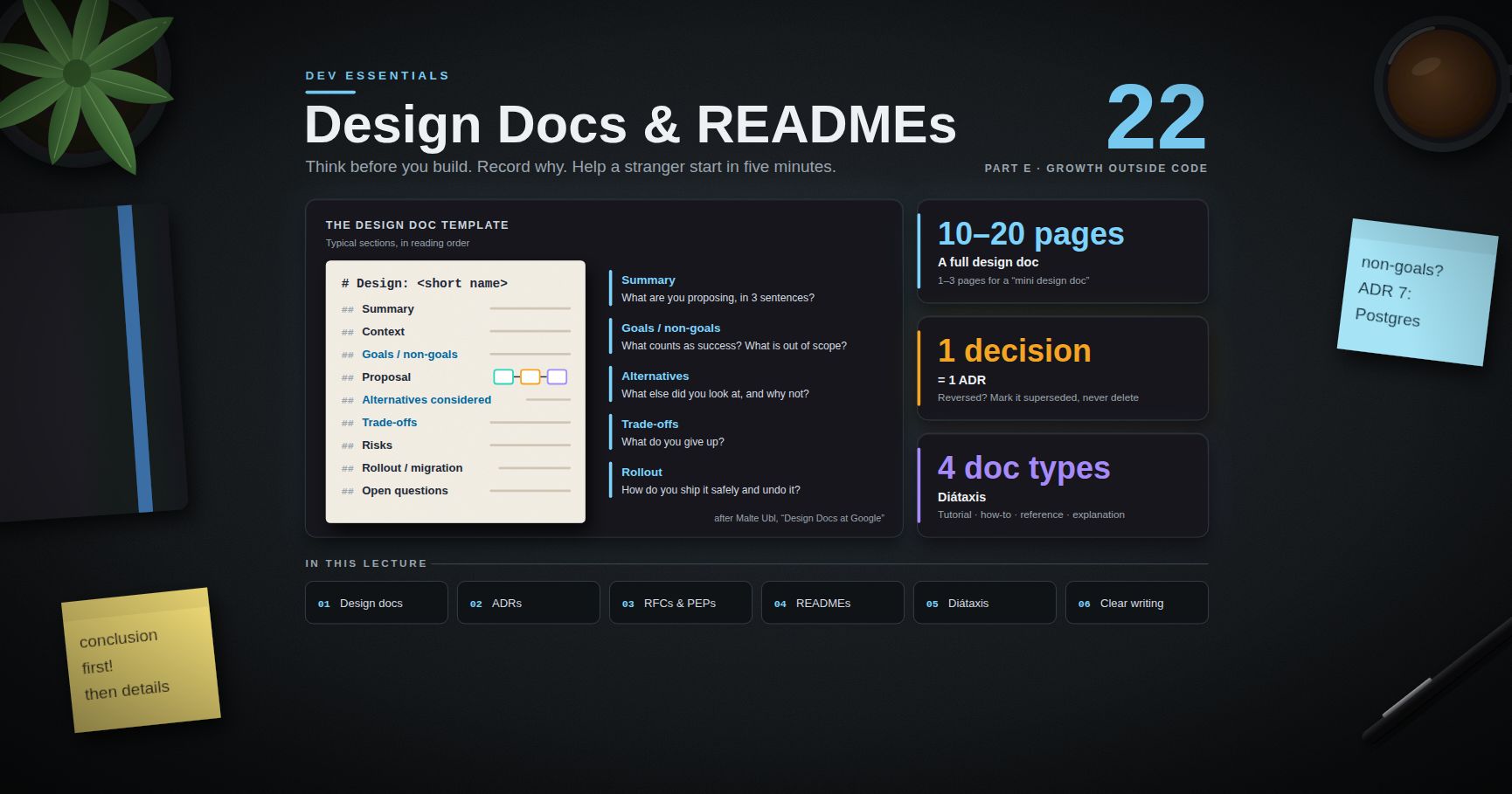
Code says how. Documents say why, what for, and how to start. This post covers three kinds of writing developers do all the time: design docs (think before you build), Architecture Decision Records (remember why you chose something), and READMEs (help a stranger get started in five minutes). It also gives a map for all other docs (Diátaxis), a short style guide, and text-based diagrams. Every template is copy-ready. It follows the Estimating post in Part E.
> Series map: 01 Text Encoding → … → 21 Estimating → 22 Design Docs (this post) → 23 Money Basics → 24 Desk Health. Part E · Growth outside code.
Learning Outcome
- Explain what a design doc is for, and when to skip it.- Write a design doc with context, goals and non-goals, proposal, alternatives, risks and rollout.- Record a decision as an ADR in Michael Nygard's format.- Learn from real RFC processes: Rust RFCs and Python PEPs.- Structure a README so a new user succeeds in minutes.- Sort documentation into Diátaxis's four types.- Write in plain language and draw diagrams as text with Mermaid and the C4 model.
Chapter 1 — Why write design docs
A design doc is a short document written before coding that describes the plan and, most of all, the trade-offs. Changing a paragraph is cheaper than changing a service.
Malte Ubl's article "Design Docs at Google" (2020) describes the practice there:
- Design docs are informal documents. Authors write them before coding starts, to record the high-level plan and key design decisions, with a focus on trade-offs.- Common sections: context and scope, goals and non-goals, the actual design (including system-context diagrams, APIs, data storage), alternatives considered, and cross-cutting concerns such as security, privacy and observability.- Length: about 10-20 pages for a larger project; "mini design docs" of 1-3 pages for smaller, incremental work.- A lifecycle: write and iterate quickly, get a wider review, update the doc during implementation when reality differs, then keep it as a record.- Skip it when the solution is obvious and there are no real trade-offs to discuss, or when fast prototyping matters more.
What it buys you: colleagues find the flaw before you write 3,000 lines; everyone reads the same plan; non-goals stop the scope from growing in secret; six months later the "why" is still written down; and the breakdown and risks feed straight into an estimate (see Dev Essentials 21 · Estimating).
Terminology
| Term | Meaning ||------|---------|| Design doc | A plan for a change, with trade-offs, written before building || Non-goal | Something the project will deliberately not do || ADR | Architecture Decision Record — one short file per significant decision || RFC | "Request for Comments" — a public proposal process, e.g. Rust RFCs || PEP | Python Enhancement Proposal — Python's design-document process || Diátaxis | A framework that splits docs into tutorials, how-to guides, reference, explanation || C4 model | Simon Brown's four zoom levels for architecture diagrams |
Chapter 2 — The design doc template
Typical sections, in reading order:
| Section | Answers | Tip ||---------|---------|-----|| Summary | What are you proposing, in 3 sentences? | Conclusion first — many readers stop here || Context | What exists today, and what is the problem? | Facts only, no solution yet || Goals / non-goals | What counts as success? What is out of scope? | Measurable goals; explicit non-goals || Proposal | How will it work? | Diagram, API shape, data model || Alternatives considered | What else did you look at, and why not? | At least one real alternative, plus "do nothing" || Trade-offs | What do you give up? | Be honest; reviewers will find them anyway || Risks | What could go wrong? | Likelihood, impact, mitigation || Rollout / migration | How do you ship it safely and undo it? | Feature flag, phases, rollback plan || Open questions | What is still undecided? | Name who decides, and by when |
Copy-ready template:
> Common pitfall: a design doc that describes only the chosen solution. Without alternatives and trade-offs it is a manual, not a design doc, and reviewers cannot tell if it is the best option.
> Trick: state goals as numbers where you can. "Fast search" cannot be tested; "p95 under 300 ms" can.
Chapter 3 — ADRs: one decision, one file
A design doc covers a project. An Architecture Decision Record covers one decision. Michael Nygard proposed the format in "Documenting Architecture Decisions" (2011):
- Title — a short noun phrase, numbered: "ADR 7: Use PostgreSQL for billing records".- Status — proposed, accepted, deprecated, or superseded (with a link to the replacement).- Context — the forces at play, described as neutral facts.- Decision — in active voice, starting with "We will…".- Consequences — everything that follows, good and bad.
Other points from the same article:
- Keep ADRs in the repository, for example , numbered in order. Numbers are never reused.- Each ADR is one or two pages, in full sentences.- When a decision is reversed, do not delete the old ADR. Mark it superseded and keep it — the history is the point.
> Trick: write the ADR when you make the decision, not later. It takes 20 minutes then; it takes a day of archaeology in a year.
Chapter 4 — Real-world RFC processes
Big open-source projects run design docs in public. They are free lessons in how to argue for a change.
Rust RFCs. Substantial changes to Rust go through an RFC in the repository. The template's sections are: Summary, Motivation, Guide-level explanation, Reference-level explanation, Drawbacks, Rationale and alternatives, Prior art, Unresolved questions, Future possibilities. Note the two explanation levels: one for users ("how would I teach this?"), one for implementers.
Python PEPs. PEP 1 defines a PEP as a design document that gives information to the Python community or describes a new feature, process or environment change. There are three types: Standards Track, Informational and Process. The Python Steering Council makes the final decision, or a PEP-Delegate it approves. A PEP's sections include Abstract, Motivation, Rationale, Specification, Backwards Compatibility, Security Implications, How to Teach This, Reference Implementation, Rejected Ideas and Open Issues.
Both map onto the Chapter 2 template: Motivation → context and goals; Specification / reference-level explanation → proposal; Rationale, Rejected Ideas, alternatives → alternatives considered; Drawbacks, Backwards Compatibility → trade-offs and risks; Open Issues / Unresolved questions → open questions.
> Trick: before writing your first design doc, read one accepted PEP and one accepted Rust RFC end to end. Notice how much space goes to alternatives and drawbacks.
Chapter 5 — READMEs
A README is the front door of a repository. GitHub's docs say a README typically covers what the project does, why it is useful, how to get started, where to get help, and who maintains it. GitHub looks for the file in , then the repository root, then .
A structure that works:
1. Name + one-line description — what it is.2. Why — the problem it solves, in 2-3 sentences.3. Quickstart — the shortest path to a working result. Copy-paste commands.4. Usage — common tasks with examples.5. Configuration — every option, its default, and an example.6. Troubleshooting — the top 3-5 errors and their fixes.7. Contributing — how to set up, test and send changes.8. License.
plainlanguage.govsetup.ps1setup.ps1mermaidC4ContextC4Containercsvcleancsvclean.toml
What changed: a one-line purpose, a "why", a quickstart for both shells with expected output, a settings table, one real error with its fix, and a license.
</details>
Exercise 2 — Write an ADR
A team is building a billing service that stores invoices, payments and refunds. Finance needs SQL reports that join these with customer data. The team knows PostgreSQL well. The product catalogue elsewhere uses MongoDB. Write an ADR for the billing database.
<details><summary>Solution</summary>
Notice the context is fair to the rejected option. A good ADR says why this choice fits this situation, not that one database is better in general. (For the move in the other direction, see MongoDB Course 23 · Migrating from SQL / Postgres to MongoDB.)
</details>
Exercise 3 — Goals and non-goals
A team plans "a new search for the help centre". Write two measurable goals and two non-goals.
<details><summary>Solution</summary>
Goals: "p95 search latency under 300 ms at 50 requests/s"; "the right article is in the top 3 results for at least 80% of the 100 most common queries (measured on a labelled set)". Non-goals: "no search across the community forum in this phase"; "no personalised ranking".
</details>
Exercise 4 — Sort into Diátaxis
Which type is each page? (a) "All environment variables and their defaults"; (b) "Build your first plugin, step by step"; (c) "How to rotate the API key"; (d) "Why we chose event sourcing".
<details><summary>Solution</summary>
(a) Reference. (b) Tutorial. (c) How-to guide. (d) Explanation.
</details>
Exercise 5 — Fix the sentences
Rewrite in plain, active language: (a) "It is recommended that the cache be cleared by the user prior to the upgrade being performed." (b) "Click here to see the migration guide." (c) "Run if you have an existing database."
<details><summary>Solution</summary>
(a) "Clear the cache before you upgrade." (b) "See the migration guide." (c) "If you have an existing database, run ."
</details>
Exercise 6 — Draw it
Draw a Mermaid flowchart for: a browser calls a web app; the web app calls an API; the API reads from Redis and falls back to PostgreSQL on a miss.
<details><summary>Solution</summary>
</details>
Cheat-sheet
| Need | Use | Key sections ||------|-----|--------------|| Plan a change with trade-offs | Design doc (1-3 pages mini, 10-20 large) | Summary, context, goals/non-goals, proposal, alternatives, risks, rollout, open questions || Remember one decision | ADR (1-2 pages) | Title, status, context, decision ("We will…"), consequences || Reverse a decision | New ADR | Mark the old one superseded; never delete || Help a stranger start | README | What, why, quickstart, usage, config, troubleshooting, contributing, license || Organise all docs | Diátaxis | Tutorial, how-to, reference, explanation — one type per page || Write clearly | Google style guide, digital.gov guides | Conclusion first, active voice, "you", short sentences, condition first || Diagram | Mermaid in Markdown; C4 levels | Context + container diagrams for most designs || Learn by example | Rust RFCs, Python PEPs | Motivation, alternatives, drawbacks, open questions |
What's next
Dev Essentials 23 · Money Basics steps away from code: budgeting, an emergency fund, compound interest and index funds, explained for engineers.
References
- Malte Ubl — Design Docs at Google (2020)- Michael Nygard — Documenting Architecture Decisions (2011)- Rust RFCs — repository and template- PEP 1 — PEP Purpose and Guidelines- GitHub Docs — About READMEs- Diátaxis- Google developer documentation style guide — Highlights- Digital.gov — Plain language guide series- GitHub Docs — Creating diagrams (Mermaid)- Mermaid — C4 diagrams (experimental)- The C4 model
> Note: this post is in progress. Planned additions: a review checklist for design docs, a worked mini design doc end to end, and API reference docs generated from code (OpenAPI, docstrings).
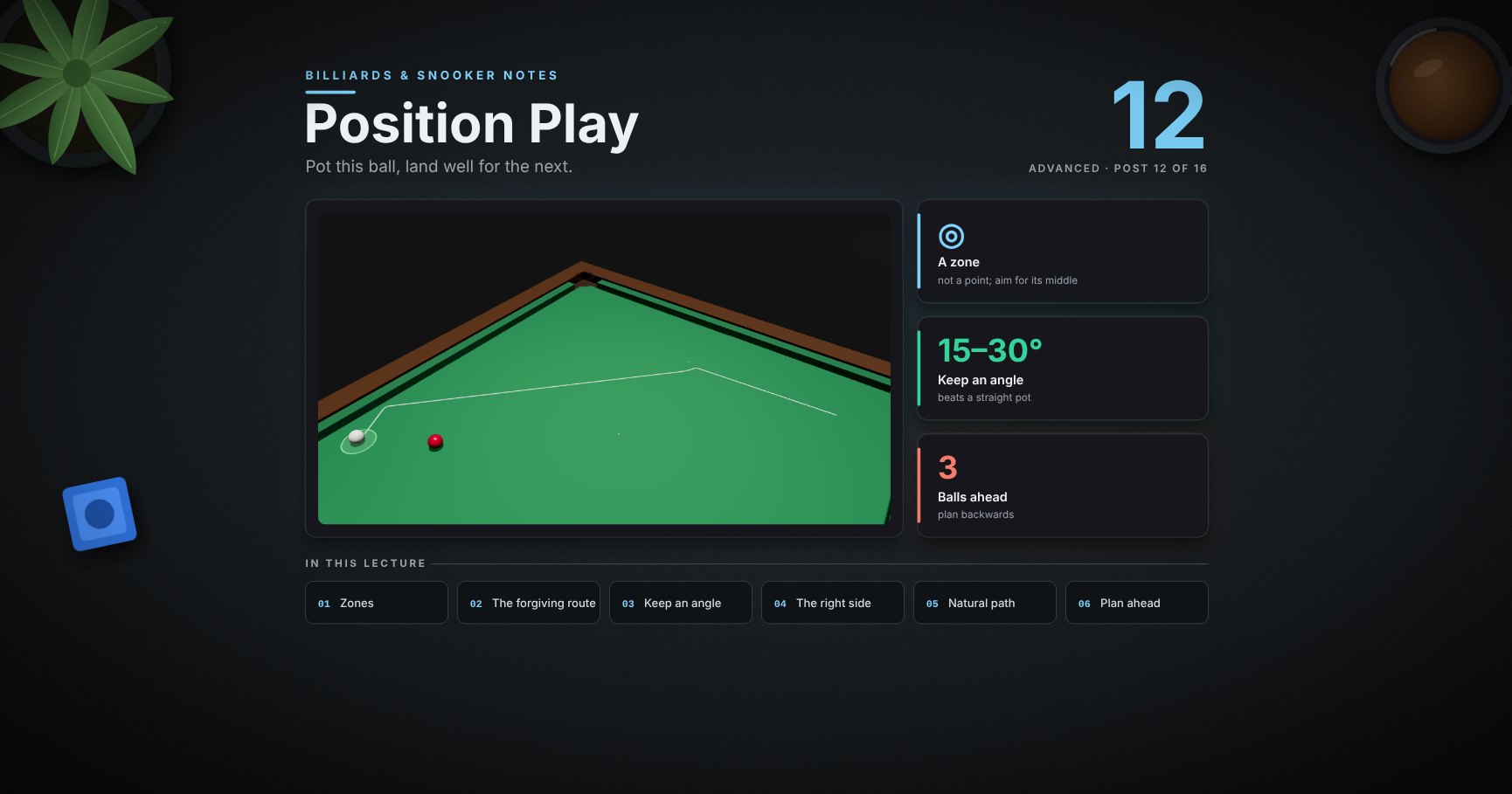
Billiards & Snooker — 12 · Position Play
A break is a chain: each pot must leave the white where the next pot is easy. That is position play. This lesson covers aiming the white at a zone, choosing the route that forgives pace errors, keeping an angle, the right side of the ball, the natural path, planning three balls ahead, and a checklist for every shot.
> Series map. ★ Basics: 01 Cue action and elevation → 02 Aiming and potting → 03 Tip and power → 04 Where the white goes · ★★ Club: 05 Side spin → 06 Cut and side into pockets → 07 Cushions → 08 Doubles · ★★★ Advanced: 09 Escaping snookers → 10 Multi-ball shots → 11 Safety → 12 Position play (this post) · ★★★★ Hard: 13 Break-building → 14 Special shots · Reference: 15 Rules, tactics and practice · ★★★★★ Pro: 16 Cue-ball control.
Learning Outcome
- Aim the white at a zone, not a spot.- Pick the route whose path runs along the zone.- Keep a small angle on the next ball, on the right side.- Use the natural path and control only the pace.- Plan three balls ahead.
Chapter 1 — Where to send the white
1 · A zone, not a point
After this red you want the black. The green wedges are every place where the black is comfortable: a cut of 35° or less, from 25 cm to 1 m away, into either top corner.
| Route (power 3) | White ends | Next black ||-----------------|------------|------------|| stun (a little below centre) | by the end cushion | no comfortable pot ✗ || follow (above centre) | off the end cushion, in the green | a 17° cut ✓ || screw (well below centre) | just past the red, in the green | a 2° cut, almost straight |
Two routes reach the zone. Which is better? The next two sections answer it.
2 · The route that forgives pace
Nobody hits the exact pace. The same two routes at 8% softer and 8% firmer (model):
| Pace | Follow: next black | Screw: next black ||------|--------------------|-------------------|| 92% | a 26° cut ✓ | the red stops short ✗ || 100% | a 17° cut ✓ | a 2° cut ✓ || 108% | an 8° cut ✓ | a 27° cut ✓ |
The follow path runs along the zone, so a pace error only slides the white along it. The screw shot also drags pace off the white before it reaches the red (post 03), so the soft one does not even pot.
> Trick: draw the white's path through the zone. The longer the stretch of path inside the zone, the more pace error you can afford.
3 · Keep an angle
From each landing spot, pot the black three ways (screw, stun, follow):
| Black from… | The three routes reach… ||-------------|-------------------------|| almost straight (2° cut) | only 13 cm off one line || a 17° angle | up to 99 cm to the side |
Dead straight is easy to pot, but the white can only go forward or back along one line. A small angle lets it go across the table.
> Trick: many coaches aim for about 15–30° on the next ball: enough to move the white, not so much that the pot gets hard.
4 · Watch it: follow into the zone
<div class="bclip"><img class="no-lightbox" src="/assets/billiards/b13clipfollow.webp" alt="Clip from the baulk side: green wedges show the zone for the black. The red is potted into the bottom right corner with follow; the white comes off the end cushion and stops inside the green, at an angle to the black"></div>
Above centre, power 3: the red drops, the white comes off the end cushion and lands in the green ✓.
5 · The right side of the ball
The same 25° cut on the black, from the two sides of the black's line to the pocket (model, power 3, a touch below centre):
| White on… | After the black it… | Next red ||-----------|---------------------|----------|| the right side (1) | runs off the end cushion up the table | 30 cm away ✓ || the wrong side (2) | comes back to the black's spot | 106 cm away ✗ |
The angle is the same; only the side of the line changes, and the white goes the opposite way. So the zone for position is half of the green: the half that sends the white towards the next ball.
6 · The natural path: change only the pace
The white's natural path is where it goes with a plain centre-ball hit. Here, three paces of the same shot (model):
| Pace | Where the white stops ||------|-----------------------|| a bit softer (85%) | by the top side cushion, between the pink and the blue || power 3 | about 30 cm further on || a bit firmer (120%) | about 60 cm further again |
If the next ball is on the natural path, don't add spin: just choose the pace. It is the most accurate way to get position.
Chapter 2 — Planning
7 · Plan three balls ahead
Work backwards:
1. Where must the white be for pot 3 (the next red)?2. So which angle on pot 2 (the colour) sends it there?3. So where must pot 1 (this red) leave the white?
In snooker you choose the colour after each red. Choose the one whose angle sends the white towards the next red.
8 · Stay below the ball you need
Coaching advice: when you want to come back towards the next ball, land a little below it (on the side away from where you will go). Then the white comes back towards it with a natural angle. If you land level with it or past it, you have to screw back or go round the table.
This is the same idea as section 5: choose the side of the ball before you choose the spot.
9 · Choose the simplest shot
When two routes reach the zone, prefer:
1. the natural path with pace only (section 6);2. then plain follow, stun or screw;3. side only when it opens a clearly better route (post 06).
Each extra thing (side, a very low tip, a long route round the table) adds a chance of missing the pot itself. The pot comes first: position is no use if this ball stays out.
10 · The checklist
Before every shot in a break:
| Ask | Why ||-----|-----|| Which ball next, and the one after? | three balls ahead (section 7) || Where is the zone, and which half? | the side that sends the white on (section 5) || Which route runs along the zone? | forgives pace (section 2) || Is there an angle left? | straight kills the next move (section 3) || Is the path clear? | kisses, pockets, the pack (post 10) || Can I pot this ball with that route? | the pot comes first (section 9) |
Try it at the table
| Drill | Set-up | Look for ||-------|--------|----------|| Three routes | a red near a corner, the black on its spot | land in the zone with follow, then with screw || Pace ladder | the same follow route, softer and firmer | does it stay in the zone? || Angle ladder | the black from straight, 10°, 20°, 30° | how far you can send the white after it || Right side | the black at 25° from each side, a red up the table | which side brings the white to the red || Natural path | a 25° black, centre ball | three paces, three stopping spots || Line-up | three reds across the table, then the black | pot all four without losing the angle |
Cheat-sheet
| | ||--|--|| Zone | every place with a comfortable next pot; aim for its middle || Route | the one whose path runs along the zone || Angle | about 15–30° beats straight || Side of the ball | the half of the zone that sends the white on || Natural path | centre ball; choose the pace only || Plan | three balls ahead, backwards || Simplest | the pot comes first; side only when needed |
What's next
13 · Break-building. The whole frame: opening the reds, the black-ball game, clearing the colours, and scoring with a plan.
References
- Dr. Dave Alciatore, "position zones", natural angles and cue ball control. <https://billiards.colostate.edu/>- Landing spots, pace errors and angles come from the physics model; your pace will vary, which is exactly why a zone beats a point. The 15–30° angle is coaching advice.
> Note: this post is in progress. Planned additions: position off the cushion with side, and position into the middle pockets.
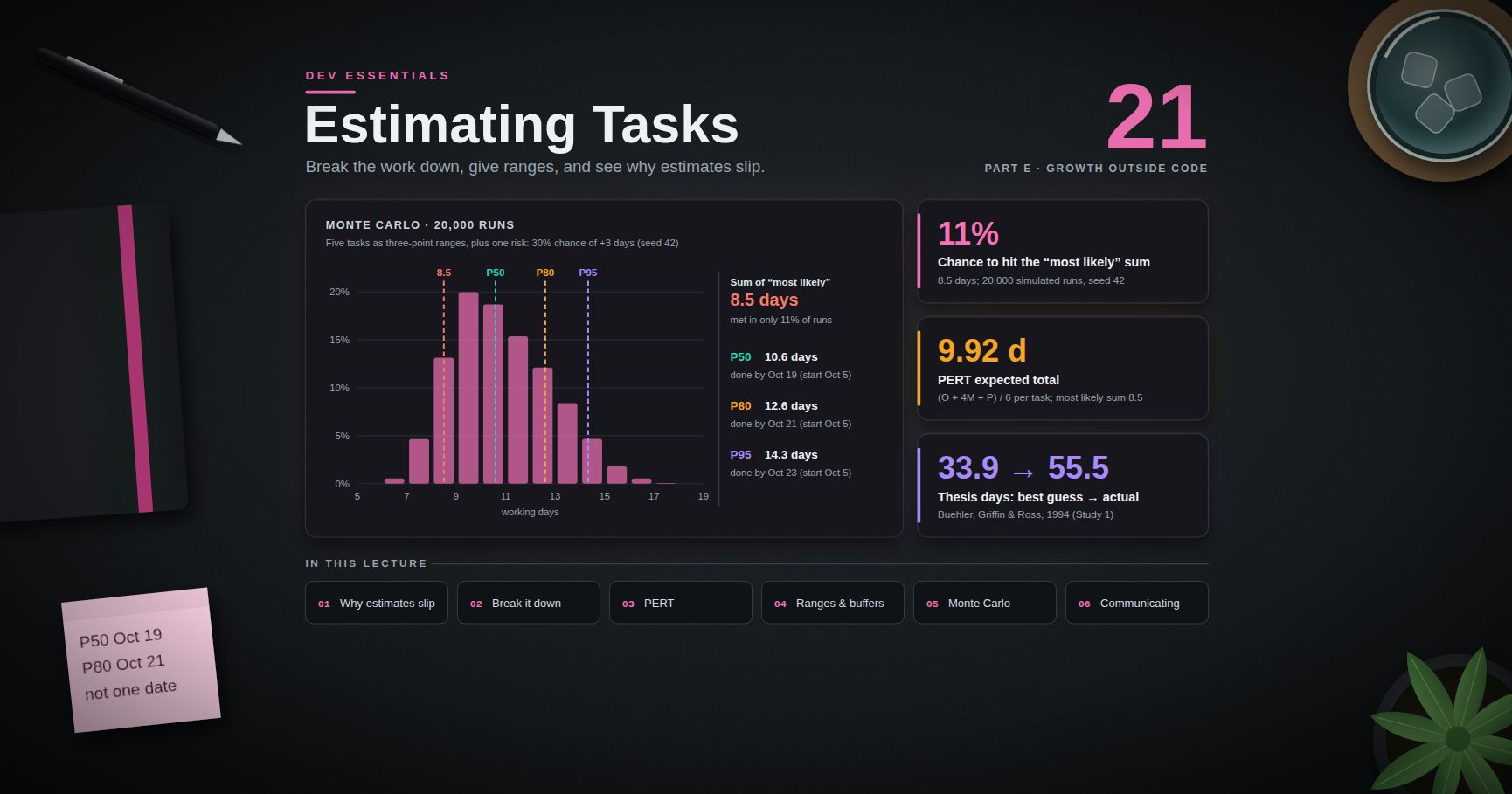
Dev Essentials — 21 · Estimating Software Tasks — Breakdown, Ranges and Why Estimates Slip
"How long will it take?" is one of the most common questions a developer hears, and one of the hardest to answer well. This post explains why estimates slip, gives a small set of techniques that work — breakdown, three-point estimates, ranges with a confidence level, spikes, buffers — and ends with a Python Monte Carlo script that turns task ranges into a finish-date forecast. It opens the second half of Part E, after Reading Papers.
> Series map: 01 Text Encoding → … → 20 Reading Papers → 21 Estimating (this post) → 22 Design Docs → … → 24 Desk Health. Part E · Growth outside code.
Learning Outcome
- Explain the planning fallacy and other reasons estimates come out too low.- Break work down until every task is one day or less.- Compute a three-point (PERT) estimate: .- Give an estimate as a range with a confidence level, not a single date.- Use reference-class forecasting, spikes and explicit buffers.- Run a Monte Carlo simulation to get P50 / P80 / P95 finish dates.- Track estimate vs actual, and communicate and re-estimate clearly.
Chapter 1 — Why estimates slip
The planning fallacy
Kahneman and Tversky described the planning fallacy in 1979 ("Intuitive prediction: Biases and corrective procedures"): people predict how long their own tasks will take by imagining how the work will go, and they underweight what usually happens to tasks like it. Their forecasts come out too optimistic.
Buehler, Griffin and Ross tested it in 1994 ("Exploring the 'planning fallacy'", Journal of Personality and Social Psychology 67(3), 366-381). In Study 1, students predicted when they would finish their honours thesis:
| Prediction asked for | Average predicted days | Average actual days | Finished by that prediction ||----------------------|------------------------|---------------------|-----------------------------|| Best guess (as accurate as possible) | 33.9 | 55.5 | 29.7% || Optimistic (everything goes as well as possible) | 27.4 | 55.5 | 10.8% || Pessimistic (everything goes as badly as possible) | 48.6 | 55.5 | 48.7% |
(33 students had finished when the records were closed, so the averages are over those 33.) Even the worst-case guess was too short on average. This is the core lesson: your gut estimate is a best case in disguise.
Hofstadter's law
An aphorism, not a research finding, from Douglas Hofstadter's Gödel, Escher, Bach (1979). It says a task always takes longer than you expect — even when you allow for Hofstadter's law. It is a joke with a true point — knowing about the bias does not remove it. You need a method, not willpower.
The cone of uncertainty (a model)
Barry Boehm drew a "funnel curve" in Software Engineering Economics (1981); Steve McConnell later popularised it as the cone of uncertainty. The idea: at the initial concept stage, the real effort can be anywhere from about 0.25× to 4× the estimate (a 16× range). The range narrows as decisions are made — requirements, design, code.
Treat it as a model, with two caveats:
- McConnell himself says the cone shows the best accuracy skilled estimators can get. It is easy to do worse.- The cone does not narrow by itself. Todd Little (IEEE Software, 2006) studied projects at Landmark Graphics and found estimate errors followed a right-skewed (lognormal) distribution, and the uncertainty range stayed nearly the same through the project — against the popular reading of the cone. Uncertainty shrinks only when you actively remove it.
What people forget
Most slips are not bad maths. They are missing work:
- Unknown unknowns — the library that does not support your case; the API that is rate-limited.- Integration — each part works alone; wiring them together takes days.- Review and rework — code review, QA feedback, security review.- Tests, docs, deploy, config, migrations, monitoring.- Everything else — meetings, support, on-call, holidays, sick days, context switching.
Terminology
| Term | Meaning ||------|---------|| Estimate | A prediction of how long work will take (McConnell) || Target | A desired business date or goal (McConnell) || Commitment | A promise to deliver defined work by a date (McConnell) || O / M / P | Optimistic, most likely, pessimistic durations || P50 / P80 / P95 | Durations you expect to beat 50% / 80% / 95% of the time || Reference class | A set of similar past projects or tasks used for comparison || Spike | A short, time-boxed experiment to answer a question before estimating || Buffer | Explicit extra time for risk, shown as its own line |
Chapter 2 — Break the work down
Big tasks hide work. Small tasks expose it. Keep splitting until each task is one day or less and has a clear "done".
A bad task: "Add user sign-up" (5 days?). A breakdown:
The first guess of "5 days" became 7 once the work was visible, and there is still no buffer.
> Trick: keep a personal checklist of forgotten work (tests, review, migration, config, docs, deploy, monitoring, feature flag, rollback plan) and run through it for every estimate.
> Watch out: if you cannot break a task down, you do not understand it yet. That is a signal for a spike (Chapter 4), not for a bigger number.
Chapter 3 — Three-point (PERT) estimates
A single number hides uncertainty. Ask three questions for each task:
- O — optimistic: if everything goes well.- M — most likely: the usual case.- P — pessimistic: if things go badly (but not a disaster).
The PERT formula, from the US Navy's Polaris programme in 1958, weights the most likely value four times:
Worked example (days):
| Task | O | M | P | E = (O+4M+P)/6 | SD = (P−O)/6 ||------|---|---|---|----------------|--------------|| Login API | 1 | 2 | 4 | 2.17 | 0.50 || DB schema + migration | 0.5 | 1 | 3 | 1.25 | 0.42 || Sign-up form | 1 | 2 | 5 | 2.33 | 0.67 || Email verification | 1 | 2 | 6 | 2.50 | 0.83 || Tests, review, deploy | 1 | 1.5 | 3 | 1.67 | 0.33 || Total | | 8.5 | | 9.92 | 1.29 |
Two things to notice:
1. The sum of "most likely" values is 8.5 days, but the expected total is 9.92. Tasks can run long by much more than they can run short, so the mean sits to the right of the mode.2. The total SD is not the sum of SDs. If tasks are independent, variances add: . Real tasks are often linked (one bad week hits all of them), so treat this as a lower bound on the spread.
A rough 80% figure with a normal approximation: days.
Chapter 4 — Ranges, outside view, spikes and buffers
Give a range with a confidence level
A single date sounds precise but carries no information about risk. Say instead:
> "Most likely around 10-11 working days. I am 80% confident it is done within 13, assuming the email provider approves our account this week."
Use the same words every time — P50, P80, P95 — so people learn what they mean. A P80 date is missed one time in five; say so up front.
Reference-class forecasting (the outside view)
Your plan is the inside view. The outside view asks: how long did similar work take before? Bent Flyvbjerg built this into reference-class forecasting ("From Nobel Prize to Project Management: Getting Risks Right", Project Management Journal, 2006), based on Kahneman and Tversky's work. Three steps:
1. Pick a reference class of past, similar projects — broad enough to have data, narrow enough to be comparable.2. Find the distribution of outcomes in that class (for example, actual ÷ estimate).3. Place your project in that distribution, and adjust your estimate with it.
For a developer, the reference class is often your own history: "The last four API integrations took 1.4× to 2× my estimate."
Spikes for unknowns
A spike comes from Extreme Programming: a small, throw-away experiment to reduce a technical risk or make an estimate more reliable. Time-box it ("half a day to prove the PDF library can do Chinese fonts"), then estimate with the answer in hand.
Explicit buffers
Do not pad every task in secret. Padding gets spent (work expands to fill the time) and nobody can see the risk. Instead, estimate tasks honestly and add one visible buffer line at the project level, sized from the P50-P80 gap or from named risks. Report how much buffer is left as the project goes on.
Chapter 5 — Monte Carlo: from task ranges to a finish date
Adding PERT means by hand ignores the shape of each distribution and makes it hard to add "maybe" risks. A Monte Carlo simulation just rolls the dice many times: sample every task, add them up, repeat 20,000 times, and read off percentiles. Standard library only:
Output (Python 3.11, seed 42):
Read it like this: adding up the "most likely" numbers gives 8.5 days, but that total is met only about 11% of the time. An honest message is "P50 Oct 19, P80 Oct 21."
> Watch out: the simulation treats tasks as independent. In real life, one cause (a sick week, a bad dependency) often slows many tasks at once, which makes the tail longer. Add shared risks as entries, and compare the output with your own history (next chapter).
> Trick: is a simpler choice than PERT — note the argument order. It gives more weight to the extremes, so it produces a wider, more cautious range.
Chapter 6 — Track estimate vs actual
You cannot get better at what you do not measure. Keep a tiny log — a CSV is enough — and look at the ratio actual ÷ estimate:
A median ratio of 1.5 means: multiply your gut estimate by 1.5 as a first correction. This is reference-class forecasting on your own data. After 20-30 tasks, the spread of ratios is also a good guide for your range.
Chapter 7 — Communicating estimates
Keep estimate, target and commitment apart
McConnell's Software Estimation: Demystifying the Black Art (2006) separates three things that people often mix up:
- an estimate is a prediction ("P80 is 13 days");- a target is a business wish ("we want it before the conference");- a commitment is a promise ("we will ship the core flow by Oct 21").
When a target is shorter than the estimate, do not shrink the estimate. Change the scope, the people, or the date — and say which.
A good estimate message
1. The range and its confidence: "P50 Oct 19, P80 Oct 21."2. The assumptions: "Assumes the email provider approves us by Friday; excludes the admin screen."3. The biggest risks: "Email approval (30% chance of +3 days)."4. When you will update it: "I will re-estimate after the spike on Wednesday."
Re-estimate when the facts change
An estimate is a forecast, not a vow. When scope grows or a risk happens, update the range at once and say why. Bad news early is useful; bad news on the due date is not.
Story points vs hours
Story points are a team convention, not a law. The 2020 Scrum Guide does not mention story points at all; it only says the Developers who will do the work are responsible for sizing it. Ron Jeffries, who says he may have invented story points, wrote in 2019 that "if I did, I'm sorry now". He explains they started as "ideal days" and recommends slicing stories small instead. Use points or hours as your team prefers — the ideas in this post (breakdown, ranges, tracking actuals) work the same with both.
Practice Exercises
Exercise 1 — One PERT estimate
A task has O = 2, M = 3, P = 10 days. Compute E and SD. Why is E so far above M?
<details><summary>Solution</summary>
E = (2 + 4 × 3 + 10) / 6 = 24 / 6 = 4.0 days. SD = (10 − 2) / 6 ≈ 1.33 days. The pessimistic value is 7 days above M but the optimistic is only 1 day below, so the long right tail pulls the mean up.
</details>
Exercise 2 — Add up three tasks
Tasks (O, M, P): A (1, 2, 3), B (2, 3, 7), C (1, 1, 4). Give the total expected days, the total SD (assume independence), and a rough P80.
<details><summary>Solution</summary>
E: A = 12/6 = 2.0, B = 21/6 = 3.5, C = 9/6 = 1.5. Total 7.0 days.SD: A = 0.33, B = 0.83, C = 0.5. Total = sqrt(0.111 + 0.694 + 0.25) = sqrt(1.055) ≈ 1.03 days.Rough P80 = 7.0 + 0.84 × 1.03 ≈ 7.9 days, so "about 8 days, 80% confident".
</details>
Exercise 3 — Use your own history
Your log shows a median actual/estimate ratio of 1.5, with 80% of ratios at or below 1.9. Your gut says a new task takes 6 days. What range do you give?
<details><summary>Solution</summary>
Median: 6 × 1.5 = 9 days. 80% level: 6 × 1.9 ≈ 11.4 days. Say "about 9 days, 80% confident within 12", and state the assumptions.
</details>
Exercise 4 — Break it down
Break "Add CSV export to the orders page" into tasks of one day or less. Include the work people forget.
<details><summary>Solution</summary>
One possible list: define columns and format with the product owner (0.25 d); backend endpoint that streams rows (1 d); handle large exports — paging or a background job (1 d); encoding — UTF-8 with BOM if users open it in Excel (0.25 d, see Dev Essentials 01 · Text Encoding); date and number formats (0.25 d); UI button, loading state, errors (0.5 d); permission check (0.25 d); tests (0.5 d); review fixes, docs, deploy (0.5 d). Total ≈ 4.5 days before buffer.
</details>
Exercise 5 — Add a risk to the simulation
Add to and run the script again. What happens to P50 and P80?
<details><summary>Solution</summary>
With seed 42 the output becomes P50 ≈ 11.0 and P80 ≈ 13.0 working days (was 10.6 and 12.6), and the chance of meeting the "most likely" sum drops to about 9%. A 20% chance of 2 extra days adds about 0.4 days on average, but it also widens the tail.
</details>
Exercise 6 — Rewrite the message
Rewrite this status update: "It'll be done Friday."
<details><summary>Solution</summary>
"Most likely Thursday (P50); 80% confident by next Tuesday. This assumes the payments sandbox is back up tomorrow and excludes the refund screen. Biggest risk: the provider's webhook format — I am running a half-day spike on it today and will update the estimate tomorrow noon."
</details>
Cheat-sheet
| Idea | Rule of thumb ||------|---------------|| Planning fallacy | Gut estimates are optimistic — even "worst case" ones (Buehler et al., 1994) || Hofstadter's law | An aphorism: knowing the bias does not remove it || Cone of uncertainty | A model: 0.25×-4× at concept stage; narrows only as decisions remove uncertainty || Breakdown | Split until each task ≤ 1 day with a clear "done" || Forgotten work | Integration, tests, review, docs, deploy, migrations, meetings || PERT | , || Summing | Means add; variances add (if independent); SDs do not add || Ranges | Say P50 / P80 / P95, not one date || Outside view | Compare with similar past work; use your actual/estimate ratio || Spike | Time-boxed experiment before estimating an unknown || Buffer | One visible project-level line, not hidden padding || Monte Carlo | Sample each task 10,000+ times; read percentiles || Communicate | Range + confidence + assumptions + risks + next update || Estimate ≠ target ≠ commitment | Change scope/people/date, not the estimate || Story points | A team convention; not required by the Scrum Guide |
What's next
Dev Essentials 22 · Design Docs covers how to write design docs, ADRs and READMEs that people actually read — the place where your estimate, its assumptions and its risks should be written down.
References
- Kahneman & Tversky (1979) — Intuitive Prediction: Biases and Corrective Procedures (DTIC report)- Buehler, Griffin & Ross (1994) — Exploring the "planning fallacy", JPSP 67(3) (PDF)- Flyvbjerg (2006) — From Nobel Prize to Project Management: Getting Risks Right (arXiv copy)- Construx (Steve McConnell) — The Cone of Uncertainty- Todd Little (2006) — Schedule estimation and uncertainty surrounding the cone of uncertainty, IEEE Software 23(3)- McConnell — What Is an "Estimate"? (excerpt from Software Estimation)- The 2020 Scrum Guide- Ron Jeffries — Story Points Revisited (2019)- Python docs — random.betavariate, random.triangular- Python docs — statistics.quantiles
> Note: this post is in progress. Planned additions: a worked example with correlated risks, a spreadsheet version of the Monte Carlo for non-programmers, and forecasting from throughput (tasks per week) instead of estimates.
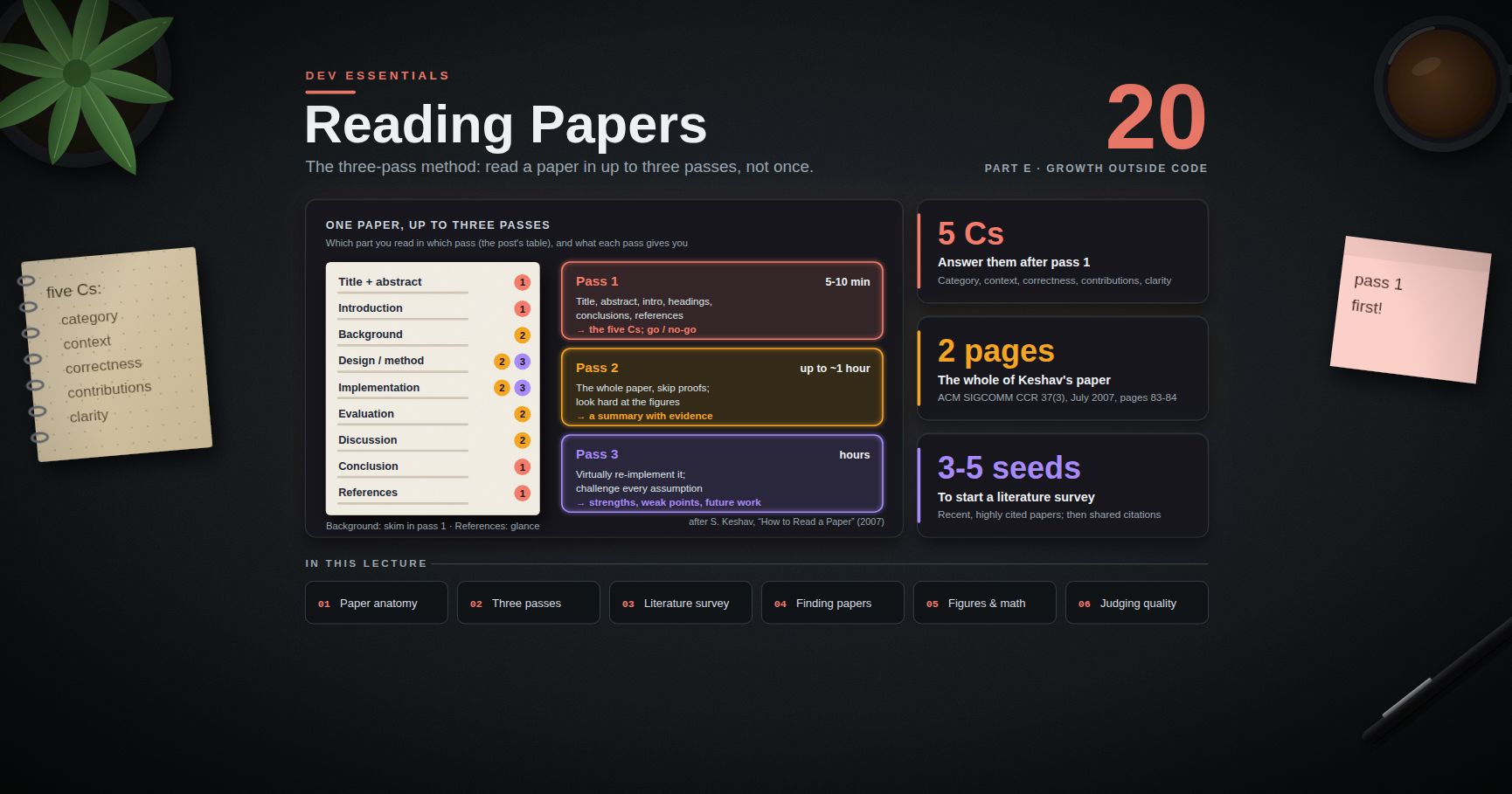
Dev Essentials — 20 · How to Read a Research Paper — The Three-Pass Method
Many ideas you use every day started as a research paper. Consistent hashing, MapReduce and the Transformer all came from papers. Reading one front to back, word by word, is slow and tiring. There is a better way. This post teaches the three-pass method from S. Keshav's short 2007 paper. It also covers how to find papers, read figures and math, judge quality, and keep notes you can use again. It opens Part E, which is about skills outside code.
> Series map: 01 Text Encoding → … → 19 RAG → 20 Reading Papers (this post) → 21 Estimating → … → 24 Desk Health. Part E · Growth outside code.
Learning Outcome
- Explain the three passes and how long each one should take.- Answer the five Cs after a 5-10 minute first pass.- Run a small literature survey with Keshav's three steps.- Find papers with Google Scholar, arXiv, Semantic Scholar, the ACM Digital Library and dblp.- Read figures and tables first, and turn math notation into code.- Judge a paper: peer review, venue, preprint status, replication.- Keep notes with a copy-ready template.
Chapter 1 — What a paper looks like
Most computer science papers follow the same shape. Once you know the shape, you know where to look.
| Part | What it tells you | Read in pass ||------|-------------------|--------------|| Title + abstract | The claim in one paragraph | 1 || Introduction | The problem, why it matters, the contributions (often a bullet list) | 1 || Background / related work | What came before, and how this paper differs | 2 (skim in 1) || Design / method | How the idea works | 2, 3 || Implementation | What was built | 2, 3 || Evaluation | Experiments, figures, tables | 2 || Discussion / lessons | Limits, surprises | 2 || Conclusion | The claim again, plus future work | 1 || References | The paper's family tree | 1 (glance) |
Terminology
- Peer review — other experts read the paper before it is accepted. They check that it is new, sound and clear. They do not re-run everything.- Venue — where the paper appeared: a conference (SOSP, OSDI, NeurIPS), a journal, or a workshop. In computer science, top conferences often matter more than journals.- Proceedings — the book (now a website) of all papers from one conference.- Preprint — a version posted before or without peer review, often on arXiv.- Artifact — the code, data or scripts behind a paper.- DOI — a permanent ID for a paper, like .- Survey paper — a paper that summarises a whole area. Gold for a newcomer.
Chapter 2 — The three-pass method
The source is S. Keshav, "How to Read a Paper", ACM SIGCOMM Computer Communication Review 37(3), July 2007, pages 83-84. It is two pages long. Keshav has updated it over the years; later versions (for example, one dated February 17, 2016) keep the same method.
The key idea: read a paper in up to three passes, not once from start to end. Each pass has its own goal. You can stop after any pass.
First pass — the bird's-eye view (about 5-10 minutes)
Keshav's steps:
1. Carefully read the title, abstract and introduction.2. Read the section and sub-section headings, and ignore everything else.3. Glance at the math (if any) to see what theory it rests on.4. Read the conclusions.5. Glance over the references and tick off the ones you have already read.
At the end, you should be able to answer the five Cs:
| C | Question ||---|----------|| Category | What type of paper is this? A measurement paper? An analysis of an existing system? A description of a research prototype? || Context | Which other papers is it related to? What theory does it use? || Correctness | Do the assumptions seem valid? || Contributions | What are the main contributions? || Clarity | Is it well written? |
Now you decide. Maybe the paper does not interest you. Maybe you lack the background. Maybe the assumptions look wrong. Stopping here is fine. Keshav says the first pass is enough for papers outside your area that may matter some day.
> Trick: the same logic works in reverse when you write. Most readers make only one pass. Clear headings and a tight abstract decide whether anyone reads further. (See Dev Essentials 22 · Design Docs.)
Second pass — the content (up to about an hour)
Read with more care, but skip details such as proofs. Write key points and questions in the margin as you go. Two special jobs:
1. Look hard at the figures, diagrams and graphs. Are the axes labelled? Are there error bars, so the result is statistically meaningful? Keshav notes that mistakes like these separate rushed work from excellent work.2. Mark relevant references you have not read. They are your reading list for background.
After this pass you should be able to summarise the main idea, with evidence, to someone else. Keshav says this pass takes up to an hour for an experienced reader.
Sometimes you still will not understand the paper. The topic may be new, the terms unfamiliar, or the writing poor. You then have three choices: (a) put it aside, (b) come back after reading background material, or (c) push on to the third pass.
Third pass — virtual re-implementation (hours)
The key is to virtually re-implement the paper: make the same assumptions as the authors and re-create the work in your head (or on paper, or in code). Then compare your version with theirs. The gaps show you both the new ideas and the hidden weak points.
- Challenge every assumption in every statement.- Ask how you would present each idea.- Write down ideas for future work.
Time: the 2007 version says about four or five hours for beginners and about an hour for an experienced reader. The 2016 version is less optimistic: many hours for beginners and more than an hour or two even for experienced readers.
At the end, you should be able to rebuild the paper's structure from memory, and point out implicit assumptions, missing citations and problems with the experiments or analysis.
The three passes at a glance
| Pass | Time (Keshav) | You read | You come out with ||------|---------------|----------|-------------------|| 1 | 5-10 min | Title, abstract, intro, headings, conclusions, reference list | The five Cs; a go / no-go decision || 2 | Up to 1 hour | Whole paper, skip proofs; study figures | A summary with evidence; a list of unread references || 3 | Hours | Everything, in depth | A mental re-implementation; strengths, weak points, future work |
> Common pitfall: starting with pass 3 on page 1. You drown in details before you know what the paper claims. Always do pass 1 first, even on a paper you "must" read in depth.
Chapter 3 — A literature survey in three steps
Keshav's paper also shows how to survey a new field. You may need to read tens of papers.
1. Seed. Use an academic search engine (Keshav names Google Scholar and CiteSeer) with good keywords. Find three to five recent, highly cited papers. Do one pass on each. Read their related-work sections. If one of them points to a recent survey paper, read that and you are nearly done.2. Find the core. Look for shared citations and repeated author names across the seed papers. These are the key papers and people. Visit the key researchers' pages and see where they publish. That tells you the top venues of the field.3. Scan the venues. Go to those conferences' recent proceedings. A quick scan finds recent strong work. These papers, plus the key papers from step 2, are the first version of your survey. Do two passes on them. If they all cite a key paper you missed, read it and repeat.
Step 2 is easy to automate once you have the reference lists. Paste a few references from each seed paper (short keys are fine):
The paper that every seed cites goes to the top of your reading list.
Chapter 4 — Finding papers (state in September 2026)
| Tool | Good for | Notes ||------|----------|-------|| Google Scholar | Broad search; "Cited by" to move forward in time; "All versions" to find a free copy | Citation counts include non-peer-reviewed items || arXiv | Preprints in CS, math, physics and more | Moderated, not peer reviewed (see Chapter 7) || Semantic Scholar | Search, citation graph, a free API | Run by the Allen Institute for AI (Ai2) || ACM Digital Library | ACM conferences and journals (SOSP, SIGCOMM, CHI, …) | Fully open access since January 1, 2026 || dblp | A clean list of a researcher's papers, sorted by venue | Great for Keshav's step 2 || OpenReview | Some ML conferences (for example ICLR) publish the reviews | Reading reviews teaches you what experts question || Hugging Face Papers | Trending ML papers, often with code links | Papers with Code was shut down in July 2025; its domain now redirects here |
To get a free copy legally, try, in order: the venue itself (many are open access, including USENIX papers), the arXiv version, the authors' home pages, your library, or a polite email to the author.
Searching arXiv from Python takes a few lines. The arXiv API returns Atom XML:
First result of the default query: . Field prefixes: title, author, abstract, category, everything.
> Watch out: the arXiv API manual asks you to wait about 3 seconds between calls. If you loop over many queries, add .
Chapter 5 — Read figures and tables first
In pass 2, the figures often tell the story faster than the text. Use this checklist on every graph:
- Axes: labelled? Units? Linear or log scale? Does the y-axis start at zero, or is a small gap made to look big?- What is compared: which baseline? Is it a fair, well-tuned one, or a weak straw man?- Spread: error bars, confidence intervals, or at least several runs? One run proves little.- Sample: how many machines, users, datasets or trials?- Range: does the plot stop right before things get interesting?- Caption: can you understand the figure from the caption alone?
For tables:
- Bold usually marks the best number. Check how big the gap to second place is, and whether it is within noise.- An ablation table removes one part at a time. It shows which parts of the idea actually matter.- Look for missing rows: a dataset or setting the method might lose on.
> Trick: before reading the evaluation text, write one sentence per figure: "This shows that ." Then read the text and compare. Your version and the authors' version will not always match.
Chapter 6 — Handling math notation
Math is a compact language. You do not need to follow every line on pass 2. Some habits help:
1. Build a notation table as you read. Each symbol, its meaning, and its shape or unit.2. Read the words around the equation. Authors usually say in plain words what it does.3. Plug in small numbers. Two items, three dimensions. Work it out by hand.4. Skip proofs on pass 2. Trust the statement first; check it in pass 3.5. Turn it into code. Code forces you to decide every shape.
Common symbols:
| Symbol | Usually means ||--------|---------------|| , | Sum, product over a range || , , | "is in", "for all", "there exists" || | Length (norm) of a vector || | The that makes biggest || | Expected (average) value || | is drawn from distribution || | "is defined as" || , | Proportional to, approximately equal || | Grows no faster than || | Transpose of matrix |
Example: the core formula of "Attention Is All You Need" (Section 3.2.1) is
Notation table first: is queries (one row per query), is keys, is values, is the key size, and softmax turns each row of scores into weights that sum to 1. Now code:
Writing this answers questions the text leaves open: must have the same width as , and the output has one row per query. (Dev Essentials 17 · How LLMs Work explains what attention does in a model.)
Chapter 7 — Judging quality
A paper is a claim with evidence, not a fact. Weigh it.
- Peer review is a filter, not a proof. Reviewers check that the work is new, sound and clear. They rarely re-run the experiments.- Venue. A paper at a top venue passed a hard filter. A workshop paper is often early work. Neither guarantees the result holds.- Preprints. arXiv states that its "moderation process is not a peer-review process". A preprint may be excellent, or wrong. Check whether a later peer-reviewed version exists.- Replication. Can others get the same result? Many CS conferences now run artifact evaluation. ACM badges mark this: Artifacts Available (code is public), Results Reproduced (another team got the main results using the authors' artifacts) and Results Replicated (another team got them without the authors' artifacts).- Retractions. The Retraction Watch database has been free and open since Crossref acquired it in September 2023. Check it for papers you plan to rely on.- Citation counts show attention, not truth. They also lag: a strong new paper can have few citations.- Industry papers (such as Dynamo and MapReduce) describe systems at a scale you cannot rebuild. Judge them by the data they show and by what later systems learned.
Red flags: vague baselines, a single run, no limitations section, claims in the abstract that the evaluation does not support, and code "available on request".
Chapter 8 — A paper-notes template
Copy this into your notes tool. One file per paper.
> Trick: keep the notes in a git repository as Markdown. Search across all your notes later with or (see Dev Essentials 05 · Command Line).
Chapter 9 — Three practice papers for this blog
These three connect to other series here. All are free to read.
| Paper | Venue | Why read it | Connects to ||-------|-------|-------------|-------------|| DeCandia et al., "Dynamo: Amazon's Highly Available Key-value Store" | SOSP 2007 | Consistent hashing, quorums, vector clocks, hinted handoff: a tour of distributed-systems ideas | MongoDB Course (replication, sharding), AWS Course || Dean and Ghemawat, "MapReduce: Simplified Data Processing on Large Clusters" | OSDI 2004 | A clean idea, a clear system, honest experience section | Python Course, MongoDB Course (aggregation) || Vaswani et al., "Attention Is All You Need" | NIPS 2017 (now called NeurIPS) | The Transformer; base of today's LLMs | Dev Essentials 17 · How LLMs Work, 19 · RAG |
First-pass hints:
- Dynamo. Read the intro, then find the table early in the architecture section that pairs each problem with the technique used. That table is the paper in miniature. Note: Amazon DynamoDB is a later, different system. Its own paper (USENIX ATC 2022) explains how its design differs from Dynamo.- MapReduce. Start from the execution-overview figure (Figure 1). Then read the fault-tolerance part of the implementation section.- Attention. Look at the model-architecture figure (Figure 1) and the results table that compares quality and training cost. Keep Chapter 6's notation table next to you.
Practice Exercises
Exercise 1 — A timed first pass
Pick one of the three papers. Set a 10-minute timer. Do only Keshav's five first-pass steps. Stop when the timer rings.
<details><summary>Solution</summary>
A good first pass reads the title, abstract and intro in full, only the headings of the body, glances at any math, reads the conclusion and scans the references. If you read a full section of the body, you went too deep. The output is a go / no-go decision, not understanding.
</details>
Exercise 2 — Write the five Cs
Using the template in Chapter 8, write the five Cs for the paper from Exercise 1. One or two lines each.
<details><summary>Solution</summary>
Example for MapReduce:
- Category: description of a working system, with a performance evaluation and experience report.- Context: parallel and distributed processing; the paper compares itself with earlier parallel programming systems in its related-work section.- Correctness: assumes cheap commodity machines that fail often, and tasks that can be split into independent map and reduce steps. Reasonable for batch jobs at Google.- Contributions: a simple programming model; a runtime that handles splitting, scheduling and machine failures; lessons from real use.- Clarity: high; short sections and one clear overview figure.
</details>
Exercise 3 — Critique a figure
Take any results figure from your chosen paper. Answer the Chapter 5 checklist for it.
<details><summary>Solution</summary>
Answer each point in writing: axes and units, scale, baseline, spread (error bars or number of runs), sample size, range, and whether the caption stands alone. A useful last line: "The figure supports / partly supports / does not support the claim that ."
</details>
Exercise 4 — Notation to code
Write a notation table for the attention formula, then change the code in Chapter 6 so has 3 queries. Predict the output shape before running.
<details><summary>Solution</summary>
. The scores are (3 queries by 3 keys), the weights are , and the output is : one row per query, columns. prints three ones.
</details>
Exercise 5 — Mini survey
Pick a topic (for example "vector databases"). Find three recent, highly cited papers. Put 5-10 references from each into .
<details><summary>Solution</summary>
The references cited by two or more seeds are your core reading list. Look up their authors on dblp to see which venues come up again and again. Those are the venues to scan in Keshav's step 3.
</details>
Exercise 6 — Judge a preprint
Find an arXiv paper in your area from the last year. Is there a peer-reviewed version? Is the code public? Has anyone reproduced it?
<details><summary>Solution</summary>
Check the arXiv "Comments" and "Journal reference" fields, then search the title on Google Scholar or Semantic Scholar for a venue version. Look for a code link and for later papers that report re-running it. If none exist, treat the claims as unconfirmed.
</details>
Cheat-sheet
| Task | Do this ||------|---------|| Decide if a paper is worth it | Pass 1, 5-10 min: title, abstract, intro, headings, conclusions, references || After pass 1 | Write the five Cs: category, context, correctness, contributions, clarity || Understand the content | Pass 2, up to 1 h: skip proofs, study figures, mark unread references || Understand in depth | Pass 3, hours: virtually re-implement; challenge every assumption || Survey a field | 3-5 seed papers → shared citations and authors → top venues' proceedings || Search | Google Scholar, arXiv, Semantic Scholar, ACM DL, dblp, OpenReview || Read a graph | Axes, scale, baseline, error bars, sample size, range || Read math | Notation table, small numbers, then code || Judge quality | Venue, peer review vs preprint, artifacts, replication, retractions |
What's next
Dev Essentials 21 · Estimating covers how to estimate software tasks: breaking work down, giving ranges instead of single numbers, and why estimates slip.
References
- S. Keshav, "How to Read a Paper", ACM SIGCOMM CCR 37(3), 2007 (ACM DL)- S. Keshav, "How to Read a Paper", version of February 17, 2016 (PDF)- arXiv API user manual- arXiv moderation (not peer review)- Google Scholar · Semantic Scholar · dblp · OpenReview · Hugging Face Papers- ACM Digital Library open access- Crossref and Retraction Watch- Papers with Code redirect report (GitHub issue, August 2025)- DeCandia et al., "Dynamo", SOSP 2007 (PDF)- Dean and Ghemawat, "MapReduce", OSDI 2004 (USENIX)- Vaswani et al., "Attention Is All You Need", NIPS 2017 proceedings- Elhemali et al., "Amazon DynamoDB", USENIX ATC 2022
> Note: this post is in progress. Planned additions: a worked second pass on the Dynamo paper, a Semantic Scholar API example for citation graphs, and tips for reading papers outside computer science.