Next.js Deep Dive — 01 · Data Fetching, Caching & Server Actions
Caching is the part of Next.js that changed the most between versions, and the part most likely to produce a production incident: a price page that serves yesterday's number, a dashboard that shows another tenant's data because a cached function closed over the wrong variable, or a Server Action that anyone on the internet can call because the page that renders it was protected and the action was not. This post covers how to fetch data in Server Components without waterfalls, the four caching layers of Next.js 14, what 15 changed, how Next.js 16 replaced implicit caching with the explicit use cache model (Cache Components), the revalidation APIs and their exact semantics, Server Actions (forms, progressive enhancement, the single-roundtrip response, the security model), and Route Handlers. Every behaviour is tagged with the version it applies to, because a blog post or Stack Overflow answer from 2024 is often wrong for a 2026 codebase.
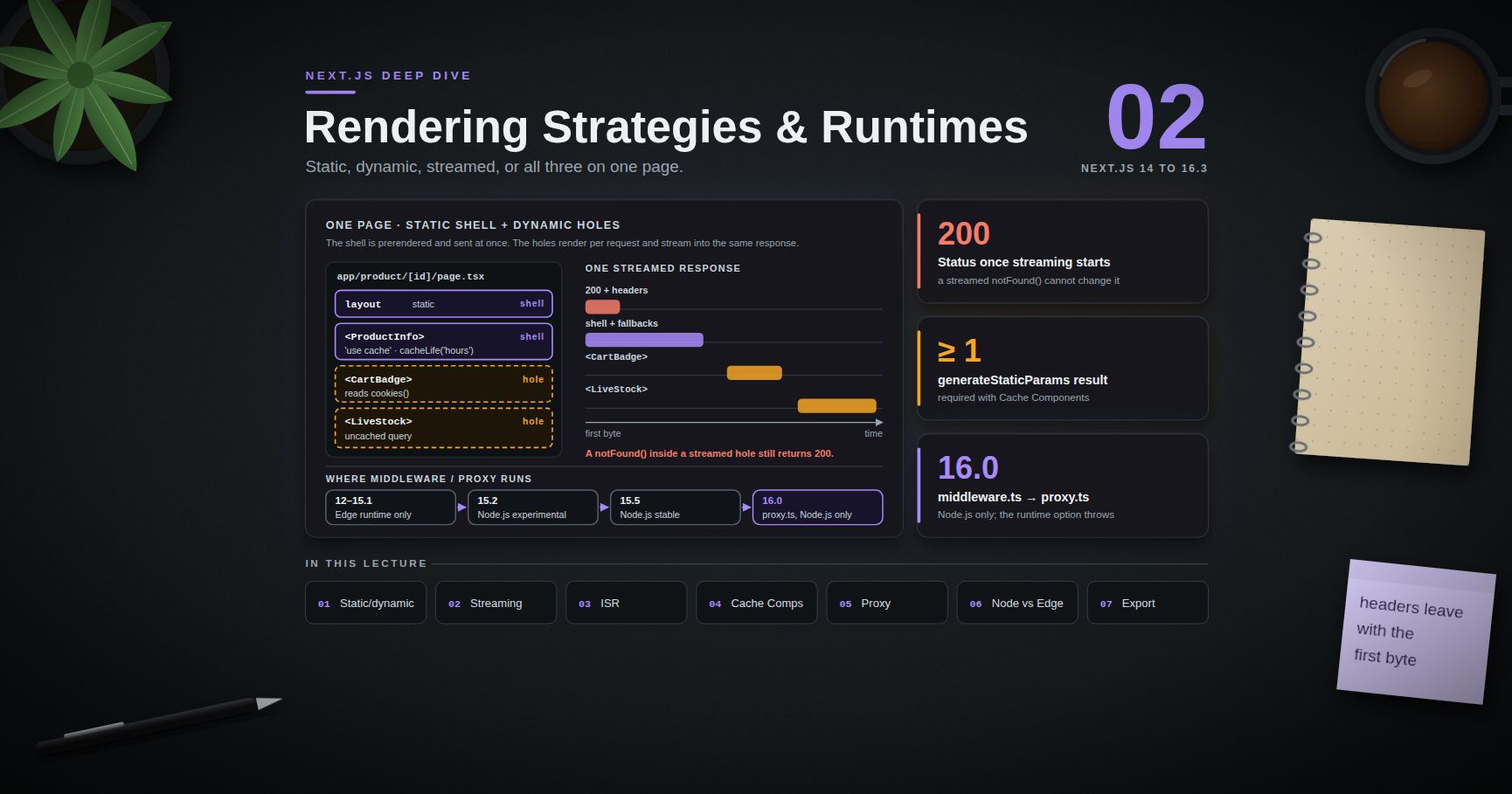
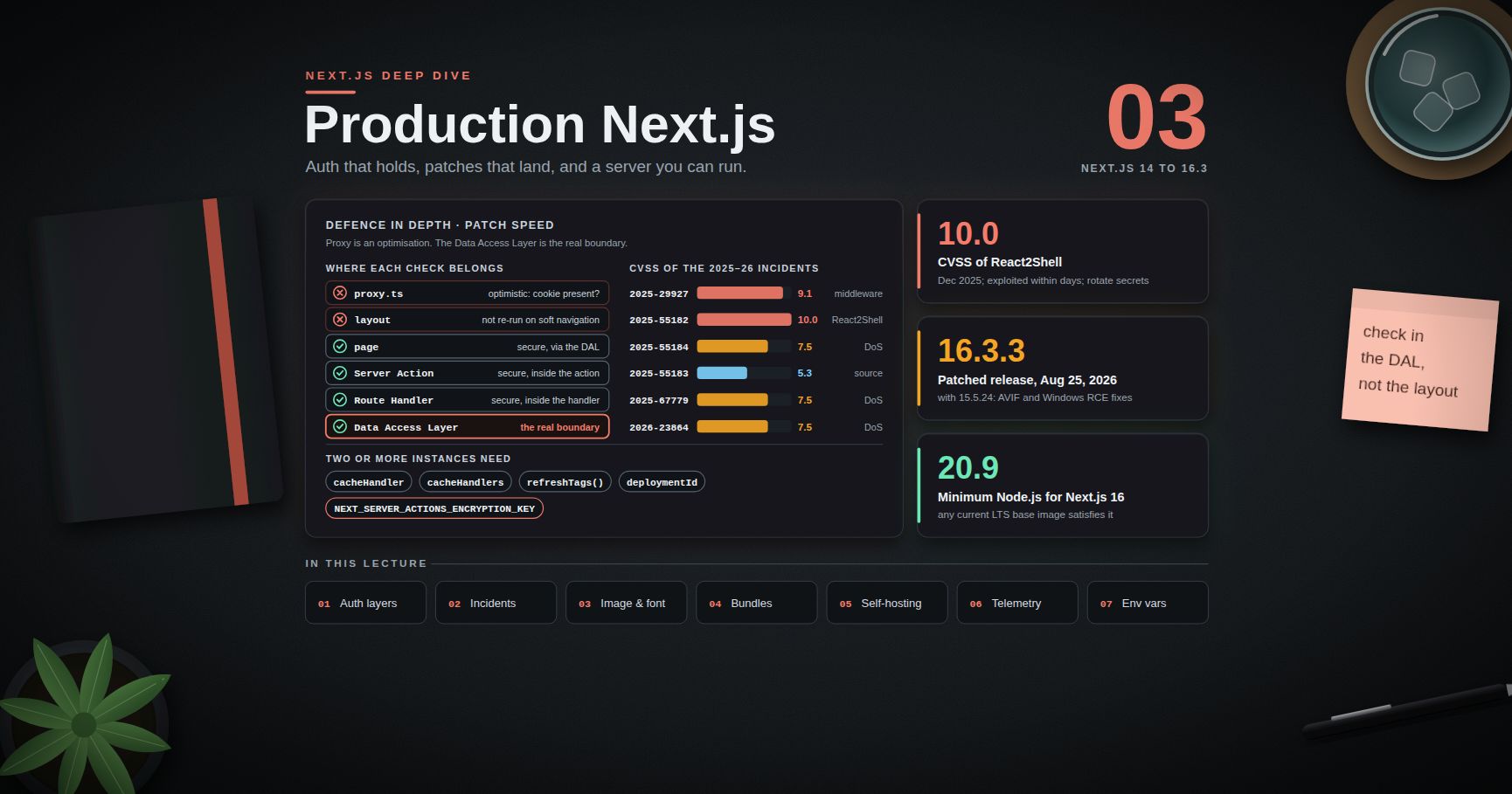
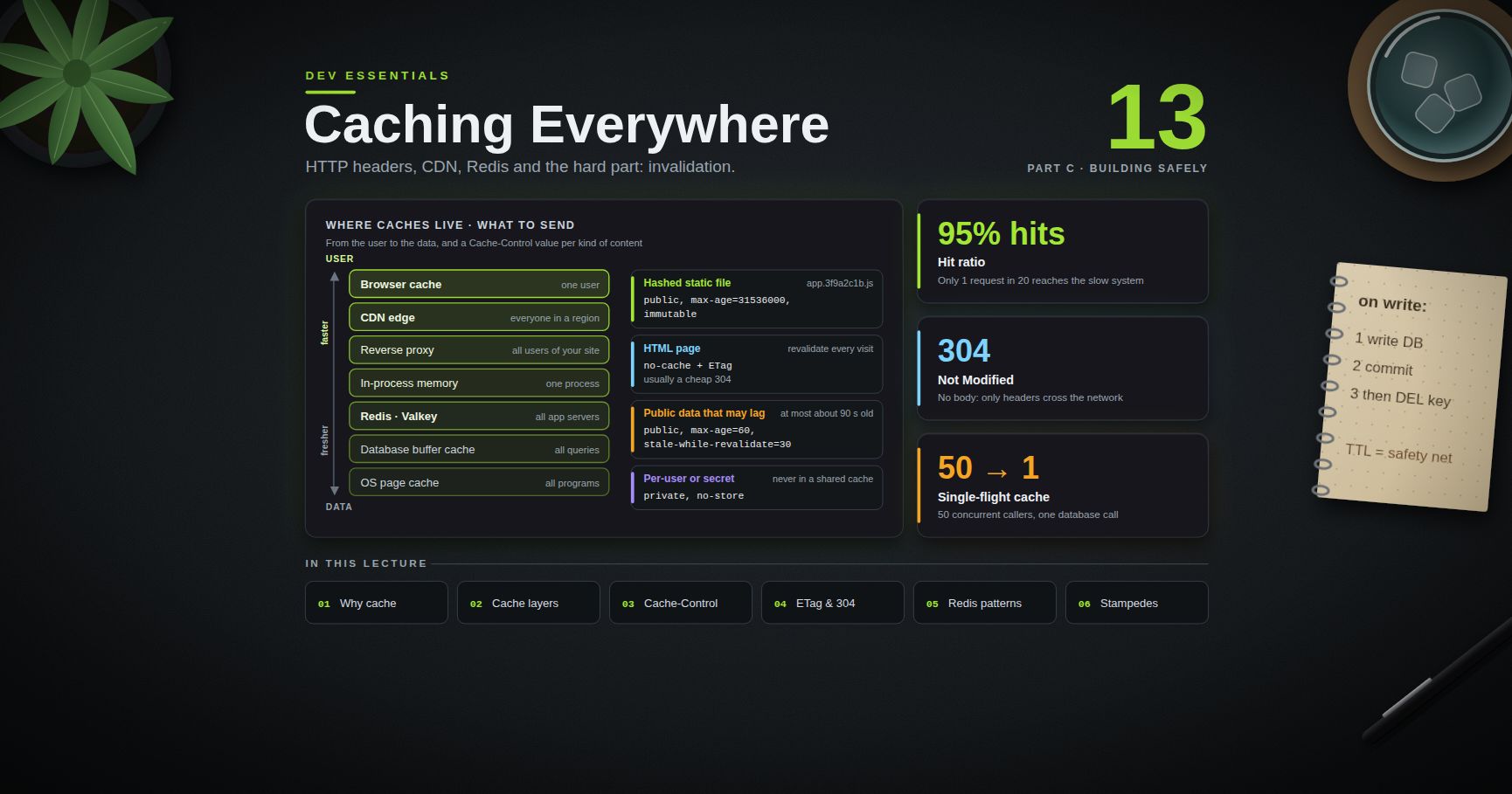
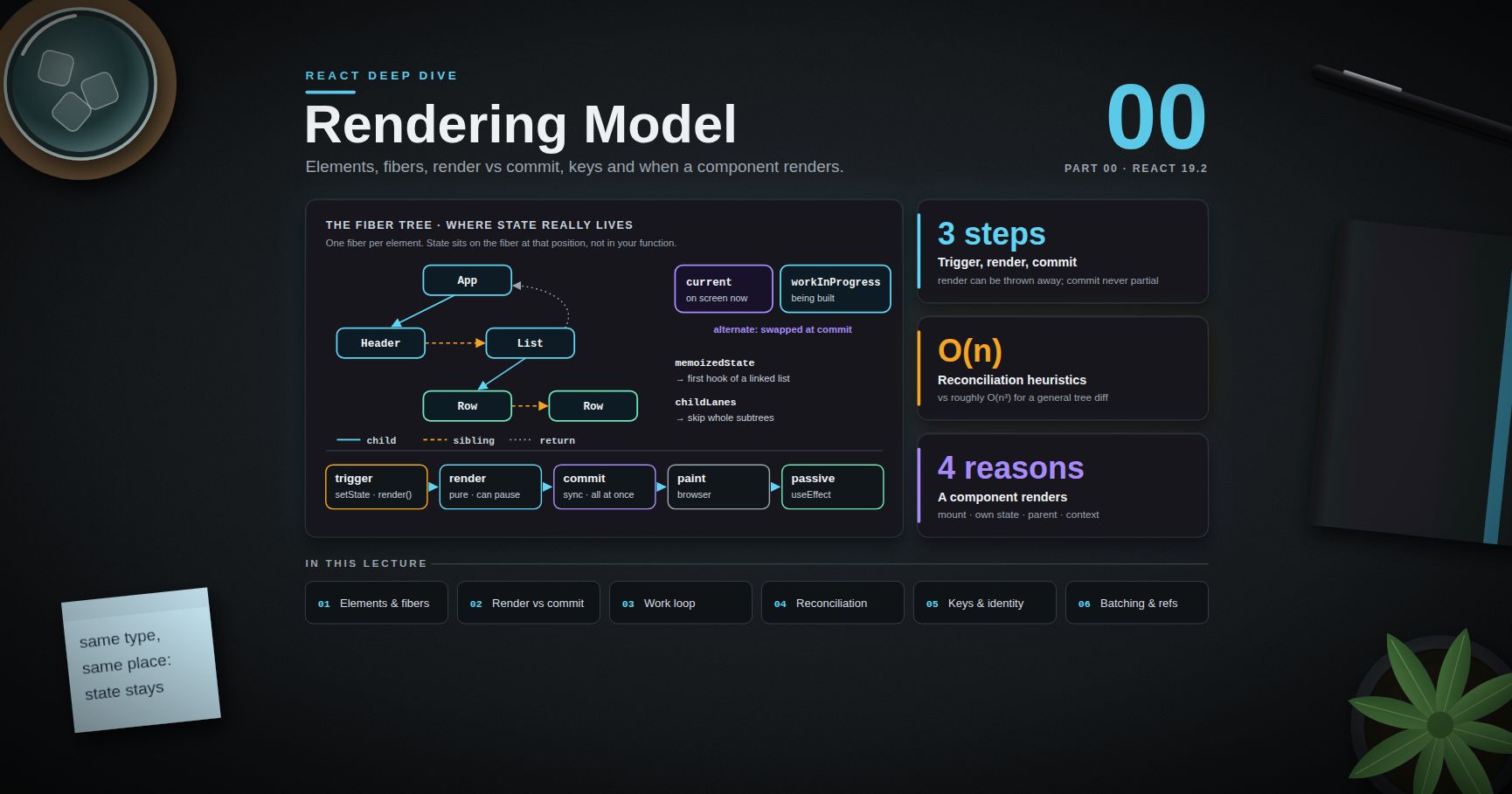
Series map: 00 App Router Mental Model → 01 Data Fetching, Caching & Server Actions (this post) → 02 Rendering Strategies & Runtimes → 03 Production Next.js (future: see the extensions table in 03).
Learning Outcome
- Fetch data in Server Components in parallel, avoid request waterfalls, and deduplicate with
React.cacheand fetch memoisation. - Build a server-only Data Access Layer that returns minimal DTOs.
- Name the four caching layers of Next.js 14 and what each one stores, for how long, and where.
- State exactly what changed in Next.js 15 (async request APIs, fetch default,
GEThandlers, router cache) and in 16 (Cache Components). - Use
'use cache',cacheLife,cacheTagcorrectly, including cache-key composition, closures, and the runtime-API restriction. - Choose between
updateTag,revalidateTag,revalidatePathandrefreshafter a mutation. - Write Server Actions with progressive enhancement,
useActionStateanduseOptimistic, and secure them as public endpoints. - Decide when a Route Handler is the right tool instead of a Server Action.
Chapter 1 — Fetching in Server Components
A Server Component can be async and await data directly: no getServerSideProps, no client-side loading state for the first render, and no API layer between the component and the data source unless you want one.
Waterfalls and how to avoid them
Sequential awaits in one component run one after another. Nested async components are worse: a child cannot start fetching until its parent has finished rendering.
1
2
3
4
5
6
7
8
// Sequential: total time = user + orders + recommendations
const user = await getUser(id)
const orders = await getOrders(id)
const recs = await getRecommendations(id)
// Parallel: total time = the slowest of the three
const [user, orders, recs] = await Promise.all([getUser(id), getOrders(id), getRecommendations(id)])
When the calls are independent but the UI can show them at different times, do not await them together at the top. Start each in its own Suspense-wrapped component so each part streams as soon as it is ready (Post 02 covers streaming):
1
2
3
4
5
6
7
8
9
export default function Page({ params }: { params: Promise<{ id: string }> }) {
return (
<>
<Suspense fallback={<ProfileSkeleton />}><Profile params={params} /></Suspense>
<Suspense fallback={<OrdersSkeleton />}><Orders params={params} /></Suspense>
</>
)
}
A dependent chain (you need the user's teamId before fetching the team) is a real dependency, not a waterfall to fix.
Deduplication: fetch memoisation and React.cache
Two different components often need the same data (the layout shows the user's name, the page shows the user's plan). You do not need to fetch once and drill props down.
- Fetch memoisation.
fetchrequests usingGETwith the same URL and options are executed once per server render pass, across layouts, pages and other Server Components. Memoisation lasts only for that render pass. It does not apply in Route Handlers (they are not part of the React tree). Pass anAbortControllersignal to opt out. React.cachedoes the same for any function (a database query, an SDK call):
1
2
3
4
5
6
7
8
9
// data/user.ts
import 'server-only'
import { cache } from 'react'
import { db } from '@/lib/db'
export const getUser = cache(async (id: string) => {
return db.user.findUnique({ where: { id }, select: { id: true, name: true, plan: true } })
})
Calls with the same arguments during the same request share one promise. The cache is thrown away when the request ends, so it never serves one user's data to another.
Watch out:
React.cachecompares arguments withObject.is.getUser({ id })with a fresh object literal on each call is a cache miss every time. Use primitive arguments.
The Data Access Layer
For new projects, Next.js recommends a dedicated server-only Data Access Layer (DAL): the only code that reads process.env secrets and talks to the database, performs authorisation, and returns minimal Data Transfer Objects instead of raw rows.
1
2
3
4
5
6
7
8
9
10
11
12
// data/auth.ts
import 'server-only'
import { cache } from 'react'
import { cookies } from 'next/headers'
import { decryptSession } from '@/lib/session'
export const getCurrentUser = cache(async () => {
const token = (await cookies()).get('session')?.value
const session = token ? await decryptSession(token) : null
return session ? { id: session.userId, role: session.role } : null
})
1
2
3
4
5
6
7
8
9
10
11
12
13
// data/invoices.ts
import 'server-only'
import { getCurrentUser } from './auth'
import { db } from '@/lib/db'
export async function getInvoiceDTO(invoiceId: string) {
const user = await getCurrentUser()
if (!user) return null
const inv = await db.invoice.findUnique({ where: { id: invoiceId } })
if (!inv || (inv.ownerId !== user.id && user.role !== 'admin')) return null
return { id: inv.id, total: inv.total, status: inv.status } // no ownerId, no internal notes
}
Pages and actions call the DAL and never import the ORM directly, so an auditor has one folder to review.
Chapter 2 — The four caches of Next.js 14
Next.js 14 (and 13.4+) had four layers, most of them on by default. A great deal of 2023-2024 content assumes this model.
| Layer | What it stores | Where | Lifetime | Default in 14 |
|---|---|---|---|---|
| Request memoisation | Return values of fetch (GET) in one render |
Server memory | One request | On |
| Data Cache | fetch responses |
Server (persistent; survives deploys) | Until revalidated | On: fetch cached unless opted out |
| Full Route Cache | Rendered HTML + RSC payload of static routes | Server (build output / cache) | Until revalidated or redeployed | On for static routes |
| Router Cache | RSC payload of visited and prefetched segments | Browser memory | 30 s dynamic, 5 min static | On |
In 14, a fetch was cached in the Data Cache unless something opted it out: cache: 'no-store', next: { revalidate: 0 }, a POST Route Handler, reading cookies() or headers() before it, export const dynamic = 'force-dynamic', and a few more heuristics. Non-fetch data (an ORM query) was cached through unstable_cache.
The model was fast by default and confusing by default. The typical incident: a developer adds a fetch to an external pricing API, it works in development, and production serves the build-time price for days because the Data Cache persisted the response and the route was prerendered as static.
Chapter 3 — What Next.js 15 changed
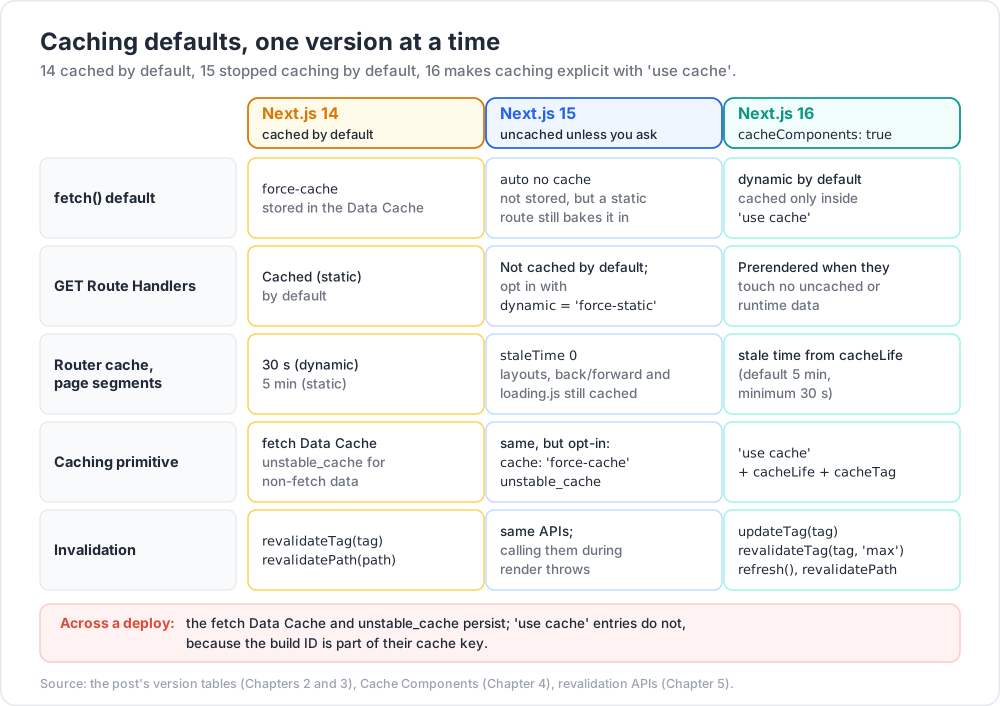
Next.js 15 (October 2024) flipped several defaults to "uncached unless you ask":
| Area | Next.js 14 | Next.js 15 |
|---|---|---|
fetch default |
force-cache |
auto no cache |
GET Route Handlers |
Cached (static) by default | Not cached by default; opt in with export const dynamic = 'force-static' |
| Router Cache, page segments | 30 s (dynamic) | staleTime 0; layouts, back/forward and loading.js (5 min) still cached |
cookies(), headers(), draftMode(), params, searchParams |
Synchronous | Async (sync access warned; removed in 16) |
export const dynamic = 'force-dynamic' |
Route rendered per request | Also sets no-store default for fetch |
revalidateTag / revalidatePath during render |
Allowed | Throws |
"auto no cache" is subtle. The fetch is not stored in the Data Cache, but if the route is prerendered statically at build time, the fetch runs once during next build and its result is baked into the static HTML. If the route uses a request-time API (cookies(), headers(), searchParams, connection()), the fetch runs on every request. So "15 does not cache fetch" is only half true: a static route still freezes the data until the route is revalidated.
Tags are limited to 256 characters each and 128 per entry.
1
2
3
4
5
6
fetch(url) // auto no cache (15+ default)
fetch(url, { cache: 'force-cache' }) // store in the Data Cache
fetch(url, { cache: 'no-store' }) // always fetch, even on static routes
fetch(url, { next: { revalidate: 3600 } }) // cache, at most 1 hour old
fetch(url, { next: { tags: ['products'] } }) // cache with a tag for on-demand revalidation
Common pitfall: in development,
fetchresponses are reused across Hot Module Replacement (serverComponentsHmrCache), even withno-store. "The data does not refresh in dev" is often this, not a caching bug in production. A full reload clears it.
Chapter 4 — Next.js 16: Cache Components and use cache
The new default: dynamic, with explicit caching
Next.js 16 (October 2025) introduced Cache Components, enabled with one flag:
1
2
3
4
5
// next.config.ts
import type { NextConfig } from 'next'
const nextConfig: NextConfig = { cacheComponents: true }
export default nextConfig
With the flag on, all data access is dynamic by default and nothing is cached unless you mark it with the 'use cache' directive. The flag replaces the 15-era experimental flags dynamicIO, useCache and ppr. The route segment configs dynamic, revalidate and fetchCache are no longer allowed on those routes (the build errors), and dynamicParams fails the build. Cache Components requires the Node.js runtime.
The diagram below lines up the three generations of defaults.
'use cache' at three levels
1
2
3
4
5
6
7
8
9
10
11
12
13
14
15
16
17
18
19
20
21
import { cacheLife, cacheTag } from 'next/cache'
// 1. A data function
export async function getProduct(id: string) {
'use cache'
cacheLife('hours')
cacheTag(`product-${id}`)
return db.product.findUnique({ where: { id } })
}
// 2. A component: its rendered output is cached, keyed by its props
export async function ProductCard({ id }: { id: string }) {
'use cache'
cacheLife('hours')
const p = await getProduct(id)
return <article>{p?.name}</article>
}
// 3. A whole file: every export is cached (and must be async)
// 'use cache' <- first line of the module
Functions and components marked 'use cache' must be async.
What goes into the cache key
A cache entry's key is built from:
- Build ID (or
deploymentIdif configured). A new deploy invalidates every entry. - Function ID: a secure hash of the function's location and signature.
- Serialisable arguments: props for components, arguments for functions.
- Closed-over variables: variables captured from an outer scope are bound as arguments automatically.
- In development only, an HMR refresh hash.
Point 4 is what makes nested cached functions safe:
1
2
3
4
5
6
7
8
9
async function Invoices({ tenantId }: { tenantId: string }) {
const list = async (status: string) => {
'use cache'
// key includes tenantId (closure) AND status (argument)
return db.invoice.findMany({ where: { tenantId, status } })
}
return <Table rows={await list('open')} />
}
Arguments and return values must be serialisable (Post 00's rules). You may accept a non-serialisable value (such as children or a Server Action) only as pass-through: return it in JSX without reading it. That is how a cached layout can wrap uncached children: slots do not affect the cache entry.
The runtime-API rule
Inside a 'use cache' scope you cannot call cookies(), headers() or read searchParams, and the rule follows the call stack: a helper that reads cookies fails with the next-request-in-use-cache error. Read the value outside and pass it in:
1
2
3
4
5
6
7
8
9
10
async function Page() {
const locale = (await cookies()).get('locale')?.value ?? 'en'
return <Catalog locale={locale} /> // locale becomes part of the key
}
async function Catalog({ locale }: { locale: string }) {
'use cache'
cacheLife('days')
return <List items={await getCatalog(locale)} />
}
Watch out: passing the promise from
cookies()into a cached function does not error immediately. The build waits for data that can never resolve at build time, and times out after 50 seconds with "Filling a cache during prerender timed out". Await runtime data first; pass plain values.
React.cache scopes are isolated inside 'use cache': a value stored via React.cache outside is not visible inside. Pass data by argument.
cacheLife profiles
cacheLife sets three times: stale (how long the browser may reuse the data without asking), revalidate (after this, the next request serves the cached value and regenerates in the background), and expire (after this with no traffic, the next request waits for fresh data).
| Profile | stale | revalidate | expire |
|---|---|---|---|
default (no cacheLife call) |
5 min | 15 min | never |
seconds |
30 s | 1 s | 1 min |
minutes |
5 min | 1 min | 1 h |
hours |
5 min | 1 h | 1 day |
days |
5 min | 1 day | 1 week |
weeks |
5 min | 1 week | 30 days |
max |
5 min | 30 days | 1 year |
Custom profiles go in next.config.ts under cacheLife: { editorial: { stale: 600, revalidate: 3600, expire: 86400 } }; expire must be longer than revalidate. The client router enforces a minimum stale time of 30 seconds regardless of configuration, communicated through the x-nextjs-stale-time response header.
Two rules that bite:
- A short lifetime (
revalidate0, orexpireunder 5 minutes, as withseconds) cannot be prerendered; the entry becomes a dynamic hole resolved at request time and needs a Suspense boundary. - Nesting a short-lived cache inside a
'use cache'scope that has no explicitcacheLifefails the build, because the outer entry would silently become short-lived too. Always callcacheLifeexplicitly.
Where entries live: memory, remote, private
'use cache'stores entries through a cache handler, in memory (LRU) by default. Self-hosted, entries persist across requests in that process (size viacacheMaxMemorySize). On serverless, instances are ephemeral, so runtime entries often do not survive between requests; build-time entries work normally.'use cache: remote'lets the platform (or yourcacheHandlersconfig) store entries in a shared store such as Redis. It costs a network round trip per lookup.'use cache: private'exists for the rare case where you cannot refactor runtime data out of the cached scope. Results are not stored in a server cache across production requests.
Watch out: neither
'use cache'nor'use cache: remote'survives a deploy, because the build ID is in the key. The legacyfetchData Cache andunstable_cachedo persist across deploys. Migrating a slow upstream call fromunstable_cacheto'use cache'changes post-deploy load on that upstream.
Chapter 5 — Revalidation after a mutation
The four APIs
| API | What it does | Where it can be called | Re-render in the action's response? |
|---|---|---|---|
updateTag(tag) (16) |
Expires the tag immediately; the next read waits for fresh data (read-your-own-writes) | Server Actions only | Yes |
revalidateTag(tag, profile) |
Marks the tag stale; reads get the old value while a background refresh runs (stale-while-revalidate) | Server Actions, Route Handlers | No |
revalidatePath(path, type?) |
Invalidates by URL (type is 'page' or 'layout' for dynamic patterns) |
Server Actions, Route Handlers | Yes |
refresh() (16) |
Re-fetches the current route's uncached data; touches no cache | Server Actions only | Yes |
In Next.js 16, revalidateTag takes a cacheLife profile as its second argument ('max' is the recommended default). The one-argument form is deprecated. In 14 and 15 it took only the tag.
1
2
3
4
5
6
7
8
9
'use server'
import { updateTag, revalidateTag } from 'next/cache'
export async function renameProject(id: string, name: string) {
await dal.renameProject(id, name) // auth + authz inside the DAL
updateTag(`project-${id}`) // the user sees the new name in this response
revalidateTag('project-list', 'max') // other lists refresh in the background
}
1
2
3
4
5
6
7
8
9
10
11
// app/api/cms-webhook/route.ts: a webhook cannot use updateTag
import { revalidateTag } from 'next/cache'
export async function POST(req: Request) {
if (req.headers.get('x-cms-secret') !== process.env.CMS_WEBHOOK_SECRET) {
return new Response('forbidden', { status: 403 })
}
const { tag } = await req.json()
revalidateTag(String(tag), 'max')
return Response.json({ ok: true })
}
When any of these runs inside a Server Action, the whole client router cache is cleared, bypassing stale times. revalidatePath is implemented on top of tags: it calls revalidateTag with a special default tag for that page.
Common pitfall: on a multi-instance self-hosted deployment,
revalidateTagon one instance invalidates only that instance's cache by default. Coordinating tags needs a shared cache handler that implementsrefreshTags()(Post 03).
Chapter 6 — Server Actions and Server Functions
Vocabulary
React calls any function marked 'use server' a Server Function. When it is used through React's action mechanisms (<form action>, <button formAction>, or called inside startTransition), it is a Server Action. Next.js docs use both terms; they describe the same compiled artefact.
At build time, 'use server' tells the compiler to replace the function in client bundles with a reference: an action ID plus a dispatcher that POSTs to the route of the page that invokes it. The implementation stays on the server. Since 15, IDs are unguessable and non-deterministic, rotated at most every 14 days, and actions that nothing imports are removed from the client bundle entirely (dead code elimination).
Forms and progressive enhancement
1
2
3
4
5
6
7
8
9
10
11
12
13
14
15
16
// app/projects/actions.ts
'use server'
import { z } from 'zod'
import { createProject } from '@/data/projects'
import { redirect } from 'next/navigation'
const Schema = z.object({ name: z.string().min(1).max(80) })
export type State = { error?: string }
export async function create(prev: State, formData: FormData): Promise<State> {
const parsed = Schema.safeParse({ name: formData.get('name') })
if (!parsed.success) return { error: 'Name is required (max 80 characters).' }
const project = await createProject(parsed.data.name) // authenticates inside
redirect(`/projects/${project.id}`) // throws: code after it does not run
}
1
2
3
4
5
6
7
8
9
10
11
12
13
14
15
16
17
18
19
20
21
22
// app/projects/new/form.tsx
'use client'
import { useActionState } from 'react'
import { useFormStatus } from 'react-dom'
import { create, type State } from '../actions'
function Submit() {
const { pending } = useFormStatus()
return <button disabled={pending}>{pending ? 'Creating…' : 'Create'}</button>
}
export function NewProjectForm() {
const [state, action] = useActionState<State, FormData>(create, {})
return (
<form action={action}>
<input name="name" required maxLength={80} />
{state.error && <p role="alert">{state.error}</p>}
<Submit />
</form>
)
}
The form is a real HTML <form> posting to the page URL, so it can submit before JavaScript has loaded (progressive enhancement). useActionState replaced the earlier useFormState from React canaries (the name in Next.js 14 era code).
For instant feedback, useOptimistic shows the expected result while the action runs and rolls back automatically if it fails.
One round trip carries data and UI
When an action calls updateTag, revalidatePath or refresh, mutates cookies, or calls redirect, Next.js re-renders the current route (or the redirect target) in the same response. One Flight stream carries both the action's return value and the new RSC payload. No follow-up fetch is needed. revalidateTag with a profile is the exception: it only schedules a background refresh.
Put revalidation calls before redirect, because redirect throws.
Actions are dispatched one at a time per client. Promise.all([actionA(), actionB()]) from the browser does not run them in parallel; the second waits for the first. Parallel work belongs inside one action, in a Server Component, or in a Route Handler.
Security model: every action is a public endpoint
The single most important fact: an exported Server Action is reachable by anyone who can send the same POST, whether or not your UI renders the form. A page-level auth check protects the page's HTML, not the action.
1
2
3
4
5
6
7
8
9
10
11
12
13
14
15
16
17
18
19
'use server'
import { auth } from '@/lib/auth'
import { db } from '@/lib/db'
// UNSAFE: no authentication, no ownership check, trusts the whole object
export async function completeItemUnsafe(item: { id: string }) {
await db.item.update({ where: { id: item.id }, data: { completed: true } })
}
// SAFE: identity from the session, ownership in the query, minimal return
export async function completeItem(itemId: string) {
const session = await auth()
if (!session?.user) throw new Error('Unauthorized')
const item = await db.item.findFirst({ where: { id: itemId, ownerId: session.user.id } })
if (!item) throw new Error('Forbidden')
await db.item.update({ where: { id: item.id }, data: { completed: true } })
return { ok: true }
}
Checklist for every action:
- Authenticate (is there a user?) and authorise (may this user touch this resource?). Missing authorisation is an IDOR bug.
- Validate input with a schema. Schema validation checks shape, not ownership.
- Return the minimum. Return values are serialised to the client; never return a raw database row.
- Keep it thin. Delegate to the
server-onlyDAL so the checks live in one place.
What the framework adds on top:
| Protection | Detail |
|---|---|
| CSRF check | Only POST invokes actions. The Origin header's host is compared with Host / X-Forwarded-Host; a mismatch is rejected. Extra hosts go in experimental.serverActions.allowedOrigins (* = one label, ** = one or more). A request with no Origin header is allowed through with a warning. |
| Body size limit | 1 MB by default; experimental.serverActions.bodySizeLimit (e.g. '2mb'). |
| Secure IDs + dead code elimination | Since 15; IDs rotate at most every 14 days. |
| Closure encryption | Variables captured by an inline action are encrypted before being sent to the client, with a new key per build. Set NEXT_SERVER_ACTIONS_ENCRYPTION_KEY (base64 AES key of 16, 24 or 32 bytes) on multi-instance deployments, or instances cannot decrypt each other's references. |
Watch out: closure encryption hides captured values from casual inspection, but Next.js explicitly says not to rely on it alone. Do not close over secrets; re-read sensitive values on the server inside the action.
Common pitfall: a Proxy (
proxy.ts, formerlymiddleware.ts) matcher that excludes a path also skips every Server Action posted to that path, because actions are POSTs to the page route. A refactor that moves an action can silently remove Proxy coverage. This is one more reason to check auth inside the action.
The deserialiser that decodes Server Function arguments is itself attack surface: the critical React Server Components vulnerability of December 2025 (CVE-2025-55182, CVSS 10.0) was in exactly this code path. Post 03 covers it.
Chapter 7 — Route Handlers
A route.ts file exports functions named after HTTP methods (GET, POST, PUT, PATCH, DELETE, HEAD, OPTIONS) and uses Web Request/Response. It cannot live in the same segment as a page.tsx.
1
2
3
4
5
6
7
8
9
10
11
// app/api/products/[id]/route.ts
import { NextRequest } from 'next/server'
import { getProductDTO } from '@/data/products'
export async function GET(_req: NextRequest, ctx: { params: Promise<{ id: string }> }) {
const { id } = await ctx.params // a promise since 15
const product = await getProductDTO(id)
if (!product) return Response.json({ error: 'not found' }, { status: 404 })
return Response.json(product)
}
Caching by version: GET handlers were static by default in 14, dynamic by default in 15 (opt in with export const dynamic = 'force-static'), and in 16 with Cache Components they prerender when they touch no uncached or runtime data; move data access into a 'use cache' helper, because the directive cannot be put on the GET export itself.
When to use which:
| Need | Use |
|---|---|
| Mutation triggered from your own React UI | Server Action |
| Webhook from a third party (Stripe, a CMS) | Route Handler |
| Public or versioned API for mobile apps or other services | Route Handler |
| Non-JSON responses (CSV export, RSS, images) | Route Handler |
| Parallel reads from the client | Route Handler (actions are sequential) |
| Reading data for a page | Neither: fetch in the Server Component |
Trick: do not call your own Route Handler with
fetchfrom a Server Component. It adds a network hop and loses request context. Call the DAL function the handler uses.
Practice Exercises
Exercise 1 — Explain the stale price
A Next.js 15 page does await fetch('https://api.example.com/price') with no options and uses no request-time APIs. In production the price never changes. Why, and give two fixes.
Solution
The route has no dynamic API, so it is prerendered at build time; under auto no cache the fetch runs once during next build, and the value is frozen in the static HTML. Fixes: fetch(url, { next: { revalidate: 60 } }) (time-based ISR), or { cache: 'no-store' } / await connection() to render per request. With Cache Components in 16, put the fetch in a 'use cache' function with cacheLife('minutes'), or leave it uncached inside Suspense.
Exercise 2 — Cache-key bug
A developer writes a 'use cache' function getDashboard() that calls getCurrentUser() (which reads cookies) inside it. What happens, and what is the fix?
Solution
It fails with the next-request-in-use-cache error, because runtime APIs are forbidden inside cached scopes, including through helpers. Read the user outside and pass the id: getDashboard(user.id). The id then becomes part of the key, so each user gets their own entry. Without that rule, one cached dashboard could be served to every user.
Exercise 3 — Pick the invalidation API
For each case choose updateTag, revalidateTag(tag, 'max'), revalidatePath or refresh: (a) a user edits their display name and must see it immediately; (b) a CMS webhook says an article changed; (c) an action marks a notification read and the unread counter is uncached; (d) an admin action changes an untagged page.
Solution
(a) updateTag (read-your-own-writes, action only). (b) revalidateTag(tag, 'max') (Route Handler; updateTag is not allowed there). (c) refresh() (only uncached data changed). (d) revalidatePath('/that/page').
Exercise 4 — Secure the action
Review: export async function deleteComment(comment: { id: string; authorId: string }) { await db.comment.delete({ where: { id: comment.id } }) }. List every problem and rewrite it.
Solution
No authentication; no authorisation; it trusts authorId from the client; it accepts a whole object where an id suffices; no input validation.
1
2
3
4
5
6
7
8
9
10
11
12
13
14
'use server'
import { updateTag } from 'next/cache'
import { auth } from '@/lib/auth'
import { db } from '@/lib/db'
export async function deleteComment(commentId: string) {
const session = await auth()
if (!session?.user) throw new Error('Unauthorized')
if (typeof commentId !== 'string' || commentId.length > 64) throw new Error('Bad input')
const res = await db.comment.deleteMany({ where: { id: commentId, authorId: session.user.id } })
if (res.count === 0) throw new Error('Forbidden')
updateTag('comments')
}
Exercise 5 — Multi-instance failure
Three containers behind a load balancer intermittently log "Failed to find Server Action". Give two causes and the fixes.
Solution
(1) Each build generated its own closure-encryption key, or instances run different builds: set a shared NEXT_SERVER_ACTIONS_ENCRYPTION_KEY and deploy one build everywhere. (2) Version skew during a rolling deploy: a client from the old build calls an action ID the new build does not have. Configure deploymentId, prefer rolling deploys, and surface the error as a "refresh and retry" message.
Cheat-sheet
| Task | How |
|---|---|
| Parallel fetch | await Promise.all([...]), or separate Suspense-wrapped components |
| Deduplicate any function per request | React.cache(fn) with primitive arguments |
| Keep a module on the server | import 'server-only' |
| Cache a fetch (14/15 model) | fetch(url, { next: { revalidate: n, tags: [...] } }) |
| Always fresh (15) | { cache: 'no-store' } or await connection() |
| Turn on the 16 model | cacheComponents: true |
| Cache a function or component (16) | 'use cache' + cacheLife('hours') + cacheTag('x') |
| Default profile | stale 5 min, revalidate 15 min, expire never |
| Runtime data and caching | Read outside, pass plain values as arguments |
| Read-your-own-writes | updateTag(tag) (Server Action only) |
| Background refresh | revalidateTag(tag, 'max') (16 signature) |
| Refresh uncached UI only | refresh() |
| Action body limit | 1 MB default; serverActions.bodySizeLimit |
| Multi-instance actions | Shared NEXT_SERVER_ACTIONS_ENCRYPTION_KEY, deploymentId |
| Every action | Authenticate, authorise, validate, return the minimum |
| Webhooks, public APIs, files | Route Handler |
What's next
Post 02 covers rendering strategies and runtimes: how a route becomes static or dynamic, streaming with Suspense and what it does to status codes, ISR and generateStaticParams, Partial Prerendering and how Cache Components builds a static shell with dynamic holes, proxy.ts (the renamed middleware), the Node.js versus Edge runtime decision, and the limits of a static export, using this blog's own build as the worked example. For the React primitives used here (useActionState, useOptimistic, transitions), see the React Deep Dive series.
References
- Next.js Docs — Fetching Data and
fetchAPI reference - Next.js Docs —
use cache,cacheLife,cacheComponents - Next.js Docs — Migrating to Cache Components
- Next.js Docs — Server Actions and Mutations and
serverActionsconfig - Next.js Docs — Data Security
- React — Server Functions,
useActionState,cache - Next.js 15 release notes (caching semantics) and Next.js 16 (Cache Components,
updateTag,refresh)