React Deep Dive — 00 · Rendering Model
Most React bugs that survive code review are not syntax mistakes. They are wrong beliefs about the rendering model: "props changed, so the child re-renders", "setting state updates the variable", "this effect runs once", "the key is only for the warning". Each belief works in the demo and fails in production — as lost input state, a stale value, a double request, or a list that shows the wrong row after a sort. This series is for engineers who already ship React and want the model that sits under it. Post 00 builds that model from the ground: what an element, a component and an instance really are; the render and commit phases; the Fiber tree and its work loop; the reconciliation heuristics; keys and identity; batching; StrictMode; and refs. Examples target React 19.2, with notes where React 18 behaves differently.
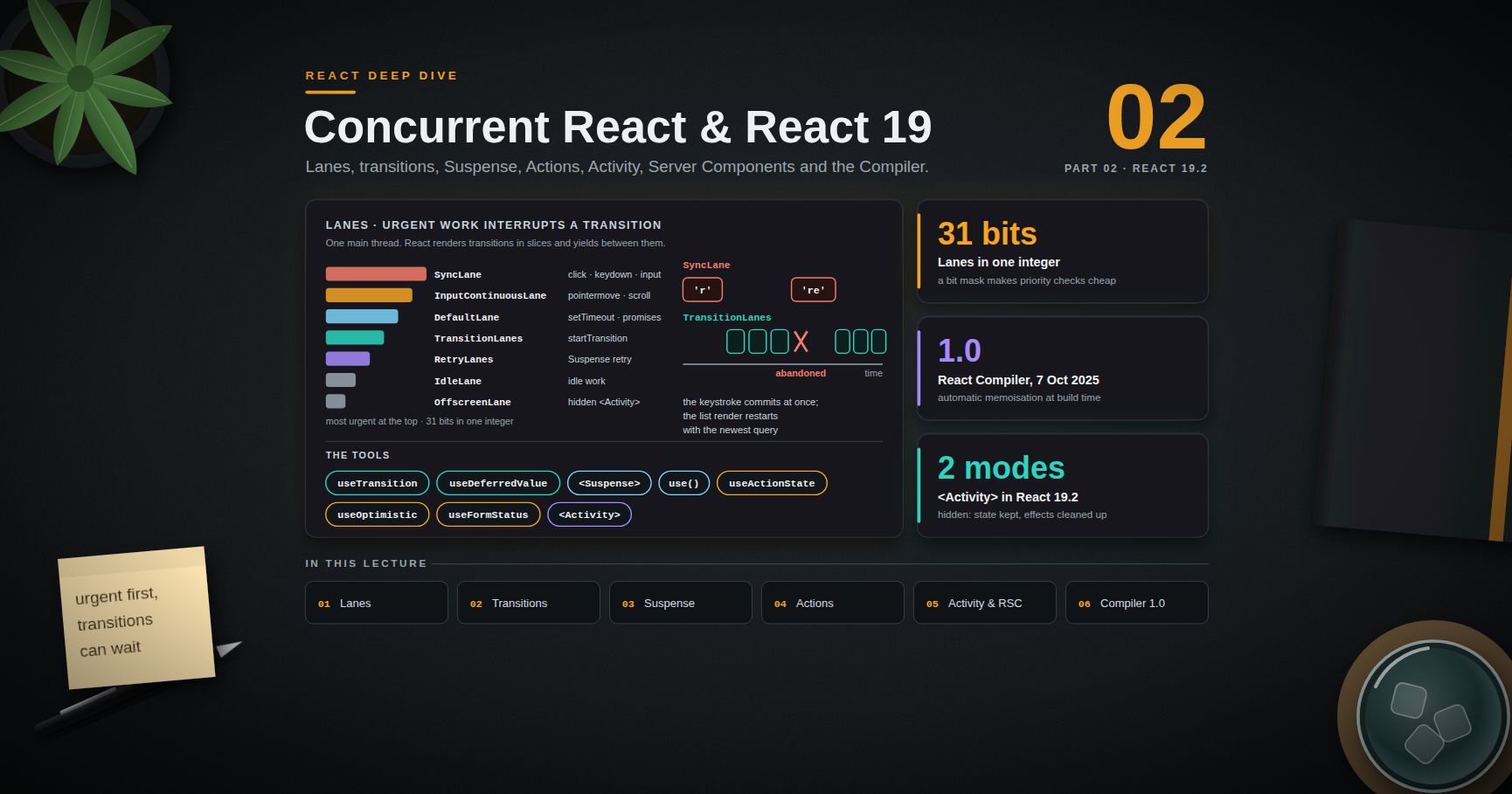
Series map: 00 Rendering Model (this post) → 01 Hooks & State Architecture → 02 Concurrent React & React 19 → 03 Performance, Testing & Architecture at Scale. Future topics: see the "Planned future extensions" table in 03.
Learning Outcome
- Tell apart an element, a component and a component instance, and say where state actually lives.
- Describe the three steps of an update — trigger, render, commit — and what is allowed in each.
- Explain the Fiber data structure, the two trees (
currentandworkInProgress), and why rendering can be paused. - Predict when React keeps state and when it throws it away, from the element type and position alone.
- Use keys on purpose: to keep identity across reorders, and to reset a subtree.
- List the exact reasons a component renders, and the bailouts that stop a render.
- Explain automatic batching (React 18+) and the snapshot behaviour of state.
- Read StrictMode's double calls as a test, not a bug, and know what React 19 changed.
- Use refs for values that must not trigger a render, including ref cleanup functions and
refas a prop.
Chapter 1 — Elements, components and instances
Terminology
- Element — a plain, immutable object that describes what should be on screen:
{ type, props, key, ... }. Cheap to create, thrown away after each render. - Component — a function (or class) that takes props and returns elements. It is a description of a description.
- Instance — the thing that holds state for one mounted use of a component. For function components React does not expose an instance object; the state lives on an internal fiber.
- Host component — a platform element such as
'div'or'button'(a stringtype). The renderer (react-dom, React Native) turns it into a real node. - Renderer — the package that owns the host environment.
reactholds the component model;react-domowns the DOM.
What JSX becomes
With the automatic JSX runtime (the default in Vite, Next.js and TypeScript's "jsx": "react-jsx"), this:
1
2
<Button kind="primary" onClick={save}>Save</Button>
compiles to roughly:
1
2
3
import { jsx as _jsx } from "react/jsx-runtime";
_jsx(Button, { kind: "primary", onClick: save, children: "Save" });
The result is an ordinary object (el.type === Button, el.props.kind === "primary"). Nothing has rendered yet; Button has not even been called. The element only records which component to call and with which props. React decides later whether to call it at all.
Where state lives
State does not live "in the function". A function component is called again on every render, and its local variables are new each time. The state lives on the fiber that React created when it first mounted that element at that position in the tree. useState reads from and writes to that fiber.
This has one big consequence that the rest of the post keeps returning to: identity is decided by position and type (and key), not by the component's name or by which variable held the element.
Trick: say "React calls my component" instead of "my component runs". It keeps the right model in mind: React owns the call, the timing, and how many times it happens.
Chapter 2 — Trigger, render, commit
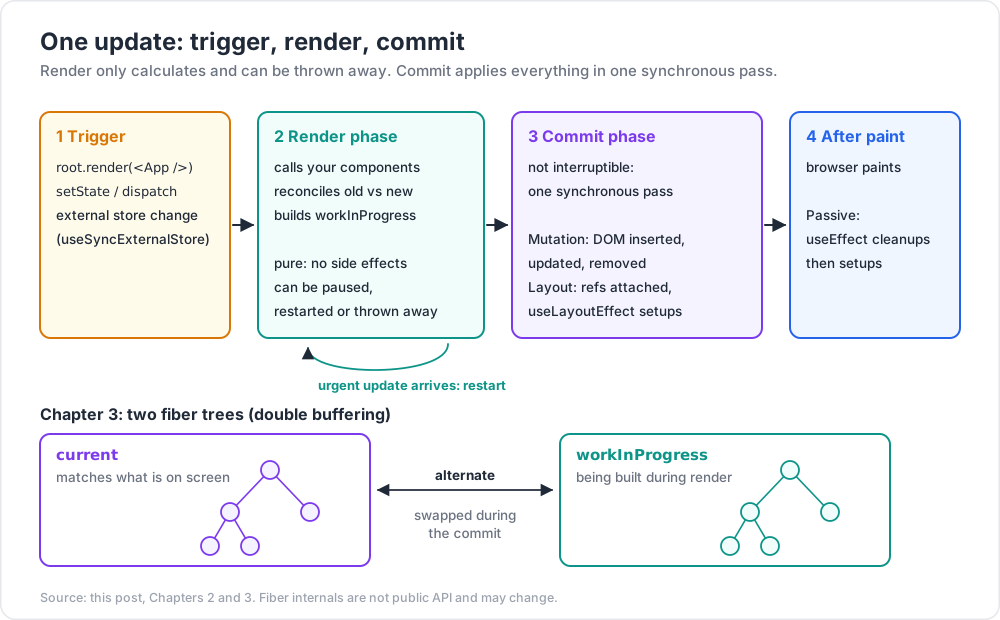
Every screen update goes through the same three steps.
- Trigger. Something schedules an update: the initial
root.render(<App />), or asetState/dispatchcall, or a change in an external store read withuseSyncExternalStore. - Render. React calls the components that may have changed and builds the next tree of elements. It compares that tree with the previous one (reconciliation) and records which host nodes need changes.
- Commit. React applies the recorded changes to the DOM in one go, attaches refs, and runs effects.
Render phase: pure and interruptible
In the render phase React only calculates. It calls your components and compares results. Because of concurrent rendering (Post 02), the render phase can be paused to let the browser handle input, restarted when a more urgent update arrives, or thrown away if the result is no longer needed.
That is why components must be pure during render: same props, state and context in, same elements out, and no side effects. An analytics.track() call, a render counter in a module variable, a write to a ref — any of these can run twice, or run for a render that never commits.
Commit phase: synchronous and never partial
The commit phase is not interruptible. Once React starts committing, the whole tree is applied in one synchronous pass, so the user never sees half an update. Inside the commit, the order is:
| Step | What happens |
|---|---|
| Before mutation | getSnapshotBeforeUpdate for classes |
| Mutation | DOM nodes inserted, updated, removed; old ref detached; layout-effect cleanups of changed components |
| Layout | refs attached; useLayoutEffect setups; componentDidMount / componentDidUpdate |
| (browser paints) | |
| Passive | useEffect cleanups then setups |
useLayoutEffect runs after the DOM is changed but before the browser paints, so it can measure layout and set state without a visible flicker. useEffect normally runs after paint. The React docs add one detail: when the update came from a discrete interaction such as a click, React may run the effects before paint. Do not depend on either timing for correctness; use useLayoutEffect when you need "before paint".
Watch out: "render" in React does not mean "paint to the screen". A component can render many times with zero DOM changes, and the DOM only changes in the commit. Profilers (Post 03) show render time and commit time separately for this reason.
Chapter 3 — The Fiber tree and the work loop
This chapter describes internals. They are not public API and they change between versions, but the shape has been stable since React 16 and it explains most observable behaviour.
Terminology
- Fiber — an internal object, one per element in the tree (components and host nodes). It is both the "instance" and a unit of work.
currenttree — the fibers that match what is on screen now.workInProgresstree — the tree being built during a render.- Alternate — each fiber points to its twin in the other tree. React reuses the pair instead of allocating new objects (double buffering).
- Lanes — a bit mask on each fiber that says which priorities of pending work it has. Post 02 covers them.
- Flags — bits on a fiber that say what the commit must do: place, update, delete, run effects.
What a fiber holds
A simplified view of the fields that matter for understanding behaviour:
1
2
3
4
5
6
7
8
9
10
11
12
13
14
15
interface Fiber {
type: any; // the component function, or 'div'
key: string | null;
stateNode: any; // DOM node for host fibers, class instance for classes
return: Fiber | null; // parent
child: Fiber | null; // first child
sibling: Fiber | null; // next sibling
memoizedProps: any; // props used for the last completed render
memoizedState: any; // for function components: the first hook in a linked list
lanes: number; // pending work on this fiber
childLanes: number; // pending work somewhere below
flags: number; // effects the commit must apply
alternate: Fiber | null;
}
Two fields explain a lot:
memoizedStateof a function component points to a linked list of hooks in call order. That is the real reason hooks must be called in the same order every render (Post 01).childLaneslets React skip whole subtrees. If a fiber has no own work andchildLanesis empty, React reuses the whole subtree fromcurrentwithout calling any component in it.
The work loop
The tree is a linked list (child, sibling, return), so React can walk it with a plain loop instead of recursion. That is what makes pausing possible: the loop can stop after any fiber and resume later from a saved pointer.
1
2
3
4
5
6
7
8
9
10
11
12
13
// Very simplified shape of the loop
function workLoopConcurrent() {
while (workInProgress !== null && !shouldYield()) {
performUnitOfWork(workInProgress);
}
}
function performUnitOfWork(fiber) {
const next = beginWork(fiber); // call the component, reconcile its children
if (next === null) completeUnitOfWork(fiber); // no child: complete, go to sibling or parent
else workInProgress = next;
}
beginWorkgoes down: it calls the component (or bails out), then reconciles the returned children into child fibers.completeWorkgoes back up: for host fibers it creates or prepares DOM nodes (not yet attached) and bubbles flags upward so the commit knows where to look.shouldYieldasks the Scheduler whether the current time slice is used up. Synchronous updates use a loop without this check; transitions use the one above. The slice is only a few milliseconds long, so the browser gets regular chances to handle input.
When the root completes, React swaps the pointer: the workInProgress tree becomes current. That swap happens during the commit, which is why a half-finished render is never visible.
Trick: the React DevTools "Components" tab shows the fiber tree (host and component fibers), not the DOM. When a DevTools tree and the Elements panel disagree about nesting, the fiber tree is what React reconciles.
Chapter 4 — Reconciliation heuristics
Comparing two arbitrary trees optimally is expensive; the general algorithms are roughly O(n³). React uses two heuristics that make it O(n):
- Different element types produce different trees. If the
typeat a position changes (div→section,UserCard→AdminCard), React unmounts the old subtree — destroying its DOM and its state — and mounts a new one. - Keys mark stable identity among siblings. Within one list of children, React matches old and new children by key (or by index when there is no key).
When the type and key match, React keeps the fiber, keeps the state, and updates the props.
Same position, same type: state survives
1
2
3
4
function Page({ isAdmin }) {
return isAdmin ? <Profile role="admin" /> : <Profile role="user" />;
}
Both branches produce a Profile at the same position. React sees the same type, so it keeps the state of Profile and only changes the role prop. This surprises people who expect "a different branch" to mean "a fresh component".
Different type: state is lost
Change it to isAdmin ? <AdminProfile /> : <UserProfile /> and the type at that position changes, so the subtree is remounted and its state is gone.
The component-inside-component bug
1
2
3
4
5
6
7
8
9
function List({ items }) {
// A new function object on every render of List
function Row({ item }) {
const [open, setOpen] = useState(false);
return <li onClick={() => setOpen(!open)}>{item.name} {open && "▾"}</li>;
}
return <ul>{items.map(i => <Row key={i.id} item={i} />)}</ul>;
}
Every render of List creates a new Row function. The element type is compared by reference, so Row from this render is a different type from Row last render. Every row is unmounted and remounted on every render: state resets, focus is lost, effects re-run, and it is slow. Define components at module level. The react-hooks/static-components lint rule in eslint-plugin-react-hooks v6 reports this pattern.
Common pitfall: conditional wrappers change the tree shape.
{loading ? <Spinner /> : null}<Form />keepsFormin slot 2 either way, but{loading ? <div><Form /></div> : <Form />}movesFormto a different depth and resets its state every timeloadingflips.
Chapter 5 — Keys, identity and state preservation
What keys do
A key is an identity among siblings. React uses it to match children between two renders. With keys, moving an item moves its fiber (state and DOM included). Without keys, React matches by index.
1
2
3
// Bug: index as key in a list that can be reordered or filtered
{todos.map((todo, i) => <TodoRow key={i} todo={todo} />)}
TodoRow holds local state (say, an "editing" flag and an uncontrolled <input>). Sort the list, and the row at index 0 now receives a different todo prop but keeps the old state and the old input text. The data moved; the identity did not.
Rules:
- Keys must be stable, unique among siblings, and come from the data (
todo.id). NotMath.random()— that remounts every row on every render. - Index keys are fine only for lists that are never reordered, filtered or inserted into, and whose rows hold no state.
- Keys do not need to be globally unique; two different lists can reuse the same keys.
keyis not a prop. The child cannot readprops.key; pass the id again as a separate prop if the child needs it.
Keys to reset state on purpose
Because a new key means a new identity, a key is the cleanest way to reset a subtree:
1
2
3
// Reset the whole editor when the user switches documents
<Editor key={documentId} documentId={documentId} />
The alternative — an effect that watches documentId and resets five pieces of state — renders once with stale state, then again with the reset state, and is easy to get wrong when a new piece of state is added.
A key can go on a Fragment when each item renders several siblings (<Fragment key={row.id}><dt/><dd/></Fragment>); the short <>...</> syntax cannot take a key.
Watch out: the "missing key" warning only covers arrays. Unstable identity from a changing type or a changing tree depth (Chapter 4) produces no warning at all.
Chapter 6 — When a component renders, and when it does not
The four reasons a component renders
- Initial mount.
- Its own state changed (
useState,useReducer), or an external store it subscribes to withuseSyncExternalStorechanged. - Its parent rendered. By default, when a component renders, React renders all of its children, whether their props changed or not.
- A context it reads changed (
useContextoruse(Context)), compared withObject.is.
What is not on the list: "its props changed". Props are an input to a render that already happens because the parent rendered. A parent can pass identical props and the child still renders; memo is what makes React compare them.
Bailouts
React skips work in these cases:
| Case | What React does |
|---|---|
setState(x) where Object.is(x, current) |
Usually skips the update. React may still call the component once before it can tell the result is the same, but it does not go on into the children or commit. |
| Fiber has no pending work and its props object is the same reference as last time | Reuses the fiber and skips calling it; checks childLanes to decide whether to go deeper. |
memo(Component) and every prop is Object.is equal |
Skips the render (unless its own state or a read context changed). |
| Subtree has no pending lanes | Whole subtree reused from current. |
The second row is the basis of the children-as-props pattern:
1
2
3
4
5
6
7
8
9
function ScrollTracker({ children }) {
const [y, setY] = useState(0);
useScrollListener(setY); // calls setY on every scroll
return <div data-y={y}>{children}</div>;
}
// In the parent:
<ScrollTracker><ExpensiveDashboard /></ScrollTracker>
<ExpensiveDashboard /> was created by the parent, not by ScrollTracker. When ScrollTracker re-renders on every scroll, children is the same element object as before, so React bails out of ExpensiveDashboard without any memo. Moving state down, or lifting content up into children, often beats memoisation.
Context is not a bailout-friendly channel
Every component that reads a context renders when the provided value changes, and memo does not stop that. A provider whose value is a new object on each render makes every consumer render on every parent render:
1
2
3
// Every render of App creates a new object -> every consumer renders
<AuthContext value={{ user, login, logout }}>
Post 01 covers the fixes (stable values, splitting contexts, selectors via external stores). In React 19 you can write <AuthContext value={...}> directly; <AuthContext.Provider> still works.
Adjusting state when a prop changes
Sometimes state must follow a prop. The effect version renders twice with a stale frame in between. React supports setting state during render for the component that is rendering, guarded by a comparison:
1
2
3
4
5
6
7
8
9
10
11
function Selection({ items }) {
const [prevItems, setPrevItems] = useState(items);
const [selected, setSelected] = useState(null);
if (items !== prevItems) { // allowed: updates this component during its own render
setPrevItems(items);
setSelected(null);
}
// ...
}
React throws away the JSX of the first pass and re-runs the component immediately, before children render. Prefer a key reset or deriving the value; use this only when those do not fit.
Common pitfall: "I wrapped the child in
memoand it still renders." Check, in order: a new object/array/function prop created in the parent's render; a context the child reads; the child's own state;childrenpassed as JSX (a new element object every render, somemonever matches).
Chapter 7 — Batching and state snapshots
State is a snapshot
1
2
3
4
5
6
const [n, setN] = useState(0);
function handleClick() {
setN(n + 1); setN(n + 1); setN(n + 1);
console.log(n); // still 0
}
One click shows 1, not 3. n is a constant for this render; each call queues "replace with 0 + 1". An updater function reads the queued value instead:
setN(prev => prev + 1) three times gives 3. The console.log still prints 0. The new value exists only in the next render.
Automatic batching (React 18+)
React groups several state updates into a single render. Before React 18 this happened only inside React event handlers; updates in setTimeout, promises or native listeners each caused their own render. With createRoot (React 18+), batching is automatic everywhere:
1
2
3
4
5
fetch("/api/user").then(r => r.json()).then(user => {
setUser(user);
setLoading(false); // one render in React 18+, two in React 17
});
Apps still on the legacy ReactDOM.render root kept the old behaviour in React 18; React 19 removed ReactDOM.render, so every React 19 app batches automatically.
Opting out with flushSync
Rarely you need the DOM to be updated now, for example to scroll to a newly added item:
1
2
3
4
5
6
7
import { flushSync } from "react-dom";
function addMessage(msg) {
flushSync(() => setMessages(m => [...m, msg]));
listRef.current.lastElementChild.scrollIntoView();
}
flushSync forces a synchronous render and commit. It is expensive and it defeats concurrent features for that update, so keep it for DOM-measurement cases.
Trick: batching also explains why a click handler that calls three different
setXfunctions produces one entry, not three, in the Profiler.
Chapter 8 — StrictMode
<StrictMode> changes nothing in production. In development it runs extra checks by doing things twice, to expose code that is not pure or not cleaned up.
| What is doubled (development only) | What it catches |
|---|---|
| Component function bodies | Side effects during render, mutation of props or state |
useState initialisers and updaters, useReducer reducers |
Impure initialisers and reducers |
Class constructor, render, shouldComponentUpdate |
Same, for classes |
| Effects: setup → cleanup → setup on mount | Missing cleanup (duplicate subscriptions, leaked timers, double connections) |
| Ref callbacks on mount (React 19) | Missing ref cleanup |
React 19 changes two details: during the double render, useMemo and useCallback reuse the result of the first call; and ref callbacks are also run twice on mount, to simulate a component being hidden and shown again (for example by a Suspense fallback).
The effect double-run is the one people fight. It is a simulation of what really happens in production when a component is unmounted and mounted again: route changes with cached screens, <Activity> hiding and showing (Post 02), Fast Refresh. If an effect breaks when run twice, it will break there too.
1
2
3
4
5
useEffect(() => {
const socket = connect(roomId);
return () => socket.close(); // with this, the double run is harmless
}, [roomId]);
Watch out: "fixing" StrictMode with a
useRef(false)flag to skip the second effect run hides the missing cleanup instead of fixing it. The leak comes back in production the first time the component remounts.
Chapter 9 — Refs
useRef: a box that survives renders
1
2
const ref = useRef(initialValue); // { current: initialValue }, same object every render
Writing ref.current does not schedule a render. That makes refs right for values the UI does not display: timer ids, the previous value, an AbortController, a DOM node, a third-party widget instance.
Rules that keep refs safe:
- Do not read or write
ref.currentduring render (except lazy initialisation, below). The render would depend on a value React does not track, and concurrent rendering can run that render more than once. Thereact-hooks/refslint rule flags this. - Read and write them in event handlers and effects.
- In React 19 with TypeScript,
useRefneeds an argument (useRef<HTMLDivElement>(null)), and all refs are mutable. - Lazy initialisation is the one allowed render-time access:
if (ref.current === null) ref.current = new VideoPlayer();.
DOM refs and callback refs with cleanup
React sets ref.current to the DOM node in the commit and back to null when it is removed. For logic that must run when a node appears or goes away, use a callback ref. React 19 lets it return a cleanup function:
1
2
3
4
5
6
7
8
<div
ref={node => {
const observer = new ResizeObserver(([entry]) => setWidth(entry.contentRect.width));
observer.observe(node);
return () => observer.disconnect(); // React 19: called on detach
}}
/>
With a cleanup returned, React calls the cleanup on detach instead of calling the callback with null. Because the arrow function above is a new function every render, React detaches and re-attaches it on every render; wrap it in useCallback (or let the React Compiler memoise it) if that is costly.
ref as a prop (React 19)
Function components now receive ref as a normal prop. forwardRef is no longer needed and the React team plans to deprecate it:
1
2
3
4
5
6
7
8
9
10
11
function TextField({ label, ref, ...rest }) {
return (
<label>
{label}
<input ref={ref} {...rest} />
</label>
);
}
<TextField label="Email" ref={emailRef} />
To expose a small imperative API instead of the raw node, combine the ref prop with useImperativeHandle(ref, () => ({ play, pause }), []).
Trick: keep imperative handles small and verb-shaped (
focus,play,scrollToRow). Exposing the whole DOM node lets every parent reach in and couple itself to your markup.
Practice Exercises
Exercise 1 — Predict the state
1
2
3
4
function App({ flag }) {
return flag ? <Counter label="A" /> : <Counter label="B" />;
}
Click Counter three times while flag is true, then flip flag. Does the count reset? Now change the code so that it does.
Solution
It does not reset. Both branches render Counter at the same position with the same type, so React keeps the fiber and its state and only updates label. To reset, give the branches different keys:
1
2
return flag ? <Counter key="A" label="A" /> : <Counter key="B" label="B" />;
Exercise 2 — The index-key bug
Build a list of three rows, each with an uncontrolled <input defaultValue={item.name} />, keyed by index. Type into row 0, then prepend an item. Explain what you see, then fix it.
Solution
The typed text stays in the first input, which now belongs to the new item. React matched children by index, so the fiber (and its DOM input) at index 0 was kept and given new props; defaultValue only applies on mount. Fix: key={item.id}, so the existing row's fiber moves to index 1 together with its DOM node.
Exercise 3 — Count the renders
1
2
3
4
5
6
7
8
9
10
11
12
function Parent() {
const [n, setN] = useState(0);
return (
<>
<button onClick={() => setN(n + 1)}>+</button>
<Child />
<MemoChild style={{ color: "red" }} />
</>
);
}
const MemoChild = memo(function MemoChild({ style }) { return <p style={style}>hi</p>; });
After one click, which components render?
Solution
Parent, Child and MemoChild all render. Child renders because its parent rendered. MemoChild renders because style is a new object literal on every render, so the Object.is comparison fails. Hoist the object to module scope (or useMemo it, or let the React Compiler do it) and MemoChild bails out.
Exercise 4 — Make it StrictMode-safe
This effect sends two "join" messages in development. Fix it without disabling StrictMode.
1
2
3
4
useEffect(() => {
chat.send({ type: "join", roomId });
}, [roomId]);
Solution
Pair the setup with a cleanup so that setup → cleanup → setup leaves the server in the right state:
1
2
3
4
5
useEffect(() => {
chat.send({ type: "join", roomId });
return () => chat.send({ type: "leave", roomId });
}, [roomId]);
If the protocol cannot express "leave", the join belongs in the event that caused it (for example the click that opened the room), not in an effect.
Exercise 5 — Batching
What does one click show and log? setN(n + 5); setN(prev => prev + 1); setTimeout(() => console.log(n), 0);
Solution
The button shows n + 6 (the queue is "replace with n + 5", then "add 1"). The log prints the old n: the timeout's closure captured this render's constant.
Cheat-sheet
| Topic | Rule |
|---|---|
| Element | Plain immutable object { type, props, key }; creating it does not call the component |
| Where state lives | On the fiber at that position in the tree |
| Update steps | Trigger → render (pure, can pause or be discarded) → commit (sync, all at once) |
| Two trees | current (on screen) and workInProgress (being built); swapped at commit |
| Type changes at a position | Subtree unmounted, state lost |
| Same type at a position | Fiber kept, props updated, state kept |
| Keys | Stable ids among siblings; new key = new identity = reset |
| Component renders when | Mount, own state/store change, parent renders, read context changes |
| Not a reason | "Its props changed" on its own |
| Cheap bailout | Pass content as children; move state down |
memo fails when |
New object/array/function props, JSX children, context, own state |
| Batching | Automatic everywhere with createRoot (React 18+) |
| StrictMode (dev) | Double render, double initialisers, setup→cleanup→setup, double ref callbacks (19) |
| Refs | Not read/written during render; ref callbacks may return cleanup (19); ref is a prop (19) |
What's next
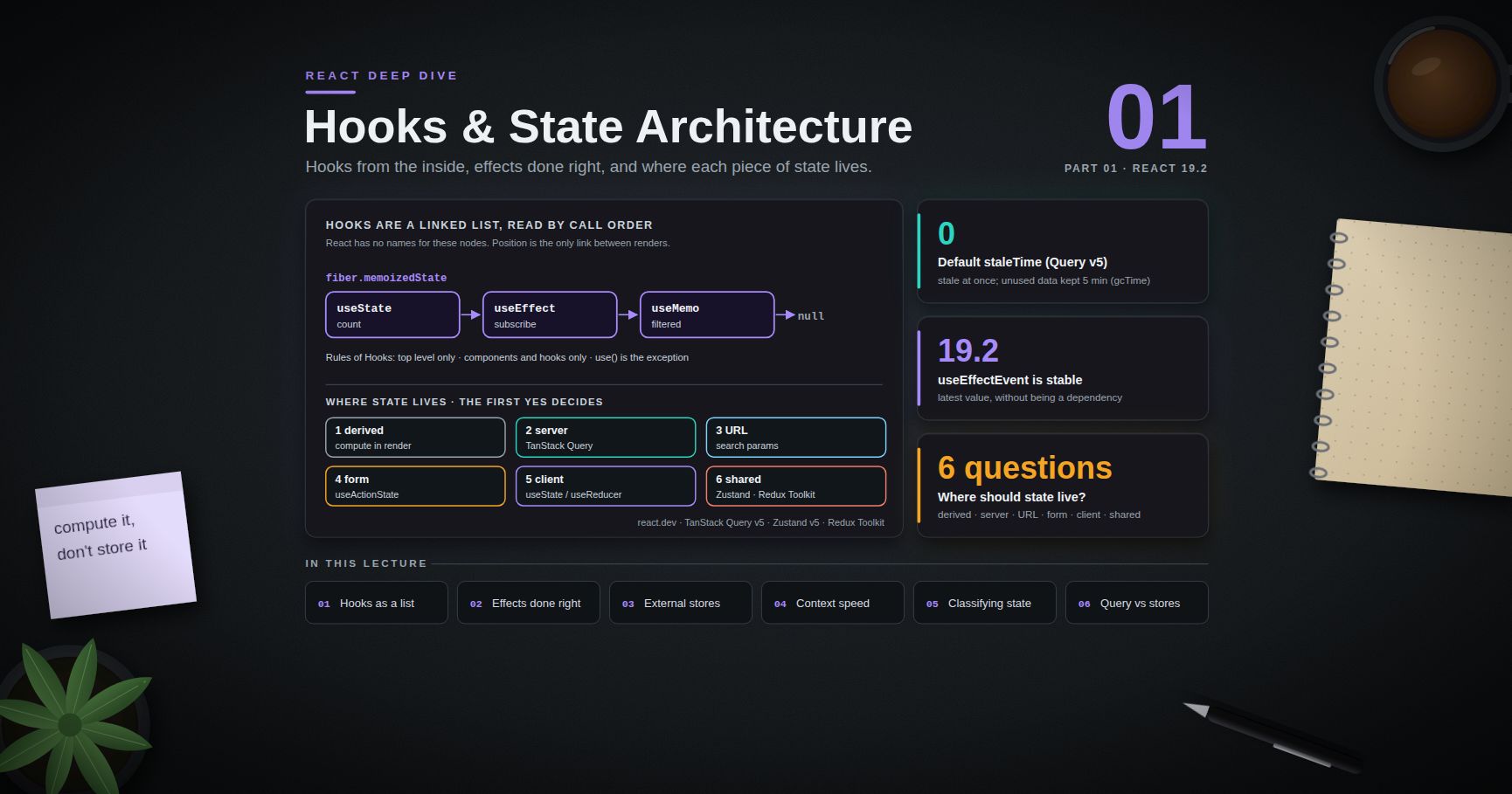
Post 01 builds on the fiber model to explain hooks: why they are stored as a linked list and must be called in a fixed order, how to write effects that do not race or leak (and when an effect is the wrong tool), useLayoutEffect, useSyncExternalStore, useReducer, context performance, and the now-stable useEffectEvent. It then steps up a level to state architecture: sorting state into server state, client state and URL state, and choosing between TanStack Query, Zustand and Redux Toolkit.
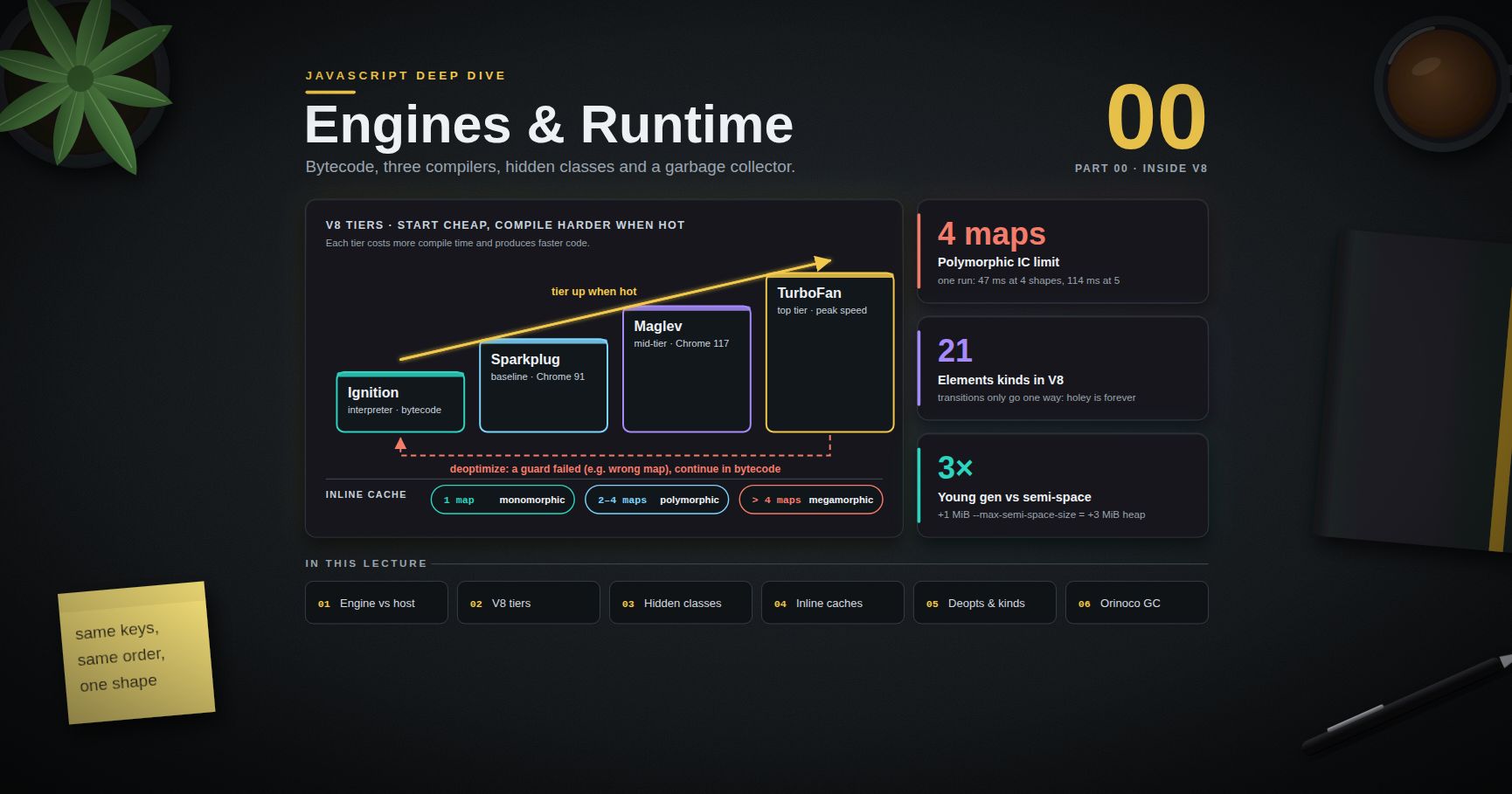
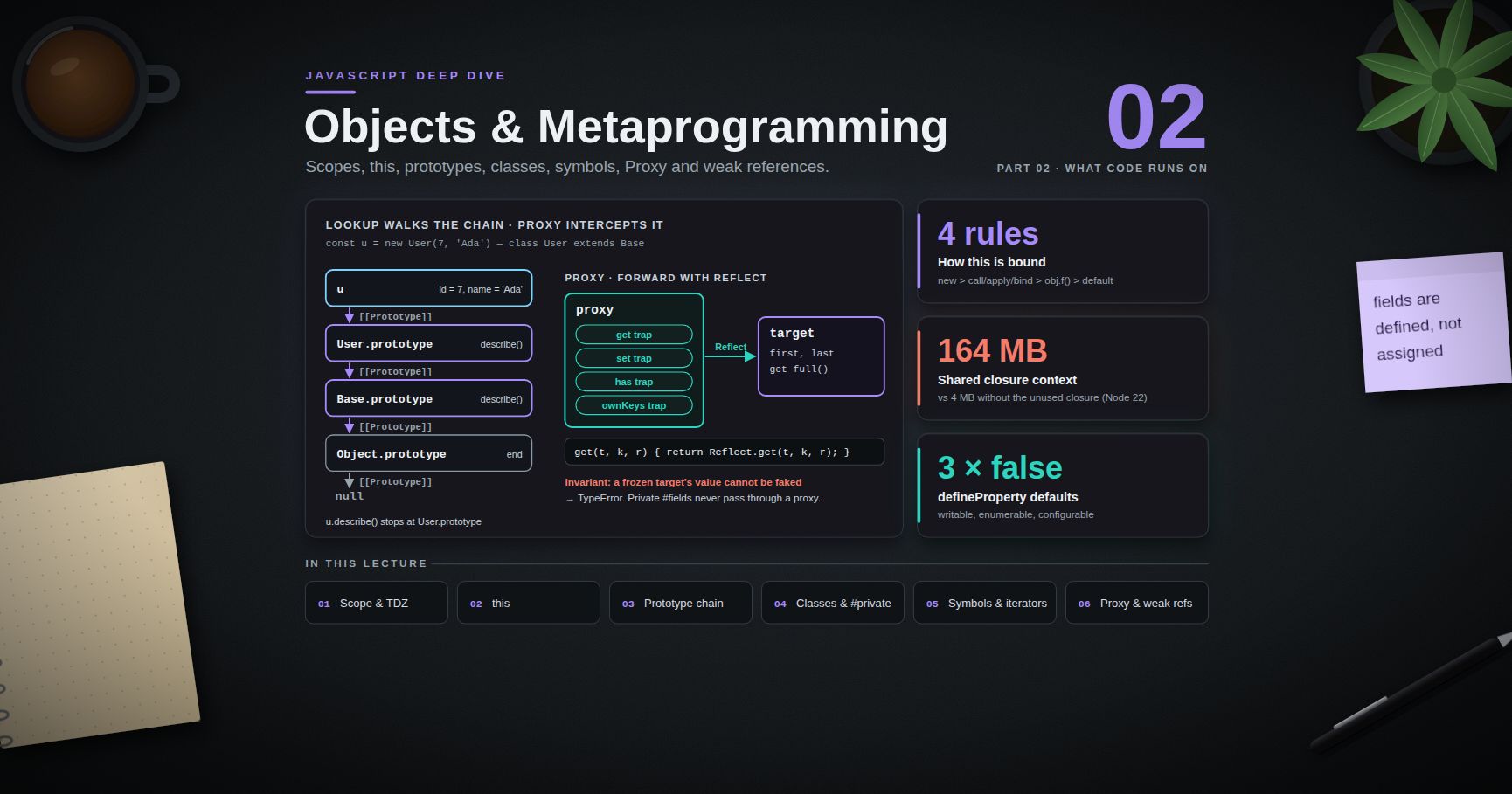
For the language layer under all of this — closures, the event loop and microtasks that explain stale values and effect timing — see the JavaScript Deep Dive series. The Next.js Deep Dive and Vue Deep Dive series cover the framework built on React's server model and the other major reactivity model, for comparison.
References
- Render and Commit — the trigger, render, commit steps.
- Preserving and Resetting State — position, type and key identity.
- Rendering Lists — keys and why index keys break.
- Keeping Components Pure and Rules of React.
- Queueing a Series of State Updates — updater functions and batching.
<StrictMode>·flushSync·useRef·useImperativeHandle.- React 19 release post and React 19 upgrade guide —
refas a prop, ref cleanup, StrictMode changes. - React 18 automatic batching — the batching change.
- React source: ReactFiber and ReactFiberWorkLoop — the internals described in Chapter 3.