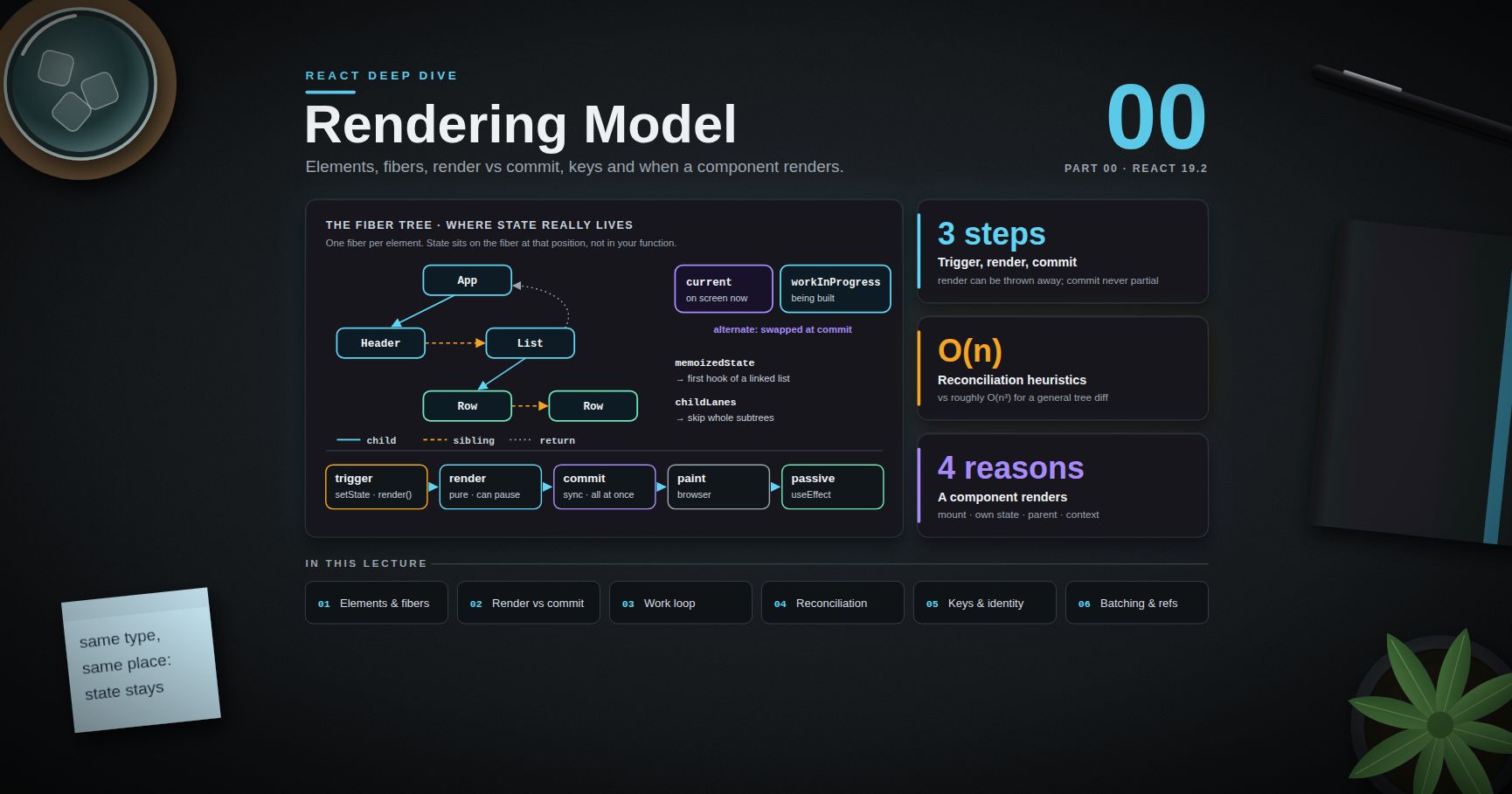
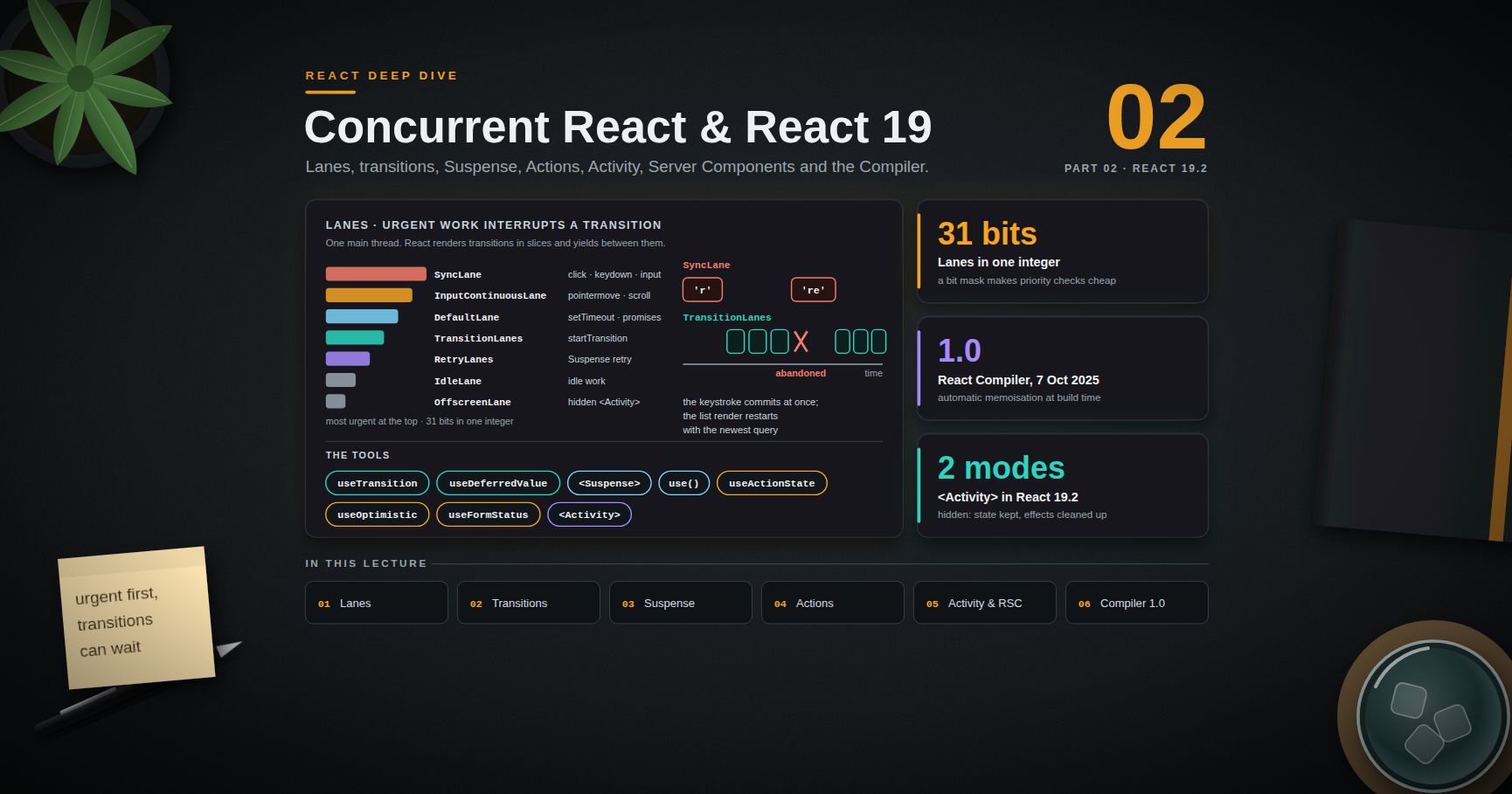
React Deep Dive — 01 · Hooks & State Architecture
Hooks look like ordinary function calls, which is exactly why they are misused. useEffect becomes a general "when X changes, do Y" tool, context becomes a global store, and every piece of data — server records, form drafts, the selected tab, the page number — ends up in the same useState soup with effects copying values between them. The result is extra renders, race conditions, and state that disagrees with itself. This post first explains hooks from the inside (the linked list on the fiber from Post 00), then works through effects done right, the less common hooks that solve real problems (useLayoutEffect, useSyncExternalStore, useReducer, useEffectEvent), and context performance. The second half steps up to architecture: sorting state by where its truth lives, and choosing between TanStack Query, Zustand and Redux Toolkit. Examples target React 19.2.
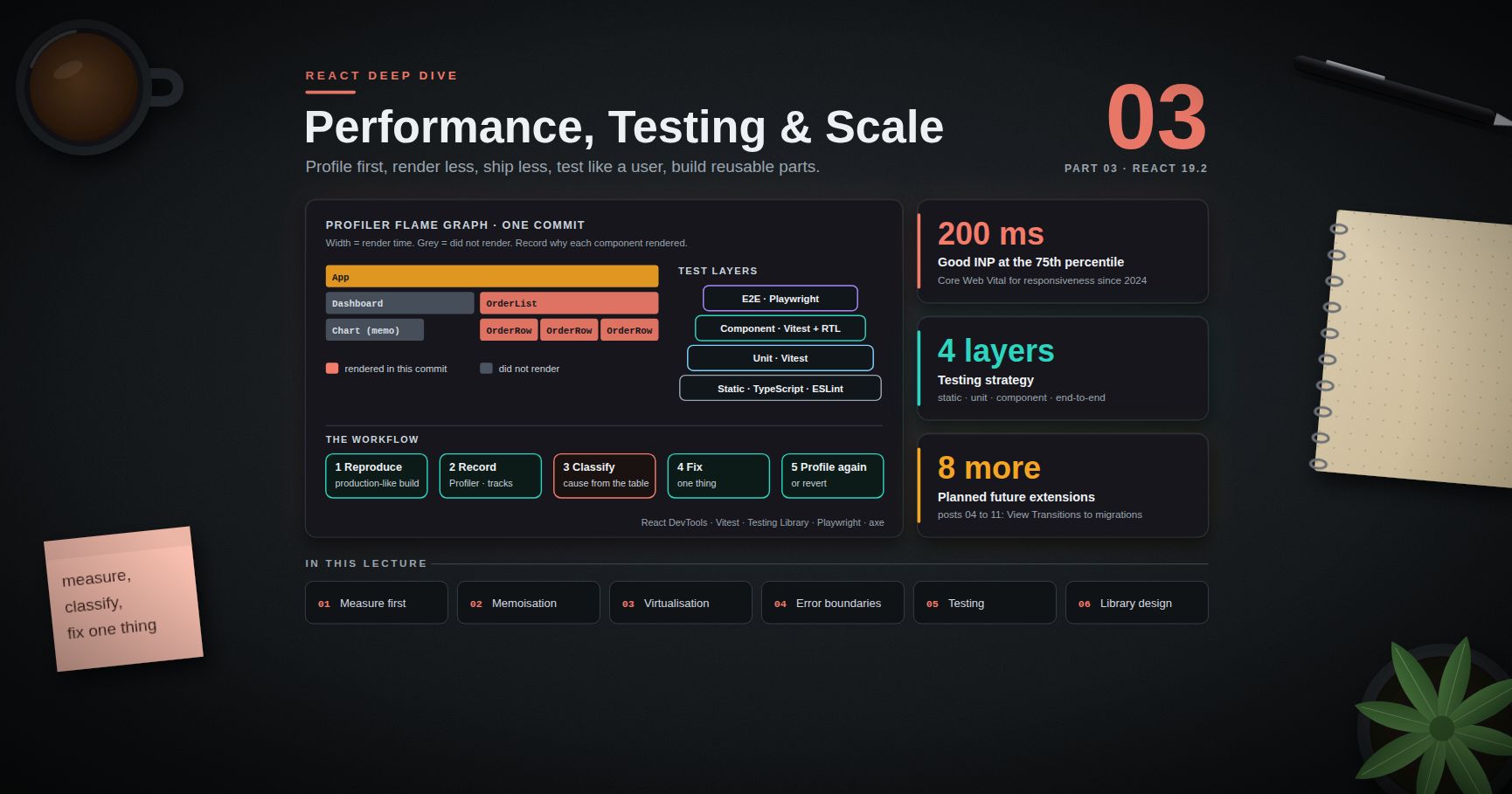
Series map: 00 Rendering Model → 01 Hooks & State Architecture (this post) → 02 Concurrent React & React 19 → 03 Performance, Testing & Architecture at Scale. Future topics: see the "Planned future extensions" table in 03.
Learning Outcome
- Explain the Rules of Hooks from the implementation: a per-fiber linked list read in call order.
- Decide whether logic belongs in render, an event handler, or an effect, using "You Might Not Need an Effect".
- Write effects with correct cleanup, and without race conditions on fast-changing inputs.
- Choose between
useEffect,useLayoutEffectanduseInsertionEffect. - Subscribe to external stores safely with
useSyncExternalStore, including the snapshot-caching rule. - Use
useReducerfor state with rules, anduseEffectEventfor non-reactive logic inside effects. - Diagnose and fix context re-render storms.
- Classify state as server, client, URL or form state, and pick a tool for each.
- Compare TanStack Query, Zustand and Redux Toolkit on the trade-offs that matter at scale.
Chapter 1 — How hooks are stored, and why the rules exist
Terminology
- Hook — a function whose name starts with
useand that reads or writes per-component data kept by React. - Hook list — for a function component,
fiber.memoizedStatepoints at the first hook object; each hook object has anextpointer. React walks the list in call order. - Dispatcher — the internal object that decides what
useStatemeans right now: the "mount" version creates hook objects, the "update" version walks existing ones. - Reactive value — props, state, context, and anything computed from them during render. These can change between renders.
The linked list
On mount, each hook call appends a node to the list. On update, each hook call takes the next node:
1
2
3
4
5
fiber.memoizedState
│
▼
[useState: count] ──next──▶ [useEffect: subscribe] ──next──▶ [useMemo: filtered] ──▶ null
React has no names for these nodes. The only thing that connects "the second hook call in this render" to "the effect from last render" is position. That is the whole reason for the two rules:
- Call hooks only at the top level — not in conditions, loops, after an early
return, or in nested functions. - Call hooks only from components or other hooks.
1
2
3
4
5
function Profile({ userId }) {
if (!userId) return null; // early return BEFORE a hook
const [tab, setTab] = useState("posts"); // breaks: hook count differs between renders
}
When userId goes from null to a value, render 1 made zero hook calls and render 2 makes one; React throws "Rendered more hooks than during the previous render". Worse cases do not throw: if two useState calls swap order, each reads the other's value silently.
use() from React 19 is the documented exception: it can be called inside if and loops, because it does not store a hook node (Post 02).
Trick: custom hooks are not a runtime concept. A custom hook's hooks are inlined into the caller's list. Two components calling
useWindowWidth()get two independent sets of state; nothing is shared unless the hook reads a shared store.
Chapter 2 — Effects done right
What an effect is for
An effect synchronises a component with an external system: a network connection, a browser API, a third-party widget, a subscription. It is not a general "on change" callback. The React docs article "You Might Not Need an Effect" gives a decision rule worth memorising:
| Situation | Where the code goes |
|---|---|
| Value computed from props/state | Render (compute it inline; useMemo if expensive) |
| Something caused by a user action (submit, click, buy) | Event handler |
| Reset all state when a prop changes | key on the component (Post 00) |
| Adjust some state when a prop changes | Compute during render, or set state during render with a guard |
| Tell a parent about a change | Call the parent's callback in the same event handler |
| Keep in sync with a system outside React | Effect |
| Fetch data for what is on screen | An effect with cleanup — or better, a data library or framework loader |
1
2
3
4
5
6
7
8
// Wrong: derived state via an effect -> extra render with a stale frame
const [items, setItems] = useState([]);
const [visible, setVisible] = useState([]);
useEffect(() => { setVisible(items.filter(i => !i.done)); }, [items]);
// Right: compute during render
const visible = items.filter(i => !i.done);
The effect version renders once with the old visible, commits, then renders again. With several chained effects this becomes a cascade of renders, each showing inconsistent data. The react-hooks/set-state-in-effect lint rule flags the simplest cases.
Cleanup is part of the contract
Every setup needs a matching cleanup (setInterval → clearInterval, subscribe → unsubscribe, connect → disconnect) so that setup → cleanup → setup is equivalent to one setup. StrictMode tests exactly this in development (Post 00). React runs the cleanup before the next setup (when dependencies change) and on unmount. Cleanup reads the values from its own render — the closure it was created in — not the latest ones.
Race conditions in data effects
A naive useEffect(() => { fetch(url(query)).then(r => r.json()).then(setData); }, [query]) has a race. Type "re", then "react". If the "re" request is slower, its response arrives last and overwrites the correct result. Two fixes, often combined:
1
2
3
4
5
6
7
8
9
10
11
12
13
14
15
useEffect(() => {
const controller = new AbortController();
let ignore = false;
fetch(`/api/search?q=${encodeURIComponent(query)}`, { signal: controller.signal })
.then(r => r.json())
.then(json => { if (!ignore) setData(json); })
.catch(err => { if (err.name !== "AbortError") setError(err); });
return () => {
ignore = true; // stale responses are ignored
controller.abort(); // and the network request is cancelled
};
}, [query]);
The ignore flag is the correctness fix; abort() saves bandwidth and server work. Hand-written fetch effects also lack caching, deduplication, retries and a loading/error state machine — which is the argument for Chapter 6.
Dependencies are not a choice
The dependency array must list every reactive value the effect reads. It is a description of what the effect uses, not a setting for "when it runs". If an effect re-runs too often, change the code so it reads fewer reactive values:
- Move objects and functions that do not depend on props inside the effect or outside the component.
- Use the updater form
setCount(c => c + 1)so the effect does not readcount. - Split an effect that does two unrelated things into two effects.
- Move non-reactive logic into an Effect Event (Chapter 4).
Common pitfall:
// eslint-disable-next-line react-hooks/exhaustive-depsis almost always a stale-closure bug waiting to happen. The code will read a value from the render the effect was created in, forever.
Chapter 3 — useLayoutEffect, useInsertionEffect and useSyncExternalStore
Layout effects
| Hook | Runs | Use for |
|---|---|---|
useInsertionEffect |
Before layout effects; before refs are attached | CSS-in-JS libraries injecting <style> rules. Not for app code. |
useLayoutEffect |
After DOM mutation, before the browser paints; blocks paint | Measuring layout, then setting state to reposition (tooltips, popovers, auto-sizing) |
useEffect |
Usually after paint | Everything else |
1
2
3
4
5
6
7
8
9
10
11
12
function Tooltip({ anchorRect, children }) {
const ref = useRef(null);
const [height, setHeight] = useState(0);
useLayoutEffect(() => {
setHeight(ref.current.getBoundingClientRect().height);
}, [children]);
const top = anchorRect.top - height > 0 ? anchorRect.top - height : anchorRect.bottom;
return <div ref={ref} style={{ position: "fixed", top }}>{children}</div>;
}
The state update inside useLayoutEffect is processed synchronously before paint, so the user sees only the final position. With useEffect the first position would flash.
Watch out:
useLayoutEffectdoes nothing during server rendering, and heavy work in it delays every paint. Keep it to measure-then-set.
useSyncExternalStore
Reading a mutable store (a Redux store, a browser API, a WebSocket cache) with useState + useEffect has a subtle bug under concurrent rendering: tearing. A paused render can show part of the tree with the old store value and part with the new one. useSyncExternalStore is the supported fix:
1
2
const value = useSyncExternalStore(subscribe, getSnapshot, getServerSnapshot?);
1
2
3
4
5
6
7
8
9
10
11
12
13
14
15
16
17
function subscribe(callback) {
window.addEventListener("online", callback);
window.addEventListener("offline", callback);
return () => {
window.removeEventListener("online", callback);
window.removeEventListener("offline", callback);
};
}
function useOnlineStatus() {
return useSyncExternalStore(
subscribe,
() => navigator.onLine, // client snapshot
() => true // server snapshot, used for SSR and hydration
);
}
Two rules:
getSnapshotmust return the same value while the store has not changed. React compares withObject.is. Returning a new object each call (() => ({ ...store })) makes React think the store changed on every check, which ends in an infinite re-render loop. Return an immutable snapshot the store keeps, or cache it.- Define
subscribeoutside the component (or memoise it). A newsubscribefunction each render makes React resubscribe each render.
Updates coming from an external store are always rendered synchronously (they cannot be part of a non-blocking transition), which is the price of never tearing. Zustand, Redux (via react-redux) and TanStack Query all build on this hook.
Chapter 4 — useReducer, useEffectEvent and context performance
useReducer for state with rules
When the next state depends on the previous one through rules — a form wizard, a multi-select, an editor — a reducer puts the rules in one pure, testable function:
1
2
3
4
5
6
7
8
9
10
11
12
13
14
15
16
17
18
19
20
function cartReducer(state, action) {
switch (action.type) {
case "added": {
const existing = state.lines.find(l => l.sku === action.sku);
const lines = existing
? state.lines.map(l => (l.sku === action.sku ? { ...l, qty: l.qty + 1 } : l))
: [...state.lines, { sku: action.sku, qty: 1 }];
return { ...state, lines };
}
case "removed":
return { ...state, lines: state.lines.filter(l => l.sku !== action.sku) };
case "cleared":
return { ...state, lines: [] };
default:
throw new Error(`Unknown action: ${action.type}`);
}
}
const [cart, dispatch] = useReducer(cartReducer, { lines: [] });
Benefits beyond style: dispatch has a stable identity, so it can be passed down or used in effects without being a dependency; the reducer can be unit-tested without React; actions describe what happened ("added"), which makes logs readable. Reducers must be pure — StrictMode calls them twice in development.
useEffectEvent (stable in React 19.2)
Sometimes an effect needs the latest value of something without reacting to it. The classic case: connect to a chat room when roomId changes, and show a notification using the current theme — but do not reconnect when theme changes.
1
2
3
4
5
6
7
8
9
10
11
12
13
14
15
import { useEffect, useEffectEvent } from "react";
function ChatRoom({ roomId, theme }) {
const onConnected = useEffectEvent(() => {
showNotification("Connected!", theme); // always reads the latest theme
});
useEffect(() => {
const connection = createConnection(roomId);
connection.on("connected", () => onConnected());
connection.connect();
return () => connection.disconnect();
}, [roomId]); // theme is not a dependency
}
useEffectEvent shipped as stable in React 19.2 (October 2025), after a long time as an experimental API. Its limits are deliberate:
- Call the returned function only from inside effects (or other Effect Events in the same component) — not during render and not from event handlers.
- Do not put it in a dependency array, and do not pass it to other components or hooks. Its identity changes on purpose.
- Do not use it to silence a dependency that should re-run the effect.
Use eslint-plugin-react-hooks v6 or later so the linter understands it.
Context performance
Context is a way to pass a value down without props. It is not a state manager, and it has no selectors: every consumer of a context renders when the value changes (Object.is), and memo does not stop it.
Three fixes, from cheapest to strongest:
1
2
3
4
5
6
7
8
9
// 1. Stable value: memoise the object, keep functions stable
function AuthProvider({ children }) {
const [user, setUser] = useState(null);
const login = useCallback(async creds => setUser(await api.login(creds)), []);
const logout = useCallback(() => setUser(null), []);
const value = useMemo(() => ({ user, login, logout }), [user, login, logout]);
return <AuthContext value={value}>{children}</AuthContext>;
}
1
2
3
4
5
6
7
// 2. Split state from actions: components that only call logout never re-render on user changes
<AuthActionsContext value={actions}> {/* stable forever */}
<AuthUserContext value={user}> {/* changes on login/logout */}
{children}
</AuthUserContext>
</AuthActionsContext>
- Use a store with selectors when many components each need a small slice of a fast-changing value (a document, a canvas, a live dashboard). Put the store object in context (it never changes) and read slices with
useSyncExternalStore-based selectors — which is what Zustand and React-Redux do.
Trick: context is excellent for values that change rarely: theme, locale, the current user, a store instance, a feature-flag client. It is poor for values that change on every keystroke.
Chapter 5 — Classifying state
Terminology
- Server state — a cached copy of data whose truth lives on a server: users, orders, search results. It can go stale, can be changed by other people, and needs fetching, caching, invalidation and retries.
- Client (UI) state — data that exists only in this browser tab: an open modal, a selected row, a draft, a multi-step wizard position.
- URL state — state that should survive reload, back/forward, and sharing a link: filters, sort, page, selected tab, search query.
- Form state — in-progress user input, its validation and submission status.
- Derived state — anything computable from the above. It should not be stored at all.
Why the classification matters
Most "state management" pain comes from putting server state into a client store. Many older Redux codebases held users, usersLoading, usersError and hand-written thunks for every entity, reinventing a cache without invalidation. Once server state moves to a query cache, the remaining client state is usually small enough that useState, useReducer and a little context cover most of it.
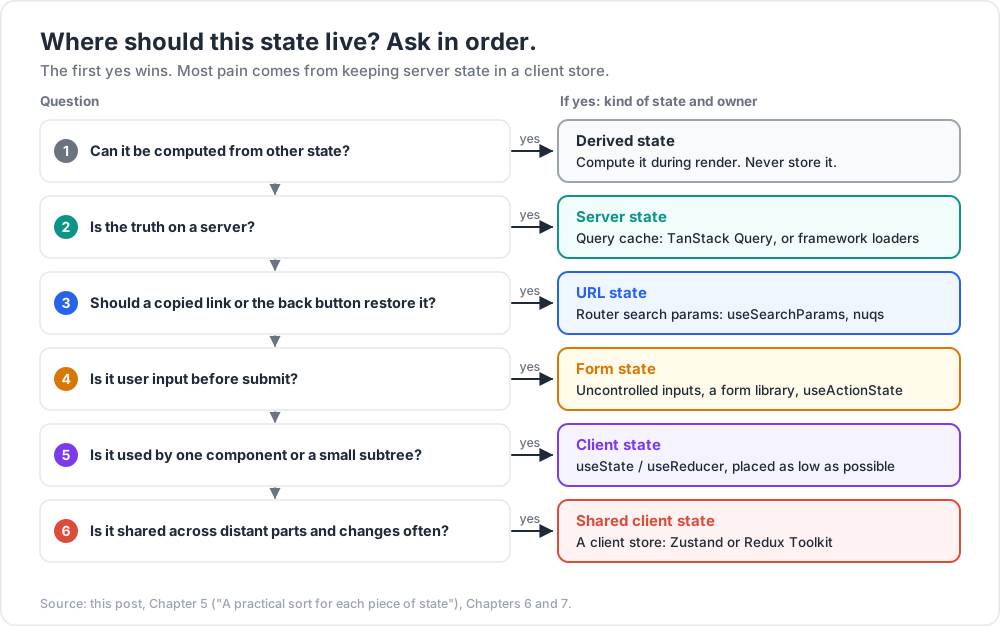
A practical sort for each piece of state:
- Can it be computed from other state? Compute it. Do not store it.
- Is the truth on a server? Query cache.
- Should a copied link or the back button restore it? URL.
- Is it user input before submit? Form state (uncontrolled inputs, a form library, or React 19
useActionState— Post 02). - Is it used by one component or a small subtree?
useState/useReducer, placed as low as possible. - Is it shared across distant parts and changes often? A client store.
Ask the questions in order; the first yes decides.
URL state in practice
1
2
3
4
5
6
7
8
9
// React Router / Remix style
const [params, setParams] = useSearchParams();
const page = Number(params.get("page") ?? "1");
const sort = params.get("sort") ?? "newest";
function goToPage(n) {
setParams(prev => { prev.set("page", String(n)); return prev; });
}
The URL is now the single source of truth; there is no useState copy to keep in sync. Libraries such as nuqs add typed parsers and batching for search params across React Router, Next.js and others. The Next.js Deep Dive series covers searchParams in Server Components.
Common pitfall: copying a prop or a query result into
useState"to edit it" creates two sources of truth. Either keep a separate draft that is explicitly initialised from the source (and reset with akey), or edit the source directly.
Chapter 6 — Server state with TanStack Query
TanStack Query (v5) is a cache for asynchronous data keyed by a serialisable query key. Components subscribe to keys; the cache handles fetching, deduplication, staleness, background refetching, retries and garbage collection.
1
2
3
4
5
6
7
8
9
10
11
12
13
14
15
16
17
18
19
20
21
22
import { useQuery, useMutation, useQueryClient } from "@tanstack/react-query";
function useTodo(id) {
return useQuery({
queryKey: ["todos", id],
queryFn: async ({ signal }) => {
const res = await fetch(`/api/todos/${id}`, { signal });
if (!res.ok) throw new Error(`HTTP ${res.status}`);
return res.json();
},
staleTime: 30_000,
});
}
function useToggleTodo() {
const qc = useQueryClient();
return useMutation({
mutationFn: todo => api.updateTodo({ ...todo, done: !todo.done }),
onSuccess: () => qc.invalidateQueries({ queryKey: ["todos"] }),
});
}
What the cache gives you, and the defaults worth knowing:
| Concept | Default (v5) | Meaning |
|---|---|---|
staleTime |
0 |
Data is stale immediately; a new subscriber or window focus triggers a background refetch |
gcTime |
5 minutes | How long unused data stays in the cache (called cacheTime before v5) |
retry |
3 (client) | Failed queries retry with exponential backoff |
refetchOnWindowFocus |
true |
Refetch stale queries when the tab regains focus |
| Deduplication | always | Many components with the same key share one request |
signal |
passed to queryFn |
Aborted when the query is cancelled or no longer needed |
Status fields: isPending means "no data yet" (v5 renamed the old isLoading), isFetching means "a request is in flight", which is also true during background refetches. Show a spinner on isPending, and at most a subtle indicator on isFetching.
Key design points at scale:
- Query key factories keep keys consistent:
todoKeys.detail(id)returns["todos", "detail", id], soinvalidateQueries({ queryKey: ["todos"] })hits every todo query by prefix. - Set a realistic
staleTimeper resource.0is safe but chatty; reference data can be minutes orInfinity. useSuspenseQueryintegrates with Suspense (Post 02) and guaranteesdatais defined.- In a framework with server rendering, prefetch on the server and hydrate the cache, or let the framework's own loaders own server state (Next.js Deep Dive).
Watch out: putting query results into a Zustand or Redux store "so other components can read them" recreates the stale-copy problem. Other components should call the same query hook; deduplication makes it free.
Chapter 7 — Client stores: Zustand vs Redux Toolkit
When client state is shared widely and changes often, a store with selectors beats context: each component subscribes to a slice and renders only when that slice changes.
Zustand
A small store built on useSyncExternalStore. No provider needed; the hook is the store.
1
2
3
4
5
6
7
8
9
10
11
12
13
14
15
16
17
import { create } from "zustand";
import { useShallow } from "zustand/react/shallow";
export const useEditor = create((set, get) => ({
selectedIds: [],
zoom: 1,
select: id => set(s => ({ selectedIds: [...s.selectedIds, id] })),
clearSelection: () => set({ selectedIds: [] }),
zoomIn: () => set({ zoom: Math.min(get().zoom * 1.25, 8) }),
}));
// Component: renders only when zoom changes
const zoom = useEditor(s => s.zoom);
// Selecting several fields: use useShallow, or the selector returns a new object each time
const { zoom, zoomIn } = useEditor(useShallow(s => ({ zoom: s.zoom, zoomIn: s.zoomIn })));
In Zustand v5, a selector that returns a new object on every call without useShallow can cause an infinite render loop — the same snapshot rule as Chapter 3.
Redux Toolkit
The official, modern way to write Redux: createSlice (with Immer for "mutating" syntax), configureStore (good defaults, DevTools, a check for accidental mutation in development), and RTK Query for server state.
1
2
3
4
5
6
7
8
9
10
11
12
13
14
15
16
17
18
19
import { createSlice, configureStore } from "@reduxjs/toolkit";
const editorSlice = createSlice({
name: "editor",
initialState: { selectedIds: [], zoom: 1 },
reducers: {
selected(state, action) { state.selectedIds.push(action.payload); }, // Immer makes this immutable
selectionCleared(state) { state.selectedIds = []; },
zoomedIn(state) { state.zoom = Math.min(state.zoom * 1.25, 8); },
},
});
export const { selected, selectionCleared, zoomedIn } = editorSlice.actions;
export const store = configureStore({ reducer: { editor: editorSlice.reducer } });
// Component
const zoom = useSelector(state => state.editor.zoom);
const dispatch = useDispatch();
Trade-offs
| Zustand | Redux Toolkit | TanStack Query | |
|---|---|---|---|
| Solves | Shared client state | Shared client state + (RTK Query) server state | Server state |
| Boilerplate | Very low | Moderate | Low |
| Provider | Not needed | <Provider store> |
<QueryClientProvider> |
| Selectors | Hook selector; useShallow for objects |
useSelector; createSelector for derived data |
Per-query; select option |
| DevTools / time travel | Via middleware | First-class Redux DevTools | TanStack Query DevTools |
| Enforced structure | None — team discipline | Actions + reducers, event log | Query keys |
| Good fit | Editors, canvases, app-wide UI state in small/medium teams | Large teams that want one enforced pattern and an auditable action log | Any app talking to an API |
Rules of thumb:
- Start with TanStack Query for server state and local state for the rest. Many apps never need a client store after that.
- Reach for Zustand when a few pieces of client state are shared widely and change often.
- Choose Redux Toolkit when the team is large, needs strong conventions, action logging or time-travel debugging, or already runs Redux.
- Keep derived data out of every store; compute it with selectors (memoised with
createSelectorwhen expensive).
Common pitfall: a selector like
state => state.items.filter(i => i.done)returns a new array every time, so the component renders on every store change. Select the raw data and derive it in the component withuseMemo, or use a memoised selector.
Practice Exercises
Exercise 1 — Hook order
Why does this crash when user changes from null to an object? Fix it.
1
2
3
4
5
6
function Greeting({ user }) {
if (!user) return <p>Please sign in</p>;
const [wave, setWave] = useState(false);
return <p onClick={() => setWave(true)}>Hi {user.name}{wave && "!"}</p>;
}
Solution
The first render calls zero hooks, the next calls one; React reads the hook list by position and detects the mismatch. Move the hook above the early return (or split into two components: Greeting returns <SignedInGreeting user={user} />).
Exercise 2 — The frozen counter
The display sticks at 1. Why? Fix it without adding count to the dependencies.
1
2
3
4
5
6
const [count, setCount] = useState(0);
useEffect(() => {
const id = setInterval(() => setCount(count + 1), 1000);
return () => clearInterval(id);
}, []);
Solution
The interval callback closed over count from the first render, which is always 0, so it sets 1 forever. Use the updater form, setCount(c => c + 1): the effect no longer reads count, the empty dependency list is now honest, and the interval never restarts.
Exercise 3 — Snapshot caching
This hook causes "Maximum update depth exceeded". Why, and how do you fix it?
1
2
const pos = useSyncExternalStore(store.subscribe, () => ({ x: store.x, y: store.y }));
Solution
getSnapshot returns a new object on every call, so Object.is says the store changed every time React checks, and React re-renders forever. Keep an immutable snapshot object in the store and replace it only on change (store.snapshot = { x, y } inside the setter), then () => store.snapshot. Or read two primitives with two separate subscriptions.
Exercise 4 — Context storm
A SettingsContext value is { settings, updateSetting }, rebuilt on each render of the provider. A slider updates a setting 60 times a second, and 400 consumers re-render. Give two fixes.
Solution
(1) Split: put updateSetting (stable, via useCallback or useReducer's dispatch) in its own context, so action-only consumers never render; and memoise the settings value. (2) Move settings into a store (Zustand, or a small useSyncExternalStore store in context) and have each consumer select only the field it shows; only consumers of the changed field render.
Exercise 5 — Classify
Classify each and name where it should live: the logged-in user's profile; the "sort by" dropdown on a product list; whether the sidebar is collapsed; an unsent comment draft; the number of items in the cart shown in the header; the total price of the cart.
Solution
Profile — server state (query cache). Sort — URL state (search params), so links and back button work. Sidebar collapsed — client state (useState near the layout, or localStorage if it should persist). Comment draft — form state (uncontrolled input or form state; optionally persisted). Cart items — server state if the cart is stored on the server, otherwise shared client state (a store). Total price — derived: compute from cart items; never store it.
Cheat-sheet
| Topic | Rule |
|---|---|
| Hook storage | Linked list on the fiber, read by call order |
| Rules of Hooks | Top level only; components and hooks only; use() is the exception |
| Derived value | Compute in render; useMemo only if expensive |
| User-caused action | Event handler, not effect |
| Reset on prop change | key |
| Effect | Only to sync with an external system; always pair setup with cleanup |
| Fetch in effect | ignore flag + AbortController; better: a query library |
| External store | useSyncExternalStore; getSnapshot returns a cached value |
| Latest value, not a dependency | useEffectEvent (stable in 19.2) |
| Context | For rarely changing values; split state and actions; memoise value |
| Server state | TanStack Query (staleTime 0, gcTime 5 min by default in v5) |
| URL state | Router search params (useSearchParams, nuqs) |
| Shared client state | Zustand (small, selectors) or Redux Toolkit (structure, DevTools) |
| Selectors | Return stable values; useShallow / createSelector |
What's next
Post 02 covers concurrent React: how React schedules work by priority (lanes), startTransition, useTransition and useDeferredValue, Suspense for data, and the React 19 Actions model — useActionState, useOptimistic, useFormStatus and use(). It also introduces <Activity>, React Server Components at the level a React engineer needs (the Next.js Deep Dive series goes deeper), and React Compiler 1.0, which changes how much of Chapter 4's useMemo/useCallback you write by hand.
For closures and stale values at the language level, see the JavaScript Deep Dive series. For how Vue solves the same "fine-grained subscription" problem with reactive proxies instead of selectors, see the Vue Deep Dive series.
References
- Rules of Hooks and Rules of React.
- You Might Not Need an Effect · Synchronizing with Effects · Removing Effect Dependencies.
useLayoutEffect·useInsertionEffect·useSyncExternalStore·useReducer.useEffectEventand React 19.2 release post.- Scaling Up with Reducer and Context.
- TanStack Query docs — including "Important Defaults" and the v5 migration guide.
- Zustand docs —
useShallowand the v5 migration notes. - Redux Toolkit docs and Redux style guide.
- eslint-plugin-react-hooks — rule list.