React Deep Dive — 03 · Performance, Testing & Architecture at Scale
The first three posts built the model: how React renders, how hooks and state fit together, and how concurrent React schedules work. This last core post is about keeping a large React codebase fast, correct and usable as it grows. It starts with measurement — the Profiler, DevTools and React 19.2 Performance Tracks — because most React performance work fails by fixing the wrong thing. Then it covers the fixes in order of how often they matter: fewer renders (memoisation, with and without React Compiler), less rendered (virtualisation), less shipped (code splitting). The second half covers the parts that keep a big app healthy: error boundaries, a testing strategy with Vitest, React Testing Library and Playwright, accessibility, and the architecture of reusable component libraries — compound components, headless UI and polymorphism. Examples target React 19.2.
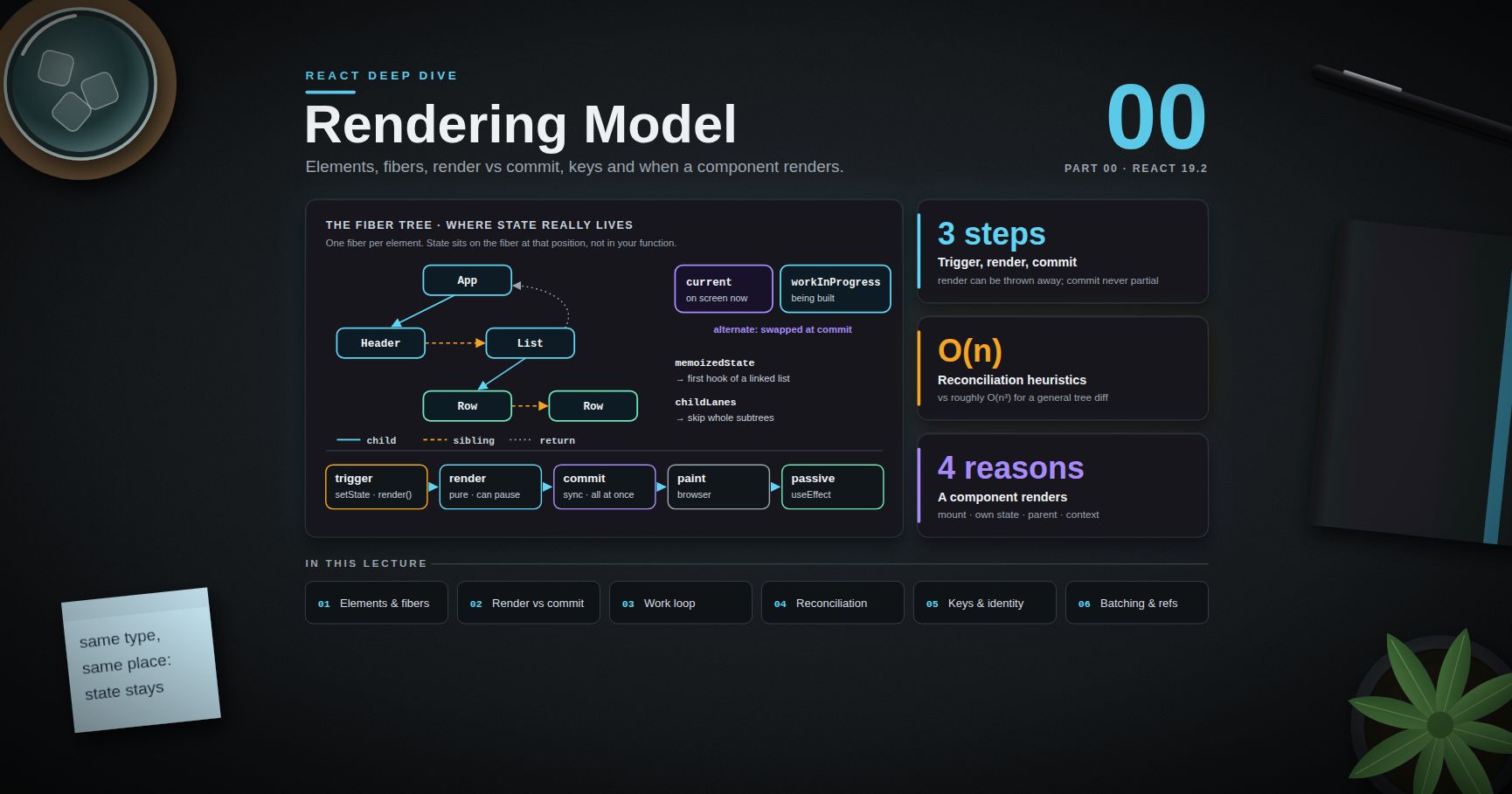
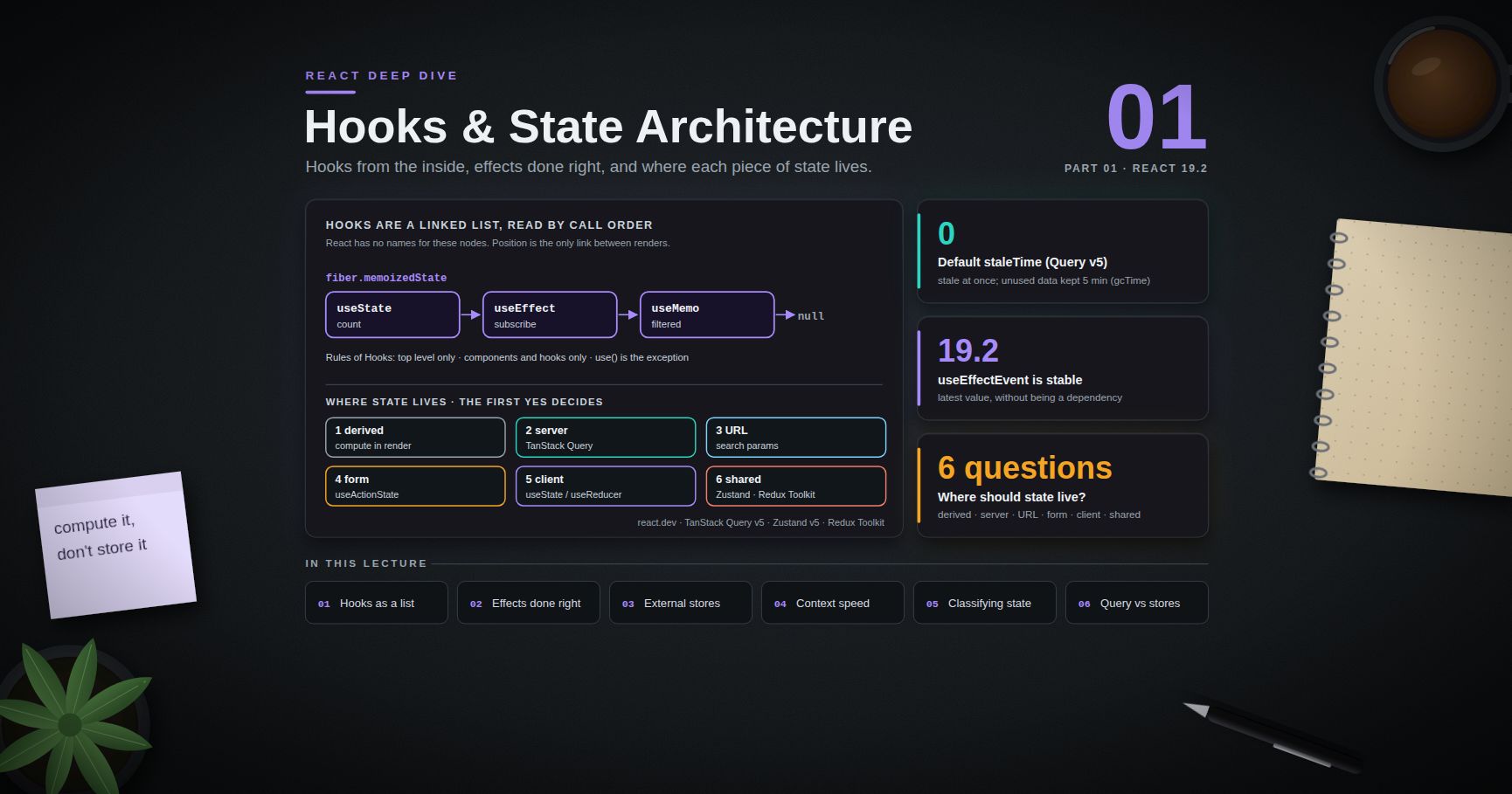
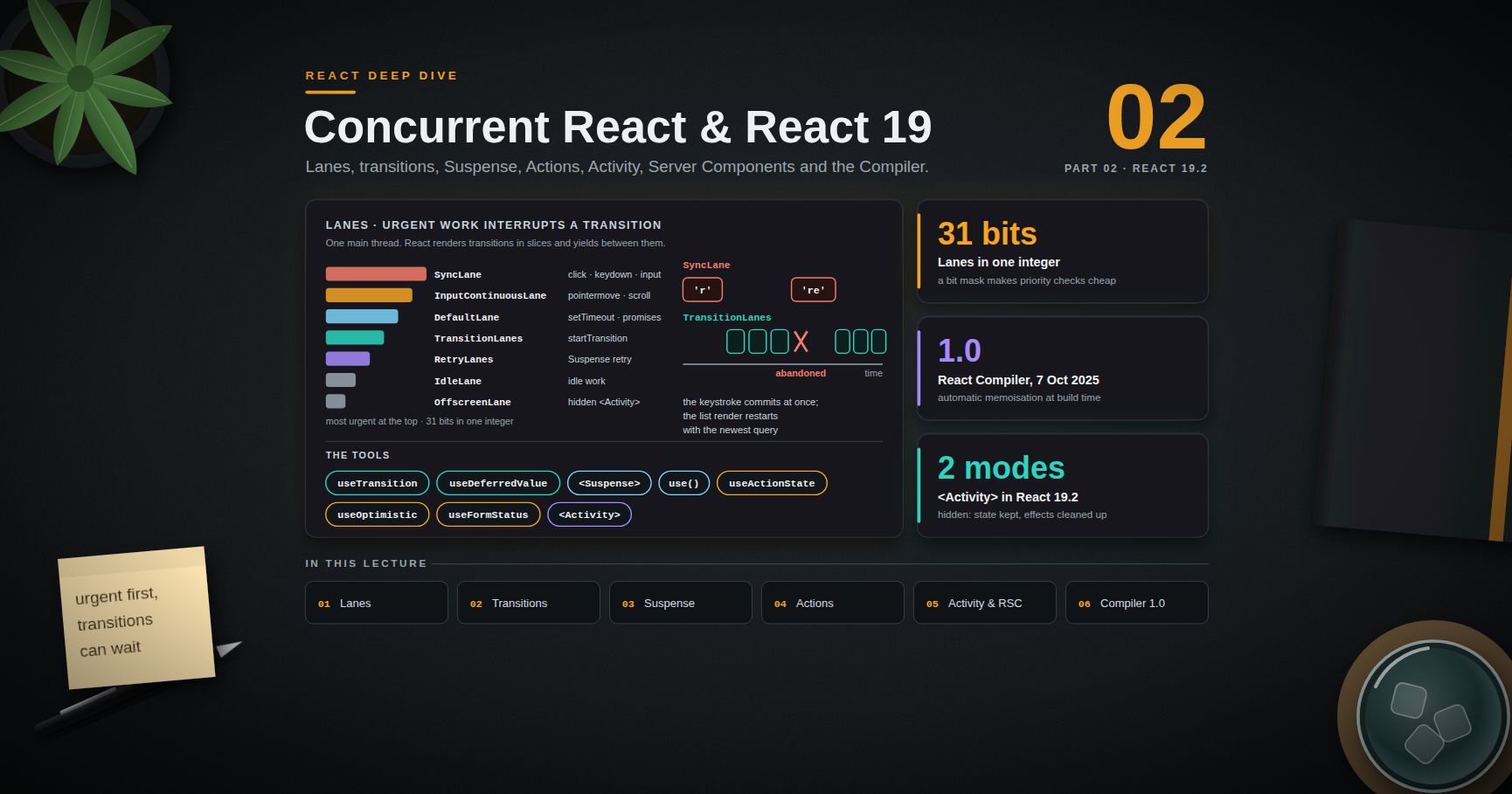
Series map: 00 Rendering Model → 01 Hooks & State Architecture → 02 Concurrent React & React 19 → 03 Performance, Testing & Architecture at Scale (this post). Future topics: see the "Planned future extensions" table at the end of this post.
Learning Outcome
- Profile a slow interaction and classify the cause before changing code.
- Read the React DevTools Profiler (flame graph, ranked view, "why did this render") and the
<Profiler>API. - Decide when
memo,useMemoanduseCallbackpay off, and what changes with React Compiler. - Virtualise long lists and split code by route and by interaction.
- Place error boundaries so one failure does not blank the whole app, and report errors from the root.
- Build a test strategy: Vitest + React Testing Library for components, MSW for the network, Playwright for end-to-end.
- Catch common accessibility failures with semantic HTML, focus management, linting and axe.
- Design reusable components with compound components, headless hooks, controlled/uncontrolled props and polymorphism.
Chapter 1 — Measure first
Terminology
- Render time — time spent calling components and reconciling (the render phase, Post 00).
- Commit time — time spent applying DOM changes and running layout effects.
actualDuration— time spent rendering a subtree for this commit, after memoisation.baseDuration— estimated time to render the whole subtree with no memoisation. The gap between the two shows how much memoisation is saving.- INP (Interaction to Next Paint) — the Core Web Vital for responsiveness since March 2024. "Good" is 200 ms or less at the 75th percentile.
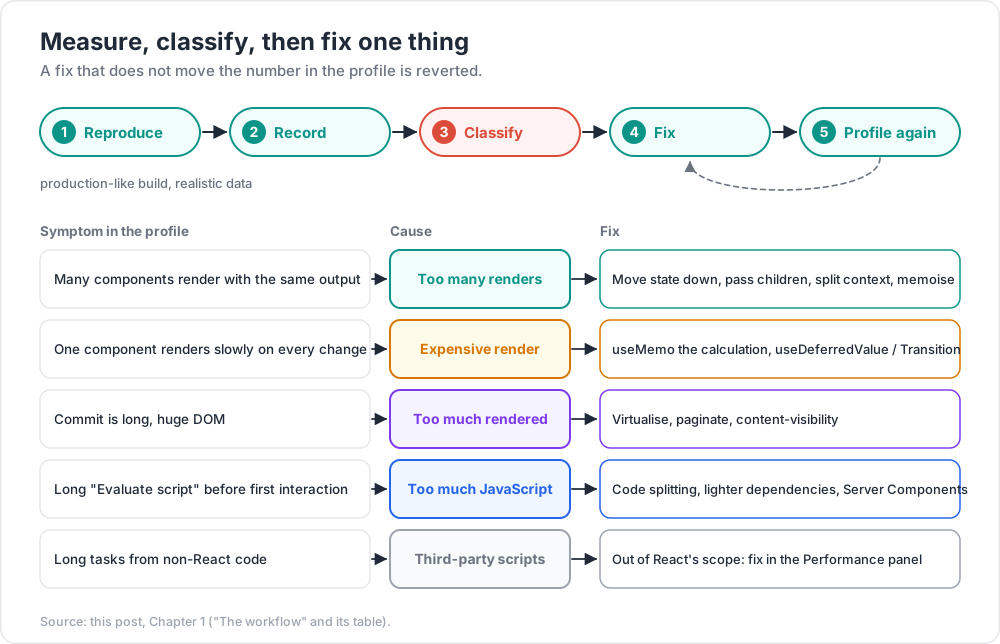
The workflow
- Reproduce the slow interaction with a production-like build and realistic data. Development builds are several times slower and StrictMode doubles renders; do not judge speed there.
- Record it: React DevTools Profiler for components, the browser Performance panel for everything else.
- Classify the cost (table below).
- Fix the one thing the profile points at.
- Profile again. A fix that does not move the number is reverted.
| Symptom in the profile | Cause | Fix |
|---|---|---|
| Many components render with the same output | Too many renders | Move state down, pass children, split context, memoise |
| One component renders slowly on every change | Expensive render | useMemo the calculation, useDeferredValue / Transition, move work off render |
| Commit is long, huge DOM | Too much rendered | Virtualise, paginate, content-visibility |
| Long "Evaluate script" before first interaction | Too much JavaScript | Code splitting, lighter dependencies, Server Components |
| Long tasks from non-React code | Third-party scripts, layout thrashing | Out of React's scope — fix in the Performance panel |
React DevTools Profiler
- Flame graph — each bar is a component in one commit; width is render time, colour shows how long it took relative to others; grey means it did not render.
- Ranked — components sorted by render time for one commit.
- Settings → "Record why each component rendered while profiling" — shows "Props changed: (onSelect)", "Hook 2 changed", "Parent component rendered". This one setting answers most "why is this rendering?" questions.
- "Highlight updates when components render" — flashes a border around rendering components while you use the app.
<Profiler> in code
1
2
3
4
5
6
7
8
9
10
11
12
import { Profiler } from "react";
function onRender(id, phase, actualDuration, baseDuration, startTime, commitTime) {
if (actualDuration > 16) {
metrics.record("react.slow_render", { id, phase, actualDuration, baseDuration });
}
}
<Profiler id="OrdersTable" onRender={onRender}>
<OrdersTable />
</Profiler>
phase is "mount", "update" or "nested-update". Profiling is disabled in the normal production build; to measure in production, build with the profiling bundle (react-dom/profiling), which adds a little overhead.
Performance Tracks (React 19.2)
React 19.2 adds custom tracks to the Chrome Performance panel: Scheduler (work by priority — blocking, transition — Post 02) and Components (which components rendered and ran effects). They put React's view next to network, layout and paint on one timeline, which is the fastest way to see whether a long task is React work at all.
Watch out: "it re-renders a lot" is not a performance problem until it shows up in a profile as time the user waits for. A component that renders 50 times in 0.1 ms each is fine; one that renders once in 180 ms is not.
Chapter 2 — Memoisation, with and without the compiler
The three tools
| Tool | Caches | Pays off when |
|---|---|---|
memo(Component) |
The render of a component, if props are Object.is equal |
The component is expensive and its parent renders often with the same props |
useMemo(fn, deps) |
A computed value | The calculation is measurably slow (roughly 1 ms or more), or the value's identity matters (a memo child prop, an effect dependency) |
useCallback(fn, deps) |
A function's identity | The function is passed to a memo child or used as an effect dependency |
They are a chain: useCallback alone does nothing useful unless the receiver is memo or uses the function as a dependency. And one unstable prop anywhere breaks memo:
1
2
3
4
5
6
7
8
9
const Chart = memo(function Chart({ data, options, onPointClick }) { /* slow */ });
function Dashboard({ rows }) {
const data = useMemo(() => aggregate(rows), [rows]); // stable until rows change
const onPointClick = useCallback(p => openDetails(p.id), []); // stable forever
return <Chart data={data} options={CHART_OPTIONS} onPointClick={onPointClick} />;
}
const CHART_OPTIONS = { animate: false }; // module constant: always stable
Before memoising, try the structural fixes from Post 00 — they cost nothing at runtime and cannot go stale:
- Move state down into the component that uses it, so its siblings stop rendering.
- Lift content up into
children, so a stateful wrapper does not re-render its content. - Split contexts so a fast-changing value does not re-render every consumer.
With React Compiler
React Compiler 1.0 (Post 02) memoises JSX, objects, callbacks and computations automatically, at a finer grain than hand-written hooks. In a compiled codebase:
- New code rarely needs
memo,useMemooruseCallback. Write plain code. - Keep manual memoisation where a value's identity is part of correctness — an effect dependency that must not change — so the intent is explicit.
- Do not bulk-delete existing memoisation; the React team advises leaving it or removing it carefully with tests, because removal can change the compiled output.
- Components the compiler skips (Rules of React violations) get no help. The
eslint-plugin-react-hookscompiler rules list them; fixing them is usually the real performance work. - The compiler does not fix expensive algorithms, huge DOM trees or big bundles. Chapters 3 and 4 still apply.
Common pitfall:
useMemo(() => items.filter(...), [items])whereitemsis rebuilt by the parent on every render. The memo recomputes every time and adds overhead. Memoisation has to start at the source of the value.
Chapter 3 — Rendering less: virtualisation
A list of 10,000 rows creates 10,000 sets of DOM nodes. Even if React renders them quickly, the browser must lay them out and keep them in memory, and every commit that touches the list is slow. Virtualisation renders only the rows in (or near) the viewport and uses spacer height for the rest.
1
2
3
4
5
6
7
8
9
10
11
12
13
14
15
16
17
18
19
20
21
22
23
24
25
26
27
28
29
import { useRef } from "react";
import { useVirtualizer } from "@tanstack/react-virtual";
function OrderList({ orders }) {
const parentRef = useRef(null);
const virtualizer = useVirtualizer({
count: orders.length,
getScrollElement: () => parentRef.current,
estimateSize: () => 48, // px; measured sizes replace it if you pass measureElement
overscan: 8, // extra rows above and below for smooth scrolling
});
return (
<div ref={parentRef} style={{ height: 600, overflow: "auto" }}>
<div style={{ height: virtualizer.getTotalSize(), position: "relative" }}>
{virtualizer.getVirtualItems().map(row => (
<div
key={row.key}
style={{ position: "absolute", top: 0, left: 0, width: "100%",
height: row.size, transform: `translateY(${row.start}px)` }}
>
<OrderRow order={orders[row.index]} />
</div>
))}
</div>
</div>
);
}
Trade-offs to plan for:
- Find in page (Ctrl+F) cannot find rows that are not rendered.
- Accessibility: screen readers see only rendered rows. Set
aria-rowcount/aria-rowindexon grids, or offer pagination. - Variable heights need measurement, which can cause scroll jumps.
- Scroll restoration needs the virtualiser's offset, not
window.scrollY.
A lighter option for long content pages (not data grids) is the CSS property content-visibility: auto with contain-intrinsic-size: the browser skips layout and paint for off-screen sections while keeping them in the DOM (and so in find-in-page and the accessibility tree). It saves browser work, not React render work.
Chapter 4 — Shipping less: code splitting with lazy
1
2
3
4
5
6
7
8
9
10
11
12
13
14
15
import { lazy, Suspense } from "react";
const SettingsPage = lazy(() => import("./SettingsPage")); // default export
const Chart = lazy(() => import("./Chart").then(m => ({ default: m.Chart }))); // named export
function App() {
return (
<Suspense fallback={<PageSpinner />}>
<Routes>
<Route path="/settings" element={<SettingsPage />} />
</Routes>
</Suspense>
);
}
Rules and techniques:
- Declare
lazyat module level. Callinglazyinside a component creates a new component type every render — the remount bug from Post 00. - Split by route first, then by heavy interaction-only features (editors, charts, maps, date pickers).
- Preload on intent: start the
import()on hover or focus of the link, so the chunk is ready at click time. Keep the loader function in a variable and call it in both places; the module cache makes the second call free. - Navigate in a Transition so the current page stays visible while the next chunk loads (Post 02), instead of showing the top-level fallback.
- Handle chunk load failures. After a deploy, old HTML can ask for chunk files that no longer exist. Put an error boundary around lazy routes that offers a reload, and keep old chunks available for a while if the hosting allows.
Trick: check what actually ships with a bundle analyser (for example
rollup-plugin-visualizerfor Vite). One date or icon library imported the wrong way often outweighs all of your own components.
Chapter 5 — Error boundaries
An error thrown during rendering, in a lifecycle method, or in an effect of a component unmounts the whole root unless an error boundary above it catches it. Error boundaries are still class components (there is no hook equivalent in React 19.2):
1
2
3
4
5
6
7
8
9
10
11
12
13
14
15
16
17
class ErrorBoundary extends React.Component {
state = { error: null };
static getDerivedStateFromError(error) {
return { error }; // render the fallback next
}
componentDidCatch(error, info) {
reportError(error, { componentStack: info.componentStack });
}
render() {
if (this.state.error) return this.props.fallback(this.state.error, () => this.setState({ error: null }));
return this.props.children;
}
}
Most teams use the react-error-boundary package, which provides the same component with FallbackComponent, onReset and resetKeys.
What error boundaries do not catch:
- errors in event handlers (use
try/catch, or show the error through state), - errors in async code that is not part of rendering (
setTimeout, a promise in a handler), - errors in the boundary itself,
- errors during server rendering.
Promises rejected through use() and errors thrown by Actions (Post 02) do reach the nearest boundary.
Placement
- Root: a last-resort "something went wrong" page with a reload button.
- Per route: one broken page does not take the navigation down.
- Per widget for independent panels (a dashboard card, a third-party embed).
- Reset on navigation: pass
resetKeys={[location.pathname]}(or key the boundary) so moving away clears the error.
Root error reporting (React 19)
1
2
3
4
5
6
const root = createRoot(container, {
onUncaughtError: (error, errorInfo) => reportError(error, errorInfo), // no boundary caught it
onCaughtError: (error, errorInfo) => reportError(error, errorInfo), // a boundary caught it
onRecoverableError: (error, errorInfo) => log(error), // e.g. hydration mismatch recovered
});
These give one place to send errors to monitoring, with the component stack in errorInfo.
Chapter 6 — Testing strategy
What to test where
| Layer | Tool | Tests |
|---|---|---|
| Static | TypeScript, ESLint (react-hooks, jsx-a11y) |
Types, Rules of Hooks, obvious a11y errors |
| Unit | Vitest | Reducers, selectors, formatters, custom hooks (renderHook) |
| Component / integration | Vitest + React Testing Library (+ MSW) | A component or a screen, with real children and a mocked network |
| End-to-end | Playwright | Critical user journeys in real browsers against a running app |
Most confidence per minute of effort comes from the component/integration layer: render a real screen, interact like a user, assert on what the user sees.
Vitest + React Testing Library
1
2
3
4
5
6
7
8
9
10
11
12
// vitest.config.ts
import { defineConfig } from "vitest/config";
import react from "@vitejs/plugin-react";
export default defineConfig({
plugins: [react()],
test: { environment: "jsdom", globals: true, setupFiles: ["./vitest.setup.ts"] },
});
// vitest.setup.ts
import "@testing-library/jest-dom/vitest";
1
2
3
4
5
6
7
8
9
10
11
12
13
14
15
16
17
18
19
20
21
22
import { render, screen } from "@testing-library/react";
import userEvent from "@testing-library/user-event";
import { http, HttpResponse } from "msw";
import { setupServer } from "msw/node";
const server = setupServer(
http.post("/api/subscribe", () => HttpResponse.json({ ok: true }))
);
beforeAll(() => server.listen());
afterEach(() => server.resetHandlers());
afterAll(() => server.close());
test("subscribes with a valid email", async () => {
const user = userEvent.setup();
render(<Newsletter />);
await user.type(screen.getByRole("textbox", { name: /email/i }), "ada@example.com");
await user.click(screen.getByRole("button", { name: /subscribe/i }));
expect(await screen.findByRole("status")).toHaveTextContent("Subscribed ada@example.com");
});
Principles that keep these tests valuable:
- Query like a user. Prefer
getByRolewith an accessible name, thengetByLabelText,getByText; usegetByTestIdlast. Role queries double as accessibility checks: if the test cannot find the button by role and name, neither can a screen reader. - Use
user-event, notfireEvent: it simulates the full sequence of browser events (focus, keydown, input, keyup). - Wait for async UI with
findBy…orwaitFor, not with timers. - Mock the network, not your modules. MSW intercepts requests, so the component, its hooks and the data library all run for real.
- Do not test implementation details — internal state, hook call counts, component names. Tests that survive refactors are the ones worth keeping.
For components that depend on real layout, CSS or browser APIs that jsdom lacks, Vitest's Browser Mode (stable since Vitest 4.0) runs the same tests in a real browser through Playwright or WebdriverIO.
Playwright for end-to-end
1
2
3
4
5
6
7
8
9
10
import { test, expect } from "@playwright/test";
test("checkout happy path", async ({ page }) => {
await page.goto("/products/42");
await page.getByRole("button", { name: "Add to cart" }).click();
await page.getByRole("link", { name: "Cart (1)" }).click();
await page.getByRole("button", { name: "Checkout" }).click();
await expect(page.getByRole("heading", { name: "Order confirmed" })).toBeVisible();
});
Playwright's locators auto-wait for elements to be actionable, and expect(...).toBeVisible() retries until a timeout, so tests do not need sleeps. Keep the E2E suite small — login, checkout, the flows that earn money — and run it on every merge in Chromium, Firefox and WebKit.
Common pitfall: snapshot tests of whole component trees. They fail on every markup change, reviewers approve the new snapshot without reading it, and they catch almost nothing. Assert on behaviour instead.
Chapter 7 — Accessibility
Accessibility problems in React apps are mostly the same few mistakes, repeated in shared components and so multiplied across the app.
| Mistake | Fix |
|---|---|
<div onClick> as a button |
Use <button>; it gives focus, Enter/Space and the role for free |
| Inputs without labels | <label htmlFor> or wrap the input; aria-label only when there is no visible text |
| Custom dropdowns, tabs, dialogs built from divs | Follow the ARIA Authoring Practices pattern, or use a headless library that does (Chapter 8) |
| Focus lost after route change or dialog close | Move focus to the new page heading; return focus to the trigger when a dialog closes |
| Async results not announced | A polite live region (role="status") for results and toasts |
| Motion that ignores user settings | Respect prefers-reduced-motion |
Duplicate ids from reused components |
useId() for htmlFor / aria-describedby pairs |
1
2
3
4
5
6
7
8
9
10
11
12
function Field({ label, error, ...inputProps }) {
const id = useId();
const errorId = `${id}-error`;
return (
<div>
<label htmlFor={id}>{label}</label>
<input id={id} aria-invalid={!!error} aria-describedby={error ? errorId : undefined} {...inputProps} />
{error && <p id={errorId} role="alert">{error}</p>}
</div>
);
}
Automate what can be automated: eslint-plugin-jsx-a11y at build time, and axe in tests — @axe-core/playwright in E2E:
1
2
3
4
5
6
7
8
import AxeBuilder from "@axe-core/playwright";
test("settings page has no detectable a11y violations", async ({ page }) => {
await page.goto("/settings");
const results = await new AxeBuilder({ page }).analyze();
expect(results.violations).toEqual([]);
});
Automated tools find only part of the problems. Keyboard-only walkthroughs and a screen-reader check of the key flows are still required.
Chapter 8 — Component-library architecture
Terminology
- Compound components — a set of components that work together and share state through context:
<Tabs>,<Tabs.List>,<Tabs.Tab>,<Tabs.Panel>. - Headless component — behaviour, state and accessibility without styling, delivered as hooks or unstyled components (Radix UI Primitives, React Aria, Headless UI, TanStack Table).
- Controlled / uncontrolled — the parent owns the value (
value+onChange) or the component does (defaultValue). - Polymorphism — one component that can render as different elements (
<Button as="a">) or merge its behaviour into a child (asChild).
Compound components
1
2
3
4
5
6
7
8
9
10
11
12
13
14
15
16
17
18
19
20
21
22
23
24
25
26
27
const TabsContext = createContext(null);
function Tabs({ value, defaultValue, onValueChange, children }) {
const [inner, setInner] = useState(defaultValue);
const isControlled = value !== undefined;
const active = isControlled ? value : inner;
const select = v => { if (!isControlled) setInner(v); onValueChange?.(v); };
return <TabsContext value={{ active, select }}>{children}</TabsContext>;
}
function Tab({ value, children }) {
const { active, select } = use(TabsContext);
return (
<button role="tab" aria-selected={active === value} onClick={() => select(value)}>
{children}
</button>
);
}
function Panel({ value, children }) {
const { active } = use(TabsContext);
return active === value ? <div role="tabpanel">{children}</div> : null;
}
Tabs.Tab = Tab;
Tabs.Panel = Panel;
Consumers compose freely — reorder tabs, put icons inside, wrap panels — without a prop explosion like tabs={[{ label, content, icon, disabled }]}. The same code supports controlled and uncontrolled use, which is the convention to follow for every stateful library component. (A production version also needs aria-controls, ids from useId, and arrow-key navigation — exactly the work a headless library does for you.)
Headless first
Splitting behaviour from appearance lets one design system serve many products. The behaviour layer — keyboard handling, focus management, ARIA attributes, positioning — is the hard, bug-prone part; the visual layer is the part each product wants to change. Mature headless libraries implement the ARIA patterns and test them across browsers and screen readers. Wrapping one with your design tokens is usually cheaper and more accessible than building from divs.
Polymorphism: as vs asChild
1
2
3
4
5
6
7
8
9
10
11
12
13
// `as` prop: the component chooses the element
type ButtonProps<C extends React.ElementType> = {
as?: C;
variant?: "primary" | "ghost";
} & Omit<React.ComponentPropsWithoutRef<C>, "as" | "variant">;
function Button<C extends React.ElementType = "button">({ as, variant = "primary", ...rest }: ButtonProps<C>) {
const Comp = as ?? "button";
return <Comp className={`btn btn-${variant}`} {...rest} />;
}
<Button as="a" href="/docs">Docs</Button>;
1
2
3
4
5
// `asChild`: merge props into the single child (Radix Slot pattern)
<Button asChild>
<Link href="/docs">Docs</Link>
</Button>
The as prop gets complicated in TypeScript (generic props, refs, conflicting prop names) and type-checks slowly in big unions. asChild keeps the child's own types and works with any router's Link, at the cost of a merging step (class names, event handlers, refs). Many design systems now prefer asChild or a render prop.
Trick: keep library components free of data fetching and app state. A component library that imports your API client cannot be reused, tested in isolation, or shown in Storybook.
Practice Exercises
Exercise 1 — Classify the profile
A table re-renders all 300 rows when a user types in a header search box. Each row takes 0.4 ms. What do you do first?
Solution
Classify: many components render with the same output, total about 120 ms per keystroke. First try structure: keep the search box state in the header component (move state down) so the table does not render on keystrokes; filter with useDeferredValue so typing stays urgent. Memoise rows (memo, or the compiler) only if the table must still re-render. Profile again after each change.
Exercise 2 — Why is memo useless here?
1
2
<MemoRow item={item} onSelect={() => select(item.id)} style={{ padding: 8 }} />
Solution
onSelect and style are new on every render, so the prop comparison always fails. Hoist style to a module constant; pass onSelect={select} (stable via useCallback or useReducer dispatch) and let the row call onSelect(item.id). Or enable React Compiler, which memoises both.
Exercise 3 — Boundary placement
A dashboard has a navigation bar and six independent widgets. One widget's third-party chart throws on bad data and the whole page goes white. Design the boundaries.
Solution
A root boundary with a reload page; a route-level boundary under the navigation bar so navigation survives; one boundary per widget with a small "This widget failed — retry" fallback and resetKeys tied to the widget's inputs. Report from componentDidCatch (or onError) and from the root's onCaughtError / onUncaughtError.
Exercise 4 — Rewrite a brittle test
1
2
3
4
5
const { container } = render(<Login />);
fireEvent.change(container.querySelector("#email"), { target: { value: "a@b.co" } });
fireEvent.click(container.querySelector(".btn-primary"));
expect(mockLogin).toHaveBeenCalled();
Solution
1
2
3
4
5
6
const user = userEvent.setup();
render(<Login />);
await user.type(screen.getByLabelText(/email/i), "a@b.co");
await user.click(screen.getByRole("button", { name: /sign in/i }));
expect(await screen.findByText(/welcome back/i)).toBeInTheDocument();
It queries by what the user sees (and proves the label and button name exist), uses real event sequences, mocks the network with MSW instead of the module, and asserts the visible result.
Exercise 5 — Make a <Disclosure> compound component
Design <Disclosure>, <Disclosure.Button> and <Disclosure.Panel> that work controlled and uncontrolled and are accessible.
Solution
The root holds open (controlled via open / onOpenChange, uncontrolled via defaultOpen) and a useId() id in context. Disclosure.Button renders a <button aria-expanded={open} aria-controls={id}> that toggles. Disclosure.Panel renders <div id={id} hidden={!open}>. Test it with role queries: getByRole("button", { name }), then assert aria-expanded and panel visibility after user.click.
Cheat-sheet
| Task | Tool / rule |
|---|---|
| Find why a component rendered | DevTools Profiler → "Record why each component rendered" |
| Measure in code | <Profiler id onRender>; production needs the profiling build |
| React work on the browser timeline | React 19.2 Performance Tracks (Scheduler, Components) |
| Fewer renders, no runtime cost | Move state down; pass children; split context |
| Memoise by hand | memo + stable props (useMemo, useCallback, module constants) |
| Memoise automatically | React Compiler; keep explicit memo where identity is correctness |
| Long lists | Virtualise (@tanstack/react-virtual); content-visibility for long content |
| Split code | lazy(() => import(...)) at module level + <Suspense>; preload on hover |
| Catch render errors | Error boundary (class or react-error-boundary), per route and per widget |
| Report errors | createRoot(..., { onCaughtError, onUncaughtError, onRecoverableError }) |
| Component tests | Vitest + RTL + user-event + MSW; query by role |
| E2E | Playwright, role locators, auto-waiting, small suite |
| a11y automation | eslint-plugin-jsx-a11y, @axe-core/playwright |
| Reusable components | Compound + controlled/uncontrolled + headless behaviour + asChild |
What's next
This post completes the core of the React Deep Dive. The Next.js Deep Dive series continues from here with the framework layer: the App Router, Server Components and Server Functions in production, streaming, caching and deployment. The Vue Deep Dive series shows the other major model — fine-grained reactivity with proxies — and is a useful contrast to everything in Posts 00 and 01. The JavaScript Deep Dive series covers the language and runtime underneath all of them. The table below lists the React topics planned as later posts in this series.
Planned future extensions
| # | Topic | Planned content |
|---|---|---|
| 04 | View Transitions and animation | <ViewTransition>, addTransitionType, Fragment refs (experimental as of 19.2), Motion, reduced motion |
| 05 | Forms at scale | React Hook Form vs Actions, schema validation with Zod, multi-step forms, server errors |
| 06 | TypeScript for React | Generic components, discriminated-union props, polymorphic types, typing context and reducers |
| 07 | SSR and hydration without a framework | renderToPipeableStream, prerender / resume, hydration mismatches, streaming order |
| 08 | Micro-frontends and monorepos | Module Federation, shared React versions, design-system packaging, Turborepo / Nx |
| 09 | Real-time and offline | WebSockets with useSyncExternalStore, optimistic sync, TanStack Query persistence, service workers |
| 10 | React Native and cross-platform | New Architecture, Expo, sharing logic across web and native |
| 11 | Large-scale migrations | Class to hooks, React 18 to 19 codemods, enabling React Compiler across a monorepo |
References
- React DevTools ·
<Profiler>· React Performance Tracks. memo·useMemo·useCallback· React Compiler.lazy· Error boundaries ·createRootoptions.- Interaction to Next Paint (INP) ·
content-visibility. - TanStack Virtual · react-error-boundary.
- Testing Library: guiding principles and query priority · user-event.
- Vitest and Vitest 4.0 release · Mock Service Worker · Playwright · Playwright accessibility testing.
- WAI-ARIA Authoring Practices Guide · eslint-plugin-jsx-a11y.
- Radix UI Primitives · React Aria · Headless UI.