Next.js Deep Dive — 00 · App Router Mental Model
The App Router is not "React with file-based routing". It is a two-environment application model: one component tree that is split, at compile time, into a server module graph and a client module graph, glued together by a streamed wire format called the RSC payload. Most production bugs in App Router codebases (a 400 KB client bundle from one stray import, a secret that ends up in page source, a layout that "does not update", a modal route that 404s on refresh) come from an inaccurate picture of where each piece of code runs and what crosses the wire. This post builds that picture: Server vs Client Components, the exact semantics of the 'use client' boundary, what may be passed across it, what the RSC payload is, the file conventions and their nesting order, and how navigation and prefetching behave. Examples target Next.js 16.3 (the Active LTS line as of September 2026), with the 14 and 15 differences called out where they matter.
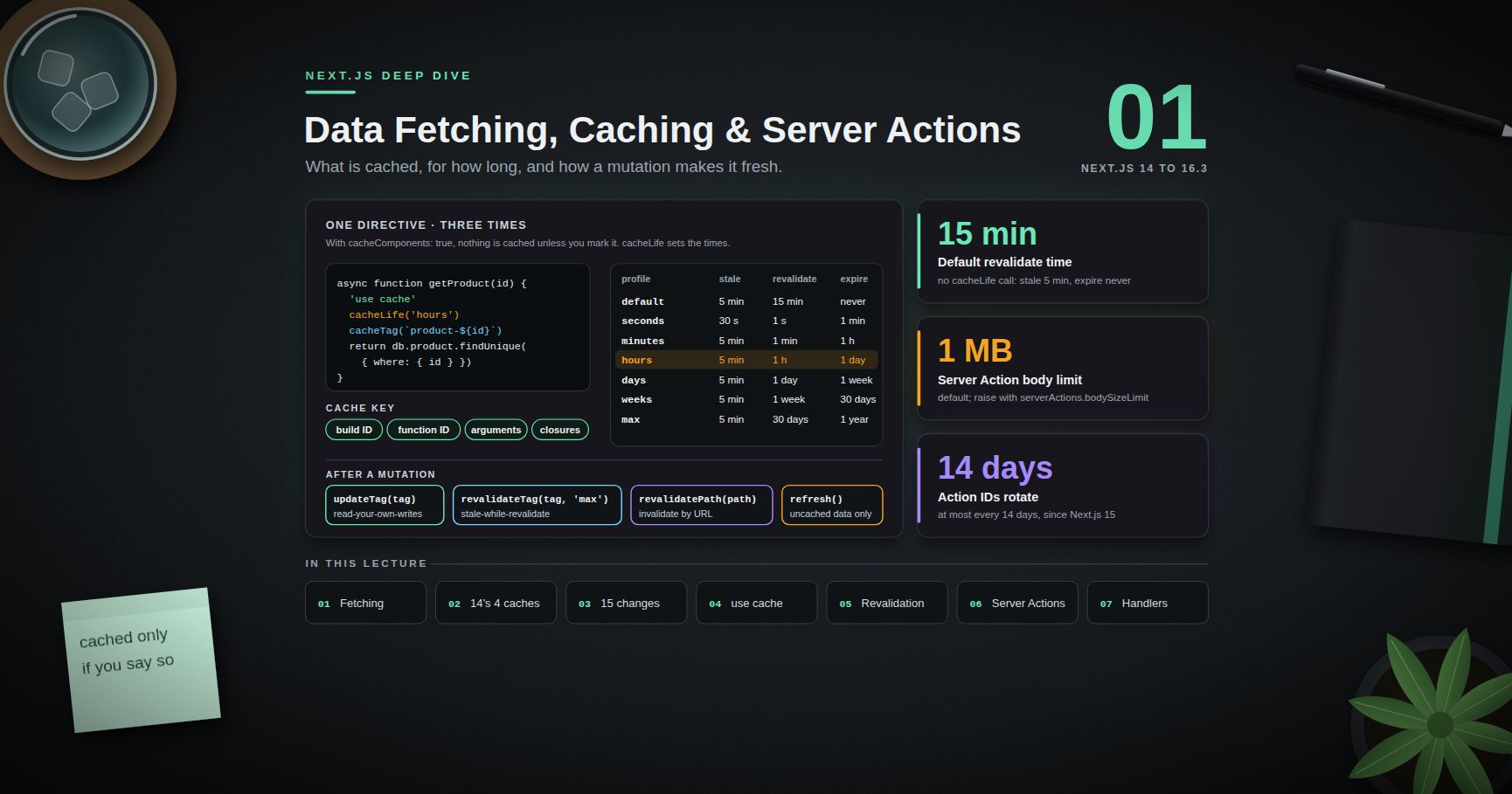
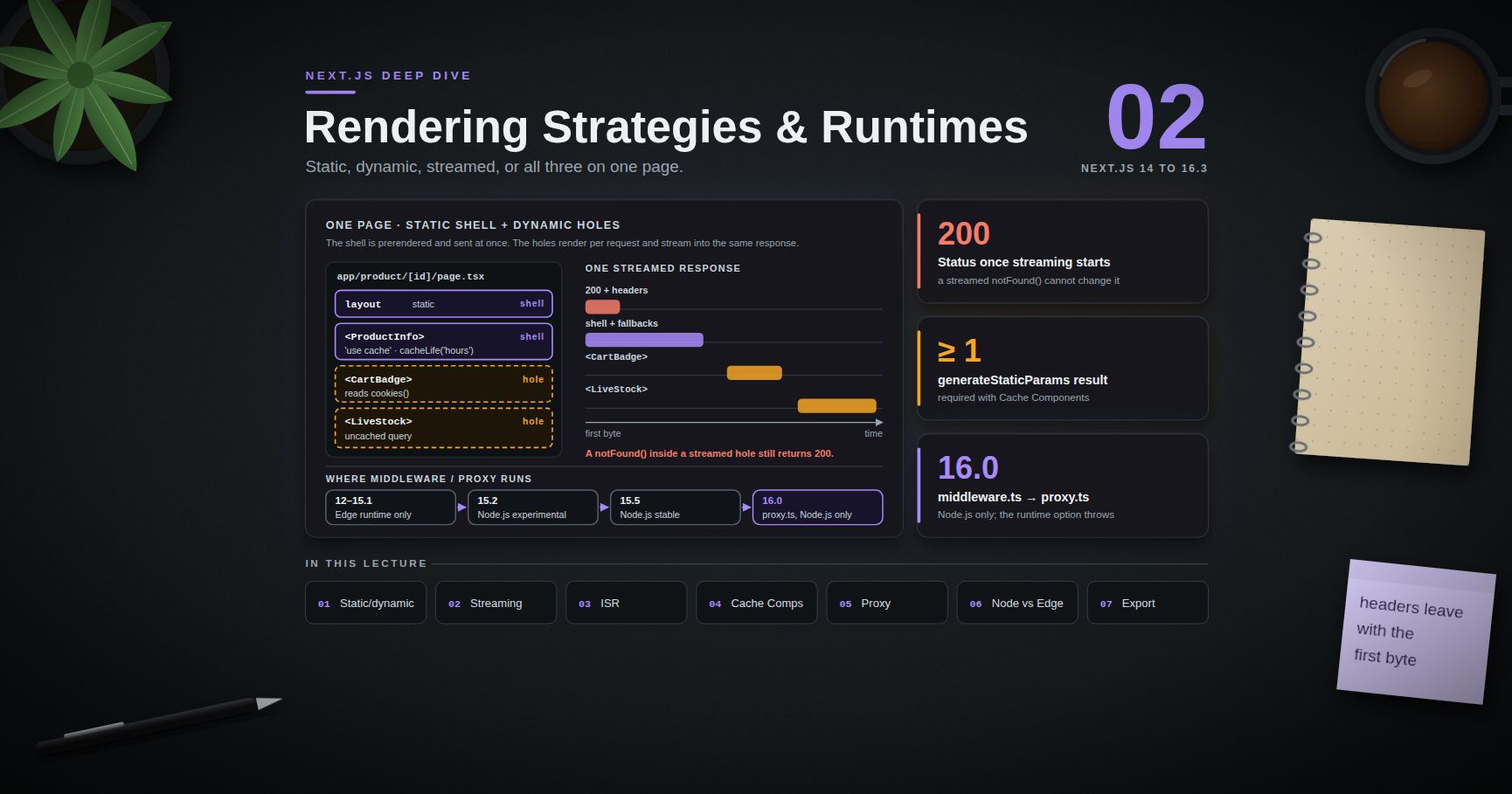
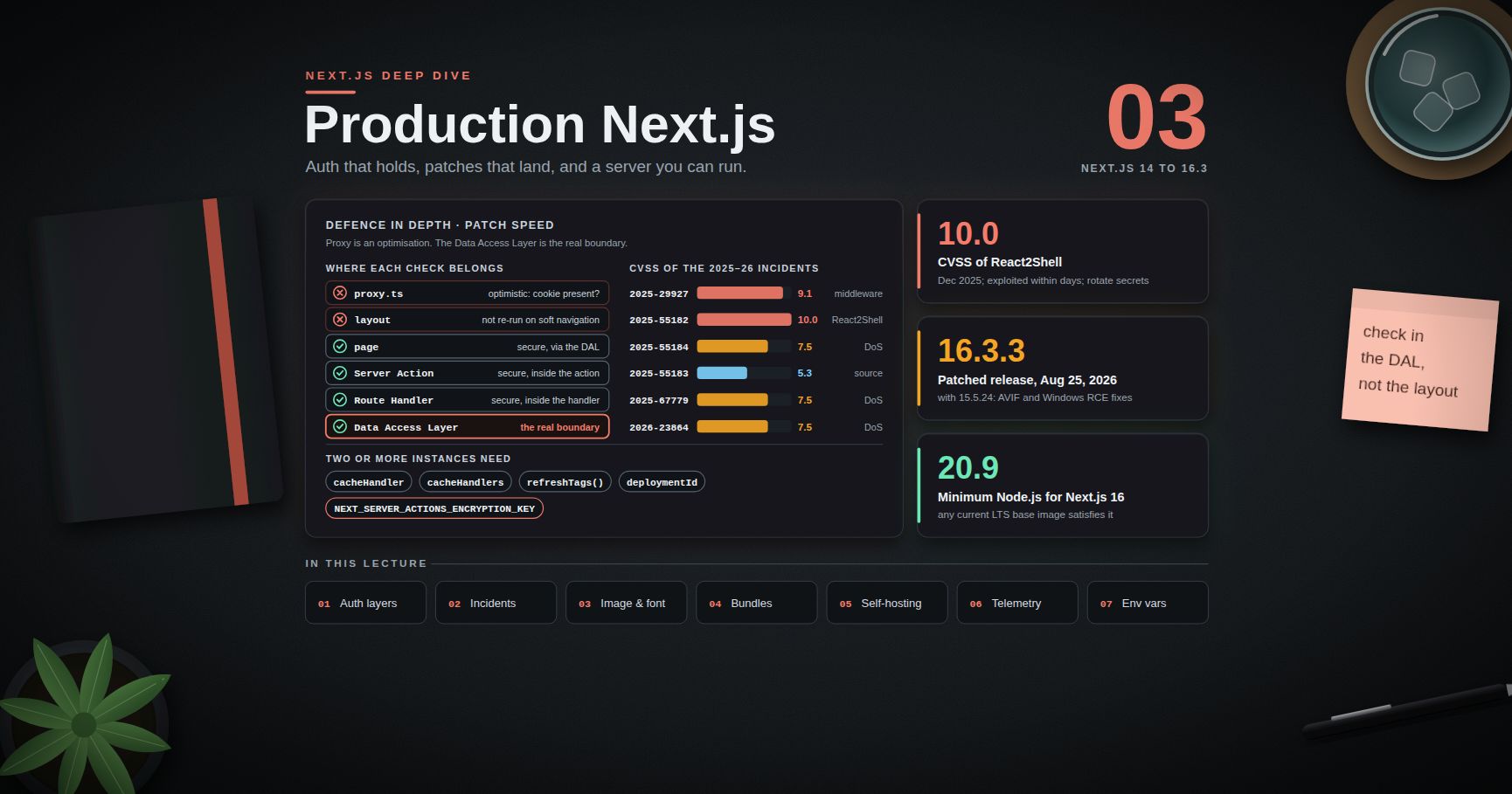
Series map: 00 App Router Mental Model (this post) → 01 Data Fetching, Caching & Server Actions → 02 Rendering Strategies & Runtimes → 03 Production Next.js (future: see the extensions table in 03).
Learning Outcome
- Explain what a Server Component is, and why it is not the same thing as server-side rendering (SSR).
- State precisely what
'use client'marks (a module boundary, not a component) and predict which modules end up in the client bundle. - Compose Server Components inside Client Components through
childrenand other slots, and know why importing them does not work. - Apply the serialisation rules for props crossing the boundary, and recognise the data-exposure risk they create.
- Describe what the RSC payload contains, where it lives on first load, and what is fetched on a client navigation.
- Use the file conventions (
layout,page,loading,error,not-found,template,default) and predict their nesting order. - Build route groups, parallel routes and intercepting routes, including the modal pattern and the Next.js 16
default.jsrule. - Reason about soft navigation, partial rendering,
<Link>prefetching and how the client router cache changed from 14 to 16.
Chapter 1 — Two component worlds
Terminology
- React Server Components (RSC) — a React architecture in which some components run only in a server environment (at build time or per request) and never ship their code to the browser.
- Server Component — the default for every component under
app/. Can beasync, can read files, databases and secrets. Cannot use state, effects, or browser APIs. - Client Component — a component in the client module graph. Rendered to HTML on the server for the first load, then hydrated and interactive in the browser. Can use hooks and event handlers.
- RSC payload (also called the Flight payload) — the serialised result of rendering the Server Component tree: rendered output, placeholders for Client Components with references to their JavaScript, and the props passed to them.
- Hydration — React attaching event handlers and state to server-rendered HTML so it becomes interactive.
- Boundary — the point in the module graph where a server module imports a
'use client'module.
Server Components are not SSR
SSR is an old idea: run the whole React tree on the server, emit HTML, then ship all of the same code to the browser and hydrate it. Every component exists twice, once on each side.
Server Components change the second half. A Server Component runs only on the server; its code is never sent to the browser, so it has nothing to hydrate. Only Client Components are both server-rendered (for the first HTML) and shipped (for hydration).
| Question | Server Component | Client Component |
|---|---|---|
| Where does its code run? | Server only (build or request time) | Server (first-load HTML) and browser |
| Is its code in the JS bundle? | No | Yes |
async component, await in body |
Yes | No (use use() to unwrap a promise) |
useState, useEffect, onClick |
No | Yes |
| Read secrets, DB, file system | Yes | Must not |
| Re-renders on state change | No (re-rendered only by a new server request) | Yes |
Default in app/ |
Yes | Only below a 'use client' boundary |
The first-load pipeline
On a first visit to a dynamic route, three things happen in order:
- RSC render. The server renders the Server Component tree. Wherever it meets a Client Component, it does not run it; it writes a placeholder plus a module reference and the serialised props. The result is the RSC payload.
- SSR of the client parts. The server then renders the Client Components to HTML, using the payload as input, so the first response is complete HTML.
- Browser. The HTML paints immediately (non-interactive). The client JavaScript loads, React reads the payload (inlined in the HTML) to reconcile the tree, and hydrates only the Client Components.
On a later client navigation, step 2 and the HTML are skipped. The router fetches only the RSC payload for the segments that change and merges it into the existing tree.
Trick: when asking "does this code run in the browser?", ignore the file name and folder. Follow the imports from the nearest
'use client'file. That is the only rule the bundler uses.
Chapter 2 — The 'use client' boundary
What the directive actually marks
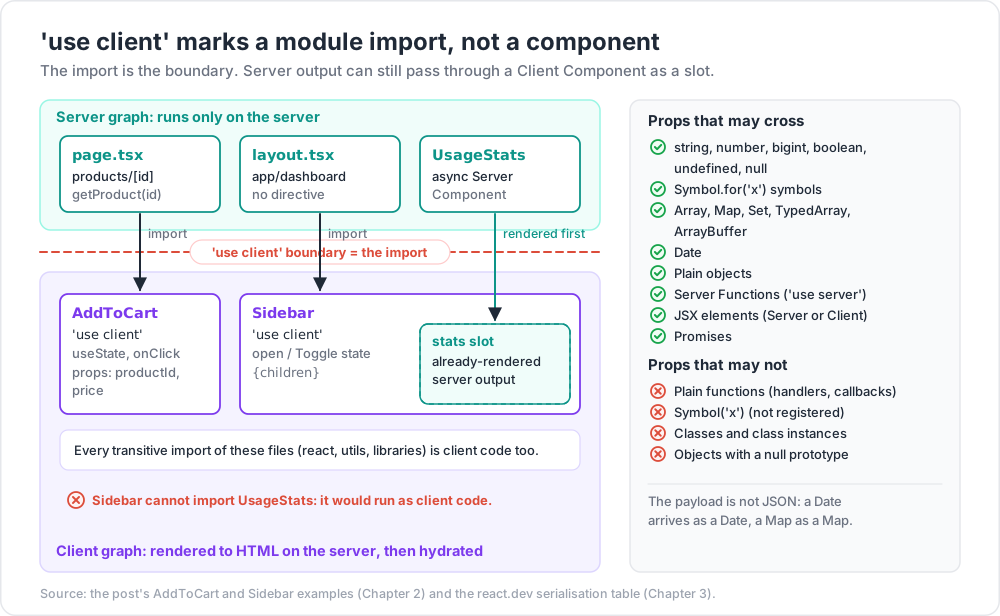
'use client' marks a module entry point into the client graph. It does not mark a single component, and it is not a runtime switch. From react.dev: the directive marks the module and all of its transitive dependencies as client code. When a server module imports that file, the import is the boundary.
Consequences that surprise people:
- You only need
'use client'at the entry points. A file imported only by client modules is client code even without the directive. - Every module a client entry imports is bundled for the browser, including utilities you meant to keep server-side. One
import { db } from '@/lib/db'in a client file tries to put your database driver in the bundle. - A component can still be client-evaluated without the directive, simply because a client module imported it.
- The directive must be the first statement (comments allowed), with single or double quotes, never backticks.
1
2
3
4
5
6
7
8
9
10
11
12
13
14
15
// app/products/[id]/page.tsx (Server Component: no directive needed)
import { getProduct } from '@/data/products' // server-only data access
import { AddToCart } from './add-to-cart' // <- the boundary is this import
export default async function Page({ params }: { params: Promise<{ id: string }> }) {
const { id } = await params
const product = await getProduct(id)
return (
<article>
<h1>{product.name}</h1>
<AddToCart productId={product.id} price={product.price} />
</article>
)
}
1
2
3
4
5
6
7
8
9
10
11
12
13
// app/products/[id]/add-to-cart.tsx
'use client'
import { useState } from 'react'
export function AddToCart({ productId, price }: { productId: string; price: number }) {
const [qty, setQty] = useState(1)
return (
<button onClick={() => setQty(qty + 1)}>
Add {qty} × {price.toFixed(2)} ({productId})
</button>
)
}
Server Components inside Client Components: slots, not imports
A Client Component cannot import a Server Component: the import would pull that module into the client graph, where it would run as client code (and fail if it touches the database). It can render one that the server passed in as a prop:
1
2
3
4
5
6
7
8
9
10
11
12
// app/dashboard/layout.tsx (server)
import { Sidebar } from './sidebar' // 'use client' (collapsible state)
import { UsageStats } from './usage-stats' // async Server Component
export default function Layout({ children }: { children: React.ReactNode }) {
return (
<Sidebar stats={<UsageStats />}> {/* rendered on the server, passed as a slot */}
{children}
</Sidebar>
)
}
1
2
3
4
5
6
7
8
9
10
11
12
13
14
15
// app/dashboard/sidebar.tsx
'use client'
import { useState } from 'react'
export function Sidebar({ stats, children }: { stats: React.ReactNode; children: React.ReactNode }) {
const [open, setOpen] = useState(true)
return (
<div className="grid">
<aside hidden={!open}>{stats}</aside>
<button onClick={() => setOpen(!open)}>Toggle</button>
<main>{children}</main>
</div>
)
}
<UsageStats /> is rendered by the server before the payload is written. The client receives already-rendered output in the stats slot, and Sidebar can show or hide it without knowing it came from the server.
The diagram below shows the whole picture on one tree: which components run where, where the boundary sits, how a slot lets server output pass through a client component, and what may cross the wire.
Context providers
React context needs state, so a provider is a Client Component. The usual pattern is a thin client wrapper that takes children:
1
2
3
4
5
6
7
// app/providers.tsx
'use client'
import { ThemeProvider } from 'some-theme-lib'
export function Providers({ children }: { children: React.ReactNode }) {
return <ThemeProvider attribute="class">{children}</ThemeProvider>
}
The root layout stays a Server Component and renders <Providers>{children}</Providers>. The pages under it stay Server Components, because they arrive as children (a slot), not as imports of the provider file.
Common pitfall: putting
'use client'at the top ofapp/layout.tsx"to make the error go away". Every page is still passed aschildren, so pages are not converted, but everything the layout imports becomes client code, and the layout can no longer read cookies or data on the server. Push the directive down to the smallest interactive leaf.
A library component that uses hooks but ships no 'use client' fails when rendered from a Server Component. Re-export it from your own client file: a components/carousel.tsx containing 'use client' and export { Carousel } from 'acme-carousel'.
Guarding the graphs: server-only and client-only
Nothing stops a developer from importing a data module into a client file by accident. Poison the module instead:
1
2
3
// data/products.ts
import 'server-only' // build error if this module ever enters the client graph
Next.js handles server-only and client-only internally, so the import works even without installing the npm package (install it anyway if a lint rule flags extraneous imports).
Watch out:
'use server'is not the opposite of'use client'. It marks Server Functions (callable endpoints, Post 01), not Server Components. A Server Component needs no directive at all. Adding'use server'to a component file turns every export into a public POST endpoint.
Chapter 3 — What may cross the boundary
The serialisation rules
Props passed from a Server Component to a Client Component are serialised into the RSC payload, so they must be serialisable by React. The list below is from react.dev ('use client' reference).
| Supported | Not supported |
|---|---|
string, number, bigint, boolean, undefined, null |
Functions that are not Server Functions (event handlers, callbacks) |
symbol registered with Symbol.for |
Symbols not registered globally (Symbol('x')) |
Array, Map, Set, TypedArray, ArrayBuffer (with serialisable contents) |
Classes |
Date |
Instances of any class other than the built-ins listed |
| Plain objects with serialisable properties | Objects with a null prototype |
Server Functions ('use server') |
|
| JSX elements (Server or Client) | |
| Promises |
Practical effects:
- An ORM row that is a class instance (with methods, getters, or a custom prototype) fails. Map it to a plain object first.
onClick={() => …}from a Server Component fails. The handler must live in the client file, or be a Server Function passed asaction.- A
Datearrives as aDate, aMapas aMap. JSON is not the format; the payload has richer encodings.
Passing a promise: stream data into a Client Component
Promises are serialisable. The server can start a fetch, pass the unresolved promise down, and let the client unwrap it with use() inside a Suspense boundary. The HTML shell streams immediately, and the value streams in when it resolves.
1
2
3
4
5
6
7
8
9
10
11
12
13
14
// app/orders/page.tsx (server)
import { Suspense } from 'react'
import { getOrders } from '@/data/orders'
import { OrdersTable } from './orders-table'
export default function Page() {
const ordersPromise = getOrders() // not awaited
return (
<Suspense fallback={<p>Loading orders…</p>}>
<OrdersTable orders={ordersPromise} />
</Suspense>
)
}
1
2
3
4
5
6
7
8
9
10
// app/orders/orders-table.tsx
'use client'
import { use } from 'react'
import type { Order } from '@/data/orders'
export function OrdersTable({ orders }: { orders: Promise<Order[]> }) {
const rows = use(orders) // suspends until the promise resolves
return <table><tbody>{rows.map(o => <tr key={o.id}><td>{o.total}</td></tr>)}</tbody></table>
}
Everything you pass is public
The payload is delivered to the browser. Every prop you give a Client Component is readable in page source or in the network panel, including fields the component never renders.
1
2
3
4
5
6
7
// BAD: the whole user row (email, password hash, internal flags) is now in the page
const user = await db.user.findUnique({ where: { id } })
return <ProfileCard user={user} />
// GOOD: pass a minimal object built for the UI
return <ProfileCard user={{ name: user.name, avatarUrl: user.avatarUrl }} />
Next.js recommends a server-only Data Access Layer that returns minimal Data Transfer Objects, and offers React's taint APIs (experimental_taintObjectReference, experimental_taintUniqueValue, behind experimental.taint) as a second line of defence. Post 01 builds the DAL; Post 03 covers the environment-variable side of leaks.
Watch out: broad prop types make leaks easy. A client component typed
({ user }: { user: User }), whereUseris the database type, invites callers to pass the full row. Type client props as the narrow shape the component renders.
Chapter 4 — The RSC payload
What it contains
From the Next.js glossary, the payload carries three things:
- The rendered result of the Server Components (host elements such as
divandh1, with their props and text). - Placeholders where Client Components should render, with references to their JavaScript chunks.
- The props passed from Server Components to Client Components.
It is a streamed, line-oriented format, not one JSON document. Rows can arrive out of order: a Suspense boundary's content is written as a later row that fills a hole left earlier. That is what makes streaming work for client navigations as well as for HTML.
Where to see it
- First load: the payload is inlined in the HTML as a series of
<script>tags that push chunks intoself.__next_f. React on the client reads them to hydrate without a second request. - Client navigation: the router requests the target URL with an
RSC: 1request header (and a_rscquery parameter so caches do not mix it with the HTML response). The response body is the payload for the segments that change. - Static export: each route's payload is written as a file next to its HTML. This blog is a Next.js 14 static export, and with
trailingSlash: trueeach post folder holds anindex.htmland anindex.txt; the.txtis the payload fetched when you navigate to the post from another page.
Why its size matters
The payload is not free:
- Data passed to Client Components appears twice on first load: once rendered in the HTML, once as props in the inlined payload. A 300 KB JSON prop costs roughly 600 KB before compression.
- Server Component output is also in the payload (it has to be, to reconcile). A long server-rendered list is sent as HTML and again as payload rows.
- Deserialisation costs CPU. Next.js 16.2 shipped a React change that made payload deserialisation up to 350% faster by replacing a
JSON.parsereviver callback (which crosses the C++/JavaScript boundary in V8 for every key) with a plainJSON.parsefollowed by a walk in JavaScript. The Next.js team reports 25% to 60% faster rendering to HTML in real apps, depending on payload size. To find bloat, filter the network panel by_rscand read the response: whole database rows are the usual find.
Chapter 5 — File conventions
The special files
| File | Role | Component type |
|---|---|---|
layout.tsx |
Shared UI for a segment and its children. Persists across navigations below it. Root layout must render <html> and <body>. |
Server by default |
page.tsx |
The unique UI of a route. Makes the route publicly reachable. | Server by default |
loading.tsx |
Instant loading UI; wraps the page in a Suspense boundary. | Server by default |
error.tsx |
Error boundary for the segment. | Must be Client |
global-error.tsx |
Error boundary for the root layout; must render its own <html> and <body>. |
Must be Client |
not-found.tsx |
UI for notFound() and unmatched URLs. |
Server by default |
template.tsx |
Like a layout, but re-mounted on every navigation (state and effects reset). | Server by default |
default.tsx |
Fallback for a parallel-route slot that has no match for the current URL. | Server by default |
route.ts |
Route Handler (an HTTP endpoint). Cannot sit in the same segment as page.tsx. |
n/a |
forbidden.tsx, unauthorized.tsx |
UI for forbidden() / unauthorized() (experimental since 15.1, experimental.authInterrupts). |
Server by default |
Nesting order
For one segment, Next.js composes the files in this order, outermost first:
1
2
3
4
5
6
7
8
9
10
11
12
<Layout>
<Template>
<ErrorBoundary fallback={<Error />}>
<Suspense fallback={<Loading />}>
<NotFoundBoundary fallback={<NotFound />}>
<Page />
</NotFoundBoundary>
</Suspense>
</ErrorBoundary>
</Template>
</Layout>
Two direct consequences:
error.tsxdoes not catch errors thrown by thelayout.tsxof the same segment, because the layout is outside the boundary. The parent segment'serror.tsxcatches them, andglobal-error.tsxcatches the root layout's.loading.tsxdoes not cover the layout either. A slowawaitin a layout blocks the whole segment, loading UI included. Keep layouts cheap, or push slow reads into a Suspense-wrapped child.
Segments and folders
| Folder syntax | Meaning | Example URL |
|---|---|---|
blog/[slug] |
Dynamic segment | /blog/hello |
docs/[...slug] |
Catch-all (one or more) | /docs/a/b/c |
docs/[[...slug]] |
Optional catch-all (zero or more) | /docs and /docs/a/b |
(marketing)/about |
Route group: organises files, adds no URL segment | /about |
_components/ |
Private folder: never routable | none |
@modal/ |
Parallel-route slot | none (a prop of the layout) |
(.)photo/[id] |
Intercepting route | intercepts /photo/1 |
Since Next.js 15, params and searchParams are promises (await params). Next.js 15 still allowed synchronous access with a warning; Next.js 16 removed synchronous access. The same applies to cookies(), headers() and draftMode(). This blog's post route (app/[year]/[month]/[day]/[slug]/page.tsx, Next.js 14) already writes const { year, month, day, slug } = await params: awaiting a plain object simply returns it, so the code is forward-compatible.
Route groups and multiple root layouts
Route groups let different sections have different root layouts:
1
2
3
4
5
6
app/
(shop)/layout.tsx <html> for the shop
(shop)/cart/page.tsx
(admin)/layout.tsx a different <html> for the admin
(admin)/users/page.tsx
Watch out: navigating between two different root layouts is a full page load, not a client navigation. State is lost and all assets are fetched again. Use it for genuinely separate apps, not for styling differences.
Parallel routes
A folder named @slot becomes a prop of the parent layout, rendered alongside children:
1
2
3
4
5
6
7
// app/dashboard/layout.tsx
export default function Layout({ children, team, analytics }: {
children: React.ReactNode; team: React.ReactNode; analytics: React.ReactNode
}) {
return <>{children}<div className="cols">{team}{analytics}</div></>
}
Each slot navigates independently and can have its own loading.tsx and error.tsx. On a soft navigation, a slot with no match for the new URL keeps its current content. On a hard load (refresh), Next.js cannot know that previous state, so it renders the slot's default.tsx, or a 404 if there is none.
Next.js 16 made this strict: every parallel-route slot must have an explicit default.js, and the build fails without one. To keep the old behaviour, add a default.tsx that returns null or calls notFound().
Intercepting routes and the modal pattern
Intercepting routes render another route's content inside the current layout on a soft navigation, while a hard load of the same URL shows the full page. Prefixes are relative to route segments (not the file system, so @slot folders do not count): (.) same level, (..) one level up, (..)(..) two levels up, (...) from the root.
1
2
3
4
5
6
7
8
app/
layout.tsx renders {children} and {modal}
@modal/
default.tsx returns null (required in 16)
(.)photo/[id]/page.tsx the modal version, shown on soft navigation
photo/[id]/page.tsx the full page, shown on refresh or shared link
page.tsx the gallery with <Link href="/photo/1">
Clicking a thumbnail opens the modal with the gallery still behind it and the URL set to /photo/1. Refreshing shows the full photo page. Closing the modal is router.back().
Common pitfall: forgetting
@modal/default.tsx. Before 16 the symptom was a 404 on refresh of unrelated routes; in 16 the build fails, which is the better failure.
Chapter 6 — Navigation and prefetching
Soft navigation and partial rendering
<Link> and router.push() perform a soft navigation: no document reload, only the RSC payload for the segments that differ. Layouts shared by the old and new route are not re-rendered, so their client state (an open sidebar, a scroll position inside it, an input's value) survives. This is partial rendering.
It has a security-relevant side effect: a check written in a shared layout does not re-run when the user navigates between its child pages. Put authorisation checks next to the data they protect (Post 03).
router.refresh() re-requests the current route's payload from the server and merges it, preserving client state. It is the tool for "server data changed, redraw without losing the form input".
<Link> prefetching
Prefetching is production only. When a <Link> enters the viewport, Next.js prefetches the target in the background. The prefetch prop (values as of 16.3):
| Value | Static route | Dynamic route |
|---|---|---|
"auto" / null (default; "auto" alias added in 15.4) |
Full route, including data | Down to the nearest loading.js boundary |
true |
Full route | Full route |
false |
Never (neither viewport nor hover) | Never |
The practical lesson for dynamic routes: without a loading.tsx (or, with Cache Components, a static shell), there is nothing cheap to prefetch, so the click waits for the server.
How the client router cache changed
| Version | Behaviour of the client-side router cache |
|---|---|
| 14.0 / 14.1 | Visited and prefetched segments reused for 30 s (dynamic) or 5 min (static or prefetch={true}). A common source of "my page shows stale data". |
| 14.2 | experimental.staleTimes added to configure those durations. |
| 15 | Page segments get a staleTime of 0 by default: navigating to a page always fetches its latest data. Shared layouts are still not re-fetched, back/forward still restores from cache, and loading.js stays cached for 5 min. |
| 16.0 | Prefetching rewritten: layout deduplication (a layout shared by 50 links is downloaded once, not 50 times) and incremental prefetching (only missing parts are fetched; requests cancel when the link leaves the viewport and are re-prioritised on hover). More requests, much lower total transfer. |
| 16.2 | experimental.prefetchInlining bundles a route's segment data into one prefetch response. |
| 16.3 | Small prefetches are inlined automatically; Partial Prefetching (opt-in, partialPrefetching: true with cacheComponents: true) lets <Link prefetch> fetch as much or as little of the target as you choose. |
With cacheComponents enabled (16), Next.js also keeps recently visited routes mounted inside React's <Activity mode="hidden"> instead of unmounting them, so useState values and form inputs survive back-and-forth navigation. Effects are cleaned up while hidden and re-run when shown. Code that relied on unmount to reset state (an open dropdown, a success message) needs explicit reset logic.
Other navigation tools
useRouter()fromnext/navigation(notnext/router, which is the Pages Router):push,replace,refresh,prefetch,back,forward.usePathname(),useSearchParams(),useParams(),useSelectedLayoutSegment(): client hooks for URL state.useSearchParams()needs a Suspense boundary on prerendered routes.redirect()andnotFound()fromnext/navigationthrow special errors that the framework catches. Do not wrap them in atry/catchthat swallows everything; rethrow withunstable_rethrow(added in 15) if you must catch broadly.<Link onNavigate>(15.3) runs only on client-side navigations and canpreventDefault()to block one, e.g. for unsaved changes.<Link transitionTypes>(16.2) passes types toReact.addTransitionTypefor View Transitions.
Trick: prefetching is disabled in development, so "the click feels slow" must be judged with
next build && next start, notnext dev. Next.js 16.3's Navigation Inspector (in the dev tools) lets you pause a navigation at its loading shell to see what a user would see.
Chapter 7 — Failure modes worth recognising
Hydration mismatches
The HTML rendered on the server must match the first client render. Classic causes:
Date.now(),new Date().toLocaleString(),Math.random()rendered directly (server and browser disagree on time, locale and randomness).typeof window !== 'undefined'branches in render.- Invalid HTML nesting (
<div>inside<p>), which the browser's parser rewrites. - Browser extensions injecting attributes into
<html>or<body>.
Fixes: compute the value on the server and pass it down; move browser-only values into useEffect and render a placeholder first; for a single known-unstable text node (a timestamp), suppressHydrationWarning on that element. Next.js 16.2's error overlay labels the diff with + Client / - Server, which makes the source obvious.
"My layout does not update"
A layout is not re-rendered on navigation between its children (partial rendering). If it shows data that a child action changed, call router.refresh(), revalidate in a Server Action (Post 01), or move the data into the page.
Bundle bloat and browser-only widgets
A 'use client' file that imports a large library (a markdown parser, a date library with all locales) pulls it into the browser even if the component uses it for one string: do that work in a Server Component and pass the result down (Post 03 covers the bundle analyzer). For a widget that touches window at import time, dynamic(() => import('./chart'), { ssr: false }) must be called from a 'use client' file; since Next.js 15, ssr: false is not allowed in Server Components.
Practice Exercises
Exercise 1 — Find the boundary
Given this graph, list every module that ends up in the client bundle: page.tsx (server) imports Header.tsx and Cart.tsx; Cart.tsx starts with 'use client' and imports format.ts and Badge.tsx; Header.tsx imports Badge.tsx; Badge.tsx has no directive.
Solution
Client bundle: Cart.tsx, format.ts, Badge.tsx. Cart.tsx is a client entry, and everything it imports transitively is client code. Badge.tsx also stays a Server Component when Header.tsx (server) renders it: the same module can be evaluated in both graphs. page.tsx and Header.tsx are server-only.
Exercise 2 — Fix the serialisation error
A Server Component renders <PriceChart series={rows} onPointClick={(p) => console.log(p)} /> where rows comes from an ORM that returns class instances. List both errors and fix them.
Solution
(1) onPointClick is a plain function, which cannot be serialised. Move the handler into the client component (or pass a Server Function if it must run on the server). (2) Class instances are not serialisable. Map to plain objects: rows.map(r => ({ t: r.timestamp, v: Number(r.value) })). Also check the mapped shape contains only what the chart draws.
Exercise 3 — Slot composition
A client Tabs component needs to show server-rendered content in each tab. Write the props interface and the server-side usage so each tab body is a Server Component.
Solution
1
2
3
4
5
6
7
8
9
10
11
12
13
// tabs.tsx
'use client'
import { useState } from 'react'
export function Tabs({ tabs }: { tabs: { label: string; content: React.ReactNode }[] }) {
const [i, setI] = useState(0)
return (<div>
{tabs.map((t, k) => <button key={t.label} onClick={() => setI(k)}>{t.label}</button>)}
<section>{tabs[i].content}</section>
</div>)
}
// page.tsx (server)
<Tabs tabs={[{ label: 'Specs', content: <Specs id={id} /> }, { label: 'Reviews', content: <Reviews id={id} /> }]} />
Both tab bodies are rendered on the server on every request for the page; only the selection state is on the client.
Exercise 4 — Modal route
Build the file tree for a /login modal that opens over any page on soft navigation and shows a full login page on refresh. The app uses Next.js 16.
Solution
1
2
3
4
5
6
app/
layout.tsx ({ children, auth }) => <>{children}{auth}</>
@auth/default.tsx export default function Default() { return null }
@auth/(.)login/page.tsx <Modal><LoginForm /></Modal>
login/page.tsx <LoginForm /> as a full page
(.) because login sits at the same route-segment level as the slot's parent (the root). default.tsx is mandatory in 16.
Exercise 5 — Predict the error boundary
app/shop/layout.tsx throws during render. There is an app/shop/error.tsx and an app/error.tsx. Which one renders, and why?
Solution
app/error.tsx. The boundary from app/shop/error.tsx sits inside app/shop/layout.tsx, so it cannot catch errors from that layout. The next boundary outward is the root segment's error.tsx.
Exercise 6 — Measure the payload
On an App Router site in production, filter the network panel by _rsc, navigate between two pages, find the largest prop in the response, and decide whether it belongs in a Server Component instead.
Cheat-sheet
| Topic | Rule |
|---|---|
Default component type in app/ |
Server Component |
'use client' marks |
A module entry point; all its transitive imports become client code |
| Server inside client | Pass as children or another prop (slot), never import |
| Props across the boundary | Primitives, plain objects, arrays, Map, Set, Date, TypedArray, JSX, Promises, Server Functions |
| Not allowed across | Plain functions, class instances, null-prototype objects, unregistered symbols |
| Poison a server module | import 'server-only' |
'use server' |
Marks Server Functions (endpoints), not Server Components |
| RSC payload on first load | Inlined in HTML (self.__next_f) |
| RSC payload on navigation | Request with RSC: 1 header and _rsc query |
| Nesting order | layout > template > error > loading > not-found > page |
error.tsx |
Client Component; does not catch its own segment's layout |
params, searchParams, cookies(), headers() |
Promises since 15; sync access removed in 16 |
| Parallel slots | @slot folders; default.js required since 16 |
| Intercepting prefixes | (.) (..) (..)(..) (...), relative to route segments |
| Prefetch | Production only; default: full for static, to nearest loading.js for dynamic |
| Router cache for pages | 30 s dynamic in 14; staleTime 0 in 15+ |
| Stale layout after mutation | router.refresh() or revalidate in a Server Action |
What's next
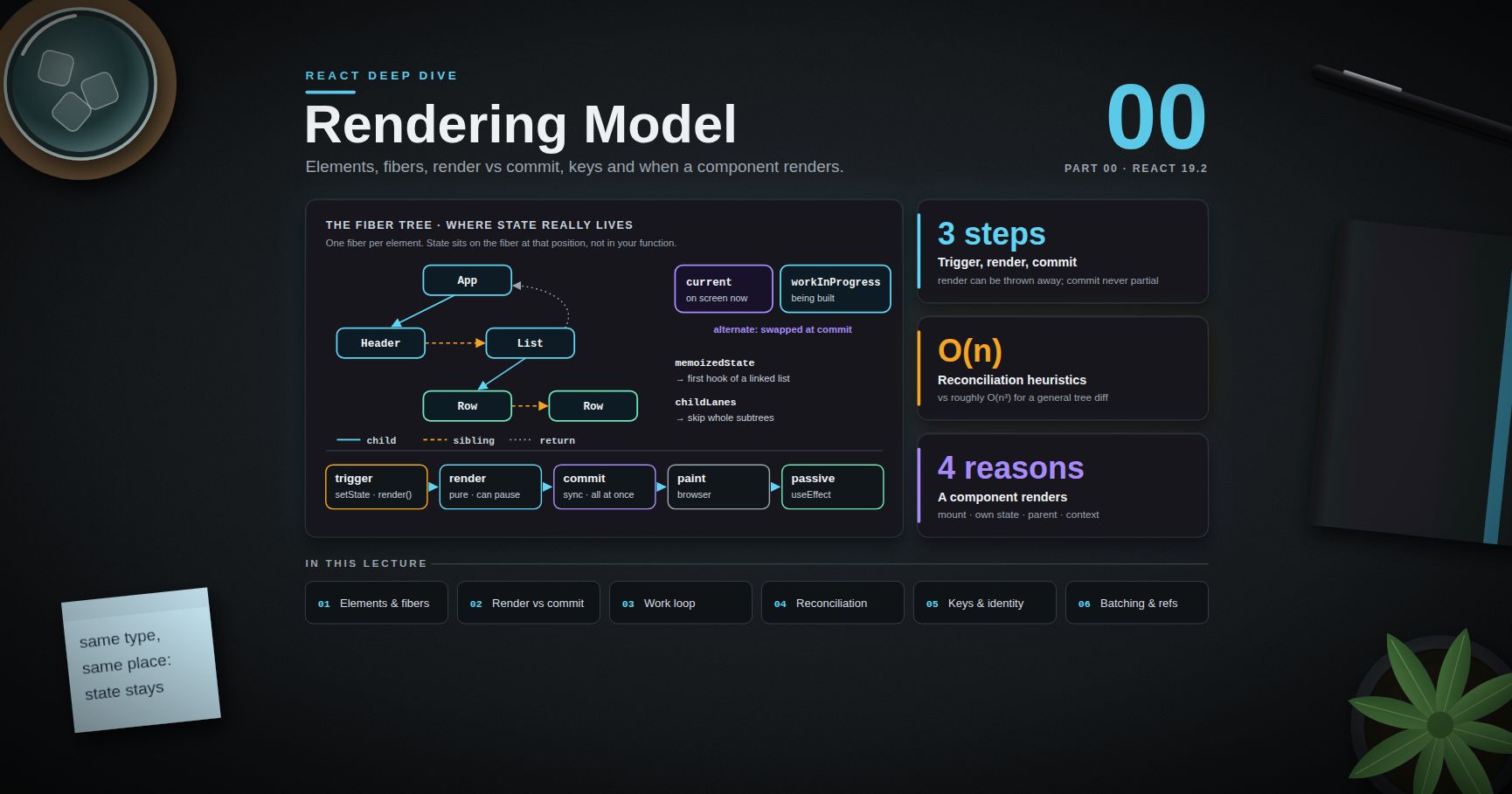
Post 01 covers data fetching, caching and Server Actions: fetching in Server Components without waterfalls, request memoisation and the Data Access Layer, the four caching layers of Next.js 14 and how 15 and 16 (use cache, cacheLife, cacheTag, updateTag) replaced the implicit defaults, and Server Functions as public endpoints that need their own authentication. For the React side of this post (the use() hook, Suspense, transitions and the React Compiler), see the React Deep Dive series; for the language features Server Components lean on (promises, async iteration, module semantics), see JavaScript Deep Dive.
References
- Next.js Docs — Server and Client Components
- React —
'use client'directive and serialisable types - React — Server Components
- Next.js Docs — Layouts and Pages and Project Structure
- Next.js Docs — Parallel Routes and Intercepting Routes
- Next.js Docs — Link component
- Next.js Docs — Data Security (Data Access Layer, taint)
- Next.js 15 release notes, Next.js 16, 16.2, 16.3