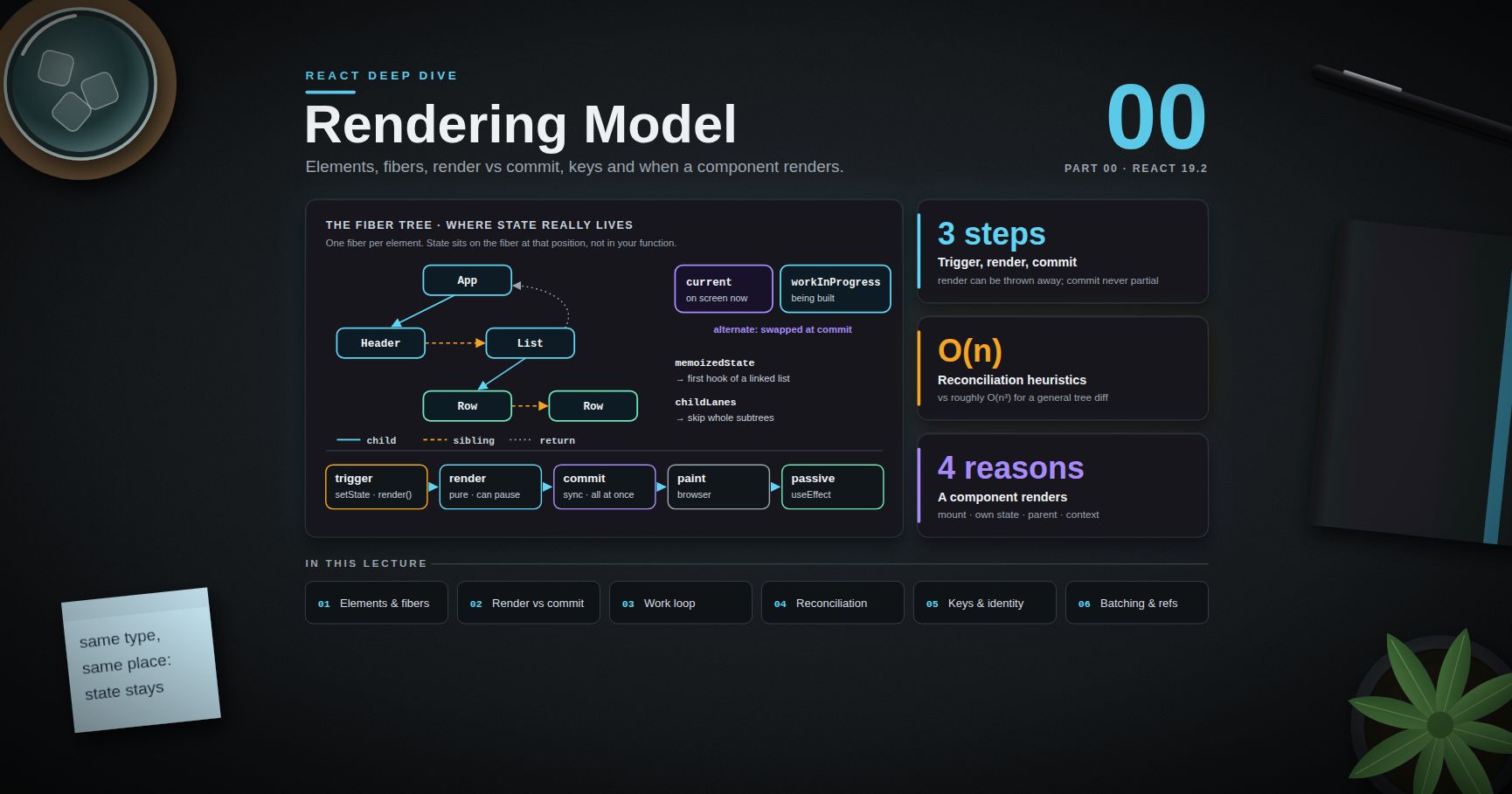
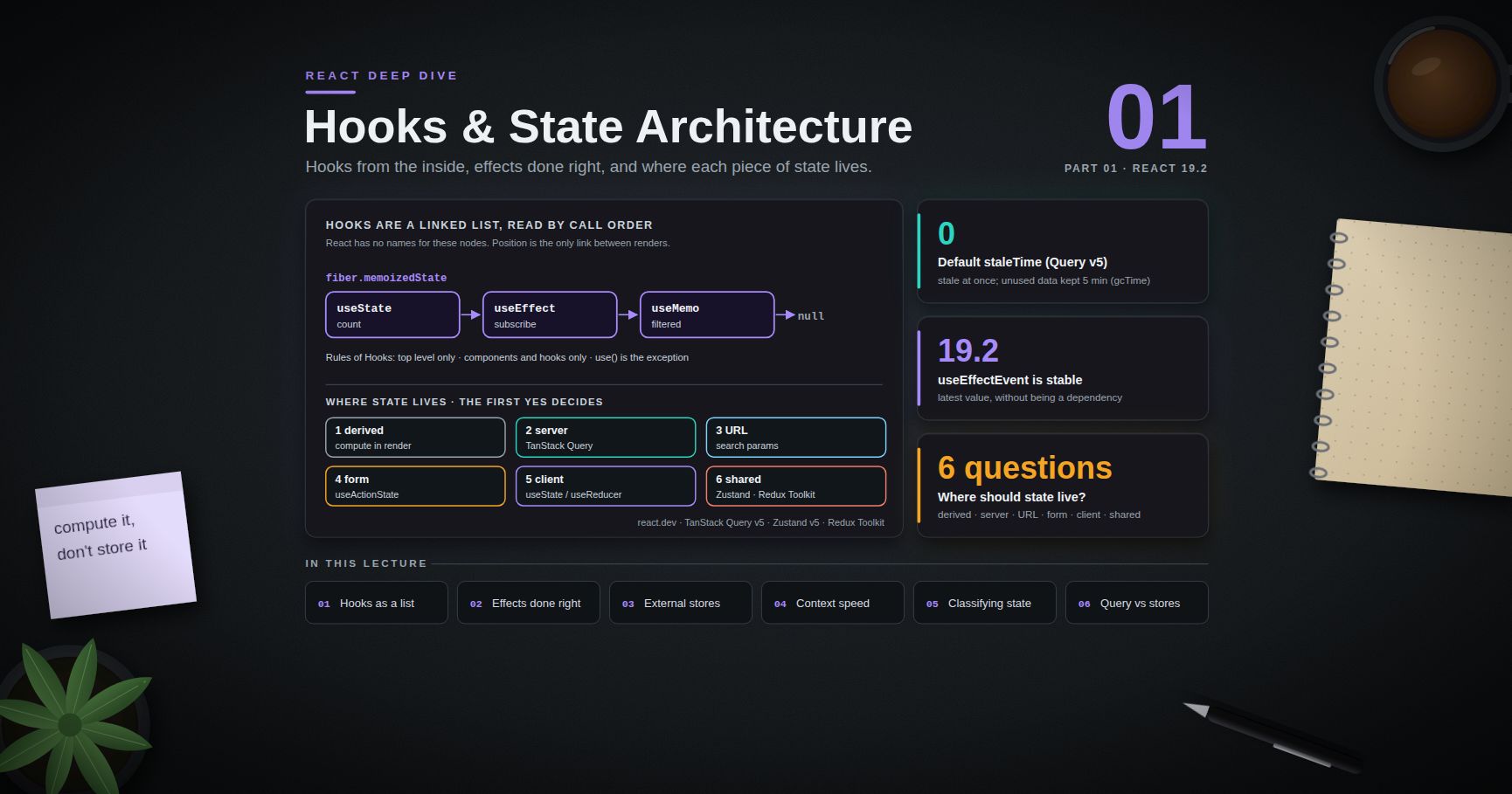
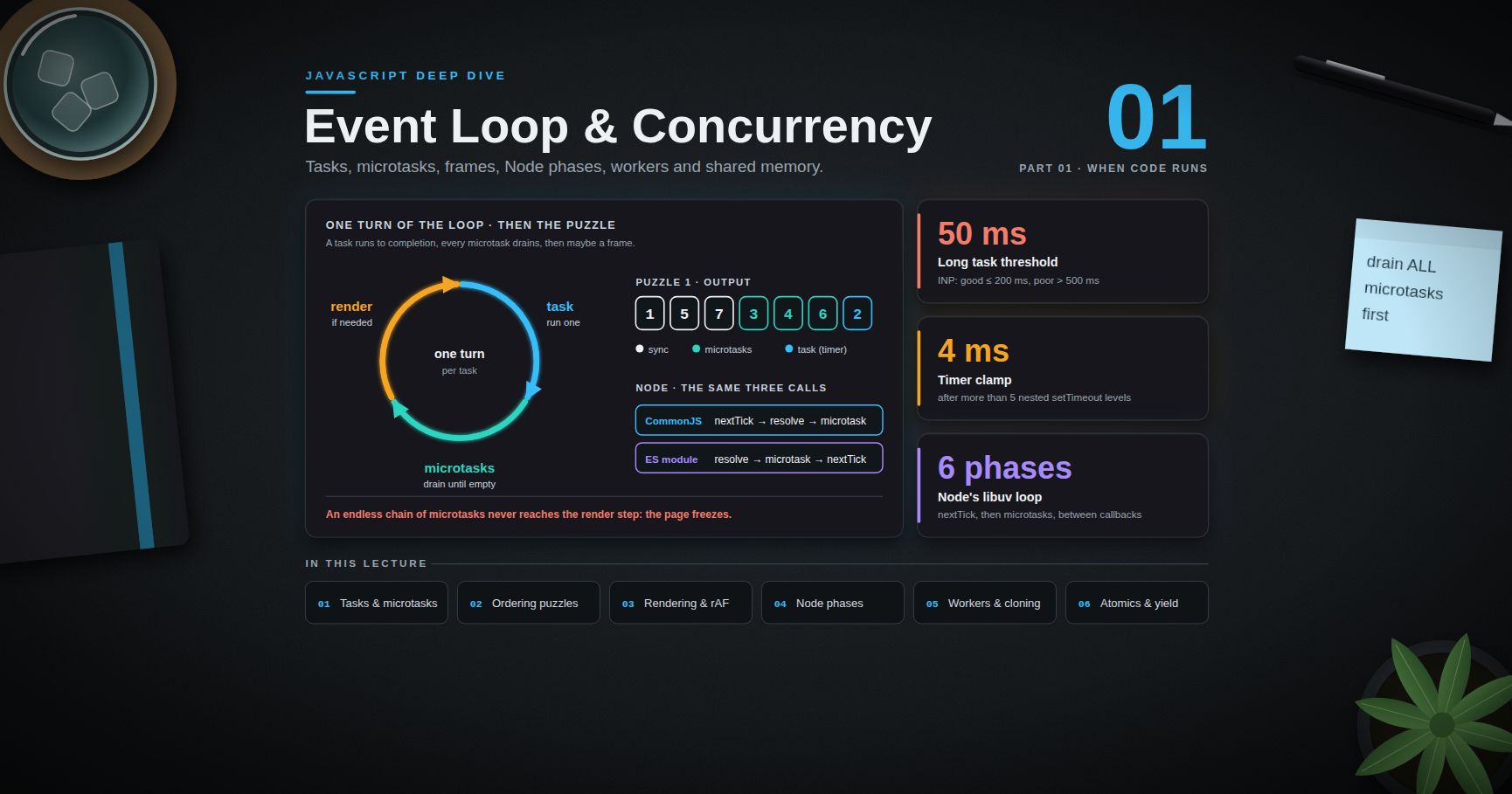
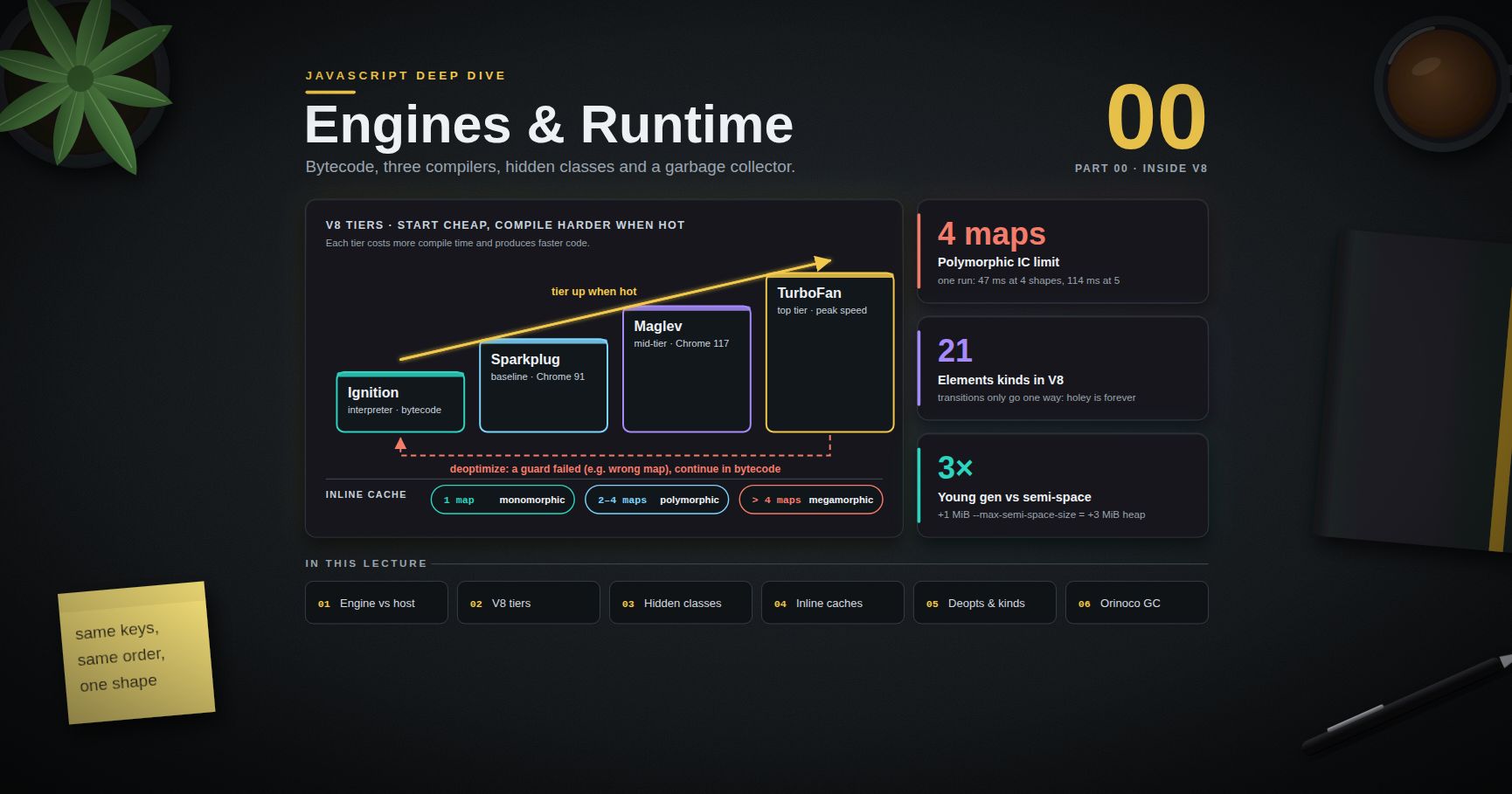
React Deep Dive — 02 · Concurrent React & React 19
React 18 made rendering interruptible, and React 19 built a programming model on top of it. Together they change how a React app handles slow work: instead of debouncing, spinners everywhere and hand-rolled isSubmitting flags, you mark updates by urgency and let React keep the screen responsive, show old content while new content loads, and roll back optimistic changes when a request fails. This post explains the scheduler model first — concurrent rendering and lanes — then the tools that use it: startTransition and useTransition, useDeferredValue, and Suspense for data. The second half covers the React 19 APIs (Actions, useActionState, useOptimistic, useFormStatus, use(), ref as a prop), <Activity> from React 19.2, an overview of React Server Components, and React Compiler 1.0. Examples target React 19.2.
Series map: 00 Rendering Model → 01 Hooks & State Architecture → 02 Concurrent React & React 19 (this post) → 03 Performance, Testing & Architecture at Scale. Future topics: see the "Planned future extensions" table in 03.
Learning Outcome
- Explain what "concurrent" means in React — interruptible rendering on one thread — and what it does not mean.
- Describe lanes at a high level and how React maps events to priorities.
- Use
startTransition/useTransitionto keep input responsive, and know their limits (asyncawait, text inputs). - Use
useDeferredValueto defer an expensive subtree, and compare it with debouncing. - Explain how Suspense works for code and data, and why transitions stop already-shown content from being replaced by a fallback.
- Build forms with React 19 Actions:
useActionState,useFormStatus,useOptimistic. - Use
use()for promises and context, and know the cached-promise rule. - Use
<Activity>to keep hidden UI alive without running its effects. - Draw the server/client boundary of React Server Components and name what can cross it.
- Decide how to adopt React Compiler 1.0 in an existing codebase.
Chapter 1 — Concurrent rendering
Terminology
- Blocking (urgent) update — must be shown right away: typing, clicking, pressing a key. Rendered synchronously to the end.
- Non-blocking update (Transition) — may take a moment: switching tabs, filtering a big list, navigating. Rendered in time slices and can be interrupted.
- Interruptible render — React can stop building the
workInProgresstree (Post 00), handle something more urgent, then restart or resume. - Tearing — part of the UI showing one version of the data and part another. Concurrent rendering must avoid it (Post 01's
useSyncExternalStore).
What "concurrent" means
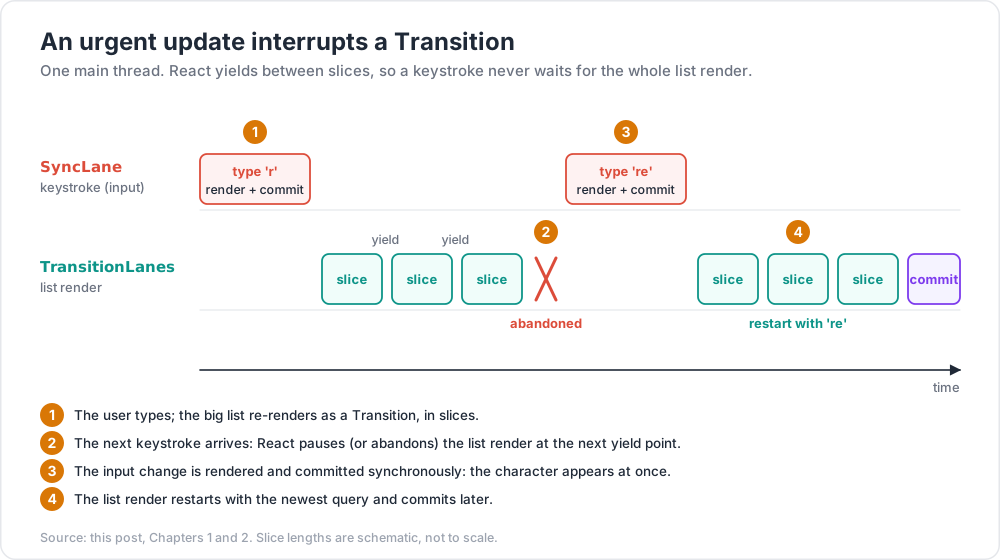
JavaScript in the browser still runs on one main thread. React does not render in parallel. "Concurrent" means React can keep several versions of the UI in progress and choose which to work on:
- The user types in a search box while a large result list is being re-rendered as a Transition.
- The keystroke arrives. React pauses (or abandons) the list render at the next yield point.
- It renders and commits the input change synchronously, so the character appears at once.
- It restarts the list render with the newest query.
Without concurrent rendering, step 2 is impossible: a render that started must finish, and a 200 ms list render means 200 ms of input lag.
What concurrent rendering does not do: make a slow component faster. The total work is the same (or a little more, because of restarts). It only changes which work the user waits for.
Opting in. There is no global switch. createRoot enables the concurrent renderer, but updates stay blocking unless you mark them: startTransition, useDeferredValue, or Suspense-related features. An app that uses none of these behaves much like React 17, plus automatic batching.
Chapter 2 — Lanes at a high level
React tracks priority with lanes: bits in a 31-bit integer. Each update gets a lane; each fiber records the lanes of its pending updates (lanes, childLanes from Post 00). A bit mask makes it cheap to ask "does this subtree have work at this priority?" and to process several updates of the same priority together.
The main lanes, from most to least urgent (names from the React source; internals, may change):
| Lane (group) | Typical source |
|---|---|
SyncLane |
Discrete events: click, keydown, input, submit; flushSync |
InputContinuousLane |
Continuous events: pointermove, scroll, wheel, mouseover |
DefaultLane |
Updates from outside React events: setTimeout, promise callbacks, initial render |
TransitionLanes (several) |
startTransition, useTransition, useDeferredValue's background render |
RetryLanes |
Retrying a Suspense boundary after its data arrives |
IdleLane |
Idle work |
OffscreenLane |
Hidden content, e.g. a hidden <Activity> |
React-DOM picks the lane for an update from the event that is being handled when setState is called. That is why the same setState call is urgent in a click handler and lower priority in a setTimeout.
Three consequences worth knowing:
- Higher lanes interrupt lower ones. A Transition render in progress is paused or thrown away when a Sync update arrives.
- Transitions are batched. As of React 19.2, when several Transitions are pending, React can render them together, so a slow Transition can delay a fast one.
- Starvation is prevented. A lower-priority lane that keeps being interrupted is eventually marked expired and rendered synchronously, so it cannot be delayed forever.
Trick: the Performance panel in Chrome shows React's "Scheduler" and "Components" tracks (React 19.2 Performance Tracks), labelled with priorities such as blocking and transition. It is the quickest way to see lanes in a real trace.
Chapter 3 — startTransition and useTransition
The pattern
1
2
3
4
5
6
7
8
9
10
11
12
13
14
15
16
17
18
import { useState, useTransition } from "react";
function Tabs() {
const [tab, setTab] = useState("about");
const [isPending, startTransition] = useTransition();
function selectTab(next) {
startTransition(() => setTab(next)); // non-blocking: can be interrupted
}
return (
<>
<TabButtons active={tab} onSelect={selectTab} pending={isPending} />
{tab === "about" ? <About /> : tab === "posts" ? <Posts /> /* slow */ : <Contact />}
</>
);
}
If the user clicks "Posts" and then quickly "Contact", React abandons the slow Posts render and shows Contact. isPending is true from the click until the Transition commits, so the button can show a pending state while the old tab stays visible and interactive.
Use the standalone startTransition (imported from react) outside components, for example in a router or a store, when you do not need isPending.
Async Transitions (React 19)
In React 19 the function passed to startTransition can be async. The whole async function is an Action; isPending stays true until it finishes:
1
2
3
4
5
6
7
8
9
10
function handleSubmit() {
startTransition(async () => {
const err = await updateName(name);
startTransition(() => { // see the limitation below
if (err) setError(err);
else redirect("/profile");
});
});
}
The inner startTransition is there because of a known limitation documented on react.dev: state updates after an await are not automatically part of the Transition. React loses the async context at the await, so wrap later updates in another startTransition.
Limits
- Do not use a Transition for a controlled text input's own value. The input must update synchronously; put only the expensive consequence (the filtered list) behind the Transition, or use
useDeferredValue. - Only
setcalls made synchronously inside the callback (or inside nestedstartTransition) are marked. AsetTimeoutinsidestartTransitionescapes it. - Out-of-order responses are your problem with raw async Transitions: two quick submits can finish in the wrong order.
useActionState(Chapter 6) queues actions and avoids this.
Watch out: a Transition does not make a slow component faster. If
Poststakes 800 ms to render, the user still waits 800 ms for it; they just are not frozen while waiting. Pair Transitions with the performance work in Post 03.
Chapter 4 — useDeferredValue
useDeferredValue is the Transition tool for when you do not own the set call — typically a value that arrives as a prop.
1
2
3
4
5
6
7
8
9
10
11
12
13
14
15
16
17
18
19
function SearchPage() {
const [query, setQuery] = useState("");
const deferredQuery = useDeferredValue(query);
const isStale = query !== deferredQuery;
return (
<>
<input value={query} onChange={e => setQuery(e.target.value)} />
<div style={{ opacity: isStale ? 0.6 : 1 }}>
<SlowResults query={deferredQuery} />
</div>
</>
);
}
const SlowResults = memo(function SlowResults({ query }) {
// expensive filtering and rendering of thousands of rows
});
On each keystroke React first renders with the old deferred value (fast, because SlowResults is memoised and its prop did not change), commits the input, then renders again in the background with the new value. If another key arrives, the background render is abandoned.
Two details matter:
memo(or the React Compiler) is required. Without it,SlowResultsre-renders in the urgent pass too, and nothing is gained.- React 19 added an
initialValueargument:useDeferredValue(query, ""). On the first render React uses"", then renders again in the background with the real value — useful for showing a cheap placeholder first.
Deferred value vs debounce
useDeferredValue |
Debounce (e.g. 300 ms) | |
|---|---|---|
| Delay | None on a fast device; adapts to how slow rendering is | Fixed, even when rendering is fast |
| Interruptible | Yes: stale background renders are abandoned | No: once the render starts it blocks |
| Network requests | Does not reduce them by itself | Reduces them |
They solve different problems. useDeferredValue protects rendering; debouncing protects the network. A search box that calls an API often uses both: debounce the request, defer the rendering.
Chapter 5 — Suspense for code and data
What Suspense does
A <Suspense fallback={...}> boundary shows its fallback while something inside it is not ready. Children signal "not ready" by suspending. Supported sources:
lazy()components while their code loads (Post 03),use(promise)while the promise is pending,- Suspense-enabled data libraries and frameworks (TanStack Query's
useSuspenseQuery, Relay, Next.js and other RSC frameworks).
Suspense does not detect a fetch inside useEffect. The data source has to integrate with it.
1
2
3
4
5
6
7
<Suspense fallback={<PageSkeleton />}>
<ProfileHeader userId={id} />
<Suspense fallback={<PostsSkeleton />}>
<ProfilePosts userId={id} />
</Suspense>
</Suspense>
Nested boundaries define the loading sequence: the header can appear as soon as its data arrives, while the posts area keeps its own skeleton. Place boundaries where a designer would put a loading state, not around every component.
Suspense and Transitions
When a component that is already showing suspends again (for example because a new userId needs new data), React has two choices: replace the content with the fallback, or keep the old content until the new content is ready.
- In a blocking update, React shows the nearest fallback. Existing content disappears — usually a bad experience.
- In a Transition, React keeps the old UI on screen and waits; only new boundaries that have never shown content will show their fallback.
That is why routers built for React 18+ wrap navigations in startTransition: clicking a link keeps the current page visible (with isPending for a progress bar) instead of flashing a skeleton.
To force a fresh fallback for a different entity, change the boundary's identity: <Suspense key={userId} fallback={...}>.
React 19 changes
- Sibling pre-warming. When a component suspends, React 19 commits the nearest fallback immediately, without first rendering the rest of the siblings, and then renders the suspended siblings in the background to start their lazy requests.
- SSR reveal batching (19.2). Server-rendered Suspense boundaries that resolve close together are revealed in a short batch instead of one by one, which matches client behaviour and prepares for view-transition animations.
Common pitfall: creating the promise during render:
use(fetch(url))in a client component creates a new promise every render, so it never resolves from React's point of view. Promises passed tousemust be cached — created by a framework, a data library, or a Server Component and passed down.
Chapter 6 — Actions: useActionState, useFormStatus, useOptimistic
Terminology
- Action — a function, usually async, run inside a Transition. React tracks its pending state, errors and optimistic updates.
- Form action — a function passed to
<form action={fn}>(or<button formAction={fn}>). React calls it with theFormDatainside a Transition and, when it succeeds, resets uncontrolled fields. - Server Function — an async function marked
"use server"that runs on the server but can be called from the client (called "Server Action" when used as an action).
useActionState
1
2
3
const [state, formAction, isPending] = useActionState(action, initialState, permalink?);
// action(previousState, formData) => newState (may be async)
1
2
3
4
5
6
7
8
9
10
11
12
13
14
15
16
17
18
19
20
import { useActionState } from "react";
async function subscribe(prevState, formData) {
const email = formData.get("email");
const res = await fetch("/api/subscribe", { method: "POST", body: JSON.stringify({ email }) });
if (!res.ok) return { ok: false, message: "Could not subscribe. Try again." };
return { ok: true, message: `Subscribed ${email}` };
}
function Newsletter() {
const [state, formAction, isPending] = useActionState(subscribe, { ok: null, message: "" });
return (
<form action={formAction}>
<input name="email" type="email" required />
<button disabled={isPending}>Subscribe</button>
{state.message && <p role="status">{state.message}</p>}
</form>
);
}
What you no longer write: the isSubmitting flag, the try/finally to reset it, the error state, the preventDefault. Calls are queued: each call receives the state returned by the previous one, so fast repeated submits cannot finish out of order. With a Server Function as action and a framework that supports it, the form also works before JavaScript loads; permalink tells React which URL the form goes to in that case.
useFormStatus
A design-system button that knows whether its parent form is submitting, without prop drilling:
1
2
3
4
5
6
7
import { useFormStatus } from "react-dom";
function SubmitButton({ children }) {
const { pending } = useFormStatus(); // also: data, method, action
return <button type="submit" disabled={pending}>{pending ? "Saving…" : children}</button>;
}
It reads the status of the parent <form> only, so it must be used in a component rendered inside the form — not in the component that renders the form.
useOptimistic
1
2
const [optimisticState, addOptimistic] = useOptimistic(value, reducer?);
1
2
3
4
5
6
7
8
9
10
11
12
13
14
15
16
17
18
19
20
21
22
23
24
25
function Comments({ comments, postId }) {
const [optimistic, addOptimistic] = useOptimistic(
comments,
(current, draft) => [...current, { ...draft, pending: true }]
);
async function submit(formData) {
const text = formData.get("text");
addOptimistic({ id: crypto.randomUUID(), text });
await saveComment(postId, text); // on success, the parent refetches `comments`
}
return (
<>
<ul>
{optimistic.map(c => <li key={c.id} style={{ opacity: c.pending ? 0.5 : 1 }}>{c.text}</li>)}
</ul>
<form action={submit}>
<input name="text" />
<SubmitButton>Post</SubmitButton>
</form>
</>
);
}
The optimistic state exists only while the Action is pending. When the Action ends, React renders with whatever comments is then — the real list if the save succeeded and the data was refreshed, or the old list if it threw. There is no manual rollback code. The setter must be called inside an Action (a form action or startTransition); outside one, React warns and the optimistic value only flashes.
Watch out: if the Action succeeds but nothing updates
value(no refetch, no parent state change), the optimistic item disappears when the Action ends. Optimistic UI needs a real data update behind it.
Chapter 7 — use(), ref as a prop, and other React 19 APIs
use()
use(resource) reads a promise or a context.
1
2
3
4
5
6
7
8
9
10
11
12
import { use, Suspense } from "react";
function Message({ messagePromise }) {
const message = use(messagePromise); // suspends until resolved; throws to Error Boundary if rejected
return <p>{message.text}</p>;
}
function Panel({ show }) {
if (!show) return null;
return <div className={use(ThemeContext)}>...</div>; // after an early return: fine for use()
}
Unlike other hooks, use can be called in conditions and loops. It still must be called during render, inside a component or hook — not in event handlers.
Smaller React 19 changes worth knowing
| API | What changed |
|---|---|
ref as a prop |
Function components receive ref directly; forwardRef is not needed (Post 00) |
| Ref cleanup | Ref callbacks may return a cleanup function |
<Context value> |
Render a context as its own provider; .Provider still works |
| Document metadata | <title>, <meta>, <link> rendered anywhere are hoisted into <head> |
| Stylesheets | <link rel="stylesheet" precedence="..."> — React orders them and waits for them before revealing content |
| Resource hints | preload, preinit, preconnect, prefetchDNS from react-dom |
| Errors | Root options onCaughtError, onUncaughtError, onRecoverableError; fewer duplicate console errors |
| Removed | propTypes checks, defaultProps on function components, string refs, legacy context, ReactDOM.render, findDOMNode |
Chapter 8 — <Activity> (React 19.2)
<Activity mode="visible" | "hidden"> hides part of the UI without unmounting it:
1
2
3
4
5
6
7
8
9
10
11
12
13
14
15
import { Activity } from "react";
function App({ page }) {
return (
<>
<Activity mode={page === "inbox" ? "visible" : "hidden"}>
<Inbox />
</Activity>
<Activity mode={page === "search" ? "visible" : "hidden"}>
<Search />
</Activity>
</>
);
}
When mode="hidden", React:
- hides the children with
display: none— the DOM stays, so scroll position, input text and<video>elements are kept; - keeps their state;
- cleans up their effects (subscriptions stop, timers clear);
- keeps rendering them when their props change, but at a lower priority than visible content.
When the boundary becomes visible again, effects are set up again and the UI appears with its state intact. Compared with {page === "inbox" && <Inbox />}, switching back is instant and nothing is lost. A hidden Activity can also pre-render content the user is likely to open next, at low priority.
Things to check before using it:
- Effects must be written correctly (Post 01): hiding runs their cleanup, showing runs setup again. This is exactly what StrictMode's double effect run rehearses.
- DOM side effects do not stop automatically. A playing
<video>keeps playing when hidden unless an effect cleanup pauses it. - Hidden trees still cost memory. Do not keep dozens of large screens alive.
Chapter 9 — React Server Components: an overview
React Server Components (RSC) split the component tree between two environments. This chapter gives the React-level model; the Next.js Deep Dive series covers routing, caching and deployment.
The rules
- Server Components are the default in an RSC framework. They run on the server (at build time or per request), can be
async, can read files and databases directly, and send no JavaScript for themselves to the browser. They cannot use state, effects, or browser APIs. "use client"at the top of a file marks a boundary: that module and everything it imports become part of the client bundle. Client Components render on the server for HTML (SSR) and then hydrate in the browser.- Props from a Server Component to a Client Component must be serialisable: primitives, plain objects and arrays,
Date,Map,Set, typed arrays, promises, JSX elements, and Server Functions. Ordinary functions and class instances cannot cross. "use server"marks Server Functions: async functions the client can call over the network (for example as a form action). Treat each one as a public API endpoint — validate input and check authorisation inside it.
1
2
3
4
5
6
7
8
9
10
11
12
13
14
15
// app/product/[id]/page.jsx — Server Component
import { db } from "@/lib/db";
import AddToCart from "./AddToCart";
export default async function ProductPage({ params }) {
const { id } = await params; // a promise in Next.js 15+
const product = await db.product.findUnique({ where: { id } }); // no API layer needed
return (
<article>
<h1>{product.name}</h1>
<AddToCart productId={product.id} price={product.price} />
</article>
);
}
1
2
3
4
// AddToCart.jsx
"use client";
export default function AddToCart({ productId, price }) { /* useState, onClick, ... */ }
A Client Component can receive Server Components as children (the composition pattern from Post 00): the server renders them and the client only places the result. That is how interactive shells wrap server-rendered content without pulling it into the client bundle.
Common pitfall: putting
"use client"at the top of a high-level layout "to make things work". Everything imported below it becomes client code, and the bundle-size benefit of RSC is gone. Push the boundary down to the leaves that need interactivity.
Chapter 10 — React Compiler 1.0
React Compiler reached 1.0 on 7 October 2025. It is a build-time tool (a Babel plugin, babel-plugin-react-compiler, with experimental SWC support) that adds automatic memoisation to components and hooks.
What it does
The compiler analyses each component and hook, works out which values depend on which inputs, and caches JSX, objects, callbacks and computed values so they keep their identity until their inputs change. It can memoise in places where useMemo cannot be written, such as after an early return, and at a finer grain than most hand-written code.
The practical effect: the "new object prop breaks memo" and "inline callback re-renders the child" problems from Posts 00 and 01 mostly disappear, without writing useMemo, useCallback or memo.
What it needs
It assumes the Rules of React: pure render, no mutation of props or state, hooks at the top level, no reading refs during render. When it cannot prove a component follows the rules, it skips that component and leaves it as written. The compiler-powered rules in eslint-plugin-react-hooks (v6+, in the recommended preset) — purity, refs, immutability, set-state-in-render, static-components and others — report the code it would skip.
Adopting it
| Setting | Meaning |
|---|---|
compilationMode: 'infer' (default) |
Compile functions that look like components (PascalCase, return JSX) or hooks (use prefix) |
compilationMode: 'annotation' |
Compile only functions with a "use memo" directive — for gradual rollout |
"use no memo" directive |
Always skip this function — an escape hatch while fixing a problem |
target: '17' / '18' |
Supports React 17 and 18 with the react-compiler-runtime package |
Framework support: Next.js 16 made the reactCompiler: true option stable (not on by default; builds get slower because it uses Babel), Expo SDK 54 enables it by default, and create-vite offers a compiler template.
A realistic rollout:
- Turn on the lint rules first and fix what they report.
- Enable the compiler for one directory or with
annotationmode. - Run the tests and profile key screens (Post 03).
- Widen the scope.
The React team's guidance on existing useMemo / useCallback: for new code, rely on the compiler and use them only where precise control is needed (for example, a value used as an effect dependency); for existing code, leave them in place or remove them carefully with tests, because removing them can change the compiled output.
Watch out: the compiler makes it easy to forget that memoisation is about identity. Code that depends on a value keeping its identity for correctness (an effect that must not re-run) should still say so explicitly, not rely on the compiler's current heuristics.
Practice Exercises
Exercise 1 — No skeleton flash
Clicking "next user" replaces the profile with a skeleton for 300 ms. Keep the old profile visible with a small pending indicator instead.
Solution
Make the navigation a Transition: const [isPending, startTransition] = useTransition(); and startTransition(() => setUserId(next)). Already-revealed Suspense content is not replaced by the fallback during a Transition; show isPending as a spinner or reduced opacity.
Exercise 2 — Rewrite with useActionState
Convert a form that uses useState for isSubmitting and error, onSubmit with preventDefault, and a try/finally, to React 19 Actions.
Solution
1
2
3
4
5
6
7
8
9
10
11
12
13
14
15
16
17
18
19
20
async function save(prev, formData) {
try {
await api.saveProfile(Object.fromEntries(formData));
return { error: null };
} catch (e) {
return { error: e.message };
}
}
function ProfileForm() {
const [state, action, isPending] = useActionState(save, { error: null });
return (
<form action={action}>
<input name="displayName" />
<button disabled={isPending}>Save</button>
{state.error && <p role="alert">{state.error}</p>}
</form>
);
}
Exercise 3 — Why did the optimistic item vanish?
A "like" button uses useOptimistic to show likes + 1. After the request succeeds, the count goes back to the old number. Why?
Solution
The optimistic value only lives while the Action is pending. When it ends, React renders from the real value — which never changed, because nothing refetched or updated the like count after the save. Update the source state (set it from the response, invalidate the query, or refresh the server data) inside the Action.
Exercise 4 — Find the boundary
A Server Component page passes onSelect={id => router.push(...)} to a Client Component ProductGrid. The build fails. Explain and fix.
Solution
A plain function is not serialisable, so it cannot cross from server to client. Move the handler into the Client Component (it can call useRouter() itself), or, if the work belongs on the server, pass a Server Function marked "use server".
Exercise 5 — Tabs that keep their state
A settings screen has three tabs; switching tabs loses scroll position and half-filled inputs. Fix it with React 19.2, and name one thing to check in the tab components first.
Solution
Render all three inside <Activity mode={active === name ? "visible" : "hidden"}>. State and DOM are kept; effects are cleaned up while hidden. Check that each tab's effects have correct cleanups (and that nothing like a media element keeps running), because hiding runs cleanup and showing runs setup again.
Cheat-sheet
| Need | Tool |
|---|---|
| Keep typing responsive while a heavy update renders | startTransition / useTransition |
| Defer a value you do not set yourself | useDeferredValue(value, initialValue?) + memo |
| Show old UI while new data loads | Update in a Transition; Suspense keeps revealed content |
State after await in a Transition |
Wrap in another startTransition |
| Form submit with pending + result | useActionState(action, initial) |
| Pending state inside the form | useFormStatus() from react-dom |
| Instant feedback, auto rollback | useOptimistic(value, reducer) inside an Action |
| Read a cached promise or context | use() — may be conditional |
| Keep hidden UI alive, pause effects | <Activity mode="hidden"> (19.2) |
| Server-only code, zero client JS | Server Component (RSC framework) |
| Callable server code | "use server" Server Function — validate and authorise |
| Automatic memoisation | React Compiler 1.0; opt out with "use no memo" |
What's next
Post 03 turns to production work: measuring with the React Profiler, DevTools and Performance Tracks; when memo, useMemo and useCallback still matter with and without the compiler; list virtualisation and code splitting; error boundaries; testing with Vitest, React Testing Library and Playwright; accessibility; and the architecture of component libraries (compound components, headless UI, polymorphism). It ends with the table of planned extensions for the series.
The Next.js Deep Dive series takes Chapter 9 further — Server Components in a real router, streaming, caching and Server Functions in production. The JavaScript Deep Dive series covers the event loop and task scheduling that the Scheduler builds on.
References
- React 18 release post — concurrent rendering, transitions, automatic batching.
- React 19 release post — Actions,
useActionState,useOptimistic,useFormStatus,use,refas a prop. - React 19.2 release post —
<Activity>,useEffectEvent, Performance Tracks, SSR changes. useTransition·useDeferredValue·<Suspense>·use.useActionState·useOptimistic·useFormStatus·<Activity>.- Server Components ·
'use client'·'use server'. - React Compiler 1.0 and compiler configuration.
- Next.js 16 release post — stable
reactCompileroption. - React source: ReactFiberLane — lane definitions.