
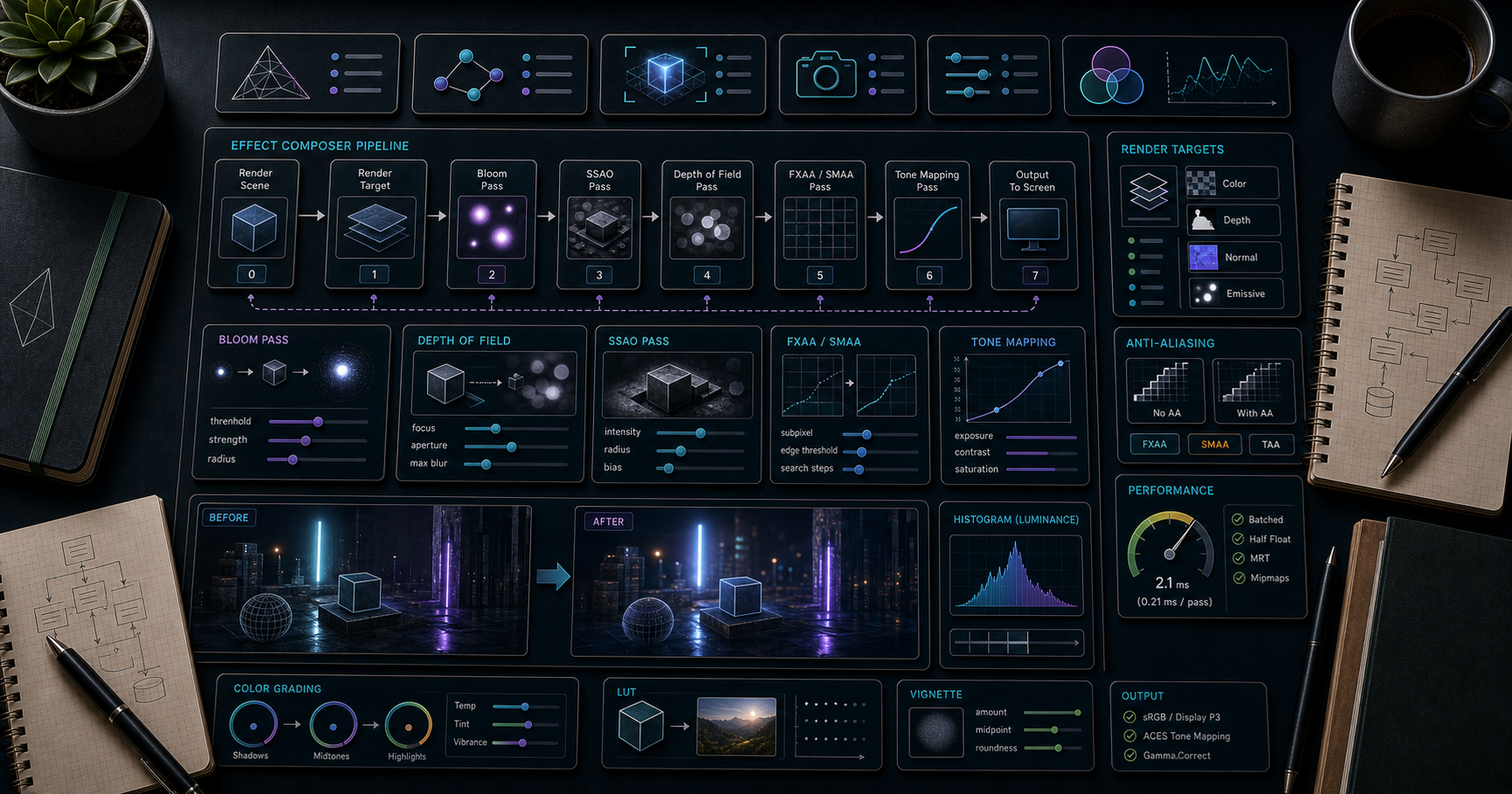
Three.js Course — 10 · Post-Processing, Tone Mapping, Color Management
Post-processing is the cinematic polish — bloom on bright highlights, depth of field on out-of-focus regions, ambient occlusion in crevices, anti-aliasing on jagged edges. Three.js does it via the EffectComposer pipeline: render the main scene into a texture, then pass that texture through one or more screen-space passes that read in / write out. This post covers EffectComposer, the standard passes, anti-aliasing options, tone mapping, the colour management pipeline, and the postprocessing library () that ships better-quality effects than the built-ins.
> Series map: 00 Foundations → 01 Geometry & Materials → 02 Cameras & Controls → 03 Lighting & Shadows → 04 Textures & PBR → 05 Asset Pipeline → 06 Animation → 07 Instancing & Batching → 08 Low-End Perf → 09 Shaders → 10 Post-Processing (this post) → 11 Physics → 12 R3F → 13 AI 3D.
Learning Outcome
- Build an EffectComposer with + one or more effect passes.- Use the standard passes: Bloom, SSAO, DOF, Outline, FXAA / SMAA / TAA.- Pick a tone-mapping operator (ACES, Filmic, Neutral, Cineon, Reinhard).- Understand the linear → tone-map → sRGB pipeline.- Use for higher-quality effects with better performance.- Be disciplined about postprocess cost on mobile.
Chapter 1 — Why postprocess
The raw render is "physically correct" but rarely cinematic. Postprocess passes simulate camera and human-vision effects:
- Bloom — bright pixels bleed into surrounding area; mimics camera lens glare.- Depth of field (DOF) — pixels at the focus distance are sharp; others blurred.- Screen-space ambient occlusion (SSAO) — darken creases the global lighting missed.- Outline — highlight selected objects with a coloured edge.- God rays / volumetric light — visible shafts of light through atmosphere.- Motion blur — fast objects smear.- Anti-aliasing — smooth jagged edges (geometry AA in WebGL is limited).- Tone mapping — squash HDR values into the displayable 0-1 range.- Colour grading — LUT / curve adjustments for a chosen mood.
Each is a full-screen pass. Each costs ms. Use sparingly on mobile (Post 08).
Chapter 2 — EffectComposer basics
Key points:
- replaces .- draws the scene into a render target.- Each subsequent pass reads the previous target and writes a new one.- must be last — it applies tone mapping + sRGB. Otherwise colours look wrong.
Chapter 3 — Common passes
UnrealBloomPass
is the brightness above which pixels bloom. is the blur falloff. is the bloom intensity. Defaults: strength 0.6, radius 0.4, threshold 0.8.
For physically-correct rendering (since r155, default), bright emissives need values > 1.0 to bloom. Try + .
SSAOPass
Approximate ambient occlusion in screen space. Darkens corners.
Expensive. Often the baked AO map (Post 04) is a better answer for static scenes.
OutlinePass
Highlight selected objects with an outline.
Common pattern: raycast on hover → set .
BokehPass (depth of field)
Tweak to the distance of your subject; smaller = sharper.
Chapter 4 — Anti-aliasing
WebGL hardware multisample anti-aliasing (MSAA) is enabled by setting on the renderer. MSAA does not work when EffectComposer is used because the render target it allocates by default is single-sample.
Three options:
| Pass | Cost | Quality ||------|------|---------|| FXAA (FastApproximateAntiAliasing) | very cheap | OK; blurs everything slightly || SMAA (Subpixel Morphological) | medium | better than FXAA || TAA (Temporal AA) | medium-high; needs jittered camera | best static quality; ghosting on motion || MSAA in composer | high; depends on hardware support | best raw quality |
For MSAA in a composer, allocate a multisample render target:
Modern path: use library (Chapter 6) — its supports MSAA + multiple effects in one pass.
Chapter 5 — Tone mapping
Real-world brightness has a huge dynamic range (sun = 1.6 billion lux, candle = 1 lux). Monitors display 0-1. Tone mapping is the squashing function that maps HDR scene values into displayable range.
Options:
| Operator | Style ||----------|-------|| | linear clip; blown-out highlights — usually wrong || | tiny boost; simple || | classic; mid-tones favoured || | film-stock emulation || | industry standard cinematic look; default recommendation || (newer) | Filmic's modern successor; very natural skin / sky || (since r166) | Khronos PBR Neutral — preserves albedo colour for product viz |
ACES is the safe modern default. For product viewers / e-commerce, Neutral preserves base colours better.
is the equivalent of camera ISO. Increase to brighten the scene; decrease to darken.
> Trick: when adopting , your existing materials may look darker/less saturated. Don't fight it — the result is more cinematic and physically plausible. Adjust light intensities, not albedo values.
Chapter 6 — The library
Built by the pmndrs collective (same as react-three-fiber). Cleaner API, single-pass effect chains (one big shader rather than many small passes — much faster), better-quality effects.
Effects are composed into one big GPU pass, not chained per-pass — typically 2-4× faster than Three.js's built-in EffectComposer.
R3F has which wraps the same library declaratively (Post 12).
Effects shipped
, , , , , , (with better quality than the built-in), , , , , , , , , , , , plus custom support.
For new projects, is the recommended choice over the built-in EffectComposer.
Chapter 7 — Colour management pipeline
The complete modern pipeline (since r152):
Two things to set up:
When using EffectComposer, the performs both steps; otherwise the renderer does them automatically.
For textures (Post 04):
- Colour textures (albedo, emissive): .- Data textures (normal, roughness): .
Get any of this wrong and the scene looks washed out, oversaturated, or weirdly dark.
Chapter 8 — LUT colour grading
For a specific "look" (warm filmic, cold thriller, vintage), apply a 3D look-up table (LUT) at the end of the pipeline.
Free LUTs: RocketStock 35 free LUTs, IWLTBAP.
ships with the same idea.
Chapter 9 — Performance discipline (recap from Post 08)
| | Desktop | Mobile ||---|---------|--------|| Postprocess passes | 3-5 OK | 0-1 || Bloom | yes | sparingly || SSAO | yes | bake AO instead || DOF | yes | skip || AA | TAA / SMAA / MSAA | FXAA only || Tone map | in or renderer | same || LUT | yes | yes (cheap, single texture lookup) |
The single most expensive common pass is SSAO at full resolution. The cheapest is a LUT.
For mobile, the typical stack is and nothing more.
Practice Exercises
Exercise 1 — Bloom on emissives
A scene with one matte sphere + one emissive sphere (, ). Add UnrealBloomPass. Confirm the emissive glows; matte doesn't.
Exercise 2 — Outline on hover
OrbitControls scene with 5 objects. Raycast on hover → . Outline appears.
Exercise 3 — Tone-mapping comparison
Same scene 4× side by side: NoToneMapping, Reinhard, ACESFilmic, Neutral. Note the colour and contrast differences.
Exercise 4 — pmndrs/postprocessing port
Convert your bloom + FXAA pipeline from to in a single . Measure framerate before/after.
Exercise 5 — Colour grading
Find a free LUT online; load + apply via . Try several LUTs to see the mood shifts.
Exercise 6 — Mobile-strip-down
Take any of the above; create a mobile fallback path with no postprocess at all (just ). Switch automatically via .
Cheat-sheet
| What | How ||------|-----|| Composer | + || Replace render call | instead of || Last pass must be | (tone map + sRGB) || Bloom | || Outline | || AA cheap | FXAA || AA quality | SMAA / TAA / MSAA (samples on render target) || Tone mapping | || Modern alt | for product viz || Output color space | || Modern post lib | — composed effects, faster || LUT grading | or ; files || Mobile policy | ≤ 1 postprocess pass || Update on resize | and pass-specific setSize |
What's next
Post 11 covers physics and interactivity — Rapier (the modern WASM physics engine), raycaster picking patterns, drag controls, gizmos, and how to plug physics into your Three.js scene.
References
- Three.js docs — EffectComposer- Three.js manual — Post Processing- pmndrs/postprocessing library- @react-three/postprocessing- ACES Filmic in Three.js- Three.js Journey — Post-processing
> Note: this post is in progress. Planned additions: custom EffectPass walkthrough, god rays via screen-space ray marching, mobile-grade SSAO alternatives.
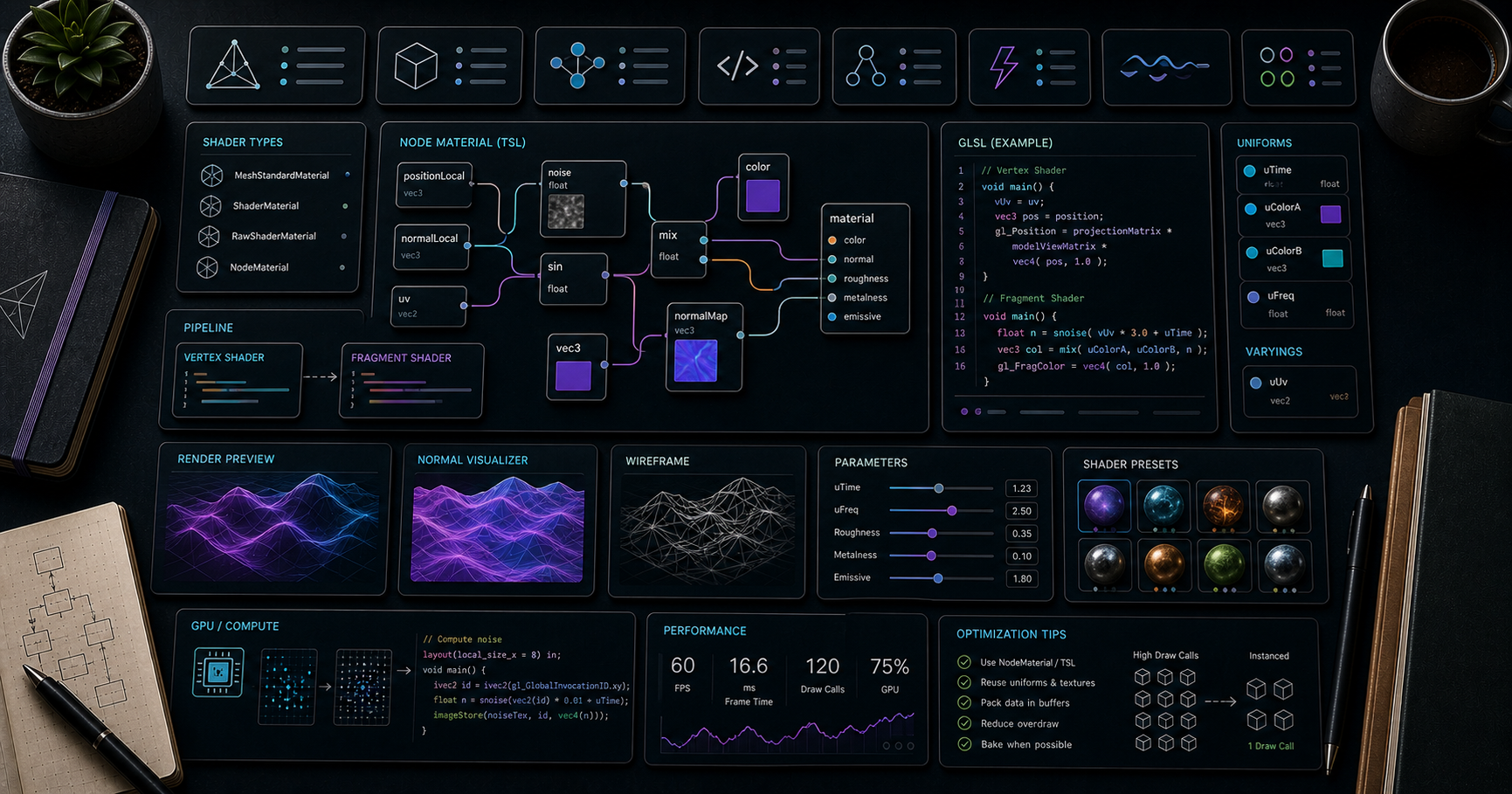
Three.js Course — 09 · Custom Shaders — GLSL & TSL Node Material
The built-in materials cover 90 % of what most scenes need. The other 10 % requires writing shader code — for stylised looks (cel-shading, hatching, toon outline), procedural effects (animated water, dissolves, holograms), data visualisation (heat maps, vector fields), or anything else outside the PBR / Phong / Lambert envelope. Three.js offers three paths: (classical GLSL), (no Three.js boilerplate at all), and the modern TSL NodeMaterial (compose JS nodes that compile to GLSL or WGSL automatically). This post covers all three, plus for patching built-in shaders without rewriting them.
> Series map: 00 Foundations → 01 Geometry & Materials → 02 Cameras & Controls → 03 Lighting & Shadows → 04 Textures & PBR → 05 Asset Pipeline → 06 Animation → 07 Instancing & Batching → 08 Low-End Perf → 09 Shaders (this post) → 10 Post-Processing → 11 Physics → 12 R3F → 13 AI 3D.
Learning Outcome
- Read and write simple GLSL vertex + fragment shaders.- Pass data via attributes, uniforms, varyings.- Use with built-in Three.js uniforms.- Patch the built-in materials via .- Compose TSL NodeMaterials in pure JavaScript (cross-target GLSL + WGSL).- Pick the right path for your project (GLSL when porting, TSL for new work).
Chapter 1 — Shader essentials
A shader is a small program the GPU runs. The classical pipeline has two:
- Vertex shader — runs once per vertex; outputs (clip space).- Fragment (pixel) shader — runs once per pixel; outputs (in GLSL) / (WGSL).
Data flows:
| Storage | Source | Per | Read in ||---------|--------|-----|---------|| Attribute | | vertex | vertex shader || Uniform | JavaScript | draw call | both || Varying | vertex shader | vertex, interpolated to fragment | fragment shader |
Chapter 2 — The minimal
Key automatic globals injects for you:
- , , , — camera math.- , , — attributes.- — uniform.
For , none of these are injected; you declare every attribute + uniform manually. Useful for advanced custom pipelines; usually overkill.
Chapter 3 — GLSL crash course
GLSL ES 3.00 (WebGL2) syntax:
Types:
| Type | Notes ||------|-------|| , , | scalars || , , | float vectors || , | matrices || , | texture handles |
Built-in math: , , , , , , , , , , .
Coordinate spaces:
| Space | What | Useful for ||-------|------|------------|| Local (model) | the geometry's own coords | wave deformations || World | after model matrix | global noise, world-space effects || View (camera) | after view matrix | fog, depth || Clip | after projection | the final || NDC | clip ÷ w | screen-space effects |
Chapter 4 — Patching the built-in materials with
You usually don't want to rewrite PBR from scratch. To inject just one tweak into a :
You inject GLSL snippets at named #include points in Three.js's shader source (, , , etc.). Read the relevant file in to find the right hook.
This pattern keeps PBR lighting, shadows, env maps — all the heavy stuff — while you customise one part. Far simpler than rewriting a full standard material.
Chapter 5 — TSL (Three.js Shading Language) — the modern path
Three.js introduced TSL as stable in r184. You compose shaders in JavaScript using nodes that compile to GLSL (for WebGL2) or WGSL (for WebGPU) automatically.
Advantages:
- One material source works on both backends.- Type-safe in TypeScript.- Composable — assign nodes to material properties; the renderer wires them up.- Easier to read than long GLSL strings.
, , , etc. are built-in nodes. Mathematical operations (, , , , ) chain naturally.
Material classes
| TSL material | Replaces ||--------------|----------|| | || | || | || | || | || | (full custom) |
You can assign nodes to , , , , , , , etc.
Why this matters
In 2026, WebGPU is in every browser. WebGL2 isn't dying for years yet, but new performance + compute features land on WebGPU only. Writing TSL means your shaders work on both today, and gain WebGPU benefits transparently.
Three.js docs: legacy is still supported; new node features (compute, advanced effects) are TSL-only.
Chapter 6 — Common shader recipes
Fresnel rim light
TSL equivalent (sketch):
Animated dissolve
A noise threshold; pixels below are discarded.
Vertex displacement from a heightmap
Hatch / cross-hatch (sketch look)
Sample multiple noise textures based on view-space dot product with light direction → discrete bands of hatching density.
Toon outline (inverted hull)
A second pass: render the model slightly inflated along normals as a back-faces-only black material → silhouette outline.
Chapter 7 — Compute shaders (WebGPU only)
WebGPU enables compute shaders — work that runs on the GPU outside the render pass. Use cases: particle simulation, GPU pathfinding, image processing, ML inference.
TSL exposes compute via :
This is advanced territory; the API is stabilising in 2026. For most projects, you won't need compute shaders for years.
Chapter 8 — Tooling + workflow
| Tool | What ||------|------|| Spector.js | inspect every shader compilation + uniform per frame || gl-shader-output | render a shader output to test in isolation || | import files directly: || shadertoy.com | online GLSL playground; great for prototyping fragment shaders || Compute Toys (computetoys.com) | WGSL / WebGPU playground || shaderchunk files | live in — read them for shader-patching |
Workflow:
1. Prototype the fragment shader idea on Shadertoy or a flat plane.2. Port to ShaderMaterial / NodeMaterial.3. Add the uniforms wired from JS.4. Test in Spector.js for compilation issues.
Chapter 9 — Picking GLSL vs TSL
| Situation | Pick ||-----------|------|| New project in 2026 | TSL — cross-platform, future-proof || Porting from existing GLSL | ShaderMaterial — preserves your code || Patching one detail in a standard material | — keep PBR, add a tweak || Need compute shaders | TSL + WebGPU || Targeting only WebGL2 + you know GLSL well | ShaderMaterial is fine || Maximum portability | TSL (compiles to both backends) |
In practice, established Three.js shops in 2026 are gradually porting hero materials to TSL while keeping legacy ShaderMaterial code where it works.
Practice Exercises
Exercise 1 — Animated wave plane
. ShaderMaterial that displaces vertices with . Drive from the loop.
Exercise 2 — Procedural gradient
Fragment shader that colours pixels by interpolated between two colours.
Exercise 3 — Fresnel rim
Add a fresnel rim to a via . Visible bright edges from glancing angles.
Exercise 4 — TSL port
Convert Exercise 1 to a using TSL . Run with . Confirm visually identical.
Exercise 5 — Dissolve
A model that dissolves over 2 seconds — animate a dissolve uniform from 0 to 1; discard fragments above a noise-texture threshold. Bonus: glow at the dissolve edge.
Exercise 6 — Toon outline
Duplicate a model: original with , second with inverted hull + black . Should look cel-shaded with a clean outline.
Cheat-sheet
| What | How ||------|-----|| Quick custom material | || Built-in uniforms | , , , , (ShaderMaterial only) || Uniform update | (no needed) || Patch built-in | || Inject GLSL | || TSL material | ; assign , , etc. || TSL built-ins | || Cross-target | TSL compiles to GLSL (WebGL2) + WGSL (WebGPU) || Dissolve | based on noise + threshold || Outline | inverted hull, BackSide, black, depthWrite false || Fresnel | || Import .glsl files | || Compute | TSL + + — WebGPU |
What's next
Post 10 covers post-processing — EffectComposer, the common passes (Bloom, SSAO, DOF, Outline, FXAA / SMAA / TAA), tone mapping (ACES, Filmic, Neutral), and the colour management pipeline that makes the final image look right.
References
- Three.js docs — ShaderMaterial- Three.js docs — TSL- TSL Wiki- Field Guide to TSL and WebGPU (Maxime Heckel)- TSL: A Better Way to Write Shaders- Three.js Shaders Guide (LearnWithHasan)- The Book of Shaders — gentle GLSL intro.
> Note: this post is in progress. Planned additions: full TSL compute walkthrough, fluid sim with compute shaders, post-process custom passes.
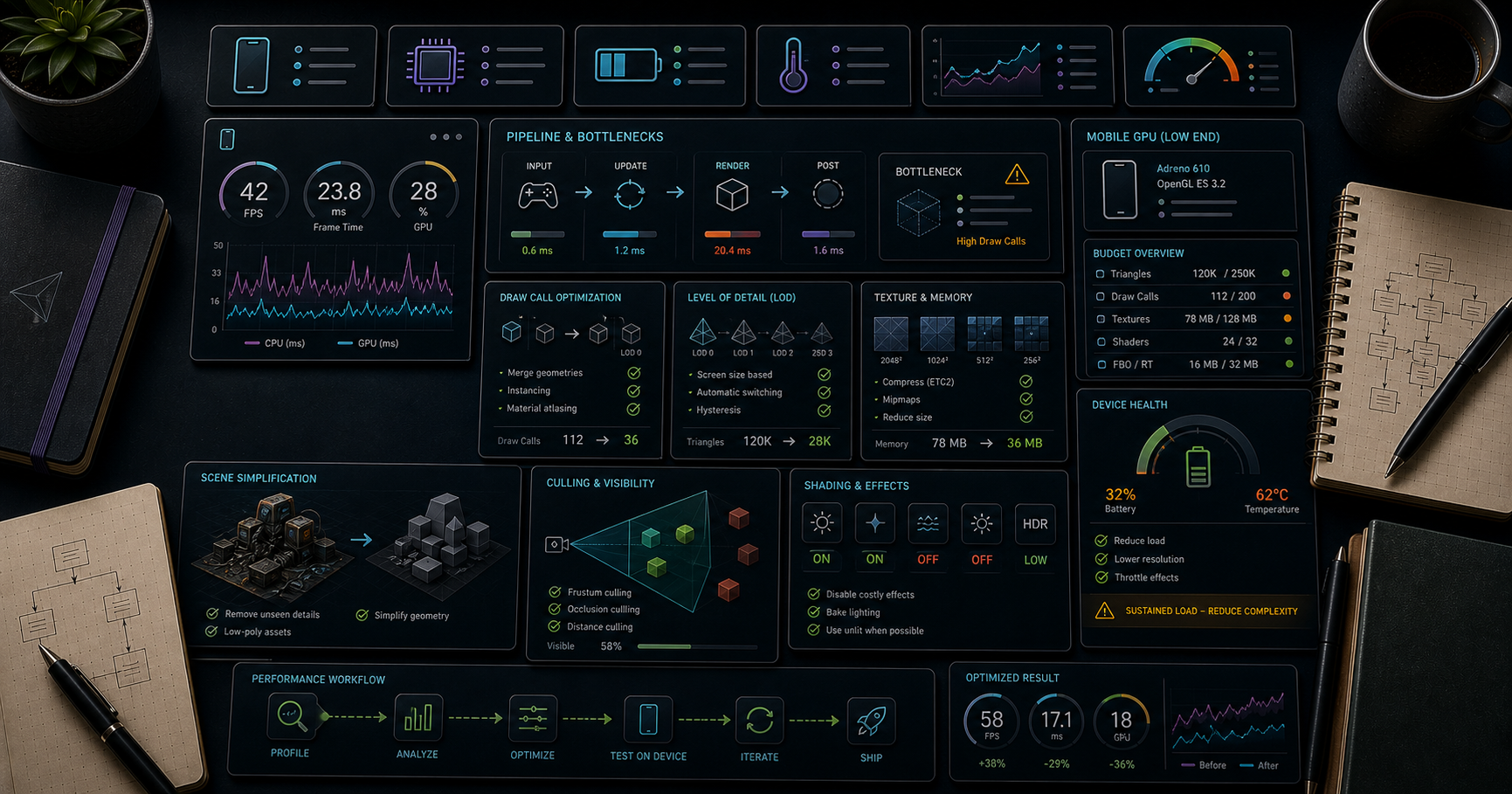
Three.js Course — 08 · Performance on Low-End & Mobile Devices
A scene that hits 144 fps on a gaming laptop can collapse to 8 fps on a three-year-old Android. The gap isn't usually about raw GPU speed — it's pixel-fill rate, memory bandwidth, shader complexity, and CPU draw-call overhead. This post is the practical checklist for shipping Three.js to phones, low-end laptops, and integrated GPUs: pixel-ratio capping, budgets for triangles + textures + draw calls, on-demand rendering, shader cost awareness, and the diagnostic flow for any "why is this so slow on my phone" investigation.
> Series map: 00 Foundations → 01 Geometry & Materials → 02 Cameras & Controls → 03 Lighting & Shadows → 04 Textures & PBR → 05 Asset Pipeline → 06 Animation → 07 Instancing & Batching → 08 Low-End Performance (this post) → 09 Shaders → 10 Post-Processing → 11 Physics → 12 R3F → 13 AI 3D.
Learning Outcome
- Cap correctly (this alone often doubles framerate).- Apply triangle / texture / draw-call budgets for mobile.- Use on-demand rendering when the scene isn't always animating.- Pick cheaper material families and shadow settings on low-end devices.- Diagnose CPU vs GPU bottlenecks systematically.- Detect device capability and adapt at runtime.
Chapter 1 — Pixel ratio (the biggest free win)
A modern phone may report — meaning a 400×800 logical viewport renders at 1200×2400 actual pixels. That's 9× the pixels of a desktop running the same canvas at DPR=1.
Capping at 2 is the standard. The visual difference between DPR=2 and DPR=3 is essentially invisible; the performance difference is dramatic.
For aggressive optimisation, cap at 1.5 or 1 on detected low-end devices. Combine with a quality slider in your UI.
Chapter 2 — Budgets
Rough budgets for 60 fps on a mid-2020s phone (Snapdragon 7-gen, A15):
| Resource | Mobile budget | Desktop budget ||----------|---------------|-----------------|| Draw calls per frame | ≤ 100-200 | ≤ 1,000 || Triangles per frame | ≤ 250-500 k | ≤ 5 M || Active textures | ≤ 30 | ≤ 100+ || Texture VRAM total | ≤ 100 MB | ≤ 500 MB || Shader programs | keep under 30 | keep under 200 || Shadow maps active | 1 × 1024 | 1-3 × 2048 || Postprocess passes | 1-2 (bloom only) | many |
Low-end / older mobile is 2-4× tighter. Higher-end mobile (latest iPhone Pro) approaches desktop. Always test on the lowest device you intend to support, not your dev machine.
Measuring
In R3F (Post 12), gives the same overlayed in the canvas.
Chapter 3 — On-demand rendering
If the scene doesn't change every frame (static showroom, paused state), don't render every frame.
In R3F: . The renderer goes idle when nothing's happening, dropping power consumption to near zero — invaluable on mobile (battery, thermal throttling).
For mixed scenes (some always-animating elements, some not), trigger render on relevant property changes only.
Chapter 4 — Material cost ranking
Cheaper materials → less per-pixel shader work → less heat → more battery.
| Material | Relative GPU cost | When OK to downgrade ||----------|--------------------|------------------------|| | 1× | UI, hero text, sprites || | 1.5× | matte non-shiny || | 2× | shiny but non-PBR || | 4-6× | default for hero objects || | 6-10× | only hero objects (glass, clearcoat) |
For low-end builds, swap Standard → Lambert for background props. The difference at small sizes / dim lighting is rarely noticeable.
Chapter 5 — Shadow settings for mobile
From Post 03, shadows are often the most expensive piece. For mobile:
Or skip real-time shadows entirely and bake:
- Static scenery → bake AO + lightmap into textures (Post 03/04). Zero per-frame shadow cost.- One key character → real-time shadow only for it.- Use Drei's or a plane for cheap "contact shadows".
Chapter 6 — Texture budget
GPU memory is precious on mobile. Each 1024² uncompressed texture = 4 MB. 30 textures = 120 MB — half the VRAM on many phones.
Discipline:
- Resize source textures to power-of-two and to the actual on-screen size needed (1024² for hero, 512² for medium, 256² for background props).- Use KTX2 / Basis Universal (Post 04) — 10× GPU memory savings.- Pack channels (ORM in one RGB image — Post 04).- Avoid if you can tile — repeating textures need lower resolution.- For decorative repeated detail, use a trim sheet (small atlas tiled across many shapes).
Detecting mobile / low-end
Not perfect (web hides specs by design); good enough to make a tier decision at startup.
Chapter 7 — Geometry budget
Triangle count is rarely the bottleneck for modern GPUs; fill rate (pixels × shader cost) is. Still, mobile rasterisers slow on huge meshes:
- High-detail hero models: 10-30k triangles.- Background props: ≤ 1k each.- Total scene triangles: ≤ 500k on mid-mobile, ≤ 100k on low.
Reduce via:
- (CLI).- LOD swaps (Post 07).- Decimate / retopo in Blender.
> Trick: check if your model is over-tessellated for its on-screen size. A 50k-tri tree displayed at 30 pixels tall is wasted work; a 500-tri impostor billboard would look identical.
Chapter 8 — Postprocess discipline on mobile
Each postprocess pass is a full-screen render at the canvas resolution. On a 1200×2400 phone display (DPR=3 capped to 2 → 800×1600), every pass is 1.28 MP of fragment work. Three passes triple that.
Mobile rules:
- 0-1 postprocess passes maximum.- Run post passes at half resolution where possible ().- Skip bloom + SSAO + DOF together — pick one if any.- Tonemapping in the main render pass is free () — keep that.
Post 10 covers postprocess in detail.
Chapter 9 — Render targets + memory
Each render target (custom framebuffer used for post passes, reflections, planar mirrors, refraction) = a full-resolution colour + depth texture. On mobile, two render targets at full resolution might already eat 30 MB.
Tips:
- Half-resolution where the artifact won't be noticed.- Reuse the same render target across passes (ping-pong) instead of allocating new each frame.- Free render targets you no longer use: .
Chapter 10 — CPU vs GPU bottleneck — diagnosis
Three classes of bottleneck. Different fixes for each.
| Bottleneck | Symptom | Fix ||------------|---------|-----|| CPU (JS + draw calls) | high JS time in Performance panel; high | reduce draw calls (Post 07); move per-frame work out of JS; throttle updates || GPU fragment (pixel shader / fill rate) | lowering pixel ratio drastically improves; high GPU ms | cheaper materials; smaller postprocess; smaller canvas || GPU vertex (geometry) | many high-tri meshes; OK on small canvas, slow on big | LOD; geometry simplification; instancing |
Quick test: halve the canvas size (). If FPS doubles or more, you're GPU-bound. If little change, you're CPU-bound.
Quick test 2: disable shadows + post. If FPS doubles, those were the cost. Tune them.
Use stats-gl (Post 00) — separate CPU ms and GPU ms readouts make this diagnosis straightforward.
Chapter 11 — Adaptive quality (the production pattern)
Detect FPS over a window; downgrade quality automatically when it drops.
Same pattern works for: disabling shadows below threshold, swapping to simpler materials, dropping postprocess.
> Trick: Three.js has built-in helpers for adaptive scaling — see . Saves you writing the loop.
Chapter 12 — Bundle size + load time
Slow first paint kills mobile users on cellular. Reduce JS bundle:
- Tree-shake — Vite + ESM does this automatically; avoid importing namespaces from anything but .- Lazy-load decoders (Post 05) — DRACOLoader + KTX2Loader pulled only when needed.- Lazy-load Three.js itself — dynamic inside the first interaction handler if 3D isn't the main page content.- Show a loading indicator during decode (10-100 MB models can take seconds even after download).
Chapter 13 — The mobile audit checklist
Before shipping any Three.js page to mobile:
- [ ] .- [ ] Draw calls measured + ≤ 100-200.- [ ] Triangles ≤ 500k.- [ ] Textures KTX2-compressed; total ≤ 100 MB GPU.- [ ] Shadows: 1 × 1024 PCF (or baked AO only).- [ ] Postprocess: 0-1 passes max.- [ ] On-demand rendering if scene isn't always animating.- [ ] Tested on the lowest-end target device, not just dev machine.- [ ] Loading indicator + progress.- [ ] Lazy-loaded decoders, lazy-loaded Three.js if 3D is secondary.- [ ] Adaptive quality loop in place.- [ ] Battery + thermal tested for sessions > 1 minute.
Practice Exercises
Exercise 1 — Pixel ratio swap
Build a scene with 1000 cubes. Render with DPR uncapped vs DPR=2 vs DPR=1. Measure FPS on a phone.
Exercise 2 — Audit a real model
Load any free Sketchfab model. Print + . Note draw calls, textures, triangles. Decide what to optimise.
Exercise 3 — On-demand rendering
Convert your default render loop to on-demand. Trigger render on OrbitControls . Watch CPU usage drop to 0 in idle state.
Exercise 4 — Quality tiers
Build a quality selector (Low / Medium / High) that switches: pixel ratio, shadow map size, shadow type, material families. Switch live without re-loading.
Exercise 5 — Adaptive loop
Implement Chapter 11's adaptive quality loop. Simulate slow GPU with inside the render loop. Observe quality scaling down.
Exercise 6 — Bottleneck diagnosis
A scene seemingly lagging on mobile. Halve canvas size — measure. Disable shadows — measure. Disable post — measure. Identify the dominant cost.
Cheat-sheet
| What | How ||------|-----|| Pixel ratio cap | || Mobile draw-call budget | < 100-200 || Mobile triangle budget | < 500k || Mobile texture VRAM | < 100 MB || On-demand render | only render when needsRender flag set || Cheap material | Lambert > Phong > Standard for background props || Shadow on mobile | 1024 PCF (not 2048 PCFSoft) || Postprocess on mobile | 0-1 passes || Diagnose CPU vs GPU | halve canvas; if FPS doubles → GPU-bound || Disable shadows test | confirms shadow cost || Adaptive quality | downgrade pixel ratio + shadow size on low FPS || Mobile detection | || Capability detect | , || Loading manager | progress for users; lazy-load decoders || Free render target | when unused |
What's next
Post 09 dives into shaders — both classical GLSL ShaderMaterial and the new TSL (Three.js Shading Language) NodeMaterial that compiles to both WebGL2 and WebGPU. Custom shaders unlock effects the built-in materials can't do.
References
- 100 Three.js Tips That Actually Improve Performance (2026)- Optimising Three.js for Mobile Devices (Coders Stop)- Performance tips — Three.js Journey- Three.js examples — perf demos- Boosting R3F Mobile Performance 2026 (Krapton)
> Note: this post is in progress. Planned additions: thermal-throttling benchmarks; WebGL vs WebGPU mobile comparison; first-paint optimisation per Lighthouse.
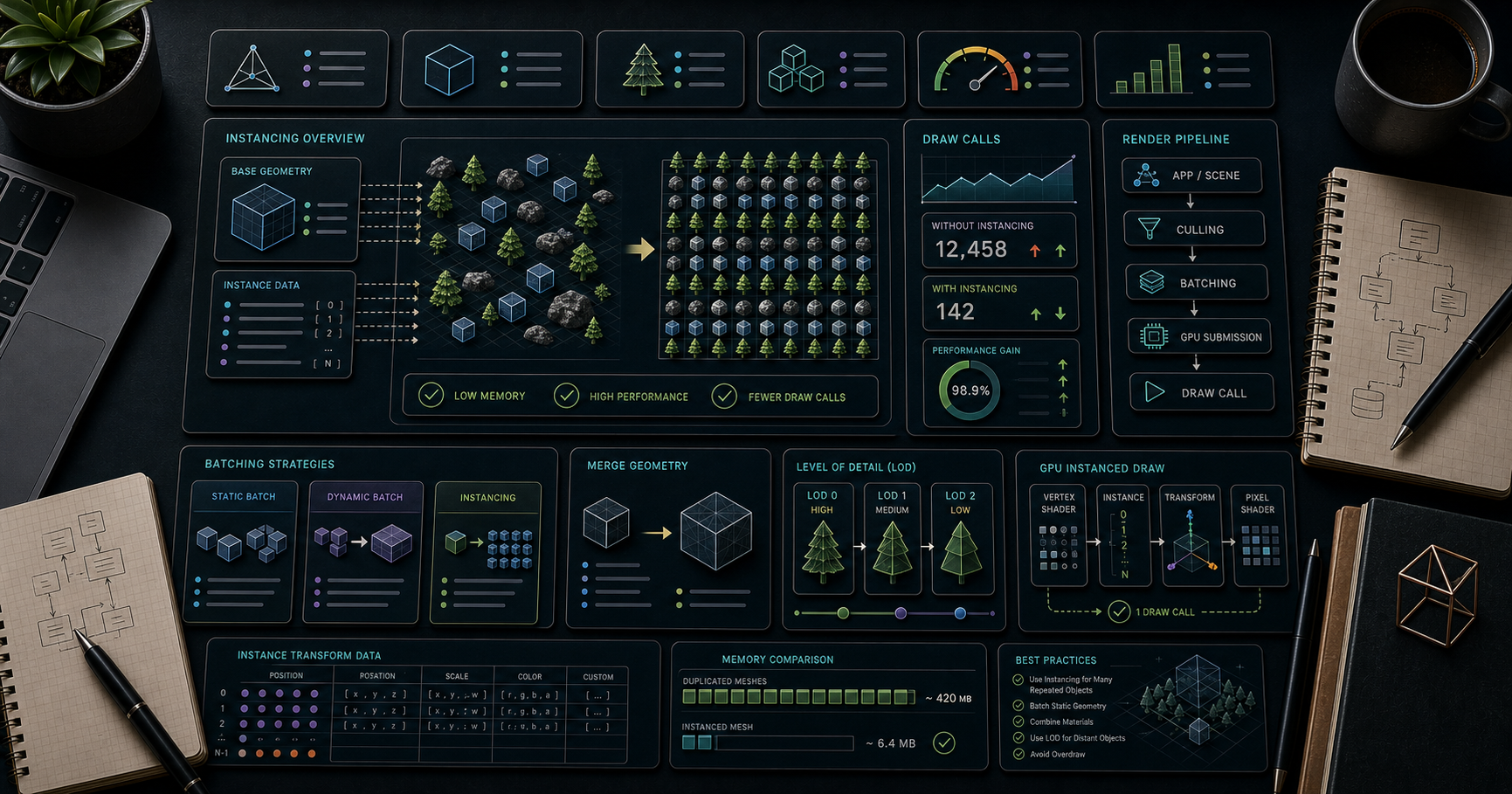
Three.js Course — 07 · Instancing & Batching for Large Scenes
The single biggest performance trick in real-time 3D is don't issue one draw call per object. The CPU side of WebGL/WebGPU spends most of its budget setting up state for each draw call; reducing 9,000 draw calls to 300 takes a slideshow back to 60 fps without changing visual quality. This post covers the four standard tools — (the "clone trick" for many copies of one shape), (many different shapes, one material), geometry merging (one giant mesh), and LOD (less detail for distant objects) — and the draw-call budget rules to know when to reach for each.
> Series map: 00 Foundations → 01 Geometry & Materials → 02 Cameras & Controls → 03 Lighting & Shadows → 04 Textures & PBR → 05 Asset Pipeline → 06 Animation → 07 Instancing & Batching (this post) → 08 Low-End Perf → 09 Shaders → 10 Post-Processing → 11 Physics → 12 R3F → 13 AI 3D.
Learning Outcome
- Recognise the draw-call budget and how to measure it.- Use to render N copies of one geometry with per-instance transforms + colours.- Use (since r156) when geometries differ but the material is shared.- Merge static geometries into one with .- Use (Level of Detail) so distant objects render simplified versions.- Pick the right tool for "10,000 trees", "1,000 unique buildings", "a city of 50,000 windows".
Chapter 1 — The draw-call budget
Every in the scene typically produces one draw call. Each draw call has CPU overhead: bind shader, set uniforms, set attribute pointers, issue the GPU command. Modern GPUs draw millions of triangles per frame easily; CPUs choke on thousands of draw calls per frame.
Rough targets for 60 fps:
| Device | Safe draw-call count ||--------|----------------------|| Desktop / high-end laptop | ≤ 1,000 || Mid-range mobile (mid-2020s) | ≤ 100-200 || Low-end mobile / older hardware | ≤ 50-100 |
Triangle counts matter much less than draw-call counts. 1 mesh with 500k triangles renders fine; 5,000 meshes with 100 triangles each will not.
Measure with
If ≫ 200 and the scene is laggy, the problem is the draw-call count, not GPU rasterisation. The fix is one of the patterns in this post.
Chapter 2 — — the "clone trick"
draws N copies of one geometry with one material in one draw call, each copy with its own 4×4 matrix (transform) and optionally its own colour.
This is the answer to "I have 10,000 trees / rocks / windows / grass blades / particles".
That entire scene = 1 draw call regardless of .
Per-instance colour
The material respects per-instance colour automatically.
Animating instances
Reading/writing every instance every frame is fine up to 10k instances on the main thread. For 100k+ instances, move the update to a Web Worker or use a vertex shader (Post 09) that computes positions from a base attribute + instance id.
Per-instance picking + visibility
(Three.js doesn't have first-class per-instance visibility; scale = 0 is the common trick.)
Chapter 3 — — many shapes, one material
requires every instance to share the same geometry. (added in r156) lifts that restriction — many different geometries can be rendered in one draw call as long as they share a material.
Use when: a city of unique buildings, a furniture catalogue, a forest with several tree species.
200 different-shape objects, 1 draw call. The original cube/cone/torus geometries are merged into the batch's internal buffer.
When BatchedMesh underperforms
The current Three.js BatchedMesh emulates instancing via rather than . For workloads of "many copies of the same geometry", InstancedMesh is faster. For "many different geometries, same material", BatchedMesh wins.
Decision:
- All instances identical geometry → InstancedMesh.- Different geometries, same material → BatchedMesh.- Different materials → can't batch directly; merge materials (Chapter 6) or accept separate draw calls.
Chapter 4 — Geometry merging (one big mesh)
For static scenery where you don't need per-object updates, merge geometries into a single big mesh:
1 draw call, fully baked. No per-object animation possible — to move one cube, you'd modify the whole merged geometry. Use for static decoration (walls, ground details, fixed environment).
Multi-material merge
Groups define which sub-range uses which material — still one geometry but multiple draw calls (one per group). Useful for merging objects that genuinely need different materials while keeping vertex data shared.
Chapter 5 — LOD (Level of Detail)
A model 100 m away doesn't need 50k triangles. swaps to a simpler version automatically:
Each tier is a different mesh (different geometry). Three.js picks based on camera distance per frame.
Generate LODs
- Manual in Blender (decimate modifier).- gltf-transform simplify with etc.- meshoptimizer has automatic LOD generation; some glTF pipelines run it server-side.
Impostor billboards
For very distant objects: replace the 3D model with a (textured 2D billboard) of a pre-rendered angle. Used heavily in open-world games for forests / cities.
Chapter 6 — Merging materials with a texture atlas
To batch objects that look different (different colours, different decals), pack their textures into a single atlas + remap UVs. Then they share one material → can be merged or instanced.
Tools: Blender bake to atlas; ; manual UV editing.
This combination — atlas + InstancedMesh — is how you draw a forest with many different leaf colours in 1 draw call.
Chapter 7 — Frustum culling + occlusion culling
Three.js culls per-mesh: meshes whose bounding sphere is outside the camera frustum are skipped.
For and , frustum culling tests the entire batch's bounding sphere — if any part is in view, the whole batch renders. To get per-instance culling, you have two choices:
1. Manual chunking — split a 10k-instance forest into 100 chunks of 100 instances. Each chunk has its own InstancedMesh with a tighter bounding sphere.2. GPU culling with — newer Three.js supports per-instance visibility for BatchedMesh.
For occlusion culling (skipping objects hidden by walls), Three.js doesn't ship native support. Libraries like three-mesh-bvh can accelerate visibility queries; production engines often use a custom hierarchical-Z buffer approach.
Chapter 8 — Putting it together — recipes
| Scenario | Pattern ||----------|---------|| 10,000 grass blades | InstancedMesh + vertex shader to animate sway || Forest of 3 tree species | BatchedMesh, or 3 InstancedMeshes (one per species) || City of 1,000 unique buildings | BatchedMesh with one shared atlas material || Static room (walls, floor, props) | merge geometries into one mesh per material || Open-world terrain | LOD with 4-5 levels + impostor billboards for distant chunks || Particle system | InstancedMesh or with custom shader || Skinned crowd (many animated characters) | InstancedMesh + GPU-skinning shader (advanced) |
Chapter 9 — Hidden cost: tools that hurt batching
| Thing | Cost ||-------|------|| Different materials | breaks batching — each material is a separate draw call || per mesh | doubles the draw calls (one for camera, one for shadow camera) || Transparency | each transparent mesh sorted + drawn separately || Postprocess passes | each pass = full-screen draw || Per-instance materials | impossible — instances share material |
Plan visual variation that doesn't break batching: per-instance colour, texture atlas, vertex-shader-driven variation rather than separate materials.
Chapter 10 — Profiling tools
| Tool | What ||------|------|| | numerical counters per frame (calls, triangles, programs) || stats-gl | overlay (FPS, CPU ms, GPU ms) || r3f-perf (R3F) | in-scene perf overlay with breakdown by mesh || Spector.js | full WebGL frame capture; see every command || Chrome DevTools Performance panel | flame graph of JS + GPU || WebGPU Inspector | (extension) frame capture for WebGPU |
The workflow: notice slow framerate → check in → if high, apply the patterns in this post → re-measure.
Practice Exercises
Exercise 1 — 10,000 cubes — naive vs instanced
Render 10,000 cubes as individual . Note the FPS and . Replace with an . Compare.
Exercise 2 — Animated InstancedMesh
The 10,000 cubes from Exercise 1: animate their Y positions with a sin wave per-instance. Confirm framerate stays high.
Exercise 3 — BatchedMesh zoo
Build a BatchedMesh holding 100 mixed shapes (cube, cone, sphere, torus) all using the same material. Confirm 1 draw call.
Exercise 4 — LOD swap
Take any character model. Generate 3 LODs (high/mid/low) — use the decimate modifier in Blender or just three boxes for the placeholder. Wire up . Walk away from the model in OrbitControls; watch the swap.
Exercise 5 — Per-instance click + hide
Implement Chapter 2's per-instance picking. Click an instance → scale to 0. Bonus: animate the scale to 0 with a tween.
Exercise 6 — Chunked InstancedMesh
For a 200×200 forest, split into 10×10 chunks of 20×20 trees. Each chunk = one InstancedMesh. Confirm frustum culling now skips chunks behind the camera.
Cheat-sheet
| What | How ||------|-----|| Draw-call target | < 100 mobile, < 1000 desktop || Measure | || One geo many copies | || Set instance transform | + || Per-instance colour | + || Per-instance pick | → || Different geos same material | || Static scenery | || Distance-based detail | with multiple || Atlas trick | one material across many "different-looking" objects || Frustum cull a forest | split into chunks || Batched shadows | still works for instanced/batched || Profile | stats-gl + Spector.js |
What's next
Post 08 focuses on squeezing Three.js onto low-end and mobile devices — pixel-ratio capping, texture/triangle budgets, on-demand rendering, shader-cost awareness, and the diagnostic flow for "my scene runs at 12 fps on a phone".
References
- Three.js docs — InstancedMesh- Three.js docs — BatchedMesh- Three.js docs — LOD- InstancedMesh vs BatchedMesh (forum)- BatchedMesh deep-dive (Wael Yasmina)- 100 Three.js Tips That Actually Improve Performance (2026)- @three.ez/batched-mesh-extensions — community helpers
> Note: this post is in progress. Planned additions: GPU-skinned crowd implementation; baking animations into a texture; impostor billboard pipeline; comparison benchmarks (10k instances on desktop vs phone).
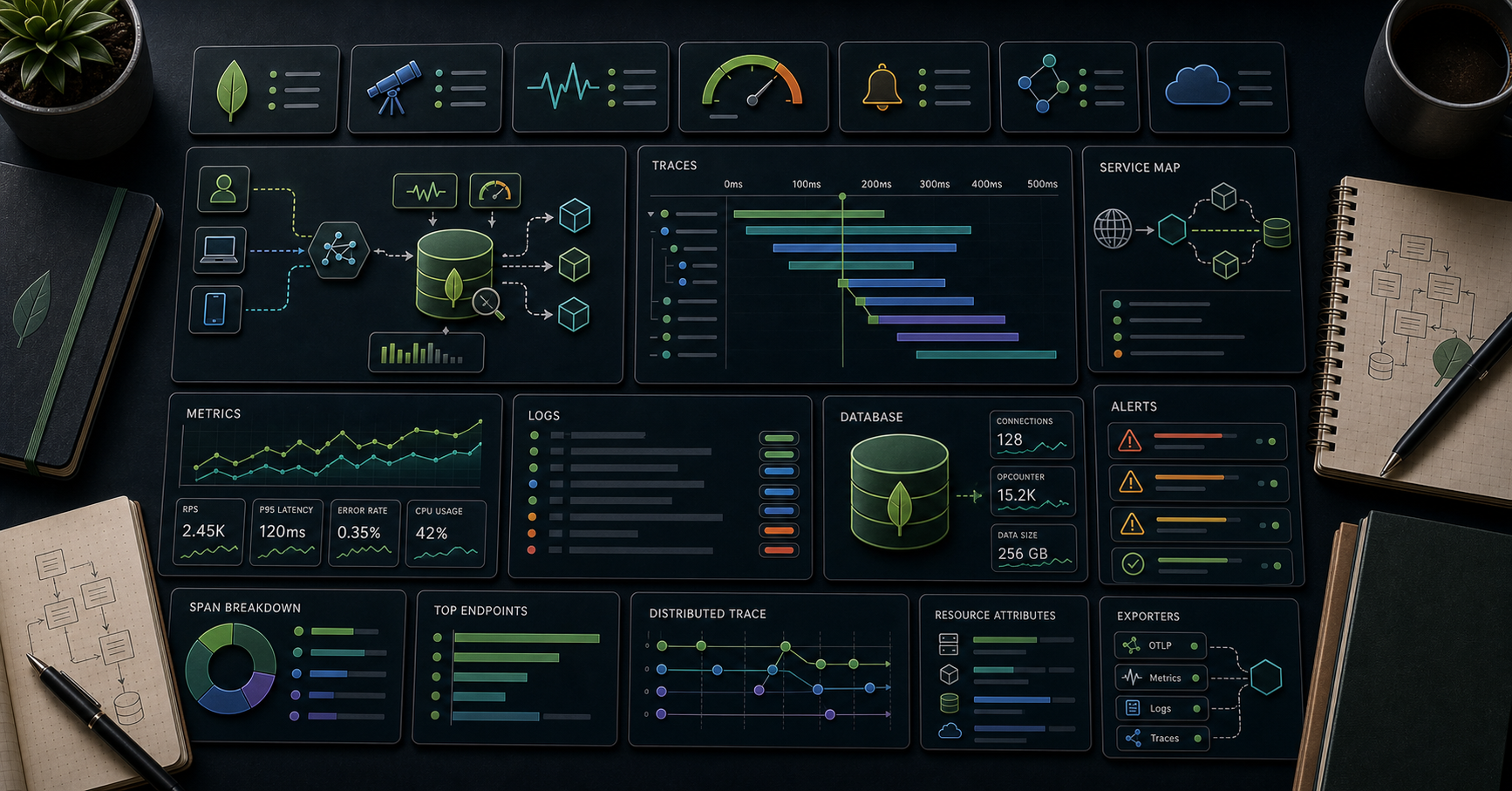
MongoDB Course — 26 · OpenTelemetry Observability — Traces, Metrics, Logs, Correlation
When a request is slow, "is it Mongo?" is the question that wastes the most production time. OpenTelemetry (OTel) makes the answer obvious — every Mongo operation becomes a span attached to the request trace, with query shape, duration, target collection, and the surrounding service spans on the same timeline. Plus metrics (Mongo + driver pool + service) + logs (correlated by trace ID). This post covers wiring OTel into Node + Python services using the MongoDB drivers, picking a backend (Tempo / Datadog / Honeycomb / Atlas), instrumenting custom spans, and the dashboards + alerts worth building.
> Series map: 24 Kafka + Debezium → 25 Testing → 26 OpenTelemetry (this post) → 27 Geo → 28 Time-series extreme → 29 K8s + mongosync + cost.
Learning Outcome
- Wire OpenTelemetry into Node + Python services.- Auto-instrument the MongoDB driver (spans per operation).- Add custom spans + attributes for app-specific context.- Export traces to OTLP collector → backend (Tempo / Datadog / Honeycomb / SigNoz / etc.).- Correlate Mongo slow-query log with trace IDs.- Pick the metrics + alerts that catch real production problems.
Chapter 1 — The three signals
- Traces — per-request span tree. The "why is this endpoint slow?" answer.- Metrics — aggregated counters / histograms. The "is the system healthy?" answer.- Logs — discrete events. The "what exactly happened?" answer.
OTel unifies them with shared resource attributes (, ) and trace context. A log line emitted inside a request carries the trace ID; click the trace → see logs from every span.
For MongoDB specifically:
- Each Mongo operation = a span (auto-instrumented). Includes operation name (, ), namespace (), command summary, duration.- Driver pool metrics (connections active / idle / wait time).- Server-side: ship slow-query log to logs backend; correlate by field.
Chapter 2 — Node — auto-instrument + custom spans
The auto-instrumentation set includes:
- HTTP server / client (Express / Fastify / undici).- driver — every command becomes a span.- — additional spans for find / save / etc.- , , — for polyglot services.
The Mongo span carries:
Custom span around business logic:
Now in the trace UI:
Eye-level: the slow span is the external HTTP call, not Mongo.
Chapter 3 — Python — auto-instrument + custom spans
Custom span:
Same shape as Node. For Beanie / Motor, the PymongoInstrumentor covers them (they wrap Motor which wraps pymongo).
Chapter 4 — Backend choice
| Backend | Hosted / Self | Notes ||---------|---------------|-------|| Tempo + Grafana | self-hosted | OSS, scales, Grafana ecosystem || Jaeger | self-hosted | OSS classic; simpler than Tempo || Datadog | hosted | enterprise-grade, expensive || Honeycomb | hosted | strong query model, generous free tier || New Relic | hosted | broad APM || SigNoz | self / hosted | OSS-first, OTel native || Atlas | hosted (Mongo Inc.) | Atlas has its own performance + query insights — pair, don't replace || AWS X-Ray | hosted | AWS native; OTel exporter exists |
OpenTelemetry's value: write instrumentation once, swap backend by changing exporter URL. No vendor lock.
For new projects in 2026, Tempo + Grafana (self-hosted) or Honeycomb (hosted) are common picks.
Chapter 5 — OTel Collector
The OTel Collector is a separate process (one per host or one per cluster) that receives OTLP from your services + exports to one or more backends. Decouples app from backend, allows sampling / filtering / batching centrally.
Apps point at the collector; collector handles fan-out. Easy to add a second backend, swap, or test.
Chapter 6 — Metrics worth tracking
App-level (from your service):
- request rate per endpoint- latency histogram per endpoint (p50 / p95 / p99)- error rate per endpoint- queue depth if you have a worker
MongoDB driver-side (auto-collected by recent OTel instrumentations):
- command duration histogram (per operation, per collection)- connection pool — , ,
MongoDB server-side (via Atlas metrics / Prometheus exporter on self-hosted):
- ops per second (insert/query/update/delete)- connection count- replication lag- oplog window- cache hit ratio- ticket usage- queue depth
Alert on:
| Metric | Threshold ||--------|-----------|| p99 latency on a key endpoint | > 500 ms for 5 min || 5xx error rate | > 1 % for 5 min || Mongo command p99 | > 200 ms for 10 min || Connection pool wait | any > 0 sustained || Replication lag | > 60 s || Atlas tier connection count | > 80 % limit || OpsManager FTDC | spikes |
Chapter 7 — Correlating with the slow-query log
Production trick: tag every query with the trace ID.
The query lands in the slow-query log (Post 14) with the trace ID. Atlas Query Insights surfaces both. Click a slow query → search your traces backend for that ID → see the full request context.
Bidirectional debugging:
- Slow trace? → drill into Mongo span → see full command + duration.- Slow query in Atlas? → look up the trace ID in your tracing backend → see who called it + with what request.
Chapter 8 — Sampling — keep cost in check
Sending every span to a backend costs money + storage. Sample:
- Head sampling: probability decision at the start of each trace (e.g., 10 %). Cheap, simple, loses interesting slow traces randomly.- Tail sampling (in the Collector): all spans buffered briefly; sample by outcome — keep all errors + slow + a small % of normal. Cheaper + smarter.- Always sample errors + traces from endpoints.
Hosted backends (Datadog, Honeycomb) have their own sampling controls.
Chapter 9 — Logs correlated with traces
Every log line carries the current trace ID. Ship to Loki / Elasticsearch / Datadog. From a slow trace → search logs for that → see what the code was doing + any warnings.
OTel logs API () is GA in 2026 — even cleaner than Pino's trace fields. Pick whichever your stack uses.
Chapter 10 — Atlas-specific signals
Atlas surfaces native:
- Performance Advisor — index suggestions from real slow queries.- Query Insights — slow query shapes grouped + sampled.- Real-Time Performance Panel — live ops + metrics.- Alerts — configurable on every metric.- Cluster events log — failovers, config changes.
Pair with OTel: app traces on your tracing backend; cluster-level metrics + slow queries on Atlas. Trace ID in query comment ties them together.
Atlas + Datadog integration ships pre-built dashboards if Datadog is your tracing backend — saves dashboard-building time.
Chapter 11 — Common pitfalls
| Pitfall | Cause | Fix ||---------|-------|-----|| Spans missing | telemetry init AFTER app code starts | init telemetry first || leaks sensitive data | full command logged | disable or scrub attributes || Trace context lost across / queue | manual async handoff loses context | use || Backend bill spike | sampling 100 % at high QPS | head + tail sample || Logs don't carry trace ID | logger not enriched | inject trace ID per log call || Slow query log + traces don't tie up | no with trace ID | add it on every query || Driver pool metric absent | instrumentation version old | upgrade || Cross-service trace breaks | propagation header missing | use auto-instrumented HTTP clients || OTel performance overhead | always-on with no batching | + reasonable export interval |
Practice Exercises
Exercise 1 — Hello OTel
In a Node or Python service, install OTel + run a local Jaeger / Tempo + see your first trace.
Exercise 2 — Auto-instrument Mongo
Confirm every Mongo operation appears as its own span attached to your request trace.
Exercise 3 — Custom span
Wrap a business operation () with a custom span + attributes. Verify in the trace UI.
Exercise 4 — Trace ID in queries
Add a to every Mongo query. Make a slow query; find it via Atlas slow-query log; follow the trace ID back to the trace.
Exercise 5 — Sampling
Set head sampling to 10 %. Verify spans drop proportionally. Switch to tail sampling in the Collector keeping 100 % of errors.
Exercise 6 — Logs correlation
Add Pino with trace ID enrichment. Confirm a log line written inside a request carries the right .
Cheat-sheet
| What | How ||------|-----|| SDK | OTel SDK + Auto-Instrumentations for your language || Mongo spans | auto-instrumented via the driver || Custom span | || Backend | Tempo + Grafana / Honeycomb / Datadog / SigNoz || Collector | OTel Collector for fan-out, sampling, transformations || Metrics | request rate + latency + error rate per endpoint; Mongo pool waits || Correlation | trace=\${traceId}\ on Mongo queries || Logs | Pino / structlog + traceid enrichment || Sampling | head 1-10 % + tail keep-errors + keep-slow || Disable PII | || Alerts | latency p99, error rate, pool wait, replication lag || Atlas pair | Atlas Performance Advisor + Query Insights complement OTel |
What's next
Post 27 is the geospatial deep dive — 2dsphere indexes, GeoJSON, / / , geofencing, distance calculations, sharding by region.
References
- OpenTelemetry docs- OTel Node auto-instrumentations- OTel Python pymongo instrumentation- OTel Collector docs- Atlas Datadog integration- Honeycomb OpenTelemetry guides
> Note: this post is in progress. Planned additions: distributed-trace through Kafka events; SLO + error-budget burn-rate alerts; eBPF instrumentation overview.
Linear Algebra — 04 · Eigenvalues, Eigenvectors and Diagonalization
Most vectors change direction when a matrix acts on them. A few special directions do not: the matrix only stretches, shrinks or flips them. Those directions are the eigenvectors, and the stretch factors are the eigenvalues. If a matrix has enough eigenvectors to form a basis, then in that basis it is diagonal — every hard question about the matrix (its powers, its long-run behaviour, the differential equation it drives) splits into $n$ independent one-dimensional questions. This post builds the theory with proofs, then uses it on Fibonacci numbers, a Markov chain, a system of differential equations, and the power-iteration algorithm. It relies on the determinant and on change of basis from Linear Algebra 03.
> Series map: 00 Vectors & Linear Systems → 01 Matrix Algebra, Inverses & LU → 02 Vector Spaces, Basis & Dimension → 03 Linear Maps, Change of Basis & Determinants → 04 Eigenvalues & Diagonalization (this post) → 05 Inner Products, Spectral Theorem & SVD.
Learning Outcome
- Define eigenvalues, eigenvectors and eigenspaces, and describe them geometrically for common maps of the plane.- Find eigenvalues from the characteristic polynomial and eigenvectors from null spaces, for $2 \times 2$ and $3 \times 3$ matrices.- Distinguish algebraic from geometric multiplicity, and prove that eigenvectors for distinct eigenvalues are independent.- Decide whether a matrix is diagonalizable, and write $A = PDP^{-1}$ when it is.- Compute $A^k$ and solve difference equations (Fibonacci, Markov chains) by diagonalization.- Handle complex eigenvalues, and use trace = sum and determinant = product of the eigenvalues as checks.- State and use the Cayley–Hamilton theorem; recognise a defective matrix and state the Jordan form.- Solve $x' = Ax$ with $e^{At} = Pe^{Dt}P^{-1}$, and explain how power iteration finds the dominant eigenvalue.
Chapter 1 — Eigenvalues and eigenvectors
Terminology
- Eigenvector of a square matrix $A$ (or a linear operator $T: V \to V$) — a nonzero vector $v$ with $Av = \lambda v$ for some scalar $\lambda$.- Eigenvalue — a scalar $\lambda$ for which such a nonzero $v$ exists. "Eigen" is German for "own" or "characteristic".- Eigenspace $E\lambda = \{v : Av = \lambda v\} = N(A - \lambda I)$ — all eigenvectors for $\lambda$, together with $0$. It is a subspace.- Spectrum — the set of all eigenvalues of $A$.- Diagonalizable — similar to a diagonal matrix: $A = PDP^{-1}$ with $D$ diagonal and $P$ invertible.
The zero vector is excluded as an eigenvector because $A0 = \lambda 0$ holds for every $\lambda$ and would say nothing. The eigenvalue $\lambda = 0$, on the other hand, is allowed: $Av = 0v$ with $v \neq 0$ means $v$ is in the null space, so $0$ is an eigenvalue exactly when $A$ is singular.
What it means geometrically
$Av = \lambda v$ says: the line through $v$ is mapped into itself. Along that line, $A$ acts as multiplication by the number $\lambda$. If $\lambda > 1$ the line is stretched, $0 < \lambda < 1$ shrinks it, $\lambda < 0$ flips it, $\lambda = 0$ collapses it to the origin.
The maps of the plane from Linear Algebra 03:
| Map | Eigenvalues and eigen-directions ||-----|----------------------------------|| Projection onto a line $L$ | $1$ on $L$ (kept), $0$ on the perpendicular line (killed) || Reflection in a line $L$ | $1$ on $L$, $-1$ on the perpendicular line || Rotation by $\theta$, $0 < \theta < 180°$ | no real eigenvector — every direction turns; complex eigenvalues $e^{\pm i\theta}$ (Chapter 6) || Shear $\begin{pmatrix} 1 & k \\ 0 & 1\end{pmatrix}$, $k \neq 0$ | only $1$, only along the $x$-axis — not enough eigenvectors (Chapter 4) || Scaling $\operatorname{diag}(a, b)$ | $a$ along $e1$, $b$ along $e2$ |
Running example. Throughout the post,
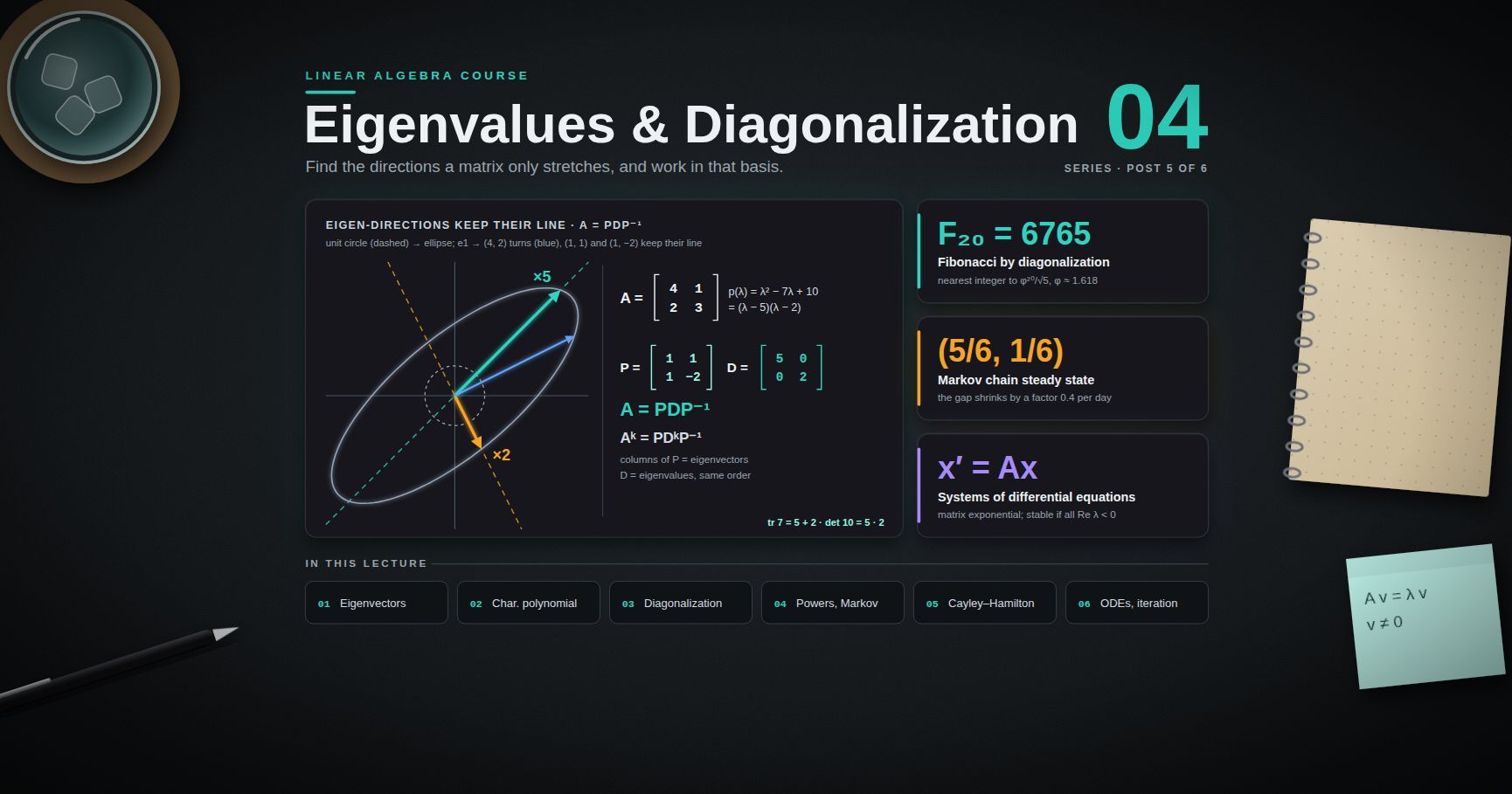
$$A = \begin{pmatrix} 4 & 1 \\ 2 & 3 \end{pmatrix}.$$
Check two directions: $A(1, 1) = (5, 5) = 5(1, 1)$ and $A(1, -2) = (2, -4) = 2(1, -2)$. So $(1,1)$ is an eigenvector with eigenvalue 5 and $(1, -2)$ is one with eigenvalue 2. A vector off these lines turns: $e1 = (1,0)$ goes to $(4, 2)$, a turn of about $26.6°$ counter-clockwise, and $e2 = (0,1)$ goes to $(1, 3)$, a turn of about $18.4°$ clockwise.
![The map A = [[4,1],[2,3]] applied to vectors of the unit circle: the eigen-directions (1,1) and (1,-2) stay on their own lines and are stretched by 5 and 2, while e1 and e2 are turned; the unit circle becomes an ellipse.](/assets/linalg/diagram04eigendirections.svg)
Chapter 2 — The characteristic polynomial
From a nonlinear problem to a determinant
$Av = \lambda v$ has two unknowns multiplied together ($\lambda$ and $v$), so it is not a linear system. Rewrite it as
$$(A - \lambda I)v = 0, \qquad v \neq 0.$$
A nonzero solution exists exactly when $A - \lambda I$ is singular, which by Linear Algebra 03 happens exactly when its determinant is zero. So:
Theorem 1. $\lambda$ is an eigenvalue of $A$ if and only if $\det(\lambda I - A) = 0$.
The function $pA(\lambda) = \det(\lambda I - A)$ is the characteristic polynomial of $A$. Expanding the determinant with the Leibniz formula shows it is a polynomial of degree $n$ with leading coefficient 1. (Some books use $\det(A - \lambda I) = (-1)^n pA(\lambda)$; the roots are the same.)
The recipe is therefore two steps: (1) find the roots of $pA$; (2) for each root $\lambda$, find the null space of $A - \lambda I$ by elimination.
The shortcut for 2 × 2 matrices
For $A = \begin{pmatrix} a & b \\ c & d\end{pmatrix}$,
$$pA(\lambda) = (\lambda - a)(\lambda - d) - bc = \lambda^2 - (a + d)\lambda + (ad - bc) = \lambda^2 - (\operatorname{tr}A)\,\lambda + \det A.$$
Worked example. For the running example, $\operatorname{tr}A = 7$ and $\det A = 12 - 2 = 10$:
$$pA(\lambda) = \lambda^2 - 7\lambda + 10 = (\lambda - 5)(\lambda - 2).$$
For $\lambda = 5$: $A - 5I = \begin{pmatrix} -1 & 1 \\ 2 & -2\end{pmatrix}$, whose null space is spanned by $(1, 1)$. For $\lambda = 2$: $A - 2I = \begin{pmatrix} 2 & 1 \\ 2 & 1\end{pmatrix}$, null space spanned by $(1, -2)$. This matches Chapter 1.
> Trick: After finding a $2 \times 2$ matrix $A - \lambda I$, you do not need to row-reduce. If the first row is $(p, q)$, then $(q, -p)$ (or $(-q, p)$) is in the null space. The second row must be a multiple of the first — if it is not, $\lambda$ was computed wrongly.
A 3 × 3 example with a repeated eigenvalue
$$B = \begin{pmatrix} 2 & 1 & 1 \\ 1 & 2 & 1 \\ 1 & 1 & 2 \end{pmatrix}, \qquad pB(\lambda) = \lambda^3 - 6\lambda^2 + 9\lambda - 4 = (\lambda - 4)(\lambda - 1)^2.$$
(A quick way to see this: $B = I + J$ where $J$ is the all-ones matrix. $J$ has rank 1, so $0$ is an eigenvalue of $J$ with a two-dimensional eigenspace, and $J(1,1,1) = 3(1,1,1)$. Adding $I$ adds 1 to every eigenvalue.)
- $\lambda = 4$: $B - 4I$ has null space spanned by $(1, 1, 1)$.- $\lambda = 1$: $B - I = J$, every row is $(1, 1, 1)$, so the null space is the plane $x + y + z = 0$, spanned by $(-1, 1, 0)$ and $(-1, 0, 1)$.
The eigenvalue 1 is a double root and has a two-dimensional eigenspace. That is the good case, as Chapter 3 explains.
Easy cases and invariance
- Triangular matrices: $\lambda I - A$ is triangular, so $pA(\lambda) = \prod (\lambda - a{ii})$. The eigenvalues are the diagonal entries.- Similar matrices have the same characteristic polynomial. If $B = P^{-1}AP$ then $\lambda I - B = P^{-1}(\lambda I - A)P$, so by the product rule $\det(\lambda I - B) = \det(\lambda I - A)$. So eigenvalues belong to the operator, not to a particular matrix of it (Linear Algebra 03, similarity invariants).- $A$ and $A^T$ have the same characteristic polynomial (because $\det M^T = \det M$), but usually different eigenvectors.
> Common pitfall: Row operations change eigenvalues. Row-reducing $A$ first and then reading off the diagonal gives the pivots, not the eigenvalues. Row-reduce $A - \lambda I$ (to find eigenvectors), never $A$.
Trace and determinant from the eigenvalues
Over $\mathbb{C}$, every polynomial factors completely (fundamental theorem of algebra), so $pA(\lambda) = (\lambda - \lambda1)\cdots(\lambda - \lambdan)$, with eigenvalues repeated by multiplicity.
Theorem 2. $\operatorname{tr} A = \lambda1 + \dots + \lambdan$ and $\det A = \lambda1 \lambda2 \cdots \lambdan$.
Proof. Put $\lambda = 0$ in $\det(\lambda I - A) = \prod(\lambda - \lambdai)$: $\det(-A) = \prod(-\lambdai)$, that is $(-1)^n \det A = (-1)^n \prod \lambdai$. For the trace, compare the coefficients of $\lambda^{n-1}$. On the right it is $-\sum \lambdai$. On the left, in the Leibniz expansion of $\det(\lambda I - A)$, any term other than the diagonal product uses at most $n - 2$ diagonal entries, so has degree at most $n - 2$ in $\lambda$. The diagonal product $\prod(\lambda - a{ii})$ contributes $-\sum a{ii} = -\operatorname{tr}A$. ∎
Checks: for $A$, $5 + 2 = 7 = \operatorname{tr}A$ and $5 \cdot 2 = 10 = \det A$. For $B$, $4 + 1 + 1 = 6$ and $4 \cdot 1 \cdot 1 = 4 = \det B$.
Chapter 3 — Multiplicities and independence
Two kinds of multiplicity
For an eigenvalue $\lambda0$:
- Algebraic multiplicity — how many times $\lambda0$ is a root of $pA$ (the power of $(\lambda - \lambda0)$ in the factorisation).- Geometric multiplicity — $\dim E{\lambda0} = \dim N(A - \lambda0 I)$, the number of independent eigenvectors for $\lambda0$.
Theorem 3. $1 \le \text{geometric multiplicity} \le \text{algebraic multiplicity}$.
Proof. The lower bound holds because an eigenvalue has at least one eigenvector. For the upper bound let $g = \dim E{\lambda0}$ with basis $v1, \dots, vg$, and extend it to a basis $v1, \dots, vn$ of $\mathbb{R}^n$. With $P = (v1 \cdots vn)$, the first $g$ columns of $P^{-1}AP$ are $\lambda0 e1, \dots, \lambda0 eg$, so
$$P^{-1}AP = \begin{pmatrix} \lambda0 Ig & X \\ 0 & Y \end{pmatrix}.$$
Similar matrices share the characteristic polynomial, and the block triangular determinant rule gives $pA(\lambda) = (\lambda - \lambda0)^g \det(\lambda I - Y)$. So $(\lambda - \lambda0)^g$ divides $pA$, and the algebraic multiplicity is at least $g$. ∎
In the example $B$, the eigenvalue 1 has algebraic multiplicity 2 and geometric multiplicity 2. For the shear $\begin{pmatrix} 1 & 1 \\ 0 & 1\end{pmatrix}$, the eigenvalue 1 has algebraic multiplicity 2 but geometric multiplicity 1. That gap is exactly what stops a matrix from being diagonalizable.
Eigenvectors for different eigenvalues are independent
Theorem 4. If $v1, \dots, vk$ are eigenvectors of $A$ for distinct eigenvalues $\lambda1, \dots, \lambdak$, then $v1, \dots, vk$ are linearly independent.
Proof. Suppose not. Let $m$ be the smallest index such that $vm$ is a combination of $v1, \dots, v{m-1}$; then $v1, \dots, v{m-1}$ are independent, and $m \ge 2$ since $v1 \neq 0$. Write
$$vm = c1 v1 + \dots + c{m-1} v{m-1}.$$
Apply $A$: $\lambdam vm = c1 \lambda1 v1 + \dots + c{m-1}\lambda{m-1} v{m-1}$. Subtract $\lambdam$ times the first equation:
$$0 = c1(\lambda1 - \lambdam) v1 + \dots + c{m-1}(\lambda{m-1} - \lambdam) v{m-1}.$$
By independence each $ci(\lambdai - \lambdam) = 0$, and since the eigenvalues are distinct, each $ci = 0$. Then $vm = 0$, which is impossible for an eigenvector. ∎
The same argument shows more: if you take a basis of each eigenspace and put them together, the combined list is still independent. So the sum of the geometric multiplicities is the number of independent eigenvectors the matrix has in total.
Corollary 5. An $n \times n$ matrix with $n$ distinct eigenvalues is diagonalizable. (Chapter 4 explains why independence is all that is needed.)
The converse is false: $I$ has only one eigenvalue and is already diagonal; so is $B$ after a change of basis.
Chapter 4 — Diagonalization
The main theorem
Theorem 6. An $n \times n$ matrix $A$ is diagonalizable if and only if it has $n$ linearly independent eigenvectors. In that case $A = PDP^{-1}$, where the columns of $P$ are the eigenvectors and $D$ is the diagonal matrix of the matching eigenvalues, in the same order.
Proof. Write $P = (v1 \cdots vn)$ and $D = \operatorname{diag}(\lambda1, \dots, \lambdan)$. Column $i$ of $AP$ is $Avi$ and column $i$ of $PD$ is $\lambdai vi$. So
$$AP = PD \iff Avi = \lambdai vi \text{ for every } i.$$
If there are $n$ independent eigenvectors, $P$ is invertible and $A = PDP^{-1}$. Conversely, if $A = PDP^{-1}$ then $AP = PD$, so the columns of $P$ are eigenvectors, and they are independent because $P$ is invertible. ∎
In the language of Linear Algebra 03: $D$ is the matrix of the same operator in the eigenvector basis. Diagonalizing means finding coordinates in which the map acts on each coordinate separately.
Criterion. Combining Theorems 3 and 4: $A$ is diagonalizable over $\mathbb{C}$ if and only if, for every eigenvalue, geometric multiplicity = algebraic multiplicity. It is diagonalizable over $\mathbb{R}$ if in addition all eigenvalues are real.
Worked example. For the running example,
$$P = \begin{pmatrix} 1 & 1 \\ 1 & -2 \end{pmatrix}, \quad D = \begin{pmatrix} 5 & 0 \\ 0 & 2 \end{pmatrix}, \quad P^{-1} = \frac{1}{3}\begin{pmatrix} 2 & 1 \\ 1 & -1 \end{pmatrix}, \quad A = PDP^{-1}.$$
For $B$, take $P = \begin{pmatrix} 1 & -1 & -1 \\ 1 & 1 & 0 \\ 1 & 0 & 1 \end{pmatrix}$; then $P^{-1}BP = \operatorname{diag}(4, 1, 1)$.
> Watch out: The order of the columns of $P$ must match the order of the eigenvalues in $D$. Eigenvectors can be scaled freely (any nonzero multiple is still an eigenvector), so $P$ is never unique — but $D$ is unique up to the order of its entries.
A defective matrix and the Jordan form
$$C = \begin{pmatrix} 3 & 1 \\ -1 & 1 \end{pmatrix}, \qquad pC(\lambda) = \lambda^2 - 4\lambda + 4 = (\lambda - 2)^2.$$
$C - 2I = \begin{pmatrix} 1 & 1 \\ -1 & -1\end{pmatrix}$ has rank 1, so the eigenspace is only the line spanned by $(1, -1)$. Algebraic multiplicity 2, geometric multiplicity 1: there is no eigenvector basis, and $C$ is not diagonalizable. Such a matrix is called defective.
What is the best you can do? Take the eigenvector $v1 = (1, -1)$ and solve $(C - 2I)w = v1$; one solution is $w = (1, 0)$ (a generalised eigenvector). With $P = (v1\ w) = \begin{pmatrix} 1 & 1 \\ -1 & 0\end{pmatrix}$,
$$P^{-1}CP = \begin{pmatrix} 2 & 1 \\ 0 & 2 \end{pmatrix}.$$
Theorem 7 (Jordan normal form, statement only). Every square complex matrix is similar to a block diagonal matrix whose blocks are Jordan blocks
$$Jk(\lambda) = \begin{pmatrix} \lambda & 1 & & \\ & \lambda & \ddots & \\ & & \ddots & 1 \\ & & & \lambda \end{pmatrix} \quad (k \times k),$$
and the blocks are unique up to their order. For each eigenvalue, the number of blocks equals its geometric multiplicity and the total size of its blocks equals its algebraic multiplicity. A matrix is diagonalizable exactly when every block is $1 \times 1$.
The proof takes a full chapter (Axler, Chapter 8); it is planned for a later post in this series.
Chapter 5 — Powers and difference equations
Powers
If $A = PDP^{-1}$ then the inner $P^{-1}P$ pairs cancel:
$$A^k = (PDP^{-1})(PDP^{-1})\cdots(PDP^{-1}) = PD^kP^{-1}, \qquad D^k = \operatorname{diag}(\lambda1^k, \dots, \lambdan^k).$$
For the running example:
$$A^k = \frac{1}{3}\begin{pmatrix} 2\cdot 5^k + 2^k & 5^k - 2^k \\ 2 \cdot 5^k - 2 \cdot 2^k & 5^k + 2\cdot 2^k \end{pmatrix}.$$
Check with $k = 1$: $\frac{1}{3}\begin{pmatrix} 12 & 3 \\ 6 & 9\end{pmatrix} = A$. With $k = 3$: $\frac{1}{3}\begin{pmatrix} 258 & 117 \\ 234 & 141 \end{pmatrix} = \begin{pmatrix} 86 & 39 \\ 78 & 47 \end{pmatrix}$, which is $A^3$ computed directly. For large $k$ the $5^k$ terms dominate, so $A^k \approx \frac{5^k}{3}\begin{pmatrix} 2 & 1 \\ 2 & 1\end{pmatrix}$: every starting vector gets pulled towards the direction $(1, 1)$.
Difference equations
A linear difference equation (discrete dynamical system) is $u{k+1} = Auk$, so $uk = A^k u0$. Expand the start in eigenvectors, $u0 = c1 v1 + \dots + cn vn$ (that is, $c = P^{-1}u0$). Each piece evolves on its own:
$$uk = c1 \lambda1^k v1 + c2 \lambda2^k v2 + \dots + cn \lambdan^k vn.$$
So the long-run behaviour is read from the eigenvalues: if every $\lvert\lambdai\rvert < 1$ then $uk \to 0$; if some $\lvert\lambdai\rvert > 1$ (with $ci \neq 0$) the solution blows up; the eigenvalue of largest modulus decides the dominant direction.
Worked example — Fibonacci numbers
$F0 = 0$, $F1 = 1$, $F{k+1} = Fk + F{k-1}$. Put $uk = (F{k+1}, Fk)$. Then
$$u{k+1} = \begin{pmatrix} 1 & 1 \\ 1 & 0 \end{pmatrix} uk, \qquad u0 = \begin{pmatrix} 1 \\ 0 \end{pmatrix}.$$
The matrix $F = \begin{pmatrix} 1 & 1 \\ 1 & 0\end{pmatrix}$ has trace 1 and determinant $-1$, so $pF(\lambda) = \lambda^2 - \lambda - 1$ with roots
$$\varphi = \frac{1 + \sqrt 5}{2} \approx 1.618034, \qquad \psi = \frac{1 - \sqrt 5}{2} \approx -0.618034.$$
For either root, $v = (\lambda, 1)$ is an eigenvector: $F(\lambda, 1) = (\lambda + 1, \lambda) = (\lambda^2, \lambda)$ because $\lambda^2 = \lambda + 1$. Since $\varphi - \psi = \sqrt5$, the start splits as $u0 = \frac{1}{\sqrt 5}\big((\varphi, 1) - (\psi, 1)\big)$. Hence $uk = \frac{1}{\sqrt5}\big(\varphi^k(\varphi, 1) - \psi^k(\psi, 1)\big)$, and the second component is Binet's formula:
$$Fk = \frac{\varphi^k - \psi^k}{\sqrt 5}.$$
Because $\lvert\psi\rvert < 1$, the $\psi^k$ term dies away: $Fk$ is the integer nearest to $\varphi^k/\sqrt5$. For $k = 20$, $\varphi^{20}/\sqrt5 \approx 6765.00003$, and $F{20} = 6765$. The ratio $F{k+1}/Fk \to \varphi$. As a check on the matrix form, $F^{10} = \begin{pmatrix} 89 & 55 \\ 55 & 34 \end{pmatrix} = \begin{pmatrix} F{11} & F{10} \\ F{10} & F9 \end{pmatrix}$.
Worked example — a Markov chain
A town's weather is either sunny or rainy. If today is sunny, tomorrow is sunny with probability 0.9; if today is rainy, tomorrow is sunny with probability 0.5. With $xk = (\Pr[\text{sunny on day } k], \Pr[\text{rainy on day } k])$,
$$x{k+1} = Mxk, \qquad M = \begin{pmatrix} 0.9 & 0.5 \\ 0.1 & 0.5 \end{pmatrix}.$$
Each column of $M$ sums to 1 (a column-stochastic or Markov matrix). Trace $1.4$, determinant $0.45 - 0.05 = 0.4$, so $pM(\lambda) = \lambda^2 - 1.4\lambda + 0.4 = (\lambda - 1)(\lambda - 0.4)$.
- $\lambda = 1$: eigenvector $(5, 1)$. Scaled so the entries sum to 1: the steady state $s = (5/6, 1/6)$.- $\lambda = 0.4$: eigenvector $(-1, 1)$.
Start on a rainy day, $x0 = (0, 1) = \frac{1}{6}(5, 1) + \frac{5}{6}(-1, 1)$. Then
$$xk = \begin{pmatrix} 5/6 \\ 1/6 \end{pmatrix} + (0.4)^k \begin{pmatrix} -5/6 \\ 5/6 \end{pmatrix}.$$
Check: $x1 = (0.5, 0.5)$, $x2 = (0.7, 0.3)$, $x3 = (0.78, 0.22)$, each equal to $M$ times the previous one. After ten days the gap to the steady state is $(0.4)^{10} \cdot \frac56 \approx 0.0000874$; $x{10} \approx (0.83325, 0.16675)$. The rate of convergence is set by the second eigenvalue, 0.4.
Why 1 is always an eigenvalue of a Markov matrix: the columns of $M$ sum to 1 means $M^T(1, \dots, 1) = (1, \dots, 1)$, so 1 is an eigenvalue of $M^T$, hence of $M$ (same characteristic polynomial). For a Markov matrix with all entries positive, Perron's theorem adds that the eigenvalue 1 is simple and every other eigenvalue has $\lvert\lambda\rvert < 1$, so every starting distribution converges to the same steady state.
Chapter 6 — Complex eigenvalues
A real matrix can have a characteristic polynomial with no real roots. Rotation by $90°$, $\begin{pmatrix} 0 & -1 \\ 1 & 0\end{pmatrix}$, has $p(\lambda) = \lambda^2 + 1$, so $\lambda = \pm i$ — no real direction is kept, which is what a rotation should do. Working over $\mathbb{C}$ restores the theory: every $n \times n$ matrix has $n$ complex eigenvalues counted with multiplicity.
For a real matrix, non-real eigenvalues come in conjugate pairs: if $Av = \lambda v$ then conjugating gives $A\bar v = \bar\lambda \bar v$.
Worked example.
$$R = \begin{pmatrix} 1 & -1 \\ 1 & 1 \end{pmatrix} = \sqrt2 \begin{pmatrix} \cos 45° & -\sin 45° \\ \sin 45° & \cos 45° \end{pmatrix}, \qquad pR(\lambda) = \lambda^2 - 2\lambda + 2.$$
The roots are $\lambda = 1 \pm i$. For $\lambda = 1 + i$: $R - (1+i)I = \begin{pmatrix} -i & -1 \\ 1 & -i\end{pmatrix}$, and by the $2 \times 2$ trick $v = (i, 1)$. Check: $Rv = (i - 1, i + 1)$ and $(1 + i)(i, 1) = (i + i^2, 1 + i) = (i - 1, 1 + i)$. The other eigenpair is $1 - i$ with $\bar v = (-i, 1)$.
Read the geometry from the polar form $1 + i = \sqrt2\, e^{i\pi/4}$: the modulus $\lvert\lambda\rvert = \sqrt 2$ is the scaling and the argument $45°$ is the rotation angle. Each application of $R$ turns the plane by $45°$ and scales by $\sqrt2$, so iterates spiral outwards; after 8 steps, $R^8 = (\sqrt2)^8 I = 16I$. In general a real $2 \times 2$ matrix with eigenvalues $a \pm bi$ ($b \neq 0$) is similar over $\mathbb{R}$ to $\begin{pmatrix} a & -b \\ b & a\end{pmatrix}$, a rotation combined with a scaling by $\sqrt{a^2 + b^2}$.
Theorem 2 still holds with complex eigenvalues: $(1 + i) + (1 - i) = 2 = \operatorname{tr}R$ and $(1+i)(1-i) = 2 = \det R$.
Chapter 7 — The Cayley–Hamilton theorem
Theorem 8 (Cayley–Hamilton). Every square matrix satisfies its own characteristic polynomial: if $pA(\lambda) = \lambda^n + c{n-1}\lambda^{n-1} + \dots + c0$, then
$$pA(A) = A^n + c{n-1}A^{n-1} + \dots + c1 A + c0 I = 0.$$
Proof for diagonalizable $A$. For a polynomial $q$, $q(PDP^{-1}) = P\,q(D)\,P^{-1}$ (apply the power rule term by term), and $q(D) = \operatorname{diag}(q(\lambda1), \dots, q(\lambdan))$. With $q = pA$ every diagonal entry is $pA(\lambdai) = 0$. ∎ The general case follows from the Jordan form, or from a density argument (diagonalizable matrices are dense among complex matrices, and $pA(A)$ depends continuously on $A$); see Axler, Chapter 8, or Hoffman and Kunze, Chapter 6.
> Common pitfall: The "proof" $pA(A) = \det(AI - A) = \det(0) = 0$ is wrong. $pA(A)$ is a matrix, obtained by substituting $A$ into a polynomial; $\det(AI - A)$ is a number. The substitution is not allowed inside the determinant.
Worked example. For $A = \begin{pmatrix} 4 & 1 \\ 2 & 3\end{pmatrix}$, $pA(\lambda) = \lambda^2 - 7\lambda + 10$. Indeed
$$A^2 = \begin{pmatrix} 18 & 7 \\ 14 & 11 \end{pmatrix}, \qquad A^2 - 7A + 10I = \begin{pmatrix} 18 - 28 + 10 & 7 - 7 \\ 14 - 14 & 11 - 21 + 10 \end{pmatrix} = 0.$$
Two uses:
- Inverse without elimination. Rearrange: $A(7I - A) = 10I$, so $A^{-1} = \frac{1}{10}(7I - A) = \frac{1}{10}\begin{pmatrix} 3 & -1 \\ -2 & 4 \end{pmatrix}$.- Reducing powers. $A^2 = 7A - 10I$, so every power of $A$ is a combination of $I$ and $A$. For an $n \times n$ matrix, every power is a combination of $I, A, \dots, A^{n-1}$.
For $B$ from Chapter 2, $pB(B) = B^3 - 6B^2 + 9B - 4I = 0$. In fact the smaller polynomial $(\lambda - 4)(\lambda - 1)$ already kills $B$: $B^2 - 5B + 4I = 0$. The lowest-degree monic polynomial with $q(A) = 0$ is the minimal polynomial; a matrix is diagonalizable exactly when its minimal polynomial has no repeated roots.
Chapter 8 — Systems of differential equations
The matrix exponential
A linear system of ordinary differential equations with constant coefficients is
$$x'(t) = Ax(t), \qquad x(0) = x0,$$
with $x(t) \in \mathbb{R}^n$. In one dimension the answer is $x(t) = e^{at}x0$. The same works for matrices with the matrix exponential
$$e^{At} = I + At + \frac{(At)^2}{2!} + \frac{(At)^3}{3!} + \cdots,$$
which converges for every square $A$ and satisfies $\frac{d}{dt}e^{At} = Ae^{At}$. The solution is $x(t) = e^{At}x0$, and it is unique.
If $A = PDP^{-1}$, the power rule applies to each term, so
$$e^{At} = P e^{Dt} P^{-1}, \qquad e^{Dt} = \operatorname{diag}(e^{\lambda1 t}, \dots, e^{\lambdan t}).$$
Equivalently, writing $x0 = \sum ci vi$:
$$x(t) = c1 e^{\lambda1 t} v1 + \dots + cn e^{\lambdan t} vn.$$
This is the continuous twin of the difference-equation formula, with $\lambda^k$ replaced by $e^{\lambda t}$. The system is stable ($x(t) \to 0$ for every start) exactly when every eigenvalue has negative real part.
> Watch out: $e^{A + B} = e^A e^B$ only when $AB = BA$. And $e^{At}$ is not the matrix of entry-wise exponentials $e^{a{ij}t}$.
Worked example
Two quantities decay and leak into each other:
$$x1' = -2x1 + x2, \quad x2' = x1 - 2x2, \qquad A = \begin{pmatrix} -2 & 1 \\ 1 & -2 \end{pmatrix}, \quad x(0) = \begin{pmatrix} 1 \\ 0 \end{pmatrix}.$$
Trace $-4$, determinant $3$: $pA(\lambda) = \lambda^2 + 4\lambda + 3 = (\lambda + 1)(\lambda + 3)$. Eigenvectors: $(1, 1)$ for $-1$ and $(1, -1)$ for $-3$. The start is $(1, 0) = \frac12(1,1) + \frac12(1,-1)$, so
$$x(t) = \frac12 e^{-t}\begin{pmatrix} 1 \\ 1 \end{pmatrix} + \frac12 e^{-3t}\begin{pmatrix} 1 \\ -1 \end{pmatrix}, \qquad e^{At} = \frac12\begin{pmatrix} e^{-t} + e^{-3t} & e^{-t} - e^{-3t} \\ e^{-t} - e^{-3t} & e^{-t} + e^{-3t} \end{pmatrix}.$$
Reading the answer: the difference $x1 - x2$ (the $(1,-1)$ mode) dies fast, like $e^{-3t}$; the total $x1 + x2$ (the $(1,1)$ mode) dies slowly, like $e^{-t}$. Both eigenvalues are negative, so the system is stable. Differentiating confirms $x' = Ax$ and $x(0) = (1, 0)$.
For a defective matrix the Jordan block gives extra polynomial factors: for $C$ from Chapter 4, $e^{Ct}$ contains terms $te^{2t}$ as well as $e^{2t}$. A second-order equation $y'' + a y' + b y = 0$ becomes a first-order system with $x = (y, y')$; Exercise 6 does one.
Chapter 9 — Power iteration
Characteristic polynomials are for hand calculation only. Their roots are extremely sensitive to rounding in the coefficients (Wilkinson's famous example has roots $1, 2, \dots, 20$, and a change of about $2^{-23}$ in one coefficient turns several of them complex), so numerical software never computes eigenvalues that way. The simplest numerical method is power iteration:
1. Start with a vector $x0$ (random, or anything not orthogonal to the target).2. Repeat: $y = Axk$, then $x{k+1} = y / \lVert y\rVert$ (normalise, to avoid overflow).
Why it works. Suppose $A$ is diagonalizable with $\lvert\lambda1\rvert > \lvert\lambda2\rvert \ge \dots$, and $x0 = \sum ci vi$ with $c1 \neq 0$. Then
$$A^k x0 = \lambda1^k \left( c1 v1 + c2 \left(\tfrac{\lambda2}{\lambda1}\right)^k v2 + \dots \right),$$
and every term except the first shrinks like $\lvert\lambda2/\lambda1\rvert^k$. The direction converges to $v1$, and the scale factor converges to $\lambda1$.
Worked example. For $A = \begin{pmatrix} 4 & 1 \\ 2 & 3\end{pmatrix}$, start at $x0 = (1, 0)$ and normalise so the largest entry is 1:
| $k$ | $y = Ax{k-1}$ | $xk$ | scale (largest entry of $y$) ||---|---|---|---|| 1 | $(4, 2)$ | $(1, 0.5)$ | 4 || 2 | $(4.5, 3.5)$ | $(1, 0.7778)$ | 4.5 || 3 | $(4.7778, 4.3333)$ | $(1, 0.9070)$ | 4.7778 || 4 | $(4.9070, 4.7209)$ | $(1, 0.9621)$ | 4.9070 || 5 | $(4.9621, 4.8863)$ | $(1, 0.9847)$ | 4.9621 |
The direction approaches $(1, 1)$ and the scale approaches 5. The gap $1 - (\text{second entry})$ goes $0.5, 0.222, 0.093, 0.038, 0.015$: each step multiplies it by roughly $0.4 = \lambda2/\lambda1 = 2/5$, as predicted.
Variations: inverse iteration (power iteration on $(A - \sigma I)^{-1}$) finds the eigenvalue closest to a shift $\sigma$. Production libraries (LAPACK, behind ) use the QR algorithm, which is in effect power iteration on a whole basis at once, kept orthonormal. Google's original PageRank is power iteration on a huge Markov matrix.
> Trick: When power iteration converges slowly, the ratio $\lvert\lambda2/\lambda1\rvert$ is close to 1. That ratio, not the size of the matrix, controls the number of iterations.
Practice Exercises
1. Find the eigenvalues and eigenvectors of $\begin{pmatrix} 1 & 2 \\ 2 & 1\end{pmatrix}$, diagonalize it, and compute its fifth power.
<details><summary>Solution</summary>
Trace 2, determinant $-3$: $\lambda^2 - 2\lambda - 3 = (\lambda - 3)(\lambda + 1)$. Eigenvectors $(1, 1)$ for 3 and $(1, -1)$ for $-1$. With $P = \begin{pmatrix} 1 & 1 \\ 1 & -1\end{pmatrix}$ and $D = \operatorname{diag}(3, -1)$, $A^5 = PD^5P^{-1} = \frac12\begin{pmatrix} 3^5 + (-1)^5 & 3^5 - (-1)^5 \\ 3^5 - (-1)^5 & 3^5 + (-1)^5\end{pmatrix} = \begin{pmatrix} 121 & 122 \\ 122 & 121 \end{pmatrix}$.
</details>
2. Is $T = \begin{pmatrix} 2 & 3 & 1 \\ 0 & 2 & 5 \\ 0 & 0 & 7 \end{pmatrix}$ diagonalizable?
<details><summary>Solution</summary>
It is triangular, so the eigenvalues are $2, 2, 7$. For $\lambda = 2$, $T - 2I = \begin{pmatrix} 0 & 3 & 1 \\ 0 & 0 & 5 \\ 0 & 0 & 5\end{pmatrix}$ has rank 2, so the eigenspace has dimension $3 - 2 = 1$ (spanned by $(1, 0, 0)$). Algebraic multiplicity 2, geometric 1: not diagonalizable.
</details>
3. Prove that if $Av = \lambda v$ then $A^k v = \lambda^k v$ for all $k \ge 1$, and, when $A$ is invertible, $A^{-1}v = \lambda^{-1}v$. Why is $\lambda \neq 0$ in the second case?
<details><summary>Solution</summary>
By induction: $A^{k+1}v = A(\lambda^k v) = \lambda^k Av = \lambda^{k+1}v$. If $A$ is invertible, $0$ is not an eigenvalue (it would give a nonzero vector in the null space), so $\lambda \neq 0$. Apply $A^{-1}$ to $Av = \lambda v$: $v = \lambda A^{-1}v$, so $A^{-1}v = \lambda^{-1}v$.
</details>
4. Use Cayley–Hamilton to write $A^3$ as a combination of $A$ and $I$ for $A = \begin{pmatrix} 4 & 1 \\ 2 & 3\end{pmatrix}$, and check against the formula for $A^k$.
<details><summary>Solution</summary>
$A^2 = 7A - 10I$, so $A^3 = 7A^2 - 10A = 7(7A - 10I) - 10A = 39A - 70I = \begin{pmatrix} 156 - 70 & 39 \\ 78 & 117 - 70\end{pmatrix} = \begin{pmatrix} 86 & 39 \\ 78 & 47\end{pmatrix}$, the same as in Chapter 5.
</details>
5. In the weather chain, start on a sunny day, $x0 = (1, 0)$. Find $xk$ in closed form and $x2$.
<details><summary>Solution</summary>
$(1, 0) = \frac16(5, 1) - \frac16(-1, 1)$, so $xk = (5/6, 1/6) + (0.4)^k(1/6, -1/6)$. For $k = 2$: $(5/6 + 0.16/6,\ 1/6 - 0.16/6) = (0.86, 0.14)$. Directly: $Mx0 = (0.9, 0.1)$ and $M(0.9, 0.1) = (0.81 + 0.05, 0.09 + 0.05) = (0.86, 0.14)$.
</details>
6. Solve $y'' + 3y' + 2y = 0$ with $y(0) = 1$, $y'(0) = 0$ by writing it as $x' = Ax$ with $x = (y, y')$.
<details><summary>Solution</summary>
$A = \begin{pmatrix} 0 & 1 \\ -2 & -3\end{pmatrix}$, trace $-3$, determinant 2: $\lambda^2 + 3\lambda + 2 = (\lambda + 1)(\lambda + 2)$. Eigenvectors $(1, -1)$ for $-1$ and $(1, -2)$ for $-2$. Solve $c1(1, -1) + c2(1, -2) = (1, 0)$: $c1 = 2$, $c2 = -1$. So $y(t) = 2e^{-t} - e^{-2t}$. Check: $y(0) = 1$, $y'(0) = -2 + 2 = 0$.
</details>
7. Explain why power iteration started at $x0 = (1, -2)$ fails for $A = \begin{pmatrix} 4 & 1 \\ 2 & 3\end{pmatrix}$, and why this almost never happens in practice.
<details><summary>Solution</summary>
$(1, -2)$ is the eigenvector for $\lambda2 = 2$, so $c1 = 0$ and every iterate stays on that line: the method returns $\lambda = 2$, not the dominant 5. With a random start, $c1 = 0$ has probability zero, and in floating point rounding errors introduce a small $v1$ component that then grows.
</details>
Cheat-sheet
| Idea | Formula or fact ||------|-----------------|| Eigenpair | $Av = \lambda v$, $v \neq 0$; $E\lambda = N(A - \lambda I)$ || Characteristic polynomial | $pA(\lambda) = \det(\lambda I - A)$, degree $n$ || $2 \times 2$ | $\lambda^2 - (\operatorname{tr}A)\lambda + \det A$ || Triangular | eigenvalues = diagonal entries || Checks | $\sum\lambdai = \operatorname{tr}A$, $\prod\lambdai = \det A$ || Multiplicities | $1 \le$ geometric $\le$ algebraic || Distinct eigenvalues | eigenvectors independent; $n$ distinct means diagonalizable || Diagonalize | $A = PDP^{-1}$, columns of $P$ = eigenvectors || Powers | $A^k = PD^kP^{-1}$ || Difference equation | $uk = \sum ci\lambdai^k vi$, decays if all $\lvert\lambdai\rvert < 1$ || ODE system | $x(t) = \sum ci e^{\lambdai t}vi$, stable if all real parts $< 0$ || Matrix exponential | $e^{At} = Pe^{Dt}P^{-1}$ || Complex pair $a \pm bi$ | rotation by the argument, scaling by $\sqrt{a^2 + b^2}$ || Cayley–Hamilton | $pA(A) = 0$ || Defective | geometric < algebraic; Jordan blocks needed || Power iteration | converges to $v1$ at rate $\lvert\lambda2/\lambda1\rvert$ |
What's next
Two of this post's matrices, $\begin{pmatrix} 2 & 1 \\ 1 & 2 \end{pmatrix}$ and $\begin{pmatrix} -2 & 1 \\ 1 & -2\end{pmatrix}$, had perpendicular eigenvectors. That is not luck: they are symmetric. Linear Algebra 05 adds lengths and angles (inner products), proves the spectral theorem — every real symmetric matrix can be diagonalized by an orthogonal change of basis — and then extends the idea to every matrix, square or not, with the singular value decomposition. Along the way: Gram–Schmidt, QR, least squares, positive definite matrices, low-rank approximation and PCA.
References
- Sheldon Axler, Linear Algebra Done Right, 4th ed., Springer (2024) — Chapter 5 (eigenvalues, invariant subspaces, diagonalizable operators) and Chapter 8 (generalised eigenvectors, Cayley–Hamilton, Jordan form). Open access at linear.axler.net.- Gilbert Strang, Introduction to Linear Algebra, 6th ed., Wellesley-Cambridge Press (2023) — chapters on eigenvalues and eigenvectors, diagonalizing a matrix (Fibonacci, Markov matrices) and systems of differential equations.- Kenneth Hoffman, Ray Kunze, Linear Algebra, 2nd ed., Prentice-Hall (1971) — Chapter 6 (characteristic values, Cayley–Hamilton) and Chapter 7 (rational and Jordan forms).- MIT OpenCourseWare, 18.06 Linear Algebra (Spring 2010), Gilbert Strang — lectures 21–24 (eigenvalues, diagonalization and powers, differential equations and $e^{At}$, Markov matrices).- Lloyd N. Trefethen, David Bau III, Numerical Linear Algebra, SIAM (1997) — Lectures 24–28 on eigenvalue problems, power iteration, inverse iteration and the QR algorithm.- James H. Wilkinson, Rounding Errors in Algebraic Processes, Prentice-Hall (1963) — the source of the "Wilkinson polynomial" example on the ill-conditioning of polynomial roots.
> Note: this post is in progress. Planned additions: a full proof of Cayley–Hamilton for all matrices, a worked $3 \times 3$ Jordan-form example with $e^{At}$, phase portraits (node, saddle, spiral, centre) for $2 \times 2$ systems, and Gershgorin's circle theorem for locating eigenvalues without computing them.
MongoDB Course — 25 · Testing Strategies — Testcontainers, In-Memory, Fixtures, Snapshots
Mocking MongoDB lies about behaviour. Real MongoDB in tests gives correctness without the brittleness. Testcontainers spins up a throwaway Mongo container per test run; in-memory binaries (mongo-memory-server / EphemeralMongo) run a local mongod against or memory; fixtures seed known state; snapshot tests lock down query results. This post covers the practical setup for Jest, Vitest, and pytest, plus the strategy decisions (unit / integration / contract / e2e split, isolation per test, CI parallelism, secrets, time freezing).
> Series map: 23 SQL→Mongo migration → 24 Kafka + Debezium → 25 Testing (this post) → 26 OpenTelemetry → 27 Geo → 28 Time-series extreme → 29 K8s + mongosync + cost.
Learning Outcome
- Pick the right test type per scenario (unit / integration / e2e).- Set up Testcontainers for MongoDB in Jest, Vitest, pytest.- Use mongo-memory-server when Docker isn't available.- Build fixtures + factories cleanly.- Isolate tests (per-test DB, per-test collection drop, transactions+rollback).- Snapshot test aggregation outputs.- Speed up CI with shared containers + parallelism.
Chapter 1 — Test types — the right tool for each job
| Level | Mongo involvement | Speed | When ||-------|-------------------|-------|------|| Unit | none (pure logic) | < 1 ms | business rules, calculations, formatting || Integration | real Mongo (container or in-memory) | 10-100 ms | data-access code, queries, aggregations || Contract | real Mongo + fake external services | 10-100 ms | service boundaries || End-to-end (e2e) | full stack incl. Mongo + downstream | seconds | smoke / critical-path |
2026 split heuristic: 70% unit + 20% integration + 10% e2e for most apps. The "integration" slice is where real-Mongo testing earns its keep.
Avoid mocking the Mongo driver itself — you'll write tests that pass while the real DB returns different results. Mock at boundaries above the driver (repository / service interfaces).
Chapter 2 — Testcontainers — the modern default
Testcontainers programmatically spins up a real Mongo container in Docker for the test run, then tears it down. Same image as production = same behaviour.
Node.js — official package
Use as Jest global setup:
In tests:
Vitest — same pattern
Python — testcontainers-python
Performance
Container start: 5-15 seconds first time (image pull) + 2-5 seconds per restart. One container per test run (scope ) is the right default; per-test containers are too slow.
For replica-set features (transactions, change streams), use with replica-set mode or compose multiple containers. Recent versions of the npm + Python packages support this directly.
Chapter 3 — In-memory MongoDB
When Docker isn't available (some CI runners, restricted environments), use mongo-memory-server (Node) or EphemeralMongo (.NET). Both download the matching mongod binary, run it against a temp dir or , tear down after.
Pros: no Docker dependency. Cons: binary downloads first run (cache for CI); subtle differences from real mongod over time.
Pick Testcontainers when Docker is available; in-memory as fallback.
Chapter 4 — Fixtures + factories
Factory functions over static JSON files: easier to override, type-safe, no merging hassle.
Avoid using directly in tests — see Chapter 7 (time freezing).
For Python, or are the equivalents.
Chapter 5 — Test isolation strategies
Strategy A — Drop collections after each test
Simple, slow on big setups. Best for small test suites.
Strategy B — Unique DB per test
Stronger isolation; supports parallel test execution (each test owns its DB). Adds 50 ms per test.
Strategy C — Transaction-per-test (rollback)
Fast (no actual writes), but every test must thread everywhere — easy to forget. Tests can't exercise code paths that themselves use transactions.
Strategy D — Snapshot + restore
For very large fixture state, dump once, restore between tests. Rarely worth it for unit-level tests.
Recommendation: Strategy A for small suites; Strategy B with parallel runners for medium-large.
Chapter 6 — Snapshot tests for aggregations
Aggregation pipelines are easy to break subtly. Snapshot the output to lock down the contract:
Jest / Vitest store the result; future runs compare. On intentional change, update snapshot.
For Python: or .
Chapter 7 — Time freezing
Many queries depend on / . Real time produces flaky tests.
Jest / Vitest
Python
Freeze time for tests involving , TTL behaviour, age calculations.
Chapter 8 — CI optimisation
| Tip | Saves ||-----|-------|| Cache the Mongo image in CI | 5-10 s per run || Reuse one container across all test files () | minutes || Parallelise with unique DBs per worker | wall-clock || Tag tests unit vs integration; run unit on every commit, integration on push | feedback time || Run integration with lower replica count (1 node) | startup faster || Pre-build a fixture-loaded image for huge seed | bypass per-run seed |
GitHub Actions example:
GitHub-Actions-managed service containers are an alternative to Testcontainers — simpler config for one-shot CI runs. Testcontainers wins for local dev where you also want the same setup.
Chapter 9 — Secrets + credentials in tests
- Tests should never use production credentials.- Testcontainers generates ephemeral root + temp user; pass through env to test code.- For Atlas integration tests against a real cluster, use a test-only project with restricted IAM and isolated data.
Chapter 10 — Testing change streams
Change streams require a replica set. Testcontainers + replica-set mode:
Or . Then test:
Test consumer logic similarly — feed events through your handler, assert side effects.
Chapter 11 — Testing transactions
Transactions require replica set — same Testcontainers / in-memory replica-set setup as change streams.
Chapter 12 — Common pitfalls
| Pitfall | Cause | Fix ||---------|-------|-----|| Container takes 30+ seconds to start | first-run image pull | pre-pull in CI cache || Tests pass locally fail in CI | different Mongo version | pin in both || Replica-set features fail in test | container in standalone mode | use replica-set container or || Flaky tests | shared state / shared time | per-test isolation + frozen time || Test "X" passes alone fails in suite | leaked state from earlier test | better cleanup || In-memory MongoDB binary download blocked | corporate firewall | mirror the binary; or use Testcontainers || Slow CI | one container per test instead of per session | scope || Mocking driver gives false confidence | mocks lie | always use real DB for data-access tests || slow on big seed | unnecessary if you isolate by collection | per collection |
Practice Exercises
Exercise 1 — First Testcontainers test
In your favourite repo, add Testcontainers + write one test that inserts + finds a doc. Confirm pass + CI green.
Exercise 2 — Cleanup strategy
Pick Strategy A or B from Chapter 5. Implement. Add 20 tests. Confirm independence (each passes alone + in sequence).
Exercise 3 — Factory pattern
Build a + . Use across 5 tests. Confirm no copy-paste.
Exercise 4 — Snapshot pipeline
Write an aggregation; snapshot the output; intentionally break a stage; observe snapshot diff failure.
Exercise 5 — Frozen time
Add index on a field. Freeze time. Insert + advance time + verify TTL behaviour deterministically.
Exercise 6 — Replica-set container
Switch to a replica-set container. Write a test exercising a change stream + transaction.
Cheat-sheet
| What | How ||------|-----|| Default approach | real Mongo in Docker via Testcontainers || Node | || Python | || In-memory fallback | (Node) || Replica-set features | or replica-set container || Session-scoped container | one container per test run || Per-test isolation | DB-per-test or per collection || Avoid | mocking the driver; flaky time-based tests || Snapshot | aggregation outputs || Frozen time | / || CI speed | cache image, parallelise, single container per worker || Secret | never prod creds; use test-only project for Atlas integration || Test types | 70 % unit / 20 % integration / 10 % e2e || Don't | mock Mongo; bypass real query semantics |
What's next
Post 26 covers observability — wiring OpenTelemetry traces + metrics + logs into your MongoDB-using services, instrumenting drivers, slow-query correlation, and the dashboards / alerts that matter.
References
- @testcontainers/mongodb (npm)- Testcontainers Node docs- testcontainers-python- mongodb-memory-server- Reliable Integration Testing for MongoDB Atlas Search with Testcontainers and Jest (2026)- Testcontainers MongoDB official Docker integration
> Note: this post is in progress. Planned additions: contract testing with Pact for Mongo service boundaries; performance regression tests; mutation testing for query logic.
Three.js Course — 06 · Animation — Mixer, Clips, Morph Targets, Skinned Meshes
Three.js animates in three main ways: per-frame property updates inside the render loop, playing back authored clips (from glTF, FBX, etc.), and morph targets / skinned meshes for character rigs. This post covers all three plus the tween libraries (, GSAP) that make property animation pleasant, frame timing rules (always use delta time, never frame count), and the standard mixer recipes — cross-fade, additive blends, time-scale, weights.
> Series map: 00 Foundations → 01 Geometry & Materials → 02 Cameras & Controls → 03 Lighting & Shadows → 04 Textures & PBR → 05 Asset Pipeline → 06 Animation (this post) → 07 Instancing & Batching → 08 Low-End Perf → 09 Shaders → 10 Post-Processing → 11 Physics → 12 R3F → 13 AI 3D.
Learning Outcome
- Animate properties safely with + delta time.- Play glTF animation clips using .- Cross-fade, blend, weight multiple clips.- Use morph targets (blend shapes) for facial / shape interpolation.- Use skinned meshes with bones ().- Use or GSAP for declarative property animation.
Chapter 1 — Delta-time fundamentals
The animation loop runs at the browser's frame rate — usually 60 Hz, sometimes 120 Hz on modern displays, sometimes 30 Hz on a struggling phone. Animation logic must be frame-rate independent.
Never write — that's "0.01 radians per frame", which means twice as fast at 120 Hz and half as fast at 30 Hz. Always multiply by .
returns total seconds since the clock started — great for sin-wave motion:
Chapter 2 — Direct property animation
For simple effects, mutate properties each frame:
Cheap, no library needed. Right answer for one-off effects.
Chapter 3 — Tween libraries
For declarative "go from A to B over T seconds with easing", a tween library is cleaner:
GSAP is the heavyweight alternative — more features (timelines, scroll triggers, plugins) but a paid Club license for some features. For Three.js scenes, is usually enough.
Common easings
, , , , , , , , , , .
(s-curve, slow ends, fast middle) is the safe default for UI motion. (fast start, slow end) is good for "object arrives at destination".
Chapter 4 — AnimationMixer + Clips
Authored animation (in Blender, Maya, etc.) comes back from as — an array of objects. Play them with :
One per character. It animates whatever properties the clip targets — bone transforms, morph influences, mesh visibility, even materials.
AnimationAction methods
Chapter 5 — Cross-fade between clips
The bread-and-butter character pattern:
— synchronises clip phase (a footstep mid-walk transitions to mid-run, not back to start).
Blending multiple weights
Common for run/walk transitions driven by a movement-speed value.
Listening for end
Chapter 6 — Morph targets (blend shapes)
A morph target is an alternate version of a mesh — same vertex count, different positions. Interpolating between morphs animates facial expressions, mouth shapes, body deformations.
A glTF with morph targets exposes (array of 0-1 weights) and (name → index).
Animate manually or via (glTF animations target morph influences automatically when authored to).
Costs
Morph targets multiply geometry size by where N = number of targets. A 10k-vertex mesh with 20 expressions = 210k vertices' worth of data. Manageable for a single character; not for crowds.
Use cases
- Lip-sync for talking characters (a basic phoneme set is 8-12 shapes).- Body shape sliders ("character creator").- Procedural deformation (wave on a flag — though shaders do this better).
Chapter 7 — Skinned meshes (bones / armature)
A skinned mesh deforms based on a skeleton (a hierarchy of bones). Each vertex is weighted against up to 4 bones; transforming bones deforms the surface.
glTF embeds skin + skeleton + animation clips together; reconstructs them as + .
Skinned animation is what makes characters walk, fight, dance. Authoring happens in Blender / Maya / Houdini; Three.js mostly plays back.
Inverse kinematics (IK)
Three.js has (Cyclic Coordinate Descent) for runtime IK — useful for "foot stays planted" or "hand reaches at a target":
For more advanced IK (FABRIK, multi-effector, retargeting), use three-ik or a runtime like Mixamo + retarget tools.
Chapter 8 — Animation retargeting
A clip authored for one skeleton plays on a different skeleton via the helper:
Useful for: applying Mixamo animations to your own characters; reusing one walking animation across many character models.
Chapter 9 — Animation libraries beyond the mixer
| Library | Use ||---------|-----|| | declarative tweens; cheap, simple || | feature-rich tweens, timelines || (formerly Framer Motion 3D) | physics-spring animations, declarative || | timeline-based, in-browser animation editor || | low-level animation primitives |
For complex sequenced animation (cutscenes), theatre.js is impressive — a real animation editor that runs inside your page.
Chapter 10 — Performance tips
- One mixer per character. Many characters = many mixers + one shared scene; cheap.- Cache — calling it repeatedly with the same clip returns the same action but allocates lookups.- Pause off-screen characters — while not in frustum.- Skip animations far away — at distance, snap to a single pose; the player won't notice.- For huge crowds, use InstancedMesh (Post 07) with GPU-driven animation via a vertex shader sampling a baked animation texture. Three.js doesn't ship this but the pattern is common (see / GPU skinning libraries).- Cull unused bones — characters often ship with bones for hair / cloth that aren't used; remove in the exporter.
Practice Exercises
Exercise 1 — Delta-time sanity
Rotate a cube with . Toggle to make frames slow. Confirm the cube keeps the same wall-clock rotation speed.
Exercise 2 — Tween a position
Tween a cube from to over 2 s with easing. On complete, tween back.
Exercise 3 — Play a glTF animation
Load a Mixamo character (free, mixamo.com). Play its "Idle" clip via .
Exercise 4 — Cross-fade
Same character, two clips: Idle + Run. Press W to start , release to fade back. Use .
Exercise 5 — Morph targets
Load any model with morphs (Khronos is good). Drive the morph weights from sliders (HTML range inputs). Confirm shapes blend.
Exercise 6 — Skeleton helper
Add to your character. Watch bones move while the animation plays.
Cheat-sheet
| What | How ||------|-----|| Clock | || Frame-rate independent | always multiply by || Tween library | — call each frame || Common easing | , || Play glTF clip | || Update mixer | || Find clip by name | || Loop | || Hold last frame | || Cross-fade | || Blend weights | set on both || Morph target | || Skinned helpers | for debug || IK | from addons || Retarget animation | || Big crowds | GPU-skinned InstancedMesh (Post 07 + custom shader) |
What's next
Post 07 covers instancing and batching — InstancedMesh, BatchedMesh, geometry merging, LOD, and the draw-call budget that decides whether your scene runs at 60 fps or 12 fps. This is the answer to "I have 10,000 trees and the framerate died".
References
- Three.js docs — AnimationMixer- Three.js manual — Animation- @tweenjs/tween.js docs- theatre.js — visual animation editor- Mixamo — free character animations- SkeletonUtils.retargetClip
> Note: this post is in progress. Planned additions: GPU-skinned crowd recipe; lip-sync from audio (Rhubarb); root-motion handling; physics-cloth.
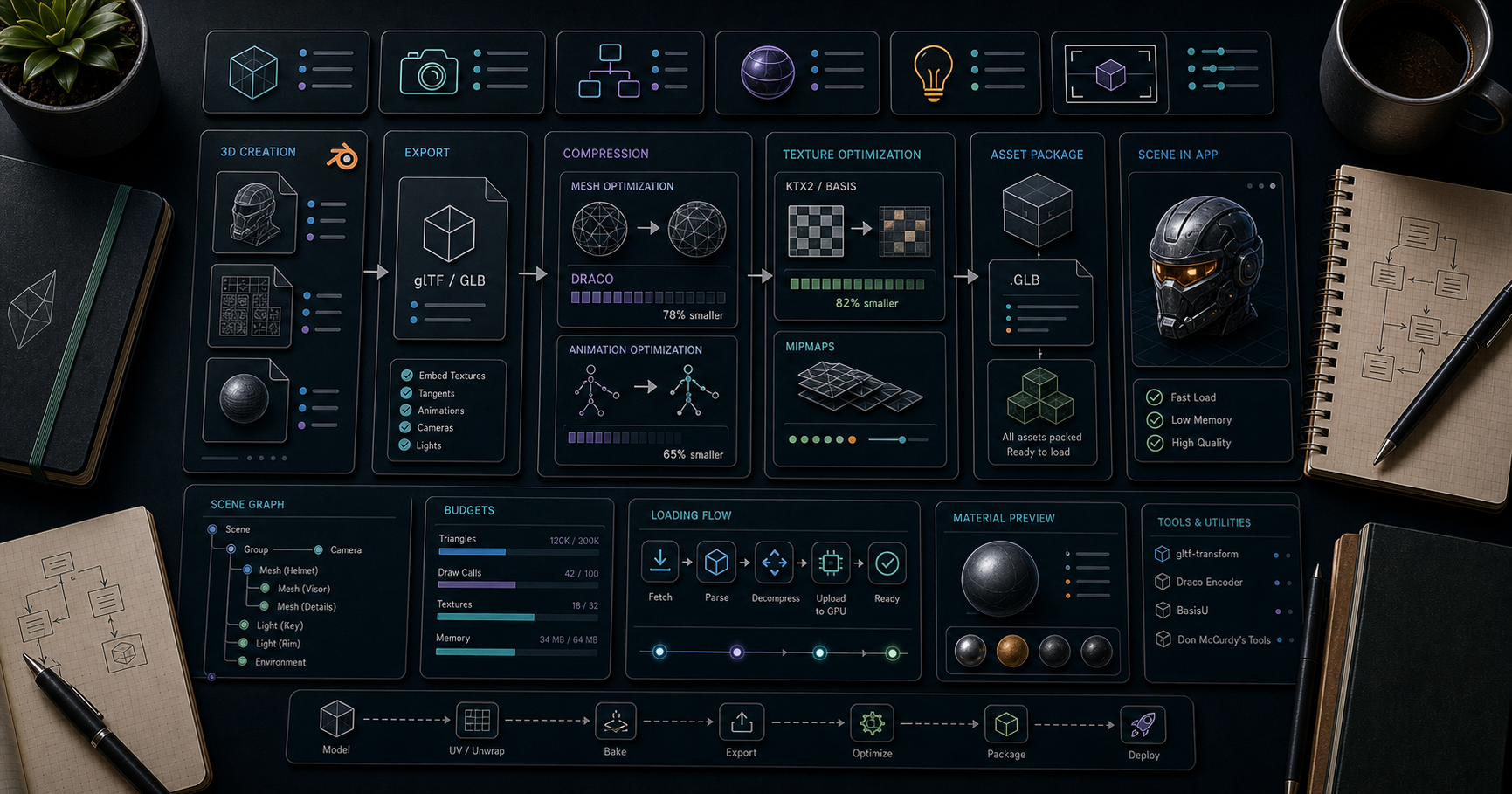
Three.js Course — 05 · Asset Pipeline — glTF, Draco, KTX2, Meshopt
Hand-built geometry (Post 01) is great for primitives; real production work loads 3D models authored in Blender, Maya, Houdini, ZBrush, Substance, or exported from CAD. The standard interchange format for the web is glTF 2.0 ("the JPEG of 3D"). This post covers loading glTF, the three compression layers that should be on every production model (Draco for geometry, KTX2 for textures, Meshopt as a Draco alternative), the gltf-transform CLI that automates the whole pipeline, and the scene-graph traversal patterns that come up every project.
> Series map: 00 Foundations → 01 Geometry & Materials → 02 Cameras & Controls → 03 Lighting & Shadows → 04 Textures & PBR → 05 Asset Pipeline (this post) → 06 Animation → 07 Instancing & Batching → 08 Low-End Perf → 09 Shaders → 10 Post-Processing → 11 Physics → 12 R3F → 13 AI 3D.
Learning Outcome
- Load / models with .- Configure Draco + KTX2 + Meshopt decoders correctly.- Run a full optimisation pass with the CLI.- Traverse the loaded scene graph to wire shadows, materials, picking.- Pick between embedded and separate + assets.- Avoid the common pitfalls (wrong colour space, broken animations, missing draco decoder).
Chapter 1 — glTF in one paragraph
glTF 2.0 (Khronos, 2017) is the standard 3D delivery format for the web. It's a JSON file () describing scene graph + materials, plus binary buffers for geometry/textures. A is the same data packed into a single binary file. Materials follow the metallic-roughness PBR model. Extensions add advanced features (, , , , etc.).
Why glTF over alternatives:- Designed for web/real-time (compact, GPU-friendly buffers).- Comprehensive material support that maps onto Three.js / exactly.- Animations, skins, morph targets all standardised.- First-class exporters from every major DCC (Blender, Maya, 3ds Max, Houdini, Cinema 4D, Substance, ZBrush).
(binary, single file) is the right default unless you have a specific reason to split.
Chapter 2 — Loading the simple case
Or async / Suspense-friendly:
GLTFLoader handles colour spaces correctly (Post 04), sets up materials, attaches animations. No manual calls needed for textures embedded in the glTF.
Chapter 3 — The three compressions you should enable
A typical 5 MB glTF can shrink to 500 KB with the right compression — and load 5× faster.
| Layer | What it compresses | Decoder bytes | Ratio ||-------|--------------------|---------------|-------|| Draco | mesh geometry | 250 KB (lazy loaded) | up to 10× || Meshopt | mesh geometry + animations + morph targets | tiny (no separate decoder) | similar to Draco, sometimes better || KTX2 / Basis | textures (GPU + disk) | 700 KB transcoder | 10× GPU memory |
You'll usually pick either Draco or Meshopt for geometry (not both), plus KTX2 for textures.
Draco setup
KTX2 setup
Meshopt setup
All three together
If a model uses a compression and the decoder isn't set, GLTFLoader throws a clear error. Add the decoder and reload.
Draco vs Meshopt
| | Draco | Meshopt ||---|---|---|| Compression | very good | comparable || Decode speed | slower (CPU-heavy) | faster || Animations / morph targets | dropped | preserved || Bundle cost | 250 KB decoder (lazy) | tiny || Status | mature | modern, recommended for animated models |
For static models, either works. For models with skinned animation or morph targets, prefer Meshopt so the animation data survives compression.
Chapter 4 — gltf-transform (the optimisation Swiss-army knife)
is a command-line + Node library for inspecting + transforming glTF. Install:
Inspect
One-shot optimise (recommended for most users)
The command runs a sane default pipeline: dedup materials and textures, prune unused, weld vertices, quantise positions/uvs/normals, simplify lightly, compress textures.
Granular pipeline
A realistic production pipeline:
Or just for sane defaults.
Chapter 5 — Scene-graph traversal after load
A loaded glTF is a normal . To wire shadows, swap materials, find named nodes:
Common finders:
> Trick: name your meshes and bones in Blender / Maya. Renaming after export is painful; well-named scene graph is gold.
Chapter 6 — Materials gotcha: overriding correctly
If you replace a material with a fresh one, you typically want to preserve maps + colour space:
Wholesale without preserving textures gives plain-coloured meshes — common surprise.
Chapter 7 — Embedded vs split glTF
| Layout | When ||--------|------|| (everything in one binary) | default — one HTTP request, no path mistakes || + + textures separately | when textures change independently or shared across models || with data-URIs (textures base64-inlined) | rare — bloats parse |
For the web, is the right default 99 % of the time.
Chapter 8 — Common pitfalls
| Symptom | Cause | Fix ||---------|-------|-----|| Model loads but is invisible | scale mismatch (model in mm; scene in m) | export at correct unit; or || Materials wrong colour | colour space mishandled (rare with glTFLoader; common if you bypass it) | trust GLTFLoader; don't post-process colour textures || Animations not playing | forgot to attach to | Post 06 || Console: "no DRACOLoader instance" | model uses Draco compression but decoder not configured | add DRACOLoader || Textures black on iOS Safari < 26 | KTX2 not supported in older Safari | ship JPG fallback or accept Safari 26+ baseline || Wrong winding / inside-out | left-handed exporter (rare); to test || Massive bundle on first load | decoders pulled into main bundle | use dynamic import to lazy-load decoders only when needed |
Lazy-loading decoders
The decoders aren't in your initial JS bundle — they download only when the first model loads.
Chapter 9 — Free models for learning
| Source | Notes ||--------|-------|| Khronos sample assets | canonical test models — bring this on every project || Sketchfab | free CC0 / CC-BY models; filter for glTF || Poly Pizza | low-poly CC0 assets || Quaternius | free low-poly packs || Kenney | huge free game-asset packs (some not glTF — convert in Blender) || Polyhaven | textures + HDRIs; some 3D models |
For learning Post 03's lighting, Post 04's PBR, Post 06's animation: use Khronos sample assets first. They're built specifically to exercise every glTF feature correctly.
Practice Exercises
Exercise 1 — Load + add
Download from Khronos sample assets. Load with GLTFLoader. Add lighting + an HDR environment. Should look photorealistic.
Exercise 2 — Wire shadows on a loaded model
After load, traverse and on every mesh. Add a ground plane that receives. Verify shadows render.
Exercise 3 — Optimise with gltf-transform
Take a 5+ MB glTF (search Sketchfab). Run . Apply . Compare sizes + load times. Confirm visually identical.
Exercise 4 — All three compressions
Apply Draco (or Meshopt) + KTX2 (UASTC for normal map, ETC1S for colour). Configure all three loaders in Three.js. Confirm is way down.
Exercise 5 — Lazy decoders
Refactor your loader setup so DRACOLoader and KTX2Loader are dynamically imported. Confirm the initial bundle () shrinks substantially.
Cheat-sheet
| What | How ||------|-----|| Format default | (binary, single file) || Loader | || Draco decoder path | || Basis transcoder path | || Optimise CLI | || Geometry compression | Draco (static) or Meshopt (animated) || Texture compression | KTX2 UASTC (hero) + ETC1S (secondary) || Add to scene | || Find by name | || Wire shadows | traverse + || Get animations | (Post 06) || Preserve textures when swapping material | copy all map references explicitly || Lazy decoder | dynamic of GLTFLoader + DRACOLoader || Sample models | Khronos glTF-Sample-Assets repo |
What's next
Post 06 covers animation — , glTF animation clips, morph targets, skinned meshes, frame-based vs delta-based timing, and the tween libraries that make non-skinned property animation pleasant.
References
- Three.js docs — GLTFLoader- glTF 2.0 spec- gltf-transform docs- Khronos glTF Sample Assets- glTF online optimisation tools (forum)
> Note: this post is in progress. Planned additions: USDZ for AR, Blender export checklist, model size benchmarks, gltf-transform script-mode (use as a Node library).
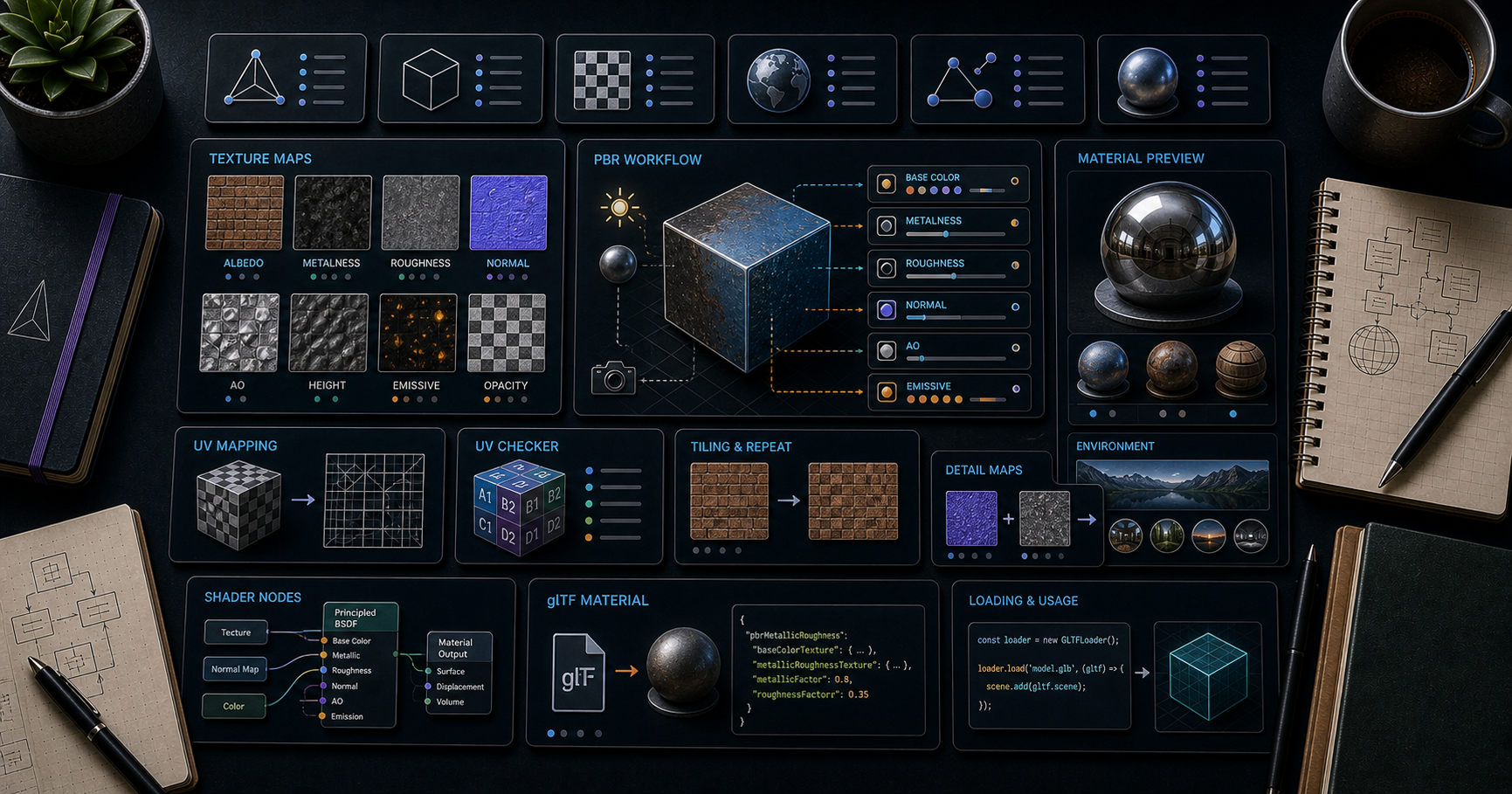
Three.js Course — 04 · Textures & PBR (Color Space, IBL, KTX2)
Textures are the data-rich half of a 3D material — colour, roughness, normal detail, AO, emission, displacement. Done right they make a low-poly model look fully detailed; done wrong they look washed-out, banded, or blurry. This post covers loading textures, the colour-space rules every modern Three.js project must follow, mipmaps + anisotropy, the full PBR map set, environment maps and image-based lighting (IBL), and KTX2 compressed textures for shipping mobile-friendly builds.
> Series map: 00 Foundations → 01 Geometry & Materials → 02 Cameras & Controls → 03 Lighting & Shadows → 04 Textures & PBR (this post) → 05 Asset Pipeline → 06 Animation → 07 Instancing & Batching → 08 Low-End Perf → 09 Shaders → 10 Post-Processing → 11 Physics → 12 R3F → 13 AI 3D.
Learning Outcome
- Load textures with (and async / Suspense in R3F).- Apply the correct colour space (sRGB for colour, Linear for data maps).- Configure wrap, repeat, offset, anisotropy, mipmaps.- Use the full PBR map set on / .- Add environment maps (HDR / EXR) for image-based lighting.- Ship KTX2 compressed textures with for 10× GPU memory savings.
Chapter 1 — Loading a texture
Loading is asynchronous, but the texture object is returned synchronously — the renderer simply skips it until pixels arrive. To know when ready:
In R3F (Post 12), + Suspense wraps this pattern.
Chapter 2 — Colour space (the bug that ruins your scene)
PBR shading does its math in linear light space. Image files (JPG, PNG) are stored in sRGB (gamma-encoded for storage efficiency, perception-uniform on monitors).
If you load an sRGB image without telling Three.js, the shader treats the gamma-encoded values as linear → washed-out, oversaturated, wrong-coloured result.
The rule (since r152, default)
GLTFLoader sets colour spaces correctly for you. Hand-loaded does not — you must set them.
Renderer side:
This converts the linear render back to sRGB for the monitor.
> Trick: if your scene looks washed-out (light grey instead of vibrant), the first suspect is colour space. Set on every colour texture and the output back to sRGB. The fix is one line per file.
Chapter 3 — Wrap, repeat, offset
Wrap modes:
| Mode | Effect outside ||------|----------------------|| | tile || | clamp to last pixel (default) || | tile with mirror reflection |
For repeating textures across large surfaces (floor, terrain, brick walls), + is the standard pattern.
After changing on a texture already used, you may need (rarely; usually automatic).
Chapter 4 — Mipmaps + anisotropy
A mipmap is a chain of pre-downscaled copies of the texture (1024 → 512 → 256 → 128 → ... → 1). The GPU samples the right level for the distance, avoiding flicker and improving cache use.
Mipmaps generate automatically as long as texture dimensions are powers of two (, , , ...) and the wrap mode is . Otherwise:
Anisotropic filtering
Default mipmapping looks blurry on surfaces seen at glancing angles (floors viewed from afar). Anisotropic filtering samples more along the view direction:
Set to 4-8 for ground textures, 1 (default) for most others. Cost is small but not free.
> Trick: if your "muddy" texture on a distant floor turns sharp when you crank , anisotropy was the problem — not the texture resolution.
Chapter 5 — The PBR map set
(and Physical) accept these maps:
| Map | Type | sRGB? | Purpose ||-----|------|-------|---------|| | colour | sRGB | base albedo / diffuse colour || | RGB | linear | per-pixel surface bumps || | grayscale (G channel) | linear | how rough each pixel is || | grayscale (B channel) | linear | metal vs dielectric per pixel || | grayscale (R channel) | linear | ambient occlusion || | colour | sRGB | self-illumination || | grayscale | linear | actual vertex displacement || | grayscale | linear | older alternative to normalMap || | cube / equirect | inherits | reflection environment || | colour | linear (or sRGB) | baked diffuse lighting || | grayscale | linear | transparency |
Packed maps (the modern convention)
Roughness, metalness, and AO are each single-channel. Packing them into one RGB image saves a texture slot:
- R = AO- G = Roughness- B = Metalness
This is the glTF 2.0 convention. Both and can point at the same texture; Three.js reads the right channel.
> Trick: glTF authoring tools (Substance Painter, Blender, Mixer) export ORM packed by default. Save a draw call by packing.
aoMap requires a second UV set
reads from (second UV channel), not . Most authoring tools generate it; if not, set explicitly:
Chapter 6 — Normal maps (the detail multiplier)
A normal map encodes a surface normal per pixel as RGB. The shader fakes high-frequency detail without geometry.
Two normal-map conventions
- OpenGL convention: green channel is +Y up. (Three.js default.)- DirectX convention: green channel is +Y down.
If a normal map looks "inverted" (bumps look like dents), flip the green channel: .
Most glTF normal maps follow OpenGL. Substance exports either; check the export setting.
Chapter 7 — Environment maps + IBL
A reflects its surroundings via an environment map (a panoramic image of "what the object sees"). Without one, metals look black and dielectrics look flat.
Loading an HDR / EXR
is the modern way — every PBR material picks it up automatically. No more setting on every material individually.
Pre-filtered environment (PMREM)
Sharp HDRs are aliased when used directly. The PMREM (Pre-filtered Mipmapped Radiance Environment) generator pre-blurs the env map at multiple roughness levels:
GLTFLoader handles PMREM automatically when a glTF has an embedded env. For hand-loaded HDRs, do it explicitly.
Free HDR sources
- polyhaven.com — CC0, hundreds of HDRIs at every resolution.- hdri-haven.com — similar.- Use 1K / 2K HDRIs for runtime; 8K is overkill for most scenes.
Chapter 8 — KTX2 / Basis Universal (the cost saver)
JPG / PNG textures decompress fully on the GPU. A 1024² PNG = 4 MB of GPU memory regardless of file size on disk. A scene with 50 textures can blow the GPU budget on phones.
KTX2 with Basis Universal stays compressed on the GPU — 10× smaller in GPU memory. Two flavours:
| Mode | Use | Notes ||------|-----|-------|| UASTC | hero textures, normal maps | higher quality, slightly larger || ETC1S | secondary textures, background | smaller, lower quality |
Generate KTX2
CLI is the workflow:
Or with directly:
Loading in Three.js
GLTFLoader chains in KTX2Loader automatically when a glTF references KTX2 textures:
Compression ratios (rule of thumb)
| Texture (1024²) | PNG on disk | GPU memory uncompressed | KTX2 ETC1S | KTX2 GPU memory ||------------------|--------------|--------------------------|-------------|------------------|| Colour | 1 MB | 4 MB | 100 KB | 700 KB || Normal (UASTC) | 2 MB | 4 MB | 500 KB | 1 MB |
GPU memory savings are the headline. Network savings are secondary (PNG is already compressed; KTX2 ETC1S beats it).
Chapter 9 — Texture atlases
Combining many small textures into one big "atlas" saves texture-binding overhead. With UV remapping per object, you can render many meshes that share the atlas in fewer draw calls.
Authoring tools (Blender → UV Editor, gltf-transform , custom packers like ) generate atlases. At runtime, every mesh references the same atlas texture with different UV ranges.
Pairs naturally with InstancedMesh (Post 07) and texture arrays (one texture sampler, N layers).
Practice Exercises
Exercise 1 — Wood plank
Download a wood material from polyhaven.com. Apply Color + Normal + Roughness + AO maps to a . Set colour spaces correctly. Repeat 4× in each direction.
Exercise 2 — Colour-space comparison
Same mesh, two versions side by side:1.2.
Note how the second one washes out under PBR lighting.
Exercise 3 — IBL via HDR
Load a 1K HDRI from polyhaven. Set . A chrome sphere should now reflect the environment realistically.
Exercise 4 — KTX2 round-trip
Convert one of your PNG textures to KTX2 with . Load with KTX2Loader. Compare before/after.
Exercise 5 — Tile a wall
A large wall with a brick texture set tiling 8×4. Add a normal map and roughness map. Tweak for sharp viewing at grazing angles.
Cheat-sheet
| What | How ||------|-----|| Load texture | || Colour space (colour) | || Colour space (data) | || Tile | || Mipmaps | auto if pow-2; otherwise || Anisotropy | || PBR maps | || Packed ORM | one image, all three maps point to it || UV | needs || Env map (scene-wide) | || HDR loader | || Pre-filter HDR | || KTX2 loader | + transcoder path + || Free HDRIs | polyhaven.com || Output | (default) |
What's next
Post 05 covers the asset pipeline — loading glTF 2.0 models with Draco compression, Meshopt, KTX2 textures, gltf-transform CLI for optimisation, and the scene-graph traversal you need to wire up loaded models.
References
- Three.js docs — Texture- Three.js docs — KTX2Loader- glTF PBR spec- PolyHaven free HDRIs- Basis Universal docs- Compression sample (forum)
> Note: this post is in progress. Planned additions: tri-planar mapping for terrain, virtual texturing intro, displacement vs parallax maps, anisotropy direction maps for fabric/brushed metal.




