
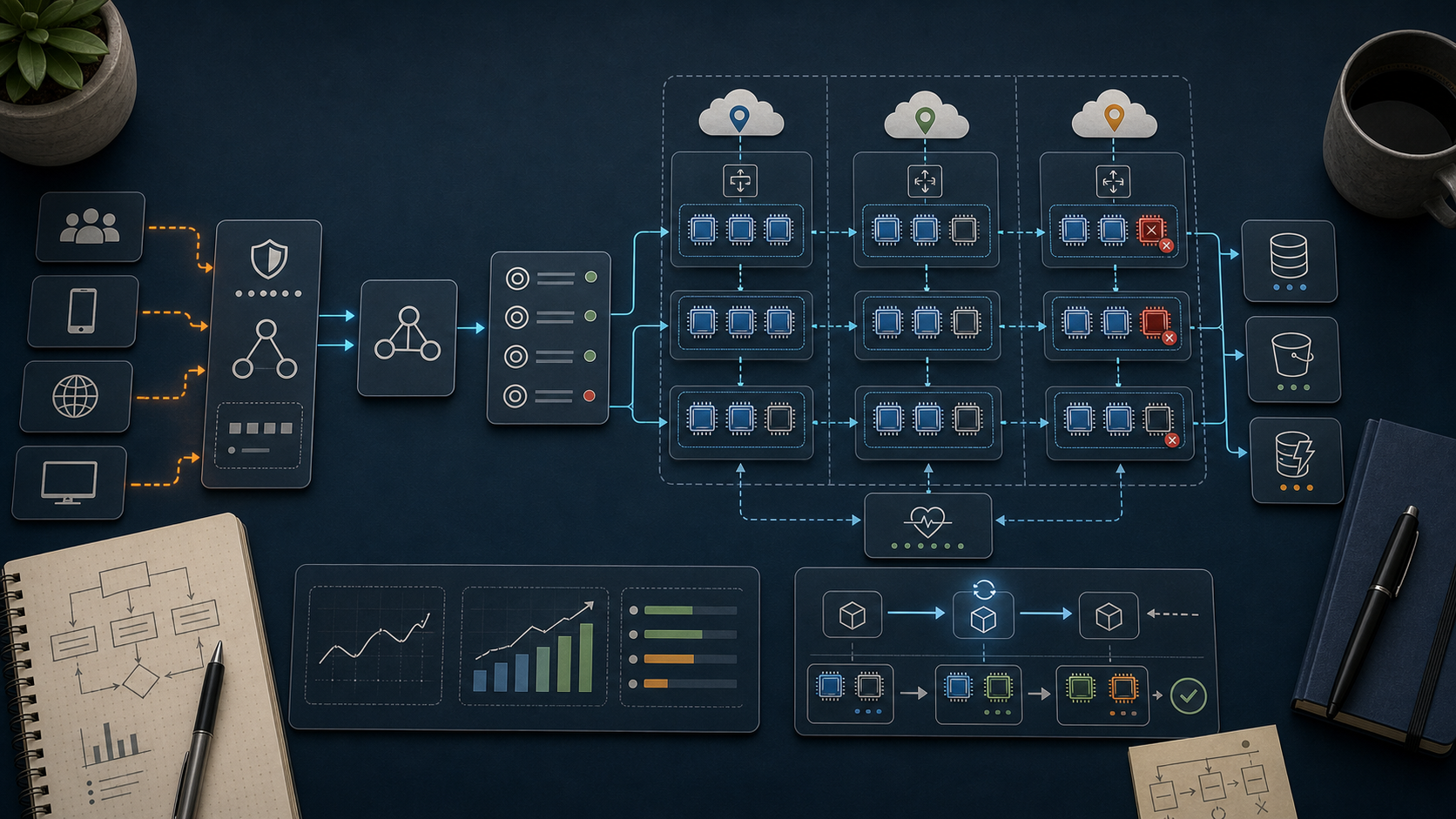
AWS Course — 03 · Scale & Survive — Load Balancers, Auto Scaling, Multi-AZ
A single EC2 in a single AZ is a single point of failure. The third post in the series puts the compute from Post 02 into the network from Post 01 and turns it into a system that survives an AZ outage and a traffic spike without human intervention. This is the textbook "3-tier" shape — load balancer in front, Auto Scaling Group across AZs, optional managed data behind. The patterns here form the spine of nearly every classical AWS workload.
> Series map: 00 Foundations → 01 Network First → 02 Compute & Storage → 03 Scale & Survive (this post) → 04 Managed Data → 05 Serverless & Events → 06 Workflow Orchestration → 07 Observability & Security → 08 IaC.
Learning Outcome
- Pick between ALB, NLB, GLB, and the legacy CLB.- Configure target groups with sane health checks.- Build an Auto Scaling Group across multiple AZs.- Write scaling policies: target tracking, step, scheduled.- Apply the "warm pool" + "instance refresh" pattern for safe rollouts.- Combine ALB + ASG + private subnets into the textbook 3-tier reference architecture.
Chapter 1 — The load balancer family
| LB | Layer | Protocols | When ||----|-------|-----------|------|| Application LB (ALB) | 7 | HTTP, HTTPS, WebSocket, gRPC | web APIs, microservices, host/path routing || Network LB (NLB) | 4 | TCP, UDP, TLS | extreme throughput, static IP, non-HTTP || Gateway LB (GLB) | 3 | IP via GENEVE | inserting 3rd-party network appliances || Classic LB (CLB) | 4 + 7 (legacy) | HTTP, TCP | only existing deployments |
Most workloads use ALB. Reach for NLB when you need raw TCP, sub-millisecond latency, or a static IP that doesn't change. GLB is niche (firewall/IDS vendors). CLB is deprecated for new use.
ALB headline features
- Host-based routing — → service A, → service B.- Path-based routing — → service A, → service B.- Header / query-param matching in listener rules.- WebSocket and gRPC support.- TLS termination with certs from ACM.- AWS WAF integration.- Cognito / OIDC authentication at the listener.- Sticky sessions via cookies.
NLB headline features
- Static per-AZ IP (or your own Elastic IPs).- Millions of requests/sec with sub-millisecond added latency.- Preserves the client source IP at the backend.- Supports the protocol for backends that want the original peer IP.
Chapter 2 — Target groups
A target group is a registered list of "things that can serve traffic". A listener forwards based on rules to one or more target groups.
Target types:- instance — by EC2 instance ID- ip — for ECS tasks, on-prem hosts via Direct Connect- lambda — invoke a Lambda per request (ALB only)- alb — chain an ALB behind an NLB (advanced)
Health checks (the make-or-break setting)
| Setting | Reasonable default ||---------|---------------------|| Protocol | HTTP / HTTPS || Path | (your app implements) || Interval | 15-30 sec || Timeout | 5 sec || Healthy threshold | 2 || Unhealthy threshold | 2-3 |
Watch out: an overly aggressive check (1 second, 1 failure → unhealthy) marks healthy targets bad during minor blips. An overly relaxed check (60 seconds, 5 failures) lets bad targets serve traffic for minutes.
Three common health-check mistakes
1. The endpoint also checks a downstream DB → a single DB hiccup marks every target unhealthy → outage. Make a shallow liveness check; add for dependency health.2. The endpoint requires auth. The LB has no credentials → 401 → all targets appear unhealthy.3. The endpoint runs an expensive query. ALB poll × target count multiplies the load.
Chapter 3 — Listeners and routing rules
Common patterns:
- HTTP → HTTPS redirect — a port 80 listener with a single redirect rule to 443.- Canary — header/cookie-based routing to a small target group running a new version.- Maintenance page — fixed-response rule returning a static 503 + HTML.- Weighted target groups — split a percentage of traffic for blue/green.
Chapter 4 — Auto Scaling Group (ASG)
An ASG maintains a fleet of EC2 instances at a target capacity, replaces unhealthy ones automatically, and scales up/down based on policies.
Anatomy
- Launch template — AMI, instance type, key, SGs, user data. (Replaces older "launch configuration".)- Min / Desired / Max — capacity bounds.- VPC zone identifier — list of subnets (one per AZ).- Health-check type — (instance status) or (target-group health). Always pick if the ASG is behind a load balancer.- Target groups — the ASG registers / deregisters instances automatically as they come and go.
A minimal ASG
runs on first boot — install your app, fetch config, register with discovery.
Chapter 5 — Scaling policies
Target tracking (start here)
Pick a metric and a target; AWS adds/removes instances to keep the metric there.
- "Average CPU = 50%" → scale out when > 50, in when < 50.- "ALB requests per target = 200" → scale to meet load.
Step scaling
Trigger at thresholds; add/remove a configurable count per step. Use when target tracking can't express the logic — e.g., asymmetric scale-out vs scale-in speeds.
Scheduled
Predictable patterns deserve scheduled scaling — flash sale, market open, weekday morning ramp.
Trick: schedule warm-up 15 minutes before a known spike. EC2 + ASG instances take 1-3 minutes from request to "in service".
Chapter 6 — Cooldowns, warm pools, instance refresh
Cooldown
A waiting period after a scaling action before evaluating again — prevents oscillation when metrics dip slightly post-action.
Warm pool
A pool of pre-initialised but stopped instances. When the ASG needs to scale, it starts (rather than provisions) one — seconds vs minutes. Cost: EBS storage of the warm instances.
Instance refresh
When you publish a new launch-template version (new AMI, new user-data), rolls existing instances out in batches.
Pair with ALB weighted target groups or canary listener rules for safe rollouts.
Chapter 7 — The textbook 3-tier reference
Tier rules:- ALB lives in public subnets across ≥ 2 AZs.- App tier lives in private subnets across the same AZs.- DB tier lives in isolated subnets, accessible only from the app SG.- Each tier's security group only accepts traffic from the tier above's SG.- Outbound from app tier to internet via NAT (only for pulling packages, calling external APIs).
This shape survives:- a single instance failure (ASG replaces it)- a single AZ failure (other AZs absorb traffic)- a deploy with bad code (canary catches it; instance refresh rolls back)- a traffic spike (ASG scales out)
Chapter 8 — Cost considerations
| Item | Approx (us-east-1) ||------|---------------------|| ALB | USD 16 / month base + LCU hours || NLB | USD 16 / month + NLCU || Data transfer out | USD 0.09/GB after 100 GB free || EC2 t3.micro | USD 7.50 / month at 24/7 on-demand || NAT gateway | USD 32 / month + USD 0.045 / GB processed || RDS db.t4g.micro multi-AZ | USD 25-30 / month |
A minimal 3-tier shop: ASG of 2 × t3.micro + ALB + RDS Multi-AZ + 1 NAT ≈ USD 100 / month before traffic. Per-AZ NATs add USD 32 each for HA.
Watch out: ALB LCU (Load Balancer Capacity Units) is metered on connections, requests, processed bytes, and rule evaluations. A high-traffic ALB can cost more than the EC2 behind it.
Chapter 9 — Beyond EC2 + ASG
Modern compute alternatives to consider for the app tier:
- ECS Fargate — containers without managing EC2 hosts.- EKS — Kubernetes managed control plane.- App Runner — push a container, AWS does the rest.- Lambda behind ALB — short-lived, infrequent endpoints (Post 05).
EC2 + ASG remains right when you need OS access, GPU, NVMe, or want the lowest level of abstraction. Otherwise consider going up the stack — Post 05 covers serverless, future posts cover containers.
Practice Exercises
Exercise 1 — Two EC2 + ALB by hand
1. Launch 2 EC2 instances in 2 AZs, each serving a tiny HTTP "hello from ".2. Create a target group; register both.3. Create an ALB on port 80 → target group.4. Hit the ALB DNS name 10 times; observe both hostnames in responses.5. Stop one instance; verify it's marked unhealthy in ≤ 2 minutes and only the survivor receives traffic.
Exercise 2 — Convert to ASG
Tear down Exercise 1; rebuild with:- a launch template producing the same web instance,- ASG min 2 / desired 2 / max 6 across the same AZs,- the target group attached to the ASG,- a target-tracking policy on CPU 50%.
Run on one instance to push CPU > 70% and watch the ASG add an instance.
Exercise 3 — Host-based routing
Add a second target group with a different payload. Add an ALB listener rule:- → tg-api,- default → tg-web.
Then test canary routing with header.
Exercise 4 — Failure drill
Terminate the ASG's instances manually (). Observe the ASG replace them. Note total recovery time end-to-end.
Exercise 5 — Cost audit
Pull last month's bill for ALB + ASG + NAT + data transfer. Sum the components; identify the largest line item. Suggest one concrete change to shrink it (smaller types, Spot, fewer AZs, S3 endpoint for NAT-bypass).
Cheat-sheet
| What | How ||------|-----|| Pick LB | ALB for HTTP, NLB for TCP/UDP/static IP || Target group | registered list of instances / IPs / Lambdas || Health check | shallow, deep || ASG capacity | Min / Desired / Max || Multi-AZ | list ≥ 2 subnets in || Health source | use ELB if behind an LB || Scaling policy | target tracking → start here || Scheduled | for known traffic windows || Instance refresh | rolling replace on new launch template || Warm pool | pre-stopped instances for fast scale-out || Cooldown | prevents oscillation || Cost trap | LCU on busy ALB; NAT per-GB; cross-AZ data || 3-tier shape | ALB (public) → ASG (private) → DB (isolated) || Cert | from ACM, attached to ALB listener |
What's next
Post 04 covers Managed Data — RDS, Aurora, DynamoDB, ElastiCache. Now that the compute tier can scale and survive, you need a data tier with the same properties.
References
- Elastic Load Balancing docs- Auto Scaling docs- AWS Whitepaper — AWS Well-Architected Reliability Pillar.- AWS Networking Workshop — HA patterns.
> Note: this post is in progress. Planned additions: ALB Cognito auth walkthrough, NLB TLS termination, predictive scaling, blue/green via weighted target groups, mixed-instance ASG with Spot.
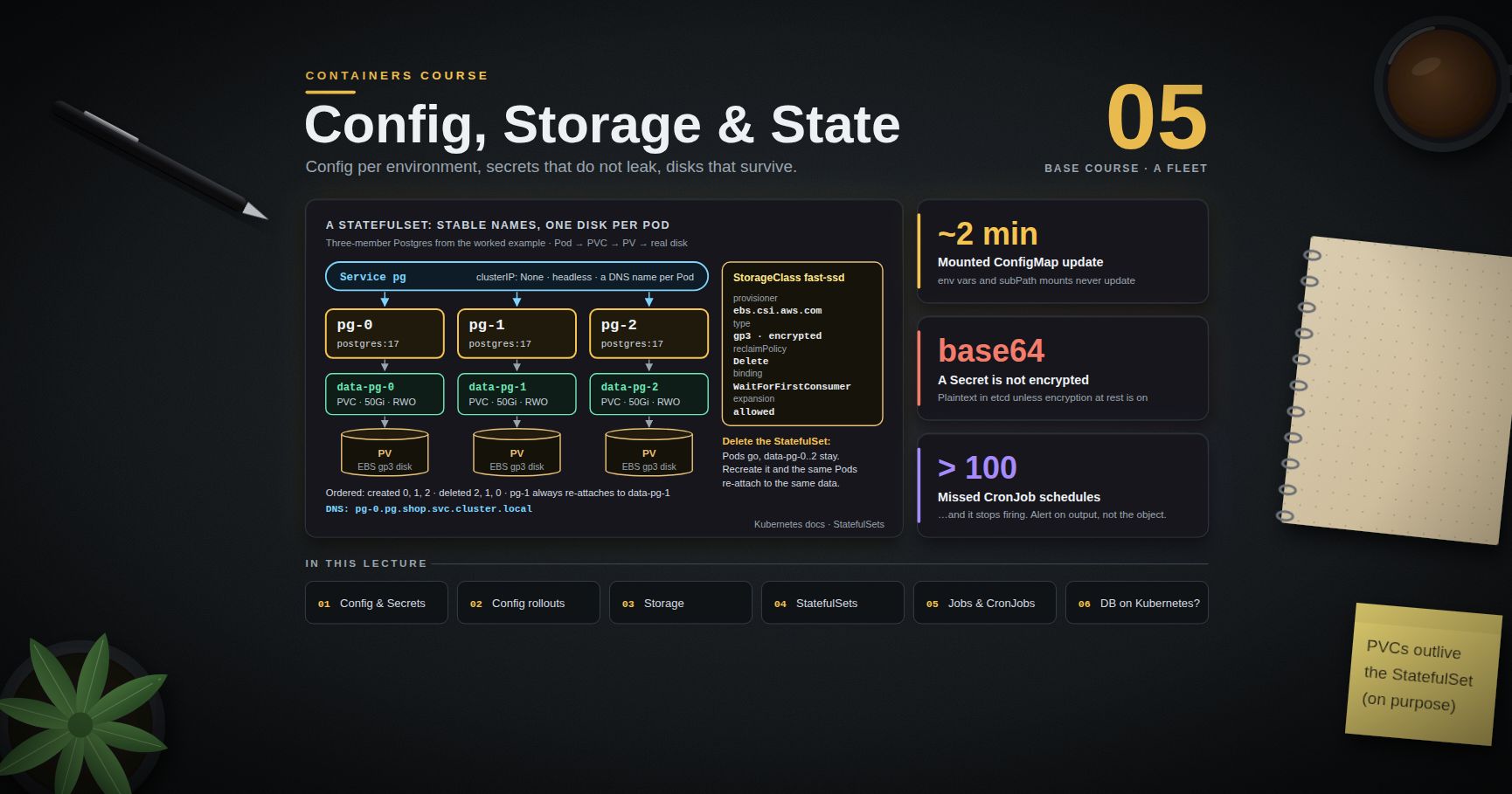
Containers Course — 05 · Config, Storage and Stateful Workloads
Post 04 built the stateless half of Kubernetes: a Deployment of identical, interchangeable, disposable Pods behind a Service. Real systems are not that. They need configuration that differs per environment, credentials that must not leak, disks that survive a Pod being rescheduled onto another node, members with stable names that peer with each other, and batch work that runs once and stops. This post covers all of it — and closes with the question everyone eventually asks: should the database be in the cluster at all?
> Series map: 00 Containers from First Principles → 01 Images and Dockerfiles → 02 Networking, Volumes and Compose → 03 Registries, Supply Chain and Security → 04 Kubernetes Architecture and Core Objects → 05 Config, Storage and Stateful Workloads (this post) → 06 Scheduling, Resources, Probes and Rollouts → 07 Ingress, Observability, RBAC and GitOps.
Learning Outcome
- Inject configuration as environment variables or mounted files, and predict exactly which of the two updates without a restart.- State precisely what a Kubernetes Secret does and does not protect, and choose between encryption at rest, an external secret manager, and the Secrets Store CSI driver.- Force a deliberate rollout when configuration changes, using immutable objects plus a checksum annotation.- Distinguish Volume, PersistentVolume, PersistentVolumeClaim and StorageClass, and choose access modes, reclaim policies and binding modes correctly.- Deploy a StatefulSet with stable identity and per-Pod storage, and explain what happens to its PVCs when it is deleted.- Use DaemonSets, Jobs and CronJobs, including the concurrency and missed-schedule traps.- Decide, with reasons, whether a given database belongs on Kubernetes.
Chapter 1 — ConfigMaps and Secrets
Terminology
- ConfigMap — a namespaced API object holding non-confidential key/value data, consumed by Pods as environment variables, command-line arguments, or files.- Projection — the act of a kubelet rendering a ConfigMap or Secret into a Pod's filesystem.- Hot reload — the application noticing a configuration change without being restarted.- Immutable object — a ConfigMap or Secret marked , which can never be updated, only replaced.
Two ways to consume it, with very different behaviour
The difference is the single most useful fact in this chapter:
| Consumption | Updates when the ConfigMap changes? ||-------------|-------------------------------------|| / | No. Environment variables are set once at container start. Editing the ConfigMap changes nothing until the Pod is recreated. || Volume mount | Yes, eventually — the kubelet re-projects the files in place. || Volume mount with | No. A mount is resolved once and never refreshed. |
The propagation delay
Mounted files do not update instantly. The kubelet refreshes projected volumes on its periodic sync, using a locally cached copy of the object. The worst-case delay is therefore roughly the kubelet sync period (, default 1 minute) plus the ConfigMap/Secret cache propagation delay (watch-based by default; the TTL-based strategy defaults to another minute). In practice, budget for changes appearing within about two minutes, not immediately.
Three further caveats:
- Updates are atomic per volume. The kubelet writes a new timestamped directory and swings a symlink, so an application never reads a half-updated set of files. Watch the directory, not the file inode — many file watchers miss the symlink swap.- The application still has to do something. A file changing on disk is not a reload; something must re-read it. Either implement a watcher, or accept a restart.- is the classic trap. It is used to drop a single file into a directory that already has other content (), and it silently opts you out of updates entirely.
> Common pitfall: "I edited the ConfigMap and nothing happened." Check which of the three consumption forms you used. If it is or , nothing will happen. Roll the Deployment.
Secrets, and what they actually protect
A Secret looks exactly like a ConfigMap with a different and a convenience field.
The blunt truth
A Secret is base64-encoded, not encrypted. Base64 is an encoding, not a cipher; prints the password, and anyone with permission in that namespace can do it. By default the value also sits in etcd in plain text, which means an etcd backup, a stolen disk snapshot, or a compromised control-plane node exposes it.
What a Secret actually buys you over a ConfigMap:
- It is a distinct resource kind, so RBAC can be written against it separately (Post 07). This is the real benefit.- Its values are not printed by .- The kubelet stores projected Secret volumes in , so they do not touch the node's disk.- It is only distributed to nodes running a Pod that requests it.
What it does not buy you: encryption, audit of reads by the application, rotation, or safety from anyone who can into the Pod.
Making Secrets meaningfully secret
| Layer | Mechanism | What it fixes ||-------|-----------|---------------|| Encryption at rest | API server with /, or a KMS provider (AWS KMS, GCP KMS, Vault) | plaintext in etcd and in etcd backups || Least privilege | RBAC: no wildcard ; separate namespaces per team | who can read them || External store | External Secrets Operator or Vault Agent injector — the truth lives in AWS Secrets Manager / Vault / GCP Secret Manager and is synced or injected | rotation, central audit, no secret in Git || Direct mount | Secrets Store CSI driver — mounts secrets from an external store into the Pod as files, optionally syncing a Kubernetes Secret | the secret never needs to exist as a Kubernetes object at all || Git safety | Sealed Secrets (encrypt with a cluster public key, commit the ciphertext) or SOPS + age | committing manifests to a repository (Post 07) |
On managed Kubernetes, prefer workload identity over any stored credential: EKS IAM Roles for Service Accounts, GKE Workload Identity, AKS Workload Identity all let a Pod obtain short-lived cloud credentials from its ServiceAccount token. A secret that is never issued cannot leak.
> Watch out: enabling encryption at rest does not retroactively encrypt existing Secrets. After changing the , rewrite every Secret () so they are re-persisted through the new provider.
Chapter 2 — Forcing a rollout when configuration changes
Because -injected values do not hot-reload, and because most applications cannot reload files anyway, the honest default is: treat a configuration change as a deployment. Two patterns make that reliable.
Immutable ConfigMaps and Secrets
Set (stable since Kubernetes 1.21). The object can then never be edited — only deleted and recreated under a new name. This removes an entire class of "someone edited the live ConfigMap and half the fleet is now on different config", and it also lets the kubelet stop watching the object, which measurably reduces API server load on large clusters.
Kustomize's and Helm both have idioms for hash-suffixed names; a new hash produces a new object name, the Deployment template references the new name, and the template change triggers a rollout automatically.
The checksum annotation
When the ConfigMap name is fixed, put a hash of its content in the Pod template annotations. Changing an annotation on the template changes the template, which is exactly what makes the Deployment controller create a new ReplicaSet.
Outside Helm, compute it in CI:
> Trick: annotate the Pod template, not the Deployment's own . An annotation on the Deployment object changes nothing about the Pods and triggers no rollout. This is a very common and very confusing mistake.
Chapter 3 — Storage
Terminology
- Volume — a directory available to the containers in a Pod, with a lifetime tied to the Pod. is scratch space that vanishes with the Pod; , , and are read-only data sources.- PersistentVolume (PV) — a cluster-scoped object representing a real piece of storage (an EBS volume, a Ceph RBD image, an NFS export).- PersistentVolumeClaim (PVC) — a namespaced request for storage: size, access mode, class. Pods reference PVCs, never PVs.- StorageClass — a named recipe describing how to provision a PV on demand: which provisioner, which parameters, which reclaim and binding policy.- CSI (Container Storage Interface) — the standard gRPC contract between Kubernetes and a storage vendor's driver.
The indirection exists so that a workload author can ask for "20 GiB, fast, exclusive" without knowing whether the cluster runs on AWS, on-prem Ceph, or a laptop.
Static versus dynamic provisioning
Static: an administrator creates PVs by hand and users claim them. Necessary for pre-existing storage (an NFS export, a restored snapshot). Dynamic: the user creates a PVC naming a StorageClass, and the CSI driver provisions a matching PV automatically. Dynamic is the default in every managed cloud and is what you should use unless you have a specific reason not to.
Access modes — and the mistake everyone makes
| Mode | Short | Meaning ||------|-------|---------|| ReadWriteOnce | RWO | mounted read-write by one node (several Pods on that node may share it) || ReadOnlyMany | ROX | mounted read-only by many nodes || ReadWriteMany | RWX | mounted read-write by many nodes || ReadWriteOncePod | RWOP | mounted read-write by exactly one Pod (GA in Kubernetes 1.29) |
The mistake: assuming RWX is available. It usually is not. Block storage — EBS, GCE PD, Azure Disk, most on-prem SANs — is RWO only, because a block device cannot safely be mounted read-write on two machines at once. RWX requires a file protocol: NFS, EFS, Azure Files, CephFS, Filestore. If your design has three replicas of a Deployment all writing to one shared volume, either budget for a networked filesystem (slower, more expensive, another thing to operate) or redesign so each replica owns its own volume — which is what a StatefulSet gives you.
Note also that RWO is per node, not per Pod. Two Pods of the same Deployment that happen to land on the same node can both write to one RWO volume and corrupt each other. RWOP exists precisely to prevent that.
Reclaim policy
Set on the StorageClass (inherited by dynamically provisioned PVs) or directly on a static PV:
- Delete — deleting the PVC deletes the PV and the underlying disk. The default for dynamic provisioning. Convenient; also how data gets destroyed by a careless .- Retain — the PV survives in state, the data stays, and an administrator must manually clean up or re-bind. The correct choice for anything you would be upset to lose.- Recycle — deprecated, do not use.
> Watch out: for production databases, either use or make sure the StorageClass's behaviour is compensated by real, tested, off-cluster backups. "The PVC was deleted" should not be an unrecoverable event.
volumeBindingMode and the zone-mismatch bug
This setting fixes a failure that is baffling the first time you hit it.
- — the PV is provisioned as soon as the PVC is created, before any Pod exists. In a multi-zone cluster the provisioner has to guess a zone. If the scheduler later places the Pod in a different zone, the Pod cannot mount the volume and stays forever with a event. Zonal block storage cannot cross zones.- — provisioning is deferred until a Pod that uses the PVC is scheduled. The scheduler picks a node first, considering all its normal constraints, and then the volume is created in that node's zone.
Use on every zonal block-storage class. It is the default on modern managed clusters for exactly this reason.
CSI in one paragraph
Every storage integration is now an out-of-tree CSI driver: a controller Deployment that handles create/delete/attach and a node DaemonSet that handles mount/unmount, both speaking a standard gRPC interface. The in-tree cloud provider volume plugins have been migrated to CSI and removed. Practical consequences: driver features arrive on the vendor's schedule rather than Kubernetes releases; snapshots (, ), cloning, expansion (, then edit the PVC's requested size) and topology awareness are all standard CSI capabilities you can rely on if the driver advertises them.
Chapter 4 — StatefulSets
A Deployment's Pods are interchangeable and get random names. Some workloads cannot work that way: a Postgres replica must know it is the replica, a Kafka broker must keep its broker ID and its log directory, a Zookeeper ensemble must have stable peer addresses. StatefulSet provides four guarantees a Deployment does not.
| Guarantee | Mechanism ||-----------|-----------|| Stable identity | Pods are named : , , . A replacement Pod reuses the name || Stable network name | with a headless Service, each Pod gets || Stable per-Pod storage | creates one PVC per ordinal; always re-attaches to || Ordered operations | Pods are created 0,1,2 and deleted 2,1,0; a rolling update proceeds one Pod at a time, highest ordinal first, waiting for Ready |
The fields that distinguish it from a Deployment (a full manifest follows in Chapter 6):
The PVCs outlive the StatefulSet
This is deliberate and it surprises people. deletes the Pods and leaves , , in place. Recreate the StatefulSet with the same name and the same Pods re-attach to the same data. It is a safety feature: the workload controller is disposable, the data is not.
Since Kubernetes 1.32 you can opt out explicitly:
is useful for genuinely elastic stateful caches. For a database, keep both on and delete PVCs deliberately.
> Common pitfall: scaling a StatefulSet down and back up looks free but is not. Scaling from 3 to 2 removes and (with ) leaves its 50 GiB volume billing quietly forever. Audit orphaned PVCs: against is a five-minute script that regularly finds real money.
Other honest caveats: is immutable — you cannot change the requested size in the template on an existing StatefulSet, only expand each PVC individually (and only if the class allows expansion). And a StatefulSet gives you identity and storage; it does not give you replication, leader election, backup, or failover. Those are the database's job, or an operator's.
Chapter 5 — DaemonSets, Jobs and CronJobs
DaemonSet
Runs exactly one Pod per node (optionally a filtered subset), and automatically adds a Pod when a node joins the cluster. This is the right shape for anything that is a property of the node rather than of the application: log collectors, metrics exporters (), CNI agents, CSI node plugins, security agents.
Without the , a DaemonSet skips tainted nodes — usually the opposite of what a node agent wants. Taints and tolerations are covered in Post 06.
Job
Runs Pods until a specified number complete successfully, then stops.
- + express a work queue or a fixed fan-out. With , each Pod knows which slice of work is its own — the cleanest way to shard a batch job without an external queue.- counts Pod failures, with exponential back-off between retries (10s, 20s, 40s, capped). Set it deliberately: on a job that fails deterministically wastes six retries and about ten minutes of back-off (10 + 20 + 40 + 80 + 160 + 320 s = 630 s).- is the difference between a tidy cluster and 4,000 Pods.- The Pod-level must be or .
> Trick: a Job with a sidecar used to hang forever, because the Job only completes when all containers exit and the sidecar never did. Use a native sidecar ( with , stable since 1.33 — Post 04): Kubernetes terminates it automatically once the main container finishes.
CronJob
Creates a Job on a schedule.
matters more than it looks:
- Allow (default) — a run that overruns its interval simply overlaps with the next one. Fine for idempotent work, catastrophic for a job that takes a lock or writes a shared file.- Forbid — skip the new run if the previous one is still going. The safe default for most reporting and maintenance jobs.- Replace — kill the running Job and start a fresh one.
The missed-schedule trap
The CronJob controller does not have perfect memory. When it wakes up, it counts the schedules it missed since it last ran. If it finds more than 100 missed schedules, it gives up entirely, schedules nothing, and records an event saying so — the CronJob then silently never fires again until it is edited or recreated. This happens after a long control-plane outage, after restoring an old cluster backup, or after a CronJob is created with a schedule in the past.
interacts with this: if set, the controller only counts misses within that window, which keeps the count small and avoids the lockout — but it also means a run more than that many seconds late is dropped rather than started. Setting it to a value shorter than the controller's own check interval can cause runs to be missed altogether.
> Watch out: always alert on "expected CronJob has not produced a successful Job in N intervals". Do not alert on the CronJob object being healthy — it looks perfectly healthy while firing nothing at all.
Chapter 6 — Worked example: a stateful database with a headless Service
Putting the pieces together: a three-member Postgres with per-Pod storage, stable DNS names, credentials from a Secret, and tuning from a ConfigMap.
Two details in there are load-bearing and routinely omitted:
- points at a subdirectory of the mount, not the mount root. Many block-storage volumes arrive with a directory, and Postgres refuses to initialise into a non-empty directory.- makes the kubelet chown the volume so the non-root database user can write to it. Without it the container starts and immediately dies on a permission error.
What this manifest still does not give you: replication between the three members, promotion of a new primary when dies, backups, or point-in-time recovery. Those need an operator (CloudNativePG, Zalando Postgres Operator, Percona, or the vendor's own) or a managed service. A StatefulSet is the substrate, not the database platform.
Chapter 7 — Should the database be on Kubernetes at all?
The honest answer is "sometimes", and the reasoning matters more than the verdict.
The case against
- The failure modes are unfamiliar. A node drain, a spot-instance reclaim, a memory limit hit, an eviction under disk pressure, a CNI hiccup — each is routine for a stateless service and each is a potential data event for a database.- You are now operating two hard systems. Kubernetes upgrades every few months; the database has its own upgrade path. The intersection is where the incidents live.- Managed services are genuinely good. RDS, Aurora, Cloud SQL, Atlas and their peers give you backups, PITR, failover, patching and a support contract for a price that is usually less than the engineer-time you would spend replicating them badly.- Storage performance is a layer deeper. Network-attached block storage under a CSI driver under a container runtime has more moving parts and more tail latency than a local NVMe device.
The case for
- You already run Kubernetes for everything else, and the operational uniformity — same deploy pipeline, same secrets, same observability, same RBAC — is worth real money.- On-prem, sovereign or air-gapped requirements rule out managed services entirely.- A mature operator exists for your database. This is the pivotal question. CloudNativePG for Postgres, Strimzi for Kafka, the MongoDB and Percona operators, Vitess for MySQL — these encode failover, backup and upgrade as controllers. Running a database on Kubernetes with a mature operator is a different activity from running one with a hand-written StatefulSet.- Many identical database instances. Per-tenant or per-environment databases are exactly where declarative provisioning pays off.
A decision rule
| Situation | Reasonable call ||-----------|-----------------|| Managed service available, no sovereignty constraint, small team | Use the managed service. || Already deep in Kubernetes, mature operator exists, platform team on call | On Kubernetes, via the operator. || On-prem or air-gapped | On Kubernetes — it is likely the best option available || Small dataset, low QPS, one instance | plain VM or managed; the cluster adds cost without benefit || Hand-written StatefulSet, no operator, no runbook, production data | Do not. |
For a fuller treatment of this exact trade-off in one ecosystem — operator choice, production checklist, cost and compliance — see , which covers the same decision for MongoDB with the concrete numbers and the operator landscape spelled out.
Whatever you choose, the non-negotiables are the same: tested restores (not just backups), storage with a reclaim policy or an equivalent guard, a PodDisruptionBudget so a node drain cannot take quorum (Post 06), anti-affinity so replicas are not co-located, and monitoring that alerts on replication lag rather than on Pod count.
Practice Exercises
Exercise 1 — Prove the hot-reload rule
Deploy a Pod that consumes one ConfigMap key as an environment variable and the same ConfigMap as a mounted file. Edit the ConfigMap. Then, from inside the Pod, print both values every 10 seconds and record how long each takes to change.
<details><summary>Solution</summary>
</details>
Exercise 2 — Decode a Secret and then defend it
Create a Secret, retrieve the plaintext with and , and confirm it is trivially readable. Then write the RBAC Role that would have prevented your user from doing so, and list two mechanisms that would protect it even from a cluster administrator with etcd access.
<details><summary>Solution</summary>
</details>
Exercise 3 — Trigger a rollout from a config change
Take a Deployment whose only configuration source is a mounted ConfigMap. Change the ConfigMap and confirm no rollout happens. Then add a annotation to the Pod template, change the ConfigMap again with the checksum recomputed, and confirm a new ReplicaSet appears.
<details><summary>Solution</summary>
</details>
Exercise 4 — Reproduce the zone-mismatch bug
On a multi-zone cluster (or a kind cluster with fake node labels and a topology-aware class), create a StorageClass with and a PVC, then create a Pod that can only be scheduled in a different zone. Capture the exact event text. Switch the class to and show that the same Pod schedules.
Exercise 5 — StatefulSet identity and survival
Deploy the three-member Postgres from Chapter 6. Then:
1. Write a row through . Delete the Pod. Confirm the row survives and the Pod comes back as with the same PVC.2. Delete the entire StatefulSet. List the PVCs. Recreate the StatefulSet and confirm the data is still there.3. Scale to 2 and find the orphaned PVC.
Exercise 6 — CronJob concurrency
Write a CronJob that runs every minute and sleeps for 150 seconds. Run it with , then , then , and record how many Pods exist after five minutes in each case. Explain which policy each of these needs: a nightly backup, a metrics scrape, a queue drainer.
Exercise 7 — Access-mode reality check
Determine empirically which access modes each StorageClass in your cluster supports. Then create a two-replica Deployment sharing one RWO PVC, force both Pods onto the same node, and describe what happens — and what would happen if they landed on different nodes.
Cheat-sheet
| What | How ||------|-----|| Config as env vars | / — never updates without a restart || Config as files | + — updates in place, but not instantly || mount | single file into a populated directory; never receives updates || Update delay | ≈ kubelet sync period (1 min default) + ConfigMap cache propagation || Secret reality | base64, not encryption; plaintext in etcd unless encryption at rest is configured || Real secret protection | KMS + tight RBAC + external store / workload identity || Force a rollout on config change | hash-suffixed immutable ConfigMap, or on the Pod template || Storage chain | Pod → PVC → PV → disk, provisioned by a StorageClass via CSI || Access modes | RWO (one node), ROX, RWX (needs a file protocol), RWOP (one Pod, GA 1.29) || Reclaim policy | (default, dynamic) vs (use for anything valuable) || Zone-mismatch fix | on zonal classes || Stable identity + storage | StatefulSet + headless Service + || Pod DNS name | || StatefulSet PVCs | outlive the StatefulSet by design; since 1.32 || One Pod per node | DaemonSet — remember for tainted nodes || Batch fan-out | Job with + + || Clean up finished Jobs | || CronJob overlap | unless the work is genuinely idempotent || CronJob silent death | more than 100 missed schedules stops it firing; alert on output, not on the object || Database on Kubernetes | yes with a mature operator and a platform team; otherwise use the managed service |
What's next
Post 06 covers Scheduling, Resources, Probes and Rollouts — how the scheduler chooses a node, affinity and topology spread, the difference between requests and limits (and why it is the single most consequential setting in the cluster), QoS and eviction, CPU throttling, OOMKills, the three probe types and the outage pattern they cause when misused, rolling updates, disruption budgets, graceful shutdown, and autoscaling.
References
- ConfigMaps · Secrets · Encrypting data at rest- Volumes · Persistent Volumes · Storage Classes- Container Storage Interface · Volume snapshots- StatefulSets · StatefulSet PVC retention- DaemonSets · Jobs · CronJobs- Secrets Store CSI Driver · External Secrets Operator- — the same "database on Kubernetes" decision worked through for MongoDB.
> Note: this post is in progress. Planned additions: a CloudNativePG walkthrough with backup and point-in-time recovery; a VolumeSnapshot-based clone-for-staging recipe; a measured comparison of RWX filesystem options; a worked External Secrets Operator setup against AWS Secrets Manager.
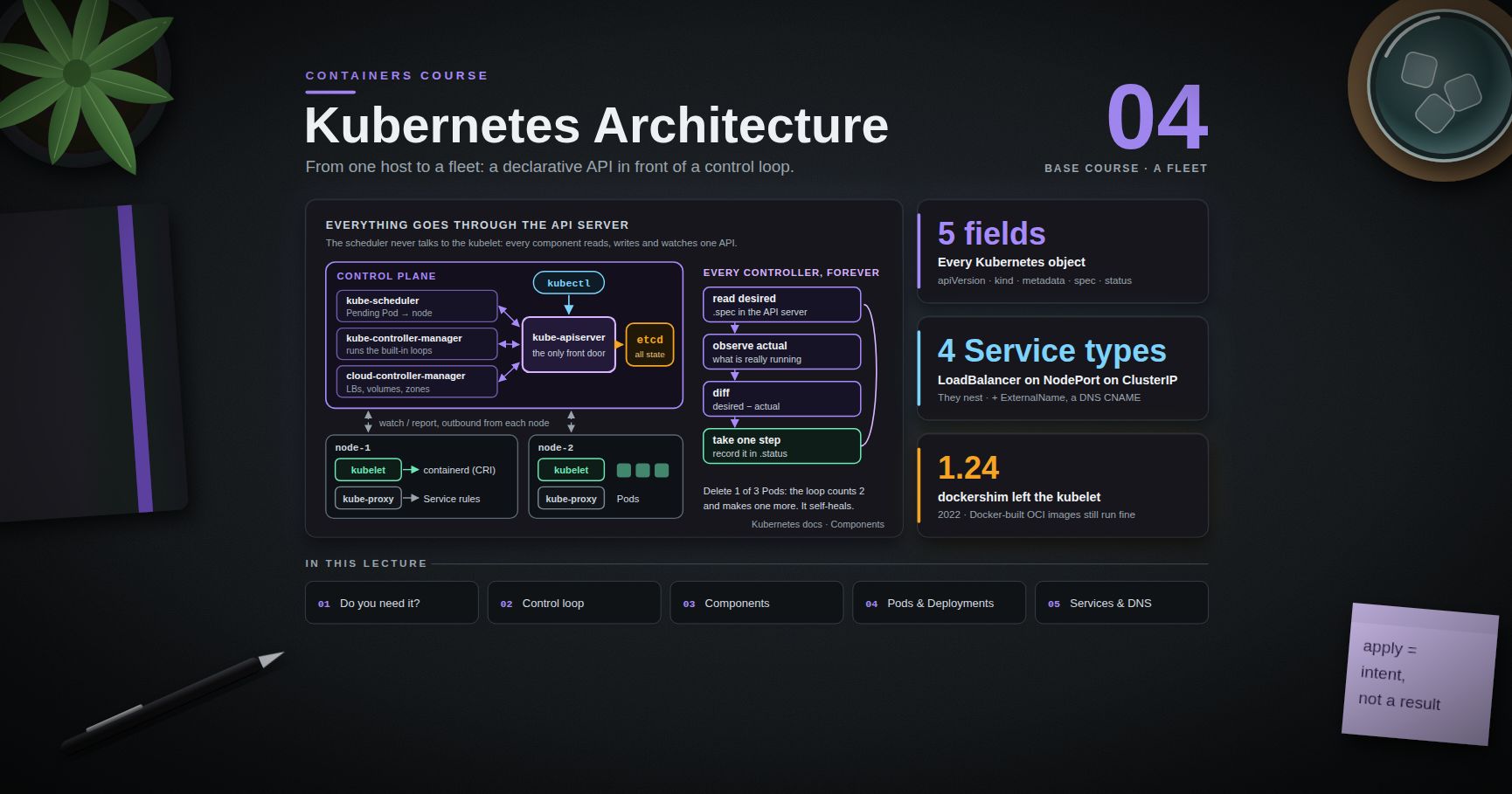
Containers Course — 04 · Kubernetes Architecture and Core Objects
Posts 00-03 covered a single machine: how a container is built out of namespaces and cgroups, how images are layered, how Compose wires a handful of containers together on one host, and how the supply chain around images is secured. This post crosses the boundary from one host to a fleet. Kubernetes is the industry's answer to "I have N machines and M containers, and I want the second set placed on the first set, kept alive, kept reachable, and kept up to date." The mechanism is not a deployment script. It is a control loop with a declarative API in front of it, and understanding that loop is the difference between using Kubernetes and fighting it.
> Series map: 00 Containers from First Principles → 01 Images and Dockerfiles → 02 Networking, Volumes and Compose → 03 Registries, Supply Chain and Security → 04 Kubernetes Architecture and Core Objects (this post) → 05 Config, Storage and Stateful Workloads → 06 Scheduling, Resources, Probes and Rollouts → 07 Ingress, Observability, RBAC and GitOps.
Learning Outcome
- State honestly what Kubernetes solves and identify the workloads that do not need it.- Explain the declarative reconciliation model and why is a statement of intent rather than a command.- Name every control-plane and node component and describe what breaks when each one fails.- Read and write the five fields every Kubernetes object shares, and use labels and selectors to glue objects together.- Explain why the Pod — not the container — is the unit of scheduling, and use init containers and native sidecars correctly.- Choose between the four Service types, explain how kube-proxy implements them, and resolve in-cluster DNS names.- Stand up a local cluster and move from imperative one-liners to committed YAML with .
Chapter 1 — The problem Kubernetes solves (and when you do not need it)
Terminology
- Orchestrator — a system that decides which container runs where, restarts it when it dies, and keeps its identity on the network stable while the underlying process moves.- Desired state — a declaration of what the cluster should look like, stored in the API server. Actual state — what is really running, as reported by the nodes.- Reconciliation — the continuous work of shrinking the gap between the two.- Controller — a process whose entire job is one reconciliation loop for one kind of object.- Node — a machine that runs workloads. Control plane — the components that store desired state and drive reconciliation.
What breaks at fleet scale
Compose (Post 02) works beautifully on a single host and stops working the moment you need any of the following:
| Need | Single host with Compose | Kubernetes ||------|--------------------------|------------|| Survive a host dying | you notice, you fix it | scheduler places replacements on surviving nodes || Run 40 replicas across 6 machines | write your own placement | scheduler does bin-packing || Roll out a new version with no downtime | scripted, bespoke, fragile | built-in rolling update with health gating || Stable address for a moving process | hardcode IPs or add Consul | Service + cluster DNS || Express "3 of these, always" | none | a single declarative object |
The common thread is convergence. Every one of those is "keep reality matching a description", which is exactly the loop Kubernetes implements once and reuses for everything.
When you do not need Kubernetes
This deserves to be said plainly, because the cost of Kubernetes is real: a control plane to run or pay for, a YAML surface area to learn, an upgrade treadmill roughly every four months, and an on-call rotation that now has to understand a distributed system underneath the application.
Do not reach for Kubernetes when:
- You run one or two services on one or two machines and a few minutes of downtime is acceptable. Compose plus a systemd unit and a restart policy is genuinely simpler and genuinely reliable.- Your workload is bursty and stateless — a managed serverless or PaaS runtime (Cloud Run, Fargate, App Runner, Fly, Render) removes the entire operational tier.- You have no platform owner. Kubernetes without someone responsible for it degrades into an unpatched cluster running a version nobody dares upgrade.- The team is three engineers shipping a product. The orchestration you save is smaller than the orchestration you acquire.
Reach for Kubernetes when you have many services, more than one team deploying, an existing cluster to piggyback on, an on-prem or sovereign requirement, or a genuine need for the ecosystem (operators, service mesh, policy engines) built on its API.
> Watch out: "we might need to scale later" is not a reason to adopt Kubernetes today. Migrating a containerised app onto Kubernetes later is a bounded, well-trodden project. Running a cluster you do not need for two years is not.
Chapter 2 — The declarative model and the control loop
Terminology
- Declarative — you describe the end state; the system works out the transitions.- Imperative — you issue the transitions yourself.- Level-triggered — the loop acts on the current difference between desired and actual, not on the event that caused it.- Idempotent — applying the same declaration twice has the same effect as applying it once.
The loop
Every controller in Kubernetes runs, conceptually, this:
That is the whole idea. The Deployment controller does it for "how many Pods of this template exist". The Node controller does it for "which nodes are healthy". A cert-manager controller does it for "does a valid certificate exist for this hostname". Your own operator, if you write one, does it for whatever domain object you invent.
Two consequences fall out of this, and both matter daily:
1. is a statement of intent, not a command. It writes your desired state into etcd and returns. It does not mean the thing happened. succeeding tells you the API server accepted and persisted a valid object. Whether a Pod ever actually started is a separate question answered by , by events, and by . Beginners read "deployment.apps/web configured" as success and are then baffled that nothing runs. It is a receipt for a request, not a result.2. The loop is level-triggered, so it self-heals. Delete a Pod that a Deployment owns and a new one appears, because the controller does not remember that it created three Pods — it counts and finds two. Miss a webhook event, restart a controller, lose a message: the next pass recomputes from scratch. This is why Kubernetes tolerates its own components crashing.
Spec versus status
is written by you and holds the intent. is written by the controller and holds the observation (, , , ). Never write by hand; read it constantly.
> Trick: and read before you open any dashboard. It is the controller telling you, in its own words, what it thinks is true.
Chapter 3 — Control plane and node components
Control plane
| Component | Job | What breaks without it ||-----------|-----|------------------------|| kube-apiserver | the only front door to cluster state: REST, authentication, authorisation, admission, validation, persistence | nothing can be read or changed; running Pods keep running || etcd | consistent, replicated key-value store holding all cluster state | the API server has no backing store; the cluster cannot be recovered without a backup || kube-scheduler | assigns unscheduled Pods to nodes (Post 06 covers how) | new Pods stay forever; existing Pods unaffected || kube-controller-manager | runs the built-in controllers (Deployment, ReplicaSet, Node, Job, endpoints, service accounts, …) in one binary | reconciliation stops: failed Pods are not replaced, rollouts freeze || cloud-controller-manager | the cloud-specific half — provision load balancers, attach volumes, label nodes with zone/region, remove deleted VMs from the node list | Services stay , volumes do not attach |
Two structural facts worth internalising:
- Everything goes through the API server. The scheduler does not talk to the kubelet. The kubelet does not talk to the scheduler. They all read and write the same API and watch it for changes. That single choke point is what makes RBAC (Post 07), admission control, and audit logging possible at all.- etcd is the cluster. Back it up. On managed Kubernetes (EKS, GKE, AKS) this is the provider's problem, which is a substantial part of what you are paying for.
Node components
| Component | Job ||-----------|-----|| kubelet | the agent on each node. Watches the API server for Pods assigned to it, tells the runtime to start containers, runs probes, reports node and Pod status back || kube-proxy | programs the node's packet-forwarding rules so that Service virtual IPs reach real Pod IPs || container runtime | actually runs containers — containerd or CRI-O, spoken to over the CRI (Container Runtime Interface) gRPC API |
Where Docker went
Kubernetes talks to runtimes over the CRI. Docker Engine never implemented CRI natively; a shim called translated, and that shim was removed from the kubelet in Kubernetes 1.24 (2022). That is the whole of the "Kubernetes deprecates Docker" story, and it changes nothing about your workflow: produces OCI images, and containerd — which Docker itself uses underneath — runs them identically.
Chapter 4 — The anatomy every manifest shares
Every Kubernetes object — built-in or custom — has the same five top-level fields.
- apiVersion — is the core group (Pod, Service, ConfigMap, Secret, Namespace); everything else is grouped (, , , ). lists every kind your cluster knows, with its group, short name and whether it is namespaced.- metadata.name — unique per kind per namespace, not global.- labels — key/value pairs meant to be selected on: identity and grouping.- annotations — key/value pairs not meant to be selected on: checksums, controller configuration, last-applied state.
Labels and selectors are the glue
Kubernetes objects do not reference each other by ID. They reference each other by label selector, and this loose coupling is why the model composes.
The Service does not know a Deployment exists. Swap the Deployment for a StatefulSet, or add a second Deployment with the same label, and the Service picks up the Pods without being edited. That is the point.
> Common pitfall: a Deployment's is immutable after creation. Getting the labels wrong means deleting and recreating the Deployment. Decide the label scheme before you ship. The conventional set is , , , , , .
Chapter 5 — Pods, ReplicaSets and Deployments
Why the Pod, not the container
A Pod is one or more containers that are scheduled together, share a network namespace and an IP address, can share volumes, and live and die as a unit. It is the smallest thing Kubernetes schedules.
The reason for the extra layer is that some containers are genuinely useless alone. A log shipper that tails must be on the same filesystem as the app. A proxy that terminates mTLS for the app must be on the same network stack as the app. Making the group the schedulable unit means those helpers can be separate images with separate lifecycles and still be guaranteed co-location.
What is shared
- Network namespace — every container in the Pod sees the same interfaces and the same IP. They reach each other over , and they must not bind the same port. This is the most common Pod authoring bug: two containers both listening on 8080.- IPC namespace and hostname.- Volumes — declared at Pod level, mounted independently in each container.
Not shared by default: the filesystem (each container keeps its own image root) and the PID namespace (opt in with ).
Init containers
Init containers run to completion, in order, before any app container starts. If one fails, the kubelet restarts it (subject to the Pod restart policy) and the app containers never start.
Use them for schema migrations, waiting on a dependency, fetching config into a shared volume, or setting kernel parameters in a privileged container so the app container needs no privileges.
Sidecars — including the native kind
Historically a "sidecar" was just a second entry in , and it had two well-known defects: it could start after the app container needed it, and in a Job it would keep running forever after the main container exited, so the Job never completed.
Kubernetes solved this by giving init containers a , which turns them into native sidecars: they start in init order (so before the app), they keep running alongside it, and they are terminated automatically after the app containers exit. The feature was alpha in 1.28, beta and on by default in 1.29, and graduated to stable in Kubernetes 1.33.
> Trick: if a Job of yours has ever hung at "1 of 2 containers still running", the native sidecar is the fix. On clusters older than 1.29, fall back to having the main container write a sentinel file that the sidecar watches for and exits on.
You almost never write a bare Pod
A Pod on its own is not rescheduled if its node dies. Write a Deployment, StatefulSet, DaemonSet, or Job — all of which manage Pods for you. Bare Pods are for debugging ().
ReplicaSet
A ReplicaSet has exactly one job: ensure N Pods matching this selector exist. It counts, and it creates or deletes to close the gap. You rarely write one directly.
Deployment
A Deployment manages ReplicaSets to provide versioned, controlled rollouts. Change the Pod template and the Deployment controller creates a new ReplicaSet, scales it up while scaling the old one down, and keeps the old one around at zero replicas so you can roll back.
Post 06 covers rollout strategy, surge and unavailability, and the disruption budget that protects a rollout from itself. For now, note that returns immediately and is the thing that actually waits.
Chapter 6 — Services, kube-proxy and DNS
Pods are mortal and their IPs are ephemeral. A Service is a stable virtual IP plus a DNS name in front of a label-selected set of Pods.
The four types
| Type | What you get | Typical use ||------|--------------|-------------|| ClusterIP (default) | a virtual IP reachable only inside the cluster | service-to-service traffic; the 95 % case || NodePort | a ClusterIP plus the same port opened on every node (30000-32767) | bare-metal entry point, local development, a layer under an external LB || LoadBalancer | a NodePort plus a cloud load balancer provisioned by the cloud-controller-manager | public entry point on a managed cloud || ExternalName | a CNAME in cluster DNS to an external hostname — no proxying, no selector | pointing at so app config need not change |
The types nest: LoadBalancer is built on NodePort is built on ClusterIP.
> Common pitfall: and mixed up. is what clients dial; is what the container listens on. Naming the container port and referring to it by name () removes the ambiguity.
How kube-proxy implements it
A Service IP is not owned by any interface — nothing is listening on it. kube-proxy watches Services and EndpointSlices and programs the node's networking so that packets addressed to the virtual IP are rewritten to a real Pod IP:
- iptables mode (long-standing default) — NAT rules with probabilistic jumps. Simple and robust, but rule count grows with Service × endpoint count, so very large clusters see slow reprogramming.- IPVS mode — kernel load balancing with hash tables: better at scale, real scheduling algorithms.- nftables mode — the modern replacement for the iptables backend, fixing its scaling behaviour; the direction of travel.- eBPF datapaths (Cilium and friends) can replace kube-proxy entirely.
The decision is made per connection, in the kernel, on the client's node — no hop through a central box. It is also L4 only, so long-lived HTTP/2 or gRPC connections pin to one backend and will not rebalance. For L7 balancing you need an Ingress, a Gateway, or a mesh (Post 07).
Headless Services and DNS
Set and you get a headless Service: no virtual IP, no kube-proxy rules. DNS instead returns the A/AAAA records of every ready Pod. This is how clients that want to see individual members — database replica sets, Kafka, anything doing its own peer discovery — find them, and it is the backbone of StatefulSets (Post 05).
Cluster DNS (CoreDNS) names follow a fixed pattern:
Because the Pod's carries a search path, shorter forms resolve too: works inside namespace , works from anywhere in the cluster. Prefer in configuration — the bare name silently changes meaning when the manifest is applied to a different namespace. Check any of it with .
Chapter 7 — Namespaces, a local cluster, and the kubectl workflow
Namespaces
A namespace is a scope for names, plus a natural attachment point for quotas (ResourceQuota, LimitRange) and permissions (RBAC, Post 07). It is a soft boundary: by default all Pods in all namespaces can reach each other over the Pod network. Real isolation needs NetworkPolicy (Post 07).
Cluster-scoped objects (Node, PersistentVolume, StorageClass, ClusterRole, CustomResourceDefinition) live outside namespaces entirely. lists them.
A local cluster in one command
| Tool | Mechanism | Best for ||------|-----------|----------|| kind | nodes are containers ("Kubernetes IN Docker") | CI pipelines, multi-node topologies, throwaway clusters || minikube | a VM or container per cluster, rich addon set | learning, addon-driven demos (ingress, dashboard, registry) || k3d | k3s (a slim distribution) in Docker | very low resource use, edge-like setups |
> Trick: kind does not read images from your local Docker daemon. After , run , and set so the kubelet does not try to fetch from a registry that has never heard of it.
The essential verbs
| Verb | Command | Notes ||------|---------|-------|| List | | for all namespaces, to watch || Explain | | the API schema, offline, no browser || Inspect | | human-readable, includes recent events || Create imperatively | | for scaffolding only || Apply declaratively | | the production verb; first || Logs | | reads the crashed container || Exec / forward | · | local access without exposing anything || Events | | often the only place the real error appears || Scale | | imperative; will be reverted by GitOps || Rollout | | the rollout lifecycle || Context | / | which cluster am I about to break || API surface | | every kind, its group, its short name |
Imperative to declarative — the workflow that actually works
Writing YAML from memory is slow and error-prone. Generate it, then own it.
renders locally and never contacts the API server. sends the object through authentication, admission control and validation but does not persist it — that is the one to use when you want to know whether a policy engine (Post 07) will reject your manifest.
> Common pitfall: and change the live cluster and nothing else. The next from your repository silently reverts them, and with GitOps (Post 07) the reversal happens within seconds. Treat imperative commands as debugging tools, and put every intentional change in the repository.
Practice Exercises
Exercise 1 — Stand up a cluster and read it
Create a three-node kind cluster. Then answer, using only :
1. Which Kubernetes version is the API server?2. Which container runtime and version does each node report?3. How many Pods are running in , and what is each one for?4. Which of those Pods are managed by DaemonSets, and why must they be?
<details><summary>Solution</summary>
</details>
Exercise 2 — Prove the reconciliation loop exists
Deploy three replicas of any image. Then delete one Pod by name and time how long a replacement takes to become Ready. Then delete the ReplicaSet with and observe what happens to the Pods and what the Deployment controller does next.
<details><summary>Solution</summary>
</details>
Exercise 3 — The two-containers-one-port bug
Write a Pod with two containers that both listen on port 8080. Apply it. Explain precisely why the second one crash-loops, and fix it two different ways.
<details><summary>Solution</summary>
Both containers share one network namespace, so the second fails with . Fixes:
</details>
Exercise 4 — Selector surgery
Create a Deployment (label ) and a ClusterIP Service selecting . Then:
1. Add a second, unrelated Pod with the label and confirm the Service starts sending traffic to it.2. Change one Pod's label to and watch it leave the Service's EndpointSlice.3. Explain what this implies about labels as a security boundary.
Exercise 5 — DNS tour
From a debug Pod in namespace , resolve a Service in namespace by short name, by and by FQDN. Then create a headless Service in front of a 3-replica Deployment and compare output against the ClusterIP version. Record which form returns one address and which returns many.
Exercise 6 — Imperative to declarative
Build the following with imperative commands only, using to capture each object into : a Deployment of 2 replicas, a ClusterIP Service, and a namespace. Then delete the namespace entirely and rebuild the whole thing with a single . Diff the recreated objects against the originals and explain every field that differs.
Exercise 7 — Failure injection on the control plane
On a kind cluster, stop the container on the control-plane node, create a Deployment, and observe the Pods. Restart the scheduler. Record what state the Pods sat in and whether existing workloads were affected.
Cheat-sheet
| What | How ||------|-----|| Is Kubernetes warranted | many services, multiple teams, existing cluster, on-prem requirement — otherwise probably not || Core model | declarative desired state + level-triggered reconciliation loops || means | "the API server stored my intent" — confirm with , , || Node agents | kubelet (Pods, probes, status) + kube-proxy (Service routing) + CRI runtime || Docker removed | left the kubelet in 1.24; Docker-built OCI images still run fine || Every object | , , , (yours), (the controller's) || Coupling mechanism | label selectors, never IDs || Immutable field | — pick labels before shipping || Unit of scheduling | the Pod: shared network namespace, , no two containers on one port || Run before the app | (run to completion, in order) || Run beside the app | init container with — stable in 1.33 || Versioned rollout | Deployment → new ReplicaSet per template change; to go back || Stable in-cluster address | Service || Expose outside | → (or an Ingress/Gateway, Post 07) || See individual Pods | headless Service () || DNS name | ; per-Pod || Service balancing | L4, per connection, in the kernel — long-lived gRPC will not rebalance || Local cluster | / / || Scaffold YAML | || Read the crashed container | |
What's next
Post 05 covers Config, Storage and Stateful Workloads — ConfigMaps and Secrets (and the uncomfortable truth about what a Secret actually protects), the PersistentVolume / PersistentVolumeClaim / StorageClass triangle, CSI, StatefulSets, DaemonSets, Jobs and CronJobs, and an honest assessment of when a database belongs on Kubernetes at all.
References
- Kubernetes documentation — Concepts · Components- Pods · Sidecar containers · Deployments- Service · DNS for Services and Pods- Labels and selectors · Recommended labels- kubectl reference · kind · minikube · k3d- Don't Panic: Kubernetes and Docker — the dockershim removal explained.- Kubernetes: Up and Running (Burns, Beda, Hightower, Evenson) — the standard introductory text.
> Note: this post is in progress. Planned additions: an annotated walkthrough of the API request path from through authentication, admission and etcd; a comparison of kube-proxy iptables, IPVS and nftables backends with measurement instructions; a worked multi-node kind topology with a local registry.
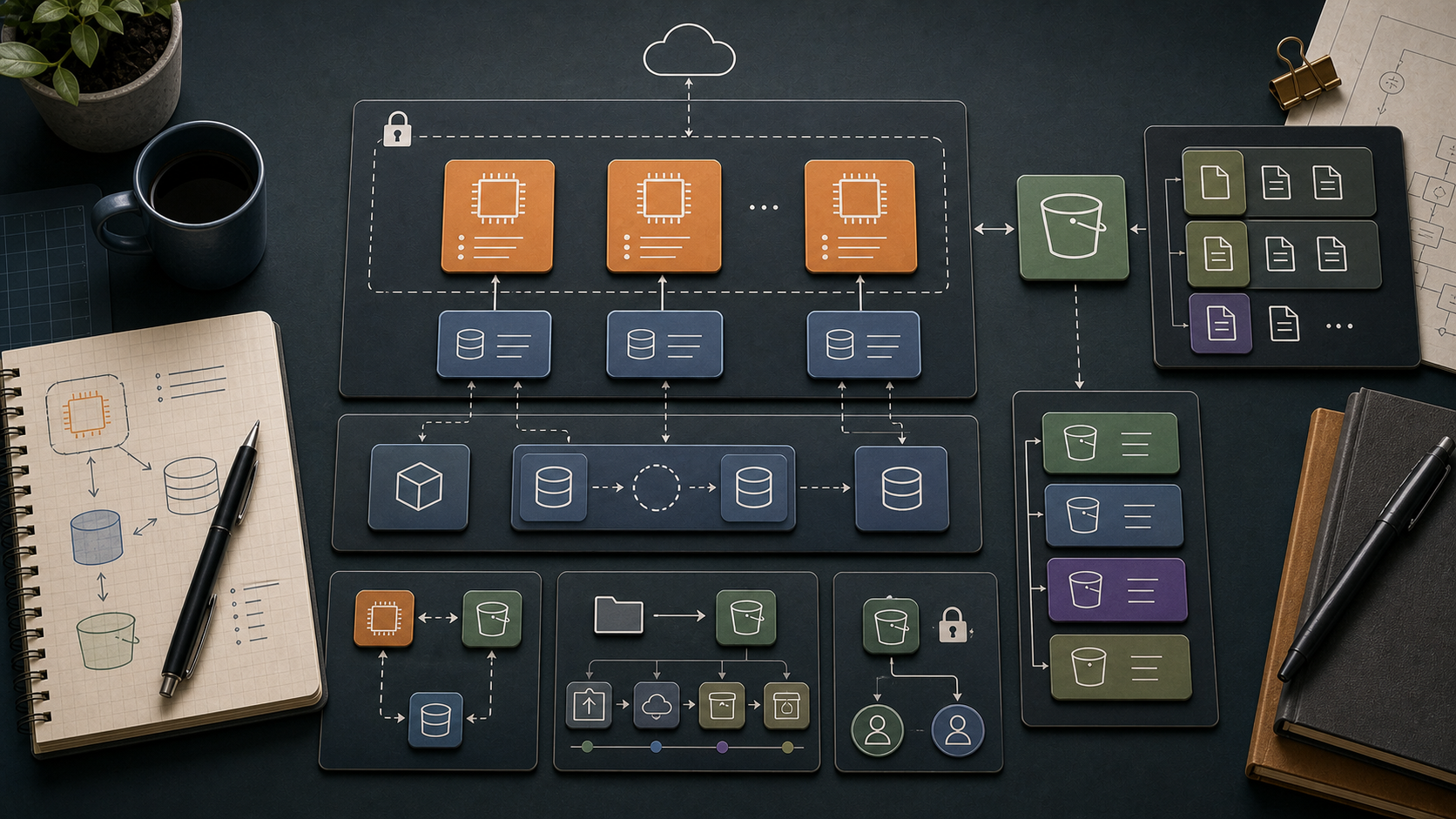
AWS Course — 02 · Compute & Storage — EC2, EBS, S3
With the network in place (Post 01), the next step is to put workloads onto it. AWS's workhorse trio for "run code + keep data" is EC2 (virtual machines), EBS (block storage attached to them), and S3 (object storage anyone in the account can use over HTTPS). Understanding the cost, durability, and access characteristics of each is the foundation for every later service — RDS sits on EBS, Lambda packages and container images live in S3, and the load balancer in Post 03 fronts EC2.
> Series map: 00 Foundations → 01 Network First → 02 Compute & Storage (this post) → 03 Scale & Survive → 04 Managed Data → 05 Serverless & Events → 06 Workflow Orchestration → 07 Observability & Security → 08 IaC.
Learning Outcome
- Launch an EC2 instance into the right subnet using the right instance type, AMI, and key pair / SSM access.- Pick the right EBS volume type (gp3 / io2 / st1) and understand snapshot lifecycle.- Use S3 for static assets, backups, logs, and data exchange.- Choose between S3 storage classes (Standard, IA, One Zone, Glacier).- Apply bucket policies, ACL alternatives, and the modern S3 Block Public Access default.- Move data between EC2/EBS/S3 sanely.
Chapter 1 — EC2 in 200 words
An EC2 instance is a virtual machine running on AWS's hypervisor. You pick an AMI (the OS image), an instance type (CPU/RAM/network spec), a subnet (decides which AZ and whether public or private), one or more security groups, an optional key pair for SSH, and EBS volumes for storage. AWS bills per-second (1-minute minimum) for most types.
Instance families at a glance
| Letter | Optimised for | Example | Use ||--------|---------------|---------|-----|| | bursty | , | dev, light web || | general | | balanced workloads || | compute | | batch, encode, HPC || | memory | | caches, in-memory DB || | NVMe local SSD | | OLTP, big local IO || / | GPU | | ML, graphics || / suffix | Graviton ARM | , | up to 40% cheaper |
= 2 vCPU; = 4 vCPU; pattern doubles. RAM scales proportionally within a family.
Trick: for any new Linux workload, try a Graviton () instance first. Same performance, 20-40% cheaper. Skip only if you depend on x86-only binaries.
Chapter 2 — AMI choice
| AMI | Notes ||-----|-------|| Amazon Linux 2023 | AWS-curated, default in many tutorials, secure-by-default || Ubuntu LTS | Most popular elsewhere; biggest community || Debian / RHEL / Rocky / SUSE | When ecosystem dictates || Windows Server | Higher per-hour due to licensing || Custom AMI | Built with Packer or from a snapshot || Marketplace | Pre-built appliances (security, monitoring, database vendors); some carry per-hour licence fees |
Find the latest Amazon Linux 2023 AMI in the current region:
Chapter 3 — Connection: SSH vs SSM Session Manager
| Method | Inbound port 22? | Key pair needed? | Audit trail | Preferred ||--------|------------------|------------------|-------------|-----------|| SSH | yes | yes | from your own logging | legacy / Linux admin habits || SSM Session Manager | no | no | CloudTrail + Session logs | production |
SSM tunnels the shell through AWS APIs — no public IP, no open SSH port, every session logged. Setup:
1. Attach the IAM role with the managed policy.2. The SSM Agent is pre-installed on Amazon Linux 2/2023 and Ubuntu 20.04+.3. Connect: .
Closing port 22 to the world eliminates the entire brute-force attack surface in one configuration change.
Chapter 4 — Pricing models
| Model | Use | Saving vs on-demand ||-------|-----|----------------------|| On-Demand | unpredictable, dev, short-lived | baseline || Savings Plans | steady 24/7 workloads | up to 72%, 1 or 3 year commitment || Reserved Instances | older flavour of commit-for-discount | similar to SP || Spot Instances | fault-tolerant batch, CI, ML training | up to 90% — 2-min eviction notice || Dedicated Host | licensing / compliance | premium |
Production mix: Savings Plans for the steady base + Spot for elastic burst is the modern playbook.
Chapter 5 — EBS (block storage for EC2)
An EBS volume is a network-attached block device. It survives instance stop/terminate unless you tick "Delete on termination = yes" at launch (default for the root volume; default off for additional volumes).
| Type | Underlying | When ||------|------------|------|| gp3 | SSD, balanced | default — most workloads || gp2 | SSD, older balanced | use gp3 instead || io2 / io2 Block Express | SSD, high IOPS | production OLTP, demanding DB || st1 | HDD, throughput | big sequential workloads, data lakes || sc1 | HDD, cold | archive, infrequent access |
Snapshots
A snapshot is an incremental backup of a volume, stored in S3 (AWS-managed). Snapshots are billed per GB-month (≈ USD 0.05) and are cheap.
Use Data Lifecycle Manager (DLM) to schedule snapshot creation and retention automatically.
Common EBS mistakes
1. Orphaned volumes after instance terminate — easy to leave hundreds of GB billed forever. Run monthly.2. gp2 when gp3 is cheaper and faster — migrate with .3. Forgetting that EBS is AZ-local — to move data to another AZ, snapshot + restore.
Chapter 6 — Instance store (the ephemeral cousin)
Some instance types (, , ) include physical NVMe SSDs directly on the host. Massive IOPS and bandwidth, no network hop — perfect for caches, scratch, and shard-local data on databases like Cassandra. Catch: all data is lost on instance stop or terminate. Treat as ephemeral.
Chapter 7 — S3 (object storage)
S3 stores objects (files) inside buckets (containers). Each object is accessed by its key path (). S3 is:
- Regional (each bucket lives in one region).- 99.999999999% (11 nines) durability — replicated across ≥ 3 AZs by default.- 99.99% availability for Standard tier.- Practically unlimited size (objects up to 5 TB; multipart upload for > 5 GB).- Billed per GB-month + per-request + per-GB egress (within region: free; cross-region or internet: per-GB).
Bucket naming
Bucket names are global across all AWS accounts (a leftover from when S3 used the bucket as a hostname). Make them long and unique: .
Common operations (CLI)
Chapter 8 — S3 storage classes
| Class | Use | Cost (us-east-1, per GB-mo) | Retrieval ||-------|-----|------------------------------|-----------|| Standard | hot data | USD 0.023 | immediate || Standard-IA | rarely accessed but quickly needed | USD 0.0125 | immediate; per-GB retrieval fee || One Zone-IA | re-creatable, IA, single AZ | USD 0.01 | immediate || Intelligent-Tiering | unknown access patterns | tier-based, auto | immediate || Glacier Instant Retrieval | archive but need ms access | USD 0.004 | immediate || Glacier Flexible Retrieval | archive, minutes-hours retrieval | USD 0.0036 | 1 min – 12 hrs || Glacier Deep Archive | true cold archive (years) | USD 0.00099 | 12 hrs |
Use Lifecycle policies to move objects between classes automatically (e.g., "after 30 days move to IA, after 365 days move to Glacier Deep Archive").
> Trick: for unknown access patterns, Intelligent-Tiering is usually the right answer. AWS moves objects between tiers based on observed access. Minor monthly monitoring fee, no retrieval fee for the IA tier.
Chapter 9 — S3 security
S3 used to have a reputation for accidental data leaks. AWS responded with Block Public Access, on by default for new buckets — preventing public ACLs and policies entirely.
Access control mechanisms
| Mechanism | When ||-----------|------|| IAM policies | per-user / per-role permission to S3 actions || Bucket policies | resource-level policy attached to the bucket || Block Public Access | meta-control: blocks any policy/ACL that opens to the public || Object Ownership / ACLs disabled | the modern default (2023+); ignore ACLs entirely || Pre-signed URLs | time-limited HTTPS link generated by your code, allows direct access || VPC endpoint policy | restrict which buckets can be reached from your VPC |
Pre-signed URL pattern
For "let a user download this private object for the next 5 minutes" without giving them AWS credentials:
In code (Python):
Encryption
S3 encrypts at rest by default (SSE-S3 with AES-256). For tighter control, use SSE-KMS with a Customer Managed Key (Post 07).
Chapter 10 — S3 in real architectures
Common patterns you'll see everywhere:
1. Static website hosting — bucket holds HTML/JS/CSS, fronted by CloudFront (CDN). The "no servers" website.2. Log archive — application + ALB + CloudFront → S3 for long-term query via Athena.3. Data lake — Parquet files in S3, queried by Athena / Redshift Spectrum / EMR.4. Backup tier — RDS snapshots, EBS snapshots, EC2 AMIs all live in S3 internally.5. Inter-service exchange — service A drops file in S3, S3 event triggers Lambda or SQS for service B (covered in Post 05).6. Code artifacts — Lambda zip packages, container layers, Terraform state files.
Practice Exercises
Exercise 1 — Launch with SSM only
In the VPC you built in Post 01, launch a Amazon Linux 2023 instance:- in a private subnet,- with no security-group inbound rules,- attached to an IAM role with .
Connect via and verify works (proves NAT egress) but from your laptop fails (no port 22 open).
Exercise 2 — gp3 + snapshot
Attach a 10 GB gp3 volume to the instance. Format and mount it at . Write a file. Take a snapshot. Detach + delete the volume. Restore from snapshot into a new volume in a different AZ. Verify the file is still there.
Exercise 3 — Static site bucket
Create a bucket. Enable static website hosting. Upload + . Make the website index URL work without making the bucket itself public — use a bucket policy that allows only on the website objects.
Exercise 4 — Lifecycle policy
For the bucket from Exercise 3, add a lifecycle rule:- transition objects to Standard-IA after 30 days,- transition to Glacier Deep Archive after 180 days,- expire (delete) versions older than 365 days.
Exercise 5 — Pre-signed URL
Generate a pre-signed URL for a private object that expires in 60 seconds. Confirm it works immediately, fails after the minute.
Cheat-sheet
| What | How ||------|-----|| Launch EC2 | || Find latest AL2023 AMI | filter on owned by || Connect privately | SSM Session Manager — no port 22 needed || Pricing | Savings Plan for base + Spot for burst || ARM saving | Graviton ( suffix) || EBS default | gp3 || EBS snapshot | incremental, lives in S3, region-scoped || Move EBS across AZ | snapshot + restore || Find orphaned EBS | || S3 bucket name | globally unique, prefer long descriptive || S3 default | Block Public Access on || S3 unknown access | Intelligent-Tiering || Time-limited download | pre-signed URL || Encryption at rest | on by default (SSE-S3); upgrade to SSE-KMS for control || Static site | S3 + CloudFront |
What's next
Post 03 covers Scale & Survive — load balancers, Auto Scaling Groups, and the multi-AZ patterns that let the compute + storage from this post survive an AZ outage and traffic spike.
References
- EC2 User Guide- EBS User Guide- S3 User Guide- AWS pricing pages per service.
> Note: this post is in progress. Planned additions: EFS deep dive, FSx for Windows / Lustre, S3 Object Lambda, multipart-upload tuning.
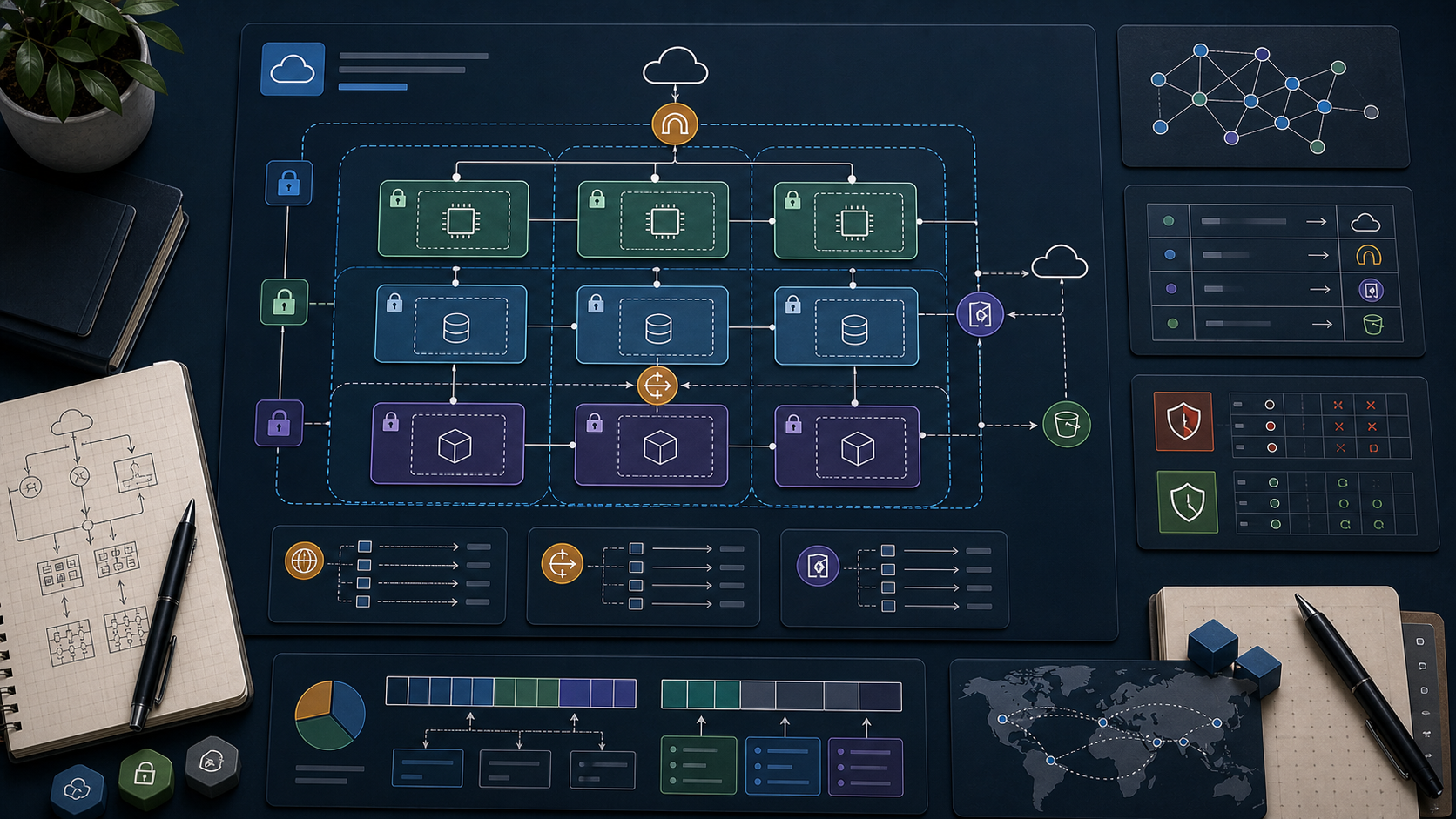
AWS Course — 01 · Network First — VPC, Subnets, Routing, Security Groups
Real AWS workloads start with the network, not the server. Where a workload lives — which VPC, which subnet, behind which gateway, allowed by which security rules — decides far more about its security posture, cost, and failure behaviour than the choice of instance type. This post is the deep dive on VPC, the virtual data centre that hosts almost everything else in the series.
> Series map: 00 Foundations → 01 Network First (this post) → 02 Compute & Storage → 03 Scale & Survive → 04 Managed Data → 05 Serverless & Events → 06 Workflow Orchestration → 07 Observability & Security → 08 Infrastructure as Code.
Why network before compute
A tempting shortcut is to "just launch an EC2" and figure out the network later. The cost: every later change (adding a database, fronting with a load balancer, going multi-AZ, locking down for security review) becomes a re-architecture. Network-first means picking a small set of decisions once and reusing them for the next decade.
The decisions:- Which region.- VPC CIDR range (which private IPs you'll own).- Subnet layout (how many AZs, public/private/isolated).- Internet egress path (IGW + NAT or VPC endpoints).- Security group baseline (who can talk to whom).
Learning Outcome
- Design a VPC CIDR that won't collide with other accounts you might peer with.- Lay out public / private / isolated subnets across 3 AZs.- Configure route tables, internet gateways, NAT gateways, and VPC endpoints.- Write security groups and (rarely) NACLs that are tight without being painful.- Recognise the cost levers: NAT gateway, cross-AZ traffic, data egress.
Chapter 1 — VPC anatomy
A VPC is a software-defined private network inside one AWS region. Each AWS account gets a default VPC per region (); production accounts almost always create custom ones.
| Construct | What ||-----------|------|| VPC | the boundary; one or more CIDR ranges (IPv4 + optional IPv6) || Subnet | a CIDR slice of the VPC, lives in exactly one AZ || Route table | per-subnet (or default) rules: "for destination X, next hop is Y" || Internet Gateway (IGW) | one per VPC; enables inbound + outbound public internet || NAT Gateway | enables outbound-only public internet from private subnets || VPC endpoint | reach AWS services privately, no IGW/NAT needed || Security group | stateful per-ENI firewall || NACL | stateless per-subnet firewall |
CIDR sizing
A (e.g., ) gives 65,536 addresses — enough for a serious production environment. A subnet (e.g., ) gives 256 addresses minus 5 reserved by AWS → 251 usable.
Trick: pick non-overlapping ranges across all your AWS accounts and on-prem networks. Once you peer two VPCs or set up a Transit Gateway / Direct Connect, overlapping CIDRs become an immediate migration project. Conventional starting layouts:
- Account —- Account —- Account —- Account —- On-prem — or
Chapter 2 — The 3-AZ subnet layout
Three reasons this shape is the industry default:
1. Failure isolation. An AZ outage takes down at most a third of capacity. Combined with a load balancer (Post 03), the service stays up.2. Blast radius for security. Public subnets only host things designed to face the internet. Application servers and data live one or two hops inward.3. Cost vs availability tradeoff. One NAT gateway is cheaper but a single point of failure; one per AZ doubles or triples cost but removes the SPoF. Production prefers per-AZ.
A subnet is "public" because its route table sends to an Internet Gateway. There is no checkbox — it is the routing that defines the type.
Chapter 3 — Route tables
A route table is an ordered list of rules. Each subnet associates with one route table.
Example public-subnet route table:
| Destination | Target ||-------------|--------|| | local (intra-VPC; implicit) || | (Internet Gateway) |
Example private-subnet route table:
| Destination | Target ||-------------|--------|| | local || | (NAT Gateway) |
Example isolated-subnet route table:
| Destination | Target ||-------------|--------|| | local |
(No rule → no internet access at all.)
Chapter 4 — Internet egress: IGW vs NAT vs VPC endpoints
| Path | Where allowed | Inbound from internet? | Outbound to internet? ||------|---------------|------------------------|------------------------|| IGW | public subnets only | yes (with public IP) | yes || NAT Gateway | private subnets | no | yes || VPC endpoint (Gateway) | S3, DynamoDB | n/a | private to those services || VPC endpoint (Interface) | most AWS services | n/a | private to those services |
VPC endpoints — the cost saver
By default, an EC2 in a private subnet calling routes out via the NAT gateway — and you pay NAT data charges (USD 0.045 / GB). With a Gateway VPC endpoint for S3, the traffic stays inside AWS, free.
Watch out: Interface endpoints cost about USD 7 / endpoint / AZ / month plus per-GB. Useful when bandwidth is high; not always cheaper than NAT for occasional access. Always estimate before adding.
Chapter 5 — Security groups (your everyday firewall)
A security group is stateful: if a request matches an outbound rule, the reply is automatically allowed (and vice versa). You only configure one direction, not both.
Default behaviour: no inbound, all outbound.
Rules contain:- Protocol (TCP / UDP / ICMP / all)- Port range- Source / destination (CIDR, another security group, or a prefix list)
Reference SGs by ID, not by IP
When both ends are AWS resources, reference the other side's security group rather than its IP range. As IPs change (autoscaling, recreation), the SG reference stays correct.
Chapter 6 — NACLs (the backup layer)
A Network ACL is stateless and applied per subnet. Default rules allow all inbound + outbound. Custom NACLs default to deny.
NACLs are evaluated in order (rule numbers); the first match wins.
In practice most teams don't touch NACLs — security groups do all the real work. Reserve NACLs for blanket per-subnet rules (e.g., "isolated subnets reject any outbound traffic at all") or defence-in-depth against compromised SG state.
Chapter 7 — Naming + tagging conventions
A VPC project survives for years; the names you pick now are the names every dashboard, alert, and IaC variable inherits.
Recommended tags on every resource:
| Tag | Example ||-----|---------|| | || | / / || | || | || | |
Standardised tags drive Cost Explorer breakdowns, automated cleanups, and access policies.
Chapter 8 — Reference build (CLI walkthrough)
A minimal 3-AZ network you can recreate:
Repeat for AZ b and c. In Post 08 the same network appears as a 30-line Terraform module.
Chapter 9 — Cost levers in a VPC
| Item | Approx (us-east-1) | Note ||------|---------------------|------|| VPC itself | free | the construct costs nothing || Subnet | free | also free || Route table, IGW | free | || NAT Gateway | USD 32 / month + USD 0.045 / GB processed | the main cost driver || Elastic IP attached | free | || Elastic IP idle (unattached) | USD 3.60 / month | always release unused || VPC Interface endpoint | USD 7 / month / AZ + per-GB | || VPC Gateway endpoint (S3, DynamoDB) | free | || Cross-AZ traffic | USD 0.01 / GB each direction | adds up at scale || Inter-region traffic | USD 0.02 / GB | || Internet egress | USD 0.09 / GB (after free) | |
> Trick: when in doubt about NAT cost, look at the CloudWatch metric on the NAT gateway. Multiply by to get the monthly USD bill. If it's painful, add a Gateway endpoint for S3 / DynamoDB first — usually a 30 – 60% NAT bill reduction with zero risk.
Practice Exercises
Exercise 1 — Pick a CIDR
Design CIDR blocks for these accounts so they can all peer without overlap:- (large)- (medium)- (small)- (medium)
<details><summary>Solution</summary>
- prod:- staging:- dev:- shared-tools:
Or use slices of a single () if you want larger headroom.
</details>
Exercise 2 — Build the 3-AZ VPC
Recreate Chapter 8's CLI build for all three AZs of your default region. Verify by launching a t3.micro into a private subnet and confirming works (proves NAT egress).
Exercise 3 — Cut the NAT bill
Add an S3 Gateway endpoint to the private route tables of the VPC from Exercise 2. Run from the private instance. Confirm in CloudWatch that the NAT gateway's outbound bytes did not increase.
Exercise 4 — Security-group chain
Build three SGs:- → 443 from- → 8080 from- → 5432 from
Verify the chain works end-to-end and that nothing else can reach the DB.
Cheat-sheet
| What | How ||------|-----|| VPC CIDR | private range like , non-overlapping || Subnet AZ | each subnet is in one AZ || Public subnet | route → IGW || Private subnet | route → NAT || Isolated subnet | no default route || NAT cost | per-hour + per-GB; biggest VPC cost || Free egress to S3/DynamoDB | use Gateway VPC endpoints || Security group | stateful, default deny inbound || NACL | stateless, default allow; rarely modified || Cross-AZ | costs $0.01/GB each direction || Tag everything | Name, Env, Owner, CostCenter, ManagedBy || Multi-AZ rule | always ≥ 2 AZs for production |
What's next
Post 02 covers compute and storage — EC2 instances, EBS volumes, and S3 object storage — the workhorse trio that runs on top of the network from this post.
References
- VPC User Guide- AWS Networking Workshop- VPC endpoints overview- AWS Whitepaper — Building a Scalable and Secure Multi-VPC AWS Network Infrastructure.
> Note: this post is in progress. Planned additions: IPv6 dual-stack, VPC peering vs Transit Gateway decision, PrivateLink for SaaS, flow-log analytics.
AWS Course — 00 · Cloud Fundamentals, Regions, IAM, and First Steps
AWS is the largest public cloud provider, offering over 200 services from raw compute and storage to managed databases, ML training, IoT, and satellite ground stations. For a beginner, that menu is overwhelming. This first post grounds the rest of the series in the core mental model: what the cloud actually is, how AWS organises its physical world (regions and AZs), how you authenticate (IAM), and how you avoid an unwanted bill in week one. The remaining posts go service by service.
> Series map: 00 Fundamentals (this post) → 01 EC2 & VPC → 02 Load Balancers & Auto Scaling → 03 Lambda & Serverless → 04 Step Functions → 05 Terraform IaC → (future: S3 deep dive · RDS · DynamoDB · ECS/EKS · CloudWatch · CI/CD · cost optimisation · security best practices).
Learning Outcome
- Explain what "cloud computing" means and the IaaS / PaaS / SaaS layers.- Locate AWS regions and availability zones; understand why they matter for latency and failure isolation.- Create an AWS account with billing alerts in place.- Understand IAM: users, groups, roles, policies — and the rule "never use the root account".- Use the AWS CLI to make your first API call.- Recognise the free tier and the most common surprise-bill traps.
Chapter 1 — What the cloud is
Terminology
- Cloud computing — renting compute, storage, network, and services from a provider on-demand, billed by usage rather than capital purchase.- Region — a geographic area (e.g., in Northern Virginia, in Hong Kong). Each region is fully independent.- Availability Zone (AZ) — one or more isolated data centres inside a region, connected by low-latency links. Each region has ≥ 3 AZs.- Edge location — smaller PoPs (point of presence) used by CloudFront (CDN) and Route 53 (DNS). Hundreds worldwide.- Service — a single AWS product. EC2, S3, Lambda are services.- API — every AWS service is driven by an HTTPS API. Console, CLI, SDKs, and IaC tools all call the same APIs underneath.
Service-model layers
| Layer | What the provider runs | What you run | Example AWS ||-------|------------------------|--------------|-------------|| IaaS (Infrastructure) | hardware, virtualisation, network | OS + everything above | EC2, EBS, VPC || PaaS (Platform) | OS + runtime | your app code | Elastic Beanstalk, App Runner || FaaS (Functions) | runtime + scheduling | a single function | Lambda || SaaS (Software) | everything | only data + config | WorkMail, Connect |
Trick: when picking a service, ask "how much do I want to manage?". The deeper you go (IaaS → SaaS), the less control and the less ops work. There is no universal best — pick the layer that matches your team's appetite.
Chapter 2 — Regions and AZs
Each AWS service runs in a particular region. Resources in are not visible from by default — they're separate accounts of the same service.
Choosing a region
| Criterion | Example ||-----------|---------|| Latency to users | Hong Kong users → || Data sovereignty / regulation | EU customer data → (Frankfurt) || Service availability | newest services launch first in , || Price | and are usually cheapest |
Watch out: is the "default region" for many global services (IAM, CloudFront, Route 53 hosted-zone APIs). Many tutorials assume implicitly.
Multi-AZ for high availability
A region has at least 3 AZs (e.g., , , ). Each AZ is a separate building with separate power. Production workloads spread across ≥ 2 AZs so a single-AZ outage doesn't take down the system.
Diagram in words:
Chapter 3 — Account, billing, and the root user
When you sign up at aws.amazon.com, you create the root user — an account-wide super-admin tied to your email + credit card.
The rules everyone learns the hard way
1. Never use the root user for daily work. Log in once, set up MFA, create an IAM admin user, then log out.2. Enable MFA on the root user immediately — preferably a hardware key or a TOTP app.3. Set a billing alert before deploying anything. AWS has no built-in spending cap; you can rack up $5,000 in a misconfigured stack overnight.4. Tag every resource with at least an owner and environment tag — for cost allocation later.
Billing alert (5-minute setup)
1. Console → Billing → Billing preferences → enable "Receive Billing Alerts".2. CloudWatch → Alarms → create a billing alarm at, say, USD 10 / month.3. Subscribe your email to the SNS topic.
The alarm needs to be created in (billing metrics live there).
Chapter 4 — IAM (Identity and Access Management)
IAM is how AWS knows who you are and what you're allowed to do. Five concepts:
| Concept | What ||---------|------|| User | A human (or app key pair). Has a password and/or access keys. || Group | A bag of users sharing permissions (e.g., , ). || Role | An identity that a service (EC2, Lambda, etc.) or a federated user assumes temporarily. The modern way. || Policy | A JSON document listing allowed/denied actions. Attached to users, groups, or roles. || Permission boundary | A meta-policy that caps what a user/role can be granted, regardless of inline policies. |
A minimal policy (JSON)
Parts:- — or .- — service:operation. Wildcards allowed ().- — ARN(s) the actions apply to. means "all resources".- Optional: , , , .
Roles vs users — modern guidance
Use roles for code (EC2, Lambda, ECS tasks). The service automatically gets short-lived credentials via the EC2 instance metadata service or the Lambda runtime; you never store access keys on disk.
Use users only for humans, and prefer federation (SSO, Okta, Azure AD) over local IAM users in serious accounts.
Common pitfall: committing long-lived AWS access keys to a public repo. Bots scan GitHub for keys constantly; expect crypto-mining within minutes. Never commit strings. If exposed, rotate immediately and audit.
Chapter 5 — The AWS CLI
Configure:
Credentials are stored at (Linux/macOS) or (Windows). Profiles let you switch contexts:
First API call
Trick: runs a JMESPath expression on the JSON output to trim it. Combine with for human-readable summaries.
Chapter 6 — The Free Tier and how to avoid surprise bills
AWS gives a 12-month free tier on many services for new accounts, plus "always free" tiers for some.
| Resource | Free tier (per month) ||----------|------------------------|| EC2 (t2.micro / t3.micro) | 750 hours || S3 | 5 GB storage + 20k GET + 2k PUT || Lambda | 1M requests + 400k GB-seconds || DynamoDB | 25 GB + 200M requests || CloudWatch | 10 metrics + 5 GB logs |
Surprise-bill traps to avoid:
1. NAT Gateway — runs 24/7 at ≈ USD 32 / month, charges for data through it. Easy to leave running.2. Elastic IPs not attached — costs while idle.3. EBS volumes not deleted with their instances — keep paying for storage.4. CloudWatch Logs without retention — defaults to forever. Set retention to 7 or 30 days.5. Cross-region data transfer — between regions costs around USD 0.02 / GB. Adds up.6. Public S3 traffic — if your bucket goes viral, you pay for the egress.
> Trick: create a separate AWS account for learning — nothing else lives there. When done with a tutorial, run or use AWS Nuke to wipe everything.
Chapter 7 — How to read AWS documentation
The official docs () are the only authoritative source. Tips:
1. Use the service landing page as your roadmap — every service has one.2. The API Reference lists every operation, parameter, and response. Use when scripting.3. CloudFormation user guide describes every resource property — even if you use Terraform, the CFN docs are sometimes the most detailed.4. The Well-Architected Framework describes the five pillars (Operational excellence, Security, Reliability, Performance efficiency, Cost optimisation, plus newer Sustainability). Read once per year.
Practice Exercises
Exercise 1 — Account setup
1. Create an AWS account (or use an existing learning account).2. Enable MFA on the root user.3. Create an IAM user with the policy attached.4. Configure with that user.5. Set a CloudWatch billing alarm at USD 10.
Exercise 2 — Explore your account
Using only the CLI:
- List all S3 buckets: .- List all regions: .- Get current identity: .- Write a one-line shell that prints the count of EC2 instances in your default region.
<details><summary>Solution</summary>
</details>
Exercise 3 — Write a minimal IAM policy
Write a JSON policy that allows the holder to list all S3 buckets and read () from a single bucket named , but nothing else.
<details><summary>Solution</summary>
</details>
Exercise 4 — Cost discipline check
Audit your account:
1. Are there any unused Elastic IPs ()?2. Are there orphaned EBS volumes ()?3. Are there CloudWatch log groups without retention ()?
Note the cost of each before moving on.
Cheat-sheet
| What | How ||------|-----|| Region selector | top-right in console; flag in CLI || Default region | set in under your profile || Switch profile | || Whoami | || List S3 | || List EC2 | || MFA on root | Console → security credentials || Billing alarm | CloudWatch in || Lock root user | use IAM admin for everything else || Free tier limits | Console → Billing → Free Tier || Tag everything | || ARN format | |
What's next
Post 01 introduces EC2 and VPC: how to spin up a virtual machine, where it lives in your network, how security groups work, and the cost/architecture trade-offs between EC2 and the managed alternatives.
References
- docs.aws.amazon.com — official documentation index.- AWS Certified Solutions Architect – Associate study guides (Sybex / Stephane Maarek course on Udemy / Adrian Cantrill course) — best structured intros.- AWS Well-Architected Framework — the canonical "how should I build this" doc.- AWS Pricing Calculator — estimate before you build.
> Note: this post is in progress. Planned additions: SSO / Identity Center setup walkthrough; cross-account role assumption; common IAM-policy traps; cost-explorer screenshots.
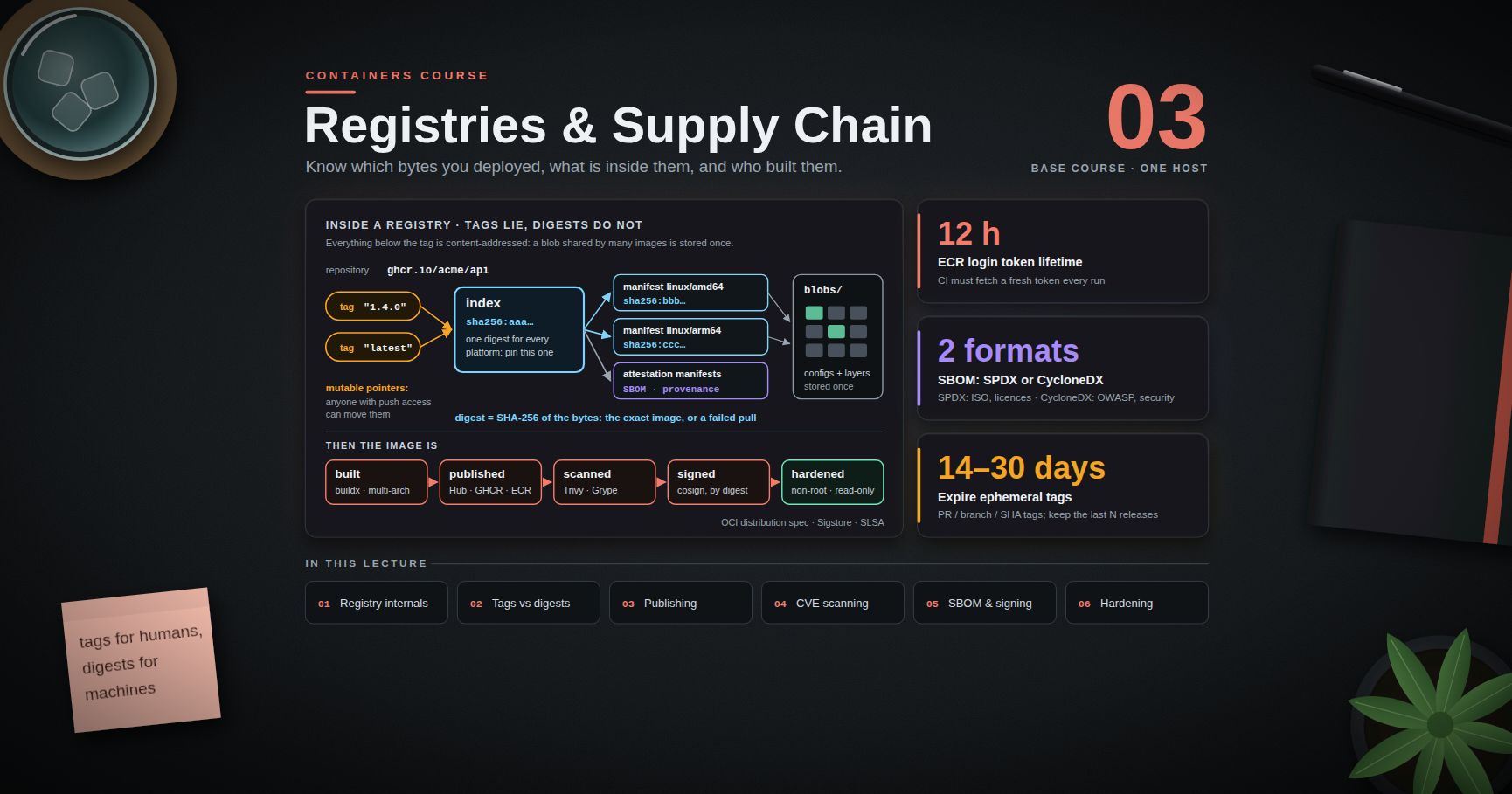
Containers Course — 03 · Registries, Supply Chain and Security
An image that only exists on your laptop is not deployable. Getting it somewhere a cluster can pull it — and being able to prove which bytes you deployed, what is inside them, and who built them — is the subject of this post. It is also where container practice stops being about convenience and starts being about security: a registry is a distribution channel, and anything you pull runs on your infrastructure. This post covers how a registry actually stores things, why tags lie and digests do not, how to publish to Docker Hub, GHCR, and ECR, how to scan for vulnerabilities without drowning in CVE noise, what SBOMs and signatures buy you, how to harden a container at run time, and the secret-leak patterns that survive inside image layers forever.
> Series map: 00 Containers from First Principles → 01 Images and Dockerfiles → 02 Networking, Volumes and Compose → 03 Registries, Supply Chain and Security (this post) → 04 Kubernetes Architecture and Core Objects → 05 Config, Storage and Stateful Workloads → 06 Scheduling, Resources, Probes and Rollouts → 07 Ingress, Observability, RBAC and GitOps.
Learning Outcome
- Explain a registry in terms of manifests, blobs, and content-addressable digests, and inspect them directly.- Apply the rule "tags for humans, digests for machines", and read a multi-arch index.- Push to Docker Hub, GHCR, and Amazon ECR, and authenticate to a private registry.- Scan images with Trivy or Grype, triage the output, and apply the base-image strategy that actually reduces CVE counts.- Generate an SBOM and attach provenance and signatures with cosign / Sigstore keyless signing.- Harden a container at run time: non-root, read-only root filesystem, dropped capabilities, no .- Keep secrets out of image layers, and set a retention policy that stops a registry growing forever.
Chapter 1 — How a registry actually works
Terminology
- Registry — an HTTP service implementing the OCI distribution spec (Docker Hub, GHCR, ECR, Harbor, Artifactory, or run yourself).- Repository — a named collection of images inside a registry: .- Blob — an immutable content-addressed object: a layer tar or a config JSON, stored under its digest.- Manifest — a JSON document listing one image's config blob and layer blobs, for one platform.- Index (manifest list) — a JSON document listing several manifests, one per platform, plus optional attestations.- Tag — a mutable, human-readable pointer to a manifest or index within a repository.- Digest — the SHA-256 of the manifest or blob bytes. Immutable by construction.
The data model
Everything below the tag is content-addressed. If two images share a base layer, the registry stores that blob once; a push only uploads blobs the registry does not already have, which is why the second push of a rebuilt image is usually fast.
The wire protocol, briefly
The distribution spec is a small REST API rooted at :
| Operation | Request ||-----------|---------|| Check API / auth | || List tags | || Fetch manifest | || Fetch a blob | || Start an upload | || Publish | |
Run one locally and look at it:
That header is the digest of the manifest — the identity you should be deploying by.
Higher-level tools do the same without curl:
> Trick: and talk to registries without a container runtime. moves an image between registries without pulling it to disk — the cleanest way to mirror images into an air-gapped environment.
Chapter 2 — Tags lie, digests do not
A tag is a mutable pointer. Anyone with push access can move , and upstream maintainers routinely move , , and even patch tags to new builds. Two machines pulling an hour apart can therefore run different code, with no error anywhere.
A digest is the hash of the manifest bytes. is either the exact image you tested or a failed pull. There is no third outcome.
The rule: tags for humans, digests for machines.
| Context | Reference by ||---------|-------------|| A person reading a README or in a tutorial | tag || in a Dockerfile you must rebuild identically | tag + digest || A Kubernetes manifest or Compose file in production | digest (or a tag pinned by your GitOps tooling, Post 07) || A rollback | the previous digest — tags may have moved || An audit trail ("what was running at 03:00?") | digest, recorded at deploy time |
Practical middle ground: keep readable tags in the repository and record the digest at deploy time. Kubernetes writes the resolved digest into the Pod status (), and an admission policy can require digest references outright (Post 07).
> Common pitfall: with a moving tag means nodes keep whatever they cached first. Half the fleet runs the old bytes, half the new, and both report the same tag. Digests remove the class of bug entirely.
Multi-arch images and the index
A modern public image tag usually resolves to an index rather than a manifest. The client picks the manifest matching its platform.
Build one yourself (Post 01 covered ):
Two consequences worth remembering:
1. of an index digest still works on every architecture — the index digest is platform-independent, while a per-platform manifest digest is not. Pin the index digest.2. Build attestations (SBOM, provenance) are stored as extra manifests inside that same index, which is how and find them later.
Chapter 3 — Publishing: Docker Hub, GHCR, ECR
Authentication
writes to . By default it stores a base64 (not encrypted) auth string, so on a shared machine configure a credential helper (, , , or the cloud helpers).
Docker Hub
Docker Hub applies pull-rate limits to anonymous and free-tier pulls, counted per IP for anonymous clients — a real problem for CI runners and Kubernetes nodes behind shared NAT. Authenticate your CI, or mirror the images you depend on into your own registry (, or a pull-through cache). Check the current published limits rather than assuming a number; they have changed several times.
GitHub Container Registry (GHCR)
Inside GitHub Actions, use the built-in token instead of a PAT:
Set in the Dockerfile so the package page links back to the repository and inherits its visibility settings.
Amazon ECR
ECR issues a short-lived token rather than accepting a long-lived password. The AWS series covers the IAM model this depends on (AWS Course Post 00) and the Terraform that provisions repositories (AWS Course Post 08).
Three ECR specifics worth knowing: the repository must exist before the first push; tag mutability makes a tag un-reusable, which removes the "someone moved 1.4.0" failure mode at the registry level; and the login token expires (12 hours), so CI must fetch it each run rather than caching it.
Private registry auth from a cluster
Nodes need credentials of their own — your laptop's is irrelevant to them. In Kubernetes that is an image pull secret:
referenced from a Pod spec (or attached to a ServiceAccount) as . Post 05 covers Secrets properly; on managed clusters, prefer the cloud-native path — an IAM role attached to the node or workload for ECR, workload identity for the other clouds — so no long-lived registry password exists at all.
Chapter 4 — Vulnerability scanning without drowning
Terminology
- CVE — a public identifier for one vulnerability ().- Scanner — a tool that inventories the packages in an image and matches them against vulnerability databases.- Fixed / unfixed — whether the distribution has published a patched version yet.- VEX — a machine-readable statement that a given CVE is not exploitable in your product, so scanners can suppress it with a documented reason.
Running a scan
Registries also scan: ECR (, with the deeper Amazon Inspector integration), GHCR/Dependabot for some ecosystems, Docker Scout for Hub.
Reading the output without drowning
A first scan of a image can report hundreds of findings. Most of them are not action items. Triage in this order:
1. Severity and fix availability first. collapses the list to what you can actually act on today.2. Is the vulnerable component reachable? A CVE in a CLI tool your service never invokes is real but low-priority; a CVE in your TLS library is not.3. Is it in the base image or in your dependencies? Base-image CVEs are fixed by rebuilding on a newer base; dependency CVEs are fixed by bumping a lockfile.4. Suppress with a reason, never silently. (with an expiry date and a comment) or a VEX document records why something was accepted.5. Gate on a policy you can hold to. "No CRITICAL with a fix available" is enforceable; "zero CVEs" is not, and a gate everyone bypasses protects nothing.
The base-image strategy that actually reduces CVE count
Scanning does not fix anything. What reduces findings, in order of effect:
| Action | Effect ||--------|--------|| Rebuild regularly on a fresh base | most OS-package CVEs disappear because the base was patched upstream || Ship a smaller base (slim, distroless, ) | fewer packages, fewer CVEs, less to patch — often a large drop || Remove build tooling from the runtime stage (Post 01) | compilers and headers stop counting toward your attack surface || Automate base bumps (Renovate/Dependabot on the digest) | the pin stays current without a human remembering || Track your own dependency lockfiles | application-level CVEs, which no base change fixes |
> Trick: a weekly scheduled rebuild-and-scan of the unchanged source is one of the highest-value pipelines you can add. Your code did not change; your base image did, and so did the vulnerability database.
Chapter 5 — SBOMs, provenance, and signing
SBOM
A Software Bill of Materials lists every component in an artifact — OS packages, language dependencies, versions, licences. Two mainstream formats: SPDX (ISO standard, licence-focused) and CycloneDX (OWASP, security-focused). Either is fine; pick one and be consistent.
Why it matters: when the next widely-exploited library CVE lands, the question "are we affected, and where?" becomes a query over stored SBOMs instead of a week of archaeology. It is also increasingly a procurement and compliance requirement.
Provenance
Provenance answers how the artifact was built: which source commit, which builder, which parameters. BuildKit emits it as an in-toto attestation (), and the SLSA framework defines levels for how tamper-resistant that claim is. Provenance produced by your CI, signed by your CI's identity, is what lets a policy say "only images built by this pipeline from this repository may run".
Signing with cosign
Classic key-based signing works, but key management is the hard part. Keyless signing (Sigstore) removes the long-lived key: your CI job authenticates with an OIDC token, Fulcio issues a short-lived certificate bound to that identity, the signature is recorded in the Rekor transparency log, and the certificate expires minutes later.
> Watch out: with no identity flags checks only that a signature exists. The security comes from asserting the expected identity and issuer. A verification step that accepts any signer is theatre.
Enforcement belongs at admission time in the cluster — an admission controller (Kyverno, Sigstore Policy Controller, Gatekeeper) that rejects Pods whose images are unsigned, unscanned, or not from an allowed registry. That is Post 07 material; the point here is that signing is only useful if something checks it.
Chapter 6 — Least-privilege runtime hardening
Post 00 described the sandbox layers. These are the switches that use them.
| Control | Flag | Why ||---------|------|-----|| Non-root user | (and in the image) | a container escape starts from an unprivileged UID || Read-only root filesystem | + for writable paths | attackers cannot drop tools or modify binaries || Drop capabilities | | most apps need none; add back only what fails || No privilege escalation | | blocks setuid binaries from regaining privileges || Keep the default seccomp/AppArmor profiles | (default — do not disable) | blocks 40 dangerous syscalls at no measurable cost || Never | — | it disables essentially all of the above || Never mount the Docker socket | — | in a container ≈ root on the host || Resource limits | , , | a compromised or buggy container cannot starve the host |
Finding the minimum capability set is empirical: start from , run your test suite, and add back only the capability each failure names. Most web services need none; something binding port 80 needs (or just listen on 8080 and let the load balancer map it).
Every one of these has a Kubernetes equivalent in a Pod's — , , , , , — enforced cluster-wide by Pod Security Admission. Posts 05 and 07 cover them.
Chapter 7 — Secrets and image lifecycle
The layer-history leak
Layers are additive (Post 01). A secret added in one instruction and deleted in the next is still in the earlier layer, and anyone who can pull the image can read it. Prove it:
The same applies to (visible in ), to (visible in and in the environment of every process), and to a file swept into the image by with no .
Doing it correctly
| Need | Correct mechanism ||------|-------------------|| Credential during build | BuildKit (or an SSH agent mount for private Git) || Credential at run time | environment variable injected by the orchestrator, or a mounted file || Credential in Kubernetes | Secret → env or volume; better, an external secret store via CSI or the External Secrets Operator (Post 05) || Registry credential for a cluster | , or cloud IAM with no stored password || Never | , , a committed , or a file baked into a layer |
is not a secret store, even at run time: environment variables show up in , in crash dumps, in , and in many logging and APM agents' captured context. Files mounted at a path with restrictive permissions leak less.
Image lifecycle and retention
Registries grow without bound unless told otherwise. Every CI run of every branch pushes a tag; six months later the repository is thousands of images and a large bill.
A workable policy:
- Immutable release tags () — never reused. ECR enforces this with ; other registries have equivalents.- Semantic tags for humans, digests for deploys, as in Chapter 2.- Expire ephemeral tags: PR/branch/commit-SHA tags after 14–30 days.- Keep the last N releases (say 10) plus anything currently deployed, forever.- Delete untagged manifests older than a few days — these accumulate every time a tag moves.- Verify nothing running references what you delete before enabling any rule; a deleted digest breaks a Pod restart, not just a new deploy.
(An ECR lifecycle policy; GHCR and Harbor express the same ideas through retention rules in their own UI/API.)
A checklist you can apply to your own image today
Run these against one image you own and record the result. Every step is reproducible and takes minutes:
Anything that fails is a concrete ticket: pin the digest, add a , drop the writable rootfs, bump the base, remove the secret, add signing.
Practice Exercises
Exercise 1 — Run your own registry
Start locally, push an image to it, and use to list the tags and read the manifest digest. Then pull the image back by digest instead of tag.
<details><summary>Solution</summary>
</details>
Exercise 2 — Prove a tag can move
Push built from one Dockerfile, record its digest, rebuild from a different Dockerfile, push again, and show that the tag now resolves to a different digest while the old digest is still pullable.
<details><summary>Solution</summary>
</details>
Exercise 3 — Extract a leaked secret
Build the "BROKEN" Dockerfile from Chapter 7 with a fake token file, then recover the token from the saved image without running the container. Rebuild with a BuildKit secret mount and show the token is gone.
<details><summary>Solution</summary>
</details>
Exercise 4 — Scan and triage
Scan and with Trivy. Record the total findings and the HIGH/CRITICAL-with-fix counts for each. Then scan your own application image and write a one-paragraph triage: what you would fix this week, what you would suppress with a reason, and why.
Exercise 5 — Harden a container
Take any image you run and add, one flag at a time: , (plus the paths it turns out to need), , and . Record which flag first breaks the app and what the minimum capability set turned out to be.
Exercise 6 — SBOM and signature
Generate an SBOM for one of your images in both SPDX and CycloneDX form, and check whether the same image (or a public one you depend on) carries a cosign signature. If you have a GitHub Actions pipeline, add keyless signing of the pushed digest and verify it locally with an identity assertion.
Cheat-sheet
| What | How ||------|-----|| Resolve a tag to a digest | || Inspect an index / manifest | || Registry-only inspection | , || Mirror between registries | || Local registry | || Login | || ECR login | || Cluster pull credentials | → || Multi-arch push | || Scan (gate CI) | || Scan an SBOM | || Generate an SBOM | || Build with attestations | || Sign (keyless) | || Verify with identity | || Hardened run | || Build secret | + || Find a leaked secret | ; || Retention | immutable release tags; expire untagged and ephemeral tags; keep last N |
What's next
The image is now built, published, scanned, signed, and hardened. Post 04 moves to running it at scale: Kubernetes Architecture and Core Objects — the control plane (API server, etcd, scheduler, controller manager) and the node components (kubelet, kube-proxy, container runtime via CRI), the declarative reconciliation loop that makes the whole system work, and the core objects you will use every day: Pods, ReplicaSets, Deployments, Services, and Namespaces.
References
- OCI Distribution Specification — the API described in Chapter 1.- OCI Image Specification — manifests, indexes, descriptors, media types.- Docker Hub, GitHub Container Registry, and Amazon ECR — the three registries used above.- Trivy and Grype / Syft — scanning and SBOM generation.- SPDX and CycloneDX — the two mainstream SBOM formats.- Sigstore / cosign — keyless signing, Fulcio, Rekor, attestations.- SLSA — supply-chain levels and the provenance model BuildKit emits.- Docker Engine security — capabilities, seccomp, AppArmor, rootless mode.- and — registry tooling without a daemon.
> Note: this post is in progress. Planned additions: a full GitHub Actions workflow that builds, scans, SBOMs, signs, and pushes by digest; a Kyverno admission policy that enforces signature verification; notes on pull-through caches and air-gapped mirroring.
PostgreSQL Course — 07 · Operations, Backup, Replication and Security
Everything in the previous six posts assumed a database that is up, reachable, and holding correct data. This post is about keeping that true. It covers the write-ahead log that underpins both durability and replication, backup strategies from a logical dump to point-in-time recovery, streaming and logical replication with the failover hazards they bring, why PostgreSQL's process-per-connection model makes a pooler near-mandatory, the security surface from to row-level security, and the monitoring that tells you any of this is going wrong before a user does. It closes the base PostgreSQL course.
> Series map: 00 Foundations & Setup → 01 SQL Fundamentals & Data Types → 02 Joins, Aggregation & Window Functions → 03 Indexes & the Query Planner → 04 Query Optimization & Statistics → 05 Transactions, MVCC, Isolation & Locking → 06 Schema Design, Normalization & JSONB → 07 Operations, Backup, Replication & Security (this post) → (future: extensions, full-text search, pgvector, partitioning at scale, tuning, PL/pgSQL, ORMs, managed PostgreSQL).
Learning Outcome
- Explain what the WAL is, why full page writes exist, and what a checkpoint does.- Choose between logical dumps, physical base backups, and continuous archiving, and perform a point-in-time recovery.- Set up streaming replication with a replication slot, and monitor lag correctly.- Explain the split-brain hazard and why automatic failover needs fencing.- Use logical replication, including for a near-zero-downtime major version upgrade.- Configure PgBouncer in transaction mode and list exactly what breaks there.- Grant privileges correctly, write a row-level security policy, and configure with and TLS.- Name the handful of PostgreSQL metrics worth alerting on and where each comes from.
Chapter 1 — The write-ahead log
Terminology
- WAL — the write-ahead log. Every change to a data page is described in a WAL record that is flushed to durable storage before the page itself is written.- LSN — Log Sequence Number, a monotonically increasing byte position in the WAL stream (). The universal currency of replication and recovery.- WAL segment — a WAL file, 16 MB by default.- Checkpoint — a point at which all dirty shared buffers are flushed to the data files, allowing WAL before that point to be recycled.- Full page write — the first change to a page after a checkpoint writes the entire 8 KB page into the WAL, not just the delta.
The write-ahead rule is what makes crash recovery possible: after a crash, PostgreSQL replays WAL from the last checkpoint forward, reconstructing every committed change. returns only once the commit record is durably flushed — this is exactly the D in ACID, and it is why is a data-loss setting, not a performance setting.
Full page writes
Operating systems and storage do not guarantee that an 8 KB page write is atomic. A crash mid-write can leave a torn page: half old, half new — a page WAL deltas cannot be applied to, because the base is corrupt. (the default) solves this by writing a complete image of the page the first time it is modified after each checkpoint, giving recovery a known-good base to replay from.
The cost is WAL volume, and it is the reason WAL generation spikes immediately after every checkpoint. It is also the reason random-write workloads (see UUIDv4 keys in post 06) generate far more WAL than sequential ones: they touch more distinct pages, so more of them need full images.
Checkpoints
| Parameter | Default | Effect ||-----------|---------|--------|| | | Maximum time between checkpoints. Commonly raised to –. || | | Soft ceiling on WAL between checkpoints; exceeding it triggers one early. || | | WAL kept preallocated for recycling. || | | Fraction of the interval over which the flush is spread. || | | Compresses full-page images. Often a clear win on modern CPUs. |
Longer intervals mean fewer full page writes and less total I/O, but a longer crash-recovery time and larger I/O bursts. Set (default since PostgreSQL 15) and watch for the phrase in the log — that means is too small for the write rate.
controls how much durability you pay for per transaction:
| Value | Guarantee | Risk on crash ||-------|-----------|---------------|| (default) | WAL flushed locally before returns | None || | Flushed and applied on a synchronous standby | None; highest latency || | Written (not flushed) on the standby | Standby OS crash could lose it || | Local flush only, ignoring synchronous standbys | Loss only if the primary is lost || | returns before the flush | Up to of committed transactions lost — but never corruption |
is a legitimate choice for a bulk load or an analytics table where losing the last 600 ms of transactions is acceptable. never is.
Chapter 2 — Backups
Three families, and you probably want two of them.
| Method | Granularity | Restore target | Cross-version | Cost ||--------|------------|----------------|---------------|------|| / | Logical (SQL or archive) | Any point you took a dump | Yes — restores into a newer major version | Slow on large databases; restore is slower still || | Physical (whole cluster) | The moment the backup ended | No — same major version, same architecture | Fast; size of the data directory || Base backup + WAL archive | Physical + continuous | Any moment covered by the archive | No | Base backup plus ongoing WAL storage |
Logical dumps
Properties to internalise: a is a consistent snapshot (it runs in a transaction), it does not block writers, but it does hold that snapshot for the whole run — which pins the vacuum horizon (post 05). It does not include statistics, so after restoring. And lets you restore one table out of a full dump, which plain SQL output does not.
Physical base backups
streams the WAL generated during the backup alongside it, so the result is self-consistent and immediately restorable. In PostgreSQL 15 the old exclusive backup mode was removed; the low-level API is now / (renamed from / ).
Continuous archiving and point-in-time recovery
Configure the primary to hand every completed WAL segment to an archive:
The must return non-zero if it fails — PostgreSQL retries and keeps the segment until it succeeds. A command that silently succeeds while writing nowhere is the most common way a PITR setup turns out to be fiction.
> Watch out: a failing makes WAL accumulate in until the disk fills and the primary shuts down. Alert on and on directory size.
Worked restore to a specific moment:
Recovery targets available: , , , (set beforehand with ), and . is the safe default — it gives you a chance to check before the timeline advances irreversibly.
In production, use a purpose-built tool rather than hand-rolled scripts: pgBackRest, Barman, or WAL-G all handle retention, parallel compression, encryption, incremental backups, and — critically — verification.
An untested backup is not a backup
The only evidence a backup works is a restore that produced a working database. Practices worth enforcing:
- A scheduled automated restore into a scratch environment, at least weekly, that runs a real query afterwards and fails loudly if it does not.- Record and track the restore time, not just the backup time. Your RTO is a measured number or it is a hope.- Keep at least one copy off the machine, off the account, and immutable. Backups on the same volume protect against nothing that actually happens.- Practise the restore under time pressure once, with the runbook, before you need it.
Chapter 3 — Streaming replication
A standby connects to the primary over the replication protocol, receives WAL as it is generated, and replays it continuously. It is physical, byte-for-byte identical replication of the whole cluster.
Setup
On the primary:
On the standby:
Replication slots
A slot makes the primary retain WAL until the standby has confirmed consuming it. That removes the classic failure where a standby falls behind, the primary recycles the WAL it still needed, and the standby is permanently broken.
The slot's danger is symmetrical: a forgotten or dropped standby leaves an active slot, the primary retains WAL forever, and fills the disk. Bound it:
Synchronous vs asynchronous
Asynchronous (the default) means returns as soon as the primary has flushed locally. A primary failure can lose the last few transactions. Synchronous replication waits for a standby:
The trade is unambiguous: synchronous replication buys zero data loss on failover and costs one network round trip on every commit. Configure rather than a single named standby — with one synchronous standby and no alternative, losing that standby stalls every commit on the primary.
Hot standby and read scaling
lets the standby serve read-only queries. Two conflicts follow:
- A long query on the standby can be cancelled when WAL replay needs to remove rows it is reading (, default 30 s, controls how long replay waits first).- tells the primary to hold back vacuum for the standby's oldest snapshot, which prevents those cancellations — and reintroduces the long-transaction bloat problem from post 05, now caused remotely.
Pick one deliberately. Analytics standby: and accept the bloat. Failover-only standby: leave it off.
Monitoring lag
Alert on replay lag in bytes, not on the time figure alone: on an idle primary, grows simply because nothing has been committed, which produces false alarms.
Failover and split brain
Promotion itself is trivial:
The danger is split brain: the old primary is not actually dead — it was unreachable — and it keeps accepting writes while the new primary also accepts writes. Two divergent timelines, both containing real customer data, and no automatic way to merge them.
Automatic failover therefore requires more than a health check:
- Fencing / STONITH — make certain the old primary cannot accept writes: kill the instance, revoke its network path, or detach its storage.- Quorum — the decision to promote must be made by a majority of an odd-numbered set of observers, not by one watcher that may itself be the partitioned party.- A single write endpoint — clients must reach the primary through a VIP, a proxy, or in a multi-host connection string, so promotion actually redirects them.
Use Patroni (with etcd/Consul/Kubernetes for consensus) or repmgr. Hand-rolled failover scripts are the classic source of split-brain incidents, and — which can resynchronise a diverged old primary — only helps if the divergence is small and or data checksums were enabled beforehand.
Chapter 4 — Logical replication
Streaming replication copies bytes. Logical replication decodes the WAL into row-level changes and applies them as ordinary inserts, updates and deletes on the subscriber. That makes it selective and cross-version.
What it can do that physical replication cannot: replicate a subset of tables, replicate between different major versions, replicate into a differently-indexed target, filter rows ( clauses on publications, PostgreSQL 15+) and columns (15+), and support two-way or many-to-one topologies.
What it does not do, and these bite:
- DDL is not replicated. Schema changes must be applied on both sides, subscriber first for additive changes.- Sequence values are not replicated (through PostgreSQL 18). At cutover you must advance every sequence on the subscriber manually with .- Every replicated table needs a replica identity — a primary key, or (which makes updates and deletes far more expensive), otherwise updates and deletes cannot be applied.- Large objects are not replicated. Truncate is (11+), but only for tables in the publication.
Major-version upgrade via logical replication
This is logical replication's most valuable use, because it reduces the downtime of a major upgrade from "however long takes" to "however long a DNS or proxy switch takes".
1. Build a new cluster on the target major version, restore the schema only ().2. Create a publication on the old cluster and a subscription on the new one. Initial data sync copies existing rows, then streaming catches up.3. Wait until shows negligible lag. Verify row counts on both sides.4. Stop application writes (this is the entire downtime window).5. Confirm zero lag, advance all sequences with , then repoint the application at the new cluster.6. Drop the subscription. Keep the old cluster shut down but intact for a rollback window.
Compare with :
| | | Logical replication ||---|---|---|| Downtime | Minutes to hours; / makes it minutes | Seconds — the cutover only || Extra disk | None with | A full second copy of the data || Rollback | Hard once has been used | Easy — the old cluster is untouched and still running || Complexity | One command plus a post-upgrade | Sequences, DDL freeze, and verification to manage || Extension/index caveats | Before PostgreSQL 18, statistics are not carried over; 18+ keeps them except extended statistics. right after either way | Target can even be re-indexed differently |
is right for a small database with an acceptable maintenance window. Logical replication is right when downtime is measured in seconds and you want a live rollback path.
Chapter 5 — Connection pooling
PostgreSQL forks one operating-system process per connection. Each backend carries its own memory ( allocations, catalogue caches, prepared statement plans), typically several megabytes at rest and much more under load. Consequences:
- Establishing a connection costs a plus catalogue loading — milliseconds, which is enormous compared to a 0.3 ms query.- Idle connections are not free; they hold memory and appear in every snapshot computation.- Throughput peaks at a fairly small number of active backends — roughly in the neighbourhood of the core count plus effective spindle count — and declines beyond it as lock contention and context switching dominate. Raising to 2000 does not raise throughput; it lowers it.
This is why a pooler is near-mandatory for any application with more than a handful of application servers, and why serverless platforms that open a connection per request need one absolutely.
PgBouncer modes
| Mode | A server connection is returned to the pool | Multiplexing | Use for ||------|--------------------------------------------|--------------|---------|| | When the client disconnects | None — 1:1 while connected | Legacy apps that depend on session state || | At the end of each transaction | High — the reason to use PgBouncer | Almost all web applications || | After every statement | Highest | Only for autocommit-only, single-statement workloads |
What breaks in transaction mode
Your session may be a different backend for every transaction. Anything that lives in a session rather than a transaction is therefore unsafe:
| Feature | Status in transaction mode ||---------|---------------------------|| / outside a transaction | Broken — lands on an arbitrary backend. Use inside the transaction. || Session-level advisory locks () | Broken — the unlock may run on a different backend. Use . || / | Broken — needs a persistent session. Keep a direct connection for it. || Session-level prepared statements | Historically broken. PgBouncer 1.21+ supports protocol-level prepared statements in transaction mode via ; enable it and match the driver's behaviour. || cursors | Broken — they outlive the transaction. || Temporary tables | Broken — session-scoped. || Sequence across transactions | Broken. Use instead. || for row-level security | Only safe as inside the transaction. |
> Common pitfall: ORMs and drivers frequently use server-side prepared statements by default (psycopg3's prepare threshold, JDBC's , Prisma's behaviour). Either enable in PgBouncer or turn prepared statements off in the driver. Silently mismatched configuration produces intermittent errors under load and nowhere else.
Sizing: total server connections across all poolers should stay comfortably under . A common shape is on the server, per pooler instance, and thousands of client connections above that. Alternatives worth knowing: Odyssey (multi-threaded), pgcat (pooling plus load balancing and sharding), and the pooler built into most managed platforms.
Chapter 6 — Security
Roles and privileges
PostgreSQL has one concept — the role — that plays the part of both user and group. is just an attribute.
applies to objects created by the role that runs it. Run it as the role that owns your migrations, or specify , or the next table created will silently be inaccessible.
Baseline hardening:
- The application never connects as a superuser, and never as the schema owner. A compromised application should not be able to .- Revoke the default public access: since PostgreSQL 15 the schema no longer grants to , but on older clusters run .- then grant explicitly.- Separate roles for migrations (DDL), the application (DML), read replicas/analytics ( only), and backups (, a predefined role since PostgreSQL 14).
Row-level security
RLS makes the database itself filter rows per user — the multi-tenancy control that cannot be forgotten by an application developer.
The application sets the tenant at the start of each transaction:
Four things to get right:
- filters what is visible; constrains what may be written. Omit and a tenant can insert rows belonging to another tenant that it then cannot see.- Without , the table owner bypasses all policies. Superusers and roles with always bypass them.- Use , never , when a pooler is in front (Chapter 5). A leaked on a reused backend is a cross-tenant data leak.- Index the policy column. Every query now carries , so should lead your indexes.
pghba.conf and authentication
is evaluated top to bottom, first match wins. The most common misconfiguration is a broad early rule shadowing the strict rule below it.
| Method | Verdict ||--------|---------|| | The correct default. Set (the default since PostgreSQL 14) and reset every password so the stored verifier is upgraded. || | Deprecated and weak. Migrate off it. || | No authentication at all. Never outside a throwaway container. || / | OS-user based; fine for local admin access. || | TLS client certificates. Strong, operationally heavy. || / / | Enterprise directory integration. |
Reload after editing: — no restart needed. Inspect the effective rules with , which also reports parse errors.
TLS
Server-side only permits TLS. The client decides whether to require it, and the default () silently falls back to plaintext. Force it from the client, and use so the certificate is actually checked against the hostname:
Use (not ) lines in for anything crossing a network boundary, so the server rejects plaintext rather than trusting the client to ask.
Secrets
- Never in the repository, never in a connection string in application source, never in a shell history.- Use the platform's secret manager (AWS Secrets Manager, GCP Secret Manager, Vault, Kubernetes secrets with encryption at rest) and inject at runtime.- Prefer short-lived credentials where the platform offers them — IAM authentication on RDS/Cloud SQL issues a token valid for minutes rather than a static password.- (mode ) for operator tooling; environment variables for containers; never a command-line password argument, which lands in the process list.- Rotate on a schedule, and make the rotation a tested procedure rather than a theoretical one.
Chapter 7 — Monitoring and alerting
The views that matter
| View | Tells you ||------|-----------|| | What every backend is doing right now: , , , || | Per database: commits, rollbacks, /, , , || | Per table: seq vs index scans, , last (auto)vacuum and analyze || | Per index: — zero means an unused index costing write throughput || | Query-level aggregate cost. The starting point of tuning (post 04) || | Per-standby lag at each stage || | WAL archiving success and failure counts || | Checkpoint counts (PostgreSQL 17+; before 17) — a high vs ratio ( vs before 17) means is too small || | Per-backend-type I/O breakdown (PostgreSQL 16+) || | Lock waits and blocking chains |
Logging
complements rather than duplicating it: gives aggregates with normalised text, the log gives individual slow executions with their actual parameter values — which is what you need to reproduce a plan.
For heavier sampling use with and (understanding that adds real overhead), which captures the actual plan of slow statements as they happen.
What to alert on
| Signal | Source | Why it wakes someone ||--------|--------|----------------------|| Replication replay lag over threshold (bytes) | | Failover would lose data; read replicas serve stale results || Inactive replication slot with growing retention | | Primary's will fill the disk || WAL archiver failures | | PITR is silently broken and disk will fill || Transaction ID age approaching | | Cluster will refuse writes (post 05) || Disk usage on the data and WAL volumes | OS | A full volume shuts PostgreSQL down || Connections near | count | New connections will be refused || Longest transaction / longest | | Blocks vacuum cluster-wide; blocks DDL || Deadlocks per interval | | A lock-ordering bug shipped || Cache hit ratio falling sharply | | Working set outgrew memory; investigate, do not alert on a fixed number || p99 query latency, and error rate by SQLSTATE | Application / | The signal your users actually feel || Backup job success, and last successful restore test | Backup tool | The only proof the backup exists |
Alert on things that are actionable and that precede user-visible failure. Cache hit ratio, transactions per second and index counts are dashboard metrics, not pager metrics.
Practice Exercises
Exercise 1 — Full PITR drill
Set up continuous archiving on a scratch cluster. Take a base backup, insert recognisable data, note the wall-clock time, then something important. Restore to one minute before the drop and prove the table is back.
<details><summary>Solution</summary>
</details>
Exercise 2 — Streaming replication with a slot
Build a primary and one standby with a physical replication slot. Write continuously on the primary and read on the standby. Then stop the standby for ten minutes and show, from , exactly how much WAL the primary retained on its behalf.
Exercise 3 — Break the slot deliberately
Set to a small value, stop the standby, and generate enough WAL to exceed it. Observe the slot becoming and the standby failing to resume. Explain in two sentences why this outcome is preferable to the primary filling its disk.
Exercise 4 — Transaction pooling failures
Put PgBouncer in in front of a test database. Reproduce three distinct failures: a outside a transaction that does not stick, a session advisory lock that is never released, and a prepared-statement error. Then fix each one.
<details><summary>Solution</summary>
</details>
Exercise 5 — Row-level security
Create a two-tenant table with RLS. Show that a query with cannot see tenant 2's rows, that also constrains the owner, and that omitting lets a tenant insert a row it then cannot read back.
<details><summary>Solution</summary>
</details>
Exercise 6 — Audit pghba.conf
Take a default and harden it: no , everywhere, for anything non-local, a dedicated replication line, and an explicit at the end. Verify with and confirm a plaintext connection is refused.
Exercise 7 — Design the alert set
For a two-node cluster with nightly base backups and continuous archiving, write out every alert you would configure: the metric, its source query, the threshold, and the first three steps of the runbook for each. Deliberately include no alert that is not actionable.
Cheat-sheet
| What | How ||------|-----|| Logical dump (best format) | || Roles and globals | || Parallel restore | || Physical base backup | || Enable archiving | + a failing-on-error || Recovery target | + (PG 12+) || Pause before committing to recovery | , then || Create a physical slot | || Standby from scratch | || Cap slot WAL retention | (PG 13+) || Synchronous replication | || Replication lag (primary) | — diff and || Replication lag (standby) | || Promote a standby | or || Avoid split brain | quorum + fencing (Patroni / repmgr), single write endpoint || Logical replication | / , || Near-zero-downtime major upgrade | logical replication + sequence at cutover || Fast in-place major upgrade | , then || Pooling mode for web apps | PgBouncer || Pooler-safe session settings | , || Future-table grants | || Row-level security | + + policy with and || Auth method | ; check with || Force TLS from the client | || Log slow statements | || Who is blocking whom | joined to || Wraparound margin | || Proof a backup works | a scheduled automated restore that runs a query and fails loudly |
Course base complete — what's next
You now have the base PostgreSQL course end to end: installation and the client, SQL and the type system, joins and window functions, indexes and the planner, cost-based optimization and statistics, MVCC and concurrency control, schema design and JSONB, and the operational layer that keeps all of it running. That is the working knowledge behind most day-to-day PostgreSQL engineering, and enough to be the person on a team who can answer "why is this slow" and "can we restore that".
The remaining posts go deeper into specialisations, each of which is a topic in its own right.
Planned future posts (extensions):- PostgreSQL 08: the extensions ecosystem — PostGIS, pgvector, TimescaleDB, pgcron, pgpartman, and how to evaluate an extension before depending on it- PostgreSQL 09: full-text search deep dive — /, dictionaries and stemming, ranking, GIN vs GiST, trigram fuzzy matching, and where a dedicated search engine becomes the better answer- PostgreSQL 10: pgvector and RAG on PostgreSQL — embeddings, HNSW and IVFFlat indexes, hybrid search, and a production build (cross-reference for the Atlas Vector Search equivalent)- PostgreSQL 11: partitioning and time-series at scale — pgpartman, retention and rollup strategies, TimescaleDB hypertables and compression- PostgreSQL 12: performance tuning deep dive — from first principles, kernel settings (huge pages, , I/O schedulers), filesystem and storage choices, and benchmarking with- PostgreSQL 13: PL/pgSQL, triggers, and stored procedures — when server-side logic is right, when it is a maintenance trap, and testing it with pgTAP- PostgreSQL 14: ORMs and drivers — psycopg3, SQLAlchemy 2.0, Prisma, Drizzle: pooling behaviour, prepared statements, migration tooling, and the N+1 patterns each one encourages- PostgreSQL 15: managed PostgreSQL — RDS and Aurora, Cloud SQL, Neon, Supabase: what each takes over, what each takes away, and cost models (cross-reference the AWS series, particularly )
References
- Write-Ahead Logging- Backup and Restore- Continuous Archiving and Point-in-Time Recovery- High Availability, Load Balancing, and Replication- Logical Replication-- Client Authentication —- Row Security Policies- Secure TCP/IP Connections with SSL- The Cumulative Statistics System- PgBouncer documentation- Patroni · pgBackRest · Barman
> Note: this post is in progress. Planned additions: a Patroni-on-Kubernetes walkthrough, a worked recovery of a diverged old primary, and a cost/behaviour comparison of pgBackRest, Barman and WAL-G on the same dataset.
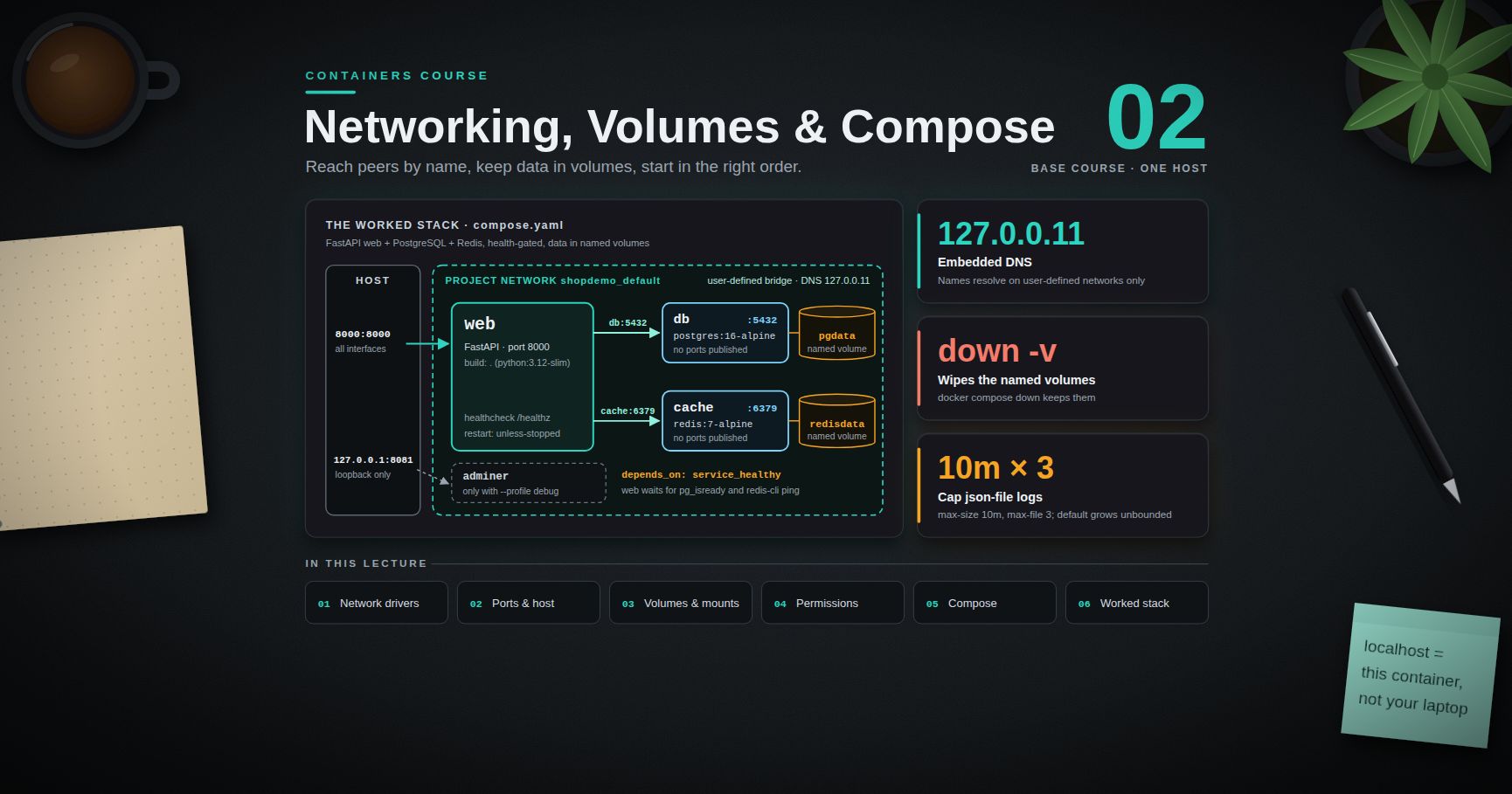
Containers Course — 02 · Networking, Volumes and Compose
A single container is rarely the whole system. Real services talk to a database, cache things in Redis, and need their data to survive a redeploy — which means two subjects that beginners consistently get wrong: networking (why one container cannot reach another by name, why inside a container is not your laptop) and storage (why the database was empty after , why a bind-mounted directory is suddenly owned by root). This post covers both from the mechanics upward, then assembles everything into a Docker Compose stack — web application, PostgreSQL, and Redis — that starts in the right order, waits for dependencies to be genuinely ready, and can be run end to end from the file listings here.
> Series map: 00 Containers from First Principles → 01 Images and Dockerfiles → 02 Networking, Volumes and Compose (this post) → 03 Registries, Supply Chain and Security → 04 Kubernetes Architecture and Core Objects → 05 Config, Storage and Stateful Workloads → 06 Scheduling, Resources, Probes and Rollouts → 07 Ingress, Observability, RBAC and GitOps.
Learning Outcome
- Explain Docker's network drivers, why only a user-defined bridge provides DNS by container name, and what publishing a port does to the host's firewall rules.- Use with the right platform-specific caveats.- Choose between named volumes, bind mounts, and tmpfs using a decision table, and know exactly what destroys.- Diagnose and fix UID/permission mismatches on bind mounts, and know why they are slow on macOS and Windows.- Write a modern Compose file (v2 spec, no key) with health-gated , env files, named volumes, profiles, and resource limits.- Run, inspect, log, and tear down a multi-service stack, with log rotation configured so it cannot fill the disk.
Chapter 1 — Docker networking
Terminology
- Network driver — the mechanism implementing a Docker network: , , , , , .- Default bridge — the network ( on the host) containers join when you specify nothing; a user-defined bridge is one you create with , and it behaves better in every way.- Embedded DNS — Docker's resolver at inside containers on user-defined networks; resolves container names and network aliases (extra names set with or ).- Publishing — mapping a container port onto a host port with .
The drivers
| Driver | Isolation | Reaching other containers | Reaching the host network | Typical use ||--------|-----------|---------------------------|---------------------------|-------------|| (default) | own netns, NAT to host | by IP only — no DNS by name | via published ports | legacy default; avoid for multi-container work || user-defined | own netns, NAT to host | by container name and alias | via published ports | the normal choice; what Compose creates || / | shares the host netns / only | direct on localhost / nothing | direct, no NAT / nothing | latency-sensitive workloads (Linux) / offline batch jobs || | multi-host, VXLAN | across hosts by name | — | Swarm; Kubernetes uses its own CNI plugins instead || / | own MAC/IP on the physical LAN | as a LAN peer | as a LAN peer | legacy apps that need a real LAN address |
Default bridge vs user-defined bridge
This is the single most useful networking fact in Docker:
Why: on a user-defined network the container's points at Docker's embedded DNS server (), which knows every container name and alias on that network and updates as containers come and go. The default bridge has no such service — the old flag filled that gap and is legacy today.
Other differences follow: user-defined networks are isolated from each other (a container on cannot reach one on unless attached to both), containers can be attached and detached while running (), and every container on the network can reach every other on all ports without any publishing.
> Trick: the correct mental default is "one user-defined network per application stack". Compose does this for you automatically: every project gets a network named , and every service is reachable from every other by its service name.
Inter-container communication
Within one user-defined network, address peers by service/container name and the container's own port — not the published host port:
inside a container means that container. This one line prevents most first-week networking bugs.
Publishing ports
Format: . Omitting the host IP binds all interfaces, which on a machine with a public IP means the port is on the internet.
> Watch out: on Linux, Docker publishes ports by writing rules in the table's chain, which are consulted before the rules that host firewalls like manage. A therefore does not block a published container port. The fixes: publish to explicitly, put the container behind a reverse proxy, or configure Docker with integration adjusted per the official networking documentation.
Reaching the host from a container
| Platform | How | Notes ||----------|-----|-------|| Docker Desktop (macOS, Windows) | | provided automatically by Desktop || Docker Engine on Linux | , or in Compose | not present unless you add it (Engine 20.10+) |
networking itself has a platform caveat: it is native on Linux, whereas on Docker Desktop the "host" is the Linux VM, so support arrived only in recent Desktop versions and behaves differently. For portable stacks, do not depend on .
Debugging a network
The last line attaches a debug container to another container's network namespace — the same relationship every container in a Kubernetes Pod has with its peers (Post 04).
Chapter 2 — Storage
Terminology
- Named volume — storage managed by Docker, referenced by name, under the daemon's data root ( on Linux). An anonymous volume is the same thing with a generated name, created when an image path has nothing mounted on it.- Bind mount — a host path mounted into the container. Not managed by Docker; the host's permissions and inode semantics apply.- tmpfs mount — an in-memory filesystem inside the container, never written to disk (Linux only). The container's writable layer (Post 00) is not storage at all: it dies with the container.
Decision table
| | Named volume | Bind mount | tmpfs ||--|-------------|-----------|-------|| Lives where | Docker's data root | anywhere on the host | RAM || Managed by Docker | yes () | no | yes || Survives | yes | yes (it is host data) | no || Survives | yes if named; anonymous ones are deleted | yes | no || Host UID/permission surprises | few — Docker seeds ownership from the image on first use | many | none || Performance on macOS/Windows | good | poor (crosses the VM boundary) | good || Editable live from the host | not conveniently | yes — the point of it | no || Right for | databases, uploads, caches, any production data | source code in development, config files, host sockets | secrets in memory, scratch space, read-only-rootfs writable paths |
> Trick: silently creates a directory when the source does not exist; errors instead. Prefer in anything you intend to keep.
Volume lifecycle and what destroys
The rules, precisely:
- — removes the container and its writable layer; named volumes are untouched. additionally removes the anonymous volumes attached to it, and still leaves named ones alone.- — removes every volume no container currently references (since Docker Engine 23.0, plain removes only unused anonymous volumes). It deletes real data with no summary of contents; a stopped container counts as a reference, one you already removed does not.- — removes containers and the project network, keeps named volumes. also removes the named volumes declared in the file — the command that wipes your development database.
> Watch out: is the most destructive command in everyday Docker use. Read the confirmation prompt before typing .
Back up a volume without knowing anything about its internals by mounting it into a throwaway container and tarring it out: . For a database, prefer its own dump tool (, ) over a filesystem tar of a running instance — a raw copy of live data files is not guaranteed to be consistent.
The bind-mount permission problem
A bind mount carries the host's numeric UIDs and GIDs straight through. The kernel compares numbers, not names; it does not care that UID 1000 is on the host and in the image.
Both directions hurt: a non-root container cannot write into a host-owned directory, and a root container writes files the host user then cannot edit.
Fixes, best first:
A fourth option belongs in the image: create the user and the writable directories at build time (, then ) so the container's UID is stable and known.
On macOS and Windows Docker Desktop remaps ownership for you in most cases, which is why the problem often appears only when a colleague on Linux (or CI) runs the same stack. Rootless Docker and Podman add another layer: with user namespaces, container UID 0 maps to your host UID, so files land owned by you.
Bind-mount performance on macOS and Windows
Every I/O operation on a bind mount crosses from the container into the Linux VM's file-sharing layer and out to the host filesystem (VirtioFS on current Docker Desktop for Mac; the 9p/ path for Windows files accessed from WSL2). Directories with tens of thousands of small files — , , , — are worst affected.
Mitigations, in order of effect: keep dependency directories in a named volume or inside the image and bind-mount only your source; on Windows keep the project inside the WSL2 filesystem ( in the distro), not on ; use / consistency flags where your Desktop version still honours them; and for large builds, build inside the container or in CI rather than bind-mounting a host build tree.
Measure your own numbers rather than trusting a blog figure: , then the same against a named volume.
Chapter 3 — Docker Compose
Terminology
- Compose file — (or ), declaring the services of one application, grouped into a project whose name defaults to the directory and prefixes every container, network, and volume.- Service — one container specification, scalable to several replicas. A profile is a label that keeps optional services out of the default .
Compose v2 is a Go plugin invoked as (no hyphen); the Python v1 is end-of-life. The Compose Specification made the top-level key obsolete — current versions warn if you include it. Modern files start straight with .
Service keys you will actually use
and together mean "build it and tag the result with that name" (so works); alone means "pull it".
— the trap
Plain only orders container start. It does not wait for the process inside to be ready. A PostgreSQL container is "started" milliseconds after , and is not accepting connections for several seconds after that — so a plain reliably produces on the first application boot.
| Condition | Meaning ||-----------|---------|| | the container has been started (the old default behaviour) || | its reports healthy || | it ran and exited with code 0 (migrations, seeders) |
The dependency must therefore have a health check. Add under the dependency to have Compose restart the dependent service when the dependency is restarted.
> Common pitfall: health-gated startup makes local runs pleasant, but it is not a substitute for application-level retry. Kubernetes has no at all (Post 06), so any service that cannot survive its database being briefly unavailable will fail there. Write the reconnect loop anyway.
Configuration through the environment
The discipline, which carries directly into Kubernetes ConfigMaps and Secrets (Post 05): the image is identical in every environment (nothing environment-specific baked in at build time); all configuration arrives as environment variables or mounted files at run time; secrets come from a secret store, never from a committed file and never from / at build time (Post 03); and defaults are sensible while failures are explicit — missing optional config falls back, missing required config aborts at startup with a clear message.
(inline) beats for a handful of values; is right for longer sets and keeps the file out of version control. Note that Compose's own interpolation reads the file beside the Compose file, which is a different mechanism from (which is passed to the container). Both exist; do not confuse them.
Profiles
Keep optional services out of the default run:
Resource limits
Compose v2 applies to plain (the keys map onto the same cgroup settings as / from Post 00). Verify rather than assume:
Logging
Container stdout/stderr go to the daemon's logging driver — by default, which grows without bound. A chatty service can fill a disk in days.
Set the same as a daemon-wide default in so it applies to everything:
Reading logs:
The rule your application must follow: log to stdout/stderr, one event per line, no log files inside the container. Log files in a container's writable layer are invisible to , invisible to Kubernetes (Post 07), and deleted with the container.
Chapter 4 — A complete worked stack
A FastAPI web service, PostgreSQL, and Redis, with health-gated startup, named volumes for the data, and a debug profile. Create these four files in an empty directory and run it.
— , , , , one per line.
— and . Never commit it; add it to and .
Run it:
Things to notice in that file, because each is a deliberate choice:
- and publish no ports — they are reachable at and from inside the project network only, and addresses them by service name, never by IP or .- means the first request after works instead of racing PostgreSQL's startup. The data volumes are named, so is safe and is the explicit reset, and every password comes from the environment rather than the image.- is local and cheap while checks dependencies — the distinction Kubernetes formalises as liveness vs readiness probes (Post 06).
Compose command reference
> Trick: prints the file after interpolation, profile resolution, and merging of override files. When a variable "isn't being picked up", this is the command that tells you what Compose actually sees.
Practice Exercises
Exercise 1 — Prove the DNS difference
Start two containers on the default bridge and show that name resolution fails. Repeat on a user-defined network and show it succeeds. Then explain, using , why.
<details><summary>Solution</summary>
</details>
Exercise 2 — Publishing and exposure
Publish nginx on twice: once on all interfaces, once on loopback only. From another machine (or from 's address on the same machine) confirm which is reachable. State the security implication in one sentence.
Exercise 3 — Destroy your data on purpose
Run PostgreSQL with a named volume, create a table, then in turn: the container, , and . Record after each step whether the table still exists.
<details><summary>Solution</summary>
Only removes the named volume.
</details>
Exercise 4 — Fix a permission mismatch
Bind-mount an empty directory into and run as root; check the ownership on the host. Then repeat with and compare.
<details><summary>Solution</summary>
</details>
Exercise 5 — Health-gated startup
Remove the from the worked stack, run from a cold start, and capture the web service's first log lines. Restore it and compare.
Exercise 6 — Log rotation and a new service
Set / for one service, verify with , and find where the JSON log file lives on a Linux host. Then add a service that shares the web image, runs a different command, publishes no ports, and depends on both and being healthy; scale it to three replicas and confirm with .
Cheat-sheet
| What | How ||------|-----|| Create a network / attach a container | / || DNS by container name | requires a user-defined network (embedded DNS at ) || Publish a port / show mappings | ( for loopback only) / || Reach the host | (Desktop); (Linux) || Inside a container, | means that container — use the service name for peers || Named volume / bind mount / tmpfs | ; ; || Volume commands | / ; removes anonymous volumes only; removes the project's named volumes || Bind-mount UID fix | , or in Compose || Compose file | , no key, (v2) || Readiness / one-shot dependency | ; || Optional services | + || Resolved configuration / logs | ; || Cap log growth | and , or || Resource limits / one-off command | ; |
What's next
Post 03 follows the image out of your machine: Registries, Supply Chain and Security — how a registry stores manifests and content-addressed blobs, why tags are mutable and digests are not, multi-arch manifest lists, pushing to Docker Hub, GHCR, and ECR, vulnerability scanning with Trivy and Grype without drowning in CVE output, SBOMs, signing and provenance with cosign and Sigstore, runtime hardening (non-root, read-only root filesystem, dropped capabilities), and the secret-leak patterns that survive in image layers.
References
- Docker networking overview — drivers, embedded DNS, published ports.- Docker storage: volumes, bind mounts, tmpfs — the authoritative comparison.- Compose Specification and the Docker Compose documentation — the vendor-neutral spec, plus CLI, profiles, conditions, and watch mode.- Configure logging drivers — rotation and alternative drivers; and The Twelve-Factor App: Config for the configuration-through-environment discipline.- and — official image docs for the environment variables and data paths used above.
> Note: this post is in progress. Planned additions: development workflow in depth; a macvlan walkthrough for legacy LAN services; measured VirtioFS vs named-volume figures on Apple silicon.
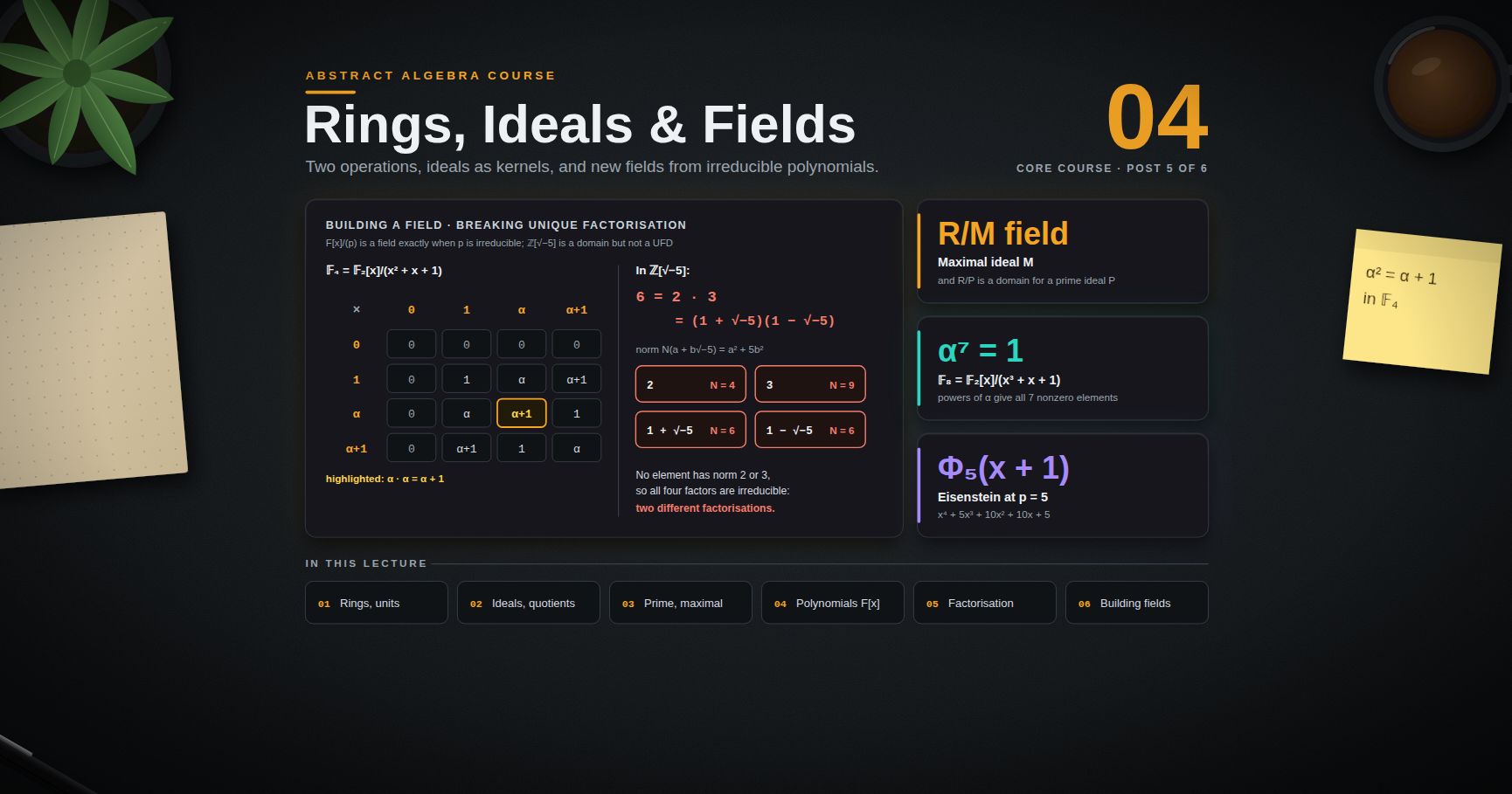
Abstract Algebra — 04 · Rings, Ideals, Integral Domains and Fields
Groups have one operation. Most of the algebra you already use has two: integers, polynomials and matrices can be added and multiplied, and the distributive law ties the two together. A structure with both is a ring. This post builds ring theory the same way posts 01–03 built group theory: definitions and examples, then substructures (ideals play the role of normal subgroups), quotients and a First Isomorphism Theorem. Two questions then drive the rest. Which rings behave like $\mathbb{Z}$, with unique factorisation? And how do you manufacture new fields, such as $\mathbb{C}$ or a field with 4 elements? The answer to the second, "take polynomials modulo an irreducible polynomial", is the starting point of Galois theory in post 05.
> Series map: 00 Integers, Relations & Modular Arithmetic → 01 Groups & Subgroups → 02 Cosets, Lagrange & Quotient Groups → 03 Homomorphisms, Group Actions & Sylow → 04 Rings, Ideals & Fields (this post) → 05 Field Extensions & Galois Theory.
Learning Outcome
- State the ring axioms (with identity), and recognise units, zero divisors, integral domains and fields.- Prove that a finite integral domain is a field and that the characteristic of a domain is 0 or a prime.- Define ring homomorphisms, ideals and quotient rings, and prove the First Isomorphism Theorem for rings.- Prove that $R/P$ is a domain exactly when $P$ is prime, and $R/M$ is a field exactly when $M$ is maximal.- Use the division algorithm in $F[x]$ and prove that $F[x]$ is a principal ideal domain.- Test polynomials for irreducibility: roots, the rational root test, Eisenstein's criterion, reduction mod $p$.- Place a ring in the chain Euclidean domain ⊂ PID ⊂ UFD ⊂ integral domain, and show that $\mathbb{Z}[\sqrt{-5}]$ is not a UFD.- Build $\mathbb{C}$ as $\mathbb{R}[x]/(x^2+1)$ and the finite fields $\mathbb{F}4$ and $\mathbb{F}8$, and compute in them.
Chapter 1 — Rings
Terminology
- Ring — a set $R$ with two operations $+$ and $\cdot$ such that:1. $(R, +)$ is an abelian group, with identity $0$ and inverses $-a$;2. multiplication is associative: $(ab)c = a(bc)$;3. there is a multiplicative identity $1$ with $1a = a1 = a$;4. the distributive laws hold: $a(b + c) = ab + ac$ and $(a + b)c = ac + bc$.- Convention. In this series every ring has a $1$ (some books call these "rings with unity" and allow rings without one). Multiplication need not be commutative.- Commutative ring — a ring with $ab = ba$ for all $a, b$.- Zero ring — $\{0\}$ with $1 = 0$. It is the only ring in which $1 = 0$ (if $1 = 0$ then $a = 1a = 0a = 0$).- Unit — an element $u$ with a two-sided inverse: $uv = vu = 1$. The units form a group $R^\times$ under multiplication.- Zero divisor — a nonzero $a$ for which some nonzero $b$ has $ab = 0$ or $ba = 0$.- Integral domain — a commutative ring with $1 \ne 0$ and no zero divisors.- Field — a commutative ring with $1 \ne 0$ in which every nonzero element is a unit.- Division ring — like a field but not necessarily commutative (the quaternions are the standard example).
Examples
| Ring | Commutative? | Units | Zero divisors? ||---|---|---|---|| $\mathbb{Z}$ | yes | $\pm 1$ | none (domain) || $\mathbb{Q}, \mathbb{R}, \mathbb{C}$ | yes | all nonzero | none (fields) || $\mathbb{Z}/n\mathbb{Z}$ | yes | classes with $\gcd(a, n) = 1$ | yes, unless $n$ is prime || $M2(\mathbb{R})$, $2\times 2$ real matrices | no | matrices with $\det \ne 0$ | yes || $\mathbb{R}[x]$, real polynomials | yes | nonzero constants | none || $\mathbb{Z}[i] = \{a + bi : a, b \in \mathbb{Z}\}$ | yes | $\pm 1, \pm i$ | none || $C[0,1]$, continuous functions, pointwise operations | yes | functions with no zero | yes |
A few of the entries, worked out:
- $\mathbb{Z}/12\mathbb{Z}$. The units are $1, 5, 7, 11$ (coprime to 12; each is its own inverse, e.g. $5 \cdot 5 = 25 \equiv 1$). Every other nonzero class is a zero divisor: $2 \cdot 6 = 12 \equiv 0$, $3 \cdot 4 \equiv 0$, $8 \cdot 3 \equiv 0$, and so on, giving $2, 3, 4, 6, 8, 9, 10$. In $\mathbb{Z}/n\mathbb{Z}$ every nonzero element is either a unit or a zero divisor: if $d = \gcd(a, n) > 1$, then $a \cdot (n/d) \equiv 0$ with $n/d \not\equiv 0$.- Matrices. $\begin{pmatrix} 1 & 0 \\ 0 & 0 \end{pmatrix}\begin{pmatrix} 0 & 0 \\ 0 & 1 \end{pmatrix} = \begin{pmatrix} 0 & 0 \\ 0 & 0 \end{pmatrix}$, although neither factor is zero.- Gaussian integers. Use the norm $N(a + bi) = a^2 + b^2 = (a+bi)(a-bi)$, which is multiplicative: $N(zw) = N(z)N(w)$. If $uv = 1$ then $N(u)N(v) = 1$ in the positive integers, so $N(u) = 1$, and $a^2 + b^2 = 1$ leaves $\pm 1, \pm i$.- Functions. Let $f$ be zero on $[0, \tfrac12]$ and $g$ zero on $[\tfrac12, 1]$, both continuous and not identically zero (for example $f(t) = \max(0, t - \tfrac12)$, $g(t) = \max(0, \tfrac12 - t)$). Then $fg = 0$.
First consequences of the axioms
For all $a, b$ in a ring:
1. $0 \cdot a = a \cdot 0 = 0$. Proof: $0a = (0 + 0)a = 0a + 0a$; subtract $0a$ from both sides.2. $(-a)b = a(-b) = -(ab)$. Proof: $ab + (-a)b = (a + (-a))b = 0b = 0$.3. $(-a)(-b) = ab$, and in particular $(-1)^2 = 1$.
Cancellation. In an integral domain, if $a \ne 0$ and $ab = ac$ then $b = c$, because $a(b - c) = 0$ forces $b - c = 0$. This is exactly what fails in $\mathbb{Z}/12\mathbb{Z}$: $2 \cdot 1 = 2 \cdot 7$ but $1 \ne 7$.
Every field is an integral domain: if $a \ne 0$ and $ab = 0$, then $b = a^{-1}ab = 0$. The converse fails ($\mathbb{Z}$), except for finite rings:
Theorem. A finite integral domain is a field.
Proof. Let $R$ be a finite domain and $a \ne 0$. The map $\mua : R \to R$, $x \mapsto ax$, is injective by cancellation. An injective map from a finite set to itself is surjective, so $ax = 1$ for some $x$. Since $R$ is commutative, $x$ is a two-sided inverse. ∎
Corollary. $\mathbb{Z}/n\mathbb{Z}$ is a field if and only if $n$ is prime. (If $n = ab$ with $1 < a, b < n$, then $a$ and $b$ are zero divisors. If $n = p$ is prime, $\mathbb{Z}/p\mathbb{Z}$ has no zero divisors because $p \mid ab$ implies $p \mid a$ or $p \mid b$, post 00; so it is a finite domain.) This field is written $\mathbb{F}p$.
Characteristic
The characteristic of a ring $R$ is the least $n \ge 1$ with $n \cdot 1 = 1 + 1 + \cdots + 1 = 0$ ($n$ terms), or $0$ if there is no such $n$. So $\operatorname{char}\mathbb{Z} = \operatorname{char}\mathbb{Q} = 0$ and $\operatorname{char}\mathbb{Z}/n\mathbb{Z} = n$.
Theorem. The characteristic of an integral domain is $0$ or a prime.
Proof. Suppose $\operatorname{char} R = n > 0$ and $n = ab$ with $1 \le a, b < n$. Then $0 = n \cdot 1 = (a \cdot 1)(b \cdot 1)$. In a domain one factor is $0$, contradicting the minimality of $n$. And $n \ne 1$ because $1 \ne 0$. ∎
> Watch out: characteristic is about $n \cdot 1$, not about the size of the ring. The infinite field $\mathbb{F}p(t)$ of rational functions over $\mathbb{F}p$ has characteristic $p$.
Chapter 2 — Homomorphisms, ideals and quotient rings
Terminology
- Subring — a subset $S \subseteq R$ containing $1$ that is closed under $+$, $-$ and $\cdot$. Example: $\mathbb{Z} \subset \mathbb{Z}[i] \subset \mathbb{C}$.- Ring homomorphism — a map $\varphi : R \to S$ with $\varphi(a + b) = \varphi(a) + \varphi(b)$, $\varphi(ab) = \varphi(a)\varphi(b)$ and $\varphi(1) = 1$.- Kernel — $\ker\varphi = \{a : \varphi(a) = 0\}$.- Ideal — an additive subgroup $I \subseteq R$ that absorbs multiplication: $r a \in I$ and $a r \in I$ for all $r \in R$, $a \in I$. (For commutative rings one condition suffices.)- Principal ideal — in a commutative ring, $(a) = aR = \{ra : r \in R\}$, the smallest ideal containing $a$. More generally $(a1, \dots, ak) = \{r1a1 + \cdots + rkak\}$.
Examples of homomorphisms: reduction $\mathbb{Z} \to \mathbb{Z}/n\mathbb{Z}$; evaluation $\mathbb{R}[x] \to \mathbb{C}$, $f \mapsto f(i)$; complex conjugation $\mathbb{C} \to \mathbb{C}$; the inclusion of a subring.
Ideals are the kernels
Theorem. The kernel of a ring homomorphism is an ideal.
Proof. It is an additive subgroup, being the kernel of a homomorphism of additive groups (post 03). If $\varphi(a) = 0$ then $\varphi(ra) = \varphi(r) \cdot 0 = 0$ and $\varphi(ar) = 0$. ∎
Ideals are to rings what normal subgroups are to groups: exactly the things you can take a quotient by. Two quick facts:
- If an ideal $I$ contains a unit $u$, then $I = R$: for any $r$, $r = (ru^{-1})u \in I$. So a proper ideal contains no units, and in particular does not contain $1$.- A commutative ring $R$ with $1 \ne 0$ is a field if and only if its only ideals are $\{0\}$ and $R$. (If $R$ is a field, any nonzero ideal contains a unit. Conversely, for $a \ne 0$, $(a) = R \ni 1$, so $ra = 1$ for some $r$.) Consequently every ring homomorphism from a field to a nonzero ring is injective: its kernel is a proper ideal (it misses 1), hence $\{0\}$.
Theorem. Every ideal of $\mathbb{Z}$ is $n\mathbb{Z} = (n)$ for a unique $n \ge 0$.
Proof. Let $I \ne \{0\}$ and let $n$ be the least positive element of $I$. For $a \in I$ divide: $a = qn + r$ with $0 \le r < n$. Then $r = a - qn \in I$, so $r = 0$ by minimality, and $a \in (n)$. ∎
In $\mathbb{Z}$, $(a, b) = (\gcd(a, b))$: for example $(4, 6) = (2)$. This is Bézout's identity from post 00 in ideal language.
Quotient rings
Let $I$ be an ideal of $R$. The additive cosets $a + I$ form an abelian group $R/I$ (post 02). Define multiplication by $(a + I)(b + I) = ab + I$.
Well defined. If $a' = a + i$ and $b' = b + j$ with $i, j \in I$, then $a'b' = ab + (aj + ib + ij)$, and the bracket lies in $I$ because $I$ absorbs multiplication. This is precisely where "ideal" (rather than just "subring") is needed. The ring axioms for $R/I$ follow from those of $R$, with $1 + I$ as identity, and $\pi : R \to R/I$, $a \mapsto a + I$, is a surjective homomorphism with kernel $I$.
Theorem (First Isomorphism Theorem for rings). If $\varphi : R \to S$ is a ring homomorphism, then $R/\ker\varphi \cong \operatorname{im}\varphi$ via $a + \ker\varphi \mapsto \varphi(a)$.
Proof. By the group version (post 03) the map $\bar\varphi$ is a well-defined isomorphism of additive groups. It is multiplicative: $\bar\varphi((a + K)(b + K)) = \bar\varphi(ab + K) = \varphi(ab) = \varphi(a)\varphi(b)$; and $\bar\varphi(1 + K) = \varphi(1) = 1$. ∎
Worked applications:
- $\mathbb{Z}[x]/(x) \cong \mathbb{Z}$. Evaluation at 0, $f \mapsto f(0)$, is surjective, and its kernel is the polynomials with zero constant term, which is $(x)$.- $\mathbb{R}[x]/(x^2 + 1) \cong \mathbb{C}$. Evaluation at $i$ is surjective ($a + bx \mapsto a + bi$). Its kernel contains $x^2 + 1$; Chapter 6 shows that $(x^2 + 1)$ is a maximal ideal, so the kernel (a proper ideal containing it) is exactly $(x^2 + 1)$.- $\mathbb{Z}[x]/(2, x) \cong \mathbb{Z}/2\mathbb{Z}$. The map $f \mapsto f(0) \bmod 2$ is surjective with kernel $\{f : f(0) \text{ even}\} = (2, x)$.- Chinese Remainder Theorem. If $\gcd(m, n) = 1$, the map $\mathbb{Z} \to \mathbb{Z}/m \times \mathbb{Z}/n$, $a \mapsto (a \bmod m, a \bmod n)$, is a surjective ring homomorphism (surjective by post 00's CRT) with kernel $(m) \cap (n) = (mn)$. So $\mathbb{Z}/mn\mathbb{Z} \cong \mathbb{Z}/m\mathbb{Z} \times \mathbb{Z}/n\mathbb{Z}$ as rings, and taking units gives $\phi(mn) = \phi(m)\phi(n)$ for Euler's function.
> Trick: the fastest way to understand $R/I$ is again to find a surjective homomorphism out of $R$ whose kernel is $I$. Evaluation maps are the usual candidates for polynomial rings.
Chapter 3 — Prime and maximal ideals
From here on, "ring" means commutative ring with $1$.
Terminology
- Prime ideal — a proper ideal $P$ such that $ab \in P$ implies $a \in P$ or $b \in P$.- Maximal ideal — a proper ideal $M$ such that no ideal lies strictly between $M$ and $R$: if $M \subseteq J \subseteq R$ then $J = M$ or $J = R$.
In $\mathbb{Z}$: $(p)$ for a prime $p$ is prime (this is Euclid's lemma) and maximal; $(0)$ is prime (because $\mathbb{Z}$ is a domain) but not maximal, since $(0) \subsetneq (2) \subsetneq \mathbb{Z}$; $(6)$ is neither, since $2 \cdot 3 \in (6)$ but $2, 3 \notin (6)$.
The two quotient theorems
Theorem. $P$ is a prime ideal of $R$ if and only if $R/P$ is an integral domain.
Proof. $R/P$ is not the zero ring exactly when $1 \notin P$, i.e. when $P$ is proper. In $R/P$, the product $(a + P)(b + P) = ab + P$ is zero exactly when $ab \in P$, and $a + P$ is zero exactly when $a \in P$. So "no zero divisors in $R/P$" says word for word "$ab \in P \Rightarrow a \in P$ or $b \in P$". ∎
Theorem. $M$ is a maximal ideal of $R$ if and only if $R/M$ is a field.
Proof. ($\Rightarrow$) Let $a + M \ne 0$, i.e. $a \notin M$. The ideal $M + (a) = \{m + ra\}$ strictly contains $M$, so by maximality it is $R$ and contains $1$: $1 = m + ra$ for some $m \in M$, $r \in R$. Then $(r + M)(a + M) = ra + M = 1 - m + M = 1 + M$, so $a + M$ is a unit. Also $1 + M \ne 0$ because $M$ is proper.
($\Leftarrow$) If $R/M$ is a field, $M$ is proper. Let $M \subsetneq J$ and pick $a \in J \setminus M$. Then $a + M$ has an inverse $r + M$, so $ra - 1 \in M \subseteq J$. Since $ra \in J$, also $1 \in J$ and $J = R$. ∎
Corollary. Every maximal ideal is prime (a field is a domain).
Examples in $\mathbb{Z}[x]$.
- $(x)$ is prime but not maximal: $\mathbb{Z}[x]/(x) \cong \mathbb{Z}$ is a domain but not a field. Indeed $(x) \subsetneq (2, x) \subsetneq \mathbb{Z}[x]$.- $(2, x)$ is maximal: $\mathbb{Z}[x]/(2, x) \cong \mathbb{Z}/2\mathbb{Z}$, a field.- $(x^2 + 1)$ is prime but not maximal: $\mathbb{Z}[x]/(x^2+1) \cong \mathbb{Z}[i]$, a domain that is not a field.
A standard existence result (it needs Zorn's lemma): every proper ideal of a ring with $1$ is contained in a maximal ideal.
Chapter 4 — Polynomial rings over a field
Let $F$ be a field. $F[x]$ is the ring of polynomials $a0 + a1x + \cdots + anx^n$ with $ai \in F$. If $an \ne 0$, the degree is $n$ and $an$ is the leading coefficient; the polynomial is monic if $an = 1$. The zero polynomial has no degree (some books use $-\infty$).
Degree, units, roots
If $R$ is a domain, the leading coefficient of $fg$ is the product of the leading coefficients, which is nonzero. Hence, for nonzero $f, g$:
$$\deg(fg) = \deg f + \deg g,$$
$R[x]$ is again a domain, and the units of $F[x]$ are the nonzero constants (a unit $f$ has $\deg f + \deg f^{-1} = 0$).
Theorem (division algorithm). For $f, g \in F[x]$ with $g \ne 0$ there are unique $q, r \in F[x]$ with $f = qg + r$ and either $r = 0$ or $\deg r < \deg g$.
Proof sketch. Existence by induction on $\deg f$: if $\deg f \ge \deg g = m$, subtract $(an/bm)\,x^{n-m}g$ to kill the leading term of $f$ and apply induction to the result. Dividing by $bm$ is where a field is used. Uniqueness: if $qg + r = q'g + r'$ then $(q - q')g = r' - r$; the right side has degree $< m$, so $q = q'$ by the degree formula, and then $r = r'$. ∎
Worked example. Divide $f = x^4 + 3x^3 - 2x + 5$ by $g = x^2 + x + 1$ in $\mathbb{Q}[x]$:
$$x^4 + 3x^3 - 2x + 5 = (x^2 + x + 1)(x^2 + 2x - 3) + (8 - x).$$
(Check: $(x^2 + x + 1)(x^2 + 2x - 3) = x^4 + 3x^3 - x - 3$, and adding $8 - x$ gives $f$.)
Factor theorem. $a$ is a root of $f$ if and only if $(x - a) \mid f$ (divide by $x - a$; the remainder is the constant $f(a)$). So a nonzero polynomial of degree $n$ over a domain has at most $n$ roots.
> Common pitfall: over a ring with zero divisors this fails. In $\mathbb{Z}/8\mathbb{Z}$, $x^2 - 1$ has four roots: $1, 3, 5, 7$ (each squares to $1$ mod 8).
F[x] is a principal ideal domain
A principal ideal domain (PID) is an integral domain in which every ideal is principal.
Theorem. If $F$ is a field, $F[x]$ is a PID.
Proof. Let $I \ne \{0\}$ be an ideal and let $g \in I$ be nonzero of least degree. For $f \in I$ write $f = qg + r$. Then $r = f - qg \in I$ and, if $r \ne 0$, $\deg r < \deg g$, contradicting minimality. So $r = 0$ and $I = (g)$. ∎
The proof is the one for $\mathbb{Z}$ with "size" replaced by "degree". As in $\mathbb{Z}$, $(f, g) = (\gcd(f, g))$, and the Euclidean algorithm computes the gcd:
$$\begin{aligned}x^6 - 1 &= x^2\,(x^4 - 1) + (x^2 - 1), \\x^4 - 1 &= (x^2 + 1)(x^2 - 1) + 0,\end{aligned}$$
so $\gcd(x^6 - 1, x^4 - 1) = x^2 - 1$.
> Watch out: $\mathbb{Z}[x]$ is not a PID, although $\mathbb{Z}$ is. Suppose $(2, x) = (h)$. Then $h \mid 2$, so $h$ is a constant $\pm 1$ or $\pm 2$. $h = \pm 1$ is impossible because $(2, x)$ is proper (its quotient is $\mathbb{Z}/2$). $h = \pm 2$ is impossible because $x \notin (2)$.
Irreducibility tests
A nonzero non-unit $f \in F[x]$ is irreducible if it is not a product of two polynomials of smaller degree. Irreducible polynomials are the "primes" of $F[x]$, and whether $f$ is irreducible depends on the field: $x^2 - 2$ is irreducible over $\mathbb{Q}$ but factors as $(x - \sqrt2)(x + \sqrt2)$ over $\mathbb{R}$; $x^2 + 1$ is irreducible over $\mathbb{R}$ but not over $\mathbb{C}$.
1. Degree 2 or 3. A polynomial of degree 2 or 3 over a field is irreducible if and only if it has no root in the field (any factorisation includes a linear factor).2. Rational root test. If $f = anx^n + \cdots + a0 \in \mathbb{Z}[x]$ and $p/q$ in lowest terms is a root, then $p \mid a0$ and $q \mid an$.3. Gauss's lemma. A polynomial in $\mathbb{Z}[x]$ that factors in $\mathbb{Q}[x]$ into factors of lower degree already factors in $\mathbb{Z}[x]$ into factors of those same degrees. So it suffices to look for integer factorisations.4. Eisenstein's criterion. Let $f = anx^n + \cdots + a0 \in \mathbb{Z}[x]$ and $p$ a prime with $p \nmid an$, $p \mid ai$ for all $i < n$, and $p^2 \nmid a0$. Then $f$ is irreducible in $\mathbb{Q}[x]$.5. Reduction mod $p$. Let $f \in \mathbb{Z}[x]$ and let $p$ be a prime not dividing the leading coefficient. If the reduction $\bar f \in \mathbb{F}p[x]$ is irreducible (of the same degree), then $f$ is irreducible in $\mathbb{Q}[x]$.
Worked examples:
- $x^3 - 2$: Eisenstein with $p = 2$. Also, the rational root test leaves only $\pm 1, \pm 2$, none of which is a root.- $x^3 + 2x + 1$: candidates $\pm 1$ give $4$ and $-2$, so no rational root; degree 3, so irreducible over $\mathbb{Q}$.- $x^5 - 4x + 2$: Eisenstein with $p = 2$ ($2 \mid -4$, $2 \mid 2$, $4 \nmid 2$). This polynomial returns in post 05.- Cyclotomic polynomial $\Phi5(x) = x^4 + x^3 + x^2 + x + 1 = (x^5 - 1)/(x - 1)$. Eisenstein does not apply directly, but $f(x)$ is irreducible exactly when $f(x+1)$ is, and$\Phi5(x + 1) = x^4 + 5x^3 + 10x^2 + 10x + 5$, which is Eisenstein at $5$.- $x^4 + 5x^3 + 3x^2 + 7x + 11$: reduce mod 2 to $x^4 + x^3 + x^2 + x + 1$, which is irreducible in $\mathbb{F}2[x]$. So the original is irreducible over $\mathbb{Q}$.
> Common pitfall: "no rational roots" proves irreducibility only in degree 2 and 3. $x^4 + 4$ has no rational root, yet $x^4 + 4 = (x^2 + 2x + 2)(x^2 - 2x + 2)$.
> Common pitfall: the reduction test only works one way. $x^2 + 1$ is irreducible over $\mathbb{Q}$, but mod 2 it is $(x + 1)^2$. A reducible reduction proves nothing; so does a failed Eisenstein check.
Chapter 5 — Unique factorisation
Terminology
In an integral domain $R$:
- $a$ divides $b$, written $a \mid b$, if $b = ac$ for some $c \in R$.- $a$ and $b$ are associates if $a = ub$ for a unit $u$ (for example $2$ and $-2$ in $\mathbb{Z}$, or $1 + i$ and $i(1+i) = -1 + i$ in $\mathbb{Z}[i]$).- A nonzero non-unit $p$ is irreducible if $p = ab$ forces $a$ or $b$ to be a unit.- A nonzero non-unit $p$ is prime if $p \mid ab$ forces $p \mid a$ or $p \mid b$ (equivalently, $(p)$ is a prime ideal).- Unique factorisation domain (UFD) — a domain in which every nonzero non-unit is a product of irreducibles, uniquely up to order and associates.- Euclidean domain — a domain with a function $N : R \setminus \{0\} \to \mathbb{Z}{\ge 0}$ such that for all $a$ and $b \ne 0$ there are $q, r$ with $a = qb + r$ and $r = 0$ or $N(r) < N(b)$.
Prime implies irreducible in any domain: if $p$ is prime and $p = ab$, then $p \mid ab$, say $p \mid a$, so $a = pc$ and $p = pcb$; cancelling gives $cb = 1$, so $b$ is a unit. The converse holds in a UFD (and so in a PID) but fails in general, which is exactly how unique factorisation breaks.
The hierarchy
$$\text{fields} \subset \text{Euclidean domains} \subset \text{PIDs} \subset \text{UFDs} \subset \text{integral domains}.$$
- Euclidean ⇒ PID: the proof that $F[x]$ is a PID works verbatim with $N$ in place of degree.- PID ⇒ UFD: a standard theorem (existence uses the fact that increasing chains of ideals in a PID stop; uniqueness uses "irreducible ⇒ prime" in a PID).- Every inclusion is strict, as the diagram's examples show.
Gaussian integers are Euclidean
Take $N(a + bi) = a^2 + b^2$. To divide $\alpha$ by $\beta$, compute $\alpha/\beta$ in $\mathbb{C}$ and round each coordinate to the nearest integer to get $q$; the rounding error has both coordinates at most $\tfrac12$, so $N(\alpha/\beta - q) \le \tfrac14 + \tfrac14 < 1$ and $r = \alpha - q\beta$ has $N(r) < N(\beta)$.
Worked example. Divide $7 + 2i$ by $2 - i$:
$$\frac{7 + 2i}{2 - i} = \frac{(7 + 2i)(2 + i)}{5} = \frac{12 + 11i}{5} = 2.4 + 2.2i.$$
Round to $q = 2 + 2i$. Then $r = (7 + 2i) - (2 + 2i)(2 - i) = (7 + 2i) - (6 + 2i) = 1$, and $N(1) = 1 < N(2 - i) = 5$. So $\mathbb{Z}[i]$ is a PID and a UFD.
A domain without unique factorisation
Let $R = \mathbb{Z}[\sqrt{-5}] = \{a + b\sqrt{-5} : a, b \in \mathbb{Z}\}$ with norm $N(a + b\sqrt{-5}) = a^2 + 5b^2$, again multiplicative. In $R$,
$$6 = 2 \cdot 3 = (1 + \sqrt{-5})(1 - \sqrt{-5}).$$
- Norms. $N(2) = 4$, $N(3) = 9$, $N(1 \pm \sqrt{-5}) = 1 + 5 = 6$.- Units. $N(u) = 1$ forces $a^2 + 5b^2 = 1$, so $u = \pm 1$.- All four factors are irreducible. A proper factor of an element of norm 4, 9 or 6 would have norm 2 or 3. But $a^2 + 5b^2 = 2$ or $3$ has no integer solutions ($b \ne 0$ gives at least 5; $b = 0$ needs $a^2 \in \{2, 3\}$).- The factorisations really differ. $2$ is not an associate of $1 \pm \sqrt{-5}$ (the only units are $\pm 1$, and the norms 4 and 6 differ).
So $R$ is not a UFD. Equivalently, $2$ is irreducible but not prime: $2 \mid (1 + \sqrt{-5})(1 - \sqrt{-5})$, but $2$ divides neither factor, since $(1 \pm \sqrt{-5})/2 \notin R$.
The other separating examples, stated without proof: $\mathbb{Z}[x]$ and $F[x, y]$ are UFDs (Gauss: $R$ a UFD implies $R[x]$ a UFD) but not PIDs, as shown for $(2, x)$ above; and $\mathbb{Z}\big[\tfrac{1 + \sqrt{-19}}{2}\big]$ is a PID that is not Euclidean (Dummit & Foote, §8.1–8.2).
Chapter 6 — Building fields from polynomials
Theorem. Let $F$ be a field and $p \in F[x]$ nonconstant. Then $F[x]/(p)$ is a field if and only if $p$ is irreducible.
Proof. In a PID, $(p)$ is maximal exactly when $p$ is irreducible. If $p$ is irreducible and $(p) \subseteq (h)$, then $h \mid p$, so $h$ is a unit (and $(h)$ is everything) or an associate of $p$ (and $(h) = (p)$). If $p = ab$ with $a, b$ of lower degree, then $(p) \subsetneq (a) \subsetneq F[x]$. Now apply "maximal ⇔ quotient is a field" from Chapter 3. ∎
What the elements look like. By the division algorithm every class has exactly one representative of degree $< n = \deg p$. So $F[x]/(p)$ is an $n$-dimensional vector space over $F$ with basis $1, \alpha, \dots, \alpha^{n-1}$, where $\alpha = x + (p)$ is a root of $p$. If $F = \mathbb{F}q$ is finite, the field has $q^n$ elements. To multiply, multiply polynomials and reduce with $p(\alpha) = 0$; to invert, use the extended Euclidean algorithm (since $\gcd(f, p) = 1$, there are $s, t$ with $sf + tp = 1$, so $s = f^{-1}$).
The complex numbers
$x^2 + 1$ has no real root, so it is irreducible over $\mathbb{R}$ and $\mathbb{R}[x]/(x^2 + 1)$ is a field whose elements are $a + b\alpha$ with $\alpha^2 = -1$:
$$(a + b\alpha)(c + d\alpha) = ac + (ad + bc)\alpha + bd\,\alpha^2 = (ac - bd) + (ad + bc)\alpha.$$
That is exactly complex multiplication, and the evaluation map of Chapter 2 is the isomorphism with $\mathbb{C}$. Example: $(3 + 2\alpha)(1 - \alpha) = 3 - 3\alpha + 2\alpha - 2\alpha^2 = 5 - \alpha$, matching $(3 + 2i)(1 - i) = 5 - i$.
A field with 4 elements
Over $\mathbb{F}2$, $x^2 + x + 1$ has no root ($0 \mapsto 1$, $1 \mapsto 1$), so it is irreducible and $\mathbb{F}4 = \mathbb{F}2[x]/(x^2 + x + 1)$ is a field with elements $0, 1, \alpha, \alpha + 1$ and the rule $\alpha^2 = \alpha + 1$ (since $-1 = 1$ in characteristic 2).
Addition (coefficients add mod 2):
| $+$ | $0$ | $1$ | $\alpha$ | $\alpha+1$ ||---|---|---|---|---|| $0$ | $0$ | $1$ | $\alpha$ | $\alpha+1$ || $1$ | $1$ | $0$ | $\alpha+1$ | $\alpha$ || $\alpha$ | $\alpha$ | $\alpha+1$ | $0$ | $1$ || $\alpha+1$ | $\alpha+1$ | $\alpha$ | $1$ | $0$ |
Multiplication:
| $\times$ | $0$ | $1$ | $\alpha$ | $\alpha+1$ ||---|---|---|---|---|| $0$ | $0$ | $0$ | $0$ | $0$ || $1$ | $0$ | $1$ | $\alpha$ | $\alpha+1$ || $\alpha$ | $0$ | $\alpha$ | $\alpha+1$ | $1$ || $\alpha+1$ | $0$ | $\alpha+1$ | $1$ | $\alpha$ |
Two entries in detail: $\alpha(\alpha + 1) = \alpha^2 + \alpha = (\alpha + 1) + \alpha = 1$, and $(\alpha + 1)^2 = \alpha^2 + 2\alpha + 1 = \alpha^2 + 1 = \alpha$. Every nonzero element has an inverse, and the multiplicative group $\{1, \alpha, \alpha + 1\}$ is cyclic of order 3.
> Common pitfall: $\mathbb{F}4$ is not $\mathbb{Z}/4\mathbb{Z}$. In $\mathbb{Z}/4\mathbb{Z}$, $2 \cdot 2 = 0$, so it is not even a domain. The additive group of $\mathbb{F}4$ is $\mathbb{Z}/2 \times \mathbb{Z}/2$, not $\mathbb{Z}/4$.
A field with 8 elements
$x^3 + x + 1$ has no root in $\mathbb{F}2$ ($0 \mapsto 1$, $1 \mapsto 1$), so, being cubic, it is irreducible, and $\mathbb{F}8 = \mathbb{F}2[x]/(x^3 + x + 1)$ has $2^3 = 8$ elements $c0 + c1\alpha + c2\alpha^2$ with $\alpha^3 = \alpha + 1$. The powers of $\alpha$ run through all 7 nonzero elements:
| $k$ | 0 | 1 | 2 | 3 | 4 | 5 | 6 ||---|---|---|---|---|---|---|---|| $\alpha^k$ | $1$ | $\alpha$ | $\alpha^2$ | $\alpha + 1$ | $\alpha^2 + \alpha$ | $\alpha^2 + \alpha + 1$ | $\alpha^2 + 1$ |
and $\alpha^7 = \alpha \cdot \alpha^6 = \alpha^3 + \alpha = 1$. This "log table" makes multiplication easy: $\alpha^i \cdot \alpha^j = \alpha^{(i + j) \bmod 7}$. For example $(1 + \alpha)^{-1} = (\alpha^3)^{-1} = \alpha^4 = \alpha^2 + \alpha$; check: $(1 + \alpha)(\alpha^2 + \alpha) = \alpha^3 + \alpha = 1$.
Post 05 proves that for every prime power $p^n$ there is exactly one field of that size, up to isomorphism.
Practice Exercises
1. List the units and the zero divisors of $\mathbb{Z}/15\mathbb{Z}$.
<details><summary>Solution</summary>
Units are the classes coprime to 15: $1, 2, 4, 7, 8, 11, 13, 14$ (there are $\phi(15) = 8$). The other nonzero classes, $3, 5, 6, 9, 10, 12$, are zero divisors: for example $3 \cdot 5 = 15 \equiv 0$ and $6 \cdot 5 = 30 \equiv 0$.
</details>
2. Show that $(x)$ is a prime ideal of $\mathbb{Q}[x]$ that is also maximal, while in $\mathbb{Z}[x]$ it is prime but not maximal. What changes?
<details><summary>Solution</summary>
Evaluation at 0 gives $\mathbb{Q}[x]/(x) \cong \mathbb{Q}$, a field, so $(x)$ is maximal in $\mathbb{Q}[x]$. The same map gives $\mathbb{Z}[x]/(x) \cong \mathbb{Z}$, a domain but not a field, so $(x)$ is prime but not maximal in $\mathbb{Z}[x]$; indeed $(x) \subsetneq (2, x)$. What changed is the coefficient ring: the quotient is the coefficient ring itself.
</details>
3. Decide whether $x^3 + 2x + 1$ is irreducible over $\mathbb{Q}$ and over $\mathbb{F}3$.
<details><summary>Solution</summary>
Over $\mathbb{Q}$: the rational root test leaves $\pm 1$, giving values $4$ and $-2$; no root, degree 3, so irreducible. Over $\mathbb{F}3$: $f(0) = 1$, $f(1) = 4 \equiv 1$, $f(2) = 13 \equiv 1$; no root, so irreducible, and $\mathbb{F}3[x]/(x^3 + 2x + 1)$ is a field with $27$ elements.
</details>
4. Use Eisenstein's criterion to show $x^4 + 10x + 5$ is irreducible over $\mathbb{Q}$. Why does "it has no rational root" not suffice on its own?
<details><summary>Solution</summary>
With $p = 5$: $5 \nmid 1$ (leading coefficient), $5$ divides $0, 0, 10, 5$, and $25 \nmid 5$. So it is irreducible. Absence of roots only rules out linear factors; a quartic could still split into two quadratics, as $x^4 + 4$ does.
</details>
5. In $\mathbb{F}4 = \mathbb{F}2[x]/(x^2 + x + 1)$, compute $\alpha^3$, $(\alpha + 1)^2$ and $\alpha^{-1}$.
<details><summary>Solution</summary>
$\alpha^3 = \alpha \cdot \alpha^2 = \alpha(\alpha + 1) = \alpha^2 + \alpha = 1$. $(\alpha + 1)^2 = \alpha^2 + 1 = \alpha$ (the cross term $2\alpha$ is $0$). Since $\alpha(\alpha + 1) = 1$, $\alpha^{-1} = \alpha + 1$.
</details>
6. Show that $3$ is irreducible but not prime in $\mathbb{Z}[\sqrt{-5}]$, using $9 = (2 + \sqrt{-5})(2 - \sqrt{-5})$.
<details><summary>Solution</summary>
$N(3) = 9$. A proper factor would have norm 3, and $a^2 + 5b^2 = 3$ has no integer solution, so $3$ is irreducible. Next, $(2 + \sqrt{-5})(2 - \sqrt{-5}) = 4 + 5 = 9$, so $3$ divides this product. But $3$ divides neither factor, since $(2 \pm \sqrt{-5})/3 \notin \mathbb{Z}[\sqrt{-5}]$. So $3$ is not prime.
</details>
7. Show that $\mathbb{Z}[i]/(2 + i) \cong \mathbb{Z}/5\mathbb{Z}$.
<details><summary>Solution</summary>
Let $\psi : \mathbb{Z} \to \mathbb{Z}[i]/(2 + i)$ be the natural map. It is surjective: $i \equiv -2$ modulo $(2 + i)$, so $a + bi \equiv a - 2b$, an integer. Its kernel contains $5 = (2 + i)(2 - i)$. If an integer $n$ lies in $(2 + i)$, then $n = (2 + i)\gamma$ and $n^2 = N(n) = 5N(\gamma)$, so $5 \mid n^2$ and $5 \mid n$. So the kernel is $5\mathbb{Z}$, and the First Isomorphism Theorem gives $\mathbb{Z}/5\mathbb{Z} \cong \mathbb{Z}[i]/(2 + i)$.
</details>
Cheat-sheet
| Concept | Key fact ||---|---|| Ring (this series) | abelian group under $+$, associative $\cdot$ with $1$, distributive || Unit / zero divisor | invertible / nonzero with $ab = 0$ for some nonzero $b$ || Integral domain | commutative, $1 \ne 0$, no zero divisors; cancellation holds || Field | every nonzero element a unit; finite domain is a field || Characteristic | least $n$ with $n \cdot 1 = 0$; a domain has 0 or a prime || Ideal | additive subgroup absorbing multiplication; exactly the kernels || First Isomorphism Theorem | $R/\ker\varphi \cong \operatorname{im}\varphi$ || Prime ideal | $R/P$ is a domain || Maximal ideal | $R/M$ is a field; maximal implies prime || $F[x]$ | division algorithm; PID; degree-$n$ polynomial has at most $n$ roots || Irreducibility | deg 2–3: no roots; rational roots; Eisenstein; reduce mod $p$ || Hierarchy | field ⊂ Euclidean ⊂ PID ⊂ UFD ⊂ domain, all strict || Non-UFD | $6 = 2 \cdot 3 = (1+\sqrt{-5})(1-\sqrt{-5})$ in $\mathbb{Z}[\sqrt{-5}]$ || New fields | $F[x]/(p)$ is a field exactly when $p$ is irreducible; size $q^n$ || $\mathbb{F}4$ | $\mathbb{F}2[x]/(x^2+x+1)$, $\alpha^2 = \alpha + 1$ || $\mathbb{F}8$ | $\mathbb{F}2[x]/(x^3+x+1)$, $\alpha^3 = \alpha + 1$, $\alpha$ has order 7 |
What's next
Post 05 turns the construction of Chapter 6 into a theory. If $p$ is irreducible over $F$, the field $F[x]/(p)$ contains a root of $p$, so it is an extension of $F$ of degree $\deg p$. Degrees multiply in towers, which already settles the Greek problems of doubling the cube and trisecting an angle. Adding all the roots of a polynomial gives its splitting field, and the automorphisms of that field form its Galois group. The Fundamental Theorem of Galois Theory matches subfields with subgroups, and it explains why there is no formula in radicals for the roots of a general quintic.
References
- D. S. Dummit and R. M. Foote, Abstract Algebra, 3rd edition, Wiley, 2004 — Chapters 7 (rings, ideals, quotients), 8 (Euclidean domains, PIDs, UFDs; the example $\mathbb{Z}[(1+\sqrt{-19})/2]$) and 9 (polynomial rings, irreducibility criteria).- M. Artin, Algebra, 2nd edition, Pearson, 2011 — Chapters 11 (rings) and 12 (factoring, Gauss's lemma, Gaussian integers).- J. A. Gallian, Contemporary Abstract Algebra, 10th edition, CRC Press, 2021 — rings, integral domains, ideals and factor rings, divisibility in integral domains.- T. W. Hungerford, Algebra, Springer GTM 73, 1974 — Chapter III for a more formal treatment (rings without 1, Zorn's lemma for maximal ideals).- MIT OpenCourseWare, 18.702 Algebra II (Spring 2011) — lecture notes on rings, factoring and finite fields.- K. Conrad, Expository papers ("blurbs") — short notes on ring theory, Eisenstein's criterion and finite fields.
> Note: this post is in progress. Planned additions: a full proof that PIDs are UFDs, Gauss's lemma with proof, localisation and fields of fractions, and a short section on noncommutative examples (quaternions, matrix rings and their two-sided ideals).




