AWS Course — 03 · Scale & Survive — Load Balancers, Auto Scaling, Multi-AZ
A single EC2 in a single AZ is a single point of failure. The third post in the series puts the compute from Post 02 into the network from Post 01 and turns it into a system that survives an AZ outage and a traffic spike without human intervention. This is the textbook "3-tier" shape — load balancer in front, Auto Scaling Group across AZs, optional managed data behind. The patterns here form the spine of nearly every classical AWS workload.
Series map: 00 Foundations → 01 Network First → 02 Compute & Storage → 03 Scale & Survive (this post) → 04 Managed Data → 05 Serverless & Events → 06 Workflow Orchestration → 07 Observability & Security → 08 IaC.
Learning Outcome
- Pick between ALB, NLB, GLB, and the legacy CLB.
- Configure target groups with sane health checks.
- Build an Auto Scaling Group across multiple AZs.
- Write scaling policies: target tracking, step, scheduled.
- Apply the "warm pool" + "instance refresh" pattern for safe rollouts.
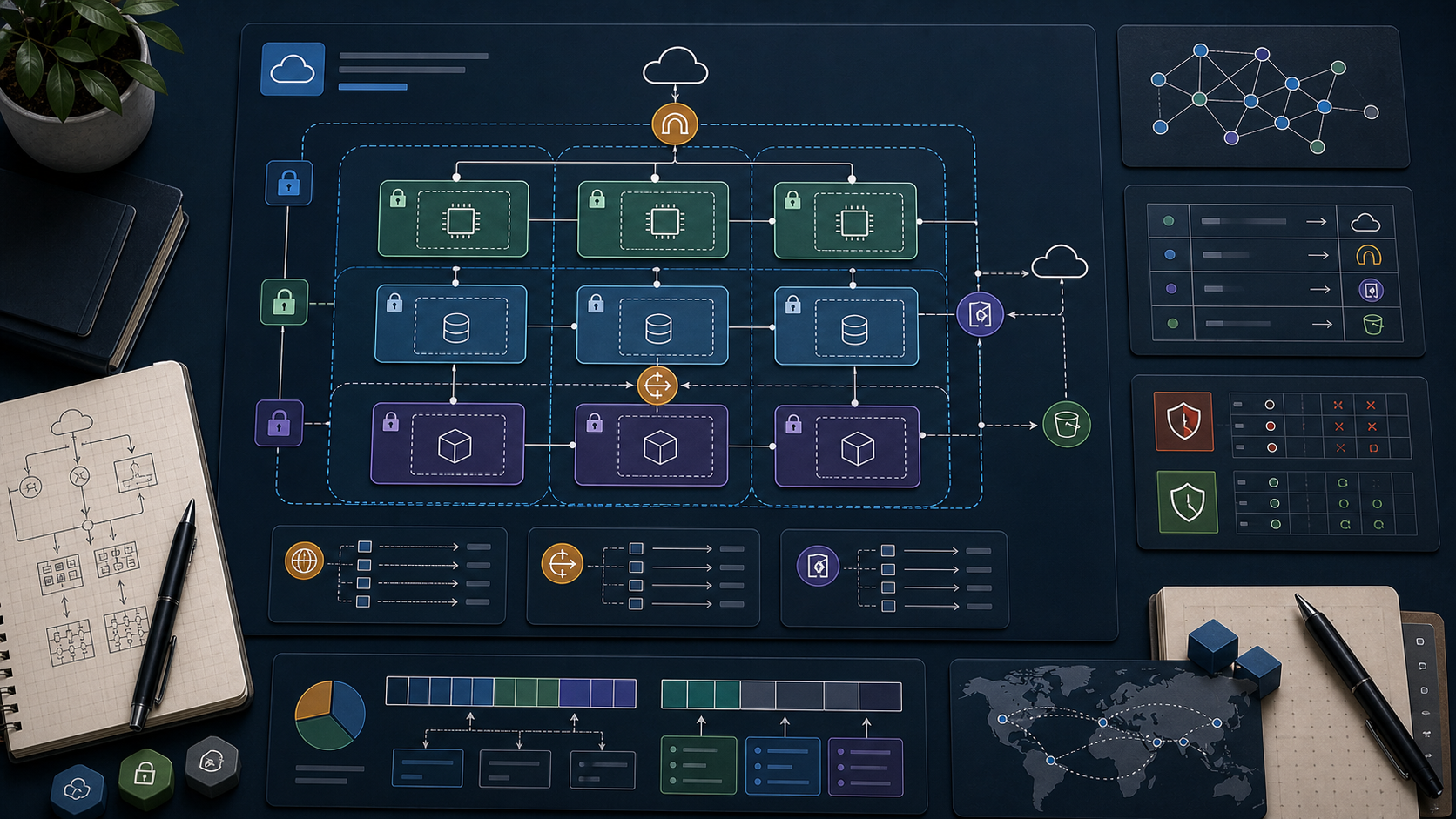
- Combine ALB + ASG + private subnets into the textbook 3-tier reference architecture.
Chapter 1 — The load balancer family
| LB | Layer | Protocols | When |
|---|---|---|---|
| Application LB (ALB) | 7 | HTTP, HTTPS, WebSocket, gRPC | web APIs, microservices, host/path routing |
| Network LB (NLB) | 4 | TCP, UDP, TLS | extreme throughput, static IP, non-HTTP |
| Gateway LB (GLB) | 3 | IP via GENEVE | inserting 3rd-party network appliances |
| Classic LB (CLB) | 4 + 7 (legacy) | HTTP, TCP | only existing deployments |
Most workloads use ALB. Reach for NLB when you need raw TCP, sub-millisecond latency, or a static IP that doesn't change. GLB is niche (firewall/IDS vendors). CLB is deprecated for new use.
ALB headline features
- Host-based routing —
api.example.com→ service A,app.example.com→ service B. - Path-based routing —
/v1/*→ service A,/v2/*→ service B. - Header / query-param matching in listener rules.
- WebSocket and gRPC support.
- TLS termination with certs from ACM.
- AWS WAF integration.
- Cognito / OIDC authentication at the listener.
- Sticky sessions via cookies.
NLB headline features
- Static per-AZ IP (or your own Elastic IPs).
- Millions of requests/sec with sub-millisecond added latency.
- Preserves the client source IP at the backend.
- Supports the
PROXYprotocol for backends that want the original peer IP.
Chapter 2 — Target groups
A target group is a registered list of "things that can serve traffic". A listener forwards based on rules to one or more target groups.
Target types:
- instance — by EC2 instance ID
- ip — for ECS tasks, on-prem hosts via Direct Connect
- lambda — invoke a Lambda per request (ALB only)
- alb — chain an ALB behind an NLB (advanced)
Health checks (the make-or-break setting)
| Setting | Reasonable default |
|---|---|
| Protocol | HTTP / HTTPS |
| Path | /health (your app implements) |
| Interval | 15-30 sec |
| Timeout | 5 sec |
| Healthy threshold | 2 |
| Unhealthy threshold | 2-3 |
Watch out: an overly aggressive check (1 second, 1 failure → unhealthy) marks healthy targets bad during minor blips. An overly relaxed check (60 seconds, 5 failures) lets bad targets serve traffic for minutes.
Three common health-check mistakes
- The
/healthendpoint also checks a downstream DB → a single DB hiccup marks every target unhealthy → outage. Make/healtha shallow liveness check; add/readyfor dependency health. - The endpoint requires auth. The LB has no credentials → 401 → all targets appear unhealthy.
- The endpoint runs an expensive query. ALB poll × target count multiplies the load.
Chapter 3 — Listeners and routing rules
1
2
3
4
5
6
7
ALB
└── Listener: HTTPS 443 (cert from ACM)
├── Rule 1: Host = api.example.com → forward to tg-api
├── Rule 2: Path = /admin/* → forward to tg-admin
├── Rule 3: Header X-Canary = true → forward to tg-canary
└── Default → forward to tg-web
Common patterns:
- HTTP → HTTPS redirect — a port 80 listener with a single redirect rule to 443.
- Canary — header/cookie-based routing to a small target group running a new version.
- Maintenance page — fixed-response rule returning a static 503 + HTML.
- Weighted target groups — split a percentage of traffic for blue/green.
Chapter 4 — Auto Scaling Group (ASG)
An ASG maintains a fleet of EC2 instances at a target capacity, replaces unhealthy ones automatically, and scales up/down based on policies.
Anatomy
- Launch template — AMI, instance type, key, SGs, user data. (Replaces older "launch configuration".)
- Min / Desired / Max — capacity bounds.
- VPC zone identifier — list of subnets (one per AZ).
- Health-check type —
EC2(instance status) orELB(target-group health). Always pickELBif the ASG is behind a load balancer. - Target groups — the ASG registers / deregisters instances automatically as they come and go.
A minimal ASG
1
2
3
4
5
6
7
8
9
10
11
12
13
14
15
16
17
18
19
20
# launch template
aws ec2 create-launch-template \
--launch-template-name web-template \
--launch-template-data '{
"ImageId":"ami-XXXXXXXX",
"InstanceType":"t3.micro",
"SecurityGroupIds":["sg-XXXXXXXX"],
"UserData":"'$(base64 -w0 user-data.sh)'",
"IamInstanceProfile":{"Name":"web-instance-profile"}
}'
# the ASG itself
aws autoscaling create-auto-scaling-group \
--auto-scaling-group-name web-asg \
--launch-template LaunchTemplateName=web-template,Version='$Latest' \
--min-size 2 --desired-capacity 2 --max-size 10 \
--vpc-zone-identifier "subnet-aaa,subnet-bbb,subnet-ccc" \
--target-group-arns arn:aws:elasticloadbalancing:... \
--health-check-type ELB --health-check-grace-period 120
user-data.sh runs on first boot — install your app, fetch config, register with discovery.
Chapter 5 — Scaling policies
Target tracking (start here)
Pick a metric and a target; AWS adds/removes instances to keep the metric there.
- "Average CPU = 50%" → scale out when > 50, in when < 50.
- "ALB requests per target = 200" → scale to meet load.
1
2
3
4
5
6
7
8
9
aws autoscaling put-scaling-policy \
--auto-scaling-group-name web-asg \
--policy-name cpu-target \
--policy-type TargetTrackingScaling \
--target-tracking-configuration '{
"PredefinedMetricSpecification": { "PredefinedMetricType": "ASGAverageCPUUtilization" },
"TargetValue": 50.0
}'
Step scaling
Trigger at thresholds; add/remove a configurable count per step. Use when target tracking can't express the logic — e.g., asymmetric scale-out vs scale-in speeds.
Scheduled
Predictable patterns deserve scheduled scaling — flash sale, market open, weekday morning ramp.
1
2
3
4
5
6
aws autoscaling put-scheduled-update-group-action \
--auto-scaling-group-name web-asg \
--scheduled-action-name morning-warmup \
--recurrence "0 9 * * 1-5" \
--desired-capacity 20 --min-size 20
Trick: schedule warm-up 15 minutes before a known spike. EC2 + ASG instances take 1-3 minutes from request to "in service".
Chapter 6 — Cooldowns, warm pools, instance refresh
Cooldown
A waiting period after a scaling action before evaluating again — prevents oscillation when metrics dip slightly post-action.
Warm pool
A pool of pre-initialised but stopped instances. When the ASG needs to scale, it starts (rather than provisions) one — seconds vs minutes. Cost: EBS storage of the warm instances.
Instance refresh
When you publish a new launch-template version (new AMI, new user-data), start-instance-refresh rolls existing instances out in batches.
1
2
3
4
aws autoscaling start-instance-refresh \
--auto-scaling-group-name web-asg \
--preferences '{"MinHealthyPercentage":90,"InstanceWarmup":120}'
Pair with ALB weighted target groups or canary listener rules for safe rollouts.
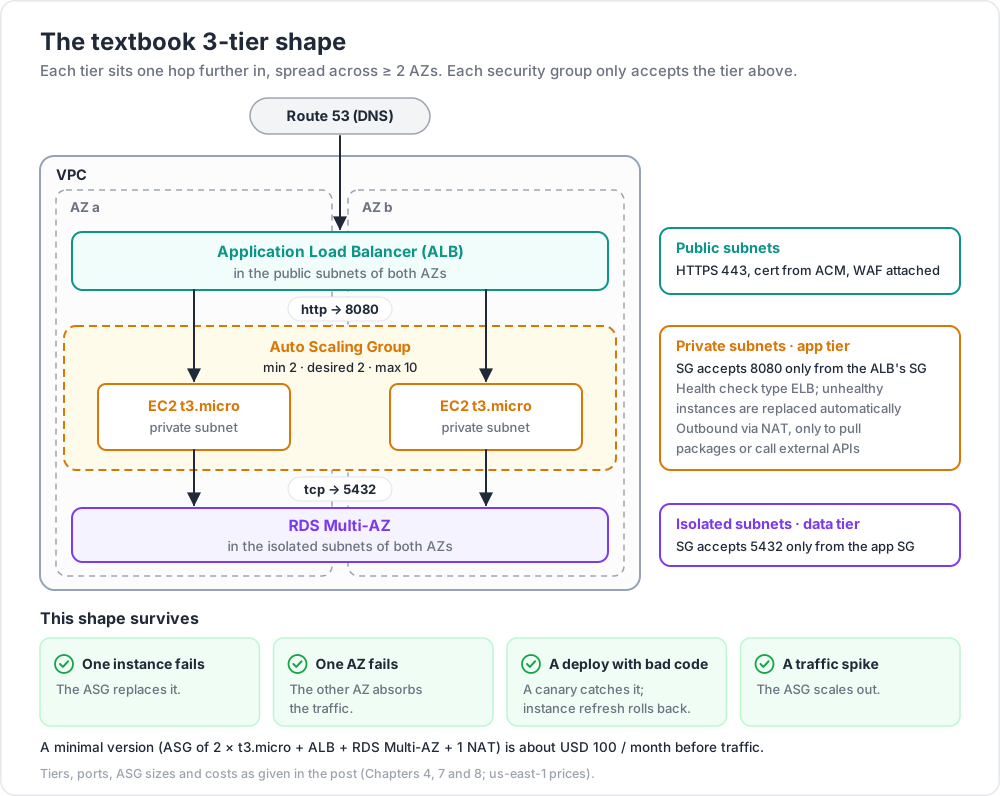
Chapter 7 — The textbook 3-tier reference
1
2
3
4
5
6
7
8
9
10
11
12
13
14
15
16              ┌─────────────────────────────┐
              │         Route 53            │   DNS
              └────────────┬────────────────┘
                           │
              ┌────────────┴────────────────┐
              │   ALB (public subnets)      │   HTTPS, WAF attached
              └────────────┬────────────────┘
                           │  http → 8080
              ┌────────────┴────────────────┐
              │  ASG of EC2 (private subnets)│   app tier, multi-AZ
              └────────────┬────────────────┘
                           │  tcp → 5432
              ┌────────────┴────────────────┐
              │   RDS multi-AZ (isolated)   │   data tier
              └─────────────────────────────┘
Tier rules:
- ALB lives in public subnets across ≥ 2 AZs.
- App tier lives in private subnets across the same AZs.
- DB tier lives in isolated subnets, accessible only from the app SG.
- Each tier's security group only accepts traffic from the tier above's SG.
- Outbound from app tier to internet via NAT (only for pulling packages, calling external APIs).
This shape survives:
- a single instance failure (ASG replaces it)
- a single AZ failure (other AZs absorb traffic)
- a deploy with bad code (canary catches it; instance refresh rolls back)
- a traffic spike (ASG scales out)
Chapter 8 — Cost considerations
| Item | Approx (us-east-1) |
|---|---|
| ALB | USD 16 / month base + LCU hours |
| NLB | USD 16 / month + NLCU |
| Data transfer out | USD 0.09/GB after 100 GB free |
| EC2 t3.micro | USD 7.50 / month at 24/7 on-demand |
| NAT gateway | USD 32 / month + USD 0.045 / GB processed |
| RDS db.t4g.micro multi-AZ | USD 25-30 / month |
A minimal 3-tier shop: ASG of 2 × t3.micro + ALB + RDS Multi-AZ + 1 NAT ≈ USD 100 / month before traffic. Per-AZ NATs add ~USD 32 each for HA.
Watch out: ALB LCU (Load Balancer Capacity Units) is metered on connections, requests, processed bytes, and rule evaluations. A high-traffic ALB can cost more than the EC2 behind it.
Chapter 9 — Beyond EC2 + ASG
Modern compute alternatives to consider for the app tier:
- ECS Fargate — containers without managing EC2 hosts.
- EKS — Kubernetes managed control plane.
- App Runner — push a container, AWS does the rest.
- Lambda behind ALB — short-lived, infrequent endpoints (Post 05).
EC2 + ASG remains right when you need OS access, GPU, NVMe, or want the lowest level of abstraction. Otherwise consider going up the stack — Post 05 covers serverless, future posts cover containers.
Practice Exercises
Exercise 1 — Two EC2 + ALB by hand
- Launch 2 EC2 instances in 2 AZs, each serving a tiny HTTP "hello from
<hostname>". - Create a target group; register both.
- Create an ALB on port 80 → target group.
- Hit the ALB DNS name 10 times; observe both hostnames in responses.
- Stop one instance; verify it's marked unhealthy in ≤ 2 minutes and only the survivor receives traffic.
Exercise 2 — Convert to ASG
Tear down Exercise 1; rebuild with:
- a launch template producing the same web instance,
- ASG min 2 / desired 2 / max 6 across the same AZs,
- the target group attached to the ASG,
- a target-tracking policy on CPU 50%.
Run stress on one instance to push CPU > 70% and watch the ASG add an instance.
Exercise 3 — Host-based routing
Add a second target group with a different /health payload. Add an ALB listener rule:
api.<your-domain>→ tg-api,- default → tg-web.
Then test canary routing with X-Canary: true header.
Exercise 4 — Failure drill
Terminate the ASG's instances manually (aws ec2 terminate-instances). Observe the ASG replace them. Note total recovery time end-to-end.
Exercise 5 — Cost audit
Pull last month's bill for ALB + ASG + NAT + data transfer. Sum the components; identify the largest line item. Suggest one concrete change to shrink it (smaller types, Spot, fewer AZs, S3 endpoint for NAT-bypass).
Cheat-sheet
| What | How |
|---|---|
| Pick LB | ALB for HTTP, NLB for TCP/UDP/static IP |
| Target group | registered list of instances / IPs / Lambdas |
| Health check | /health shallow, /ready deep |
| ASG capacity | Min / Desired / Max |
| Multi-AZ | list ≥ 2 subnets in --vpc-zone-identifier |
| Health source | use ELB if behind an LB |
| Scaling policy | target tracking → start here |
| Scheduled | for known traffic windows |
| Instance refresh | rolling replace on new launch template |
| Warm pool | pre-stopped instances for fast scale-out |
| Cooldown | prevents oscillation |
| Cost trap | LCU on busy ALB; NAT per-GB; cross-AZ data |
| 3-tier shape | ALB (public) → ASG (private) → DB (isolated) |
| Cert | from ACM, attached to ALB listener |
What's next
Post 04 covers Managed Data — RDS, Aurora, DynamoDB, ElastiCache. Now that the compute tier can scale and survive, you need a data tier with the same properties.
References
- Elastic Load Balancing docs
- Auto Scaling docs
- AWS Whitepaper — AWS Well-Architected Reliability Pillar.
- AWS Networking Workshop — HA patterns.
Note: this post is in progress. Planned additions: ALB Cognito auth walkthrough, NLB TLS termination, predictive scaling, blue/green via weighted target groups, mixed-instance ASG with Spot.