Containers Course — 04 · Kubernetes Architecture and Core Objects
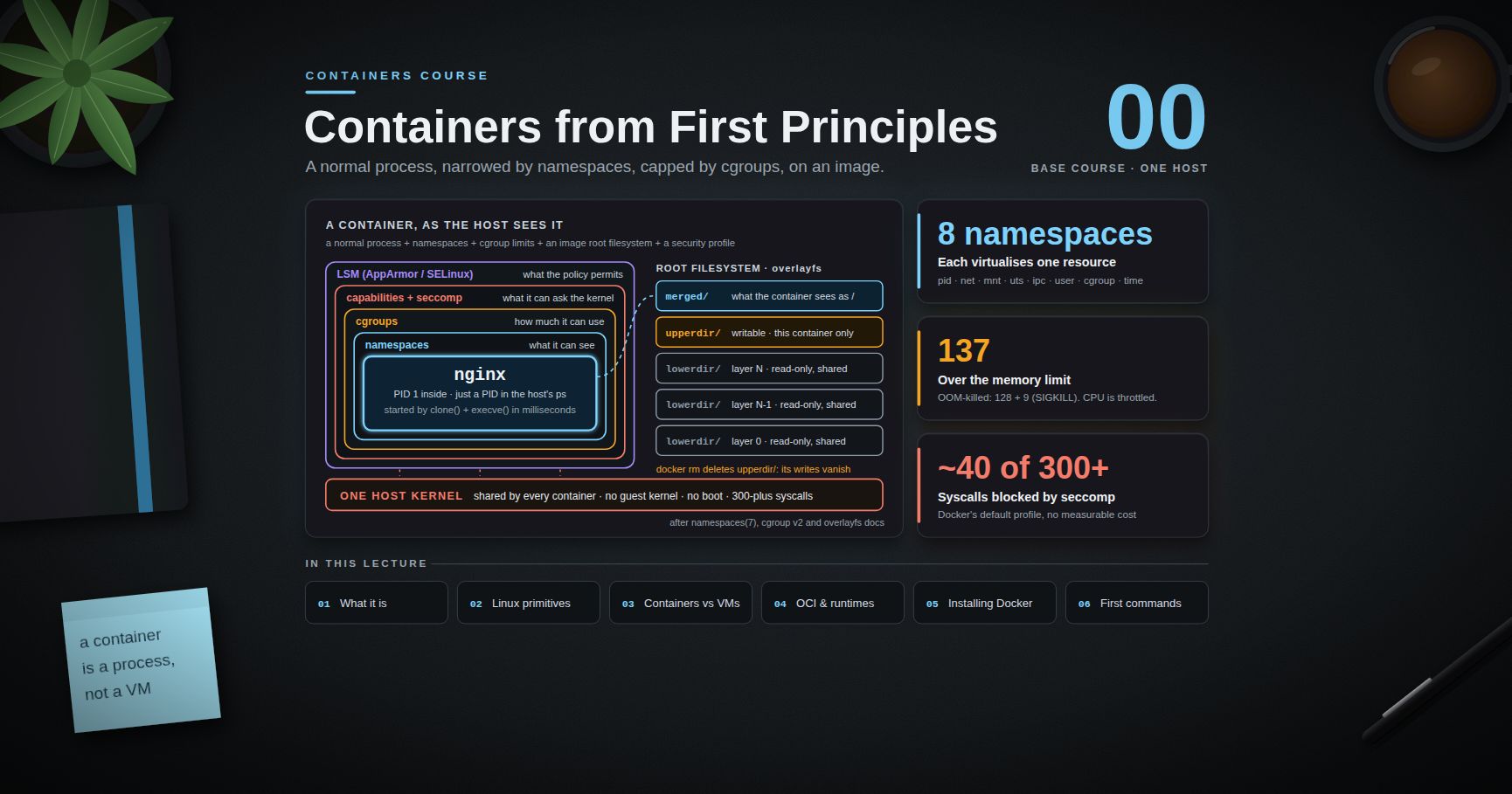
Posts 00-03 covered a single machine: how a container is built out of namespaces and cgroups, how images are layered, how Compose wires a handful of containers together on one host, and how the supply chain around images is secured. This post crosses the boundary from one host to a fleet. Kubernetes is the industry's answer to "I have N machines and M containers, and I want the second set placed on the first set, kept alive, kept reachable, and kept up to date." The mechanism is not a deployment script. It is a control loop with a declarative API in front of it, and understanding that loop is the difference between using Kubernetes and fighting it.
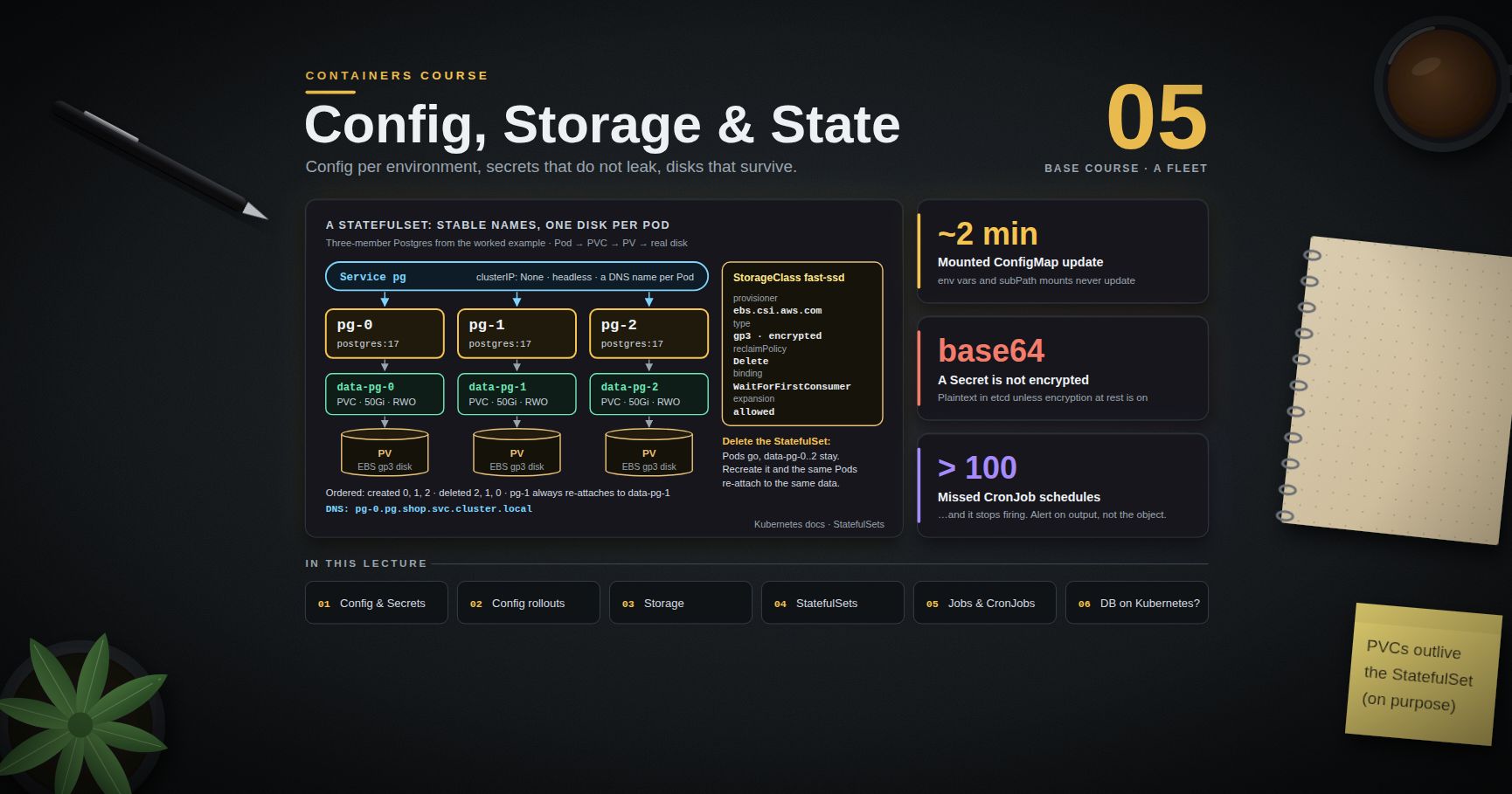
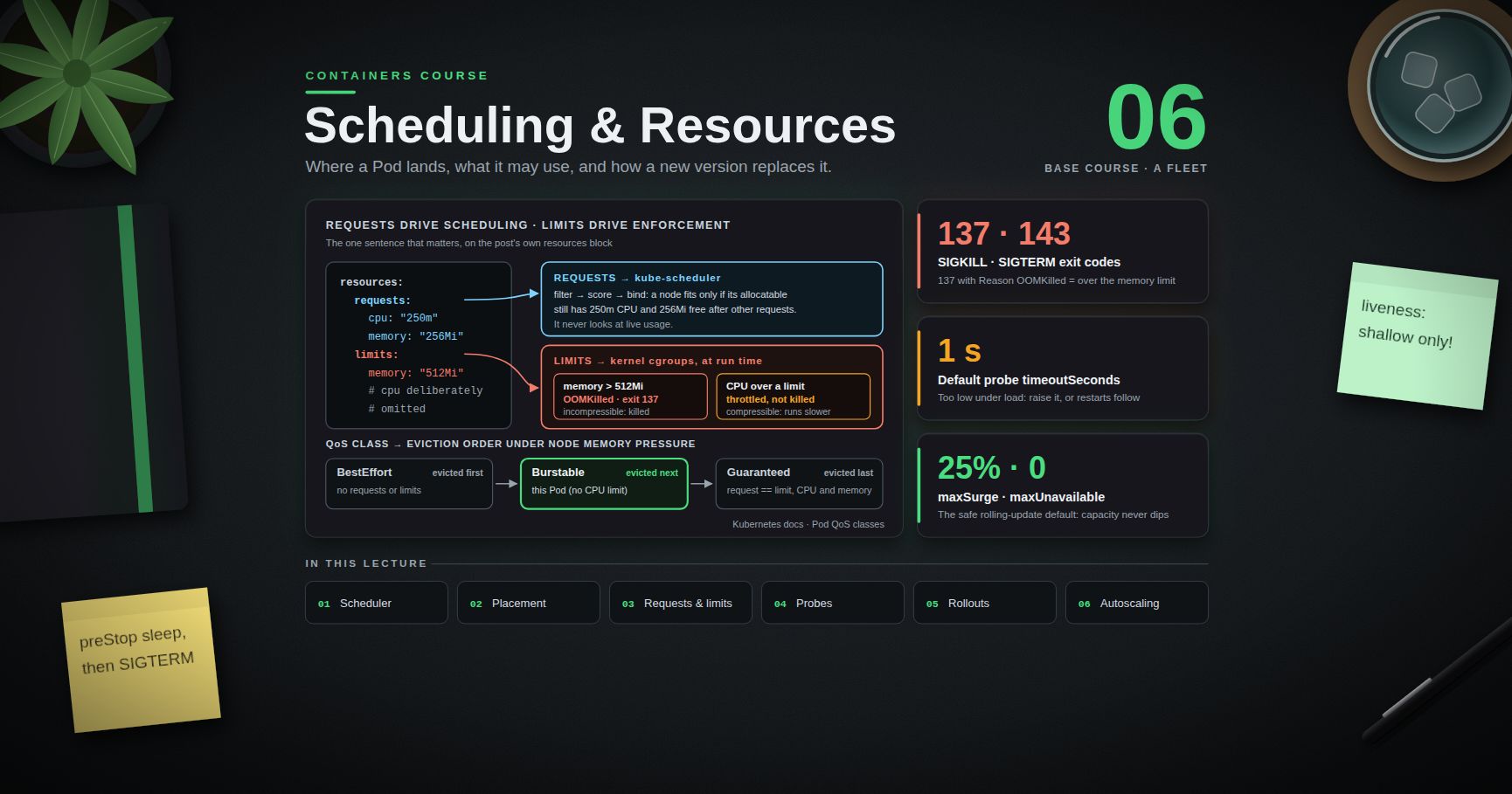
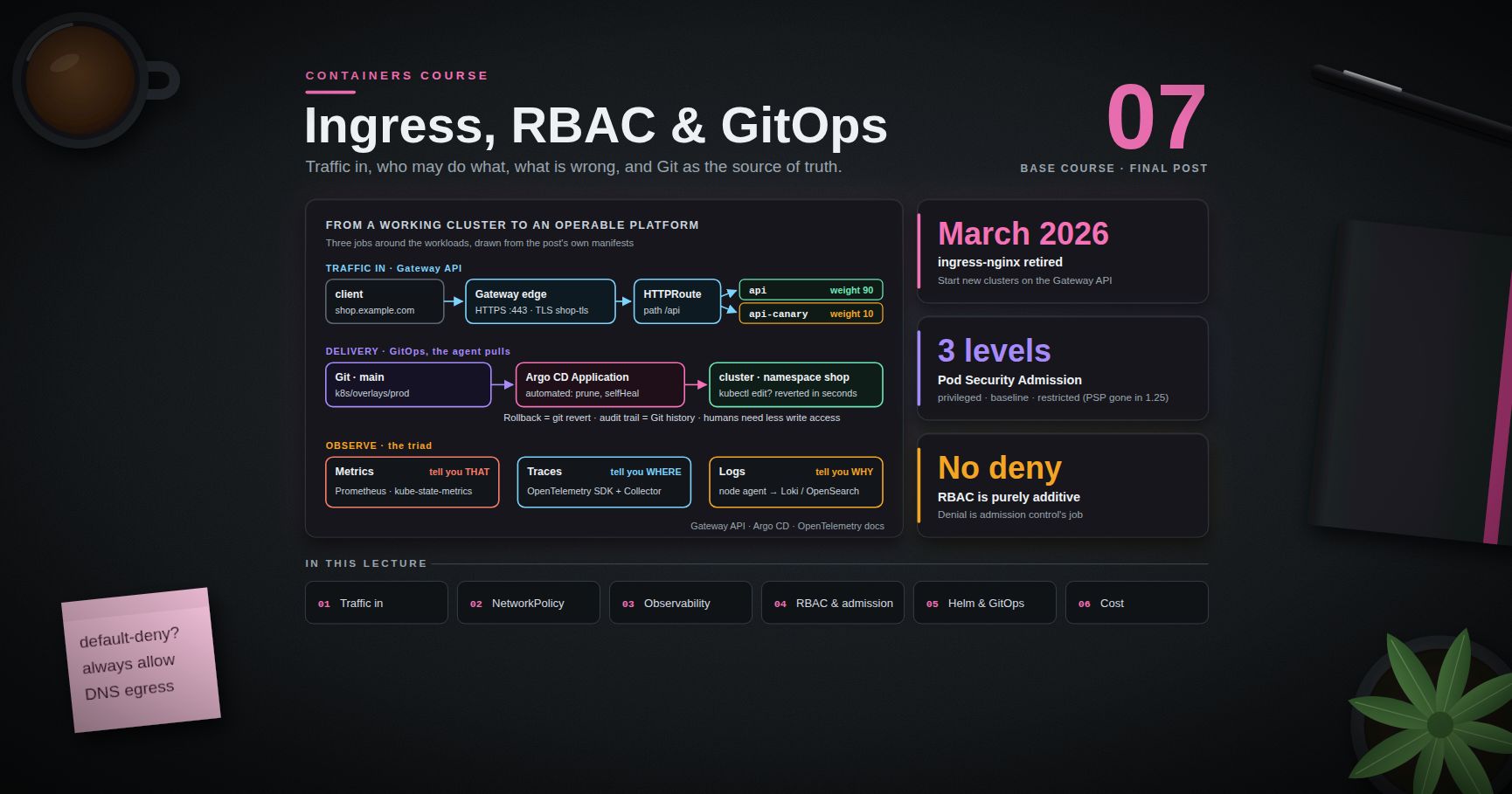
Series map: 00 Containers from First Principles → 01 Images and Dockerfiles → 02 Networking, Volumes and Compose → 03 Registries, Supply Chain and Security → 04 Kubernetes Architecture and Core Objects (this post) → 05 Config, Storage and Stateful Workloads → 06 Scheduling, Resources, Probes and Rollouts → 07 Ingress, Observability, RBAC and GitOps.
Learning Outcome
- State honestly what Kubernetes solves and identify the workloads that do not need it.
- Explain the declarative reconciliation model and why
kubectl applyis a statement of intent rather than a command. - Name every control-plane and node component and describe what breaks when each one fails.
- Read and write the five fields every Kubernetes object shares, and use labels and selectors to glue objects together.
- Explain why the Pod — not the container — is the unit of scheduling, and use init containers and native sidecars correctly.
- Choose between the four Service types, explain how kube-proxy implements them, and resolve in-cluster DNS names.
- Stand up a local cluster and move from imperative one-liners to committed YAML with
--dry-run=client -o yaml.
Chapter 1 — The problem Kubernetes solves (and when you do not need it)
Terminology
- Orchestrator — a system that decides which container runs where, restarts it when it dies, and keeps its identity on the network stable while the underlying process moves.
- Desired state — a declaration of what the cluster should look like, stored in the API server. Actual state — what is really running, as reported by the nodes.
- Reconciliation — the continuous work of shrinking the gap between the two.
- Controller — a process whose entire job is one reconciliation loop for one kind of object.
- Node — a machine that runs workloads. Control plane — the components that store desired state and drive reconciliation.
What breaks at fleet scale
Compose (Post 02) works beautifully on a single host and stops working the moment you need any of the following:
| Need | Single host with Compose | Kubernetes |
|---|---|---|
| Survive a host dying | you notice, you fix it | scheduler places replacements on surviving nodes |
| Run 40 replicas across 6 machines | write your own placement | scheduler does bin-packing |
| Roll out a new version with no downtime | scripted, bespoke, fragile | built-in rolling update with health gating |
| Stable address for a moving process | hardcode IPs or add Consul | Service + cluster DNS |
| Express "3 of these, always" | none | a single declarative object |
The common thread is convergence. Every one of those is "keep reality matching a description", which is exactly the loop Kubernetes implements once and reuses for everything.
When you do not need Kubernetes
This deserves to be said plainly, because the cost of Kubernetes is real: a control plane to run or pay for, a YAML surface area to learn, an upgrade treadmill roughly every four months, and an on-call rotation that now has to understand a distributed system underneath the application.
Do not reach for Kubernetes when:
- You run one or two services on one or two machines and a few minutes of downtime is acceptable. Compose plus a systemd unit and a restart policy is genuinely simpler and genuinely reliable.
- Your workload is bursty and stateless — a managed serverless or PaaS runtime (Cloud Run, Fargate, App Runner, Fly, Render) removes the entire operational tier.
- You have no platform owner. Kubernetes without someone responsible for it degrades into an unpatched cluster running a version nobody dares upgrade.
- The team is three engineers shipping a product. The orchestration you save is smaller than the orchestration you acquire.
Reach for Kubernetes when you have many services, more than one team deploying, an existing cluster to piggyback on, an on-prem or sovereign requirement, or a genuine need for the ecosystem (operators, service mesh, policy engines) built on its API.
Watch out: "we might need to scale later" is not a reason to adopt Kubernetes today. Migrating a containerised app onto Kubernetes later is a bounded, well-trodden project. Running a cluster you do not need for two years is not.
Chapter 2 — The declarative model and the control loop
Terminology
- Declarative — you describe the end state; the system works out the transitions.
- Imperative — you issue the transitions yourself.
- Level-triggered — the loop acts on the current difference between desired and actual, not on the event that caused it.
- Idempotent — applying the same declaration twice has the same effect as applying it once.
The loop
Every controller in Kubernetes runs, conceptually, this:
1
2
3
4
5
6
7
8
loop forever:
desired = read objects from the API server
actual = observe the world
diff = desired − actual
if diff is non-empty:
take one step to shrink diff
record what happened in .status
That is the whole idea. The Deployment controller does it for "how many Pods of this template exist". The Node controller does it for "which nodes are healthy". A cert-manager controller does it for "does a valid certificate exist for this hostname". Your own operator, if you write one, does it for whatever domain object you invent.
Two consequences fall out of this, and both matter daily:
kubectl applyis a statement of intent, not a command. It writes your desired state into etcd and returns. It does not mean the thing happened.kubectl applysucceeding tells you the API server accepted and persisted a valid object. Whether a Pod ever actually started is a separate question answered by.status, by events, and bykubectl rollout status. Beginners read "deployment.apps/web configured" as success and are then baffled that nothing runs. It is a receipt for a request, not a result.- The loop is level-triggered, so it self-heals. Delete a Pod that a Deployment owns and a new one appears, because the controller does not remember that it created three Pods — it counts and finds two. Miss a webhook event, restart a controller, lose a message: the next pass recomputes from scratch. This is why Kubernetes tolerates its own components crashing.
Spec versus status
spec is written by you and holds the intent. status is written by the controller and holds the observation (replicas, readyReplicas, observedGeneration, conditions). Never write status by hand; read it constantly.
Trick:
kubectl get <kind> <name> -o yamland read.statusbefore you open any dashboard. It is the controller telling you, in its own words, what it thinks is true.
Chapter 3 — Control plane and node components
Control plane
| Component | Job | What breaks without it |
|---|---|---|
| kube-apiserver | the only front door to cluster state: REST, authentication, authorisation, admission, validation, persistence | nothing can be read or changed; running Pods keep running |
| etcd | consistent, replicated key-value store holding all cluster state | the API server has no backing store; the cluster cannot be recovered without a backup |
| kube-scheduler | assigns unscheduled Pods to nodes (Post 06 covers how) | new Pods stay Pending forever; existing Pods unaffected |
| kube-controller-manager | runs the built-in controllers (Deployment, ReplicaSet, Node, Job, endpoints, service accounts, …) in one binary | reconciliation stops: failed Pods are not replaced, rollouts freeze |
| cloud-controller-manager | the cloud-specific half — provision load balancers, attach volumes, label nodes with zone/region, remove deleted VMs from the node list | LoadBalancer Services stay <pending>, volumes do not attach |
Two structural facts worth internalising:
- Everything goes through the API server. The scheduler does not talk to the kubelet. The kubelet does not talk to the scheduler. They all read and write the same API and watch it for changes. That single choke point is what makes RBAC (Post 07), admission control, and audit logging possible at all.
- etcd is the cluster. Back it up. On managed Kubernetes (EKS, GKE, AKS) this is the provider's problem, which is a substantial part of what you are paying for.
Node components
| Component | Job |
|---|---|
| kubelet | the agent on each node. Watches the API server for Pods assigned to it, tells the runtime to start containers, runs probes, reports node and Pod status back |
| kube-proxy | programs the node's packet-forwarding rules so that Service virtual IPs reach real Pod IPs |
| container runtime | actually runs containers — containerd or CRI-O, spoken to over the CRI (Container Runtime Interface) gRPC API |
Where Docker went
Kubernetes talks to runtimes over the CRI. Docker Engine never implemented CRI natively; a shim called dockershim translated, and that shim was removed from the kubelet in Kubernetes 1.24 (2022). That is the whole of the "Kubernetes deprecates Docker" story, and it changes nothing about your workflow: docker build produces OCI images, and containerd — which Docker itself uses underneath — runs them identically.
1
2
3
4
5
6
7
8
9
10
11
12  ┌──────────────────── control plane ─────────────────────┐
  │  kubectl ──► kube-apiserver ──► etcd                    │
  │                   ▲  ▲  └── kube-scheduler              │
  │                   │  └───── kube-controller-manager     │
  │                   └──────── cloud-controller-manager    │
  └───────────────────┬─────────────────────────────────────┘
                      │  watch / report (outbound, per node)
  ┌───────────────────┴────────────┐   ┌──────────────────────┐
  │ node-1  kubelet ─► containerd  │   │ node-2  kubelet ...  │
  │         kube-proxy ─► Services │   │         kube-proxy   │
  └────────────────────────────────┘   └──────────────────────┘
Chapter 4 — The anatomy every manifest shares
Every Kubernetes object — built-in or custom — has the same five top-level fields.
1
2
3
4
5
6
7
8
9
10
11
12
13
14
15
apiVersion: apps/v1 # which API group and version validates this object
kind: Deployment # which type within that group
metadata: # identity: name, namespace, labels, annotations
name: web
namespace: shop
labels:
app: web
tier: frontend
annotations:
owner: platform-team
spec: # the desired state — you write this
replicas: 3
status: # the observed state — the controller writes this
{}
- apiVersion —
v1is the core group (Pod, Service, ConfigMap, Secret, Namespace); everything else is grouped (apps/v1,batch/v1,networking.k8s.io/v1,rbac.authorization.k8s.io/v1).kubectl api-resourceslists every kind your cluster knows, with its group, short name and whether it is namespaced. - metadata.name — unique per kind per namespace, not global.
- labels — key/value pairs meant to be selected on: identity and grouping.
- annotations — key/value pairs not meant to be selected on: checksums, controller configuration, last-applied state.
Labels and selectors are the glue
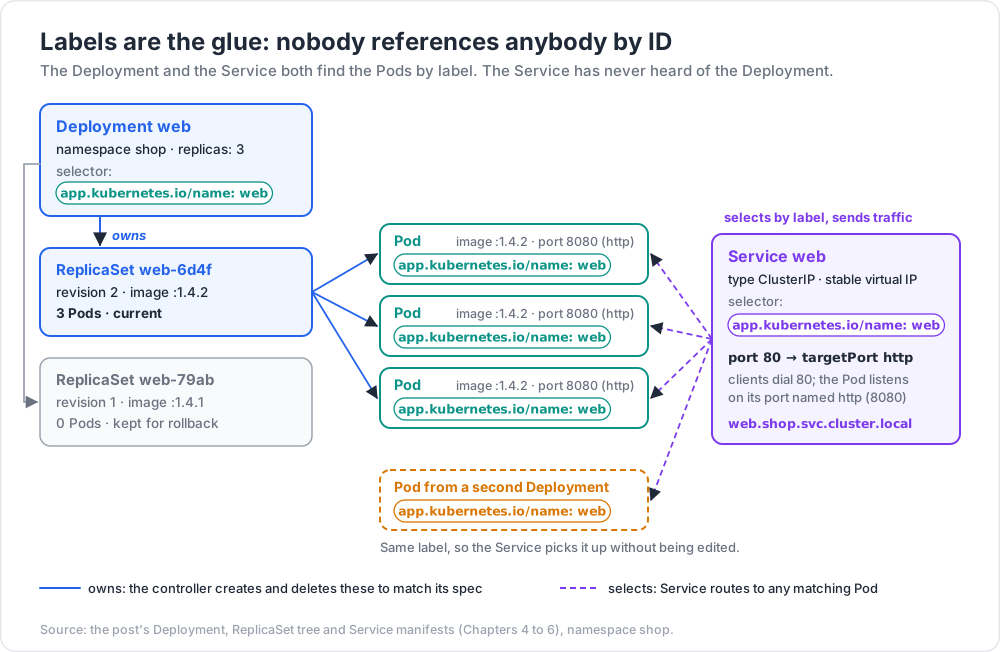
Kubernetes objects do not reference each other by ID. They reference each other by label selector, and this loose coupling is why the model composes.
1
2
3
4
5
6
7
8
9
10
11
12
13
14
# Deployment — owns the Pods whose labels match its selector.
spec:
selector:
matchLabels: { app: web }
template:
metadata:
labels: { app: web } # must match the selector above
---
# Service — sends traffic to whatever Pods match. It has never heard of the Deployment.
apiVersion: v1
kind: Service
spec:
selector: { app: web }
The Service does not know a Deployment exists. Swap the Deployment for a StatefulSet, or add a second Deployment with the same label, and the Service picks up the Pods without being edited. That is the point.
1
2
3
4
5
kubectl get pods -l app=web # equality
kubectl get pods -l 'tier in (frontend,backend)' # set-based
kubectl get pods -l 'app=web,env!=dev' # conjunction
kubectl get pods --show-labels # what is actually set
Common pitfall: a Deployment's
spec.selectoris immutable after creation. Getting the labels wrong means deleting and recreating the Deployment. Decide the label scheme before you ship. The conventional set isapp.kubernetes.io/name,app.kubernetes.io/instance,app.kubernetes.io/version,app.kubernetes.io/component,app.kubernetes.io/part-of,app.kubernetes.io/managed-by.
Chapter 5 — Pods, ReplicaSets and Deployments
Why the Pod, not the container
A Pod is one or more containers that are scheduled together, share a network namespace and an IP address, can share volumes, and live and die as a unit. It is the smallest thing Kubernetes schedules.
The reason for the extra layer is that some containers are genuinely useless alone. A log shipper that tails /var/log/app must be on the same filesystem as the app. A proxy that terminates mTLS for the app must be on the same network stack as the app. Making the group the schedulable unit means those helpers can be separate images with separate lifecycles and still be guaranteed co-location.
What is shared
- Network namespace — every container in the Pod sees the same interfaces and the same IP. They reach each other over
localhost, and they must not bind the same port. This is the most common Pod authoring bug: two containers both listening on 8080. - IPC namespace and hostname.
- Volumes — declared at Pod level, mounted independently in each container.
Not shared by default: the filesystem (each container keeps its own image root) and the PID namespace (opt in with shareProcessNamespace: true).
1
2
3
4
5
6
7
8
9
10
11
12
13
14
15
apiVersion: v1
kind: Pod
metadata:
name: web
labels: { app: web }
spec:
containers:
- name: app
image: ghcr.io/example/web:1.4.2
ports: [{ containerPort: 8080 }]
- name: metrics-proxy
image: ghcr.io/example/exporter:0.9.0
args: ["--scrape=http://localhost:8080/metrics"] # localhost — same Pod
ports: [{ containerPort: 9100 }]
Init containers
Init containers run to completion, in order, before any app container starts. If one fails, the kubelet restarts it (subject to the Pod restart policy) and the app containers never start.
1
2
3
4
5
6
7
8
9
10
11
spec:
initContainers:
- name: wait-for-db
image: busybox:1.36
command: ['sh', '-c', 'until nc -z db 5432; do sleep 2; done']
- name: migrate
image: ghcr.io/example/web:1.4.2
command: ['/app/migrate', 'up']
containers:
- { name: app, image: ghcr.io/example/web:1.4.2 }
Use them for schema migrations, waiting on a dependency, fetching config into a shared volume, or setting kernel parameters in a privileged container so the app container needs no privileges.
Sidecars — including the native kind
Historically a "sidecar" was just a second entry in containers:, and it had two well-known defects: it could start after the app container needed it, and in a Job it would keep running forever after the main container exited, so the Job never completed.
Kubernetes solved this by giving init containers a restartPolicy: Always, which turns them into native sidecars: they start in init order (so before the app), they keep running alongside it, and they are terminated automatically after the app containers exit. The feature was alpha in 1.28, beta and on by default in 1.29, and graduated to stable in Kubernetes 1.33.
1
2
3
4
5
6
7
8
9
10
11
12
13
14
15
spec:
initContainers:
- name: log-shipper
image: ghcr.io/example/fluentbit:3.1
restartPolicy: Always # ← this is what makes it a sidecar
volumeMounts:
- { name: logs, mountPath: /var/log/app }
containers:
- name: app
image: ghcr.io/example/web:1.4.2
volumeMounts:
- { name: logs, mountPath: /var/log/app }
volumes:
- { name: logs, emptyDir: {} }
Trick: if a Job of yours has ever hung at "1 of 2 containers still running", the native sidecar is the fix. On clusters older than 1.29, fall back to having the main container write a sentinel file that the sidecar watches for and exits on.
You almost never write a bare Pod
A Pod on its own is not rescheduled if its node dies. Write a Deployment, StatefulSet, DaemonSet, or Job — all of which manage Pods for you. Bare Pods are for debugging (kubectl run -it --rm debug --image=busybox -- sh).
ReplicaSet
A ReplicaSet has exactly one job: ensure N Pods matching this selector exist. It counts, and it creates or deletes to close the gap. You rarely write one directly.
Deployment
A Deployment manages ReplicaSets to provide versioned, controlled rollouts. Change the Pod template and the Deployment controller creates a new ReplicaSet, scales it up while scaling the old one down, and keeps the old one around at zero replicas so you can roll back.
1
2
3
4
Deployment web
├── ReplicaSet web-6d4f (revision 2, image :1.4.2) → 3 Pods ← current
└── ReplicaSet web-79ab (revision 1, image :1.4.1) → 0 Pods ← kept for rollback
1
2
3
4
5
6
7
8
9
10
11
12
13
14
15
16
17
18
19
20
21
22
23
apiVersion: apps/v1
kind: Deployment
metadata:
name: web
namespace: shop
spec:
replicas: 3
revisionHistoryLimit: 5
selector:
matchLabels: { app.kubernetes.io/name: web }
template:
metadata:
labels: { app.kubernetes.io/name: web }
spec:
containers:
- name: web
image: ghcr.io/example/web:1.4.2
ports:
- { containerPort: 8080, name: http }
resources:
requests: { cpu: 100m, memory: 128Mi }
limits: { memory: 256Mi }
1
2
3
4
5
kubectl apply -f web-deployment.yaml
kubectl rollout status deployment/web # blocks until the rollout settles
kubectl rollout history deployment/web
kubectl rollout undo deployment/web --to-revision=1
Post 06 covers rollout strategy, surge and unavailability, and the disruption budget that protects a rollout from itself. For now, note that kubectl apply returns immediately and kubectl rollout status is the thing that actually waits.
Chapter 6 — Services, kube-proxy and DNS
Pods are mortal and their IPs are ephemeral. A Service is a stable virtual IP plus a DNS name in front of a label-selected set of Pods.
The four types
| Type | What you get | Typical use |
|---|---|---|
| ClusterIP (default) | a virtual IP reachable only inside the cluster | service-to-service traffic; the 95 % case |
| NodePort | a ClusterIP plus the same port opened on every node (30000-32767) | bare-metal entry point, local development, a layer under an external LB |
| LoadBalancer | a NodePort plus a cloud load balancer provisioned by the cloud-controller-manager | public entry point on a managed cloud |
| ExternalName | a CNAME in cluster DNS to an external hostname — no proxying, no selector | pointing db at prod-db.rds.amazonaws.com so app config need not change |
The types nest: LoadBalancer is built on NodePort is built on ClusterIP.
1
2
3
4
5
6
7
8
9
10
11
12
13
14
apiVersion: v1
kind: Service
metadata:
name: web
namespace: shop
spec:
type: ClusterIP
selector: { app.kubernetes.io/name: web }
ports:
- name: http
port: 80 # the port clients dial
targetPort: http # the named container port on the Pod
protocol: TCP
Common pitfall:
portandtargetPortmixed up.portis what clients dial;targetPortis what the container listens on. Naming the container port and referring to it by name (targetPort: http) removes the ambiguity.
How kube-proxy implements it
A Service IP is not owned by any interface — nothing is listening on it. kube-proxy watches Services and EndpointSlices and programs the node's networking so that packets addressed to the virtual IP are rewritten to a real Pod IP:
- iptables mode (long-standing default) — NAT rules with probabilistic jumps. Simple and robust, but rule count grows with Service × endpoint count, so very large clusters see slow reprogramming.
- IPVS mode — kernel load balancing with hash tables: better at scale, real scheduling algorithms.
- nftables mode — the modern replacement for the iptables backend, fixing its scaling behaviour; the direction of travel.
- eBPF datapaths (Cilium and friends) can replace kube-proxy entirely.
The decision is made per connection, in the kernel, on the client's node — no hop through a central box. It is also L4 only, so long-lived HTTP/2 or gRPC connections pin to one backend and will not rebalance. For L7 balancing you need an Ingress, a Gateway, or a mesh (Post 07).
Headless Services and DNS
Set clusterIP: None and you get a headless Service: no virtual IP, no kube-proxy rules. DNS instead returns the A/AAAA records of every ready Pod. This is how clients that want to see individual members — database replica sets, Kafka, anything doing its own peer discovery — find them, and it is the backbone of StatefulSets (Post 05).
1
2
3
4
5
6
7
8
apiVersion: v1
kind: Service
metadata: { name: pg }
spec:
clusterIP: None
selector: { app: pg }
ports: [{ port: 5432, name: postgres }]
Cluster DNS (CoreDNS) names follow a fixed pattern:
1
2
3
4
5
6
7
8
9
<service>.<namespace>.svc.cluster.local # Service
web.shop.svc.cluster.local
<pod-hostname>.<service>.<namespace>.svc.cluster.local # headless Service member
pg-0.pg.shop.svc.cluster.local
_<port-name>._<protocol>.<service>.<namespace>.svc.cluster.local # SRV record
_postgres._tcp.pg.shop.svc.cluster.local
Because the Pod's /etc/resolv.conf carries a search path, shorter forms resolve too: web works inside namespace shop, web.shop works from anywhere in the cluster. Prefer web.shop in configuration — the bare name silently changes meaning when the manifest is applied to a different namespace. Check any of it with kubectl run -it --rm dns --image=busybox:1.36 --restart=Never -- nslookup web.shop.svc.cluster.local.
Chapter 7 — Namespaces, a local cluster, and the kubectl workflow
Namespaces
A namespace is a scope for names, plus a natural attachment point for quotas (ResourceQuota, LimitRange) and permissions (RBAC, Post 07). It is a soft boundary: by default all Pods in all namespaces can reach each other over the Pod network. Real isolation needs NetworkPolicy (Post 07).
1
2
3
kubectl create namespace shop
kubectl config set-context --current --namespace=shop # stop typing -n
Cluster-scoped objects (Node, PersistentVolume, StorageClass, ClusterRole, CustomResourceDefinition) live outside namespaces entirely. kubectl api-resources --namespaced=false lists them.
A local cluster in one command
| Tool | Mechanism | Best for |
|---|---|---|
| kind | nodes are containers ("Kubernetes IN Docker") | CI pipelines, multi-node topologies, throwaway clusters |
| minikube | a VM or container per cluster, rich addon set | learning, addon-driven demos (ingress, dashboard, registry) |
| k3d | k3s (a slim distribution) in Docker | very low resource use, edge-like setups |
1
2
3
4
5
6
7
8
cat > kind.yaml <<'EOF'
kind: Cluster
apiVersion: kind.x-k8s.io/v1alpha4
nodes: [{ role: control-plane }, { role: worker }, { role: worker }]
EOF
kind create cluster --name course --config kind.yaml
kubectl cluster-info --context kind-course && kubectl get nodes -o wide
Trick: kind does not read images from your local Docker daemon. After
docker build -t web:dev ., runkind load docker-image web:dev --name course, and setimagePullPolicy: IfNotPresentso the kubelet does not try to fetchweb:devfrom a registry that has never heard of it.
The essential verbs
| Verb | Command | Notes |
|---|---|---|
| List | kubectl get <kind> [-o wide|yaml|json] |
-A for all namespaces, -w to watch |
| Explain | kubectl explain deploy.spec.template.spec |
the API schema, offline, no browser |
| Inspect | kubectl describe <kind> <name> |
human-readable, includes recent events |
| Create imperatively | kubectl create deployment web --image=nginx |
for scaffolding only |
| Apply declaratively | kubectl apply -f dir/ -R |
the production verb; kubectl diff -f dir/ first |
| Logs | kubectl logs <pod> [-c <container>] [-f] [--previous] |
--previous reads the crashed container |
| Exec / forward | kubectl exec -it <pod> -- sh · kubectl port-forward svc/web 8080:80 |
local access without exposing anything |
| Events | kubectl events --for pod/web-abc -w |
often the only place the real error appears |
| Scale | kubectl scale deploy/web --replicas=5 |
imperative; will be reverted by GitOps |
| Rollout | kubectl rollout status|history|undo deploy/web |
the rollout lifecycle |
| Context | kubectl config get-contexts / use-context |
which cluster am I about to break |
| API surface | kubectl api-resources |
every kind, its group, its short name |
Imperative to declarative — the workflow that actually works
Writing YAML from memory is slow and error-prone. Generate it, then own it.
1
2
3
4
5
6
7
8
9
10
11
# Generate a Deployment manifest without touching the cluster:
kubectl create deployment web --image=ghcr.io/example/web:1.4.2 \
--replicas=3 --dry-run=client -o yaml > k8s/web-deployment.yaml
# Generate the matching Service:
kubectl create service clusterip web --tcp=80:8080 \
--dry-run=client -o yaml > k8s/web-service.yaml
# Edit, commit, then apply the directory:
kubectl apply -f k8s/ -R
--dry-run=client renders locally and never contacts the API server. --dry-run=server sends the object through authentication, admission control and validation but does not persist it — that is the one to use when you want to know whether a policy engine (Post 07) will reject your manifest.
Common pitfall:
kubectl editandkubectl scalechange the live cluster and nothing else. The nextkubectl applyfrom your repository silently reverts them, and with GitOps (Post 07) the reversal happens within seconds. Treat imperative commands as debugging tools, and put every intentional change in the repository.
Practice Exercises
Exercise 1 — Stand up a cluster and read it
Create a three-node kind cluster. Then answer, using only kubectl:
- Which Kubernetes version is the API server?
- Which container runtime and version does each node report?
- How many Pods are running in
kube-system, and what is each one for? - Which of those Pods are managed by DaemonSets, and why must they be?
Solution
1
2
3
4
5
6
7
kubectl version
kubectl get nodes -o wide # CONTAINER-RUNTIME column
kubectl get pods -n kube-system -o wide
kubectl get daemonsets -n kube-system
# kube-proxy and the CNI agent are DaemonSets because every node needs
# exactly one copy to program that node's networking.
Exercise 2 — Prove the reconciliation loop exists
Deploy three replicas of any image. Then delete one Pod by name and time how long a replacement takes to become Ready. Then delete the ReplicaSet with --cascade=orphan and observe what happens to the Pods and what the Deployment controller does next.
Solution
1
2
3
4
5
6
7
8
9
10
kubectl create deployment web --image=nginx:1.27 --replicas=3
kubectl get pods -l app=web -w &
kubectl delete pod "$(kubectl get pod -l app=web -o jsonpath='{.items[0].metadata.name}')"
# A replacement Pod appears within a second; Ready follows image pull + startup.
kubectl delete rs -l app=web --cascade=orphan
# The Pods survive (orphaned). The Deployment controller notices it owns no
# ReplicaSet, creates a new one, and that ReplicaSet adopts the orphaned Pods
# because their labels match its selector — so the replica count stays at 3.
Exercise 3 — The two-containers-one-port bug
Write a Pod with two containers that both listen on port 8080. Apply it. Explain precisely why the second one crash-loops, and fix it two different ways.
Solution
Both containers share one network namespace, so the second bind(8080) fails with EADDRINUSE. Fixes:
1
2
3
4
5
6
7
# Fix 1 — configure the second container onto a different port.
- name: sidecar
image: ghcr.io/example/exporter:0.9.0
env: [{ name: LISTEN_PORT, value: "9100" }]
# Fix 2 — put the second container in its own Pod with its own Service.
# Correct whenever the two do not actually need co-location.
Exercise 4 — Selector surgery
Create a Deployment web (label app=web) and a ClusterIP Service selecting app=web. Then:
- Add a second, unrelated Pod with the label
app=weband confirm the Service starts sending traffic to it. - Change one Pod's label to
app=web-canaryand watch it leave the Service's EndpointSlice. - Explain what this implies about labels as a security boundary.
Exercise 5 — DNS tour
From a debug Pod in namespace a, resolve a Service in namespace b by short name, by <svc>.<ns> and by FQDN. Then create a headless Service in front of a 3-replica Deployment and compare nslookup output against the ClusterIP version. Record which form returns one address and which returns many.
Exercise 6 — Imperative to declarative
Build the following with imperative commands only, using --dry-run=client -o yaml to capture each object into k8s/: a Deployment of 2 replicas, a ClusterIP Service, and a namespace. Then delete the namespace entirely and rebuild the whole thing with a single kubectl apply -f k8s/ -R. Diff the recreated objects against the originals and explain every field that differs.
Exercise 7 — Failure injection on the control plane
On a kind cluster, stop the kube-scheduler container on the control-plane node, create a Deployment, and observe the Pods. Restart the scheduler. Record what state the Pods sat in and whether existing workloads were affected.
Cheat-sheet
| What | How |
|---|---|
| Is Kubernetes warranted | many services, multiple teams, existing cluster, on-prem requirement — otherwise probably not |
| Core model | declarative desired state + level-triggered reconciliation loops |
kubectl apply means |
"the API server stored my intent" — confirm with rollout status, .status, kubectl events |
| Node agents | kubelet (Pods, probes, status) + kube-proxy (Service routing) + CRI runtime |
| Docker removed | dockershim left the kubelet in 1.24; Docker-built OCI images still run fine |
| Every object | apiVersion, kind, metadata, spec (yours), status (the controller's) |
| Coupling mechanism | label selectors, never IDs |
| Immutable field | Deployment.spec.selector — pick labels before shipping |
| Unit of scheduling | the Pod: shared network namespace, localhost, no two containers on one port |
| Run before the app | initContainers (run to completion, in order) |
| Run beside the app | init container with restartPolicy: Always — stable in 1.33 |
| Versioned rollout | Deployment → new ReplicaSet per template change; rollout undo to go back |
| Stable in-cluster address | Service ClusterIP |
| Expose outside | NodePort → LoadBalancer (or an Ingress/Gateway, Post 07) |
| See individual Pods | headless Service (clusterIP: None) |
| DNS name | <svc>.<ns>.svc.cluster.local; per-Pod <pod>.<svc>.<ns>.svc.cluster.local |
| Service balancing | L4, per connection, in the kernel — long-lived gRPC will not rebalance |
| Local cluster | kind create cluster / minikube start / k3d cluster create |
| Scaffold YAML | kubectl create ... --dry-run=client -o yaml > file.yaml |
| Read the crashed container | kubectl logs <pod> --previous |
What's next
Post 05 covers Config, Storage and Stateful Workloads — ConfigMaps and Secrets (and the uncomfortable truth about what a Secret actually protects), the PersistentVolume / PersistentVolumeClaim / StorageClass triangle, CSI, StatefulSets, DaemonSets, Jobs and CronJobs, and an honest assessment of when a database belongs on Kubernetes at all.
References
- Kubernetes documentation — Concepts · Components
- Pods · Sidecar containers · Deployments
- Service · DNS for Services and Pods
- Labels and selectors · Recommended labels
- kubectl reference · kind · minikube · k3d
- Don't Panic: Kubernetes and Docker — the dockershim removal explained.
- Kubernetes: Up and Running (Burns, Beda, Hightower, Evenson) — the standard introductory text.
Note: this post is in progress. Planned additions: an annotated walkthrough of the API request path from
kubectlthrough authentication, admission and etcd; a comparison of kube-proxy iptables, IPVS and nftables backends with measurement instructions; a worked multi-node kind topology with a local registry.