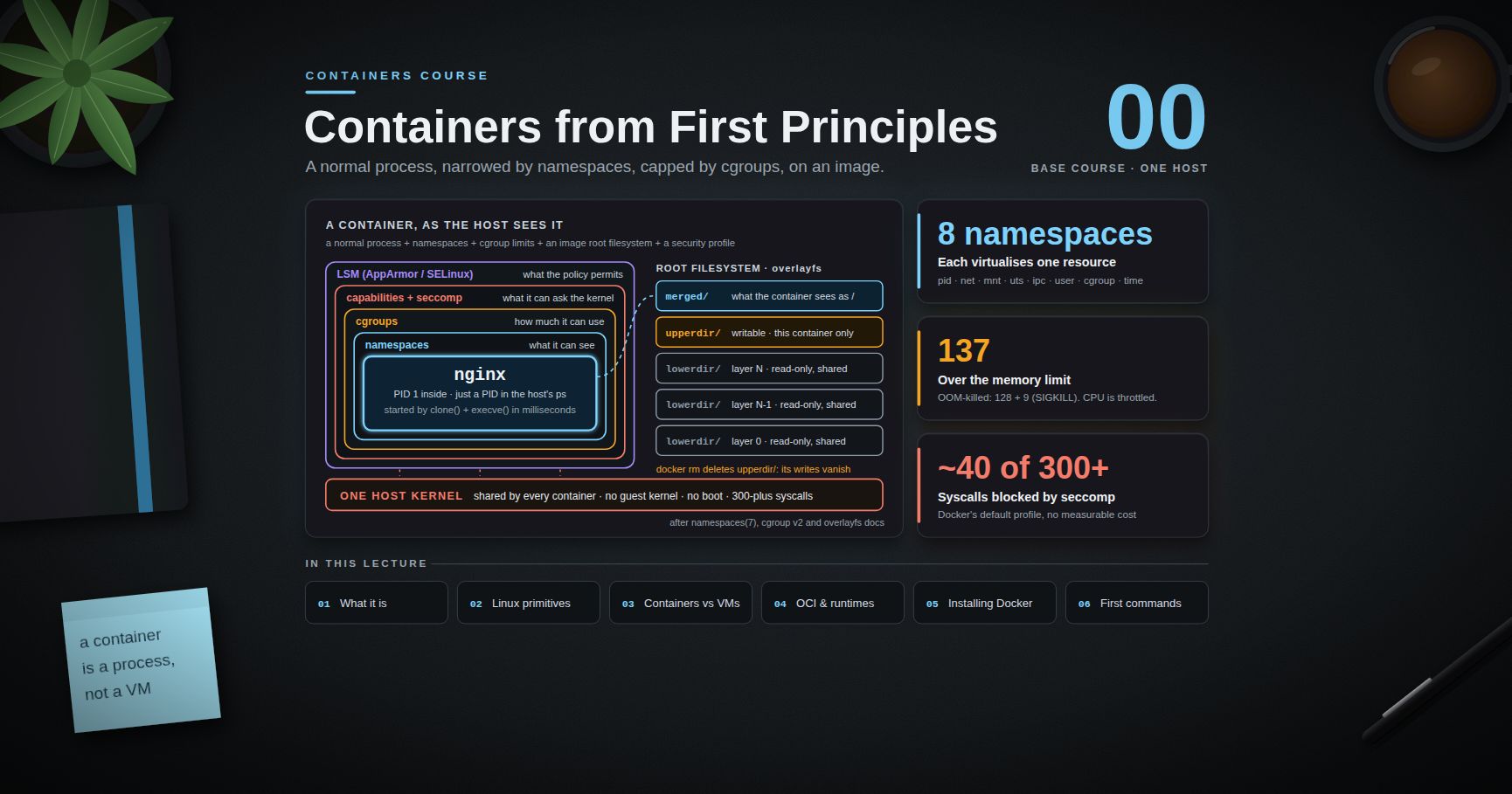
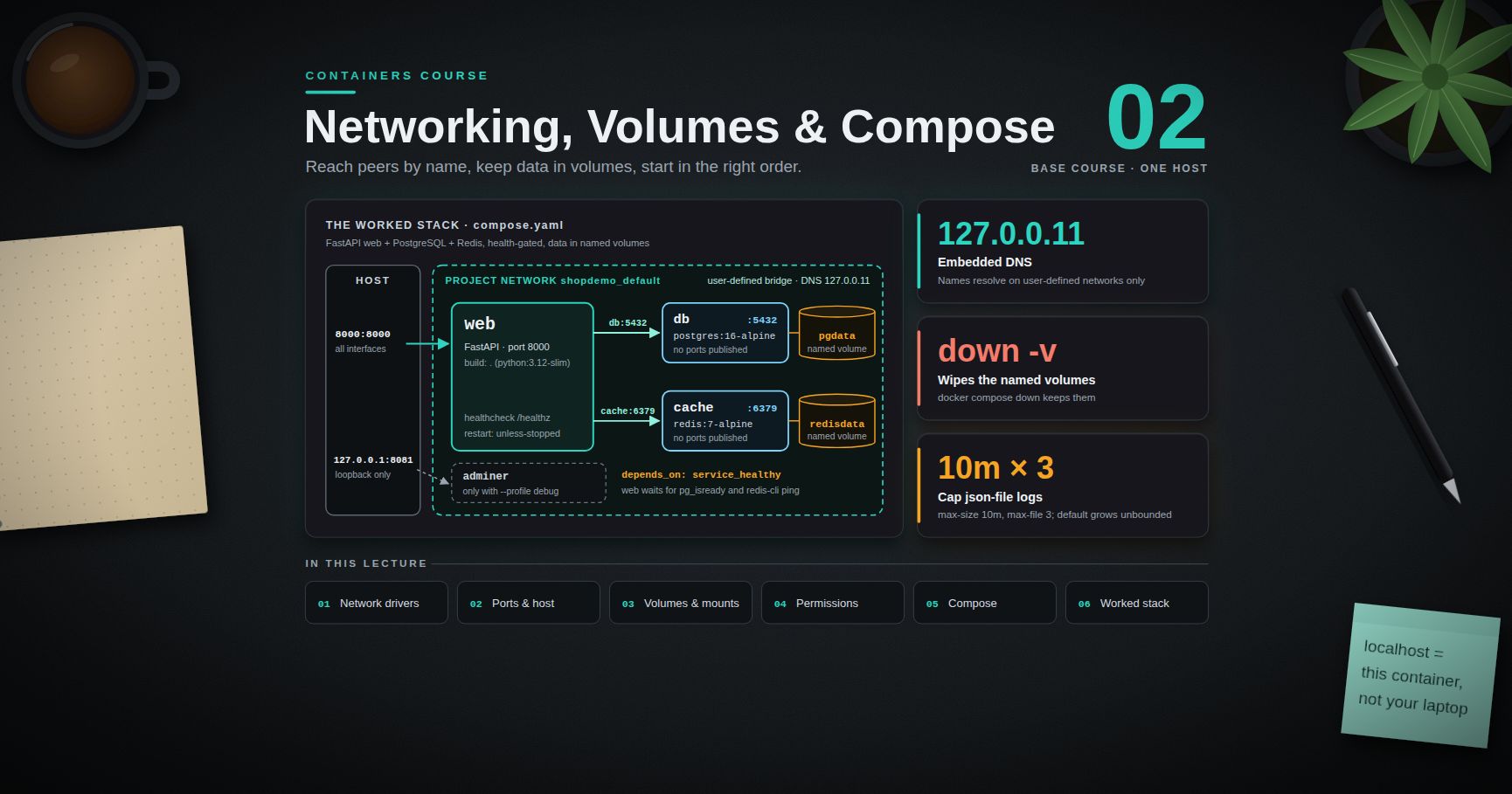
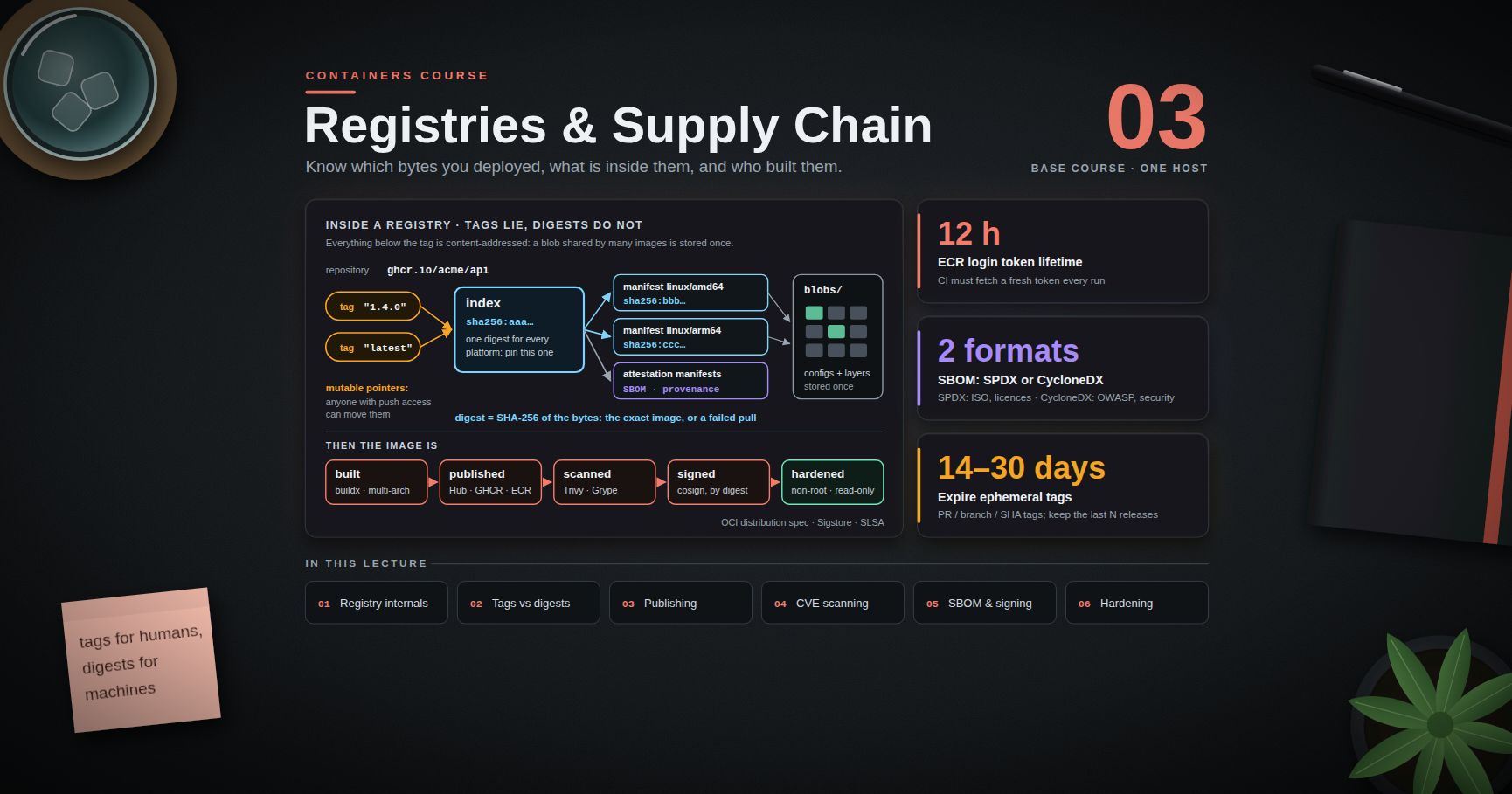
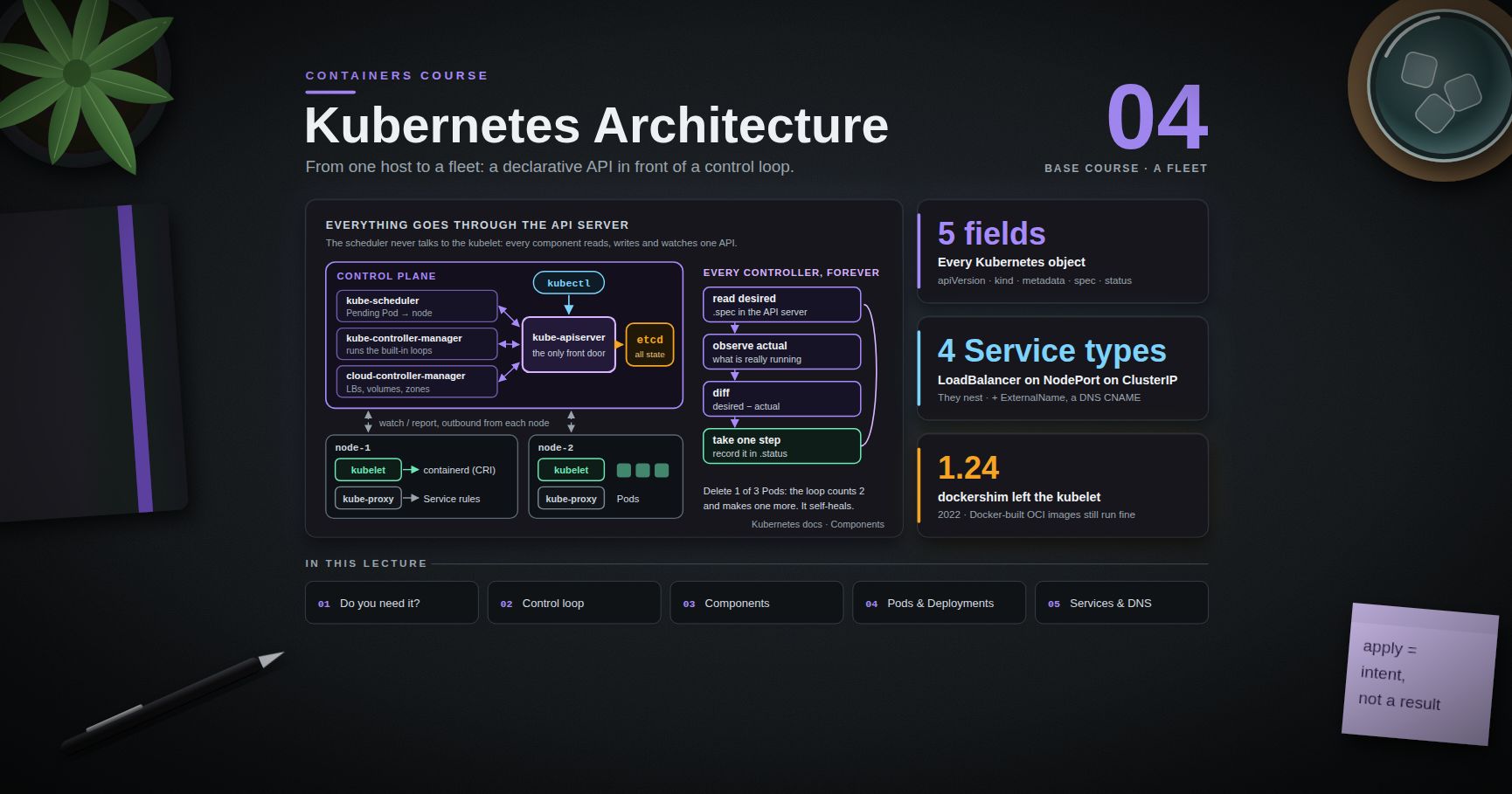
Containers Course — 01 · Images and Dockerfiles
Post 00 established what a container is at runtime. This post covers the artifact it runs from: the image. An image is not a tarball of a machine — it is an ordered stack of filesystem layers plus two small JSON documents, and almost every practical skill (fast rebuilds, small images, no leaked secrets, reproducible deploys) follows from understanding that structure. The Dockerfile is the build script that produces it, and its instructions have exact semantics that are easy to use wrongly: ADD where COPY was meant, ENV where ARG was meant, shell-form CMD that silently breaks signal handling. This post goes through all of it, then builds working multi-stage Node and Python images and measures the size difference.
Series map: 00 Containers from First Principles → 01 Images and Dockerfiles (this post) → 02 Networking, Volumes and Compose → 03 Registries, Supply Chain and Security → 04 Kubernetes Architecture and Core Objects → 05 Config, Storage and Stateful Workloads → 06 Scheduling, Resources, Probes and Rollouts → 07 Ingress, Observability, RBAC and GitOps.
Learning Outcome
- Describe an image as layers + manifest + config, and use every meaningful Dockerfile instruction with correct semantics — including the
COPY/ADD,ENV/ARG, andCMD/ENTRYPOINTdistinctions. - Predict exactly which layers a change invalidates, and order instructions so dependency installs stay cached.
- Write a
.dockerignorethat keeps the build context small and the cache stable. - Build multi-stage images for a Node service and a Python service, running as a non-root user.
- Choose between
distroless,alpine,slim, and full base images with the musl/glibc trade-offs in mind. - Use BuildKit cache mounts, secret mounts, and
buildxmulti-platform builds. - Measure your own before/after image sizes and pin base images by digest for reproducibility.
Chapter 1 — What an image is made of
Terminology
- Layer — a tar archive of filesystem changes (added, modified, and whiteout entries), stored as a content-addressed blob. Its
diff_idis the SHA-256 of the uncompressed tar. - Digest — the SHA-256 of a stored blob or manifest as the registry holds it. What
image@sha256:…refers to. - Manifest — a small JSON listing the config blob and the layer blobs for one platform.
- Index / manifest list — a JSON listing several manifests, one per platform (Post 03).
- Image config — JSON holding
Env,Cmd,Entrypoint,WorkingDir,User,ExposedPorts,Labels, therootfs.diff_ids, and ahistoryarray. - Build context — the set of files sent to the builder, from which
COPYmay read.
Anatomy
1
2
3
4
5
6
image (tag: myapp:1.4.0)
└── manifest ─────► config blob (JSON): Env, Cmd, Entrypoint, User, rootfs.diff_ids, history
└──► layer blob 0 (base OS userspace)
└──► layer blob 1 (dependencies)
└──► layer blob 2 (application code)
Look at a real one:
1
2
3
4
5
docker pull nginx:1.27-alpine
docker inspect nginx:1.27-alpine --format '{{json .Config}}' | python3 -m json.tool # the runtime contract
docker inspect nginx:1.27-alpine --format '{{json .RootFS.Layers}}' | tr ',' '\n' # the layer chain
docker history nginx:1.27-alpine # how each layer was made
Three facts worth internalising immediately:
- Layers are shared. Ten images built
FROM python:3.12-slimstore that base once. Pulls only fetch blobs the host lacks. - Layers are additive. Deleting a file in layer 3 does not shrink layers 0–2; it writes a whiteout.
RUN apt-get install …in one instruction andRUN rm -rf /var/lib/apt/lists/*in the next leaves the package lists inside the image. - The config is the runtime contract.
ENTRYPOINT,CMD,USER,ENV, andWORKDIRlive there — not in the filesystem — which is whydocker run --entrypointcan override them without touching a layer.
Chapter 2 — The Dockerfile instruction set
FROM
1
2
3
4
5
FROM python:3.12-slim # tag: mutable, readable
FROM python:3.12-slim@sha256:... # tag + digest: reproducible (Post 03)
FROM node:22-alpine AS builder # names a stage for multi-stage builds
FROM scratch # the empty image: for static binaries
Every FROM starts a new stage and resets the filesystem; only ARGs declared before the first FROM survive across stage boundaries, and then only for use in FROM lines unless redeclared.
RUN
Runs a command in a new layer on top of the current image.
1
2
3
4
5
# shell form → /bin/sh -c "..."; pipes, &&, and variable expansion available
RUN apt-get update && apt-get install -y --no-install-recommends curl \
&& rm -rf /var/lib/apt/lists/*
RUN ["/usr/local/bin/setup.sh", "--fast"] # exec form: no shell, no expansion
Chain related commands with && in one RUN so cleanup happens in the same layer as the thing it cleans up. A separate cleanup instruction removes nothing from the image.
COPY vs ADD
1
2
3
4
COPY package.json package-lock.json ./ # explicit, predictable
COPY --chown=10001:10001 src/ /app/src/ # set ownership as you copy
COPY --from=builder /app/dist /app/dist # copy from another stage
ADD does everything COPY does plus two magic behaviours: it auto-extracts local tar archives into the destination, and it can fetch remote URLs (and, with current BuildKit, Git repositories).
| Situation | Use |
|---|---|
| Copying files or directories from the context | COPY |
| Copying from a previous build stage | COPY --from= |
Extracting a local .tar.gz you control |
ADD (this is its one clear win) |
| Downloading a remote file | prefer RUN curl -fsSL … && checksum-verify, or ADD --checksum=sha256:… |
Why ADD is usually wrong: the tar auto-extraction is implicit, so ADD release.tgz /opt/ behaves completely differently from ADD release.bin /opt/; a plain ADD <url> historically performed no integrity check and produced an un-cacheable layer that could not be validated. COPY has one behaviour and it is the one you expected. The Docker docs' own best-practices guide says the same: prefer COPY.
WORKDIR
WORKDIR /app creates the directory if missing and persists for later instructions and at run time. Always use it rather than RUN cd /app — a cd inside a RUN affects only that shell, which is a common source of "why is my file in /?".
ENV vs ARG
ARG |
ENV |
|
|---|---|---|
| Available during build | yes | yes |
| Present in the final image | no | yes |
| Set from the CLI | --build-arg NAME=value |
docker run -e NAME=value (at run time) |
| Scope | the current stage (plus pre-FROM globals in FROM lines) |
from the instruction to the end of the stage, and at run time |
Visible in docker history |
yes | yes |
| Safe for secrets | no | no |
1
2
3
4
5
ARG NODE_VERSION=22 # declared before FROM: usable in FROM lines only
FROM node:${NODE_VERSION}-alpine
ARG BUILD_REV=dev # build-time only
ENV NODE_ENV=production # persists into the image and every container
If both are defined with the same name, ENV wins for the rest of the build. Neither is a secret store: docker history --no-trunc prints build args, and docker inspect prints env vars. Post 03 goes into the leak in detail; the fix is BuildKit secret mounts, in Chapter 6 below.
EXPOSE
EXPOSE 8080 publishes nothing. It is metadata: documentation for humans, a hint for tooling, and the list docker run -P uses when assigning random host ports. Actual publishing is -p 8080:8080 at run time (Post 02). Leaving EXPOSE out does not prevent anything from working.
CMD vs ENTRYPOINT
ENTRYPOINT— the executable. Not overridden by trailingdocker runarguments.CMD— default arguments (or the default command when there is noENTRYPOINT). Replaced by trailingdocker runarguments.
The canonical combination:
1
2
3
ENTRYPOINT ["/usr/local/bin/myapp"]
CMD ["--config", "/etc/myapp/prod.yaml"]
docker run myapp→myapp --config /etc/myapp/prod.yamldocker run myapp --config /etc/myapp/dev.yaml→ theCMDis replaceddocker run --entrypoint sh -it myapp→ drops you into a shell
Exec form vs shell form
Exec form ["a","b"] |
Shell form a b |
|
|---|---|---|
| What runs as PID 1 | your program | /bin/sh |
Variable expansion ($HOME) |
no | yes |
Pipes, &&, redirection |
no | yes |
Receives SIGTERM from docker stop |
yes | usually not |
| Requires a shell in the image | no (works on distroless/scratch) |
yes |
The signal problem, precisely: with shell form, PID 1 is /bin/sh -c "myapp" and your app is a child. docker stop sends SIGTERM to PID 1. A minimal sh does not forward signals to children, so your app never learns it should shut down; after the grace period (10 s by default) the kernel SIGKILLs everything. In-flight requests are dropped, buffers are not flushed, and in Kubernetes this shows up as failed rolling updates (Post 06).
1
2
3
4
CMD ["node", "server.js"] # correct: node is PID 1, gets SIGTERM
CMD node server.js # broken shutdowns
CMD ["sh", "-c", "exec node server.js"] # if you truly need shell expansion, `exec` replaces the shell
Common pitfall: applications that spawn children (a shell wrapper, a supervisor, a
npm startchain) also need to reap zombies. Usedocker run --init(ortinias the entrypoint) when your PID 1 is not a real init.
USER
1
2
3
RUN addgroup -g 10001 app && adduser -u 10001 -G app -D app
USER 10001:10001 # numeric: Kubernetes `runAsNonRoot` can verify it
Applies to every subsequent RUN and to the container at run time. Prefer a numeric UID: a name resolves only if /etc/passwd in that image maps it, which distroless and scratch may not.
HEALTHCHECK
1
2
3
HEALTHCHECK --interval=30s --timeout=3s --start-period=10s --retries=3 \
CMD wget -qO- http://localhost:8080/healthz || exit 1
Exit 0 = healthy, 1 = unhealthy; docker ps shows the state and Compose's condition: service_healthy uses it (Post 02). Kubernetes ignores HEALTHCHECK entirely — it has its own probes (Post 06). Keep the check cheap and local: one that queries a database turns a dependency outage into a self-inflicted restart loop.
LABEL
1
2
3
LABEL org.opencontainers.image.source="https://github.com/acme/myapp" \
org.opencontainers.image.revision="${BUILD_REV}"
Use the standard org.opencontainers.image.* keys — registries and scanners read them, and image.source links a package on GHCR back to its repository.
VOLUME
1
2
VOLUME /var/lib/postgresql/data
Declares that a path should be backed by a volume; without one mounted there, Docker creates an anonymous volume. Caveats: any RUN writing to that path after the VOLUME instruction is discarded, and every docker run leaves another anonymous volume behind. In application images, document the path instead and let Compose or Kubernetes mount it.
Chapter 3 — Build cache mechanics
How the cache decides
For each instruction the builder computes a cache key and looks for a matching existing layer:
RUN— the key is the command string (plus the parent layer). BuildKit does not know or care what the command actually did.RUN apt-get updatewill happily reuse a six-month-old package index.COPY/ADD— the key includes a checksum of the copied file contents and metadata. Change one byte of one copied file and this layer and every layer after it rebuild.- Metadata instructions — the key is the instruction text.
A cache miss cascades. Once one instruction misses, everything below it rebuilds, regardless of whether it would have hit on its own.
The canonical ordering
Dependencies change rarely; source code changes constantly. So copy the dependency manifest first, install, and only then copy the source.
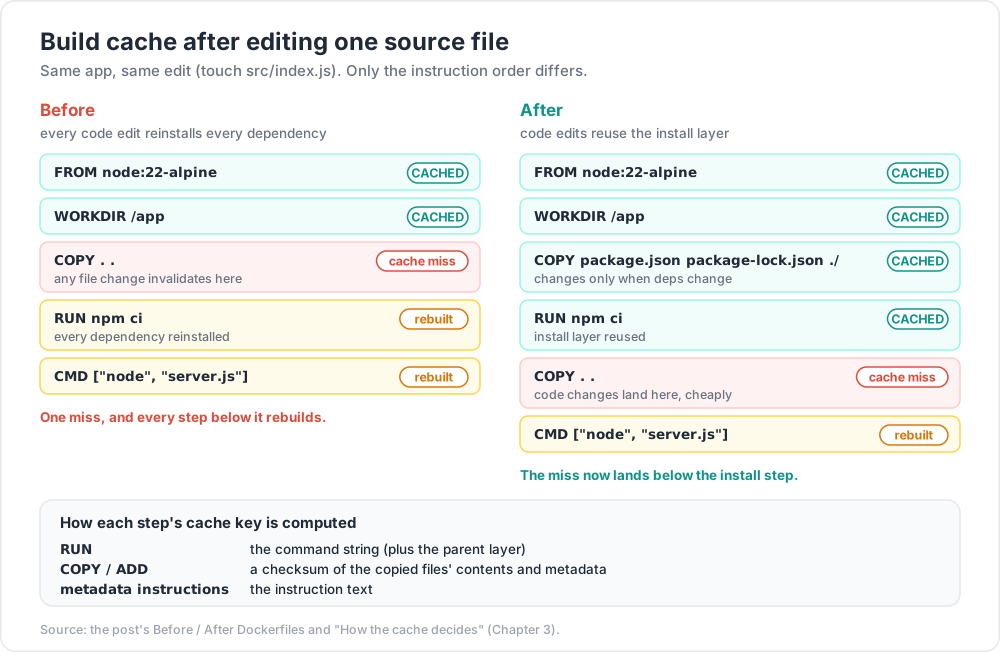
Before — every code edit reinstalls every dependency:
1
2
3
4
5
6
FROM node:22-alpine
WORKDIR /app
COPY . . # ← any file change invalidates here
RUN npm ci
CMD ["node", "server.js"]
After — code edits reuse the install layer:
1
2
3
4
5
6
7
FROM node:22-alpine
WORKDIR /app
COPY package.json package-lock.json ./ # ← changes only when deps change
RUN npm ci
COPY . . # ← code changes land here, cheaply
CMD ["node", "server.js"]
Measure the difference on your own project:
1
2
3
4
5
docker build -t demo:before -f Dockerfile.before . && touch src/index.js
time docker build -t demo:before -f Dockerfile.before . # full reinstall
docker build -t demo:after -f Dockerfile.after . && touch src/index.js
time docker build -t demo:after -f Dockerfile.after . # install layer CACHED
Watch the build output: the reused steps print CACHED. On a dependency-heavy project the second rebuild typically drops from tens of seconds (or minutes) to a couple of seconds — the exact figures depend on your dependency tree, so record your own.
The same pattern elsewhere: copy requirements.txt before pip install -r; pyproject.toml + poetry.lock/uv.lock before poetry install --no-root or uv sync --frozen; go.mod + go.sum before go mod download; Cargo.toml + Cargo.lock before cargo fetch; pom.xml before mvn -B dependency:go-offline.
Trick:
npm ci(notnpm install) andpip install --require-hasheswhere possible. They fail loudly when the lockfile and the manifest disagree instead of silently resolving a different tree — which is what makes the cached layer trustworthy.
Chapter 4 — .dockerignore
The build context is everything the CLI hands to the builder. Without a .dockerignore, that includes .git, node_modules, build outputs, virtualenvs, and any stray database dump in the directory.
Three separate costs: transfer time (the context is packed and sent before instruction one runs), cache poisoning (COPY . . hashes everything in the context, so a .git/index that changes on every commit invalidates the copy layer and everything below it — the usual cause of builds that "randomly" stop hitting cache), and accidental inclusion (.env, *.pem, and full .git history shipped inside the image, readable by anyone who pulls it).
A workable starting point:
1
2
3
4
5
6
7
8
9
10
11
12
13
14
15
16
# .dockerignore
.git
node_modules
dist
build
__pycache__
*.pyc
.venv
.env
.env.*
*.log
coverage
.pytest_cache
Dockerfile*
compose*.yaml
Check the size of what you are actually sending:
1
2
3
du -sh . # everything on disk
docker build -t ctx-test . 2>&1 | head -2 # BuildKit prints "transferring context: … B"
Watch out:
.dockerignoreis not.gitignore. Files that git ignores are still in the build context unless.dockerignorealso lists them. Keeping the two in sync is worth a moment of attention every time you add a build output directory.
Chapter 5 — Multi-stage builds
One stage compiles; another, tiny, stage runs. Toolchains, headers, compilers, and source code never reach the shipped image.
Worked example — Node
1
2
3
4
5
6
7
8
9
10
11
12
13
14
15
16
17
18
19
20
21
22
23
24
25
26
27
28
# syntax=docker/dockerfile:1
# ---------- build stage ----------
FROM node:22-alpine AS builder
WORKDIR /app
COPY package.json package-lock.json ./
RUN npm ci # includes devDependencies: needed to build
COPY . .
RUN npm run build # produces /app/dist
# ---------- prune stage ----------
FROM node:22-alpine AS deps
WORKDIR /app
COPY package.json package-lock.json ./
RUN npm ci --omit=dev # production dependencies only
# ---------- runtime stage ----------
FROM node:22-alpine AS runtime
ENV NODE_ENV=production
WORKDIR /app
RUN addgroup -g 10001 app && adduser -u 10001 -G app -D app
COPY --from=deps --chown=10001:10001 /app/node_modules ./node_modules
COPY --from=builder --chown=10001:10001 /app/dist ./dist
COPY --chown=10001:10001 package.json ./
USER 10001:10001
EXPOSE 3000
HEALTHCHECK --interval=30s --timeout=3s --start-period=5s \
CMD wget -qO- http://127.0.0.1:3000/healthz || exit 1
CMD ["node", "dist/server.js"]
Worked example — Python
1
2
3
4
5
6
7
8
9
10
11
12
13
14
15
16
17
18
19
20
21
22
23
24
25
26
# syntax=docker/dockerfile:1
# ---------- build stage ----------
FROM python:3.12-slim AS builder
WORKDIR /app
RUN apt-get update && apt-get install -y --no-install-recommends \
build-essential gcc libpq-dev \
&& rm -rf /var/lib/apt/lists/*
COPY requirements.txt .
RUN python -m venv /opt/venv \
&& /opt/venv/bin/pip install --no-cache-dir -r requirements.txt
# ---------- runtime stage ----------
FROM python:3.12-slim AS runtime
ENV PATH="/opt/venv/bin:$PATH" \
PYTHONUNBUFFERED=1 \
PYTHONDONTWRITEBYTECODE=1
RUN apt-get update && apt-get install -y --no-install-recommends libpq5 \
&& rm -rf /var/lib/apt/lists/* \
&& useradd --uid 10001 --create-home --shell /usr/sbin/nologin app
WORKDIR /app
COPY --from=builder /opt/venv /opt/venv
COPY --chown=10001:10001 app/ ./app/
USER 10001:10001
EXPOSE 8000
CMD ["gunicorn", "--bind", "0.0.0.0:8000", "--workers", "2", "app.main:app"]
The virtualenv carries installed packages across stages cleanly while keeping the runtime free of compilers: it installs only libpq5, not libpq-dev and gcc. And docker build --target builder -t myapp:builder . builds only up to a named stage — handy for debugging, and for a test stage (FROM builder AS test + RUN npm test) that fails the build when the suite fails.
Chapter 6 — Base images and BuildKit features
Choosing a base
| Base | Size class | Package manager | libc | Good for |
|---|---|---|---|---|
ubuntu / debian (full) |
large | apt | glibc | build stages, debugging, exotic native deps |
*-slim (e.g. python:3.12-slim) |
medium | apt | glibc | most production apps — the sensible default |
alpine |
small | apk | musl | small tools, Go/Rust binaries, careful use elsewhere |
gcr.io/distroless/* |
small | none | glibc (or static) | production runtime with no shell and no package manager |
scratch |
~0 | none | none | fully static binaries (Go/Rust with CGO_ENABLED=0) |
The Alpine caveats
Alpine uses musl libc rather than glibc, which produces real differences:
- Python wheels target
manylinux(glibc), so on Alpine pip often compiles from source: slower builds, a toolchain dragged in, and frequently a larger image thanpython:3.12-slim.musllinuxwheels exist but coverage is thinner. - DNS resolution differs: musl's resolver has diverged from glibc on search-domain handling and parallel A/AAAA queries, and TCP fallback for large responses only arrived in musl 1.2.4. In Kubernetes, where discovery leans on
ndotsand search domains (Post 07), this is the classic "works on Debian, flaky on Alpine" bug. - Native modules built against glibc will not run; anything with
CGO_ENABLED=1or prebuilt.sofiles must be rebuilt.
Alpine is excellent for statically linked Go and Rust binaries and for small utility images. For Python and for Node projects with native modules, -slim is usually the better default and distroless the better production endpoint.
Distroless
1
2
3
4
5
FROM gcr.io/distroless/nodejs22-debian12:nonroot
COPY --from=builder /app /app
WORKDIR /app
CMD ["dist/server.js"] # the image's entrypoint is node
No shell, no package manager, no busybox — which removes most of the tooling an attacker would use after a compromise, and also your ability to docker exec … sh. Debug with the :debug variants, kubectl debug ephemeral containers (Post 07), or a --target debug stage.
BuildKit
BuildKit is the default builder in current Docker Engine. Add the syntax directive at the top of the Dockerfile to guarantee a modern frontend:
1
2
# syntax=docker/dockerfile:1
Cache mounts
A persistent, build-only cache directory that is not part of any layer:
1
2
3
4
5
6
RUN --mount=type=cache,target=/root/.cache/pip \
pip install -r requirements.txt
RUN --mount=type=cache,target=/root/.npm \
npm ci
The same works for apt (target=/var/cache/apt,sharing=locked) — with an apt cache mount, do not also rm -rf /var/lib/apt/lists/*, since the mount is already outside the image.
Secret mounts
The right way to use a private registry token, an SSH key, or a licence file during a build without it ever entering a layer:
1
2
3
RUN --mount=type=secret,id=npmrc,target=/root/.npmrc \
npm ci
1
2
docker build --secret id=npmrc,src=$HOME/.npmrc -t myapp:1.0 .
The file exists only for the duration of that RUN. Compare with the broken approaches: ARG NPM_TOKEN lands in docker history; COPY .npmrc . && RUN npm ci && RUN rm .npmrc leaves the file in an earlier layer forever (Post 03 shows how to extract it).
Multi-platform builds
1
2
3
docker buildx create --name multi --use --bootstrap
docker buildx build --platform linux/amd64,linux/arm64 -t ghcr.io/acme/myapp:1.4.0 --push .
One tag, backed by an OCI index with one manifest per architecture, so an Apple-silicon laptop and an x86 server pull the right variant from the same name. Non-native architectures build through QEMU emulation unless you attach a native builder node — emulated builds of compiled languages are markedly slower, so prefer native runners in CI. Post 03 covers the index format.
Chapter 7 — Size, measurement, and reproducibility
Measure, do not guess
1
2
3
docker image ls myapp # total size of each tag
docker history myapp:1.0 # size added by each instruction
Typical orders of magnitude for a small Node service — your figures will differ with dependency count and base version, which is exactly why you run the command:
| Variant | Typical size class | What dominates |
|---|---|---|
Full base + dev dependencies + COPY . . |
around 1 GB | the full distro base and dev dependencies |
-alpine/-slim base, production deps only |
a few hundred MB | base + node_modules |
| Multi-stage runtime stage | roughly 100–200 MB | base runtime + production node_modules |
Distroless or scratch (static Go/Rust) |
tens of MB or less | just the binary |
Where the savings actually come from, in order of impact: not shipping the build toolchain (multi-stage); not shipping dev dependencies, tests, and source when only a build artifact is needed; a smaller base image; cleaning package-manager caches within the same RUN; and never adding a large file in one layer and deleting it in another.
Trick: smaller images matter most for cold-start latency — node pulls in Kubernetes, autoscaling, and CI. If your image is 1 GB and your rollout pulls it onto 40 nodes, the size shows up directly as deployment time.
Reproducibility and digest pinning
A tag is a mutable pointer. python:3.12-slim today and next month are different images. For anything you must be able to rebuild identically:
1
2
3
4
docker pull python:3.12-slim
docker inspect --format '{{index .RepoDigests 0}}' python:3.12-slim
# python@sha256:1f2c…
FROM python:3.12-slim@sha256:1f2c... then pins the exact bytes, forever.
Pair digest pinning with an automated updater (Dependabot, Renovate) so the pin is refreshed deliberately rather than drifting silently, and add lockfiles for language dependencies. The rule Post 03 formalises: tags for humans, digests for machines.
Practice Exercises
Exercise 1 — Read an image
Pull nginx:1.27-alpine. Using only docker inspect and docker history, report its Entrypoint, Cmd, User, and exposed ports, count its layers, and explain why docker history shows more rows than there are layers.
Solution
1
2
3
4
docker inspect nginx:1.27-alpine --format '{{json .Config}}' | python3 -m json.tool # Entrypoint, Cmd, User, ExposedPorts
docker inspect nginx:1.27-alpine --format '{{len .RootFS.Layers}}' # number of layers
docker history nginx:1.27-alpine # one row per instruction
Instructions that only change the config (CMD, ENV, EXPOSE, LABEL, …) get a row in history with size 0B but add no layer; only steps that change the filesystem (mainly RUN, COPY, ADD) add an entry to RootFS.Layers.
Exercise 2 — Fix the cache
Take the "before" Dockerfile from Chapter 3, rebuild after touching a source file, and record the time. Reorder it, rebuild the same way, and record again. Report both numbers and which steps printed CACHED.
Solution
Move COPY package.json package-lock.json ./ + RUN npm ci above COPY . ., then:
1
2
3
4
time docker build -t demo:after . # first build: full
touch src/index.js && time docker build -t demo:after .
# the second build prints CACHED for COPY package*.json and RUN npm ci
Exercise 3 — Signal handling
Build two images from the same trivial Node/Python server, one with shell-form CMD and one with exec form. Start each, run docker stop, and time how long the stop takes. Explain the difference.
Solution
1
2
3
time docker stop shellform # ≈ 10 s: SIGTERM never reaches the app, then SIGKILL
time docker stop execform # sub-second, clean shutdown; exit code 0 rather than 137
Fix: CMD ["node", "server.js"], or CMD ["sh","-c","exec node server.js"] if shell expansion is genuinely required.
Exercise 4 — Multi-stage conversion
Convert a single-stage image of your own to multi-stage and record docker images sizes before and after. Confirm the runtime image ships no compiler: docker run --rm <image> which gcc should fail.
Exercise 5 — Secret that does not leak
Build an image that needs a token during npm ci (or pip install from a private index). Do it once with ARG and once with a BuildKit secret mount. Then try to recover the token from each image.
Solution
1
2
3
4
5
6
docker build --build-arg TOKEN=hunter2 -t leaky .
docker history --no-trunc leaky | grep -i hunter2 # found
docker build --secret id=token,src=./token.txt -t safe .
docker history --no-trunc safe | grep -i hunter2 # nothing
Exercise 6 — Non-root and pinned
Rewrite one of your images to run as UID 10001 with COPY --chown, verify with docker run --rm <image> id, then pin its base by digest and confirm that docker build --pull no longer changes the base layer.
Cheat-sheet
| What | How |
|---|---|
| Build with a tag / one stage | docker build -t app:1.0 . / --target builder |
| Verbose log, no cache, fresh base | --progress=plain, --no-cache, --pull |
| Layer history and sizes | docker history --no-trunc app:1.0 |
| Image config (Cmd, Env, User) | docker inspect app:1.0 --format '{{json .Config}}' |
COPY vs ADD |
COPY always, except local tar extraction |
ARG vs ENV |
ARG = build only (and visible in history); ENV = persists to run time |
EXPOSE / ENTRYPOINT + CMD |
documentation only / executable + default args (trailing run args replace CMD) |
| Exec form | CMD ["node","server.js"] — required for correct SIGTERM |
| PID 1 reaping | docker run --init, or tini as entrypoint |
| Non-root | USER 10001:10001, COPY --chown=10001:10001 |
| Cache ordering / context size | copy lockfile → install deps → copy source; keep a .dockerignore |
| BuildKit cache mount | RUN --mount=type=cache,target=/root/.cache/pip … |
| BuildKit secret mount | RUN --mount=type=secret,id=x,target=/path … + --secret id=x,src=… |
| Multi-platform | docker buildx build --platform linux/amd64,linux/arm64 --push . |
| Reproducible base | FROM image@sha256:… |
| Multi-stage copy | COPY --from=builder /app/dist ./dist |
What's next
Post 02 takes these images and connects them to the world: Networking, Volumes and Compose — bridge vs host vs none, why only a user-defined network gives DNS by container name, port publishing and the host.docker.internal caveat, named volumes vs bind mounts vs tmpfs with their permission traps, and a complete Compose stack (web app + PostgreSQL + Redis) with health-gated startup that you can run end to end.
References
- Dockerfile reference — the authoritative instruction semantics.
- Docker build documentation — best practices (including
COPYoverADD), BuildKit cache and secret mounts,buildxmulti-platform builds. - OCI Image Specification — manifests, configs, layer media types.
- Distroless base images — minimal runtime bases.
- Alpine Linux, musl libc, and
dive— the small-base ecosystem, its libc, and a layer-by-layer image explorer.
Note: this post is in progress. Planned additions: a Go/
scratchstatic-binary example;docker buildx bakefor multi-image builds; a CI recipe for registry-backed cache export/import.