Containers Course — 03 · Registries, Supply Chain and Security
An image that only exists on your laptop is not deployable. Getting it somewhere a cluster can pull it — and being able to prove which bytes you deployed, what is inside them, and who built them — is the subject of this post. It is also where container practice stops being about convenience and starts being about security: a registry is a distribution channel, and anything you pull runs on your infrastructure. This post covers how a registry actually stores things, why tags lie and digests do not, how to publish to Docker Hub, GHCR, and ECR, how to scan for vulnerabilities without drowning in CVE noise, what SBOMs and signatures buy you, how to harden a container at run time, and the secret-leak patterns that survive inside image layers forever.
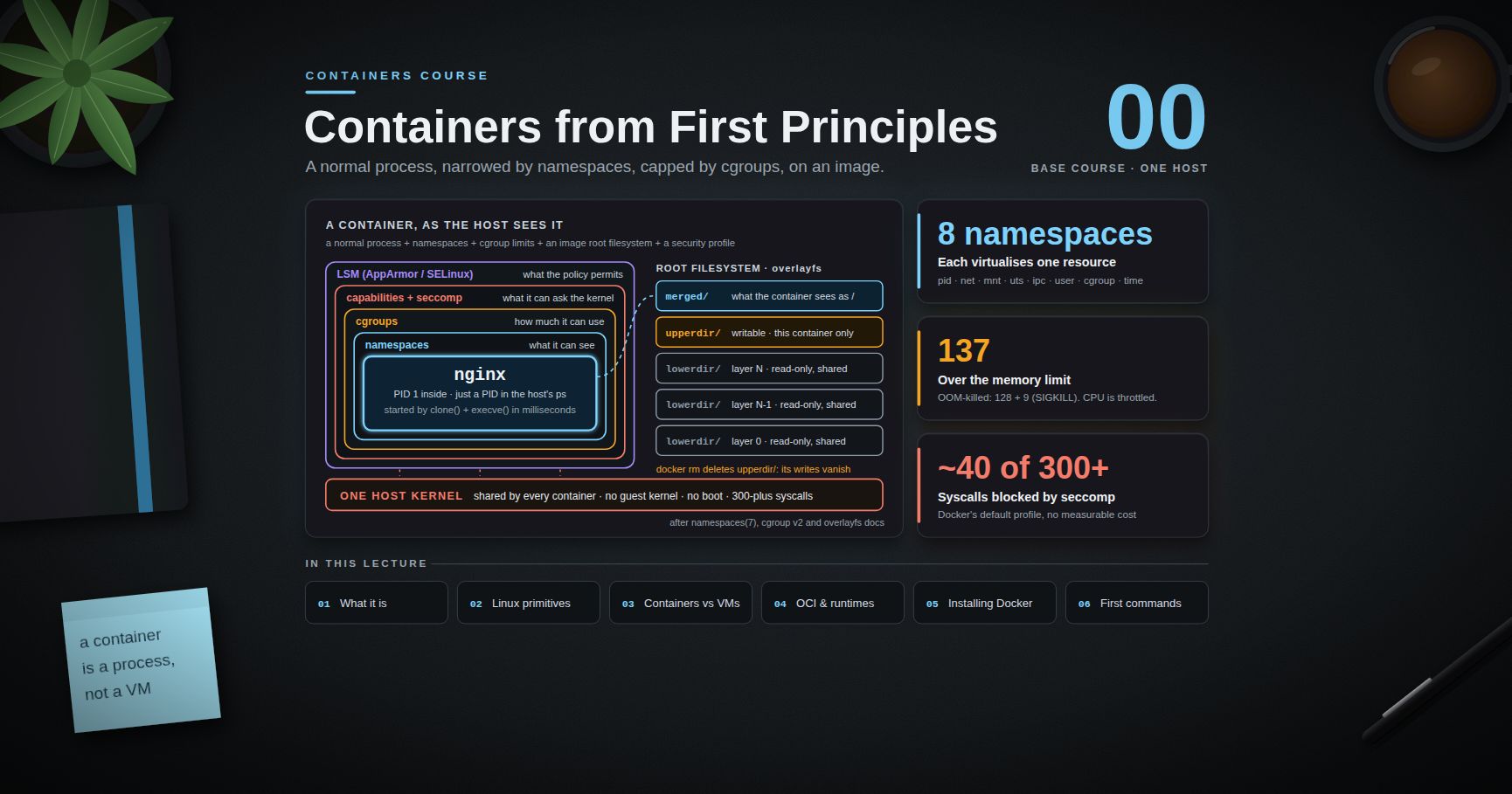
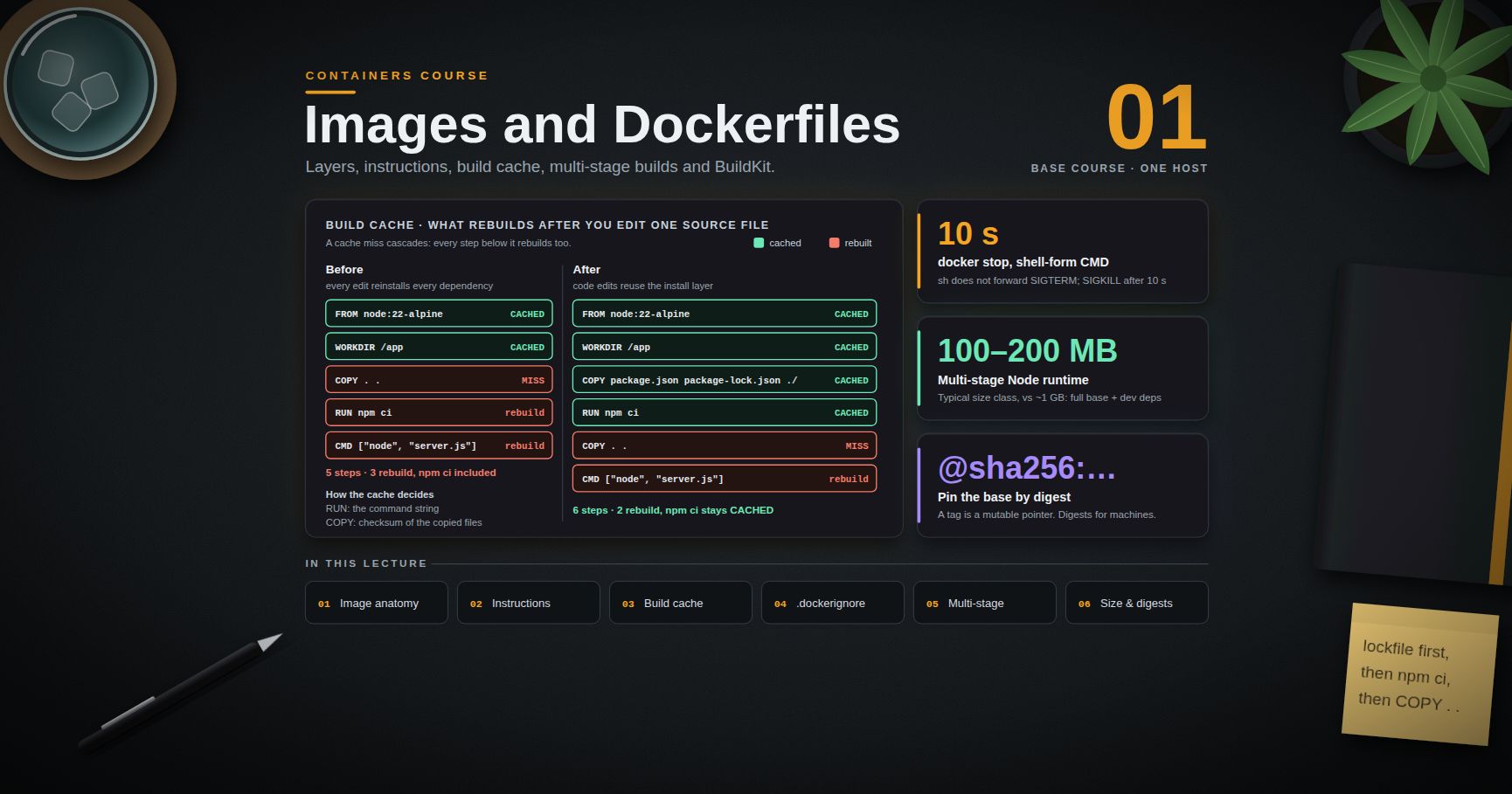
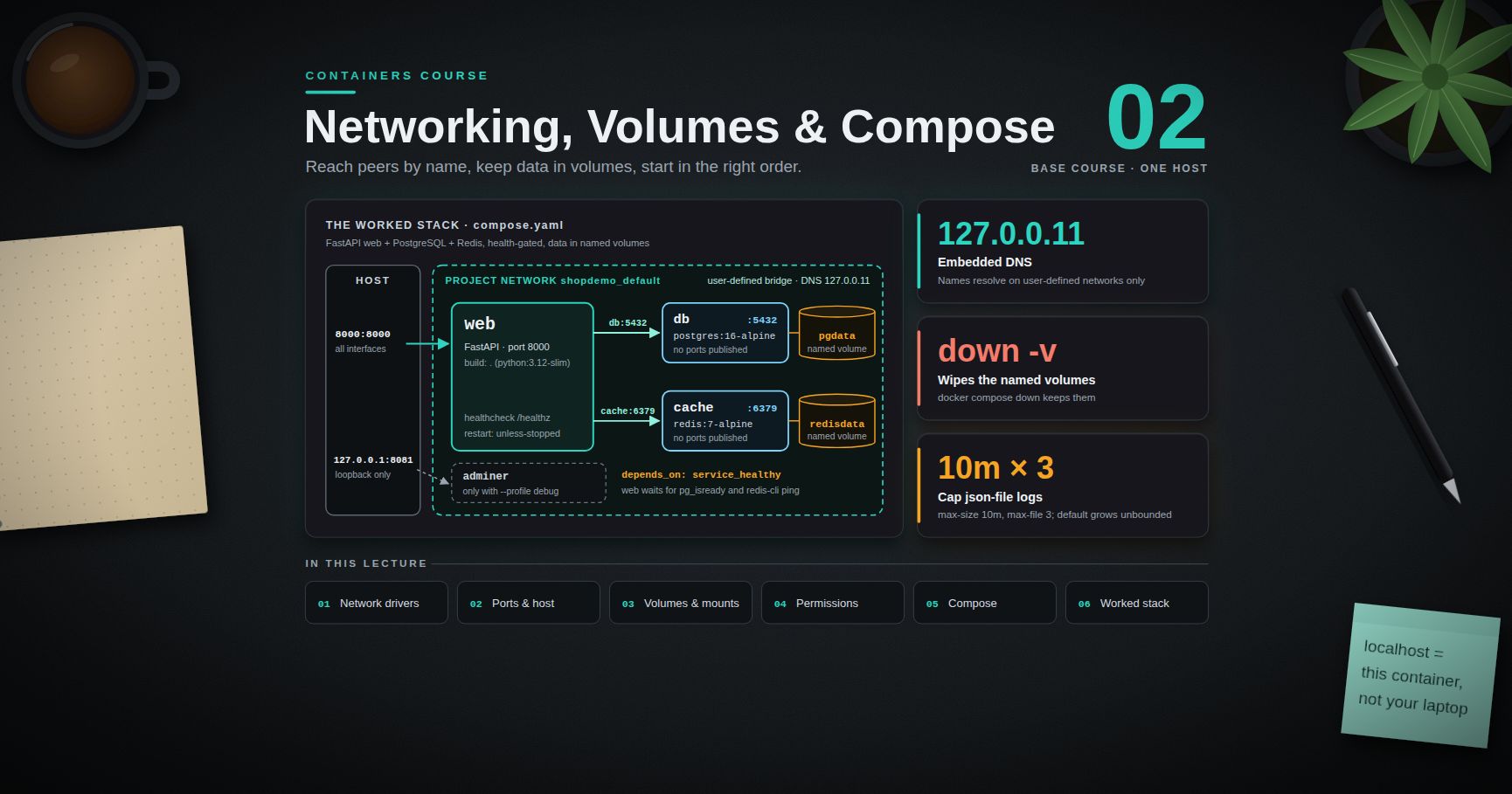
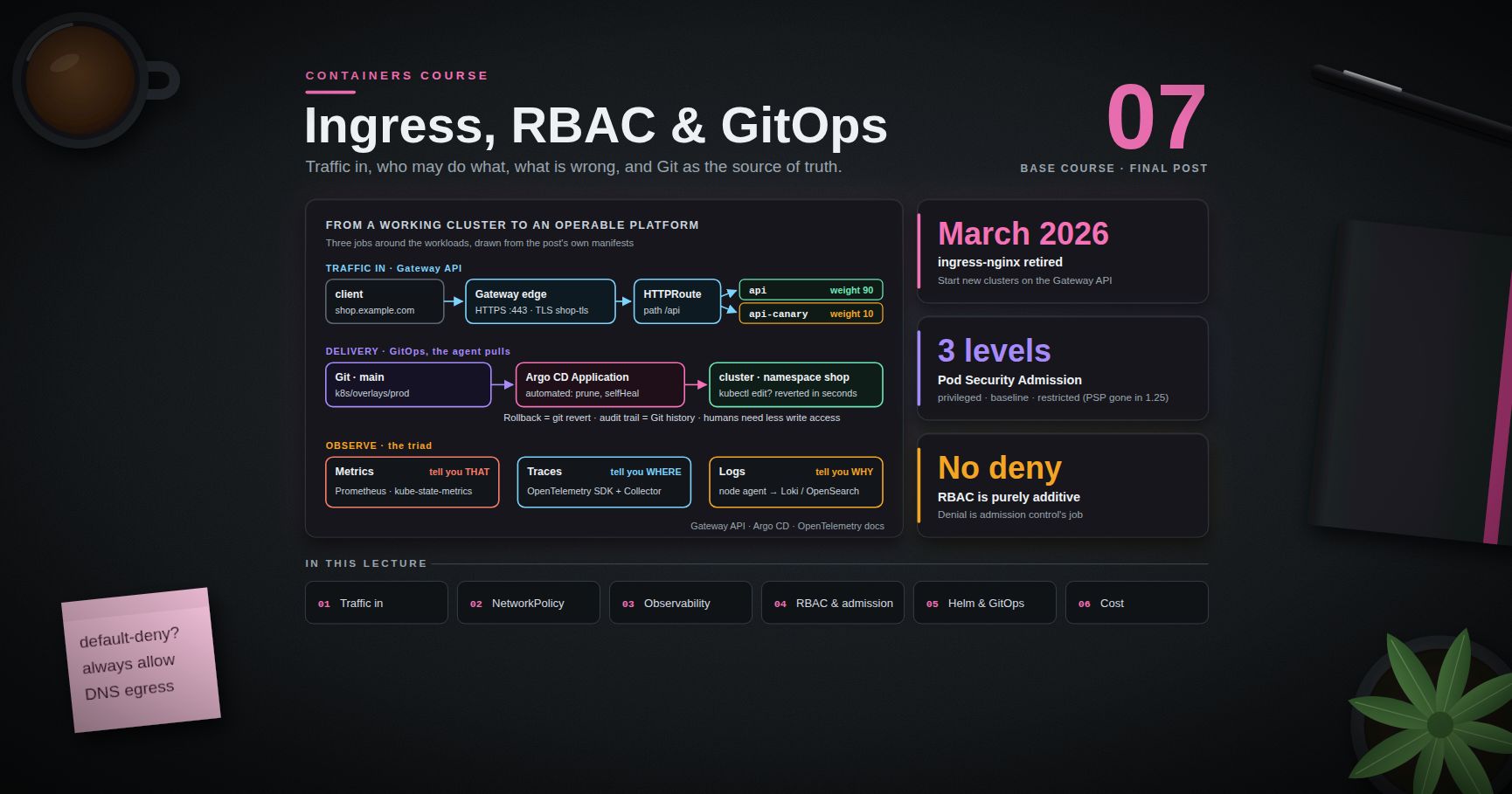
Series map: 00 Containers from First Principles → 01 Images and Dockerfiles → 02 Networking, Volumes and Compose → 03 Registries, Supply Chain and Security (this post) → 04 Kubernetes Architecture and Core Objects → 05 Config, Storage and Stateful Workloads → 06 Scheduling, Resources, Probes and Rollouts → 07 Ingress, Observability, RBAC and GitOps.
Learning Outcome
- Explain a registry in terms of manifests, blobs, and content-addressable digests, and inspect them directly.
- Apply the rule "tags for humans, digests for machines", and read a multi-arch index.
- Push to Docker Hub, GHCR, and Amazon ECR, and authenticate to a private registry.
- Scan images with Trivy or Grype, triage the output, and apply the base-image strategy that actually reduces CVE counts.
- Generate an SBOM and attach provenance and signatures with cosign / Sigstore keyless signing.
- Harden a container at run time: non-root, read-only root filesystem, dropped capabilities, no
--privileged. - Keep secrets out of image layers, and set a retention policy that stops a registry growing forever.
Chapter 1 — How a registry actually works
Terminology
- Registry — an HTTP service implementing the OCI distribution spec (Docker Hub, GHCR, ECR, Harbor, Artifactory, or
registry:2run yourself). - Repository — a named collection of images inside a registry:
ghcr.io/acme/api. - Blob — an immutable content-addressed object: a layer tar or a config JSON, stored under its
sha256:digest. - Manifest — a JSON document listing one image's config blob and layer blobs, for one platform.
- Index (manifest list) — a JSON document listing several manifests, one per platform, plus optional attestations.
- Tag — a mutable, human-readable pointer to a manifest or index within a repository.
- Digest — the SHA-256 of the manifest or blob bytes. Immutable by construction.
The data model
1
2
3
4
5
6
7
8
9
registry
└── repository ghcr.io/acme/api
├── tag "1.4.0" ──┐
├── tag "latest" ──┼──► index (sha256:aaa…)
│ │ ├── manifest linux/amd64 (sha256:bbb…) ─► config blob + layer blobs
│ │ ├── manifest linux/arm64 (sha256:ccc…) ─► config blob + layer blobs
│ │ └── attestation manifests (SBOM, provenance)
└── blobs/ sha256:… (layers and configs, shared across every tag that references them)
Everything below the tag is content-addressed. If two images share a base layer, the registry stores that blob once; a push only uploads blobs the registry does not already have, which is why the second push of a rebuilt image is usually fast.
The wire protocol, briefly
The distribution spec is a small REST API rooted at /v2/:
| Operation | Request |
|---|---|
| Check API / auth | GET /v2/ |
| List tags | GET /v2/<name>/tags/list |
| Fetch manifest | GET /v2/<name>/manifests/<tag-or-digest> |
| Fetch a blob | GET /v2/<name>/blobs/sha256:… |
| Start an upload | POST /v2/<name>/blobs/uploads/ |
| Publish | PUT /v2/<name>/manifests/<tag> |
Run one locally and look at it:
1
2
3
4
5
6
7
8
9
10
docker run -d -p 5000:5000 --name reg registry:2
docker pull alpine:3.20
docker tag alpine:3.20 localhost:5000/alpine:3.20
docker push localhost:5000/alpine:3.20
curl -s localhost:5000/v2/_catalog
curl -s localhost:5000/v2/alpine/tags/list
curl -sI -H 'Accept: application/vnd.oci.image.manifest.v1+json' \
localhost:5000/v2/alpine/manifests/3.20 | grep -i docker-content-digest
That Docker-Content-Digest header is the digest of the manifest — the identity you should be deploying by.
Higher-level tools do the same without curl:
1
2
3
4
5
docker buildx imagetools inspect alpine:3.20 # index and per-platform manifests
docker buildx imagetools inspect --raw alpine:3.20 # the raw JSON
crane manifest alpine:3.20 | python3 -m json.tool # google/go-containerregistry
skopeo inspect docker://alpine:3.20 # inspect without pulling
Trick:
craneandskopeotalk to registries without a container runtime.skopeo copy docker://src docker://dstmoves an image between registries without pulling it to disk — the cleanest way to mirror images into an air-gapped environment.
Chapter 2 — Tags lie, digests do not
A tag is a mutable pointer. Anyone with push access can move 1.4.0, and upstream maintainers routinely move latest, 3.12, and even patch tags to new builds. Two machines pulling myapp:1.4.0 an hour apart can therefore run different code, with no error anywhere.
A digest is the hash of the manifest bytes. myapp@sha256:9f2e… is either the exact image you tested or a failed pull. There is no third outcome.
1
2
3
4
5
6
docker pull ghcr.io/acme/api:1.4.0
docker inspect --format '{{index .RepoDigests 0}}' ghcr.io/acme/api:1.4.0
# ghcr.io/acme/api@sha256:9f2e...
docker pull ghcr.io/acme/api@sha256:9f2e... # exactly those bytes, forever
The rule: tags for humans, digests for machines.
| Context | Reference by |
|---|---|
A person reading a README or docker run in a tutorial |
tag |
FROM in a Dockerfile you must rebuild identically |
tag + digest |
| A Kubernetes manifest or Compose file in production | digest (or a tag pinned by your GitOps tooling, Post 07) |
| A rollback | the previous digest — tags may have moved |
| An audit trail ("what was running at 03:00?") | digest, recorded at deploy time |
Practical middle ground: keep readable tags in the repository and record the digest at deploy time. Kubernetes writes the resolved digest into the Pod status (imageID), and an admission policy can require digest references outright (Post 07).
Common pitfall:
imagePullPolicy: IfNotPresentwith a moving tag means nodes keep whatever they cached first. Half the fleet runs the old bytes, half the new, and both report the same tag. Digests remove the class of bug entirely.
Multi-arch images and the index
A modern public image tag usually resolves to an index rather than a manifest. The client picks the manifest matching its platform.
1
2
3
4
5
6
7
docker buildx imagetools inspect alpine:3.20
# Name: docker.io/library/alpine:3.20
# MediaType: application/vnd.oci.image.index.v1+json Digest: sha256:...
# Manifests:
# Platform: linux/amd64 Digest: sha256:...
# Platform: linux/arm64 Digest: sha256:... (and the other supported platforms)
Build one yourself (Post 01 covered buildx):
1
2
docker buildx build --platform linux/amd64,linux/arm64 -t ghcr.io/acme/api:1.4.0 --push .
Two consequences worth remembering:
docker pull image@sha256:…of an index digest still works on every architecture — the index digest is platform-independent, while a per-platform manifest digest is not. Pin the index digest.- Build attestations (SBOM, provenance) are stored as extra manifests inside that same index, which is how
cosignanddocker buildx imagetools inspectfind them later.
Chapter 3 — Publishing: Docker Hub, GHCR, ECR
Authentication
docker login writes to ~/.docker/config.json. By default it stores a base64 (not encrypted) auth string, so on a shared machine configure a credential helper (docker-credential-osxkeychain, -secretservice, -wincred, or the cloud helpers).
1
2
3
4
docker login # Docker Hub
docker login ghcr.io -u <user> --password-stdin < token.txt
cat ~/.docker/config.json # check what actually got stored; docker logout to clear
Docker Hub
1
2
3
docker tag myapp:1.4.0 <dockerhub-user>/myapp:1.4.0
docker push <dockerhub-user>/myapp:1.4.0
Docker Hub applies pull-rate limits to anonymous and free-tier pulls, counted per IP for anonymous clients — a real problem for CI runners and Kubernetes nodes behind shared NAT. Authenticate your CI, or mirror the images you depend on into your own registry (skopeo copy, or a pull-through cache). Check the current published limits rather than assuming a number; they have changed several times.
GitHub Container Registry (GHCR)
1
2
3
4
echo "$CR_PAT" | docker login ghcr.io -u <github-user> --password-stdin
docker tag myapp:1.4.0 ghcr.io/<org>/myapp:1.4.0
docker push ghcr.io/<org>/myapp:1.4.0
Inside GitHub Actions, use the built-in token instead of a PAT:
1
2
3
4
5
6
7
8
9
10
11
12
permissions:
contents: read
packages: write # required to push to GHCR
id-token: write # required for cosign keyless signing (Chapter 5)
steps:
- uses: docker/login-action@v3
with:
registry: ghcr.io
username: ${{ github.actor }}
password: ${{ secrets.GITHUB_TOKEN }}
Set LABEL org.opencontainers.image.source=https://github.com/<org>/<repo> in the Dockerfile so the package page links back to the repository and inherits its visibility settings.
Amazon ECR
ECR issues a short-lived token rather than accepting a long-lived password. The AWS series covers the IAM model this depends on (AWS Course Post 00) and the Terraform that provisions repositories (AWS Course Post 08).
1
2
3
4
5
6
7
8
9
10
ACCOUNT=123456789012; REGION=ap-east-1
aws ecr create-repository --repository-name myapp --region $REGION \
--image-tag-mutability IMMUTABLE --image-scanning-configuration scanOnPush=true
aws ecr get-login-password --region $REGION \
| docker login --username AWS --password-stdin $ACCOUNT.dkr.ecr.$REGION.amazonaws.com
docker tag myapp:1.4.0 $ACCOUNT.dkr.ecr.$REGION.amazonaws.com/myapp:1.4.0
docker push $ACCOUNT.dkr.ecr.$REGION.amazonaws.com/myapp:1.4.0
Three ECR specifics worth knowing: the repository must exist before the first push; IMMUTABLE tag mutability makes a tag un-reusable, which removes the "someone moved 1.4.0" failure mode at the registry level; and the login token expires (12 hours), so CI must fetch it each run rather than caching it.
Private registry auth from a cluster
Nodes need credentials of their own — your laptop's docker login is irrelevant to them. In Kubernetes that is an image pull secret:
1
2
3
kubectl create secret docker-registry ghcr-pull \
--docker-server=ghcr.io --docker-username=<user> --docker-password=<token>
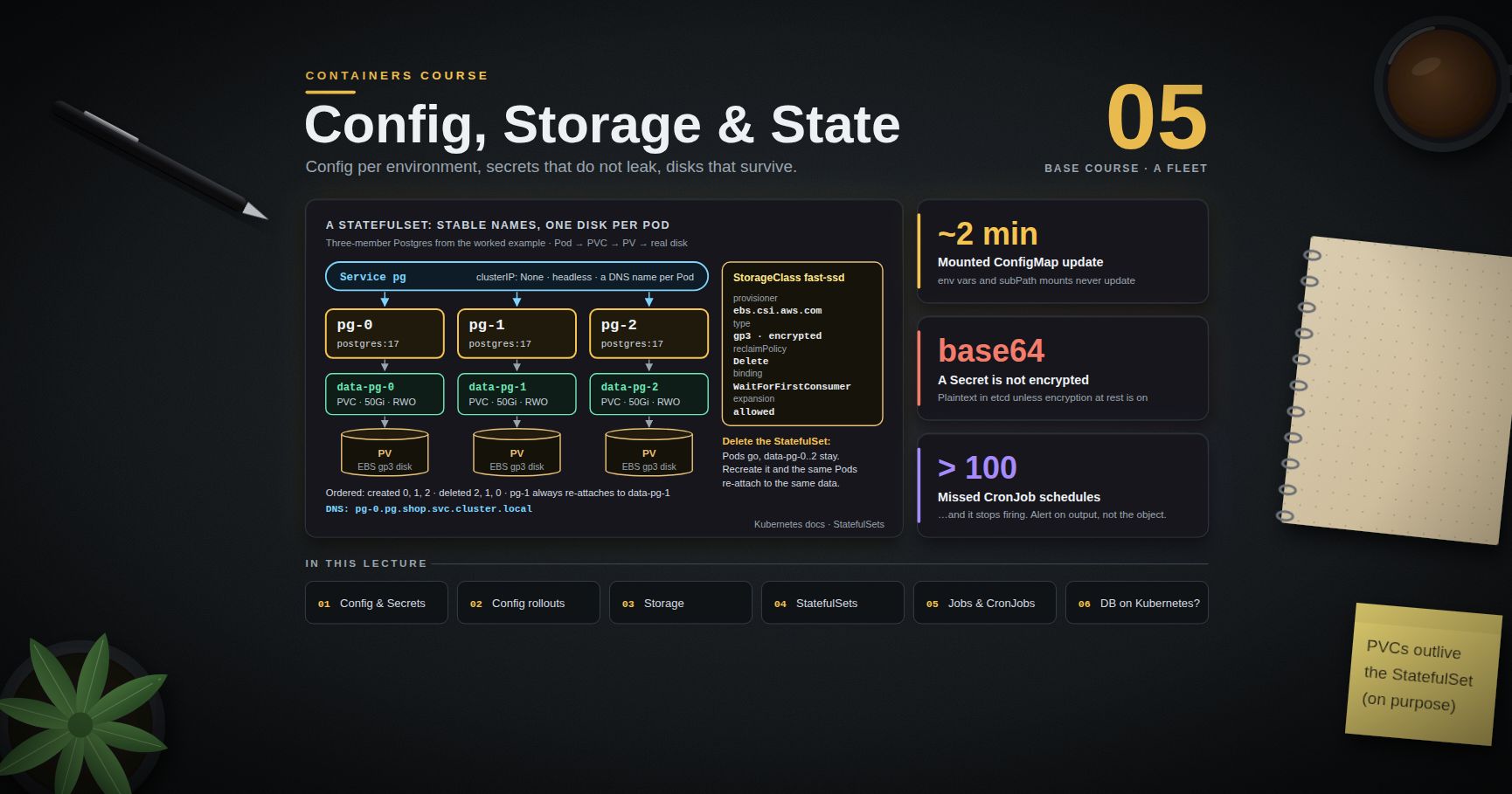
referenced from a Pod spec (or attached to a ServiceAccount) as imagePullSecrets. Post 05 covers Secrets properly; on managed clusters, prefer the cloud-native path — an IAM role attached to the node or workload for ECR, workload identity for the other clouds — so no long-lived registry password exists at all.
Chapter 4 — Vulnerability scanning without drowning
Terminology
- CVE — a public identifier for one vulnerability (
CVE-2025-12345). - Scanner — a tool that inventories the packages in an image and matches them against vulnerability databases.
- Fixed / unfixed — whether the distribution has published a patched version yet.
- VEX — a machine-readable statement that a given CVE is not exploitable in your product, so scanners can suppress it with a documented reason.
Running a scan
1
2
3
4
5
6
7
8
9
10
11
12
# Trivy
trivy image myapp:1.4.0
trivy image --severity HIGH,CRITICAL --ignore-unfixed myapp:1.4.0
trivy image --exit-code 1 --severity CRITICAL myapp:1.4.0 # gate a CI pipeline
trivy image --format json -o report.json myapp:1.4.0
trivy fs . # scan source and lockfiles
# Grype (Anchore)
grype myapp:1.4.0
grype myapp:1.4.0 --fail-on high
grype sbom:./sbom.spdx.json # scan an SBOM instead of an image
Registries also scan: ECR (scanOnPush, with the deeper Amazon Inspector integration), GHCR/Dependabot for some ecosystems, Docker Scout for Hub.
Reading the output without drowning
A first scan of a python:3.12 image can report hundreds of findings. Most of them are not action items. Triage in this order:
- Severity and fix availability first.
--severity HIGH,CRITICAL --ignore-unfixedcollapses the list to what you can actually act on today. - Is the vulnerable component reachable? A CVE in a CLI tool your service never invokes is real but low-priority; a CVE in your TLS library is not.
- Is it in the base image or in your dependencies? Base-image CVEs are fixed by rebuilding on a newer base; dependency CVEs are fixed by bumping a lockfile.
- Suppress with a reason, never silently.
.trivyignore(with an expiry date and a comment) or a VEX document records why something was accepted. - Gate on a policy you can hold to. "No CRITICAL with a fix available" is enforceable; "zero CVEs" is not, and a gate everyone bypasses protects nothing.
1
2
3
# .trivyignore — every line needs a reason and a review date
CVE-2025-11111 # not reachable: /usr/bin/git is not invoked at runtime. Review 2026-09-01.
The base-image strategy that actually reduces CVE count
Scanning does not fix anything. What reduces findings, in order of effect:
| Action | Effect |
|---|---|
| Rebuild regularly on a fresh base | most OS-package CVEs disappear because the base was patched upstream |
Ship a smaller base (slim, distroless, scratch) |
fewer packages, fewer CVEs, less to patch — often a large drop |
| Remove build tooling from the runtime stage (Post 01) | compilers and headers stop counting toward your attack surface |
Automate base bumps (Renovate/Dependabot on the FROM digest) |
the pin stays current without a human remembering |
| Track your own dependency lockfiles | application-level CVEs, which no base change fixes |
Trick: a weekly scheduled rebuild-and-scan of the unchanged source is one of the highest-value pipelines you can add. Your code did not change; your base image did, and so did the vulnerability database.
Chapter 5 — SBOMs, provenance, and signing
SBOM
A Software Bill of Materials lists every component in an artifact — OS packages, language dependencies, versions, licences. Two mainstream formats: SPDX (ISO standard, licence-focused) and CycloneDX (OWASP, security-focused). Either is fine; pick one and be consistent.
1
2
3
4
5
6
7
8
syft myapp:1.4.0 -o spdx-json=sbom.spdx.json
syft myapp:1.4.0 -o cyclonedx-json=sbom.cdx.json
trivy image --format cyclonedx -o sbom.cdx.json myapp:1.4.0
# BuildKit can attach SBOM and provenance as attestations at build time
docker buildx build --sbom=true --provenance=mode=max -t ghcr.io/acme/api:1.4.0 --push .
docker buildx imagetools inspect ghcr.io/acme/api:1.4.0 --format '{{json .SBOM}}' | head
Why it matters: when the next widely-exploited library CVE lands, the question "are we affected, and where?" becomes a query over stored SBOMs instead of a week of archaeology. It is also increasingly a procurement and compliance requirement.
Provenance
Provenance answers how the artifact was built: which source commit, which builder, which parameters. BuildKit emits it as an in-toto attestation (--provenance=mode=max), and the SLSA framework defines levels for how tamper-resistant that claim is. Provenance produced by your CI, signed by your CI's identity, is what lets a policy say "only images built by this pipeline from this repository may run".
Signing with cosign
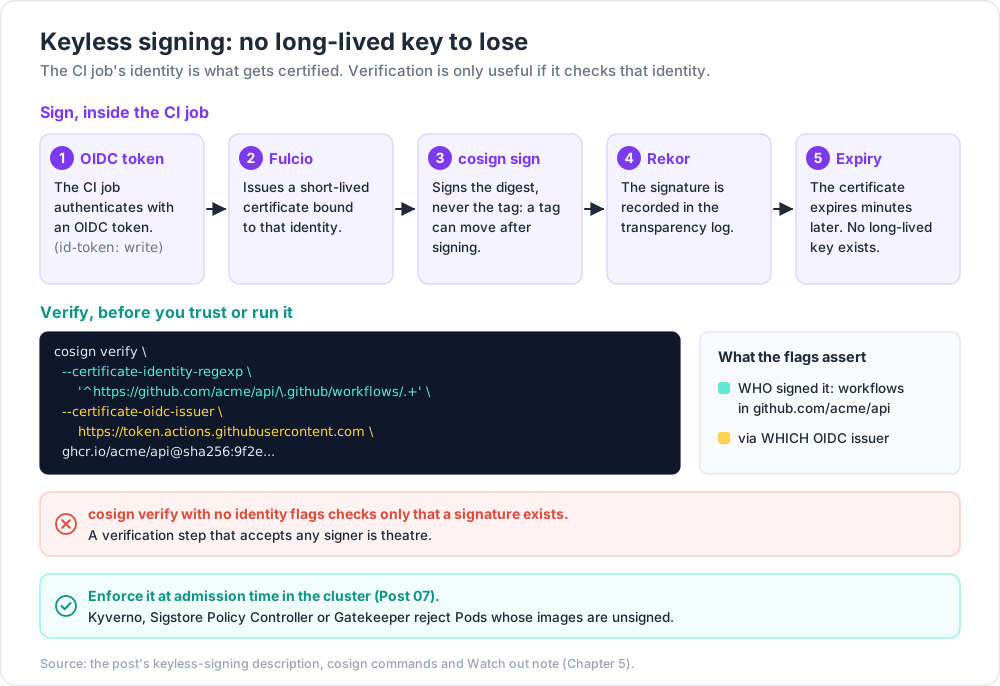
Classic key-based signing works, but key management is the hard part. Keyless signing (Sigstore) removes the long-lived key: your CI job authenticates with an OIDC token, Fulcio issues a short-lived certificate bound to that identity, the signature is recorded in the Rekor transparency log, and the certificate expires minutes later.
1
2
3
4
5
6
7
8
9
10
11
12
# sign by digest, never by tag — a tag can move after signing
cosign sign --yes ghcr.io/acme/api@sha256:9f2e...
# verify, asserting WHO signed it and via which OIDC issuer
cosign verify \
--certificate-identity-regexp '^https://github.com/acme/api/\.github/workflows/.+' \
--certificate-oidc-issuer https://token.actions.githubusercontent.com \
ghcr.io/acme/api@sha256:9f2e... | python3 -m json.tool
# attach an SBOM as a signed attestation
cosign attest --yes --type cyclonedx --predicate sbom.cdx.json ghcr.io/acme/api@sha256:9f2e...
Watch out:
cosign verifywith no identity flags checks only that a signature exists. The security comes from asserting the expected identity and issuer. A verification step that accepts any signer is theatre.
Enforcement belongs at admission time in the cluster — an admission controller (Kyverno, Sigstore Policy Controller, Gatekeeper) that rejects Pods whose images are unsigned, unscanned, or not from an allowed registry. That is Post 07 material; the point here is that signing is only useful if something checks it.
Chapter 6 — Least-privilege runtime hardening
Post 00 described the sandbox layers. These are the switches that use them.
1
2
3
4
5
6
7
8
9
10
docker run -d --name api \
--user 10001:10001 \
--read-only \
--tmpfs /tmp:rw,size=64m,mode=1777 \
--cap-drop=ALL --cap-add=NET_BIND_SERVICE \
--security-opt no-new-privileges:true \
--pids-limit 256 \
--memory 512m --cpus 1.0 \
-p 8080:8080 ghcr.io/acme/api@sha256:9f2e...
| Control | Flag | Why |
|---|---|---|
| Non-root user | --user 10001:10001 (and USER in the image) |
a container escape starts from an unprivileged UID |
| Read-only root filesystem | --read-only + --tmpfs for writable paths |
attackers cannot drop tools or modify binaries |
| Drop capabilities | --cap-drop=ALL --cap-add=… |
most apps need none; add back only what fails |
| No privilege escalation | --security-opt no-new-privileges:true |
blocks setuid binaries from regaining privileges |
| Keep the default seccomp/AppArmor profiles | (default — do not disable) | blocks ~40 dangerous syscalls at no measurable cost |
Never --privileged |
— | it disables essentially all of the above |
| Never mount the Docker socket | — | /var/run/docker.sock in a container ≈ root on the host |
| Resource limits | --memory, --cpus, --pids-limit |
a compromised or buggy container cannot starve the host |
Finding the minimum capability set is empirical: start from --cap-drop=ALL, run your test suite, and add back only the capability each failure names. Most web services need none; something binding port 80 needs NET_BIND_SERVICE (or just listen on 8080 and let the load balancer map it).
Every one of these has a Kubernetes equivalent in a Pod's securityContext — runAsNonRoot, runAsUser, readOnlyRootFilesystem, allowPrivilegeEscalation: false, capabilities.drop: [ALL], seccompProfile.type: RuntimeDefault — enforced cluster-wide by Pod Security Admission. Posts 05 and 07 cover them.
Chapter 7 — Secrets and image lifecycle
The layer-history leak
Layers are additive (Post 01). A secret added in one instruction and deleted in the next is still in the earlier layer, and anyone who can pull the image can read it. Prove it:
1
2
3
4
5
# BROKEN — do not do this
FROM alpine:3.20
COPY .npmrc /root/.npmrc
RUN cat /root/.npmrc > /dev/null && rm /root/.npmrc # "cleaned up"
1
2
3
4
5
docker build -t leaky .
docker history --no-trunc leaky
docker save leaky -o leaky.tar && mkdir -p x && tar -xf leaky.tar -C x
grep -ra 'authToken' x | head # the token is still there, in the COPY layer
The same applies to ARG SECRET=… (visible in docker history), to ENV TOKEN=… (visible in docker inspect and in the environment of every process), and to a .env file swept into the image by COPY . . with no .dockerignore.
Doing it correctly
1
2
3
# syntax=docker/dockerfile:1
RUN --mount=type=secret,id=npmrc,target=/root/.npmrc npm ci
1
2
3
docker build --secret id=npmrc,src=$HOME/.npmrc -t safe .
docker history --no-trunc safe | grep -i authToken # nothing
| Need | Correct mechanism |
|---|---|
| Credential during build | BuildKit --mount=type=secret (or an SSH agent mount for private Git) |
| Credential at run time | environment variable injected by the orchestrator, or a mounted file |
| Credential in Kubernetes | Secret → env or volume; better, an external secret store via CSI or the External Secrets Operator (Post 05) |
| Registry credential for a cluster | imagePullSecrets, or cloud IAM with no stored password |
| Never | ENV, ARG, a committed .env, or a file baked into a layer |
ENV is not a secret store, even at run time: environment variables show up in docker inspect, in crash dumps, in /proc/<pid>/environ, and in many logging and APM agents' captured context. Files mounted at a path with restrictive permissions leak less.
Image lifecycle and retention
Registries grow without bound unless told otherwise. Every CI run of every branch pushes a tag; six months later the repository is thousands of images and a large bill.
A workable policy:
- Immutable release tags (
1.4.0) — never reused. ECR enforces this withIMMUTABLE; other registries have equivalents. - Semantic tags for humans, digests for deploys, as in Chapter 2.
- Expire ephemeral tags: PR/branch/commit-SHA tags after 14–30 days.
- Keep the last N releases (say 10) plus anything currently deployed, forever.
- Delete untagged manifests older than a few days — these accumulate every time a tag moves.
- Verify nothing running references what you delete before enabling any rule; a deleted digest breaks a Pod restart, not just a new deploy.
1
2
3
4
5
6
7
8
{ "rules": [ {
"rulePriority": 1,
"description": "Expire untagged images after 14 days",
"selection": { "tagStatus": "untagged", "countType": "sinceImagePushed",
"countUnit": "days", "countNumber": 14 },
"action": { "type": "expire" }
} ] }
(An ECR lifecycle policy; GHCR and Harbor express the same ideas through retention rules in their own UI/API.)
A checklist you can apply to your own image today
Run these against one image you own and record the result. Every step is reproducible and takes minutes:
1
2
3
4
5
6
7
8
9
10
11
12
13
14
15
16
17
18
19
20
21
22
23
24
IMG=ghcr.io/acme/api:1.4.0
# 1. identity: resolve the tag to a digest and use the digest from here on
docker pull "$IMG" && DIG=$(docker inspect --format '{{index .RepoDigests 0}}' "$IMG") && echo "$DIG"
# 2. does it run as root?
docker run --rm --entrypoint id "$DIG" # expect uid != 0
# 3. does it need a writable root filesystem?
docker run --rm --read-only --tmpfs /tmp "$DIG" --version || echo "needs writable paths"
# 4. what is inside it, and what is vulnerable?
syft "$DIG" -o spdx-json=sbom.spdx.json
trivy image --severity HIGH,CRITICAL --ignore-unfixed "$DIG"
# 5. does it leak a secret in its history or layers?
docker history --no-trunc "$DIG" | grep -Ei 'token|password|secret|key' || echo "history clean"
# 6. is it multi-arch, and is the base current?
docker buildx imagetools inspect "$IMG"
# 7. is it signed, and by whom?
cosign verify --certificate-identity-regexp '^https://github.com/acme/api/\.github/workflows/.+' \
--certificate-oidc-issuer https://token.actions.githubusercontent.com "$DIG" || echo "unsigned"
Anything that fails is a concrete ticket: pin the digest, add a USER, drop the writable rootfs, bump the base, remove the secret, add signing.
Practice Exercises
Exercise 1 — Run your own registry
Start registry:2 locally, push an image to it, and use curl to list the tags and read the manifest digest. Then pull the image back by digest instead of tag.
Solution
1
2
3
4
5
6
7
8
9
docker run -d -p 5000:5000 --name reg registry:2
docker pull alpine:3.20 && docker tag alpine:3.20 localhost:5000/alpine:3.20
docker push localhost:5000/alpine:3.20
curl -s localhost:5000/v2/alpine/tags/list
D=$(curl -sI -H 'Accept: application/vnd.oci.image.manifest.v1+json' \
localhost:5000/v2/alpine/manifests/3.20 | awk '/[Dd]ocker-[Cc]ontent-[Dd]igest/{print $2}' | tr -d '\r')
docker pull "localhost:5000/alpine@$D"
docker rm -f reg
Exercise 2 — Prove a tag can move
Push demo:1.0 built from one Dockerfile, record its digest, rebuild demo:1.0 from a different Dockerfile, push again, and show that the tag now resolves to a different digest while the old digest is still pullable.
Solution
1
2
3
4
5
6
7
8
echo -e 'FROM alpine:3.20\nRUN echo v1 > /v' > Dockerfile && docker build -t localhost:5000/demo:1.0 .
docker push localhost:5000/demo:1.0
crane digest localhost:5000/demo:1.0 # digest A
echo -e 'FROM alpine:3.20\nRUN echo v2 > /v' > Dockerfile && docker build -t localhost:5000/demo:1.0 .
docker push localhost:5000/demo:1.0
crane digest localhost:5000/demo:1.0 # digest B — same tag, different bytes
docker run --rm localhost:5000/demo@<digest A> cat /v # still v1
Exercise 3 — Extract a leaked secret
Build the "BROKEN" Dockerfile from Chapter 7 with a fake token file, then recover the token from the saved image without running the container. Rebuild with a BuildKit secret mount and show the token is gone.
Solution
1
2
3
4
5
6
7
8
9
echo '//registry.example/:_authToken=hunter2' > .npmrc
docker build -t leaky . && docker save leaky -o leaky.tar
mkdir -p x && tar -xf leaky.tar -C x && grep -ra hunter2 x | head # found
# fixed version
docker build --secret id=npmrc,src=.npmrc -t safe -f Dockerfile.safe .
docker save safe -o safe.tar && mkdir -p y && tar -xf safe.tar -C y
grep -ra hunter2 y | head || echo "clean"
Exercise 4 — Scan and triage
Scan python:3.12 and python:3.12-slim with Trivy. Record the total findings and the HIGH/CRITICAL-with-fix counts for each. Then scan your own application image and write a one-paragraph triage: what you would fix this week, what you would suppress with a reason, and why.
Exercise 5 — Harden a container
Take any image you run and add, one flag at a time: --user, --read-only (plus the --tmpfs paths it turns out to need), --cap-drop=ALL, and --security-opt no-new-privileges:true. Record which flag first breaks the app and what the minimum capability set turned out to be.
Exercise 6 — SBOM and signature
Generate an SBOM for one of your images in both SPDX and CycloneDX form, and check whether the same image (or a public one you depend on) carries a cosign signature. If you have a GitHub Actions pipeline, add keyless signing of the pushed digest and verify it locally with an identity assertion.
Cheat-sheet
| What | How |
|---|---|
| Resolve a tag to a digest | docker inspect --format '{{index .RepoDigests 0}}' img:tag |
| Inspect an index / manifest | docker buildx imagetools inspect [--raw] img:tag |
| Registry-only inspection | crane manifest img:tag, skopeo inspect docker://img:tag |
| Mirror between registries | skopeo copy docker://src docker://dst |
| Local registry | docker run -d -p 5000:5000 registry:2 |
| Login | docker login [registry] -u USER --password-stdin < token |
| ECR login | aws ecr get-login-password --region R | docker login --username AWS --password-stdin <acct>.dkr.ecr.R.amazonaws.com |
| Cluster pull credentials | kubectl create secret docker-registry … → imagePullSecrets |
| Multi-arch push | docker buildx build --platform linux/amd64,linux/arm64 --push . |
| Scan (gate CI) | trivy image --severity HIGH,CRITICAL --ignore-unfixed --exit-code 1 img |
| Scan an SBOM | grype sbom:./sbom.spdx.json |
| Generate an SBOM | syft img -o spdx-json=sbom.spdx.json |
| Build with attestations | docker buildx build --sbom=true --provenance=mode=max --push . |
| Sign (keyless) | cosign sign --yes repo@sha256:… |
| Verify with identity | cosign verify --certificate-identity-regexp … --certificate-oidc-issuer … repo@sha256:… |
| Hardened run | --user 10001:10001 --read-only --tmpfs /tmp --cap-drop=ALL --security-opt no-new-privileges:true |
| Build secret | RUN --mount=type=secret,id=x … + --secret id=x,src=… |
| Find a leaked secret | docker history --no-trunc img; docker save img | tar -x -O | grep -a … |
| Retention | immutable release tags; expire untagged and ephemeral tags; keep last N |
What's next
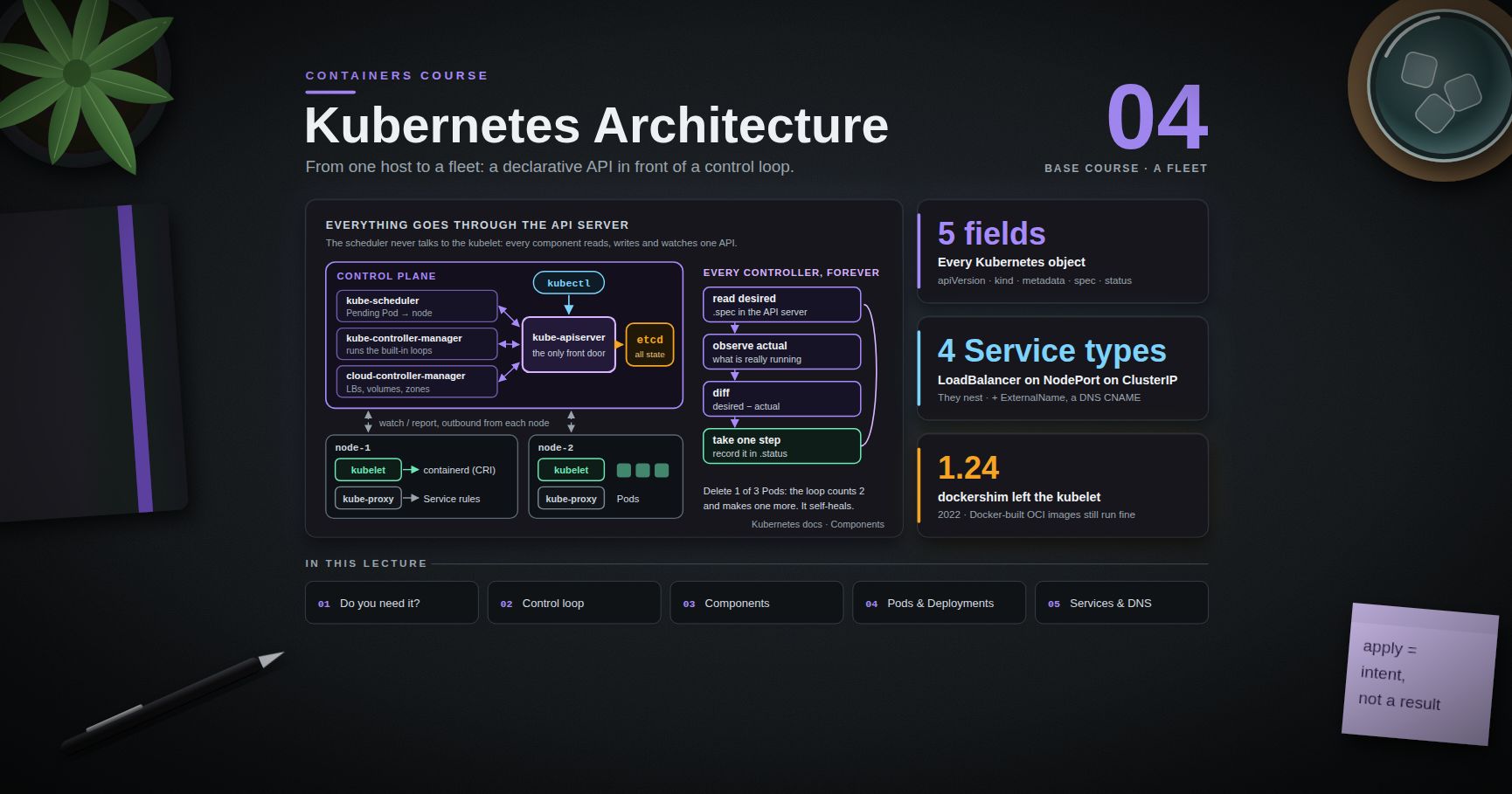
The image is now built, published, scanned, signed, and hardened. Post 04 moves to running it at scale: Kubernetes Architecture and Core Objects — the control plane (API server, etcd, scheduler, controller manager) and the node components (kubelet, kube-proxy, container runtime via CRI), the declarative reconciliation loop that makes the whole system work, and the core objects you will use every day: Pods, ReplicaSets, Deployments, Services, and Namespaces.
References
- OCI Distribution Specification — the
/v2/API described in Chapter 1. - OCI Image Specification — manifests, indexes, descriptors, media types.
- Docker Hub, GitHub Container Registry, and Amazon ECR — the three registries used above.
- Trivy and Grype / Syft — scanning and SBOM generation.
- SPDX and CycloneDX — the two mainstream SBOM formats.
- Sigstore / cosign — keyless signing, Fulcio, Rekor, attestations.
- SLSA — supply-chain levels and the provenance model BuildKit emits.
- Docker Engine security — capabilities, seccomp, AppArmor, rootless mode.
craneandskopeo— registry tooling without a daemon.
Note: this post is in progress. Planned additions: a full GitHub Actions workflow that builds, scans, SBOMs, signs, and pushes by digest; a Kyverno admission policy that enforces signature verification; notes on pull-through caches and air-gapped mirroring.