

MongoDB Course — 13 · Security — Auth, RBAC, TLS, KMS, CSFLE, Queryable Encryption
A leaky MongoDB is one of the worst possible operational mistakes — open instances on the public internet are ransomwared within hours. This post is the production security checklist: auth (SCRAM / x.509 / LDAP / Kerberos / AWS IAM), RBAC (built-in + custom roles), network isolation, TLS in transit, encryption at rest, Client-Side Field-Level Encryption (CSFLE), and the newer Queryable Encryption that keeps data encrypted on the server and still queryable.
> Series map: 00 Foundations → … → 12 Change Streams → 13 Security (this post) → 14 Backup & Ops → … → 17 Drivers & Case Studies.
Learning Outcome
- Enable authentication + create roles + users with least privilege.- Use TLS in transit + encryption at rest.- Apply network isolation (Atlas private endpoint / VPC peering / IP allowlist).- Use Client-Side Field-Level Encryption for sensitive fields.- Use Queryable Encryption when encrypted data must still be searchable.- Audit access via the audit log.- Apply the production-hardening checklist.
Chapter 1 — Auth — the basics
Every production cluster runs with auth enabled. Self-hosted:
Or . Restart, then create the first admin (the localhost exception allows this on a freshly-secured instance):
After that, every connection must authenticate:
Atlas: auth is mandatory; you can't disable it.
Chapter 2 — Authentication mechanisms
| Mechanism | Use ||-----------|-----|| SCRAM (SCRAM-SHA-256) | default; username + password || x.509 client certificate | mutual TLS — preferred for service-to-DB inside private networks || LDAP (Enterprise / Atlas) | central directory || Kerberos (Enterprise) | Active Directory environments || AWS IAM (Atlas only) | service authenticates using its IAM role — no password to leak || OIDC (Atlas, 7.0+) | federate to Auth0, Okta, etc. |
For Atlas in 2026, the modern stack is usually AWS IAM for AWS workloads + SCRAM for everything else, both gated behind a VPC endpoint.
Chapter 3 — RBAC — roles + users
The user can read+write and only read . No access elsewhere.
Built-in roles (most-used)
| Role | Scope ||------|-------|| , | per database || , | per database || , | cluster-wide || , , | cluster ops || , | for backup tools || | superuser — keep one human emergency account; no app should use it |
Apps should never run as . Define a custom role per service, granting only the collections + actions it needs.
Principle of least privilege
For a typical service:
- One read-write role on its own collections.- One read-only role on shared / reference collections.- No access elsewhere.
Even for an admin user, prefer on the relevant DB rather than .
Chapter 4 — TLS in transit
Every wire connection should be TLS-encrypted. Self-hosted:
Client connection string:
Atlas: TLS is mandatory + the cert is auto-managed. Connections without TLS are refused.
Disable plaintext / require TLS even for localhost — accidental cleartext on a shared host is a real risk.
Chapter 5 — Network isolation
Layer your defences:
1. Atlas Private Endpoint (AWS PrivateLink / Azure Private Link / GCP Private Service Connect) — traffic stays on the cloud backbone; cluster has no public IP.2. VPC Peering — your VPC talks to the Atlas VPC over private addresses.3. IP allowlist — restrict which IPs can connect (a fallback, not a primary defence).4. Self-hosted — bind to private interface only (); never on public-internet hosts.5. Firewall / Security Group — only your app subnets reach port 27017.
The infamous "unsecured Mongo on the internet" stories are always: default bind + no auth + no firewall. Avoid all three.
Chapter 6 — Encryption at rest
Self-hosted (Enterprise / Atlas):
- WiredTiger native encryption — AES-256 with keys from KMIP, Vault, Azure Key Vault, GCP KMS, AWS KMS, or a local keyfile.- Atlas: enabled by default with customer-managed keys (CMK) optional on dedicated tiers.
Backups, snapshots, oplog files are all encrypted on disk.
Encryption at rest protects against disk theft. It does NOT protect against a logged-in attacker (they have the cluster's own decryption key, transparently). For that, you need field-level encryption (next).
Chapter 7 — Client-Side Field-Level Encryption (CSFLE)
Sensitive fields are encrypted by the driver before they leave the application. The server only ever sees ciphertext.
Algorithm matters:
- Deterministic — same plaintext → same ciphertext. Allows equality lookups ().- Random — same plaintext → different ciphertext each time. Hides distribution + frequency but no equality lookups.
The driver intercepts queries + writes, encrypts/decrypts as needed. Server, admins, backups, replicas all see ciphertext only.
Key Management: data keys are encrypted by a master key held in your KMS (AWS KMS, Azure Key Vault, GCP KMS, KMIP). The key vault collection stores encrypted data keys; the master key never leaves the KMS.
Constraints with CSFLE:
- Only equality queries on deterministically-encrypted fields.- No range / sort / aggregation on encrypted fields.- For "range queries on encrypted data" → use Queryable Encryption.
Chapter 8 — Queryable Encryption (GA in 7.0)
Queryable Encryption extends field-level encryption to support equality + range + prefix queries on encrypted data — without ever decrypting on the server.
Use cases:
- PII fields needing search (email lookup for password reset).- Salaries, balances, ages — range queries while keeping plaintext invisible to DBAs.- Compliance (HIPAA, GDPR) — data is encrypted to ops staff but still queryable to apps with the right key.
Caveats: slower than unencrypted queries; some index types unsupported; key management complexity. Plan carefully.
Atlas: Queryable Encryption is supported on dedicated tiers + recent Mongo versions.
Chapter 9 — Audit log
The audit log records authentication + authorization + operations.
Self-hosted (Enterprise):
Atlas: audit logs available on dedicated tiers; shipped to S3, splunk, etc.
Standard ops to audit: privileged role grants, user creation, collection drops, failed logins, schema changes.
Chapter 10 — Secrets management
Never:
- Commit connection strings with passwords to git.- Hardcode passwords in config files in the image.- Print connection strings in logs.
Use:
- HashiCorp Vault, AWS Secrets Manager, Azure Key Vault, GCP Secret Manager.- Kubernetes: resources mounted as env vars or files.- For AWS workloads → IAM auth to Atlas → no password to manage.
Rotate secrets quarterly. Automate via your secrets manager's rotation hooks.
Chapter 11 — Production-hardening checklist
- [ ] Auth enabled ( or Atlas).- [ ] No for application users; least-privilege custom roles.- [ ] TLS in transit (Atlas: default; self-hosted: ).- [ ] No public IPs / no on internet-facing hosts.- [ ] Atlas: private endpoint OR VPC peering; IP allowlist as backup.- [ ] Encryption at rest enabled (default in Atlas).- [ ] CSFLE / Queryable Encryption for highly sensitive fields.- [ ] Secrets in a secrets manager, not in env / repo.- [ ] Audit log capturing privileged ops + failed logins.- [ ] Routine backups (Post 14) tested with restore drills.- [ ] MFA on Atlas accounts; SSO for org access.- [ ] Quarterly review of users, roles, IP allowlists, network rules.- [ ] Version current; security patches applied within agreed SLA.
Chapter 12 — Common pitfalls
| Pitfall | Cause | Fix ||---------|-------|-----|| Open Mongo on public IP | default install + no auth + no firewall | bind to private; auth; firewall || App user has | "to make it easier" | refactor to least-privilege role || Password in connection string in git | unaware | secrets manager; pre-commit hook || Plaintext between app + DB | TLS not enforced | || PII visible to DBAs | only encryption at rest | CSFLE / Queryable Encryption || Lost decryption key after team rotation | KMS keys not in central management | hold KMS keys in org-level KMS, not personal accounts || Auth allowed but no MFA on Atlas | account hijack risk | enforce org-wide MFA || No audit trail of privileged ops | no audit log enabled | enable + ship to SIEM || Backup files unencrypted | backup pipeline outside Atlas | encrypt backups; restrict access |
Practice Exercises
Exercise 1 — Enable auth
In a local Mongo, enable auth. Create user. Create per-DB user with on . Confirm can't access DB.
Exercise 2 — Custom role
Define a role : read+write on , read-only on . Test.
Exercise 3 — TLS local
Generate a self-signed cert with . Configure local mongod to require TLS. Connect with .
Exercise 4 — Atlas private endpoint
Set up a free Atlas cluster + AWS PrivateLink endpoint. Connect from an EC2 in the same VPC. Confirm public IPs can't connect.
Exercise 5 — CSFLE PoC
Wire up CSFLE with a local KMS file (for dev only). Insert a user with (deterministic) + (random). Query by — works. Query range — fails (need Queryable Encryption).
Exercise 6 — Audit log
Enable audit log on local mongod. Trigger a failed login. Inspect the log entry.
Cheat-sheet
| What | How ||------|-----|| Enable auth | || Auth mechanism | SCRAM (default); x.509 / LDAP / Kerberos / AWS IAM / OIDC || Least privilege | custom role per service, narrow scope || TLS | + cert || Bind interface | to private only || Atlas isolation | private endpoint > peering > IP allowlist || Encryption at rest | default in Atlas; WiredTiger encryption self-hosted || Field encryption (equality) | CSFLE deterministic || Field encryption (random / better security, no query) | CSFLE random || Field encryption + equality + range queryable | Queryable Encryption (7.0+) || KMS | AWS KMS / Azure KV / GCP KMS / KMIP; never local in prod || Secrets | Vault / AWS Secrets / K8s Secret || Audit | enable + ship to SIEM || MFA on Atlas | org-wide enforcement || Don't | for apps; bind; password in code |
What's next
Post 14 covers backup + ops — / , BSON snapshots, oplog tailing, point-in-time recovery (PITR), Atlas continuous backup, monitoring (profiler, currentOp, server-status), capacity planning, restore drills.
References
- Security Checklist- Role-Based Access Control- TLS / SSL Configuration- Client-Side Field Level Encryption- Queryable Encryption- Atlas Security
> Note: this post is in progress. Planned additions: PCI / HIPAA pattern walkthrough; KMS key rotation procedure; OIDC + Okta wiring; egress lockdown patterns.
MongoDB Course — 12 · Change Streams — Real-time CDC, Resume Tokens, Patterns
A change stream is a real-time feed of every document change in a collection, database, or whole cluster. It's MongoDB's built-in change data capture (CDC) — no Kafka Connect, no debezium, no polling. Subscribe, receive events as they happen, with resumable tokens for crash recovery. This post covers opening change streams at every scope, filtering with an aggregation pipeline, resume tokens, full-document options (including the new ), and the canonical use cases: cache invalidation, audit logs, materialised-view refresh, cross-store sync.
> Series map: 00 Foundations → … → 11 Sharding → 12 Change Streams (this post) → 13 Security → … → 17 Drivers & Case Studies.
Learning Outcome
- Open a change stream on a collection, database, or cluster.- Filter events with an aggregation pipeline.- Resume after a crash using a resume token.- Use and options.- Apply the standard patterns: cache invalidation, audit log, materialised view, sync.
Chapter 1 — Mechanics
Change streams are implemented over the same oplog that powers replication (Post 10). The server tails the oplog, applies your aggregation filter, transforms each event into a stable shape, and streams them to your client.
Requirements:
- Replica set (or sharded cluster). Standalone doesn't have an oplog.- Reads from the primary by default. Can be served from secondaries with read preference (less common).
Per-event latency: typically tens of milliseconds.
Chapter 2 — Open a change stream
Collection scope
Each document looks like:
For updates:
For deletes, only is present (the full document is gone).
Database scope
Cluster scope
Useful for cross-DB sync + cluster-wide audit. Requires admin privilege.
Chapter 3 — Filter with a pipeline
The first argument to is a normal aggregation pipeline applied to events:
The server applies the filter before sending — only matching events reach you.
For events the is not present by default; see next chapter.
Chapter 4 — fullDocument options
values:
| Value | Effect ||-------|--------|| | only present on , || | re-fetches the doc as it exists now after each update (may differ from the update time if more writes happened) || (7.0+, requires ) | include post-image if recorded || (7.0+) | error if post-image unavailable |
Pre-image (the change before)
Now every event includes both:
- — the doc as-of after the change.- — the doc as-of before.
Useful for: diff-based audit, before/after replication to another store, "what exactly changed".
Cost: storing pre-images increases write overhead; enable per collection only when needed.
Chapter 5 — Resume tokens
Every change event has = a resume token. If your consumer crashes, persist the last processed token, then resume:
- — fails if the token is no longer in the oplog.- — like resumeAfter but tolerant of events (e.g., collection drop).- — start at a cluster time instead of a token.
Pattern:
If the consumer is down longer than the oplog window (Post 10), the token expires → must re-sync from scratch.
Chapter 6 — Use case: cache invalidation
App reads from Redis; cache stays warm + accurate automatically. Better than a TTL-based cache when staleness matters.
Chapter 7 — Use case: audit log
The audit collection becomes a tamper-evident change history (especially if combined with TTL for retention + S3 Object Lock for archived snapshots).
Chapter 8 — Use case: materialised view refresh
Pre-compute with (Post 06), then keep it fresh via change streams:
Reactive instead of batch — dailyrevenue updates within seconds of the order.
For exactly-once semantics, watch out: if your consumer crashes after applying but before persisting the resume token, you'll double-count on restart. Mitigations:
1. Idempotent updates (e.g., use the order to dedupe).2. Transactional consumer (persist token + apply update in one transaction).3. Outbox table on the source side (the order is the source of truth; the view is rebuildable).
Chapter 9 — Use case: cross-store sync
Stream MongoDB changes into Elasticsearch / OpenSearch / Algolia for full-text search; into Redis for caching; into BigQuery / Snowflake for analytics; into another MongoDB cluster for cross-region replication.
Atlas does this natively via Atlas Triggers (Post 16) — a serverless function fires on every change event. No infra to run.
Chapter 10 — Operational concerns
Long-running consumers
A change stream client holds a cursor on the server. Treat it like a long-running connection:
- Always wrap in error handling — network blips throw; reconnect with the last token.- On clean shutdown, persist the last token + close the cursor.- Use one consumer per collection per business purpose. Don't share streams across handlers.
Performance impact on the cluster
Change streams read from the oplog — extra reads, but typically cheap. Many streams = many oplog readers = some CPU + memory cost on the primary. Atlas handles thousands of streams comfortably.
Pre-image cost
Recording pre-images doubles per-update write work + storage. Enable only where the audit / before-image is needed.
Sharded clusters
Change streams on sharded clusters merge events from every shard, ordered by cluster time. Latency a touch higher than on a single replica set.
Chapter 11 — Limits
| Limit | Default ||-------|---------|| Single event size | 16 MB (BSON) || Resume window | depends on oplog window (Post 10) || Pipeline operators | subset of full aggregation; basic , , , , , || Pre/post images | per-collection opt-in; cost on writes |
Large updates may produce events too big — adjust your pipeline to project only what consumers need.
Chapter 12 — Atlas Triggers (preview)
For serverless use, Atlas runs your code on every change event:
No infrastructure; pay per invocation. Post 16 covers Triggers + Atlas Functions deeply.
For local / self-hosted, the long-running consumer pattern (Chapter 5) is the equivalent.
Chapter 13 — Common pitfalls
| Pitfall | Cause | Fix ||---------|-------|-----|| Resume fails with "token expired" | consumer down > oplog window | enlarge oplog; or accept full re-sync from || Missing on updates | default mode | use (or required pre-image) || Pre-image undefined | collection not enabled | with || Double-processed events on crash | persisted token after apply but apply non-idempotent | idempotent updates OR transactional consumer || Big event (> 16 MB) | full-document mode + huge doc | project subset before sending || Stream slow on busy collection | lots of unrelated events; client filters them | move filter to the pipeline () — server side || event | collection dropped or renamed | use instead of || One consumer for everything | bottleneck | one consumer per use case |
Practice Exercises
Exercise 1 — Print every change
Open a change stream on . In another window insert + update + delete docs. Watch events print.
Exercise 2 — Resume token
Persist the last token to a JSON file after each event. Kill the consumer. Insert a few docs. Restart; confirm catch-up.
Exercise 3 — Cache invalidator
Run a Node consumer that pushes product changes into a (in-memory cache). Read from the cache in another script. Update a product; confirm the cache reflects the change in < 1 s.
Exercise 4 — Audit log
Enable pre-images on . Build the audit collection from Chapter 7. Update an order; inspect the audit doc.
Exercise 5 — Materialised view
Pipe paid-order events into . Insert a few paid orders for the same day; confirm totals match.
Exercise 6 — Stream-to-Elasticsearch (simulation)
Print to stdout in OpenSearch-bulk format every article change. Validate end-to-end pattern.
Cheat-sheet
| What | How ||------|-----|| Open collection | || Open db | || Open cluster | || Iterate | || Full doc on updates | || Pre-image | enable on collection + || Resume after crash | persist ; pass (or ) || From cluster time | || Filter events | first stage || Single event size | 16 MB cap || One consumer | per business purpose; not shared || Atlas | Triggers for serverless event handling || Sharded | events ordered by cluster time across shards |
What's next
Post 13 covers security — authentication (SCRAM, x.509, LDAP, IAM), authorization (RBAC + custom roles), TLS, encryption at rest, Client-Side Field-Level Encryption (CSFLE), and Queryable Encryption (GA in 7.0).
References
- Change Streams- Change Stream Resume- Pre- and Post-Images- Atlas Triggers
> Note: this post is in progress. Planned additions: outbox-pattern walkthrough; multi-region cross-cluster sync; bench numbers on pre-image overhead.
C++ Course — 04 · Templates and the Standard Library (STL)
The Standard Template Library — vectors, maps, strings, algorithms — is C++'s killer app. Master it and you can replace 80% of hand-written loops with calls, get tested-by-millions code for free, and gain measurable performance from compiler-optimised templates. This post covers function templates, class templates, and the most-used STL containers + algorithms.
> Series map: 00 Setup → 01 Syntax & Types → 02 Pointers & Memory → 03 Classes & OOP → 04 Templates & STL (this post) → 05 Modern C++ → (future).
Learning Outcome
- Define and call function templates and class templates.- Use the main STL containers: , , , , , , , .- Use iterators to traverse and mutate containers.- Use : , , , , , .- Understand iterator categories (forward / bidirectional / random-access).- Pick the right container based on access patterns.
Chapter 1 — Function templates
The compiler generates a separate version of the function for each you use. This is compile-time code generation — no runtime cost.
Multiple parameters
Explicit specialisation
Rare in modern code — usually function overloading is clearer.
Chapter 2 — Class templates
Each is a distinct type generated at compile time.
C++17 added CTAD (class template argument deduction):
Chapter 3 — std::vector (the workhorse)
Internally a dynamic array. Amortised O(1) , O(1) random access, O(n) insert/erase in middle.
> Trick: if you know the final size, ahead of time to prevent reallocations.
Chapter 4 — Other key containers
| Container | Underlying | Access | Insert/erase | When to use ||-----------|------------|--------|--------------|-------------|| | dynamic array | O(1) random | O(1) at end, O(n) middle | default container || | fixed array | O(1) | n/a | size known at compile time || | segmented array | O(1) random | O(1) both ends | queue-like patterns || | doubly linked | O(n) | O(1) anywhere if iterator known | rarely useful || | balanced BST | O(log n) | O(log n) | keys ordered || | hash table | O(1) avg | O(1) avg | keys NOT ordered || | balanced BST | O(log n) | O(log n) | sorted unique values || | hash table | O(1) avg | O(1) avg | fast membership || | dynamic array of chars | O(1) | O(n) middle | text |
std::map example
std::unorderedmap (hash table — usually faster)
Default to unless you need keys in sorted order.
Chapter 5 — Iterators
Every STL container has and . is one past the last element.
Categories (most→least powerful):
- Random-access: , , . Supports , , .- Bidirectional: , , . Supports , .- Forward: forward-only.- Input / Output: single-pass only (e.g., reading from a stream).
Range-based for is iterators under the hood
Use range-for. The classic iterator loop is for cases where you need the iterator itself.
Const iterators
Chapter 6 — std::string
C++17 added — a non-owning view into a string. Use for function parameters when you don't need to own/modify:
Chapter 7 — The header
The single most underused header. Replaces hand-written loops with descriptive, optimised one-liners.
> Trick: before writing a loop on a container, search cppreference's algorithm list — there's almost always a standard one.
Lambdas (recap)
is the capture list. captures everything by value, by reference. Be explicit when possible.
Chapter 8 — C++20 ranges (brief)
C++20 introduced ranges — algorithms that take the container directly + composable views.
Cleaner than iterator-pair style. Worth learning if your compiler supports C++20.
Chapter 9 — Choosing a container
Decision tree:
1. Default = . Right answer 80% of the time.2. Need keys → values? (or if you need sorted iteration).3. Need unique-set membership? (or if sorted).4. Inserting at both ends? .5. Fixed-size? (zero overhead, size in the type).6. Lots of middle insertions and you have iterators? — but profile first; it's often slower than due to cache effects.
> Rule: benchmark before choosing anything other than for performance reasons. The cache wins almost every fight.
Practice Exercises
Exercise 1 — Template min3
Write a function template that returns the minimum of three values of the same type.
<details><summary>Solution</summary>
</details>
Exercise 2 — Word count
Read words from stdin until EOF; print each unique word and its count, sorted by count descending.
<details><summary>Solution sketch</summary>
</details>
Exercise 3 — Sum of squares of even numbers
Given , return the sum of squares of even values. Use STL only — no manual loop.
<details><summary>Solution</summary>
</details>
Exercise 4 — Stack template
Implement with , , , , . Internally use .
Exercise 5 — Find duplicates
Given , return a of values that appear more than once (each duplicate listed once).
<details><summary>Solution sketch</summary>
</details>
Cheat-sheet
| What | How ||------|-----|| Function template | || Class template | || CTAD | || Vector | || Map (sorted) | || Map (hash) | || Set | / || String | || Iterator | || End iterator | one past last || Algorithm sort | || Algorithm find | || Algorithm accumulate | || Lambda | || Structured binding | || Range pipe | |
What's next
Post 05 — the final base post — covers modern C++ essentials: / , move semantics in practice, , range-based for, lambdas in depth, , and a glimpse of C++20 concepts.
References
- cppreference / container library- cppreference / algorithm- A Tour of C++ — Ch. 9–12.- Effective STL by Scott Meyers — classic STL guide.
> Note: this post is in progress. Planned additions: iterator-invalidation rules; emplace vs insert; benchmark comparing vs .
MongoDB Course — 11 · Sharding — mongos, Shard Keys, Chunks, Balancer, Resharding
A single replica set scales reads (Post 10) and stores as much data as fits on one machine. To scale writes and store more data than one machine can hold, MongoDB shards — partitions a collection across multiple replica sets ("shards") by a chosen shard key. Get the shard key right and the cluster scales linearly. Get it wrong and you get hot shards, jumbo chunks, scatter-gather queries, and an expensive resharding project. This post covers the architecture, the shard-key decision (the most important one), ranged vs hashed sharding, chunks + balancer, zones, resharding (5.0+), and query targeting vs scatter-gather.
> Series map: 00 Foundations → … → 10 Replica Sets → 11 Sharding (this post) → 12 Change Streams → … → 17 Drivers & Case Studies.
Learning Outcome
- Explain , config servers, shards.- Choose a shard key by cardinality, frequency, monotonicity.- Pick between ranged and hashed sharding.- Read chunk + balancer state; understand jumbo chunks.- Use zone sharding for region pinning / tiered storage.- Recognise when to use resharding (5.0+).- Recognise query targeting vs scatter-gather.
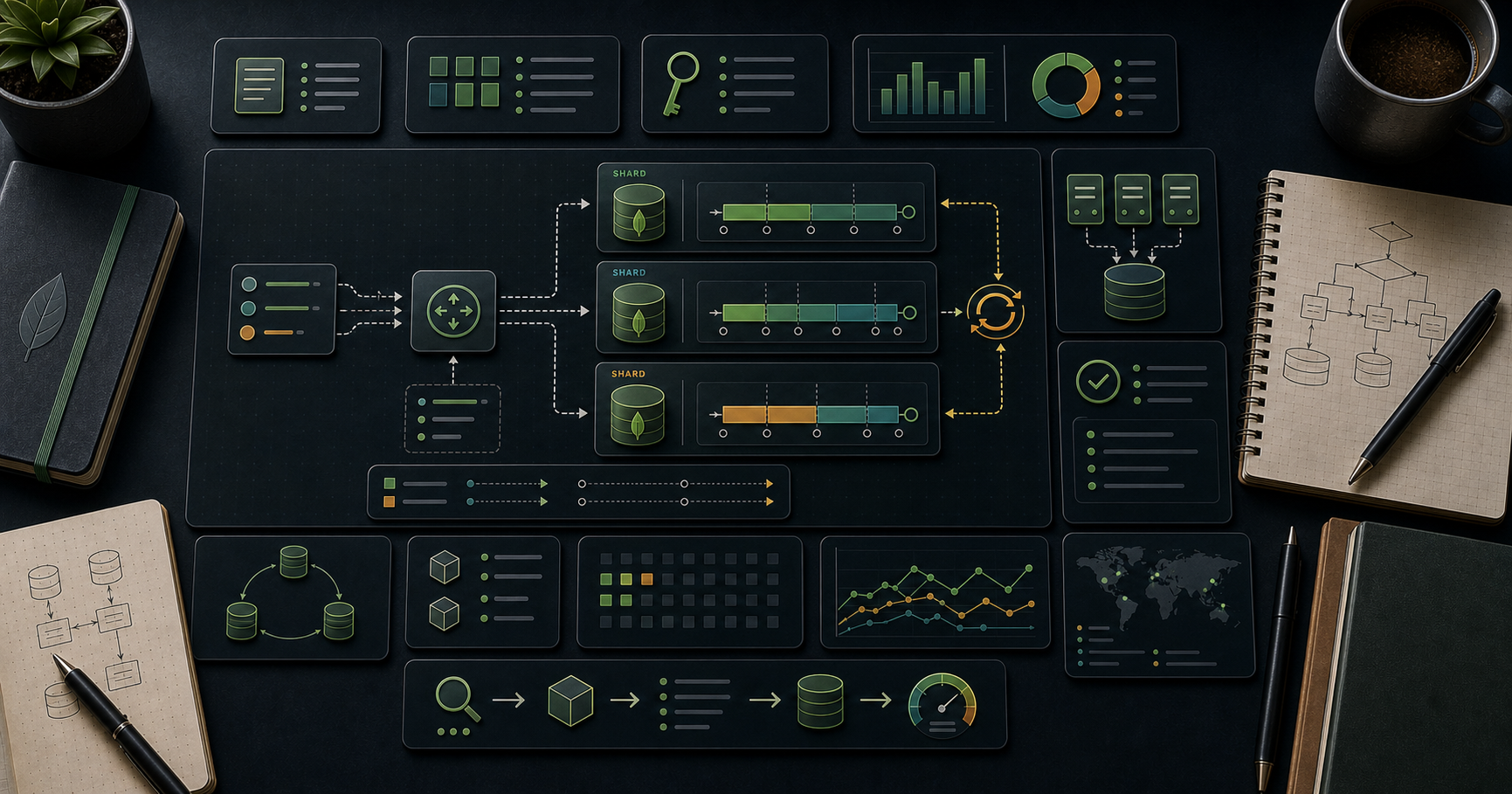
Chapter 1 — Sharded-cluster architecture
- — stateless router. Clients connect to it. Routes operations to the right shard(s) by reading metadata.- Config servers — a dedicated replica set storing the chunk map, shard list, indexes metadata.- Shards — each shard is itself a full replica set (HA at the shard level).
Atlas: when you scale a cluster to "sharded", it builds all of this for you.
Chapter 2 — Sharding a database + collection
Once sharded, the chunk map ranges are built on the shard key.
What gets sharded
- Per collection. Different collections can have different shard keys (or none).- Some collections often stay unsharded — small, infrequently-written ones.
Chapter 3 — Shard key — the most important decision
A shard key is one or more fields whose value decides which shard each document lives on.
Three properties to evaluate
| Property | Good | Bad ||----------|------|-----|| Cardinality | many distinct values | few values || Frequency | values appear with similar frequency | one value dominates || Monotonicity | random-looking distribution | always-increasing (, timestamps) |
Why each matters
- Low cardinality — too few values to spread across many shards. A shard key over gives 2 chunks max; can't scale beyond 2 shards.- Skewed frequency — one tenant or one product dominates → one shard takes all writes (hot shard).- Monotonic key (auto-increment ID, timestamp) → all new writes hit the chunk holding the max value → that chunk's shard becomes hot.
The ideal
A field that's:- many distinct values,- writes spread evenly,- frequently appears in queries' filters so can route to one shard.
Common shard-key choices
| Workload | Good shard key ||----------|----------------|| Multi-tenant SaaS | (tenant-aware queries route to one shard) || User-centric (orders per user) | || IoT telemetry, write-heavy | (even distribution) || Time-series append | hashed on + ranged on time secondary; OR native time-series collection || Geo-partitioned | + zone sharding |
A compound shard key () gives tenant-aware routing (tenantid used by queries) while keeping cardinality high (via tiebreaker).
Chapter 4 — Ranged vs hashed sharding
Ranged (default)
Documents with shard-key values in a range live on the same chunk.
- Pro: range queries on the shard key only hit shards in that range.- Con: monotonic inserts hot-spot the max-range chunk.
Hashed
The shard key is hashed before placement.
- Pro: writes always spread evenly across shards, even for monotonic / sequential keys.- Con: range queries on the shard key become scatter-gather (visit every shard).
Modern compound hashed (4.4+):
Hashed on , ranged on as secondary — combines distribution + time-range-by-device queries.
Chapter 5 — Chunks + the balancer
A chunk is a range of shard-key values. Each chunk lives entirely on one shard. Chunk size defaults to 128 MB in modern versions.
The balancer is a background process on the primary config server that moves chunks between shards to keep distribution roughly even. Runs continuously; can be scheduled to a window:
Inspect chunk distribution:
Jumbo chunks
A chunk exceeding the chunk size that can't be split (because all its documents have the same shard-key value) is called jumbo and is marked unmovable. The balancer skips it.
Cause: too few distinct values for the shard key (low cardinality) — usually a sign the shard key was wrong.
Fix: re-shard the collection (Chapter 7); or pre-split with care.
Chapter 6 — Zones (formerly tags)
Pin specific shard-key ranges to specific shards. Used for:
- Region pinning — APAC users on APAC shards (low-latency reads + compliance).- Tiered storage — recent data on SSD shards, archive on cheap shards.
The balancer respects zones — chunks in a tagged range move only to shards with the matching tag.
Chapter 7 — Resharding (5.0+)
Pre-5.0, changing a shard key meant dumping the collection, dropping, and reinserting under a new shard key — multi-hour outage for big collections.
5.0+ introduced online resharding:
The new shard key is computed; chunks rebalance in the background; clients keep reading + writing throughout. Final cutover is brief.
Constraints:
- Disk + I/O cost is high; plan for a slower-than-usual period.- Some prerequisites on indexes + collection size.- The new shard key must have an index.
This dramatically lowered the cost of "I chose the wrong shard key" — but a good initial choice still saves time + money.
Chapter 8 — Query targeting vs scatter-gather
When a query includes the shard key, can route to one (or few) specific shards. Otherwise it has to ask every shard ("scatter") and merge results ("gather").
Scatter-gather scales poorly as the cluster grows — adding a shard makes scatter-gather queries slower, not faster.
Check with explain (sharded version):
> Trick: the hot path of every endpoint should include the shard key in its filter. Reports + admin queries can scatter-gather. Plan your access patterns accordingly when picking a shard key.
Chapter 9 — Aggregation + sharding
Most aggregation stages run per shard, then merges. Some stages must run after the merge (, final , against an unsharded collection).
Implications:
- early — lets shards drop docs before pulling them to mongos.- foreign collection should be unsharded (sharded works but is slower).- / to a sharded target — supported since 4.4 / 5.0.
shows the split between stages and stages.
Chapter 10 — Operational toolkit
Day-to-day you rarely touch chunk movement manually — the balancer handles it.
Atlas
Atlas surfaces sharding as a cluster tier upgrade. You pick a shard key in the UI; resharding is a one-click operation. Connection string remains — routing is invisible to clients.
Chapter 11 — When to shard (and when not)
Shard when
- Single replica set's CPU / disk / RAM is the bottleneck and vertical scaling is exhausted.- Working-set (hot indexes + frequently-accessed docs) exceeds RAM, even at maximum instance size.- Write throughput needed exceeds what one primary can sustain.- Data set exceeds biggest available single-instance storage.- Regulatory / latency requirement to keep data in specific regions.
Don't shard when
- Single replica set still handles your load (most apps' entire lifecycle).- Working-set fits in RAM on a larger instance.- Sharding overhead (extra hops via , complexity, cost) doesn't pay back.
Vertical scaling beats horizontal scaling until you have no choice — modern Atlas tiers go to many TB of RAM. Most apps never shard.
Chapter 12 — Common pitfalls
| Pitfall | Cause | Fix ||---------|-------|-----|| Hot shard | monotonic shard key (timestamp, ObjectId) | hashed shard key; or compound with prefix || Jumbo chunks | low-cardinality shard key | reshard with a higher-cardinality key || Scatter-gather everywhere | queries don't include the shard key | redesign queries or shard key || Balancer always lagging | huge writes vs slow disks | scale up shard members, larger chunk size || Adding a shard didn't help | scatter-gather queries — more shards = more work | shard-key-aware queries || Cross-shard transactions slow | spans multiple shards | shard-key alignment || Cross-shard slow | foreign collection sharded | denormalise (Post 07) or unshard the lookup target || Old "I picked wrong shard key" pre-5.0 outage | locked into bad design | use resharding (5.0+) |
Practice Exercises
Exercise 1 — Local sharded cluster (Docker)
Use or Atlas free tier (sharded preview if available) to set up a 2-shard cluster. Insert 100k docs, shard the collection on a chosen key, observe chunks split.
Exercise 2 — Shard-key analysis
For the collection (your e-commerce model), brainstorm 3 shard keys and rate each on cardinality / frequency / monotonicity. Choose the best.
Exercise 3 — Hashed vs ranged
Same workload (10k inserts of ), once with ranged shard key on , once with hashed on . Compare write distribution per shard (via ).
Exercise 4 — Zone sharding
Add tags + to two shards. Insert users with . Confirm shows the zoning + chunks land on the correct shard.
Exercise 5 — Scatter-gather
Run and on a sharded collection where shard key is . Use explain to see "shards" list — one vs all.
Exercise 6 — Reshard
(Atlas / 5.0+ only.) Initiate a resharding from to . Watch the operation progress.
Cheat-sheet
| What | How ||------|-----|| Enable DB sharding | || Shard a collection | || Hashed | || Compound hashed | || Shard-key tests | high cardinality, even frequency, non-monotonic || Chunk size default | 128 MB || Jumbo chunk | low-cardinality bucket; can't split || Zones | + || Balancer | runs by default; to pause || Resharding | (5.0+) || Query routing | include shard key → one shard; else scatter-gather || foreign | prefer unsharded || count | scale horizontally (each is stateless) || When to shard | only when vertical scaling exhausted |
What's next
Post 12 covers change streams — MongoDB's built-in change-data-capture API for real-time event handling, cache invalidation, audit logs, and cross-database sync.
References
- Sharding- Choosing a Shard Key- Hashed Sharding- Zones- Resharding- Targeted vs Broadcast Operations
> Note: this post is in progress. Planned additions: chunk balancing internals, multi-region writes with primary-per-zone, cost modelling sharded vs scaled-up.
MongoDB Course — 10 · Replica Sets — Primary, Secondary, Oplog, Elections
A single is a single point of failure. A replica set is a group of processes that maintain copies of the same data and automatically elect a new primary when one fails. Three or more members get you durability, automatic failover, optional read scaling on secondaries, and zero-downtime maintenance. This post covers the architecture, the oplog, election protocol, write-concern interaction with replication, secondary read trade-offs, and the canonical 3-member + arbiter topologies.
> Series map: 00 Foundations → … → 09 Transactions → 10 Replica Sets (this post) → 11 Sharding → 12 Change Streams → … → 17 Drivers & Case Studies.
Learning Outcome
- Explain PRIMARY / SECONDARY / ARBITER roles.- Initiate a replica set and inspect .- Read the oplog and understand replication lag.- Force an election + observe automatic failover.- Configure priorities, hidden members, delayed members.- Pick the right topology for your durability + cost target.
Chapter 1 — Why replication
Three things at once:
1. Durability — N copies of the data; loss of one server doesn't lose data.2. High availability — automatic failover; clients reconnect to a new primary in seconds.3. Read scaling (optional) — secondaries serve eventual-consistent reads.
Replication doesn't scale writes — every write still goes through one primary. For write scaling, you shard (Post 11) on top of replica sets.
Chapter 2 — Member roles
| Role | Receives writes | Serves reads | Votes in election | Holds data ||------|------------------|---------------|--------------------|-------------|| PRIMARY | yes (only one at a time) | yes | yes | yes || SECONDARY | replicates from primary's oplog | yes (with etc.) | yes | yes || ARBITER | no | no | yes | no — voting only || HIDDEN | no | no (invisible to drivers) | yes | yes (backups, analytics) || DELAYED | no | no | yes | yes (lags primary by N seconds — disaster recovery) |
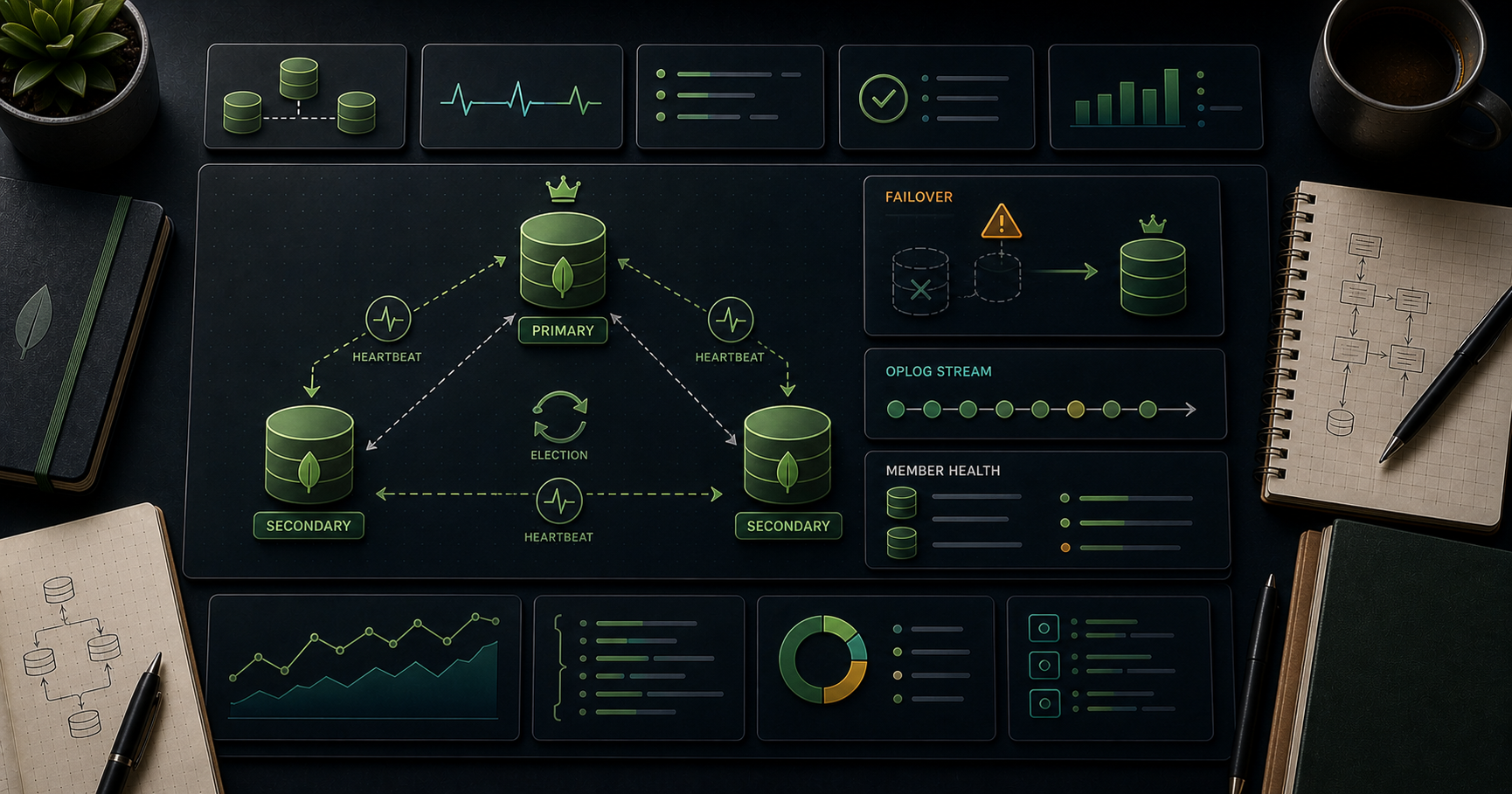
A typical minimal production set: 3 data-bearing members (1 primary + 2 secondaries). Loss of any one keeps a majority alive.
Avoid:
- Even number of voting members without an arbiter → election can split. Always odd.- Arbiter-only failover safety in 2026 → arbiters can't vote on majority writes; prefer a 3-data-member setup unless cost-constrained. (See "election + write concern" pitfall in Chapter 8.)
Chapter 3 — Initiate a replica set (local)
Connect to one + initiate:
Within a second or two, one member is PRIMARY, the other two are SECONDARY.
In Atlas, every cluster is already a replica set — you don't initiate manually.
Chapter 4 — Connection string for a replica set
The driver:- Reads the seed list (your hosts).- Polls each to discover the full topology and the current primary.- Re-discovers automatically on failover.
You only need to list a few seed hosts — the driver finds the rest. The SRV form (Atlas) returns the full member list via DNS, so the URI stays short.
Chapter 5 — The oplog
The oplog is a capped collection () on every replica-set member that records every write applied. Secondaries tail it and replay it to stay in sync.
Each entry: timestamp, operation type (insert/update/delete), namespace, document or update spec.
Oplog size matters
Default size: 5 % of free disk (with a 50 GB upper cap on most platforms). If a secondary falls behind by more oplog entries than fit, it goes STALE and must do a full resync — slow.
Tune via at start, or admin command. Atlas auto-sizes.
> Trick: if you regularly run multi-hour ingest jobs while secondaries catch up, increase oplog size. The "1 day of writes fits" rule of thumb prevents most stale-member surprises.
Chapter 6 — Replication mechanics + lag
1. Client writes to PRIMARY.2. PRIMARY records the write to its own oplog and applies it.3. Each SECONDARY tails the primary's oplog and applies in order.4. Once a majority of voters have applied the write, it's "majority committed".
Replication lag = how far behind the primary a secondary is in oplog time.
Inspect:
Causes of lag:
- Big write spike (secondaries can't keep up).- Slow disk on a secondary.- Network latency (especially across regions).- Long oplog entries (huge updates).
Persistent lag > a few seconds = warning. Lag growing unbounded = crisis (eventually goes STALE).
Chapter 7 — Elections
If the PRIMARY becomes unreachable, voting members hold an election (under the hood: Raft-like protocol Version 1, "PV1").
Steps:
1. A secondary that hasn't heard from the primary for (default 10 s) calls an election.2. Other voting members vote yes if the candidate's oplog is up-to-date enough.3. Majority of votes → new PRIMARY.4. Drivers detect the change via heartbeats; subsequent writes go to the new primary.
Typical failover: 10-20 seconds for clients to reconnect; retryable writes (Post 08) hide most of the disruption.
Force a manual failover (test)
A useful production drill — practise failover under controlled conditions.
Chapter 8 — Write concern + replica sets
Recap from Post 08 — write concern interacts with replication:
| | Meaning ||-----|---------|| 0 | fire-and-forget || 1 | primary acked || | majority of voters acked || N | exactly N members acked |
is the production-correct default — guarantees the write survives the primary failing (because at least one surviving voter has it).
Arbiter pitfall
If you have a 2-data + 1-arbiter set (total 3 voters, majority = 2), arbiters can vote in elections but don't store data. A write reaching only the primary + the arbiter (waiting for the second data member) can be lost in failover. Modern guidance: avoid arbiters in 2026 for any system where data loss isn't acceptable. Use 3 data-bearing members.
Chapter 9 — Read preference + secondary reads
Recap from Post 08:
| Preference | Effect ||------------|--------|| (default) | always primary, freshest || | primary if up, else secondary || | secondary only || | secondary first, fall back to primary || | lowest-latency member |
Use secondary reads for:
- Reporting / dashboards tolerating seconds of lag.- Scaling read-heavy workloads horizontally.- Region-local reads via .
Don't use for:
- Read-your-own-writes (RYOW) without causal-consistency session.- Anything where stale-by-seconds matters (orders, balances, leaderboards).
Chapter 10 — Priorities, hidden, delayed members
Each member has a configuration in :
Common variations:
- Analytics replica — hidden, priority 0 → drivers never route reads here; you connect directly for heavy analytics queries.- Backup target — hidden, priority 0 → take snapshots without affecting production reads.- Delayed member — → lags primary by 1 hour. Disaster recovery against fat-finger drops ("oops, restore from the delayed member's state of an hour ago").
Topology recipe — 5-member production
5 voters (majority 3). Tolerates 2 simultaneous failures of voting members.
Chapter 11 — Sizing + topology choices
| Topology | Voters | Majority | Tolerated failures | When ||----------|--------|----------|---------------------|------|| 3 data | 3 | 2 | 1 | minimum production || 2 data + 1 arbiter | 3 | 2 | 1 | cheap; avoid in 2026 || 5 data | 5 | 3 | 2 | larger production, mixed roles || 7 data | 7 | 4 | 3 | very high availability; rare || 3 data, multi-region | 3 | 2 | 1 (region) | DR; read latency increases; needs |
Voters max is 7 in a replica set (additional members can be non-voting).
Multi-region replica set: one primary serves global writes, secondaries in other regions serve local reads. Trade-off: writes to a "far" primary have high latency. Sharding by region (Post 11) often beats multi-region replica sets for writes.
Chapter 12 — Operational toolkit
For Atlas, the UI surfaces the equivalents; you rarely run these by hand.
Atlas dashboards to watch
- Replication Lag chart.- Oplog Window (how many hours of oplog you have).- Connections / IOPS / CPU per member.- "Failover" event log.
Alert on: lag > 60 s, oplog window < 4 h, any voting member down.
Chapter 13 — Rolling maintenance pattern
To upgrade or restart members without downtime:
1. Pick a secondary. Drain its connections.2. Stop + upgrade + restart it. Wait for SECONDARY state.3. Repeat for the next secondary.4. Step down the primary (); it becomes secondary; another member becomes primary.5. Stop + upgrade + restart the old primary. Wait for SECONDARY.
Zero downtime as long as a majority is always up. This is the "rolling upgrade" pattern for any major version bump or OS patch.
Atlas does this automatically when you click "Upgrade".
Chapter 14 — Common pitfalls
| Symptom | Cause | Fix ||---------|-------|-----|| Failover takes 30+ seconds | too high; or driver too high | lower both modestly; test || Secondaries falling behind | undersized oplog or slow disk on secondary | enlarge oplog; faster disk || Stale secondary | lag exceeded oplog window | full resync; or enlarge oplog || Data lost after failover | used instead of | switch to majority || Even number of voters | possible split-brain | add an arbiter or another data member || Arbiter loses data (2+1 set) | known antipattern | use 3 data members || Driver doesn't see new primary | missing or wrong; DNS slow | check connection string; SRV form preferred || Cross-region writes slow | primary is far from app | route writes to local primary or shard by region || Secondary read returns stale doc | replication lag | use causal consistency session or |
Practice Exercises
Exercise 1 — Three-member local set
Initiate the 3-node set from Chapter 3. Insert data. Confirm replication: read on secondary (allow ).
Exercise 2 — Forced failover
Run . Watch a Node script that does inserts every second — note the brief failure + resume (retryable writes save the day).
Exercise 3 — Oplog inspection
. Identify your last few writes.
Exercise 4 — Replication lag
In one window, run a tight insert loop. In another, stop one secondary ( SIGSTOP / pause). Restart it after a minute. Watch show the catch-up.
Exercise 5 — Hidden analytics replica
Set member 2 to . Confirm drivers no longer route reads there. Connect directly to that member for heavy aggregations.
Exercise 6 — Delayed member
Configure member 2 with . Insert a doc. Immediately read from member 2 (direct connection) — should not see it. Wait 90 s, read again — should see it.
Cheat-sheet
| What | How ||------|-----|| Initiate | || Status | || Config | || Reconfig | || Lag | || Oplog stats | || Step down | || Connection string | (or SRV for Atlas) || Production defaults | 3 data members, , retryable writes/reads || Avoid | arbiters in serious workloads (2026) || Reads scale | for stale-OK; causal consistency for RYOW || Hidden | analytics / backup target || Delayed | DR against accidental drops () || Failover time | 10-20 s typical || Election protocol | PV1 (Raft-like) |
What's next
Post 11 covers sharding — router, config servers, shard keys (cardinality, frequency, monotonic), ranged vs hashed sharding, chunks + balancer, zone sharding, resharding (5.0+), and query targeting vs scatter-gather.
References
- Replica Sets- Replica Set Configuration- Replica Set Elections- Write Concern- Oplog
> Note: this post is in progress. Planned additions: chained replication trade-offs, multi-region latency tables, ELECTINGPRIMARY state transitions visualised.
MongoDB Course — 09 · Multi-Document Transactions
MongoDB has had multi-document ACID transactions since 4.0 (replica sets) and 4.2 (sharded clusters). They look like SQL transactions (), behave like SQL transactions (snapshot isolation), and carry SQL-like costs (locking, latency, contention). This post covers how to use them safely — sessions, retry on transient errors, abort vs commit, the limits — and the more important question: when NOT to reach for a transaction (in MongoDB, the answer is "more often than you think").
> Series map: 00 Foundations → … → 08 Connection Pool & Concurrency → 09 Transactions (this post) → 10 Replica Sets → … → 17 Drivers & Case Studies.
Learning Outcome
- Start, commit, and abort a multi-document transaction.- Handle transient transaction errors with a retry loop.- Understand snapshot isolation + transaction limits (60 s, 16 MB).- Recognise when a transaction is the right tool — and when single-doc atomicity or schema redesign is better.
Chapter 1 — Why transactions in MongoDB
Single-document updates are already atomic in MongoDB — that's true for any update operator on one document, no transaction needed.
Transactions matter when you need atomicity across multiple documents (possibly across multiple collections, possibly across multiple shards):
- Transfer money between two accounts.- Decrement stock + insert an order line.- Update a parent + add to its children collection consistently.
Before 4.0, the workaround was the two-phase commit pattern in application code — verbose and error-prone. Transactions replaced that for most use cases.
Chapter 2 — Anatomy of a transaction
Key points:
- Session — a transaction lives inside a session. .- — driver helper that begins, runs the callback, commits, and retries on transient errors automatically.- option — must be passed to every operation that's part of the transaction. Forgetting it silently runs that op outside the transaction.- Either commits all writes or none — snapshot isolation throughout.- in — always.
Manual lifecycle (without )
wraps this pattern + retry logic. Prefer it.
Chapter 3 — Read concern + write concern inside transactions
Transactions default to:
- — reads see a consistent point-in-time view; no torn reads.- — required for transactions on replica sets.- — required.
You can override per transaction. Stricter concerns are slower; the defaults are correct for most cases.
Chapter 4 — Transient errors + retry
A transaction may fail with a transient transaction error for reasons unrelated to your code:
- Primary failover mid-transaction.- Lock conflict with another transaction.- Network blip.
retries automatically when the error is marked or . Most apps need no extra logic.
Manual retry pattern (for non-helper code):
Always add a max-retry guard in production to avoid infinite loops on persistent failure.
Chapter 5 — Limits and gotchas
| Limit | Default ||-------|---------|| Transaction lifetime | 60 seconds (server ) || Total oplog size per transaction | 16 MB || Operations per transaction | unlimited in count, capped by oplog size || Read preference | primary only (replica set) || Cross-shard transactions | supported since 4.2; slower than single-shard || DDL inside transaction | limited (no in some versions; check current docs) || Capped collections | can't be written inside a transaction |
> Watch out: the 60-second default kills long-running transactions. For bulk operations, chunk into many small transactions rather than one huge one.
Performance impact
A transaction holds locks for its duration. Other writers to the same documents queue or conflict. The longer the transaction, the worse the contention.
Rule of thumb:- Sub-100 ms transactions are usually fine.- 100 ms-1 s transactions add measurable lag at scale.- Multi-second transactions almost always indicate a design problem.
Chapter 6 — Read-then-write inside transactions
The double safeguard (in-app check + filter condition) handles the race where another transaction modifies stock between your read and your write.
Without a transaction, you could still do this with optimistic check on the filter — the transaction adds atomicity across the insert and the decrement plus a snapshot view.
Chapter 7 — When NOT to use transactions
Transactions are powerful + tempting, but expensive. Cheaper alternatives:
Single-document atomicity (free)
The whole update is atomic. If the filter doesn't match (balance < 100), nothing changes. Most "decrement counter, reject if would go negative" problems collapse to this one statement.
Embed instead of reference
If you find yourself in a transaction across + , ask whether the children should be embedded in the parent (Post 07). A single update on an embedded array is atomic, no transaction needed.
Idempotent retries
If the operation is idempotent, just retry on failure. No transaction needed — eventual consistency settles.
Choreography (sagas) for distributed flows
For long-running cross-service flows (order → payment → shipping), use a saga / compensating action pattern. Transactions don't help across systems.
Compute + materialise
Materialised views via (Post 06) or change-stream-driven sync (Post 12) replace many "update two collections at once" cases.
> Trick: before reaching for a transaction, ask: "Can a single-document update with a filter condition serve this?" Answer is yes 70-80 % of the time.
Chapter 8 — Sharded transactions
Cross-shard transactions work since 4.2. They use a two-phase commit under the hood, so they're slower than single-shard.
Performance tips:
- Design schema so transactions hit one shard whenever possible.- Choose the shard key carefully — a transaction touching docs on the same shard key value stays single-shard.- Distributed transactions across many shards multiply latency by the number of shards.
If your design requires frequent cross-shard transactions, the schema or shard-key choice may be wrong.
Chapter 9 — Pattern: bank transfer with retry
A full production-grade money-transfer endpoint:
Notes:
- The optimistic guard () prevents the double-spend race.- auto-retries on transient errors.- All three writes commit together or none does.- The application throws if the debit didn't match — that exception aborts the transaction.
Chapter 10 — Common pitfalls
| Pitfall | Fix ||---------|-----|| Forgot to pass to one op | always include — that op runs outside the transaction || Transaction lifetime exceeded | shorter transactions or smaller chunks || Locking contention slowing whole cluster | move to schema-based atomicity; shorter transactions || Used transaction where single-doc atomicity sufficed | remove the transaction || Manual lifecycle without retry on transient | use helper || Sharded transaction touches many shards | shard-key alignment; or redesign || Capped collection inside transaction | not supported; redesign || Read concern not | check it; otherwise inconsistent reads inside the txn || Long-running session held open | in always |
Practice Exercises
Exercise 1 — First transaction
Create an collection with two docs (balances 1000 + 0). Run a transaction moving 100. Verify both balances.
Exercise 2 — Forced abort
In the transaction body, after the debit but before the credit, . Verify the debit was rolled back (balance still 1000).
Exercise 3 — Race test
In parallel, fire 10 transfers of 200 each from A (balance 1000). Without a transaction the result might be -1000. With your transaction + optimistic filter, exactly 5 succeed and 5 throw "insufficient funds".
Exercise 4 — Single-doc replacement
Refactor: do you really need a transaction for "decrement stock + abort if would go below 0"? Show the single-statement version.
<details><summary>Solution</summary>
</details>
Exercise 5 — Lifetime limit
Inside a transaction, write 10k docs in a loop with no batching. Confirm it eventually fails when the 60s lifetime fires.
Exercise 6 — Retry harness
Write your own retry-on-transient wrapper with a max-attempts cap of 3 and exponential backoff. Force a transient by aborting the transaction once during your callback.
Cheat-sheet
| What | How ||------|-----|| Start session | || Run transaction (helper) | || Pass session | to every op inside the transaction || Default concerns | snapshot read, majority write, primary read pref || Lifetime cap | 60 s; configure cautiously || Oplog cap | 16 MB per txn || Transient error | retries automatically || Snapshot isolation | reads see consistent point-in-time view || Single-doc atomic | already atomic; no transaction needed || Ask first | can single-doc + filter handle this? if yes, do that || Schema review | embed children → fewer transactions || Cross-shard | works (4.2+) but slower; align shard keys || Capped collection write | NOT supported in transaction || End session | |
What's next
Post 10 covers replica sets — primary / secondary / arbiter, the election protocol, oplog, secondary read staleness, write concern interaction with replication, and the automatic failover that makes MongoDB highly available.
References
- Transactions-- Production Considerations for Transactions- Sharded Cluster Transactions- "Single Document Atomicity" — see Atomicity and Transactions.
> Note: this post is in progress. Planned additions: deadlock-style contention examples, comparison with Postgres , choreography vs orchestration sagas walkthrough.
MongoDB Course — 08 · Connection Pool, Concurrency, Write/Read Concern
A MongoDB driver doesn't open a connection per query — it holds a pool and checks them out. How big the pool is, how long checkouts wait, what write durability you ask for (write concern), what read freshness you tolerate (read concern), and where reads go (read preference) — these settings decide whether your app sustains 100 req/sec or 100k req/sec, and whether a failover costs you data. This post covers every knob with sensible production defaults.
> Series map: 00 Foundations → … → 07 Schema Design → 08 Connection Pool & Concurrency (this post) → 09 Transactions → 10 Replica Sets → … → 17 Drivers & Case Studies.
Learning Outcome
- Size a connection pool (, , , ).- Tune , , .- Pick the right write concern (, , ) per workload.- Pick the right read concern (, , , ).- Pick the right read preference (, , , ).- Understand retryable writes + reads and when they help.- Use causal consistency sessions when needed.- Avoid the "too many connections" production outage.
Chapter 1 — The MongoClient lifecycle
A is thread-safe, long-lived, and pooled. Create once per process; reuse for every operation.
Wrong pattern (anti-pattern): per request. Each instantiation opens new sockets, runs handshakes, and exhausts server-side connection limits. Across a fleet this is a #1 outage cause.
Same rule across languages — (Node, Python sync), (Python async), (Go), (.NET) — all are pooled + thread-safe singletons.
Chapter 2 — Pool options
Set in the connection string or as client options.
| Option | Default | Meaning ||--------|---------|---------|| | 100 | max concurrent connections per pool (per server/mongos) || | 0 | keep this many warm at idle || | 0 (infinite) | close connections idle this long || | 2 | max parallel new-connection handshakes || | 0 (infinite) | how long an operation waits for a connection before throwing || | 30000 | how long the driver tries to find a suitable server || | 10000 | socket connect timeout || | 0 (no timeout) | inactivity socket timeout (rarely needed; let server time out instead) || | 10000 | how often driver polls topology |
Connection string form
Chapter 3 — Sizing the pool — the right answer is "not larger"
A common mistake: bump to 500 or 1000 hoping for more throughput. The opposite usually happens — more connections = more context switches on server + WiredTiger ticket contention + memory bloat.
Useful starting numbers
| Workload | ||----------|---------------|| Small web app, dozens of QPS | 10-20 || Medium API, 1k-5k QPS | 50-100 (default) || High concurrency, mostly fast queries | 100-200 || Heavy aggregations / long queries | smaller pool + more app instances |
Math — Little's Law
Avg concurrent ops needed = .
Example: 200 QPS × 0.05 s avg latency = 10 concurrent ops needed. A pool of 20 is plenty; 100 is wasted resources.
If your driver pool is much larger than the math suggests, the bottleneck is elsewhere (server, network, lock contention) and pool growth won't help.
Per process vs per fleet
Each Node process / each Python worker has its own pool. A web fleet of 20 instances × = up to 1000 connections to the server. The MongoDB server has its own ceiling (, default 65,536). Don't accidentally exceed it.
Atlas tier limits
- M0 / M2 / M5 (shared): 500 connections.- M10: 1500.- M20: 3000.- M30+: 6000+ (scales with tier).
must stay well under your Atlas tier limit. Plan headroom for failover spikes.
> Trick: monitor (server metric). If it's near the pool max for long stretches, the pool is the bottleneck. If it's nowhere near, growing the pool doesn't help — fix the slow query instead (Post 04).
Chapter 4 — Write concern (, , )
| Field | Values ||-------|--------|| | (fire-and-forget) / (primary ack) / (majority of voters) / integer || | requires the write to be journaled to disk before ack || | give up waiting for after this many ms (returns success false-ish; doesn't roll back the write) |
Defaults
- Replica sets default to since 5.0.- defaults to true on the journal-enabled storage engine (every modern install).
When to use each
| Workload | | | Notes ||----------|-----|-----|-------|| Production transactional | | | data loss guarantees || Analytics ingest, can replay | or | | speed || Telemetry, OK to lose | | | fire-and-forget; 5× throughput || Cross-region critical | + tag-aware concern | | survives DC loss |
returns immediately. If the write fails server-side, your code never knows. Use only for telemetry-like data where loss is acceptable.
is not a rollback
If and only 1 secondary acks within 5 s, the write IS applied on the primary and the secondary it reached, and may catch up to the rest later. The driver reports the timeout but the write persists. Treat as "warning, not rolled back".
Chapter 5 — Read concern
| Level | What ||-------|------|| | default for primary reads; sees latest writes including those not yet majority-acked || | default for secondary reads (sharded); allows orphan reads || | only reads data that has been acked by a majority of voters — survives elections without rollback || | strongest; primary-only; slow; guarantees "no stale read", waits for ongoing writes || | inside multi-document transactions |
For most apps, default is correct. Use when you can't tolerate the rare case of reading a write that's later rolled back by an election. Use only when truly needed (compliance, financial settlement) — slow.
Chapter 6 — Read preference
| Preference | What ||------------|------|| | default; reads from primary only || | primary if available, else secondary || | secondary only; throws if none available || | secondary if available, else primary || | lowest-latency member (primary or secondary) |
When to use secondaries
- Reporting / analytics that tolerates seconds of staleness.- Read scaling for read-heavy workloads.- Region-local reads (with to target a specific DC).
When NOT to use secondaries
- Read-your-own-writes (RYOW) without causal consistency (next chapter).- Anything that needs the freshest data (orders, balances).
Tag sets — target a region
Useful in multi-region deployments where you want reads to stay local.
Chapter 7 — Causal consistency + sessions
Reads on a secondary may lag the primary. If you then immediately on a secondary, you may not see your own write.
Causal consistency ties them together via a session:
The session carries a token; the secondary waits to catch up to it before answering the read.
Sessions are also required for transactions (Post 09).
Chapter 8 — Retryable writes + reads
Both default to . The driver automatically retries an operation once if it suspects a network blip or replica-set election.
Constraints:
- Only retries idempotent operations (insertOne, updateOne with filter, etc.).- Doesn't retry (could partially apply).- Server logs duplicate-key retries safely.
Always leave enabled. Together with replica-set primary election (Post 10), they make failovers transparent.
Chapter 9 — Long queries + cursor lifetime
A cursor on the server has a lifetime: by default it's closed after 10 minutes of inactivity ( server setting). For batch jobs iterating slowly, you must keep the cursor alive or fetch faster.
Without , slow consumers eventually see . With it, always close the cursor in a — otherwise it leaks resources on the server.
Chapter 10 — Avoiding "too many connections"
Symptoms: server logs flooded with , climbing, app sees timeouts.
Causes:
1. Creating a per request (Chapter 1).2. Forgetting to close clients in CLIs / scripts.3. Serverless functions cold-starting with their own pool each invocation.4. Pool too large × too many fleet instances.
Fixes:
- One per process (warm).- For serverless, use the provider's connection-pool helper (Atlas Data API, MongoDB Realm/App Services, or a sidecar proxy) — or accept tighter per instance.- Atlas tip: Connection limit dashboard graph; alert at 80 % of the tier limit.
Cold start: opens 5 connections. Warm invocations reuse. The lambda exec env caches across invocations on the same container.
Chapter 11 — Server-side concurrency — WiredTiger tickets
uses read + write tickets to limit concurrent storage-engine operations. Default: 128 each. Once exhausted, requests queue.
Symptoms of ticket exhaustion: high near 0 in ; query latency spikes that can't be explained by individual queries; lock contention in metrics.
Causes: slow queries holding tickets too long, sudden write storms, bad index plans.
Fix order:
1. Find + fix slow queries (Post 04 profiler).2. Add indexes; reduce work per ticket.3. Lower app-side concurrency (smaller pool).4. Scale up the instance (more cache, more I/O).
Tickets aren't tunable in modern versions — they're sized internally based on the storage engine. Treat them as a signal rather than a knob.
Chapter 12 — Sample production-grade Node driver config
Tag every client with — it surfaces in Atlas + + slow-query logs so you know which service issued each query.
Chapter 13 — Common pitfalls
| Pitfall | Fix ||---------|-----|| per request | singleton per process || Pool too large | size by Little's Law || Connections climbing in serverless | cache client across invocations || Read-your-own-write fails on secondary | causal consistency sessions || interpreted as rollback | it isn't — write persists || Slow secondary reads | check replica lag (Post 10); maybe use || Long batch job cursor expires | + always close || Idle connections piling up | set || shows hundreds of waiting ops | reduce pool / find slow queries || Atlas alert "connection limit 80%" | shrink pool / scale tier / fix client leaks |
Practice Exercises
Exercise 1 — Singleton client
Refactor a small script that opens + closes a client per call into a singleton. Run a load test; observe (via Atlas or ) flatten.
Exercise 2 — Little's Law
Measure your app's avg latency and QPS. Compute the needed concurrency. Compare to .
Exercise 3 — Write concern matters
Insert 10k docs with vs vs . Compare wall-clock time. (Use a local mongod or Atlas M2.)
Exercise 4 — Read preference test
Configure two clients: one , one . Insert then immediately read with each. Confirm primary sees the write; secondary may not (without causal consistency).
Exercise 5 — Causal consistency
Repeat Exercise 4 with . Confirm the secondary read now waits + sees the write.
Exercise 6 — Long cursor
Open a cursor with . Iterate with a sleep between docs. Confirm it stays open. Also confirm leaving it unclosed is detectable in .
Cheat-sheet
| What | How ||------|-----|| Client lifecycle | one per process, long-lived, thread-safe || Pool size | default 100; size by Little's Law || Warm pool | || Idle close | || Wait timeout | || Topology timeout | (lower for fast-fail) || Write concern | default || Fire and forget | (only for loss-tolerant) || Read concern | default ; for survives-election || Read preference | default ; for read scaling + analytics || Region target | || Read-your-own-write on secondary | causal consistency session || Retry | (default on) || Long cursor | + always close || Serverless | cache client across invocations; small || Tag client | || Don't | per request |
What's next
Post 09 covers multi-document transactions — ACID across documents and collections, sessions, transient errors + retry, commit / abort, and the rule that says "if you reach for a transaction, ask if you can redesign the schema first".
References
- Connection Pool Overview- Write Concern- Read Concern- Read Preference- Causal Consistency- Retryable Writes
> Note: this post is in progress. Planned additions: Atlas connection limit graph annotations, PgBouncer-style mongo proxies (mongoproxy, RonDB-Mongo), driver-specific pool quirks per language.
MongoDB Course — 07 · Schema Design — Embed vs Reference, Patterns, Trees, Versioning
The biggest leap from SQL to MongoDB is the way you model data. There's no "right" normalisation — schema is chosen per access pattern. Get it right and a single document satisfies the hot read with one disk seek. Get it wrong and you're stitching together with on every page load. This post covers the canonical design patterns: embed vs reference, 1:1 / 1:few / 1:many / many:many, plus the named patterns the MongoDB community has codified — Polymorphic, Bucket, Computed, Extended Reference, Attribute, Tree (4 variants), Outlier, Schema Versioning.
> Series map: 00 Foundations → 01 CRUD → 02 Query Operators → 03 Indexes → 04 Query Optimization → 05 Aggregation Basics → 06 Aggregation Advanced → 07 Schema Design (this post) → 08 Connection Pool & Concurrency → … → 17 Drivers & Case Studies.
Learning Outcome
- Decide between embedding and referencing for each relationship.- Recognise the canonical access patterns for 1:1, 1:few, 1:many, many:many.- Apply the named patterns: Polymorphic, Bucket, Computed, Extended Reference, Attribute, Tree, Outlier, Schema Versioning.- Store hierarchies four ways (parent ref / child ref / array of ancestors / materialised path).- Plan schema evolution without downtime.
Chapter 1 — The mental shift
SQL: design schema first, query later.MongoDB: start from the queries you want to run, design schema to make them efficient.
Two principles:
1. Data that's accessed together should live together. Embed it.2. Data that grows unboundedly or is shared across many parents should be separated. Reference it.
That's it. The named patterns below are corollaries.
Chapter 2 — Embed vs reference
Embed (sub-document or array)
Pros:- One document fetch returns the whole thing.- Atomic writes across the whole document.- No joins.
Cons:- Duplication if the same sub-document is shared by many parents.- Document size cap: 16 MB.- Updating a deeply nested value can be awkward.
Reference (foreign key style)
Pros:- Each entity is the single source of truth.- No size limit (each is its own document).- Many parents can reference the same entity.
Cons:- Reads need a join ( or two round-trips).- No atomic writes across the reference unless using transactions.
Decision matrix
| | Embed | Reference ||---|-------|-----------|| Always read together | ✓ | || Independent reads dominant | | ✓ || Few items per parent (< 100) | ✓ | || Many items per parent (> 1000) | | ✓ || Item shared by many parents | | ✓ || Item grows unbounded | | ✓ || Item updated often, on its own | | ✓ || Items rarely change once written | ✓ | |
> Trick: when undecided, embed first. Schema migration from embedded to referenced is mechanical. The reverse usually requires re-engineering query paths. Embedding is the cheap default.
Chapter 3 — Cardinality patterns
1:1 — always embed
1:few — embed (bounded array)
A user's emails (≤ 10), a product's color variants (≤ 20).
1:many — embed if bounded, reference if not
A blog post's comments (could be 1 or 10,000) → reference.A user's purchase history (could be 1 or 10,000) → reference (separate collection).A book's chapters (10-50 typically) → embed.
Many:many — usually reference both ways
Users and tags: tags as separate documents; user has ; tag has (denormalised count).
For small membership lists (a user's roles), embed the IDs in the user doc.
"1 to squillions" — reference parent on the child
A device with millions of telemetry events.
Never try to embed millions of children into the parent — the 16 MB cap kicks in.
Chapter 4 — Polymorphic pattern
When documents in the same collection have different shapes (different fields per type):
Common base fields (, , ) + a discriminator () + type-specific fields. Index for filtering.
When to use: catalogue with many product kinds; events with type-specific payloads; logs with varied formats.
In code, a switch on decides how to render / process. Trade richer schema for fewer collections + simpler queries.
Chapter 5 — Bucket pattern (pre-time-series collections, still useful)
Instead of one document per event, group events into "buckets" of N (by time or count):
One bucket per hour per device → 24 docs/day/device instead of 86,400.
MongoDB 5.0+ ships native time-series collections that automate the bucket pattern + add columnar compression — Post 17 walks through them. Hand-rolled buckets are still useful when you need custom grouping (e.g., per session) or pre-5.0 clusters.
Chapter 6 — Computed pattern
Pre-compute aggregates and store them on the parent document — avoid repeating expensive aggregations on every read.
Update via the same write that creates the related event (transaction or ) or via change-stream-driven background updates.
Trade-off: write amplification for read speed. Worth it when the read is hot and the computation expensive.
Chapter 7 — Extended Reference pattern
Reference an entity by ID plus duplicate a few stable fields on the referencing side — saves the join for the most common read.
Reads listing orders don't need to users for name + email. Drawback: if the user changes their name, orders show stale.
Use when:- The denormalised fields rarely change.- Read frequency >> write frequency.- Stale data for hours/days is acceptable until a background job catches up.
Chapter 8 — Attribute pattern
When documents have many similar fields you need to query over arbitrary subsets:
A single multikey compound index serves all attribute-based queries.
Trade-offs: more rigid query syntax (), unfamiliar to SQL background. Choose when products / items have hundreds of possible attributes only some of which apply per item.
Chapter 9 — Tree patterns (4 ways to store hierarchies)
Hierarchies (org charts, comment threads, categories) have four canonical storage shapes. Pick by access pattern.
1. Parent reference
- Write: simple.- Find children: — easy.- Find ancestors / whole subtree: or recursion.
Default for hierarchies you don't traverse deeply.
2. Child references
- Find children: read the array.- Find parent: .- Move a node: update old + new parent.
Useful when children are bounded + you list them often.
3. Array of ancestors
- Find ancestors: read the array (no join).- Find subtree: — instant.- Move a node: update ancestors of node + all descendants.
Best when you query "all descendants" frequently.
4. Materialised path
- Find subtree: .- Find ancestors: split the string.- Move: rewrite paths for node + descendants.
Compact; regex-prefix index works (Post 02).
Comparison
| Pattern | Find direct children | Find full subtree | Move node | Storage ||---------|----------------------|--------------------|-----------|---------|| Parent ref | easy | expensive ($graphLookup) | easy | tiny || Child ref | easy | expensive | medium | medium || Ancestors | medium | easy | medium-hard | medium || Path | medium | easy (regex prefix) | medium-hard | small |
Mix is fine — store parent ref and ancestors for both kinds of query.
Chapter 10 — Outlier pattern
A few documents in a collection are atypically large (a celebrity user with 50k followers; a viral post with 1M comments). Embedding fails the 16 MB limit for them.
Mark them as outliers + store the overflow elsewhere:
App reads check and fetch from the side collection if true.
Avoids pathological queries on average users while still scaling for outliers.
Chapter 11 — Schema versioning pattern
MongoDB schema is flexible — apps must handle multiple versions during migrations. Make the version explicit:
App-level:
Migrate documents lazily (on read or via a background job) — never block the system for a big-bang migration. When all docs are at v2, drop the v1 code path.
Chapter 12 — Schema validation (optional but recommended)
MongoDB doesn't require a schema, but you can enforce one with :
validates new docs + updated existing docs but allows old docs through. Good for gradual rollout.
Mongoose (Post 17) adds schema enforcement in the application layer with richer types + defaults + middleware.
Chapter 13 — Avoiding pathological growth
Unbounded arrays are the single biggest schema pitfall:
Symptoms: slow updates (CoW on the whole doc), index bloat, eventual 16 MB cap.
Fixes in priority order:
1. Cap the array — keeps last 100.2. Move to a child collection with .3. Use the bucket pattern (Chapter 5) or time-series collection.
Chapter 14 — Worked example — e-commerce
| Entity | Storage | Why ||--------|---------|-----|| Product (catalogue) | own collection | shared by many orders, listed independently || Category tree | parent ref + ancestors | "find all products in subtree" is common || User | own collection | independent || User address book | embedded (bounded ≤ 5) | always read with user || Order | own collection | unbounded number per user, queried independently || Order items | embedded in order | always read with order, bounded ≤ 50 || Item product snapshot | extended reference | catalogue may change after order placed || Cart | own collection | live, may be huge for window shoppers; or embedded in user if small || Review | own collection with | many per product, queried by product or user || Audit log | own collection, TTL-indexed | high volume, time-bounded |
This is the kind of map to draw before any project — for each entity, "where does it live, how is it linked".
Chapter 15 — Common pitfalls
| Pitfall | Fix ||---------|-----|| Embed unbounded array | cap with or move to child collection || Reference everything by default | embed when always read together || Forget to denormalise stable fields | extended reference pattern || Sub-document mutation requires fetching whole doc | OK; just plan for it || Cross-collection consistency | use transactions (Post 09) or accept eventual || Schema changes break old code | schema versioning pattern || All-cases-in-one collection (sparse fields) | OK if polymorphic with discriminator || 16 MB doc cap hit | outlier pattern + side collection |
Practice Exercises
Exercise 1 — Embed vs reference quiz
For each, pick embed or reference and justify:
a) Blog post + author name + author bio (rarely changes).b) Blog post + comments (unbounded, paginated separately).c) Order + line items (typically 1-20 per order).d) User + login history (years of logins).
<details><summary>Answers</summary>
a) Extended reference — duplicate name + authorid; bio on the author doc (rare reads).b) Reference (separate collection).c) Embed line items.d) Reference ( collection with TTL).
</details>
Exercise 2 — Build a category tree
Choose any approach from Chapter 9. Insert a 3-level tree (Electronics → Laptops → Gaming). Query for "all categories under Electronics".
Exercise 3 — Computed pattern
Add + to each user. Use change streams (Post 12 preview) or a one-time + to populate.
Exercise 4 — Outlier
In , give one user a array of 100k IDs. Profile insert time + read time. Refactor as outlier pattern.
Exercise 5 — Schema validation
Apply validation to : name (string, required), email (matches regex, required), age (int 0-150). Try to insert an invalid doc.
Exercise 6 — Schema versioning
Migrate the collection: rename to . Use to distinguish; write app code that handles both versions.
Cheat-sheet
| Pattern | When ||---------|------|| Embed | always read together; small + bounded || Reference | unbounded / shared / independent || Polymorphic | many types in one collection + discriminator field || Bucket | time-series before TSC; high-volume small events || Computed | pre-aggregate hot read on parent || Extended Reference | duplicate stable fields to skip join || Attribute | many sparse fields → array of || Tree: parent ref | default; cheap writes || Tree: ancestors array | subtree queries || Tree: materialised path | small + regex-prefix friendly || Outlier | a few docs much larger than rest || Schema versioning | track per doc; migrate lazily || Validation | in || Default | embed first, refactor later if needed || 16 MB cap | hard limit per document || Unbounded array | always cap or move out |
What's next
Post 08 covers connection pool, write concern, read concern, read preference, retryability — the driver options and durability settings that decide how many concurrent operations your app sustains and how much data loss it tolerates.
References
- MongoDB Schema Design Best Practices- Building With Patterns: A Summary- Data Modeling Introduction- Schema Validation- Model Tree Structures
> Note: this post is in progress. Planned additions: anti-pattern detector script, schema-evolution from production case studies, multi-tenant patterns (shared collection vs collection-per-tenant vs database-per-tenant).
MongoDB Course — 06 · Aggregation Advanced — $facet, $bucket, $graphLookup, Window Functions, $merge
The aggregation basics from Post 05 cover 80 % of real pipelines. The remaining 20 % needs the advanced stages: (parallel sub-pipelines on the same input), / (histograms), (recursive joins for trees + graphs), (incremental materialised views), (rolling sums, ranks, leads/lags, percentiles), + (gap-fill time series), in , and (server-side JS). This post covers all of them with worked examples.
> Series map: 00 Foundations → 01 CRUD → 02 Query Operators → 03 Indexes → 04 Query Optimization → 05 Aggregation Basics → 06 Aggregation Advanced (this post) → 07 Schema Design → … → 17 Drivers & Case Studies.
Learning Outcome
- Run multiple sub-pipelines in parallel with .- Build histograms with and .- Walk hierarchies with .- Build incremental materialised views with .- Compute rolling sums, ranks, lead/lag with .- Fill missing time-series rows with + .- Use for custom JS only when the operator library can't.- Pass for huge aggregations.
Chapter 1 — — multiple sub-pipelines in parallel
runs multiple sub-pipelines on the same input stream and returns one document with one key per pipeline.
Returns one document:
Perfect for dashboard endpoints that need many statistics from one collection in one round-trip.
Chapter 2 — and — histograms
— manual boundaries
Documents get assigned to the bucket whose range contains the value ( — half-open). Documents outside all ranges go to .
— automatic equal-sized buckets
Server chooses boundaries so each bucket holds roughly the same number of documents — handy when distribution is unknown.
Chapter 3 — — recursive join
For hierarchies (employees → managers → CEO; categories → sub-categories; comment threads):
Use cases:
- Org charts (find all reports).- Comment threads (find all descendants of a post).- Category trees (find all sub-categories).- Graph traversal up to N hops (set ).
Performance
can explode in size and time. Always:
- Set to bound traversal.- Index (foreign side).- Filter with to skip whole sub-trees.
For really large hierarchies, denormalise via the materialised-path or array-of-ancestors patterns (Post 07).
Chapter 4 — — incremental materialised view
writes pipeline output into a target collection with upsert / merge semantics. Use for incremental refresh of pre-computed reports.
Schedule the pipeline via a cron job / Atlas Trigger / change-stream-driven Lambda — every run brings the daily summary up to date without rebuilding from scratch.
vs
| | | ||---|--------|----------|| Mode | replace entire collection | upsert / merge per doc || Indexes preserved | no (collection recreated) | yes || Sharded target | not supported | supported || Cross-DB | yes (recent) | yes || Use | full rebuild | incremental update |
For modern pipelines, prefer — preserves indexes + supports sharding.
Chapter 5 — — window functions (5.0+)
Window functions compute values over a sliding window of related rows without collapsing them (unlike ).
Window types:
- — last 2 rows + current.- — all rows up to and including current.- — time-based window.
Common window operators
- , , , , , , (as accumulators)- , ,- (offset within partition — lead/lag)- ,-
Use cases
- Running totals (cumulative revenue).- Rolling averages (last 7-day moving average).- Rank within group (top product per category by rank).- Pct-of-total per row.- Lead / lag for change detection.
> Trick: before window functions (5.0), every such query needed self-joins or app-side computation. They're the single biggest aggregation upgrade of the last few years.
Chapter 6 — + — gap-fill time series
Time-series data often has gaps (no rows for days with zero events). inserts placeholder documents at regular intervals; fills missing field values from neighbours or with constants.
Charts that need a complete date axis (line chart with zero-revenue gaps shown as zero, not skipped) use this.
Fill from neighbours
Methods: , , (last observation carried forward).
Chapter 7 — in — cross-field predicates
lets aggregation operators appear inside a query filter:
Cross-field predicates that can't express directly — without leaving the aggregation framework.
Also useful inside pipeline form:
Chapter 8 — — server-side JavaScript
Last resort when no operator combination expresses the logic:
Limits:
- Far slower than native operators.- Disabled by default in some Atlas tiers.- Sandboxed but still a security consideration in shared environments.
Use only when truly necessary. Native operators almost always exist for everyday math.
is the equivalent for custom reductions — same caveats.
Chapter 9 — and memory
By default each pipeline stage is limited to 100 MB of memory. Exceeding it returns an error.
Spills to disk → slower but allowed. Drivers expose this as an option.
Stages that often need it: over big inputs without index support, big , returning many docs.
Production tip: fix the index design first. masks a missing index — the query works but stays slow.
Chapter 10 — Composing it all — worked example
"Per-region daily revenue with running total, ranked vs same day other regions, with zero-fill for missing days":
This kind of pipeline used to require multiple round-trips, app-side post-processing, or a separate analytics warehouse. Now it's one pipeline.
Chapter 11 — Patterns + anti-patterns
| Pattern | Use ||---------|-----|| → → → | most reports || | one round-trip for dashboard with many widgets || | histograms / distribution charts || | trees + graphs up to small depth || (pipeline form) | filtered + sorted + limited joins || to a summary collection | precomputed reports, run nightly || | rolling / ranking || + | gap-fill before charting |
Anti-patterns:
- followed by another on the same key (combine accumulators in one).- Large followed by followed by (data shape problem; consider denormalising).- for trivial math (use native operators).- with no over a cyclic graph (infinite work).
Chapter 12 — Indexes for advanced aggregations
- doesn't push into its sub-pipelines for index use — put a before the .- must be indexed.- must be indexed.- fields must be indexed unique.- recreates the target collection — original indexes are lost. preserves them.
Practice Exercises
Exercise 1 — Faceted dashboard
For , return in one query: revenue per status, top 5 customers by spend, count per month.
Exercise 2 — Histogram
Build a price histogram of with buckets .
Exercise 3 — Graph lookup
Build an employee → manager hierarchy. Find Cy's full management chain up to CEO.
Exercise 4 — Materialised view
Compute daily revenue with into . Run twice (insert + new orders); confirm only changed days re-write.
Exercise 5 — Window function
For , compute a 7-day moving average per region.
Exercise 6 — Gap fill
Use + to ensure every day in May has a row per region (zero where missing).
Cheat-sheet
| What | How ||------|-----|| Parallel sub-pipelines | || Histogram manual | || Histogram auto | || Recursive join | || Materialised view | || Replace collection | (full rebuild) || Window function | || Window types | / / || Ranks | , , || Lead / lag | || Time-series gap fill | + || Cross-field predicate | inside || Custom JS | (last resort) || Custom group | (last resort) || Big pipeline | |
What's next
Post 07 covers schema design — embed vs reference; the canonical patterns (Polymorphic, Bucket, Computed, Extended Reference, Attribute, Tree, Outlier); schema versioning; when to denormalise; and the tree-storage variants for hierarchies.
References
- Aggregation Pipeline Operators---- +- Practical MongoDB Aggregations by Paul Done.
> Note: this post is in progress. Planned additions: tumbling-window time-series example; for Atlas Search facets; recursive thread rebuild via UI example.
MongoDB Course — 05 · Aggregation Basics — Pipeline, $match, $group, $project, $lookup
The aggregation framework is MongoDB's "everything beyond CRUD" engine. A pipeline is a sequence of stages, each transforming the stream of documents flowing through it — filter, group, project, sort, join, unwind, compute. This post covers the core stages every project uses: , , , , , , , , , . Post 06 follows with advanced stages (, , , , window functions).
> Series map: 00 Foundations → 01 CRUD → 02 Query Operators → 03 Indexes → 04 Query Optimization → 05 Aggregation Basics (this post) → 06 Aggregation Advanced → … → 17 Drivers & Case Studies.
Learning Outcome
- Write an aggregation pipeline composed of stages.- Use early to leverage indexes.- Group + reduce with and accumulators (, , , , , , , ).- Reshape with , , , .- Sort, limit, skip, count results.- Flatten arrays with .- Join collections with (left outer join).
Chapter 1 — Pipeline basics
A pipeline is an array of stage objects. Each stage takes the previous stage's output documents as input and emits its own. Order matters.
Mental model:
Field references
Inside aggregation stages, prefix field names with to reference document values:
A double-dollar references a named variable (, , , or pipeline-defined).
Chapter 2 — — filter
Same syntax as filter:
Always put as early as possible in the pipeline. When is the first stage, MongoDB can use indexes to skip non-matching documents entirely. Later in the pipeline it can't.
The query planner sometimes pushes up automatically, but don't rely on it — write the pipeline correctly.
Chapter 3 — , , , — reshape
$project — include + transform
Excludes everything not mentioned (except for computed fields). For mostly-keep-but-tweak, prefer .
$addFields / $set — add or override fields
Doesn't remove other fields.
$unset — remove fields
Common transformation operators
| Operator | Purpose ||----------|---------|| Arithmetic | || String | || Date | || Logic | || Comparison | || Array | || Type | |
Example: format an order summary
Chapter 4 — — reduce / aggregate
collapses input documents into one document per group key.
is the group key. It can be:- a field reference:- a compound:- a literal: (collapse to a single global aggregate)
Accumulators
| Accumulator | What ||-------------|------|| | sum (use for count) || | average || , | min, max || , | first / last value (requires sort first to be meaningful) || | accumulate into array || | accumulate into deduplicated array || | merge sub-documents || , | standard deviation || | custom (JS-defined, slower) |
Example: revenue per user
Top-N by group — pattern
"Top product per category":
references the whole current document.
Chapter 5 — , , ,
followed by is optimised — the server only keeps the top-N in memory instead of sorting everything.
returns a single document . For aggregations, this is cleaner than .
> Trick: for sort + limit to be efficient over big collections, the sort field needs an index. Otherwise the entire input is sorted in memory (subject to the 100 MB stage memory limit; pass to spill).
Chapter 6 — — flatten arrays
deconstructs an array, emitting one document per element.
Options
keeps documents where the array is missing or empty (otherwise dropped).
Use case: per-item revenue
followed by is the canonical pattern for "compute totals across array elements".
Chapter 7 — — left outer join
Result includes a field — an array of matching documents (or empty). Unwind to flatten when you expect one match.
Pipeline form — more powerful
The pipeline form lets you filter/sort/limit the joined documents — far more efficient than fetching all then dropping.
Performance
- is not free — for every input doc, it queries the foreign collection.- The foreign-collection field (the ) should be indexed.- Avoid in hot user-facing paths; prefer embedded documents (Post 07).- Acceptable for reporting / dashboards where latency is less critical.
$lookup limits
- Result document size capped at 16 MB (the BSON doc limit).- For huge joins, consider denormalisation or pre-aggregation into a materialised view (, Post 06).
Chapter 8 — and (preview)
These terminal stages write the pipeline result back to a collection.
is the way to build incremental materialised views — Post 06.
Chapter 9 — Putting it together — worked examples
Top 10 spenders this month
Daily revenue chart
Most-sold product
Chapter 10 — Performance + indexing for aggregations
- The first and the first (if both at the top) can use indexes.- 's should be indexed.- Large results consume memory; pass for big aggregations.- Avoid expensive transformations before reduces the dataset.- Use on aggregations (Post 04).
Aggregation result size cap: 16 MB per document. For huge outputs, write to a collection with / and query separately.
> Trick: is faster than . The dedicated stage is optimised internally.
Chapter 11 — Common pitfalls
| Symptom | Cause | Fix ||---------|-------|-----|| Aggregation slow | not first | always start with || very slow | no index on | add it || OOM / "Sort exceeded memory limit" | big without index | index the sort field; or || reduces too much | wrong shape | check group key includes the dimensions you need || Result doc > 16 MB | trying to fit everything in one row | / to a collection || Field references missing | instead of | always prefix with || produces too many rows | unwinding before reducing | filter first, unwind later, group again || joined docs after + | dropping no-match docs | |
Practice Exercises
Exercise 1 — Top spender
Using the seed, return the top spending user (paid orders only), name + total.
<details><summary>Solution</summary>
</details>
Exercise 2 — Daily revenue
Revenue per calendar day for the last 7 days.
Exercise 3 — Per-item bestseller
Use + to find which product has the highest total sold.
Exercise 4 — Reshape
For each user, return .
Exercise 5 — Pipeline
For each user, attach their last 3 paid orders (sorted desc by ) using the pipeline form of .
Exercise 6 — Materialise
Compute daily revenue with to a collection. Then change to so subsequent runs update incrementally.
Cheat-sheet
| What | How ||------|-----|| Run | || Always | first to use indexes || Filter | (find-style filter) || Reshape | , , , || Group | || Accumulators | || Sort / limit / skip | , , || Count | || Flatten array | (preserve empty with options) || Join | || Pipeline join | || Write back | (replace) / (upsert) || Memory | 100 MB per stage; to spill || Field ref | || Whole doc | || Variables | , , custom via || Explain | |
What's next
Post 06 covers advanced aggregation — (multi-pipeline parallel), / (histograms), (recursive joins), (materialised views), (window functions: rolling sums, ranks), / , , (server-side JS), .
References
- Aggregation Pipeline- Pipeline Operators- Aggregation Operators- Practical MongoDB Aggregations by Paul Done — free book covering patterns.
> Note: this post is in progress. Planned additions: + (time-series gap fill), vs semantics, aggregation framework in drivers vs Compass pipeline builder, performance of at scale.




