

MongoDB Course — 04 · Query Optimization — explain, Planner, Plan Cache, $indexStats
You've built indexes (Post 03). Now you need to know which queries are actually using them, which aren't, and why. The answers all come from one command — — plus a few supporting tools (, , slow-query profiler). This post is the diagnostic flow every MongoDB developer reaches for when a query is slow.
> Series map: 00 Foundations → 01 CRUD → 02 Query Operators → 03 Indexes → 04 Query Optimization (this post) → 05 Aggregation Basics → … → 17 Drivers & Case Studies.
Learning Outcome
- Read output: , , .- Distinguish (good) from (often bad).- Use , , to measure index quality.- Use to test alternative indexes.- Inspect the plan cache and force re-evaluation.- Find unused indexes with .- Enable the database profiler for slow queries.- Apply the standard "why is this slow?" diagnostic flow.
Chapter 1 — explain — the main tool
Verbosity levels:
| Level | What ||-------|------|| (default) | the chosen plan + rejected plans, no execution || | runs the query and reports stats || | runs all candidate plans (rare; debugging planner choices) |
Use for the everyday "is this fast enough?" check.
explain on aggregations + updates + deletes
For mutations, explain mode reports what the plan would do without performing the write. Safe in production.
Chapter 2 — Reading the output
Sample (trimmed):
Key fields:
| Field | What it means | Good value ||-------|---------------|------------|| | top stage of the plan tree | → (or just for covered queries) || | index scan | want this || | collection scan (no index used) | almost always bad || | fetched documents after index hit | normal unless query is covered || | in-memory sort | bad if large; means no index serves the sort || | how long the query took | < 100 ms ideal; alarm at > 500 ms || | documents returned | application-dependent || | index entries scanned | ideally close to || | documents fetched | ideally close to |
The selectivity ratio
Both should be close to 1.0. If they balloon (10×, 100×), the index isn't selective enough — the query examined many entries to find a few matches.
Example:- , → perfect.- , → index returns too many candidates → wider compound index needed.- , → near-collection-scan; missing index.
Chapter 3 — IXSCAN vs COLLSCAN — the binary signal
IXSCAN = used an index. Cost: O(log n) for the seek + O(matches) for the scan.
COLLSCAN = scanned every document. Cost: O(n) for n documents in the collection.
A COLLSCAN on a 10k-row collection is fast (a few ms). A COLLSCAN on a 10M-row collection is a multi-second outage.
Means: no index helped; the server read every document and filtered in memory. Add an index on (or a compound covering this + other filters).
Acceptable COLLSCANs
- Tiny collections (< few thousand docs).- Analytical jobs running off-peak.- One-time admin queries.
For user-facing endpoints, never accept COLLSCAN.
Chapter 4 — Sort stage — the silent killer
A stage means the documents came out in the wrong order, and the server is sorting them in RAM after retrieval. For large result sets:
- Slow (sort is O(n log n) on documents not index entries).- Fails entirely if sort exceeds 32 MB by default ().
Fix: build an index that delivers documents in sort order.
For aggregations exceeding sort memory, pass (slower, uses disk).
Chapter 5 — Hint — force a specific index
Use cases:
- Testing whether a different index would do better.- Working around a bad plan cache decision.- Forcing covered-query behaviour.
In production code, avoid permanent — the planner usually gets it right and adapts as data changes. Use only after confirms the planner chose poorly.
Force a collection scan (rare, for benchmarking):
Chapter 6 — Plan cache
The query planner picks an index by sampling each candidate's first few results and choosing the winner. For repeat queries with the same query shape (same fields with same operators), the chosen plan is cached.
If data distribution changes (a field becomes much more selective), the cached plan may become wrong. The planner re-evaluates every 1000 query executions; you can force it:
Inspect:
In most production systems you don't touch the plan cache — but knowing it exists explains "why was this query fast last week and slow today?".
Chapter 7 — — find unused indexes
Returns each index with usage counters since process start:
over a long observation window = likely safe to drop. Hide first (Post 03 Chapter 15), confirm no regression, then drop.
> Trick: unused indexes are the #1 source of write-amplification bloat in long-running MongoDB systems. Run quarterly per collection. The savings on big collections add up.
Chapter 8 — Database profiler — slow query log
Enable slow-query capture on a specific database:
Captures land in (a capped collection in the same DB):
Each entry includes the query shape, the chosen plan, execution time, locks held, comments — invaluable for post-mortem.
For production, capture from logs instead (mongod logs slow queries at automatically). Atlas surfaces these in the Performance Advisor.
Chapter 9 — Common diagnostic flow
Step-by-step when a query is slow:
A "slow query investigation" rarely takes more than 10 minutes once you know the flow.
Chapter 10 — Atlas Performance Advisor
Atlas surfaces:
- Suggested indexes — based on actual slow queries observed.- Suggested redundant indexes — overlap or unused.- Query Insights — slow queries grouped by shape with sample explains.- Real-time / historical performance — CPU, memory, query rate, ticket queue.
Use it heavily in production. For local / self-hosted, the equivalent is the profiler + log aggregation.
Chapter 11 — , , — the safety trio
- — force index when the planner needs a nudge.- — abort runaway queries (always set for user-facing endpoints).- — tag in the profiler / for traceability.
Production endpoint pattern: always set ; add per endpoint; only after justifies.
Chapter 12 — Currentop / killop
See in-flight operations:
Kill a runaway:
( from output.) Reactive triage tool when something is consuming the cluster.
Chapter 13 — Common pitfalls
| Symptom | Cause | Fix ||---------|-------|-----|| COLLSCAN on a key query | no index covering it | add compound index ESR-style || IXSCAN but huge | index not selective enough | add more fields to the compound || In-memory SORT stage | sort doesn't match any index | build index that matches sort order || Query fast in mongosh slow from app | different connection settings; or driver-side serialisation | profile the app path; check driver pool || Query slow only sometimes | plan flip-flop; data skew | check plan cache; analyse selectivity per parameter || New index "doesn't help" | wrong order (violates ESR); or planner chose old cached plan | check explain; clear plan cache || Sort exceeded memory | unindexed sort over big result | index; or for aggregation || Slow without obvious reason | hot collection lock or saturation elsewhere | check + server-status metrics |
Practice Exercises
Exercise 1 — Force COLLSCAN
Take any query on the seed collection (which has no extra indexes yet). Run . Confirm COLLSCAN.
Exercise 2 — Add + verify
Create on orders. Repeat the query. Confirm IXSCAN, ≈ .
Exercise 3 — Sort stage
Run . Check for a SORT stage. Build the compound . Re-explain — no SORT.
Exercise 4 — Selectivity ratio
Insert 100k synthetic orders. Query without an index — note . With a index but is 80% of data — note the ratio is still close to 1 but is large (the index is correct but the query just matches a lot).
Exercise 5 — Find unused
Run . Hide any with . Wait a few hours of normal traffic. Drop those without regression.
Exercise 6 — Profiler
Enable profiler at on the DB. Run various queries. Inspect . Identify the slowest query shapes.
Cheat-sheet
| What | How ||------|-----|| Explain | || Want | , no , || Avoid | , , big || Force index | || Kill runaway | || Find slow ops | || Tag a query | || Abort safety | || Plan cache | || Index usage | || Plan cache stats | || Slow log on | || Slow log read | || Atlas | Performance Advisor + Query Insights || Diagnostic flow | reproduce → explain → IXSCAN? → ratio? → sort? → hint/index |
What's next
Post 05 covers the aggregation framework — pipelines, , , , , , — the engine that handles everything beyond simple CRUD: reporting, joins, transformations, computed fields. Post 06 extends with the advanced operators ($facet, $bucket, $graphLookup, window functions).
References
- Explain results- Query Plans- Database Profiler-- Atlas Performance Advisor
> Note: this post is in progress. Planned additions: cursor (3.6+) for repeated explains, server-status metrics worth alerting on, / WiredTiger ticket exhaustion symptoms.

MongoDB Course — 03 · Indexes — Single, Compound, Multikey, Text, Geo, TTL, Wildcard, Hashed
An index is a B-tree (or specialised structure) on one or more fields that lets MongoDB find documents without scanning the whole collection. Indexes turn a 60-second query into a 5-millisecond one — and turn an undertuned cluster into a poorly-running mess if used wrong (too many, too wide, wrong order). This post covers every index type, the ESR rule (Equality, Sort, Range) for compound-index ordering, partial / sparse / TTL / wildcard / hashed variants, index intersection, covered queries, and the build options (, , ).
> Series map: 00 Foundations → 01 CRUD → 02 Query Operators → 03 Indexes (this post) → 04 Query Optimization → 05 Aggregation Basics → … → 17 Drivers & Case Studies.
Learning Outcome
- Create single-field, compound, multikey, text, geospatial, hashed indexes.- Apply the ESR rule to compound index ordering.- Use partial, sparse, TTL, wildcard, unique indexes correctly.- Recognise covered queries.- Understand index intersection and when not to rely on it.- List, hint, drop, hide indexes.- Build indexes in production without downtime.
Chapter 1 — Index basics
Every MongoDB collection has at least one index — on (unique, auto-created, can't drop). All others are user-created.
Naming: auto-generated as joined by . Use option for custom.
Cost trade-off
- Indexes speed reads that filter / sort / project on indexed fields.- Indexes slow writes — every insert / update / delete must update every relevant index.- Indexes use RAM — frequently accessed parts of indexes must fit in the WiredTiger cache for speed (Post 15).- Indexes use disk — typically 10-30% of collection data size each.
Rule: index for the queries you actually run, drop indexes never used (Post 04 covers to find unused).
Chapter 2 — Single-field index
The simplest:
Direction ( vs ) doesn't matter for a single-field index — the B-tree can be walked either way. It matters for compound indexes when sorting on multiple fields.
Chapter 3 — Compound index + the ESR rule
A compound index is on multiple fields:
The order of fields in the index matters enormously. The ESR rule:
> E — Equality fields first.> S — Sort fields second.> R — Range fields last.
Why: B-trees can serve range scans only on the trailing indexed prefix once equality fields have been matched. Out-of-order indexes do partial work then full scans.
Example
Query: "Most recent paid orders for user 1, sorted desc by date."
Best index:
The index serves:- — uses prefix.- — uses prefix.- — comes right after the equality field, so the index order is already the sort order.- — full use.
Doesn't serve:- — is the prefix; can't skip it.- — the sort. sits between and and is not in the filter, so the index finds the rows but MongoDB must still sort them in memory. Add to the filter, or create .
Prefix rule
A compound index can serve:---
But not:- alone — is the required prefix.
Trick: if you frequently query by alone, you need a separate index . Don't try to make one mega-index do everything.
Direction matters for sort
Index :- — uses it directly.- — uses it in reverse scan (also OK).- — can't use it (mixed direction).
Build the index to match your most common sort direction.
Chapter 4 — Multikey index (arrays)
When indexed field is an array, MongoDB creates one index entry per array element. This is called a multikey index — automatic, no special syntax.
Limits:
- Only one array field in a compound multikey index. where both are arrays is forbidden (would explode entries quadratically).- Multikey indexes are larger than single-value indexes.
For arrays of sub-documents, use full-path field names:
Chapter 5 — Text index
One text index per collection. Use only when "real" search (Atlas Search, Lucene, ES) isn't available. Coverage of operators in Post 02 Chapter 6.
Chapter 6 — Geospatial index
Required for , , on GeoJSON points/polygons. Post 02 Chapter 8.
Chapter 7 — Hashed index
Used for:
- Sharding with a hashed shard key — distributes writes evenly (Post 11).- Equality lookups on fields where you don't need range queries.
Doesn't support range queries (, etc.). Don't combine with sort on the hashed field.
Chapter 8 — Partial index — index only some documents
The index contains only docs where . Queries that include can use it; others can't.
Use cases:
- Index only "open" tickets / "active" users / non-deleted records — smaller index, faster builds.- Conditional uniqueness (next).
Chapter 9 — Sparse index — index only docs that have the field
Skips documents missing the field entirely. Smaller index when the field is optional.
Partial vs sparse:
- Sparse — only checks field presence.- Partial — checks arbitrary .
Partial is the modern superset. New work: use partial.
Chapter 10 — Unique index
Attempts to insert a duplicate raise .
Unique + partial — conditional uniqueness
Common pattern: soft-deleted users may share an email with a new active user.
Unique + multikey
unique applies per array element across documents — usually not what you want. Use a separate dedicated collection for tag uniqueness.
Chapter 11 — TTL index — auto-delete after N seconds
A background thread deletes documents whose indexed date is older than ago. Runs roughly every 60 s — TTL is approximate, not exact.
Field must be a (or array of Dates → uses earliest).
Common uses:
- Sessions, OTP codes, password-reset tokens.- Short-term caches.- Rate-limit counters.
To expire at a specific instant: store the desired expiry timestamp directly, set :
> Watch out: TTL deletes generate write load + replication traffic — a large TTL cleanup spike can saturate a small instance.
Chapter 12 — Wildcard index — index unknown fields
Useful when documents have heterogeneous / unknown fields and the app queries arbitrary attributes — common in multi-tenant SaaS where each tenant has custom fields.
Costs: big indexes, expensive writes. Reach for only when access patterns truly vary.
Chapter 13 — Covered queries
A query is covered when:
1. Every queried field is in an index.2. Every projected field is in the same index.3. Query doesn't return unless is in the index.
Covered queries return results straight from the index — no document fetch — extremely fast.
(Post 04) shows with no following stage when a query is covered.
Chapter 14 — Index intersection (use sparingly)
MongoDB can intersect two single-field indexes to satisfy a multi-field query, but it's usually slower than a single compound index that matches the query.
Rule: design compound indexes for the queries you run, not single-field per-column indexes.
Chapter 15 — Build options
Build in background (5.0+: always)
Index builds since 5.0 use a hybrid foreground/background protocol that doesn't block writes. No special flag needed. (Older versions used — still accepted, no-op.)
Collation — case + locale-aware
Without matching collation on the query, the index is not used.
Hiding (test removal without dropping)
Safe pattern for "is this index needed?": hide for a week, observe query performance, drop if no regression.
Chapter 16 — Production rules of thumb
1. Index every field used in a frequent filter, sort, or join. Not more.2. Compound indexes follow ESR.3. Sort direction in the index matches your most common sort.4. Use partial indexes to shrink indexes for filtered subsets (active users, open tickets).5. Use TTL for inherently temporary data.6. Index size + frequently-accessed entries should fit in RAM — Post 15.7. Drop unused indexes — shows usage (Post 04).8. Build new indexes in off-peak windows for large collections, even with hybrid background builds — backfill is I/O heavy.9. Don't index every field "just in case" — write amplification + RAM waste.10. Test with before shipping any new query — Post 04.
Practice Exercises
Exercise 1 — Create + verify
In the dataset, create an index on and confirm with .
Exercise 2 — ESR design
Given query , design the compound index. Explain why each field is in its position.
<details><summary>Answer</summary>
. and are equality → first two. is sort + range candidate → last. Direction matches the desc sort.
</details>
Exercise 3 — Partial unique
Create an index that ensures is unique among active users only.
<details><summary>Answer</summary>
</details>
Exercise 4 — TTL for sessions
Create a collection where each document has a Date and auto-expires after 1 hour.
Exercise 5 — Covered query
Create an index . Write a query that's covered (no document fetch). Use to confirm .
Exercise 6 — Hide-then-drop
Pick any non-essential index. Hide it. Wait a day. Inspect query performance + . Drop it.
Cheat-sheet
| What | How ||------|-----|| Create | || List | || Drop | || Stats | || Compound | || ESR rule | Equality → Sort → Range || Prefix rule | compound serves , , || Multikey | automatic on arrays; one array field per compound || Unique | || Partial | || Sparse | (legacy; use partial) || TTL | on Date field || Wildcard | for unknown fields || Hashed | for sharding equality || Text | — one per collection || Geo | || Collation | || Hide | || Covered query | all fields in one index; no document fetch |
What's next
Post 04 covers query optimization — the output (IXSCAN vs COLLSCAN, vs , ), the planner, , plan cache, , and the diagnostic flow for any "why is this query slow?".
References
- MongoDB docs — Indexes- Compound index ESR rule- Partial Indexes- TTL Indexes- Wildcard Indexes
> Note: this post is in progress. Planned additions: index quirks, (5.3+), index build progress monitoring, rolling-index-build pattern in replica sets.

C++ Course — 03 · Classes, Constructors, Inheritance, and Polymorphism
C++ classes are how you bundle data + behaviour and enforce invariants. Unlike Python, C++ enforces access control at compile time (//), supports multiple inheritance, distinguishes static and dynamic dispatch with , and gives the compiler enough information to inline method calls aggressively. This post covers the OOP essentials.
> Series map: 00 Setup → 01 Syntax & Types → 02 Pointers & Memory → 03 Classes & OOP (this post) → 04 Templates & STL → 05 Modern C++ → (future).
Learning Outcome
- Define / with constructors, destructors, member functions.- Use access specifiers , , .- Implement copy + move constructors and assignment (Rule of Five).- Use inheritance + functions for runtime polymorphism.- Use , , and abstract classes (pure virtual).- Apply the Rule of Zero: design classes that need no explicit copy/move/destructor.
Chapter 1 — class vs struct
and are nearly identical — they differ only in default access: defaults to , to . Convention:- Use for plain data aggregates (no invariants).- Use when you have invariants to enforce or non-trivial behaviour.
Chapter 2 — Constructors and the initialiser list
The syntax is the member initialiser list. It runs before the body — and is the only way to initialise:- members,- reference members,- base classes,- members with no default constructor.
Always prefer the initialiser list over assignments inside the body.
Default constructor
If you declare any constructor, the compiler stops generating the default. Add if you want both your custom one and a default.
Explicit
Mark single-argument constructors to prevent surprise conversions. Standard advice.
Chapter 3 — Destructor
The destructor runs automatically when the object's lifetime ends:- For stack objects: end of scope.- For heap objects: when you call .- For class members: after the enclosing object's destructor body runs.
In modern code, most classes don't need an explicit destructor — the Rule of Zero (Chapter 7).
Chapter 4 — Member functions and const
Mark methods whenever they don't mutate. Lets callers use the class with references — better safety, more places usable.
this pointer
Inside a member function, is a pointer to the current object.
Chapter 5 — Copy semantics
The compiler generates a copy constructor and copy assignment operator by default. They do member-wise copy. For most classes this is fine. For classes that own raw memory, you must define them.
The default member-wise copy would have copied the pointer — both objects would point to the same memory, and the second destructor would double-free. Classic bug.
Chapter 6 — Move semantics (C++11+)
Moving = transferring ownership of resources without copying. Crucial for performance when you want a new object to take over what an old one had.
When does move happen?- Returning a local from a function.- cast.- Passing a temporary (rvalue) to a constructor.
> Trick: if you implement copy + dtor by hand, also implement move. Otherwise the compiler won't generate move automatically, and your class falls back to copies in performance-critical places.
The Rule of Five
If you write any of: destructor, copy ctor, copy assign, move ctor, move assign — you should write (or / ) all five.
The Rule of Zero
If your class only owns members that already handle their own copy/move/destruction (smart pointers, standard containers), write none of the five. Let the compiler default everything.
This is the modern way. Reach for explicit Rule-of-Five only when wrapping a C library or hand-managing memory.
Chapter 7 — Inheritance
Key parts:
- — public inheritance (the usual kind).- — enables runtime dispatch through base-class pointers/references.- — pure virtual; makes abstract (cannot be instantiated).- — checks at compile time that you're actually overriding. Use it on every override.- — always virtual-destructor your polymorphic bases, or through a base pointer leaks the derived part.
Polymorphism in action
The vector holds (via ), but each dispatches to the correct derived class via the virtual table.
final
Use when you intend to lock down the hierarchy. Documents intent + lets compiler de-virtualise calls.
Chapter 8 — Access specifiers
| Keyword | Inside the class | In derived classes | Outside ||---------|-------------------|---------------------|---------|| | yes | yes | yes || | yes | yes | no || | yes | no | no |
Default to for data members. Expose access via methods (getters/setters with validation). This lets you change the representation later without breaking callers.
friend
Use sparingly. Tight coupling.
Chapter 9 — Operator overloading (briefly)
C++ lets you overload most operators. Overload sparingly — only when the semantics are obvious (math types, smart-pointer-like wrappers, iterator types).
C++20 added the spaceship operator which generates all comparison operators in one go:
Practice Exercises
Exercise 1 — BankAccount
Build a class with private , public , (rejecting negative or over-balance), and . Use the initialiser list.
<details><summary>Solution sketch</summary>
</details>
Exercise 2 — Shape hierarchy
(abstract, pure virtual ), , . Compute total area of a .
Exercise 3 — Rule of Zero
Write a class that holds items. Add methods to add, list, and count items. Do not write a destructor, copy ctor, or assignment operator — Rule of Zero.
Exercise 4 — Rule of Five for a Buffer
Implement Chapter 5+6 with constructor, destructor, copy ctor, copy assign, move ctor, move assign. Test that copy works (independent buffers) and move leaves the source empty.
Exercise 5 — Operator overload
Extend (Chapter 9) with , (scalar multiplication), and (stream output for printing).
Cheat-sheet
| What | How ||------|-----|| Default access of | || Default access of | || Initialiser list | || Const method | || Default ctor (gen) | || Block conversion | || Inherit | || Pure virtual | || Mark override | || Mark final | or || Virtual destructor | required for polymorphic base || Rule of Five | dtor + 2 copy + 2 move || Rule of Zero | write none — use members that manage themselves || Move construct | || Self-assign check | || Spaceship op | |
What's next
Post 04 covers templates and the STL — generic programming, , , , iterators, and the algorithms library that makes most loops unnecessary.
References
- cppreference / language / classes- A Tour of C++ — Ch. 4 (Classes), Ch. 5 (Essential operations).- Effective Modern C++ — Items 11–17 (move semantics).- C++ Core Guidelines — C.20, C.21, C.30–C.66.
> Note: this post is in progress. Planned additions: virtual table diagram; CRTP introduction; multiple-inheritance diamond + virtual base.
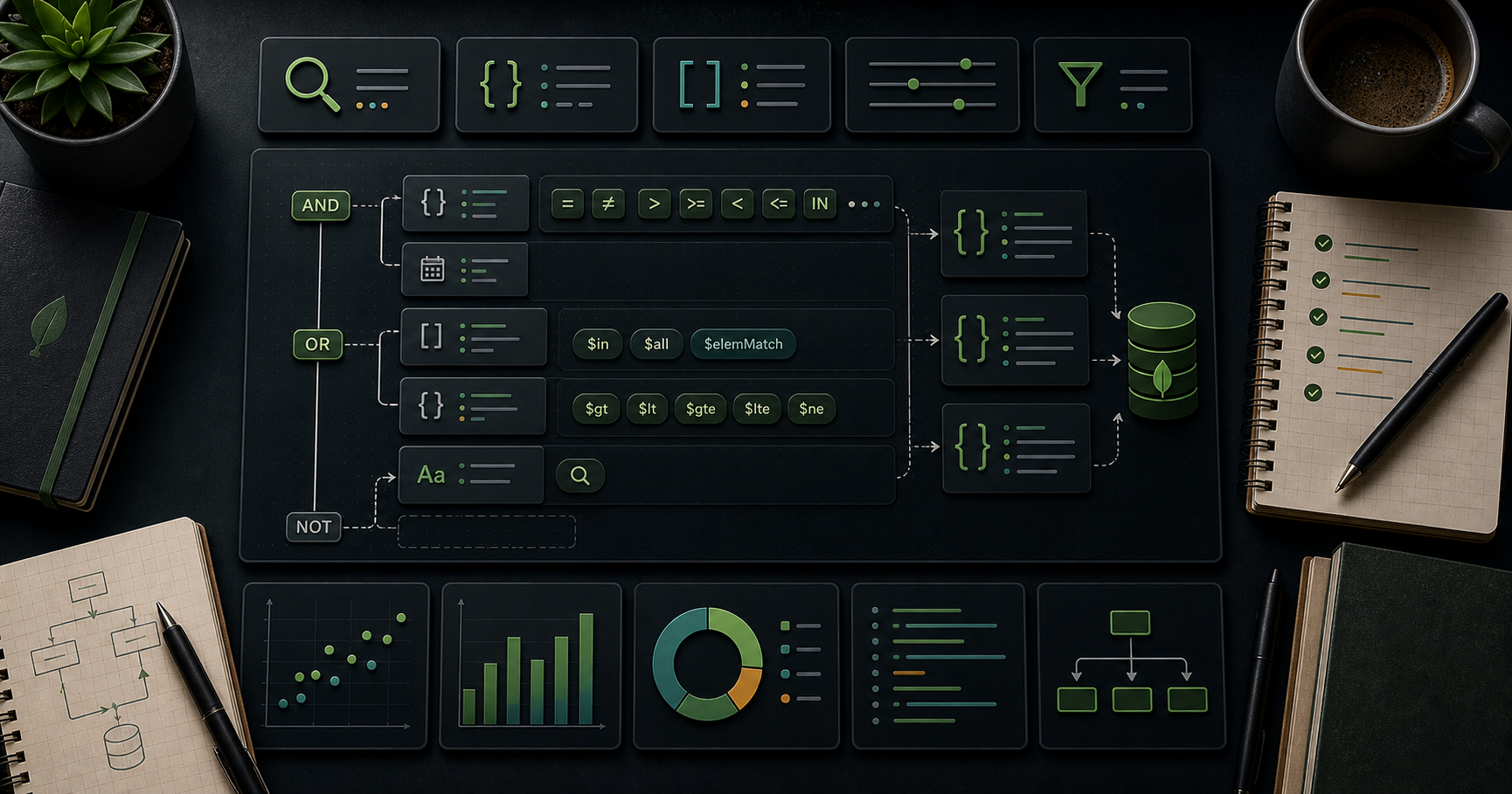
MongoDB Course — 02 · Query Operators, Projections, Range Pagination
The CRUD operations from Post 01 take a filter as the first argument. The filter is where MongoDB's query expressiveness lives — comparison, logical, element-existence, array, regex, full-text, and geospatial operators all compose into one JSON-like predicate. This post covers every operator family, projection extras (, , ), the right sort/limit/skip discipline, and the range pagination pattern that scales to millions of rows where collapses.
> Series map: 00 Foundations → 01 CRUD → 02 Query Operators (this post) → 03 Indexes → 04 Query Optimization → 05 Aggregation Basics → … → 17 Drivers & Case Studies.
Learning Outcome
- Use every comparison operator: , , , , , , , .- Combine with logical operators: , , , .- Use element operators: , .- Match arrays correctly: , , .- Use , , and for advanced predicates.- Use projection extras: , , the positional .- Paginate with range queries instead of at scale.
Chapter 1 — Comparison operators
| Operator | Meaning ||----------|---------|| | equals || | not equals || / | greater than / or equal || / | less than / or equal || | value in array of options || | value NOT in array |
Bare equality is the most common form:
Equality on arrays
Subtle and important. The first form is "contains"; the second is "exactly equals this array". Use (Chapter 4) for "contains all of".
Chapter 2 — Logical operators
| Operator | Form ||----------|------|| | (implicit when conditions are on different fields) || | || | (none match) || | (negate a sub-expression) |
Most simple AND queries don't need explicitly — multiple keys at the top level are AND-ed automatically:
Use explicit when you need multiple conditions on the same field:
Chapter 3 — Element operators
$exists
$type
Useful in legacy / dirty collections where a field might be a string in some docs, number in others.
Chapter 4 — Array operators
$all — contains all of these values
$size — array length exactly N
No / variants on . For "more than N elements" use an indexed counter field () updated alongside writes.
$elemMatch — match a single array element against multiple criteria
This one trips beginners. Consider:
"Find students with a single subject scoring math ≥ 70":
Use whenever multiple conditions must apply to the same array element.
Chapter 5 — Regex
| flag | Meaning ||-----------------|---------|| | case-insensitive || | multiline / || | matches newlines || | ignore whitespace + allow comments in pattern |
Index use
A left-anchored regex () can use a B-tree index on the field. Anything else does a scan within the index range or a full collection scan.
For substring + fuzzy + multi-language matching, prefer text indexes (next) or Atlas Search (Post 16).
Chapter 6 — Text search (built-in)
A text index enables queries:
Limits:
- One text index per collection.- No phrase scoring nuance, no language-aware stemming beyond a basic set.- No autocomplete / fuzzy out of the box.
For serious search → Atlas Search (Lucene-based, faceted, autocomplete, fuzzy, multi-language) — Post 16.
Chapter 7 — $expr (use aggregation expressions in queries)
lets you reference other fields in the same document or use aggregation operators inside a find filter:
Useful for cross-field predicates without a full aggregation pipeline. doesn't always use indexes the same way; check (Post 04).
Chapter 8 — Geospatial (overview)
Operators: , , , . Indexes: (spherical), (legacy planar).
Skip the deep dive unless your app needs it — full coverage in dedicated docs.
Chapter 9 — Projection extras
Include / exclude
You can't mix include + exclude except for .
in projection — return only matching array elements
in projection — return only N array elements
Positional in projection — first matched element
Chapter 10 — Sort, limit, skip — and what doesn't scale
For small offsets this is fine. Cost of : server scans N + limit documents in sort order, then discards the N. For N = 10,000 on a million-row collection that's painful even with an index.
Range pagination — the production pattern
Sort by a unique-enough field (often or a timestamp). Use the last seen value as a cursor for the next page.
Always O() per page — independent of how deep into the list you've gone.
For non-unique sort keys (multiple rows with the same ), tiebreak on :
With a compound index on , this stays O(limit).
> Trick: any "Load more" / infinite-scroll UI must use range pagination. Server-side render-time pagination (offset for SEO) tolerates only up to a few hundred items.
Chapter 11 — Hint, comment, maxTimeMS
surfaces in + the slow-query profiler — invaluable for tracking which app code issued a given query in production.
is a safety net against runaway queries. Always set it in user-facing paths.
Chapter 12 — Distinct, count
returns an array (max 16 MB BSON). For huge distinct sets, use the aggregation (Post 05).
Chapter 13 — Common pitfalls
| Symptom | Cause | Fix ||---------|-------|-----|| returns nothing | exact-array match | use (contains) or || slow on large collection | no index | Post 03 || Multi-condition array filter matches wrong docs | conditions applied independently | use || Regex full-scan | not left-anchored | anchor or use text/Atlas Search || painfully slow | offset cost | range pagination || slow despite indexes | each branch needs its own index | create one index per branch || returns sub-document with full fields | no projection | always project for big docs || App appears to ignore some results | iterating cursor twice | re-issue query or once |
Practice Exercises
Exercise 1 — Operator drill
Using the dataset, write find queries for:
a) Users aged 30-40 inclusive.b) Products costing under USD 10 OR over USD 50.c) Orders for users 1 or 2, status "paid".d) Users where the field doesn't exist.
<details><summary>Solutions</summary>
</details>
Exercise 2 — $elemMatch trap
Insert sample students from Chapter 4. Write the query for "students with math grade ≥ 70" both the WRONG and RIGHT way. Confirm they return different results.
Exercise 3 — Range pagination
Implement a function for orders that returns paid orders strictly older than , sorted desc by . Test with a Node script paging through 1000 synthetic orders.
Exercise 4 — Projection slim
all users, returning only , , and the first 2 elements of . No .
<details><summary>Solution</summary>
</details>
Exercise 5 — Regex anchored vs not
On a 100k-document collection (synthesise), measure vs execution time. Confirm only the first uses the index efficiently (preview of Post 04 ).
Exercise 6 — Text search
Build a text index over . Query . Sort by text score.
Cheat-sheet
| What | How ||------|-----|| Equals | || Range | || One of | || Multi-cond OR | || Field present | || Array contains x | || Array contains all | || Array elem multi-cond | || Array size N | || Regex (anchored, indexable) | || Cross-field compare | || Project include | || Project array slice | || Project matched array elem | (with matched filter) || Pagination at scale | range () not || Force index | || Tag for profiler | || Timeout safety | || Distinct | |
What's next
Post 03 covers indexes — single, compound, multikey, text, geo, partial, sparse, TTL, wildcard, hashed; the ESR rule (Equality, Sort, Range) for compound index ordering; index intersection; covered queries; and the output that ties everything together.
References
- Query and Projection Operators- Pagination patterns- Text Indexes- Geospatial Queries
> Note: this post is in progress. Planned additions: for query-time validation, collation deep dive, (and why to avoid it), Atlas Search vs .

MongoDB Course — 01 · CRUD Basics — Insert, Find, Update, Delete, Bulk
CRUD — Create, Read, Update, Delete — is the daily 95 % of MongoDB. This post covers every standard operation (), all the update operators (), the upsert pattern, and the write-concern + return-value behaviour you need to know to use them safely.
> Series map: 00 Foundations → 01 CRUD (this post) → 02 Query Operators → 03 Indexes → 04 Query Optimization → 05 Aggregation Basics → … → 17 Drivers & Case Studies.
Learning Outcome
- Insert single and many documents; understand generation.- Read with , (cursor), projection, sort, skip, limit.- Update with , , , , , , , , , , .- Use vs correctly.- Use upsert to "insert or update".- Delete safely with / .- Use for batched mixed operations.- Understand write concern (, , ) and return values.
Chapter 1 — Insert
insertOne
Auto-generated (ObjectId) is returned. Supply your own to override:
insertMany
By default is ordered — stops at the first error. Use to keep going + report all failures together (faster bulk loads):
Duplicate → error
Avoid by letting MongoDB generate , or use upsert (Chapter 5).
Chapter 2 — Find
findOne — first match
find — cursor over all matches
returns a cursor. In , it auto-iterates and prints. In code, materialise to an array:
Or iterate stream-style for large results:
Projection — pick fields
- = include; = exclude.- Cannot mix include + exclude in one projection except to exclude .- Default returns the whole document.
Sort, limit, skip
Chained on the cursor. Order applied during the server-side query.
> Watch out: walks N documents before discarding — costs O(N). For pagination beyond a few hundred rows, prefer range pagination () — covered in Post 02.
countDocuments + estimatedDocumentCount
For "how many total" use (instant). For "how many match X" use .
Chapter 3 — Update — the operators
Update operations take (filter, update document, options). The update document uses operators that mutate the matched documents.
$set — assign field values
Dot notation reaches into sub-documents. Missing intermediate fields are auto-created.
$unset — remove fields
The value passed to is ignored; convention is empty string.
$inc — increment numeric
Negative values decrement. Creates the field if absent (starts from the increment value).
$mul — multiply
$min / $max — only if better
Useful for high-water-mark tracking without a read-then-write race.
$rename — change field name
$set + array fields
For more powerful array updates, the dedicated array operators below.
Chapter 4 — Update — array operators
$push — append
Push multiple with :
Combined with , , :
$addToSet — push only if not present
Use when the array must contain unique values.
$pull — remove matching elements
$pullAll — remove specific values
$pop — remove first or last
Positional operators — and
Update the first matched element of an array:
Update all matched elements ():
Update matched by arrayFilters ():
Chapter 5 — Upsert (insert-or-update)
If the filter matches a document → updates it. If no match → inserts a new document combining the filter fields + update fields.
Use cases: idempotent upserts from a job; "first-seen / last-seen" tracking; counters per key.
Counter-per-key idiom:
Increments the counter; creates the document with if the key didn't exist.
> Trick: when upserting on a unique field, ensure there's a unique index on that field. Otherwise two simultaneous upserts can race and produce two documents.
Chapter 6 — updateOne vs updateMany vs replaceOne
| Operation | Filter matches | What it changes ||-----------|----------------|------------------|| | first match only | applies update operators || | all matches | applies update operators || | first match only | replaces the entire document (except ) || | first match | applies operators + returns the doc (before or after) || | first match | replaces + returns || | first match | deletes + returns |
is dangerous if you forget to include existing fields — they vanish. Prefer + unless you really mean "wipe and re-create".
returns the post-update version — common for atomic counters.
Chapter 7 — Delete
Returns:
There is no built-in undo. For safety:
- Use a "soft delete" pattern: instead of physical delete.- Or move to an "archive" collection first.- Backups (Post 14) save you when those fail.
These are irreversible. Use only in scripts you trust.
> Watch out: with the empty filter deletes everything in the collection. The shell prompts for confirmation; drivers don't. Always pass a real filter.
Chapter 8 — Bulk writes
batches mixed operations into one network round-trip — much faster than N separate calls.
(default) — stop on first error. — try all, report errors together.
Use for: data migrations, batch sync from another system, periodic clean-ups.
Driver-specific batching limits
- Single bulk op limited to 1000 operations / 16 MB BSON payload (server defaults). Larger batches split server-side automatically.- For huge loads, chunk into batches of 500-1000 yourself for memory predictability.
Chapter 9 — Write concern (w, j, wtimeout)
Every write has a write concern controlling how durable the acknowledgement is.
| Field | Meaning ||-------|---------|| | fire-and-forget — no ack || | primary acked the write (default for single-node) || | majority of replica-set voters acked (default in replica sets) || | exactly N members acked || | ack only after write is journaled to disk || | give up waiting for after this many ms |
Trade-off: stricter concern = safer + slower. is the production-correct default; the driver and Atlas pick it for you in replica sets.
Read concern (preview — full in Post 08)
| Read concern | When ||--------------|------|| | default — read from local memory; may see uncommitted-on-majority writes || | read only data acked by majority — survives elections || | strongest consistency; slow || | inside transactions |
Chapter 10 — Common pitfalls
| Symptom | Cause | Fix ||---------|-------|-----|| wiped half the fields | passed new doc without old fields | use + || Upsert created two duplicates under load | no unique index on filter | add unique index on the filter field || slow on big collection | full collection scan | add an index (Post 03); use a filter || matches nothing | looks like exact-array match, not contains-both | use : || Updates silently no-op | filter doesn't match | print and || Deleted production accidentally | typo | always pass a real filter; consider soft-delete || on huge array → slow / bloated doc | unbounded array growth | cap with ; or move to a child collection |
Practice Exercises
Exercise 1 — Insert + read
Reload the seed from Post 00 Exercise 3. Insert one new user with . Find users with age ≥ 30, projecting only name + age, sorted by age desc.
Exercise 2 — Atomic stock decrement
Write an update that decrements by 1 for only if (so it never goes negative).
<details><summary>Solution</summary>
</details>
Exercise 3 — Tag toggle
For user 1 (), add to her only if not already present, then remove .
<details><summary>Solution</summary>
</details>
Exercise 4 — Daily counter via upsert
Build a function that increments a per-day-per-event counter using upsert. Call it 100 times concurrently from a Node script.
Exercise 5 — Bulk migration
Use with to: insert 5 new users, increment by 1 for everyone over 30, delete users marked , in one call.
Exercise 6 — Soft delete
Replace your calls in any past exercise with . Then write a query that excludes soft-deleted docs.
Cheat-sheet
| What | How ||------|-----|| Insert one | || Insert many | || Find first | || Find all | || Project | || Sort / limit / skip | || Cursor stream | || Set fields | || Remove field | || Increment | || Append array | or || Append unique | || Remove array elements | || Pop first/last | / || Update positional | after match condition || Update by filter | + || Upsert | third arg || Replace entire doc | || Atomic return | || Soft delete | || Bulk | || Write concern | |
What's next
Post 02 covers query operators — , logical , , , , , , projection details, and the range pagination pattern that scales where doesn't.
References
- MongoDB docs — CRUD Operations- MongoDB docs — Update Operators- MongoDB docs — Bulk Write Operations- MongoDB docs — Write Concern
> Note: this post is in progress. Planned additions: for bitwise updates, , write-concern math for replica sets, JSON Schema validation tie-in.

MongoDB Course — 00 · Foundations, Document Model, Install, Tools
MongoDB is the most popular general-purpose document database. It stores JSON-like documents (BSON on disk), scales horizontally via sharding, and trades the rigid schema + joins of relational databases for flexible schemas, fast denormalised reads, and rich nested queries. This 18-post course covers it from "what is a document" through CRUD, indexes, aggregation, schema design, connection pools, transactions, replication, sharding, security, backups, performance, Atlas, drivers, and modelling case studies. Post 00 grounds the rest in the mental model + tooling every project reuses.
> Series map: 00 Foundations (this post) → 01 CRUD → 02 Query Operators → 03 Indexes → 04 Query Optimization → 05 Aggregation Basics → 06 Aggregation Advanced → 07 Schema Design → 08 Connection Pool & Concurrency → 09 Transactions → 10 Replica Sets → 11 Sharding → 12 Change Streams → 13 Security → 14 Backup & Ops → 15 Performance Deep → 16 Atlas Search + Vector + Triggers → 17 Drivers & Modelling Case Studies.
Learning Outcome
- Explain the document model and how it differs from relational.- Define database, collection, document, field, BSON.- Install MongoDB locally and connect with .- Connect to a free MongoDB Atlas cluster.- Use Compass (GUI) and the official driver landscape.- Recognise when MongoDB is the right (or wrong) tool.
Chapter 1 — What MongoDB is
Terminology
- MongoDB — distributed document database; open-source core + commercial Atlas service.- Document — a BSON object: ordered key-value pairs, nested arrays + sub-documents. Conceptually a JSON object with extra types (ObjectId, Date, Binary, Decimal128).- Collection — a group of documents (analogous to a SQL table; no enforced schema by default).- Database — a group of collections.- BSON — Binary JSON, the on-disk + on-wire format. Adds types JSON lacks (ObjectId, Date, Binary, etc.) and length-prefixes for fast traversal.- — every document has one. Auto-generated (12 bytes: timestamp + machine + pid + counter) unless you supply your own.- Replica set — a group of processes that maintain the same data; provides HA + read scaling.- Sharded cluster — multiple replica sets partitioned by a shard key; provides horizontal write scaling.
Document example
One document holds the user, their tags array, and a nested address — no joins, no separate tables.
Chapter 2 — Document vs relational mental model
| Relational | MongoDB ||------------|---------|| Database | Database || Table | Collection || Row | Document || Column | Field || Primary key | || Foreign key | Reference (manual or ) || Join | aggregation stage || Schema enforced by DDL | Optional schema validation () || Transactions | Multi-document transactions (since 4.0) || Index | Index (B-tree, hashed, text, geo, vector) |
The shift in thinking:
- Relational: normalise first, denormalise for performance.- Document: denormalise first (embed related data) for read locality; reference only when reuse + size dictate.
Post 07 (Schema Design) covers this decision deeply.
When MongoDB fits
- Document-shaped data (catalogue items, user profiles, content items).- High write throughput with sharding.- Flexible / evolving schema (early product, multi-tenant SaaS with per-tenant variation).- Geographic + full-text + vector queries on the same data.- Real-time change streams.
When MongoDB doesn't fit (consider alternatives)
- Heavy multi-row ACID transactions → Postgres / CockroachDB.- Complex relational reporting + ad-hoc joins → relational + warehouse.- Pure key-value at giant scale → Redis / DynamoDB.- Strict tabular columnar analytics → ClickHouse / BigQuery.
Chapter 3 — Versions in 2026
MongoDB ships major versions yearly; current as of 2026 is 8.x. LTS-friendly defaults:
| Version | Notable ||---------|---------|| 4.0 (2018) | multi-document transactions || 4.2 | sharded transactions, wildcard indexes || 5.0 | resharding, time-series collections, window functions || 6.0 | queryable encryption (preview), Atlas Vector Search foundations || 7.0 | queryable encryption GA, large change-stream events || 8.0+ | continued perf + TSL-era features |
For new projects in 2026, target 8.x (latest GA). Atlas Free Tier runs the current version automatically.
Chapter 4 — Install
Local — three paths
Docker (recommended for learning):
macOS:
Linux (Ubuntu):
Windows:
Use the official MSI from mongodb.com/try/download/community, or Docker Desktop.
Atlas (cloud, free tier)
1. Sign up at cloud.mongodb.com.2. Create an M0 free cluster (512 MB storage, shared, free forever).3. Add your IP to the access list.4. Create a database user.5. Copy the connection string ().
Atlas is faster to start than local for anything beyond toy demos and is where everything from Post 16 (Search + Vector + Triggers) lives.
Chapter 5 — mongosh (the shell)
is the modern JavaScript REPL replacing the legacy shell.
Inside:
The shell is a real JS environment — loops, , file I/O via . Tab-completion works on databases, collections, and operators.
> Trick: put your reusable shell helpers in . Sample:>
Chapter 6 — Compass (the GUI)
MongoDB Compass is the official desktop client. Useful for:
- Schema discovery — sample documents + auto-detect field types + distributions.- Visual query builder.- Aggregation pipeline editor with stage-by-stage preview.- Performance tab — explain + index hints.- Connection-string + Atlas integration.
Beginners learn faster with Compass open beside . Compass writes the same commands does — copy and paste between them.
Chapter 7 — Drivers (official languages)
| Language | Package | Notes ||----------|---------|-------|| Node.js | (official), (ODM) | most popular; Mongoose adds schemas + middleware || Python | (sync), (async) | both maintained by MongoDB Inc. || Java / Kotlin | / | enterprise default || C# / .NET | | first-class LINQ support || Go | | popular for backend services || Rust | (official) | async via tokio || PHP, Ruby, Swift, Scala, Perl | official drivers | maintained |
A connection string is identical across drivers; idioms differ. Post 17 contrasts the major drivers + Mongoose vs Prisma trade-offs.
Minimal Node.js connection
Chapter 8 — A 30-second sanity check
After install, connect and run:
If those four operations return what you expect, your install is correct and you're ready for Post 01.
Chapter 9 — Architecture in one diagram
For a sharded cluster:
Posts 10 (replica sets) and 11 (sharding) go deep. For learning, a single instance is plenty.
Chapter 10 — Conventions used in this course
- Examples use syntax (); the Node driver uses with the same arguments — easy mental swap.- All s shown as are illustrative; real ones are 24-character hex strings.- Sample dataset for many later posts: a database with , , collections. You can seed it with the snippet in Exercise 3.
Practice Exercises
Exercise 1 — Install + connect
Install MongoDB 8.x locally (Docker or native). Connect via . Run — confirms the server version.
Exercise 2 — Atlas free tier
Create an Atlas M0 cluster. Connect from with the SRV connection string. Run .
Exercise 3 — Seed the course dataset
This dataset reappears throughout the series.
Exercise 4 — Compass tour
Open Compass; connect to your local server. Browse . Click "Schema" tab — note the auto-detected types.
Exercise 5 — Node driver hello
Write a Node script that connects, inserts a document with timestamp, counts the collection, and disconnects.
Cheat-sheet
| What | How ||------|-----|| Document | JSON-like; BSON on disk; nested arrays + sub-docs || Collection | bag of documents, schema-flexible || Database | bag of collections || Primary key | (auto if not supplied) || Local install | || Atlas | free M0 at cloud.mongodb.com || Shell | || GUI | Compass || Driver pattern | → || When to use Mongo | flexible schema, doc shape, horizontal scale || When not to | strict relational, OLAP, pure key-value || Version target 2026 | 8.x |
What's next
Post 01 covers CRUD basics — every operation, with all the standard update operators (, , , , , , , ) and the upsert + write-concern patterns.
References
- MongoDB official docs — canonical reference.- MongoDB University — free courses.- The Little MongoDB Book — short open-source intro.- MongoDB: The Definitive Guide (Bradshaw / Brazil / Chodorow, O'Reilly).- BSON spec.
> Note: this post is in progress. Planned additions: ObjectId anatomy diagram, Atlas vs DocumentDB vs CosmosDB Mongo API comparison, server-side scripting risks ( deprecation), embedded-MongoDB for tests.

Violin Notes — 08 · Grade 8 Virtuoso Bowing, All Double Stops, Performance Polish
Grade 8 ABRSM violin is the diploma threshold. All major and minor scales in three or four octaves, double stops in 3rds / 6ths / 8ves / 10ths, the full vocabulary of bow techniques (martelé, ricochet, sautillé, flying staccato, col legno, jeté), and concerto / sonata repertoire approaching professional standard. Past Grade 8 lies DipABRSM and onward.
> Series map: 00 Beginner → 01 Grade 1 → … → 07 Grade 7 → 08 Grade 8 (this post — final in this series).
Learning Outcome
- Play all major and minor three-octave scales + arpeggios fluently.- Play scales in 3rds, 6ths, octaves, and 10ths in all common keys.- Use every bow technique in repertoire.- Apply expressive vibrato (variable speed + width) for musical effect.- Perform a complete concerto movement of significant length (8–15 minutes) from memory.- Read and interpret 20th-century notation (extended techniques, irregular metres).- Demonstrate stylistic understanding: Baroque, Classical, Romantic, Modern.
Chapter 1 — The full scale + double-stop arsenal
Three-octave scales: every key
By Grade 8 you must own all 12 major and all 12 minor (× 2 = harmonic + melodic) scales — three octaves each.
Practice rotation (4-week cycle)
| Week | Major keys | Minor keys ||------|------------|------------|| 1 | C, G, D, A, E | A, E, B, F♯, C♯ || 2 | B, F♯, C♯, D♭, A♭ | G♯, D♯, A♯, B♭, F || 3 | E♭, B♭, F | C, G, D || 4 | Review weakest 4 keys | Review weakest 4 keys |
15 minutes scales per day, rotating focus across the cycle.
Double stops at Grade 8
| Interval | Difficulty | Key example ||----------|------------|--------------|| 3rds | Moderate (Grade 6+) | G, D, A major || 6ths | Moderate | G, D, A major || Octaves | Hard | G, D major || 10ths | Very hard | Selected keys, single octave || Fingered octaves | Very hard | Heifetz scale system |
10ths require an enormous left-hand stretch (1st + 4th finger on adjacent strings, an octave and a third apart). Most adult learners take 1–2 years to play 10ths reliably.
> Trick: don't force 10ths into pieces if they're not in the syllabus. Practise as a stretch exercise (open-palm yoga for the violin hand). When the syllabus demands them, you'll already have the reach.
Chapter 2 — Virtuoso bowing toolkit
By Grade 8 every technique is in active use. Quick reference:
| Bowing | Description | Typical use ||--------|-------------|--------------|| Détaché | Smooth separate strokes | Most Classical/Romantic passages || Legato / slur | Connected, one bow | Lyrical lines || Staccato | Sharp short, on string | Articulated passages || Slurred staccato | Multiple stops, one direction | Long lines with articulation || Spiccato | Bow lifts between notes | Light, dancing passages || Sautillé | Very fast spiccato | Fast 16th-note passages || Ricochet | Multiple bounces per drop | Showpieces, cadenzas || Martelé | Hammered, percussive | Accents, dramatic openings || Flying staccato | Lifts each note, one direction | Showpieces || Col legno battuto | Tap with the bow stick | Modern repertoire, Mars (Holst) || Col legno tratto | Draw with the wood | Eerie effects, rare || Sul ponticello | Near the bridge | Glassy colour || Sul tasto | Over the fingerboard | Soft, dreamy colour || Pizzicato | Plucked | Common; Bartók pizz snaps string against fingerboard || Jeté | "Thrown" — multiple notes from a single bounce-then-draw | Showpieces || Tremolo | Rapid bow oscillation on one note | Suspense, orchestral effect |
A piece using nearly all of them
Sarasate Zigeunerweisen uses détaché, legato, spiccato, sautillé, ricochet, harmonics, pizzicato, and flying staccato in one 9-minute work. Reference repertoire for technique synthesis.
Chapter 3 — Vibrato as expression
By Grade 8, vibrato is not "on" or "off" — it's a continuous parameter.
The four vibrato variables
1. Width — narrow (subtle warmth) vs wide (passionate Romantic).2. Speed — slow (sustained nobility) vs fast (intense, virtuoso fire).3. Continuous vs delayed — start the vibrato instantly, or let the note begin straight then add vibrato.4. Pulse — strict steady vibrato vs phrased vibrato (slows and speeds with the phrase).
Vibrato style per period
| Period | Vibrato preference ||--------|---------------------|| Baroque | Sparse, narrow, often as ornament (varies by historical performance practice) || Classical | Selective; on long notes mostly || Romantic | Continuous, wide, warm || 20th-c / Modern | Variable; sometimes deliberately senza vibrato || Folk / world | Narrow, fast, intermittent |
> Trick: listen to one violinist play the same piece from different periods (e.g., Hilary Hahn plays both Bach and Tchaikovsky). Notice how her vibrato choice changes. Internalise the period-appropriate sound by daily listening.
Chapter 4 — 20th-century notation
Grade 8 introduces:
Irregular metres
5/4, 7/8, 11/16. Count subdivisions:
Listen: Holst Mars (5/4), Stravinsky Rite of Spring (constantly shifting metres).
Extended techniques (notation symbols)
| Symbol | Technique ||--------|-----------|| Diamond note | Natural or artificial harmonic || Open circle above note | Natural harmonic || "+" above note | Left-hand pizzicato (pluck with left finger) || "Bartók pizz" symbol | Snap pluck (string against fingerboard) || Wavy line above note | Trill || ↑ ↓ arrows | Glissando direction || Box around staff | Aleatoric (player chooses) |
Atonal pitch language
Some Grade 8 repertoire abandons traditional key signatures. Read by intervals, not by key. Practise by sight-reading short atonal exercises (Bartók Mikrokosmos arranged for violin, etc.).
Chapter 5 — Suggested Performance Repertoire
Concerto choices (Grade 8 level — pick one to focus 6 months)
| Concerto | Composer | Style ||----------|----------|-------|| Mozart Concerto No. 3, 4, or 5 | Mozart | Classical balance || Bruch Concerto No. 1 in G minor | Bruch | Romantic favourite || Saint-Saëns Concerto No. 3 in B minor | Saint-Saëns | French Romantic || Mendelssohn Concerto in E minor | Mendelssohn | The "standard" Romantic || Lalo Symphonie Espagnole | Lalo | Spanish-flavoured concerto |
Sonata choices
| Sonata | Composer | Style ||--------|----------|-------|| Bach Sonatas Nos. 1–3 (unaccompanied) | Bach | Baroque solo || Beethoven Spring Sonata Op. 24 | Beethoven | Classical/early Romantic || Brahms Sonatas 1, 2, 3 | Brahms | German Romantic || Franck Sonata in A | Franck | Late Romantic French |
Showpieces (encore-level virtuoso)
| Piece | Composer | What it tests ||-------|----------|---------------|| Zigeunerweisen | Sarasate | Every bowing technique || Tzigane | Ravel | Harmonics, modal language || Praeludium and Allegro | Kreisler | Pseudo-Baroque style || Caprices (selected) | Paganini | Each caprice = one virtuoso problem || Méditation from Thaïs | Massenet | Lyrical depth + vibrato |
Études at Grade 8
- Rode 24 Caprices.- Dont Op. 35 — major reference.- Paganini 24 Caprices — start Nos. 5, 9, 13.- Wieniawski L'École Moderne Op. 10.
Chapter 6 — Performance polish
Grade 8 exams test interpretation, not just technique.
Programme planning (typical Grade 8 recital)
| Slot | Choice | Length ||------|--------|--------|| 1 | Baroque (Bach, Handel) | 5–8 min || 2 | Classical / early Romantic (Mozart, Beethoven) | 8–12 min || 3 | Late Romantic / Modern (Brahms, Ravel, Bartók) | 5–10 min || 4 | Virtuoso showpiece | 4–8 min |
Variety across periods is graded.
Stage presentation
- Tuning ritual: walk onstage, tune visibly, take a breath, begin.- Eye contact with pianist (if accompanied) before nodding to start.- Bow direction visible to audience.- Recovery: if you make a mistake, don't react. Continue. Audience usually misses small errors.
Stage anxiety management
- Daily mock performance for 30 days before exam. Play full programme top-to-bottom every day.- Performance-day routine: same warm-up, same meal timing, same clothing dress rehearsal.- Breathing: 4 seconds in, 6 seconds out, before walking onstage. Lowers heart rate.- Visualisation: mentally walk through the recital from arrival to bow, daily for 2 weeks before exam.
> Where I got stuck: I prepared technically but didn't rehearse the experience of performing. First exam: hands shook on the bow. Fix: 4 weeks of daily mock recitals — in front of family, friends, even an empty room with a recording running. By exam day, the room was less intimidating because I'd "performed" 30 times already.
Chapter 7 — Stylistic understanding
Grade 8 exams ask: Why is this Baroque ornament played this way? You should know:
Baroque (1600–1750)
- Trills start on upper note, on the beat.- Less vibrato; vibrato as occasional ornament.- Strong terraced dynamics (sudden f to p, not gradual).- Rubato sparingly; mostly steady tempo.- Détaché with subtle weight changes for phrase shape.
Classical (1750–1820)
- Balanced phrases, clear structure.- Vibrato on long notes only.- Dynamic gradients (cresc, dim) more frequent.- Détaché with elegance; spiccato light.
Romantic (1820–1900)
- Vibrato continuous.- Wide dynamic range; rubato substantial.- Long lyrical lines.- Full use of register; expressive shifts welcomed.
Modern (1900+)
- Technique-heavy.- May use extended techniques.- Senza vibrato on certain passages.- Irregular metres + atonal pitch language possible.
How to internalise style
Listen to one piece per period weekly, with score in hand. Mark performance choices (vibrato, rubato, bowing). Compare across recordings. Over a year, style sensitivity becomes second nature.
Chapter 8 — Aural / Listening Skills
Grade 8 aural is extensive:
- Sing/play 8-bar phrases with modulations and chromatic notes after 1–2 hearings.- Identify period + style at sight/sound.- Identify formal structure (sonata-allegro, rondo, theme + variations).- Identify modulations to distant + enharmonic keys.- Identify orchestral textures (homophonic, polyphonic, monophonic).- Sight-sing complex 8-bar phrases with modulation + chromaticism.
Daily preparation
15 minutes ear training daily for 3 months before exam. Use Tonal Energy, Functional Ear Trainer, or Teoria.com drills. Mix:- Intervals (target: 1 sec recognition)- Chord qualities (target: 2 sec recognition)- Modulation type (target: 5 sec recognition)- Period style (target: 10 sec from short clip)
Chapter 9 — Beyond Grade 8: the diploma path
After Grade 8, the ABRSM diploma path:
| Diploma | Level | Requirements ||---------|-------|--------------|| ARSM | Performance diploma | 30-min recital, professional standard || DipABRSM | Performance / Teaching | 35-min recital + viva / pedagogy paper || LRSM | Licentiate | 50-min recital + extensive theory || FRSM | Fellowship | Concert-artist level |
Most adult learners stop at Grade 8 or ARSM. The leap to DipABRSM and beyond is substantial — concerto level reaches Tchaikovsky / Brahms / Sibelius standards, with full memorisation and stylistic mastery.
Useful Shortcut
Cheat-sheet
| What | How ||------|-----|| All scales | 3-octave + arpeggio + dom 7 + dim 7 || Double stops | 3rds + 6ths + 8ves + 10ths || Full bow vocabulary | Every technique in active use || Vibrato | Variable: width × speed × delay × pulse || Memorisation | Section + mental + random-start drill || Period style | Listen weekly; mark interpretive choices || Performance | 30-day mock recital before exam || Beyond Grade 8 | ARSM → DipABRSM → LRSM → FRSM |
Daily routine (150 min)
| Block | Time | Content ||-------|------|---------|| Tune | 3 min | Tuner + 5ths || Bow warm-up | 12 min | Full vocabulary cycle (8 bowings) || Vibrato | 5 min | Variable width/speed on slow scale || Scales (single notes) | 15 min | Rotating 3-octave + arpeggios + dom 7 || Scales (double stops) | 20 min | 3rds + 6ths + 8ves + (10ths) || Étude | 20 min | Rode / Dont / Paganini || Sight-read | 10 min | 32-bar passage, atonal or modal mix || Repertoire 1 | 30 min | Main concerto movement || Repertoire 2 | 20 min | Sonata movement or showpiece || Memory + mental | 10 min | Mental walkthrough + random-start || Cool-down | 5 min | Slow scale, listen, release tension |
Suggested listening (context)
Listen across periods. Each weekly listening:
| Period | Reference recording ||--------|---------------------|| Baroque | Hilary Hahn — Bach Sonatas & Partitas || Classical | Anne-Sophie Mutter — Mozart Violin Concertos || Romantic | Itzhak Perlman — Tchaikovsky / Brahms / Mendelssohn Concertos || 20th-c | Maxim Vengerov — Shostakovich Concerto No. 1 || Virtuoso | Salvatore Accardo — Paganini 24 Caprices || Modern | Patricia Kopatchinskaja — Bartók / Ligeti |
> Trick: every great violinist has a different sound. By Grade 8 you should start to hear "this is Hahn vs this is Mutter vs this is Perlman" within 5 seconds of a clip. That auditory sensitivity is what informs your own interpretive choices.
Closing — the journey from Grade 1
Looking back across this series:
- Grades 1–2: getting the hands to work at all.- Grades 3–4: first shift, first concerto, first real expression.- Grade 5: the bottleneck (vibrato + theory paper).- Grades 6–7: double stops, advanced bowings, full repertoire.- Grade 8: synthesis — every technique in service of musical interpretation.
Grade 8 isn't an endpoint; it's a license to start the real study — the chamber music, the recital tours, the deeper Bach partitas, the modern works. Many adult learners find Grade 8 is where the violin finally feels like a voice rather than a project.
> Final trick: keep listening. Daily, lifelong. Every great violinist I admire spends more time listening than playing. Hearing shapes the hand. Hearing shapes the bow. Hearing makes you a musician — not just a violinist.
References
- ABRSM (current). Violin Exam Pieces — Grade 8.- Carl Flesch, Scale System for Violin (complete).- Heifetz, Heifetz Scale Book.- Galamian, Contemporary Violin Technique.- Simon Fischer, The Violin Lesson, Practice, Tone.- Paganini, 24 Caprices Op. 1.- Rode, 24 Caprices.- Dont, Op. 35.- IMSLP — Bach Sonatas & Partitas, Mozart concertos, Mendelssohn, Bruch, Lalo, Saint-Saëns, Brahms, Franck.
> Note: this post — and this series — is in progress. Planned additions: full diploma-path post; concerto comparison post (Mendelssohn vs Bruch vs Mozart 3); 10ths practice diagram; period-style listening playlist.
Violin Notes — 07 · Grade 7 All Positions, Harmonics, Advanced Bowing
Grade 7 ABRSM violin is conservatory-entry territory. Every position from half to 8th is required, three-octave scales in all major and minor keys, harmonics (natural and artificial), more double-stop intervals (4ths, octaves), and the bow technique vocabulary expands to martelé, ricochet, sautillé. Repertoire is full Romantic concertos and Bach solo suite movements.
> Series map: 00 Beginner → 01 Grade 1 → … → 06 Grade 6 → 07 Grade 7 (this post) → 08 Grade 8.
Learning Outcome
- Play all major and minor scales (three-octave + harmonic & melodic minor).- Use all positions half through 8th in repertoire.- Play natural harmonics and introduce artificial harmonics.- Use martelé ("hammered"), ricochet ("thrown bow"), sautillé (fast spiccato).- Play octaves as double stops in selected keys.- Identify modulations to remote keys; understand modal music.- Perform a complete Romantic concerto movement.
Chapter 1 — Harmonics: the bell-like tones
A harmonic is a high, pure, bell-like tone produced by lightly touching the string at specific nodes (rather than pressing down).
Natural harmonics
Found at division points of the open string:
| Touch point on string | Resulting harmonic | Pitch ||-----------------------|--------------------|-------|| 1/2 (octave node) | 1st overtone | Open string + octave || 1/3 node | 2nd overtone | Octave + 5th || 1/4 node | 3rd overtone | Two octaves above open || 1/5 node | 4th overtone | Two octaves + maj 3rd |
The 1/2 node on the A string is found by lightly touching with your 4th finger at the position where the 4th finger would normally play A5 (one octave above open A). The sound: a soft, ringing high A — an octave higher than expected.
> Trick: harmonics need almost no finger pressure — just a feather touch. If you press, you get a muted scratchy note. If you brush, you get the pure overtone. Practise the touch on open A: bow long stroke, feather-touch where the 3rd finger sits in 1st position. The ringing high A (two octaves up) appears almost magically.
Artificial harmonics
Press one finger firmly (the "stopping finger") and touch with another finger a 4th higher (the "harmonic finger"). The pitch produced is two octaves above the stopped pitch.
Notation: diamond-shape note head for the touched note, plus regular note for the stopped note.
Used famously in: Tchaikovsky Violin Concerto, Paganini Caprices, Ravel Tzigane.
Chapter 2 — All positions: fluency target
By Grade 7, you've learned half, 1st, 2nd, 3rd, 4th, 5th, 6th, 7th positions. Now: 8th position and fluency across all of them.
8th position
On the A string: 1=B5, 2=C♯6, 3=D6, 4=E6 (right at the top of the violin's standard range for most pieces).
The left hand pivots: thumb shifts to a different angle, hand approaches the bridge.
The fluency goal
You should be able to:1. Shift to any position without looking.2. Find the correct first finger pitch within a quarter-tone, on the first try.3. Choose appropriate position for expression (tone colour) — not just to reach a note.
> Trick: practise a single piece entirely in 1st position, then again entirely in 3rd, then entirely in 5th (skipping notes you can't reach). The same melody in different positions sounds different — different string vibrations, different timbre. Pick the position that suits the music.
Position landmarks (physical)
| Position | Hand landmark ||----------|---------------|| 1st | Index touches the neck near the nut || 3rd | Thumb at the curve of the neck || 5th | Hand at the neck-body joint || 7th | Hand over the body curve || 8th+ | Thumb leaves the neck, sits on the shoulder of the violin |
Chapter 3 — Advanced bowings
Martelé ("hammered")
A short, percussive stroke with a strong attack and a dead stop. Bow pressure increased before the stroke begins, released through the stroke, stops abruptly.
Used for: marching feel, accented passages, opening of dramatic phrases.
Ricochet ("rebound, thrown")
Multiple notes from a single thrown bow. The bow is dropped from above, bounces 2–4 times naturally, lifted before it stops.
Used in: Mendelssohn Concerto last movement, Paganini Caprices, Sarasate showpieces.
Sautillé ("springing")
Very fast spiccato — so fast that the bow no longer fully lifts off; the wood "springs" rapidly. Played in the middle of the bow with a loose grip.
Used in: Vivaldi Four Seasons (Summer storm), Beethoven Concerto 1st mvt, Mendelssohn Concerto 1st mvt.
> Where I got stuck: I couldn't transition from spiccato to sautillé. The hand wanted to "control" each bounce. Fix: extreme tempo experiment. Start a tremolo (very fast back-and-forth on one note). Gradually add finger changes. The wrist learns the bouncing speed first, then the fingers add pitches.
Chapter 4 — Octave double stops
Two notes an octave apart, played simultaneously. Fingering: 1st finger on lower string + 4th finger on the next string up (e.g., 1 on G + 4 on D for an octave).
Octaves require:- 1st and 4th fingers to be exactly in tune with each other.- 3rd and 4th fingers stretched apart maximally.
Practice
Slow tuner work. Tune 1st finger first; freeze it. Add 4th finger; adjust until the octave rings (no beats). Then bow the double stop.
Practise on every string pair: G+D, D+A, A+E.
> Trick: octaves are the second-hardest interval to tune (after major 7ths). Beats are very audible; an octave that's even slightly off sounds painful. Practise daily for 5 minutes. Octave fluency takes 6 months minimum.
Chapter 5 — Modulations to remote keys
Grade 7 introduces modulation analysis to:
- Distant keys (e.g., C major → E major; 4 sharps' difference)- Modal music (Dorian, Phrygian, Mixolydian, Lydian)
Modal recognition
| Mode | Built on (C major scale) | Sound ||------|--------------------------|-------|| Ionian | C — C | Major (familiar) || Dorian | D — D | Minor with raised 6 || Phrygian | E — E | Minor with lowered 2 (Spanish/Flamenco) || Lydian | F — F | Major with raised 4 (dreamy) || Mixolydian | G — G | Major with lowered 7 (folk/rock) || Aeolian | A — A | Natural minor || Locrian | B — B | Diminished, rare |
> Trick: listen to Bartók Romanian Folk Dances, Bach modal cantatas, Debussy. Modal music sounds "neither major nor minor". Train the ear to spot the characteristic interval that defines each mode (Dorian's raised 6, Phrygian's lowered 2, etc.).
Chapter 6 — Suggested Practice Pieces
Suzuki Vol. 7 staples
| Piece | Composer | Why ||-------|----------|-----|| Sonata No. 3 in F major | Handel | Full Baroque sonata, four movements || Courante (Partita 3) | Bach | Bach solo, foundational || Gigue (Partita 3) | Bach | Compound rhythm, Bach mastery || Concerto in G minor | Bach (BWV 1056 arr.) | Bach concerto level |
ABRSM Grade 7 alternatives
| Piece | Composer | Why ||-------|----------|-----|| Concerto No. 4 in D, 1st mvt | Mozart | Standard Mozart concerto || Concerto in E minor, 1st mvt | Mendelssohn | The Romantic concerto every violinist plays || Méditation (full) | Massenet | Vibrato + harmonic showcase || Romance in G | Beethoven | Mature Beethoven || Sonata in A | César Franck (excerpts) | Late Romantic chamber || Praeludium and Allegro | Kreisler | Style showpiece |
Étude staples
- Kreutzer — Nos. 12, 18, 30, 42 (the "famous" ones).- Dont Op. 35 — opening.- Rode 24 Caprices — first few.
Chapter 7 — Memorisation strategy
By Grade 7, you should perform from memory. Strategy:
1. Analyse the structure first. Break the piece into sections (A-B-A, exposition-development-recap, theme + variations, etc.). Label each section.2. Memorise section by section — not start-to-finish.3. Memorise the hardest section first. Mental energy is highest at the start of practice; spend it on the toughest bars.4. Practise from any starting point. Open the score randomly; you should be able to start there from memory. This builds resilience for performance anxiety.5. Mental practice. Without the violin, mentally walk through the piece — every shift, every bow direction, every fingering. 10 minutes a day. Increases memory reliability dramatically.6. Slow performance practice. Once memorised, play the whole piece at 60% tempo from memory. Catches weak spots.
> Where I got stuck: I memorised by repetition only — fingers learned the piece, but my brain didn't. Under stress (an audition), my fingers blanked. Fix: 10 minutes of mental practice daily. It feels useless at first, but after a month, memory failure rate dropped 80%.
Chapter 8 — Aural / Listening Skills
Grade 7 aural:
- Sing/play 8-bar phrases with modulations after 2 hearings.- Identify modes (Dorian, Phrygian, etc.).- Identify chord progressions with non-diatonic chords.- Sight-sing 8-bar with modulation.- Identify period (Baroque / Classical / Romantic / 20th-c) by style.
Chapter 9 — Common Grade 7 Pitfalls
| Pitfall | Fix ||---------|-----|| Harmonics fail (muted instead of ringing) | Even lighter touch; check string is at exact node || Octaves out of tune | 5 min daily tuner work; tune one finger, freeze, add other || Ricochet uneven bouncing | Find balance point on bow; relax wrist; experiment with drop angle || Sautillé loses speed mid-passage | Increase metronome gradually over weeks; loose grip || Memorisation fails in performance | Mental practice daily; random-start-point drill || Mode identification wrong | Listen to canonical examples; sing the characteristic interval || Bach Partita feels mechanical | Listen to Hahn, Mutter, Heifetz versions; absorb style |
Useful Shortcut
Cheat-sheet
| What | How ||------|-----|| Natural harmonic | Light touch at node points (1/2, 1/3, 1/4, 1/5 of string) || Artificial harmonic | Press 1, touch 4 a 4th above; sound = 2 octaves above press || 8th position | Thumb leaves neck, hand near bridge || Martelé | Pressure build → stroke → stop || Ricochet | Drop bow, natural bounces, lift || Sautillé | Very fast spiccato, middle bow, loose grip || Octaves | 1 lower + 4 upper, exact tune || Modes | Each starts on different scale degree of major || Memory strategy | Section-by-section + mental practice + random-start |
Daily routine (120 min)
| Block | Time | Content ||-------|------|---------|| Tune | 3 min | Tuner + 5ths || Bow warm-up | 10 min | Long bows + spiccato + ricochet + sautillé drills || Vibrato + tone | 5 min | Vibrato variety (slow / medium / fast) || Scales (single notes) | 15 min | 2 three-octave + 2 minor (har + mel) || Scales (double stops) | 15 min | 3rds + 6ths + octaves || Chromatic + harmonics | 5 min | Chromatic up + harmonic drill || Étude | 15 min | Kreutzer / Rode || Sight-read | 5 min | New 24-bar passage || Repertoire | 35 min | Full concerto movement, slow + tempo || Memory work | 7 min | Mental practice + random-start drill || Cool-down | 5 min | Slow scale, listen to tone |
Suggested listening (context)
| Piece | Performer | Why ||-------|-----------|-----|| Mendelssohn Violin Concerto in E minor | Anne-Sophie Mutter | The Romantic concerto bar || Bach Partita No. 3 in E major | Hilary Hahn | Bach Partita reference || Tchaikovsky Violin Concerto | Hahn | Adult repertoire || Brahms Violin Concerto | Mutter | German Romantic || Ravel — Tzigane | Sarah Chang | Showcase for harmonics + every advanced technique || Paganini — Caprices Nos. 5, 24 | Salvatore Accardo | Aspirational pinnacle |
References
- ABRSM (current). Violin Exam Pieces — Grade 7.- Suzuki, S. Suzuki Violin School, Vol. 7.- Carl Flesch, Scale System.- Kreutzer 42 Études, Dont Op. 35, Rode 24 Caprices.- Simon Fischer, Tone and Practice.- Galamian, Contemporary Violin Technique.- IMSLP — Bach Sonatas & Partitas, Mendelssohn, Mozart concertos.
> Note: this post is in progress. Planned additions: harmonic diagram (string nodes); ricochet/sautillé video reference; modal listening clips per mode.

C++ Course — 02 · Pointers, Arrays, Memory, and RAII
This is the post that makes C++ either click or terrify. Pointers, raw arrays, /, and the RAII idiom together define what makes C++ different from Java, Python, or C#. Get through this chapter and you understand why every modern C++ guide says "prefer references and smart pointers" — because you'll have felt the sharp corners of doing it the raw way.
> Series map: 00 Setup → 01 Syntax & Types → 02 Pointers & Memory (this post) → 03 Classes & OOP → 04 Templates & STL → 05 Modern C++ → (future).
Learning Outcome
- Understand what a pointer is and how it differs from a reference.- Use (address-of) and (dereference) operators.- Use C-style arrays — and know when not to.- Allocate + free heap memory with / .- Recognise and avoid: dangling pointers, double-free, memory leaks, buffer overruns.- Understand the RAII (Resource Acquisition Is Initialization) idiom.- See why smart pointers (Post 05) are the modern fix.
Chapter 1 — What a pointer is
Terminology
- Pointer — a variable whose value is the memory address of another variable.- Dereference — read the value at the address ().- Null pointer — a pointer that points to "nothing"; comparisons against test this.- Dangling pointer — a pointer to memory that's been freed or gone out of scope. Reading it = undefined behaviour.
Declaration and dereference
Read as "pointer to int". The after the type is part of the type. The before the variable name is the dereference operator.
Null pointer
Always initialise pointers. Either give them a real address or .
> Where I got stuck: my first month of C++ I declared and immediately did . Garbage address → memory access violation → crash. Always either initialise from a real variable's , set to , or use .
Chapter 2 — Pointer vs reference
| | Pointer () | Reference () ||---|---|---|| Must initialise | No (but should) | Yes || Can be null | Yes () | No || Can be reassigned to point elsewhere | Yes | No (fixed at init) || Syntax to access | to read, for members | Just || Use in function param when | Optional, may be null | Always present |
Rule of thumb: use references when the argument is always present; use pointers when "no argument" is meaningful or the binding might change.
Chapter 3 — C-style arrays
C-style arrays decay to pointers when passed to functions:
This is the classic C foot-gun. The array's size is lost; you must pass it separately. Forget once → buffer overrun → security CVE.
Modern fix: use or
Both know their size, support range-for, and refuse to decay. Use these in 100% of new code. Save C arrays for embedded / no-std contexts.
Chapter 4 — new and delete
allocates memory on the heap (large, freely-sized, manually freed). releases it.
Single object
Array
Mismatch is undefined behaviour: ↔ , ↔ . Don't cross them.
What goes wrong
These three bugs — double-free, leak, dangling — define why manual memory management is the hardest part of C++.
> Trick: in modern C++ you rarely write and directly. You use smart pointers (, — Post 05) and let the type system free things automatically. This chapter is here so you understand what the smart pointers are doing for you.
Chapter 5 — Stack vs heap
| Memory area | Allocation | Lifetime | Speed | When ||-------------|------------|----------|-------|------|| Stack | Automatic on function entry | Until function returns | Very fast (microseconds) | Small, fixed-size, function-scoped || Heap | Manual () / smart pointer | Until you free it | Slower (allocator overhead) | Large, dynamic, or longer-lived |
Stack size is limited (1–8 MB usually). Huge arrays must go on the heap.
Chapter 6 — Pointer arithmetic + arrays + strings
C-strings are to a null-terminated character array:
In modern code, use and (C++17). C-strings are kept for compatibility with C APIs.
Chapter 7 — RAII (the C++ idiom)
Resource Acquisition Is Initialisation = tie a resource's lifetime to an object. The constructor acquires, the destructor releases. When the object goes out of scope, cleanup is automatic.
Why it matters
is an RAII wrapper around a file handle. The destructor closes the file no matter how the function returns (normal, early return, exception thrown).
The pattern in your own classes
> Trick: every C++ class that owns a raw resource (memory, file, lock, socket) should follow the Rule of Three / Five / Zero:> - If you write a custom destructor, you probably also need copy constructor + copy assignment.> - C++11 adds move constructor + move assignment (Five total).> - If you can avoid all five by using smart pointers and containers (the Rule of Zero) — do.
Chapter 8 — Smart pointer preview
Modern C++ provides smart pointers that own heap memory and free it automatically. We cover them fully in Post 05; here's a preview:
Rule: never write or in new code unless you have a specific reason. Use / .
Practice Exercises
Exercise 1 — Pointer swap
Write that swaps the values via pointers.
<details><summary>Solution</summary>
</details>
Exercise 2 — Sum of an array
Write that returns the sum.
<details><summary>Solution</summary>
</details>
Exercise 3 — Modernise it
Rewrite Exercise 2 to take instead of pointer + size.
<details><summary>Solution</summary>
</details>
Exercise 4 — Find a memory leak
The code below leaks. Identify where, and fix it (a) with explicit , then (b) with .
<details><summary>Solution</summary>
(a) Add before the early . Annoying — easy to miss.
(b) Use :
</details>
Exercise 5 — Linked list node
Define a and write a function to print all values in a chain (terminated by in ).
Cheat-sheet
| What | How ||------|-----|| Declare pointer | || Address of | || Dereference | || Null | || Allocate one | || Free one | || Allocate array | || Free array | || Member via pointer | || Member via reference | || Modern array | or || Modern owning ptr | || Pointer to const | || Const pointer | || RAII rule | Constructor acquires, destructor releases || Rule of Zero | Use smart pointers + containers, write no copy/move/dtor |
What's next
Post 03 covers classes and OOP: constructors, destructors, inheritance, virtual functions, polymorphism, and the access specifiers (//).
References
- cppreference / language / pointers- A Tour of C++ — Ch. 3 (Modularity).- Effective Modern C++ — Items 18–22 (smart pointers).- C++ Core Guidelines — F.7, R.10, R.11.
> Note: this post is in progress. Planned additions: visual stack/heap diagrams; sanitizer flags (); pointer-to-pointer use cases.
C++ Course — 01 · Syntax, Types, References, and Control Flow
This post covers the syntactic spine of C++: primitive types, variable declaration, , references, operators, control flow, and the first taste of functions. C++ is statically typed — every variable's type is fixed at compile time — which forces you to think about representation up front. The payoff: huge classes of bugs caught before your program runs.
> Series map: 00 Setup → 01 Syntax & Types (this post) → 02 Pointers & Memory → 03 Classes & OOP → 04 Templates & STL → 05 Modern C++ → (future).
Learning Outcome
- Declare and initialise variables of every primitive type.- Use , , and references correctly.- Use arithmetic, comparison, logical, and bitwise operators.- Write /, , , , , and range-based .- Understand integer overflow, type promotion, and narrowing.- Define and call simple functions; understand pass-by-value vs pass-by-reference.
Chapter 1 — Primitive types
Terminology
- Type — describes the size + interpretation of a value (e.g., 32-bit signed integer).- Variable — a typed, named memory location.- Declaration — introduces a name + type ().- Initialisation — gives it a value at the point of declaration ().- Definition — a declaration that allocates storage.
Common types
| Type | Size (typical) | Range ||------|----------------|-------|| | 1 byte | / || | 1 byte | signed -128..127 (impl-defined) || | 1 byte | 0..255 || | 2 bytes | -32,768..32,767 || | 4 bytes | ±2.1 × 10⁹ || | 4 bytes | 0..4.29 × 10⁹ || | 4 or 8 bytes | impl-defined || | 8 bytes | ±9.2 × 10¹⁸ || | 4 bytes | ±3.4 × 10³⁸ (≈7 decimal digits) || | 8 bytes | ±1.8 × 10³⁰⁸ (≈15 decimal digits) || | ≥8 bytes | impl-defined || | impl-defined | the type of |
For portable fixed-width integers, use :
Use / for code that crosses platforms (file formats, network protocols).
Chapter 2 — Variable declaration and initialisation
Why prefer ?
Braced initialisation rejects narrowing conversions at compile time:
This catches the kind of bugs that ruin nights. Use everywhere modern compilers allow it.
— let the compiler deduce
is great when:- The type is obvious from the right side.- The type is long (iterators, lambdas, template instantiations).
Don't use for everything — sometimes spelling out the type makes intent clearer.
Chapter 3 — and
Once declared , the variable cannot be reassigned. Use aggressively — it documents intent and lets the compiler optimise.
(compile-time constant)
is evaluated during compilation. Use for sizes, mathematical constants, lookup tables.
> Trick: default to for any variable you don't actively change after initialisation. It costs nothing and prevents accidental mutation.
Chapter 4 — References (first taste)
A reference is an alias for another variable.
Key facts about references:- Must be initialised at declaration — no "uninitialised reference".- Cannot be re-seated to another variable.- Always refer to a valid object (unlike pointers, which can be null).
const reference
This is the way to pass large objects to functions in C++: by . It avoids copies but guarantees the function can't modify the argument.
We'll cover pointers () in detail in Post 02. References are usually the cleaner choice.
Chapter 5 — Operators
Arithmetic
, , , , (modulo, integers only). Watch out: is , not , because both operands are . Use or to force floating-point.
Comparison
, , , , , — return .
Logical
(and), (or), (not). They short-circuit.
Bitwise
, , (xor), (not), (left shift), (right shift). These operate on individual bits — useful for low-level manipulation and flags:
Assignment shorthand
, , , , , , , , , .
Increment / decrement
Prefer when the result isn't used — slightly more efficient for non-trivial types.
Chapter 6 — Integer overflow + promotion
Signed integer overflow is undefined behaviour in C++:
Use or be sure your arithmetic stays in range.
Unsigned overflow wraps (well-defined):
Type promotion
When mixing types, the compiler promotes the smaller/narrower to the wider:
Signed + unsigned of the same size → unsigned. Mixing signed and unsigned is a notorious bug source:
Use signed types unless you have a specific reason for unsigned.
Chapter 7 — Control flow
if / else
Braces are optional for single-statement bodies, but always use them — prevents the dangling-statement bug.
C++17 if with init
The variable is scoped to the /. Keeps tiny helpers out of the surrounding scope.
while / do-while
Classic
Three parts: init, condition, increment.
Range-based (C++11+)
is the idiomatic default. Use plain only for small types like /.
switch
Don't forget — without it, execution falls through to the next case. (Sometimes useful; usually a bug.)
C++17 added to mark intentional fall-through:
Chapter 8 — Functions (intro)
Pass by value vs reference
Default rule:- Small types (, , pointers) → pass by value.- Large types (, containers, your own classes) → pass by unless you need to mutate.
Default arguments
Defaults must be on trailing parameters.
Practice Exercises
Exercise 1 — FizzBuzz
Print 1–100; for multiples of 3 print "Fizz", 5 → "Buzz", both → "FizzBuzz".
<details><summary>Solution</summary>
</details>
Exercise 2 — Sum of digits
Read a positive integer, print the sum of its digits.
<details><summary>Solution</summary>
</details>
Exercise 3 — Temperature converter (with constants)
Use for the conversion factor. Read Celsius, print Fahrenheit.
<details><summary>Solution</summary>
</details>
Exercise 4 — Pass by reference swap
Write that exchanges two ints. Verify from .
<details><summary>Solution</summary>
</details>
Exercise 5 — Bit flags
Define 4 flag constants (, etc.). Write a function that takes an and prints which flags are set.
Cheat-sheet
| What | How ||------|-----|| Brace init | (catches narrowing) || Auto deduce | || Constant | || Compile-time | || Reference | || Const ref param | || Pointer to int | (Post 02) || Fixed-width int | + || Range-for | || If init | || Switch fall | mark || Integer divide | || Float divide | || Pre-increment | |
What's next
Post 02 covers pointers, raw arrays, references vs pointers, dynamic allocation (/), and the all-important RAII idiom that defines modern C++ memory safety.
References
- cppreference.com / language / declarations- A Tour of C++ — Ch. 1, 2.- Effective Modern C++ by Scott Meyers — Items 5–6 ().
> Note: this post is in progress. Planned additions: floating-point pitfalls (epsilon comparison), structured bindings, intro.




