Dev Essentials — 04 · Line Endings — CRLF vs LF, autocrlf and .gitattributes
Every line in a text file ends with one or two invisible bytes. Windows usually writes two (CR LF); Linux and macOS write one (LF). Most of the time nobody notices. Then a shell script fails in a Linux container, a pull request shows every line changed, or a test fails only on one machine. This post explains where CR and LF came from, how to see them, how Git converts them (core.autocrlf), and how to fix the rules once for everyone with .gitattributes and .editorconfig. It ends with this blog's own repository settings.
Series map: 01 Text Encoding → 02 Dates & Time Zones → 03 Git Rescue Kit → 04 Line Endings (this post) → 05 Command Line → … → 24 Desk Health. Part A · Real bugs, explained.
Learning Outcome
- Explain CR, LF and CRLF, and why Windows and Unix differ.
- See line endings with
file,cat -A,od -cin bash andFormat-Hexin PowerShell. - Recognise the bugs they cause: broken shebangs, whole-file diffs, regex and CSV surprises.
- Choose a
core.autocrlfvalue and explain what each one does. - Write a
.gitattributesfile that makes line endings the same on every machine. - Renormalize an existing repository safely with
git add --renormalize .. - Read
git ls-files --eoloutput and the "LF will be replaced by CRLF" warning.
Chapter 1 — CR, LF and CRLF
Terminology
| Term | Byte | Escape | Shown by tools as | Meaning |
|---|---|---|---|---|
| CR (carriage return) | 0x0D (13) |
\r |
^M |
Move to the start of the line |
| LF (line feed) | 0x0A (10) |
\n |
$ in cat -A |
Move down one line |
| CRLF | 0D 0A |
\r\n |
^M$ |
Both, in that order |
| EOL | — | — | — | "End of line": whichever of the above a file uses |
Where they came from
On a typewriter or an old teleprinter, two separate motions start a new line. The carriage return moves the print head back to the left margin. The line feed rolls the paper up one line. Teleprinters needed both codes, so early systems stored both.
The choice then split:
| System | Line ending |
|---|---|
| CP/M, MS-DOS, Windows | CRLF |
| Unix, Linux, macOS (since Mac OS X) | LF |
| Classic Mac OS (before Mac OS X) | CR |
Unix stores only LF in files and lets the terminal driver add the CR when printing. Windows kept the CP/M and MS-DOS habit of storing both.
Many internet protocols still use CRLF on the wire, whatever the operating system. HTTP/1.1 (RFC 9112) defines a message as start-line CRLF *( field-line CRLF ) CRLF, and CSV (RFC 4180) ends each record with CRLF. That is the protocol's business; your library handles it. This post is about files in your repository.
Watch out: Windows Notepad only understood CRLF until 2018. Microsoft then added support for LF and CR files. New files in Notepad still use CRLF by default.
Chapter 2 — Seeing the invisible bytes
Line endings are invisible in an editor. Look at the bytes instead.
Bash (Git Bash, Linux, macOS)
1
2
3
4
5
6
7
8
9
10
11
12
13
14
15
printf 'a\r\nb\n' > mixed.txt
file mixed.txt
# mixed.txt: ASCII text, with CRLF, LF line terminators
cat -A mixed.txt # GNU cat: ^M = CR, $ = end of line
# a^M$
# b$
od -c mixed.txt
# 0000000 a \r \n b \n
xxd mixed.txt
# 00000000: 610d 0a62 0a a..b.
file is the quick check. It reports "with CRLF line terminators", "with CRLF, LF line terminators" (mixed), or nothing extra (LF only).
PowerShell 5.1
1
2
3
4
5
6
7
8
Format-Hex -Path .\mixed.txt
# 00 01 02 03 04 05 06 07 08 09 0A 0B 0C 0D 0E 0F
# 00000000 61 0D 0A 62 0A a..b.
# Count CRLF pairs (read as UTF-8, not the ANSI default):
$t = [System.IO.File]::ReadAllText((Resolve-Path .\mixed.txt).Path, [System.Text.Encoding]::UTF8)
([regex]::Matches($t, "`r`n")).Count # 1
Python
1
2
3
4
data = open("mixed.txt", "rb").read() # bytes: no translation
crlf = data.count(b"\r\n")
print(crlf, data.count(b"\n") - crlf) # 1 1 (CRLF lines, bare LF lines)
In your editor
VS Code shows CRLF or LF in the status bar; click it to change the current file. Most editors have a similar switch.
Two invisible byte problems
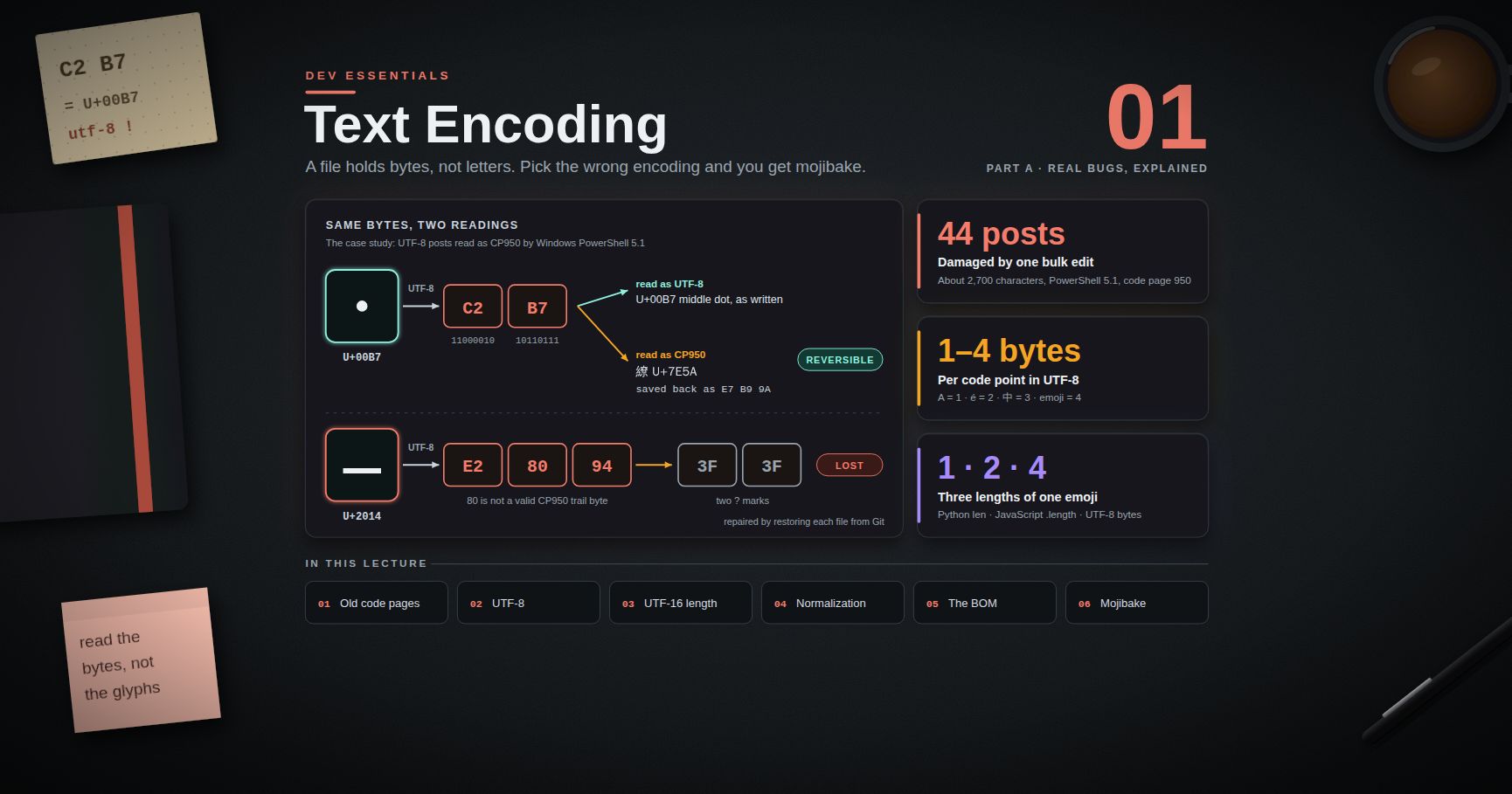
Dev Essentials 01 · Text Encoding covered the BOM: three invisible bytes EF BB BF at the start of a file. CRLF is the same kind of problem: an invisible 0D before every 0A. One file can have both, and file reports both:
1
2
3
printf '\xef\xbb\xbfhi\r\n' | file -
# /dev/stdin: Unicode text, UTF-8 (with BOM) text, with CRLF line terminators
Both come from a tool that used a system default instead of a project rule. Both are fixed the same way: write the rule into the repository.
Chapter 3 — How line endings break things
1. Shell scripts in Linux, containers and CI
A script saved with CRLF has a first line of #!/bin/bash\r. The system looks for an interpreter literally named /bin/bash\r, which does not exist.
1
2
3
printf '#!/bin/bash\r\necho hi\r\n' > crlf.sh && chmod +x crlf.sh
./crlf.sh
What you see depends on where you run it:
| Where | Message |
|---|---|
| Ubuntu 24.04, bash 5.2 (tested) | bash: ./crlf.sh: cannot execute: required file not found |
| Older bash versions | bash: ./crlf.sh: /bin/bash^M: bad interpreter: No such file or directory |
| Git Bash on Windows (tested, bash 5.2 MSYS) | runs and prints hi |
The last row is the trap. The script works on the Windows machine where it was written, then fails in Docker or on a Linux CI runner. Even when bash starts (for example bash crlf2.sh), the \r stays at the end of every command:
1
2
crlf2.sh: line 3: cd: $'/tmp\r': No such file or directory
2. Diffs where every line changed
If one person commits a file with LF and the next commits it with CRLF, Git sees a change on every line. The real one-line change is hidden, reviews become useless, and git blame now points every line at the wrong commit. git diff --ignore-cr-at-eol (or -w) hides CR-only changes so you can find the real one.
3. Regex, split and CSV
1
2
3
4
5
6
7
8
import re
text = "abc\r\ndef\r\n" # CRLF text read in binary mode or with newline=""
print(text.split("\n")) # ['abc\r', 'def\r', '']
print(text.splitlines()) # ['abc', 'def']
print(re.findall(r"(?m)^(\w+)$", text)) # [] ($ matches before \n, but \r is in the way)
print(re.findall(r"(?m)^(.+)$", text)) # ['abc\r', 'def\r']
A value such as "def\r" then fails an equality check, a dictionary lookup or a hash comparison. The last field of each CSV row is the usual victim.
4. Tests and checksums
A test that compares output with a saved "golden" file, or a checksum of a text file, passes on one OS and fails on another. The bytes differ even though the text looks the same.
Common pitfall: Python's text mode on Windows writes CRLF by default. The docs say: "if newline is None, any '\n' characters written are translated to the system default line separator, os.linesep." Pass
newline="\n"when a file must have LF:open("out.txt", "w", encoding="utf-8", newline="\n").
Chapter 4 — Git's conversion: core.autocrlf
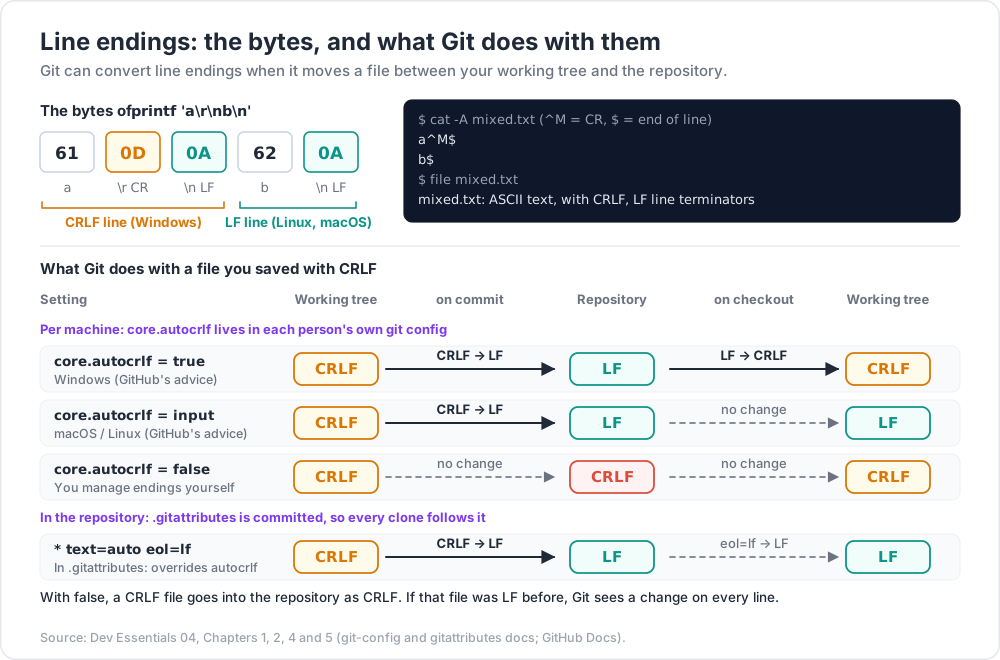
Git keeps two copies of each file: the one in the repository (index and commits) and the one in your working tree. It can convert line endings when it moves a file between them.
core.autocrlf |
On commit (working tree → repo) | On checkout (repo → working tree) | Typical use |
|---|---|---|---|
true |
CRLF → LF | LF → CRLF | Windows (GitHub's docs recommend it there) |
input |
CRLF → LF | no change | macOS / Linux (GitHub's recommendation) |
false |
no change | no change | You manage endings yourself, or with .gitattributes |
The git-config docs describe true as "the same as setting the text attribute to auto on all files and core.eol to crlf". So with true, the repository holds LF and your working tree holds CRLF.
1
2
3
git config --show-origin --get core.autocrlf # value, and which config file set it
git config --global core.autocrlf true # set it for your user (Windows)
The Git for Windows installer asks about this. Its option "Checkout Windows-style, commit Unix-style line endings" sets core.autocrlf=true, usually in the system config file. That is why --show-origin helps when you do not remember setting it.
The warning
With core.autocrlf=true, adding a file that has LF endings prints:
1
2
warning: in the working copy of 'post.md', LF will be replaced by CRLF the next time Git touches it
This is information, not an error. The file goes into the repository with LF, as intended; the next checkout will write it to your working tree with CRLF. (Older Git versions worded it as warning: LF will be replaced by CRLF in post.md.) The check is controlled by core.safecrlf, which defaults to warn. With core.safecrlf=true, Git refuses instead: fatal: LF would be replaced by CRLF in post.md.
The weakness: it is per machine
core.autocrlf lives in each person's config, not in the repository. Every clone behaves the way its own machine is set up. One teammate with false on Windows can commit CRLF files, and the repository has no defence. The fix is to put the rule in the repository.
Chapter 5 — .gitattributes: rules that travel with the repo
A .gitattributes file at the root of the repository sets per-path attributes. It is committed, so every clone follows it. GitHub's docs say: "When you commit this file to a repository, it overrides the core.autocrlf setting for all repository contributors."
A good default for most projects
1
2
3
4
5
6
7
8
9
10
11
12
13
14
15
# .gitattributes
# Git decides text vs binary. Text is stored as LF and checked out as LF.
* text=auto eol=lf
# Windows batch files need CRLF in the working tree.
*.bat text eol=crlf
*.cmd text eol=crlf
# Binary files: never convert, never diff or merge as text.
*.png binary
*.jpg binary
*.webp binary
*.pdf binary
What each attribute means, from the gitattributes docs:
| Attribute | Effect |
|---|---|
text |
Normalize line endings to LF in the repository on every commit. |
text=auto |
Git decides if the file is text. If it is, convert it as above. |
-text |
Never convert. |
eol=lf / eol=crlf |
The line ending to use in the working tree on checkout. It "automatically sets text if text was left unspecified". |
binary |
A built-in macro for -diff -merge -text. |
text=auto eol=lf together has been supported since Git 2.10 (per the git ls-files docs).
LF everywhere, or native endings?
* text=auto eol=lf: LF in the repository and in every working tree, Windows included. Best when the project has shell scripts or Docker files, or builds on Linux CI. Modern Windows editors (VS Code, Notepad since 2018) handle LF.* text=autoalone: LF in the repository, native endings in each working tree. The docs: iftextis set but neithercore.autocrlfnorcore.eolis, "the default iseol=crlfon Windows andeol=lfon all other platforms".
Either way the repository content is LF and the same for everyone. That is what stops the whole-file diffs.
Trick: put per-type exceptions below the
*line. When more than one line matches a path, the later line wins, one attribute at a time.
Chapter 6 — Fixing an existing repository
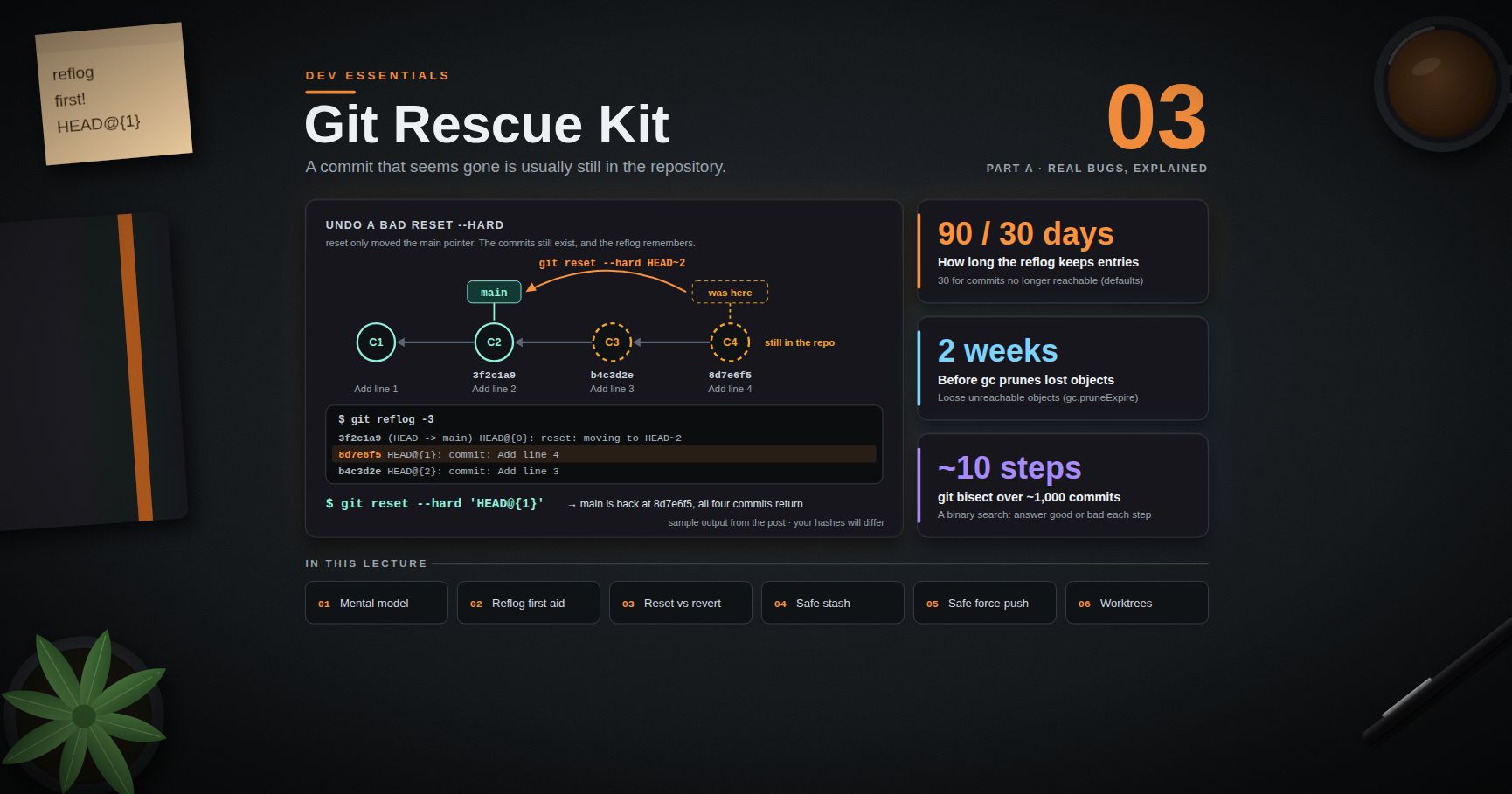
Adding .gitattributes does not rewrite files already committed. To convert them, renormalize. Start from a clean working tree (commit or stash your work first; Dev Essentials 03 · Git Rescue Kit covers stashing safely).
1
2
3
4
5
6
7
git status # must be clean
# create .gitattributes as in Chapter 5, then:
git add .gitattributes
git add --renormalize . # re-apply the rules to every tracked file
git status # lists files whose stored endings change
git commit -m "Normalize line endings"
This is the sequence from the gitattributes docs and GitHub's line-ending guide. If a file that should not change shows up in git status, give it the -text or binary attribute and run the add again.
Two follow-ups:
- Working copies. Files already on disk keep their old endings until Git writes them again. The simplest way to get a working tree that matches the new rules is a fresh clone.
- Blame noise. The normalize commit touches many lines. List its hash in a
.git-blame-ignore-revsfile at the repository root. GitHub's blame view reads that file, and locally you can rungit config blame.ignoreRevsFile .git-blame-ignore-revs.
Checking the result: git ls-files --eol
1
2
git ls-files --eol
Each line shows three facts about a tracked file. Typical output:
1
2
3
4
i/lf w/crlf attr/ content/posts/example.md
i/lf w/lf attr/text=auto eol=lf scripts/build.sh
i/-text w/-text attr/binary public/assets/cover.png
| Column | Meaning |
|---|---|
i/... |
Line endings in the index (what will be committed): lf, crlf, mixed, none, or -text for binary |
w/... |
Line endings in the working tree |
attr/... |
The attributes that apply (text=auto eol=lf, binary, or empty) |
The first line is what core.autocrlf=true with no .gitattributes looks like: LF in the repository, CRLF on disk, and no attribute. Any i/crlf or i/mixed on a text file is a file that was committed with CR bytes.
Chapter 7 — Editors: .editorconfig
.gitattributes controls what Git stores and checks out. It does not stop your editor from saving CRLF into a new file before Git sees it. EditorConfig is a small, widely supported file that tells editors how to save:
1
2
3
4
5
6
7
8
9
10
11
12
13
14
15
# .editorconfig
root = true
[*]
charset = utf-8
end_of_line = lf
insert_final_newline = true
trim_trailing_whitespace = true
[*.{bat,cmd}]
end_of_line = crlf
[*.md]
trim_trailing_whitespace = false # two trailing spaces = a Markdown line break
From the EditorConfig spec: end_of_line accepts lf, cr or crlf; charset accepts latin1, utf-8, utf-8-bom, utf-16be or utf-16le; and root = true stops the search for more .editorconfig files in parent folders. Visual Studio and JetBrains IDEs read it with no plugin. VS Code needs the EditorConfig extension.
Note the charset = utf-8 line: the same file also guards against the encoding problems of Dev Essentials 01.
Chapter 8 — Converting files by hand
Sometimes you just need to fix one file.
1
2
3
4
dos2unix deploy.sh # CRLF -> LF (ships with Git for Windows)
unix2dos run.bat # LF -> CRLF
sed -i 's/\r$//' deploy.sh # CRLF -> LF with plain sed
In Windows PowerShell 5.1, go through .NET so neither the encoding nor the endings change by accident:
1
2
3
4
$p = (Resolve-Path .\deploy.sh).Path
$t = [System.IO.File]::ReadAllText($p, [System.Text.Encoding]::UTF8)
[System.IO.File]::WriteAllText($p, ($t -replace "`r`n", "`n"), (New-Object System.Text.UTF8Encoding($false)))
Common pitfall:
(Get-Content file) | Set-Content filein Windows PowerShell 5.1 changes two things at once.Get-Contentsplits the text into lines and drops the endings.Set-Contentwrites each line back followed by a Windows newline (CRLF), and by default in the ANSI code page. One harmless-looking line changes both the line endings and the encoding.
In Python, work in bytes. Then there is no newline translation and no decoding step:
1
2
3
4
5
from pathlib import Path
p = Path("deploy.sh")
p.write_bytes(p.read_bytes().replace(b"\r\n", b"\n"))
Chapter 9 — Case study: this blog's repository
The facts:
- The author's Windows machine has
core.autocrlf=true. - The blog repository has no
.gitattributesand no.editorconfig.
What follows from the Git docs, and what file shows on the working copy:
- The repository holds LF. With
autocrlf=true, text files are normalized to LF when added. The Linux build on GitHub Actions checks out LF files. - The working copy is mixed. A post checked out by Git shows "with CRLF line terminators" in
file. A file written later by a tool that saves LF shows no CRLF. Both are fine locally, because Git converts them to LF on commit. Adding such an LF file prints the "LF will be replaced by CRLF the next time Git touches it" warning. - The protection lives on one machine. A clone on another Windows machine with
core.autocrlf=falsewould commit CRLF, and the next diff of that post would show every line changed. Nothing in the repository prevents it.
A small change would move the rule into the repository:
1
2
3
4
5
6
# .gitattributes (proposed)
* text=auto eol=lf
*.png binary
*.jpg binary
*.webp binary
Add an .editorconfig with end_of_line = lf and charset = utf-8, then run git add --renormalize . in one dedicated commit.
The link to Dev Essentials 01 is direct. The encoding damage and the CRLF question have the same root: a tool used a machine default (the ANSI code page, the platform newline) where the project needed an explicit rule. The fix is the same too: write the rule down in the repository, where every tool and every machine can see it.
Practice Exercises
Exercise 1 — Read the bytes
od -c notes.txt prints h i \r \n o k \n. What does file report, and what does cat -A show?
Solution
The file is mixed: one CRLF line and one LF line. file reports ASCII text, with CRLF, LF line terminators. cat -A shows:
1
2
3
hi^M$
ok$
Exercise 2 — Works on my machine
./deploy.sh runs in Git Bash on Windows but fails in a Linux Docker container with cannot execute: required file not found. Explain, and fix it twice: once now, once for good.
Solution
The file has CRLF endings, so the shebang names /bin/bash\r. Git Bash tolerated it; Linux does not.
Now: dos2unix deploy.sh (or sed -i 's/\r$//' deploy.sh), then commit.
For good: add *.sh text eol=lf (or * text=auto eol=lf) to .gitattributes, run git add --renormalize ., and commit. Every checkout, on every OS, then gets LF.
Exercise 3 — Write the attributes
A repository has .sh, .ps1, .bat, .md and .png files. The CI runs on Linux. Write its .gitattributes.
Solution
1
2
3
4
* text=auto eol=lf
*.bat text eol=crlf
*.png binary
.sh, .ps1 and .md are covered by the first line; PowerShell reads LF scripts without trouble. Only .bat needs CRLF, and the later line wins for it.
Exercise 4 — Predict core.autocrlf
A file is stored in the repository with LF. What line endings does the working tree get on Windows with core.autocrlf set to true, input and false (no .gitattributes)?
Solution
true: CRLF (converted on checkout). input: LF (no conversion on checkout). false: LF (no conversion at all). Only true changes the working tree; true and input both convert CRLF to LF on commit.
Exercise 5 — LF from Python on Windows
This code writes CRLF on Windows. Fix it so the file always has LF.
1
2
3
with open("out.txt", "w", encoding="utf-8") as f:
f.write("line 1\nline 2\n")
Solution
1
2
3
with open("out.txt", "w", encoding="utf-8", newline="\n") as f:
f.write("line 1\nline 2\n")
With newline=None (the default), Python translates each \n to os.linesep, which is \r\n on Windows. newline="\n" (or newline="") turns the translation off.
Exercise 6 — Read ls-files --eol
What does i/crlf w/crlf attr/text=auto eol=lf src/app.js tell you, and what should you do?
Solution
The rules say LF (attr/text=auto eol=lf), but the file was committed with CRLF (i/crlf) before the rules existed, and the working copy is CRLF too. Run git add --renormalize . and commit. After a fresh checkout, the file shows i/lf w/lf.
Cheat-sheet
| Task | How |
|---|---|
| Check a file (bash) | file f.txt, cat -A f.txt, od -c f.txt |
| Check a file (PowerShell) | Format-Hex -Path f.txt (look for 0D 0A) |
| CRLF → LF (bash) | dos2unix f or sed -i 's/\r$//' f |
| CRLF → LF (Python) | p.write_bytes(p.read_bytes().replace(b"\r\n", b"\n")) |
| LF when writing (Python) | open(p, "w", encoding="utf-8", newline="\n") |
| Where autocrlf is set | git config --show-origin --get core.autocrlf |
| Windows default | core.autocrlf=true (or rely on .gitattributes) |
| macOS / Linux default | core.autocrlf=input |
| Repo-wide rule | .gitattributes: * text=auto eol=lf |
| Keep CRLF for batch files | *.bat text eol=crlf |
| Never convert | *.png binary |
| Re-apply rules | git add --renormalize . |
| Inspect endings in Git | git ls-files --eol |
| Diff without CR noise | git diff --ignore-cr-at-eol |
| Editor rule | .editorconfig: end_of_line = lf |
What's next
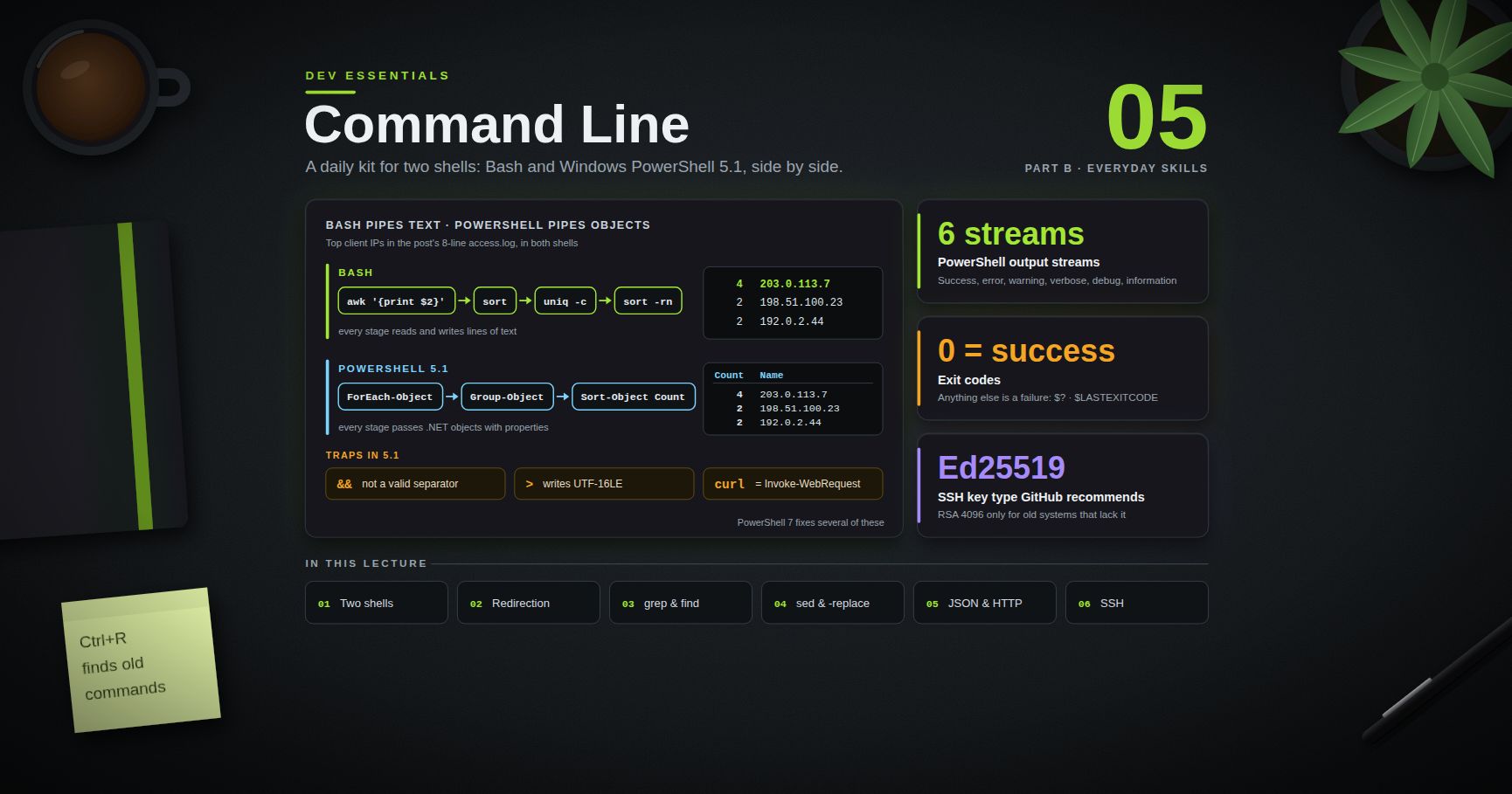
Dev Essentials 05 · Command Line starts Part B · Everyday skills: pipes, grep, find, sed, jq and ssh, side by side in bash and PowerShell. Several tools from this post (file, od, sed -i) appear there again in a wider kit.
References
- Git — gitattributes
- Git — git-config (core.autocrlf, core.eol, core.safecrlf)
- Git — git-ls-files (--eol)
- Git — git-diff (--ignore-cr-at-eol)
- GitHub Docs — Configuring Git to handle line endings
- GitHub Docs — Ignore commits in the blame view
- EditorConfig specification
- Python — open() and the newline parameter
- Microsoft DevBlogs — Extended line endings support in Notepad
- RFC 9112 — HTTP/1.1 message format
- RFC 4180 — CSV format
Note: this post is in progress. Planned additions: line endings inside Docker builds (
COPYand.dockerignore),core.eolvscore.autocrlfedge cases, and a pre-commit hook that rejects CRLF.