3D Printing Course — 00 · How 3D Printing Works
Desktop 3D printing looks like a solved problem from the outside: load a file, press print, collect a part. In practice the machine is a small chemical process plant with a motion system bolted to it, and almost every failure a beginner hits is a physics problem wearing a software costume. This course treats 3D printing as an engineering discipline rather than a hobby ritual: what the process actually does to the material, which decisions are load-bearing, and how to measure things on your own machine instead of copying numbers from strangers. Post 00 builds the mental model everything else stands on — the process families, the physics of melt deposition, the anatomy of a printer, and the file pipeline from CAD to G-code.
Series map: 00 How 3D Printing Works (this post) → 01 First Print and Calibration → 02 Slicing in Depth → 03 Orientation, Supports and Design for Printing → 04 Materials → 05 Dimensional Accuracy and Tolerances → 06 CAD for Printing → 07 Strength, Failure Modes and Functional Parts.
Learning Outcome
- Explain what additive manufacturing genuinely does better than subtractive manufacturing, and where it is the wrong tool.
- Compare FDM/FFF, resin MSLA/SLA and SLS on resolution, cost, material properties, isotropy and post-processing burden.
- Describe the physics of FDM: the filament plunger, the melt zone, extrusion, and interlayer bonding by polymer chain diffusion.
- State why FDM parts are anisotropic and why that fact dominates every later post in this series.
- Identify every major subsystem of a printer — extruder, hotend, nozzle, bed, motion system — and say what each one contributes to speed, quality and reliability.
- Describe the resin process including lift/peel forces, and list the non-negotiable safety requirements for handling uncured resin.
- Trace a part end to end through CAD → mesh → slicer → G-code → printer, and name what can go wrong at each hand-off.
- Evaluate a printer by criteria rather than by model recommendations.
Chapter 1 — Additive versus subtractive
Terminology
- Additive manufacturing (AM) — building a part by adding material, usually in layers, from a digital model. The formal ISO/ASTM term; "3D printing" is the colloquial synonym.
- Subtractive manufacturing — starting from a solid blank and removing material: milling, turning, drilling, grinding, laser and waterjet cutting.
- Formative manufacturing — forcing material into a shape without adding or removing it: injection moulding, casting, forging, sheet bending.
- Layer — one planar slice of the part, deposited or cured in a single pass. The layer is the fundamental quantum of almost all AM processes.
- Anisotropy — direction-dependent material properties. A part that is strong along X and weak along Z is anisotropic.
- Build volume — the maximum envelope the machine can print inside, usually quoted as X × Y × Z in millimetres.
What additive is genuinely good at
The honest list is shorter than the marketing list:
- Geometric complexity is free. A lattice, an internal channel that curves, a topology-optimised bracket — all cost the same per gram as a plain block. On a mill, every feature costs a setup, a tool and a toolpath.
- Quantity one is cheap. There is no tooling. The marginal cost of the first part equals the marginal cost of the thousandth, which is exactly the property injection moulding does not have.
- Iteration latency is hours, not weeks. The design loop closes the same day. For fixtures, jigs and prototypes this is the entire value proposition.
- Internal voids and enclosed geometry. A hollow shell with internal ribs is trivial additively and often impossible subtractively without splitting the part.
- On-demand spares. A discontinued knob or bracket becomes a file rather than a supply-chain problem.
What subtractive is still better at
- Tolerance and surface finish out of the machine. A milled feature can hold tolerances an order of magnitude tighter than a hobby FDM part, with a surface that needs no post-processing.
- Isotropic material properties. Stock aluminium or acetal has the same strength in every direction because it was never built in layers.
- Certified material provenance. You can buy a billet with a mill certificate. Filament data sheets are far weaker evidence.
- Volume economics. Above a few hundred identical parts, moulding or machining wins on cost per part, usually decisively.
- Flatness, roundness and bore quality. A reamed hole is round. A printed hole is a polygon approximation with a seam in it — post 03 and post 05 spend real time on this.
| Criterion | Additive (desktop) | Subtractive (CNC) | Formative (injection moulding) |
|---|---|---|---|
| Tooling cost | none | fixturing only | high, dominates low volumes |
| Cost at quantity 1 | lowest | moderate | prohibitive |
| Cost at quantity 10 000 | worst | moderate | lowest |
| Geometric complexity | nearly free | expensive | limited by draft and ejection |
| Internal channels | easy | hard or impossible | needs cores/inserts |
| Achievable tolerance | loosest | tightest | tight and repeatable |
| Material isotropy | poor (FDM) to good (SLS) | excellent | excellent |
| Lead time for a change | hours | days | weeks (retool) |
Trick: the question is never "can I print this?" but "is printing the cheapest path to a correct part?" A 3 mm dowel pin should be bought, not printed. A bracket that holds three bought parts in a specific relative position should almost always be printed.
Chapter 2 — The process families
Four families cover essentially everything a reader of this course will encounter. Only the first two are realistically owned at home; the third is bought as a service; the fourth is named for completeness.
FDM / FFF — fused deposition modelling
A thermoplastic filament is pushed through a heated nozzle and deposited as a road of molten polymer that fuses to its neighbours. "FDM" was a Stratasys trademark; "FFF" (fused filament fabrication) is the vendor-neutral name for the identical process. This is the overwhelming majority of desktop machines and the default assumption of this course unless stated otherwise.
Resin — SLA and MSLA
A photopolymer resin is cured layer by layer with ultraviolet light. SLA steers a laser spot across the surface; MSLA (masked stereolithography) shines a UV LED array through an LCD panel that masks the whole layer image at once, so exposure time is independent of how much area is being cured. Every affordable desktop resin printer today is MSLA.
SLS — selective laser sintering
A laser fuses regions of a bed of polymer powder (usually nylon PA12). Unfused powder supports the part, so overhangs and captive geometry need no support structures. Industrial and service-bureau territory; a handful of "benchtop" SLS machines exist but the powder handling is a serious commitment.
Metal processes — one line
Laser powder bed fusion (L-PBF/SLM/DMLS), binder jetting and directed energy deposition all exist and all produce genuinely useful metal parts, but they are capital equipment with inert-gas, powder-safety and post-machining requirements that put them entirely outside the hobby envelope — buy metal parts as a service, do not plan to own the machine.
Honest comparison
Numbers below are typical ranges for the desktop/entry class, not specifications of any product. Where a figure depends on a variable, that variable is named, because the variable is the part you can actually control.
| FDM / FFF | Resin MSLA | SLS (PA12) | |
|---|---|---|---|
| XY resolution driver | nozzle diameter and extrusion width (commonly 0.4 mm nozzle) | LCD pixel pitch = panel width ÷ horizontal pixel count; typically tens of micrometres | laser spot size and powder particle size |
| Z resolution driver | layer height, typically 0.1–0.3 mm | layer height, typically 0.02–0.1 mm | layer height, typically ~0.1 mm |
| Fine detail | poor: a feature narrower than one extrusion width cannot exist | excellent: crisp text and sub-millimetre detail | good, but grainy surface from powder |
| Material cost | lowest; commodity spools sold by the kilogram | higher per unit volume than commodity filament | powder plus a refresh ratio of virgin powder per build |
| Typical part cost | lowest of the three | low to moderate | highest; usually priced per part by a bureau |
| Mechanical properties | tough, ductile options (PETG, ABS, nylon); weak across layers | mostly stiff and brittle unless a "tough"/engineering resin; properties drift with post-cure | tough and consistent; the best all-round hobby-accessible plastic parts |
| Isotropy | poor — the defining problem of the process | moderate — chemical crosslinking crosses the layer boundary, so much better than FDM but not perfect | good — near-isotropic, which is why functional bureau parts are often SLS |
| Support needed | yes, for overhangs | yes, plus drain/vent planning | no — the powder bed supports everything |
| Post-processing burden | remove supports, optional sanding; otherwise print-and-use | high: drain, IPA wash, dry, UV post-cure, support removal, and PPE throughout | depowdering, bead blast, optional dye |
| Safety burden | ventilation for styrenics; hot surfaces; mains-heated bed | chemical PPE, ventilation, solvent and waste handling — not optional | powder inhalation and dust-explosion controls |
| Realistic home ownership | yes | yes, with a dedicated ventilated space | effectively no |
Watch out: every "resolution" number quoted by a vendor is an XY pixel or a minimum layer height, not an accuracy claim. Resolution is the smallest step the machine can command. Accuracy is how close the resulting dimension is to the model. They are unrelated, and post 05 is entirely about the second one.
Chapter 3 — The physics of FDM
Terminology
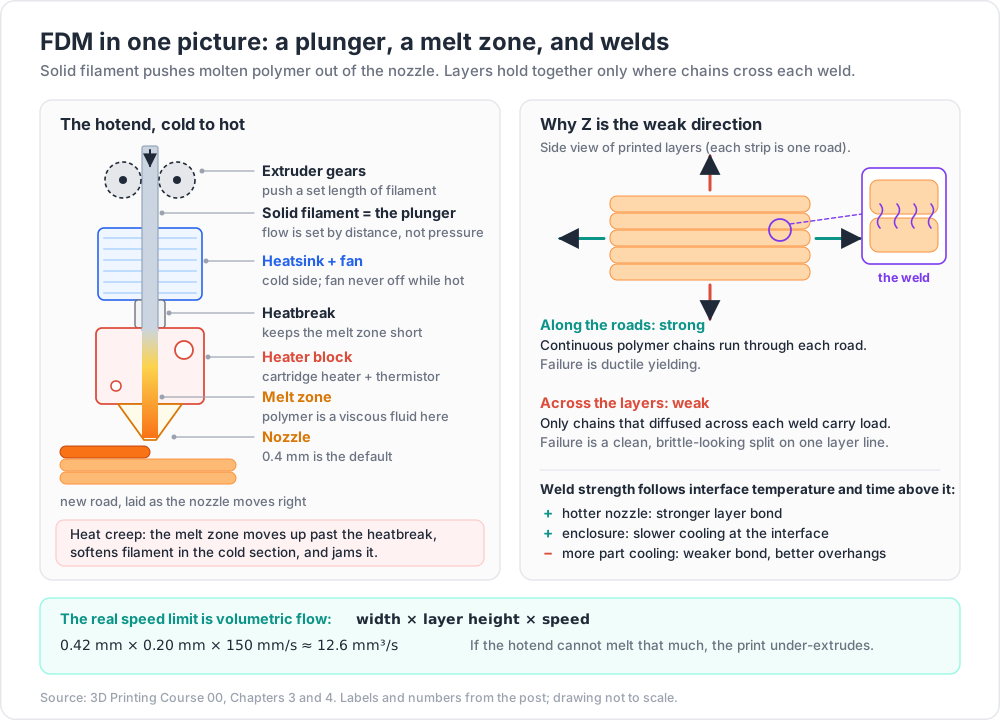
- Melt zone — the region inside the hotend where the filament is above its melting or softening point and behaves as a viscous fluid.
- Heatbreak — the deliberately thin-walled, low-conductivity section between the heatsink and the heater block that keeps the melt zone short and well defined.
- Heat creep — failure mode where the melt zone migrates upward past the heatbreak, softening filament in the cold section and jamming it.
- Extrudate — the material that has left the nozzle.
- Road / extrusion — one deposited line of extrudate. Its cross-section is roughly a rectangle with rounded ends, width × layer height.
- Weld / interface — the boundary between two roads, either side by side within a layer or stacked between layers.
- Volumetric flow — the rate at which the hotend can melt and deliver material, in mm³/s. The real speed limit of the machine.
The filament is a plunger
The extruder gears grip the filament and push it into the hotend. Solid filament above the melt zone acts as a piston; the molten polymer below it is the working fluid. This is a positive-displacement pump, and the consequences are worth stating explicitly:
- Flow is commanded by distance, not by pressure. The firmware asks for "extrude 2.31 mm of filament", and the volume delivered is that length times the filament cross-section. If the filament diameter is not what the slicer assumed, every extrusion in the file is wrong by the same ratio.
- The system is compliant. Molten polymer compresses slightly, the filament itself buckles slightly, the PTFE liner or Bowden tube stretches. Pressure therefore lags the commanded flow — which is exactly the problem that pressure advance / linear advance exists to correct (post 01).
- The grip is the weak link. If the drive gear cannot push hard enough, it grinds a flat into the filament and stops gripping. Under-extrusion that gets progressively worse over minutes is nearly always this.
Melting, and why volumetric flow is the real limit
Heat has to travel from the heater block into the filament core by conduction, and polymers are poor thermal conductors. The maximum flow the hotend supports is set by how much filament it can bring to temperature per second — which depends on melt-zone length, nozzle temperature, and the material's own thermal properties. This is why the same hotend will happily run PLA far faster than PETG, and why raising nozzle temperature raises attainable flow.
Practically: your printer does not have a "maximum speed" in mm/s. It has a maximum volumetric flow in mm³/s, and speed follows from it.
1
2
3
4
volumetric flow (mm³/s) ≈ extrusion width (mm) × layer height (mm) × print speed (mm/s)
example: 0.42 mm width × 0.20 mm height × 150 mm/s ≈ 12.6 mm³/s
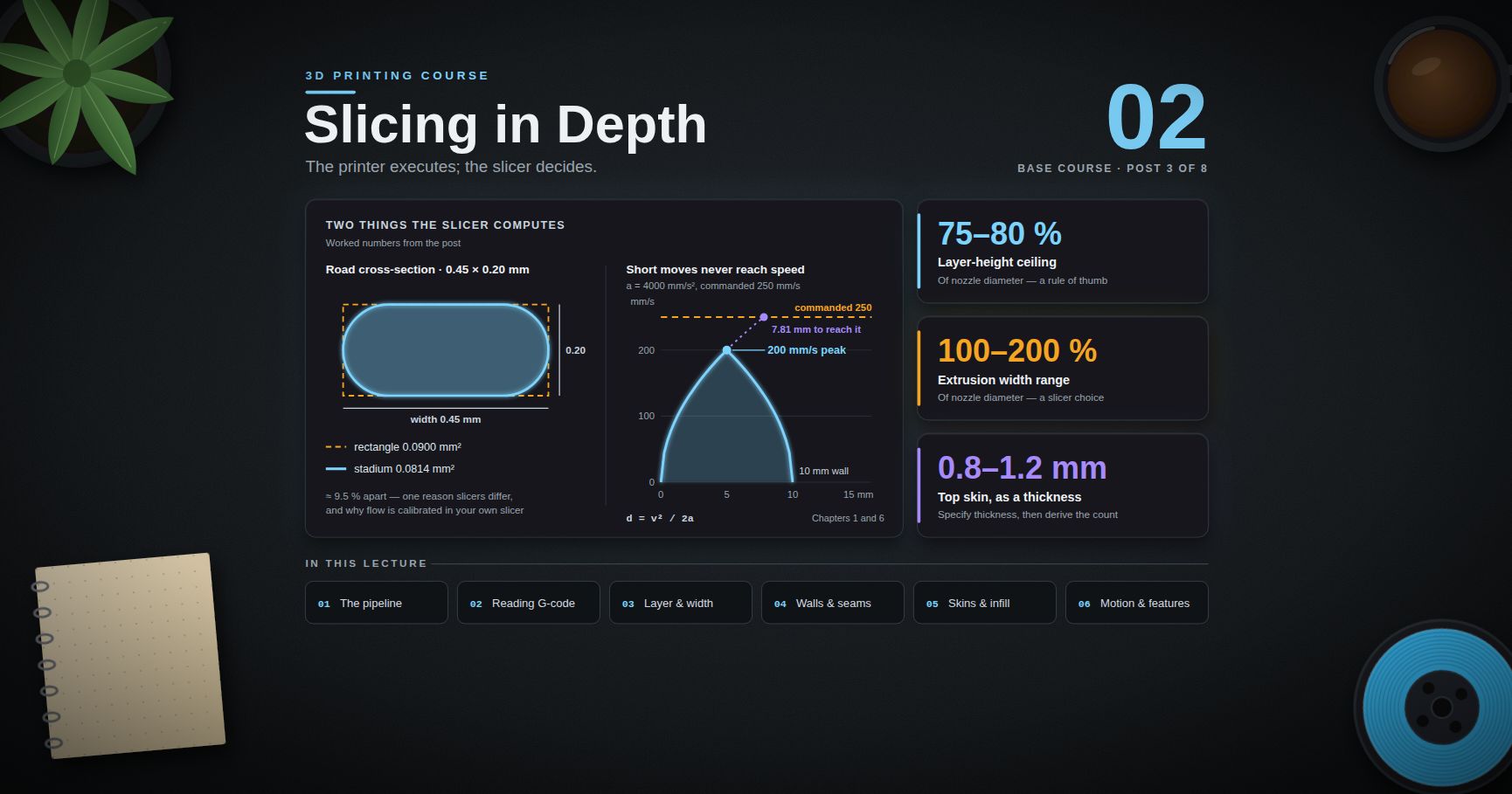
If that number exceeds what the hotend can melt, the print under-extrudes no matter what the slicer says. Post 01 gives the measurement procedure for finding your own machine's ceiling; do not trust a headline figure from a product page, because it is measured with a specific material at a specific temperature that is probably not yours.
Layer bonding is polymer chain diffusion
This is the single most important piece of physics in the course.
When a hot road is laid onto a cooler road below it, the two do not glue together and they do not melt into a homogeneous mass. What happens is interdiffusion: polymer chains near the interface, if they are above the glass transition and mobile enough, wriggle across the boundary by reptation — snake-like motion along the tube formed by neighbouring chains — and entangle with chains on the other side. The strength of the weld is a function of how many chains crossed and how far, which is a function of interface temperature and time above that temperature. The classic treatment is Wool and O'Connor's crack-healing theory, and it maps onto FDM almost directly.
The engineering consequences follow immediately:
- Hotter nozzle → stronger layer bond, up to the point where the material degrades or the part slumps. This is a real, repeatable lever.
- More cooling → weaker layer bond. Part cooling fans buy overhang quality and surface detail and pay for it in Z strength. Post 04 and post 07 return to this trade.
- Smaller layer height → more interfaces per millimetre, but each interface is also smaller and the part reheats more often. The net effect on strength is material-dependent and genuinely contested; do not repeat a blanket claim in either direction.
- An enclosure raises ambient temperature, which slows cooling at the interface and improves bonding. This is most of why ABS, ASA and PC want an enclosure.
- Long print times per layer let the previous layer cool further. A tall thin part and a tall wide part with identical settings do not have identical layer adhesion.
Anisotropy, stated properly
A load applied along the roads is carried by polymer chains that run continuously through the extrudate — essentially the bulk strength of the material, minus voids. A load applied across the layers is carried only by the chains that diffused across each weld interface, plus whatever mechanical interlock the road geometry provides.
The Z direction is therefore always weaker, and the failure mode is different too: in-plane failure tends to be ductile yielding, while interlayer failure tends to be a clean, brittle-looking separation along a layer line.
How much weaker? Published figures for Z-direction tensile strength as a fraction of in-plane strength scatter enormously — across materials, nozzle temperatures, layer heights, cooling settings, enclosure conditions and test-coupon geometry. Treat any single percentage you read as a statement about that study's conditions, not about your printer. What is robust, and what you should carry forward, is the ordering: in-plane strong, interlayer weak, and the gap is large enough to change the design.
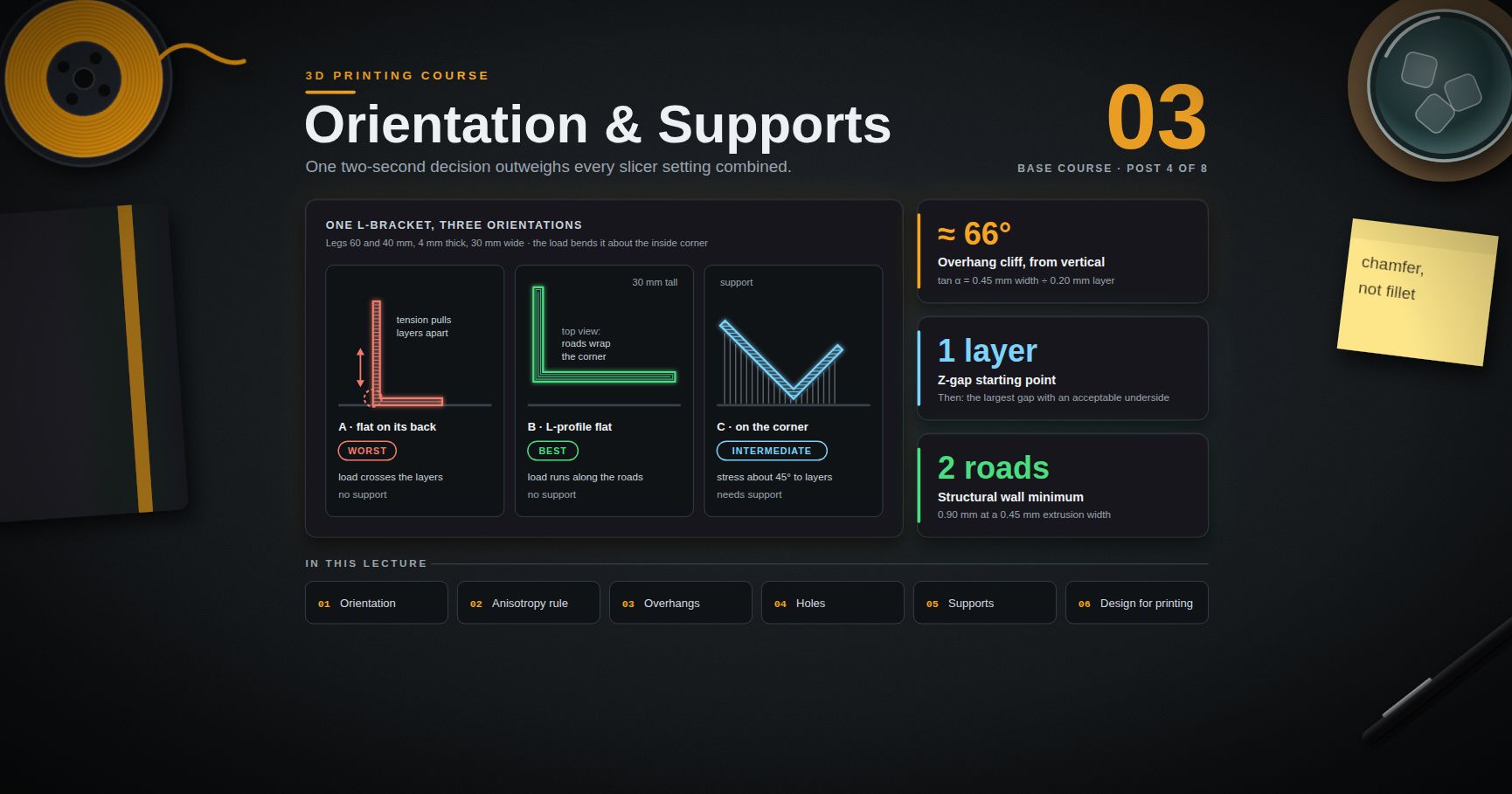
Common pitfall: printing a hook, a lever or a bracket flat on the bed because it "fits better that way", so that the working load pulls the layers apart. This is the most common structural failure in hobby printing and it is entirely an orientation decision. Post 03 works the example through in detail.
Chapter 4 — Printer anatomy
The extruder: direct drive versus Bowden
The extruder is the geared drive that grips and pushes the filament. Two architectures:
Direct drive puts the extruder motor on the moving toolhead, immediately above the hotend. The filament path from gear to melt zone is short — typically tens of millimetres.
Bowden puts the motor on the frame and pushes filament through a PTFE tube, often several hundred millimetres, to a hotend that carries no motor.
| Direct drive | Bowden | |
|---|---|---|
| Toolhead mass | higher | lower |
| Achievable acceleration before ringing | lower | higher |
| Retraction distance needed | short (roughly a couple of millimetres) | long (often several times more) |
| Responsiveness to flow changes | good | sluggish; more pressure-advance compensation needed |
| Flexible filament (TPU) | workable | difficult to painful |
| Maintenance access | motor in the hot, moving area | motor accessible, tube is a wear item |
Neither is "better". Direct drive trades acceleration for control; Bowden trades control for acceleration. Modern direct-drive extruders have got light enough that the historical acceleration argument is much weaker than it was.
The hotend
Stacked from cold to hot: heatsink (with a fan that must never be switched off while hot), heatbreak, heater block carrying a cartridge heater and a thermistor, and the nozzle.
The heatbreak's whole job is to make the transition from cold to molten as short as possible. A long, sloppy transition zone means a long column of soft filament that behaves like a spring, degrading extrusion control, and it invites heat creep.
Two hotend classes matter:
- PTFE-lined: a PTFE tube runs all the way down to the nozzle. Cheap, forgiving, excellent for PLA and PETG. The ceiling is the PTFE itself, which begins to degrade at elevated temperature and releases decomposition products; the widely used practical limit is around 240–250 °C, and going above it is both a part-quality and an air-quality problem.
- All-metal: no PTFE in the hot zone, so high-temperature materials become possible. In exchange the melt zone is less well constrained and heat creep is a more real risk, particularly with materials that soften gradually.
The nozzle
- Diameter sets the minimum feature width and, with layer height, the volumetric flow available. 0.4 mm is the default for good reasons: it balances detail against speed. 0.2 mm buys detail and costs enormous print time; 0.6 and 0.8 mm buy speed and strength on functional parts and cost fine detail.
- Material matters as soon as you print composites. Brass conducts heat well and is soft; any filament loaded with carbon fibre, glass fibre, metal powder or glow-in-the-dark phosphor is abrasive and will wear a brass nozzle out of round in hours. Hardened steel, tool steel or a carbide/ruby-tipped nozzle is required for those, at a small cost in thermal conductivity.
- Wear is invisible until it is not. A worn nozzle prints wider than commanded and loses corner definition. If dimensional behaviour drifts over months, measure the nozzle orifice or simply replace it — nozzles are consumables.
The bed and adhesion surfaces
The bed must be flat, at a controlled temperature, and chemically willing to hold the first layer and then let it go. Common surfaces, covered properly in post 01:
- Smooth PEI — strong, chemically-driven adhesion; glossy first-layer finish; can hold some materials (PETG especially) hard enough to damage the sheet without a release agent.
- Textured PEI — mechanical keying rather than pure chemical grip; matte first layer that hides imperfections; releases much more willingly as the bed cools. The forgiving default.
- Glass — extremely flat, usually needs an adhesive (glue stick, hairspray); prints release as the glass cools.
- Garolite / FR4 — the traditional answer for nylon, which sticks to it well and to most other things poorly.
Removable spring-steel sheets on a magnetic base have become the norm because flexing the sheet is the single most reliable release mechanism.
Motion systems
| System | How it moves | Consequences |
|---|---|---|
| Bedslinger (Cartesian i3) | bed moves in Y, gantry carries X, Z lifts the gantry | simple, cheap, easy to service. Moving mass in Y includes the part, so ringing and accuracy get worse as the print gets taller and heavier. Tall thin parts are its weakness. |
| CoreXY | two frame-mounted motors drive both X and Y through a crossed belt path; the bed only moves in Z | constant, low moving mass regardless of part size; supports much higher acceleration; the natural choice for fast machines. Belt path is longer and belt tension/squareness matter more. |
| Delta | three vertical towers with arms meeting at an effector | very low moving mass, very high speed potential, tall cylindrical build volume. Position is a trigonometric function of three carriages, so calibration is fussy and accuracy varies across the bed. |
Ringing (also called ghosting) is the ripple you see downstream of a sharp corner: the toolhead's acceleration step excites a mechanical resonance in the frame and gantry, and the vibration is printed into the surface. It is a function of moving mass, frame stiffness, belt tension and acceleration. The modern fix is input shaping — the firmware pre-shapes the motion command to cancel the dominant resonance, with the resonant frequency measured using an accelerometer. Klipper implements this as input_shaper; Marlin has its own input-shaping implementation in recent versions. Either way it is a measurement, not a preset: the frequency belongs to your machine.
Chapter 5 — The resin process, and its safety requirements
How MSLA actually works
- The build plate descends into a vat of liquid photopolymer until the gap between plate (or the last cured layer) and the transparent film at the bottom equals one layer height.
- A UV LED array beneath the vat illuminates an LCD panel. The panel is driven as a mask: pixels for the current cross-section are transparent, everything else is opaque.
- The resin in the illuminated gap crosslinks and cures for the programmed exposure time. Because the whole layer is exposed at once, exposure time is independent of layer area — a full-plate layer takes the same time as a single tiny part.
- The plate lifts, peeling the cured layer off the film, then returns for the next layer.
Cure chemistry is free-radical or cationic photopolymerisation initiated by UV, on desktop machines typically around the 405 nm range. The correct exposure time is a property of the resin, the panel and the layer height together, so it must be found by test — printed exposure-test models are the standard method, and every resin change means a new test.
Lift and peel forces — the real difficulty
The cured layer is stuck to two things: the previous layer (which is what you want) and the release film at the bottom of the vat (which you do not). Separating it requires overcoming adhesion and the suction created as resin has to flow in behind the retreating part. Peel force scales with the cross-sectional area being separated, which is why:
- Large flat cross-sections parallel to the plate are the worst case, and are why parts are usually tilted rather than laid flat.
- Hollowing a model with adequate drain holes dramatically reduces both peel force and resin consumption. Without drain holes, a hollow shell becomes a suction cup and can pull itself off the plate or deform.
- Slow lift speed, a lift height that clears the part, and a light-off delay (a pause before exposure that lets resin flow back into the gap) all buy reliability at the cost of print time.
- Failures show up as layers torn off and left stuck to the film, a part detached from the supports, or a "layer shift" that is really a partial delamination.
Bottom layers get a much longer exposure to key the part to the plate. Over-exposing them causes elephant foot in exactly the same way that a too-low first layer does on FDM.
Post-processing is part of the process, not an afterthought
Drain the part, wash it in isopropyl alcohol (or water for water-washable resins) to remove uncured surface resin, dry it, then post-cure it under UV. Post-cure is not cosmetic — mechanical properties and, to a small degree, dimensions change between the green state and the fully cured state. Over-curing makes many resins more brittle.
Safety — the non-negotiable part
Uncured photopolymer resin is a skin and respiratory irritant, and formulations commonly contain sensitisers: substances where repeated exposure can trigger an allergic response that becomes progressively worse and can be effectively permanent. This is not a "be a bit careful" hazard; it is a "the third exposure can be much worse than the first" hazard, and it is the reason experienced resin users are strict about it.
The working rules:
- Nitrile gloves, always. Not latex — latex is not an adequate barrier for these chemistries. Change them when contaminated; do not touch door handles, phones or keyboards while gloved.
- Eye protection when handling the vat, decanting resin, or working with a wash tank.
- Ventilation. A dedicated ventilated space, extracted outdoors where possible. A closed cupboard in a bedroom is not ventilation. Enclosures with carbon filters reduce odour more reliably than they reduce hazard.
- Skin contact → soap and warm water immediately. Do not wash resin off with IPA or any other solvent; solvents carry the resin into the skin rather than off it.
- Read the SDS for the specific resin. Formulations differ substantially between vendors and even between product lines from one vendor, and the safety data sheet is the authoritative document.
- Waste disposal. Never pour resin, resin-contaminated IPA or wash water down a drain. Cure liquid waste to a solid under UV or sunlight, then dispose of the solid according to local regulations. Contaminated IPA can be cured, the solids filtered out, and the IPA reused. Paper towels, gloves and failed prints are all contaminated waste until cured.
- Keep it out of food areas and away from children and pets, permanently.
Watch out: the largest exposure risk with resin is not printing; it is the wash and cleanup step, where hands are near liquid resin and solvent for extended periods. Set that station up properly before the first print, not after the first mess.
Chapter 6 — The pipeline: CAD → mesh → slicer → G-code → printer
Every post in this series lives at one stage of this chain. Knowing which stage a problem belongs to is most of debugging.
1
2
3
4
5
6
7
8
9
10
11
12
CAD model parametric solid, exact curved surfaces (B-rep)
↓ export/tessellate
Mesh (STL / 3MF) triangles only; curves become facets
↓ slice
Slicer per-layer polygons → perimeters, infill, supports → toolpath
↓ generate
G-code explicit machine instructions: move here, extrude this much, set that temperature
↓ interpret
Firmware parses G-code, plans acceleration, drives steppers and heaters
↓
Physical part
Stage by stage
CAD holds exact geometry. A cylinder is a mathematical cylinder. Post 06 covers CAD for printing properly.
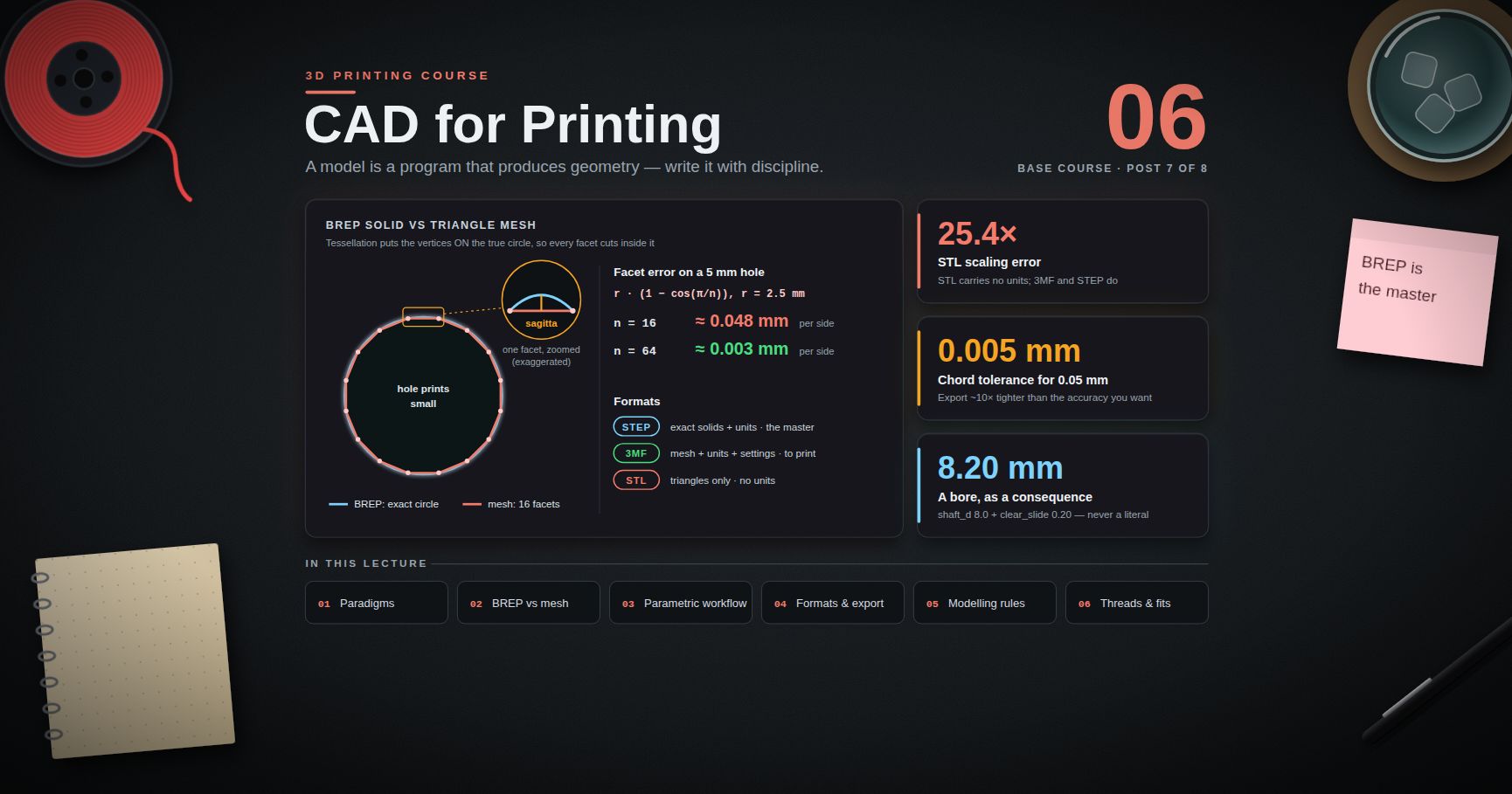
Mesh export is lossy and irreversible. The solid is tessellated into triangles, and the tessellation tolerance you choose at export decides how faceted your curves are. Export too coarse and a 20 mm hole visibly becomes a polygon; export absurdly fine and you get a slow, enormous file for no benefit.
- STL stores nothing but a bag of triangles. No units, no colour, no materials, no assembly structure, no metadata. The unit ambiguity is why models occasionally arrive at 1/25.4 scale.
- 3MF is a modern zipped-XML format that carries units, transforms, colours, materials, multiple objects and slicer metadata, and is far less prone to invalid geometry. Prefer 3MF wherever both ends support it — which today is essentially all mainstream CAD and all mainstream slicers.
- STEP is a true solid format; several slicers now import it directly and tessellate internally, which removes the export-tolerance decision from your hands but also removes a failure mode.
Slicing turns the mesh into toolpaths and is the subject of post 02. This is where the overwhelming majority of your decisions actually live.
G-code is a flat, human-readable list of machine commands. A one-line taste:
1
2
3
4
5
6
7
8
M104 S215 ; set nozzle to 215 °C, do not wait
M140 S60 ; set bed to 60 °C, do not wait
M109 S215 ; set nozzle to 215 °C and WAIT until reached
G28 ; home all axes
G1 Z0.2 F3000 ; move to first layer height
G1 X20 Y20 E1.2 F1200 ; move to (20,20) while extruding 1.2 mm of filament
M106 S255 ; part cooling fan to 100 %
Resin printers are the exception: they consume a stack of sliced images plus per-layer exposure and motion parameters, in vendor container formats (.ctb, .pwmx, .goo and friends) rather than G-code. Some FDM vendors also ship binary G-code containers to cut file size and parse time.
Firmware parses the file, does look-ahead motion planning and acceleration limiting, runs the heater control loops and the safety interlocks. Post 01 gives an orientation to the firmware landscape.
Trick: when something is wrong, identify the stage before you change a setting. Wrong shape → CAD or mesh. Right shape, wrong toolpaths → slicer. Right toolpaths, wrong physical result → printer, material or calibration. Changing slicer settings to fix a mesh problem is the most common wasted afternoon in this hobby.
Chapter 7 — Capabilities, limits, and how to buy a machine
Can, reliably, with a tuned machine
- Functional brackets, mounts, enclosures, spacers, adapters and cable management.
- Jigs and fixtures — arguably the single highest-value application, because a fixture only has to be right once.
- Replacement parts for things that are otherwise scrap: knobs, clips, feet, gears in low-load applications.
- Prototypes for form, fit and ergonomics, same day.
- Geometry that cannot be machined: internal channels, lattices, captive assemblies, print-in-place mechanisms.
- Short-run production of tens of parts, where tooling would never pay for itself.
Cannot, or not without much more work than expected
- Hold a tolerance out of the box. Dimensional accuracy is achievable, but it is an outcome of calibration and compensation, not a default. Post 05.
- Survive heat. PLA loses stiffness not far above room temperature and creeps under sustained load; a PLA part in a parked car or clamped under permanent tension is a slow failure. Material choice fixes this; post 04.
- Be watertight or pressure-tight by default. Achievable with wall-count, material and sealing strategy, but never assume it.
- Be food-safe. Layer crevices harbour bacteria, and neither the filament additives nor the brass nozzle are automatically food-contact rated. Treat "food safe" as an engineering claim requiring evidence.
- Be optically clear. "Transparent" filaments give translucent parts with visible layer structure without significant post-processing.
- Print large engineering-plastic parts without warping. ABS, ASA, PC and nylon shrink as they cool; large flat parts in these need an enclosure and good design, and sometimes still fail.
- Beat injection moulding on cost at volume. At a few hundred identical parts, run the numbers again.
- Run unattended without thought. Mains-powered heaters and a moving machine deserve a smoke alarm in the room, thermal-runaway protection enabled in firmware, and a hard look at anything you are tempted to leave running overnight.
Buying criteria, not model names
Specific model recommendations date within months. Criteria do not. Score candidates against these:
- Build volume you actually need. Most parts most people print fit in a 200 mm cube. Paying for a larger machine you use twice is a worse deal than paying for a better small one.
- Enclosure — required or not? If ABS, ASA, PC or nylon are on the roadmap, an enclosure is close to mandatory. If it is PLA and PETG only, an enclosure is a nice-to-have that mostly buys quiet.
- Hotend class and maximum temperature. All-metal and a genuine 280–300 °C capability keep engineering materials available. PTFE-lined caps you around 240–250 °C.
- Extruder architecture. Direct drive if TPU or fine retraction control matters; either is fine otherwise.
- Motion system. CoreXY if speed and tall parts matter; bedslinger if simplicity, serviceability and price matter.
- Bed levelling and probe type. Some form of automatic mesh probing is close to standard now; what varies is probe technology and whether the machine can also tram the bed physically. Post 01 covers what auto-levelling does and does not fix.
- Firmware and profile openness. Can you flash your own firmware? Are slicer profiles open and editable? Can you use a third-party slicer? A closed ecosystem is convenient right up to the day you need something it does not do.
- Consumables lock-in. Does it require proprietary filament, proprietary build plates, or a cloud account to print? Check whether local printing works with no network.
- Spare parts and documentation. Can you buy a nozzle, a hotend, a belt, a mainboard? Is there a wiring diagram? This is what separates a five-year machine from a two-year one.
- Community size. The practical value of a large user base is that your specific failure has already been diagnosed by someone, in public, with photos.
- Safety features. Thermal runaway protection, sane mains wiring for a heated bed, a thermistor that is mechanically captive.
- Total cost. Add spare nozzles, extra build plates, filament, a dry box, and — for resin — gloves, IPA, a wash/cure station and ventilation. Resin's sticker price is the smaller half of its cost.
Common pitfall: buying for the maximum-speed number in the marketing material. Maximum speed is quoted at a flow rate and a quality level nobody prints at. The number that predicts your experience is reliable volumetric flow with the material you actually use, and no vendor prints that on the box.
Practice Exercises
Exercise 1 — Classify five parts
For each, decide whether you would print it (and by which process), machine it, or buy it, and give the deciding reason: (a) an M4 bolt, (b) a bracket holding a camera at 37° to a desk edge, (c) a chess piece with fine surface detail, (d) a gear that will run continuously under load, (e) a replacement drawer runner clip.
Solution
1
2
3
4
5
6
7
8
(a) M4 bolt → BUY. Threads under load, isotropy required, costs pennies.
(b) 37° bracket → PRINT FDM. Quantity one, arbitrary angle is free, low load.
(c) chess piece → PRINT RESIN. Detail is the whole point; strength is irrelevant.
(d) loaded gear → BUY, or MACHINE, or SLS via a bureau. Continuous load plus
wear plus fatigue is where FDM anisotropy bites hardest.
(e) drawer clip → PRINT FDM, in a tough material (PETG/ABS/nylon), oriented so
the snap-fit flexes along layers rather than across them.
Exercise 2 — Compute the flow ceiling
Your profile uses 0.45 mm extrusion width and 0.24 mm layer height. Compute the volumetric flow demanded at 80, 150 and 250 mm/s. Then state, in one sentence, what you would need to measure before believing that any of these is achievable on your machine.
Solution
1
2
3
4
5
6
7
8
9
10
11
flow = width × height × speed
80 mm/s : 0.45 × 0.24 × 80 = 8.64 mm³/s
150 mm/s : 0.45 × 0.24 × 150 = 16.2 mm³/s
250 mm/s : 0.45 × 0.24 × 250 = 27.0 mm³/s
You would need to measure the maximum volumetric flow your hotend sustains
with THIS filament at THIS nozzle temperature, using a flow-ramp test print
(post 01) — because the ceiling belongs to the material-and-hotend pair, not
to the printer.
Exercise 3 — Predict the failure direction
A hook is printed standing up, so the hook's curve lies in a vertical plane and the layers are horizontal slices across it. A bag is hung from it. Sketch (or describe) where and how it fails. Then describe an orientation that fixes it and say what that orientation costs.
Solution
1
2
3
4
5
6
7
8
9
10
11
12
13
Standing up, the layers are perpendicular to the plane of the curve. The
bending load at the root peels layer from layer, and it snaps cleanly along a
single layer line at the point of maximum bending moment — the inside root of
the hook.
Fix: print it flat (layers in the plane of the hook). Lying flat, the load
pulls the hook open in-plane, so the stress runs ALONG the roads — this
orientation is the strong one for a hook, and it shows why you must reason
about the load rather than memorise a rule.
Cost: the flat orientation needs a larger bed footprint, and the top and
bottom faces get the flat, dull surface finish while the curve gets stepped
edges. Support may be needed if the hook has any out-of-plane feature.
Exercise 4 — Read the G-code
Take the G-code snippet in Chapter 6 and answer: which line would cause the printer to pause and wait, which line commands material to be deposited, and how much filament (in millimetres of filament, not of travel) does that line deposit?
Exercise 5 — Export tolerance experiment
Export the same 20 mm-diameter cylinder from your CAD tool three times at coarse, default and fine tessellation settings. Open all three in a slicer, zoom to the top face, and describe the difference. Record the file sizes. Decide which setting you will use as your default and write down why.
Exercise 6 — Build a buying scorecard
Take the twelve buying criteria in Chapter 7, weight each 1–3 for your own situation, and score two real printers you can currently buy. If the winner surprises you, examine which weighting drove it — that weighting is the real decision.
Exercise 7 — Resin safety audit
Whether or not you own a resin printer, write the plan you would need before the first print: where the machine goes, how the space is ventilated, where the gloves and eye protection live, where washing happens, where contaminated IPA is stored, and how waste gets cured and disposed of under your local rules. If any line is blank, that is the line that will cause the problem.
Cheat-sheet
| What | How |
|---|---|
| Process family for detail | Resin MSLA |
| Process family for functional plastic parts | FDM, or SLS via a bureau |
| The real speed limit | volumetric flow in mm³/s, not mm/s |
| Volumetric flow formula | width × layer height × speed |
| Why layers bond | polymer chain interdiffusion across the interface |
| Lever that improves layer bonding | higher nozzle temperature, less cooling, enclosure |
| Lever that improves overhangs and detail | more cooling — the direct trade against the line above |
| Weakest direction of an FDM part | Z, across the layers |
| Nozzle for abrasive (CF/GF/glow) filament | hardened steel or carbide — brass wears out fast |
| PTFE-lined hotend ceiling | roughly 240–250 °C |
| Bowden vs direct drive | acceleration vs extrusion control |
| Bedslinger weakness | moving mass grows with the part → ringing on tall prints |
| CoreXY strength | constant low moving mass → higher usable acceleration |
| Fix for ringing | input shaping, with the resonance measured on your machine |
| Preferred mesh format | 3MF over STL (units, colours, materials, validity) |
| Resin gloves | nitrile, never latex |
| Resin on skin | soap and warm water, never solvent |
| Resin waste | cure to solid under UV, then dispose per local rules |
| Pipeline | CAD → mesh/3MF → slicer → G-code → firmware → part |
What's next
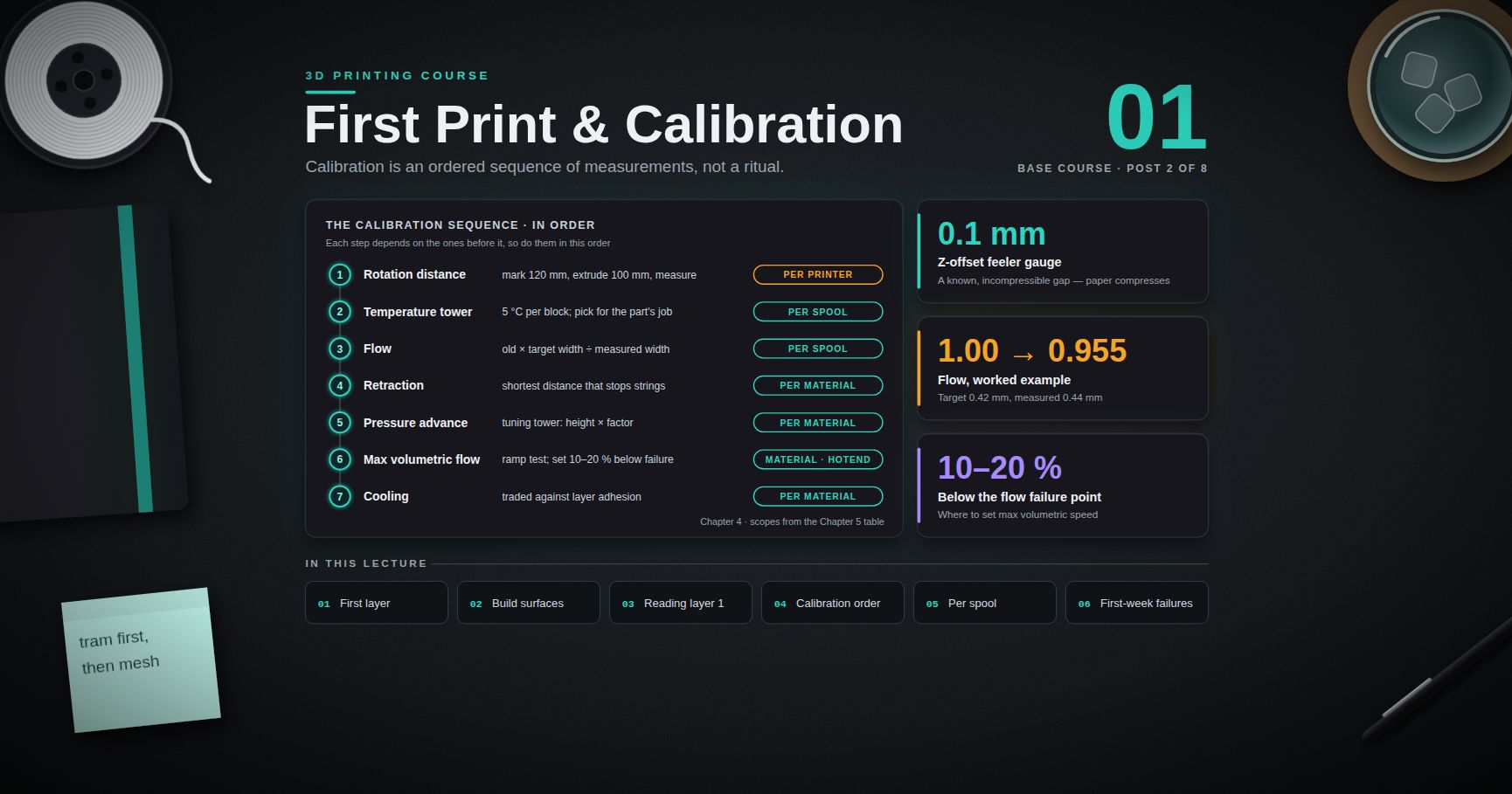
Post 01 puts a real part on the bed. It covers the first-layer doctrine — bed tramming, the nozzle-to-bed gap, Z-offset and mesh levelling — then the full calibration sequence in the order that actually works: extruder rotation distance, temperature tower, flow, retraction, pressure advance, maximum volumetric flow and cooling, each as a procedure with a measurement you take yourself. It closes with a failure-to-cause table for the problems that show up in the first week.
References
- ISO/ASTM 52900 — Additive manufacturing, general principles, terminology — the standard that defines the process-category vocabulary used throughout this course.
- RepRap wiki — G-code — the community reference for what each G-code command means across firmwares.
- Marlin firmware documentation — G-code reference and configuration.
- Klipper documentation — including Rotation distance and the input-shaping and pressure-advance guides used later in this series.
- PrusaSlicer knowledge base — one of the better-written vendor documentation sets, and largely applicable to PrusaSlicer forks.
- OrcaSlicer calibration wiki — documented, repeatable calibration test procedures.
- Ellis' Print Tuning Guide — the most careful community-maintained tuning methodology available.
- R. P. Wool and K. M. O'Connor, "A theory of crack healing in polymers", Journal of Applied Physics 52, 5953 (1981) — the interdiffusion/healing model underlying layer adhesion.
- RadTech — Safe handling of 3D printing resins — industry association guidance on photopolymer handling and PPE.
Note: this post is in progress. Planned additions: a cross-section diagram of the hotend melt zone; a photographed comparison of in-plane versus interlayer fracture surfaces; a worked cost model comparing print, machine and buy at quantities 1, 50 and 5000.