3D Printing Course — 05 · Dimensional Accuracy and Tolerances
This is the post the rest of the series is built around. A CAD model contains a number — 20.000 mm — that is exact in the sense that a mathematical object is exact. The part that comes off the plate is not that number. It is a physical object with a size that depends on the filament batch, the flow calibration, the extrusion width, the first-layer squish, the cooling history, the motion system, the geometry itself, and the temperature of the room when you measured it. The gap between those two things is not a defect to be eliminated; it is the normal condition of manufacturing, and the entire discipline of tolerancing exists because of it.
The goal of this post is not to hand you numbers. It is to give you the vocabulary to describe the problem precisely, an honest accounting of where the error comes from, and a reproducible procedure that produces numbers for your machine, your material and your profile — because those are the only numbers that are true.
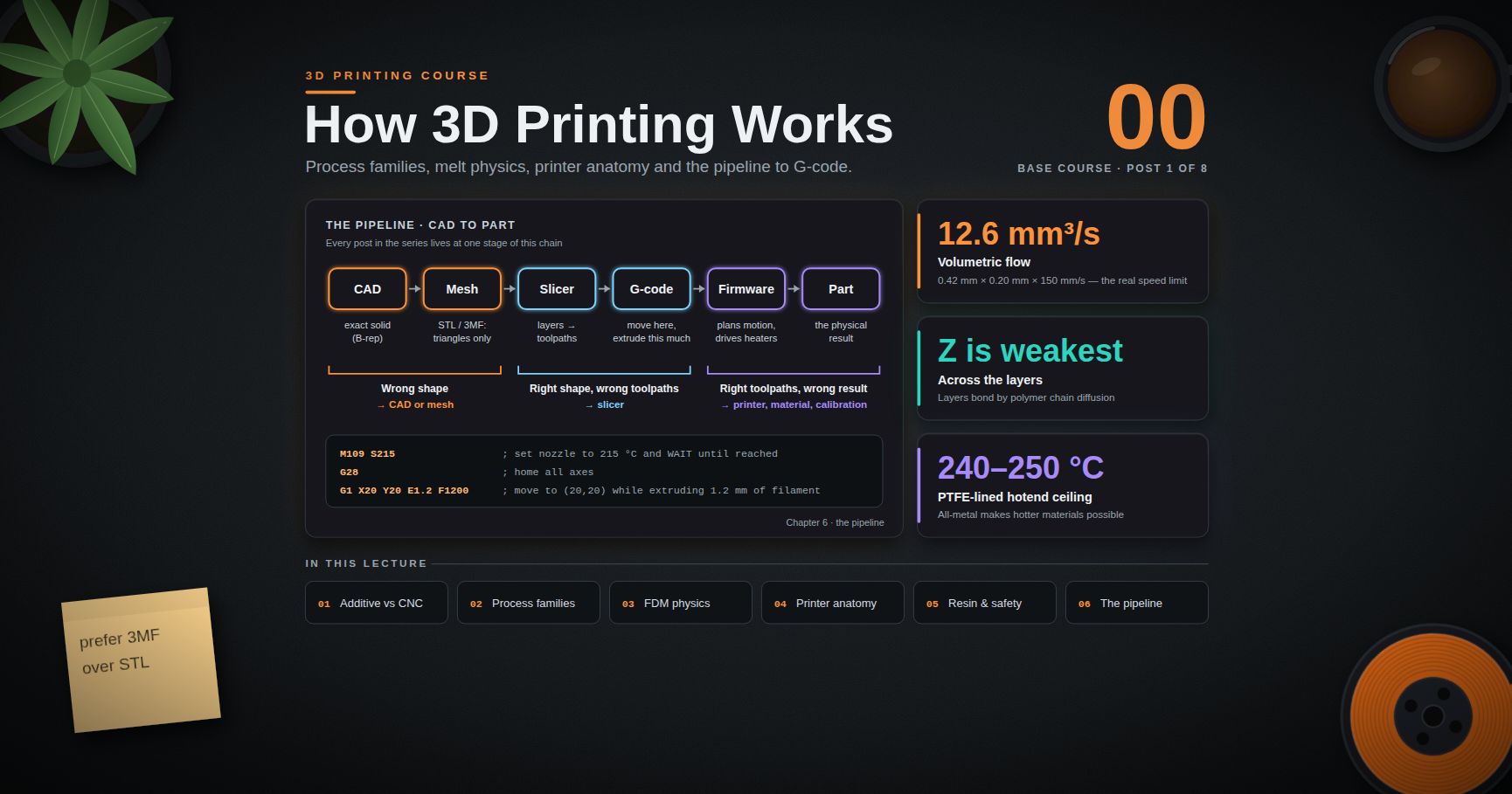
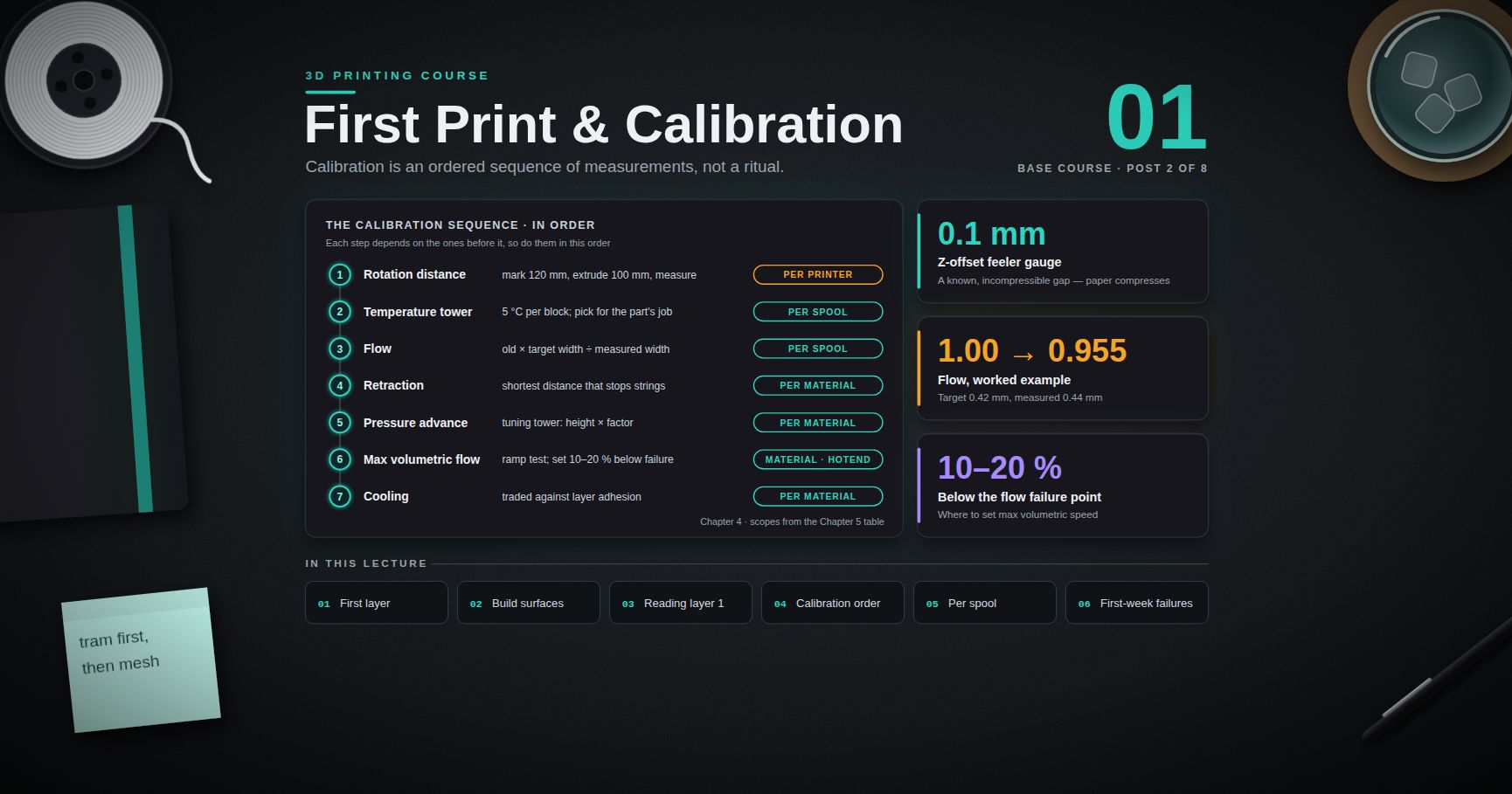
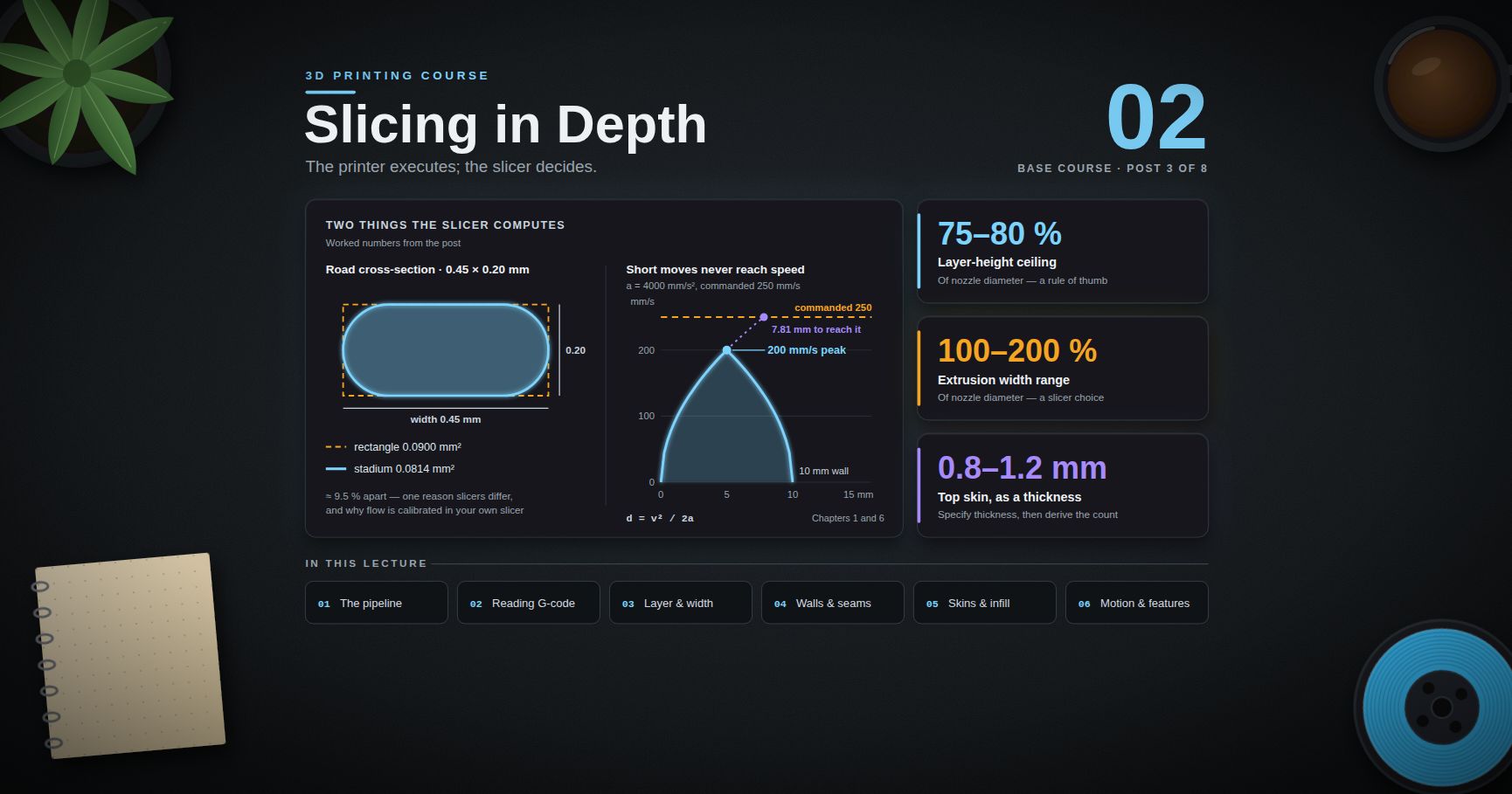
Series map: 00 How 3D Printing Works → 01 First Print and Calibration → 02 Slicing in Depth → 03 Orientation, Supports and Design for Printing → 04 Materials → 05 Dimensional Accuracy and Tolerances (this post) → 06 CAD for Printing → 07 Strength, Failure Modes and Functional Parts.
Learning Outcome
- State the difference between accuracy, precision (repeatability and reproducibility) and resolution, and explain why an advertised "0.05 mm resolution" says essentially nothing about accuracy.
- Measure a printed part defensibly: right instrument, controlled force, controlled temperature, repeated readings, recorded uncertainty.
- Build an error budget for a printed dimension and name which contributions are systematic and which are random.
- Recognise and correct the standard systematic errors: elephant foot, hole undersizing, external-large/internal-small, and X/Y versus Z asymmetry.
- Run a test-artefact procedure that produces a machine-and-material-specific offset table you fill in yourself.
- Design fits using clearance/transition/interference as a concept, with a printed sweep gauge determining the actual value.
- Choose between compensating in CAD and compensating in the slicer, and know which is correct when.
- Design so that tolerance stack-up is absorbed by an adjustable dimension rather than demanded of every dimension.
Chapter 1 — Saying what you mean
Most confusion about printer accuracy is vocabulary confusion. These terms are not synonyms and the rest of the post keeps them strictly distinct.
Terminology
- Nominal size — the number in the CAD model. A design intent, not a prediction.
- Actual size — what a specific physical feature measures, on a specific instrument, at a specific time and temperature.
- Deviation (error) — actual minus nominal, signed. Sign matters: a hole 0.15 mm undersize and a hole 0.15 mm oversize are opposite problems with opposite fixes.
- Accuracy (formally, trueness) — how close the mean of many measurements is to the true value. Accuracy is about the centre of the distribution.
- Precision — how tightly repeated results cluster, independent of whether they cluster in the right place. Precision is about the spread.
- Repeatability — spread when the same operator measures the same feature with the same instrument under the same conditions, or when the same machine prints the same part repeatedly without changes.
- Reproducibility — spread when something legitimately changes: a different operator, a different instrument, a different day, a new spool of the same filament, the same model on a different printer.
- Resolution — the smallest increment an instrument can display, or the smallest increment a machine can command. It is a property of the readout or the motion system, and it bounds nothing else.
- Uncertainty — the interval within which the true value plausibly lies, given the instrument, the method and the operator. Always larger than the resolution.
- Tolerance — the permitted deviation, decided by the designer from the function of the part. A tolerance is a requirement, not a measurement.
- Systematic error (bias) — a repeatable, signed offset. Can be measured and compensated.
- Random error — scatter with no fixed sign. Can be characterised statistically and reduced by averaging, but not compensated away.
The four-quadrant picture, stated plainly
| Precise | Not precise | |
|---|---|---|
| Accurate | every part right, every time — the goal | on average right, individually unpredictable |
| Not accurate | every part wrong by the same amount — compensable | every part wrong by a different amount — the hard case |
The bottom-left quadrant is the most important thing in this post. A machine that is precise but not accurate is a good machine: the error is systematic, you measure it once, and you compensate for it. A machine that is imprecise cannot be fixed by compensation, because there is no single number to compensate by. So the first diagnostic question is never "is it accurate?" — it is "is it repeatable?"
Why "0.05 mm resolution" is a meaningless accuracy claim
Marketing copy quotes numbers like "0.0125 mm XY resolution". That figure is a motion increment: the linear distance corresponding to one microstep of a stepper motor, derived from the motor's step angle, the microstepping setting, and the belt pitch or lead screw pitch. It is arithmetic on the kinematics.
It says nothing about:
- whether the belt is tensioned identically in both directions (backlash),
- whether the frame is square,
- whether the extruder delivers the commanded volume of plastic (flow),
- whether the extrusion width matches what the slicer assumed,
- whether the filament is the diameter the slicer was told,
- how much the part shrinks as it cools,
- whether the motor actually reaches every commanded microstep under load, which at high microstepping ratios it frequently does not.
A stepper motor's ability to command a 0.0125 mm move does not mean the toolhead goes there, and even if it did, the plastic that ends up on the plate is not the toolhead path. Treat advertised resolution as a specification of the controller, not of the part.
Watch out: the same confusion appears on the CAD side. A modeller displaying 20.0000 mm is showing you the precision of a floating-point representation, not a claim about anything physical. Digits in a CAD field are free; micrometres on a plate are not.
Chapter 2 — The instrument is part of the experiment
Before measuring error, establish that the measurement itself is not the largest source of error. On printed polymer parts, it very often is.
Calipers versus micrometers
| Digital calipers | Micrometer | |
|---|---|---|
| Typical display resolution | 0.01 mm | 0.001 mm |
| Realistic uncertainty in normal use | far worse than the display — commonly a few hundredths of a mm | roughly an order of magnitude better |
| Measuring force | uncontrolled, entirely operator-dependent | controlled by a ratchet or friction thimble |
| Reach | external, internal, depth, step | external only (for a standard outside micrometer) |
| Cost | low | moderate |
| Right for | almost everything in this post | verifying a critical dimension, or calibrating your calipers' bias |
The decisive difference is measuring force. Calipers have no force control at all: how hard you squeeze determines the reading. On steel this barely matters. On a printed polymer part — a material with a modulus orders of magnitude below steel, and a surface made of rounded extrusion beads rather than a plane — it matters enormously. Squeezing calipers hard on a PLA cube can easily change the reading by more than the deviation you are trying to measure, and on TPU it is hopeless.
A micrometer's ratchet applies a repeatable force. That is why a micrometer is more precise, not the extra digit.
Trick: to find out how much your grip is worth, measure the same feature ten times deliberately gently and ten times deliberately firmly. The difference between the two means is your personal measuring-force error. Everyone should know this number about themselves. It is usually larger than expected.
The other things that move the reading
- Zero. Close the jaws, check zero, re-zero, before every measurement session and again if you drop the tool. A caliper that drifted 0.03 mm off zero produces a beautifully repeatable, entirely wrong dataset.
- Temperature. Polymers have a coefficient of thermal expansion roughly an order of magnitude larger than steel. A part measured warm off the plate and the same part measured cold are different sizes, and your steel calipers are not expanding with it. Let parts equilibrate to room temperature — a couple of hours for anything substantial — and record the room temperature with the data.
- Where on the feature. Printed surfaces are not planes. A measurement across the middle of a face, across a corner, at the first layer, and at the top of a 40 mm pillar are four different measurements of the same nominal dimension. Decide a location convention and record it.
- Seam and blob. The layer seam is a local bulge. Measuring across a seam gives a systematically larger reading. Either measure away from the seam and say so, or measure across it deliberately and say that.
- Bead geometry. The outer surface is a stack of rounded beads, not a flat face. Calipers contact bead crowns; a flat contact averages differently than a knife-edge contact.
- Internal features are harder. Caliper internal jaws are stubby and imprecise, and on a hole they measure a chord, not necessarily the diameter. Pin gauges (or, adequately, drill bit shanks of known size, or ground dowel pins) measure a hole far better: the largest pin that enters is a real, functional, repeatable answer.
The measurement protocol
The whole of the rest of this post depends on measurements taken like this:
- Let the part reach room temperature. Record the temperature.
- Zero the instrument. Verify against a known reference if you have one (a gauge block, a ground dowel pin, a new drill bit shank).
- Deburr nothing and clean nothing that changes the dimension; do remove obvious stringing and the brim.
- Take at least five readings of each feature, re-seating the instrument each time. Rotate the part between readings where the feature allows.
- Record every reading, not just the one you like.
- Report the mean and the spread (range or standard deviation). The mean estimates the bias; the spread estimates your precision.
- If the spread is comparable to the deviation you are chasing, stop — improve the measurement before drawing any conclusion about the printer.
1
2
3
4
5
6
7
8
9
10
11
12
13
14
15
16
17
18
19
20
21
22
23
24
25
26
27
28
# measure.py — turn repeated readings into the two numbers that matter.
import statistics as st
def summarise(nominal, readings):
mean = st.fmean(readings)
return {
"nominal": nominal,
"n": len(readings),
"mean": round(mean, 4),
"deviation": round(mean - nominal, 4), # systematic component (bias)
"stdev": round(st.stdev(readings), 4) if len(readings) > 1 else None,
"range": round(max(readings) - min(readings), 4),
}
# Replace with YOUR readings. These are placeholders, not results.
data = [
(20.0, [0, 0, 0, 0, 0]), # external 20 mm feature, five readings
(10.0, [0, 0, 0, 0, 0]), # internal 10 mm feature, five readings
]
for nominal, readings in data:
if any(readings):
print(summarise(nominal, readings))
# Decision rule:
# range >= |deviation| -> the measurement is too noisy to conclude anything.
# range << |deviation| -> the deviation is real and worth compensating.
Common pitfall: measuring once, getting 19.86 on a 20 mm nominal, and concluding "my printer prints 0.14 mm small". One reading contains no information about its own reliability. It could be bias, it could be grip, it could be a seam, it could be the caliper's zero. Five readings tell you which.
Chapter 3 — The error budget
Here is the honest thesis of this post: the deviation of a printed dimension is a sum of contributions, most of which you can name, several of which you can measure, and a few of which you cannot control at all. Chasing accuracy without knowing which term dominates is how people spend weeks tuning the wrong thing.
| # | Contribution | Nature | Sign / effect | What to do about it |
|---|---|---|---|---|
| 1 | Filament diameter variation | random, batch-systematic | flow varies ⇒ width varies | measure the filament in several places with a micrometer; set the slicer's diameter to the measured mean, not the printed label |
| 2 | Flow / extrusion multiplier calibration | systematic | too much flow ⇒ external features large, holes small | calibrate flow (Post 01) before anything in this post |
| 3 | Extrusion width vs slicer geometry | systematic | the toolpath is offset by half the assumed width; if actual ≠ assumed, every wall is offset | verify extrusion width from a single-wall test; set it explicitly rather than leaving it "auto" |
| 4 | First-layer squish / elephant foot | systematic, local to Z ≈ 0 | first layers bulge outward | first-layer Z offset (Post 01); elephant-foot compensation in the slicer; chamfer the bottom edge in CAD |
| 5 | Thermal contraction on cooling | systematic, material-dependent | part ends smaller than nominal, and roughly proportional to size | measure the proportional term (Chapter 5); apply as a scale factor, not an offset |
| 6 | Warping / residual stress | systematic in tendency, variable in magnitude | flatness and squareness errors more than size errors | Post 04, Chapter 3 — thermal environment |
| 7 | Layer-height quantisation in Z | systematic, discrete | Z heights land on multiples of the layer height; a 10.05 mm feature at 0.2 mm layers becomes 10.0 or 10.2 | design Z dimensions as multiples of layer height where they matter |
| 8 | Motion-system accuracy, belt tension, backlash | systematic per axis, plus hysteresis | X and Y can differ from each other; direction-dependent error | check steps/mm per axis, belt tension, and frame squareness; measure a long dimension in X and in Y separately |
| 9 | Part geometry | systematic per feature type | small holes err more than large ones; tall thin features lean; large flat parts warp | the reason Chapter 5's artefact sweeps sizes rather than testing one cube |
| 10 | Nozzle wear | slow drift | accuracy degrades over weeks on abrasive filaments | Post 04, Chapter 5 — track it, and re-calibrate after a nozzle change |
| 11 | Post-processing (annealing, sanding, vapour smoothing) | systematic, sometimes large | annealing shrinks anisotropically | measure before and after; Post 04, Chapter 6 |
| 12 | The measurement itself | random plus operator bias | often the largest single term for a beginner | Chapter 2 |
Note the structural distinction in row 5 versus row 4: thermal contraction scales with size, elephant foot does not. A contraction of 0.3 % is 0.06 mm on a 20 mm feature and 0.6 mm on a 200 mm feature. Elephant foot is roughly a fixed bulge regardless of part size. This is why a single global offset cannot fix both, and it is why Chapter 5's procedure sweeps a range of nominal sizes: only by looking at how error varies with size can you separate the offset term from the scale term.
The general model worth carrying in your head:
1
2
3
4
5
6
7
8
9
10
11
12
deviation(nominal) ≈ offset + scale × nominal + noise
offset — size-independent. Extrusion width mismatch, flow error,
toolpath compensation, elephant foot (near Z = 0).
Fixed by an OFFSET compensation (XY size compensation).
scale — proportional to size. Thermal contraction, steps/mm error.
Fixed by a SCALE factor (or by correcting steps/mm).
noise — random. Filament variation, measurement, surface texture.
Not fixable by compensation; sets the floor on achievable tolerance.
Fit that model to your own data and you know which knob to turn. Measure one cube and you cannot separate the terms at all.
Chapter 4 — The systematic errors, and their actual causes
These four account for the large majority of real-world fit failures.
Elephant foot
Symptom: the bottom one to three layers bulge outward. A part that measures correctly at mid-height is oversize at the base, and it will not sit flat in a recess or slide into a slot.
Cause: two things at once. The first layer is deliberately squashed into the plate for adhesion, which displaces material sideways. And the first layers cool against a heated bed that keeps them soft, under the weight and pressure of everything printed above.
Fixes, in the order to try them:
- Get the first-layer Z offset right (Post 01). Over-squish is the root cause; everything else is compensation.
- Chamfer the bottom edge in CAD — a 0.4–0.6 mm chamfer on the bottom perimeter. This is the most robust fix because it survives moving the model to a different printer, a different slicer or a different profile. It costs one CAD feature.
- Slicer elephant-foot compensation — shrinks the first layer's perimeter by a set amount. Effective, but it is a profile setting that does not travel with the model.
- Reduce bed temperature slightly if the material allows.
Holes come out undersize
Symptom: a 5 mm hole measures under 5 mm, and a 3 mm hole is proportionally worse. This is the single most reported dimensional complaint in FDM, and it has two independent causes that add.
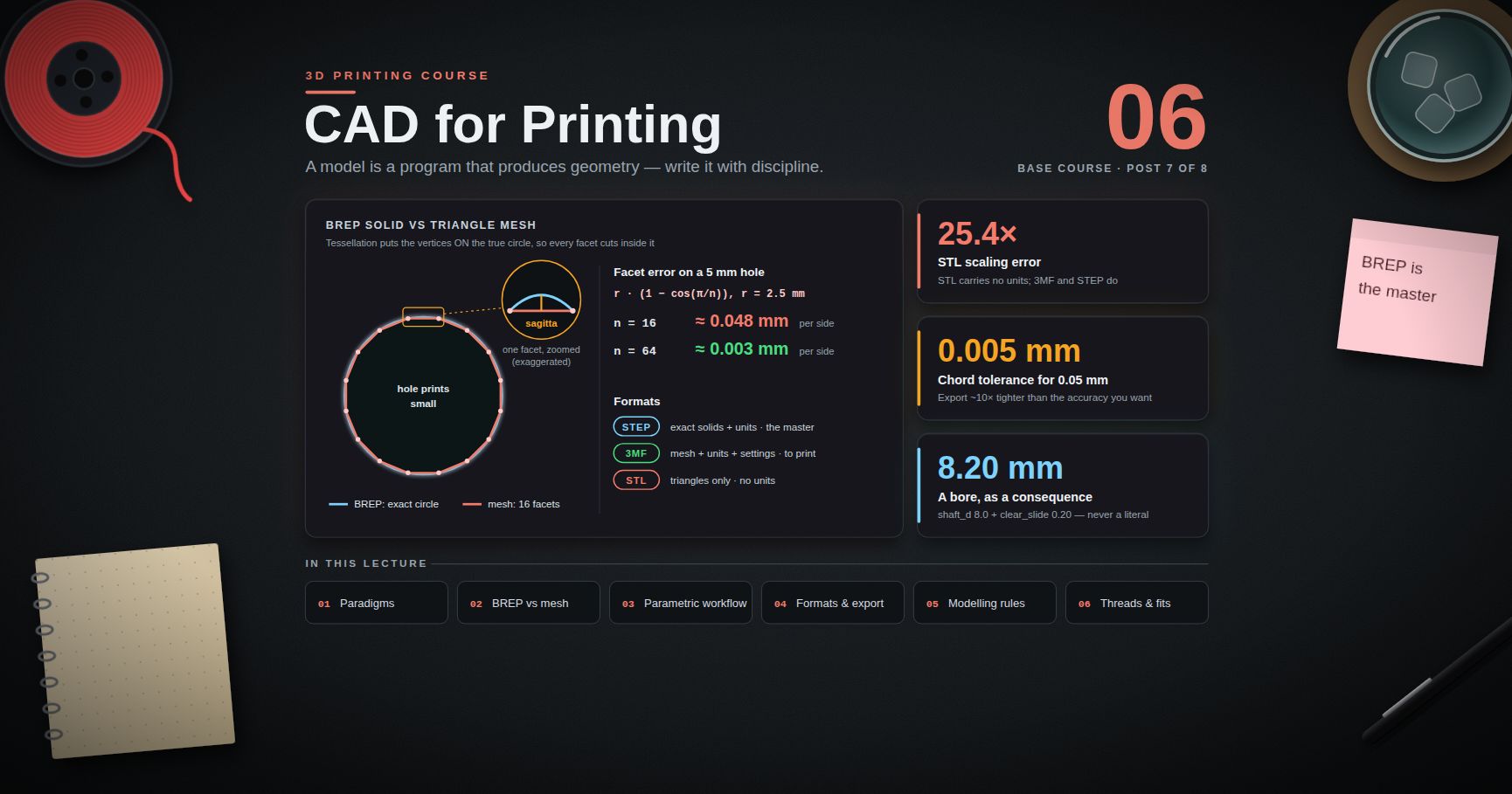
Cause A — polygonal chord error. The slicer works on a triangle mesh. A cylindrical hole in CAD becomes an N-sided polygon on export, and the toolpath follows that polygon. Because the mesh vertices sit on the true circle and the polygon edges cut inside it, the printed hole is inscribed in the nominal circle and is therefore smaller. The error grows as the facet count falls and as the hole gets smaller relative to the facet size. This error is created in CAD export, not in the printer — see Post 06 on chord/deviation tolerance.
Cause B — extrusion overlap on a concave path. When the nozzle traverses a concave (inward-curving) path, the deposited bead's outer material is compressed toward the inside of the curve. The bead does not simply lie along the commanded centreline; it bulges into the hole. Small holes have tighter curvature, so the effect is larger — which is why a 3 mm hole is proportionally worse than a 12 mm one. This is a real physical effect of extruding a finite-width bead along a curve, and it cannot be fixed in CAD export.
Fixes:
- Export with a tight chord tolerance so the facets are fine (Post 06). This removes Cause A entirely and costs nothing but file size.
- Print, measure, and compensate. Because Cause B depends on hole size, the compensation is a curve, not a constant — hence the sweep in Chapter 5.
- For holes that must fit a fastener or a shaft, drill or ream to size after printing. A printed hole reamed with a standard drill or reamer is dramatically more accurate than any compensation scheme, and this is a legitimate professional answer, not a cop-out.
- Slicer hole compensation where available (Cura's Hole Horizontal Expansion, OrcaSlicer's X-Y hole compensation). Note that PrusaSlicer's XY size compensation is not hole-specific: it grows or shrinks all perimeters, so a positive value that enlarges the outside simultaneously shrinks holes.
Watch out: never design a hole at exactly the nominal shaft size and expect it to fit. A 3 mm hole for a 3 mm shaft will not accept the shaft on any FDM printer without help. Clearance is designed in, not hoped for — Chapter 6.
External dimensions large, internal features small
Symptom: the outside of the box is 20.15 on a 20 nominal, and the pocket inside it is 19.85 on a 20 nominal. Both errors are the same sign of material excess.
Cause: any excess deposited material grows the part outward from the toolpath in both cases. On an external wall that means larger; on an internal wall it means the cavity is smaller. Over-extrusion, an extrusion width larger than the slicer assumed, or a too-hot first layer all produce this signature.
This is the diagnostic signature of over-extrusion, and it is why both an external and an internal feature must be in the test artefact. Measuring only external features and compensating them makes internal features worse.
X/Y and Z behave differently
Z is not the same problem as X and Y and should never be lumped with them.
| X / Y | Z | |
|---|---|---|
| Feature size determined by | extrusion width and toolpath geometry | layer height and the number of layers |
| Quantisation | effectively continuous | discrete — heights land on multiples of layer height |
| Typical accuracy | worse — the error budget above | often better, because Z steps are mechanically direct (lead screws) and there is no bead-width term |
| Error mechanism | flow, width, curvature, compensation | first-layer offset (a fixed error on every Z dimension), plus quantisation |
| Compensation | XY size compensation / hole compensation | design to layer-height multiples; correct the first-layer offset |
The important asymmetry: your first-layer Z offset applies a constant error to every Z dimension in the part, in the same direction, regardless of height. Squish the first layer 0.05 mm extra and every Z dimension is 0.05 mm short. That is a systematic, easily measured, easily corrected error — and it is a completely different animal from the size-proportional errors in X and Y.
Trick: measure a tall feature's height and a short feature's height on the same print. If both are short by the same amount, it is first-layer offset. If the tall one is short by proportionally more, it is steps/mm or thermal contraction. The pattern of the error tells you the cause.
Chapter 5 — The calibration-cube fallacy, and what to do instead
Why the 20 mm cube proves almost nothing
The 20 mm calibration cube is the most-printed object in the hobby and one of the least informative. Consider what it can and cannot tell you.
What it does test: whether a 20 mm external dimension in X and in Y comes out near 20 mm, once.
What it cannot tell you:
- Anything about internal features. It has no holes. It therefore cannot detect the over-extrusion signature above, which is the most common real cause of fit failure.
- Anything about size dependence. One nominal size cannot separate the offset term from the scale term of the error model. A cube that measures 20.10 could be a +0.10 mm offset or a +0.5 % scale error; those need completely different fixes and the cube cannot distinguish them.
- Anything about repeatability. One cube is n = 1. It contains no information about spread.
- Anything about fits. The actual engineering question is almost never "is a 20 mm face 20 mm?" It is "does this 3 mm pin go into this 3 mm hole with the right amount of friction?" The cube is silent on that.
- Anything about your other materials or profiles. The result is specific to the filament, temperature, speed and layer height used.
A printer can produce a perfect 20 mm cube and still fail to produce a hole a shaft will enter. A 20 mm cube validates a 20 mm cube.
The artefact that does the job
The replacement is a test artefact that sweeps a range of nominal sizes, in both internal and external features, in all three axes. Here is one in OpenSCAD; it is deliberately parametric so you can adapt the ranges to your work.
1
2
3
4
5
6
7
8
9
10
11
12
13
14
15
16
17
18
19
20
21
22
23
24
25
26
27
28
29
30
31
32
33
34
35
36
37
38
39
40
41
42
43
44
// accuracy_artefact.scad
// Print in the material and profile you actually use.
// Purpose: measure error as a FUNCTION OF NOMINAL SIZE, internal and external.
ext_sizes = [4, 6, 10, 16, 25]; // external square pillars (mm)
hole_sizes = [3, 4, 5, 6, 8, 10, 12]; // internal hole diameters (mm)
plate_t = 5; // plate thickness -> also a Z reference
pillar_h = 10; // pillar height -> another Z reference
pitch = 30; // grid spacing (mm)
margin = 10;
$fn = 180; // fine faceting: removes chord error
// so what remains is the PRINTER's error
plate_w = margin*2 + pitch * max(len(ext_sizes), len(hole_sizes));
plate_d = margin*2 + pitch * 2;
module plate() {
difference() {
cube([plate_w, plate_d, plate_t]);
// row of through-holes: the internal features
for (i = [0 : len(hole_sizes) - 1])
translate([margin + pitch*i + pitch/2, margin + pitch/2, -1])
cylinder(h = plate_t + 2, d = hole_sizes[i]);
}
}
module pillars() {
// row of square pillars: the external features
for (i = [0 : len(ext_sizes) - 1])
translate([margin + pitch*i + pitch/2 - ext_sizes[i]/2,
margin + pitch + pitch/2 - ext_sizes[i]/2,
plate_t])
cube([ext_sizes[i], ext_sizes[i], pillar_h]);
}
plate();
pillars();
// Z references you also measure:
// plate_t (5 mm) -> short Z dimension
// plate_t + pillar_h (15 mm) -> tall Z dimension
// plate_w, plate_d -> long X and long Y dimensions
Print it once. Then print it three times — repeatability is a separate question from accuracy and the artefact answers both.
The table you fill in
This is the deliverable. The cells are empty on purpose. Numbers printed here would be numbers for someone else's machine, and the whole argument of this post is that those are worthless to you.
Sheet 1 — external features (X/Y)
| Nominal (mm) | r1 | r2 | r3 | r4 | r5 | Mean | Deviation | Range |
|---|---|---|---|---|---|---|---|---|
| 4 | ||||||||
| 6 | ||||||||
| 10 | ||||||||
| 16 | ||||||||
| 25 | ||||||||
| plate_w (long X) | ||||||||
| plate_d (long Y) |
Sheet 2 — internal features (holes)
| Nominal (mm) | r1 | r2 | r3 | r4 | r5 | Mean | Deviation | Range | Largest pin that enters |
|---|---|---|---|---|---|---|---|---|---|
| 3 | |||||||||
| 4 | |||||||||
| 5 | |||||||||
| 6 | |||||||||
| 8 | |||||||||
| 10 | |||||||||
| 12 |
Sheet 3 — Z
| Nominal (mm) | r1 | r2 | r3 | r4 | r5 | Mean | Deviation | Range |
|---|---|---|---|---|---|---|---|---|
| 5 (plate) | ||||||||
| 15 (plate + pillar) |
Sheet 4 — reproducibility across three prints
| Feature | Print A mean | Print B mean | Print C mean | Spread between prints |
|---|---|---|---|---|
| external 10 | ||||
| hole 6 | ||||
| Z 15 |
Reading your own results
1
2
3
4
5
6
7
8
9
10
11
12
13
14
15
16
17
18
19
20
21
22
23
24
25
# fit_offset_scale.py — separate the size-independent term from the scale term.
# Least-squares fit of deviation = offset + scale * nominal
# using only the standard library.
def fit(points): # points: [(nominal, deviation), ...]
n = len(points)
sx = sum(x for x, _ in points)
sy = sum(y for _, y in points)
sxx = sum(x * x for x, _ in points)
sxy = sum(x * y for x, y in points)
denom = n * sxx - sx * sx
scale = (n * sxy - sx * sy) / denom
offset = (sy - scale * sx) / n
return offset, scale
# Fill in from Sheet 1 (external) and Sheet 2 (internal) SEPARATELY.
external = [] # e.g. [(4, ...), (6, ...), (10, ...), (16, ...), (25, ...)]
internal = [] # e.g. [(3, ...), (4, ...), ...]
for name, pts in (("external", external), ("internal", internal)):
if len(pts) >= 2:
offset, scale = fit(pts)
print(f"{name}: offset = {offset:+.4f} mm, "
f"scale = {scale*100:+.3f} % ")
Interpretation, and this is the payoff of the whole chapter:
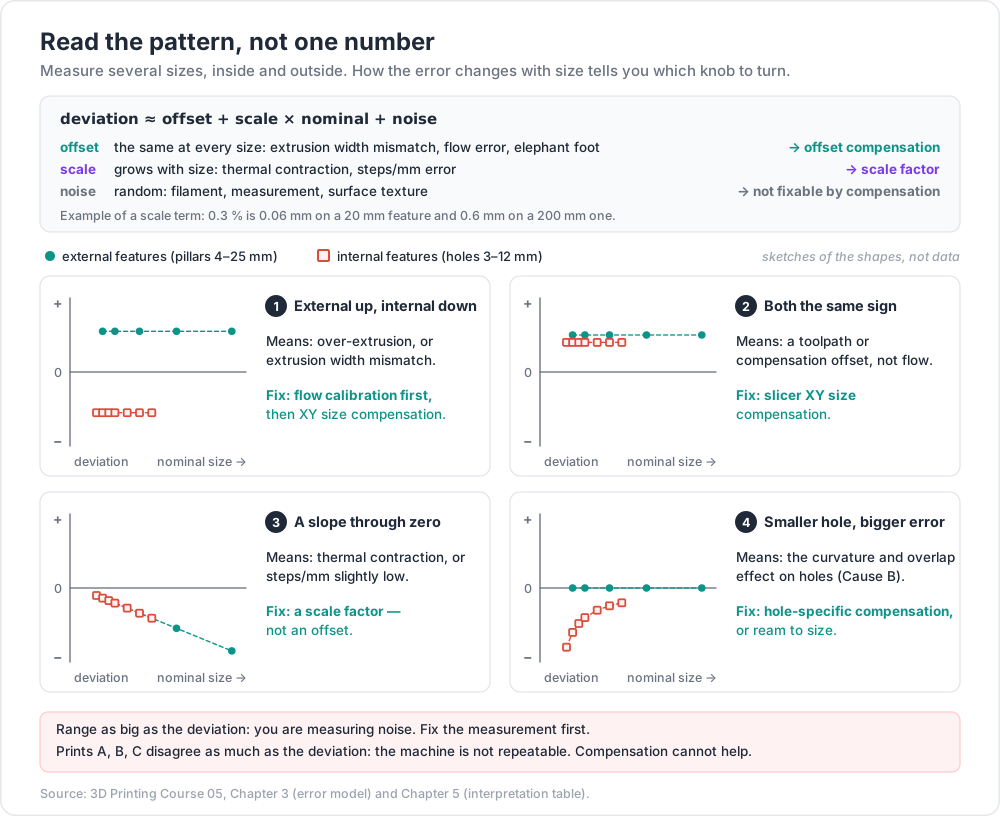
| What the fit shows | What it means | Where to fix it |
|---|---|---|
| Large offset, scale ≈ 0, external positive and internal negative | over-extrusion or extrusion width mismatch | flow calibration; then slicer XY size compensation |
| Large offset, external and internal same sign | toolpath/compensation offset, not flow | slicer XY size compensation |
| Offset ≈ 0, significant negative scale | thermal contraction, or steps/mm slightly low | scale factor, or fix steps/mm — not an offset |
| Internal deviation grows sharply as holes get smaller | curvature/overlap effect (Cause B above) | hole-specific compensation, or ream to size |
| Range comparable to deviation | you are measuring noise | fix the measurement (Chapter 2) before compensating anything |
| Print A/B/C means differ as much as the deviation | the machine is not repeatable | compensation cannot help — find the mechanical cause first |
Common pitfall: adjusting steps/mm to fix a dimensional error. Steps/mm is determined by belt pitch, pulley tooth count and microstepping — it is arithmetic, and on a correctly built machine it is already right. If a 25 mm feature is 0.15 mm off, that is almost certainly flow, width or contraction, not steps/mm. Changing steps/mm to compensate for a flow error introduces a scale error to cancel an offset error, which cancels correctly at exactly one size and is wrong everywhere else.
Chapter 6 — Designing fits
The concept, borrowed correctly
Mechanical engineering has a mature vocabulary for how two mating features relate. ISO 286 ("Geometrical product specifications (GPS) — ISO code system for tolerances on linear sizes") defines it: a hole and a shaft each get a tolerance zone, described by a letter (position of the zone relative to nominal) and a grade number (width of the zone, IT01 through IT18). The classic designations — H7/g6, H7/p6 — come from that system, and fits fall into three classes:
- Clearance fit — the hole is always larger than the shaft. There is always a gap. Parts assemble by hand and can move or rotate.
- Transition fit — the tolerance zones overlap. Depending where each part lands within its zone, the assembly may be slightly loose or slightly tight. Used for accurate location with hand assembly.
- Interference (press) fit — the shaft is always larger than the hole. Assembly requires force, heating or cooling, and the joint transmits torque by friction.
Now the honest part: ISO 286 fit classes are not directly applicable to FDM printing. Borrow the three concepts; do not copy the values. The reasons are specific:
- The IT grades assume machining processes with characterised, stable capability. FDM's capability is not that, and it is different for every machine, material and profile.
- The system assumes tolerance zones roughly symmetric about a predictable process centre. FDM's bias is strongly feature-dependent — external and internal features err in opposite directions, and small holes err differently from large ones.
- FDM surfaces are made of rounded beads with layer-scale texture. "Size" on such a surface is less well-defined than on a machined one, which undermines the measurement the system is built on.
- The material is compliant and viscoelastic. A polymer press fit relaxes over time (creep — Post 07); a steel one does not.
So: use "I want a clearance fit here and an interference fit there" as design language. Then determine the actual clearance experimentally.
The fit-test gauge
The right tool is a printed gauge that sweeps clearance in known steps against a known reference. Use a real reference object rather than another printed part, so you are measuring one unknown instead of two: a ground dowel pin, a drill bit shank, an M3 screw, a 608 bearing, a specific connector.
1
2
3
4
5
6
7
8
9
10
11
12
13
14
15
16
17
18
19
20
21
22
// fit_gauge.scad — sweep clearance against a KNOWN reference part.
// Print, then test each hole against the real object. Record which fits how.
ref_d = 3.00; // measured diameter of the reference (mm)
clearances = [0.00, 0.05, 0.10, 0.15, 0.20, 0.25, 0.30, 0.40, 0.50];
thick = 6; // engagement depth matters -> keep it realistic
pitch = 12;
$fn = 180;
difference() {
cube([pitch * len(clearances) + 10, 20, thick]);
for (i = [0 : len(clearances) - 1]) {
translate([10 + pitch*i, 10, -1])
cylinder(h = thick + 2, d = ref_d + clearances[i]);
// engrave the clearance value next to each hole
translate([6 + pitch*i, 2.5, thick - 0.6])
linear_extrude(1)
text(str(clearances[i]), size = 2.6);
}
}
Record the result as a judgement, not a number, because the judgement is what you actually want to reproduce:
| Clearance | Result | Classification |
|---|---|---|
| 0.00 | won't enter / needs force / press | |
| 0.05 | ||
| 0.10 | ||
| 0.15 | ||
| 0.20 | ||
| 0.25 | ||
| 0.30 | ||
| 0.40 | ||
| 0.50 | free / sloppy |
From one gauge you get your machine's four working numbers: press fit, tight locating fit, sliding fit, free-running fit. Write them into your CAD parameter file as named variables (Post 06) and stop guessing.
Three things that change the answer and must be held constant or re-tested:
- Material. PETG and PLA do not give the same clearances. Neither do two colours (Post 04).
- Engagement depth. A 2 mm-deep hole and a 20 mm-deep hole with identical diameters behave completely differently. Test at a realistic depth.
- Orientation. A hole printed with its axis vertical (a circle in the layer plane) and one printed horizontally (an arch, with bridging at the top) are different features with different errors. Test the orientation you will use.
Trick: design a deliberately adjustable interface where you can — a slot instead of a hole, a screw-clamped collar instead of a press fit, a shim pocket. One adjustable feature absorbs the whole tolerance stack of the assembly and turns a metrology problem into a five-second assembly step.
Compensating in CAD versus in the slicer
Both are legitimate. They belong in different places, and mixing them without noticing is how people end up double-compensating.
| Compensate in CAD | Compensate in the slicer |
|---|---|
| The correction is a design decision: a functional clearance, a bottom chamfer, a wall thickness set to a multiple of extrusion width | The correction is a machine/process characteristic: your printer's systematic offset for this material and profile |
| Travels with the model to any printer, slicer or person | Lives in the profile; correctly re-applied to every model you print with that profile |
| Correct for: fit clearances, chamfers, thread reliefs, features sized to nozzle geometry | Correct for: global XY size compensation, hole compensation, elephant-foot compensation |
| Wrong for: your machine's private bias — you would bake a local defect into a shared file | Wrong for: functional clearances — the slicer setting applies to every feature, including the ones that were already fine |
The rule: design intent goes in CAD, machine bias goes in the slicer. A clearance of 0.2 mm because a shaft must rotate is design intent — it belongs in the model and should be a named parameter. A −0.06 mm XY compensation because your extruder runs slightly hot is machine bias — it belongs in the profile, and it should not follow the model to someone else's printer.
Watch out: if you compensate in the slicer and then adjust the model because parts still do not fit, you now have two corrections that must be maintained together, and neither is documented. Pick one place per cause, and write down what you did.
Chapter 7 — Stack-up, standards, and the argument
Tolerance stack-up
Errors add along an assembly path. Three parts stacked, each within ±0.15 mm, can be ±0.45 mm out at the end in the worst case. Design a mechanism as a chain of five tightly-toleranced printed features and you have designed something that will not assemble.
Two ways to add up the contributions:
- Worst case (arithmetic sum). Add all the tolerances. Guarantees assembly, and is conservative — it assumes every part is simultaneously at its extreme, which is unlikely.
- Statistical (root-sum-square). If the individual errors are independent and roughly centred, the combined spread grows like the square root of the sum of squares — much smaller than the arithmetic sum. Valid only when the errors really are independent and centred, and FDM errors often are neither: a whole batch printed from one spool on one day shares the same bias, which is precisely the correlated case RSS is invalid for.
For hobby and small-batch printing, the honest position is: use worst-case reasoning, and design so that the worst case is absorbed rather than resisted.
Techniques that absorb stack-up, roughly in order of usefulness:
- Make one dimension in the chain adjustable. A slot, an oversized clearance hole with a washer, a screw-adjusted stop, a shim. One adjustable feature is worth ten tight tolerances.
- Shorten the chain. Print two mating features as one part rather than three parts that must align. This is FDM's genuine superiority over machining — arbitrary geometry is free, so consolidate.
- Locate on a datum, not on an accumulation. Reference every feature to one face rather than each to the previous one, so errors do not accumulate down the chain.
- Use compliance deliberately. A printed snap-fit, a flexure, a slightly springy tab tolerates variation that a rigid interface will not.
- Post-process the one critical feature. Ream the bearing hole. Tap the thread. Face the mating surface flat with sandpaper on a granite tile. One machined feature on an otherwise printed part is cheap and effective.
Where the standards fit
| Standard | What it is | Applicability to FDM |
|---|---|---|
| ISO/ASTM 52900:2021 | Additive manufacturing — general principles, fundamentals and vocabulary | Directly applicable. The terminology standard for the field; use its vocabulary in anything you write for others |
| ISO 286-1 / -2:2010 | GPS — ISO code system for tolerances on linear sizes; the H7/g6 system | Concepts applicable, values not. Borrow clearance/transition/interference as language; determine values experimentally |
| ISO 2768-1 | General tolerances for linear and angular dimensions — the "f / m / c / v" classes on a title block | A useful comparison point, not a specification you can claim. It was written for machined and formed parts; a printed part is not automatically within any of its classes, and claiming a class on a drawing means you have demonstrated capability |
| ISO 22081:2021 | General geometrical specifications; supersedes ISO 2768-2 (geometrical part), and supplies rules rather than values | Relevant if you produce drawings to a modern GPS framework |
| ISO 10303 (STEP) AP242 | Product data interchange | Post 06 — the format for exchanging solid geometry with units intact |
The reason ISO 2768's "medium" class is worth looking at is calibration of expectations: it gives a sense of what a workshop-grade general tolerance looks like at each size range. Compare your measured spread against it and you learn something honest about where your machine sits. What you must not do is print the class in a title block and imply conformance you have not demonstrated.
Watch out: none of these standards will make your printer more accurate. Their value is in giving you a precise, shared way to say what you require and what you achieved. That is not nothing — most disagreement about printed part quality is people using the same words to mean different things.
The closing argument
Everything above converges on one position, and it is the same position the planned furniture-CAD series will argue about woodworking:
CAD precision does not survive contact with the physical world.
The number in the model is exact. The part is not, and the material is not, and the machine is not, and the measurement is not. Every physical process has a distribution of outcomes, and the designer's job is not to eliminate that distribution — that is impossible — but to design something that works across it.
Three consequences follow, and they are the practical content of the whole post:
- A design that only works if a tolerance is met is a fragile design. If the assembly requires a 0.1 mm clearance and the process delivers ±0.15 mm, it will fail, and no amount of care changes that. Redesign the interface — make it adjustable, make it compliant, or consolidate the parts — rather than demanding a capability the process does not have.
- Measure your own process, then design inside what it can do. The offset and scale you fit in Chapter 5, and the clearances you found in Chapter 6, are your process capability. They are the design constraint. Someone else's numbers are not data about your machine.
- Where precision is genuinely required, get it from a process that has it. Ream the hole. Tap the thread. Press in a heat-set insert. Use a bought bearing, a bought shaft, a bought fastener. FDM's strength is arbitrary geometry produced quickly and cheaply, not precision — and combining it with a precise process at the two or three points that need precision is a better engineering answer than fighting the printer for a capability it does not have.
The most valuable skill in this entire course is not making an accurate print. It is knowing which dimensions need to be accurate — usually far fewer than beginners assume — and designing so the rest do not have to be.
Practice Exercises
Exercise 1 — Quantify your measurement
Before measuring anything else, measure yourself. Take one printed feature. Record ten readings taken gently and ten taken firmly. Compute the mean and standard deviation of each set. Report the difference between the two means, and the larger of the two standard deviations, as your personal measurement uncertainty.
Solution
1
2
3
4
5
6
7
8
9
10
11
12
13
14
The two numbers you now own:
grip bias = mean(firm) - mean(gentle)
noise floor = max(stdev(firm), stdev(gentle))
Interpretation:
- Any printer deviation SMALLER than your noise floor is undetectable with
your current method. You cannot compensate what you cannot resolve.
- Grip bias is systematic. It does not average away with more readings —
it moves the mean. A ratcheted micrometer removes it; a consistent
technique reduces it.
- Repeat this on TPU and on PLA. The polymer's modulus changes the answer.
A soft material makes the measurement, not the printer, the limiting factor.
Exercise 2 — Print and fill in the artefact table
Print the Chapter 5 artefact in your usual material and profile. Fill in Sheets 1, 2 and 3 completely — five readings per feature, no shortcuts. Compute mean, deviation and range for every row.
Exercise 3 — Separate the offset from the scale
Run fit_offset_scale.py on your Sheet 1 and Sheet 2 data separately. Report offset and scale for external and for internal features. Then answer, in one sentence each: is the dominant term an offset or a scale? Do internal and external errors have the same sign or opposite signs? What does the answer imply about your flow calibration?
Solution
1
2
3
4
5
6
7
8
9
10
11
12
13
14
15
16
17
18
19
20
21
22
23
24
Reading the four common patterns:
1. external offset POSITIVE, internal offset NEGATIVE, similar magnitude
-> over-extrusion (or extrusion width larger than the slicer assumes).
Fix flow first. Only then consider XY size compensation.
2. external and internal offsets the SAME sign
-> a pure toolpath offset, not a flow problem.
XY size compensation is the correct single fix.
3. offsets near zero, scale term dominant and negative
-> thermal contraction (or steps/mm low).
Apply a SCALE factor. An offset compensation would be wrong at
every size except one.
4. internal deviation grows steeply as hole diameter falls, while
external features are flat
-> the curvature/overlap effect. Use hole-specific compensation
(Cura "Hole Horizontal Expansion" / Orca "X-Y hole compensation"),
or ream the holes that matter.
If your range column is the same size as your deviation column, none of the
above is supported by the data. Go back to Exercise 1.
Exercise 4 — Reproducibility
Print the same artefact three times: back to back, then after a filament change to a new spool of the same product, then on a different day from a cold start. Fill in Sheet 4. Report the between-print spread and compare it against the deviations from Exercise 2.
Solution
1
2
3
4
5
6
7
8
9
10
11
12
13
14
15
16
17
18
The comparison that matters:
between-print spread vs |deviation|
spread << deviation -> the machine is repeatable and the error is
systematic. COMPENSATION WILL WORK, and the
numbers from Exercise 3 are usable.
spread ~= deviation -> the machine is not repeatable at this scale.
Compensation cannot help; it would fix one print
and break the next. Look for a mechanical or
process cause: belt tension, bed levelling drift,
part cooling variation, ambient temperature swings,
filament diameter variation, moisture (Post 04).
Print the SAME artefact after a nozzle change, too. If the numbers move,
you have just learned that "calibrated" has an expiry date.
Exercise 5 — Build your fit gauge
Print the Chapter 6 fit gauge against a known reference you actually use (an M3 screw, a 3 mm dowel, a 608 bearing's outer race). Fill in the judgement table. Write your four working clearances — press, tight, sliding, free — into a parameter file you will reuse.
Exercise 6 — Depth and orientation dependence
Reprint the fit gauge at two engagement depths (say 3 mm and 15 mm) and in two orientations (hole axis vertical, and hole axis horizontal). Compare the clearance that gives a sliding fit in each of the four cases. Explain the horizontal-hole result in terms of bridging.
Exercise 7 — Redesign a fragile interface
Find something you have printed that only assembles if the tolerance comes out right. Redesign the interface so it tolerates ±0.3 mm on every feature — using an adjustable dimension, compliance, part consolidation, or a post-processed critical feature. Print both and compare assembly experience.
Cheat-sheet
| What | How |
|---|---|
| Accuracy | closeness of the mean to truth — the centre |
| Precision | tightness of the spread — repeatability and reproducibility |
| Advertised "0.05 mm resolution" | a motion increment; not an accuracy claim |
| First diagnostic question | is it repeatable? — not "is it accurate?" |
| Precise but inaccurate | good news — systematic, therefore compensable |
| Imprecise | compensation cannot help; find the mechanical cause |
| Instrument for a critical dimension | micrometer (ratchet = repeatable force) |
| Instrument for a hole | pin gauges or a known-diameter shank, not caliper internal jaws |
| Minimum readings per feature | five, re-seated each time; record all of them |
| Error model | deviation ≈ offset + scale × nominal + noise |
| Scale term | thermal contraction, steps/mm |
| Elephant foot fix that travels | a 0.4–0.6 mm chamfer on the bottom edge in CAD |
| Holes undersize, cause A | polygonal chord error from mesh export — fix at export (Post 06) |
| Holes undersize, cause B | bead overlap on a concave path — fix by compensation or reaming |
| Over-extrusion signature | external features large and internal features small |
| Z error signature | constant short/tall on every Z dimension ⇒ first-layer offset |
| Calibration cube | validates a 20 mm cube; sweep a range of sizes instead |
| ISO 286 | borrow clearance / transition / interference as concepts, not values |
| ISO 2768 | a comparison point for expectations, not a class you may claim |
| Fit clearance | determined by a printed sweep gauge, per material and orientation |
| Compensate in CAD | design intent: clearances, chamfers, wall thickness |
| Compensate in slicer | machine bias: XY size compensation, hole compensation, elephant foot |
| Stack-up | assume worst case; absorb it with one adjustable dimension |
| Where precision is required | ream, tap, press in an insert, or buy the precise part |
| The thesis | a design that only works if the tolerance is met is a fragile design |
What's next
Post 06 covers CAD for Printing — the modelling paradigms and what each is for, BREP solids versus triangle meshes and what the conversion destroys, the file formats and the unit metadata that STL famously lacks, the mesh export settings that directly control the chord error of Chapter 4, and how to encode this post's measured clearances as named parameters so a change propagates instead of being retyped in fourteen places.
References
- ISO/ASTM 52900:2021 — Additive manufacturing: general principles, fundamentals and vocabulary
- ISO 286-1:2010 — GPS: ISO code system for tolerances on linear sizes, Part 1: basis of tolerances, deviations and fits
- ISO 286-2:2010 — Part 2: tables of standard tolerance classes and limit deviations for holes and shafts
- ISO 2768-2:1989 — General tolerances, Part 2 (superseded by ISO 22081:2021)
- ISO 22081:2021 — GPS: general geometrical specifications and general size specifications
- JCGM 200 — International vocabulary of metrology (VIM) — the authoritative definitions of accuracy, trueness, precision, repeatability, reproducibility and uncertainty.
- JCGM 100 — Guide to the expression of uncertainty in measurement (GUM) — how to combine uncertainty contributions properly.
- OrcaSlicer wiki — precision settings (XY compensation, hole compensation, elephant foot)
- PrusaSlicer documentation — XY size compensation and elephant foot compensation
- UltiMaker Cura — official support and settings documentation — Horizontal Expansion and Hole Horizontal Expansion live under the Walls settings category.
Note: this post is in progress. Planned additions: a downloadable spreadsheet template for the artefact tables, a repeatability study across three different machines running the same file, a worked GD&T-style example for a printed bracket, and photographs of the four hole-error signatures under raking light.