Dev Essentials — 18 · Coding with AI Agents — Project Memory, Skills, Hooks and Reviewing Output
An AI coding agent is a language model that can read your files, run commands and edit code in a loop until a task is done. Used well, it removes hours of routine work. Used carelessly, it produces a confident mess, pushes it, and leaves you to find out later. This post explains what an agent really is, then tours one real tool in depth: Claude Code, with its project memory (CLAUDE.md), skills, hooks, subagents, permission modes, MCP servers and cloud sessions. It maps the same ideas onto AGENTS.md, GitHub Copilot and Cursor, gives a workflow that keeps you in charge, and ends with a review checklist and a real case study: the CLAUDE.md that runs this blog. Feature details were checked against the official docs in September 2026. These tools change monthly, so check the docs again before you rely on a detail.
Series map: 01 Text Encoding → … → 17 How LLMs Work → 18 Coding with AI Agents (this post) → 19 RAG → … → 24 Desk Health. Part D · AI tools.
Learning Outcome
- Explain an agent as "model + tools + a loop", and build a tiny read-only one in Python.
- Write a short, effective
CLAUDE.md, and know where Claude Code loads it from. - Choose between a
CLAUDE.mdrule, a skill, a hook, a subagent and an MCP server. - Pick a permission mode, and block irreversible actions with permission rules.
- Know which files reach a cloud session and which stay on your machine.
- Share one instruction file across Claude Code, Copilot and Cursor with
AGENTS.md. - Work in small verified steps, and review AI-written code with a checklist.
Chapter 1 — What an agent is: model + tools + a loop
Terminology
| Term | Meaning |
|---|---|
| Tool | A function the model may ask to call: read a file, run a command, search the web. Your program runs it, not the model. |
| Agent | A model that calls tools in a loop, reading each result, until it decides the task is done. |
| Harness | The program around the model: it runs the loop, the tools, the permissions and the context. Claude Code, Cursor and Copilot are harnesses. |
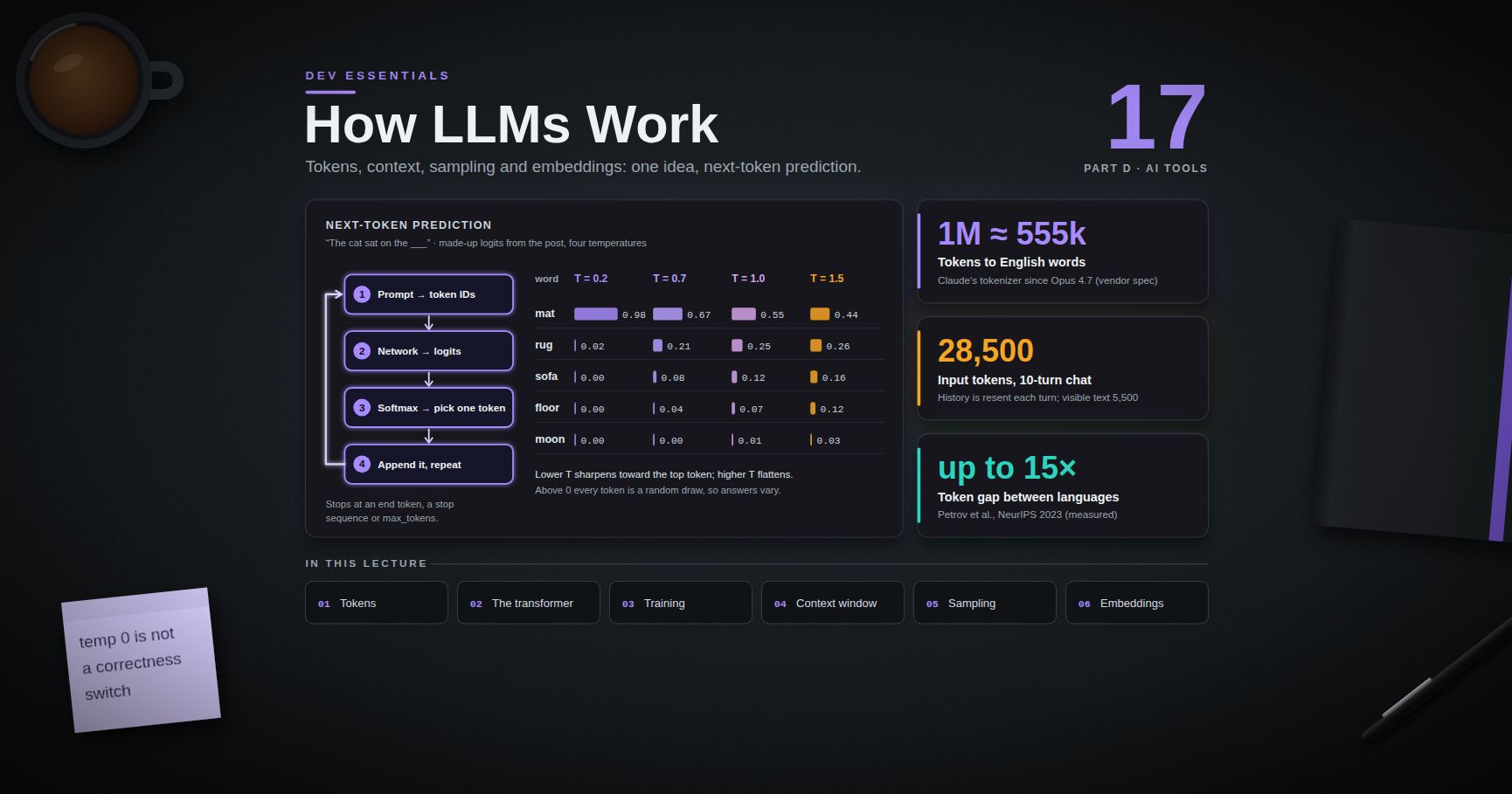
| Context | Everything the model can see this turn: instructions, history, file contents, tool results (see Dev Essentials 17 · How LLMs Work). |
| MCP | Model Context Protocol, an open protocol for plugging external tools and data sources into a harness. |
Post 17 ended with tool use: the model answers with a structured call, your code runs it, and you send the result back. Put that in a loop and you have an agent. Here is a complete, read-only one. It can list and read files inside the current folder and nothing else:
1
2
3
4
5
6
7
8
9
10
11
12
13
14
15
16
17
18
19
20
21
22
23
24
25
26
27
28
29
30
31
32
33
34
35
36
37
38
39
40
41
42
43
44
45
46
47
48
49
50
51
# mini_agent.py - a read-only coding agent: model + tools + a loop
import pathlib
import anthropic
client = anthropic.Anthropic()
ROOT = pathlib.Path(".").resolve()
TOOLS = [
{"name": "list_files",
"description": "List project files under a folder, relative to the project root. Use '.' for the root.",
"input_schema": {"type": "object", "properties": {"folder": {"type": "string"}}, "required": ["folder"]}},
{"name": "read_file",
"description": "Read one UTF-8 text file from the project.",
"input_schema": {"type": "object", "properties": {"path": {"type": "string"}}, "required": ["path"]}},
]
def inside_project(path):
p = (ROOT / path).resolve()
if not p.is_relative_to(ROOT): # refuse ../../ tricks
raise ValueError("path is outside the project")
return p
def run_tool(name, args):
if name == "list_files":
files = [p.relative_to(ROOT).as_posix() for p in sorted(inside_project(args["folder"]).rglob("*"))
if p.is_file() and not any(part.startswith(".") for part in p.relative_to(ROOT).parts)]
return "\n".join(files[:500])
if name == "read_file":
return inside_project(args["path"]).read_text(encoding="utf-8")[:20_000]
raise ValueError(f"unknown tool: {name}")
messages = [{"role": "user", "content": "What does this project do? Read the files before you answer."}]
for turn in range(10): # hard cap: never loop forever
response = client.messages.create(model="claude-opus-5-5", max_tokens=16000,
tools=TOOLS, messages=messages)
messages.append({"role": "assistant", "content": response.content})
if response.stop_reason != "tool_use":
break
results = []
for block in response.content:
if block.type == "tool_use":
try:
output, failed = run_tool(block.name, block.input), False
except Exception as exc: # report errors back to the model
output, failed = f"Error: {exc}", True
print(f"[tool] {block.name}({block.input}) -> {len(output)} chars")
results.append({"type": "tool_result", "tool_use_id": block.id,
"content": output, "is_error": failed})
messages.append({"role": "user", "content": results}) # all results in one message
print("".join(b.text for b in response.content if b.type == "text"))
Run it from inside any small project folder. Three details carry over to every real agent:
- The loop has a hard cap. An agent that never stops burns money.
- Tools check their inputs.
inside_projectrefuses paths like../../secrets. The model's arguments are untrusted input. - The whole assistant turn goes back into the history, including any
thinkingblocks, and all tool results go back in one user message.
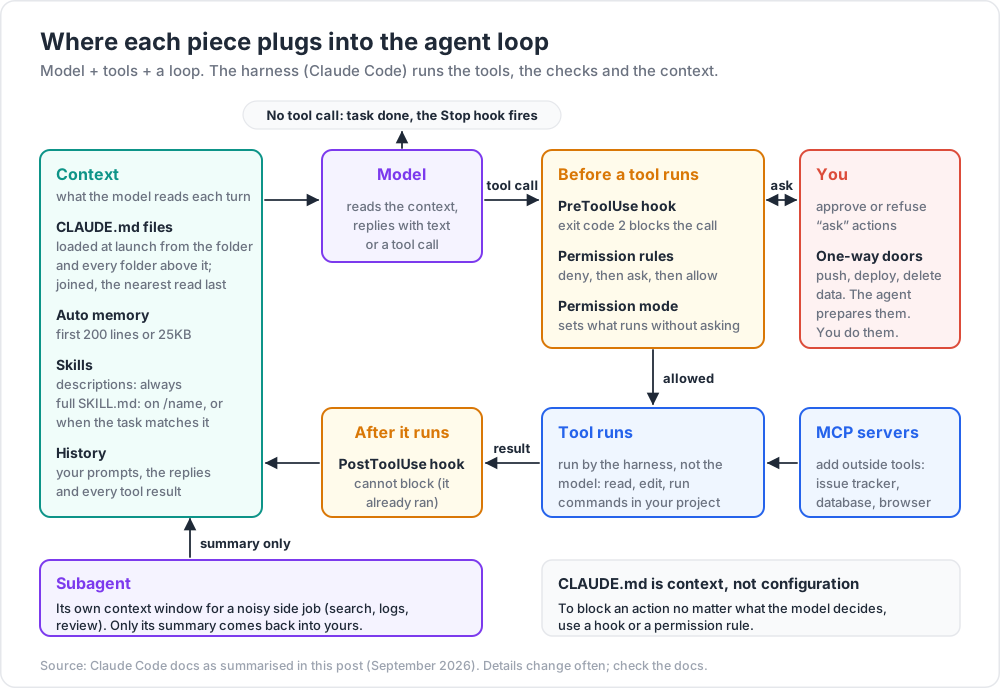
Now add a write_file tool and a run_command tool, and you have a real coding agent. You also have a real risk. A production harness exists to manage exactly that risk: which actions need a human's approval, what fits in the context, and how to recover from mistakes. The rest of this post is about using those controls well.
Chapter 2 — Claude Code: project memory with CLAUDE.md
Claude Code is Anthropic's coding agent. It runs in the terminal, in IDEs, in a desktop app and in the cloud. Each session starts with a fresh context window, so knowledge that must survive between sessions lives in files.
Where CLAUDE.md files live
| Scope | Location | Shared with |
|---|---|---|
| Managed policy | Set by IT, e.g. C:\Program Files\ClaudeCode\CLAUDE.md on Windows |
Everyone in the organisation |
| User | ~/.claude/CLAUDE.md |
Just you, all projects |
| Project | ./CLAUDE.md or ./.claude/CLAUDE.md |
The team, through git |
| Local | ./CLAUDE.local.md (add it to .gitignore) |
Just you, this project |
How they load (official docs, September 2026):
- At launch, Claude Code reads
CLAUDE.mdandCLAUDE.local.mdfrom the working directory and every directory above it. - Files are joined together, not overridden. Content runs from the filesystem root down to the working directory, so the closest instructions are read last.
- A
CLAUDE.mdinside a subdirectory loads later, when Claude reads files in that subdirectory. @path/to/fileinside aCLAUDE.mdimports another file (up to four hops deep)./initgenerates a starting file;/memoryand/contextshow which files actually loaded.
What to write
The docs suggest staying under 200 lines: every line costs context in every session, and long files reduce how well rules are followed. Write down what Claude cannot guess by reading the code:
- build, test and lint commands,
- style rules that differ from the language defaults,
- project layout and naming conventions,
- "never do X" rules, each with the reason,
- known traps in this repository.
Leave out what the code already shows, long tutorials, and file-by-file descriptions. For every line, ask: "Would removing this cause a mistake?"
Trick: block-level HTML comments (
<!-- note for humans -->) in aCLAUDE.mdare stripped before the text reaches the model. Use them for notes to maintainers.
Rules, and memory Claude writes itself
.claude/rules/*.mdsplits instructions by topic. A rule with apaths:list in its frontmatter (for example"src/api/**/*.ts") only loads when Claude works on matching files.- Auto memory is a separate store of notes Claude writes about your corrections and preferences. It is loaded every session (the first 200 lines or 25KB).
Watch out:
CLAUDE.mdis context, not configuration. The docs are explicit: Claude treats it as guidance, and to block an action no matter what the model decides, you need a hook or a permission rule (Chapters 3 and 4).
Chapter 3 — Skills, hooks and subagents
Skills: knowledge and workflows loaded on demand
A skill is a folder with a SKILL.md file. Project skills live in .claude/skills/<name>/SKILL.md, personal ones in ~/.claude/skills/<name>/SKILL.md. Only each skill's description sits in context all the time. The full body loads when you type /<name> or when Claude decides the description matches the task.
1
2
3
4
5
6
7
8
9
10
---
name: release-notes
description: Draft release notes from merged changes. Use when the user asks for release notes or a changelog entry.
disable-model-invocation: true
---
1. Run `git log --oneline <last-tag>..HEAD` to list the changes.
2. Group them under Added, Changed, Fixed. Skip merge commits and chores.
3. Write the notes to `RELEASE_NOTES.md`. Do not commit.
4. Show the draft and list anything you were unsure how to classify.
disable-model-invocation: true means only you can start it with /release-notes. Use that for any workflow with side effects.
Hooks: things that must happen every time
A hook is a command that Claude Code runs at a lifecycle event, such as SessionStart, UserPromptSubmit, PreToolUse (before a tool call, can block it), PostToolUse (after a tool call succeeds) or Stop (when Claude finishes). Hooks are deterministic: they fire whether or not the model remembers a rule. They live in ~/.claude/settings.json (all your projects), .claude/settings.json (the project, can be committed) or .claude/settings.local.json (the project, just you).
The official docs' example formats every edited file with Prettier:
1
2
3
4
5
6
7
8
9
10
11
12
13
{
"hooks": {
"PostToolUse": [
{
"matcher": "Edit|Write",
"hooks": [
{ "type": "command", "command": "jq -r '.tool_input.file_path' | xargs npx prettier --write" }
]
}
]
}
}
The hook receives the event as JSON on standard input; .tool_input.file_path is the edited file. jq must be on your PATH. On Windows, Claude Code runs shell-form hooks with Git Bash (or PowerShell if Git Bash is not installed), so a Python script is often the most portable choice. Here is a guard that stops Claude from editing secret files:
1
2
3
4
5
6
7
8
9
10
11
12
# .claude/hooks/protect_secrets.py - PreToolUse hook: block edits to secret files
import json
import sys
event = json.load(sys.stdin) # Claude Code sends the event as JSON
path = event.get("tool_input", {}).get("file_path", "").replace("\\", "/")
name = path.rsplit("/", 1)[-1]
if name == ".env" or name.startswith(".env.") or name.endswith((".pem", ".key")):
print(f"Blocked: {path} holds secrets. Ask the user to edit it by hand.", file=sys.stderr)
sys.exit(2) # 2 = block; stderr goes back to Claude
sys.exit(0)
1
2
3
4
5
6
7
8
9
10
11
12
13
{
"hooks": {
"PreToolUse": [
{
"matcher": "Edit|Write",
"hooks": [
{ "type": "command", "command": "python \"$CLAUDE_PROJECT_DIR\"/.claude/hooks/protect_secrets.py" }
]
}
]
}
}
Common pitfall: exiting with code 1 to "fail". For most events, only exit code 2 blocks; exit 1 is a non-blocking error and the action goes ahead. And
PostToolUsecannot block at all, because the tool already ran.
Subagents: a separate context for side jobs
A subagent is a helper with its own context window. It does a noisy job (searching many files, reading long logs, reviewing a diff) and returns only a summary, so your main conversation stays clean. Claude Code ships with built-in ones (Explore, Plan and general-purpose), and you can define your own in .claude/agents/ (project) or ~/.claude/agents/ (personal):
1
2
3
4
5
6
7
8
9
10
---
name: diff-reviewer
description: Reviews the current uncommitted diff for bugs, missing tests and leaked secrets. Use after a change is finished.
tools: Read, Grep, Glob, Bash
model: sonnet
---
You review diffs. Run `git diff` and read every changed file in full.
Report only real problems: bugs, missing or weakened tests, secrets, unsafe input handling.
Give file and line for each finding. Do not edit files.
Which one do I need?
| You want... | Use |
|---|---|
| Claude to always know a fact or rule | CLAUDE.md (or a path-scoped rule) |
| A playbook or reference used sometimes | Skill |
| Something to happen every time, no exceptions | Hook |
| A noisy side task kept out of your context | Subagent |
| Access to an outside system (issue tracker, database, browser) | MCP server |
Chapter 4 — Permissions, MCP and cloud sessions
Permission modes
A permission mode decides what Claude may do without asking. The official list (September 2026):
| Mode | Runs without asking | Best for |
|---|---|---|
default (shown as Manual) |
Reads only | Sensitive work, unfamiliar code |
acceptEdits |
Reads, file edits, common filesystem commands | Iterating on code you are reviewing |
plan |
Reads (Claude proposes a plan, no edits) | Exploring before changing anything |
auto |
Everything, with a classifier model checking each action | Long tasks, less prompt fatigue |
dontAsk |
Only pre-approved tools; everything else is denied | Locked-down CI and scripts |
bypassPermissions |
Everything | Isolated containers and VMs only |
Switch modes with Shift+Tab in the CLI, or start with claude --permission-mode plan. On some plans auto is the default starting mode, so check which mode you are in.
Permission rules: make the dangerous things impossible
Modes set the baseline. Rules add exact allow, ask and deny lists in the same settings files as hooks. Rules are checked in the order deny, then ask, then allow, and the first match wins, so a broad deny always beats a narrow allow.
1
2
3
4
5
6
7
8
{
"permissions": {
"allow": ["Bash(npm run test *)", "Bash(git status)", "Bash(git diff *)"],
"ask": ["Bash(git commit *)"],
"deny": ["Bash(git push *)", "Read(./.env)", "Read(./secrets/**)"]
}
}
Watch out: a Bash rule matches the command as written. The docs note that
git -C . pushdoes not matchBash(git push *). Treat rules as a strong guard rail, not a sandbox. For real isolation, use Claude Code's sandbox, a container or a VM.
MCP servers
MCP servers give Claude new tools: your issue tracker, a database, a browser. Add one with claude mcp add:
1
2
3
claude mcp add --transport http docs-search https://example.com/mcp # just you, this project
claude mcp add --transport http docs-search --scope project https://example.com/mcp # writes .mcp.json for the team
The scopes are local (default, stored in ~/.claude.json), project (.mcp.json at the repo root, shared through git) and user (all your projects). The docs warn that you should trust every server you connect: a server that fetches outside content can carry a prompt injection, which is text written to make the model do something you did not ask for.
Cloud sessions: only committed files travel
A cloud session (started at claude.ai/code, from the desktop or mobile app, or with claude --cloud "task") runs on a fresh clone of your GitHub repository, on Anthropic-managed infrastructure. --cloud clones your remote at the current branch, not your local checkout, so push first if you have local commits. What reaches the session (official docs, September 2026):
| Item | In a cloud session? |
|---|---|
Repo CLAUDE.md and .claude/rules/ |
Yes, part of the clone |
Repo .claude/settings.json hooks and permission rules |
Yes, in a single-repository session |
Repo .mcp.json |
Yes, in a single-repository session |
Repo .claude/skills/, .claude/agents/, .claude/commands/ |
Yes, part of the clone |
~/.claude/CLAUDE.md, ~/.claude/skills/, ~/.claude/agents/ |
No, they live on your machine |
~/.claude/settings.json, .claude/settings.local.json |
No |
| MCP servers added at local or user scope | No; add them with --scope project and commit .mcp.json |
| Plugins, gitignored files, uncommitted changes | No |
In short: if it is not committed, the cloud session cannot see it. Git pushes from a cloud session are limited to the session's working branch, and you create the pull request when you are happy with it.
Chapter 5 — One instruction file for many tools
Every agent tool invented its own instruction file. The common ground today:
| Tool | Where it reads instructions |
|---|---|
| Many agents (Codex, Jules, Cursor, Copilot, Aider, Zed and others) | AGENTS.md, an open format now stewarded by the Agentic AI Foundation under the Linux Foundation. The nearest file up the directory tree wins. |
| Claude Code | CLAUDE.md. Since v2.1.277 it also reads AGENTS.md, but by default only when no CLAUDE.md or CLAUDE.local.md exists in the working directory or above it. |
| GitHub Copilot | .github/copilot-instructions.md for the whole repo; .github/instructions/NAME.instructions.md with an applyTo glob for parts of it; also AGENTS.md anywhere, or CLAUDE.md / GEMINI.md at the root. |
| Cursor | .cursor/rules/*.mdc rules (always, by description, by file glob, or manual); also AGENTS.md, including nested ones. |
The simplest way to keep one source of truth: put shared rules in AGENTS.md, and make CLAUDE.md import it, then add Claude-only notes below:
1
2
3
4
5
@AGENTS.md
## Claude Code only
- Use the `diff-reviewer` subagent before you say a change is done.
The Claude Code docs recommend this import over a CLAUDE.md → AGENTS.md symlink when anyone uses Windows: symlinks need Developer Mode or Administrator rights there, and Git may check a committed symlink out as a one-line text file.
Chapter 6 — A workflow that keeps you in charge
Plan, then small steps, then verify each one
The Claude Code best-practices guide describes four phases, and they fit any agent:
- Explore. In plan mode, ask the agent to read the relevant code and explain it. No edits yet.
- Plan. Ask for a written plan: files to change, order of steps, tests to add. Edit the plan yourself. Skip planning only when you could describe the diff in one sentence.
- Implement in small steps. One step, then a check, then the next step.
- Commit. Small commits with real messages, so any step can be reverted (see Dev Essentials 03 · Git Rescue Kit).
The most useful single habit: give the agent a check it can run. Tests, a build, a linter, a script that compares output. The guide puts it plainly: without a check, "looks done" is the only signal, and you become the verification loop.
Give context the way you would to a new colleague
| Weak prompt | Strong prompt |
|---|---|
| "fix the login bug" | "Users are logged out after a session timeout. Check the token refresh in src/auth/. Write a failing test that shows it, then fix it." |
| "add tests for foo.py" | "Add a test for foo.py covering a logged-out user. Avoid mocks. Run pytest tests/test_foo.py." |
| "the build fails" | Paste the exact error, the command you ran, and what changed since it last passed. |
Name the files, paste real errors, state the constraints (versions, "do not change the public API"), and say what "done" means.
Keep the human in charge of irreversible actions
Pushing, deploying, deleting data, running migrations, sending messages, and changing CI secrets are one-way doors. Let the agent prepare them. You do them. Enforce that with deny or ask rules (Chapter 4), not only with a sentence in CLAUDE.md.
Manage context like a scarce resource
/clearbetween unrelated tasks. A clean session with a better prompt usually beats a long one full of failed attempts.- After two failed corrections on the same issue, stop,
/clear, and rewrite the prompt with what you learned. - Send research to a subagent so only the summary enters your context.
- Checkpoints (
EscEscor/rewind) can undo Claude's file edits, but not changes made by shell commands. They are not a replacement for git.
Chapter 7 — Reviewing AI output
You own every line you merge, whoever typed it. Review AI-written changes at least as strictly as a new colleague's.
The checklist
- Read the whole diff.
git diffandgit diff --staged, every file. Look for changes outside the task. - Run the tests yourself, and check the tests were not weakened: deleted assertions, new
skiporxfailmarkers, loosened expected values,.onlyleft in (see Dev Essentials 15 · Testing). - Check every API, flag and config key you do not know. Open the official docs, run
--help, or import it in a REPL. Invented functions and flags look perfectly plausible. - Check every new dependency. Does the package exist, is it the one you meant, is it maintained? Spracklen et al. (USENIX Security 2025) found code models suggesting packages that do not exist: at least 5.2% of suggested packages for commercial models and 21.7% for open-source models (independent measurement). Attackers can register those names (see Dev Essentials 09 · Versions & Dependencies).
- Security. Injection, missing authorisation checks, disabled TLS verification, unsafe deserialisation, overly broad CORS (see Dev Essentials 12 · OWASP Top 10). Claude Code has a
/security-reviewcommand for a first pass, but it does not replace your own review. - Secrets. No keys, tokens or passwords in code, tests, logs or fixtures. A quick scan:
1
2
git diff --staged | grep -inE "api[_-]?key|secret|token|password|BEGIN .*PRIVATE KEY"
1
2
git diff --staged | Select-String -Pattern 'api[_-]?key|secret|token|password|BEGIN .*PRIVATE KEY'
- Licensing. Large blocks that look copied from elsewhere, removed license headers, new dependencies with incompatible licenses.
- Text hygiene. Encoding, line endings and bulk reformatting noise (see Dev Essentials 01 · Text Encoding and 04 · Line Endings).
Trick: use a second, fresh reviewer. A new session or subagent that sees only the diff and your criteria is not biased by the reasoning that produced the change. Claude Code's bundled
/code-reviewskill runs such a review in a fresh subagent.
Common failure modes
| Failure | What it looks like | Guard |
|---|---|---|
| Invented APIs | Plausible method or flag that does not exist | Docs, --help, run it |
| Scope creep | "While I was there I also refactored..." | Small tasks; read the whole diff |
| Test tampering | Tests pass because they were changed | Review test diffs first |
| "Looks done" | Stops without running anything | Give a runnable check; ask for evidence |
| Ignored rules | A long CLAUDE.md where rules get lost |
Keep it short; use hooks for hard rules |
| Endless exploration | Reads hundreds of files, context fills up | Scope the task; use a subagent |
| Prompt injection | Follows instructions found in a web page, issue or file | Treat fetched text as data; keep approvals on |
| Bulk-edit damage | A script rewrites many files in the wrong encoding | Verify command after bulk edits (Chapter 8) |
Chapter 8 — Case study: the CLAUDE.md behind this blog
This blog is written with help from coding agents, and its repository has a root CLAUDE.md that Claude Code loads automatically at the start of every session. Every rule in it came from a real problem:
| Rule | Why it exists |
|---|---|
| Never push; commit only | The owner pushes. This was asked for repeatedly. |
| Write directly in the main checkout; no git worktrees for content | A worktree once caused real confusion. |
| Post dates must be in the past | The site does not hide future-dated posts; they publish at once with a date that has not happened yet. The date is part of the post's URL, so fixing it later changes the URL. This already caused real 404s. |
Leave the cover: field blank |
Cover images are made separately. |
| A parallel session may be editing; do not touch unrelated posts | Two agent sessions sometimes work in the same repository at once. |
| A UTF-8 hazard section, with a verify command | See below. |
The encoding incident
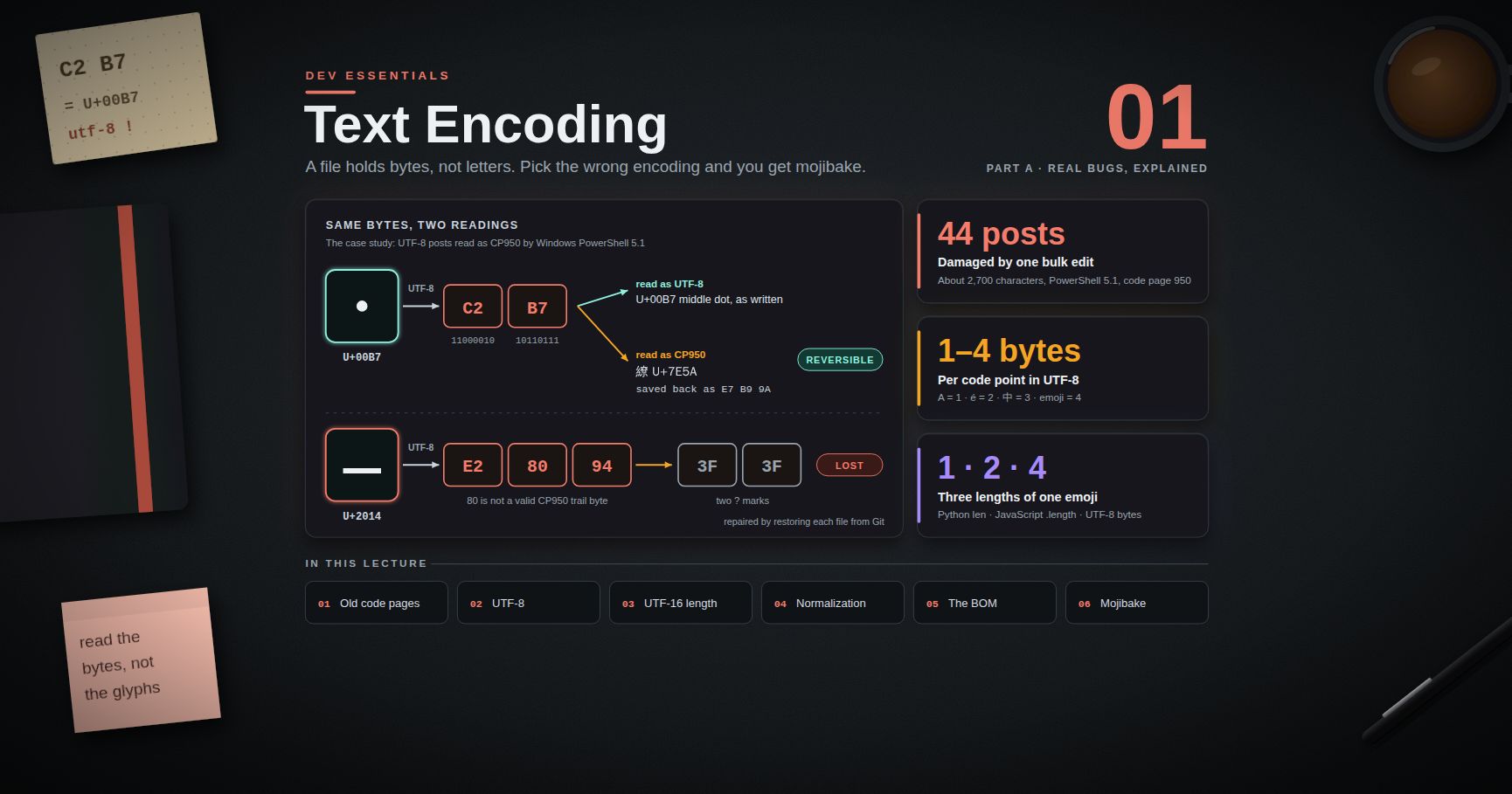
A helper script once rewrote 44 posts through Windows PowerShell 5.1 and saved them in the system's ANSI code page instead of UTF-8. About 2,700 characters were destroyed: — became a literal ??, and · became a stray CJK character, U+7E5A. Microsoft's docs confirm the trap: in Windows PowerShell 5.1, Set-Content and Add-Content use the Default encoding, which is the active ANSI code page, when the file is new or empty. Also, -Encoding utf8 in 5.1 writes UTF-8 with a byte order mark (PowerShell 7 defaults to UTF-8 without one). The CLAUDE.md therefore shows the right way to write files, and a one-line check that searches every post for U+7E5A and must print nothing after any bulk edit. Written so that it does not depend on the shell's locale, the check looks like this:
1
2
grep -l "$(printf '\347\271\232')" content/posts/*.md # the three UTF-8 bytes of U+7E5A
1
2
Select-String -Path content\posts\*.md -Pattern ([char]0x7E5A) -List | ForEach-Object Path
Watch out: check the checker. A shorter form using bash's
$'\uXXXX'quoting only turns into the real character when bash runs in a UTF-8 locale. In a shell with no locale set, it stays plain text, and grep then searches for the wrong thing. In a quick test in such a shell, that form flagged a clean file and missed the corrupted one. Theprintfversion above passes the raw UTF-8 bytes, so it works in any locale. Run any verify command once against a known-bad and a known-good file.
Why the rules live in the root CLAUDE.md
In this repository the whole .claude/ folder is gitignored. That has a direct consequence (Chapter 4): nothing inside .claude/, not settings, not hooks, not skills, reaches a cloud session or a fresh clone. The only instruction file every session is guaranteed to see is the committed root CLAUDE.md. So the durable rules had to go there, in plain words, with the reason for each.
A trimmed, generic version you can adapt
1
2
3
4
5
6
7
8
9
10
11
12
13
14
15
16
17
18
19
20
# Project instructions
Static blog. Posts live in `content/posts/`, images in `public/assets/<topic>/`.
Build: `npm run build` (must pass before you say a task is done).
## Hard rules
1. Never run `git push`. Commit only; a human reviews and pushes.
2. Work in the main checkout. Do not create git worktrees.
3. Post dates must be in the past. Future-dated posts still publish at once, and the date is part of the URL.
4. Leave `cover:` empty in front matter. Covers are made separately.
5. Another session may be editing. Only touch the files named in the task.
## UTF-8 hazard (Windows)
Windows PowerShell 5.1 `Set-Content` / `Add-Content` default to the ANSI code page.
A bulk rewrite once corrupted 44 posts (`—` became `??`).
- Write files with the editor tools. In PowerShell use
`[System.IO.File]::WriteAllText($p, $t, (New-Object System.Text.UTF8Encoding($false)))`.
- After any bulk edit, this must print nothing (it looks for U+7E5A, the mojibake marker):
`grep -l "$(printf '\347\271\232')" content/posts/*.md`
Lessons that transfer to any project:
- Write a rule after an incident, and include the reason. A reason lets the agent handle cases the rule did not foresee.
- Give a verify command, not just a warning, and test the command itself. A check the agent can run beats a sentence it may skim.
- Put durable rules where every session can see them. Committed and at the root.
- Keep it short, so the important rules do not get lost.
- Back prose rules with enforcement where you can. A
Bash(git push *)deny rule in your user settings stops pushes locally even though the project's.claude/folder is not shared.
Practice Exercises
Exercise 1 — A CLAUDE.md for a small Python project
Write a CLAUDE.md of at most 25 lines for a Python 3.12 web API that uses uv, pytest and ruff, keeps secrets in .env, and must never change the public /v1/ routes.
Solution
1
2
3
4
5
6
7
8
9
10
11
12
13
14
15
16
17
18
19
# Orders API
Python 3.12, FastAPI. Dependencies managed with uv.
## Commands
- Install: `uv sync`
- Test: `uv run pytest -q` (run before saying a task is done)
- Lint/format: `uv run ruff check --fix . && uv run ruff format .`
## Layout
- `app/routes/` HTTP handlers, `app/services/` business logic, `tests/` mirrors `app/`.
## Rules
- Never change request or response shapes under `/v1/`: mobile clients depend on them.
Add a `/v2/` route instead.
- Never read, print or edit `.env`. Ask the user for any value you need.
- New code needs a test. Do not delete or skip existing tests.
- Do not add dependencies without asking first.
Exercise 2 — A post-edit hook for Python
Write a PostToolUse hook that runs ruff format on the edited file, only for .py files, and does nothing if ruff is not installed. Register it in .claude/settings.json.
Solution
1
2
3
4
5
6
7
8
9
10
11
12
13
14
# .claude/hooks/format_python.py - PostToolUse hook: format each edited Python file
import json
import shutil
import subprocess
import sys
event = json.load(sys.stdin)
path = event.get("tool_input", {}).get("file_path", "")
if path.endswith(".py") and shutil.which("ruff"):
done = subprocess.run(["ruff", "format", path], capture_output=True, text=True)
if done.returncode != 0:
print(done.stderr or "ruff format failed", file=sys.stderr)
sys.exit(1) # non-blocking: shown as a hook error
1
2
3
4
5
6
7
8
9
10
11
12
13
{
"hooks": {
"PostToolUse": [
{
"matcher": "Edit|Write",
"hooks": [
{ "type": "command", "command": "python \"$CLAUDE_PROJECT_DIR\"/.claude/hooks/format_python.py" }
]
}
]
}
}
On macOS or Linux you may need python3 instead of python.
Exercise 3 — Permission rules
Write a permissions block that allows pytest runs without asking, asks before any git commit, and denies git push, rm -rf and reading anything under ./secrets/.
Solution
1
2
3
4
5
6
7
8
{
"permissions": {
"allow": ["Bash(pytest *)", "Bash(uv run pytest *)"],
"ask": ["Bash(git commit *)"],
"deny": ["Bash(git push *)", "Bash(rm -rf *)", "Read(./secrets/**)"]
}
}
Deny is checked first, then ask, then allow. Remember that rules match the command as written, so they are guard rails, not a sandbox.
Exercise 4 — One file for three tools
Your team uses Claude Code, Copilot and Cursor. How do you keep one set of instructions?
Solution
Put the shared rules in AGENTS.md at the repo root. Copilot and Cursor both read AGENTS.md. For Claude Code, add a CLAUDE.md containing @AGENTS.md plus any Claude-only notes. Claude Code can also read AGENTS.md directly, but only when no CLAUDE.md exists, and the import also works in sessions that cannot load AGENTS.md directly. Use the import rather than a symlink if anyone is on Windows. Path-specific extras can still go in .github/instructions/*.instructions.md or .cursor/rules/*.mdc.
Exercise 5 — Review this diff
An agent produced this change to "add retries to the payment client". Find at least four problems.
1
2
3
4
5
6
7
8
9
10
11
+import requests_retry_helper
+API_KEY = "sk_live_51H..."
def charge(amount, card):
- resp = requests.post(URL, json={"amount": amount, "card": card}, timeout=10)
+ resp = requests.post(URL, json={"amount": amount, "card": card},
+ verify=False, retries=3, headers={"Authorization": API_KEY})
return resp.json()
-def test_charge_rejects_negative():
- with pytest.raises(ValueError):
- charge(-5, CARD)
Solution
- Hardcoded live secret (
API_KEY = "sk_live_..."): remove it, rotate the key, load it from the environment. - Invented argument:
requests.posthas noretriesparameter. Retries inrequestsare configured through anHTTPAdapterwithurllib3'sRetry. - Unknown dependency
requests_retry_helper: check that it exists and is trustworthy; it may be a hallucinated name. verify=Falseturns off TLS certificate checks on a payment call.timeout=10was removed, so a hung server now blocks forever.- A test was deleted instead of fixed.
- Retrying a charge without an idempotency key can charge the customer twice (see Dev Essentials 14 · API Reliability).
Exercise 6 — What reaches the cloud?
Your repo gitignores .claude/. You have a project hook in .claude/settings.json, a personal skill in ~/.claude/skills/, a committed root CLAUDE.md, and a committed .mcp.json. Which of these does a single-repository cloud session see?
Solution
Only the root CLAUDE.md and .mcp.json, because only committed files are in the clone. The project hook lives in the ignored .claude/ folder, so it never reaches the clone. The personal skill lives on your machine. To make the hook travel, stop ignoring .claude/settings.json (for example, ignore only .claude/settings.local.json and other personal files) and commit it.
Cheat-sheet
| Need | Claude Code answer |
|---|---|
| Always-on project rules | ./CLAUDE.md or ./.claude/CLAUDE.md (committed, under 200 lines) |
| Personal rules, all projects | ~/.claude/CLAUDE.md (never reaches cloud sessions) |
| Personal rules, one project | ./CLAUDE.local.md (gitignored) |
| Import another file | @path/to/file inside CLAUDE.md |
| Rules for some paths only | .claude/rules/*.md with paths: frontmatter |
| See what loaded | /memory, /context |
| Reusable workflow | .claude/skills/<name>/SKILL.md, run with /<name> |
| Must happen every time | Hook in .claude/settings.json; exit 2 blocks (PreToolUse) |
| Side task, separate context | Subagent in .claude/agents/<name>.md |
| Outside tools and data | claude mcp add ... --scope project writes .mcp.json |
| Explore safely | claude --permission-mode plan or Shift+Tab |
| Block push / secrets | permissions.deny: Bash(git push *), Read(./.env) |
| Cloud session sees | Only what is committed in the repo |
| Cross-tool file | AGENTS.md, plus CLAUDE.md containing @AGENTS.md |
| Copilot / Cursor | .github/copilot-instructions.md / .cursor/rules/*.mdc |
| Review | Whole diff, run tests, check APIs and packages, security, secrets, licensing |
What's next
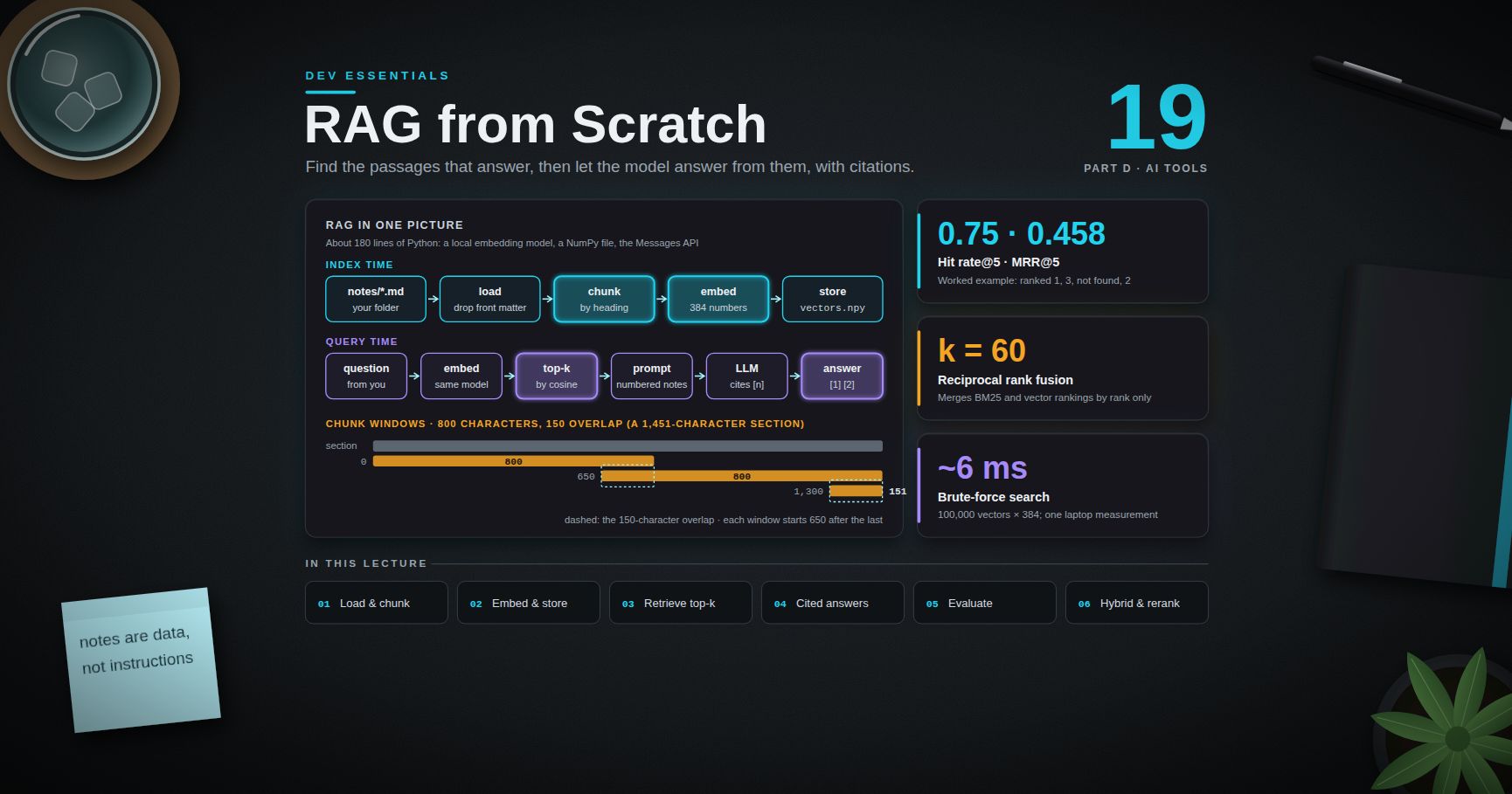
Next is Dev Essentials 19 · RAG from Scratch in Python: chunk your own notes, embed them, retrieve the right pieces, and have a model answer with citations, plus a small evaluation set to prove it works. It uses the embeddings from post 17 and the "treat fetched text as data" rule from this post.
References
- Claude Code — How Claude remembers your project (CLAUDE.md, AGENTS.md, rules, auto memory)
- Claude Code — Best practices
- Claude Code — Extend Claude Code (features overview)
- Claude Code — Skills
- Claude Code — Hooks guide and Hooks reference
- Claude Code — Subagents
- Claude Code — Permission modes and Permissions
- Claude Code — MCP
- Claude Code — Cloud sessions and Cloud environments
- Claude Code — Settings files and precedence
- Claude Code — Security
- Anthropic — Tool use overview
- AGENTS.md
- GitHub Docs — Adding repository custom instructions for Copilot
- Cursor Docs — Rules
- Microsoft Learn — about_Character_Encoding (Windows PowerShell 5.1)
- Spracklen et al. — We Have a Package for You! Package Hallucinations by Code Generating LLMs (USENIX Security 2025)
- OWASP — LLM01:2025 Prompt Injection
Note: this post is in progress. Planned additions: a worked Stop-hook example that runs the test suite before Claude may finish, a plugin that packages this post's skill, hook and subagent, and a comparison of sandboxing options (built-in sandbox, dev containers, VMs).