PostgreSQL Course — 00 · Foundations and Setup
PostgreSQL is the default answer for "we need a relational database and we do not want to think about it again for ten years". It is ACID-compliant, MVCC-based, extensible down to custom types and index access methods, and — unusually for something this capable — genuinely free under a permissive licence with no enterprise edition holding features hostage. This post is the entry point of an eight-post course written as lecture notes: install it, drive psql, understand what the server processes actually do, and learn the cluster → database → schema → table hierarchy that trips up nearly everyone arriving from MySQL or MongoDB. Everything here targets PostgreSQL 17 and 18; where behaviour changed between versions, the version is stated.
Series map: 00 Foundations & Setup (this post) → 01 SQL Fundamentals & Data Types → 02 Joins, Aggregation & Window Functions → 03 Indexes & the Query Planner → 04 Query Optimization & Statistics → 05 Transactions, MVCC, Isolation & Locking → 06 Schema Design, Normalization & JSONB → 07 Operations, Backup, Replication & Security.
Learning Outcome
- Explain what PostgreSQL is, where it sits against MySQL, SQLite, and document stores, and when it is the wrong choice.
- Install a PostgreSQL 17/18 server on Windows, macOS, or Linux, or run one from a single Docker command.
- Connect with
psqland navigate using meta-commands (\l,\c,\dt,\d+,\du,\x,\timing). - Describe the process and memory architecture: postmaster, one backend per connection,
shared_buffers, WAL writer, checkpointer, autovacuum. - Navigate the cluster → database → schema → table hierarchy and control resolution with
search_path. - Distinguish roles from users and grant basic privileges.
- Locate
postgresql.conf/pg_hba.conf, read settings withSHOW, and change them withALTER SYSTEM.
Chapter 1 — What PostgreSQL is (and is not)
Terminology
- RDBMS — Relational Database Management System: data lives in tables of typed columns, related by keys, queried with SQL.
- Cluster — one PostgreSQL server instance and the set of databases it manages, all sharing one data directory, one port, and one set of processes. Nothing to do with a distributed cluster.
- Data directory (
PGDATA) — the on-disk home of a cluster: table files, WAL, config, everything. - WAL — Write-Ahead Log. Every change is written to the log before it is written to the data files. WAL is the foundation of crash recovery, replication, and point-in-time recovery.
- MVCC — Multi-Version Concurrency Control. Writers create new row versions instead of overwriting, so readers never block writers and writers never block readers. Covered in depth in Post 05.
- Extension — a packaged bundle of SQL objects, types, functions, or index methods loadable with
CREATE EXTENSION. PostGIS,pg_stat_statements, andpgvectorare extensions. - psql — the official terminal client. Not just a query runner: it has its own meta-command language, scripting, and formatting.
Where it fits
PostgreSQL is an object-relational database: standard SQL plus a type system you can extend. The design bias is correctness first, then features, then raw speed. It will refuse to silently truncate your string, silently coerce 'abc' to 0, or silently accept February 30th.
| Property | PostgreSQL | MySQL / MariaDB | SQLite | MongoDB |
|---|---|---|---|---|
| Model | Relational + extensible types | Relational | Relational | Document |
| Process model | Process per connection | Thread per connection | In-process library | Thread per connection |
| Concurrency | MVCC, readers never block writers | MVCC (InnoDB) | File lock / WAL mode | MVCC-ish, document-level |
| Strict typing | Strong, will error on bad input | Historically lenient | Dynamic ("type affinity") | Schema-optional |
| Window functions, CTEs | Full, since 8.4 / 9.4 | Since 8.0 | Since 3.25 | Aggregation framework |
| JSON | jsonb with GIN indexing |
json column |
json1 extension |
Native |
| Extensibility | Custom types, operators, index AMs | Limited | Limited | N/A |
| Best at | Anything relational, mixed workloads | Simple high-read web workloads | Embedded, single-file, tests | Document-shaped, flexible schema |
When PostgreSQL is the wrong choice
Being honest about this early saves grief:
- Embedded / single-file / zero-admin. Use SQLite. A PostgreSQL cluster is a server with a lifecycle.
- Petabyte analytical scans. PostgreSQL is row-oriented. A columnar warehouse (ClickHouse, BigQuery, DuckDB for local work) will beat it by an order of magnitude on wide aggregate scans. Note the escape hatch:
pg_duckdbandcitusnarrow the gap. - Truly schema-free, per-tenant custom fields, high write fan-out. The document model may genuinely fit better — see the MongoDB course's SQL → MongoDB migration post for how that decision is actually made, including the honest note that most SQL workloads should stay on SQL.
- Extreme single-key throughput with no relational needs. A key-value store will win.
Everything else — the overwhelming majority of application back-ends — is squarely PostgreSQL territory.
Trick: PostgreSQL's
jsonbtype covers a large fraction of "we need flexible fields" cases without leaving the relational model. Post 06 covers when the hybrid approach beats picking a side.
Chapter 2 — Installation
Version policy first: PostgreSQL ships a new major version every September and supports each major for five years. PostgreSQL 18 (released September 2025) is current; 17 is the safe choice if your tooling has not caught up. Minor releases (18.1, 18.2, …) are bug and security fixes only and are always safe to apply.
Windows
- Open postgresql.org/download/windows and take the EDB interactive installer.
- Run it. Accept the default data directory. Set a password for the
postgressuperuser and write it down — there is no recovery path that is less annoying than remembering it. - Keep the default port
5432. Choose your locale (Coren_USare safe defaults). - Stack Builder at the end is optional — skip it unless you need PostGIS today.
- Verify from a new PowerShell window:
1
2
3
psql --version
psql -U postgres -h localhost
If psql is not found, add C:\Program Files\PostgreSQL\18\bin to PATH.
macOS
1
2
3
4
5
6
7
8
9
10
# Option 1 — Homebrew
brew install postgresql@18
brew services start postgresql@18
echo 'export PATH="/opt/homebrew/opt/postgresql@18/bin:$PATH"' >> ~/.zshrc
# Option 2 — Postgres.app (postgresapp.com): drag to /Applications, click Initialize.
# Easiest install on macOS; includes a menu-bar server switch and PostGIS.
psql postgres
Homebrew's formula creates a database and a role named after your macOS user, so bare psql often just works.
Linux (Debian / Ubuntu)
Do not use the distribution's default postgresql package if you want a specific major version — use the PGDG repository:
1
2
3
4
5
6
7
8
9
10
11
12
13
14
sudo apt install -y curl ca-certificates
sudo install -d /usr/share/postgresql-common/pgdg
sudo curl -o /usr/share/postgresql-common/pgdg/apt.postgresql.org.asc \
--fail https://www.postgresql.org/media/keys/ACCC4CF8.asc
. /etc/os-release
echo "deb [signed-by=/usr/share/postgresql-common/pgdg/apt.postgresql.org.asc] \
https://apt.postgresql.org/pub/repos/apt $VERSION_CODENAME-pgdg main" \
| sudo tee /etc/apt/sources.list.d/pgdg.list
sudo apt update
sudo apt install -y postgresql-18
sudo systemctl status postgresql
Linux (RHEL / Rocky / Fedora)
1
2
3
4
5
6
sudo dnf install -y https://download.postgresql.org/pub/repos/yum/reporpms/EL-9-x86_64/pgdg-redhat-repo-latest.noarch.rpm
sudo dnf -qy module disable postgresql # RHEL ships its own module; disable it
sudo dnf install -y postgresql18-server
sudo /usr/pgsql-18/bin/postgresql-18-setup initdb
sudo systemctl enable --now postgresql-18
Docker (the one-liner)
1
2
docker run --name pg18 -e POSTGRES_PASSWORD=secret -p 5432:5432 -d postgres:18
Then connect either from the host (psql -h localhost -U postgres) or from inside:
1
2
docker exec -it pg18 psql -U postgres
Watch out: that container stores its data in an anonymous volume.
docker rmand the data is gone. For anything you care about, mount a named volume:-v pgdata:/var/lib/postgresql/data.
Verifying any install
1
2
3
4
SELECT version();
SHOW server_version;
SHOW data_directory;
Chapter 3 — psql essentials
Connecting
psql accepts flags, a connection URI, or environment variables — all three reach the same place:
1
2
3
4
psql -h localhost -p 5432 -U postgres -d postgres
psql "postgresql://postgres:secret@localhost:5432/shop"
PGPASSWORD=secret psql -U postgres # avoid in shell history; prefer ~/.pgpass
On Debian/Ubuntu the server starts with peer authentication on the local socket, which means the OS user must match the database role:
1
2
sudo -u postgres psql
Store credentials in ~/.pgpass (mode 0600), one line per entry:
1
2
localhost:5432:*:postgres:secret
Meta-commands
Anything starting with a backslash is handled by the client, not the server. This is the actual reason psql beats a GUI for exploration.
| Meta-command | What it shows |
|---|---|
\l |
List databases |
\c dbname |
Connect to another database |
\dt |
List tables in the search path |
\dt public.* |
List tables in a specific schema |
\d tablename |
Describe columns, indexes, constraints |
\d+ tablename |
Same plus storage, stats target, description |
\dn |
List schemas |
\di / \dv / \ds |
List indexes / views / sequences |
\df |
List functions |
\du |
List roles and their attributes |
\dx |
List installed extensions |
\x |
Toggle expanded (one-column-per-line) output |
\timing |
Toggle query timing |
\e |
Open the last query in $EDITOR |
\i file.sql |
Run a SQL file |
\copy tbl FROM 'f.csv' CSV HEADER |
Client-side bulk load (no server file access needed) |
\watch 2 |
Re-run the last query every 2 seconds |
\conninfo |
Show current connection details |
\h CREATE INDEX |
SQL syntax help |
\? |
Meta-command help |
\q |
Quit |
A ~/.psqlrc worth having
1
2
3
4
5
6
7
8
9
\set QUIET 1
\timing on
\x auto
\set HISTSIZE 5000
\set COMP_KEYWORD_CASE upper
\set PROMPT1 '%[%033[1;32m%]%n@%/%[%033[0m%]%R%# '
\set ON_ERROR_ROLLBACK interactive
\set QUIET 0
\x auto alone is worth it: wide result rows flip to vertical layout automatically instead of wrapping into unreadable rubble.
Trick:
\watch 2turns any diagnostic query into a live dashboard.SELECT state, count(*) FROM pg_stat_activity GROUP BY 1; \watch 2is a poor-person's connection monitor.
Chapter 4 — Process and memory architecture
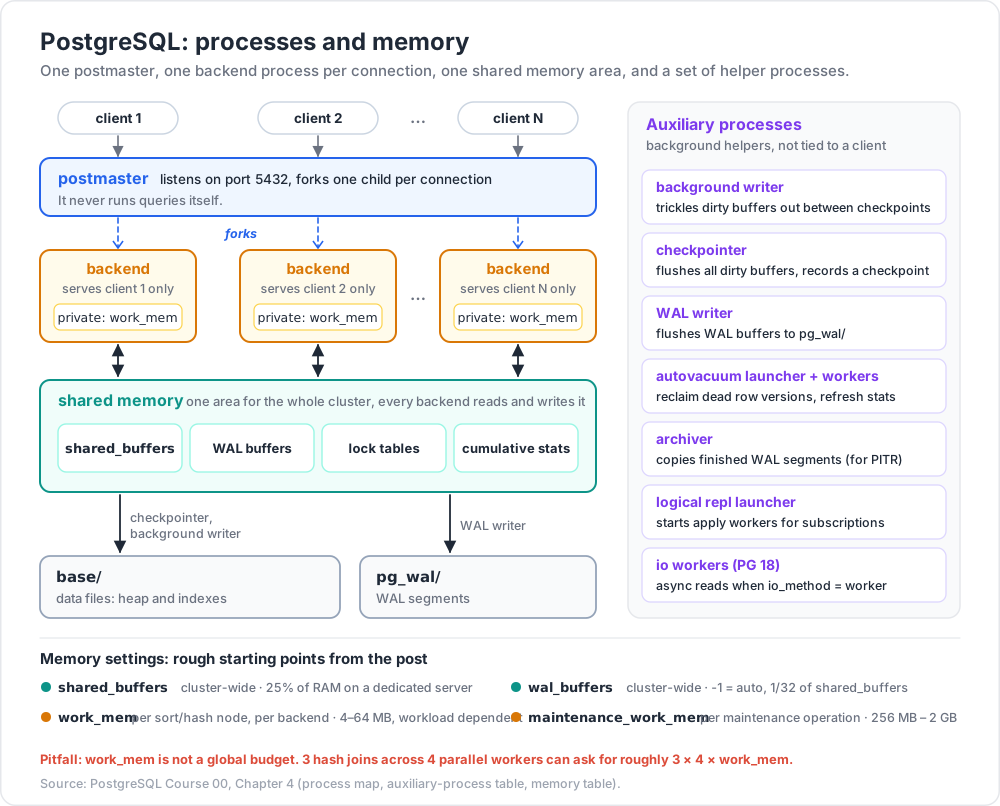
PostgreSQL is multi-process, not multi-threaded. Understanding the process map explains most of its operational behaviour: why connections are expensive, why VACUUM exists, why a checkpoint can cause an I/O spike.
Terminology
- Postmaster — the supervisor process (
postgres -D $PGDATA). It listens on the port, authenticates, and forks one child per connection. It never executes queries itself. - Backend — one OS process serving exactly one client connection, for the lifetime of that connection.
- Shared buffers — the cluster-wide page cache in shared memory. All backends read and write pages here.
- Background worker — an auxiliary process: WAL writer, checkpointer, autovacuum, background writer, and (18+) I/O workers.
The map
1
2
3
4
5
6
7
8
9
10
11
12
13
14
15
16
17
18
19
20
21
22                    postmaster  (listens on 5432, forks children)
                         |
   +--------------+------+-------+--------------------+
   |              |              |                    |
 backend       backend        backend            auxiliary processes
 (client 1)    (client 2)     (client N)      +----------------------+
   |              |              |            | background writer    |
   +--------------+--------------+            | checkpointer         |
                  |                           | WAL writer           |
        +---------v----------+                | autovacuum launcher  |
        |   shared memory    |                |   + av workers       |
        |  shared_buffers    |                | logical repl launcher|
        |  WAL buffers       |                | archiver             |
        |  lock tables       |                | io workers (PG 18)   |
        |  cumulative stats  |                +----------------------+
        +---------+----------+
                  |
        +---------v----------+       +-------------------+
        |  data files (heap, |       |  WAL segments     |
        |  indexes) in base/ |       |  in pg_wal/       |
        +--------------------+       +-------------------+
What each auxiliary process does
| Process | Job | Key settings |
|---|---|---|
| Checkpointer | Periodically flushes all dirty shared buffers to disk and records a checkpoint in WAL, bounding crash-recovery time. | checkpoint_timeout, max_wal_size, checkpoint_completion_target |
| Background writer | Trickles dirty buffers out between checkpoints so backends rarely have to write a page themselves. | bgwriter_delay, bgwriter_lru_maxpages |
| WAL writer | Flushes WAL buffers to pg_wal/ so commits do not each pay the full write. |
wal_writer_delay, wal_buffers |
| Autovacuum launcher / workers | Reclaim space from dead row versions produced by MVCC, and refresh planner statistics. Not optional. | autovacuum_naptime, autovacuum_vacuum_scale_factor |
| Archiver | Copies completed WAL segments to archive storage for PITR (Post 07). | archive_mode, archive_command/archive_library |
| Logical replication launcher | Starts apply workers for logical subscriptions. | max_logical_replication_workers |
| I/O workers | New in PostgreSQL 18: perform asynchronous reads on behalf of backends when io_method = worker (the default on most platforms). |
io_method, io_workers |
Memory: shared vs per-backend
| Setting | Scope | Rough starting point | Notes |
|---|---|---|---|
shared_buffers |
Cluster-wide | 25% of RAM on a dedicated server | Going far above 40% often loses to the OS page cache. Measure. |
effective_cache_size |
Planner hint only | 50–75% of RAM | Allocates nothing; tells the planner how much caching to assume. |
work_mem |
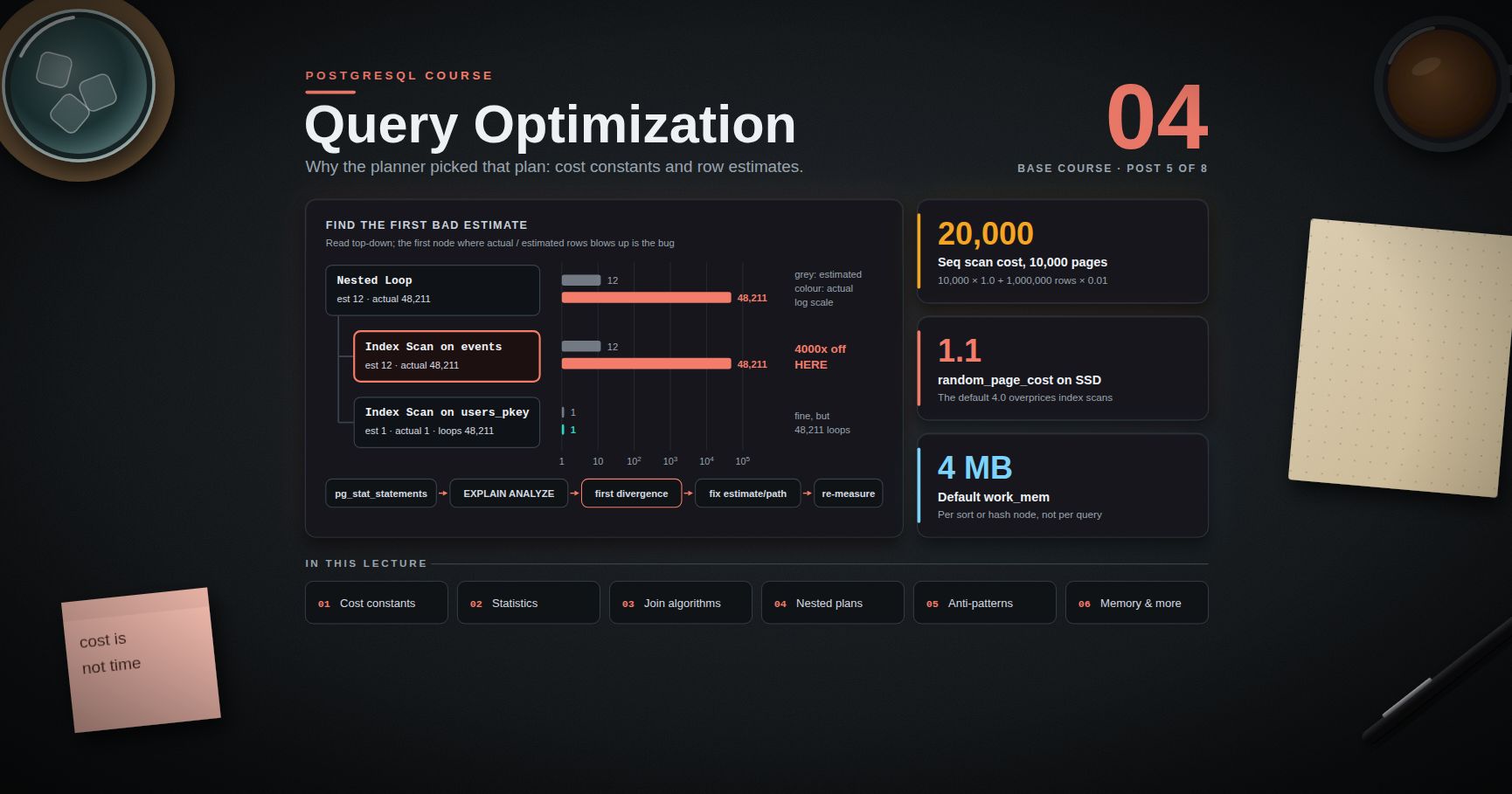
Per sort/hash node, per backend | 4–64 MB, workload dependent | This is the classic footgun: one query with several sorts and parallel workers can multiply it many times over. |
maintenance_work_mem |
Per maintenance operation | 256 MB – 2 GB | Used by VACUUM, CREATE INDEX, ALTER TABLE. Raising it speeds index builds substantially. |
temp_buffers |
Per backend | 8 MB default | Temporary table access only. |
wal_buffers |
Cluster-wide | -1 (auto = 1/32 of shared_buffers) |
Rarely needs manual tuning. |
Common pitfall: treating
work_memas a global budget. It is granted per sort or hash operation. A plan with three hash joins running across four parallel workers can request roughly3 × 4 × work_mem. Set it modestly at the cluster level and raise it per-session for known-heavy reporting queries.
Why connections are expensive
Each connection is a forked OS process with its own memory context — measurably heavier than a thread. A few hundred idle connections consume real RAM and add contention. The answer is a connection pooler (PgBouncer, pgcat, or a pool in your application driver), covered in Post 07. Rule of thumb: keep max_connections moderate (100–300) and pool in front of it rather than raising it to thousands.
Chapter 5 — Cluster, database, schema, table
This four-level hierarchy is the single biggest source of confusion for people arriving from MySQL, where "database" and "schema" are synonyms.
1
2
3
4
5
6
7
8
9
10
11
Cluster (one server, one PGDATA, one port)
├── database: postgres ← maintenance database
├── database: template0/1 ← templates for CREATE DATABASE
└── database: shop
├── schema: public
│ ├── table: customers
│ └── table: orders
├── schema: analytics
│ └── view: daily_revenue
└── schema: pg_catalog ← system catalogs
Two rules that follow from the picture:
- A connection belongs to exactly one database. You cannot join
shop.customerstobilling.invoicesin a single query if they are separate databases. Inpsql,\c billingcloses the connection and opens a new one. Cross-database access requirespostgres_fdwordblink. - Schemas are the real namespacing unit. If two subsystems need to live in one query's reach, make them schemas in one database, not two databases.
1
2
3
4
5
CREATE DATABASE shop;
\c shop
CREATE SCHEMA analytics;
CREATE TABLE analytics.daily_revenue (day date primary key, total numeric(12,2));
search_path
Unqualified names are resolved against search_path, in order:
1
2
3
4
5
6
7
8
SHOW search_path; -- "$user", public
SET search_path TO analytics, public;
SELECT * FROM daily_revenue; -- resolves to analytics.daily_revenue
-- persist for a role or a database
ALTER ROLE app_user SET search_path TO app, public;
ALTER DATABASE shop SET search_path TO app, public;
"$user" expands to a schema named after the current role, if one exists — a tidy per-user sandbox pattern. pg_catalog is implicitly searched first, which is why SELECT now() works without qualification.
Watch out (PostgreSQL 15+): the
publicschema is no longer writable by every user. Since PG 15,CREATEonpublicis revoked fromPUBLICand the schema is owned by the database owner. Scripts written against PG 14 or earlier that create tables as a non-owner role will fail withpermission denied for schema public. Grant explicitly:GRANT CREATE ON SCHEMA public TO app_user;
Common pitfall: a mutable
search_pathinsideSECURITY DEFINERfunctions is a privilege-escalation vector. Always pin it:CREATE FUNCTION ... SECURITY DEFINER SET search_path = pg_catalog, public.
Roles vs users
There is no separate "user" object. CREATE USER is literally an alias for CREATE ROLE ... LOGIN. A role is a single concept that can act as a login account, a group, or both.
1
2
3
4
5
6
7
8
9
10
11
12
CREATE ROLE app_read; -- group role, cannot log in
CREATE ROLE alice LOGIN PASSWORD 'change-me'; -- login role
GRANT app_read TO alice; -- membership
GRANT CONNECT ON DATABASE shop TO app_read;
GRANT USAGE ON SCHEMA public TO app_read;
GRANT SELECT ON ALL TABLES IN SCHEMA public TO app_read;
-- future tables too, otherwise every new table needs a re-grant
ALTER DEFAULT PRIVILEGES IN SCHEMA public
GRANT SELECT ON TABLES TO app_read;
Useful attributes: SUPERUSER, CREATEDB, CREATEROLE, LOGIN, REPLICATION, BYPASSRLS, CONNECTION LIMIT n, VALID UNTIL 'ts'.
PostgreSQL also ships predefined roles so you can avoid handing out superuser: pg_read_all_data and pg_write_all_data (14+), pg_monitor, pg_read_all_settings, pg_signal_backend, and pg_maintain (17+, allows VACUUM/ANALYZE/REINDEX without ownership).
1
2
GRANT pg_monitor TO observability; -- read all stats views, no data access needed
The full security story — pg_hba.conf, row-level security, TLS — is Post 07.
Chapter 6 — First table, first query
1
2
3
4
5
6
7
8
9
10
11
12
13
14
15
16
17
18
19
20
CREATE DATABASE shop;
\c shop
CREATE TABLE customers (
id bigint GENERATED ALWAYS AS IDENTITY PRIMARY KEY,
email text NOT NULL UNIQUE,
full_name text NOT NULL,
country char(2) NOT NULL,
created_at timestamptz NOT NULL DEFAULT now()
);
CREATE TABLE orders (
id bigint GENERATED ALWAYS AS IDENTITY PRIMARY KEY,
customer_id bigint NOT NULL REFERENCES customers(id) ON DELETE CASCADE,
status text NOT NULL DEFAULT 'pending'
CHECK (status IN ('pending','paid','shipped','cancelled')),
total numeric(12,2) NOT NULL CHECK (total >= 0),
placed_at timestamptz NOT NULL DEFAULT now()
);
Four choices in there worth naming now, each unpacked in Post 01:
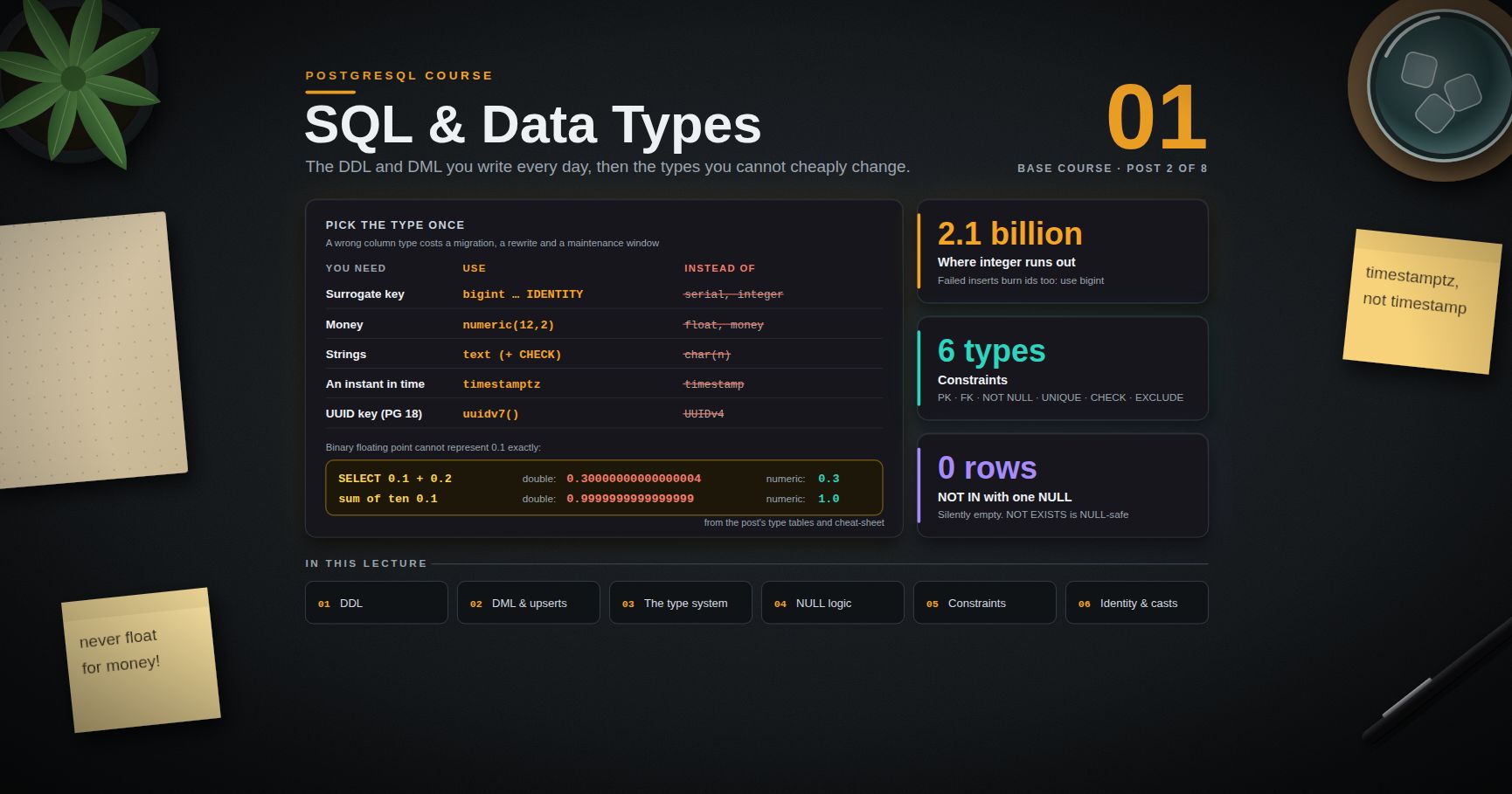
bigint GENERATED ALWAYS AS IDENTITYrather thanserial— identity is the SQL-standard form and avoidsserial's sequence-ownership surprises.textrather thanvarchar(n)— in PostgreSQL they perform identically, andtextavoids arbitrary length limits that later require anALTER TABLE.numeric(12,2)for money — neverfloat. Binary floating point cannot represent0.10exactly.timestamptzrather thantimestamp— it stores an absolute instant.timestampstores a wall-clock reading with no timezone, which is almost never what you want.
Load a little data and query it:
1
2
3
4
5
6
7
8
9
10
11
12
13
14
15
16
17
18
19
INSERT INTO customers (email, full_name, country) VALUES
('ada@example.com', 'Ada Lovelace', 'GB'),
('grace@example.com', 'Grace Hopper', 'US'),
('kat@example.com', 'Katherine Johnson', 'US')
RETURNING id, email;
INSERT INTO orders (customer_id, status, total) VALUES
(1, 'paid', 120.00),
(1, 'pending', 35.50),
(2, 'paid', 899.99);
SELECT c.full_name,
count(o.id) AS order_count,
coalesce(sum(o.total), 0) AS lifetime_value
FROM customers c
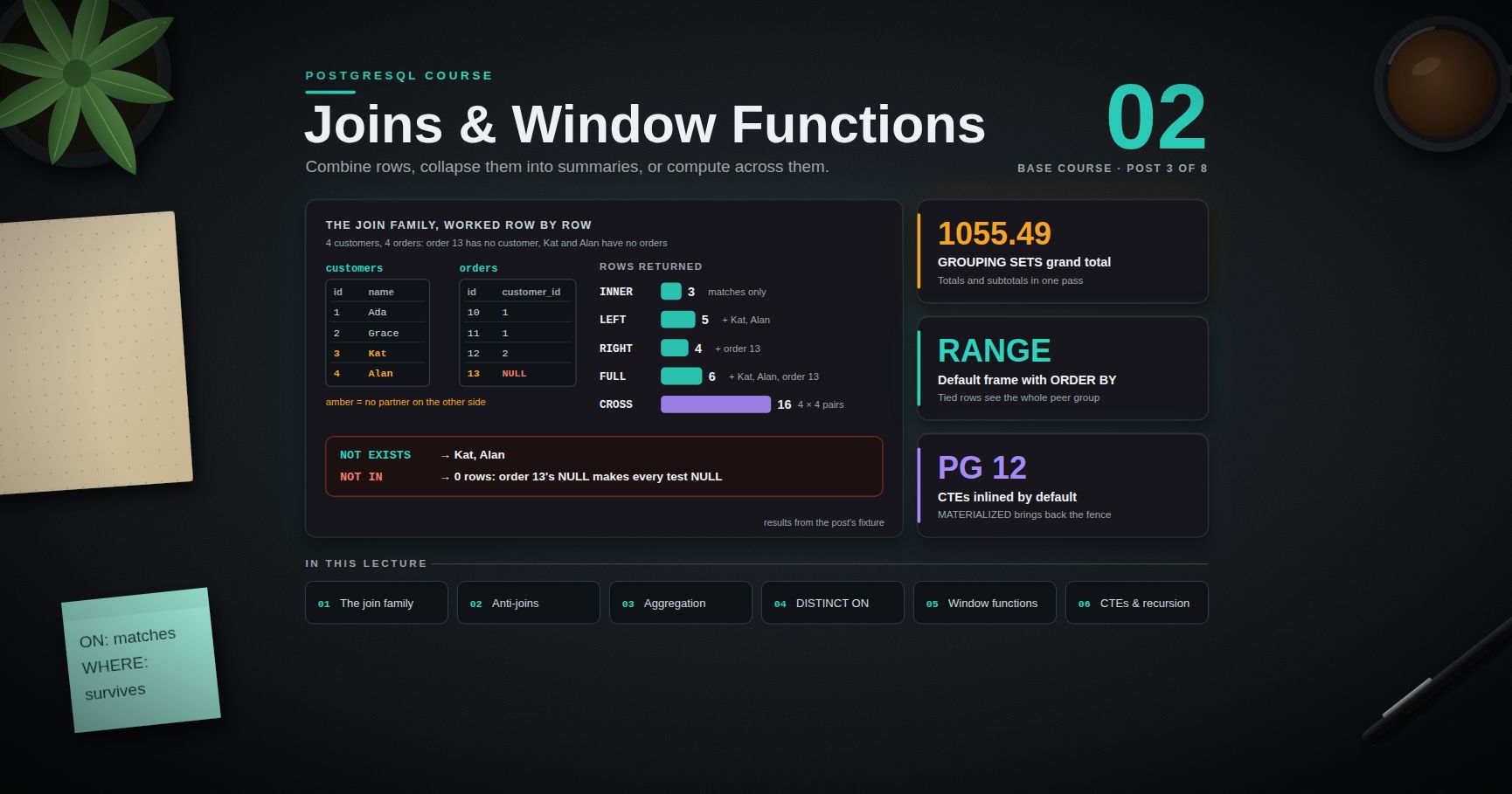
LEFT JOIN orders o ON o.customer_id = c.id
GROUP BY c.id, c.full_name
ORDER BY lifetime_value DESC;
1
2
3
4
5
6     full_name      | order_count | lifetime_value
--------------------+-------------+----------------
 Ada Lovelace       |           2 |         155.50
 Grace Hopper       |           1 |         899.99
 Katherine Johnson  |           0 |           0.00
RETURNING is a PostgreSQL strength worth internalising immediately: the generated identity values come back from the INSERT itself, no second round trip.
Inspect what was built:
1
2
3
4
5
6
7
8
9
10
11
12
13
14
15
16
shop=# \d orders
Table "public.orders"
Column | Type | Nullable | Default
-------------+--------------------------+----------+------------------------------
id | bigint | not null | generated always as identity
customer_id | bigint | not null |
status | text | not null | 'pending'::text
total | numeric(12,2) | not null |
placed_at | timestamp with time zone | not null | now()
Indexes:
"orders_pkey" PRIMARY KEY, btree (id)
Check constraints:
"orders_status_check" CHECK (status = ANY (ARRAY['pending','paid','shipped','cancelled']))
Foreign-key constraints:
"orders_customer_id_fkey" FOREIGN KEY (customer_id) REFERENCES customers(id) ON DELETE CASCADE
Chapter 7 — Configuration
Where the files live
Ask the server rather than guessing — packaged installs put them in surprising places (Debian keeps config in /etc/postgresql/18/main/ while data lives in /var/lib/postgresql/18/main/):
1
2
3
4
5
SHOW config_file; -- postgresql.conf
SHOW hba_file; -- pg_hba.conf
SHOW ident_file; -- pg_ident.conf
SHOW data_directory; -- PGDATA
| File | Purpose |
|---|---|
postgresql.conf |
Main settings. Hand-edited. |
postgresql.auto.conf |
Written by ALTER SYSTEM. Never hand-edit. Read last, so it overrides postgresql.conf. |
pg_hba.conf |
Host-Based Authentication: who may connect, from where, over which method (scram-sha-256, peer, trust, …). |
pg_ident.conf |
OS-user → database-role name mapping. |
Reading settings
1
2
3
4
5
6
7
SHOW work_mem;
SHOW ALL;
SELECT name, setting, unit, context, source, boot_val
FROM pg_settings
WHERE name IN ('shared_buffers','work_mem','max_connections');
The context column tells you what a change costs:
context |
To apply a change |
|---|---|
internal |
Fixed at initdb time — cannot change |
postmaster |
Full server restart (shared_buffers, max_connections) |
sighup |
Reload only (SELECT pg_reload_conf()) |
superuser / user |
SET it in the current session, immediately |
Changing settings
1
2
3
4
5
6
7
8
9
10
11
12
13
14
15
16
17
18
19
20
-- session only, reverts on disconnect
SET work_mem = '64MB';
RESET work_mem;
-- persist cluster-wide: writes postgresql.auto.conf
ALTER SYSTEM SET work_mem = '32MB';
SELECT pg_reload_conf(); -- enough for sighup settings
ALTER SYSTEM SET shared_buffers = '2GB';
-- restart required; check whether one is pending:
SELECT name, setting, pending_restart FROM pg_settings WHERE pending_restart;
-- undo an ALTER SYSTEM
ALTER SYSTEM RESET work_mem;
ALTER SYSTEM RESET ALL;
-- scoped defaults
ALTER DATABASE shop SET statement_timeout = '30s';
ALTER ROLE reporting SET work_mem = '256MB';
Trick:
ALTER SYSTEMis the right tool for infrastructure automation because it is transactional-ish, auditable, and survives config-management overwrites ofpostgresql.conf. But it is also the first place to look when a setting "mysteriously" ignores whatpostgresql.confsays —postgresql.auto.confwins.
A handful of settings worth setting on day one
1
2
3
4
5
6
7
8
ALTER SYSTEM SET log_min_duration_statement = '500ms'; -- log slow queries
ALTER SYSTEM SET log_checkpoints = on;
ALTER SYSTEM SET log_lock_waits = on;
ALTER SYSTEM SET log_line_prefix = '%m [%p] %q%u@%d ';
ALTER SYSTEM SET track_io_timing = on; -- needed for EXPLAIN (BUFFERS) timings
ALTER SYSTEM SET shared_preload_libraries = 'pg_stat_statements'; -- restart required
SELECT pg_reload_conf();
pg_stat_statements is the single highest-value thing to enable before you need it — it is the workload profiler that Post 04 leans on entirely.
Practice Exercises
Exercise 1 — Install and verify
Install PostgreSQL 17 or 18 by any route above. From psql, report the server version, the data directory, and the config file path in one query each.
Solution
1
2
3
4
SELECT version();
SHOW data_directory;
SHOW config_file;
Exercise 2 — Build the hierarchy
Create a database course, a schema staging inside it, and a table staging.import_log(id, loaded_at, rows_loaded). Confirm that \dt does not list it by default, then make it visible without qualifying the name.
Solution
1
2
3
4
5
6
7
8
9
10
11
12
13
CREATE DATABASE course;
\c course
CREATE SCHEMA staging;
CREATE TABLE staging.import_log (
id bigint GENERATED ALWAYS AS IDENTITY PRIMARY KEY,
loaded_at timestamptz NOT NULL DEFAULT now(),
rows_loaded integer NOT NULL
);
\dt -- empty: staging is not in search_path
SET search_path TO staging, public;
\dt -- now listed
Exercise 3 — Read-only role
Create a login role analyst that can connect to course and SELECT from every current and future table in public, but cannot write.
Solution
1
2
3
4
5
6
7
CREATE ROLE analyst LOGIN PASSWORD 'analyst-pw';
GRANT CONNECT ON DATABASE course TO analyst;
\c course
GRANT USAGE ON SCHEMA public TO analyst;
GRANT SELECT ON ALL TABLES IN SCHEMA public TO analyst;
ALTER DEFAULT PRIVILEGES IN SCHEMA public GRANT SELECT ON TABLES TO analyst;
Alternatively, on PG 14+: GRANT pg_read_all_data TO analyst;
Exercise 4 — Process census
With the server running, list the PostgreSQL processes at the OS level and match each to a role from Chapter 4.
Hint: ps -ef | grep postgres on Linux/macOS, or SELECT backend_type, count(*) FROM pg_stat_activity GROUP BY 1; from inside.
Exercise 5 — Settings audit
Find every setting on your cluster whose current value differs from the compiled-in default, and note which ones would need a restart to change.
Solution
1
2
3
4
5
SELECT name, setting, boot_val, source, context
FROM pg_settings
WHERE source NOT IN ('default', 'override')
ORDER BY name;
Exercise 6 — Docker throwaway
Start a PostgreSQL 18 container with a named volume, create a table, destroy the container, start a new one on the same volume, and confirm the table survived.
Exercise 7 — psqlrc
Write a ~/.psqlrc with \timing on and \x auto. Run a SELECT * FROM pg_settings LIMIT 3 and observe the difference in readability against the default output.
Cheat-sheet
| What | How |
|---|---|
| Server version | SELECT version(); or SHOW server_version; |
| Docker one-liner | docker run --name pg18 -e POSTGRES_PASSWORD=secret -p 5432:5432 -d postgres:18 |
| Connect | psql -h host -p 5432 -U user -d db or psql "postgresql://u:p@host/db" |
| Local peer auth (Debian) | sudo -u postgres psql |
| List databases / schemas / tables | \l / \dn / \dt |
| Describe a table | \d+ tablename |
| List roles / extensions | \du / \dx |
| Vertical output, timing | \x auto, \timing on |
| Run a SQL file | \i script.sql |
| Live-refresh a query | \watch 2 |
| Switch database | \c dbname (new connection) |
| Show current search path | SHOW search_path; |
| Set search path persistently | ALTER ROLE r SET search_path TO app, public; |
| Create login role | CREATE ROLE alice LOGIN PASSWORD '…'; |
| Grant future-table reads | ALTER DEFAULT PRIVILEGES IN SCHEMA public GRANT SELECT ON TABLES TO r; |
| Read a setting | SHOW work_mem; / pg_settings |
| Change persistently | ALTER SYSTEM SET x = 'v'; SELECT pg_reload_conf(); |
| Find config files | SHOW config_file; SHOW hba_file; |
| Pending restarts | SELECT name FROM pg_settings WHERE pending_restart; |
| Who is connected | SELECT * FROM pg_stat_activity; |
What's next
Post 01 covers SQL fundamentals and the type system: CREATE/ALTER/DROP TABLE, the full DML set including RETURNING and ON CONFLICT upserts, and the type decisions that are painful to reverse later — numeric vs float for money, text vs varchar, enum vs lookup table, and why timestamptz is almost always the right answer. It also confronts three-valued logic, which produces more production bugs than any other single SQL feature.
References
- PostgreSQL documentation — the canonical reference; unusually well written for a project of this size.
- Server Administration — installation, configuration, and the process architecture.
- psql reference — the full meta-command list.
- Runtime configuration parameters — every setting, with its context.
- PostgreSQL 18 release notes — asynchronous I/O,
uuidv7(), B-tree skip scan. - Downloads — the PGDG repositories for every platform.
- The Internals of PostgreSQL by Hironobu Suzuki — free online, the clearest architecture walkthrough available.
Note: this post is in progress. Planned additions: a
pg_hba.confauthentication-method walkthrough,initdblocale and checksum options, and a systemd/service-management section for multi-version hosts.